service BMW 525I 2004 Owner's Manual
[x] Cancel search | Manufacturer: BMW, Model Year: 2004, Model line: 525I, Model: BMW 525I 2004Pages: 220, PDF Size: 7.12 MB
Page 165 of 220
163
Entertainment
Reference
At a glance
Controls
Driving tips Communications
Navigation
Mobility
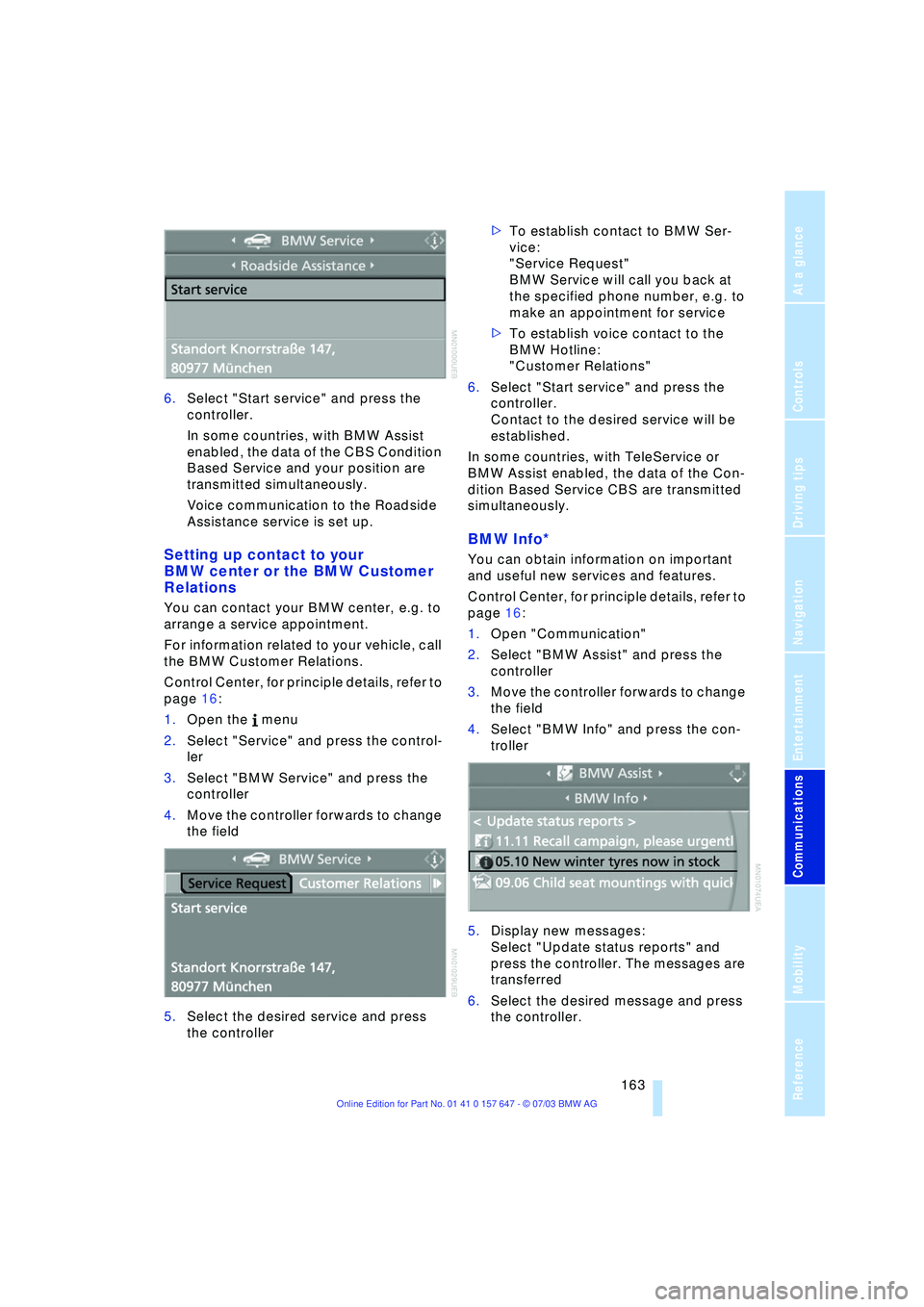
6.Select "Start service" and press the
controller.
In some countries, with BMW Assist
enabled, the data of the CBS Condition
Based Service and your position are
transmitted simultaneously.
Voice communication to the Roadside
Assistance service is set up.
Setting up contact to your
BMW center or the BMW Customer
Relations
You can contact your BMW center, e.g. to
arrange a service appointment.
For information related to your vehicle, call
the BMW Customer Relations.
Control Center, for principle details, refer to
page 16:
1.Open the menu
2.Select "Service" and press the control-
ler
3.Select "BMW Service" and press the
controller
4.Move the controller forwards to change
the field
5.Select the desired service and press
the controller >To establish contact to BMW Ser-
vice:
"Service Request"
BMW Service will call you back at
the specified phone number, e.g. to
make an appointment for service
>To establish voice contact to the
BMW Hotline:
"Customer Relations"
6.Select "Start service" and press the
controller.
Contact to the desired service will be
established.
In some countries, with TeleService or
BMW Assist enabled, the data of the Con-
dition Based Service CBS are transmitted
simultaneously.
BMW Info*
You can obtain information on important
and useful new services and features.
Control Center, for principle details, refer to
page 16:
1.Open "Communication"
2.Select "BMW Assist" and press the
controller
3.Move the controller forwards to change
the field
4.Select "BMW Info" and press the con-
troller
5.Display new messages:
Select "Update status reports" and
press the controller. The messages are
transferred
6.Select the desired message and press
the controller.
Page 166 of 220
TeleService, BMW Assist
164 If you have received a message with a tele-
phone number or an address, you can for-
ward this to your portable phone or naviga-
tion system.
New messages are announced via SMS.
For more detailed information, refer to
page 156.
Info Plus*
This information service supplies you with a
whole range of current, interesting informa-
tion on request.
You can have telephone numbers and
addresses transferred and directly dial the
telephone number or copy the address to
the destination guidance of the navigation
system.
This option provides you with a current
information service, e.g. in the following
areas:
>Information on businesses
e.g. florist, doctor
>Accommodations
e.g. hotels, motels
>Mobility
e.g. filling stations, airports, car rental,
BMW dealers
>Eating and drinking
e.g. restaurants, cafŽs, bars
>Current information
e.g. movies playing, events.
Control Center, for principle details, refer to
page 16:
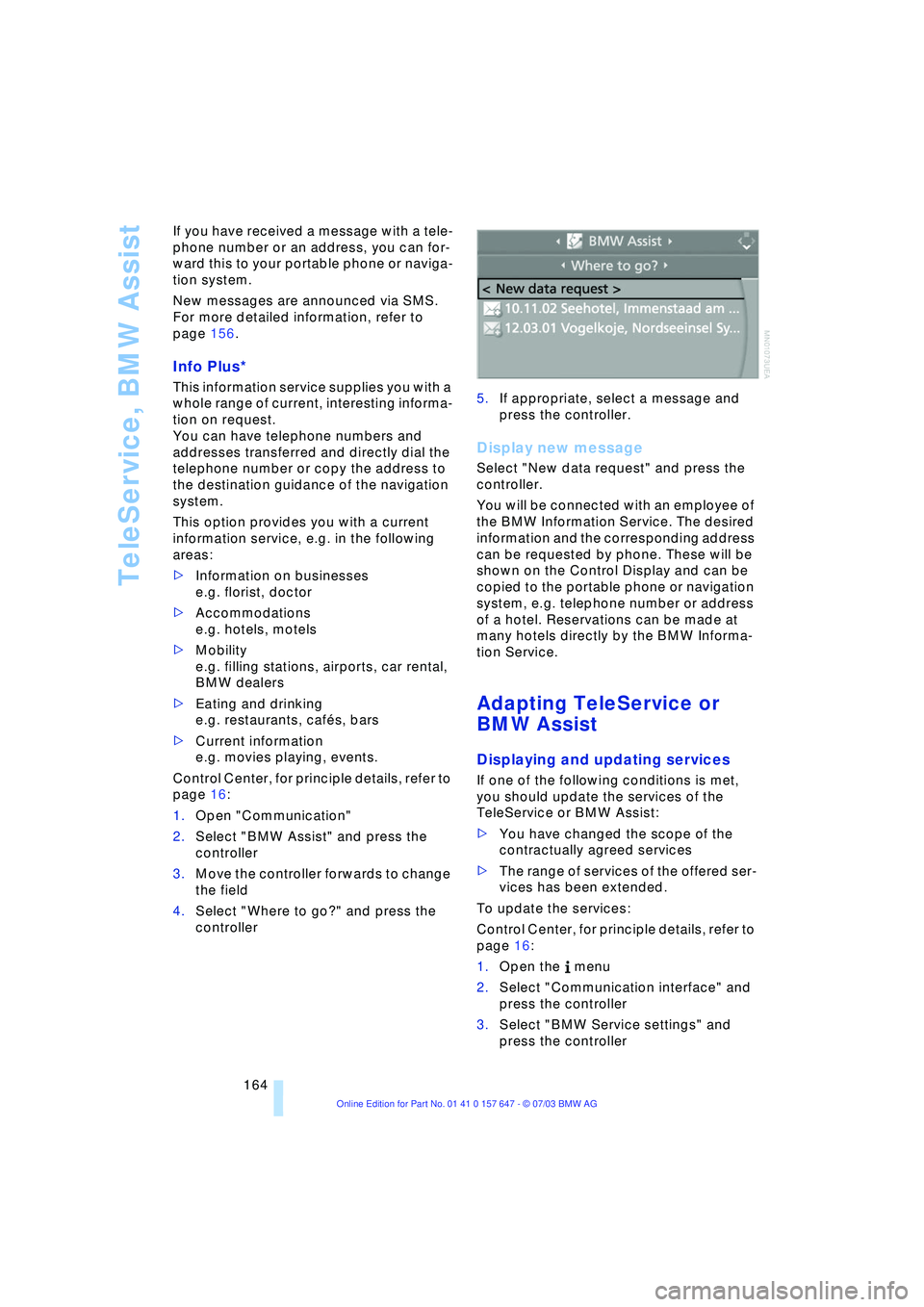
1.Open "Communication"
2.Select "BMW Assist" and press the
controller
3.Move the controller forwards to change
the field
4.Select "Where to go?" and press the
controller 5.If appropriate, select a message and
press the controller.
Display new message
Select "New data request" and press the
controller.
You will be connected with an employee of
the BMW Information Service. The desired
information and the corresponding address
can be requested by phone. These will be
shown on the Control Display and can be
copied to the portable phone or navigation
system, e.g. telephone number or address
of a hotel. Reservations can be made at
many hotels directly by the BMW Informa-
tion Service.
Adapting TeleService or
BMW Assist
Displaying and updating services
If one of the following conditions is met,
you should update the services of the
TeleService or BMW Assist:
>You have changed the scope of the
contractually agreed services
>The range of services of the offered ser-
vices has been extended.
To update the services:
Control Center, for principle details, refer to
page 16:
1.Open the menu
2.Select "Communication interface" and
press the controller
3.Select "BMW Service settings" and
press the controller
Page 167 of 220
165
Entertainment
Reference
At a glance
Controls
Driving tips Communications
Navigation
Mobility
4.Move the controller forward to change
the field
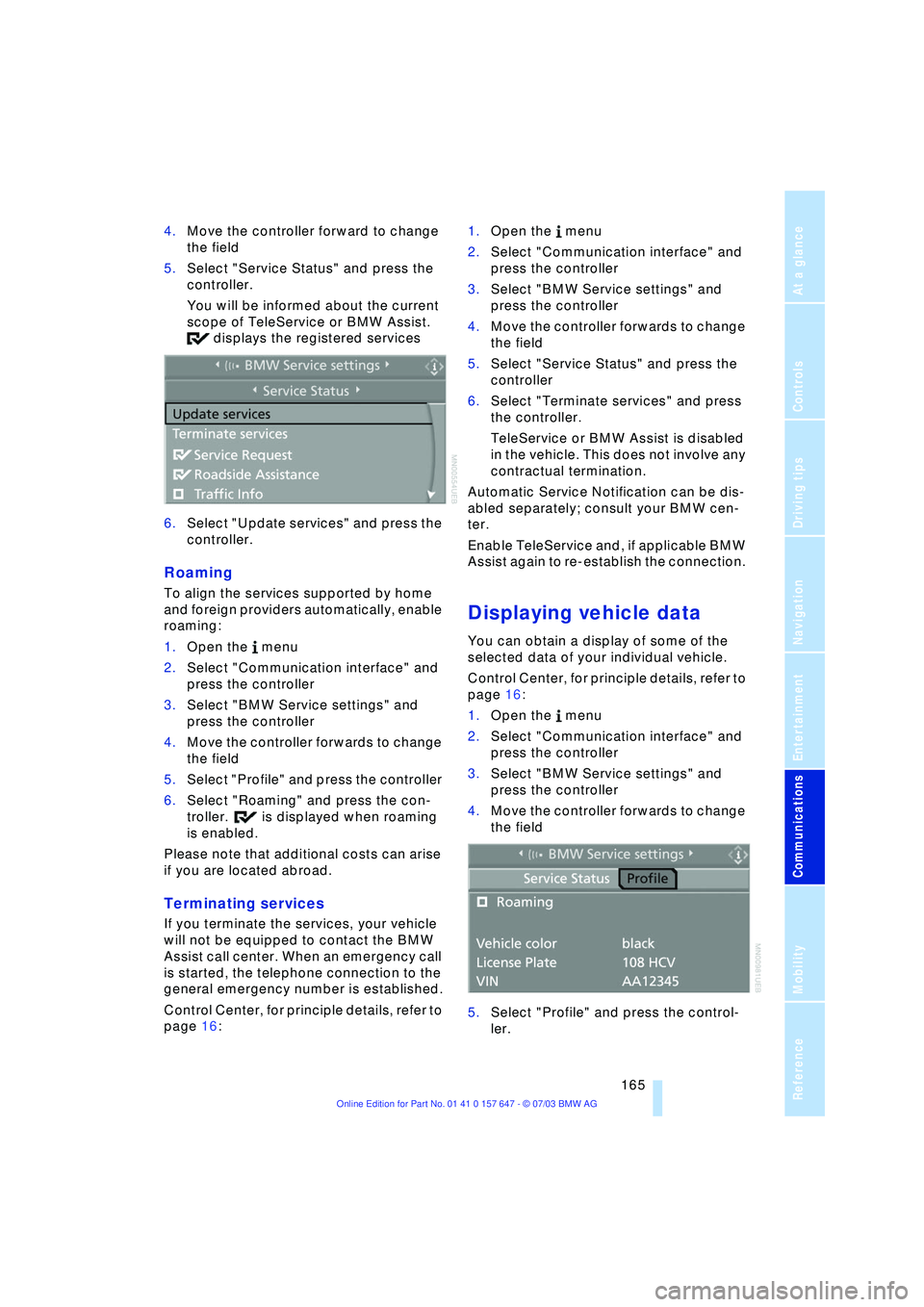
5.Select "Service Status" and press the
controller.
You will be informed about the current
scope of TeleService or BMW Assist.
displays the registered services
6.Select "Update services" and press the
controller.
Roaming
To align the services supported by home
and foreign providers automatically, enable
roaming:
1.Open the menu
2.Select "Communication interface" and
press the controller
3.Select "BMW Service settings" and
press the controller
4.Move the controller forwards to change
the field
5.Select "Profile" and press the controller
6.Select "Roaming" and press the con-
troller. is displayed when roaming
is enabled.
Please note that additional costs can arise
if you are located abroad.
Terminating services
If you terminate the services, your vehicle
will not be equipped to contact the BMW
Assist call center. When an emergency call
is started, the telephone connection to the
general emergency number is established.
Control Center, for principle details, refer to
page 16: 1.Open the menu
2.Select "Communication interface" and
press the controller
3.Select "BMW Service settings" and
press the controller
4.Move the controller forwards to change
the field
5.Select "Service Status" and press the
controller
6.Select "Terminate services" and press
the controller.
TeleService or BMW Assist is disabled
in the vehicle. This does not involve any
contractual termination.
Automatic Service Notification can be dis-
abled separately; consult your BMW cen-
ter.
Enable TeleService and, if applicable BMW
Assist again to re-establish the connection.
Displaying vehicle data
You can obtain a display of some of the
selected data of your individual vehicle.
Control Center, for principle details, refer to
page 16:
1.Open the menu
2.Select "Communication interface" and
press the controller
3.Select "BMW Service settings" and
press the controller
4.Move the controller forwards to change
the field
5.Select "Profile" and press the control-
ler.
Page 169 of 220
Mobility
This section helps you maintain your
mobility by supplying important
information on vital topics including
fuels and lubricants, wheels and tires,
service, maintenance and how to deal
with any problems that may occur.
Page 170 of 220
Refueling
168
Refueling
Fuel filler door
Always switch off the engine before
refueling. If you do not, fuel cannot be
filled into the tank and a message on the
Control Display will appear.<
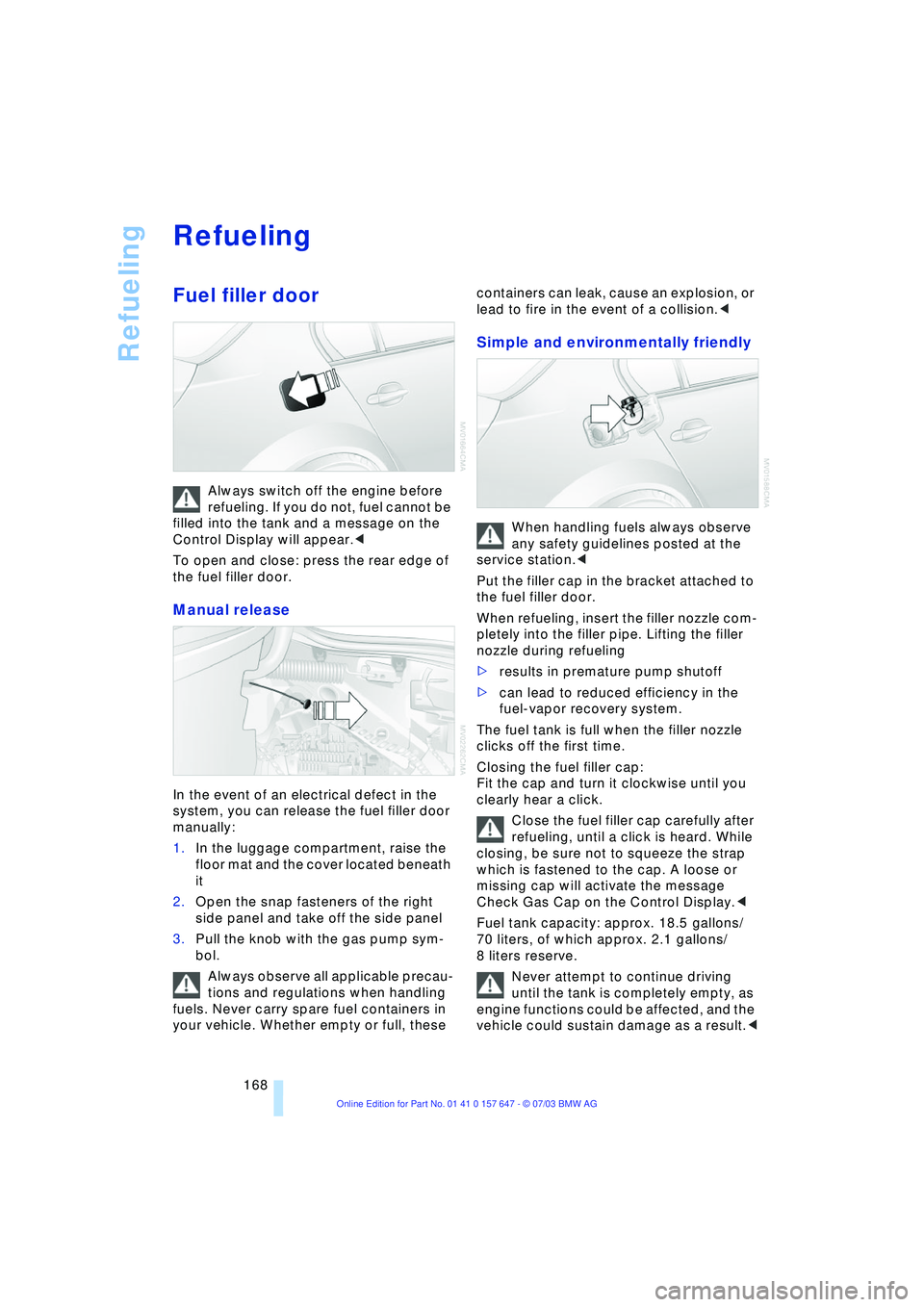
To open and close: press the rear edge of
the fuel filler door.
Manual release
In the event of an electrical defect in the
system, you can release the fuel filler door
manually:
1.In the luggage compartment, raise the
floor mat and the cover located beneath
it
2.Open the snap fasteners of the right
side panel and take off the side panel
3.Pull the knob with the gas pump sym-
bol.
Always observe all applicable precau-
tions and regulations when handling
fuels. Never carry spare fuel containers in
your vehicle. Whether empty or full, these containers can leak, cause an explosion, or
lead to fire in the event of a collision.<
Simple and environmentally friendly
When handling fuels always observe
any safety guidelines posted at the
service station.<
Put the filler cap in the bracket attached to
the fuel filler door.
When refueling, insert the filler nozzle com-
pletely into the filler pipe. Lifting the filler
nozzle during refueling
>results in premature pump shutoff
>can lead to reduced efficiency in the
fuel-vapor recovery system.
The fuel tank is full when the filler nozzle
clicks off the first time.
Closing the fuel filler cap:
Fit the cap and turn it clockwise until you
clearly hear a click.
Close the fuel filler cap carefully after
refueling, until a click is heard. While
closing, be sure not to squeeze the strap
which is fastened to the cap. A loose or
missing cap will activate the message
Check Gas Cap on the Control Display.<
Fuel tank capacity: approx. 18.5 gallons/
70 liters, of which approx. 2.1 gallons/
8 liters reserve.
Never attempt to continue driving
until the tank is completely empty, as
engine functions could be affected, and the
vehicle could sustain damage as a result.<
Page 172 of 220
Wheels and tires
170
Wheels and tires
Tire inflation pressure
Information for your safety
It is not merely the tire's service life, but
also driving comfort and Ð to a great extent
Ð driving safety that depend on the condi-
tion of the tires and the maintenance of the
specified tire pressure.
Check and if necessary adjust tire
inflation pressures regularly, also on
the compact wheel, at least every two
weeks and before beginning a longer trip. If
you fail to observe this precaution you may
be driving on tires with incorrect tire pres-
sures, a condition that cannot only com-
promise your vehicle's driving stability, but
also lead to tire damage and the risk of an
accident.
Do not drive with deflated, i.e. flat tires,
except run-flat tires. A flat tire will seriously
impair your vehicle's handling and braking
response. Attempts to drive on a flat tire
can lead to loss of control over the vehi-
cle.<
Checking the pressure
Only check tire inflation pressure when the
tires are cold. This means after a maximum
of 1.25 miles/2 km driving or when the
vehicle has been parked for at least
2 hours. When tires are warm, the tire infla-
tion pressure increases.
After correcting the inflation pressure(s),
always reinitialize the Flat Tire Monitor,
refer to page 81.
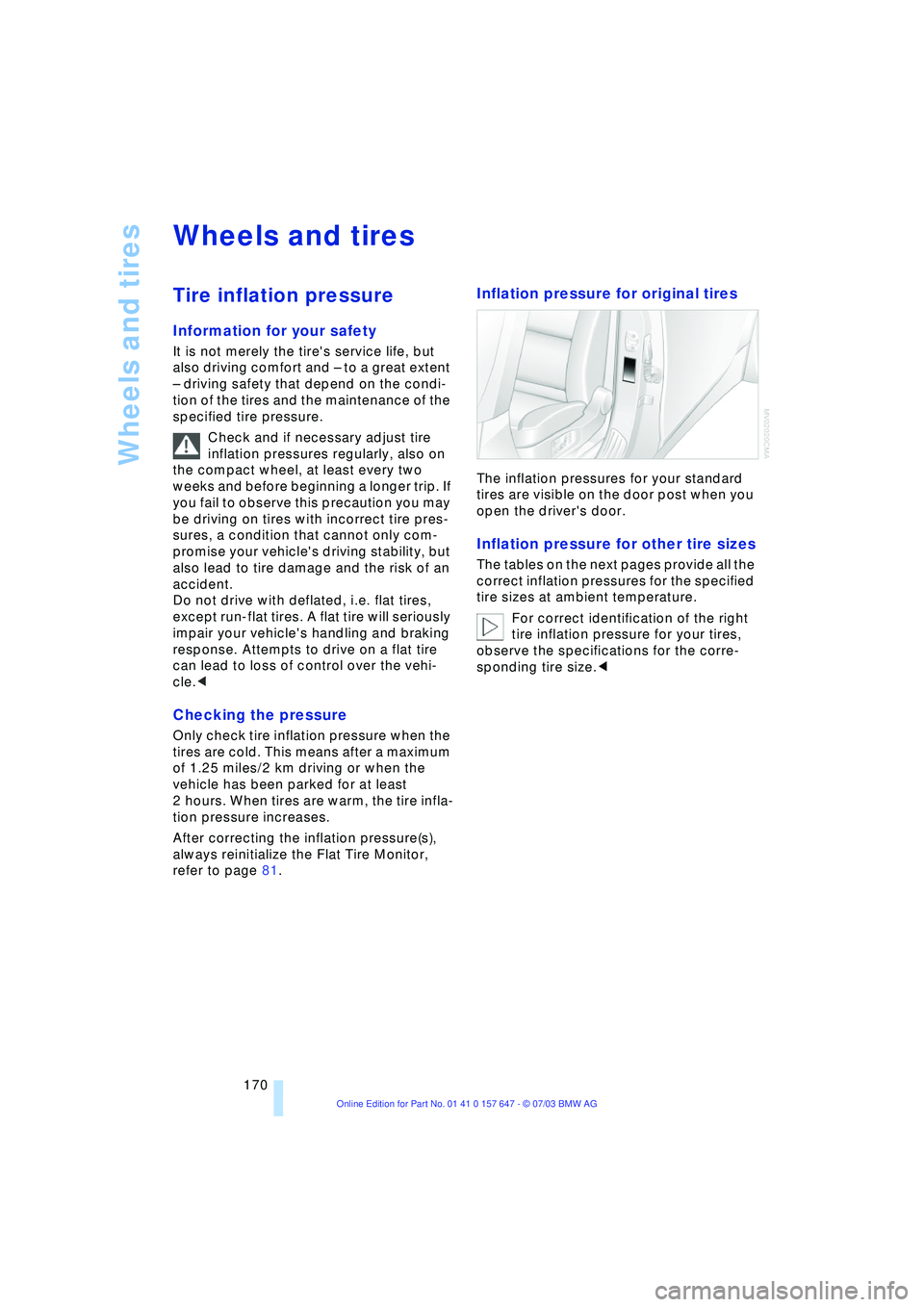
Inflation pressure for original tires
The inflation pressures for your standard
tires are visible on the door post when you
open the driver's door.
Inflation pressure for other tire sizes
The tables on the next pages provide all the
correct inflation pressures for the specified
tire sizes at ambient temperature.
For correct identification of the right
tire inflation pressure for your tires,
observe the specifications for the corre-
sponding tire size.<
Page 175 of 220
Mobility
173Reference
At a glance
Controls
Driving tips
Communications
Navigation
Entertainment
dently of the fact that tires can reach an age
of 10 years.
Uniform Tire Quality Grading
Quality grades can be found where appli-
cable on the tire sidewall between tread
shoulder and maximum section width. For
example:
Treadwear 200 Traction AA
Temperature A
DOT Quality Grades
Treadwear
Traction AA A B C
Temperature A B C
All passenger car tires must conform
to Federal Safety Requirements in
addition to these grades.<
Treadwear
The treadwear grade is a comparative rat-
ing based on the wear rate of the tire when
tested under controlled conditions on a
specified government test course.
For example, a tire graded 150 would wear
one and one-half (1 g) times as well on the
government course as a tire graded 100.
The relative performance of tires depends
upon the actual conditions of their use,
however, and may depart significantly from
the norm due to variations in driving habits,
service practices and differences in road
characteristics and climate.
Traction
The traction grades, from highest to lowest,
are AA, A, B, and C.
Those grades represent the tire's ability to
stop on wet pavement as measured under
controlled conditions on specified govern-
ment test surfaces of asphalt and concrete.
A tire marked C may have poor traction
performance.
The traction grade assigned to this
tire is based on straight-ahead brak-
ing traction tests, and does not include
acceleration, cornering, hydroplaning, or
peak traction characteristics.<
Temperature
The temperature grades are A Ð the
highest Ð B, and C, representing the tire's
resistance to the generation of heat and its
ability to dissipate heat when tested under
controlled conditions on a specified indoor
laboratory test wheel.
Sustained high temperature can cause the
material of the tire to degenerate and
reduce tire life, and excessive temperature
can lead to sudden tire failure. The grade C
corresponds to a level of performance
which all passenger car tires must meet
under the Federal Motor Vehicle Safety
Standard No. 109. Grades B and A repre-
sent higher levels of performance on the
laboratory test wheel than the minimum
required by law.
The temperature grade for this tire is
established for a tire that is properly
inflated and not overloaded. Excessive
speed, underinflation, or excessive load-
ing, either separately or in combination,
can cause heat buildup and possible tire
failure.<
RSC Ð Run-flat tires
You will recognize run-flat tires by a circular
symbol containing the letters RSC on the
side of the tire, refer to page 175.
M+S
Winter and all-season tires.
These have better winter properties than
summer tires.
Tire condition
Inspect your tires frequently for treadwear,
signs of damage and for foreign objects
lodged in the tread. Check the tread depth.
Tire tread
The tread depth should not drop below
0.12 in/3 mm, although, for example, Euro-
pean legislation only specifies a minimum
tread depth of 0.063 in/1.6 mm. At tread
depths below 0.12 in/3 mm there is an
increased risk of high-speed hydroplaning,
Page 176 of 220
Wheels and tires
174 even when only small amounts of water are
present on the road surface.
As winter tires display a noticeable loss in
their ability to cope with cold-weather driv-
ing conditions once the tread wears to
below 0.16 in/4 mm, to ensure continued
safety you should always have such tires
replaced.
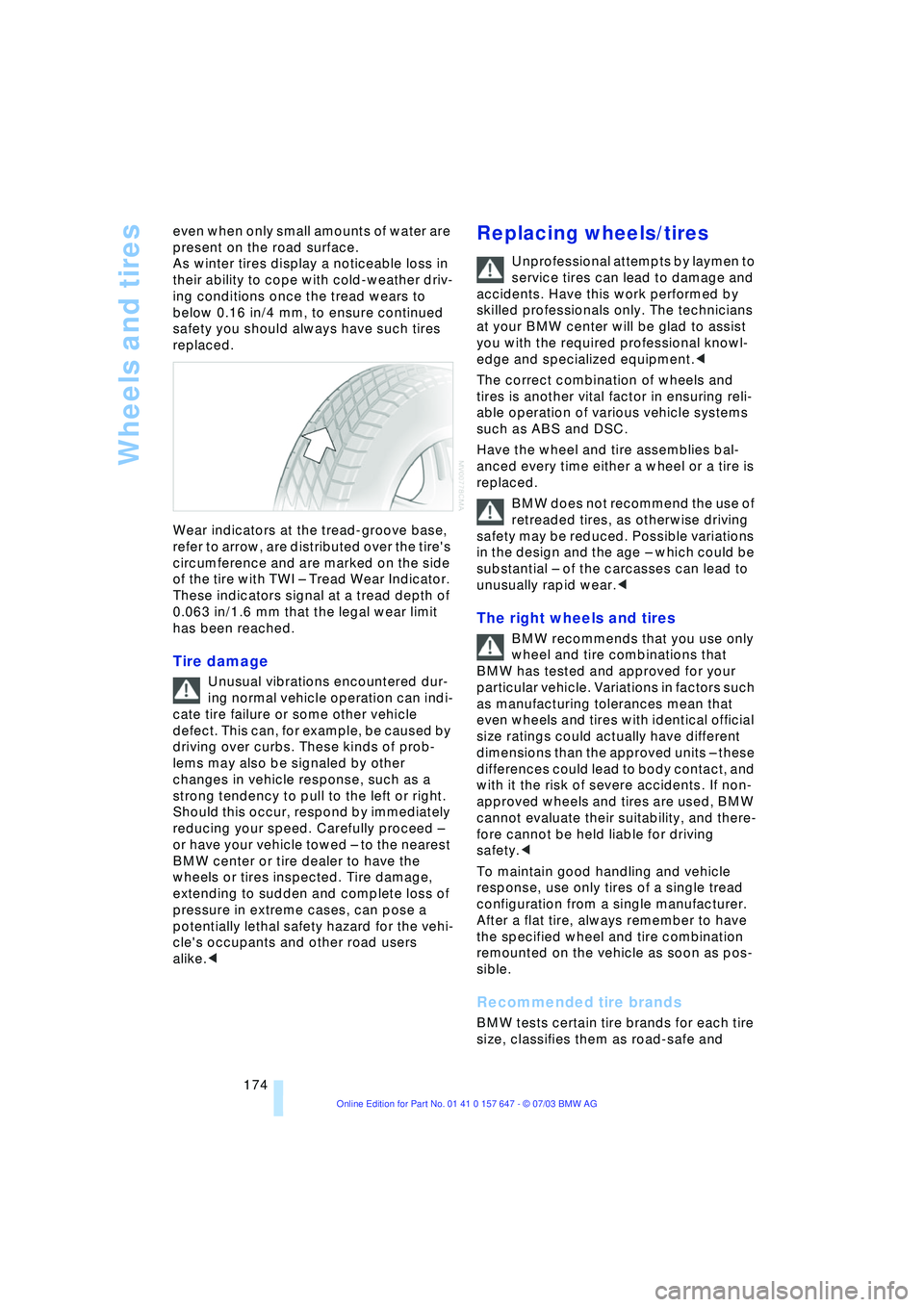
Wear indicators at the tread-groove base,
refer to arrow, are distributed over the tire's
circumference and are marked on the side
of the tire with TWI Ð Tread Wear Indicator.
These indicators signal at a tread depth of
0.063 in/1.6 mm that the legal wear limit
has been reached.
Tire damage
Unusual vibrations encountered dur-
ing normal vehicle operation can indi-
cate tire failure or some other vehicle
defect. This can, for example, be caused by
driving over curbs. These kinds of prob-
lems may also be signaled by other
changes in vehicle response, such as a
strong tendency to pull to the left or right.
Should this occur, respond by immediately
reducing your speed. Carefully proceed Ð
or have your vehicle towed Ð to the nearest
BMW center or tire dealer to have the
wheels or tires inspected. Tire damage,
extending to sudden and complete loss of
pressure in extreme cases, can pose a
potentially lethal safety hazard for the vehi-
cle's occupants and other road users
alike.<
Replacing wheels/tires
Unprofessional attempts by laymen to
service tires can lead to damage and
accidents. Have this work performed by
skilled professionals only. The technicians
at your BMW center will be glad to assist
you with the required professional knowl-
edge and specialized equipment.<
The correct combination of wheels and
tires is another vital factor in ensuring reli-
able operation of various vehicle systems
such as ABS and DSC.
Have the wheel and tire assemblies bal-
anced every time either a wheel or a tire is
replaced.
BMW does not recommend the use of
retreaded tires, as otherwise driving
safety may be reduced. Possible variations
in the design and the age Ð which could be
substantial Ð of the carcasses can lead to
unusually rapid wear.<
The right wheels and tires
BMW recommends that you use only
wheel and tire combinations that
BMW has tested and approved for your
particular vehicle. Variations in factors such
as manufacturing tolerances mean that
even wheels and tires with identical official
size ratings could actually have different
dimensions than the approved units Ð these
differences could lead to body contact, and
with it the risk of severe accidents. If non-
approved wheels and tires are used, BMW
cannot evaluate their suitability, and there-
fore cannot be held liable for driving
safety.<
To maintain good handling and vehicle
response, use only tires of a single tread
configuration from a single manufacturer.
After a flat tire, always remember to have
the specified wheel and tire combination
remounted on the vehicle as soon as pos-
sible.
Recommended tire brands
BMW tests certain tire brands for each tire
size, classifies them as road-safe and
Page 179 of 220
Mobility
177Reference
At a glance
Controls
Driving tips
Communications
Navigation
Entertainment
Under the hood
Hood
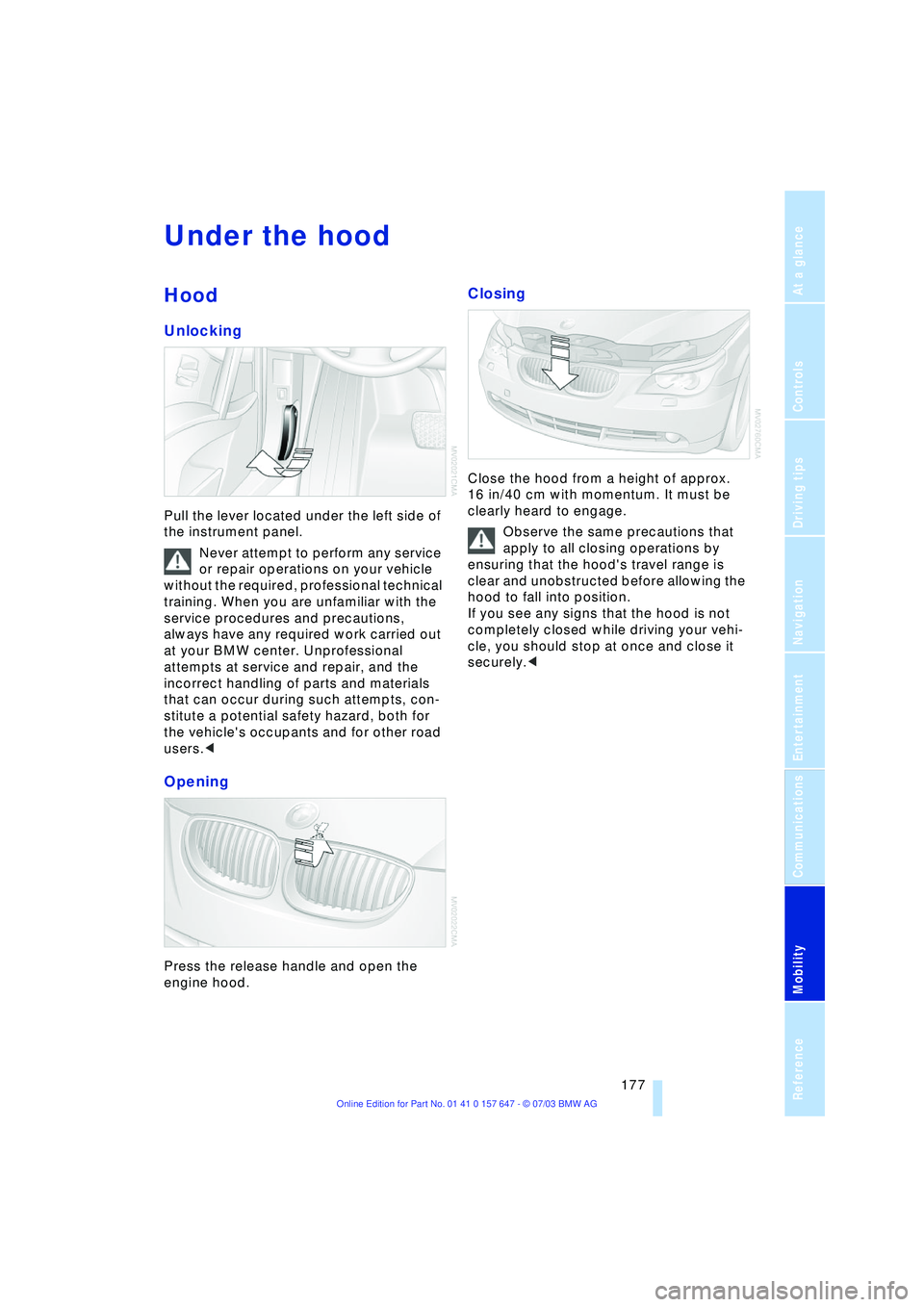
Unlocking
Pull the lever located under the left side of
the instrument panel.
Never attempt to perform any service
or repair operations on your vehicle
without the required, professional technical
training. When you are unfamiliar with the
service procedures and precautions,
always have any required work carried out
at your BMW center. Unprofessional
attempts at service and repair, and the
incorrect handling of parts and materials
that can occur during such attempts, con-
stitute a potential safety hazard, both for
the vehicle's occupants and for other road
users.<
Opening
Press the release handle and open the
engine hood.
Closing
Close the hood from a height of approx.
16 in/40 cm with momentum. It must be
clearly heard to engage.
Observe the same precautions that
apply to all closing operations by
ensuring that the hood's travel range is
clear and unobstructed before allowing the
hood to fall into position.
If you see any signs that the hood is not
completely closed while driving your vehi-
cle, you should stop at once and close it
securely.<
Page 181 of 220
Mobility
179Reference
At a glance
Controls
Driving tips
Communications
Navigation
Entertainment
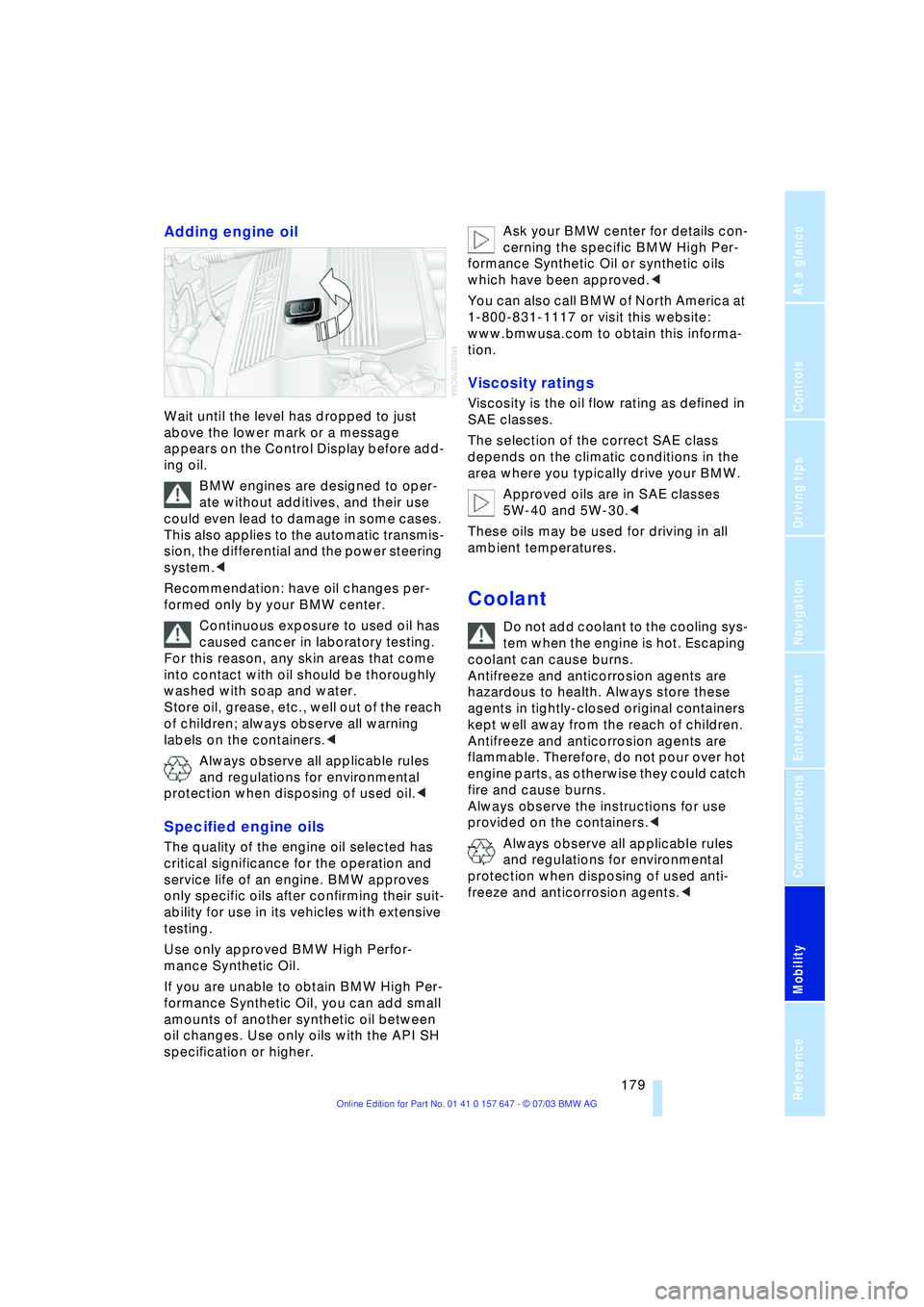
Adding engine oil
Wait until the level has dropped to just
above the lower mark or a message
appears on the Control Display before add-
ing oil.
BMW engines are designed to oper-
ate without additives, and their use
could even lead to damage in some cases.
This also applies to the automatic transmis-
sion, the differential and the power steering
system.<
Recommendation: have oil changes per-
formed only by your BMW center.
Continuous exposure to used oil has
caused cancer in laboratory testing.
For this reason, any skin areas that come
into contact with oil should be thoroughly
washed with soap and water.
Store oil, grease, etc., well out of the reach
of children; always observe all warning
labels on the containers.<
Always observe all applicable rules
and regulations for environmental
protection when disposing of used oil.<
Specified engine oils
The quality of the engine oil selected has
critical significance for the operation and
service life of an engine. BMW approves
only specific oils after confirming their suit-
ability for use in its vehicles with extensive
testing.
Use only approved BMW High Perfor-
mance Synthetic Oil.
If you are unable to obtain BMW High Per-
formance Synthetic Oil, you can add small
amounts of another synthetic oil between
oil changes. Use only oils with the API SH
specification or higher. Ask your BMW center for details con-
cerning the specific BMW High Per-
formance Synthetic Oil or synthetic oils
which have been approved.<
You can also call BMW of North America at
1-800-831-1117 or visit this website:
www.bmwusa.com to obtain this informa-
tion.
Viscosity ratings
Viscosity is the oil flow rating as defined in
SAE classes.
The selection of the correct SAE class
depends on the climatic conditions in the
area where you typically drive your BMW.
Approved oils are in SAE classes
5W-40 and 5W-30.<
These oils may be used for driving in all
ambient temperatures.
Coolant
Do not add coolant to the cooling sys-
tem when the engine is hot. Escaping
coolant can cause burns.
Antifreeze and anticorrosion agents are
hazardous to health. Always store these
agents in tightly-closed original containers
kept well away from the reach of children.
Antifreeze and anticorrosion agents are
flammable. Therefore, do not pour over hot
engine parts, as otherwise they could catch
fire and cause burns.
Always observe the instructions for use
provided on the containers.<
Always observe all applicable rules
and regulations for environmental
protection when disposing of used anti-
freeze and anticorrosion agents.<