steering wheel BMW 525I 2004 Owner's Manual
[x] Cancel search | Manufacturer: BMW, Model Year: 2004, Model line: 525I, Model: BMW 525I 2004Pages: 220, PDF Size: 7.12 MB
Page 154 of 220
Telephoning
152 The hands-free unit is activated whenever
you establish or receive a call using:
>The buttons on the steering wheel
>The Control Center
>Voice control.
To continue a call on the portable phone
using hands-free unit:
Insert the portable phone with the lid
opened in the cradle.
To continue a call on the hands-free unit
using the portable phone:
Take the portable phone with the lid
opened out of the cradle.
The call is ended as soon as you take the
phone from the cradle with a closed lid.
Volume adjustment
You can adjust the volume for the hands-
free unit for each individual key:
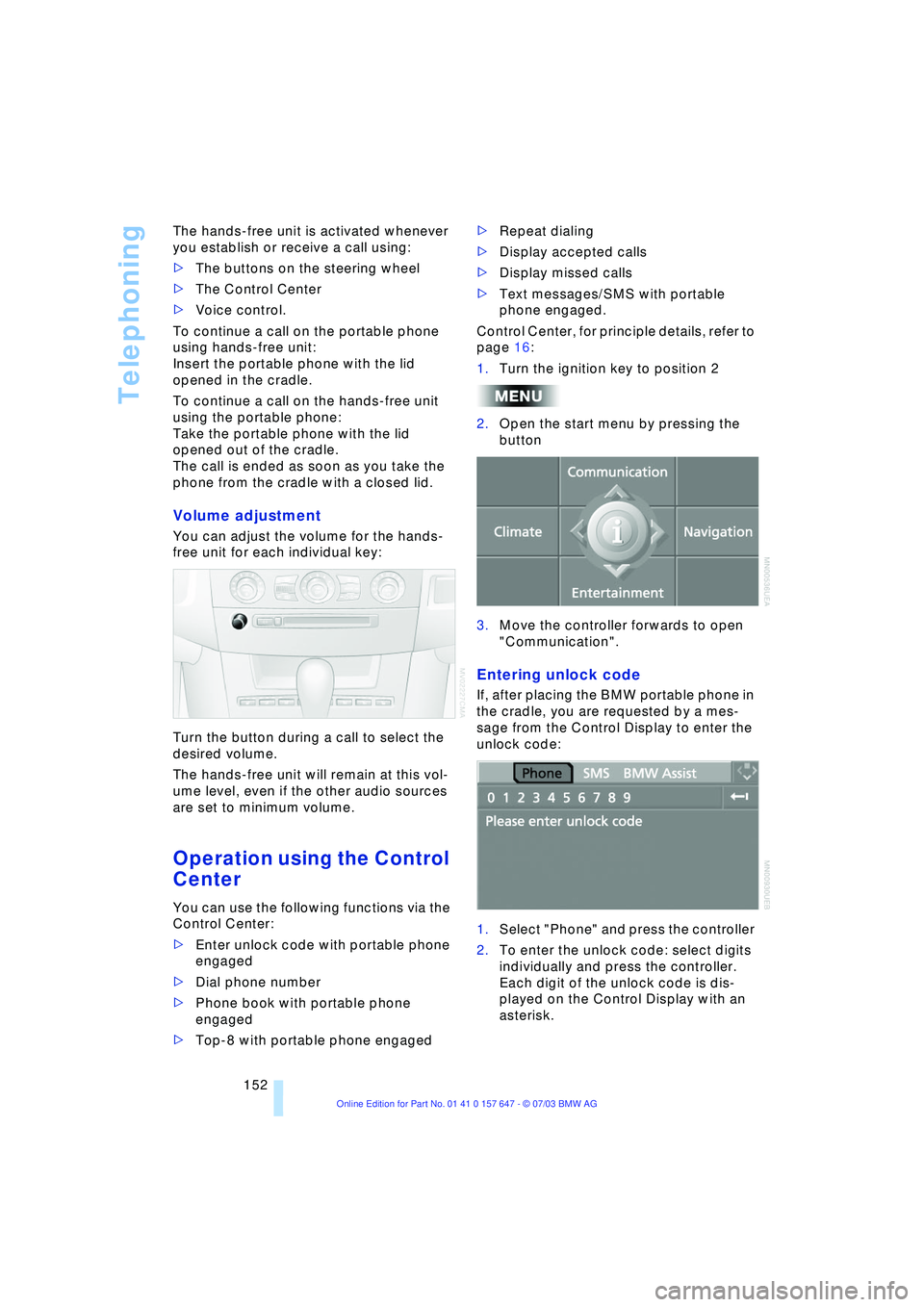
Turn the button during a call to select the
desired volume.
The hands-free unit will remain at this vol-
ume level, even if the other audio sources
are set to minimum volume.
Operation using the Control
Center
You can use the following functions via the
Control Center:
>Enter unlock code with portable phone
engaged
>Dial phone number
>Phone book with portable phone
engaged
>Top-8 with portable phone engaged>Repeat dialing
>Display accepted calls
>Display missed calls
>Text messages/SMS with portable
phone engaged.
Control Center, for principle details, refer to
page 16:
1.Turn the ignition key to position 2
2.Open the start menu by pressing the
button
3.Move the controller forwards to open
"Communication".
Entering unlock code
If, after placing the BMW portable phone in
the cradle, you are requested by a mes-
sage from the Control Display to enter the
unlock code:
1.Select "Phone" and press the controller
2.To enter the unlock code: select digits
individually and press the controller.
Each digit of the unlock code is dis-
played on the Control Display with an
asterisk.
Page 159 of 220
157
Entertainment
Reference
At a glance
Controls
Driving tips Communications
Navigation
Mobility
Operation by voice control*
The concept
You can operate your phone without having
to remove your hands from the steering
wheel. The system operates on the basis of
voice commands that you will learn easily
after using them a few times. In addition,
you are also supported by instructions or
questions.
Symbols used
Voice commands
In ignition key position 2:
1.Briefly press the button on the steer-
ing wheel.
A sound signal indicates operating
readiness
2.Speak voice commands.To have the system list the voice com-
mands possible in each case:
Canceling operation via voice
control
Briefly press the button on the steering
wheel or
In dialogs where text of any kind can be
spoken, e.g. a name, canceling is only pos-
sible using the button. This is automati-
cally interrupted when an incoming call is
received.
Voice commands
In addition to the commands described in
this Owner's Manual, alternative com-
mands are often possible for the same
functions, e.g.:
Digits from zero to nine are understood.
You can say each digit individually or group
them into a sequence of three to five digits
to accelerate the input.
Dialing a phone number Ð an example
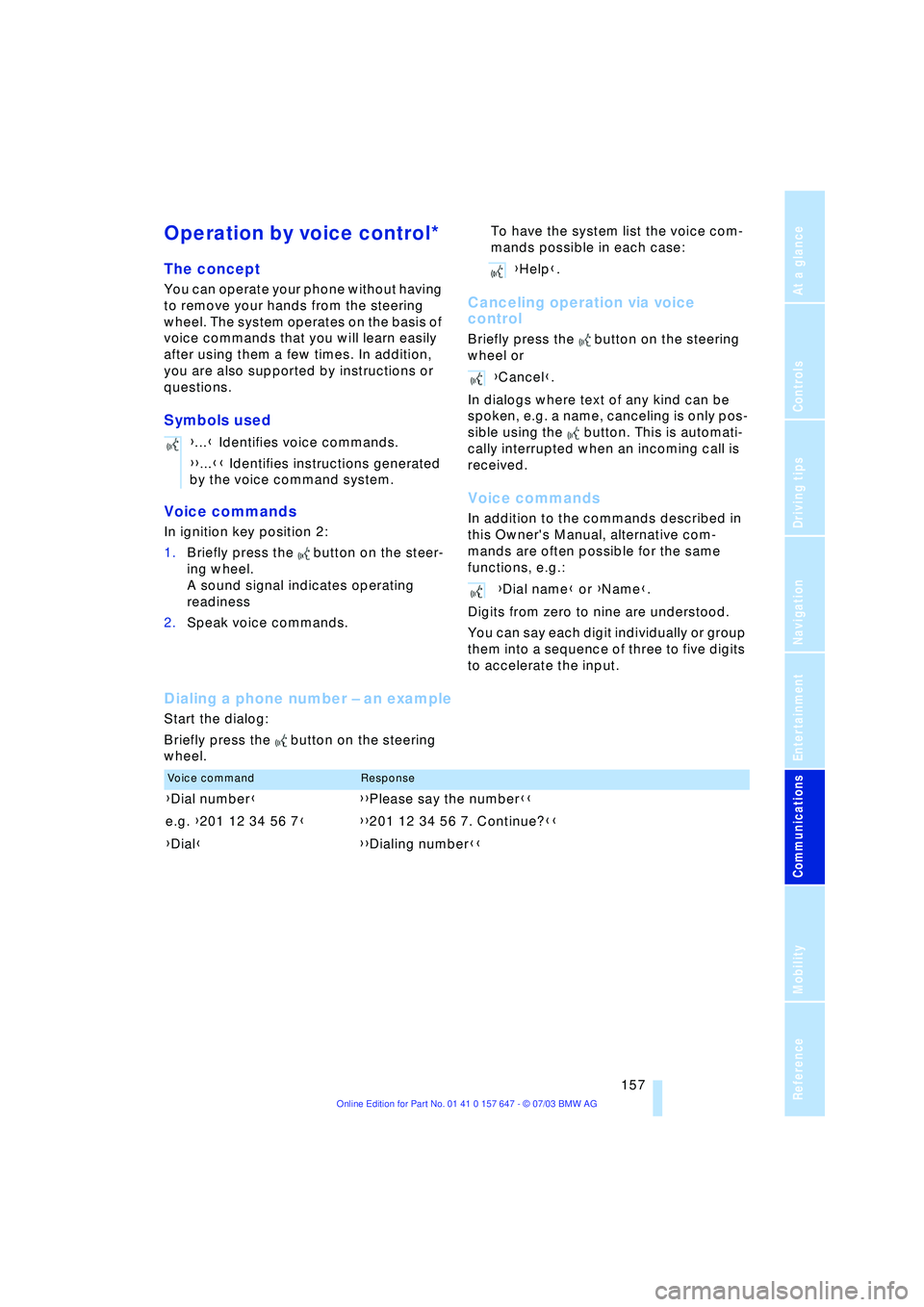
Start the dialog:
Briefly press the button on the steering
wheel.{...} Identifies voice commands.
{{...}} Identifies instructions generated
by the voice command system.
{Help}.
{Cancel}.
{Dial name} or {Name}.
Voice commandResponse
{Dial number}{{Please say the number}}
e.g. {201 12 34 56 7}{{201 12 34 56 7. Continue?}}
{Dial}{{Dialing number}}
Page 178 of 220
Wheels and tires
176 can estimate the possible distance for con-
tinued driving on the basis of the following
guide values:
>With low load:
1 to 2 persons without luggage:
Approx. 155 miles/250 km
>With medium load:
2 persons, luggage compartment full, or
4 persons without luggage:
Approx. 90 miles/150 km
>With full load:
4 persons or more, luggage compart-
ment full:
Approx. 30 miles/50 km.
Drive reservedly and do not exceed a
speed of 50 mph/80 km/h. With infla-
tion pressure loss, the driving characteris-
tics change, for example reduced track sta-
bility on braking, extended braking
distance, and altered self-steering charac-
teristics.
For safety reasons, BMW recommends that
you do not have damaged run-flat tires
repaired and that you consult your BMW
center in this case.<
Snow chains*
BMW only tests certain snow chains, clas-
sifies them as road-safe and approves
them. Consult your BMW center for more
information. BMW recommends only using
these approved, narrow-link snow chains.
These snow chains are approved exclu-
sively for use on summer or winter tires in
pairs on the rear wheels.
Observe the manufacturer's instructions
when installing snow chains.
Do not exceed a vehicle speed of 30 mph/
50 km/h with the chains mounted.
After mounting snow chains, do not
activate the Flat Tire Monitor.
When you are driving with snow chains, it
can be beneficial to switch off DSC briefly,
refer to page 78.<
Page 189 of 220
Mobility
187Reference
At a glance
Controls
Driving tips
Communications
Navigation
Entertainment
Changing a wheel
Safety measures in the event of a
breakdown or wheel change:
Park the vehicle as far away as possible
from moving traffic and on firm ground.
Switch on the hazard warning flashers.
Lock the steering wheel in straight-ahead
setting of the wheels. Apply the handbrake
and engage first gear, reverse gear or
selector lever to position P.
Have all vehicle occupants get out of the
vehicle and ensure that they remain outside
the immediate area in a safe place, such as
behind a guardrail.
If a warning triangle or portable hazard
warning lamp is required, set it up on the
roadside at an appropriate distance from
the rear of the vehicle.
Comply with all safety guidelines and regu-
lations.
Change the wheel only on a level, firm sur-
face which is not slippery.
The vehicle or the jack could slip to the side
if you attempt to raise the vehicle on a soft
or slippery surface such as snow, ice, tiles,
etc.
Position the jack on a firm support surface.
Do not use a wooden block or similar
object as a support base for the jack, as
this would prevent it from extending to its
full support height and reduce its load-car-
rying capacity.
To avoid serious or fatal injury: never lie
under the vehicle, and never start the
engine while it is supported by the jack.<
What you will need
To avoid rattling noises later on, note the
positions of the tools before removing
them, then return them to their initial posi-
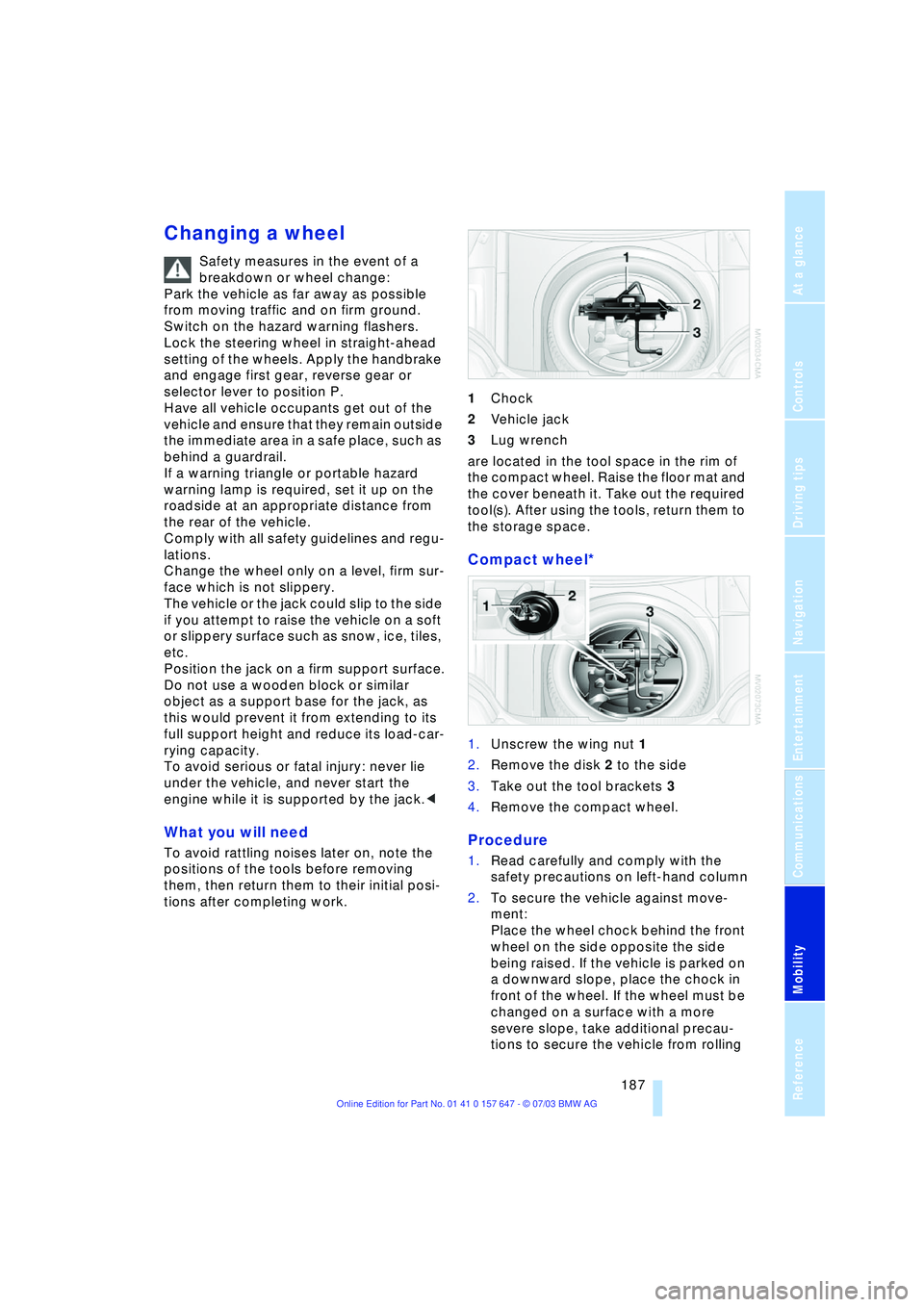
tions after completing work.1Chock
2Vehicle jack
3Lug wrench
are located in the tool space in the rim of
the compact wheel. Raise the floor mat and
the cover beneath it. Take out the required
tool(s). After using the tools, return them to
the storage space.
Compact wheel*
1.Unscrew the wing nut 1
2.Remove the disk 2 to the side
3.Take out the tool brackets 3
4.Remove the compact wheel.
Procedure
1.Read carefully and comply with the
safety precautions on left-hand column
2.To secure the vehicle against move-
ment:
Place the wheel chock behind the front
wheel on the side opposite the side
being raised. If the vehicle is parked on
a downward slope, place the chock in
front of the wheel. If the wheel must be
changed on a surface with a more
severe slope, take additional precau-
tions to secure the vehicle from rolling
Page 190 of 220
Replacing components
188 3.Loosen the lug bolts 1/2 a turn
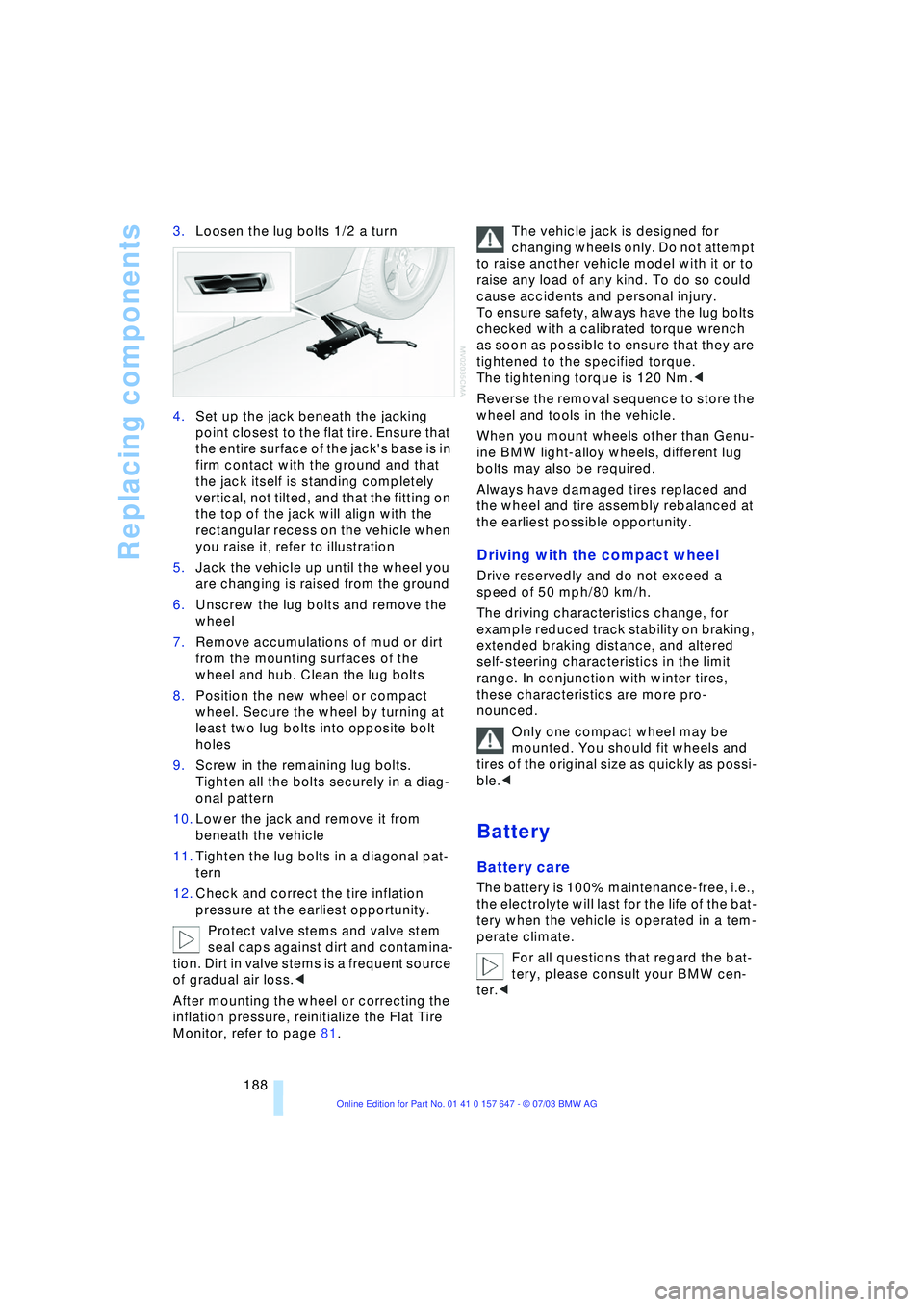
4.Set up the jack beneath the jacking
point closest to the flat tire. Ensure that
the entire surface of the jack's base is in
firm contact with the ground and that
the jack itself is standing completely
vertical, not tilted, and that the fitting on
the top of the jack will align with the
rectangular recess on the vehicle when
you raise it, refer to illustration
5.Jack the vehicle up until the wheel you
are changing is raised from the ground
6.Unscrew the lug bolts and remove the
wheel
7.Remove accumulations of mud or dirt
from the mounting surfaces of the
wheel and hub. Clean the lug bolts
8.Position the new wheel or compact
wheel. Secure the wheel by turning at
least two lug bolts into opposite bolt
holes
9.Screw in the remaining lug bolts.
Tighten all the bolts securely in a diag-
onal pattern
10.Lower the jack and remove it from
beneath the vehicle
11.Tighten the lug bolts in a diagonal pat-
tern
12.Check and correct the tire inflation
pressure at the earliest opportunity.
Protect valve stems and valve stem
seal caps against dirt and contamina-
tion. Dirt in valve stems is a frequent source
of gradual air loss.<
After mounting the wheel or correcting the
inflation pressure, reinitialize the Flat Tire
Monitor, refer to page 81.The vehicle jack is designed for
changing wheels only. Do not attempt
to raise another vehicle model with it or to
raise any load of any kind. To do so could
cause accidents and personal injury.
To ensure safety, always have the lug bolts
checked with a calibrated torque wrench
as soon as possible to ensure that they are
tightened to the specified torque.
The tightening torque is 120 Nm.<
Reverse the removal sequence to store the
wheel and tools in the vehicle.
When you mount wheels other than Genu-
ine BMW light-alloy wheels, different lug
bolts may also be required.
Always have damaged tires replaced and
the wheel and tire assembly rebalanced at
the earliest possible opportunity.
Driving with the compact wheel
Drive reservedly and do not exceed a
speed of 50 mph/80 km/h.
The driving characteristics change, for
example reduced track stability on braking,
extended braking distance, and altered
self-steering characteristics in the limit
range. In conjunction with winter tires,
these characteristics are more pro-
nounced.
Only one compact wheel may be
mounted. You should fit wheels and
tires of the original size as quickly as possi-
ble.<
Battery
Battery care
The battery is 100% maintenance-free, i.e.,
the electrolyte will last for the life of the bat-
tery when the vehicle is operated in a tem-
perate climate.
For all questions that regard the bat-
tery, please consult your BMW cen-
ter.<
Page 204 of 220
Everything from A to Z
202
Everything from A to Z
Index
A
ABS Antilock Brake
System 77
Ð indicator lamp 77
Acceleration assistant 54
Accessories, refer to Your
individual vehicle 5
"Activation time" for
independent
ventilation 95
Active cruise control 59
Ð malfunctions 64
Active head restraints,
front 40
Active roll stabilization 80
Active seat 42
Active seat ventilation 42
Active steering 82
Adaptive Head Light 88
"Address book" for
navigation 120
Address for navigation
Ð deleting 120
Ð entering 116
Ð selecting 120
"Add to address book" for
navigation 120
"Add to destination
list" 118
Adjusting temperature for
upper body 93
Adjusting the thigh
support 37
"After door is opened" 39
"After unlocking" 39
Airbags 83
Ð indicator lamp 84
Ð sitting safely 36
Air circulation, refer to
Recirculated air 91
Air distribution
Ð automatic 91
Ð individual 93Air flow, refer to Air
volume 91
Airing, refer to
Ventilation 94
"Air recirculation on /
off" 44
Air vent outlets of
automatic climate
control 90
Air volume 91
AKI, refer to Fuel
specifications 169
Alarm system 32
Ð avoiding unintentional
alarms 33
All around the steering
wheel 10
"All channels" 138
"All doors" 28
All-season tires, refer to
Winter tires 175
"AM", wave-
band 130, 134
Antenna for portable
phone 150
Antifreeze
Ð coolant 179
Ð washer fluid 57
Anti-theft system 27
Anti-trapping mechanism
Ð glass roof 35
Ð windows 34
Approved axle loads, refer
to Weights 200
Approved gross vehicle
weight, refer to
Weights 200
Arrival time, refer to
Computer 71
Ashtray
Ð front 99
Ð rear 100
Assistance window 18Assisting systems, refer to
DSC Dynamic Stability
Control 78
AUC Automatic
recirculated-air
control 91
"Audio" 131
Audio 130
Ð adjusting the tone 131
Ð controls 130
Ð switching on/off 130
Ð volume 131
Audio systems, refer to
Tone control 131
Automatic
Ð air distribution 91
Ð air volume 91
Ð cruise control 58, 59
Ð storing stations 135
Automatic car wash, refer
to Caring for your vehicle
brochure
Automatic climate
control 90
Ð automatic air
distribution 91
Ð settings using the Control
Center 92
Ð switching off 92
Automatic curb monitor 39
Automatic headlamp
control 87
"Automatic programs" 93
Automatic recirculated-air
control AUC 91
Automatic steering wheel
Ð adjustment 43
Page 205 of 220
Reference 203
At a glance
Controls
Driving tips
Communications
Navigation
Entertainment
Mobility
Automatic transmission
with Steptronic 54
Ð indicator lamp 56
Ð interlock 49
Ð selector lever interlock 55
Ð shiftlock 55
Ð sport program 55
Ð starting the engine 50
Ð towing 193
AUTO program, refer to
Automatic air distribution
and volume 91
"Autostore" on the
radio 136
"AUTO" with automatic
climate control 93
Average fuel
consumption 70
Ð setting the units 74
Average speed 70
"Avoid ferries" for
navigation 121
"Avoid freeways / tolls" for
navigation 121
Avoiding unintentional
alarms 33
"Avoid tollroads" for
navigation 121
Axle loads, refer to
Weights 200
"A - Z" 154
B
Backrests, refer to
Seats 36
Backrest width
adjustment 37
Backup lamps, refer to
Reverse gear 51
Ð replacing the bulbs 186
"Balance", audio
system 132
Balance, refer to Tone
control 131
"Bass", audio system 132
Bass, refer to Tone
control 131
Battery 188
Ð in the remote control 26
Ð jump-starting 192Belts, refer to Safety
belts 36, 40
Beverage holders 99
Black ice, refer to Ice
warning 65
Blocking sections of a route
for navigation 125
Blower, refer to Air
volume 91
BMW Assist 161
Ð enabling 161
Ð services offered 162
"BMW Info" 163
BMW Maintenance
System 181
"BMW Service
settings" 161
Bore, refer to Engine
data 198
Bottle holder, refer to
Beverage holders 99
Brake Assistant, refer to
DBC Dynamic Braking
Control 79
Brake fluid 180
Ð indicator lamp 180
Ð level 180
Ð replacing 180
Brake force display 82
Brake hydraulic
systems 180
Brake lamps, replacing the
bulbs 186
Brake pads 107
Ð breaking-in
procedure 106
Brake pedal, refer to
Brakes 107
Brake rotors 107
Brakes 107
Ð ABS 77
Ð brake fluid 180
Ð breaking-in
procedure 106
Ð handbrake 50Brake system 106
Ð brake-fluid level 180
Ð brake pads 107
Ð breaking-in
procedure 106
Ð disc brakes 107
Ð indicator lamp 13, 107
Breakdown services, refer
to Roadside
Assistance 191
Break-in procedures 106
Ð brakes 106
Ð clutch 106
Ð differential 106
Ð engine 106
Brightness on the Control
Display 73
Bulbs and lamps
Ð replacing the bulbs 184
Buttons on steering
wheel 11
C
California Proposition
65 Warning 183
"Call" 154
Call
Ð accepting 153
Ð display accepted 154
Ð ending 154
Ð in absence 154
Ð starting 153
Calling
Ð from phone book 154
Ð from the Top 8 list 154
Ð redialing 154
Calling up traffic
information 126
"Call sender" 156
"Call Sirius" 138
Can holder, refer to
Beverage holders 99
Capacities 201
Car battery, refer to
Battery 188
Car care, refer to Caring for
your vehicle brochure
Car-care products, refer to
Caring for your vehicle
brochure
Page 209 of 220
Reference 207
At a glance
Controls
Driving tips
Communications
Navigation
Entertainment
Mobility
ESP Electronic Stability
Program, refer to DSC
Dynamic Stability
Control 78
Exhaust system, refer to
High temperatures 106
Exterior mirrors 42
Ð automatic dimming
feature 43
F
"Fader", audio systems 132
Failure messages, refer to
Check Control 68
False alarms, refer to
Avoiding unintentional
alarms 33
False alarms with the Flat
Tire Monitor 80
Fastening safety belts, refer
to Safety belt
Ð indicator lamp 40
"Fastest route" for
navigation 121
Fastest route for
navigation 121
First aid, refer to First aid
kit 191
First aid kit 191
Fitting for towing 193
Flashlight, refer to
Rechargeable
flashlight 98
Flash when locking/
unlocking 28
Flat tire
Ð compact wheel 187
Ð Flat Tire Monitor 81
Ð refer also to Changing a
wheel 187
Ð refer also to Tire
condition 173
Ð run-flat tires 81, 175
Flat Tire Monitor 80
Ð false alarms 80
Ð indicator lamp 81
Ð initializing the system 81
Ð malfunctions 82
Floods, refer to Water on
the road 107"FM", waveband 130, 134
FM, waveband 134
Fog lamps 89
Ð indicator lamp 89
Fold down rear seat 101
Folding rear seat back 101
Footwell lamps 89
Forward, fast
Ð CD changer 146
Ð CD player 142
For your own safety 6
Front airbags 83
Front armrest 98
Front head restraints 40
Front seat adjustment 36
Front-to-rear adjustment in
Audio mode 132
"FTM" 81
Fuel 169
Ð display 66
Ð quality 169
Ð tank volume 66
Fuel clock, refer to Fuel
gauge 66
Fuel display, refer to Fuel
gauge 66
Fuel filler door 168
Ð releasing in the event of
electrical malfunction 168
Fuel specifications 169
Fuses 189
G
Garage door opener, refer
to Integrated universal
remote control 96
Gasoline, refer to Fuel
quality 169
Gasoline display, refer to
Fuel gauge 66
Gear changes, refer to
Automatic transmission
with Steptronic 55
Gear display 54
Gearshift lever
Ð automatic transmission
with Steptronic 55
Ð manual transmission 51
Ð Sequential manual
transmission SMG 51General car care, refer to
Caring for your vehicle
brochure
General driving notes 106
Glass roof, electrical 34
Ð closing in the event of an
electrical defect 35
Ð convenience operation 29
Ð remote control 28
Glove compartment 98
Ð lighting 98
GPS navigation, refer to
Navigation system 114
Grilles of the automatic
climate control 90
Gross vehicle weight, refer
to Weights 200
H
Halogen lamps 185
Handbrake 50
Ð indicator lamp 50
Hands-free unit 151
Hazard warning flashers 14
Head airbags 83
Headlamp control,
automatic 87
Headlamp flasher 56
Headlamps 87
Ð care, refer to Caring for
your vehicle brochure
Ð replacing the bulbs 185
Headlamp washers 57
Head Light, refer to
Adaptive Head Light 88
Head restraints 39
Ð front 39
Ð front, active 40
Ð rear 40
"Head-Up Display" 44
Head-Up Display 85
Heated mirrors 43
Heated rear window 91
Heated seats 41
Heated steering wheel 44
"Heated steering wheel on /
off" 44
Heater, rear window 91
Page 210 of 220
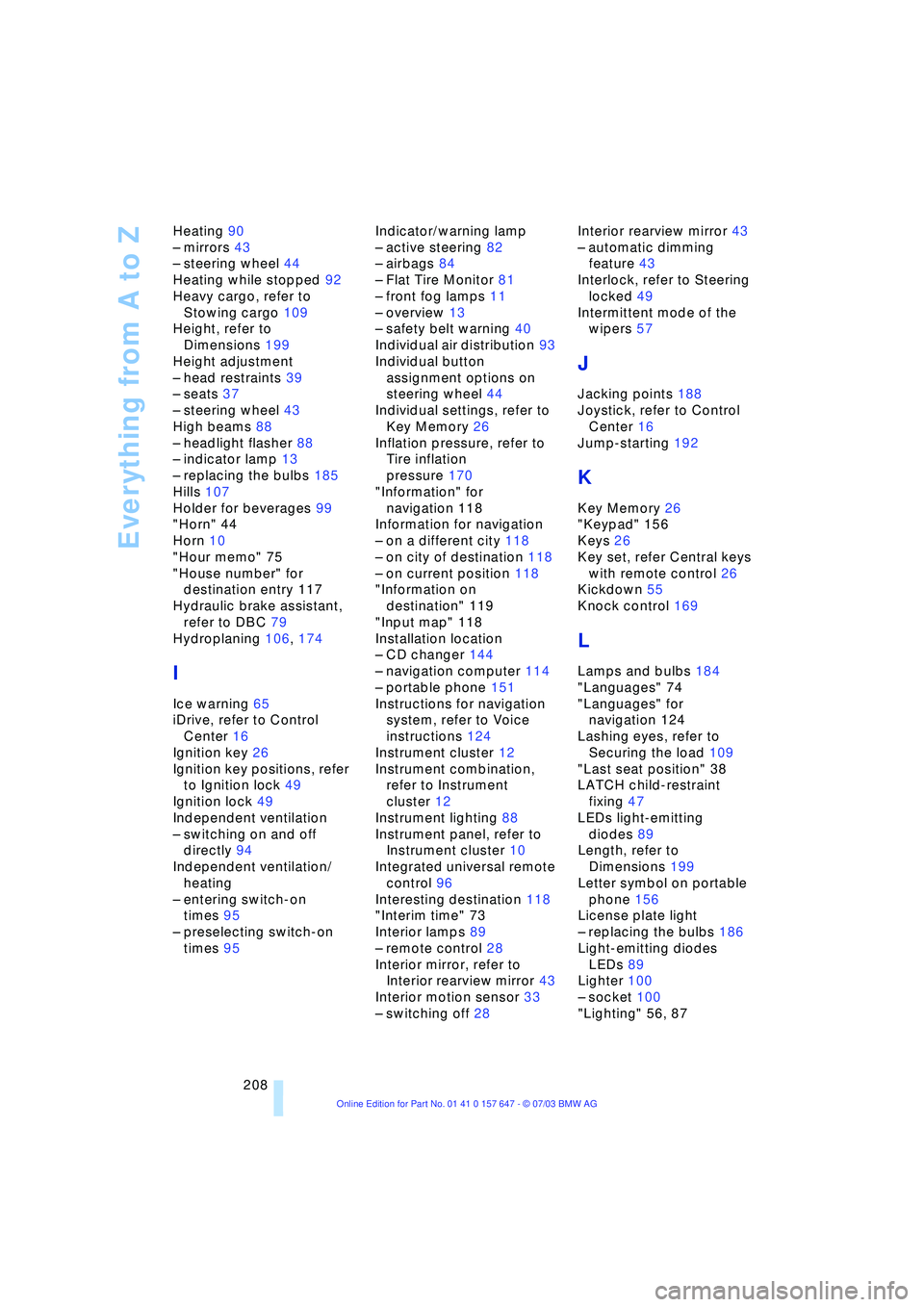
Everything from A to Z
208 Heating 90
Ð mirrors 43
Ð steering wheel 44
Heating while stopped 92
Heavy cargo, refer to
Stowing cargo 109
Height, refer to
Dimensions 199
Height adjustment
Ð head restraints 39
Ð seats 37
Ð steering wheel 43
High beams 88
Ð headlight flasher 88
Ð indicator lamp 13
Ð replacing the bulbs 185
Hills 107
Holder for beverages 99
"Horn" 44
Horn 10
"Hour memo" 75
"House number" for
destination entry 117
Hydraulic brake assistant,
refer to DBC 79
Hydroplaning 106, 174
I
Ice warning 65
iDrive, refer to Control
Center 16
Ignition key 26
Ignition key positions, refer
to Ignition lock 49
Ignition lock 49
Independent ventilation
Ð switching on and off
directly 94
Independent ventilation/
heating
Ð entering switch-on
times 95
Ð preselecting switch-on
times 95Indicator/warning lamp
Ð active steering 82
Ð airbags 84
Ð Flat Tire Monitor 81
Ð front fog lamps 11
Ð overview 13
Ð safety belt warning 40
Individual air distribution 93
Individual button
assignment options on
steering wheel 44
Individual settings, refer to
Key Memory 26
Inflation pressure, refer to
Tire inflation
pressure 170
"Information" for
navigation 118
Information for navigation
Ð on a different city 118
Ð on city of destination 118
Ð on current position 118
"Information on
destination" 119
"Input map" 118
Installation location
Ð CD changer 144
Ð navigation computer 114
Ð portable phone 151
Instructions for navigation
system, refer to Voice
instructions 124
Instrument cluster 12
Instrument combination,
refer to Instrument
cluster 12
Instrument lighting 88
Instrument panel, refer to
Instrument cluster 10
Integrated universal remote
control 96
Interesting destination 118
"Interim time" 73
Interior lamps 89
Ð remote control 28
Interior mirror, refer to
Interior rearview mirror 43
Interior motion sensor 33
Ð switching off 28Interior rearview mirror 43
Ð automatic dimming
feature 43
Interlock, refer to Steering
locked 49
Intermittent mode of the
wipers 57
J
Jacking points 188
Joystick, refer to Control
Center 16
Jump-starting 192
K
Key Memory 26
"Keypad" 156
Keys 26
Key set, refer Central keys
with remote control 26
Kickdown 55
Knock control 169
L
Lamps and bulbs 184
"Languages" 74
"Languages" for
navigation 124
Lashing eyes, refer to
Securing the load 109
"Last seat position" 38
LATCH child-restraint
fixing 47
LEDs light-emitting
diodes 89
Length, refer to
Dimensions 199
Letter symbol on portable
phone 156
License plate light
Ð replacing the bulbs 186
Light-emitting diodes
LEDs 89
Lighter 100
Ð socket 100
"Lighting" 56, 87
Page 211 of 220
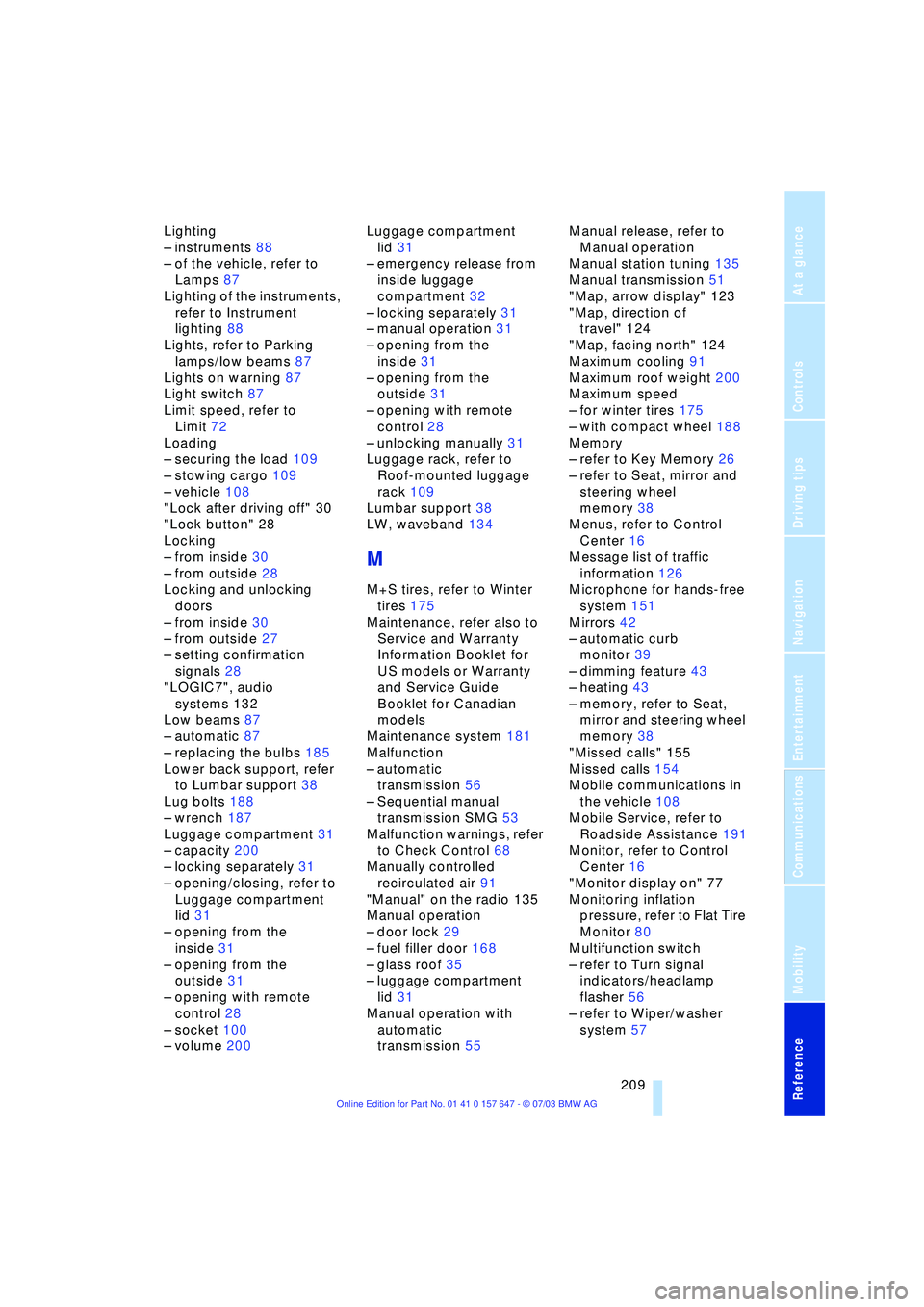
Reference 209
At a glance
Controls
Driving tips
Communications
Navigation
Entertainment
Mobility
Lighting
Ð instruments 88
Ð of the vehicle, refer to
Lamps 87
Lighting of the instruments,
refer to Instrument
lighting 88
Lights, refer to Parking
lamps/low beams 87
Lights on warning 87
Light switch 87
Limit speed, refer to
Limit 72
Loading
Ð securing the load 109
Ð stowing cargo 109
Ð vehicle 108
"Lock after driving off" 30
"Lock button" 28
Locking
Ð from inside 30
Ð from outside 28
Locking and unlocking
doors
Ð from inside 30
Ð from outside 27
Ð setting confirmation
signals 28
"LOGIC7", audio
systems 132
Low beams 87
Ð automatic 87
Ð replacing the bulbs 185
Lower back support, refer
to Lumbar support 38
Lug bolts 188
Ð wrench 187
Luggage compartment 31
Ð capacity 200
Ð locking separately 31
Ð opening/closing, refer to
Luggage compartment
lid 31
Ð opening from the
inside 31
Ð opening from the
outside 31
Ð opening with remote
control 28
Ð socket 100
Ð volume 200Luggage compartment
lid 31
Ð emergency release from
inside luggage
compartment 32
Ð locking separately 31
Ð manual operation 31
Ð opening from the
inside 31
Ð opening from the
outside 31
Ð opening with remote
control 28
Ð unlocking manually 31
Luggage rack, refer to
Roof-mounted luggage
rack 109
Lumbar support 38
LW, waveband 134
M
M+S tires, refer to Winter
tires 175
Maintenance, refer also to
Service and Warranty
Information Booklet for
US models or Warranty
and Service Guide
Booklet for Canadian
models
Maintenance system 181
Malfunction
Ð automatic
transmission 56
Ð Sequential manual
transmission SMG 53
Malfunction warnings, refer
to Check Control 68
Manually controlled
recirculated air 91
"Manual" on the radio 135
Manual operation
Ð door lock 29
Ð fuel filler door 168
Ð glass roof 35
Ð luggage compartment
lid 31
Manual operation with
automatic
transmission 55Manual release, refer to
Manual operation
Manual station tuning 135
Manual transmission 51
"Map, arrow display" 123
"Map, direction of
travel" 124
"Map, facing north" 124
Maximum cooling 91
Maximum roof weight 200
Maximum speed
Ð for winter tires 175
Ð with compact wheel 188
Memory
Ð refer to Key Memory 26
Ð refer to Seat, mirror and
steering wheel
memory 38
Menus, refer to Control
Center 16
Message list of traffic
information 126
Microphone for hands-free
system 151
Mirrors 42
Ð automatic curb
monitor 39
Ð dimming feature 43
Ð heating 43
Ð memory, refer to Seat,
mirror and steering wheel
memory 38
"Missed calls" 155
Missed calls 154
Mobile communications in
the vehicle 108
Mobile Service, refer to
Roadside Assistance 191
Monitor, refer to Control
Center 16
"Monitor display on" 77
Monitoring inflation
pressure, refer to Flat Tire
Monitor 80
Multifunction switch
Ð refer to Turn signal
indicators/headlamp
flasher 56
Ð refer to Wiper/washer
system 57