display BMW 525I 2004 Manual Online
[x] Cancel search | Manufacturer: BMW, Model Year: 2004, Model line: 525I, Model: BMW 525I 2004Pages: 220, PDF Size: 7.12 MB
Page 158 of 220
Telephoning
156
Touch tone dialing
Touch tone numbers are required for
access to network services or to control
devices, e.g. remote querying on an
answering machine.
This function can only be used during an
existing connection.
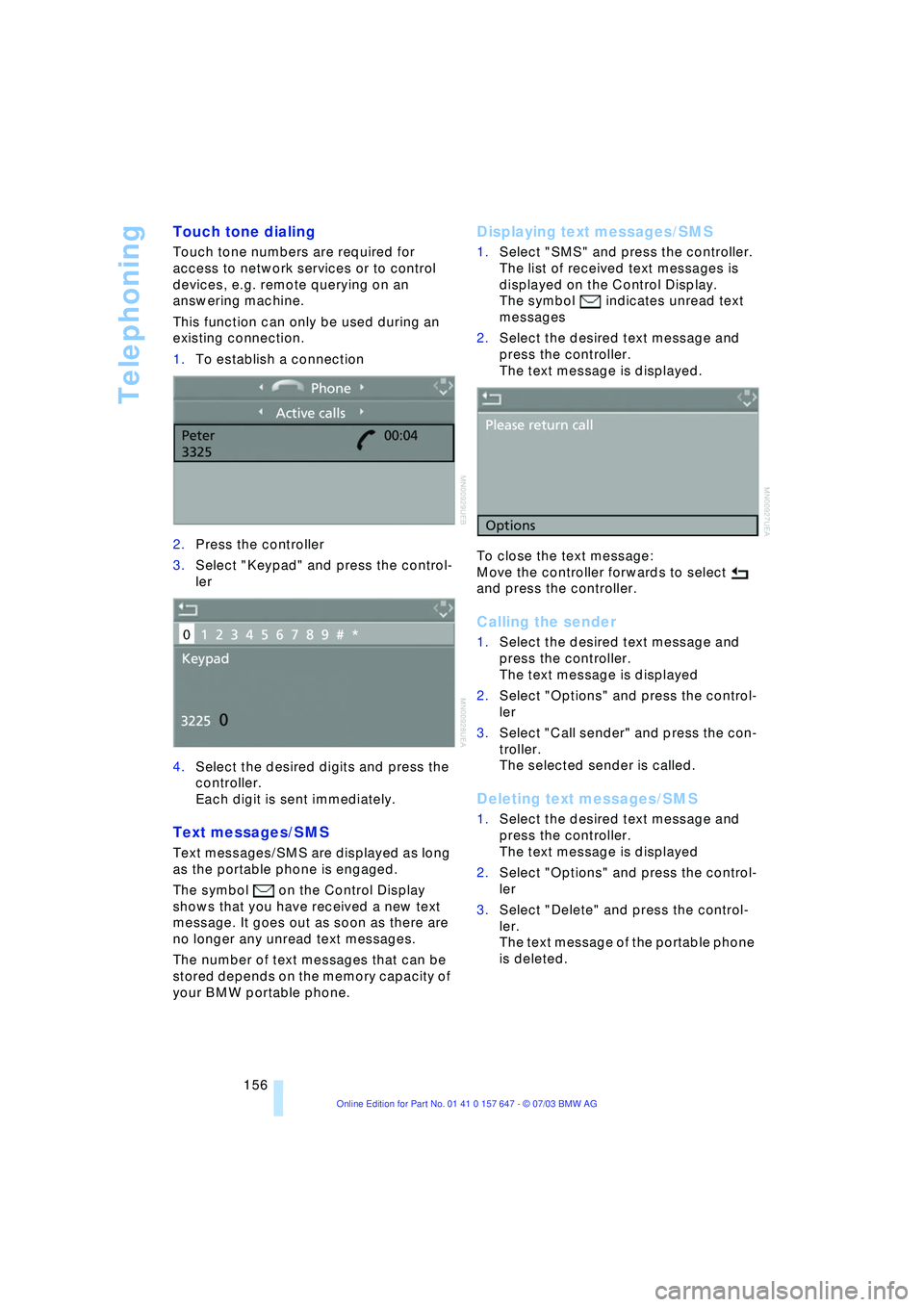
1.To establish a connection
2.Press the controller
3.Select "Keypad" and press the control-
ler
4.Select the desired digits and press the
controller.
Each digit is sent immediately.
Text messages/SMS
Text messages/SMS are displayed as long
as the portable phone is engaged.
The symbol on the Control Display
shows that you have received a new text
message. It goes out as soon as there are
no longer any unread text messages.
The number of text messages that can be
stored depends on the memory capacity of
your BMW portable phone.
Displaying text messages/SMS
1.Select "SMS" and press the controller.
The list of received text messages is
displayed on the Control Display.
The symbol
indicates unread text
messages
2.Select the desired text message and
press the controller.
The text message is displayed.
To close the text message:
Move the controller forwards to select
and press the controller.
Calling the sender
1.Select the desired text message and
press the controller.
The text message is displayed
2.Select "Options" and press the control-
ler
3.Select "Call sender" and press the con-
troller.
The selected sender is called.
Deleting text messages/SMS
1.Select the desired text message and
press the controller.
The text message is displayed
2.Select "Options" and press the control-
ler
3.Select "Delete" and press the control-
ler.
The text message of the portable phone
is deleted.
Page 164 of 220
TeleService, BMW Assist
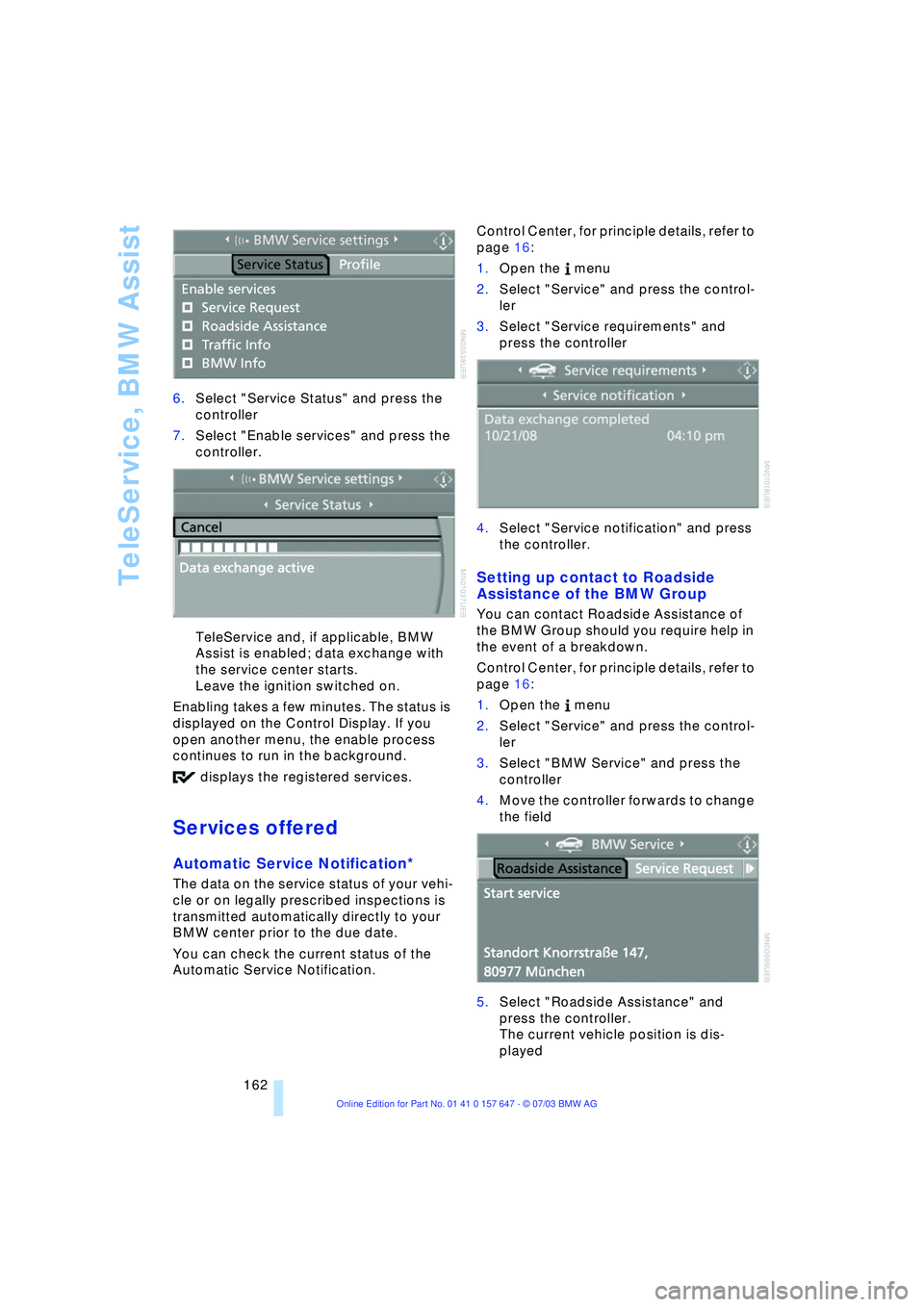
162 6.Select "Service Status" and press the
controller
7.Select "Enable services" and press the
controller.
TeleService and, if applicable, BMW
Assist is enabled; data exchange with
the service center starts.
Leave the ignition switched on.
Enabling takes a few minutes. The status is
displayed on the Control Display. If you
open another menu, the enable process
continues to run in the background.
displays the registered services.
Services offered
Automatic Service Notification*
The data on the service status of your vehi-
cle or on legally prescribed inspections is
transmitted automatically directly to your
BMW center prior to the due date.
You can check the current status of the
Automatic Service Notification. Control Center, for principle details, refer to
page 16:
1.Open the menu
2.Select "Service" and press the control-
ler
3.Select "Service requirements" and
press the controller
4.Select "Service notification" and press
the controller.
Setting up contact to Roadside
Assistance of the BMW Group
You can contact Roadside Assistance of
the BMW Group should you require help in
the event of a breakdown.
Control Center, for principle details, refer to
page 16:
1.Open the menu
2.Select "Service" and press the control-
ler
3.Select "BMW Service" and press the
controller
4.Move the controller forwards to change
the field
5.Select "Roadside Assistance" and
press the controller.
The current vehicle position is dis-
played
Page 165 of 220
163
Entertainment
Reference
At a glance
Controls
Driving tips Communications
Navigation
Mobility
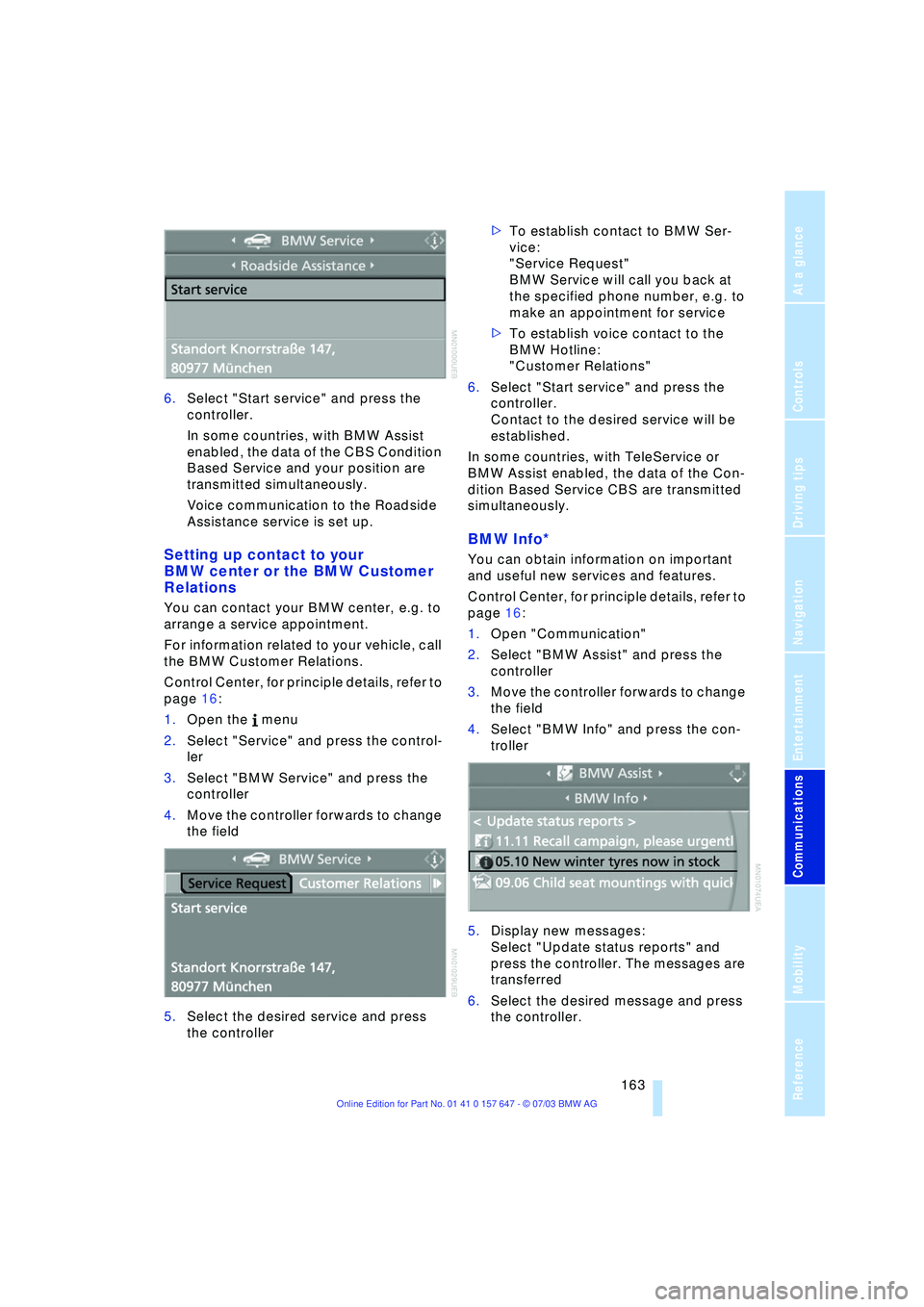
6.Select "Start service" and press the
controller.
In some countries, with BMW Assist
enabled, the data of the CBS Condition
Based Service and your position are
transmitted simultaneously.
Voice communication to the Roadside
Assistance service is set up.
Setting up contact to your
BMW center or the BMW Customer
Relations
You can contact your BMW center, e.g. to
arrange a service appointment.
For information related to your vehicle, call
the BMW Customer Relations.
Control Center, for principle details, refer to
page 16:
1.Open the menu
2.Select "Service" and press the control-
ler
3.Select "BMW Service" and press the
controller
4.Move the controller forwards to change
the field
5.Select the desired service and press
the controller >To establish contact to BMW Ser-
vice:
"Service Request"
BMW Service will call you back at
the specified phone number, e.g. to
make an appointment for service
>To establish voice contact to the
BMW Hotline:
"Customer Relations"
6.Select "Start service" and press the
controller.
Contact to the desired service will be
established.
In some countries, with TeleService or
BMW Assist enabled, the data of the Con-
dition Based Service CBS are transmitted
simultaneously.
BMW Info*
You can obtain information on important
and useful new services and features.
Control Center, for principle details, refer to
page 16:
1.Open "Communication"
2.Select "BMW Assist" and press the
controller
3.Move the controller forwards to change
the field
4.Select "BMW Info" and press the con-
troller
5.Display new messages:
Select "Update status reports" and
press the controller. The messages are
transferred
6.Select the desired message and press
the controller.
Page 166 of 220
TeleService, BMW Assist
164 If you have received a message with a tele-
phone number or an address, you can for-
ward this to your portable phone or naviga-
tion system.
New messages are announced via SMS.
For more detailed information, refer to
page 156.
Info Plus*
This information service supplies you with a
whole range of current, interesting informa-
tion on request.
You can have telephone numbers and
addresses transferred and directly dial the
telephone number or copy the address to
the destination guidance of the navigation
system.
This option provides you with a current
information service, e.g. in the following
areas:
>Information on businesses
e.g. florist, doctor
>Accommodations
e.g. hotels, motels
>Mobility
e.g. filling stations, airports, car rental,
BMW dealers
>Eating and drinking
e.g. restaurants, cafŽs, bars
>Current information
e.g. movies playing, events.
Control Center, for principle details, refer to
page 16:
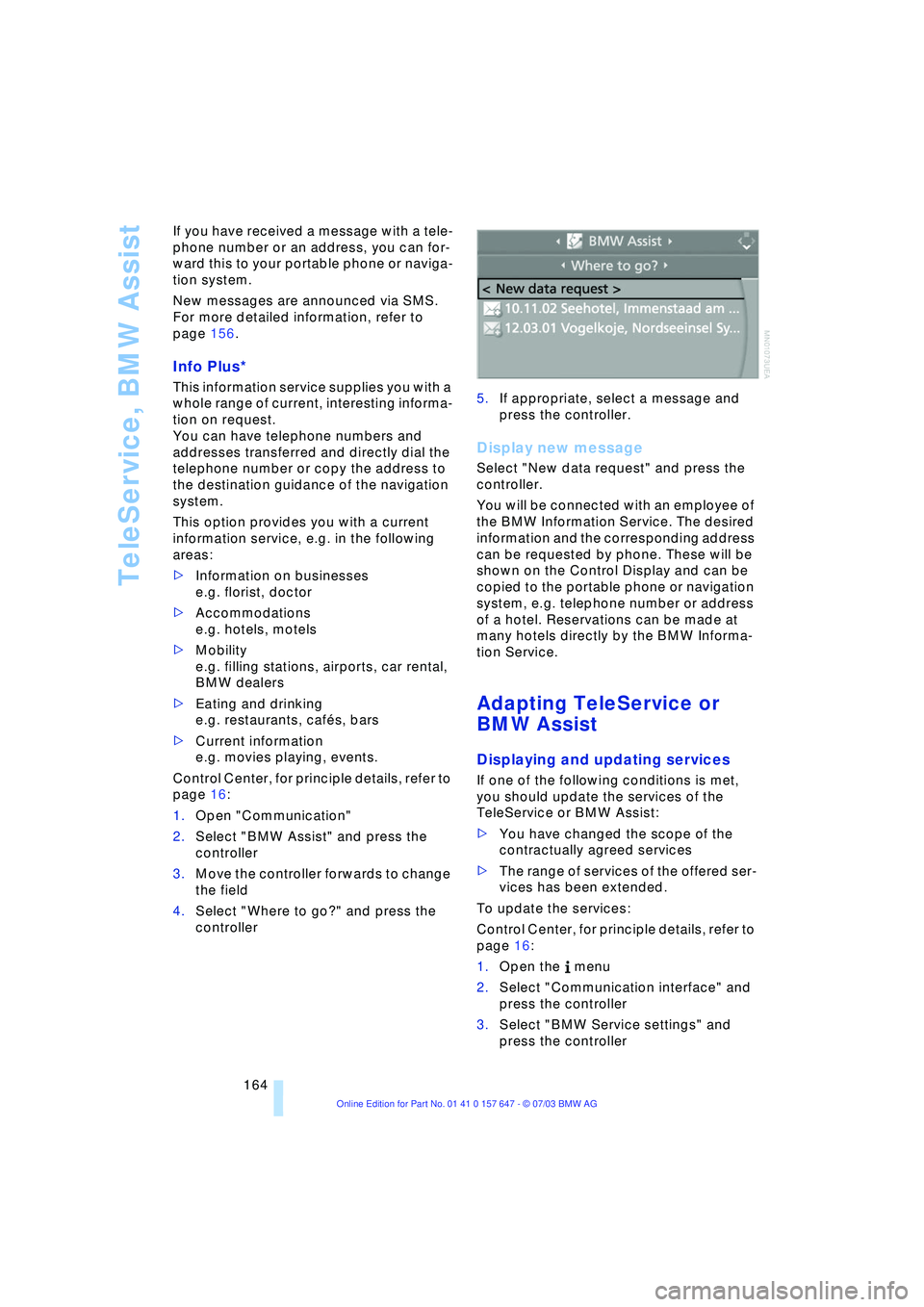
1.Open "Communication"
2.Select "BMW Assist" and press the
controller
3.Move the controller forwards to change
the field
4.Select "Where to go?" and press the
controller 5.If appropriate, select a message and
press the controller.
Display new message
Select "New data request" and press the
controller.
You will be connected with an employee of
the BMW Information Service. The desired
information and the corresponding address
can be requested by phone. These will be
shown on the Control Display and can be
copied to the portable phone or navigation
system, e.g. telephone number or address
of a hotel. Reservations can be made at
many hotels directly by the BMW Informa-
tion Service.
Adapting TeleService or
BMW Assist
Displaying and updating services
If one of the following conditions is met,
you should update the services of the
TeleService or BMW Assist:
>You have changed the scope of the
contractually agreed services
>The range of services of the offered ser-
vices has been extended.
To update the services:
Control Center, for principle details, refer to
page 16:
1.Open the menu
2.Select "Communication interface" and
press the controller
3.Select "BMW Service settings" and
press the controller
Page 167 of 220
165
Entertainment
Reference
At a glance
Controls
Driving tips Communications
Navigation
Mobility
4.Move the controller forward to change
the field
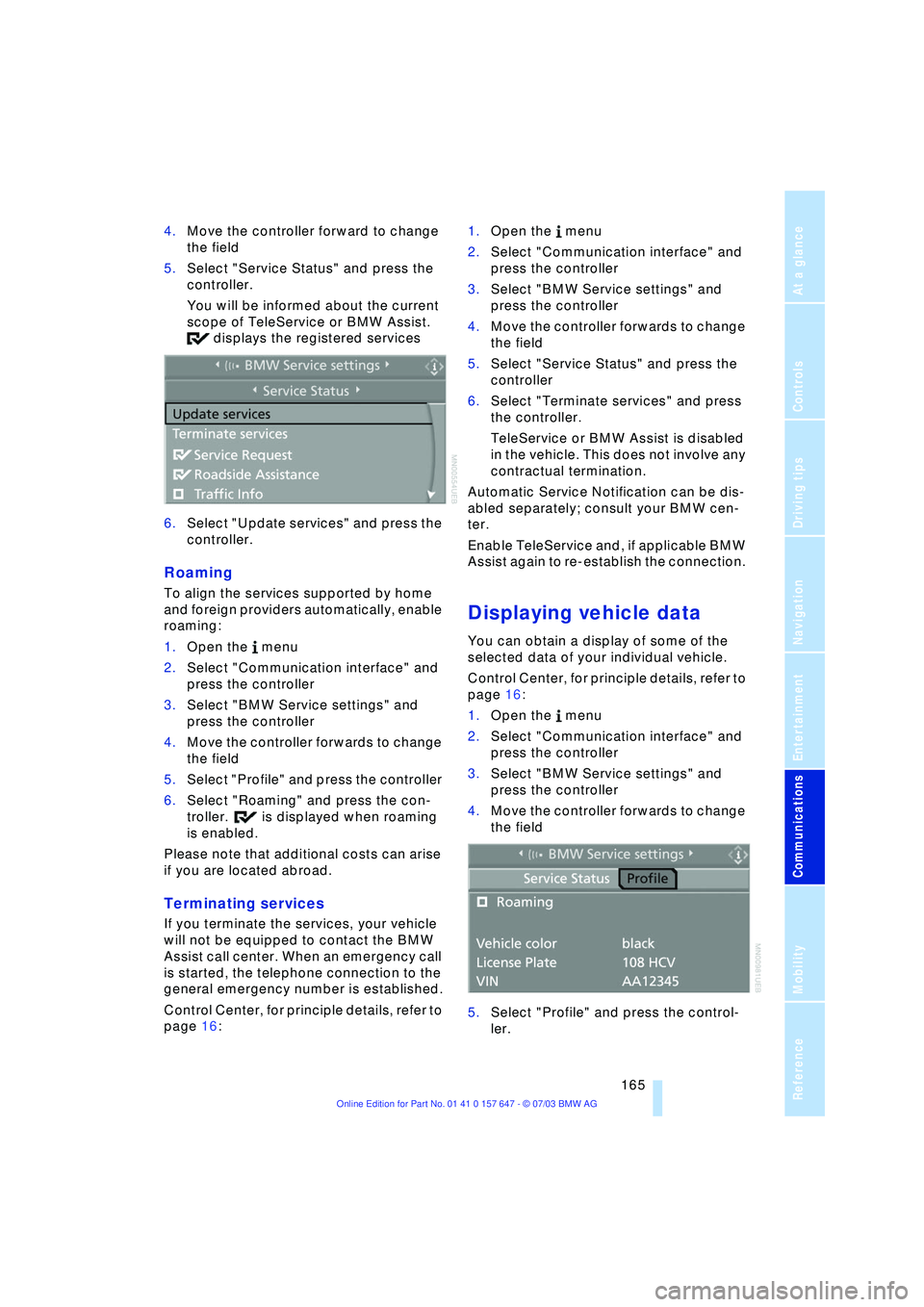
5.Select "Service Status" and press the
controller.
You will be informed about the current
scope of TeleService or BMW Assist.
displays the registered services
6.Select "Update services" and press the
controller.
Roaming
To align the services supported by home
and foreign providers automatically, enable
roaming:
1.Open the menu
2.Select "Communication interface" and
press the controller
3.Select "BMW Service settings" and
press the controller
4.Move the controller forwards to change
the field
5.Select "Profile" and press the controller
6.Select "Roaming" and press the con-
troller. is displayed when roaming
is enabled.
Please note that additional costs can arise
if you are located abroad.
Terminating services
If you terminate the services, your vehicle
will not be equipped to contact the BMW
Assist call center. When an emergency call
is started, the telephone connection to the
general emergency number is established.
Control Center, for principle details, refer to
page 16: 1.Open the menu
2.Select "Communication interface" and
press the controller
3.Select "BMW Service settings" and
press the controller
4.Move the controller forwards to change
the field
5.Select "Service Status" and press the
controller
6.Select "Terminate services" and press
the controller.
TeleService or BMW Assist is disabled
in the vehicle. This does not involve any
contractual termination.
Automatic Service Notification can be dis-
abled separately; consult your BMW cen-
ter.
Enable TeleService and, if applicable BMW
Assist again to re-establish the connection.
Displaying vehicle data
You can obtain a display of some of the
selected data of your individual vehicle.
Control Center, for principle details, refer to
page 16:
1.Open the menu
2.Select "Communication interface" and
press the controller
3.Select "BMW Service settings" and
press the controller
4.Move the controller forwards to change
the field
5.Select "Profile" and press the control-
ler.
Page 170 of 220
Refueling
168
Refueling
Fuel filler door
Always switch off the engine before
refueling. If you do not, fuel cannot be
filled into the tank and a message on the
Control Display will appear.<
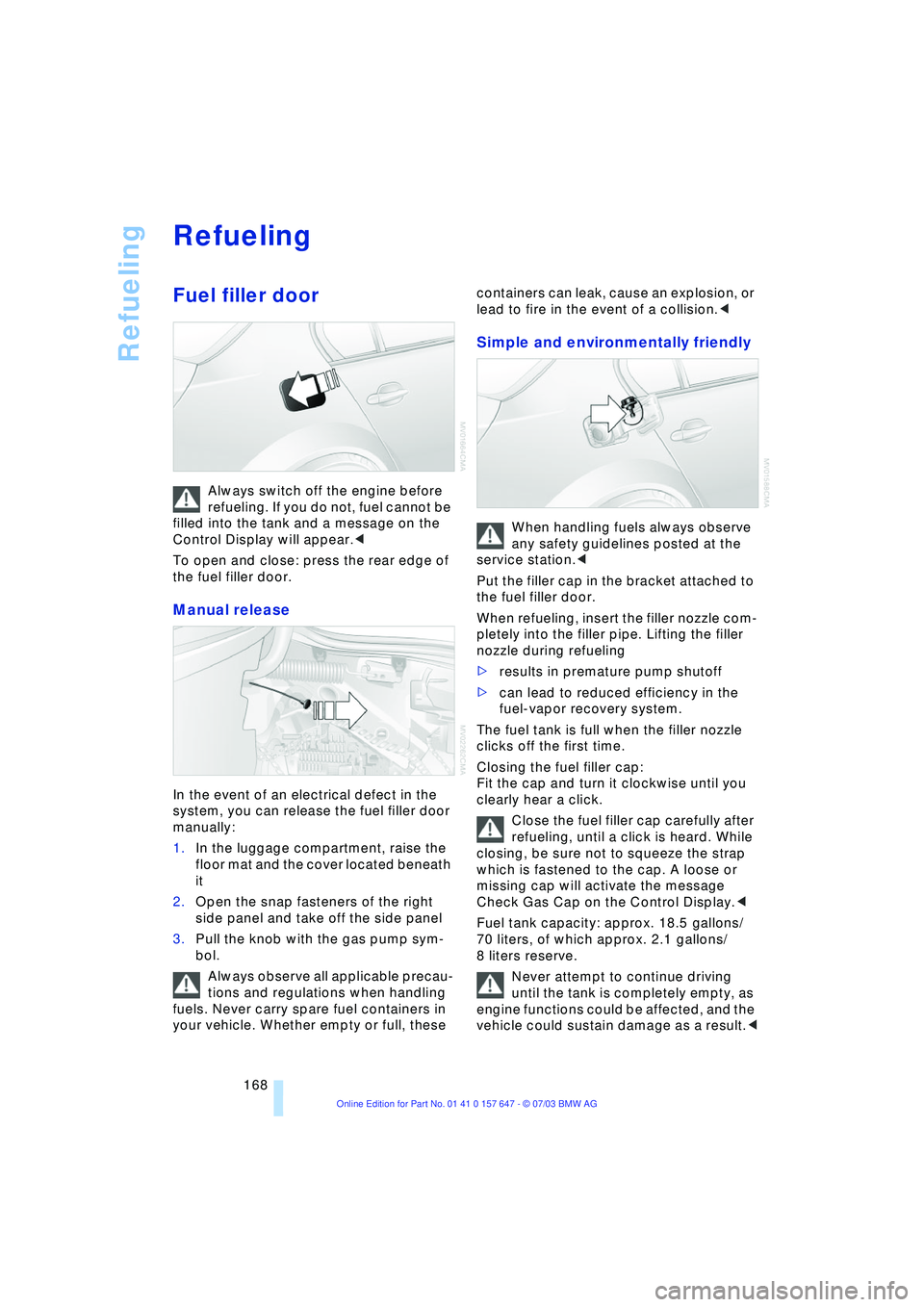
To open and close: press the rear edge of
the fuel filler door.
Manual release
In the event of an electrical defect in the
system, you can release the fuel filler door
manually:
1.In the luggage compartment, raise the
floor mat and the cover located beneath
it
2.Open the snap fasteners of the right
side panel and take off the side panel
3.Pull the knob with the gas pump sym-
bol.
Always observe all applicable precau-
tions and regulations when handling
fuels. Never carry spare fuel containers in
your vehicle. Whether empty or full, these containers can leak, cause an explosion, or
lead to fire in the event of a collision.<
Simple and environmentally friendly
When handling fuels always observe
any safety guidelines posted at the
service station.<
Put the filler cap in the bracket attached to
the fuel filler door.
When refueling, insert the filler nozzle com-
pletely into the filler pipe. Lifting the filler
nozzle during refueling
>results in premature pump shutoff
>can lead to reduced efficiency in the
fuel-vapor recovery system.
The fuel tank is full when the filler nozzle
clicks off the first time.
Closing the fuel filler cap:
Fit the cap and turn it clockwise until you
clearly hear a click.
Close the fuel filler cap carefully after
refueling, until a click is heard. While
closing, be sure not to squeeze the strap
which is fastened to the cap. A loose or
missing cap will activate the message
Check Gas Cap on the Control Display.<
Fuel tank capacity: approx. 18.5 gallons/
70 liters, of which approx. 2.1 gallons/
8 liters reserve.
Never attempt to continue driving
until the tank is completely empty, as
engine functions could be affected, and the
vehicle could sustain damage as a result.<
Page 176 of 220
Wheels and tires
174 even when only small amounts of water are
present on the road surface.
As winter tires display a noticeable loss in
their ability to cope with cold-weather driv-
ing conditions once the tread wears to
below 0.16 in/4 mm, to ensure continued
safety you should always have such tires
replaced.
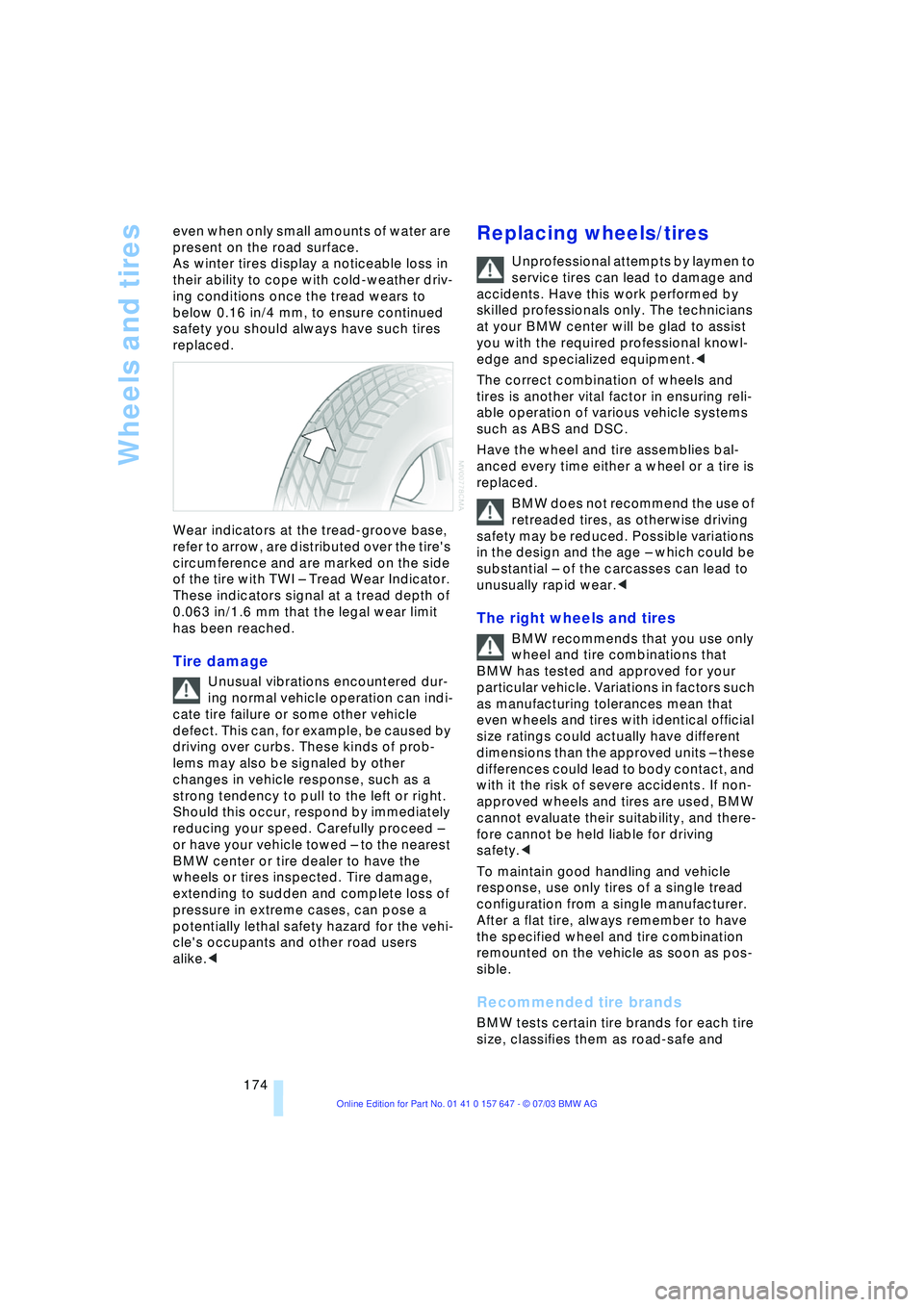
Wear indicators at the tread-groove base,
refer to arrow, are distributed over the tire's
circumference and are marked on the side
of the tire with TWI Ð Tread Wear Indicator.
These indicators signal at a tread depth of
0.063 in/1.6 mm that the legal wear limit
has been reached.
Tire damage
Unusual vibrations encountered dur-
ing normal vehicle operation can indi-
cate tire failure or some other vehicle
defect. This can, for example, be caused by
driving over curbs. These kinds of prob-
lems may also be signaled by other
changes in vehicle response, such as a
strong tendency to pull to the left or right.
Should this occur, respond by immediately
reducing your speed. Carefully proceed Ð
or have your vehicle towed Ð to the nearest
BMW center or tire dealer to have the
wheels or tires inspected. Tire damage,
extending to sudden and complete loss of
pressure in extreme cases, can pose a
potentially lethal safety hazard for the vehi-
cle's occupants and other road users
alike.<
Replacing wheels/tires
Unprofessional attempts by laymen to
service tires can lead to damage and
accidents. Have this work performed by
skilled professionals only. The technicians
at your BMW center will be glad to assist
you with the required professional knowl-
edge and specialized equipment.<
The correct combination of wheels and
tires is another vital factor in ensuring reli-
able operation of various vehicle systems
such as ABS and DSC.
Have the wheel and tire assemblies bal-
anced every time either a wheel or a tire is
replaced.
BMW does not recommend the use of
retreaded tires, as otherwise driving
safety may be reduced. Possible variations
in the design and the age Ð which could be
substantial Ð of the carcasses can lead to
unusually rapid wear.<
The right wheels and tires
BMW recommends that you use only
wheel and tire combinations that
BMW has tested and approved for your
particular vehicle. Variations in factors such
as manufacturing tolerances mean that
even wheels and tires with identical official
size ratings could actually have different
dimensions than the approved units Ð these
differences could lead to body contact, and
with it the risk of severe accidents. If non-
approved wheels and tires are used, BMW
cannot evaluate their suitability, and there-
fore cannot be held liable for driving
safety.<
To maintain good handling and vehicle
response, use only tires of a single tread
configuration from a single manufacturer.
After a flat tire, always remember to have
the specified wheel and tire combination
remounted on the vehicle as soon as pos-
sible.
Recommended tire brands
BMW tests certain tire brands for each tire
size, classifies them as road-safe and
Page 181 of 220
Mobility
179Reference
At a glance
Controls
Driving tips
Communications
Navigation
Entertainment
Adding engine oil
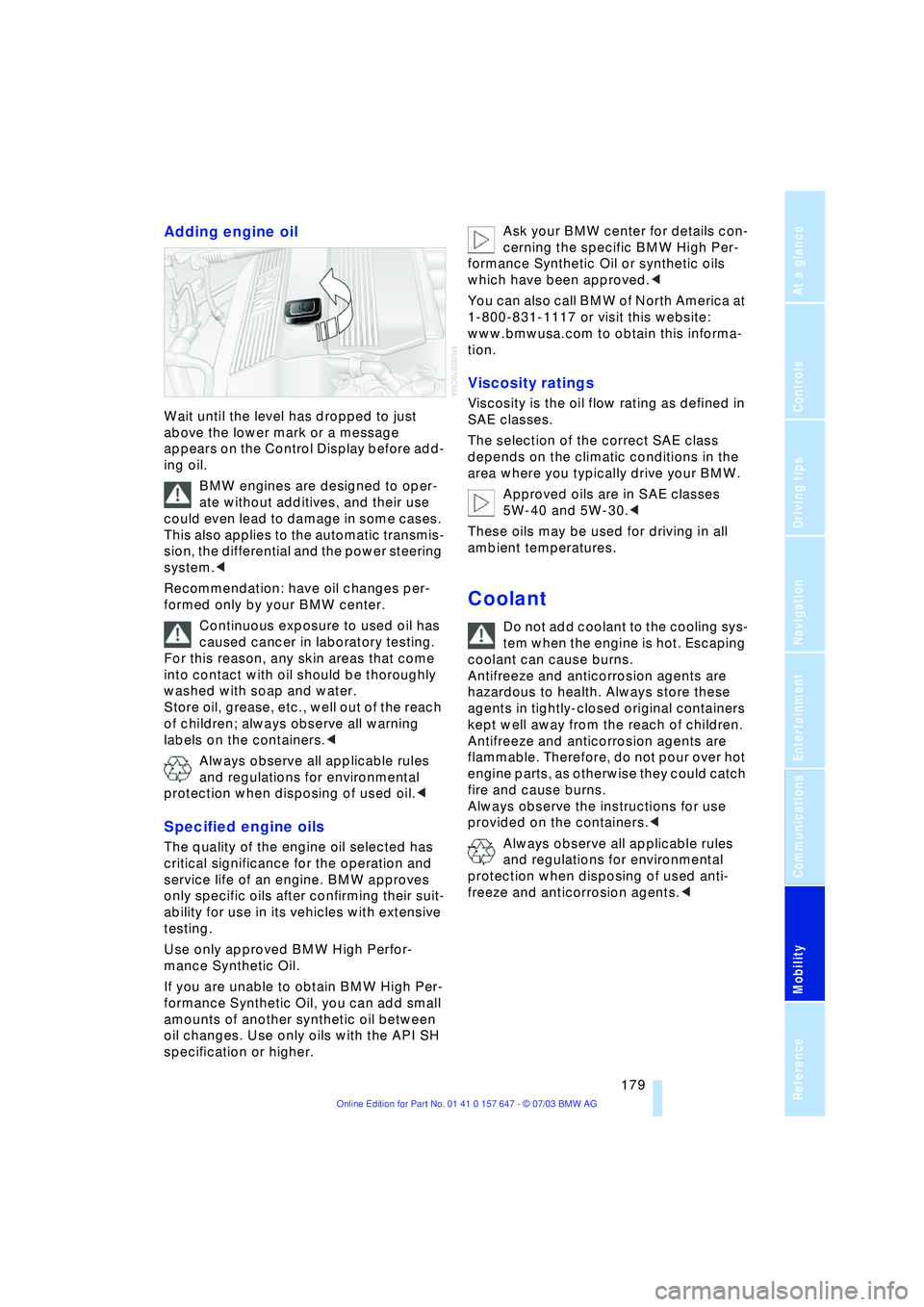
Wait until the level has dropped to just
above the lower mark or a message
appears on the Control Display before add-
ing oil.
BMW engines are designed to oper-
ate without additives, and their use
could even lead to damage in some cases.
This also applies to the automatic transmis-
sion, the differential and the power steering
system.<
Recommendation: have oil changes per-
formed only by your BMW center.
Continuous exposure to used oil has
caused cancer in laboratory testing.
For this reason, any skin areas that come
into contact with oil should be thoroughly
washed with soap and water.
Store oil, grease, etc., well out of the reach
of children; always observe all warning
labels on the containers.<
Always observe all applicable rules
and regulations for environmental
protection when disposing of used oil.<
Specified engine oils
The quality of the engine oil selected has
critical significance for the operation and
service life of an engine. BMW approves
only specific oils after confirming their suit-
ability for use in its vehicles with extensive
testing.
Use only approved BMW High Perfor-
mance Synthetic Oil.
If you are unable to obtain BMW High Per-
formance Synthetic Oil, you can add small
amounts of another synthetic oil between
oil changes. Use only oils with the API SH
specification or higher. Ask your BMW center for details con-
cerning the specific BMW High Per-
formance Synthetic Oil or synthetic oils
which have been approved.<
You can also call BMW of North America at
1-800-831-1117 or visit this website:
www.bmwusa.com to obtain this informa-
tion.
Viscosity ratings
Viscosity is the oil flow rating as defined in
SAE classes.
The selection of the correct SAE class
depends on the climatic conditions in the
area where you typically drive your BMW.
Approved oils are in SAE classes
5W-40 and 5W-30.<
These oils may be used for driving in all
ambient temperatures.
Coolant
Do not add coolant to the cooling sys-
tem when the engine is hot. Escaping
coolant can cause burns.
Antifreeze and anticorrosion agents are
hazardous to health. Always store these
agents in tightly-closed original containers
kept well away from the reach of children.
Antifreeze and anticorrosion agents are
flammable. Therefore, do not pour over hot
engine parts, as otherwise they could catch
fire and cause burns.
Always observe the instructions for use
provided on the containers.<
Always observe all applicable rules
and regulations for environmental
protection when disposing of used anti-
freeze and anticorrosion agents.<
Page 183 of 220
Mobility
181Reference
At a glance
Controls
Driving tips
Communications
Navigation
Entertainment
Maintenance
The BMW Maintenance
System
The BMW Maintenance System is
designed to ensure that your vehicle will
continue to furnish consistent reliability
combined with optimal safety. The service
schedule also includes operations related
to the vehicle's comfort and convenience
features, such as replacement of the filters
for the inside air. The ultimate objective is
to ensure economical maintenance by pro-
viding the ideal service for your vehicle.
Should the day come when you decide to
sell your BMW, you will find that a complete
dealer service history is an asset of inesti-
mable value.
CBS Condition Based Service
CBS is a more advanced version of the Ser-
vice Interval Display. Sensors combine with
highly-specialized algorithms to supply
service information that reflects your vehi-
cle's actual operating conditions more pre-
cisely than ever before.
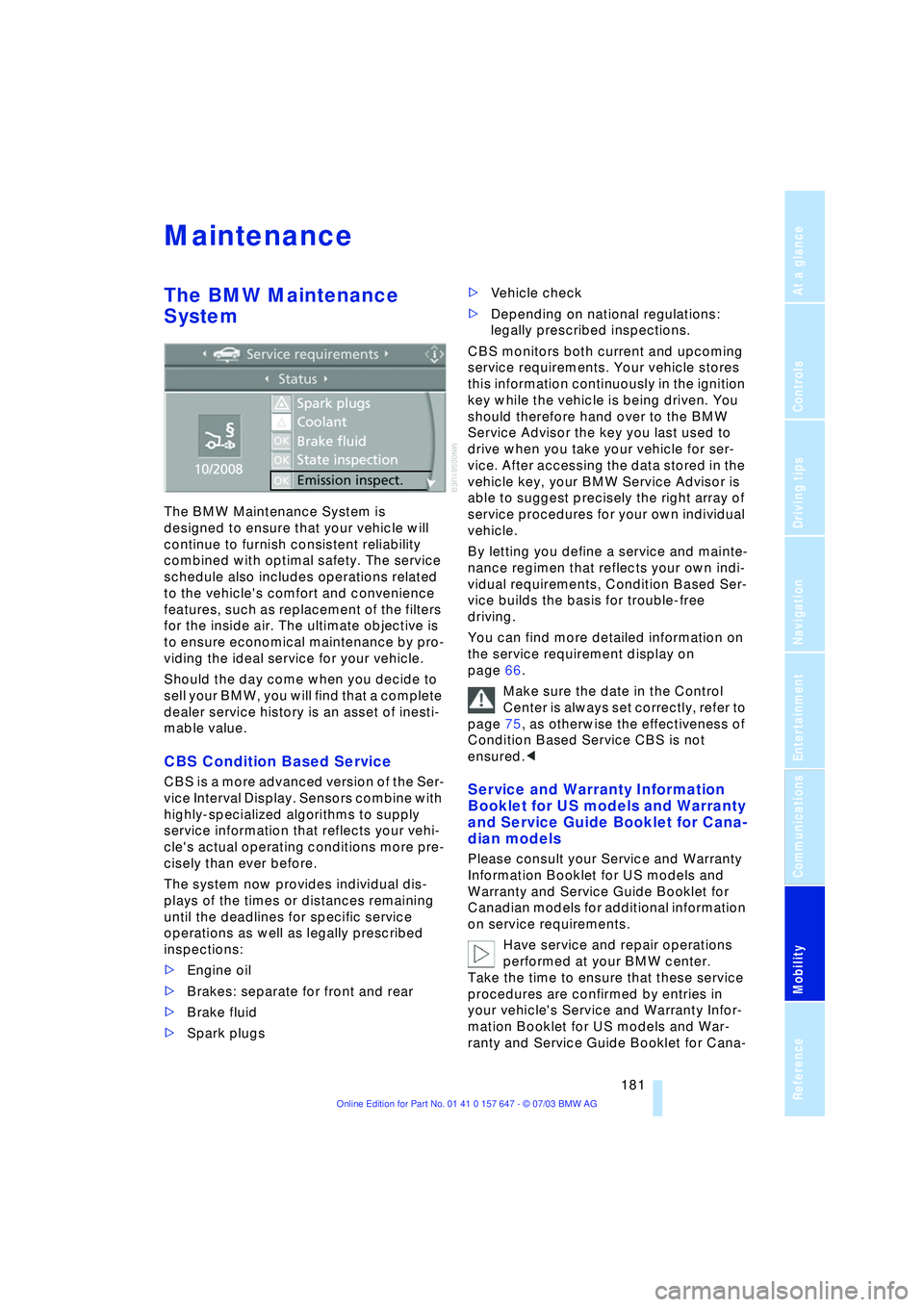
The system now provides individual dis-
plays of the times or distances remaining
until the deadlines for specific service
operations as well as legally prescribed
inspections:
>Engine oil
>Brakes: separate for front and rear
>Brake fluid
>Spark plugs >Vehicle check
>Depending on national regulations:
legally prescribed inspections.
CBS monitors both current and upcoming
service requirements. Your vehicle stores
this information continuously in the ignition
key while the vehicle is being driven. You
should therefore hand over to the BMW
Service Advisor the key you last used to
drive when you take your vehicle for ser-
vice. After accessing the data stored in the
vehicle key, your BMW Service Advisor is
able to suggest precisely the right array of
service procedures for your own individual
vehicle.
By letting you define a service and mainte-
nance regimen that reflects your own indi-
vidual requirements, Condition Based Ser-
vice builds the basis for trouble-free
driving.
You can find more detailed information on
the service requirement display on
page 66.
Make sure the date in the Control
Center is always set correctly, refer to
page 75, as otherwise the effectiveness of
Condition Based Service CBS is not
ensured.
and Service Guide Booklet for Cana-
dian models
Please consult your Service and Warranty
Information Booklet for US models and
Warranty and Service Guide Booklet for
Canadian models for additional information
on service requirements.
Have service and repair operations
performed at your BMW center.
Take the time to ensure that these service
procedures are confirmed by entries in
your vehicle's Service and Warranty Infor-
mation Booklet for US models and War-
ranty and Service Guide Booklet for Cana-
Page 205 of 220
Reference 203
At a glance
Controls
Driving tips
Communications
Navigation
Entertainment
Mobility
Automatic transmission
with Steptronic 54
Ð indicator lamp 56
Ð interlock 49
Ð selector lever interlock 55
Ð shiftlock 55
Ð sport program 55
Ð starting the engine 50
Ð towing 193
AUTO program, refer to
Automatic air distribution
and volume 91
"Autostore" on the
radio 136
"AUTO" with automatic
climate control 93
Average fuel
consumption 70
Ð setting the units 74
Average speed 70
"Avoid ferries" for
navigation 121
"Avoid freeways / tolls" for
navigation 121
Avoiding unintentional
alarms 33
"Avoid tollroads" for
navigation 121
Axle loads, refer to
Weights 200
"A - Z" 154
B
Backrests, refer to
Seats 36
Backrest width
adjustment 37
Backup lamps, refer to
Reverse gear 51
Ð replacing the bulbs 186
"Balance", audio
system 132
Balance, refer to Tone
control 131
"Bass", audio system 132
Bass, refer to Tone
control 131
Battery 188
Ð in the remote control 26
Ð jump-starting 192Belts, refer to Safety
belts 36, 40
Beverage holders 99
Black ice, refer to Ice
warning 65
Blocking sections of a route
for navigation 125
Blower, refer to Air
volume 91
BMW Assist 161
Ð enabling 161
Ð services offered 162
"BMW Info" 163
BMW Maintenance
System 181
"BMW Service
settings" 161
Bore, refer to Engine
data 198
Bottle holder, refer to
Beverage holders 99
Brake Assistant, refer to
DBC Dynamic Braking
Control 79
Brake fluid 180
Ð indicator lamp 180
Ð level 180
Ð replacing 180
Brake force display 82
Brake hydraulic
systems 180
Brake lamps, replacing the
bulbs 186
Brake pads 107
Ð breaking-in
procedure 106
Brake pedal, refer to
Brakes 107
Brake rotors 107
Brakes 107
Ð ABS 77
Ð brake fluid 180
Ð breaking-in
procedure 106
Ð handbrake 50Brake system 106
Ð brake-fluid level 180
Ð brake pads 107
Ð breaking-in
procedure 106
Ð disc brakes 107
Ð indicator lamp 13, 107
Breakdown services, refer
to Roadside
Assistance 191
Break-in procedures 106
Ð brakes 106
Ð clutch 106
Ð differential 106
Ð engine 106
Brightness on the Control
Display 73
Bulbs and lamps
Ð replacing the bulbs 184
Buttons on steering
wheel 11
C
California Proposition
65 Warning 183
"Call" 154
Call
Ð accepting 153
Ð display accepted 154
Ð ending 154
Ð in absence 154
Ð starting 153
Calling
Ð from phone book 154
Ð from the Top 8 list 154
Ð redialing 154
Calling up traffic
information 126
"Call sender" 156
"Call Sirius" 138
Can holder, refer to
Beverage holders 99
Capacities 201
Car battery, refer to
Battery 188
Car care, refer to Caring for
your vehicle brochure
Car-care products, refer to
Caring for your vehicle
brochure