ESP BMW 525I 2005 Owner's Guide
[x] Cancel search | Manufacturer: BMW, Model Year: 2005, Model line: 525I, Model: BMW 525I 2005Pages: 221, PDF Size: 8.19 MB
Page 111 of 221
Things to remember when driving
110
Roof-mounted luggage rack*
A special rack system is available as an option
for your BMW. Please comply with the precau-
tions included with the installation instructions.
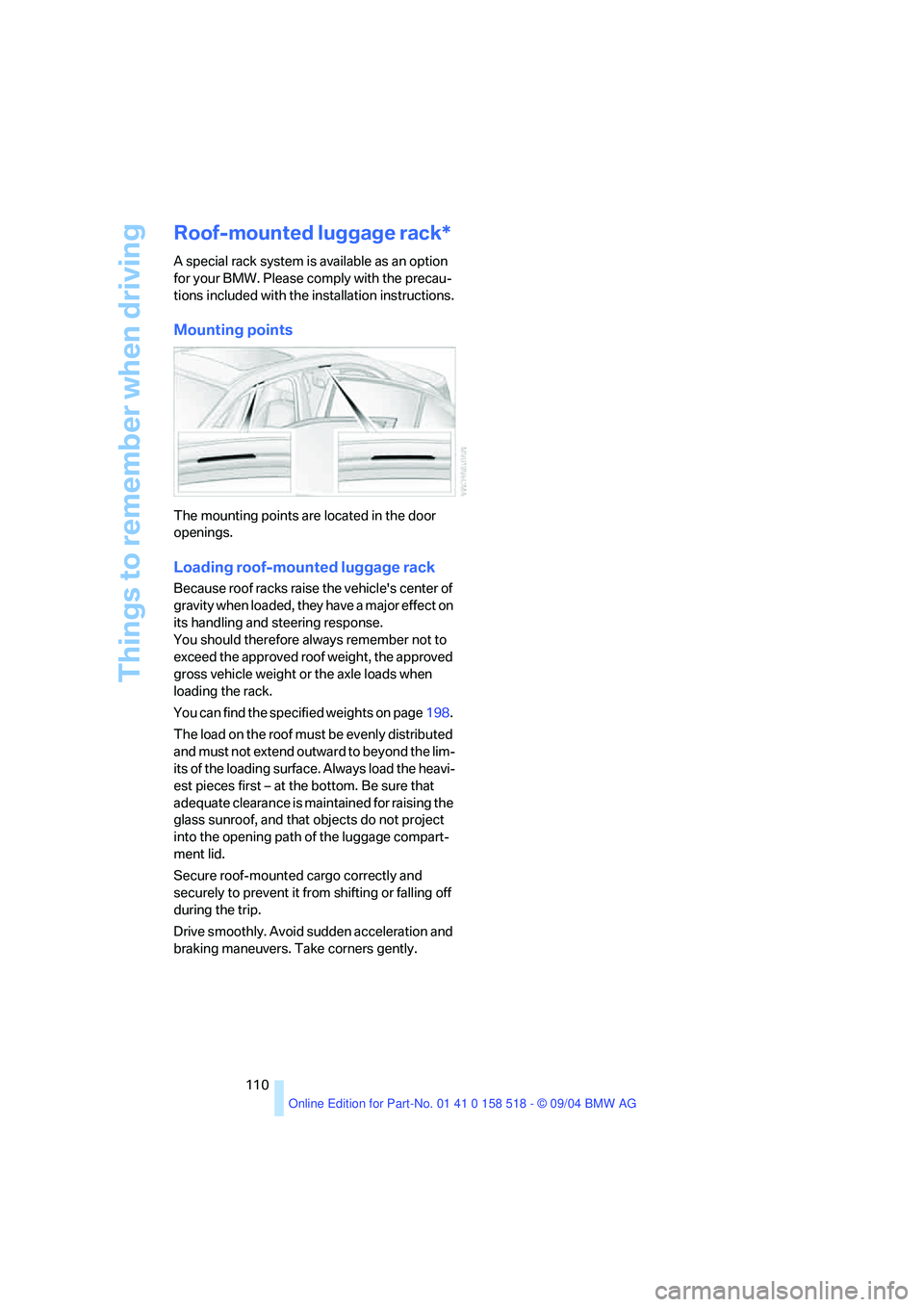
Mounting points
The mounting points are located in the door
openings.
Loading roof-mounted luggage rack
Because roof racks raise the vehicle's center of
gravity when loaded, they have a major effect on
its handling and steering response.
You should therefore always remember not to
exceed the approved roof weight, the approved
gross vehicle weight or the axle loads when
loading the rack.
You can find the specified weights on page198.
The load on the roof must be evenly distributed
and must not extend outward to beyond the lim-
its of the loading surface. Always load the heavi-
est pieces first – at the bottom. Be sure that
adequate clearance is maintained for raising the
glass sunroof, and that objects do not project
into the opening path of the luggage compart-
ment lid.
Secure roof-mounted cargo correctly and
securely to prevent it from shifting or falling off
during the trip.
Drive smoothly. Avoid sudden acceleration and
braking maneuvers. Take corners gently.
Page 118 of 221
Navigation
Driving tips
117Reference
At a glance
Controls
Communication
Entertainment
Mobility
3.Select the postal code and press the con-
troller.
The corresponding destination is displayed.
4.Select the destination and press the con-
troller.
Entering street, house number and
intersection
1.Select "Street" or the displayed street and
press the controller.
2.For instructions on entry, refer to Entering
destination.
After the street you can also enter the intersec-
tion or the house number.
The intersection is entered in the same way as
the street.
To enter the house number:
1.Select "House number" and press the con-
troller.
2.To enter the house number:
Select the desired digits and press the con-
troller.
To delete the number or letter entered:
Move controller toward the right to select
, and press controller.
To delete all numbers or letters entered:
Move controller toward the right to select
, and hold the controller down.
3.Select the house number and press the
controller.
Only house numbers stored for the street
on the navigation DVD can be entered.
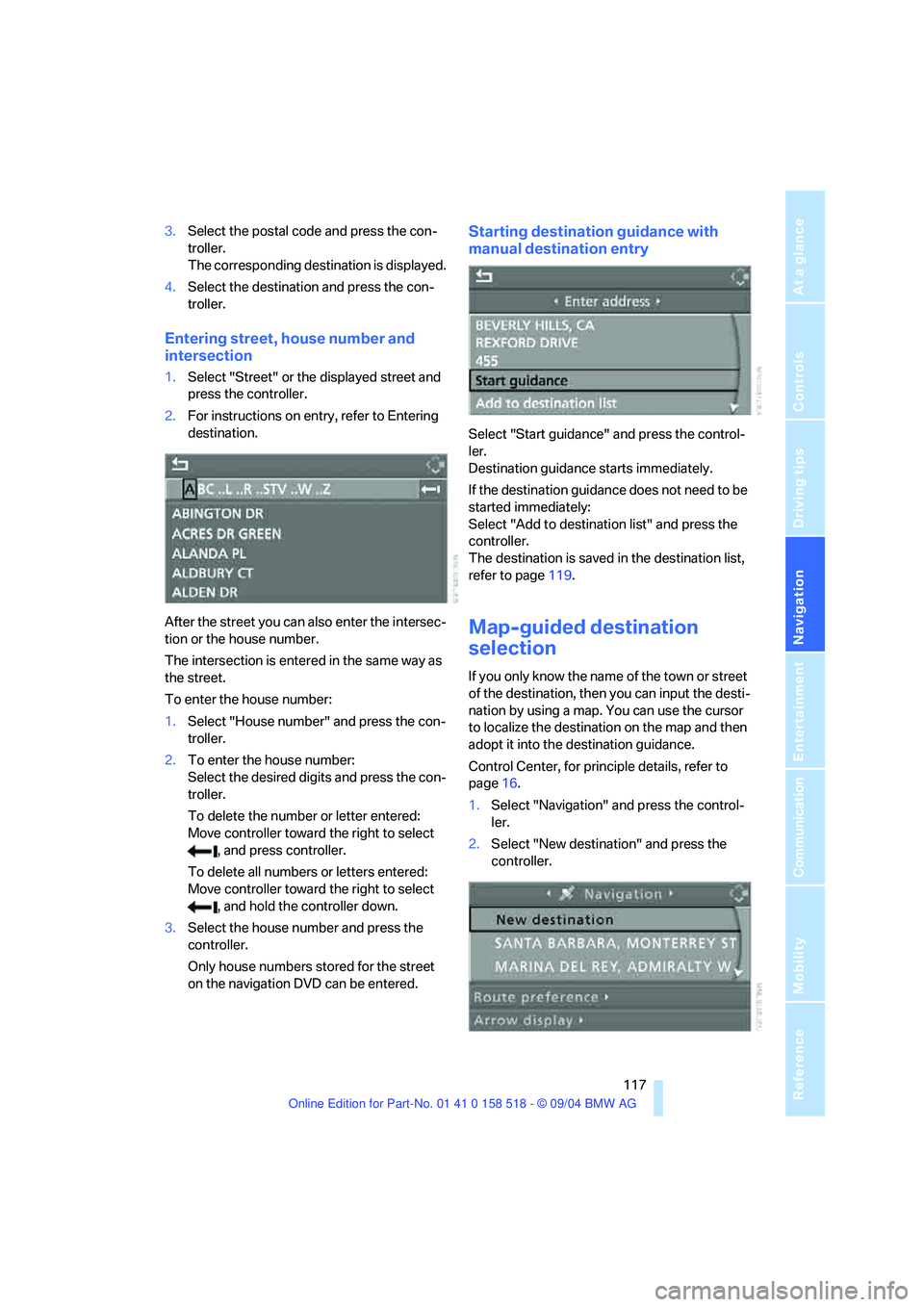
Starting destination guidance with
manual destination entry
Select "Start guidance" and press the control-
ler.
Destination guidance starts immediately.
If the destination guidance does not need to be
started immediately:
Select "Add to destination list" and press the
controller.
The destination is saved in the destination list,
refer to page119.
Map-guided destination
selection
If you only know the name of the town or street
of the destination, then you can input the desti-
nation by using a map. You can use the cursor
to localize the destination on the map and then
adopt it into the destination guidance.
Control Center, for principle details, refer to
page16.
1.Select "Navigation" and press the control-
ler.
2.Select "New destination" and press the
controller.
Page 124 of 221
Navigation
Driving tips
123Reference
At a glance
Controls
Communication
Entertainment
Mobility
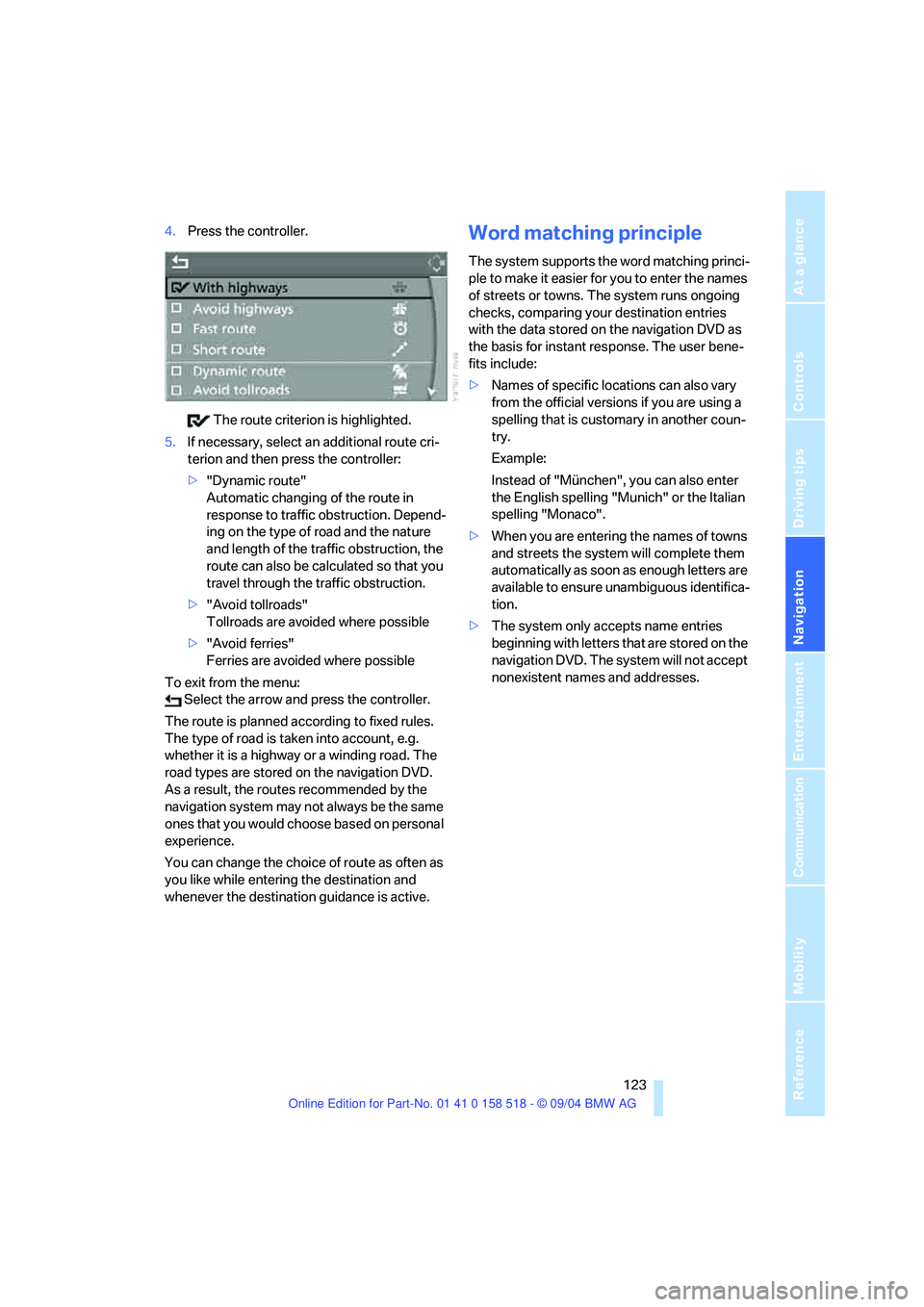
4.Press the controller.
The route criterion is highlighted.
5.If necessary, select an additional route cri-
terion and then press the controller:
>"Dynamic route"
Automatic changing of the route in
response to traffic obstruction. Depend-
ing on the type of road and the nature
and length of the traffic obstruction, the
route can also be calculated so that you
travel through the traffic obstruction.
>"Avoid tollroads"
Tollroads are avoided where possible
>"Avoid ferries"
Ferries are avoided where possible
To exit from the menu:
Select the arrow and press the controller.
The route is planned according to fixed rules.
The type of road is taken into account, e.g.
whether it is a highway or a winding road. The
road types are stored on the navigation DVD.
As a result, the routes recommended by the
navigation system may not always be the same
ones that you would choose based on personal
experience.
You can change the choice of route as often as
you like while entering the destination and
whenever the destination guidance is active.Word matching principle
The system supports the word matching princi-
ple to make it easier for you to enter the names
of streets or towns. The system runs ongoing
checks, comparing your destination entries
with the data stored on the navigation DVD as
the basis for instant response. The user bene-
fits include:
>Names of specific locations can also vary
from the official versions if you are using a
spelling that is customary in another coun-
try.
Example:
Instead of "München", you can also enter
the English spelling "Munich" or the Italian
spelling "Monaco".
>When you are entering the names of towns
and streets the system will complete them
automatically as soon as enough letters are
available to ensure unambiguous identifica-
tion.
>The system only accepts name entries
beginning with letters that are stored on the
navigation DVD. The system will not accept
nonexistent names and addresses.
Page 137 of 221
On/off and tone
136
Controls in the back seat*
You can also use a remote control to select
Business radio as the audio source and listen to
it through the headphones or speakers.
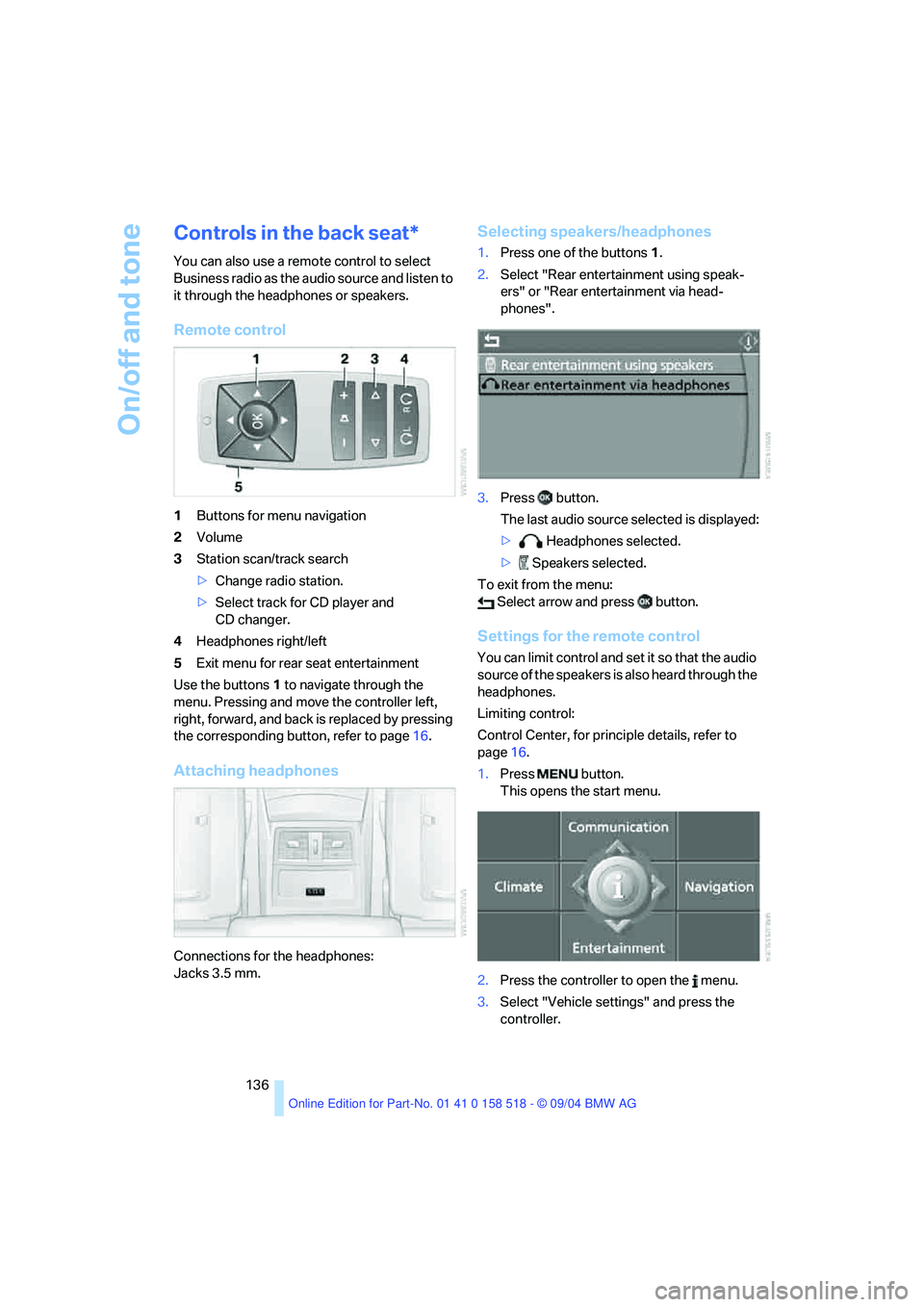
Remote control
1Buttons for menu navigation
2Volume
3Station scan/track search
>Change radio station.
>Select track for CD player and
CD changer.
4Headphones right/left
5Exit menu for rear seat entertainment
Use the buttons1 to navigate through the
menu. Pressing and move the controller left,
right, forward, and back is replaced by pressing
the corresponding button, refer to page16.
Attaching headphones
Connections for the headphones:
Jacks 3.5 mm.
Selecting speakers/headphones
1.Press one of the buttons1.
2.Select "Rear entertainment using speak-
ers" or "Rear entertainment via head-
phones".
3.Press button.
The last audio source selected is displayed:
> Headphones selected.
> Speakers selected.
To exit from the menu:
Select arrow and press button.
Settings for the remote control
You can limit control and set it so that the audio
source of the speakers is also heard through the
headphones.
Limiting control:
Control Center, for principle details, refer to
page16.
1.Press button.
This opens the start menu.
2.Press the controller to open the menu.
3.Select "Vehicle settings" and press the
controller.
Page 140 of 221
Navigation
Entertainment
Driving tips
139Reference
At a glance
Controls
Communication
Mobility
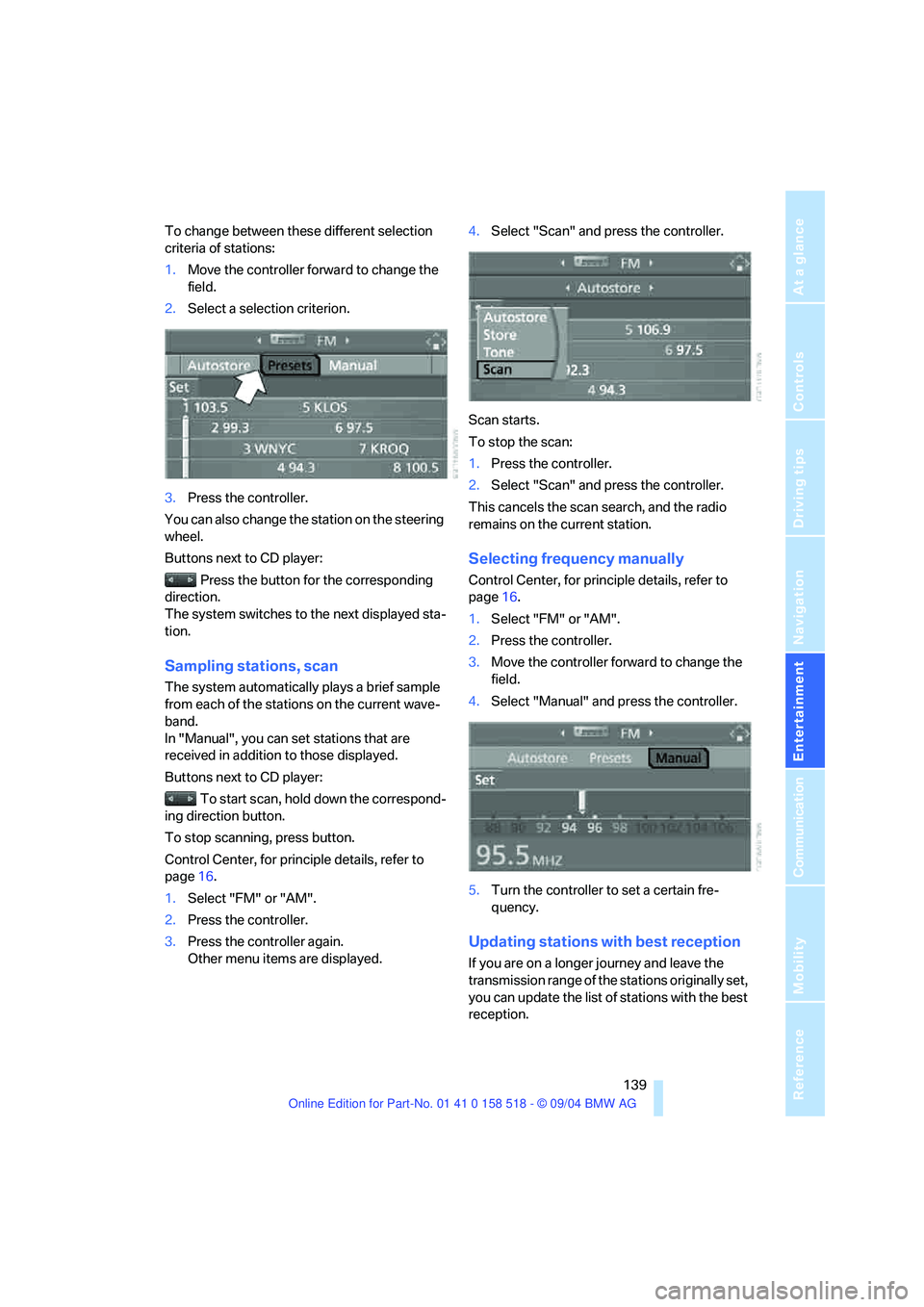
To change between these different selection
criteria of stations:
1.Move the controller forward to change the
field.
2.Select a selection criterion.
3.Press the controller.
You can also change the station on the steering
wheel.
Buttons next to CD player:
Press the button for the corresponding
direction.
The system switches to the next displayed sta-
tion.
Sampling stations, scan
The system automatically plays a brief sample
from each of the stations on the current wave-
band.
In "Manual", you can set stations that are
received in addition to those displayed.
Buttons next to CD player:
To start scan, hold down the correspond-
ing direction button.
To stop scanning, press button.
Control Center, for principle details, refer to
page16.
1.Select "FM" or "AM".
2.Press the controller.
3.Press the controller again.
Other menu items are displayed.4.Select "Scan" and press the controller.
Scan starts.
To stop the scan:
1.Press the controller.
2.Select "Scan" and press the controller.
This cancels the scan search, and the radio
remains on the current station.
Selecting frequency manually
Control Center, for principle details, refer to
page16.
1.Select "FM" or "AM".
2.Press the controller.
3.Move the controller forward to change the
field.
4.Select "Manual" and press the controller.
5.Turn the controller to set a certain fre-
quency.
Updating stations with best reception
If you are on a longer journey and leave the
transmission range of the stations originally set,
you can update the list of stations with the best
reception.
Page 145 of 221
Radio
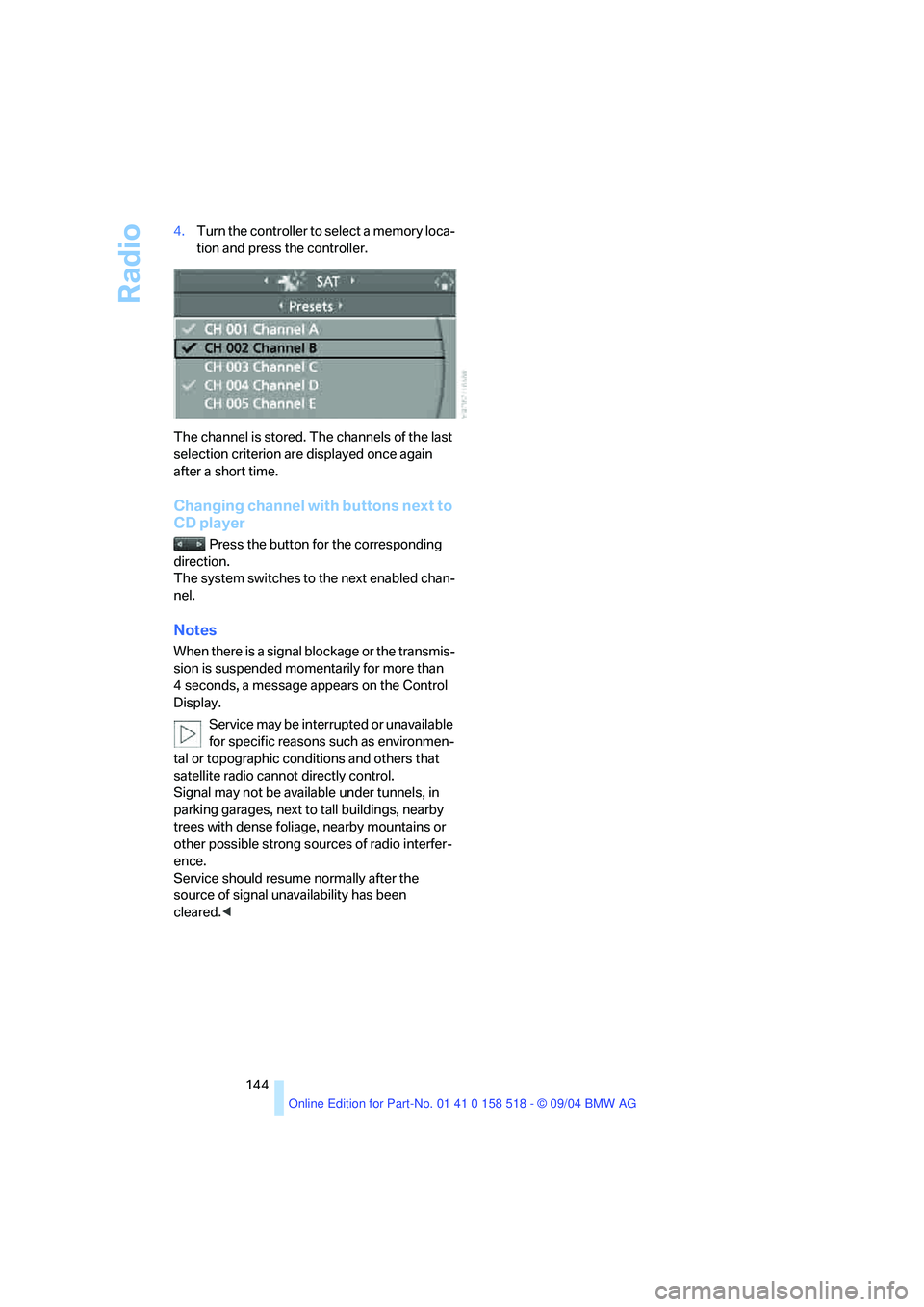
144 4.Turn the controller to select a memory loca-
tion and press the controller.
The channel is stored. The channels of the last
selection criterion are displayed once again
after a short time.
Changing channel with buttons next to
CD player
Press the button for the corresponding
direction.
The system switches to the next enabled chan-
nel.
Notes
When there is a signal blockage or the transmis-
sion is suspended momentarily for more than
4 seconds, a message appears on the Control
Display.
Service may be interrupted or unavailable
for specific reasons such as environmen-
tal or topographic conditions and others that
satellite radio cannot directly control.
Signal may not be available under tunnels, in
parking garages, next to tall buildings, nearby
trees with dense foliage, nearby mountains or
other possible strong sources of radio interfer-
ence.
Service should resume normally after the
source of signal unavailability has been
cleared.<
Page 147 of 221
CD player and CD changer
146
CD changer: starting CD
1.Fill the CD magazine and insert, refer to
page147.
Control Center, for principle details, refer to
page16.
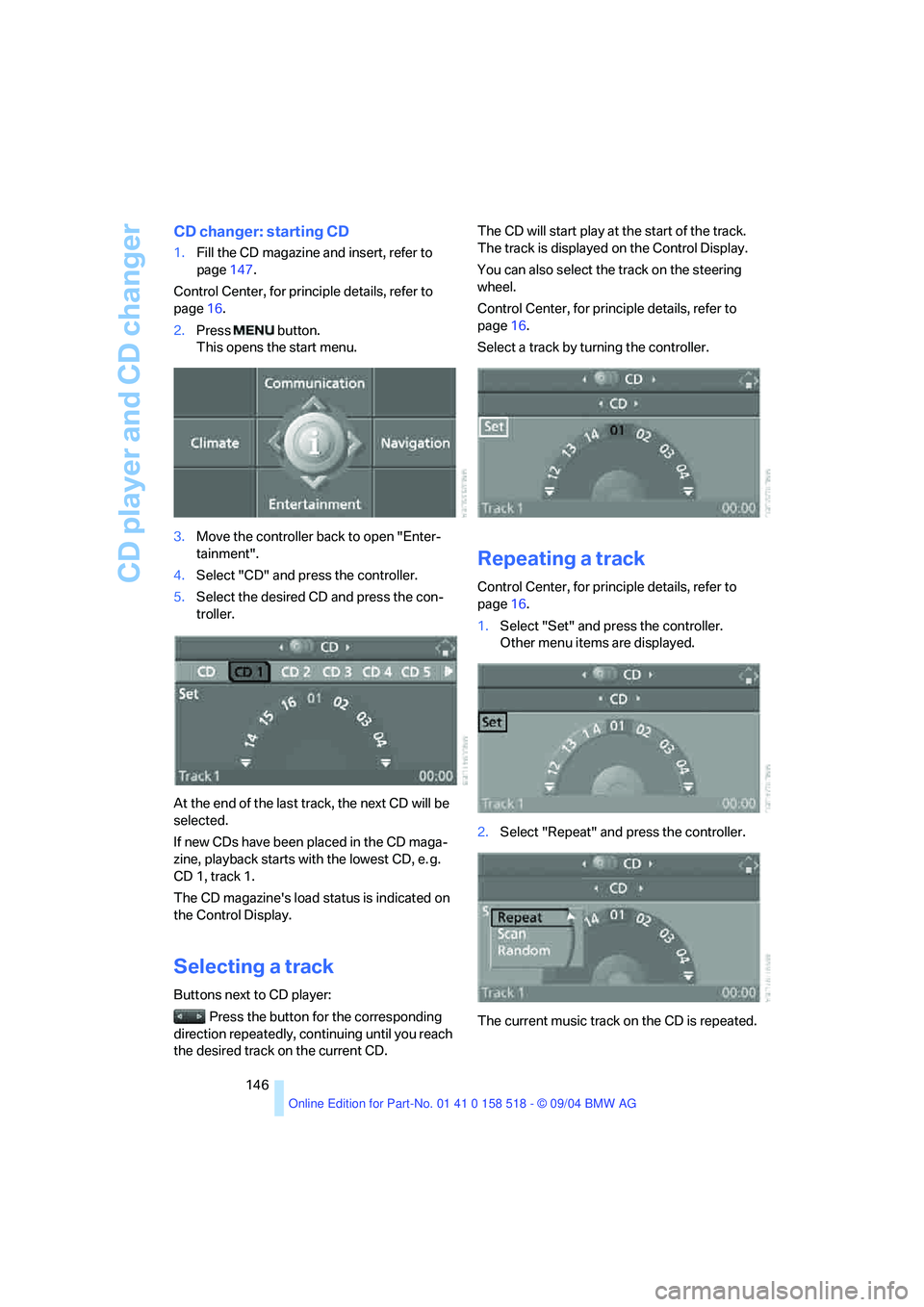
2.Press button.
This opens the start menu.
3.Move the controller back to open "Enter-
tainment".
4.Select "CD" and press the controller.
5.Select the desired CD and press the con-
troller.
At the end of the last track, the next CD will be
selected.
If new CDs have been placed in the CD maga-
zine, playback starts with the lowest CD, e. g.
CD 1, track 1.
The CD magazine's load status is indicated on
the Control Display.
Selecting a track
Buttons next to CD player:
Press the button for the corresponding
direction repeatedly, continuing until you reach
the desired track on the current CD.The CD will start play at the start of the track.
The track is displayed on the Control Display.
You can also select the track on the steering
wheel.
Control Center, for principle details, refer to
page16.
Select a track by turning the controller.
Repeating a track
Control Center, for principle details, refer to
page16.
1.Select "Set" and press the controller.
Other menu items are displayed.
2.Select "Repeat" and press the controller.
The current music track on the CD is repeated.
Page 148 of 221
Navigation
Entertainment
Driving tips
147Reference
At a glance
Controls
Communication
Mobility
Stop repeating:
Press controller, select "Repeat" and press
controller again.
Sampling tracks, scan
The system automatically plays a brief sample
from each of the tracks on the current CD.
Control Center, for principle details, refer to
page16.
1.Select "Set" and press the controller.
Other menu items are displayed.
2.Select "Scan" and press the controller.
To stop the scan:
1.Press the controller.
2.Select "Scan" and press the controller.
This cancels the scan, and the selected track
remains.
Random play sequence
In this mode, the music tracks on the current CD
are played once in a random sequence.
Control Center, for principle details, refer to
page16.
1.Select "Set" and press the controller.
Other menu items are displayed.
2.Select "Random" and press the controller.
Stop random function:
Press controller, select "Random" and press
controller again.
Fast forward/reverse
Buttons next to CD player:
Press and hold the button for the corre-
sponding direction.
CD magazine
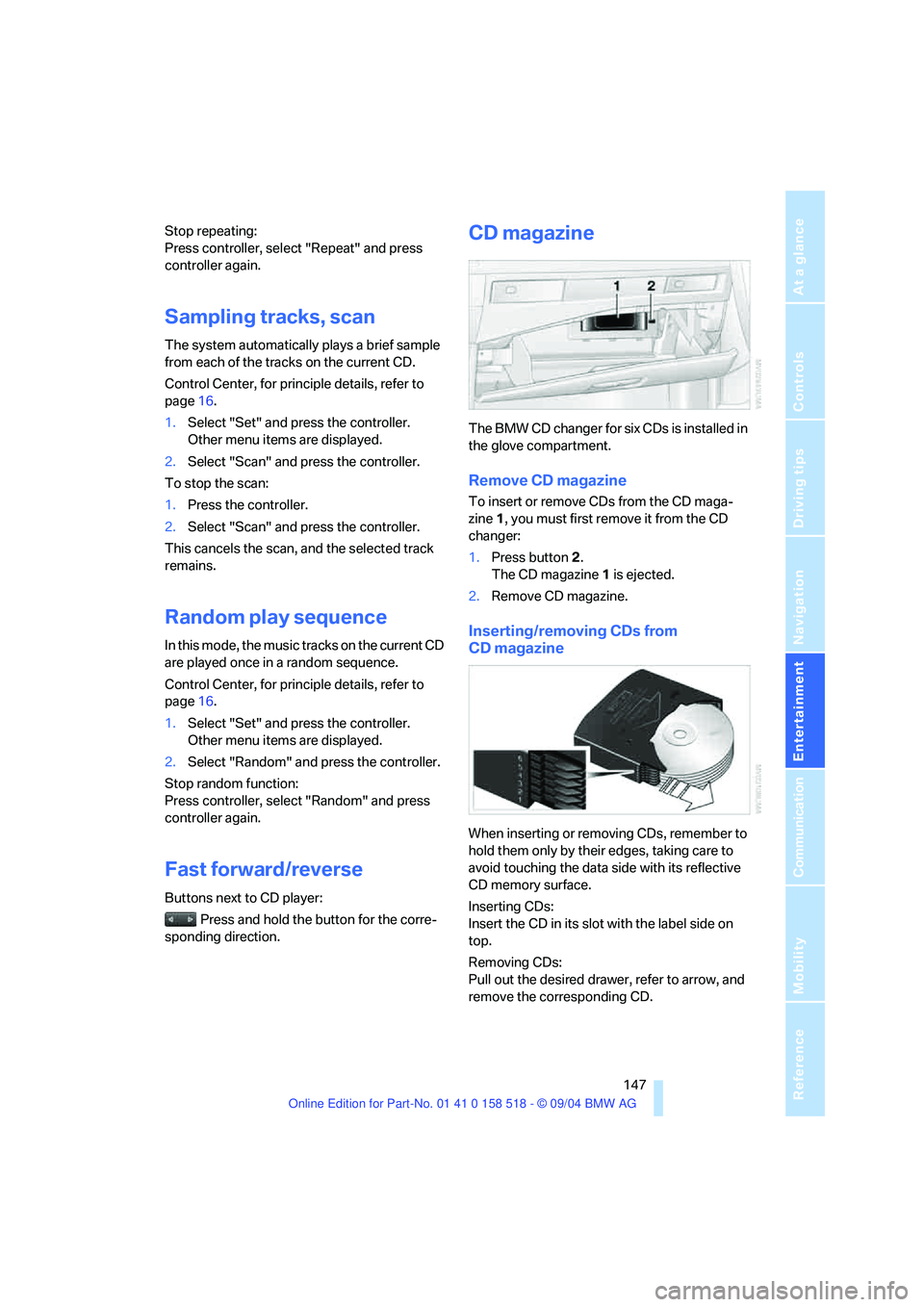
The BMW CD changer for six CDs is installed in
the glove compartment.
Remove CD magazine
To insert or remove CDs from the CD maga-
zine 1, you must first remove it from the CD
changer:
1.Press button 2.
The CD magazine 1 is ejected.
2.Remove CD magazine.
Inserting/removing CDs from
CD magazine
When inserting or removing CDs, remember to
hold them only by their edges, taking care to
avoid touching the data side with its reflective
CD memory surface.
Inserting CDs:
Insert the CD in its slot with the label side on
top.
Removing CDs:
Pull out the desired drawer, refer to arrow, and
remove the corresponding CD.
Page 160 of 221
159
Entertainment
Reference
At a glance
Controls
Driving tips Communication
Navigation
Mobility
Example: dialing phone number
Start the dialog:
Press button on steering wheel.
Adjusting volume
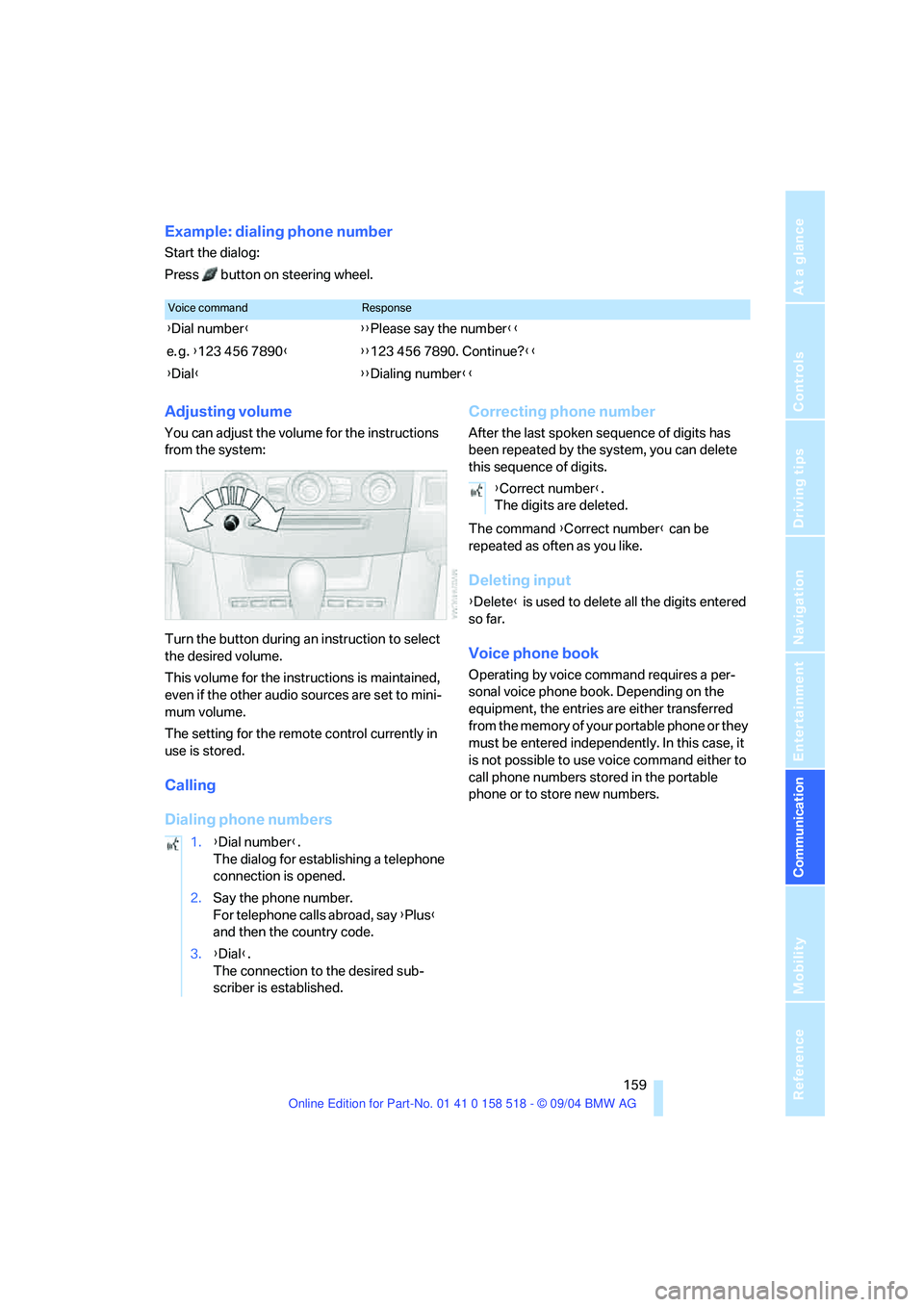
You can adjust the volume for the instructions
from the system:
Turn the button during an instruction to select
the desired volume.
This volume for the instructions is maintained,
even if the other audio sources are set to mini-
mum volume.
The setting for the remote control currently in
use is stored.
Calling
Dialing phone numbersCorrecting phone number
After the last spoken sequence of digits has
been repeated by the system, you can delete
this sequence of digits.
The command {Correct number} can be
repeated as often as you like.
Deleting input
{Delete} is used to delete all the digits entered
so far.
Voice phone book
Operating by voice command requires a per-
sonal voice phone book. Depending on the
equipment, the entries are either transferred
from the memory of your portable phone or they
must be entered independently. In this case, it
is not possible to use voice command either to
call phone numbers stored in the portable
phone or to store new numbers.
Voice commandResponse
{Dial number}{{Please say the number}}
e. g. {123 456 7890}{{123 456 7890. Continue?}}
{Dial}{{Dialing number}}
1.{Dial number}.
The dialog for establishing a telephone
connection is opened.
2.Say the phone number.
For telephone calls abroad, say {Plus}
and then the country code.
3.{Dial}.
The connection to the desired sub-
scriber is established.
{Correct number}.
The digits are deleted.
Page 162 of 221
161
Entertainment
Reference
At a glance
Controls
Driving tips Communication
Navigation
Mobility
TeleService , BMW Assist
TeleService
TeleService supports you when communicat-
ing with a BMW center. The built-in car phone
can be used to transmit data regarding the ser-
vice status of your vehicle or regarding legally
mandated inspections directly to your BMW
center. This is the same data that is also stored
for CBS Condition Based Service in the master
key. Your BMW center can then contact you,
and you can make an appointment that suits
you while you are still on the road. Your advan-
tage here is that your BMW center can prepare
in advance for the required maintenance work.
The functions of TeleService are country-spe-
cific and depend on your contract: the data
regarding the service status of your vehicle or
regarding legally mandated inspections is
transmitted on a country-specific basis either
automatically before they fall due or during your
calls to the BMW center. Your BMW center will
be glad to provide more detailed information.
BMW Assist
BMW Assist provides you with other services in
addition to TeleService. For example, the posi-
tion data of your vehicle can be transferred to
the BMW Assist response center if an emer-
gency call
* has been initiated.
Many functions of BMW Assist depend on the
individually agreed contract. Data transmission,
e. g. of the CBS Condition Based Service, dif-
fers from country to country.
The subscriber agreement must be completed
successfully before using the BMW Assist ser-
vices.
Requirements
The installed car phone is logged on to a porta-
ble telephone network. This network must be
capable of transmitting the services.
To transmit position data, the vehicle must be
able to determine the current position. This is
displayed on the Control Display. In order to
enable and update TeleService or BMW Assist,
a GPS signal must be present.
Enabling TeleService or BMW Assist
For you to be able to use the services of
TeleService or BMW Assist, these must be
enabled.
To do this, leave the ignition key in position 1
during the entire process.
Control Center, for principle details, refer to
page16.
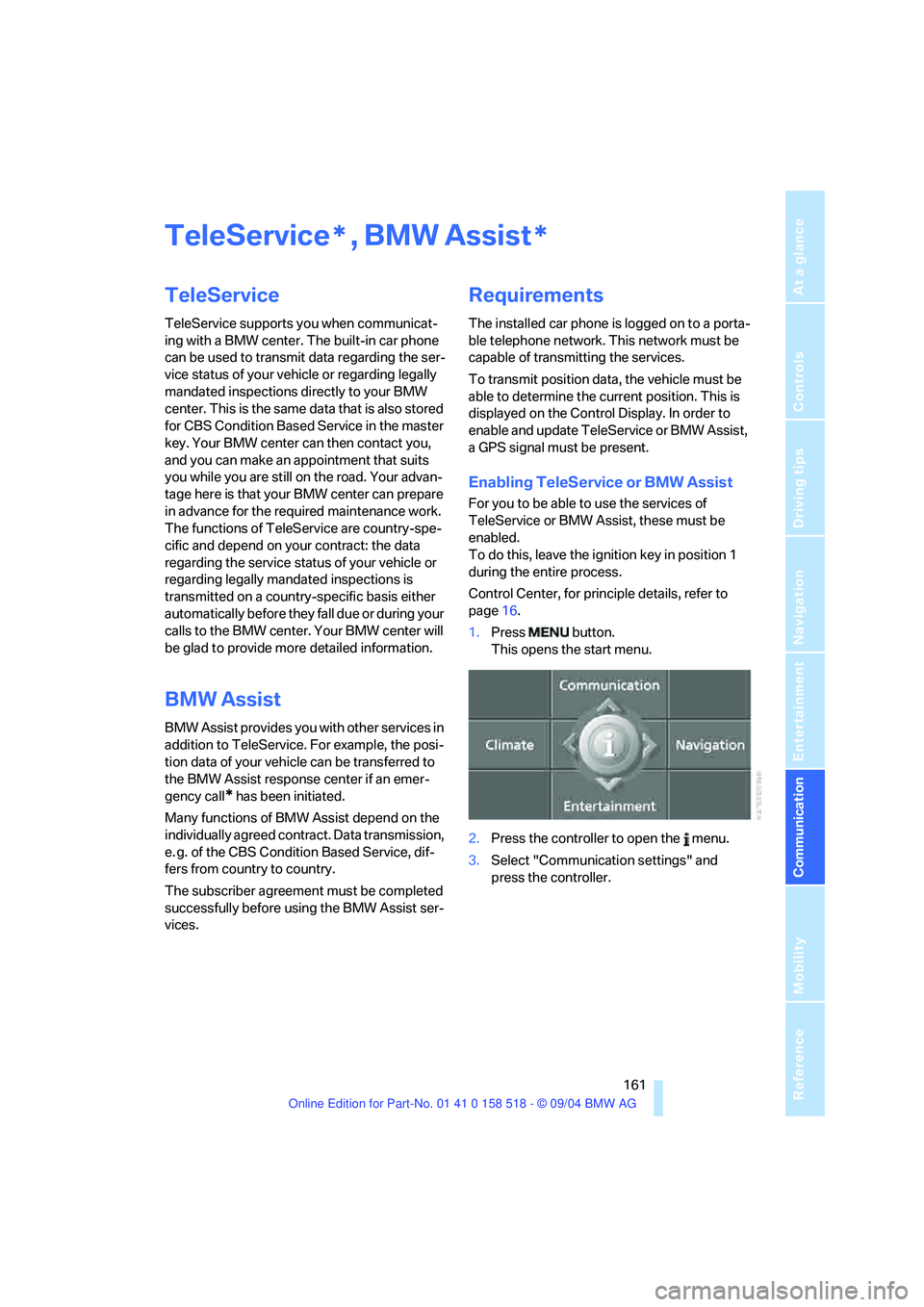
1.Press button.
This opens the start menu.
2.Press the controller to open the menu.
3.Select "Communication settings" and
press the controller.
**