fog light BMW 525I 2007 Owners Manual
[x] Cancel search | Manufacturer: BMW, Model Year: 2007, Model line: 525I, Model: BMW 525I 2007Pages: 273, PDF Size: 8.96 MB
Page 13 of 273
At a glance
11Reference
Controls
Driving tips
Communications
Navigation
Entertainment
Mobility
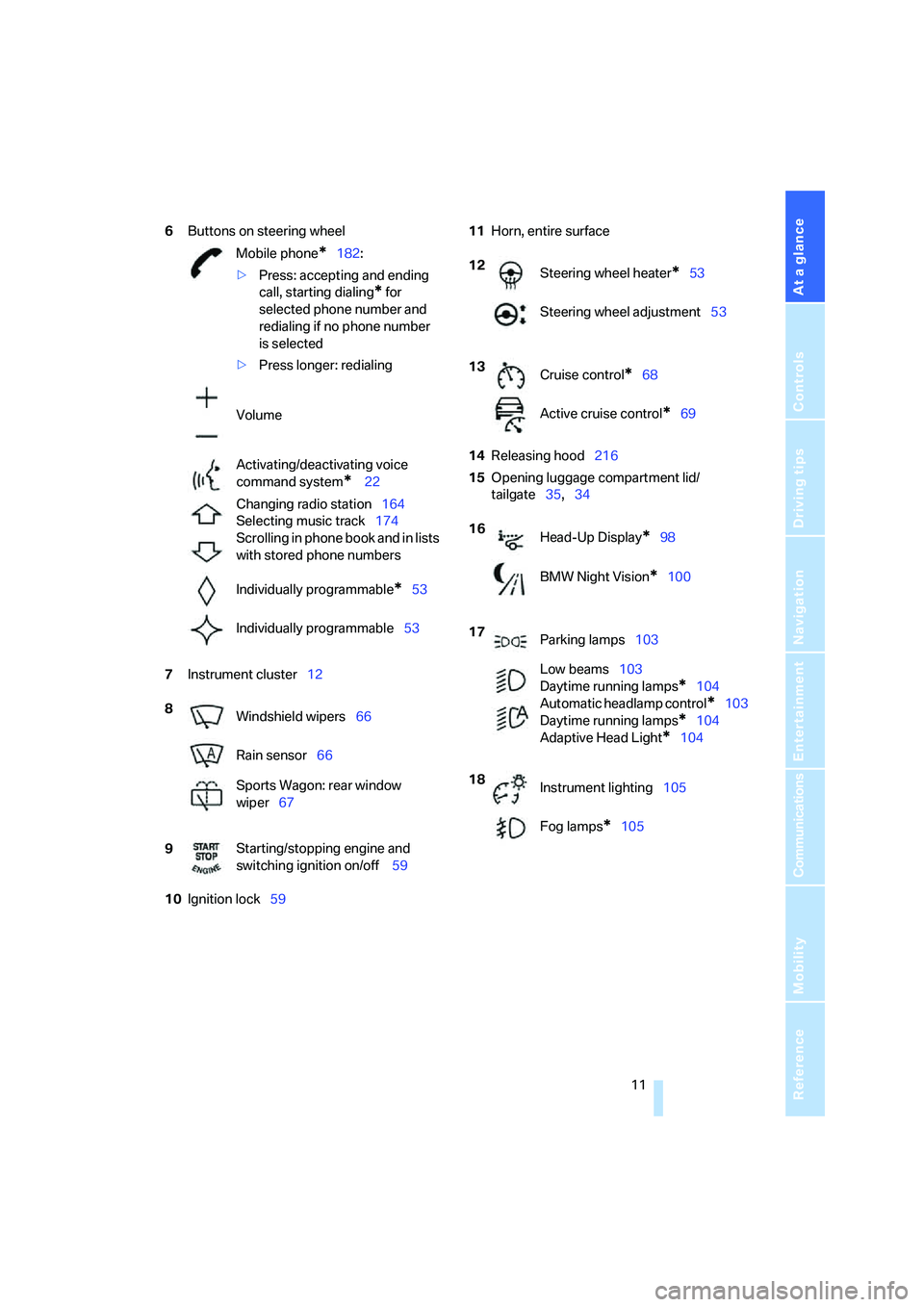
6Buttons on steering wheel
7Instrument cluster12
10Ignition lock5911Horn, entire surface
14Releasing hood216
15Opening luggage compartment lid/
tailgate35,34 Mobile phone
*182:
>Press: accepting and ending
call, starting dialing
* for
selected phone number and
redialing if no phone number
is selected
>Press longer: redialing
Volume
Activating/deactivating voice
command system
* 22
Changing radio station164
Selecting music track174
Scrolling in phone book and in lists
with stored phone numbers
Individually programmable
*53
Individually programmable53
8
Windshield wipers66
Rain sensor66
Sports Wagon: rear window
wiper67
9Starting/stopping engine and
switching ignition on/off 59
12
Steering wheel heater*53
Steering wheel adjustment53
13
Cruise control
*68
Active cruise control
*69
16
Head-Up Display
*98
BMW Night Vision
*100
17
Parking lamps103
Low beams103
Daytime running lamps
*104
Automatic headlamp control
*103
Daytime running lamps
*104
Adaptive Head Light
*104
18
Instrument lighting105
Fog lamps
*105
Page 15 of 273
At a glance
13Reference
Controls
Driving tips
Communications
Navigation
Entertainment
Mobility
Indicator and warning lamps
The concept
The indicator and warning lamps can light up in
different combinations and colors.
Some lamps are tested for proper function by
briefly lighting up during starting of the engine
or when the ignition is switched on.
Explanatory text messages
Text messages at the bottom edge of the Con-
trol Display explain the meaning of the dis-
played indicator and warning lamps.
Additional information, e.g. on the cause of a
malfunction and on the corresponding need to
take action can be displayed via the Check Con-
trol, refer to page80.In urgent cases, this information will be shown
as soon as the corresponding lamp comes on.
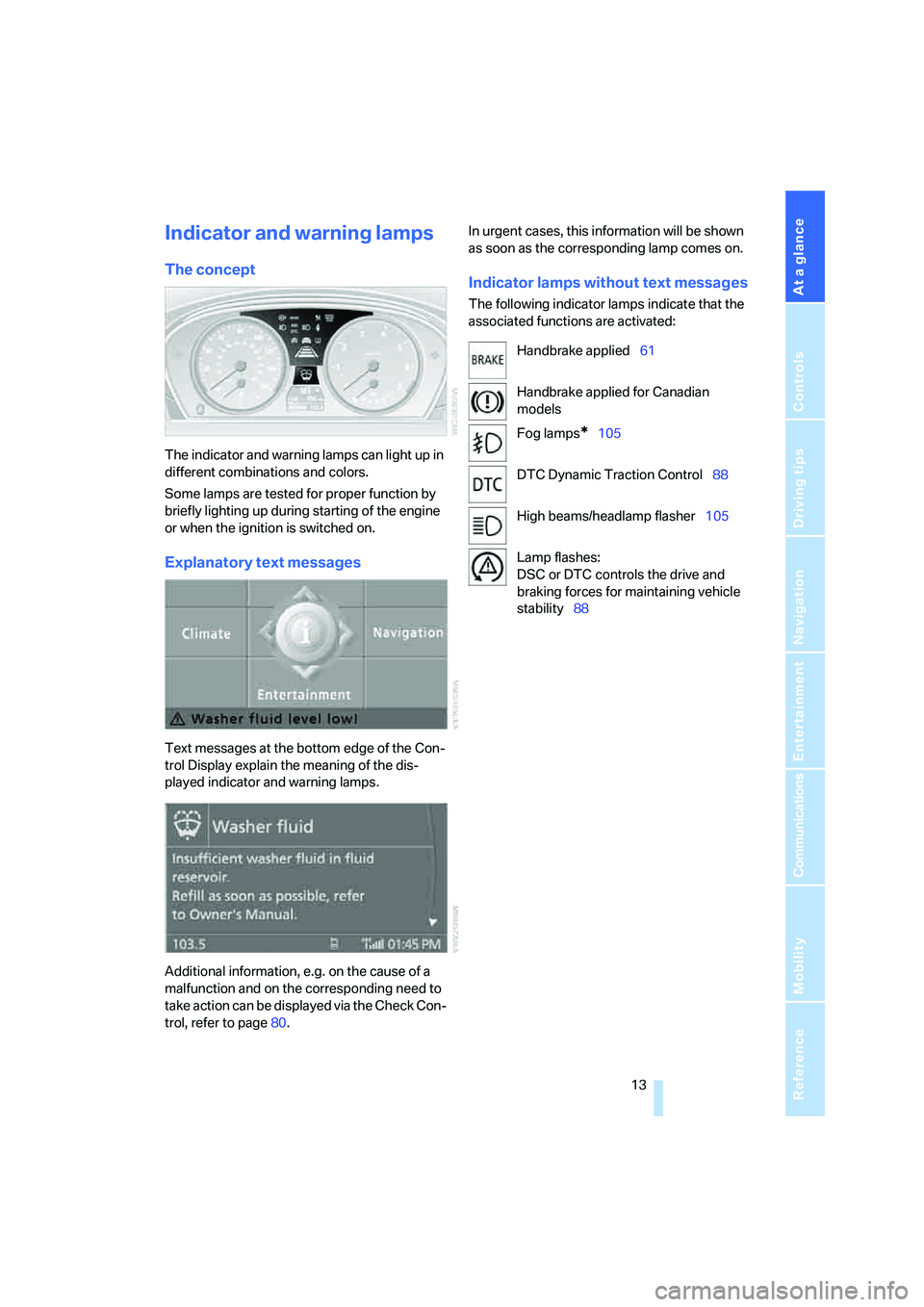
Indicator lamps without text messages
The following indicator lamps indicate that the
associated functions are activated:
Handbrake applied61
Handbrake applied for Canadian
models
Fog lamps
*105
DTC Dynamic Traction Control88
High beams/headlamp flasher105
Lamp flashes:
DSC or DTC controls the drive and
braking forces for maintaining vehicle
stability88
Page 75 of 273
Controls
73Reference
At a glance
Driving tips
Communications
Navigation
Entertainment
Mobility
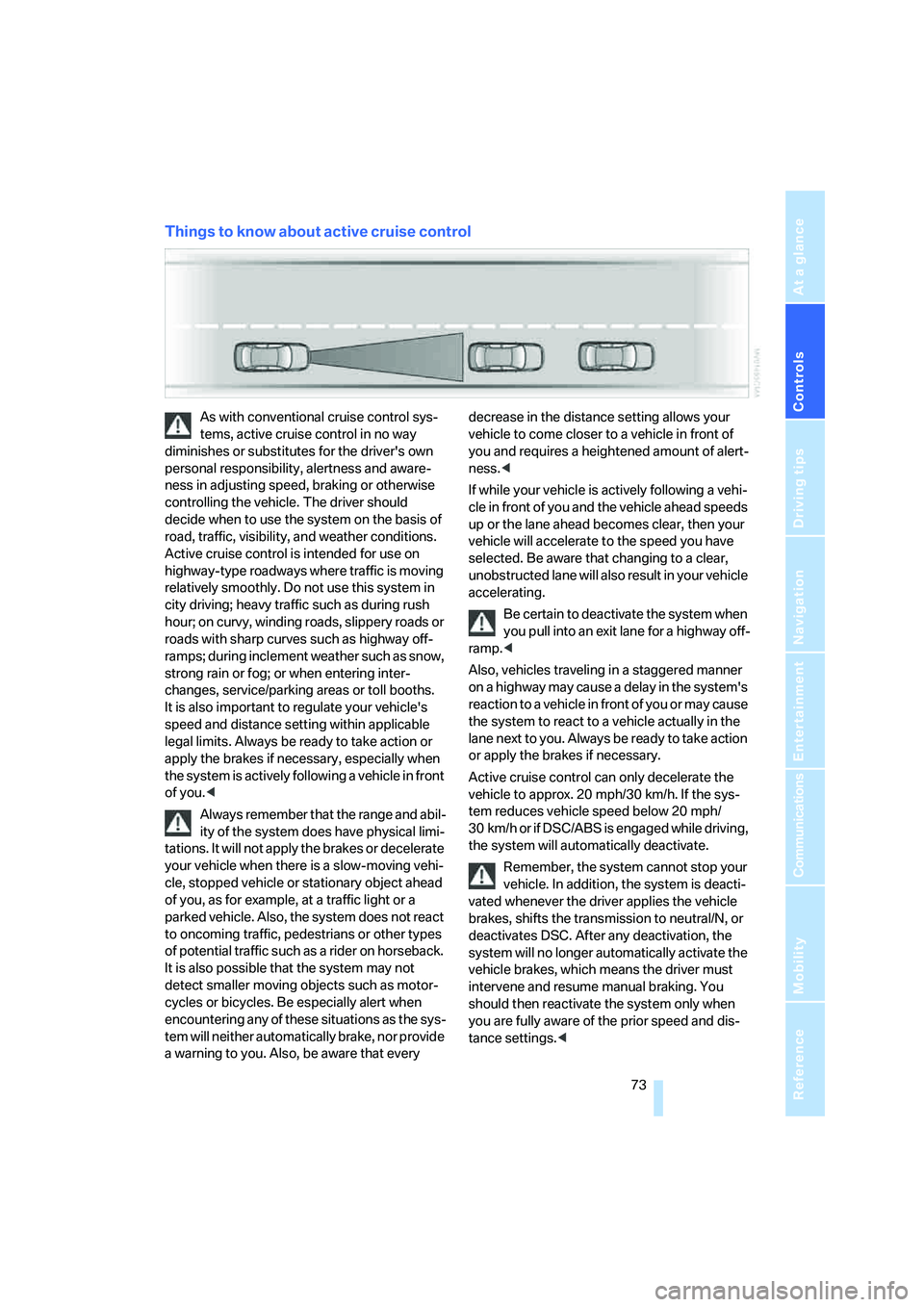
Things to know about active cruise control
As with conventional cruise control sys-
tems, active cruise control in no way
diminishes or substitutes for the driver's own
personal responsibility, alertness and aware-
ness in adjusting speed, braking or otherwise
controlling the vehicle. The driver should
decide when to use the system on the basis of
road, traffic, visibility, and weather conditions.
Active cruise control is intended for use on
highway-type roadways where traffic is moving
relatively smoothly. Do not use this system in
city driving; heavy traffic such as during rush
hour; on curvy, winding roads, slippery roads or
roads with sharp curves such as highway off-
ramps; during inclement weather such as snow,
strong rain or fog; or when entering inter-
changes, service/parking areas or toll booths.
It is also important to regulate your vehicle's
speed and distance setting within applicable
legal limits. Always be ready to take action or
apply the brakes if necessary, especially when
the system is actively following a vehicle in front
of you.<
Always remember that the range and abil-
ity of the system does have physical limi-
tations. It will not apply the brakes or decelerate
your vehicle when there is a slow-moving vehi-
cle, stopped vehicle or stationary object ahead
of you, as for example, at a traffic light or a
parked vehicle. Also, the system does not react
to oncoming traffic, pedestrians or other types
of potential traffic such as a rider on horseback.
It is also possible that the system may not
detect smaller moving objects such as motor-
cycles or bicycles. Be especially alert when
encountering any of these situations as the sys-
tem will neither automatically brake, nor provide
a warning to you. Also, be aware that every decrease in the distance setting allows your
vehicle to come closer to a vehicle in front of
you and requires a heightened amount of alert-
ness.<
If while your vehicle is actively following a vehi-
cle in front of you and the vehicle ahead speeds
up or the lane ahead becomes clear, then your
vehicle will accelerate to the speed you have
selected. Be aware that changing to a clear,
unobstructed lane will also result in your vehicle
accelerating.
Be certain to deactivate the system when
you pull into an exit lane for a highway off-
ramp.<
Also, vehicles traveling in a staggered manner
on a highway may cause a delay in the system's
reaction to a vehicle in front of you or may cause
the system to react to a vehicle actually in the
lane next to you. Always be ready to take action
or apply the brakes if necessary.
Active cruise control can only decelerate the
vehicle to approx. 20 mph/30 km/h. If the sys-
tem reduces vehicle speed below 20 mph/
30 km/h or if DSC/ABS is engaged while driving,
the system will automatically deactivate.
Remember, the system cannot stop your
vehicle. In addition, the system is deacti-
vated whenever the driver applies the vehicle
brakes, shifts the transmission to neutral/N, or
deactivates DSC. After any deactivation, the
system will no longer automatically activate the
vehicle brakes, which means the driver must
intervene and resume manual braking. You
should then reactivate the system only when
you are fully aware of the prior speed and dis-
tance settings.<
Page 103 of 273
Controls
101Reference
At a glance
Driving tips
Communications
Navigation
Entertainment
Mobility
>in dense fog, heavy rain or snowfall
>when displaying very hot objects such as
transformers, car exhausts etc.
>when the image briefly freezes during nor-
mal system adjustment.
BMW Night Vision's potential benefits
can be limited by the driving style of the
driver, the size and relative temperature of the
detected objects, dirt or contamination on the
camera lens, adverse weather like snow, rain or
fog, and other factors not mentioned here. It will
always be the driver's responsibility to drive at a
speed and in a manner that recognizes potential
hazards and adjust accordingly.
BMW Night Vision is not a substitute or replace-
ment for driver responsibility or for accommo-
dating the visibility conditions and the traffic sit-
uation. The forward view illuminated by the
headlamps must always be the basis for making
safe driving decisions, otherwise a safety risk
will result.<
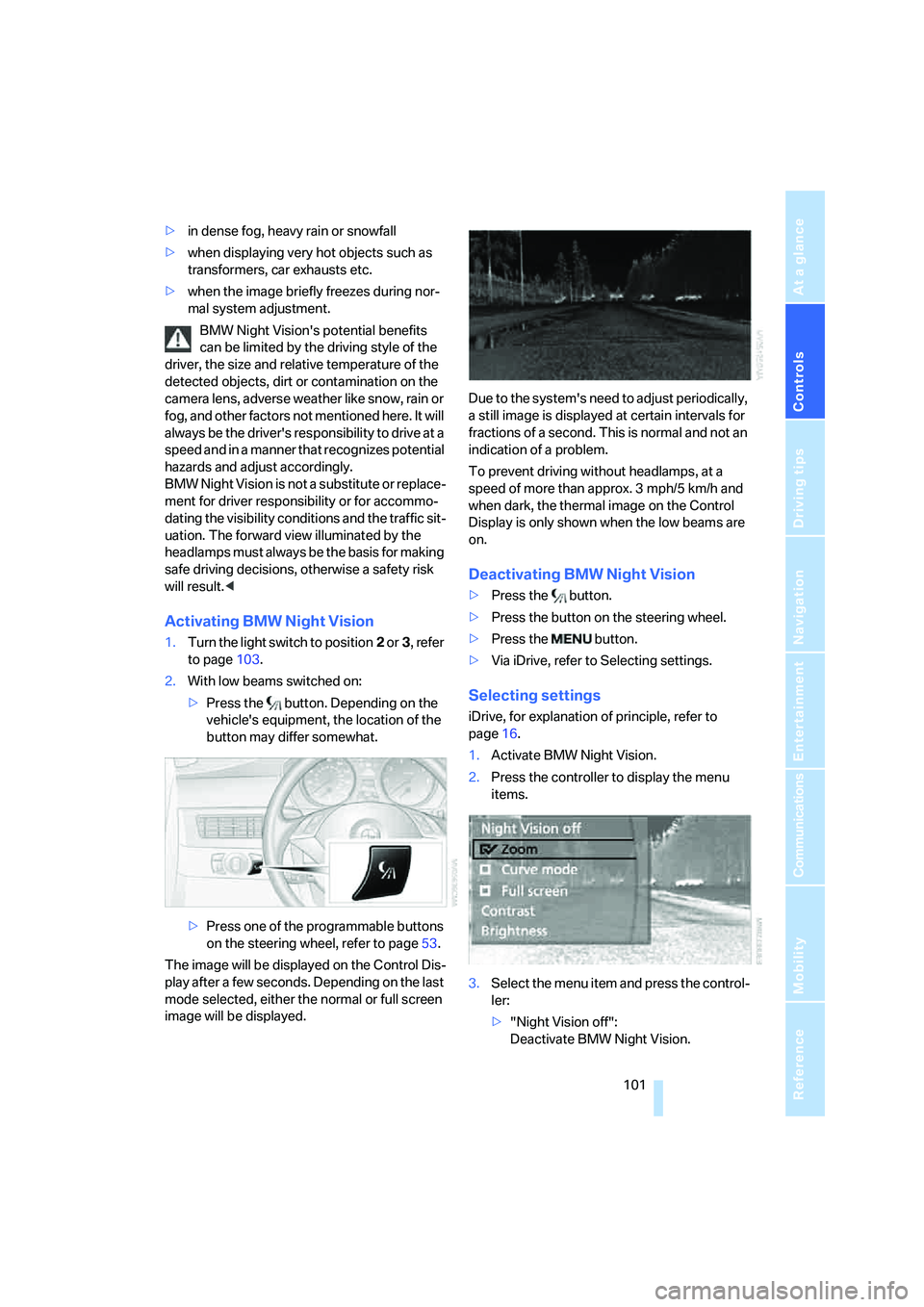
Activating BMW Night Vision
1.Turn the light switch to position2 or3, refer
to page103.
2.With low beams switched on:
>Press the button. Depending on the
vehicle's equipment, the location of the
button may differ somewhat.
>Press one of the programmable buttons
on the steering wheel, refer to page53.
The image will be displayed on the Control Dis-
play after a few seconds. Depending on the last
mode selected, either the normal or full screen
image will be displayed.Due to the system's need to adjust periodically,
a still image is displayed at certain intervals for
fractions of a second. This is normal and not an
indication of a problem.
To prevent driving without headlamps, at a
speed of more than approx. 3 mph/5 km/h and
when dark, the thermal image on the Control
Display is only shown when the low beams are
on.
Deactivating BMW Night Vision
>Press the button.
>Press the button on the steering wheel.
>Press the button.
>Via iDrive, refer to Selecting settings.
Selecting settings
iDrive, for explanation of principle, refer to
page16.
1.Activate BMW Night Vision.
2.Press the controller to display the menu
items.
3.Select the menu item and press the control-
ler:
>"Night Vision off":
Deactivate BMW Night Vision.
Page 105 of 273
Controls
103Reference
At a glance
Driving tips
Communications
Navigation
Entertainment
Mobility
Lamps
Parking lamps/low beams
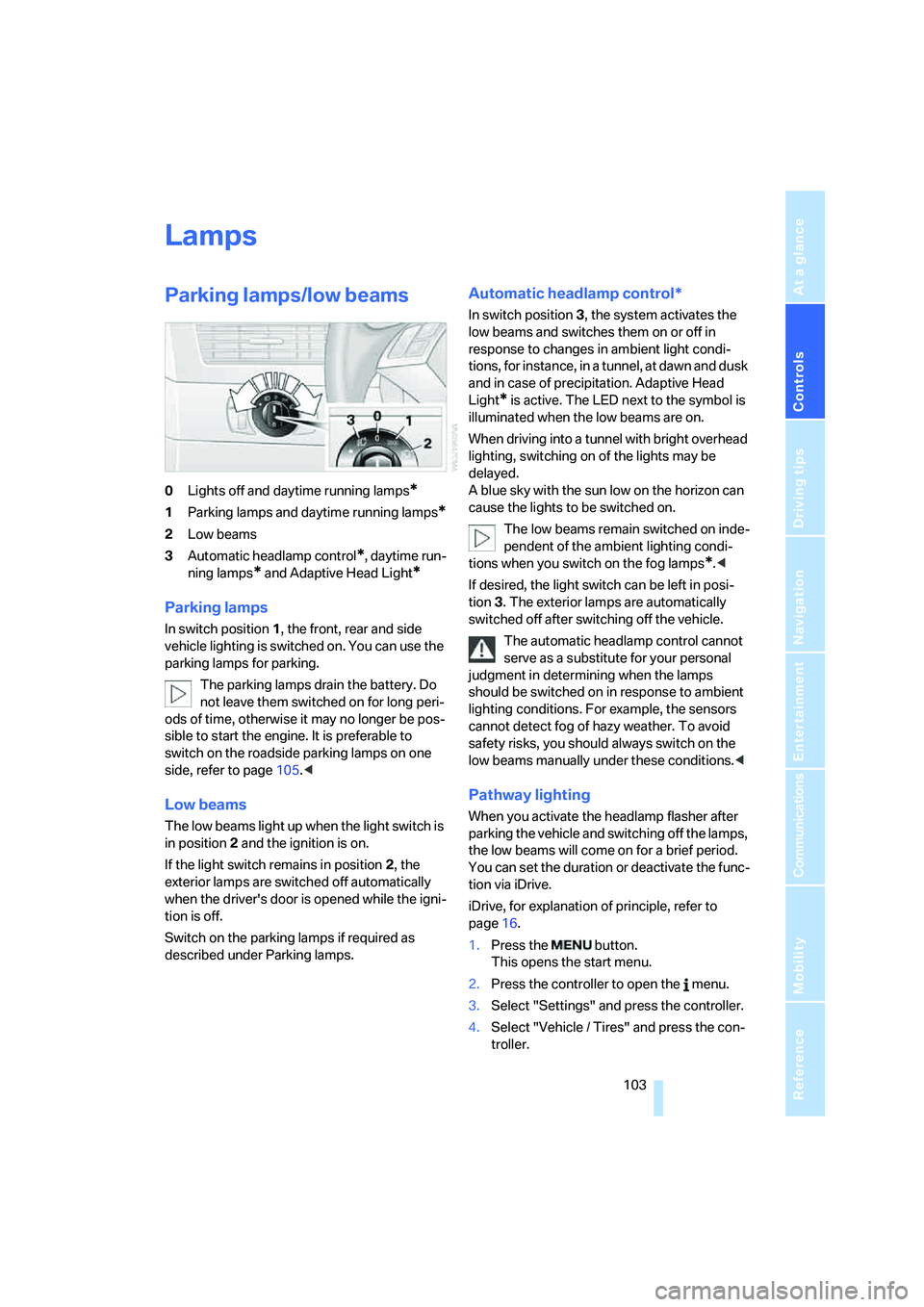
0Lights off and daytime running lamps*
1Parking lamps and daytime running lamps*
2Low beams
3Automatic headlamp control
*, daytime run-
ning lamps
* and Adaptive Head Light*
Parking lamps
In switch position1, the front, rear and side
vehicle lighting is switched on. You can use the
parking lamps for parking.
The parking lamps drain the battery. Do
not leave them switched on for long peri-
ods of time, otherwise it may no longer be pos-
sible to start the engine. It is preferable to
switch on the roadside parking lamps on one
side, refer to page105.<
Low beams
The low beams light up when the light switch is
in position 2 and the ignition is on.
If the light switch remains in position 2, the
exterior lamps are switched off automatically
when the driver's door is opened while the igni-
tion is off.
Switch on the parking lamps if required as
described under Parking lamps.
Automatic headlamp control*
In switch position3, the system activates the
low beams and switches them on or off in
response to changes in ambient light condi-
tions, for instance, in a tunnel, at dawn and dusk
and in case of precipitation. Adaptive Head
Light
* is active. The LED next to the symbol is
illuminated when the low beams are on.
When driving into a tunnel with bright overhead
lighting, switching on of the lights may be
delayed.
A blue sky with the sun low on the horizon can
cause the lights to be switched on.
The low beams remain switched on inde-
pendent of the ambient lighting condi-
tions when you switch on the fog lamps
*.<
If desired, the light switch can be left in posi-
tion3. The exterior lamps are automatically
switched off after switching off the vehicle.
The automatic headlamp control cannot
serve as a substitute for your personal
judgment in determining when the lamps
should be switched on in response to ambient
lighting conditions. For example, the sensors
cannot detect fog of hazy weather. To avoid
safety risks, you should always switch on the
low beams manually under these conditions.<
Pathway lighting
When you activate the headlamp flasher after
parking the vehicle and switching off the lamps,
the low beams will come on for a brief period.
You can set the duration or deactivate the func-
tion via iDrive.
iDrive, for explanation of principle, refer to
page16.
1.Press the button.
This opens the start menu.
2.Press the controller to open the menu.
3.Select "Settings" and press the controller.
4.Select "Vehicle / Tires" and press the con-
troller.
Page 107 of 273
Controls
105Reference
At a glance
Driving tips
Communications
Navigation
Entertainment
Mobility
High beams/
roadside parking lamps
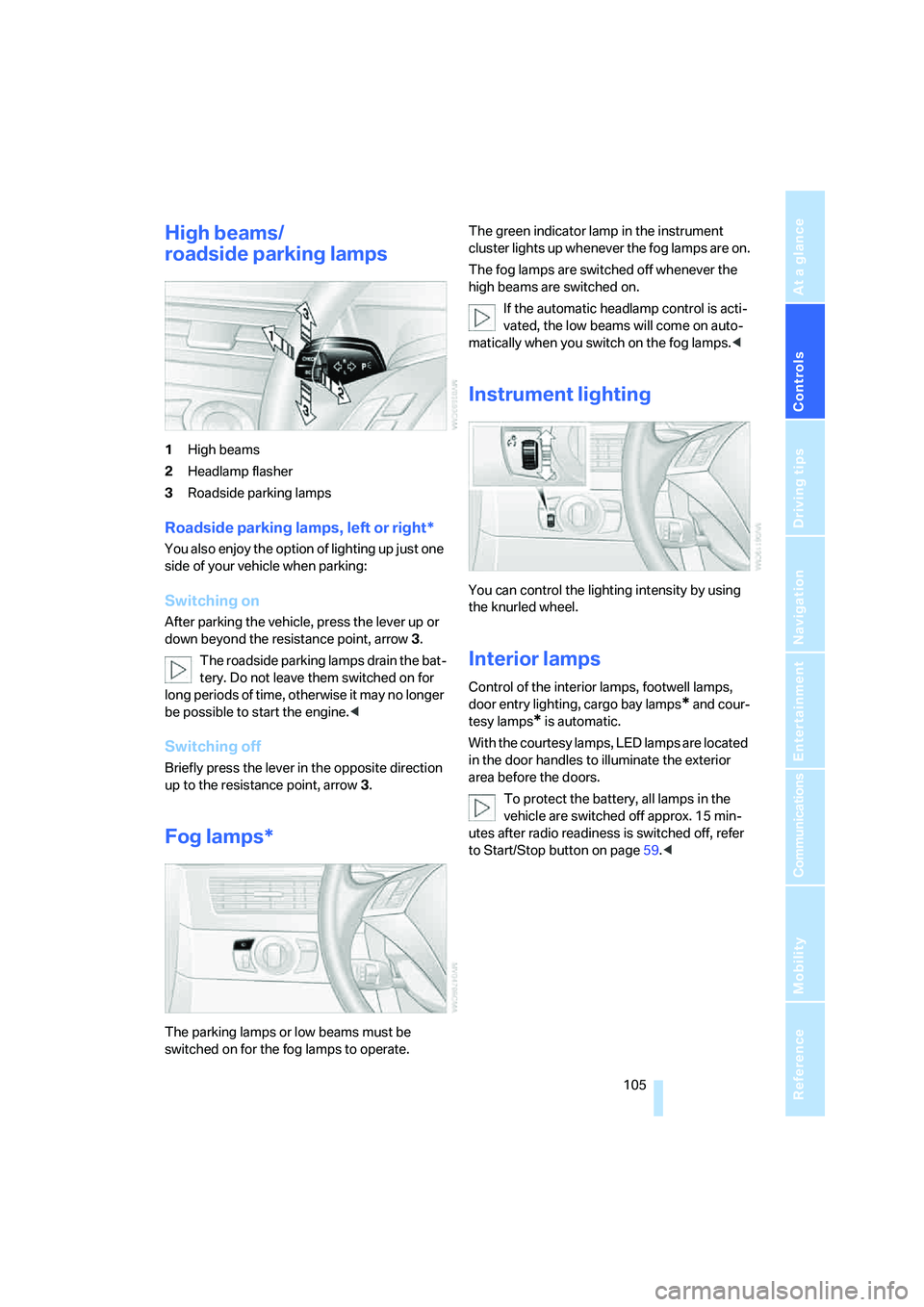
1High beams
2Headlamp flasher
3Roadside parking lamps
Roadside parking lamps, left or right*
You also enjoy the option of lighting up just one
side of your vehicle when parking:
Switching on
After parking the vehicle, press the lever up or
down beyond the resistance point, arrow 3.
The roadside parking lamps drain the bat-
tery. Do not leave them switched on for
long periods of time, otherwise it may no longer
be possible to start the engine.<
Switching off
Briefly press the lever in the opposite direction
up to the resistance point, arrow3.
Fog lamps*
The parking lamps or low beams must be
switched on for the fog lamps to operate. The green indicator lamp in the instrument
cluster lights up whenever the fog lamps are on.
The fog lamps are switched off whenever the
high beams are switched on.
If the automatic headlamp control is acti-
vated, the low beams will come on auto-
matically when you switch on the fog lamps.<
Instrument lighting
You can control the lighting intensity by using
the knurled wheel.
Interior lamps
Control of the interior lamps, footwell lamps,
door entry lighting, cargo bay lamps
* and cour-
tesy lamps
* is automatic.
With the courtesy lamps, LED lamps are located
in the door handles to illuminate the exterior
area before the doors.
To protect the battery, all lamps in the
vehicle are switched off approx. 15 min-
utes after radio readiness is switched off, refer
to Start/Stop button on page59.<
Page 155 of 273
Navigation
Driving tips
153Reference
At a glance
Controls
Communications
Entertainment
Mobility
With destination guidance switched off
1.Open the start menu.
2.Move the controller to the right to open
"Navigation".
3.Select "Traffic Info" and press the control-
ler.
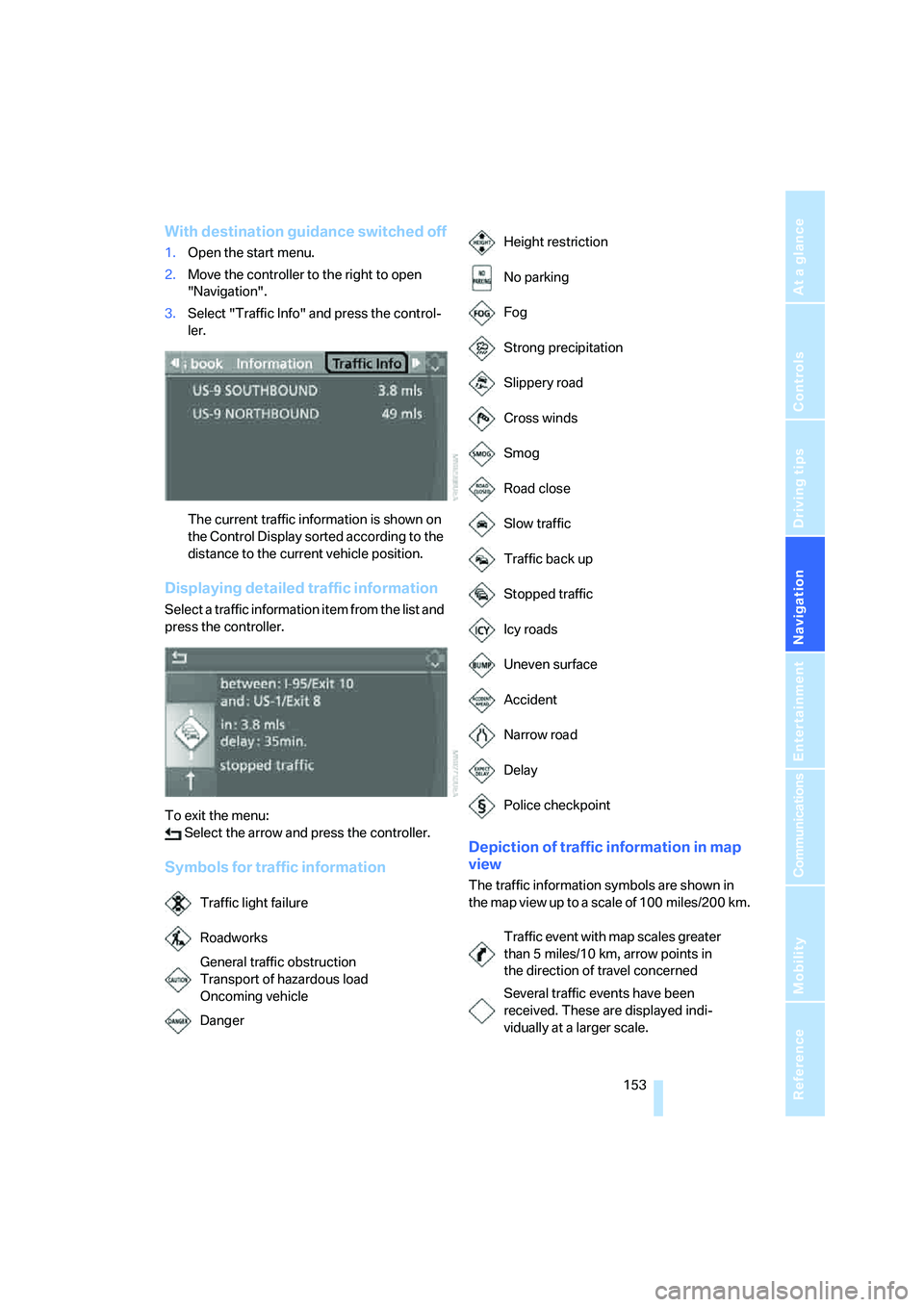
The current traffic information is shown on
the Control Display sorted according to the
distance to the current vehicle position.
Displaying detailed traffic information
Select a traffic information item from the list and
press the controller.
To exit the menu:
Select the arrow and press the controller.
Symbols for traffic informationDepiction of traffic information in map
view
The traffic information symbols are shown in
the map view up to a scale of 100 miles/200 km.
Traffic light failure
Roadworks
General traffic obstruction
Transport of hazardous load
Oncoming vehicle
Danger
Height restriction
No parking
Fog
Strong precipitation
Slippery road
Cross winds
Smog
Road close
Slow traffic
Traffic back up
Stopped traffic
Icy roads
Uneven surface
Accident
Narrow road
Delay
Police checkpoint
Traffic event with map scales greater
than 5 miles/10 km, arrow points in
the direction of travel concerned
Several traffic events have been
received. These are displayed indi-
vidually at a larger scale.
Page 226 of 273
Replacing components
224
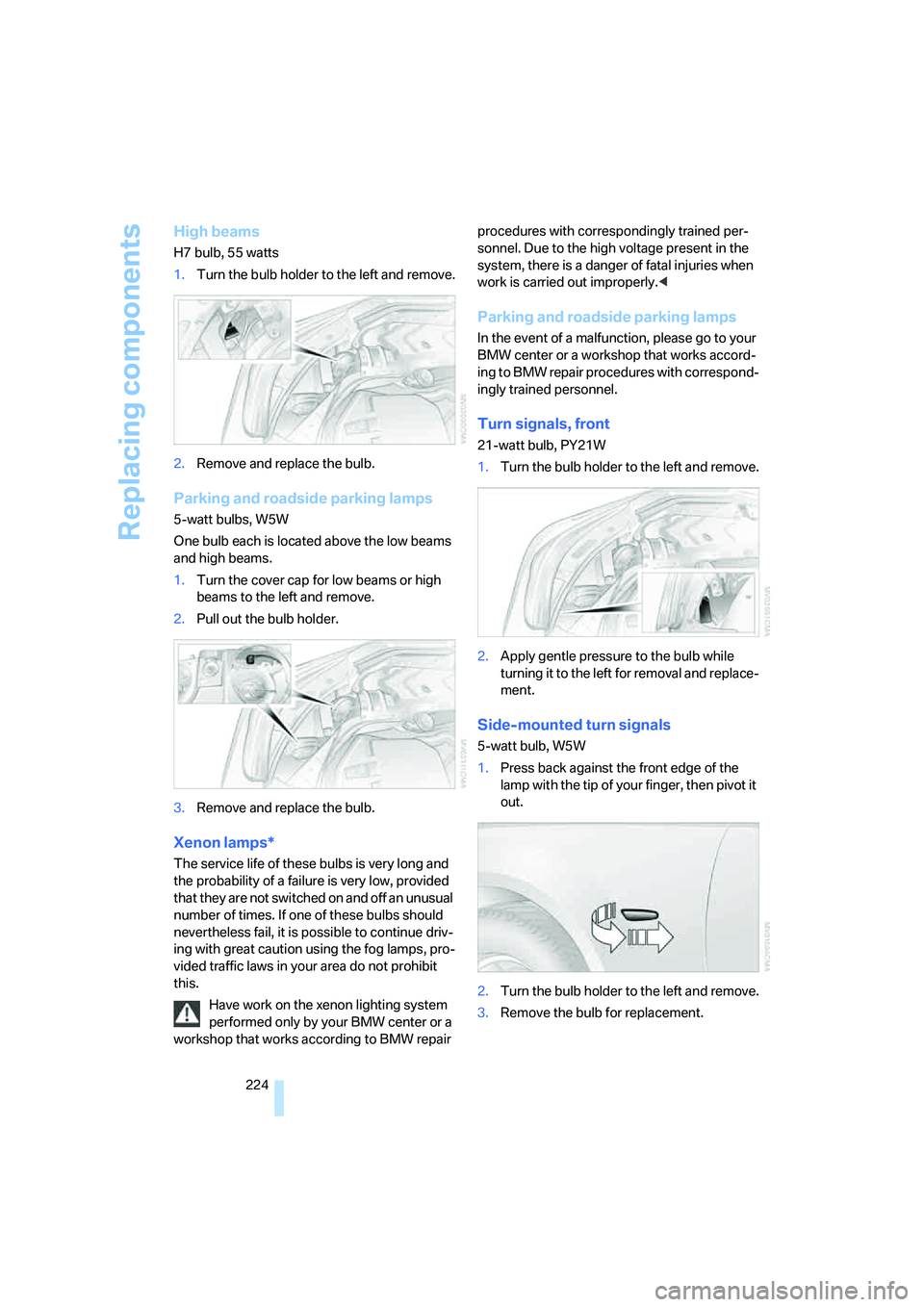
High beams
H7 bulb, 55 watts
1.Turn the bulb holder to the left and remove.
2.Remove and replace the bulb.
Parking and roadside parking lamps
5-watt bulbs, W5W
One bulb each is located above the low beams
and high beams.
1.Turn the cover cap for low beams or high
beams to the left and remove.
2.Pull out the bulb holder.
3.Remove and replace the bulb.
Xenon lamps*
The service life of these bulbs is very long and
the probability of a failure is very low, provided
that they are not switched on and off an unusual
number of times. If one of these bulbs should
nevertheless fail, it is possible to continue driv-
ing with great caution using the fog lamps, pro-
vided traffic laws in your area do not prohibit
this.
Have work on the xenon lighting system
performed only by your BMW center or a
workshop that works according to BMW repair procedures with correspondingly trained per-
sonnel. Due to the high voltage present in the
system, there is a danger of fatal injuries when
work is carried out improperly.<
Parking and roadside parking lamps
In the event of a malfunction, please go to your
BMW center or a workshop that works accord-
ing to BMW repair procedures with correspond-
ingly trained personnel.
Turn signals, front
21-watt bulb, PY21W
1.Turn the bulb holder to the left and remove.
2.Apply gentle pressure to the bulb while
turning it to the left for removal and replace-
ment.
Side-mounted turn signals
5-watt bulb, W5W
1.Press back against the front edge of the
lamp with the tip of your finger, then pivot it
out.
2.Turn the bulb holder to the left and remove.
3.Remove the bulb for replacement.
Page 257 of 273
Reference 255
At a glance
Controls
Driving tips
Communications
Navigation
Entertainment
Mobility
External audio
device116,179
Eye for tow-starting and
towing, refer to Tow
fitting233
F
"Fader", refer to Tone
control162
Fader, refer to Tone
control162
Failure messages, refer to
Check Control80
False alarm
– refer to Avoiding
unintentional alarms38
– refer to Switching off
alarm38
Fastening safety belts, refer to
Safety belts50
– warning lamp50
Fastest route for
navigation145
"Fast route" for
navigation145
"Favorites" calling up with
radio167
Filter, refer to Microfilter/
activated-charcoal filter111
Fine wood, refer to Caring for
your vehicle brochure
First aid, refer to First-aid
kit232
First-aid kit232
Flashing
– during locking/unlocking,
refer to Setting confirmation
signals31
– Triple turn signal
activation66
Flashlight, refer to
Rechargeable flashlight115Flat tire
– changing wheels226
– compact wheel228
– Flat Tire Monitor91,92
– run-flat tires92,94,213
– TPM Tire Pressure
Monitor92
– warning lamp92,94
Flat tire, refer to Tire
condition213
Flat Tire Monitor91
– false alarms91
– initializing system91
– show chains215
– system limits91
– warning lamp92
Floor mat, refer to Caring for
your vehicle brochure
Floor mats/carpets, refer to
Caring for your vehicle
brochure
Fluid reservoir, refer to
Washer fluid reservoir67
"FM", reception
range161,164
FM, waveband164
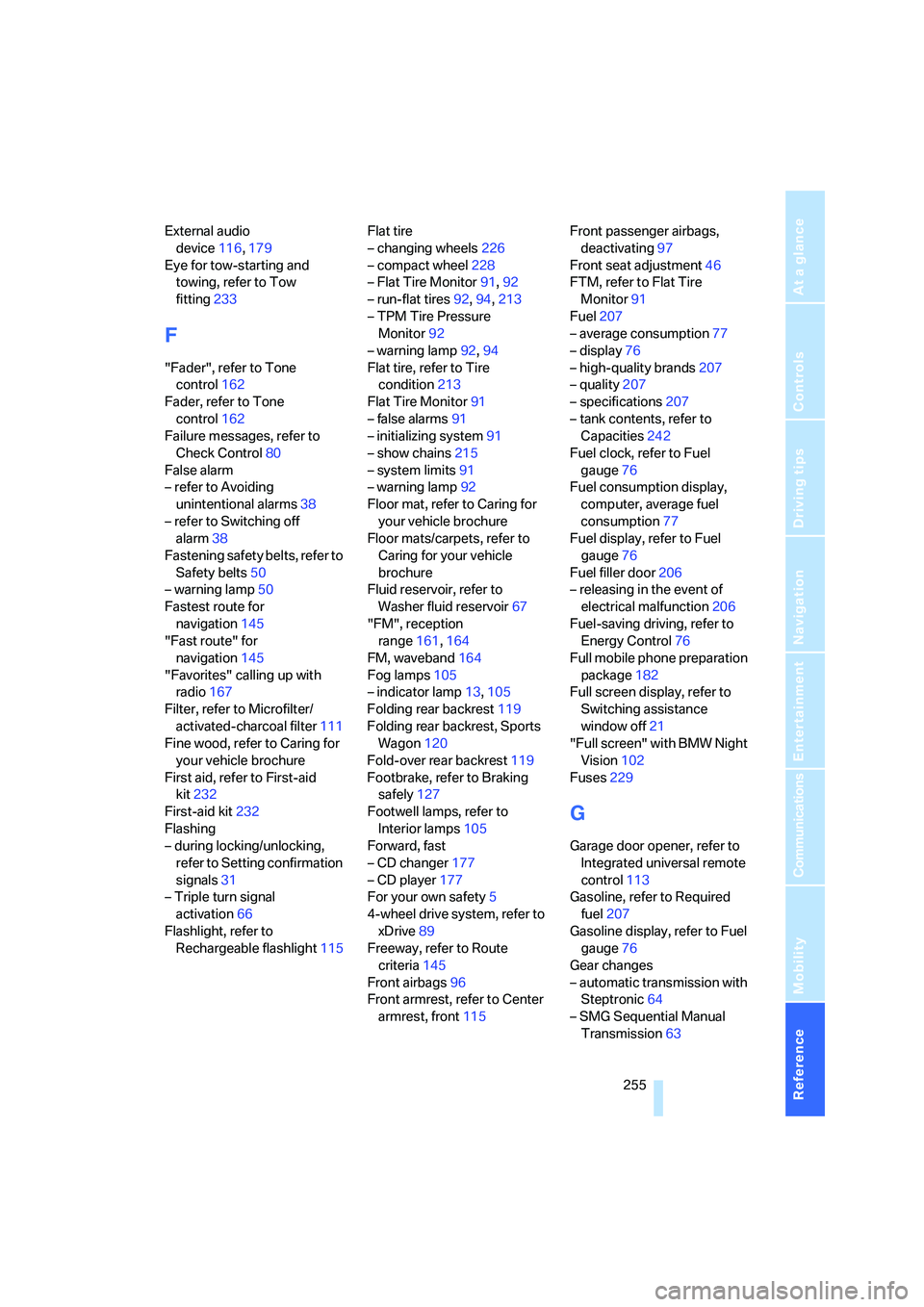
Fog lamps105
– indicator lamp13,105
Folding rear backrest119
Folding rear backrest, Sports
Wagon120
Fold-over rear backrest119
Footbrake, refer to Braking
safely127
Footwell lamps, refer to
Interior lamps105
Forward, fast
– CD changer177
– CD player177
For your own safety5
4-wheel drive system, refer to
xDrive89
Freeway, refer to Route
criteria145
Front airbags96
Front armrest, refer to Center
armrest, front115Front passenger airbags,
deactivating97
Front seat adjustment46
FTM, refer to Flat Tire
Monitor91
Fuel207
– average consumption77
– display76
– high-quality brands207
– quality207
– specifications207
– tank contents, refer to
Capacities242
Fuel clock, refer to Fuel
gauge76
Fuel consumption display,
computer, average fuel
consumption77
Fuel display, refer to Fuel
gauge76
Fuel filler door206
– releasing in the event of
electrical malfunction206
Fuel-saving driving, refer to
Energy Control76
Full mobile phone preparation
package182
Full screen display, refer to
Switching assistance
window off21
"Full screen" with BMW Night
Vision102
Fuses229
G
Garage door opener, refer to
Integrated universal remote
control113
Gasoline, refer to Required
fuel207
Gasoline display, refer to Fuel
gauge76
Gear changes
– automatic transmission with
Steptronic64
– SMG Sequential Manual
Transmission63
Page 259 of 273
Reference 257
At a glance
Controls
Driving tips
Communications
Navigation
Entertainment
Mobility
iDrive16
– assistance window20
– automatic climate control
with expanded scope108
– changing date and time83
– changing language85
– changing menu page19
– changing settings83
– changing units of measure
and display type85
– confirming selection or
entry19
– controller16
– controls16
– displays, menus17
– operating principle17
– selecting menu item19
– setting brightness84
– start menu17
– status information20
– symbols18
Ignition59
– switched off60
– switched on59
Ignition key, refer to Keys/
remote control28
Ignition key position 1, refer to
Radio readiness59
Ignition key position 2, refer to
Ignition on59
Ignition lock59
– starting engine with comfort
access40
i menu17
Imprint2
Indicator/warning lamps
– ABS Antilock Brake
System90
– active steering96
– airbags98
– brake system90
– DSC13,88
– DTC13,88
– Flat Tire Monitor92
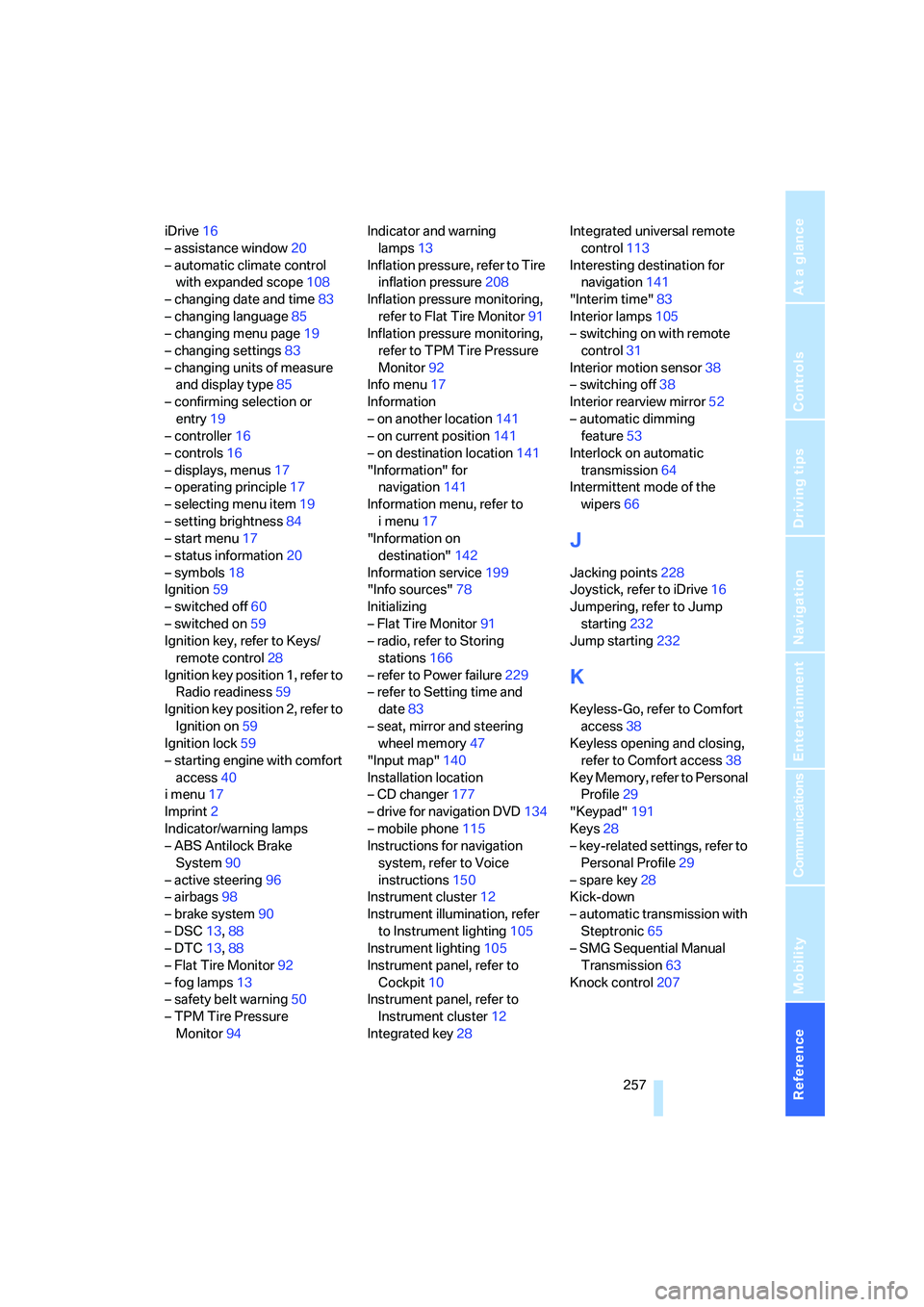
– fog lamps13
– safety belt warning50
– TPM Tire Pressure
Monitor94Indicator and warning
lamps13
Inflation pressure, refer to Tire
inflation pressure208
Inflation pressure monitoring,
refer to Flat Tire Monitor91
Inflation pressure monitoring,
refer to TPM Tire Pressure
Monitor92
Info menu17
Information
– on another location141
– on current position141
– on destination location141
"Information" for
navigation141
Information menu, refer to
imenu17
"Information on
destination"142
Information service199
"Info sources"78
Initializing
– Flat Tire Monitor91
– radio, refer to Storing
stations166
– refer to Power failure229
– refer to Setting time and
date83
– seat, mirror and steering
wheel memory47
"Input map"140
Installation location
– CD changer177
– drive for navigation DVD134
– mobile phone115
Instructions for navigation
system, refer to Voice
instructions150
Instrument cluster12
Instrument illumination, refer
to Instrument lighting105
Instrument lighting105
Instrument panel, refer to
Cockpit10
Instrument panel, refer to
Instrument cluster12
Integrated key28Integrated universal remote
control113
Interesting destination for
navigation141
"Interim time"83
Interior lamps105
– switching on with remote
control31
Interior motion sensor38
– switching off38
Interior rearview mirror52
– automatic dimming
feature53
Interlock on automatic
transmission64
Intermittent mode of the
wipers66
J
Jacking points228
Joystick, refer to iDrive16
Jumpering, refer to Jump
starting232
Jump starting232
K
Keyless-Go, refer to Comfort
access38
Keyless opening and closing,
refer to Comfort access38
Key Memory, refer to Personal
Profile29
"Keypad"191
Keys28
– key-related settings, refer to
Personal Profile29
– spare key28
Kick-down
– automatic transmission with
Steptronic65
– SMG Sequential Manual
Transmission63
Knock control207