navigation BMW 525I SEDAN 2004 E60 User Guide
[x] Cancel search | Manufacturer: BMW, Model Year: 2004, Model line: 525I SEDAN, Model: BMW 525I SEDAN 2004 E60Pages: 220, PDF Size: 7.12 MB
Page 25 of 220

At a glance
23Reference
Controls
Driving tips
Communications
Navigation
Entertainment
Mobility
Page 29 of 220
Controls
27Reference
At a glance
Driving tips
Communications
Navigation
Entertainment
Mobility
Examples of Key Memory functions
>Automatic adjustment of the electric
driver's seat
>Locking the vehicle after moving off
>When unlocking with the remote con-
trol, either unlock only the driver's door
or the entire vehicle
>Activating optical warning for Park Dis-
tance Control PDC
>Setting the volume.
Central locking system
The concept
The central locking system is ready for
operation whenever the driver's door is
closed. This simultaneously engages and
releases the locks on the following:
>Doors
>Luggage compartment lid
>Fuel filler door.
The central locking system can be oper-
ated from the outside
>via the remote control
>via the driver's door lock
and from inside via the button for the cen-
tral locking system.
When the system is locked from inside, the
fuel filler door remains unlocked, refer to
page 30.
The anti-theft system is automatically acti-
vated whenever you operate the central
locking system from outside the vehicle. It
prevents the doors from being unlocked
using the safety lock buttons or door han-
dles. The alarm system is armed/disarmed
at the same time.
In the event of an accident, the central
locking system automatically unlocks the
vehicle. In addition, the hazard warning
flashers and interior lamps come on.
Opening and closing: from
outside
Using the remote control
The remote control provides two additional
functions for the central locking system:
>Switching on the interior lamps, refer to
page 28.
You can also use this function to locate
your vehicle in parking garages etc.
>Opening the luggage compartment lid,
refer to page 28.
The luggage compartment lid opens,
regardless of whether it was previously
locked or unlocked.
In addition, the remote control offers you
another function:
>Panic mode
In case of danger, you can trigger an
alarm.
When you lock/unlock the vehicle, you
simultaneously activate/deactivate the
anti-theft system, arm/disarm the alarm
system, and switch the interior lamps on/
off.
Protect the remote control against
unauthorized use by handing over
only the spare key, for example when using
hotel valet parking.<
Because any persons or animals left
unattended in a parked vehicle could
lock the doors from the inside, you should
always keep the remote control with you;
this precaution ensures that you will remain
able to unlock the vehicle from the outside
at all times.<
Unlocking
Press the button.
You can set which doors are to be
unlocked for each specific key:
Control Center, for principle details, refer to
page 16:
1.Open the menu
2.Select "Vehicle settings" and press the
controller
Page 31 of 220
Controls
29Reference
At a glance
Driving tips
Communications
Navigation
Entertainment
Mobility
Malfunctions
External systems or devices may cause
local interference in the functions of the
remote control.
Should the remote control fail to operate
owing to interference of this kind, you can
respond by using the central key to unlock
your vehicle at one of the doors.
In the event of a system malfunction,
please contact your BMW center, which is
also your source for replacement keys.
When it is no longer possible to lock the
vehicle via the remote control, the battery is
discharged. Use this remote control during
an extended drive; this will recharge the
battery, refer to page 26.
For US owners only
The transmitter and receiver units comply
with part 15 of the FCC/Federal Communi-
cation Commission regulations. Operation
is governed by the following:
FCC ID: LX8766S
LX8766E
LX8CAS
Compliance statement:
This device complies with part 15 of the
FCC Rules. Operation is subject to the fol-
lowing two conditions:
>This device may not cause harmful
interference, and
>this device must accept any interfer-
ence received, including interference
that may cause undesired operation.
Any unauthorized modifications or
changes to these devices could void
the user's authority to operate this equip-
ment.<
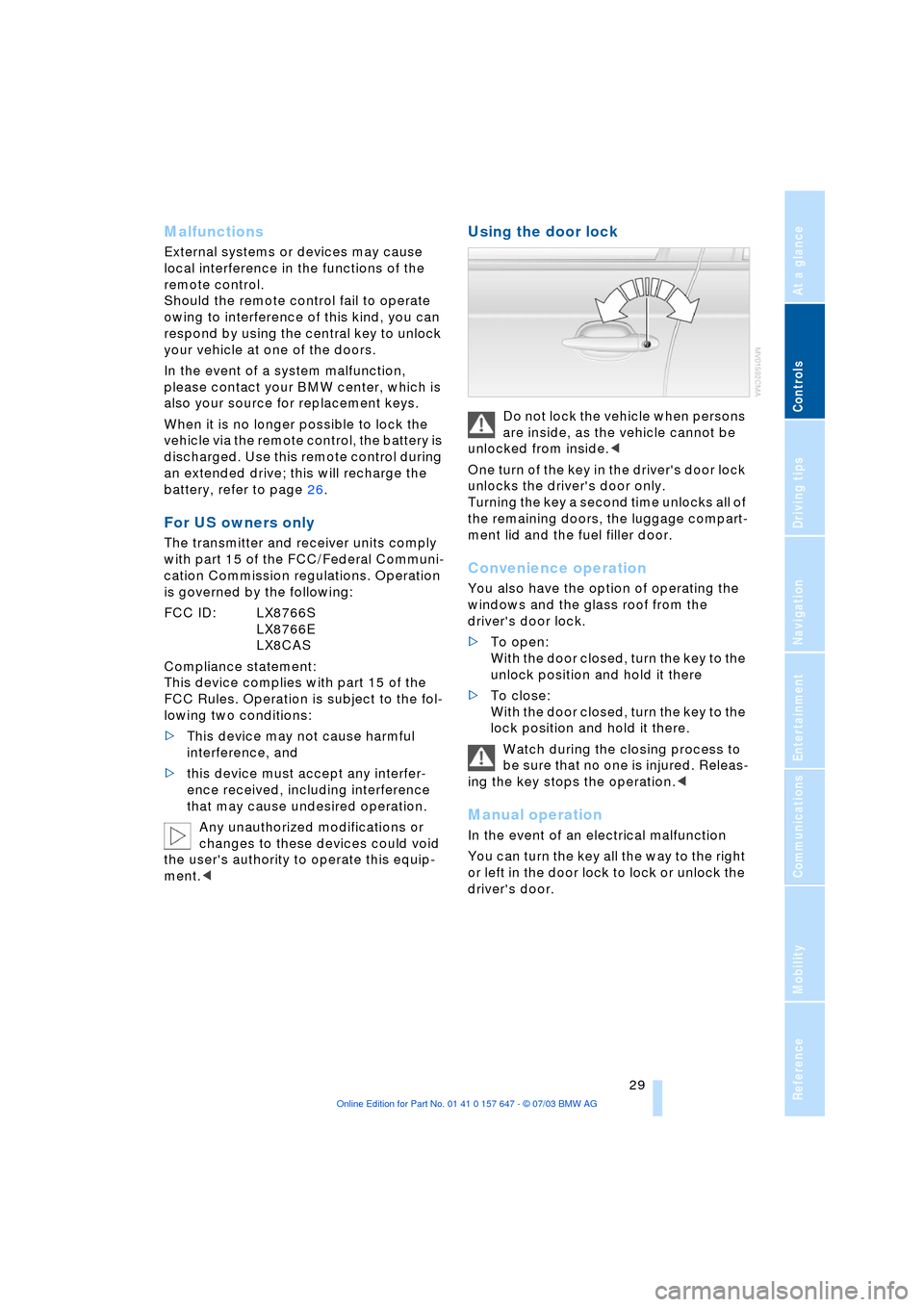
Using the door lock
Do not lock the vehicle when persons
are inside, as the vehicle cannot be
unlocked from inside.<
One turn of the key in the driver's door lock
unlocks the driver's door only.
Turning the key a second time unlocks all of
the remaining doors, the luggage compart-
ment lid and the fuel filler door.
Convenience operation
You also have the option of operating the
windows and the glass roof from the
driver's door lock.
>To open:
With the door closed, turn the key to the
unlock position and hold it there
>To close:
With the door closed, turn the key to the
lock position and hold it there.
Watch during the closing process to
be sure that no one is injured. Releas-
ing the key stops the operation.<
Manual operation
In the event of an electrical malfunction
You can turn the key all the way to the right
or left in the door lock to lock or unlock the
driver's door.
Page 33 of 220
Controls
31Reference
At a glance
Driving tips
Communications
Navigation
Entertainment
Mobility
Luggage compartment lid
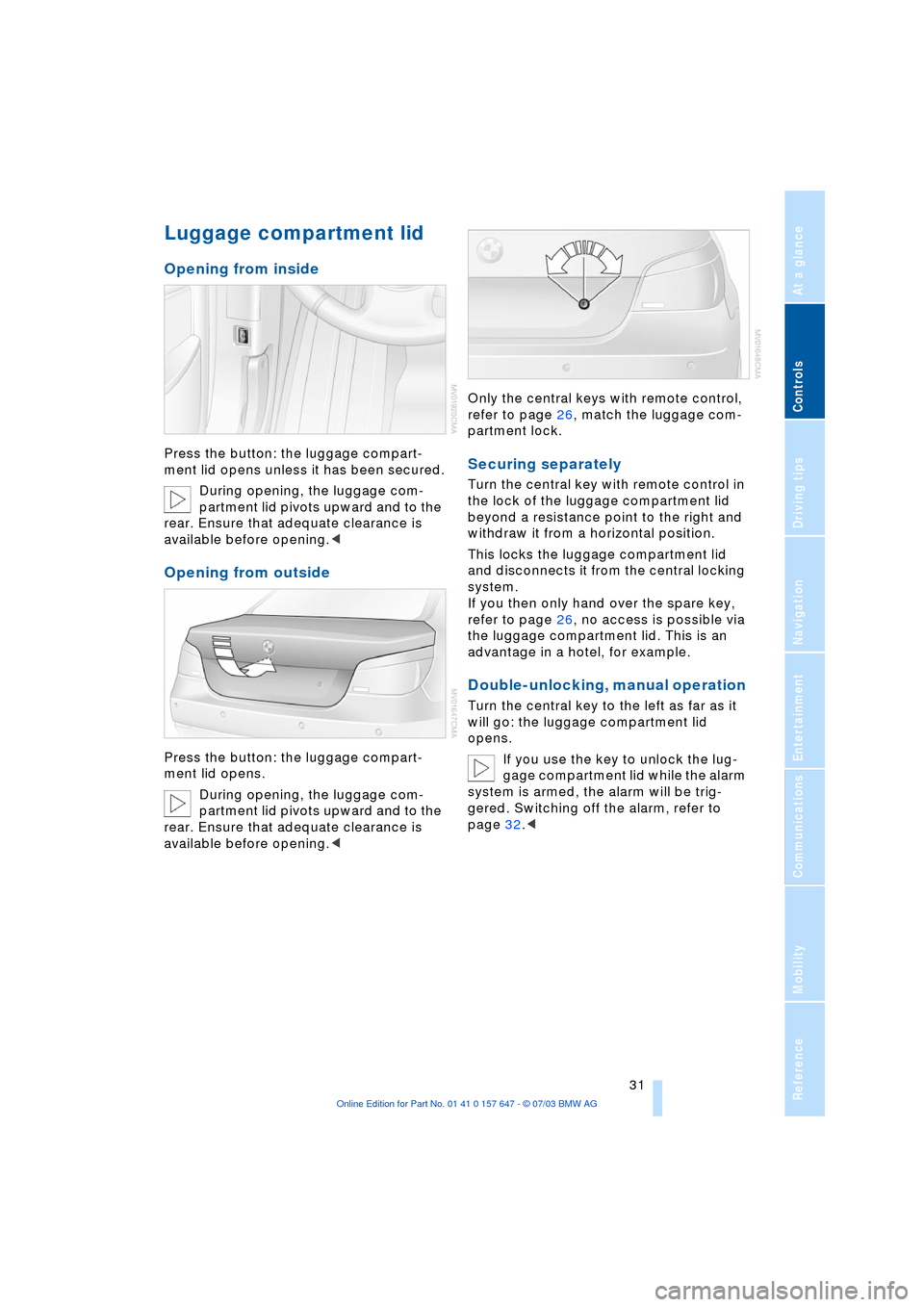
Opening from inside
Press the button: the luggage compart-
ment lid opens unless it has been secured.
During opening, the luggage com-
partment lid pivots upward and to the
rear. Ensure that adequate clearance is
available before opening.<
Opening from outside
Press the button: the luggage compart-
ment lid opens.
During opening, the luggage com-
partment lid pivots upward and to the
rear. Ensure that adequate clearance is
available before opening.
partment lock.
Securing separately
Turn the central key with remote control in
the lock of the luggage compartment lid
beyond a resistance point to the right and
withdraw it from a horizontal position.
This locks the luggage compartment lid
and disconnects it from the central locking
system.
If you then only hand over the spare key,
refer to page 26, no access is possible via
the luggage compartment lid. This is an
advantage in a hotel, for example.
Double-unlocking, manual operation
Turn the central key to the left as far as it
will go: the luggage compartment lid
opens.
If you use the key to unlock the lug-
gage compartment lid while the alarm
system is armed, the alarm will be trig-
gered. Switching off the alarm, refer to
page 32.<
Page 35 of 220
Controls
33Reference
At a glance
Driving tips
Communications
Navigation
Entertainment
Mobility
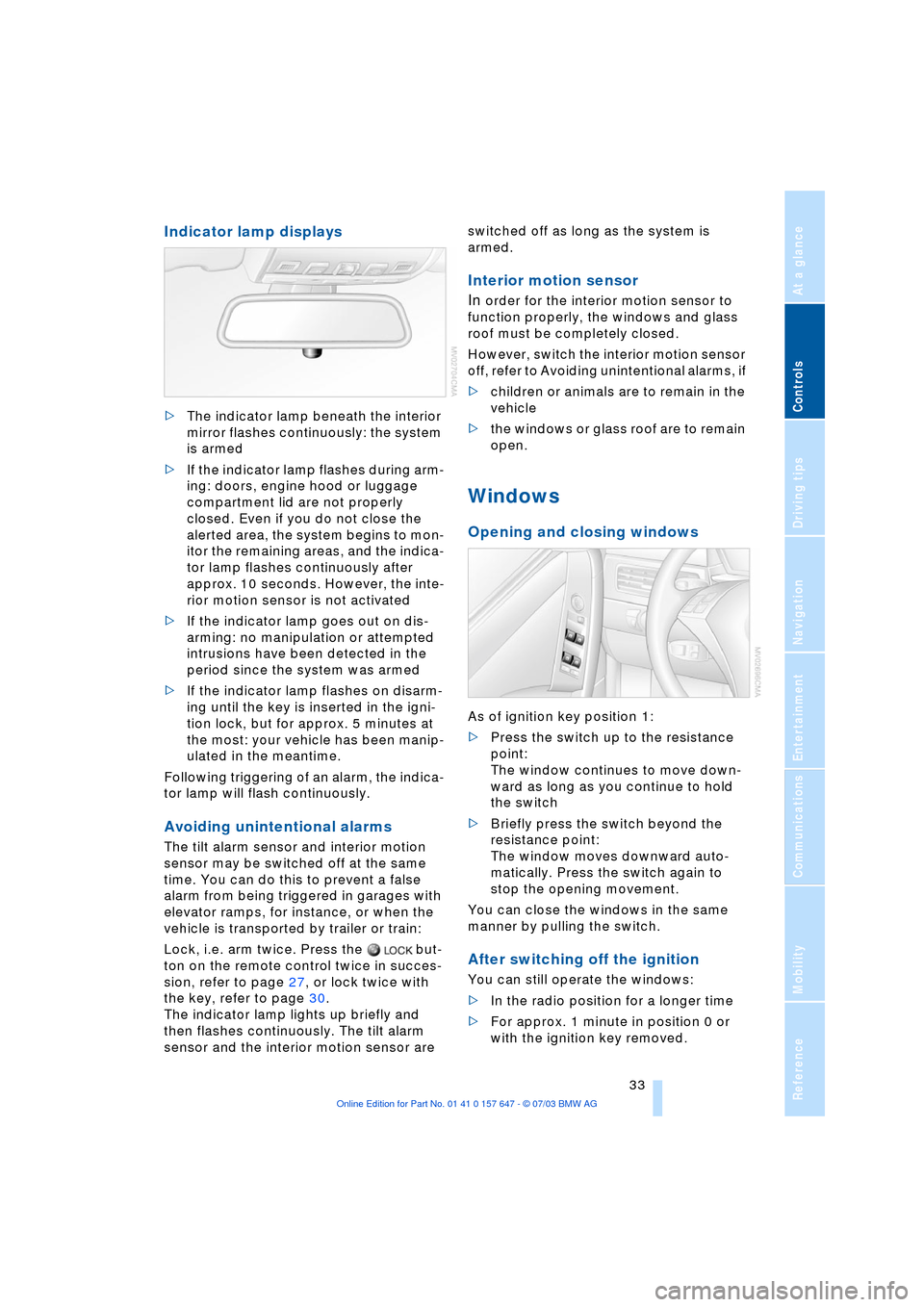
Indicator lamp displays
>The indicator lamp beneath the interior
mirror flashes continuously: the system
is armed
>If the indicator lamp flashes during arm-
ing: doors, engine hood or luggage
compartment lid are not properly
closed. Even if you do not close the
alerted area, the system begins to mon-
itor the remaining areas, and the indica-
tor lamp flashes continuously after
approx. 10 seconds. However, the inte-
rior motion sensor is not activated
>If the indicator lamp goes out on dis-
arming: no manipulation or attempted
intrusions have been detected in the
period since the system was armed
>If the indicator lamp flashes on disarm-
ing until the key is inserted in the igni-
tion lock, but for approx. 5 minutes at
the most: your vehicle has been manip-
ulated in the meantime.
Following triggering of an alarm, the indica-
tor lamp will flash continuously.
Avoiding unintentional alarms
The tilt alarm sensor and interior motion
sensor may be switched off at the same
time. You can do this to prevent a false
alarm from being triggered in garages with
elevator ramps, for instance, or when the
vehicle is transported by trailer or train:
Lock, i.e. arm twice. Press the but-
ton on the remote control twice in succes-
sion, refer to page 27, or lock twice with
the key, refer to page 30.
The indicator lamp lights up briefly and
then flashes continuously. The tilt alarm
sensor and the interior motion sensor are switched off as long as the system is
armed.
Interior motion sensor
In
order for the interior motion sensor to
function properly, the windows and glass
roof must be completely closed.
However, switch the interior motion sensor
off, refer to Avoiding unintentional alarms, if
>children or animals are to remain in the
vehicle
>the windows or glass roof are to remain
open.
Windows
Opening and closing windows
As of ignition key position 1:
>Press the switch up to the resistance
point:
The window continues to move down-
ward as long as you continue to hold
the switch
>Briefly press the switch beyond the
resistance point:
The window moves downward auto-
matically. Press the switch again to
stop the opening movement.
You can close the windows in the same
manner by pulling the switch.
After switching off the ignition
You can still operate the windows:
>In the radio position for a longer time
>For approx. 1 minute in position 0 or
with the ignition key removed.
Page 37 of 220
Controls
35Reference
At a glance
Driving tips
Communications
Navigation
Entertainment
Mobility
The headliner insert slides back somewhat
when you raise the glass roof. When the
glass roof is opened the headliner retracts
with it.
Do not use force to close the head-
liner insert with the glass roof in its
raised position, as damage to the mecha-
nism could result.<
For information on using the convenience
operation mode at the door lock or with the
remote control, refer to page 28 or 29.
Automatic* opening and closing
Briefly press the switch past the resistance
point and then release it.
In addition, the following movements are
also automatic:
>With the glass roof open, move the
switch towards 'Raise': the glass roof
moves to the end position of 'Raise'
>With the glass roof raised, move the
switch towards 'Open': the glass roof
moves to the end position of 'Open'.
Press the switch again in any direction to
stop the glass roof.
Safety feature
If the glass roof encounters resistance
when closing from roughly the center of the
roof opening or when closing from the
raised position, the closing action is inter-
rupted and the glass roof reopens a little.
Despite this safety feature, you
should always inspect the glass roof's
travel range prior to closing it, as the safety
feature might fail to detect certain kinds of
obstructions, such as very thin objects, and
the glass roof would continue closing.
Pressing the switch beyond the resistance
point and holding it limits the response of
the safety feature. The glass roof only
opens a short distance.
If you again press the switch past the resis-
tance point and hold it in position within a
period of roughly 2 seconds, the safety fea-
ture is deactivated.<
When you close the glass roof, it will
slow down as it approaches the end of its travel path; this is to allow the safety
feature to respond more precisely to any
obstructions encountered in this critical
area.<
Following interruptions in electrical
power supply
Following interruptions in electrical power
supply, for instance, when the battery is
disconnected, it is possible that the glass
roof will extend to its raised position, but
fail to respond to other commands. Should
this occur, please have the glass roof rein-
itialized at your BMW center.
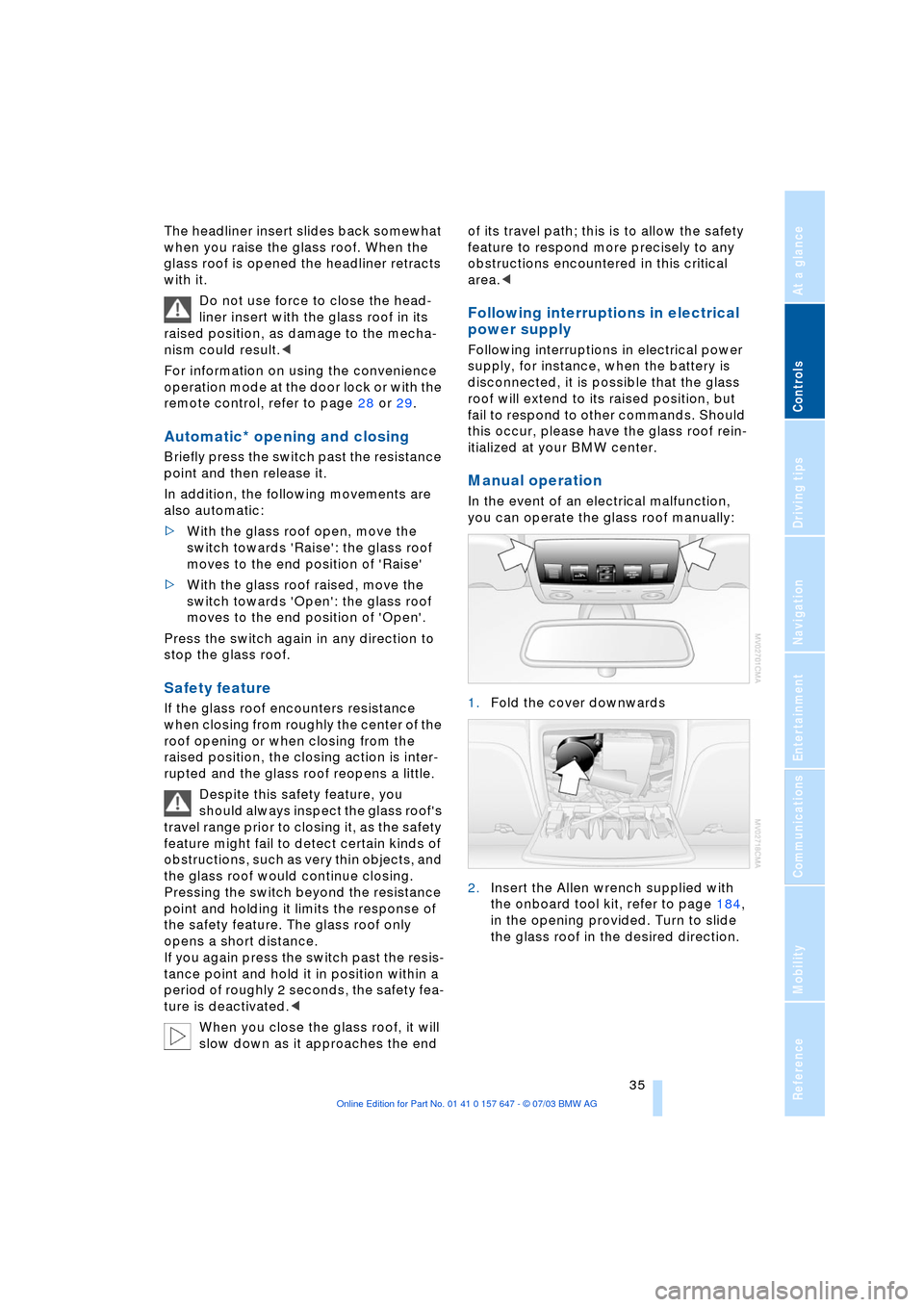
Manual operation
In the event of an electrical malfunction,
you can operate the glass roof manually:
1.Fold the cover downwards
2.Insert the Allen wrench supplied with
the onboard tool kit, refer to page 184,
in the opening provided. Turn to slide
the glass roof in the desired direction.
Page 39 of 220
Controls
37Reference
At a glance
Driving tips
Communications
Navigation
Entertainment
Mobility
ment, and the ensuing loss of vehicle con-
trol could lead to an accident.
On the front passenger side as well, do not
tilt the backrest too far toward the rear
while driving. Failure to observe this pre-
caution can prevent the belt from providing
effective protection against injury, as the
passenger could slide under the belt in an
accident.
Make sure that the footwell behind the
driver's and front passenger's seat is empty
and unobstructed. If you fail to do so, any
persons or objects behind the seat could
be injured or damaged by a rearward
movement of the seat.<
Please observe the information on damage
to safety belts provided on page 41 and the
information on the active head restraints on
page 40.
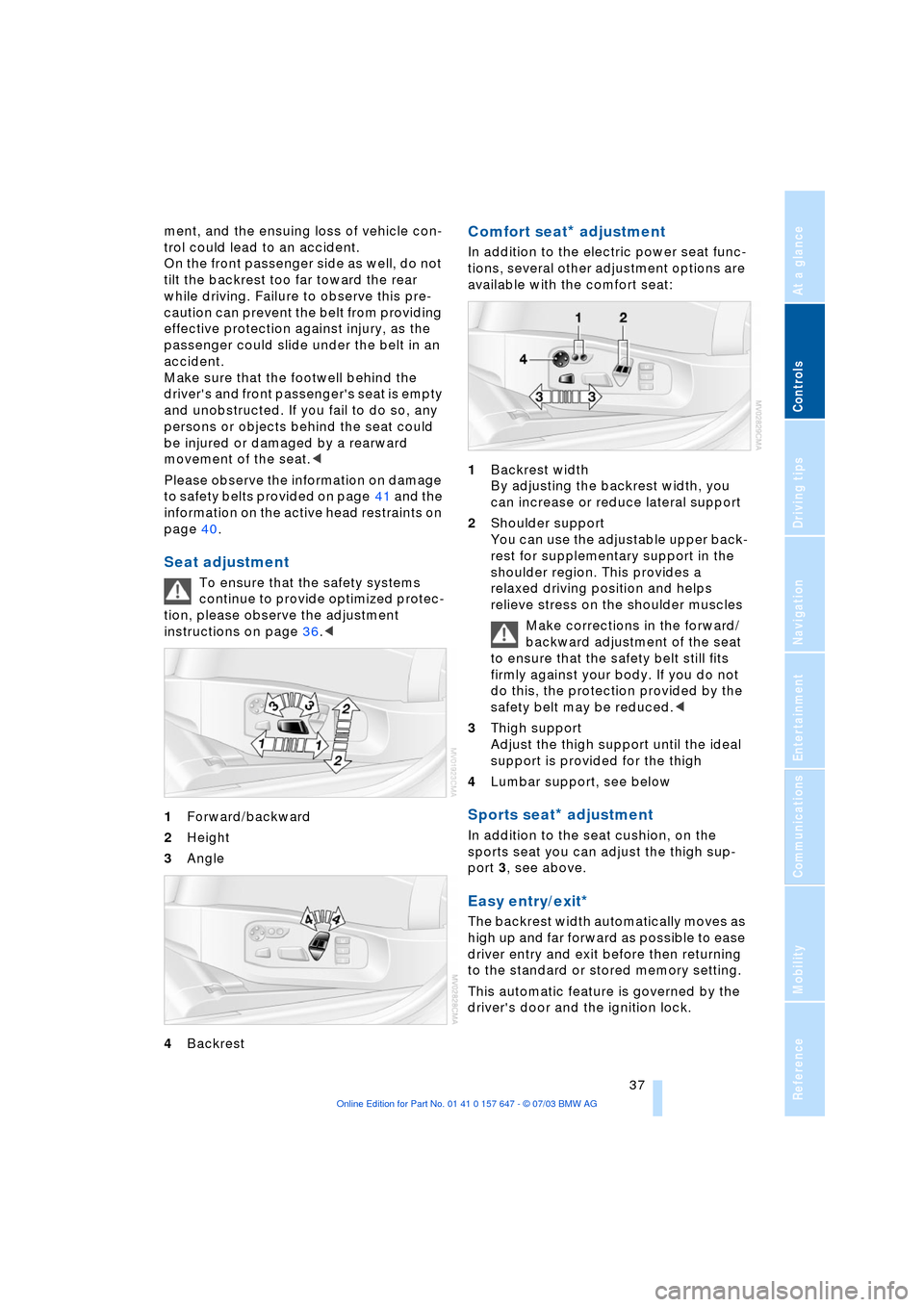
Seat adjustment
To ensure that the safety systems
continue to provide optimized protec-
tion, please observe the adjustment
instructions on page 36.<
1Forward/backward
2Height
3Angle
4Backrest
Comfort seat* adjustment
In addition to the electric power seat func-
tions, several other adjustment options are
available with the comfort seat:
1Backrest width
By adjusting the backrest width, you
can increase or reduce lateral support
2Shoulder support
You can use the adjustable upper back-
rest for supplementary support in the
shoulder region. This provides a
relaxed driving position and helps
relieve stress on the shoulder muscles
Make corrections in the forward/
backward adjustment of the seat
to ensure that the safety belt still fits
firmly against your body. If you do not
do this, the protection provided by the
safety belt may be reduced.<
3Thigh support
Adjust the thigh support until the ideal
support is provided for the thigh
4Lumbar support, see below
Sports seat* adjustment
In addition to the seat cushion, on the
sports seat you can adjust the thigh sup-
port 3, see above.
Easy entry/exit*
The backrest width automatically moves as
high up and far forward as possible to ease
driver entry and exit before then returning
to the standard or stored memory setting.
This automatic feature is governed by the
driver's door and the ignition lock.
Page 41 of 220
Controls
39Reference
At a glance
Driving tips
Communications
Navigation
Entertainment
Mobility
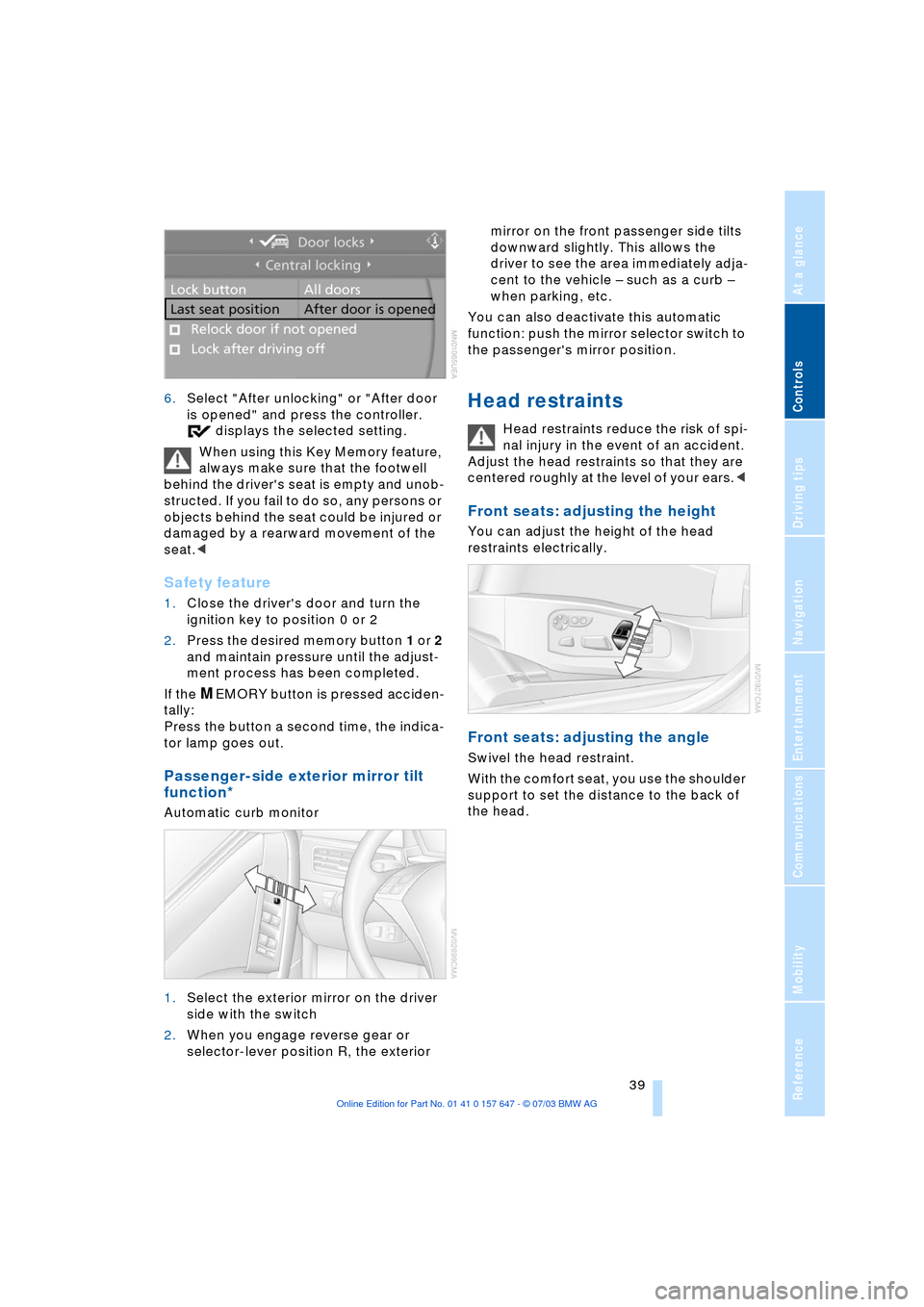
6.Select "After unlocking" or "After door
is opened" and press the controller.
displays the selected setting.
When using this Key Memory feature,
always make sure that the footwell
behind the driver's seat is empty and unob-
structed. If you fail to do so, any persons or
objects behind the seat could be injured or
damaged by a rearward movement of the
seat.<
Safety feature
1.Close the driver's door and turn the
ignition key to position 0 or 2
2.Press the desired memory button 1 or 2
and maintain pressure until the adjust-
ment process has been completed.
If the
MEMORY button is pressed acciden-
tally:
Press the button a second time, the indica-
tor lamp goes out.
Passenger-side exterior mirror tilt
function*
Automatic curb monitor
1.Select the exterior mirror on the driver
side with the switch
2.When you engage reverse gear or
selector-lever position R, the exterior mirror on the front passenger side tilts
downward slightly. This allows the
driver to see the area immediately adja-
cent to the vehicle Ð such as a curb Ð
when parking, etc.
You can also deactivate this automatic
function: push the mirror selector switch to
the passenger's mirror position.
Head restraints
Head restraints reduce the risk of spi-
nal injury in the event of an accident.
Adjust the head restraints so that they are
centered roughly at the level of your ears.<
Front seats: adjusting the height
You can adjust the height of the head
restraints electrically.
Front seats: adjusting the angle
Swivel the head restraint.
With the comfort seat, you use the shoulder
support to set the distance to the back of
the head.
Page 43 of 220
Controls
41Reference
At a glance
Driving tips
Communications
Navigation
Entertainment
Mobility
The warning is also issued when the driver
or front passenger removes his or her
safety belt while driving.
The warning can also be issued when
objects are laid on the front passen-
ger seat.<
Releasing
1.Press the red button in the belt buckle
2.Hold the belt firmly
3.Guide the belt into its reel.
The upper shoulder strap's anchorage
point will be in the correct position for seat
occupants of every build if the seat is cor-
rectly adjusted, refer to page 36.
The two rear safety belt buckles integrated
in the rear seat are for passengers sitting
on the left and right. The belt buckle
embossed with the word CENTER is
intended exclusively for use by passengers
riding in the center position.
Damage to safety belts
If the safety belts are damaged or
stretched in an accident: have the
entire belt system, including the tensioning
mechanisms, replaced at your BMW cen-
ter. Have the belt anchorage points
inspected for damage at the same time.
Failure to observe this precaution may pre-
vent the safety belts from effectively pro-
viding optimal protection when needed.<
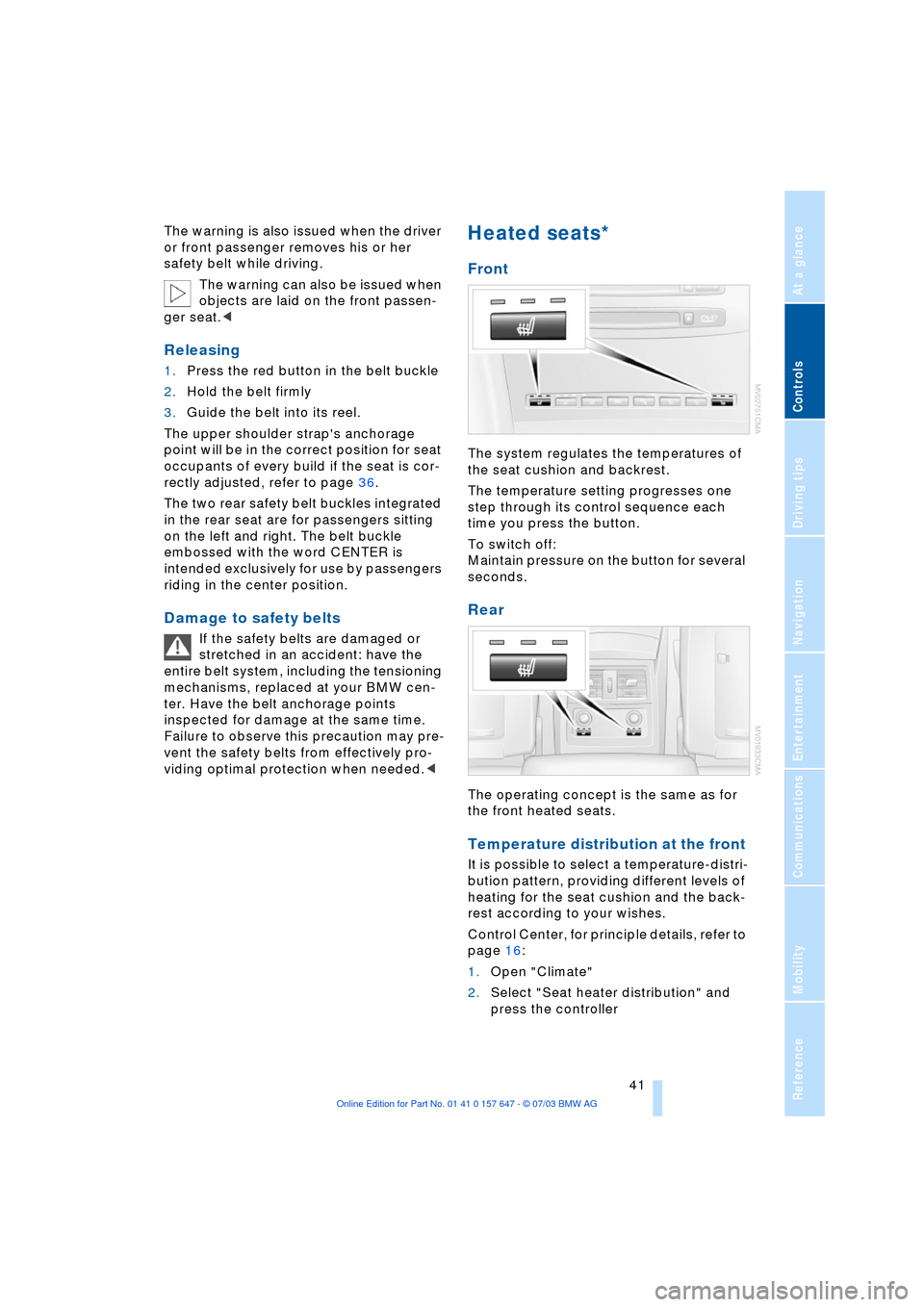
Heated seats*
Front
The system regulates the temperatures of
the seat cushion and backrest.
The temperature setting progresses one
step through its control sequence each
time you press the button.
To switch off:
Maintain pressure on the button for several
seconds.
Rear
The operating concept is the same as for
the front heated seats.
Temperature distribution at the front
It is possible to select a temperature-distri-
bution pattern, providing different levels of
heating for the seat cushion and the back-
rest according to your wishes.
Control Center, for principle details, refer to
page 16:
1.Open "Climate"
2.Select "Seat heater distribution" and
press the controller
Page 45 of 220
Controls
43Reference
At a glance
Driving tips
Communications
Navigation
Entertainment
Mobility
You can also adjust the mirrors manually by
pressing against the outer edges of their
lenses.
Storing the mirror positions, refer to Seat,
mirror and steering wheel memory on
page 38.
The mirror on the passenger's side
features a lens with a more convex
surface than the mirror installed on the
driver's side. When estimating the distance
between yourself and other traffic, bear in
mind that the objects reflected in the mirror
are closer than they appear. This means
that estimations of the distance to following
traffic should not be regarded as precise.<
Self-defrosting mirrors
Both exterior mirrors are automatically
heated in ignition key position 2.
Interior rearview mirror
To reduce the dazzle effect of following
vehicles at night, turn the knob beneath the
mirror.
Interior and exterior mirrors,
automatic dimming feature*
These mirrors automatically respond to
ambient light and headlamp glare from fol-lowing vehicles by automatically dimming
through an infinitely-variable range.There
are two photocells located in the interior
rearview mirror for this purpose. One is
integrated within the mirror's lens, while
the other is located at an offset position on
the rear of the mirror housing.
The mirrors automatically revert to their
clear, undimmed mode whenever you
engage reverse gear or place the selector
lever into position R.
For trouble-free operation, keep the
photocells clean and do not cover the
area between the interior rearview mirror
and the windshield. Do not attach any kind
of stickers on the windshield in front of the
mirror.<
Steering wheel adjustment
Do not adjust the steering wheel while
the vehicle is moving. There is a risk
of accident from unexpected movement.<
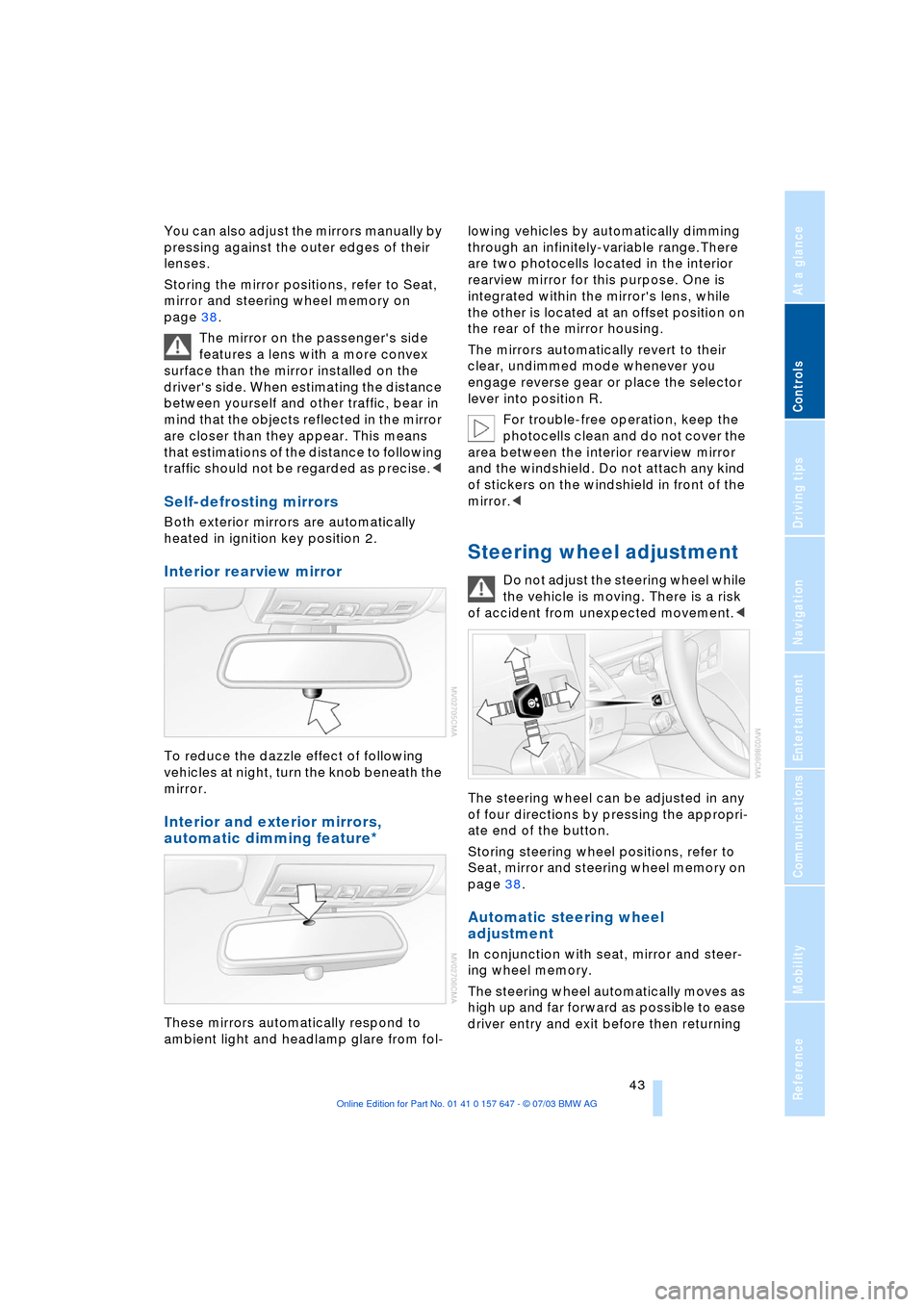
The steering wheel can be adjusted in any
of four directions by pressing the appropri-
ate end of the button.
Storing steering wheel positions, refer to
Seat, mirror and steering wheel memory on
page 38.
Automatic steering wheel
adjustment
In conjunction with seat, mirror and steer-
ing wheel memory.
The steering wheel automatically moves as
high up and far forward as possible to ease
driver entry and exit before then returning