check engine BMW 540I SEDAN 2003 User Guide
[x] Cancel search | Manufacturer: BMW, Model Year: 2003, Model line: 540I SEDAN, Model: BMW 540I SEDAN 2003Pages: 187, PDF Size: 2.3 MB
Page 88 of 187
88n
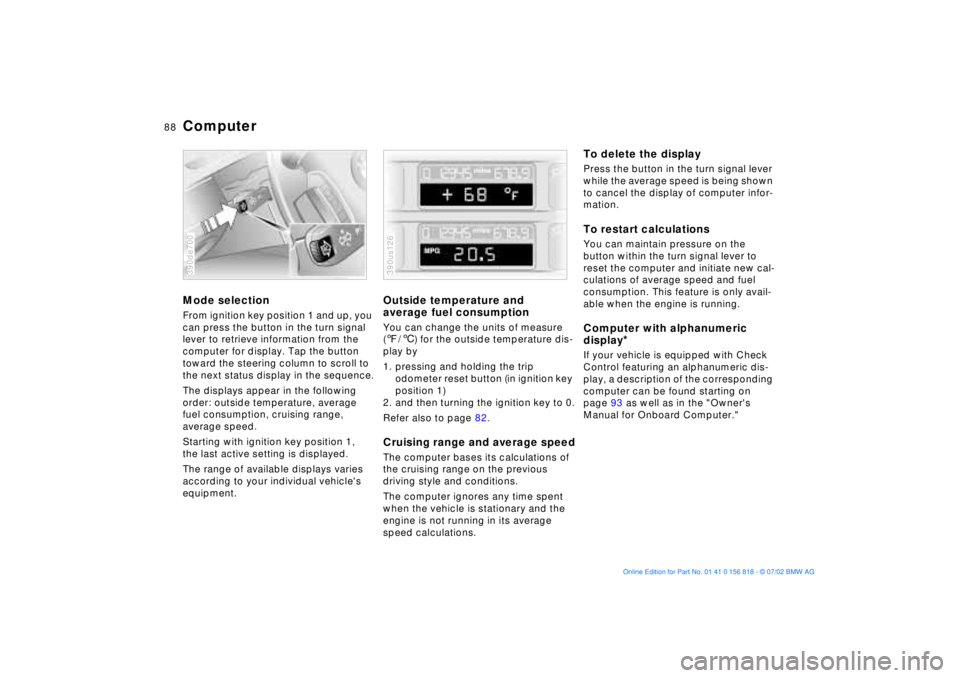
ComputerMode selectionFrom ignition key position 1 and up, you
can press the button in the turn signal
lever to retrieve information from the
computer for display. Tap the button
toward the steering column to scroll to
the next status display in the sequence.
The displays appear in the following
order: outside temperature, average
fuel consumption, cruising range,
average speed.
Starting with ignition key position 1,
the last active setting is displayed.
The range of available displays varies
according to your individual vehicle's
equipment.390de700
Outside temperature and
average fuel consumptionYou can change the units of measure
(7/6) for the outside temperature dis-
play by
1. pressing and holding the trip
odometer reset button (in ignition key
position 1)
2. and then turning the ignition key to 0.
Refer also to page 82.Cruising range and average speedThe computer bases its calculations of
the cruising range on the previous
driving style and conditions.
The computer ignores any time spent
when the vehicle is stationary and the
engine is not running in its average
speed calculations.390us126
To delete the displayPress the button in the turn signal lever
while the average speed is being shown
to cancel the display of computer infor-
mation.To restart calculationsYou can maintain pressure on the
button within the turn signal lever to
reset the computer and initiate new cal-
culations of average speed and fuel
consumption. This feature is only avail-
able when the engine is running.Computer with alphanumeric
display
*
If your vehicle is equipped with Check
Control featuring an alphanumeric dis-
play, a description of the corresponding
computer can be found starting on
page 93 as well as in the "Owner's
Manual for Onboard Computer."
Page 101 of 187
101n
OverviewControlsMaintenanceRepairsDataIndex
Self-leveling suspension
*
Tire Pressure Monitor (RDC)
*
The warning lamp for the self-
leveling suspension comes on,
or the message "SELFLEVEL
SUSP.INACT" appears in the Check
Control: there is a malfunction in the
self-leveling suspension.
Stop and inspect the vehicle. If it is
riding significantly lower in the rear than
in the front, or if it is sitting at an incline
(left rear compared to right rear), con-
sult the nearest BMW center. Drive with
appropriate caution in the meantime.
The vehicle has reduced ground clear-
ance or driving comfort is noticeably
reduced.
Even if the attitude of the vehicle is
normal, you should consult the nearest
BMW center if the warning lamp indi-
cates a system fault.
The conceptRDC monitors the tire pressures at all
four wheels, even when the vehicle is
moving. The system provides an alert
whenever the inflation pressure drops
significantly below the specified pres-
sure in one or more tires.
In order for the system to "learn" the
correct tire inflation pressure, check the
inflation pressure in all tires. Refer to
the table of "Tire inflation pressures"
beginning on page 27 and make any
necessary corrections. Then activate
the system.
This indicator lamp in the instru-
ment cluster or the Check Con-
trol will inform you if the tire
pressure is not correct.
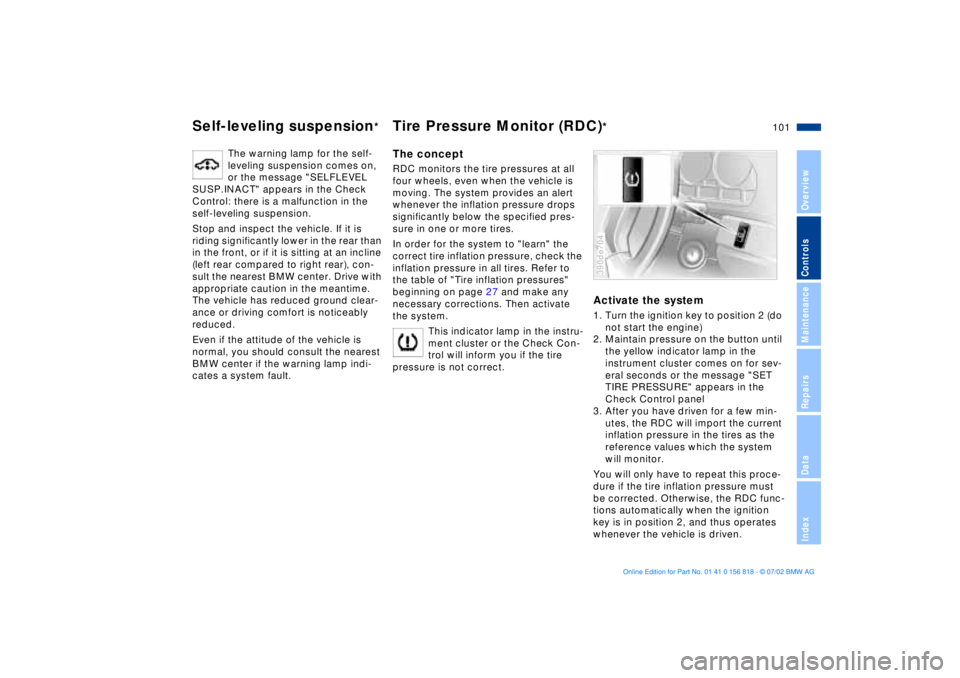
Activate the system1. Turn the ignition key to position 2 (do
not start the engine)
2. Maintain pressure on the button until
the yellow indicator lamp in the
instrument cluster comes on for sev-
eral seconds or the message "SET
TIRE PRESSURE" appears in the
Check Control panel
3. After you have driven for a few min-
utes, the RDC will import the current
inflation pressure in the tires as the
reference values which the system
will monitor.
You will only have to repeat this proce-
dure if the tire inflation pressure must
be corrected. Otherwise, the RDC func-
tions automatically when the ignition
key is in position 2, and thus operates
whenever the vehicle is driven.390de704
Page 142 of 187
142n
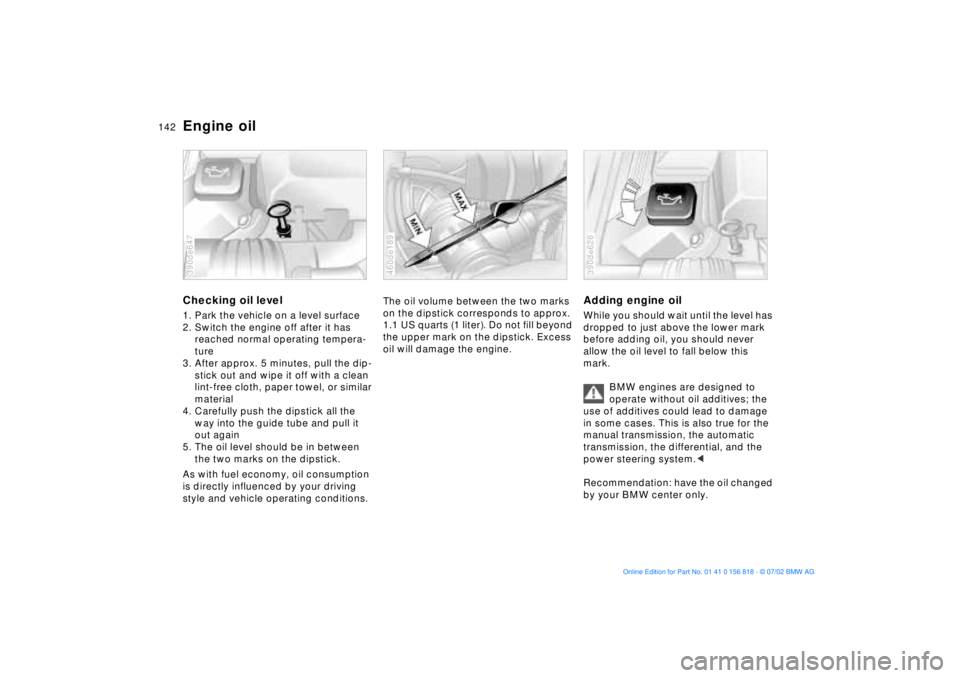
Engine oilChecking oil level1. Park the vehicle on a level surface
2. Switch the engine off after it has
reached normal operating tempera-
ture
3. After approx. 5 minutes, pull the dip-
stick out and wipe it off with a clean
lint-free cloth, paper towel, or similar
material
4. Carefully push the dipstick all the
way into the guide tube and pull it
out again
5. The oil level should be in between
the two marks on the dipstick.
As with fuel economy, oil consumption
is directly influenced by your driving
style and vehicle operating conditions.390de647
The oil volume between the two marks
on the dipstick corresponds to approx.
1.1 US quarts (1 liter). Do not fill beyond
the upper mark on the dipstick. Excess
oil will damage the engine.460de189
Adding engine oilWhile you should wait until the level has
dropped to just above the lower mark
before adding oil, you should never
allow the oil level to fall below this
mark.
BMW engines are designed to
operate without oil additives; the
use of additives could lead to damage
in some cases. This is also true for the
manual transmission, the automatic
transmission, the differential, and the
power steering system.<
Recommendation: have the oil changed
by your BMW center only.390de626
Page 144 of 187
144n
Coolant
Do not add coolant to the cooling
system when the engine is hot. If
you attempt to do so, escaping coolant
can cause scalds.
To avoid the possibility of damage later
on, never use anything other than fac-
tory-approved, nitrite and amino-free
extended-duty antifreeze with corrosion
inhibitor. Your BMW center is familiar
with the factory specifications.
Antifreeze and anti-corrosion agents
are hazardous to health. You should
always store them in their original con-
tainers and in a location which is out of
reach of children.
Extended-duty antifreeze with corro-
sion inhibitor contains the inflammable
substance ethylene-glycol. For this
reason, do not spill antifreeze with cor-
rosion inhibitor on hot engine parts. It
could catch fire and cause burns.<
Checking coolant level and
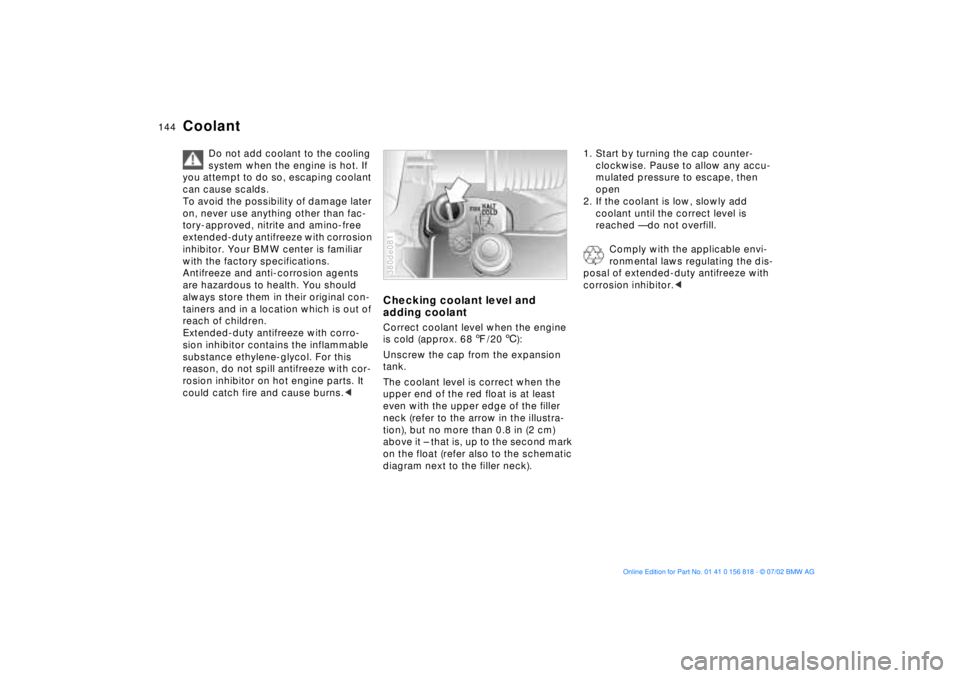
adding coolantCorrect coolant level when the engine
is cold (approx. 687/206):
Unscrew the cap from the expansion
tank.
The coolant level is correct when the
upper end of the red float is at least
even with the upper edge of the filler
neck (refer to the arrow in the illustra-
tion), but no more than 0.8 in (2 cm)
above it Ð that is, up to the second mark
on the float (refer also to the schematic
diagram next to the filler neck).380de081
1. Start by turning the cap counter-
clockwise. Pause to allow any accu-
mulated pressure to escape, then
open
2. If the coolant is low, slowly add
coolant until the correct level is
reached Ñ do not overfill.
Comply with the applicable envi-
ronmental laws regulating the dis-
posal of extended-duty antifreeze with
corrosion inhibitor.<
Page 145 of 187
145n
OverviewControlsMaintenanceRepairsDataIndex
Brake fluid
The warning lamp for the brake
system's hydraulic circuits
comes on/the message
"CHECK BRAKE FLUID"
appears in the Check Control:
brake fluid level too low.
To add brake fluidThe brake fluid reservoir is located
under the microfilter housing on the
driver's side of the vehicle. For adding
brake fluid or for determining and cor-
recting the cause of brake fluid loss,
consult your BMW center. Your BMW
center is familiar with the specifications
for factory-approved brake fluids
(DOT 4).
Brake fluid loss may result in extended
brake pedal travel. Should this occur,
refer to the notes on page 134.
Brake fluid is hygroscopic, that is,
it absorbs moisture from the air
over time.
In order to ensure the safety and reli-
ability of the brake system, have
the brake fluid changed every two years
by a BMW center. Refer also to the Ser-
vice and Warranty Information Booklet
(US models) or to the Warranty and
Service Guide Booklet (Canadian
models).
Brake fluid is hazardous to health and
damages the vehicle's paint. You
should always store it in its original
container and in a location which is out
of reach of children.
Do not spill the fluid and do not fill the
brake fluid reservoir beyond the MAX
mark. The brake fluid could ignite upon
contact with hot engine parts and
cause serious burns.<
Comply with the applicable envi-
ronmental laws regulating the dis-
posal of brake fluid.<
Page 146 of 187
146n
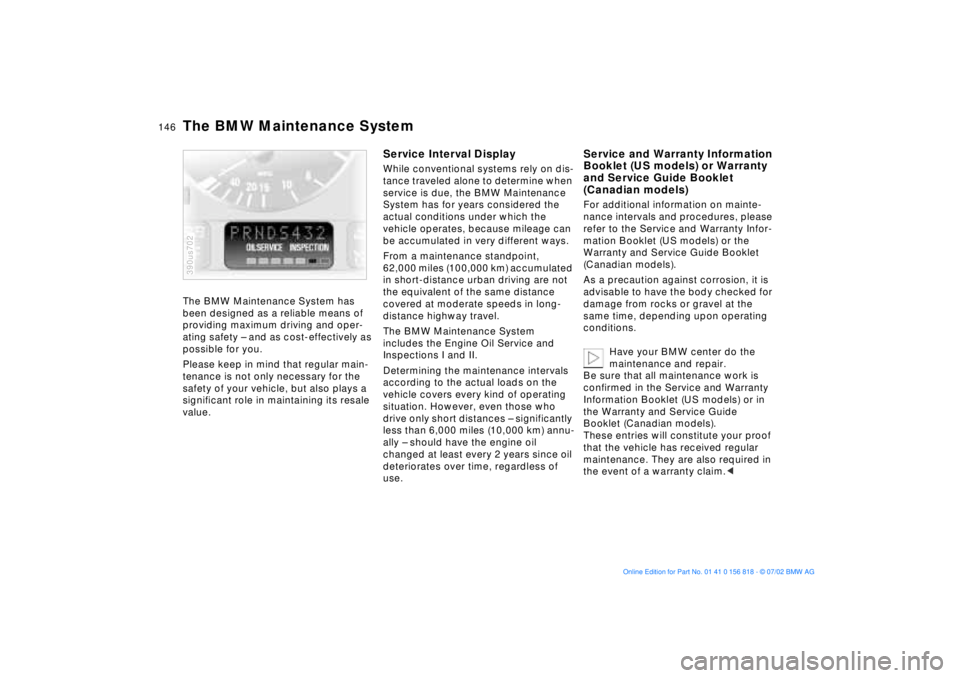
The BMW Maintenance System has
been designed as a reliable means of
providing maximum driving and oper-
ating safety Ð and as cost-effectively as
possible for you.
Please keep in mind that regular main-
tenance is not only necessary for the
safety of your vehicle, but also plays a
significant role in maintaining its resale
value.
390us702
Service Interval DisplayWhile conventional systems rely on dis-
tance traveled alone to determine when
service is due, the BMW Maintenance
System has for years considered the
actual conditions under which the
vehicle operates, because mileage can
be accumulated in very different ways.
From a maintenance standpoint,
62,000 miles (100,000 km) accumulated
in short-distance urban driving are not
the equivalent of the same distance
covered at moderate speeds in long-
distance highway travel.
The BMW Maintenance System
includes the Engine Oil Service and
Inspections I and II.
Determining the maintenance intervals
according to the actual loads on the
vehicle covers every kind of operating
situation. However, even those who
drive only short distances Ð significantly
less than 6,000 miles (10,000 km) annu-
ally Ð should have the engine oil
changed at least every 2 years since oil
deteriorates over time, regardless of
use.
Service and Warranty Information
Booklet (US models) or Warranty
and Service Guide Booklet
(Canadian models)For additional information on mainte-
nance intervals and procedures, please
refer to the Service and Warranty Infor-
mation Booklet (US models) or the
Warranty and Service Guide Booklet
(Canadian models).
As a precaution against corrosion, it is
advisable to have the body checked for
damage from rocks or gravel at the
same time, depending upon operating
conditions.
Have your BMW center do the
maintenance and repair.
Be sure that all maintenance work is
confirmed in the Service and Warranty
Information Booklet (US models) or in
the Warranty and Service Guide
Booklet (Canadian models).
These entries will constitute your proof
that the vehicle has received regular
maintenance. They are also required in
the event of a warranty claim.<
The BMW Maintenance System
Page 148 of 187
148n
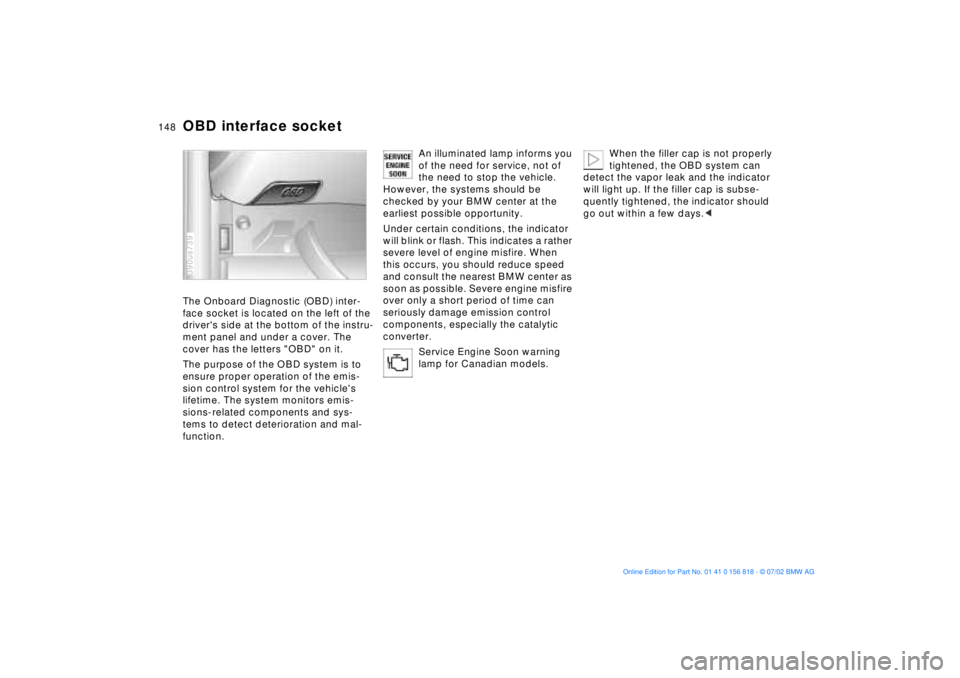
OBD interface socketThe Onboard Diagnostic (OBD) inter-
face socket is located on the left of the
driver's side at the bottom of the instru-
ment panel and under a cover. The
cover has the letters "OBD" on it.
The purpose of the OBD system is to
ensure proper operation of the emis-
sion control system for the vehicle's
lifetime. The system monitors emis-
sions-related components and sys-
tems to detect deterioration and mal-
function.390us739
An illuminated lamp informs you
of the need for service, not of
the need to stop the vehicle.
However, the systems should be
checked by your BMW center at the
earliest possible opportunity.
Under certain conditions, the indicator
will blink or flash. This indicates a rather
severe level of engine misfire. When
this occurs, you should reduce speed
and consult the nearest BMW center as
soon as possible. Severe engine misfire
over only a short period of time can
seriously damage emission control
components, especially the catalytic
converter.
Service Engine Soon warning
lamp for Canadian models.
When the filler cap is not properly
tightened, the OBD system can
detect the vapor leak and the indicator
will light up. If the filler cap is subse-
quently tightened, the indicator should
go out within a few days.<
Page 153 of 187
153n
OverviewControlsMaintenanceRepairsDataIndex
Lamps and bulbsThe lamps and bulbs are essential fac-
tors contributing to the safety of your
vehicle. For this reason, you should
follow the instructions below carefully
when replacing a bulb. If you are not
familiar with any of the procedures,
consult your BMW center.
Do not touch the glass portion of a
new bulb with your bare hands
since even small amounts of impurities
burn into the surface and reduce the
service life of the bulb. Use a clean
cloth, paper napkin, or a similar mate-
rial, or hold the bulb by its metallic
base.<
A replacement bulb set is available from
your BMW center.
Whenever working on the elec-
trical system, switch off the elec-
trical accessory you are working on or
disconnect the cable from the negative
terminal of the battery. Failure to do this
could result in short circuits.
To prevent injuries and damage,
comply with any instructions provided
by the bulb manufacturer.<
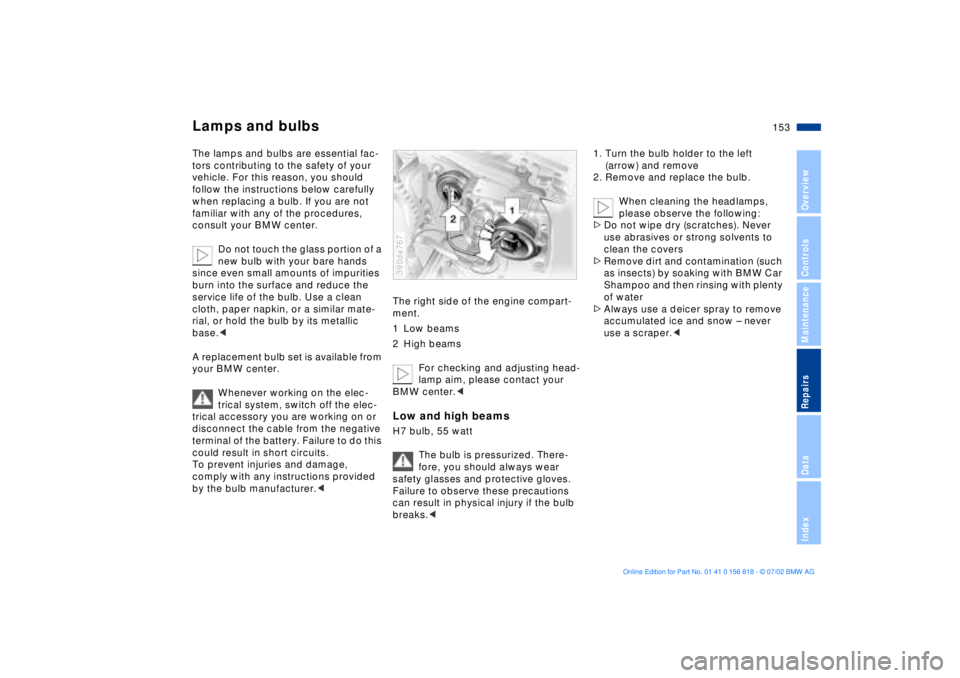
The right side of the engine compart-
ment.
1 Low beams
2 High beams
For checking and adjusting head-
lamp aim, please contact your
BMW center.< Low and high beamsH7 bulb, 55 watt
The bulb is pressurized. There-
fore, you should always wear
safety glasses and protective gloves.
Failure to observe these precautions
can result in physical injury if the bulb
breaks.< 390de767
1. Turn the bulb holder to the left
(arrow) and remove
2. Remove and replace the bulb.
When cleaning the headlamps,
please observe the following:
>Do not wipe dry (scratches). Never
use abrasives or strong solvents to
clean the covers
>Remove dirt and contamination (such
as insects) by soaking with BMW Car
Shampoo and then rinsing with plenty
of water
>Always use a deicer spray to remove
accumulated ice and snow Ð never
use a scraper.<
Page 179 of 187
Everything from A to Z
179n
OverviewControlsMaintenanceRepairsDataIndex
C
California Proposition
65 Warning147
Capacities175
Cargo area
floor compartment127
lamps105
opening from the
inside40
partition net125
roll-up cover125
Cargo loading128
Cellular phone119
Center (high-mount) brake
lamp157
Central locking
system32, 37
Changing a wheel/
tire158t
Charge indicator lamp19
CHECK button85
Check Control85t
Check engine oil
level142t
Child seats62
Child-restraint
installation64
Child-restraint system with
tether strap62
Child-restraint systems62
Child-safety locks66
Cigarette lighter120 Clean rear window79
Cleaning windshield79
Climate control, refer to
Automatic climate
control109
Clock90
for additional information
refer to the "Owner's
Manual for Onboard
Computer"
Cockpit14
Code, refer to immobilizer
function96
Cold start69
Comfort seat51
Compartments118
Computer88
for additional information
refer to the "Owner's
Manual for Onboard
Computer"
remote control97
Computer in the MID93
Configuring personal
adjustments, Vehicle and
Key Memory67
Consumption display83
Consumption, fuel88, 95
Convenience operation of
windows and sliding/tilt
sunroof33 Convenience starting
feature69
Coolant144
Coolant temperature
gauge84
Copyright4
Cover, sun blinds114
Cruising range88, 95
Cup holder119
Cup holder, refer to
beverage holder119
Curb monitor55
D
Date
calling up90
changing90
Daytime driving lamps103
DBC (Dynamic Brake
Control)20
Deactivating97
interior motion sensor43
tilt alarm sensor43
Deep water133
Defrost windows108, 111
Defroster mode108, 111
Digital clock in the MID90
Dimensions171
Dipstick, engine oil142t
Displacement170
Display lighting104 Displays16, 17
Disposal
antifreeze with corrosion
inhibitor144t
used batteries162t
used oils143t
Distance from
destination94
Distance warning98
Divided rear-seat
backrest121
Doors
manual operation33
opening and closing34
opening/closing from the
inside34
operation via remote
control34
DOT Quality Grades136
Driving notes133
DSC (Dynamic Stability
Control)21, 99
Dynamic Brake Control
(DBC)20
Dynamic Stability Control
(DSC)21, 99
E
Electric power seat50
Electric power windows44