fuel consumption BMW 540I SEDAN 2003 Owners Manual
[x] Cancel search | Manufacturer: BMW, Model Year: 2003, Model line: 540I SEDAN, Model: BMW 540I SEDAN 2003Pages: 187, PDF Size: 2.3 MB
Page 16 of 187
16n
Instrument cluster
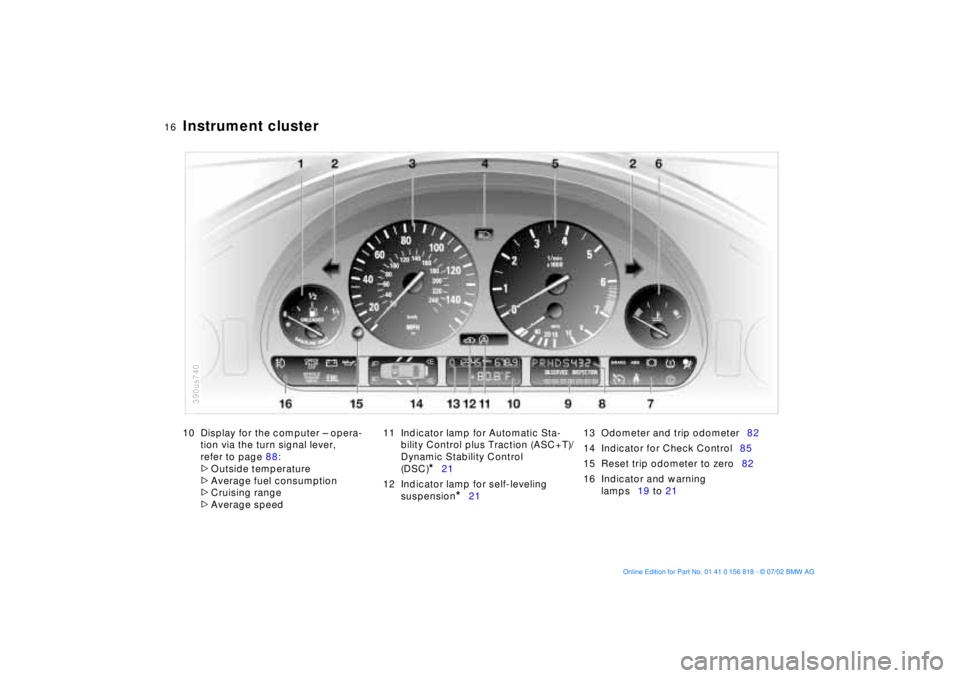
10 Display for the computer Ð opera-
tion via the turn signal lever,
refer to page 88:
>
Outside temperature
>
Average fuel consumption
>
Cruising range
>
Average speed11 Indicator lamp for Automatic Sta-
bility Control plus Traction (ASC+T)/
Dynamic Stability Control
(DSC)
*
21
12 Indicator lamp for self-leveling
suspension
*
2113 Odometer and trip odometer82
14 Indicator for Check Control85
15 Reset trip odometer to zero82
16 Indicator and warning
lamps19 to 21
390us740
Page 73 of 187
73n
OverviewControlsMaintenanceRepairsDataIndex
Automatic transmission
*
Before leaving the vehicle when
the engine is running, move the
selector lever to the "Park" or "Neutral"
position and apply the parking brake to
prevent the vehicle from rolling.
Never leave the vehicle unattended
with the engine running. An unattended
vehicle with a running engine repre-
sents a potential safety hazard.
If you should accidentally select
"Neutral" while traveling at high speed,
remove your foot from the accelerator
pedal immediately. Allow the engine
speed to drop to idle before selecting
the desired drive position. Damage
could otherwise occur due to excessive
engine speed.<
P ParkSelect only when the vehicle is com-
pletely stopped. The transmission locks
to prevent the rear wheels from turning.R ReverseSelect only when the vehicle is com-
pletely stopped.
N Neutral (idle)Select only if your journey is interrupted
for a longer period.D Drive
(automatic shift program)This position is designed for driving
under all normal operating conditions.
All forward gears are available.
Under normal operating conditions, fuel
consumption is lowest when driving in
position D.4 Ð Sport ProgramThe Sport Program is designed for per-
formance-oriented driving.
3 and 2 Ð shift limiterSelect this range when you wish to limit
gear changes (on steep uphill or down-
hill slopes, for instance). The transmis-
sion shifts up only as far as the selected
gear limit."Kickdown" In the "kickdown" mode, you achieve
maximum performance.
Depress the accelerator pedal past the
resistance point at the full-throttle posi-
tion.
Page 75 of 187
75n
OverviewControlsMaintenanceRepairsDataIndex
Automatic transmission with Steptronic
*
You can drive as with a normal auto-
matic transmission. In addition, you can
also shift manually.
When you move the selector lever from
the "D" position to the left into the M/S
range, the performance-oriented shift
programs of the automatic transmission
are engaged. Steptronic enters the
manual selection mode and executes
the desired shift whenever you tap the
selector lever in the direction indicated
by "+" or "Ð." When you wish to use the
automatic transmission mode again,
move the selector lever to the right into
the "D" position.
Under normal operating conditions, fuel
consumption is lowest when driving in
position D.
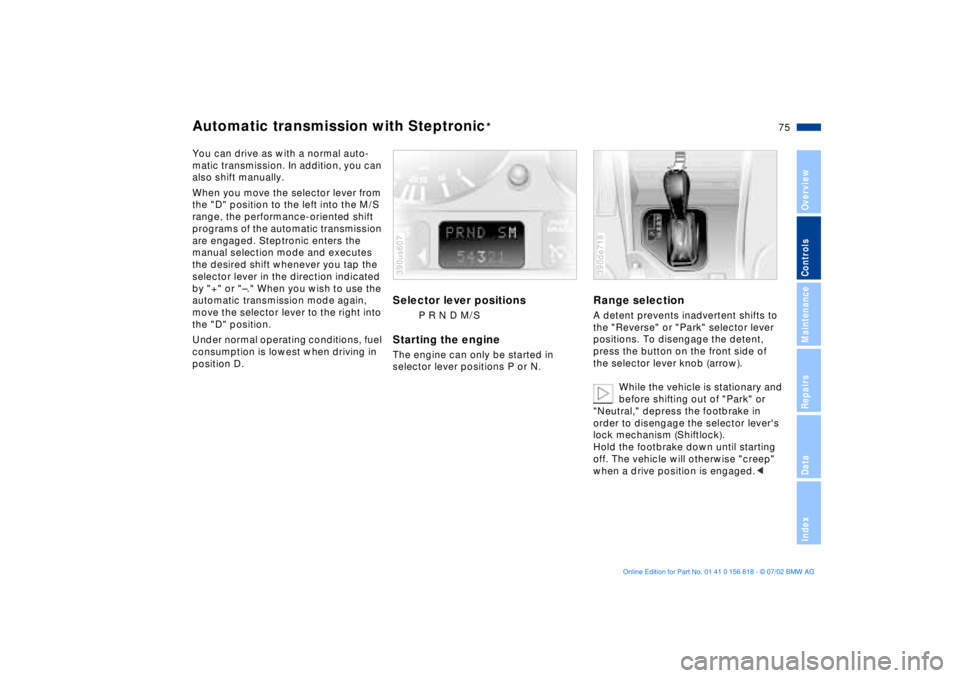
Selector lever positions
P R N D M/S
Starting the engineThe engine can only be started in
selector lever positions P or N.390us607
Range selectionA detent prevents inadvertent shifts to
the "Reverse" or "Park" selector lever
positions. To disengage the detent,
press the button on the front side of
the selector lever knob (arrow).
While the vehicle is stationary and
before shifting out of "Park" or
"Neutral," depress the footbrake in
order to disengage the selector lever's
lock mechanism (Shiftlock).
Hold the footbrake down until starting
off. The vehicle will otherwise "creep"
when a drive position is engaged.< 390de718
Page 83 of 187
83n
OverviewControlsMaintenanceRepairsDataIndex
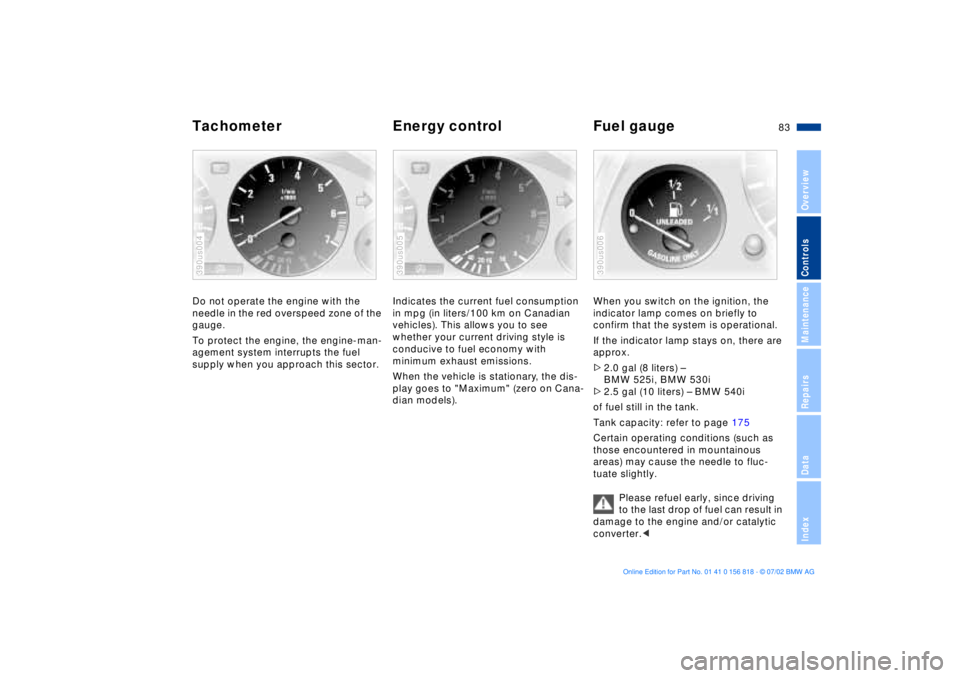
Tachometer Energy control Fuel gaugeDo not operate the engine with the
needle in the red overspeed zone of the
gauge.
To protect the engine, the engine-man-
agement system interrupts the fuel
supply when you approach this sector.390us004
Indicates the current fuel consumption
in mpg (in liters/100 km on Canadian
vehicles). This allows you to see
whether your current driving style is
conducive to fuel economy with
minimum exhaust emissions.
When the vehicle is stationary, the dis-
play goes to "Maximum" (zero on Cana-
dian models).390us005
When you switch on the ignition, the
indicator lamp comes on briefly to
confirm that the system is operational.
If the indicator lamp stays on, there are
approx.
>2.0 gal (8 liters) Ð
BMW 525i, BMW 530i
>2.5 gal (10 liters) Ð BMW 540i
of fuel still in the tank.
Tank capacity: refer to page 175
Certain operating conditions (such as
those encountered in mountainous
areas) may cause the needle to fluc-
tuate slightly.
Please refuel early, since driving
to the last drop of fuel can result in
damage to the engine and/or catalytic
converter.< 390us006
Page 88 of 187
88n
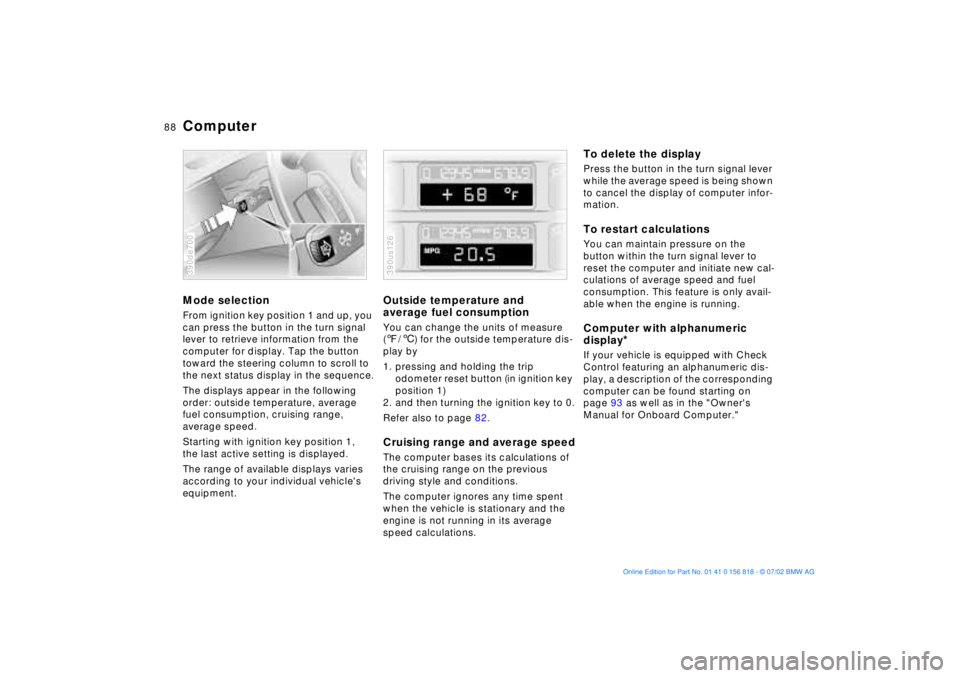
ComputerMode selectionFrom ignition key position 1 and up, you
can press the button in the turn signal
lever to retrieve information from the
computer for display. Tap the button
toward the steering column to scroll to
the next status display in the sequence.
The displays appear in the following
order: outside temperature, average
fuel consumption, cruising range,
average speed.
Starting with ignition key position 1,
the last active setting is displayed.
The range of available displays varies
according to your individual vehicle's
equipment.390de700
Outside temperature and
average fuel consumptionYou can change the units of measure
(7/6) for the outside temperature dis-
play by
1. pressing and holding the trip
odometer reset button (in ignition key
position 1)
2. and then turning the ignition key to 0.
Refer also to page 82.Cruising range and average speedThe computer bases its calculations of
the cruising range on the previous
driving style and conditions.
The computer ignores any time spent
when the vehicle is stationary and the
engine is not running in its average
speed calculations.390us126
To delete the displayPress the button in the turn signal lever
while the average speed is being shown
to cancel the display of computer infor-
mation.To restart calculationsYou can maintain pressure on the
button within the turn signal lever to
reset the computer and initiate new cal-
culations of average speed and fuel
consumption. This feature is only avail-
able when the engine is running.Computer with alphanumeric
display
*
If your vehicle is equipped with Check
Control featuring an alphanumeric dis-
play, a description of the corresponding
computer can be found starting on
page 93 as well as in the "Owner's
Manual for Onboard Computer."
Page 89 of 187
89n
OverviewControlsMaintenanceRepairsDataIndex
Multi-Information Display (MID)
*
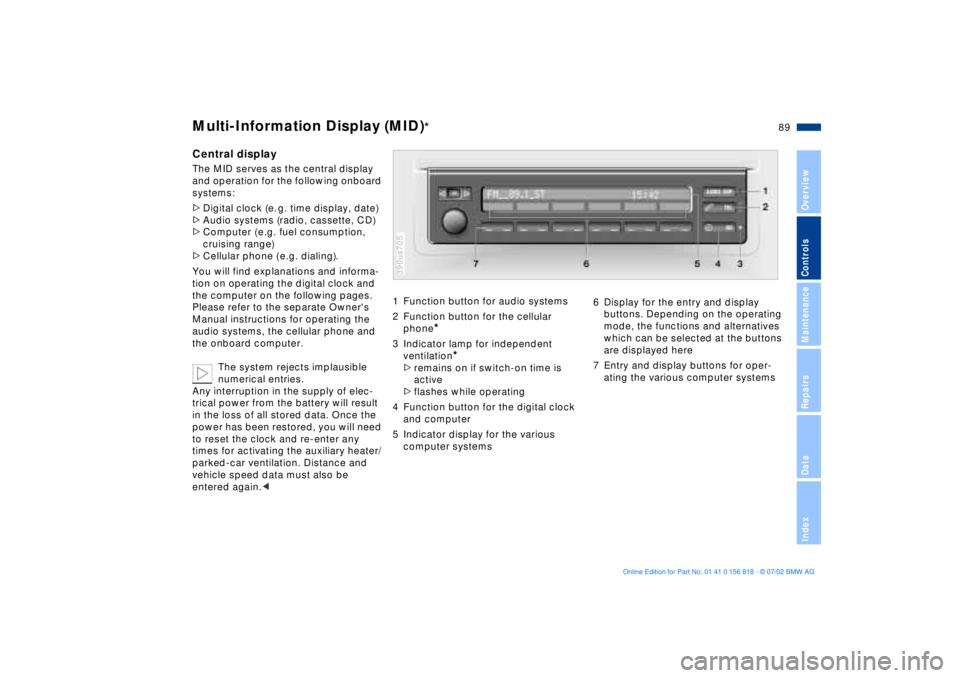
Central displayThe MID serves as the central display
and operation for the following onboard
systems:
>Digital clock (e. g. time display, date)
>Audio systems (radio, cassette, CD)
>Computer ( e.g. fuel consumption,
cruising range)
>Cellular phone ( e.g. dialing).
You will find explanations and informa-
tion on operating the digital clock and
the computer on the following pages.
Please refer to the separate Owner's
Manual instructions for operating the
audio systems, the cellular phone and
the onboard computer.
The system rejects implausible
numerical entries.
Any interruption in the supply of elec-
trical power from the battery will result
in the loss of all stored data. Once the
power has been restored, you will need
to reset the clock and re-enter any
times for activating the auxiliary heater/
parked-car ventilation. Distance and
vehicle speed data must also be
entered again.<
1 Function button for audio systems
2 Function button for the cellular
phone
*
3 Indicator lamp for independent
ventilation
*
>remains on if switch-on time is
active
>flashes while operating
4 Function button for the digital clock
and computer
5 Indicator display for the various
computer systems390us705
6 Display for the entry and display
buttons. Depending on the operating
mode, the functions and alternatives
which can be selected at the buttons
are displayed here
7 Entry and display buttons for oper-
ating the various computer systems
Page 95 of 187
95n
OverviewControlsMaintenanceRepairsDataIndex
Computer in the MID
*
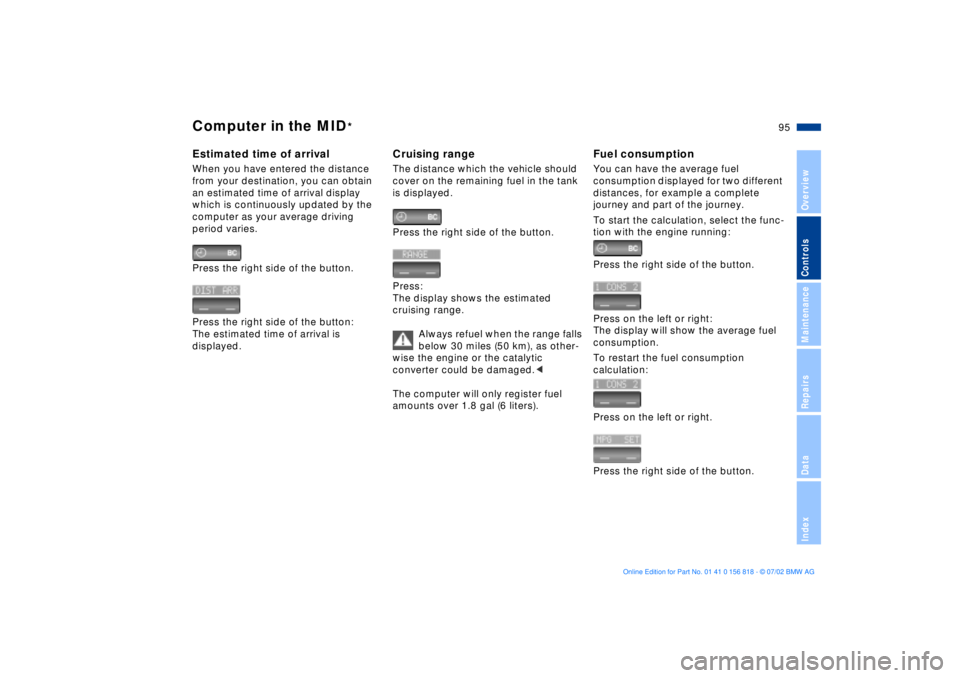
Estimated time of arrivalWhen you have entered the distance
from your destination, you can obtain
an estimated time of arrival display
which is continuously updated by the
computer as your average driving
period varies.
Press the right side of the button.
Press the right side of the button:
The estimated time of arrival is
displayed.
Cruising rangeThe distance which the vehicle should
cover on the remaining fuel in the tank
is displayed.
Press the right side of the button.
Press:
The display shows the estimated
cruising range.
Always refuel when the range falls
below 30 miles (50 km), as other-
wise the engine or the catalytic
converter could be damaged.<
The computer will only register fuel
amounts over 1.8 gal (6 liters).
Fuel consumptionYou can have the average fuel
consumption displayed for two different
distances, for example a complete
journey and part of the journey.
To start the calculation, select the func-
tion with the engine running:
Press the right side of the button.
Press on the left or right:
The display will show the average fuel
consumption.
To restart the fuel consumption
calculation:
Press on the left or right.
Press the right side of the button.
Page 142 of 187
142n
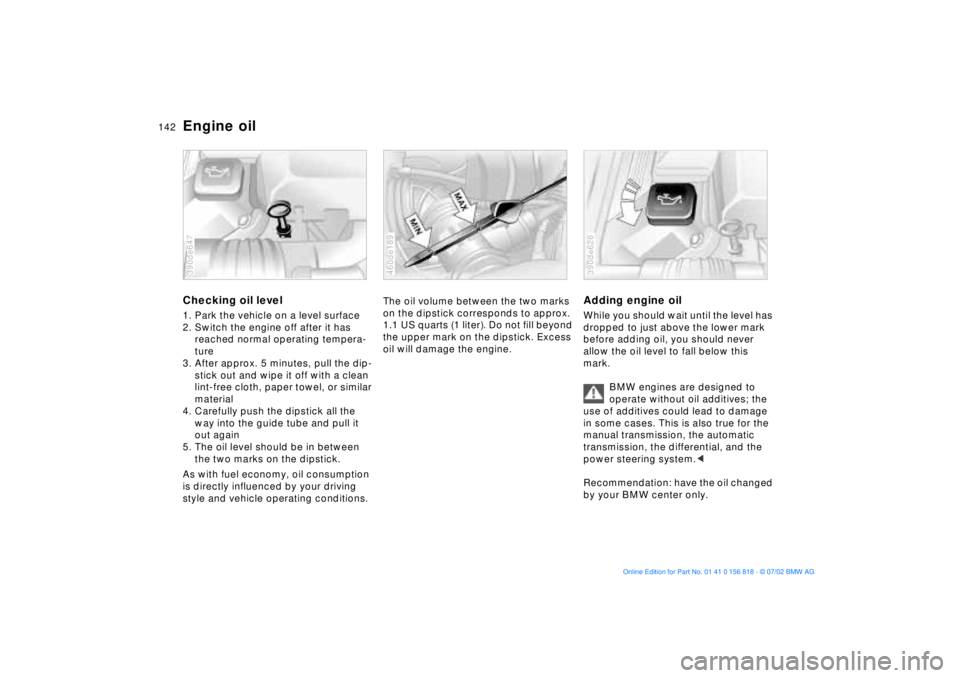
Engine oilChecking oil level1. Park the vehicle on a level surface
2. Switch the engine off after it has
reached normal operating tempera-
ture
3. After approx. 5 minutes, pull the dip-
stick out and wipe it off with a clean
lint-free cloth, paper towel, or similar
material
4. Carefully push the dipstick all the
way into the guide tube and pull it
out again
5. The oil level should be in between
the two marks on the dipstick.
As with fuel economy, oil consumption
is directly influenced by your driving
style and vehicle operating conditions.390de647
The oil volume between the two marks
on the dipstick corresponds to approx.
1.1 US quarts (1 liter). Do not fill beyond
the upper mark on the dipstick. Excess
oil will damage the engine.460de189
Adding engine oilWhile you should wait until the level has
dropped to just above the lower mark
before adding oil, you should never
allow the oil level to fall below this
mark.
BMW engines are designed to
operate without oil additives; the
use of additives could lead to damage
in some cases. This is also true for the
manual transmission, the automatic
transmission, the differential, and the
power steering system.<
Recommendation: have the oil changed
by your BMW center only.390de626
Page 178 of 187
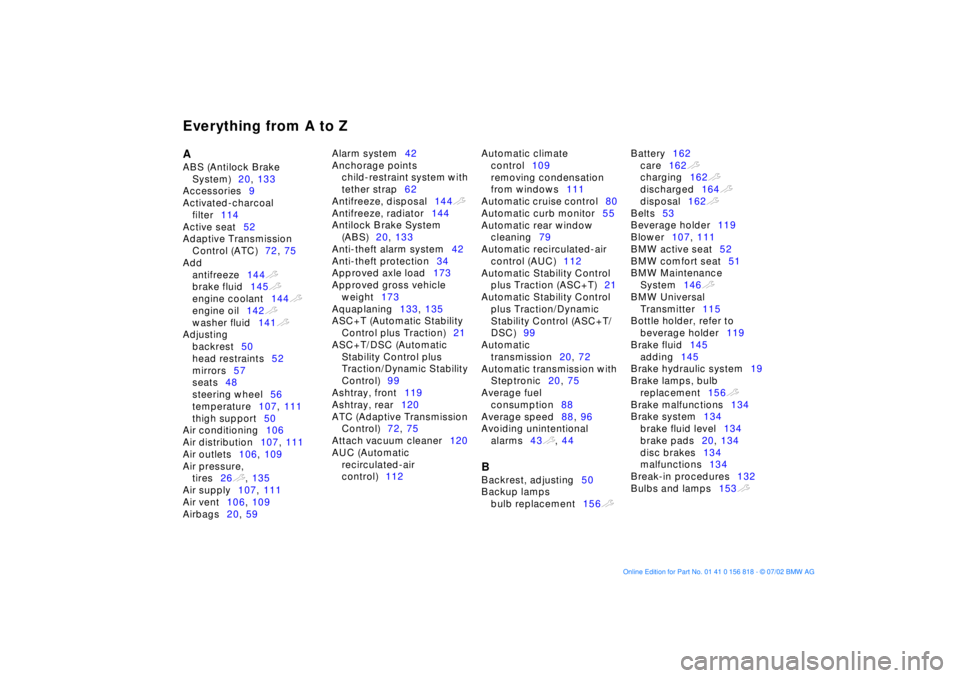
Everything from A to ZA
ABS (Antilock Brake
System)20, 133
Accessories9
Activated-charcoal
filter114
Active seat52
Adaptive Transmission
Control (ATC)72, 75
Add
antifreeze144t
brake fluid145t
engine coolant144t
engine oil142t
washer fluid141t
Adjusting
backrest50
head restraints52
mirrors57
seats48
steering wheel56
temperature107, 111
thigh support50
Air conditioning106
Air distribution107, 111
Air outlets106, 109
Air pressure,
tires26t, 135
Air supply107, 111
Air vent106, 109
Airbags20, 59 Alarm system42
Anchorage points
child-restraint system with
tether strap62
Antifreeze, disposal144t
Antifreeze, radiator144
Antilock Brake System
(ABS)20, 133
Anti-theft alarm system42
Anti-theft protection34
Approved axle load173
Approved gross vehicle
weight173
Aquaplaning133, 135
ASC+T (Automatic Stability
Control plus Traction)21
ASC+T/DSC (Automatic
Stability Control plus
Traction/Dynamic Stability
Control)99
Ashtray, front119
Ashtray, rear120
ATC (Adaptive Transmission
Control)72, 75
Attach vacuum cleaner120
AUC (Automatic
recirculated-air
control)112 Automatic climate
control109
removing condensation
from windows111
Automatic cruise control80
Automatic curb monitor55
Automatic rear window
cleaning79
Automatic recirculated-air
control (AUC)112
Automatic Stability Control
plus Traction (ASC+T)21
Automatic Stability Control
plus Traction/Dynamic
Stability Control (ASC+T/
DSC)99
Automatic
transmission20, 72
Automatic transmission with
Steptronic20, 75
Average fuel
consumption88
Average speed88, 96
Avoiding unintentional
alarms43t, 44
B
Backrest, adjusting50
Backup lamps
bulb replacement156t Battery162
care162t
charging162t
discharged164t
disposal162t
Belts53
Beverage holder119
Blower107, 111
BMW active seat52
BMW comfort seat51
BMW Maintenance
System146t
BMW Universal
Transmitter115
Bottle holder, refer to
beverage holder119
Brake fluid145
adding145
Brake hydraulic system19
Brake lamps, bulb
replacement156t
Brake malfunctions134
Brake system134
brake fluid level134
brake pads20, 134
disc brakes134
malfunctions134
Break-in procedures132
Bulbs and lamps153t
Page 179 of 187
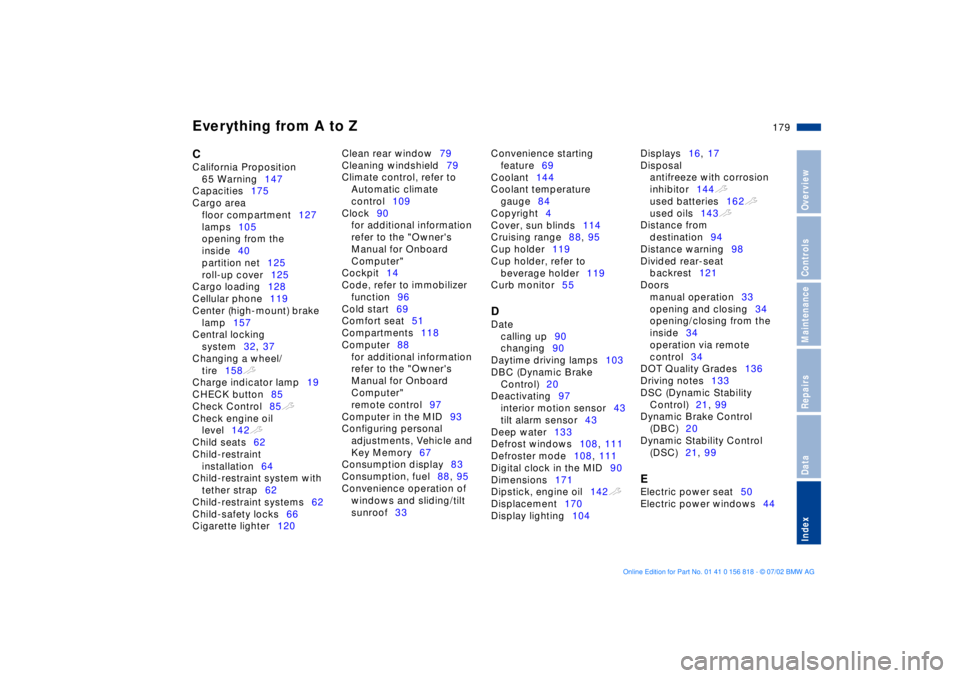
Everything from A to Z
179n
OverviewControlsMaintenanceRepairsDataIndex
C
California Proposition
65 Warning147
Capacities175
Cargo area
floor compartment127
lamps105
opening from the
inside40
partition net125
roll-up cover125
Cargo loading128
Cellular phone119
Center (high-mount) brake
lamp157
Central locking
system32, 37
Changing a wheel/
tire158t
Charge indicator lamp19
CHECK button85
Check Control85t
Check engine oil
level142t
Child seats62
Child-restraint
installation64
Child-restraint system with
tether strap62
Child-restraint systems62
Child-safety locks66
Cigarette lighter120 Clean rear window79
Cleaning windshield79
Climate control, refer to
Automatic climate
control109
Clock90
for additional information
refer to the "Owner's
Manual for Onboard
Computer"
Cockpit14
Code, refer to immobilizer
function96
Cold start69
Comfort seat51
Compartments118
Computer88
for additional information
refer to the "Owner's
Manual for Onboard
Computer"
remote control97
Computer in the MID93
Configuring personal
adjustments, Vehicle and
Key Memory67
Consumption display83
Consumption, fuel88, 95
Convenience operation of
windows and sliding/tilt
sunroof33 Convenience starting
feature69
Coolant144
Coolant temperature
gauge84
Copyright4
Cover, sun blinds114
Cruising range88, 95
Cup holder119
Cup holder, refer to
beverage holder119
Curb monitor55
D
Date
calling up90
changing90
Daytime driving lamps103
DBC (Dynamic Brake
Control)20
Deactivating97
interior motion sensor43
tilt alarm sensor43
Deep water133
Defrost windows108, 111
Defroster mode108, 111
Digital clock in the MID90
Dimensions171
Dipstick, engine oil142t
Displacement170
Display lighting104 Displays16, 17
Disposal
antifreeze with corrosion
inhibitor144t
used batteries162t
used oils143t
Distance from
destination94
Distance warning98
Divided rear-seat
backrest121
Doors
manual operation33
opening and closing34
opening/closing from the
inside34
operation via remote
control34
DOT Quality Grades136
Driving notes133
DSC (Dynamic Stability
Control)21, 99
Dynamic Brake Control
(DBC)20
Dynamic Stability Control
(DSC)21, 99
E
Electric power seat50
Electric power windows44