seat memory BMW 540I SEDAN 2003 Owners Manual
[x] Cancel search | Manufacturer: BMW, Model Year: 2003, Model line: 540I SEDAN, Model: BMW 540I SEDAN 2003Pages: 187, PDF Size: 2.3 MB
Page 4 of 187
Contents
© 2002 Bayerische Motoren Werke
Aktiengesellschaft
Munich, Germany
Reprinting, including excerpts, only with the
written consent of BMW AG, Munich.
Order No. 01 41 0 156 818
US English IX/2002
Printed in Germany
Printed on environmentally friendly paper
Ð bleached without chlorine, suitable for recycling.
Notes
Overview
Controls and features
About this Owner's Manual8
Symbols used8
The individual vehicle8
Status at time of printing9
For your own safety9
Symbol on vehicle parts10
Service and Warranty10
Reporting safety defects10Cockpit14
Instrument cluster15
Indicator and warning lamps19
Steering wheel with multifunction
buttons22
Warning triangle23
First-aid kit23
Refueling24
Fuel specifications25
Tire inflation pressure26
Locks and security systems:
Keys32
Central locking system32
Opening and closing Ð via the
door lock33
Opening and closing Ð via the
remote control34
Opening and closing Ð from the
inside37
Luggage compartment lid/
Tailgate38
Rear window40
Luggage compartment42
Alarm system42
Electric power windows44
Sliding/tilt sunroof46
Adjustments:
Sitting safely48
Seats48
Manually-adjusted seat49
Electric power seats50
Head restraints52
BMW active seat52
Safety belts53
Seat, mirror and steering wheel
memory54
Seat heating55
Adjusting steering wheel56
Steering wheel heating56
Mirrors57
Contents
Page 54 of 187
54n
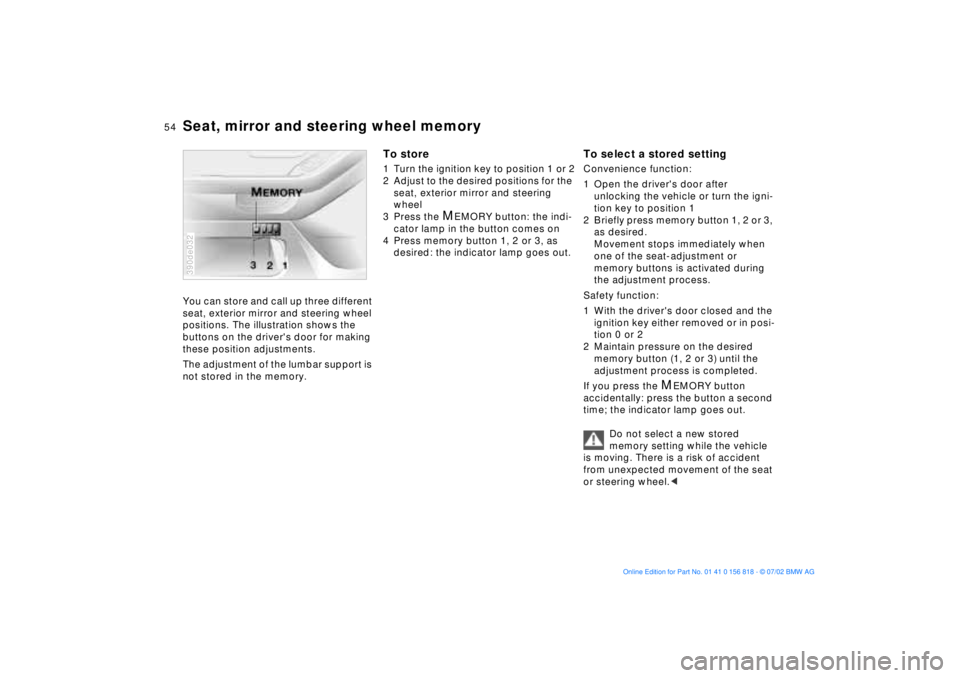
Seat, mirror and steering wheel memoryYou can store and call up three different
seat, exterior mirror and steering wheel
positions. The illustration shows the
buttons on the driver's door for making
these position adjustments.
The adjustment of the lumbar support is
not stored in the memory.390de032
To store1 Turn the ignition key to position 1 or 2
2 Adjust to the desired positions for the
seat, exterior mirror and steering
wheel
3 Press the
M
EMORY button: the indi-
cator lamp in the button comes on
4 Press memory button 1, 2 or 3, as
desired: the indicator lamp goes out.
To select a stored settingConvenience function:
1 Open the driver's door after
unlocking the vehicle or turn the igni-
tion key to position 1
2 Briefly press memory button 1, 2 or 3,
as desired.
Movement stops immediately when
one of the seat-adjustment or
memory buttons is activated during
the adjustment process.
Safety function:
1 With the driver's door closed and the
ignition key either removed or in posi-
tion 0 or 2
2 Maintain pressure on the desired
memory button (1, 2 or 3) until the
adjustment process is completed.
If you press the
M
EMORY button
accidentally: press the button a second
time; the indicator lamp goes out.
Do not select a new stored
memory setting while the vehicle
is moving. There is a risk of accident
from unexpected movement of the seat
or steering wheel.<
Page 55 of 187
55n
OverviewControlsMaintenanceRepairsDataIndex
Seat, mirror and steering wheel memory Seat heating
*
Your BMW center can adjust your
vehicle's systems in such a
manner that your personalized settings
are automatically called up for the seat,
mirror and steering wheel positions
when you unlock the vehicle with your
personal remote control key.<
Before using the key memory fea-
ture to unlock the vehicle always
ensure that no objects are stored in the
footwell behind the driver's seat. If you
fail to do so, persons or objects could
be injured or damaged if the seat
should move backward.<
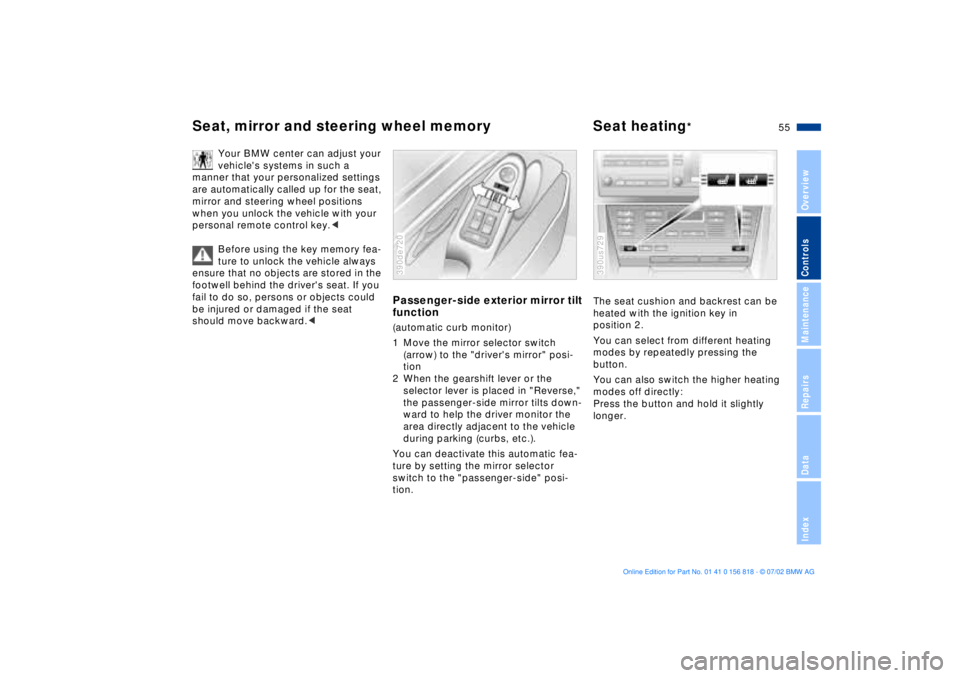
Passenger-side exterior mirror tilt
function(automatic curb monitor)
1 Move the mirror selector switch
(arrow) to the "driver's mirror" posi-
tion
2 When the gearshift lever or the
selector lever is placed in "Reverse,"
the passenger-side mirror tilts down-
ward to help the driver monitor the
area directly adjacent to the vehicle
during parking (curbs, etc.).
You can deactivate this automatic fea-
ture by setting the mirror selector
switch to the "passenger-side" posi-
tion.390de720
The seat cushion and backrest can be
heated with the ignition key in
position 2.
You can select from different heating
modes by repeatedly pressing the
button.
You can also switch the higher heating
modes off directly:
Press the button and hold it slightly
longer.390us729
Page 56 of 187
56n
Adjusting steering wheel Steering wheel heating
*
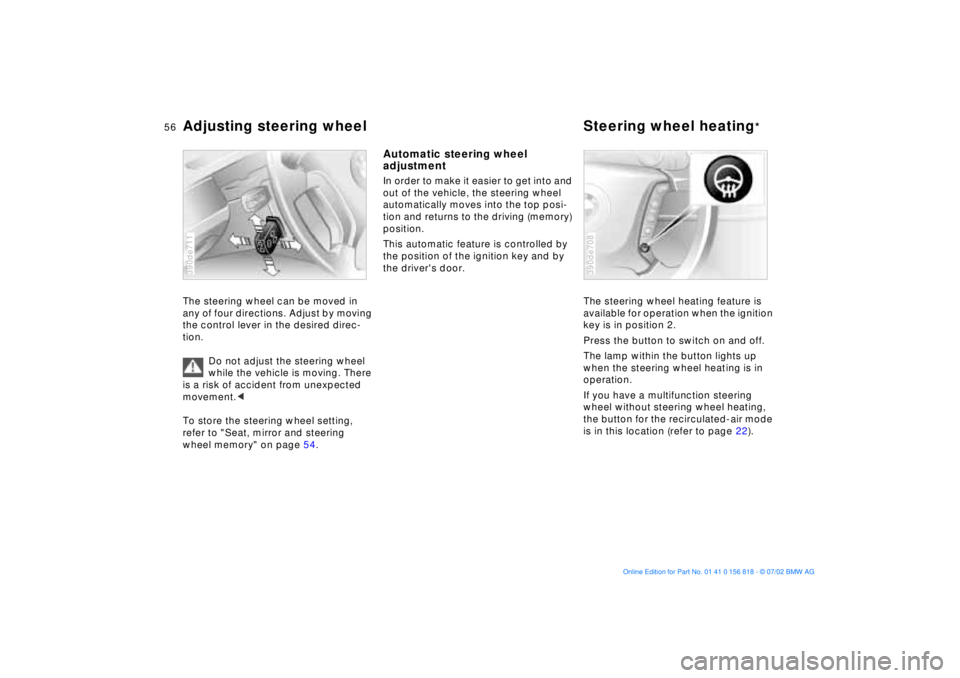
The steering wheel can be moved in
any of four directions. Adjust by moving
the control lever in the desired direc-
tion.
Do not adjust the steering wheel
while the vehicle is moving. There
is a risk of accident from unexpected
movement.<
To store the steering wheel setting,
refer to "Seat, mirror and steering
wheel memory" on page 54.390de711
Automatic steering wheel
adjustmentIn order to make it easier to get into and
out of the vehicle, the steering wheel
automatically moves into the top posi-
tion and returns to the driving (memory)
position.
This automatic feature is controlled by
the position of the ignition key and by
the driver's door.
The steering wheel heating feature is
available for operation when the ignition
key is in position 2.
Press the button to switch on and off.
The lamp within the button lights up
when the steering wheel heating is in
operation.
If you have a multifunction steering
wheel without steering wheel heating,
the button for the recirculated-air mode
is in this location (refer to page 22).
390de708
Page 57 of 187
57n
OverviewControlsMaintenanceRepairsDataIndex
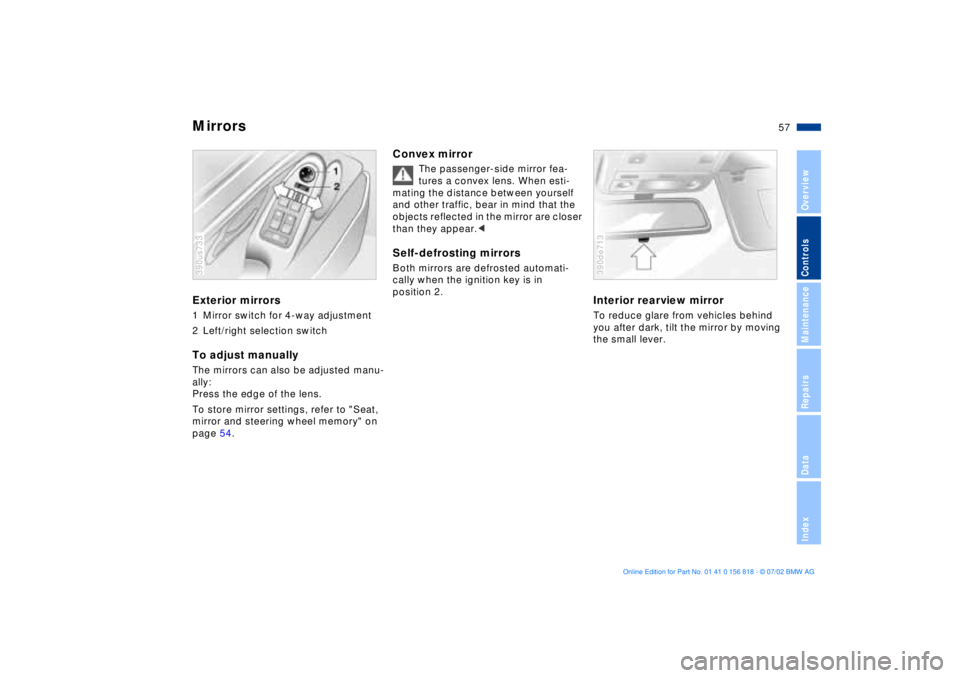
MirrorsExterior mirrors1 Mirror switch for 4-way adjustment
2 Left/right selection switchTo adjust manuallyThe mirrors can also be adjusted manu-
ally:
Press the edge of the lens.
To store mirror settings, refer to "Seat,
mirror and steering wheel memory" on
page 54.390us733
Convex mirror
The passenger-side mirror fea-
tures a convex lens. When esti-
mating the distance between yourself
and other traffic, bear in mind that the
objects reflected in the mirror are closer
than they appear.<
Self-defrosting mirrorsBoth mirrors are defrosted automati-
cally when the ignition key is in
position 2.
Interior rearview mirrorTo reduce glare from vehicles behind
you after dark, tilt the mirror by moving
the small lever.390de713
Page 67 of 187
67n
OverviewControlsMaintenanceRepairsDataIndex
Vehicle Memory, Key MemoryHow the system functionsNo doubt you have reflected at one
time or another on how great it would
be if you could permanently configure
your vehicle's various features and
adjustments to mirror your own indi-
vidual preferences. In engineering your
vehicle, BMW has incorporated a
number of options for personal adjust-
ment that can be programmed into your
vehicle at your BMW center.
The available configuration data fall into
two categories, according to whether
their primary orientation is the vehicle
("Vehicle Memory") or the individual
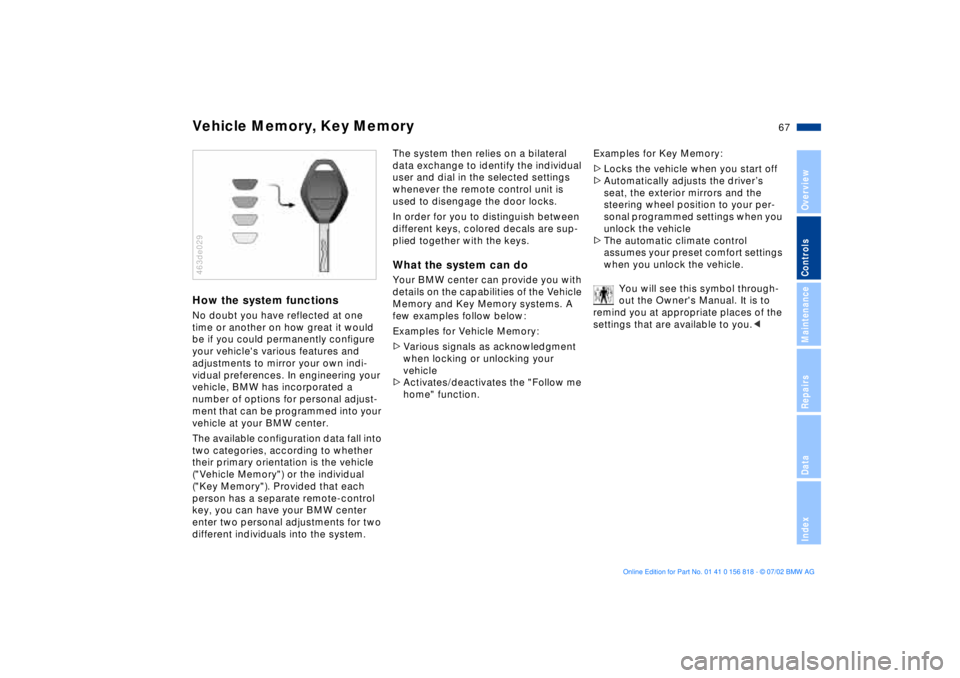
("Key Memory"). Provided that each
person has a separate remote-control
key, you can have your BMW center
enter two personal adjustments for two
different individuals into the system.463de029
The system then relies on a bilateral
data exchange to identify the individual
user and dial in the selected settings
whenever the remote control unit is
used to disengage the door locks.
In order for you to distinguish between
different keys, colored decals are sup-
plied together with the keys.What the system can doYour BMW center can provide you with
details on the capabilities of the Vehicle
Memory and Key Memory systems. A
few examples follow below:
Examples for Vehicle Memory:
>Various signals as acknowledgment
when locking or unlocking your
vehicle
>Activates/deactivates the "Follow me
home" function.Examples for Key Memory:
>Locks the vehicle when you start off
>Automatically adjusts the driverÕs
seat, the exterior mirrors and the
steering wheel position to your per-
sonal programmed settings when you
unlock the vehicle
>The automatic climate control
assumes your preset comfort settings
when you unlock the vehicle.
You will see this symbol through-
out the Owner's Manual. It is to
remind you at appropriate places of the
settings that are available to you.<
Page 179 of 187
Everything from A to Z
179n
OverviewControlsMaintenanceRepairsDataIndex
C
California Proposition
65 Warning147
Capacities175
Cargo area
floor compartment127
lamps105
opening from the
inside40
partition net125
roll-up cover125
Cargo loading128
Cellular phone119
Center (high-mount) brake
lamp157
Central locking
system32, 37
Changing a wheel/
tire158t
Charge indicator lamp19
CHECK button85
Check Control85t
Check engine oil
level142t
Child seats62
Child-restraint
installation64
Child-restraint system with
tether strap62
Child-restraint systems62
Child-safety locks66
Cigarette lighter120 Clean rear window79
Cleaning windshield79
Climate control, refer to
Automatic climate
control109
Clock90
for additional information
refer to the "Owner's
Manual for Onboard
Computer"
Cockpit14
Code, refer to immobilizer
function96
Cold start69
Comfort seat51
Compartments118
Computer88
for additional information
refer to the "Owner's
Manual for Onboard
Computer"
remote control97
Computer in the MID93
Configuring personal
adjustments, Vehicle and
Key Memory67
Consumption display83
Consumption, fuel88, 95
Convenience operation of
windows and sliding/tilt
sunroof33 Convenience starting
feature69
Coolant144
Coolant temperature
gauge84
Copyright4
Cover, sun blinds114
Cruising range88, 95
Cup holder119
Cup holder, refer to
beverage holder119
Curb monitor55
D
Date
calling up90
changing90
Daytime driving lamps103
DBC (Dynamic Brake
Control)20
Deactivating97
interior motion sensor43
tilt alarm sensor43
Deep water133
Defrost windows108, 111
Defroster mode108, 111
Digital clock in the MID90
Dimensions171
Dipstick, engine oil142t
Displacement170
Display lighting104 Displays16, 17
Disposal
antifreeze with corrosion
inhibitor144t
used batteries162t
used oils143t
Distance from
destination94
Distance warning98
Divided rear-seat
backrest121
Doors
manual operation33
opening and closing34
opening/closing from the
inside34
operation via remote
control34
DOT Quality Grades136
Driving notes133
DSC (Dynamic Stability
Control)21, 99
Dynamic Brake Control
(DBC)20
Dynamic Stability Control
(DSC)21, 99
E
Electric power seat50
Electric power windows44
Page 181 of 187
Everything from A to Z
181n
OverviewControlsMaintenanceRepairsDataIndex
Instrument displays15
Instrument lighting104
Instruments15
Intensive cleaning141
Interior lamps105
Interior mirrors58
Interior motion sensor42
avoiding unintentional
alarms44
deactivate35
Interior rearview mirror57
automatic dimmer58
Interlock68 J
Jack159
Jump-starting164t K
Key Memory67
Key with remote control32
Keys32
Kickdown73, 76 L
Lamp switch103
Lamps and bulbs153t
Lashing eyes to secure the
load128
Length of vehicle171 Level control
system21, 101
License plate lamps
bulb replacement158t
Lighter120
LIGHTS ON warning103
LIMIT93
Load-securing devices128
Louvers106, 109
Low beams103
bulb replacement153t
Low-fuel warning lamp83
Lug bolts160
Lug wrench159t
Luggage
compartment38, 42, 125
capacity173
manual operation38t
Luggage compartment
lid38
electrical malfunction38
emergency release from
luggage compartment's
interior41
opening from the
outside39
opening separately38
remote control35
secure separately38
Luggage compartment's
interior, emergency
release41 Luggage net42
Luggage straps42
Lumbar support50
M
M+S tires138
Maintenance84, 146t
Malfunction displays85t
Manual operation
doors33
fuel filler door24
luggage compartment
lid38
sliding/tilt sunroof47
tailgate39
Manual transmission71
Manually controlled
recirculated-air112
Manually-adjusted seat49
Master key32
Maximum cooling112
Memory settings
for seat, mirror and
steering wheel54
related to individuals ("Key
Memory")67
related to the vehicle
("Vehicle Memory")67
Microfilter108, 114
MID (Multi-Information
Display)89 Mirrors57
adjusting57
automatic dimming
feature58
defrosting57
memory setting54
Modifications,
technical9, 147
Monitoring inflation
pressure, tires101
Moonroof47
Multifunction buttons,
steering wheel22
Multi-Information Display
(MID)89
N
Non-smoker's
equipment120 O
OBD interface socket148
Odometer16, 82
Oil additives142
Oil change interval, refer to
the Service and Warranty
Information Booklet (US
models) or to the Warranty
and Service Guide Booklet
(Canadian models)
Oil consumption142
Page 182 of 187
Everything from A to ZOil dipstick142t
Oil level, indicator lamp20
Oil pressure, indicator
lamp19
Oil specifications143t
Oil viscosity143
Oils, disposal143t
OILSERVICE84
Old batteries162
Onboard computer, refer to
the "Owner's Manual for
Onboard Computer"
Onboard Diagnostic (OBD)
system148
Onboard Diagnostics
(OBD)148
Onboard tool kit152t
Opening and closing
from the inside37
from the outside33
using the key33
using the remote
control33
Opening the rear
window40
Operating range88
Outlets,
ventilation106, 109
Outside temperature
display82, 88
P
Park Distance Control
(PDC)98
Parked-car ventilation
system114
for additional information
refer to the "Owner's
Manual for Onboard
Computer"
Parking aid98
Parking brake20, 70
Parking lamps103
bulb replacement154t
Partition net125
Passenger-side mirror tilt
function55
PDC (Park Distance
Control)98
Pocket light118
Pollen filter108, 114
Power windows45
safety switch45
Power-slip control, refer to
ASC+T/DSC99 Q
Quality Grades, tires136
R
Rain sensor78
RDC (Tire Pressure
Monitor)101
Reading lamps105
Rear ashtray120
Rear window40
defroster107, 112
sun blinds114
wiper79
Rear window cleaning79
Rear-seat backrest
fold121
folding121
Rearview mirror57
Recirculated-air mode107
Reclining seat48
Refueling24
Releasing hood139
Reminder signal (Memo)91
Remote control34
computer97
Remove condensation from
windows108, 111
Replacing
fuses162t
lamps and bulbs153t
wiper blades152t
Reporting safety defects10 Reservoir, washer
system141t
Residual heat113
Rims137
Roller sun blind114
Roll-up cover125
Roof load capacity173
Roof-mounted luggage
rack129
S
Safety belts53
Safety defects, reporting10
Safety lock buttons37
Seat belts53
Seat heating55
Seats
electric power50
heating55
manually-adjusted49
memory setting54
Secure the load128
Securing cargo42, 128
Selector lever, automatic
transmission72, 75
Self-leveling
suspension101
inactive21
Service and Warranty10
Service and Warranty
Information Booklet (US
models)146