remote control BMW 545I SEDAN 2005 E60 Owner's Guide
[x] Cancel search | Manufacturer: BMW, Model Year: 2005, Model line: 545I SEDAN, Model: BMW 545I SEDAN 2005 E60Pages: 221, PDF Size: 8.19 MB
Page 133 of 221
On/off and tone
132
On/off and tone
The following audio sources have shared
controls and setting options:
>Radio Business
>CD player
>CD changer
*
Controls
The audio sources can be operated using:
>Buttons in the region of the CD player
>Control Center
>Remote control
*
>Buttons on the steering wheel, refer to
page10
Buttons in the region of the CD player
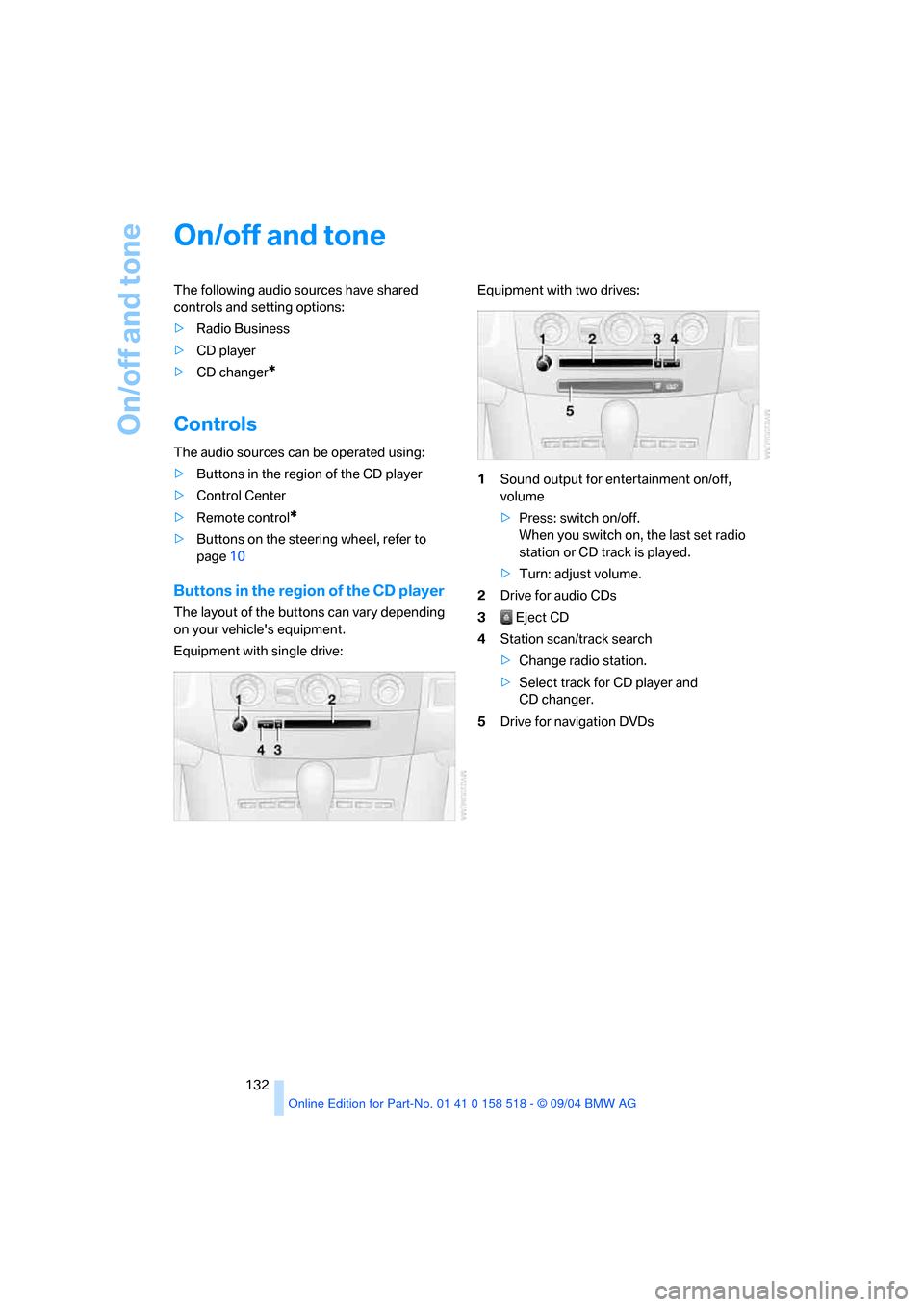
The layout of the buttons can vary depending
on your vehicle's equipment.
Equipment with single drive:Equipment with two drives:
1Sound output for entertainment on/off,
volume
>Press: switch on/off.
When you switch on, the last set radio
station or CD track is played.
>Turn: adjust volume.
2Drive for audio CDs
3 Eject CD
4Station scan/track search
>Change radio station.
>Select track for CD player and
CD changer.
5Drive for navigation DVDs
Page 134 of 221
Navigation
Entertainment
Driving tips
133Reference
At a glance
Controls
Communication
Mobility
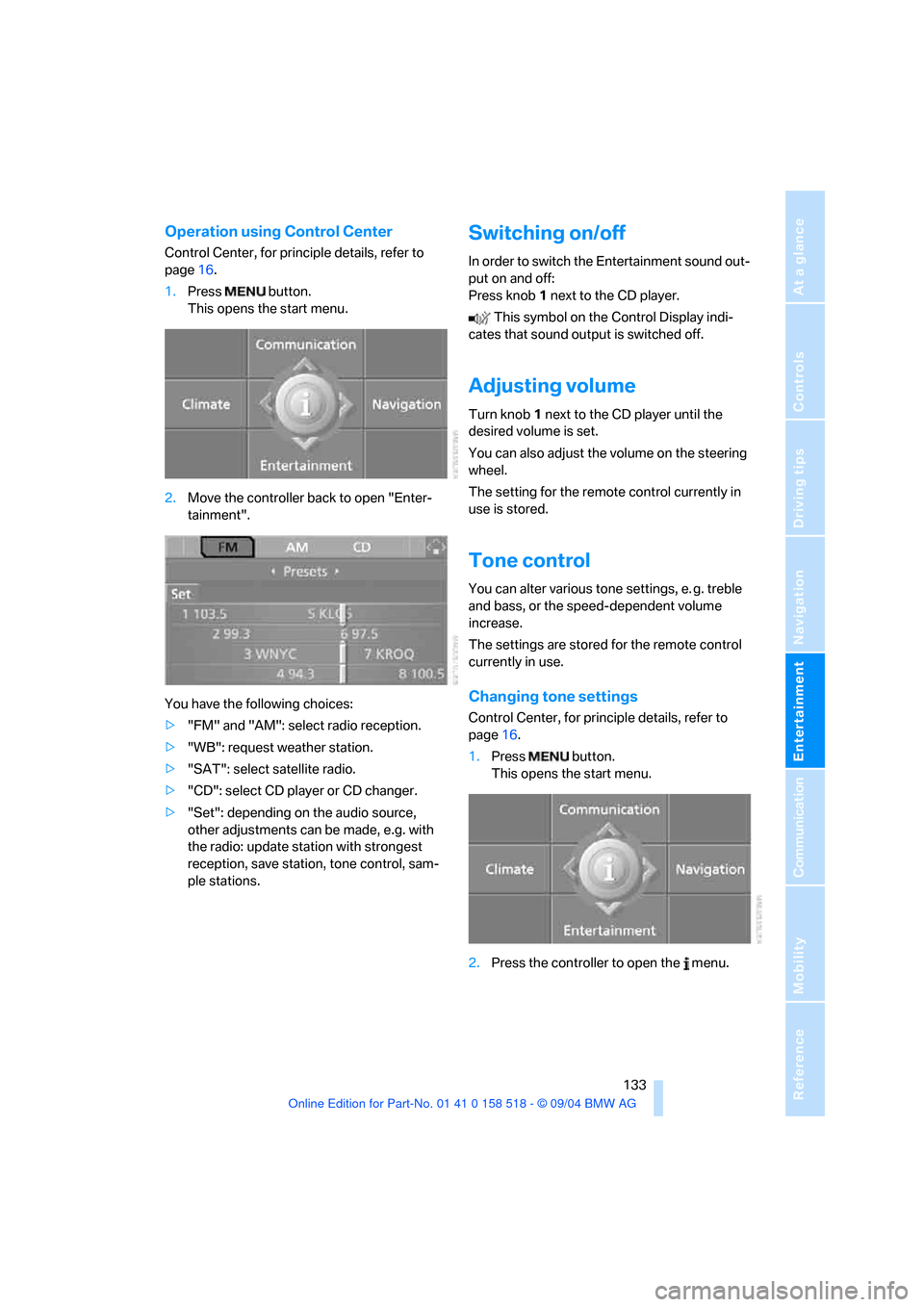
Operation using Control Center
Control Center, for principle details, refer to
page16.
1.Press button.
This opens the start menu.
2.Move the controller back to open "Enter-
tainment".
You have the following choices:
>"FM" and "AM": select radio reception.
>"WB": request weather station.
>"SAT": select satellite radio.
>"CD": select CD player or CD changer.
>"Set": depending on the audio source,
other adjustments can be made, e.g. with
the radio: update station with strongest
reception, save station, tone control, sam-
ple stations.
Switching on/off
In order to switch the Entertainment sound out-
put on and off:
Press knob1 next to the CD player.
This symbol on the Control Display indi-
cates that sound output is switched off.
Adjusting volume
Turn knob1 next to the CD player until the
desired volume is set.
You can also adjust the volume on the steering
wheel.
The setting for the remote control currently in
use is stored.
Tone control
You can alter various tone settings, e. g. treble
and bass, or the speed-dependent volume
increase.
The settings are stored for the remote control
currently in use.
Changing tone settings
Control Center, for principle details, refer to
page16.
1.Press button.
This opens the start menu.
2.Press the controller to open the menu.
Page 137 of 221
On/off and tone
136
Controls in the back seat*
You can also use a remote control to select
Business radio as the audio source and listen to
it through the headphones or speakers.
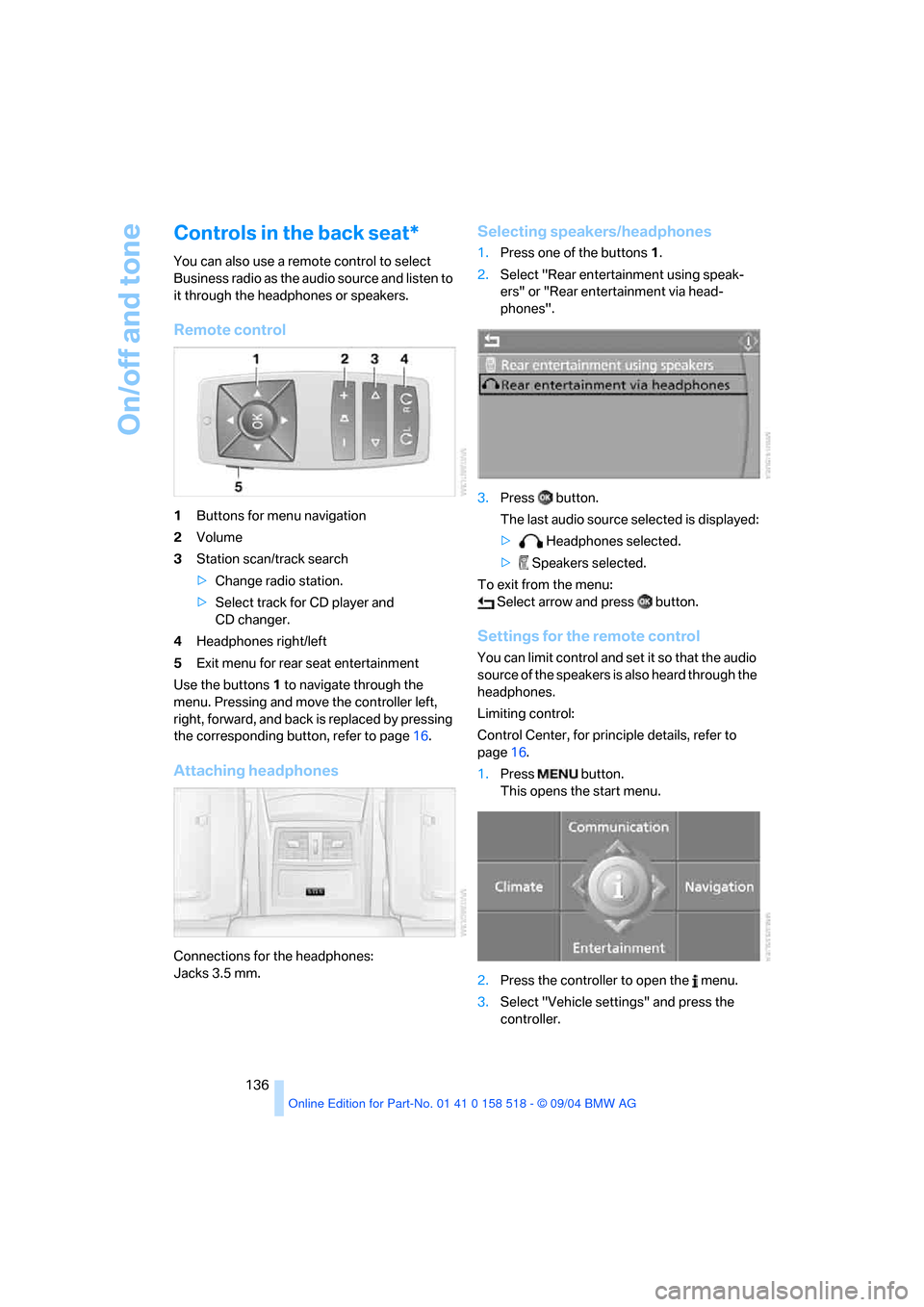
Remote control
1Buttons for menu navigation
2Volume
3Station scan/track search
>Change radio station.
>Select track for CD player and
CD changer.
4Headphones right/left
5Exit menu for rear seat entertainment
Use the buttons1 to navigate through the
menu. Pressing and move the controller left,
right, forward, and back is replaced by pressing
the corresponding button, refer to page16.
Attaching headphones
Connections for the headphones:
Jacks 3.5 mm.
Selecting speakers/headphones
1.Press one of the buttons1.
2.Select "Rear entertainment using speak-
ers" or "Rear entertainment via head-
phones".
3.Press button.
The last audio source selected is displayed:
> Headphones selected.
> Speakers selected.
To exit from the menu:
Select arrow and press button.
Settings for the remote control
You can limit control and set it so that the audio
source of the speakers is also heard through the
headphones.
Limiting control:
Control Center, for principle details, refer to
page16.
1.Press button.
This opens the start menu.
2.Press the controller to open the menu.
3.Select "Vehicle settings" and press the
controller.
Page 138 of 221
Navigation
Entertainment
Driving tips
137Reference
At a glance
Controls
Communication
Mobility
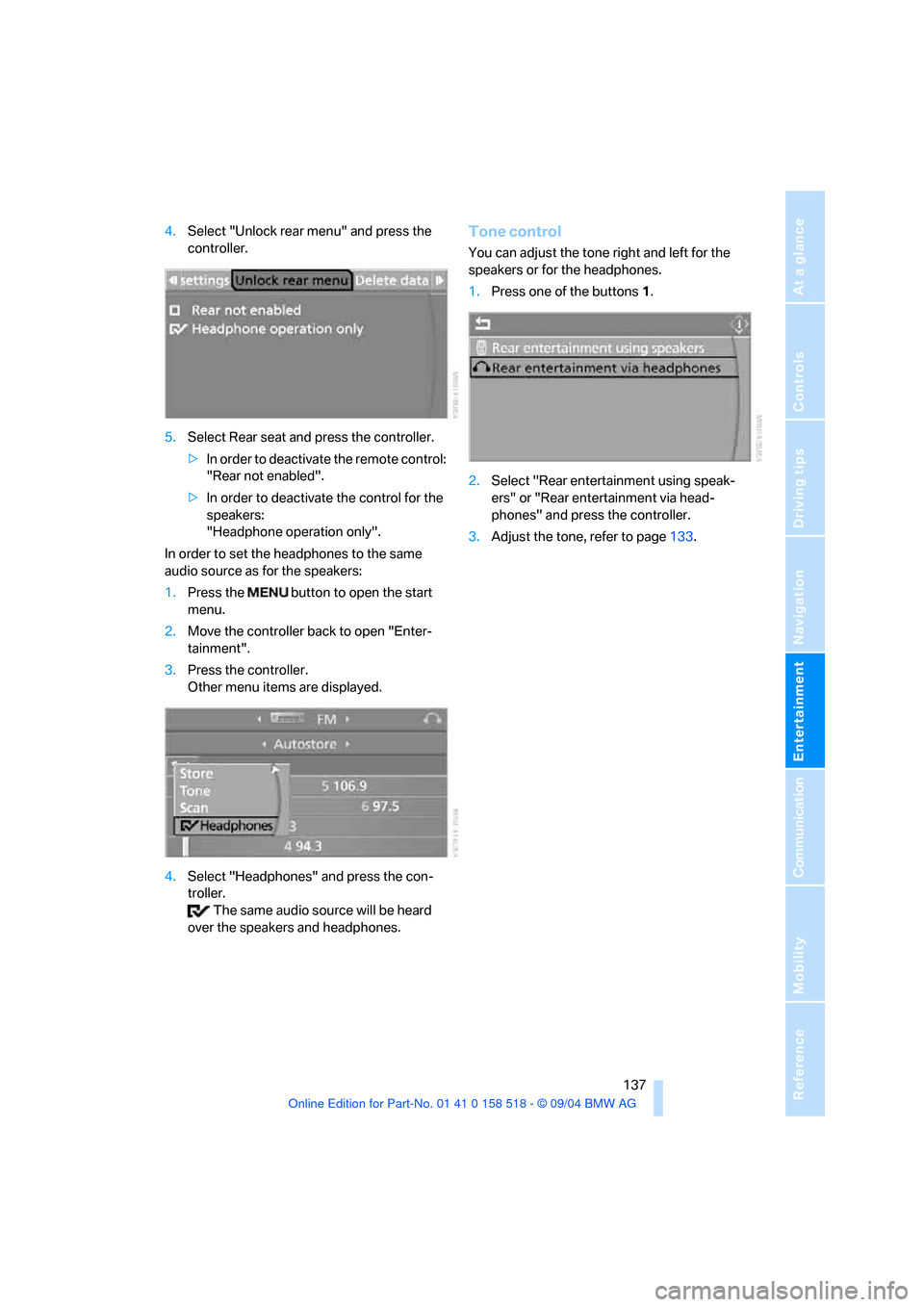
4.Select "Unlock rear menu" and press the
controller.
5.Select Rear seat and press the controller.
>In order to deactivate the remote control:
"Rear not enabled".
>In order to deactivate the control for the
speakers:
"Headphone operation only".
In order to set the headphones to the same
audio source as for the speakers:
1.Press the button to open the start
menu.
2.Move the controller back to open "Enter-
tainment".
3.Press the controller.
Other menu items are displayed.
4.Select "Headphones" and press the con-
troller.
The same audio source will be heard
over the speakers and headphones.Tone control
You can adjust the tone right and left for the
speakers or for the headphones.
1.Press one of the buttons1.
2.Select "Rear entertainment using speak-
ers" or "Rear entertainment via head-
phones" and press the controller.
3.Adjust the tone, refer to page133.
Page 142 of 221
Navigation
Entertainment
Driving tips
141Reference
At a glance
Controls
Communication
Mobility
The channels of the last selection criterion are
displayed once again after a short time.
The stations are stored for the remote control
currently in use.
Changing a memory location
Control Center, for principle details, refer to
page16.
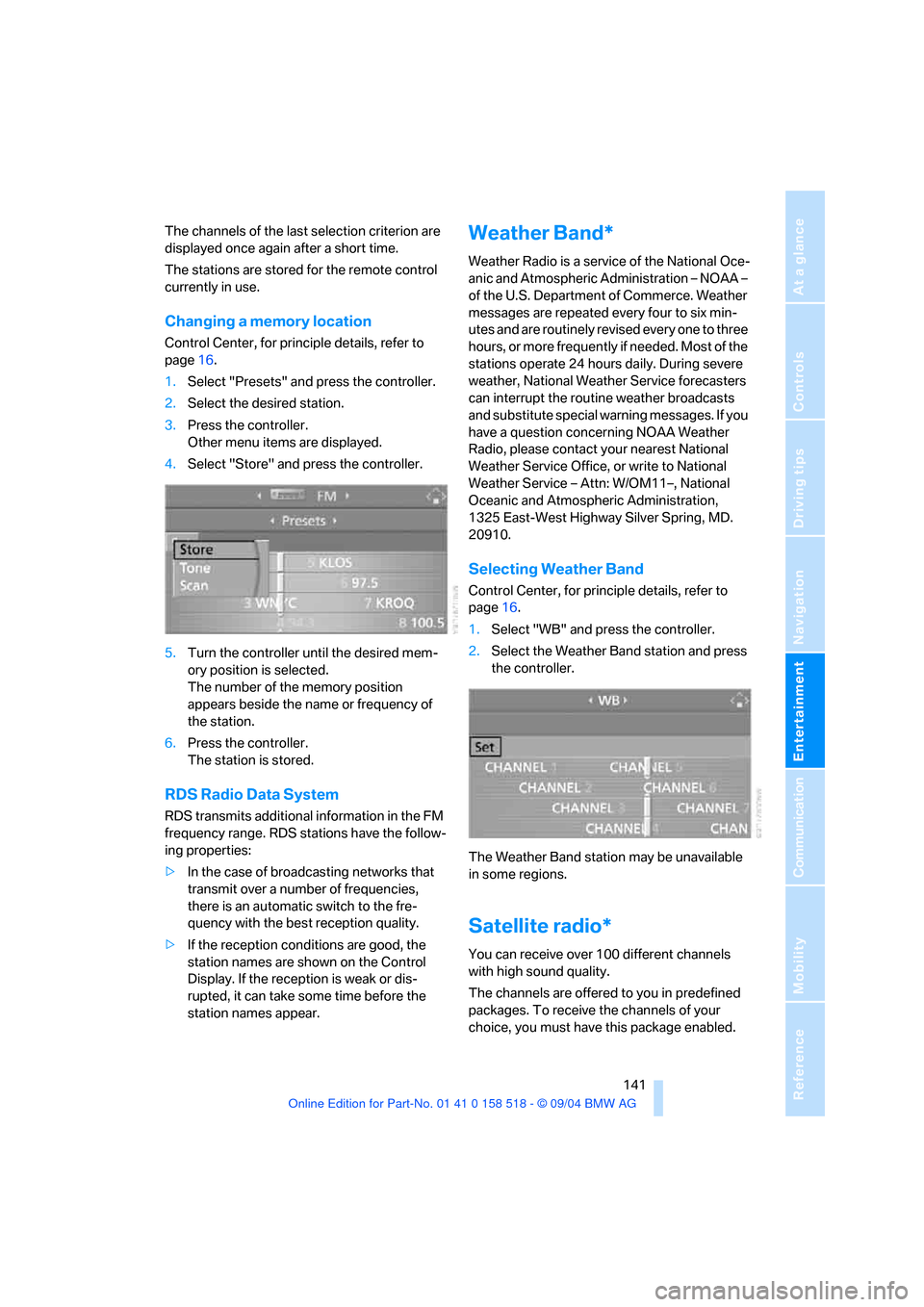
1.Select "Presets" and press the controller.
2.Select the desired station.
3.Press the controller.
Other menu items are displayed.
4.Select "Store" and press the controller.
5.Turn the controller until the desired mem-
ory position is selected.
The number of the memory position
appears beside the name or frequency of
the station.
6.Press the controller.
The station is stored.
RDS Radio Data System
RDS transmits additional information in the FM
frequency range. RDS stations have the follow-
ing properties:
>In the case of broadcasting networks that
transmit over a number of frequencies,
there is an automatic switch to the fre-
quency with the best reception quality.
>If the reception conditions are good, the
station names are shown on the Control
Display. If the reception is weak or dis-
rupted, it can take some time before the
station names appear.
Weather Band*
Weather Radio is a service of the National Oce-
anic and Atmospheric Administration – NOAA –
of the U.S. Department of Commerce. Weather
messages are repeated every four to six min-
utes and are routinely revised every one to three
hours, or more frequently if needed. Most of the
stations operate 24 hours daily. During severe
weather, National Weather Service forecasters
can interrupt the routine weather broadcasts
and substitute special warning messages. If you
have a question concerning NOAA Weather
Radio, please contact your nearest National
Weather Service Office, or write to National
Weather Service – Attn: W/OM11–, National
Oceanic and Atmospheric Administration,
1325 East-West Highway Silver Spring, MD.
20910.
Selecting Weather Band
Control Center, for principle details, refer to
page16.
1.Select "WB" and press the controller.
2.Select the Weather Band station and press
the controller.
The Weather Band station may be unavailable
in some regions.
Satellite radio*
You can receive over 100 different channels
with high sound quality.
The channels are offered to you in predefined
packages. To receive the channels of your
choice, you must have this package enabled.
Page 154 of 221
153
Entertainment
Reference
At a glance
Controls
Driving tips Communication
Navigation
Mobility
your portable phone.
To avoid possible short circuits, after removing
a battery you should never allow it to come into
contact with metallic surfaces of any kind.<
Disposing of used batteries
Return used batteries to a recycling col-
lection point or to your BMW center.<
Care instructions
You can find what you need to know about car-
ing for your portable phone in the separate Car-
ing for your vehicle brochure and in the portable
phone Owner's Manual.
Operating options
You can operate the portable phone* with:
>The steering wheel, refer to page10
>The Control Center, refer to page153
>Voice commands, refer to page158
You can get information about activating the
portable phone in the separate Owner's Manual
for the Full Preparation Package Cellphone.
Making calls with the car phone:
BMW Assist calls
You can use the car phone via the hands-free
system for BMW Assist calls.
When the status information "Communication"
is displayed in "Car Phone", only BMW Assist
calls are possible.
Hands-free system
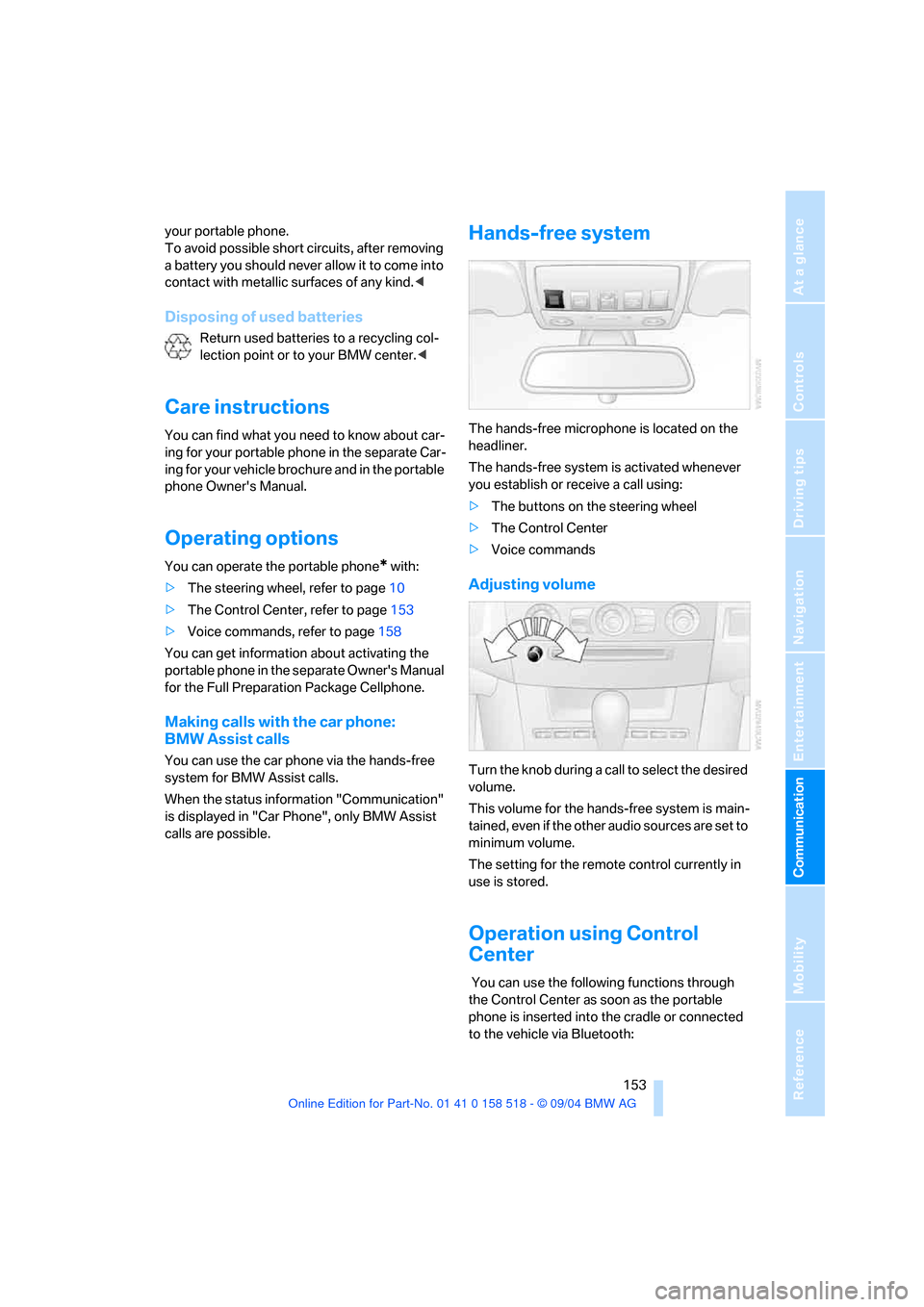
The hands-free microphone is located on the
headliner.
The hands-free system is activated whenever
you establish or receive a call using:
>The buttons on the steering wheel
>The Control Center
>Voice commands
Adjusting volume
Turn the knob during a call to select the desired
volume.
This volume for the hands-free system is main-
tained, even if the other audio sources are set to
minimum volume.
The setting for the remote control currently in
use is stored.
Operation using Control
Center
You can use the following functions through
the Control Center as soon as the portable
phone is inserted into the cradle or connected
to the vehicle via Bluetooth:
Page 158 of 221
157
Entertainment
Reference
At a glance
Controls
Driving tips Communication
Navigation
Mobility
3.Select "Delete" and press the controller.
The entry is deleted.
Deleting the entire list
1.Select an entry from the list.
2.Press the controller.
Other menu items are displayed.
3.Select "Delete all numbers" and press the
controller.
The list is deleted.
Touch tone dialing
Touch tone numbers are required for access
network services or to control devices, e. g.
remote querying on an answering machine.
This function can only be used during an exist-
ing connection.
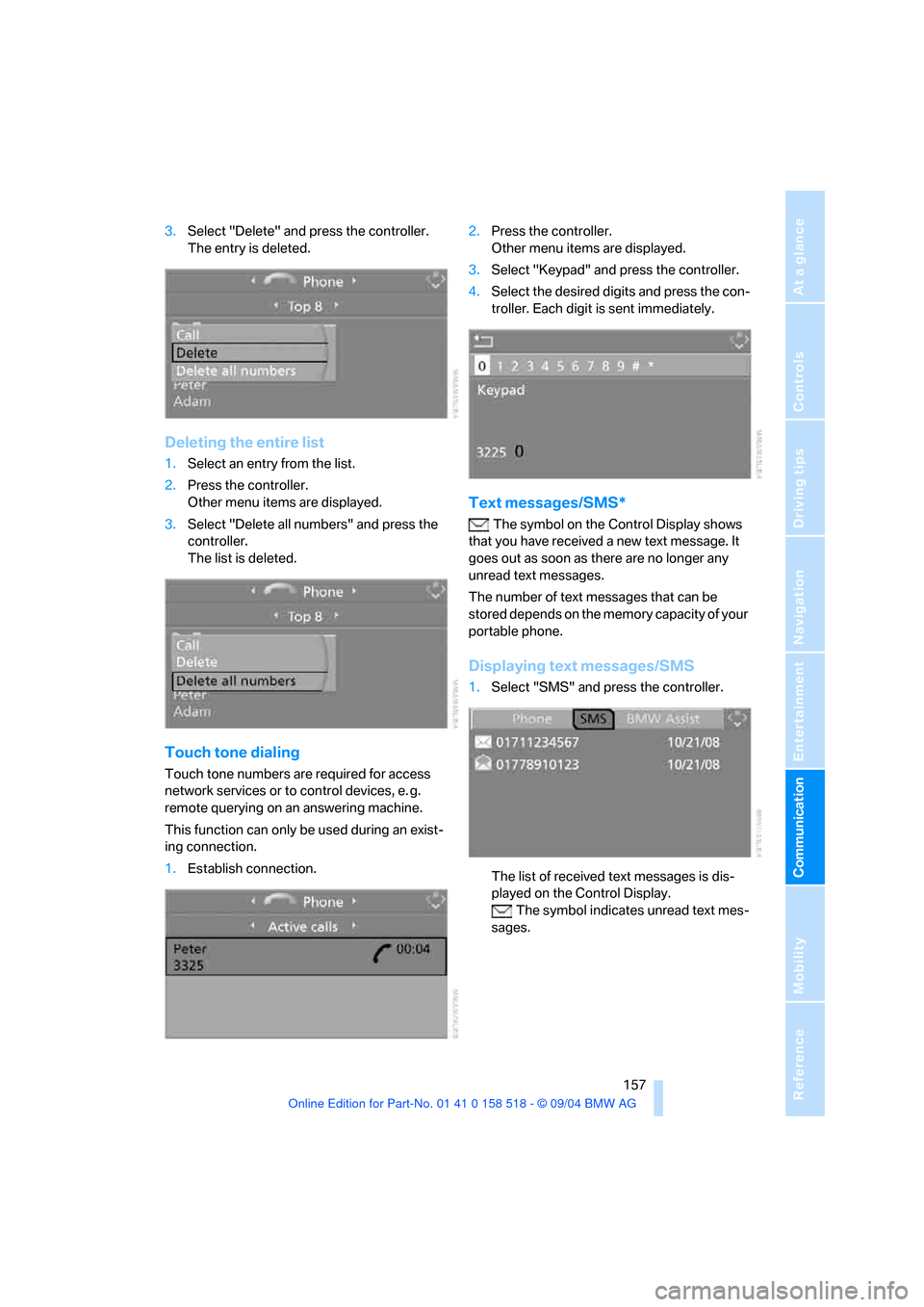
1.Establish connection.2.Press the controller.
Other menu items are displayed.
3.Select "Keypad" and press the controller.
4.Select the desired digits and press the con-
troller. Each digit is sent immediately.
Text messages/SMS*
The symbol on the Control Display shows
that you have received a new text message. It
goes out as soon as there are no longer any
unread text messages.
The number of text messages that can be
stored depends on the memory capacity of your
portable phone.
Displaying text messages/SMS
1.Select "SMS" and press the controller.
The list of received text messages is dis-
played on the Control Display.
The symbol indicates unread text mes-
sages.
Page 160 of 221
159
Entertainment
Reference
At a glance
Controls
Driving tips Communication
Navigation
Mobility
Example: dialing phone number
Start the dialog:
Press button on steering wheel.
Adjusting volume
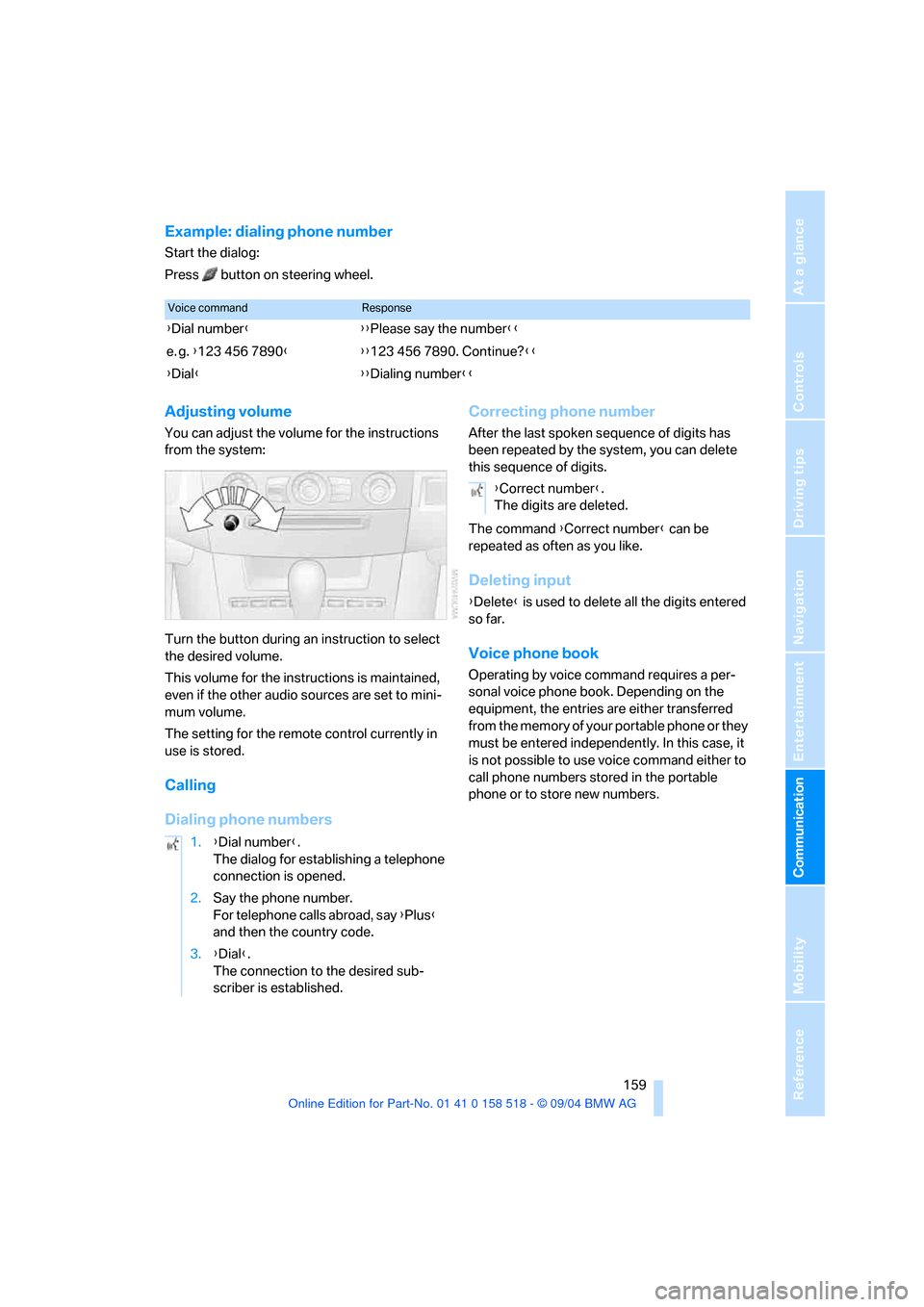
You can adjust the volume for the instructions
from the system:
Turn the button during an instruction to select
the desired volume.
This volume for the instructions is maintained,
even if the other audio sources are set to mini-
mum volume.
The setting for the remote control currently in
use is stored.
Calling
Dialing phone numbersCorrecting phone number
After the last spoken sequence of digits has
been repeated by the system, you can delete
this sequence of digits.
The command {Correct number} can be
repeated as often as you like.
Deleting input
{Delete} is used to delete all the digits entered
so far.
Voice phone book
Operating by voice command requires a per-
sonal voice phone book. Depending on the
equipment, the entries are either transferred
from the memory of your portable phone or they
must be entered independently. In this case, it
is not possible to use voice command either to
call phone numbers stored in the portable
phone or to store new numbers.
Voice commandResponse
{Dial number}{{Please say the number}}
e. g. {123 456 7890}{{123 456 7890. Continue?}}
{Dial}{{Dialing number}}
1.{Dial number}.
The dialog for establishing a telephone
connection is opened.
2.Say the phone number.
For telephone calls abroad, say {Plus}
and then the country code.
3.{Dial}.
The connection to the desired sub-
scriber is established.
{Correct number}.
The digits are deleted.
Page 207 of 221
Everything from A to Z
206 Decommissioning the vehicle
– refer to Caring for your
vehicle brochure
Defrosting windows91
Defrosting windows and
removing condensation91
Defrosting windshield, refer to
Defrosting windows91
Defrost position, refer to
Defrosting windows91
"Delete address book" for
navigation122
"Delete all numbers" on the
portable phone157
"Delete data" for
navigation122
"Delete" for portable
phone157,158
Destination address
– deleting121
– entering115
Destination for navigation
– destination list119
– entry115
– selecting from address
book121
– selecting using
information118
– storing120
Destination guidance124
– bypassing route
sections127
– canceling voice
instructions46
– changing specified
route122
– displaying routes126
– distance and arrival124
– interrupting125
– starting124
– terminating/continuing125
– voice instructions125
– volume of voice
instructions126
Destination list119
Destinations recently driven
to119"Dial" for portable phone154
"Dial number"154
"Diamond button"46
Diamond button46
Digital clock65
Dimensions197
Dipstick for engine oil177
Directional indicators, refer to
Turn signals56
Direction announcements,
refer to Voice
instructions125
Direction instructions, refer to
Voice instructions125
Directory, refer to Phone
book155
Directory for navigation, refer
to Address book120
Disc brakes108
Displacement, refer to Engine
data196
Display, refer to Control
Center16
"Display off"21
Displays, refer to Instrument
cluster12
"Display settings"73
Displays on the windshield,
refer to Head-Up Display84
Disposal, vehicle battery187
Distance, refer to
Computer70
Distance cruise control, refer
to Active cruise control59
"Distance to dest."71
Distance to destination, refer
to Computer70
Distance warning, refer to
PDC Park Distance
Control76
Divided rear seat back, refer to
Folding down rear seat101
Door entry lighting89
Door keys28
Door lock31
Door locking, acknowl-
edgment signals30"Door locks"29
Doors
– manual operation31
– remote control29
DOT Quality Grades173
Draft-free ventilation93
Drinks holder, refer to Cup
holders99
Drive mode54
"Driver's door only"29
Driving lamps, refer to Parking
lamps/low beams87
Driving notes106
Driving route, refer to
Displaying route126
Driving stability control
system77
Driving through water107
Driving tips, refer to Driving
notes106
Dry air, refer to Cooling
function91
Drying the air, refer to Cooling
function91
DSC Dynamic Stability
Control78
– indicator lamp13,78
– malfunction79
DTC Dynamic Traction
Control78
– activating78
– indicator lamp13,78
DVD for navigation114
Dynamic Brake Control
DBC77
Dynamic Driving Control54
"Dynamic route" for
navigation123
Dynamic Stability Control
DSC78
– indicator lamp13,78,79
Dynamic Traction Control
DTC78
– indicator lamp13,78
Page 209 of 221
Everything from A to Z
208 Fuel consumption display
– computer, average fuel
consumption70
Fuel display, refer to Fuel
gage66
Fuel filler door168
– releasing in the event of
electrical malfunction168
Fuel gage66
Fuses187
G
Garage door opener, refer to
Integrated universal remote
control96
Gasoline, refer to Required
fuel169
Gasoline display, refer to Fuel
gage66
Gear changes
– SMG Sequential manual
transmission54
Gear display
– automatic transmission with
Steptronic55
– SMG Sequential manual
transmission53
Gearshift lever
– automatic transmission with
Steptronic55
– manual transmission53
– SMG Sequential manual
transmission53
General driving notes106
Glass sunroof, electric35
– auto-remote operation from
outside31
– opening and closing
manually37
– remote control30
Glove compartment97
– lighting97
– rechargeable flashlight98
GPS navigation, refer to
Navigation system114Grills, refer to Ventilation93
Grills of the automatic climate
control90
Gross vehicle weight, refer to
Weights198
H
Halogen lamps183
Handbrake52
– indicator lamp13,52
Hands-free system153
– refer to Microphone14
Hazard warning flashers15
Head airbags83
Headlamp control,
automatic87
Headlamp flasher56
Headlamps87
– care, refer to Caring for your
vehicle brochure
– cleaning, refer to Wiper
system57
– replacing bulbs183
Head Light, refer to Adaptive
Head Light88
"Headphone operation
only"137
"Headphones"137
Head restraints41
– front head restraints,
active42
Head-Up Display84
Heated mirrors45
Heated rear window90
Heated seats43
Heated steering wheel46
Heating90
– exterior mirrors45
– interior90
– rear window90
– residual heat utilization92
– seats43
– steering wheel46
Heating while stationary92Heating with engine switched
off, refer to Residual heat
utilization92
Heavy cargo, refer to Securing
cargo109
Height, refer to
Dimensions197
Height adjustment
– seats39
– steering wheel45
High beams88
– headlamp flasher88
– indicator lamp13
– replacing bulbs183
High water, refer to Driving
through water107
Hills108
Holder for cups99
"Home address"122
Hood176
Horn10
Hot exhaust system106
"Hour memo"74
"House number" for desti-
nation entry117
Hydraulic brake assistant,
refer to DBC Dynamic Brake
Control77
Hydroplaning107
I
Ice warning65
iDrive, refer to Control
Center16
Ignition key28
Ignition key positions, refer to
Ignition lock51
Ignition lock51
Independent ventilation94
– activating the activation
time95
– preselecting activation
times94
– switching on and off
directly94