height BMW 6 SERIES 2009 Owners Manual
[x] Cancel search | Manufacturer: BMW, Model Year: 2009, Model line: 6 SERIES, Model: BMW 6 SERIES 2009Pages: 272, PDF Size: 9.16 MB
Page 40 of 272
Opening and closing
38
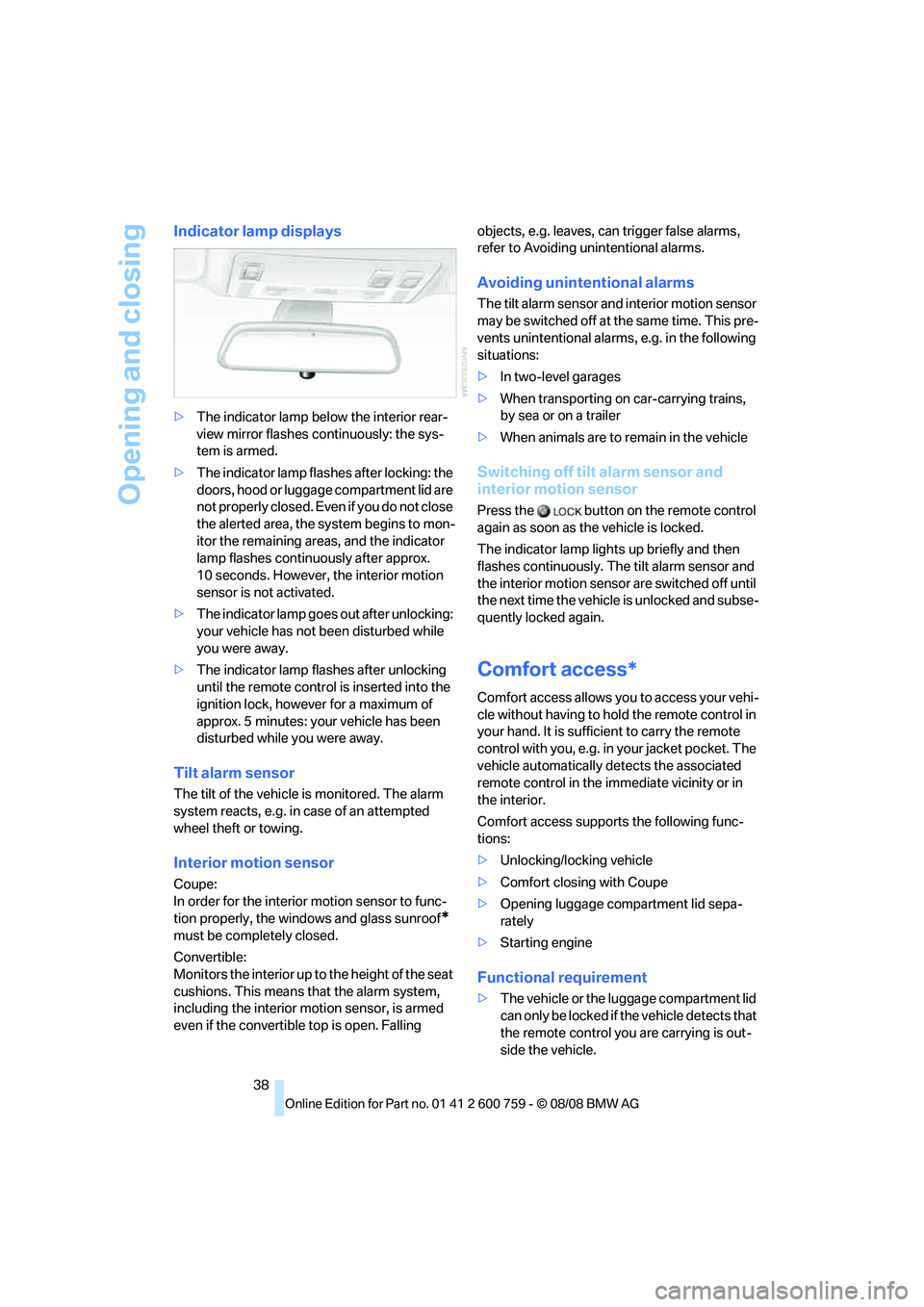
Indicator lamp displays
>The indicator lamp below the interior rear-
view mirror flashes continuously: the sys-
tem is armed.
>The indicator lamp flashes after locking: the
doors, hood or luggage compartment lid are
not properly closed. Even if you do not close
the alerted area, the system begins to mon-
itor the remaining areas, and the indicator
lamp flashes continuously after approx.
10 seconds. However, the interior motion
sensor is not activated.
>The indicator lamp goes out after unlocking:
your vehicle has not been disturbed while
you were away.
>The indicator lamp flashes after unlocking
until the remote control is inserted into the
ignition lock, however for a maximum of
approx. 5 minutes: your vehicle has been
disturbed while you were away.
Tilt alarm sensor
The tilt of the vehicle is monitored. The alarm
system reacts, e.g. in case of an attempted
wheel theft or towing.
Interior motion sensor
Coupe:
In order for the interior motion sensor to func-
tion properly, the windows and glass sunroof
*
must be completely closed.
Convertible:
Monitors the interior up to the height of the seat
cushions. This means that the alarm system,
including the interior motion sensor, is armed
even if the convertible top is open. Falling objects, e.g. leaves, can trigger false alarms,
refer to Avoiding unintentional alarms.
Avoiding unintentional alarms
The tilt alarm sensor and interior motion sensor
may be switched off at the same time. This pre-
vents unintentional alarms, e.g. in the following
situations:
>In two-level garages
>When transporting on car-carrying trains,
by sea or on a trailer
>When animals are to remain in the vehicle
Switching off tilt alarm sensor and
interior motion sensor
Press the button on the remote control
again as soon as the vehicle is locked.
The indicator lamp lights up briefly and then
flashes continuously. The tilt alarm sensor and
the interior motion sensor are switched off until
the next time the vehicle is unlocked and subse-
quently locked again.
Comfort access*
Comfort access allows you to access your vehi-
cle without having to hold the remote control in
your hand. It is sufficient to carry the remote
control with you, e.g. in your jacket pocket. The
vehicle automatically detects the associated
remote control in the immediate vicinity or in
the interior.
Comfort access supports the following func-
tions:
>Unlocking/locking vehicle
>Comfort closing with Coupe
>Opening luggage compartment lid sepa-
rately
>Starting engine
Functional requirement
>The vehicle or the luggage compartment lid
can only be locked if the vehicle detects that
the remote control you are carrying is out-
side the vehicle.
Page 52 of 272
Adjusting
50 ensuing loss of vehicle control could lead to an
accident.
Also on the passenger side, do not incline the
backrest too far to the rear while the vehicle is
being driven, otherwise there is a danger in the
event of an accident of sliding under the safety
belt, eliminating the protection normally pro-
vided by the belt.<
Please follow the instructions on damage to
safety belts provided on page55 and the infor-
mation on the active front head restraints on
page52.
Convertible: with the wind deflector fitted,
do not incline the front seat backrests too
far backward if the seat is to be moved back to
the end position. Otherwise, the wind deflector
will be damaged.<
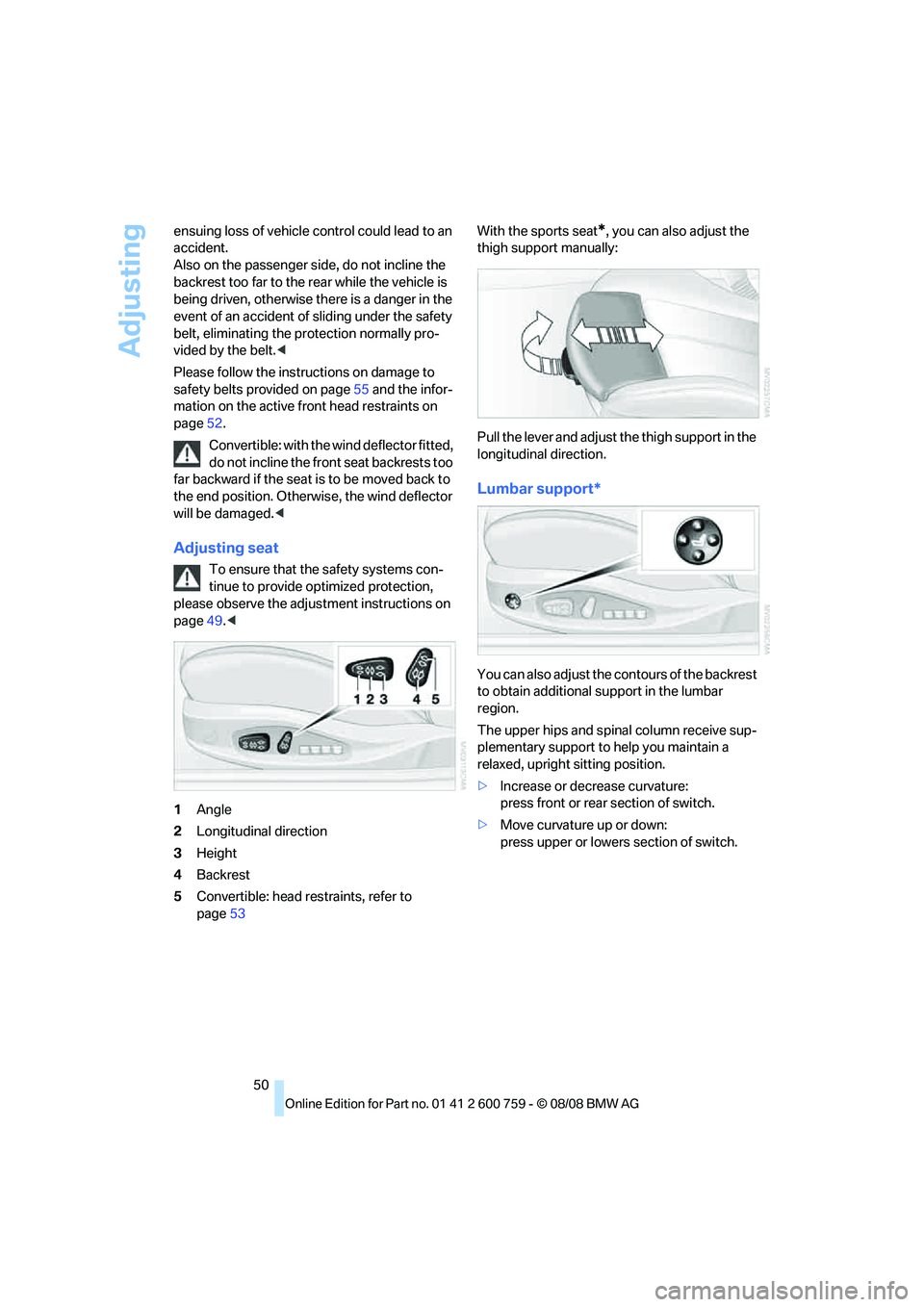
Adjusting seat
To ensure that the safety systems con-
tinue to provide optimized protection,
please observe the adjustment instructions on
page49.<
1Angle
2Longitudinal direction
3Height
4Backrest
5Convertible: head restraints, refer to
page53With the sports seat
*, you can also adjust the
thigh support manually:
Pull the lever and adjust the thigh support in the
longitudinal direction.
Lumbar support*
You can also adjust the contours of the backrest
to obtain additional support in the lumbar
region.
The upper hips and spinal column receive sup-
plementary support to help you maintain a
relaxed, upright sitting position.
>Increase or decrease curvature:
press front or rear section of switch.
>Move curvature up or down:
press upper or lowers section of switch.
Page 54 of 272
Adjusting
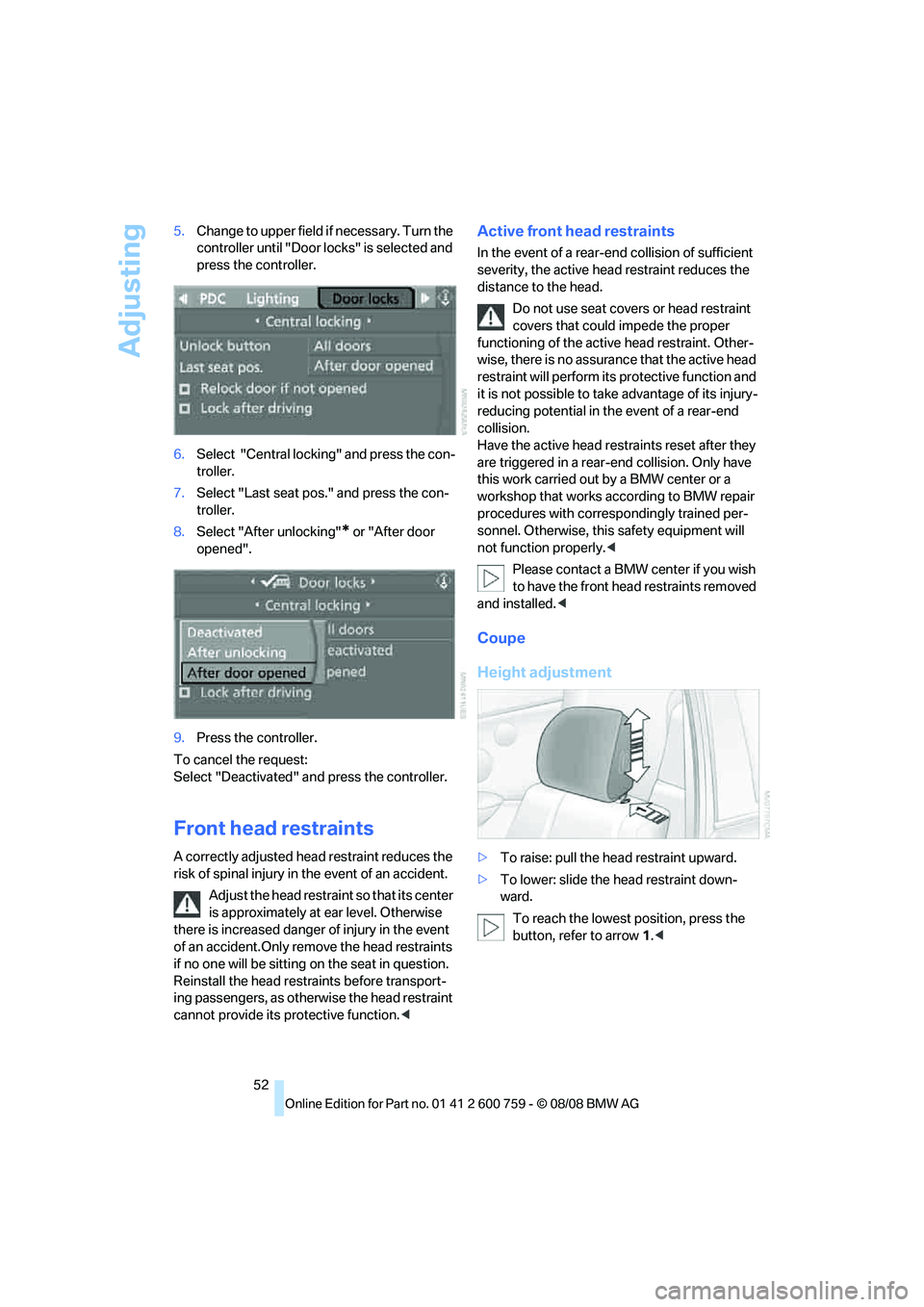
52 5.Change to upper field if necessary. Turn the
controller until "Door locks" is selected and
press the controller.
6.Select "Central locking" and press the con-
troller.
7.Select "Last seat pos." and press the con-
troller.
8.Select "After unlocking"
* or "After door
opened".
9.Press the controller.
To cancel the request:
Select "Deactivated" and press the controller.
Front head restraints
A correctly adjusted head restraint reduces the
risk of spinal injury in the event of an accident.
Adjust the head restraint so that its center
is approximately at ear level. Otherwise
there is increased danger of injury in the event
of an accident.Only remove the head restraints
if no one will be sitting on the seat in question.
Reinstall the head restraints before transport-
ing passengers, as otherwise the head restraint
cannot provide its protective function.<
Active front head restraints
In the event of a rear-end collision of sufficient
severity, the active head restraint reduces the
distance to the head.
Do not use seat covers or head restraint
covers that could impede the proper
functioning of the active head restraint. Other-
wise, there is no assurance that the active head
restraint will perform its protective function and
it is not possible to take advantage of its injury-
reducing potential in the event of a rear-end
collision.
Have the active head restraints reset after they
are triggered in a rear-end collision. Only have
this work carried out by a BMW center or a
workshop that works according to BMW repair
procedures with correspondingly trained per-
sonnel. Otherwise, this safety equipment will
not function properly.<
Please contact a BMW center if you wish
to have the front head restraints removed
and installed.<
Coupe
Height adjustment
>To raise: pull the head restraint upward.
>To lower: slide the head restraint down-
ward.
To reach the lowest position, press the
button, refer to arrow 1.<
Page 55 of 272
Controls
53Reference
At a glance
Driving tips
Communications
Navigation
Entertainment
Mobility
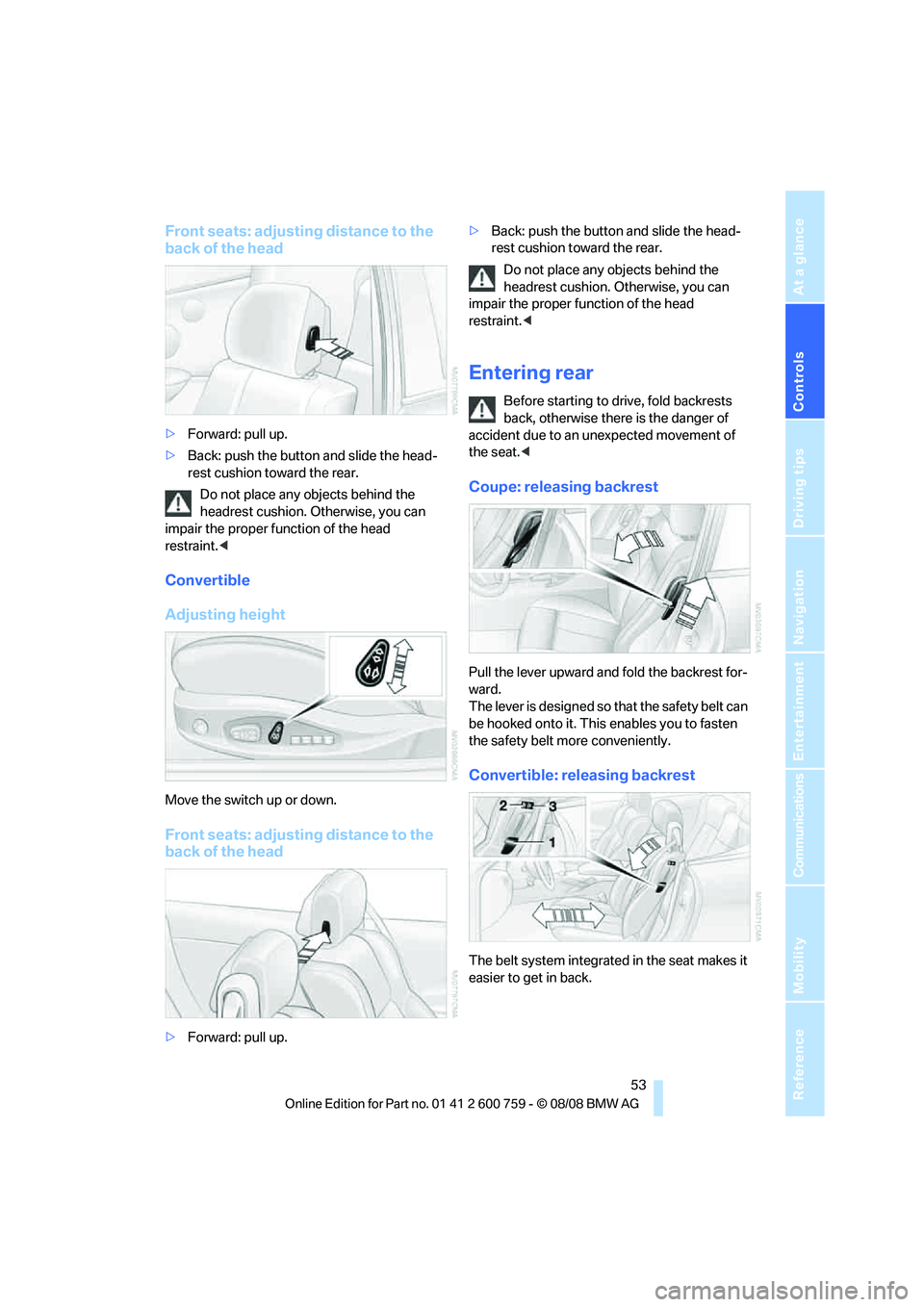
Front seats: adjusting distance to the
back of the head
>Forward: pull up.
>Back: push the button and slide the head-
rest cushion toward the rear.
Do not place any objects behind the
headrest cushion. Otherwise, you can
impair the proper function of the head
restraint.<
Convertible
Adjusting height
Move the switch up or down.
Front seats: adjusting distance to the
back of the head
>Forward: pull up.>Back: push the button and slide the head-
rest cushion toward the rear.
Do not place any objects behind the
headrest cushion. Otherwise, you can
impair the proper function of the head
restraint.<
Entering rear
Before starting to drive, fold backrests
back, otherwise there is the danger of
accident due to an unexpected movement of
the seat.<
Coupe: releasing backrest
Pull the lever upward and fold the backrest for-
ward.
The lever is designed so that the safety belt can
be hooked onto it. This enables you to fasten
the safety belt more conveniently.
Convertible: releasing backrest
The belt system integrated in the seat makes it
easier to get in back.
Page 60 of 272
Transporting children safely
58
Transporting children safely
The right place for children
Do not leave children unattended in the
vehicle, otherwise they could endanger
themselves and other persons, e.g. by opening
the doors.<
Children always in the rear
Accident research shows that the safest place
for children is on the rear seat.
Children younger than 13 years of age or
with a height under 5 ft/150 cm may only
be transported in the rear in child restraint sys-
tems which correspond to the age, weight and
height of the child. Otherwise there is an
increased danger of injury in an accident.<
Children 13 years of age or older must wear a
safety belt as soon as a suitable child restraint
system can no longer be used due to their age,
size and weight.
Exception for front passenger seat
Should it be necessary to use a child
restraint system on the front passenger
seat, the front, knee and side airbags on the
passenger side must be deactivated before
doing so. Otherwise, there is an increased risk
of injury to the child if the airbags are triggered,
even with a child restraint system.<
For more information on automatic deactivation
of the front passenger airbags, refer to page96.
Installing child restraint
systems
Follow child restraint system manufac-
turer's instructions for the selection,
installation and use of child restraint systems.
Otherwise, the degree of protection they offer
may be reduced.<
On front passenger seat
After mounting a child restraint system on
the front passenger seat, make sure that
the front and side airbags on the front passen-
ger side are deactivated, as otherwise there is
an increased risk of injury if the airbags are trig-
gered.<
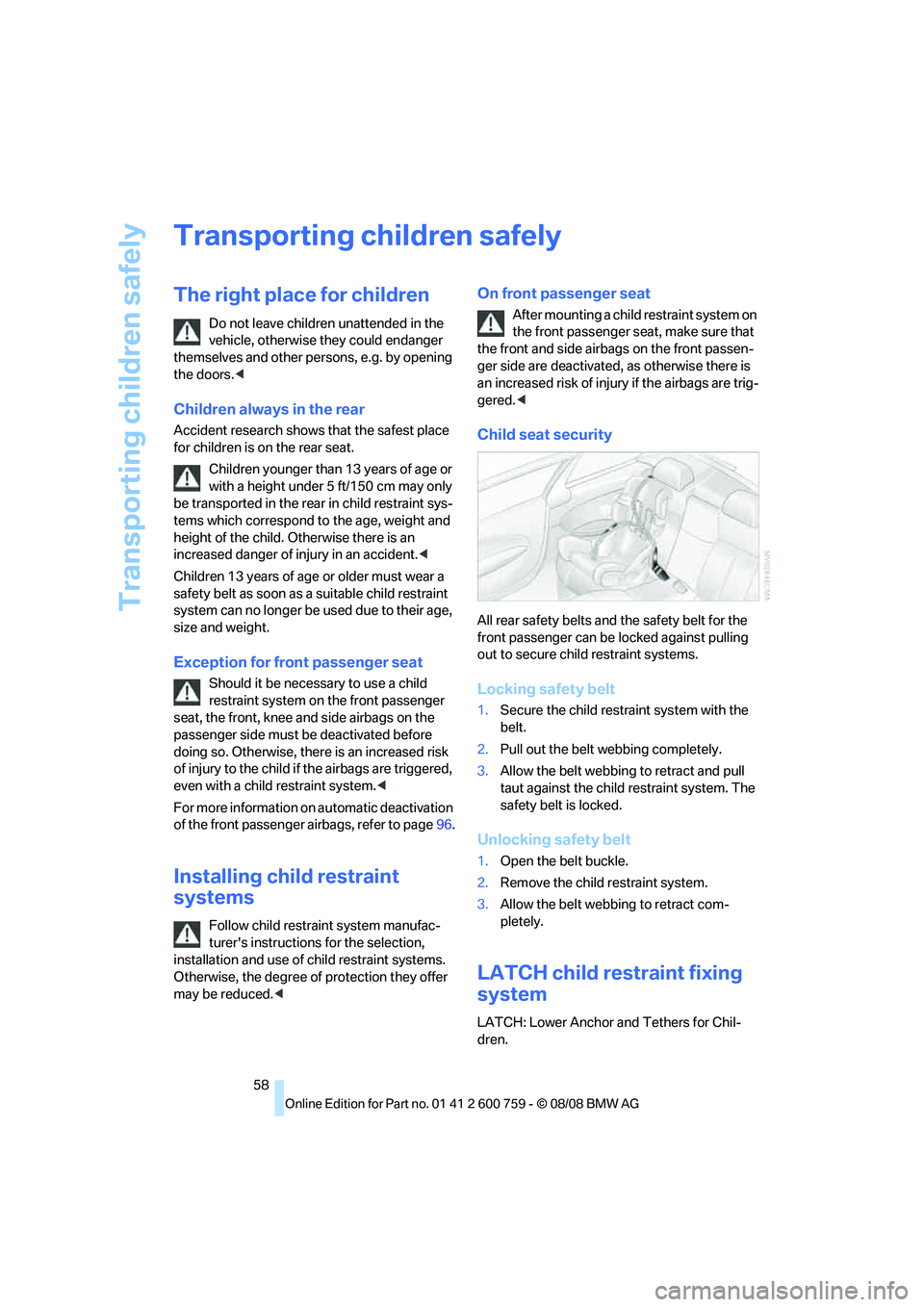
Child seat security
All rear safety belts and the safety belt for the
front passenger can be locked against pulling
out to secure child restraint systems.
Locking safety belt
1.Secure the child restraint system with the
belt.
2.Pull out the belt webbing completely.
3.Allow the belt webbing to retract and pull
taut against the child restraint system. The
safety belt is locked.
Unlocking safety belt
1.Open the belt buckle.
2.Remove the child restraint system.
3.Allow the belt webbing to retract com-
pletely.
LATCH child restraint fixing
system
LATCH: Lower Anchor and Tethers for Chil-
dren.
Page 75 of 272
Controls
73Reference
At a glance
Driving tips
Communications
Navigation
Entertainment
Mobility
If the sensor is not aligned properly, e. g. due to
damage, the active cruise control cannot be
activated.
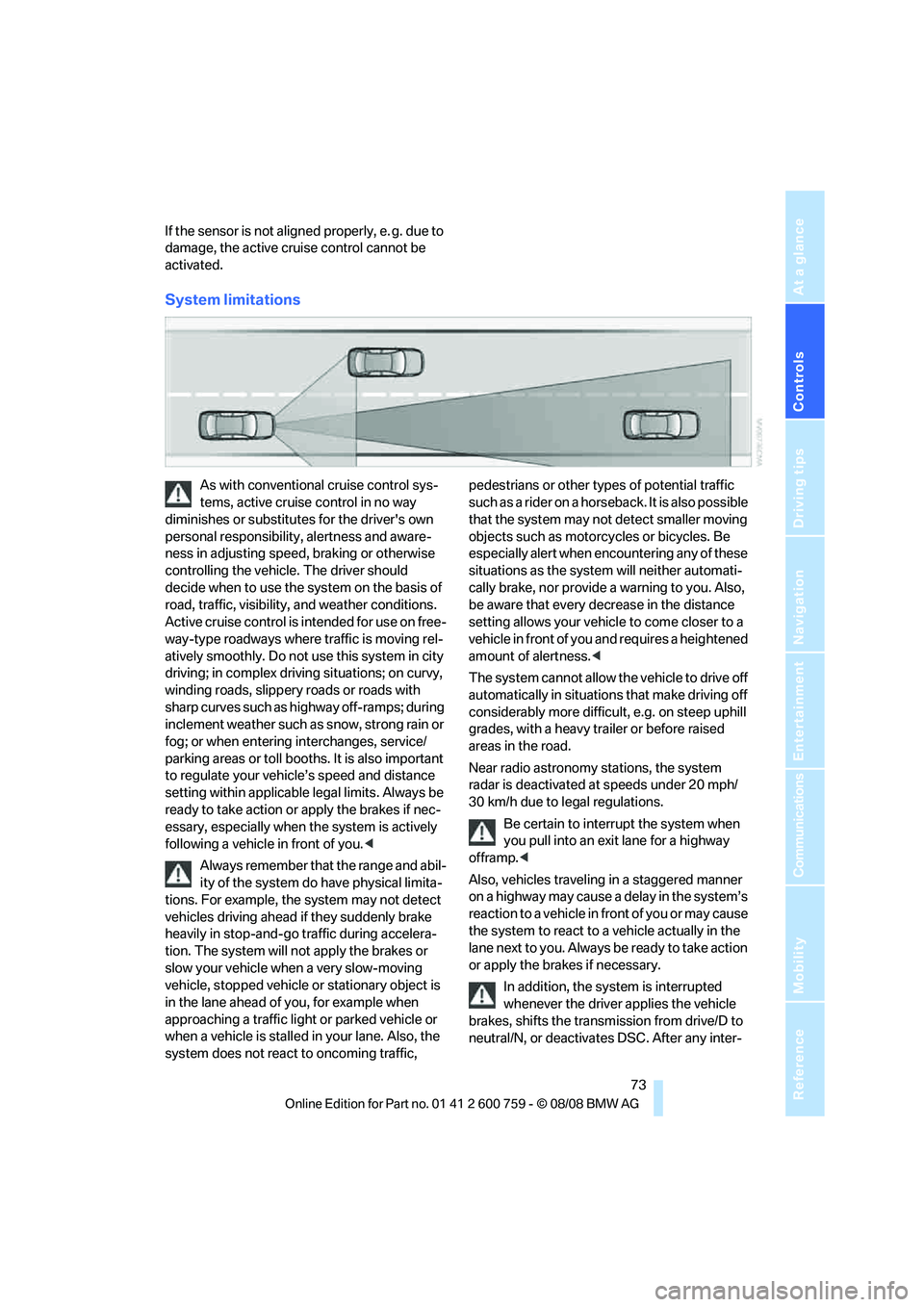
System limitations
As with conventional cruise control sys-
tems, active cruise control in no way
diminishes or substitutes for the driver's own
personal responsibility, alertness and aware-
ness in adjusting speed, braking or otherwise
controlling the vehicle. The driver should
decide when to use the system on the basis of
road, traffic, visibility, and weather conditions.
Active cruise control is intended for use on free-
way-type roadways where traffic is moving rel-
atively smoothly. Do not use this system in city
driving; in complex driving situations; on curvy,
winding roads, slippery roads or roads with
sharp curves such as highway off-ramps; during
inclement weather such as snow, strong rain or
fog; or when entering interchanges, service/
parking areas or toll booths. It is also important
to regulate your vehicle’s speed and distance
setting within applicable legal limits. Always be
ready to take action or apply the brakes if nec-
essary, especially when the system is actively
following a vehicle in front of you.<
Always remember that the range and abil-
ity of the system do have physical limita-
tions. For example, the system may not detect
vehicles driving ahead if they suddenly brake
heavily in stop-and-go traffic during accelera-
tion. The system will not apply the brakes or
slow your vehicle when a very slow-moving
vehicle, stopped vehicle or stationary object is
in the lane ahead of you, for example when
approaching a traffic light or parked vehicle or
when a vehicle is stalled in your lane. Also, the
system does not react to oncoming traffic, pedestrians or other types of potential traffic
s u c h a s a r i d e r o n a h o r s e b a c k . I t i s a l s o p o s s i b l e
that the system may not detect smaller moving
objects such as motorcycles or bicycles. Be
especially alert when encountering any of these
situations as the system will neither automati-
cally brake, nor provide a warning to you. Also,
be aware that every decrease in the distance
setting allows your vehicle to come closer to a
vehicle in front of you and requires a heightened
amount of alertness.<
The system cannot allow the vehicle to drive off
automatically in situations that make driving off
considerably more difficult, e.g. on steep uphill
grades, with a heavy trailer or before raised
areas in the road.
Near radio astronomy stations, the system
radar is deactivated at speeds under 20 mph/
30 km/h due to legal regulations.
Be certain to interrupt the system when
you pull into an exit lane for a highway
offramp.<
Also, vehicles traveling in a staggered manner
on a highway may cause a delay in the system’s
reaction to a vehicle in front of you or may cause
the system to react to a vehicle actually in the
lane next to you. Always be ready to take action
or apply the brakes if necessary.
In addition, the system is interrupted
whenever the driver applies the vehicle
brakes, shifts the transmission from drive/D to
neutral/N, or deactivates DSC. After any inter-
Page 121 of 272
Controls
119Reference
At a glance
Driving tips
Communications
Navigation
Entertainment
Mobility
close the glove compartment immediately after
use.<
Closing
Fold up the lid.
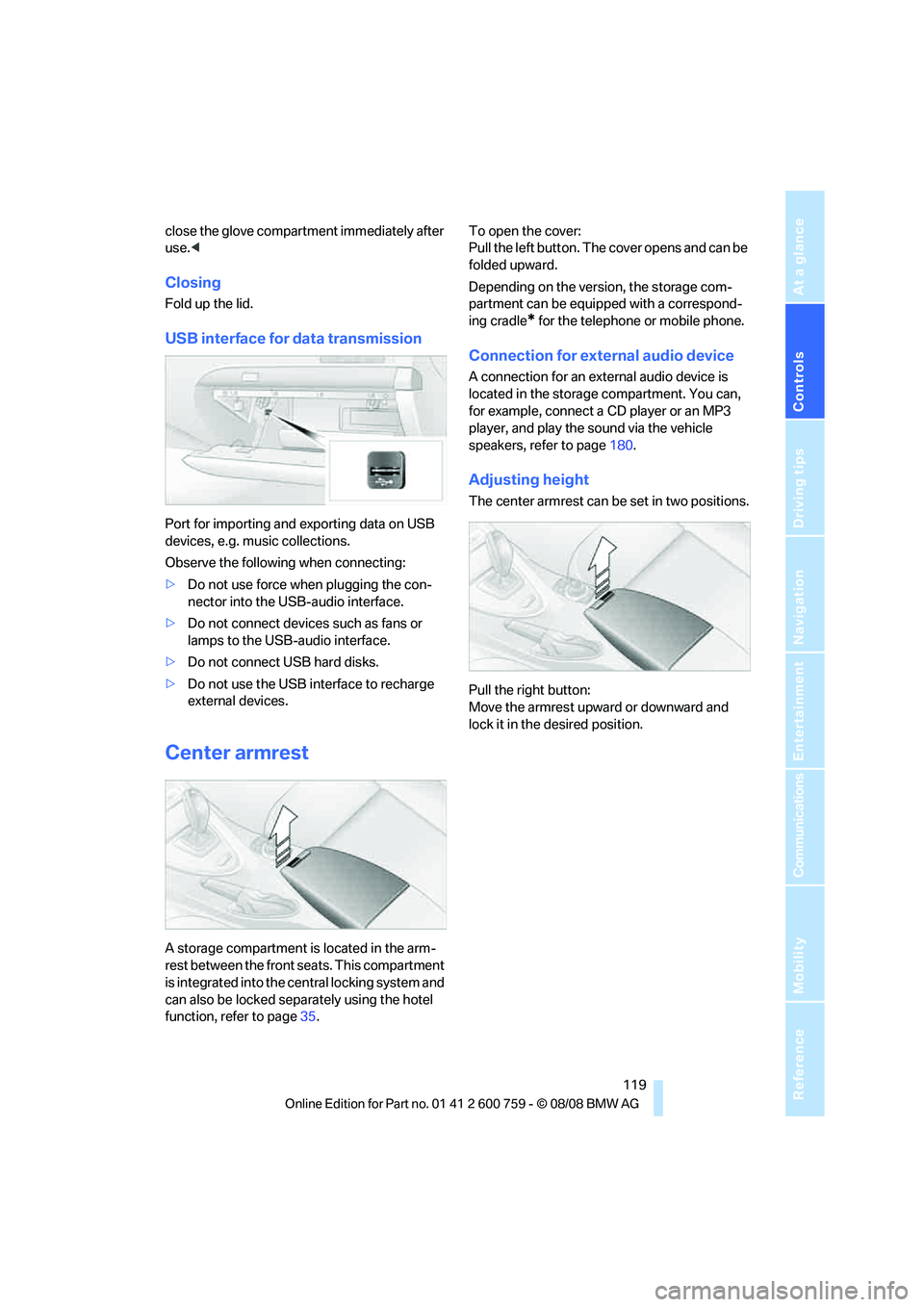
USB interface for data transmission
Port for importing and exporting data on USB
devices, e.g. music collections.
Observe the following when connecting:
>Do not use force when plugging the con-
nector into the USB-audio interface.
>Do not connect devices such as fans or
lamps to the USB-audio interface.
>Do not connect USB hard disks.
>Do not use the USB interface to recharge
external devices.
Center armrest
A storage compartment is located in the arm-
rest between the front seats. This compartment
is integrated into the central locking system and
can also be locked separately using the hotel
function, refer to page35.To open the cover:
Pull the left button. The cover opens and can be
folded upward.
Depending on the version, the storage com-
partment can be equipped with a correspond-
ing cradle
* for the telephone or mobile phone.
Connection for external audio device
A connection for an external audio device is
located in the storage compartment. You can,
for example, connect a CD player or an MP3
player, and play the sound via the vehicle
speakers, refer to page180.
Adjusting height
The center armrest can be set in two positions.
Pull the right button:
Move the armrest upward or downward and
lock it in the desired position.
Page 222 of 272
Under the hood
220
Under the hood
Never attempt to perform any service or
repair operations on your vehicle without
the required professional technical training.
If you do not know what repair procedures to
follow, have work on your vehicle done only by
your BMW center or a workshop that works
according to BMW repair procedures with cor-
respondingly trained personnel. If this work is
not carried out properly, there is a danger of
subsequent damage and related safety haz-
ards.<
Hood
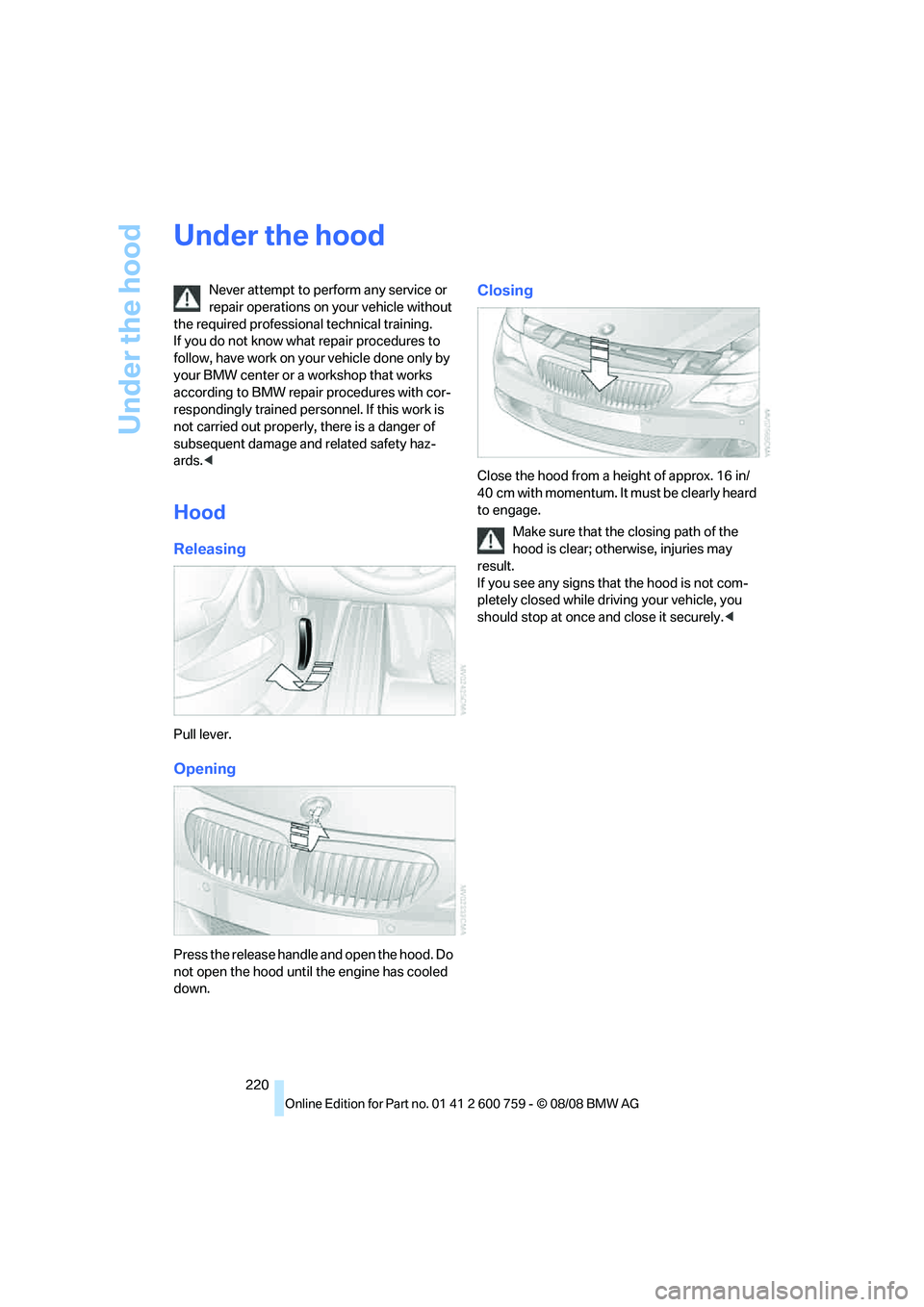
Releasing
Pull lever.
Opening
Press the release handle and open the hood. Do
not open the hood until the engine has cooled
down.
Closing
Close the hood from a height of approx. 16 in/
4 0 c m w i t h m o m e n t um . I t m u st b e c l e a r l y h e a r d
to engage.
Make sure that the closing path of the
hood is clear; otherwise, injuries may
result.
If you see any signs that the hood is not com-
pletely closed while driving your vehicle, you
should stop at once and close it securely.<
Page 255 of 272
Reference 253
At a glance
Controls
Driving tips
Communications
Navigation
Entertainment
Mobility
Car wash61,128
– refer to Before driving into a
car wash128
– with comfort access40
Car washes227
Catalytic converter, refer to
Hot exhaust system127
"Categories"172
CBC Cornering Brake
Control88
CBS Condition Based
Service225
"CD"160,174
CD changer174
– controls160
– fast forward/reverse178
– installation location178
– random sequence177
– repeating a track177
– sampling tracks176
– selecting a CD174
– selecting a track175
– switching on/off160
– tone control161
– volume161
CD player174
– controls160
– fast forward/reverse178
– random sequence177
– repeating a track177
– sampling a track176
– selecting a track175
– switching on/off160
– tone control161
– volume161
Center armrest, adjusting
height119
Center console14
"Central locking"32
Central locking
– from inside34
– from outside32
Central locking system31
– comfort access38
– hotel function35
Changes, technical, refer to
For your own safety6
Changing language on
Control Display86Changing scale for
navigation150
Changing units of measure on
Control Display86
Changing wheels
218,233
CHECK button82
Check Control81
"Check Control
messages"82
Check Gas Cap212
Checking air pressure, refer to
Tire inflation pressure214
Child restraint fixing system
LATCH58
Child restraint systems58
Child seats, refer to
Transporting children
safely58
Chrome-plated parts230
Chrome polish230
Cigarette lighter121
Cigarette lighter socket, refer
to Connecting electrical
devices121
Cleaning your BMW, refer to
Care227
"Climate"111
Clock76
– 12h/24h format85
– hour signal85
– setting time and date84
Closing
– from inside34
– from outside32
Closing fuel filler cap212
Clothes hooks, Coupe120
Cockpit10
Cold start, refer to Starting
engine61
Combined instrument, refer to
Instrument cluster12
Comfort access38
– observe in car wash40
– replacing battery, remote
control40
Comfort closing
– windows, with comfort
access with Coupe39
– with comfort access39"Communi-
cation"192,202,203
Compact Disc
– refer to CD changer174
– refer to CD player174
Compartment for remote
control, refer to Ignition
lock60
Compartments, refer to
Storage compartments120
Compressed audio files174
Computer77
– displays on Control
Display
78
– hour signal85
"Concert hall", tone
control162
"Concierge"205
Concierge service204
Condensation, refer to When
vehicle is parked128
Condition Based Service
CBS225
"Confirmation"33
Confirmation signals for
locking and unlocking33
Connecting car vacuum
cleaner, refer to Connecting
electrical devices121
Consumption display, refer to
Average fuel
consumption77
Consumption statistics, refer
to Average fuel
consumption77
"Continue guidance to
destination?"149
"Contrast" with BMW Night
Vision102
Control Center, refer to
iDrive16
Control Display, refer to
iDrive16
– setting brightness85
– switching off/on22
Controller, refer to iDrive16
Controls, refer to Cockpit10
Page 259 of 272
Reference 257
At a glance
Controls
Driving tips
Communications
Navigation
Entertainment
Mobility
FTM, refer to Flat Tire
Monitor90
Fuel
– average consumption77
– display77
– fuel specifications213
– high-quality brands213
– quality213
– refer to Average fuel
consumption77
– specifications213
– tank contents, refer to
Capacities245
Fuel clock, refer to Fuel
gauge77
Fuel display, refer to Fuel
gauge77
Fuel-efficient driving
– refer to Saving fuel126
Fuel filler door212
– releasing in the event of
electrical malfunction212
Full mobile phone preparation
package186
Full screen display, refer to
Switching assistance
window off21
"Full screen" with BMW Night
Vision102
Fuses234
G
Garage door opener, refer to
Integrated universal remote
control117
Gasoline, refer to Fuel
specifications213
Gasoline, refer to Required
fuel213
Gasoline display, refer to Fuel
gauge77
Gearshift lever
– manual transmission62
General driving
notes126,127Glass sunroof, electric with
raise function42
– convenient operation34
– convenient operation with
comfort access39
– moving manually43
– remote control32
Glove compartment118
GPS navigation, refer to
Navigation system134
Grills, refer to Ventilation114
Gross vehicle weight, refer to
Weights245
H
Handbrake62
– indicator lamp13,62
Hands-free system, refer to
Microphone14
Hand washing228
Hazard warning flashers15
"HD radio"168
HD radio, refer to High
Definition Radio168
Head airbags95
Headlamp
– cleaning tank, refer to
Capacities245
Headlamp control,
automatic104
Headlamp flasher65
Headlamps
– cleaning, refer to Wiper
system66
– filler neck for washer
fluid221
– replacing bulbs231
Head Light, refer to Adaptive
Head Light106
Head restraints
– active front head
restraints52
– front52
– sitting safely49
Head-Up Display98,99Heated
– mirrors55
– rear window112
– seats55
– steering wheel56
Heating111
– exterior mirrors55
– interior110
– rear window112
– residual heat114
– seats55
– steering wheel56
Heating with engine switched
off, refer to Residual
heat114
Heavy cargo, refer to Securing
cargo130
Height, refer to
Dimensions243
Height adjustment
– seats50
– steering wheel56
High-beam assistant106
High beams106
– headlamp flasher106
– indicator lamp13
High Definition Radio168
High-pressure cleaning
jets
227,228
High water, refer to Driving
through water128
Hills128
Holder for cups120
"Home address" in
navigation146
Homepage of BMW4
Hood220
Horn10
Hotel function35
– unlocking manually35
Hot exhaust system127
"Hour memo"85
"House number" in
destination entry139
Hydraulic brake assist, refer to
Brake assist88
Hydroplaning127
– also refer to Minimum tread
depth217