maintenance BMW 6 SERIES 2012 User Guide
[x] Cancel search | Manufacturer: BMW, Model Year: 2012, Model line: 6 SERIES, Model: BMW 6 SERIES 2012Pages: 303, PDF Size: 10.54 MB
Page 241 of 303
Mobility
To ensure that you remain mobile at all times, this chapter supplies you with important information
on the topics of fuels and lubricants, wheels and tires, service, maintenance, and Roadside Assistance.Online Edition for Part no. 01 40 2 607 971 - 09 11 490
Page 244 of 303

FuelVehicle equipment
All standard, country-specific and optional
equipment that is offered in the model series is
described in this chapter. Therefore, equipment
is also described that is not available in a vehicle,
e. g., because of the selected optional equip‐
ment or country variant. This also applies for
safety-related functions and systems.
Fuel quality
Fuels that are marked on the gas pump as con‐
taining metal must not be used.
Refuel only with unleaded gasoline with‐
out metallic additives.
Do not refuel with any leaded gasoline or gaso‐
line with metallic additives, e. g. manganese or
iron, or permanent damage to the catalytic con‐
verter and other components.◀
Do not refuel with ethanol
Do not refuel with E85, i.e., fuel with an
ethanol content of 85 %, or with Flex Fuel, as this
would damage the engine and fuel supply sys‐
tem.◀
Required fuel
Super Premium Gasoline/AKI 91 or AKI
89
BMW recommends AKI 91 or 89.
Gasoline with lower AKI
The minimum AKI Rating is 89.
If you use gasoline with this minimum AKI Rat‐
ing, the engine may produce knocking sounds
when starting at high outside temperatures.
This has no effect on the engine life.Minimum fuel grade
Do not use any gasoline below the mini‐
mum specified fuel grade; otherwise, engine
damage may occur.◀
Use high-quality brands
Field experience has indicated significant differ‐
ences in fuel quality: volatility, composition, ad‐
ditives, etc., among gasolines offered for sale in
the United States and Canada.
Fuels containing up to and including 10 % etha‐
nol or other oxygenates with up to 2.8 % oxygen
by weight, that is, 15 % MTBE or 3 % methanol
plus an equivalent amount of co-solvent, will not
void the applicable warranties with respect to
defects in materials or workmanship.
Minimum fuel grade
The use of poor-quality fuels may result in
driveability, starting and stalling problems es‐
pecially under certain environmental conditions
such as high ambient temperature and high al‐
titude.
Should you encounter driveability problems
which you suspect could be related to the fuel
you are using, we recommend that you respond
by switching to a recognized high-quality brand
such as gasoline that is advertised as Top Tier
Detergent Gasoline.
Failure to comply with these recommendations
may result in unscheduled maintenance.◀Seite 244MobilityFuel244
Online Edition for Part no. 01 40 2 607 971 - 09 11 490
Page 260 of 303
MaintenanceVehicle equipment
All standard, country-specific and optional
equipment that is offered in the model series is
described in this chapter. Therefore, equipment
is also described that is not available in a vehicle,
e. g., because of the selected optional equip‐
ment or country variant. This also applies for
safety-related functions and systems.
BMW Maintenance System
The maintenance system directs you to re‐
quired maintenance measures and thereby sup‐
ports you in maintaining road safety and the op‐
erational reliability of the vehicle.
Condition Based Service CBS
Sensors and special algorithms take into ac‐
count the driving conditions of your vehicle.
Based on this, Condition Based Service deter‐
mines the maintenance requirements.
The system makes it possible to adapt the
amount of maintenance you need to your user
profile.
Details on the service requirements, refer to
page 74, can be displayed on the Control Dis‐
play.
Service data in the remote control
Information on the required maintenance is con‐
tinuously stored in the remote control. Your
service center will read out this data and suggest
the right array of service procedures for your ve‐
hicle.
Therefore, hand your service specialist the re‐
mote control that you used most recently.Storage periods
Storage periods during which the vehicle bat‐
tery was disconnected are not taken into ac‐
count.
If this occurs, have a service center update the
time-dependent maintenance procedures,
such as checking brake fluid and, if necessary,
changing the engine oil and the microfilter/acti‐
vated-charcoal filter.
Service and Warranty
Information Booklet for US
models and Warranty and
Service Guide Booklet for
Canadian models
Please consult your Service and Warranty Infor‐
mation Booklet for US models and Warranty and
Service Guide Booklet for Canadian models for
additional information on service requirements.
Maintenance and repair should be performed by
your service center. Make sure to have regular
maintenance procedures recorded in the vehi‐
cle's Service and Warranty Information Booklet
for US models, and in the Warranty and Service
Guide Booklet for Canadian models. These en‐
tries are proof of regular maintenance.Seite 260MobilityMaintenance260
Online Edition for Part no. 01 40 2 607 971 - 09 11 490
Page 261 of 303
Socket for OBD Onboard
Diagnosis
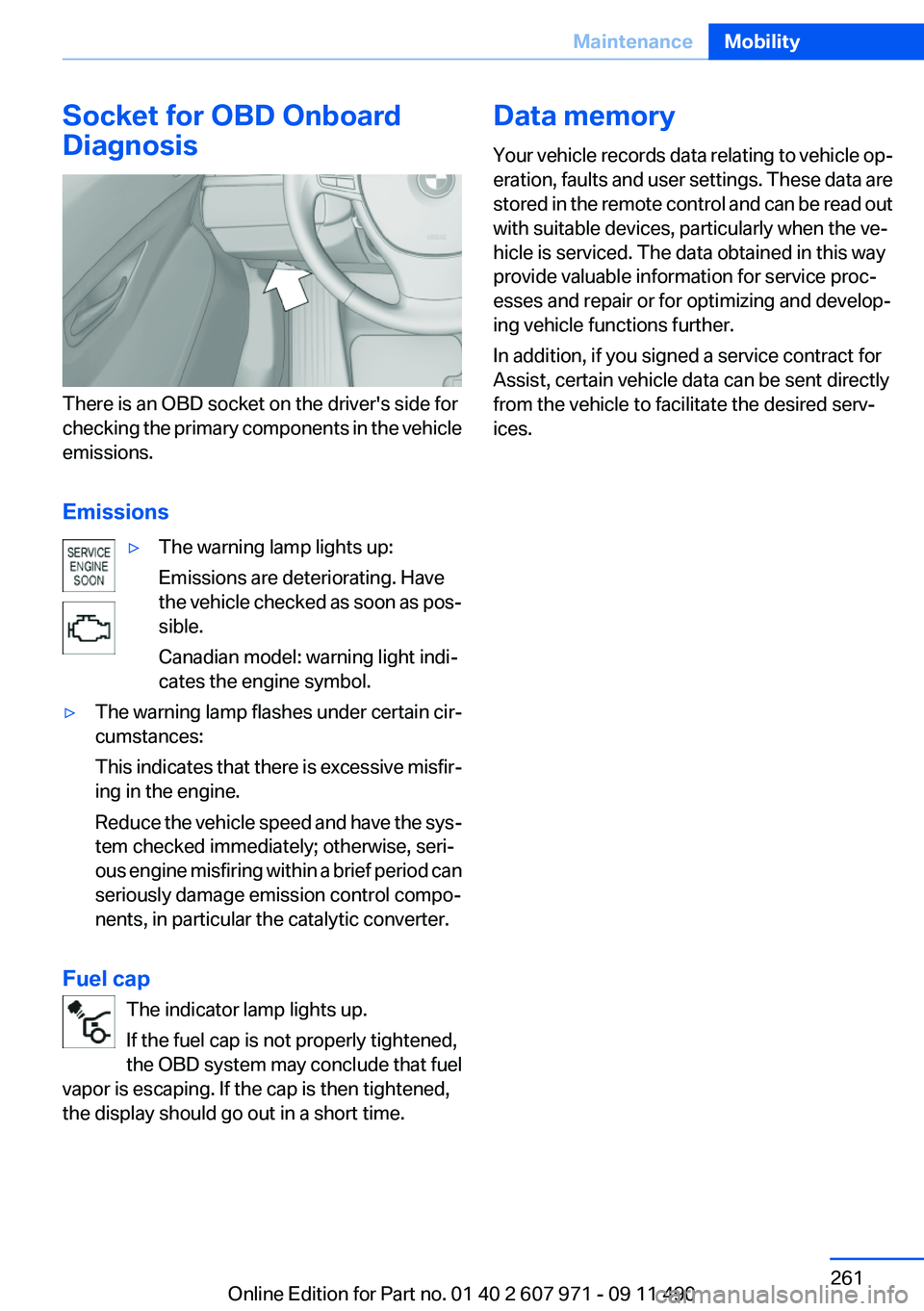
There is an OBD socket on the driver's side for
checking the primary components in the vehicle
emissions.
Emissions
▷The warning lamp lights up:
Emissions are deteriorating. Have
the vehicle checked as soon as pos‐
sible.
Canadian model: warning light indi‐
cates the engine symbol.▷The warning lamp flashes under certain cir‐
cumstances:
This indicates that there is excessive misfir‐
ing in the engine.
Reduce the vehicle speed and have the sys‐
tem checked immediately; otherwise, seri‐
ous engine misfiring within a brief period can
seriously damage emission control compo‐
nents, in particular the catalytic converter.
Fuel cap
The indicator lamp lights up.
If the fuel cap is not properly tightened,
the OBD system may conclude that fuel
vapor is escaping. If the cap is then tightened,
the display should go out in a short time.
Data memory
Your vehicle records data relating to vehicle op‐
eration, faults and user settings. These data are
stored in the remote control and can be read out
with suitable devices, particularly when the ve‐
hicle is serviced. The data obtained in this way
provide valuable information for service proc‐
esses and repair or for optimizing and develop‐
ing vehicle functions further.
In addition, if you signed a service contract for
Assist, certain vehicle data can be sent directly
from the vehicle to facilitate the desired serv‐
ices.Seite 261MaintenanceMobility261
Online Edition for Part no. 01 40 2 607 971 - 09 11 490
Page 265 of 303
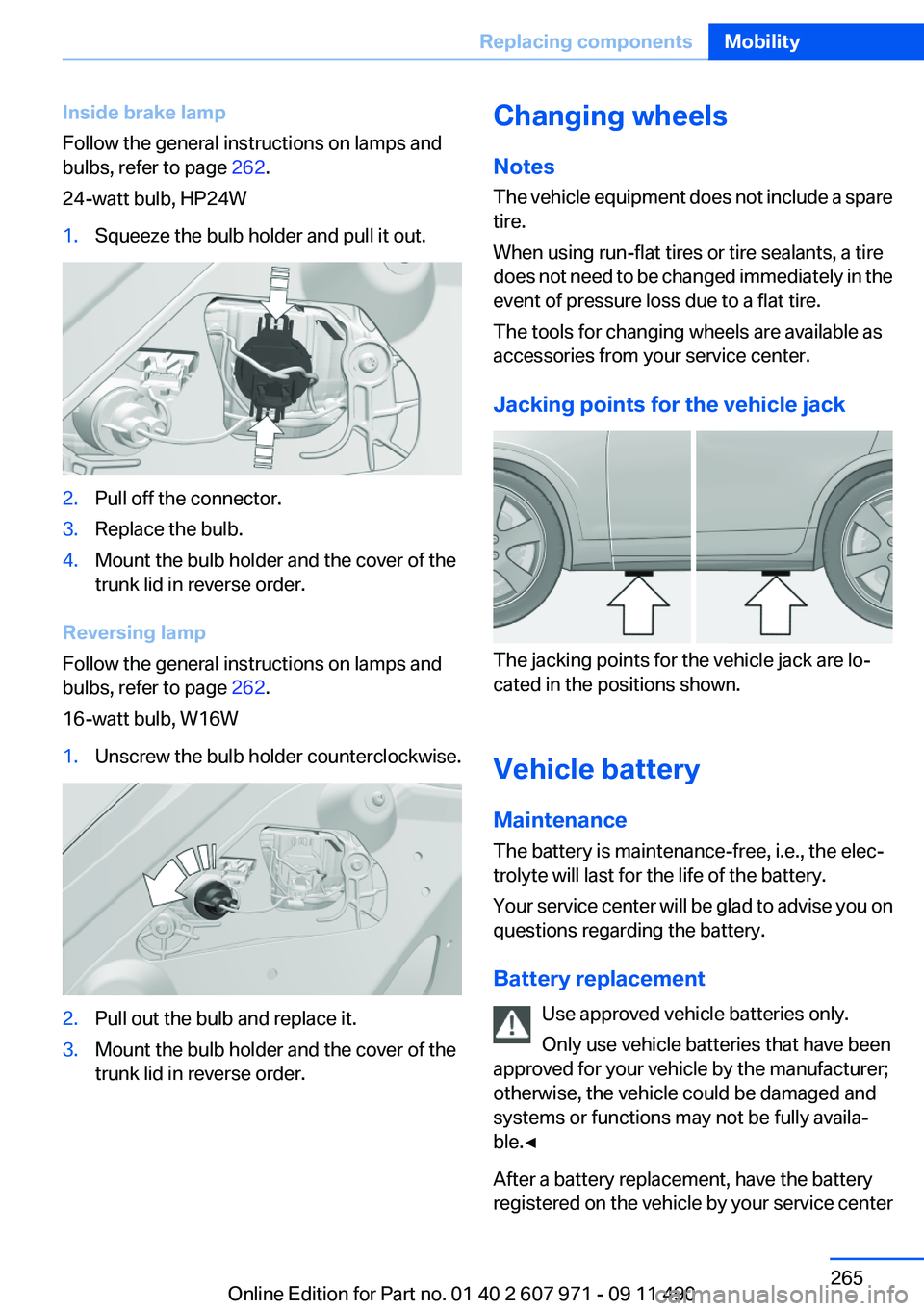
Inside brake lamp
Follow the general instructions on lamps and
bulbs, refer to page 262.
24-watt bulb, HP24W1.Squeeze the bulb holder and pull it out.2.Pull off the connector.3.Replace the bulb.4.Mount the bulb holder and the cover of the
trunk lid in reverse order.
Reversing lamp
Follow the general instructions on lamps and
bulbs, refer to page 262.
16-watt bulb, W16W
1.Unscrew the bulb holder counterclockwise.2.Pull out the bulb and replace it.3.Mount the bulb holder and the cover of the
trunk lid in reverse order.Changing wheels
Notes
The vehicle equipment does not include a spare
tire.
When using run-flat tires or tire sealants, a tire
does not need to be changed immediately in the
event of pressure loss due to a flat tire.
The tools for changing wheels are available as
accessories from your service center.
Jacking points for the vehicle jack
The jacking points for the vehicle jack are lo‐
cated in the positions shown.
Vehicle battery
Maintenance
The battery is maintenance-free, i.e., the elec‐
trolyte will last for the life of the battery.
Your service center will be glad to advise you on
questions regarding the battery.
Battery replacement Use approved vehicle batteries only.
Only use vehicle batteries that have been
approved for your vehicle by the manufacturer;
otherwise, the vehicle could be damaged and
systems or functions may not be fully availa‐
ble.◀
After a battery replacement, have the battery
registered on the vehicle by your service center
Seite 265Replacing componentsMobility265
Online Edition for Part no. 01 40 2 607 971 - 09 11 490
Page 293 of 303
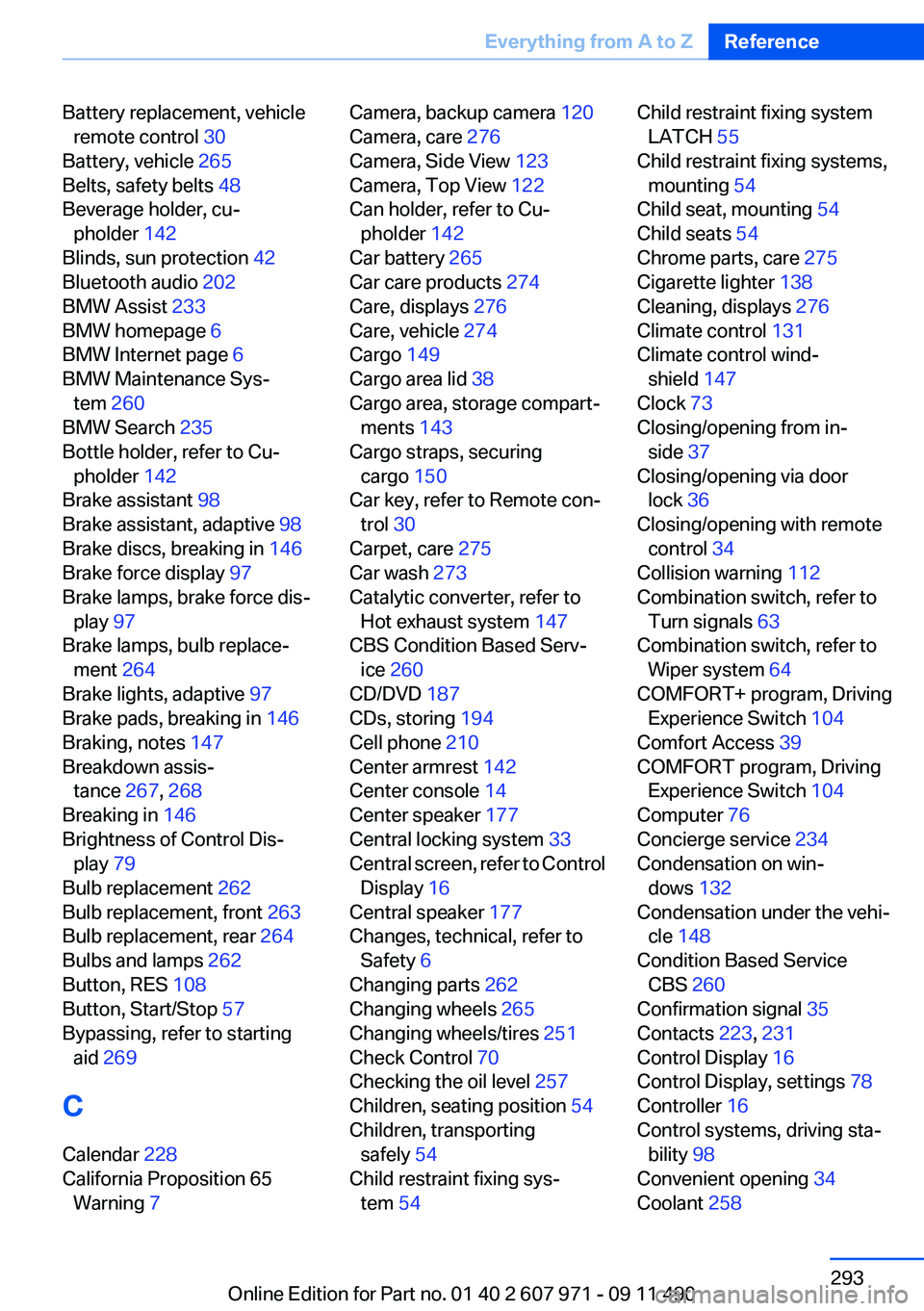
Battery replacement, vehicleremote control 30
Battery, vehicle 265
Belts, safety belts 48
Beverage holder, cu‐ pholder 142
Blinds, sun protection 42
Bluetooth audio 202
BMW Assist 233
BMW homepage 6
BMW Internet page 6
BMW Maintenance Sys‐ tem 260
BMW Search 235
Bottle holder, refer to Cu‐ pholder 142
Brake assistant 98
Brake assistant, adaptive 98
Brake discs, breaking in 146
Brake force display 97
Brake lamps, brake force dis‐ play 97
Brake lamps, bulb replace‐ ment 264
Brake lights, adaptive 97
Brake pads, breaking in 146
Braking, notes 147
Breakdown assis‐ tance 267, 268
Breaking in 146
Brightness of Control Dis‐ play 79
Bulb replacement 262
Bulb replacement, front 263
Bulb replacement, rear 264
Bulbs and lamps 262
Button, RES 108
Button, Start/Stop 57
Bypassing, refer to starting aid 269
C
Calendar 228
California Proposition 65 Warning 7 Camera, backup camera 120
Camera, care 276
Camera, Side View 123
Camera, Top View 122
Can holder, refer to Cu‐ pholder 142
Car battery 265
Car care products 274
Care, displays 276
Care, vehicle 274
Cargo 149
Cargo area lid 38
Cargo area, storage compart‐ ments 143
Cargo straps, securing cargo 150
Car key, refer to Remote con‐ trol 30
Carpet, care 275
Car wash 273
Catalytic converter, refer to Hot exhaust system 147
CBS Condition Based Serv‐ ice 260
CD/DVD 187
CDs, storing 194
Cell phone 210
Center armrest 142
Center console 14
Center speaker 177
Central locking system 33
Central screen, refer to Control Display 16
Central speaker 177
Changes, technical, refer to Safety 6
Changing parts 262
Changing wheels 265
Changing wheels/tires 251
Check Control 70
Checking the oil level 257
Children, seating position 54
Children, transporting safely 54
Child restraint fixing sys‐ tem 54 Child restraint fixing system
LATCH 55
Child restraint fixing systems, mounting 54
Child seat, mounting 54
Child seats 54
Chrome parts, care 275
Cigarette lighter 138
Cleaning, displays 276
Climate control 131
Climate control wind‐ shield 147
Clock 73
Closing/opening from in‐ side 37
Closing/opening via door lock 36
Closing/opening with remote control 34
Collision warning 112
Combination switch, refer to Turn signals 63
Combination switch, refer to Wiper system 64
COMFORT+ program, Driving Experience Switch 104
Comfort Access 39
COMFORT program, Driving Experience Switch 104
Computer 76
Concierge service 234
Condensation on win‐ dows 132
Condensation under the vehi‐ cle 148
Condition Based Service CBS 260
Confirmation signal 35
Contacts 223, 231
Control Display 16
Control Display, settings 78
Controller 16
Control systems, driving sta‐ bility 98
Convenient opening 34
Coolant 258 Seite 293Everything from A to ZReference293
Online Edition for Part no. 01 40 2 607 971 - 09 11 490
Page 297 of 303
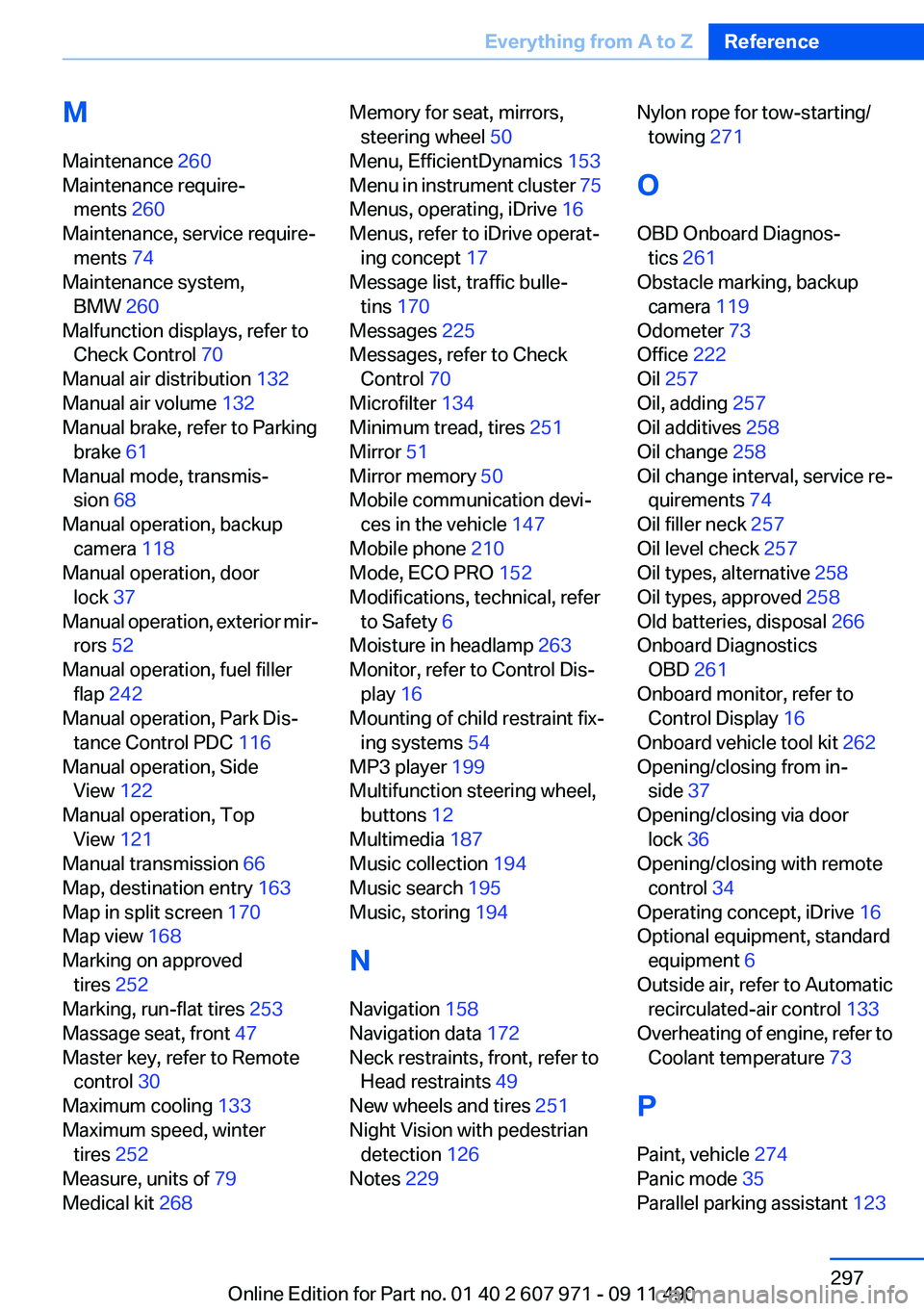
M
Maintenance 260
Maintenance require‐ ments 260
Maintenance, service require‐ ments 74
Maintenance system, BMW 260
Malfunction displays, refer to Check Control 70
Manual air distribution 132
Manual air volume 132
Manual brake, refer to Parking brake 61
Manual mode, transmis‐ sion 68
Manual operation, backup camera 118
Manual operation, door lock 37
Manual operation, exterior mir‐ rors 52
Manual operation, fuel filler flap 242
Manual operation, Park Dis‐ tance Control PDC 116
Manual operation, Side View 122
Manual operation, Top View 121
Manual transmission 66
Map, destination entry 163
Map in split screen 170
Map view 168
Marking on approved tires 252
Marking, run-flat tires 253
Massage seat, front 47
Master key, refer to Remote control 30
Maximum cooling 133
Maximum speed, winter tires 252
Measure, units of 79
Medical kit 268 Memory for seat, mirrors,
steering wheel 50
Menu, EfficientDynamics 153
Menu in instrument cluster 75
Menus, operating, iDrive 16
Menus, refer to iDrive operat‐ ing concept 17
Message list, traffic bulle‐ tins 170
Messages 225
Messages, refer to Check Control 70
Microfilter 134
Minimum tread, tires 251
Mirror 51
Mirror memory 50
Mobile communication devi‐ ces in the vehicle 147
Mobile phone 210
Mode, ECO PRO 152
Modifications, technical, refer to Safety 6
Moisture in headlamp 263
Monitor, refer to Control Dis‐ play 16
Mounting of child restraint fix‐ ing systems 54
MP3 player 199
Multifunction steering wheel, buttons 12
Multimedia 187
Music collection 194
Music search 195
Music, storing 194
N
Navigation 158
Navigation data 172
Neck restraints, front, refer to Head restraints 49
New wheels and tires 251
Night Vision with pedestrian detection 126
Notes 229 Nylon rope for tow-starting/
towing 271
O
OBD Onboard Diagnos‐ tics 261
Obstacle marking, backup camera 119
Odometer 73
Office 222
Oil 257
Oil, adding 257
Oil additives 258
Oil change 258
Oil change interval, service re‐ quirements 74
Oil filler neck 257
Oil level check 257
Oil types, alternative 258
Oil types, approved 258
Old batteries, disposal 266
Onboard Diagnostics OBD 261
Onboard monitor, refer to Control Display 16
Onboard vehicle tool kit 262
Opening/closing from in‐ side 37
Opening/closing via door lock 36
Opening/closing with remote control 34
Operating concept, iDrive 16
Optional equipment, standard equipment 6
Outside air, refer to Automatic recirculated-air control 133
Overheating of engine, refer to Coolant temperature 73
P
Paint, vehicle 274
Panic mode 35
Parallel parking assistant 123 Seite 297Everything from A to ZReference297
Online Edition for Part no. 01 40 2 607 971 - 09 11 490