steering BMW 6 SERIES GRAN COUPE 2017 Service Manual
[x] Cancel search | Manufacturer: BMW, Model Year: 2017, Model line: 6 SERIES GRAN COUPE, Model: BMW 6 SERIES GRAN COUPE 2017Pages: 261, PDF Size: 5.24 MB
Page 141 of 261
Driving comfortVehicle features and options
This chapter describes all standard, country-
specific and optional features offered with the
series. It also describes features that are not
necessarily available in your car, e. g., due to
the selected options or country versions. This
also applies to safety-related functions and
systems. The respectively applicable country
provisions must be observed when using the
respective features and systems.
Active Cruise Control with Stop&Go function, ACC
The conceptUsing this system, a desired speed and a dis‐
tance to a vehicle ahead can be adjusted using
the buttons on the steering wheel.
The system maintains the desired speed on
clear roads. For this purpose, the vehicles ac‐
celerates or brakes automatically.
If a vehicle is driving ahead of you, the system
adjusts the speed of your vehicle within the
given system limits so that the set distance to
the vehicle ahead is maintained.
The distance can be adjusted in several steps.
For safety reasons, it depends on the repective
speed.
If the vehicle ahead of you brakes to a halt, and
then proceeds to drive again within a brief pe‐
riod, the system is able to detect this within the
given system limits.
General information
Depending on the driving settings, the features of the cruise control can change in certain
areas.Information
WARNING
The system does not release from the
personal responsibility to correctly assess the
traffic situation. Based on the limits of the sys‐
tem, it cannot independently react to all traffic
situations. There is risk of an accident. Adjust
the driving style to the traffic conditions. Watch
traffic closely and actively intervene in the re‐
spective situations.◀
WARNING
An unsecured vehicle can begin to move
and possibly roll away. There is risk of an acci‐
dent. Before exiting, secure the vehicle against
rolling.
In order to ensure that the vehicle is secured
against rolling away, observe the following:▷Set the parking brake.▷On uphill grades or on a downhill slope,
turn the front wheels in the direction of the
curb.▷On uphill grades or on a downhill slope,
also secure the vehicle, e.g., with a wheel
chock.◀
WARNING
The desired speed can be incorrectly ad‐
justed or called up by mistake. There is risk of
an accident. Adjust the desired speed to the
traffic conditions. Watch traffic closely and ac‐
tively intervene in the respective situations.◀
WARNING
Risk of accident due to too high speed
differences to other vehicles, e.g., in the fol‐
lowing situations:
▷When fast approaching a slowly moving
vehicle.▷Suddenly swerving vehicle onto the own
lane.Seite 141Driving comfortControls141
Online Edition for Part no. 01 40 2 969 305 - II/16
Page 142 of 261
▷When fast approaching standing vehicles.
There is a risk of injury or danger to life. Watch
traffic closely and actively intervene in the re‐
spective situations.◀
Overview
Buttons on the steering wheel
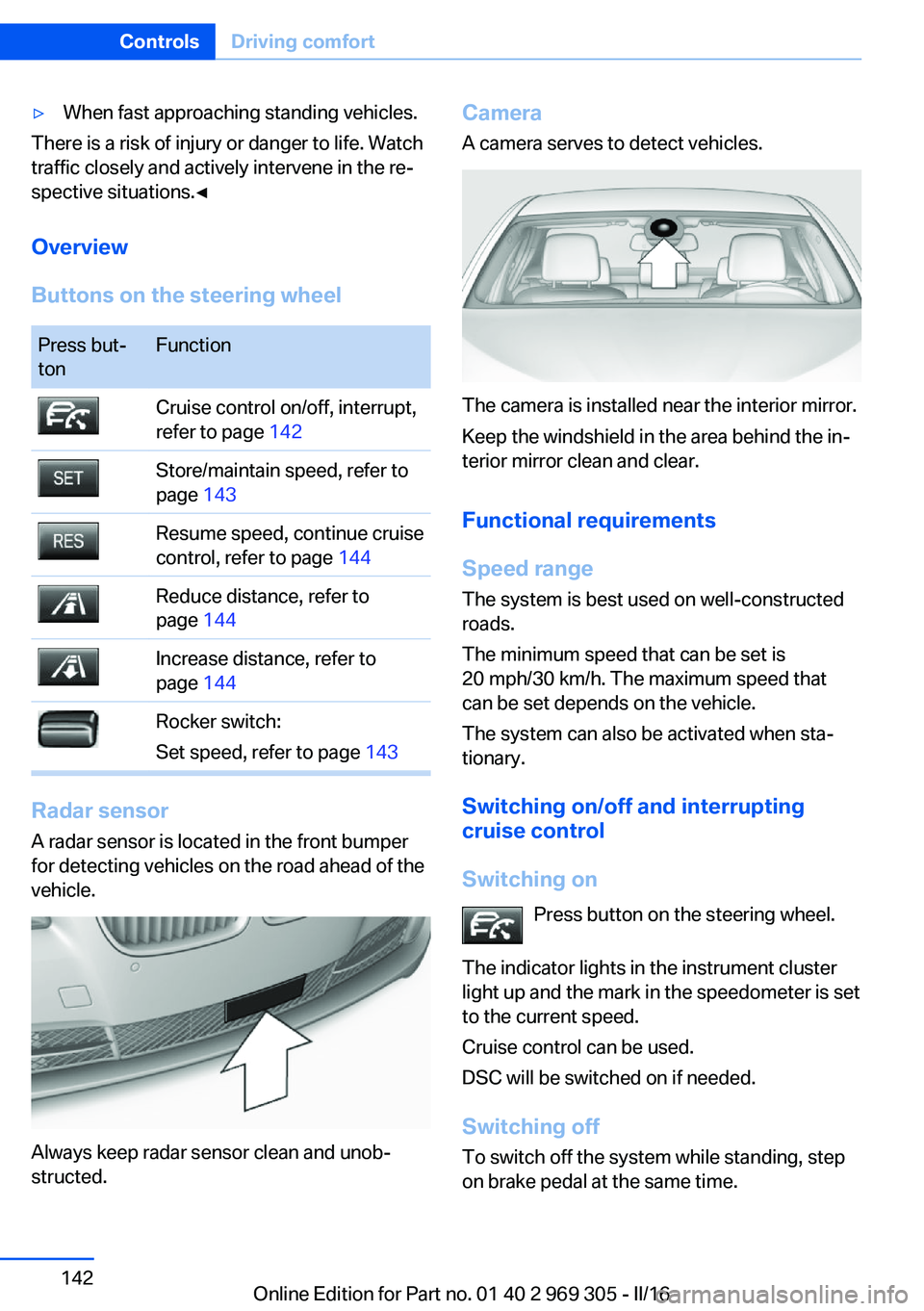
Press but‐
tonFunctionCruise control on/off, interrupt,
refer to page 142Store/maintain speed, refer to
page 143Resume speed, continue cruise
control, refer to page 144Reduce distance, refer to
page 144Increase distance, refer to
page 144Rocker switch:
Set speed, refer to page 143
Radar sensor
A radar sensor is located in the front bumper
for detecting vehicles on the road ahead of the
vehicle.
Always keep radar sensor clean and unob‐
structed.
Camera
A camera serves to detect vehicles.
The camera is installed near the interior mirror.
Keep the windshield in the area behind the in‐
terior mirror clean and clear.
Functional requirements
Speed range The system is best used on well-constructed
roads.
The minimum speed that can be set is
20 mph/30 km/h. The maximum speed that
can be set depends on the vehicle.
The system can also be activated when sta‐
tionary.
Switching on/off and interruptingcruise control
Switching on Press button on the steering wheel.
The indicator lights in the instrument cluster
light up and the mark in the speedometer is set
to the current speed.
Cruise control can be used.
DSC will be switched on if needed.
Switching off To switch off the system while standing, step
on brake pedal at the same time.
Seite 142ControlsDriving comfort142
Online Edition for Part no. 01 40 2 969 305 - II/16
Page 143 of 261
Press button on the steering wheel.▷If active: press twice.▷If interrupted: press once.
The displays go out. The stored desired speed
is deleted.
Interrupting manually Press button on the steering wheel.
If interrupting the system while stationary,
press on the brake pedal at the same time.
Automatic interruption
The system is automatically interrupted in the
following situations:
▷When the driver applies the brakes.▷When selector lever position D is disen‐
gaged.▷When DTC is activated or DSC is deacti‐
vated.▷When DSC is actively controlling stability.▷When SPORT+ is activated with Driving
Dynamics Control.▷If the safety belt and the driver's door are
opened while the vehicle is standing still.▷If the system has not detected objects for
an extended period, for example, on a road
with very little traffic without curb or
shoulder markings.▷If the detection range of the radar is dis‐
rupted, for example, by dirt or heavy fog.▷After a longer stationary period when the
vehicle has been braked to a stop by the
system.Setting the speed
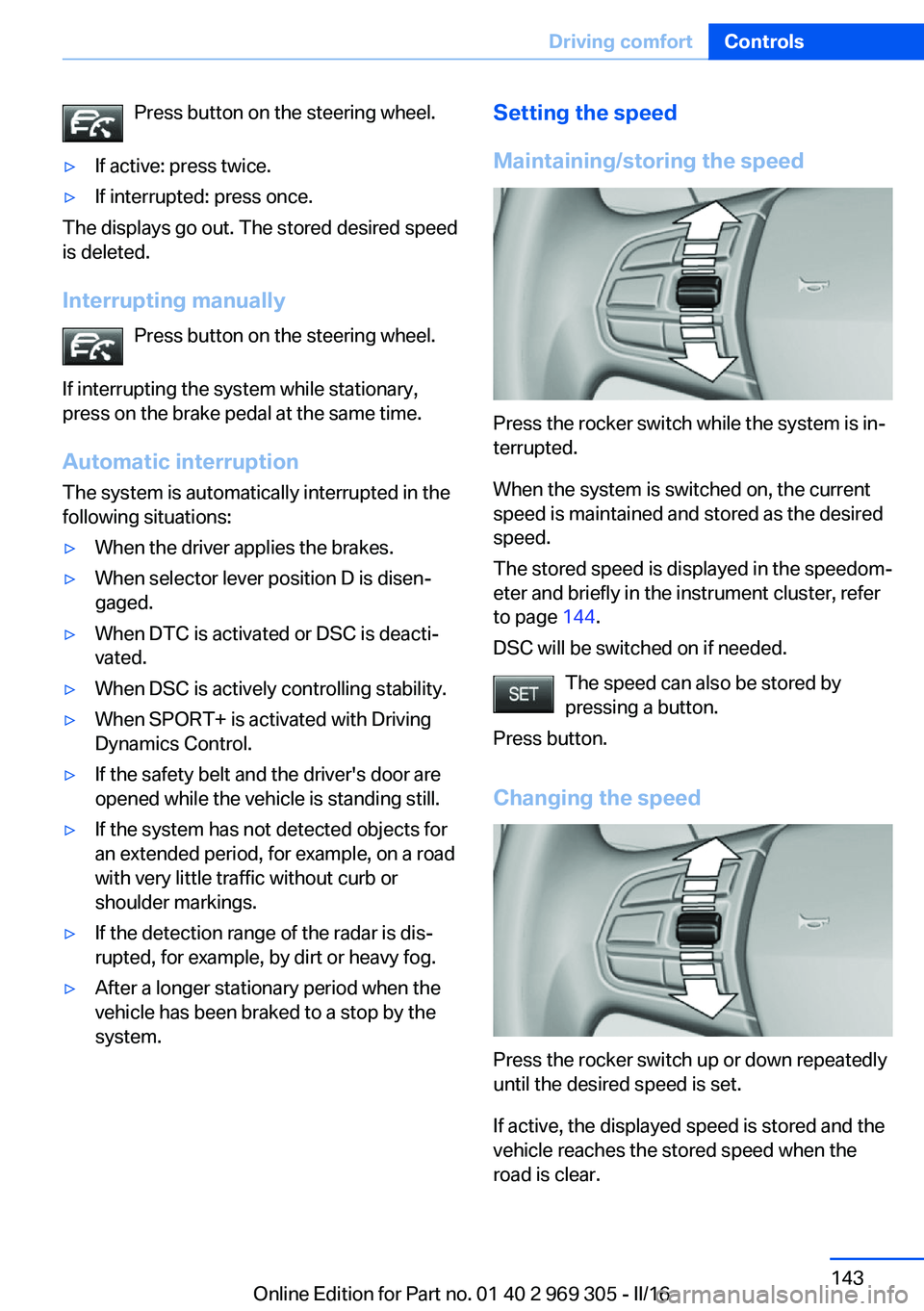
Maintaining/storing the speed
Press the rocker switch while the system is in‐
terrupted.
When the system is switched on, the current
speed is maintained and stored as the desired
speed.
The stored speed is displayed in the speedom‐
eter and briefly in the instrument cluster, refer
to page 144.
DSC will be switched on if needed.
The speed can also be stored bypressing a button.
Press button.
Changing the speed
Press the rocker switch up or down repeatedly
until the desired speed is set.
If active, the displayed speed is stored and the
vehicle reaches the stored speed when the
road is clear.
Seite 143Driving comfortControls143
Online Edition for Part no. 01 40 2 969 305 - II/16
Page 147 of 261
Weather
In the event of unfavorable weather and light conditions, e. g. if there is rain, snowfall, slush,
fog or glare, this may result in poorer recogni‐
tion of vehicles as well as short-term interrup‐
tions for vehicles that are already detected. Drive attentively, and react to the current trafficsituation. If necessary, intervene actively, for
example by braking, steering or evading.
Engine power The desired speed is also maintained downhill,but may not be maintained on uphill grades if
engine power is insufficient.
Malfunction
The system cannot be activated if the radar
sensor is not aligned correctly. This may be
caused by damage incurred during parking, for
example.
A Check Control message is displayed if the
system fails.
The function for detecting and responding
when approaching stationary vehicles may be
limited in the following situations:▷During calibration of the camera immedi‐
ately after vehicle delivery.▷If the camera is malfunctioning or dirty. A
Check Control message is displayed.
Cruise control
The concept Using this system, a desired speed can be ad‐
justed using the buttons on the steering wheel.
The system maintains the desired speed. The
system accelerates and brakes automatically
as needed.
General information
Depending on the driving settings, the features
of the cruise control can change in certain
areas.
Information
WARNING
The system does not release from the
personal responsibility to correctly assess the
traffic situation. Based on the limits of the sys‐
tem, it cannot independently react to all traffic
situations. There is risk of an accident. Adjust
the driving style to the traffic conditions. Watch
traffic closely and actively intervene in the re‐
spective situations.◀
WARNING
The use of the system can lead to an in‐
creased risk of accidents in the following situa‐
tions:▷On winding roads.▷In heavy traffic.▷On slippery roads, in fog, snow or rain, or
on a loose road surface.
There is risk of accidents or risk of property
damage. Only use the system if driving at con‐
stant speed is possible.◀
WARNING
The desired speed can be incorrectly ad‐
justed or called up by mistake. There is risk of
an accident. Adjust the desired speed to the
traffic conditions. Watch traffic closely and ac‐
tively intervene in the respective situations.◀
Overview
Buttons on the steering wheel
Press but‐
tonFunctionCruise control on/off, interrupt‐
ing, refer to page 148.Store/maintain speed, refer to
page 148.Seite 147Driving comfortControls147
Online Edition for Part no. 01 40 2 969 305 - II/16
Page 148 of 261
Press but‐
tonFunctionResume speed, continue cruise
control, refer to page 149.Rocker switch:
Set speed, refer to page 148.
Switching on/off and interrupting
cruise control
Switching on Press button on the steering wheel.
The marking in the speedometer is set to the
current speed.
The cruise control can be used.
DSC will be switched on if needed.
Switching off Press button on the steering wheel.
▷If active: press twice.▷If interrupted: press once.
The displays go out. The stored desired speed
is deleted.
Interrupting manually When active, press the button.
Automatic interruption The system is automatically interrupted in the
following situations:
▷When the driver applies the brakes.▷When selector lever position D is disen‐
gaged.▷When DTC is activated or DSC is deacti‐
vated.▷When DSC is actively controlling stability.▷If HDC is activated.▷When SPORT+ is activated with Driving
Dynamics Control.
Setting the speed
Maintaining/storing the speed
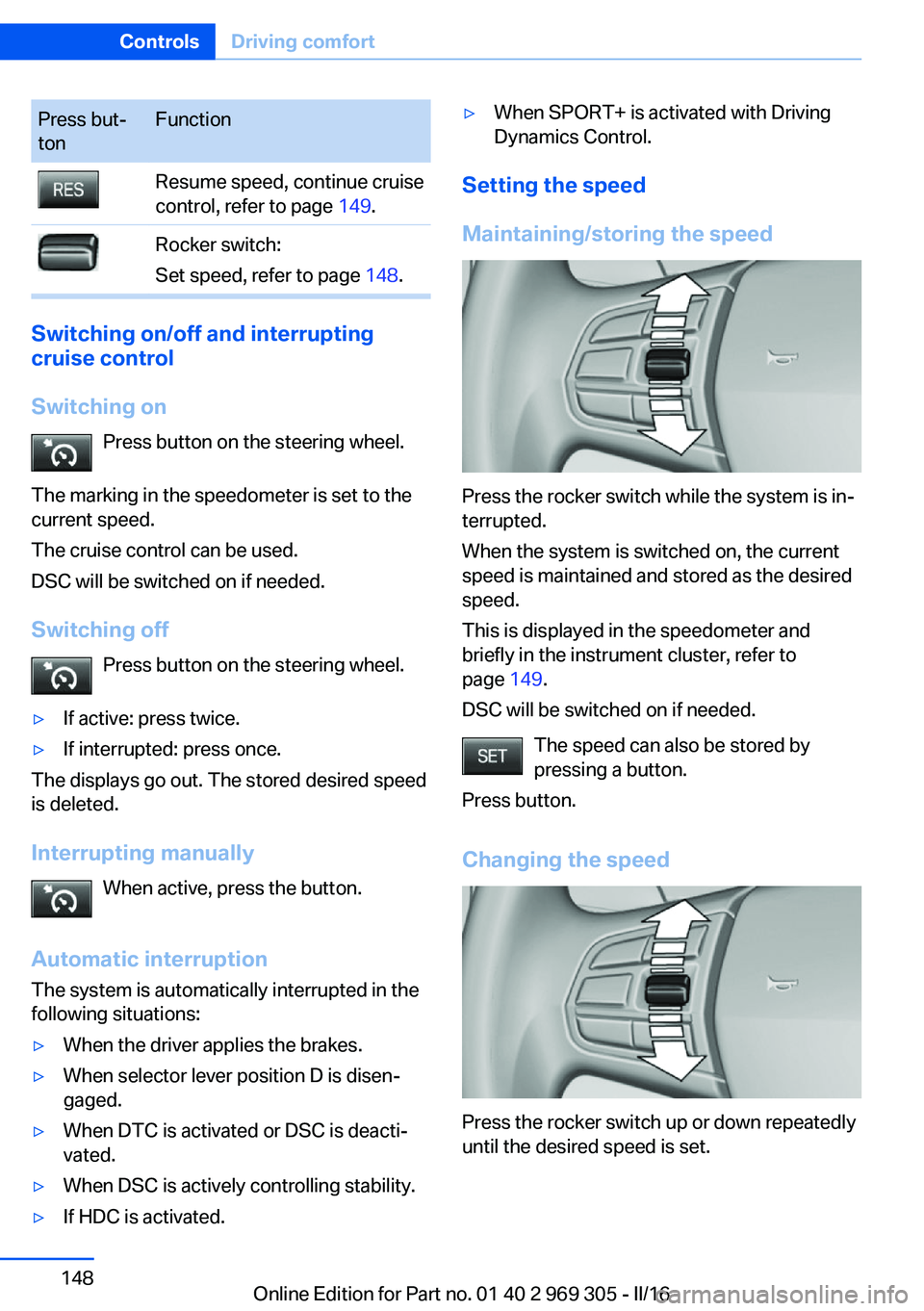
Press the rocker switch while the system is in‐
terrupted.
When the system is switched on, the current
speed is maintained and stored as the desired
speed.
This is displayed in the speedometer and
briefly in the instrument cluster, refer to
page 149.
DSC will be switched on if needed.
The speed can also be stored by
pressing a button.
Press button.
Changing the speed
Press the rocker switch up or down repeatedly
until the desired speed is set.
Seite 148ControlsDriving comfort148
Online Edition for Part no. 01 40 2 969 305 - II/16
Page 154 of 261
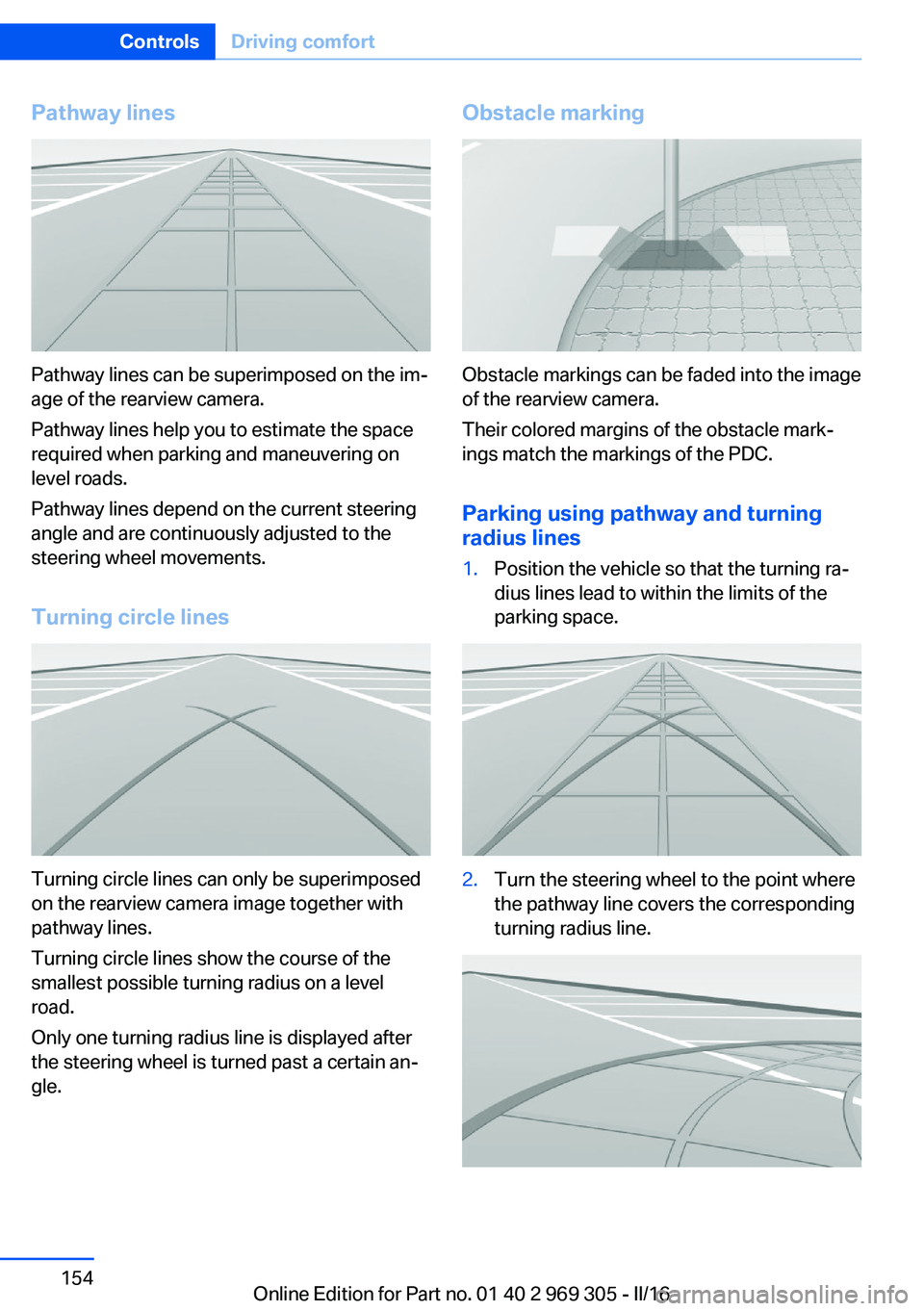
Pathway lines
Pathway lines can be superimposed on the im‐
age of the rearview camera.
Pathway lines help you to estimate the space
required when parking and maneuvering on
level roads.
Pathway lines depend on the current steering
angle and are continuously adjusted to the
steering wheel movements.
Turning circle lines
Turning circle lines can only be superimposed
on the rearview camera image together with
pathway lines.
Turning circle lines show the course of the
smallest possible turning radius on a level
road.
Only one turning radius line is displayed after
the steering wheel is turned past a certain an‐
gle.
Obstacle marking
Obstacle markings can be faded into the image
of the rearview camera.
Their colored margins of the obstacle mark‐
ings match the markings of the PDC.
Parking using pathway and turning
radius lines
1.Position the vehicle so that the turning ra‐
dius lines lead to within the limits of the
parking space.2.Turn the steering wheel to the point where
the pathway line covers the corresponding
turning radius line.Seite 154ControlsDriving comfort154
Online Edition for Part no. 01 40 2 969 305 - II/16
Page 158 of 261
Displaying the turning radius and
pathway lines▷The static, red turning radius line shows
the space needed to the side of the vehicle
when the steering wheel is turned all the
way.▷The variable, green pathway line assists
you in assessing the amount of space ac‐
tually needed to the side of the vehicle.
The lane line depends on the engaged
gear and the current steering angle. The
track line is continuously adjusted for the
steering wheel movement.
"Parking aid lines"
Turning circle and pathway lines are displayed.
System limits
Top View cannot be used in the following sit‐
uations:
▷With a door open.▷With the tailgate open.▷With an exterior mirror folded in.▷In poor light.
A Check Control message is displayed in some
of these situations.
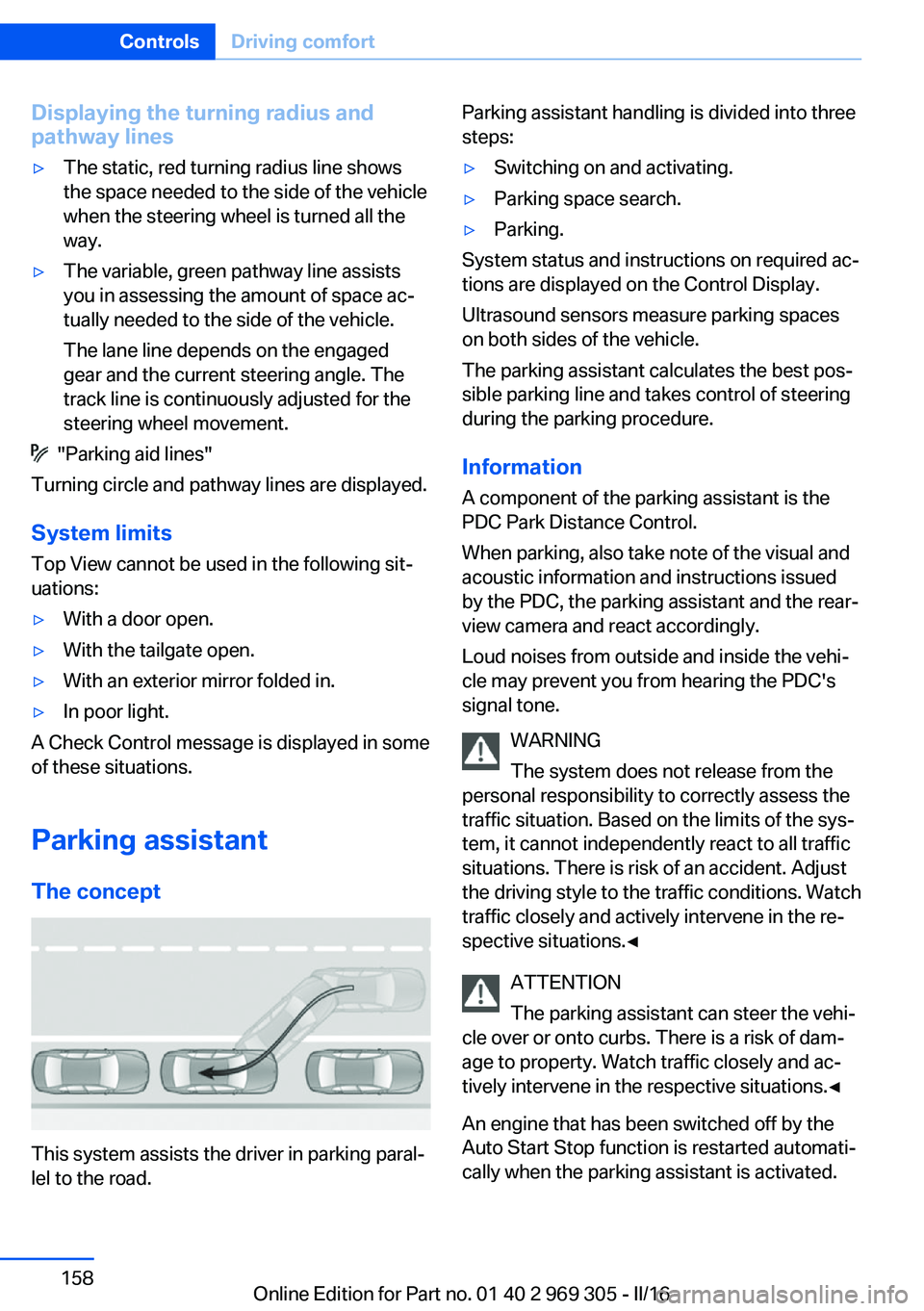
Parking assistant The concept
This system assists the driver in parking paral‐
lel to the road.
Parking assistant handling is divided into three
steps:▷Switching on and activating.▷Parking space search.▷Parking.
System status and instructions on required ac‐
tions are displayed on the Control Display.
Ultrasound sensors measure parking spaces
on both sides of the vehicle.
The parking assistant calculates the best pos‐
sible parking line and takes control of steering
during the parking procedure.
Information A component of the parking assistant is the
PDC Park Distance Control.
When parking, also take note of the visual and
acoustic information and instructions issued
by the PDC, the parking assistant and the rear‐
view camera and react accordingly.
Loud noises from outside and inside the vehi‐
cle may prevent you from hearing the PDC's
signal tone.
WARNING
The system does not release from the
personal responsibility to correctly assess the
traffic situation. Based on the limits of the sys‐
tem, it cannot independently react to all traffic
situations. There is risk of an accident. Adjust
the driving style to the traffic conditions. Watch
traffic closely and actively intervene in the re‐
spective situations.◀
ATTENTION
The parking assistant can steer the vehi‐
cle over or onto curbs. There is a risk of dam‐
age to property. Watch traffic closely and ac‐
tively intervene in the respective situations.◀
An engine that has been switched off by the
Auto Start Stop function is restarted automati‐
cally when the parking assistant is activated.
Seite 158ControlsDriving comfort158
Online Edition for Part no. 01 40 2 969 305 - II/16
Page 160 of 261
Parking space search and system
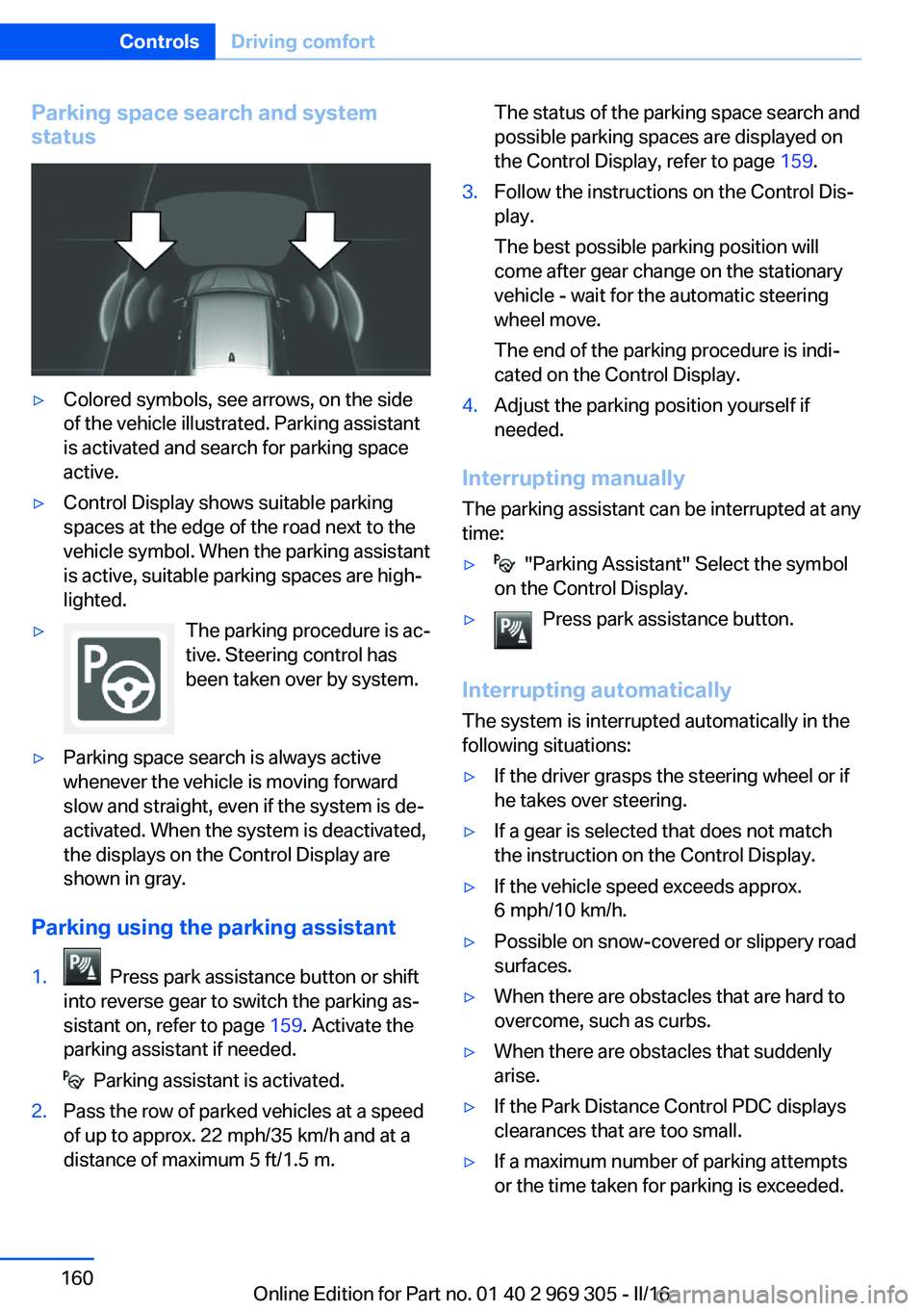
status▷Colored symbols, see arrows, on the side
of the vehicle illustrated. Parking assistant
is activated and search for parking space
active.▷Control Display shows suitable parking
spaces at the edge of the road next to the
vehicle symbol. When the parking assistant
is active, suitable parking spaces are high‐
lighted.▷The parking procedure is ac‐
tive. Steering control has
been taken over by system.▷Parking space search is always active
whenever the vehicle is moving forward
slow and straight, even if the system is de‐
activated. When the system is deactivated,
the displays on the Control Display are
shown in gray.
Parking using the parking assistant
1. Press park assistance button or shift
into reverse gear to switch the parking as‐
sistant on, refer to page 159. Activate the
parking assistant if needed.
Parking assistant is activated.
2.Pass the row of parked vehicles at a speed
of up to approx. 22 mph/35 km/h and at a
distance of maximum 5 ft/1.5 m.The status of the parking space search and
possible parking spaces are displayed on
the Control Display, refer to page 159.3.Follow the instructions on the Control Dis‐
play.
The best possible parking position will
come after gear change on the stationary
vehicle - wait for the automatic steering
wheel move.
The end of the parking procedure is indi‐
cated on the Control Display.4.Adjust the parking position yourself if
needed.
Interrupting manually
The parking assistant can be interrupted at any
time:
▷ "Parking Assistant" Select the symbol
on the Control Display.▷Press park assistance button.
Interrupting automatically
The system is interrupted automatically in the
following situations:
▷If the driver grasps the steering wheel or if
he takes over steering.▷If a gear is selected that does not match
the instruction on the Control Display.▷If the vehicle speed exceeds approx.
6 mph/10 km/h.▷Possible on snow-covered or slippery road
surfaces.▷When there are obstacles that are hard to
overcome, such as curbs.▷When there are obstacles that suddenly
arise.▷If the Park Distance Control PDC displays
clearances that are too small.▷If a maximum number of parking attempts
or the time taken for parking is exceeded.Seite 160ControlsDriving comfort160
Online Edition for Part no. 01 40 2 969 305 - II/16
Page 186 of 261
Braking safely
Your vehicle is equipped with ABS as a stand‐ ard feature.
Perform an emergency stop in situations that
require such.
Steering is still responsive. You can still avoid
any obstacles with a minimum of steering ef‐
fort.
Pulsation of the brake pedal and sounds from
the hydraulic circuits indicate that ABS is in its
active mode.
In certain braking situations, the perforated
brake discs can emit functional noises. How‐
ever, this has no effect on the performance and
operational reliability of the brake.
Objects in the movement area around
pedals and floor area
WARNING
Objects in the driver's floor area can limit
the pedal distance or block a depressed pedal.
There is risk of an accident. Stow objects in
the vehicle such that they are secured and
cannot enter into the driver's floor area. Use
floor mats that are suitable for the vehicle and
can be safely attached to the floor. Do not use
loose floor mats and do not layer several floor
mats. Make sure that there is sufficient clear‐
ance for the pedals. Ensure that the floor mats
are securely fastened again after they were re‐
moved, e.g., for cleaning.◀
Driving in wet conditions When roads are wet, salted, or in heavy rain,
press brake pedal ever so gently every few
miles.
Ensure that this action does not endanger
other traffic.
The heat generated in this process helps dry
the brake discs and pads.
In this way braking efficiency will be available
when you need it.Hills
WARNING
Light but consistent brake pressure can
lead to high temperatures, brakes wearing out
and possibly even brake failure. There is risk of
an accident. Avoid placing excessive stress on
the brake system.◀
WARNING
In idle state or with the engine switched
off, safety-relevant functions are restricted or
not available anymore, e.g., braking effect of
the engine or braking force and steering sup‐
port. There is risk of an accident. Do not drive
in idle state or with the engine switched off.◀
Drive long or steep downhill gradients in the
gear that requires least braking efforts. Other‐
wise the brakes may overheat and reduce
brake efficiency.
You can increase the engine's braking effect
by shifting down, going all the way to first gear,
if needed.
Brake disc corrosion
Corrosion on the brake discs and contamina‐
tion on the brake pads are furthered by the fol‐
lowing circumstances:▷Low mileage.▷Extended periods when the vehicle is not
used at all.▷Infrequent use of the brakes.
Corrosion will built up when the maximum
pressure applied to the brake pads during
braking is not reached - thus discs don't get
cleaned.
Corrosion buildup on the brake discs will cause
a pulsating effect on the brakes in their re‐
sponse - generally that cannot be corrected.
Seite 186Driving tipsThings to remember when driving186
Online Edition for Part no. 01 40 2 969 305 - II/16
Page 202 of 261
Wheels and tiresVehicle features and options
This chapter describes all standard, country-
specific and optional features offered with the
series. It also describes features that are not
necessarily available in your car, e. g., due to
the selected options or country versions. This
also applies to safety-related functions and
systems. The respectively applicable country
provisions must be observed when using the
respective features and systems.
Tire inflation pressure Safety information
The tire characteristics and tire inflation pres‐
sure influence the following:▷The service life of the tires.▷Road safety.▷Driving comfort.
Checking the tire inflation pressure
WARNING
A tire with low or missing tire inflation
pressure impacts handling, such as steering
and braking response. There is risk of an acci‐
dent. Regularly check the tire inflation pres‐
sure, and correct it as needed, e.g., twice a
month and before a long trip.◀
Tires have a natural, consistent loss of tire in‐
flation pressure.
Tires heat up while driving, and the tire infla‐
tion pressure increases along with the tire's
temperature. The tire inflation pressure speci‐
fications relate to cold tires or tires with the
ambient temperature.
Only check the tire inflation pressure when the
tires are cold. This means after driving no more
than 1.25 miles/2 km or when the vehicle has
been parked for at least 2 hours.
The displays of inflation devices may under-
read by up to 0.1 bar/2 psi.
For Flat Tire Monitor: after correcting the tire
inflation pressure, reinitialize the Flat Tire
Monitor.
For Tire Pressure Monitor: after correcting the
tire inflation pressure, reset the Tire Pressure
Monitor.
Tire inflation pressure specifications
The tire inflation pressure table, refer to
page 203, contains all tire inflation pressure
specifications for the specified tire sizes at the
ambient temperature. The tire inflation pres‐
sure values apply to tire sizes approved by the
manufacturer of the vehicle for the vehicle
type.
To identify the correct tire inflation pressure,
please note the following:▷Tire sizes of your vehicle.▷Maximum permitted driving speed.
Tire inflation pressures up to
100 mph/160 km/h
For speeds of up to 100 mph/160 km/h and for
optimum driving comfort, note the pressure
values in the tire inflation pressure table, refer
to page 203, and adjust as necessary.
Seite 202MobilityWheels and tires202
Online Edition for Part no. 01 40 2 969 305 - II/16