headlamp BMW 6 SERIES GRAN COUPE 2017 Owners Manual
[x] Cancel search | Manufacturer: BMW, Model Year: 2017, Model line: 6 SERIES GRAN COUPE, Model: BMW 6 SERIES GRAN COUPE 2017Pages: 261, PDF Size: 5.24 MB
Page 15 of 261
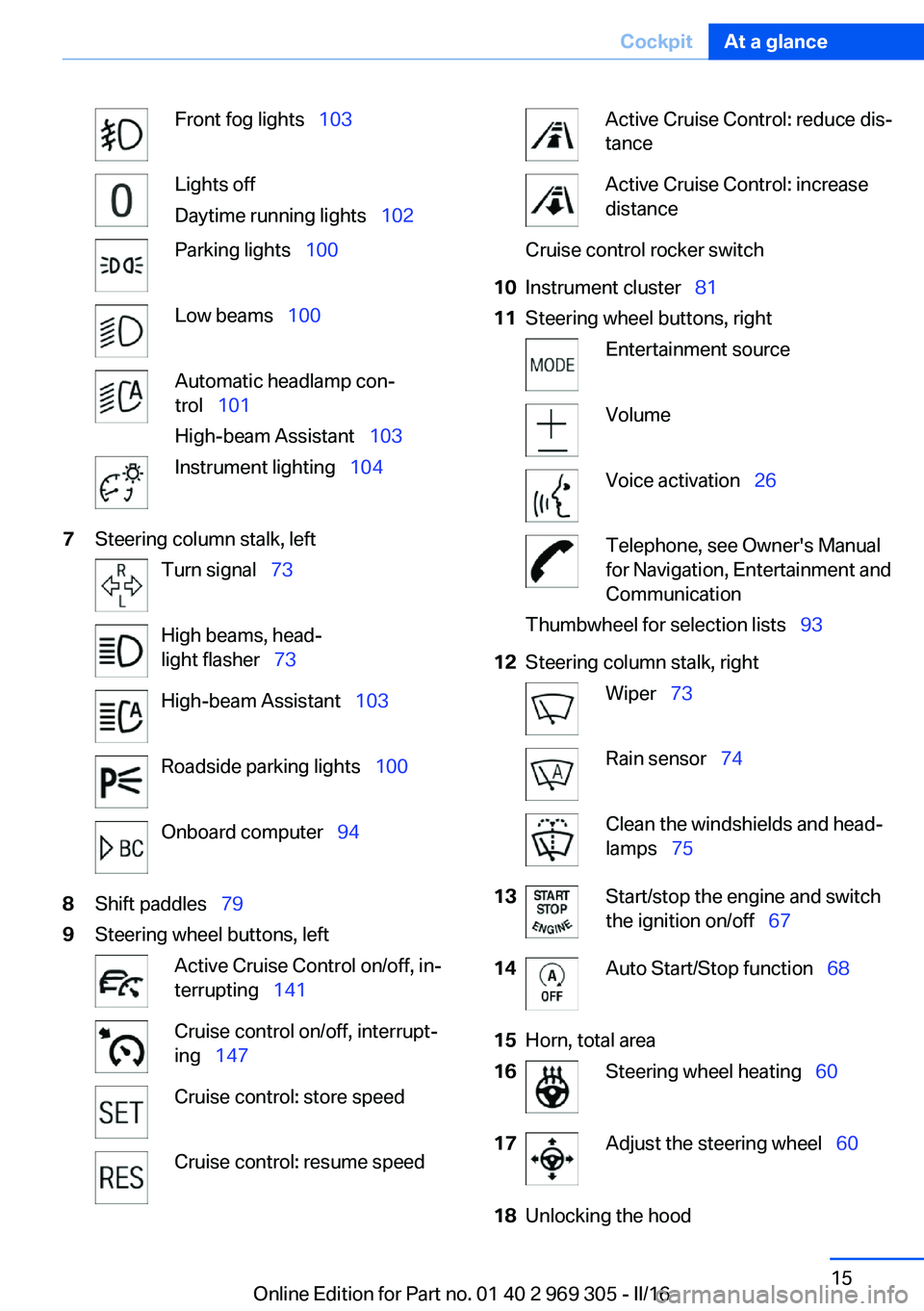
Front fog lights 103Lights off
Daytime running lights 102Parking lights 100Low beams 100Automatic headlamp con‐
trol 101
High-beam Assistant 103Instrument lighting 1047Steering column stalk, leftTurn signal 73High beams, head‐
light flasher 73High-beam Assistant 103Roadside parking lights 100Onboard computer 948Shift paddles 799Steering wheel buttons, leftActive Cruise Control on/off, in‐
terrupting 141Cruise control on/off, interrupt‐
ing 147Cruise control: store speedCruise control: resume speedActive Cruise Control: reduce dis‐
tanceActive Cruise Control: increase
distanceCruise control rocker switch10Instrument cluster 8111Steering wheel buttons, rightEntertainment sourceVolumeVoice activation 26Telephone, see Owner's Manual
for Navigation, Entertainment and
CommunicationThumbwheel for selection lists 9312Steering column stalk, rightWiper 73Rain sensor 74Clean the windshields and head‐
lamps 7513Start/stop the engine and switch
the ignition on/off 6714Auto Start/Stop function 6815Horn, total area16Steering wheel heating 6017Adjust the steering wheel 6018Unlocking the hoodSeite 15CockpitAt a glance15
Online Edition for Part no. 01 40 2 969 305 - II/16
Page 75 of 261
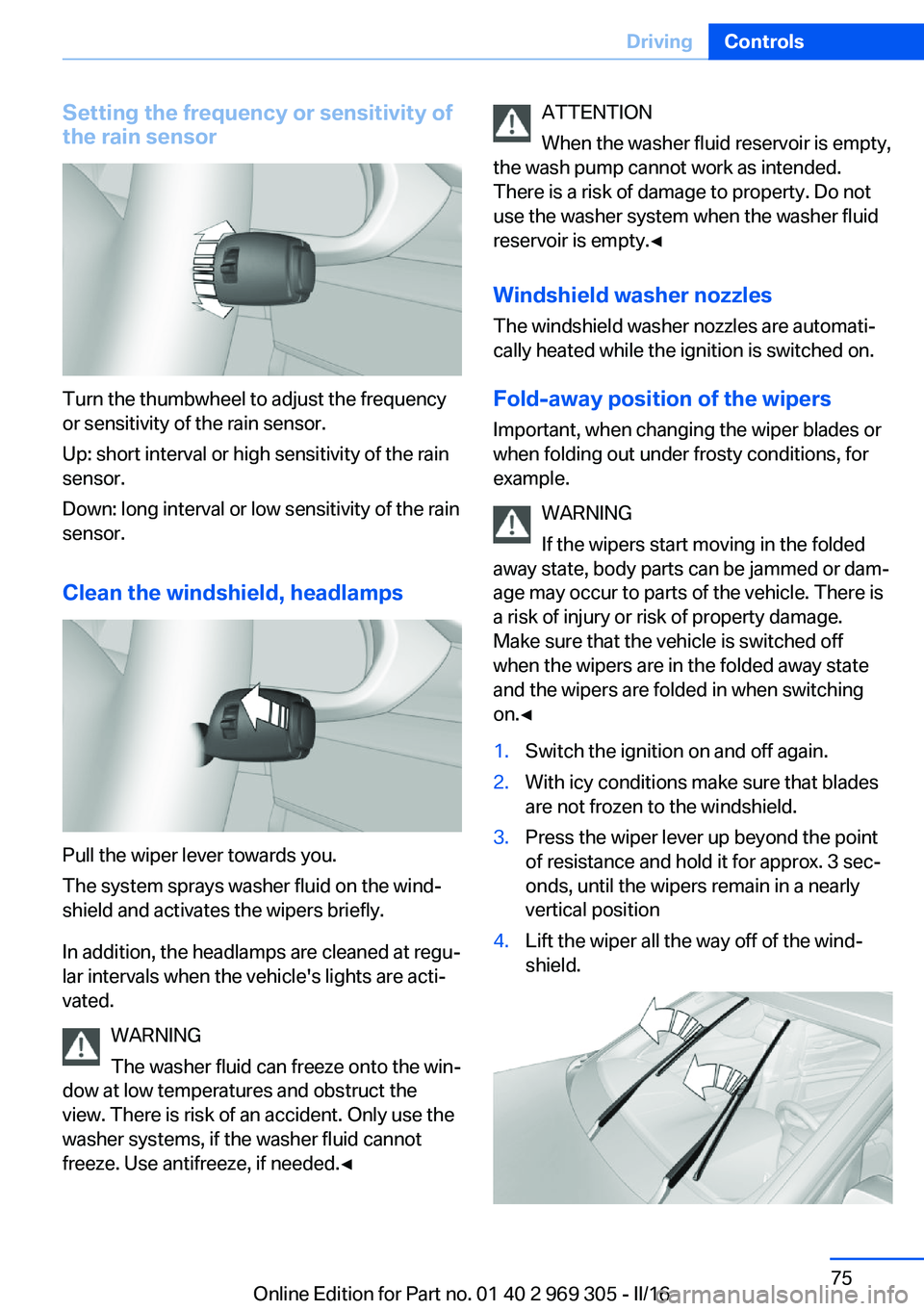
Setting the frequency or sensitivity of
the rain sensor
Turn the thumbwheel to adjust the frequency
or sensitivity of the rain sensor.
Up: short interval or high sensitivity of the rain
sensor.
Down: long interval or low sensitivity of the rain
sensor.
Clean the windshield, headlamps
Pull the wiper lever towards you.
The system sprays washer fluid on the wind‐
shield and activates the wipers briefly.
In addition, the headlamps are cleaned at regu‐
lar intervals when the vehicle's lights are acti‐
vated.
WARNING
The washer fluid can freeze onto the win‐
dow at low temperatures and obstruct the
view. There is risk of an accident. Only use the
washer systems, if the washer fluid cannot
freeze. Use antifreeze, if needed.◀
ATTENTION
When the washer fluid reservoir is empty,
the wash pump cannot work as intended.
There is a risk of damage to property. Do not
use the washer system when the washer fluid
reservoir is empty.◀
Windshield washer nozzles
The windshield washer nozzles are automati‐
cally heated while the ignition is switched on.
Fold-away position of the wipers Important, when changing the wiper blades or
when folding out under frosty conditions, for
example.
WARNING
If the wipers start moving in the folded
away state, body parts can be jammed or dam‐
age may occur to parts of the vehicle. There is
a risk of injury or risk of property damage.
Make sure that the vehicle is switched off
when the wipers are in the folded away state
and the wipers are folded in when switching
on.◀1.Switch the ignition on and off again.2.With icy conditions make sure that blades
are not frozen to the windshield.3.Press the wiper lever up beyond the point
of resistance and hold it for approx. 3 sec‐
onds, until the wipers remain in a nearly
vertical position4.Lift the wiper all the way off of the wind‐
shield.Seite 75DrivingControls75
Online Edition for Part no. 01 40 2 969 305 - II/16
Page 87 of 261
Dynamic Traction Control DTC, refer to
page 134.
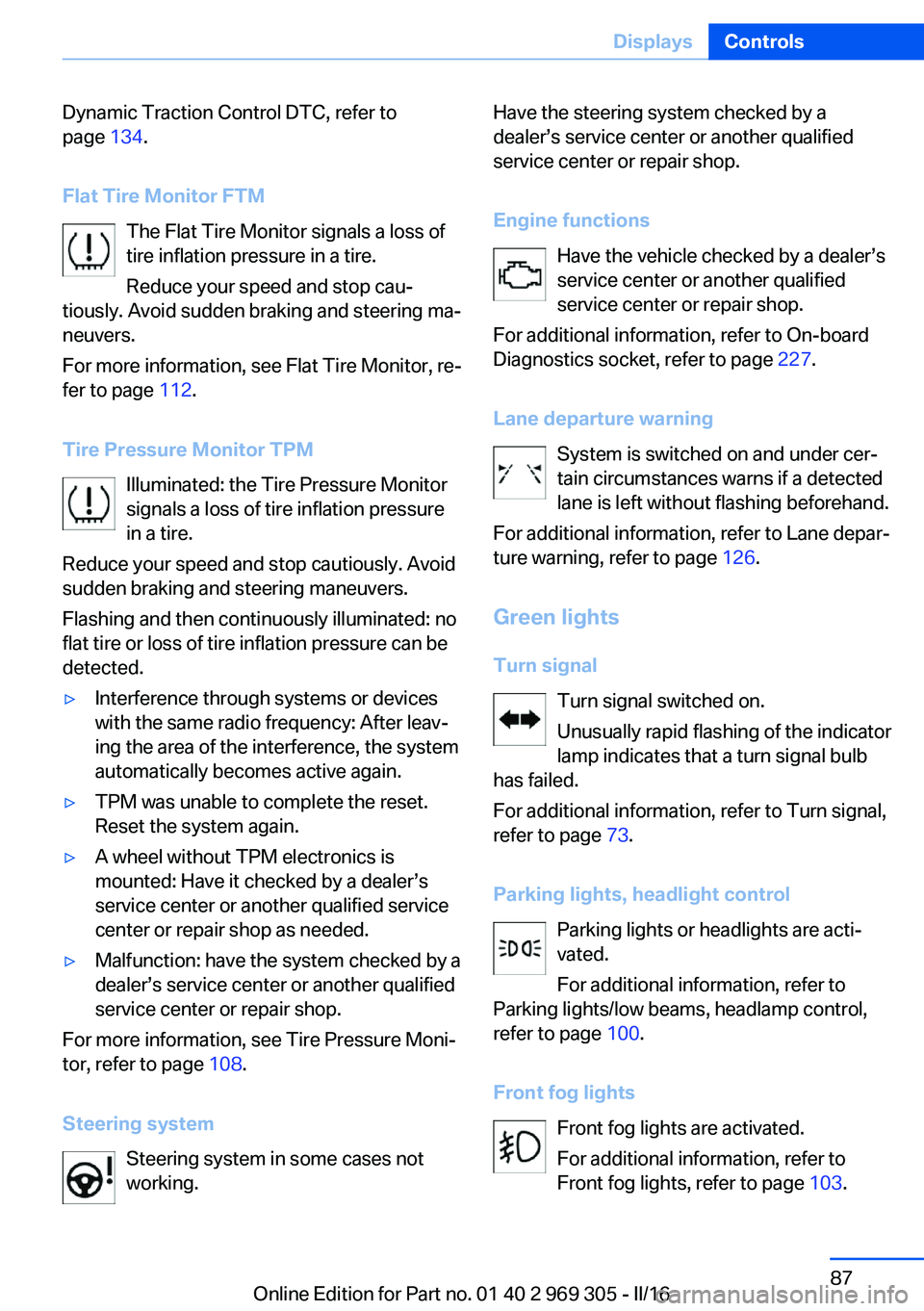
Flat Tire Monitor FTM The Flat Tire Monitor signals a loss of
tire inflation pressure in a tire.
Reduce your speed and stop cau‐
tiously. Avoid sudden braking and steering ma‐
neuvers.
For more information, see Flat Tire Monitor, re‐
fer to page 112.
Tire Pressure Monitor TPM Illuminated: the Tire Pressure Monitor
signals a loss of tire inflation pressure
in a tire.
Reduce your speed and stop cautiously. Avoid
sudden braking and steering maneuvers.
Flashing and then continuously illuminated: no
flat tire or loss of tire inflation pressure can be
detected.▷Interference through systems or devices
with the same radio frequency: After leav‐
ing the area of the interference, the system
automatically becomes active again.▷TPM was unable to complete the reset.
Reset the system again.▷A wheel without TPM electronics is
mounted: Have it checked by a dealer’s
service center or another qualified service
center or repair shop as needed.▷Malfunction: have the system checked by a
dealer’s service center or another qualified
service center or repair shop.
For more information, see Tire Pressure Moni‐
tor, refer to page 108.
Steering system Steering system in some cases not
working.
Have the steering system checked by a
dealer’s service center or another qualified
service center or repair shop.
Engine functions Have the vehicle checked by a dealer’s
service center or another qualified
service center or repair shop.
For additional information, refer to On-board
Diagnostics socket, refer to page 227.
Lane departure warning System is switched on and under cer‐
tain circumstances warns if a detected
lane is left without flashing beforehand.
For additional information, refer to Lane depar‐
ture warning, refer to page 126.
Green lights Turn signal Turn signal switched on.
Unusually rapid flashing of the indicator
lamp indicates that a turn signal bulb
has failed.
For additional information, refer to Turn signal,
refer to page 73.
Parking lights, headlight control Parking lights or headlights are acti‐
vated.
For additional information, refer to
Parking lights/low beams, headlamp control,
refer to page 100.
Front fog lights Front fog lights are activated.
For additional information, refer to
Front fog lights, refer to page 103.Seite 87DisplaysControls87
Online Edition for Part no. 01 40 2 969 305 - II/16
Page 100 of 261
LightsVehicle features and optionsThis chapter describes all standard, country-
specific and optional features offered with the
series. It also describes features that are not
necessarily available in your car, e. g., due to
the selected options or country versions. This
also applies to safety-related functions and
systems. The respectively applicable country
provisions must be observed when using the
respective features and systems.
Overview Switches in the vehicle
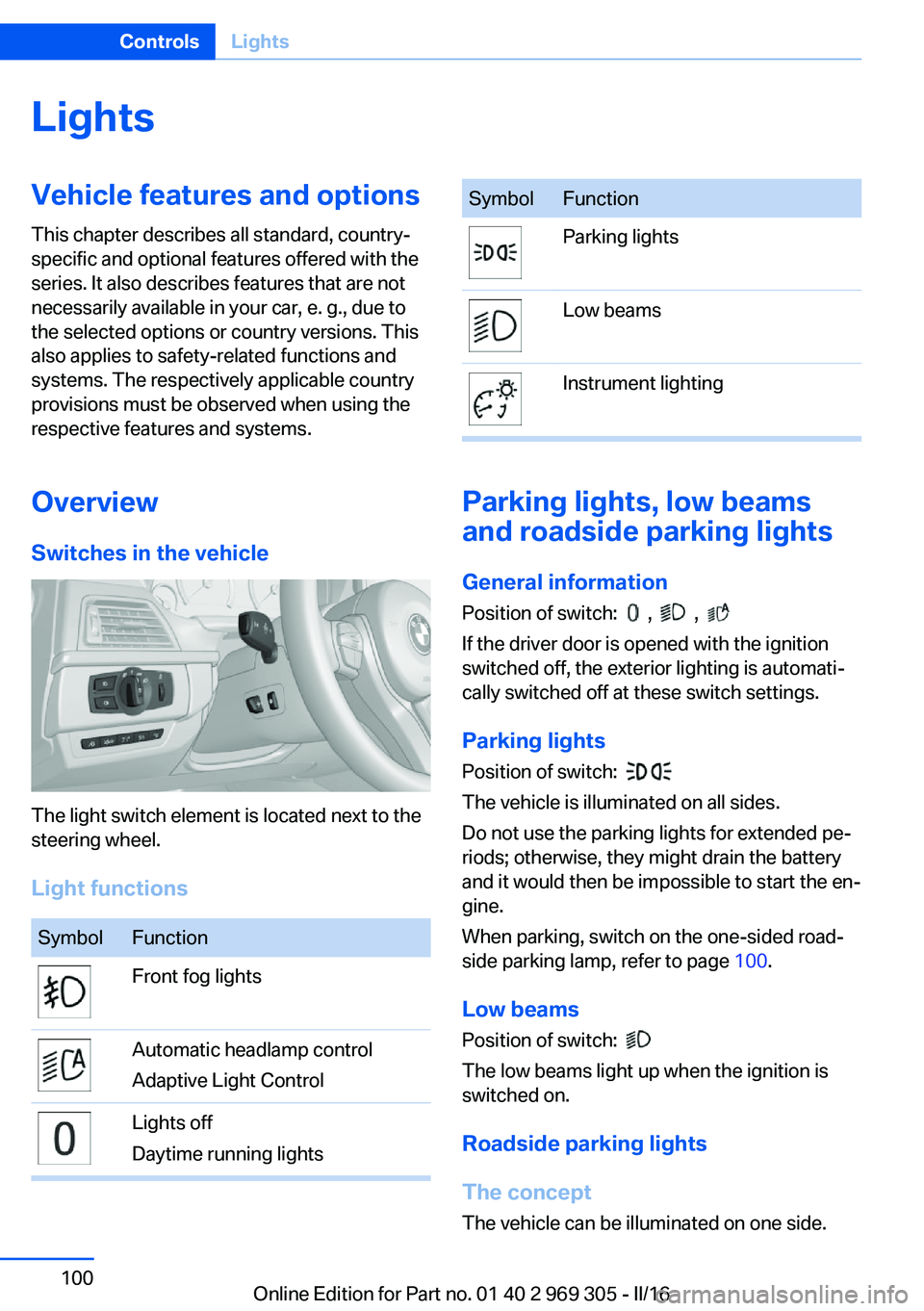
The light switch element is located next to the
steering wheel.
Light functions
SymbolFunctionFront fog lightsAutomatic headlamp control
Adaptive Light ControlLights off
Daytime running lightsSymbolFunctionParking lightsLow beamsInstrument lighting
Parking lights, low beams
and roadside parking lights
General information
Position of switch:
, ,
If the driver door is opened with the ignition
switched off, the exterior lighting is automati‐
cally switched off at these switch settings.
Parking lights
Position of switch:
The vehicle is illuminated on all sides.
Do not use the parking lights for extended pe‐
riods; otherwise, they might drain the battery
and it would then be impossible to start the en‐
gine.
When parking, switch on the one-sided road‐
side parking lamp, refer to page 100.
Low beams Position of switch:
The low beams light up when the ignition is
switched on.
Roadside parking lights
The concept
The vehicle can be illuminated on one side.
Seite 100ControlsLights100
Online Edition for Part no. 01 40 2 969 305 - II/16
Page 101 of 261
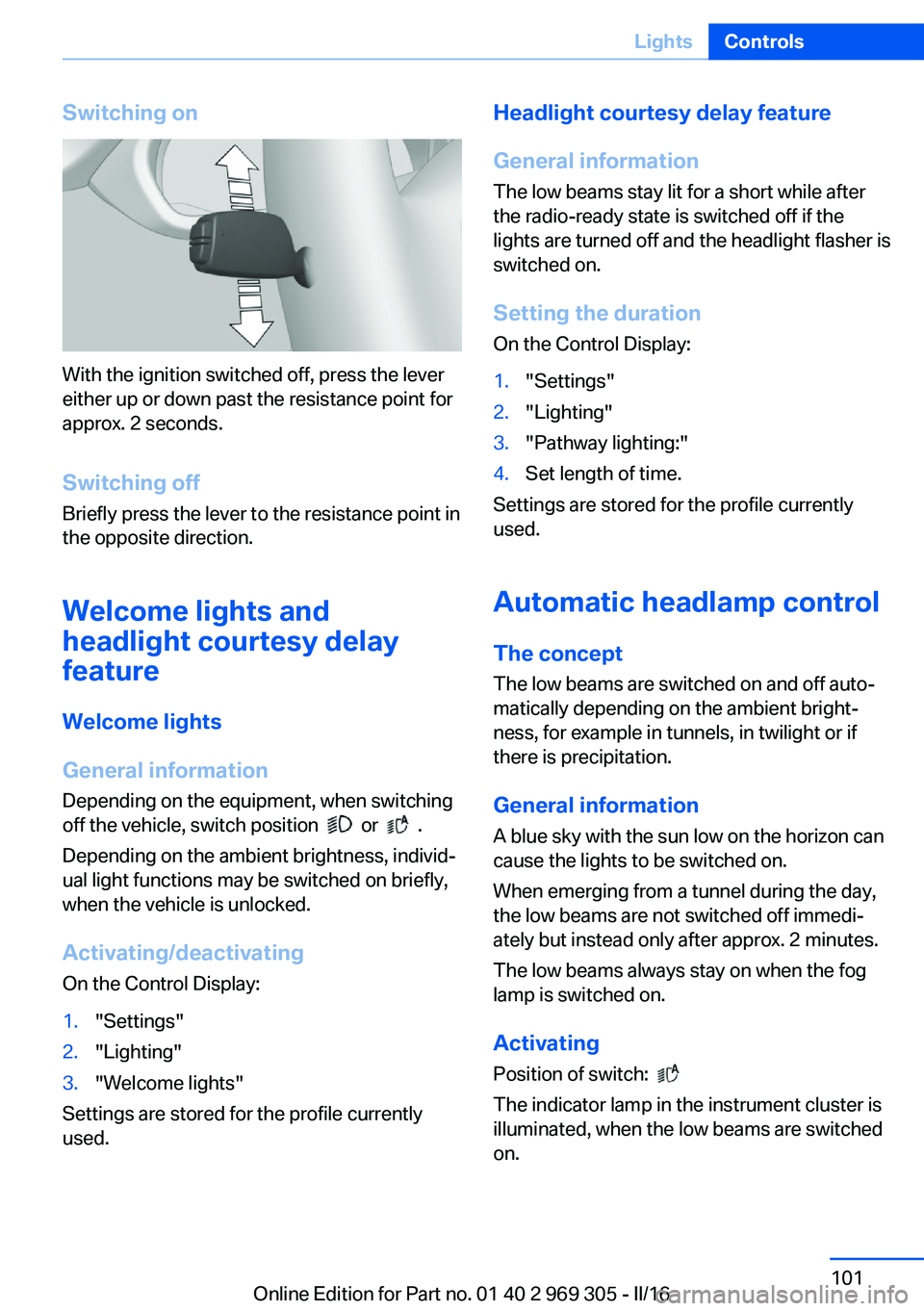
Switching on
With the ignition switched off, press the lever
either up or down past the resistance point for
approx. 2 seconds.
Switching off Briefly press the lever to the resistance point in
the opposite direction.
Welcome lights and
headlight courtesy delay
feature
Welcome lights
General information Depending on the equipment, when switching
off the vehicle, switch position
or .
Depending on the ambient brightness, individ‐
ual light functions may be switched on briefly,
when the vehicle is unlocked.
Activating/deactivating
On the Control Display:
1."Settings"2."Lighting"3."Welcome lights"
Settings are stored for the profile currently
used.
Headlight courtesy delay feature
General information
The low beams stay lit for a short while after
the radio-ready state is switched off if the
lights are turned off and the headlight flasher is
switched on.
Setting the durationOn the Control Display:1."Settings"2."Lighting"3."Pathway lighting:"4.Set length of time.
Settings are stored for the profile currently
used.
Automatic headlamp control
The concept The low beams are switched on and off auto‐
matically depending on the ambient bright‐
ness, for example in tunnels, in twilight or if
there is precipitation.
General information
A blue sky with the sun low on the horizon can
cause the lights to be switched on.
When emerging from a tunnel during the day,
the low beams are not switched off immedi‐
ately but instead only after approx. 2 minutes.
The low beams always stay on when the fog
lamp is switched on.
ActivatingPosition of switch:
The indicator lamp in the instrument cluster is
illuminated, when the low beams are switched
on.
Seite 101LightsControls101
Online Edition for Part no. 01 40 2 969 305 - II/16
Page 102 of 261
System limits
The automatic headlamp control cannot serve
as a substitute for your personal judgment of
lighting conditions.
E.g. the sensors are unable to detect fog or
hazy weather. To avoid safety risks under
these conditions, you should always switch on
the lights manually.
Daytime running lights
General information Position of switch:
, ,
The daytime running lights light up when the
ignition is switched on. After the ignition is
switched off, the parking lights light up in posi‐
tion
.
Activating/deactivating In some countries, daytime running lights are
mandatory, so it may not be possible to deacti‐
vate the daytime running lights.
On the Control Display:
1."Settings"2."Lighting"3."Daytime running lamps"
Settings are stored for the profile currently
used.
Adaptive Light Control
The concept Adaptive Light Control is a variable headlight
control system that enables dynamic illumina‐
tion of the road surface.
General information
Depending on the steering angle and other pa‐
rameters, the light from the headlamp follows
the course of the road.
To avoid blinding oncoming traffic, the Adap‐
tive Light Control does not swivel to the driv‐
er's side when the vehicle is at a standstill.
Depending on the equipment version, Adap‐
tive Light Control consists of one or several
systems:▷Cornering light, refer to page 102.▷Self-leveling headlights, refer to page 102.
Activating
Position of switch
with the ignition
switched on.
Cornering lights
In tight curves, for example, on mountainous
roads or when turning, an additional, cornering
light is switched on that lights up the inside of
the curve when the vehicle is moving below a certain speed.
The cornering lights are automatically
switched on depending on the steering angle
or the use of turn signals.
When driving in reverse, the cornering lights
may be automatically switched on regardless of the steering angle.
Self-leveling headlights
The self-leveling headlights compensate for
acceleration and braking operations in order
not to blind the oncoming traffic and to achieve
optimum illumination of the roadway.
Malfunction
A Check Control message is displayed.
Adaptive Light Control is malfunctioning or has
failed. Have the system immediately checked
by a dealer’s service center or another quali‐
fied service center or repair shop.
Seite 102ControlsLights102
Online Edition for Part no. 01 40 2 969 305 - II/16
Page 103 of 261
High-beam AssistantThe concept
The high-beam Assistant detects other traffic
participants early on and automatically
switches the high beams on or off depending
on the traffic situation. The assistant ensures
that the high beams are switched on, when‐
ever the traffic situation allows. In the low
speed range, the high beams are not switched
on by the system.
General information
The system responds to light from oncoming
traffic and traffic driving ahead of you, and to
adequate illumination, for example, in towns
and cities.
The driver can intervene at any time and switch
the high beams on and off as usual.
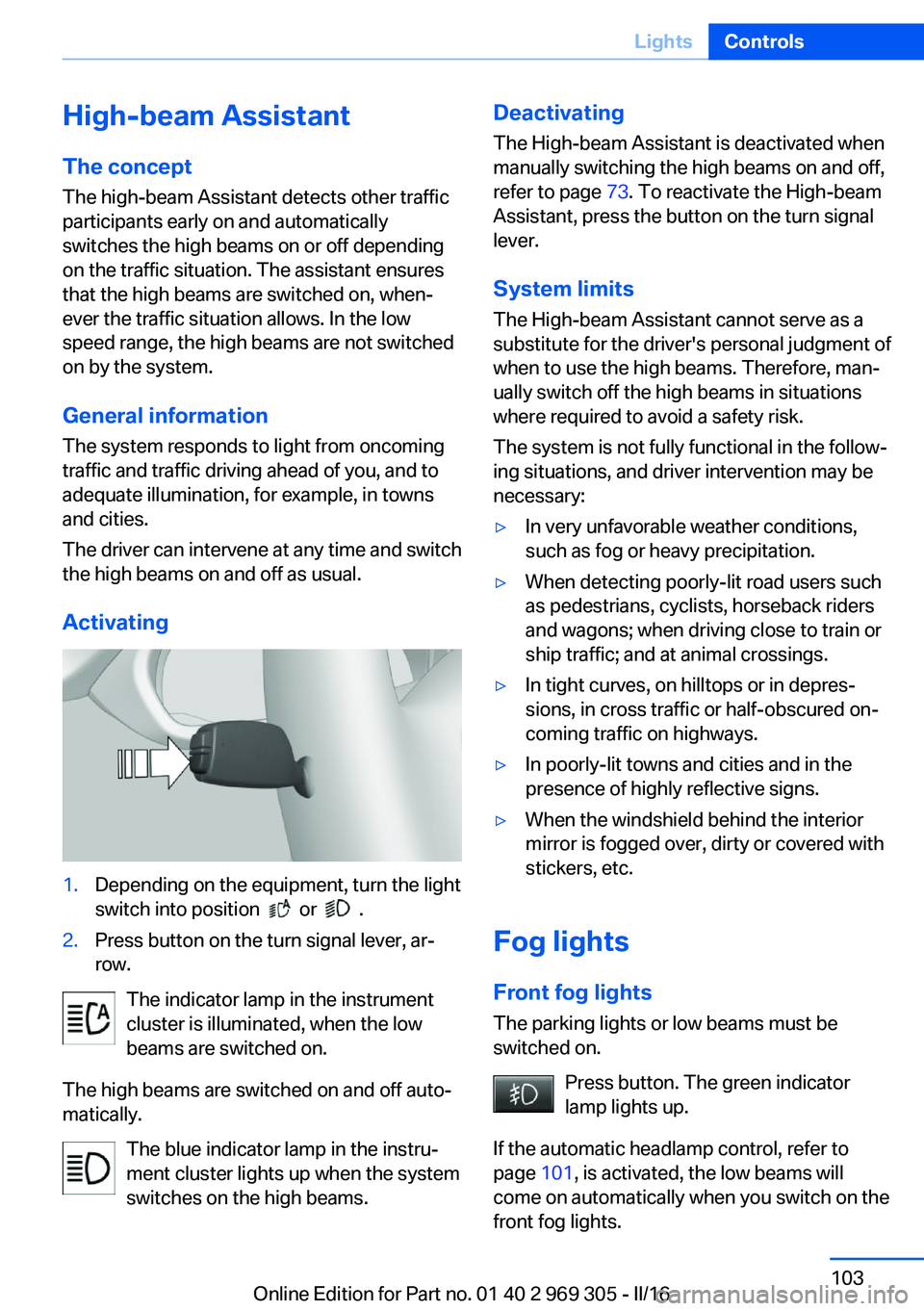
Activating1.Depending on the equipment, turn the light
switch into position
or .
2.Press button on the turn signal lever, ar‐
row.
The indicator lamp in the instrument
cluster is illuminated, when the low
beams are switched on.
The high beams are switched on and off auto‐
matically.
The blue indicator lamp in the instru‐
ment cluster lights up when the system
switches on the high beams.
Deactivating
The High-beam Assistant is deactivated when
manually switching the high beams on and off,
refer to page 73. To reactivate the High-beam
Assistant, press the button on the turn signal
lever.
System limits
The High-beam Assistant cannot serve as a
substitute for the driver's personal judgment of
when to use the high beams. Therefore, man‐
ually switch off the high beams in situations
where required to avoid a safety risk.
The system is not fully functional in the follow‐
ing situations, and driver intervention may be
necessary:▷In very unfavorable weather conditions,
such as fog or heavy precipitation.▷When detecting poorly-lit road users such
as pedestrians, cyclists, horseback riders
and wagons; when driving close to train or
ship traffic; and at animal crossings.▷In tight curves, on hilltops or in depres‐
sions, in cross traffic or half-obscured on‐
coming traffic on highways.▷In poorly-lit towns and cities and in the
presence of highly reflective signs.▷When the windshield behind the interior
mirror is fogged over, dirty or covered with
stickers, etc.
Fog lights
Front fog lights
The parking lights or low beams must be
switched on.
Press button. The green indicator
lamp lights up.
If the automatic headlamp control, refer to
page 101, is activated, the low beams will
come on automatically when you switch on the
front fog lights.
Seite 103LightsControls103
Online Edition for Part no. 01 40 2 969 305 - II/16
Page 124 of 261
In addition, the system also detects animals
above a certain minimum size, for example,
deer.
Display on the Control Display with heat image
activated:▷People detected by the system: in light
yellow.▷Animals detected by the system: in dark
yellow.
Range of object detection, with good ambient
conditions:
▷Pedestrian detection: up to approx.
330 ft/100 m▷Detection of large animals: up to approx.
490 ft/150 m▷Detection of medium animals: up to ap‐
prox. 230 ft/70 m
Environmental influences can limit the availa‐
bility of object detection.
If the vehicle systems detect that the vehicle is
located in a residential area, the animal detec‐
tion is temporarily switched off.
Information WARNING
The system does not release from the
personal responsibility to correctly assess visi‐
bility and traffic situation. There is risk of an ac‐
cident. Adjust the driving style to the traffic
conditions. Watch traffic closely and actively
intervene in the respective situations.◀
Overview
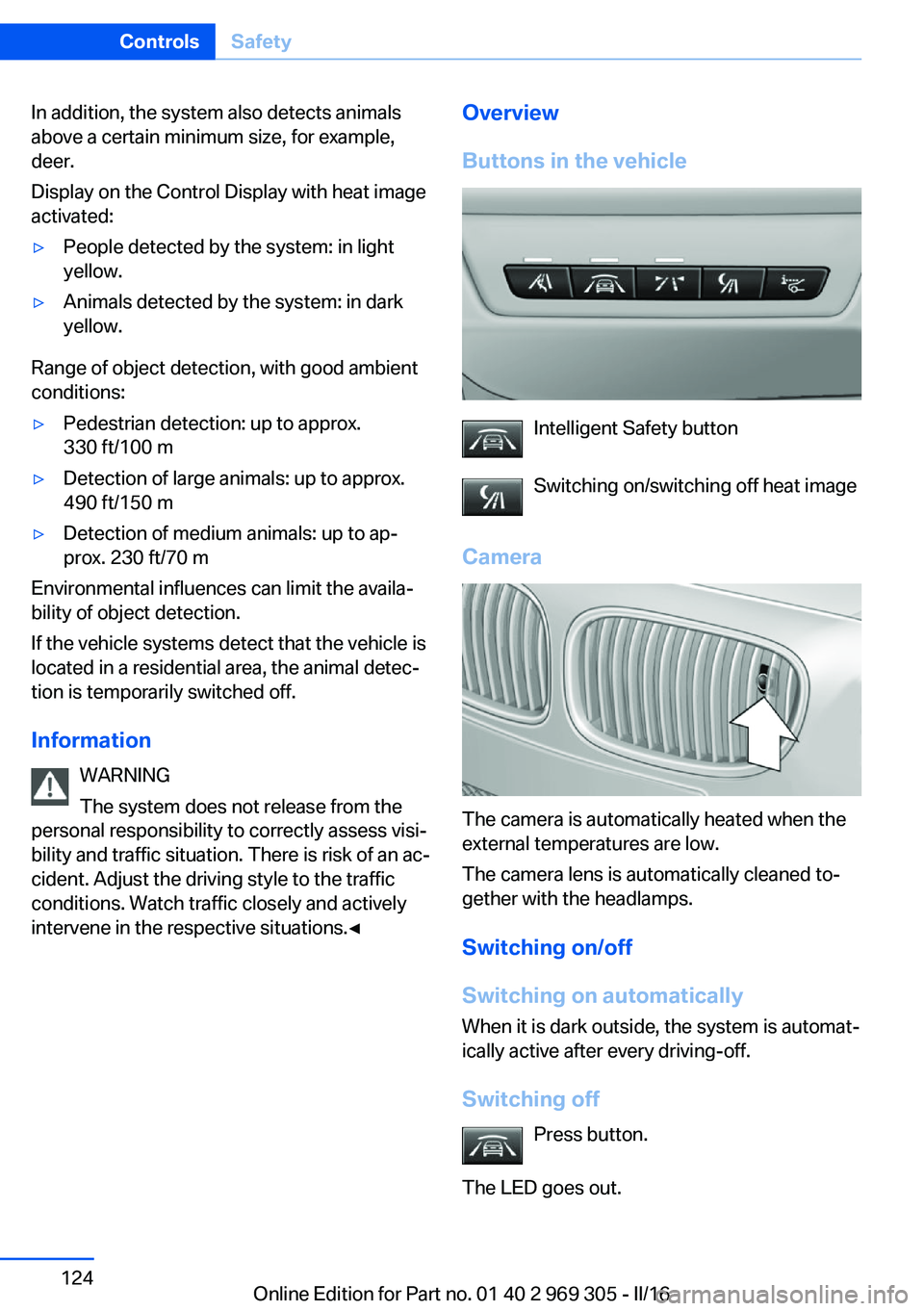
Buttons in the vehicle
Intelligent Safety button
Switching on/switching off heat image
Camera
The camera is automatically heated when the
external temperatures are low.
The camera lens is automatically cleaned to‐
gether with the headlamps.
Switching on/off
Switching on automatically When it is dark outside, the system is automat‐
ically active after every driving-off.
Switching off Press button.
The LED goes out.
Seite 124ControlsSafety124
Online Edition for Part no. 01 40 2 969 305 - II/16
Page 250 of 261
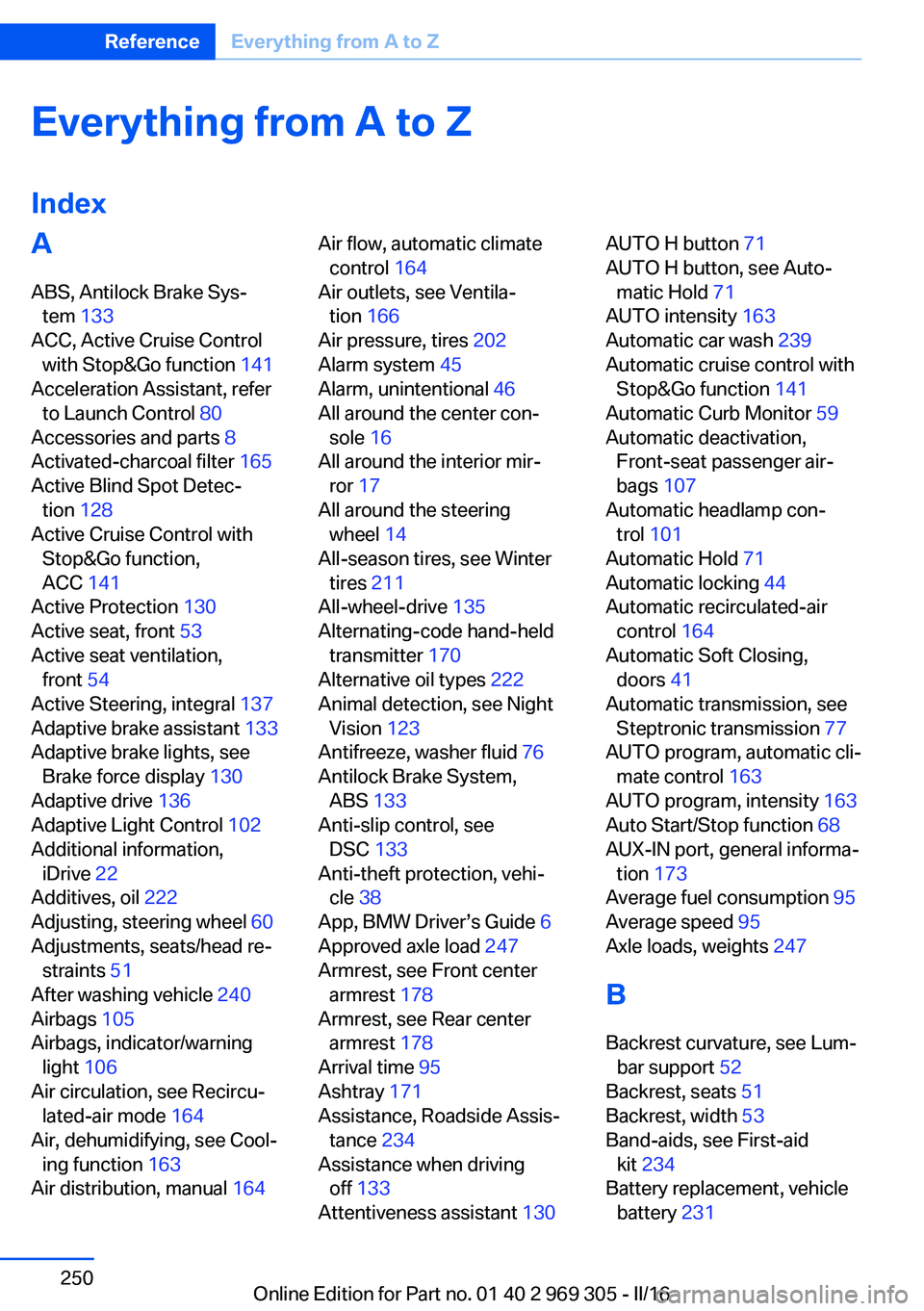
Everything from A to Z
IndexA ABS, Antilock Brake Sys‐ tem 133
ACC, Active Cruise Control with Stop&Go function 141
Acceleration Assistant, refer to Launch Control 80
Accessories and parts 8
Activated-charcoal filter 165
Active Blind Spot Detec‐ tion 128
Active Cruise Control with Stop&Go function,
ACC 141
Active Protection 130
Active seat, front 53
Active seat ventilation, front 54
Active Steering, integral 137
Adaptive brake assistant 133
Adaptive brake lights, see Brake force display 130
Adaptive drive 136
Adaptive Light Control 102
Additional information, iDrive 22
Additives, oil 222
Adjusting, steering wheel 60
Adjustments, seats/head re‐ straints 51
After washing vehicle 240
Airbags 105
Airbags, indicator/warning light 106
Air circulation, see Recircu‐ lated-air mode 164
Air, dehumidifying, see Cool‐ ing function 163
Air distribution, manual 164 Air flow, automatic climate
control 164
Air outlets, see Ventila‐ tion 166
Air pressure, tires 202
Alarm system 45
Alarm, unintentional 46
All around the center con‐ sole 16
All around the interior mir‐ ror 17
All around the steering wheel 14
All-season tires, see Winter tires 211
All-wheel-drive 135
Alternating-code hand-held transmitter 170
Alternative oil types 222
Animal detection, see Night Vision 123
Antifreeze, washer fluid 76
Antilock Brake System, ABS 133
Anti-slip control, see DSC 133
Anti-theft protection, vehi‐ cle 38
App, BMW Driver’s Guide 6
Approved axle load 247
Armrest, see Front center armrest 178
Armrest, see Rear center armrest 178
Arrival time 95
Ashtray 171
Assistance, Roadside Assis‐ tance 234
Assistance when driving off 133
Attentiveness assistant 130 AUTO H button 71
AUTO H button, see Auto‐ matic Hold 71
AUTO intensity 163
Automatic car wash 239
Automatic cruise control with Stop&Go function 141
Automatic Curb Monitor 59
Automatic deactivation, Front-seat passenger air‐
bags 107
Automatic headlamp con‐ trol 101
Automatic Hold 71
Automatic locking 44
Automatic recirculated-air control 164
Automatic Soft Closing, doors 41
Automatic transmission, see Steptronic transmission 77
AUTO program, automatic cli‐ mate control 163
AUTO program, intensity 163
Auto Start/Stop function 68
AUX-IN port, general informa‐ tion 173
Average fuel consumption 95
Average speed 95
Axle loads, weights 247
B Backrest curvature, see Lum‐ bar support 52
Backrest, seats 51
Backrest, width 53
Band-aids, see First-aid kit 234
Battery replacement, vehicle battery 231 Seite 250ReferenceEverything from A to Z250
Online Edition for Part no. 01 40 2 969 305 - II/16
Page 254 of 261
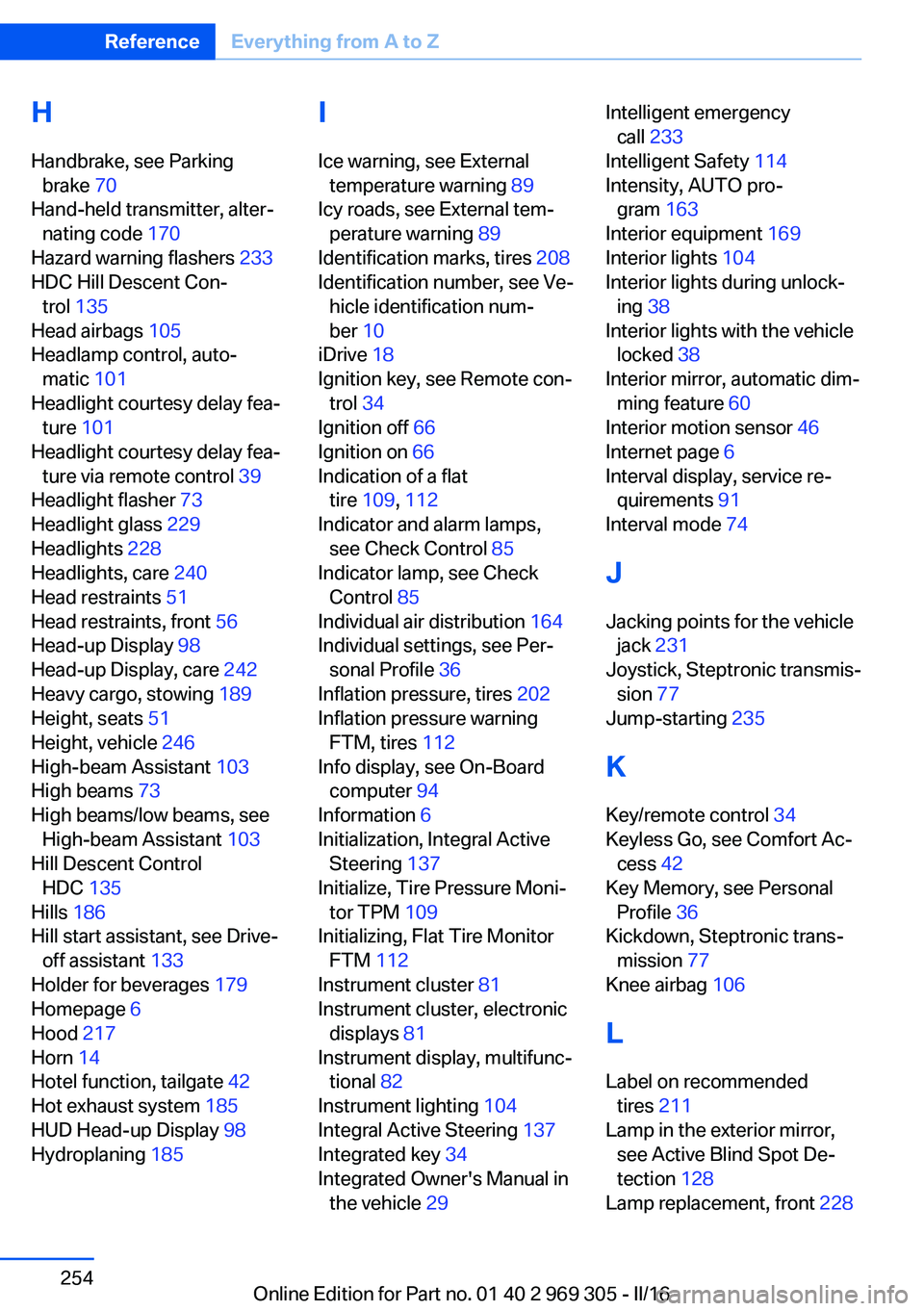
H
Handbrake, see Parking brake 70
Hand-held transmitter, alter‐ nating code 170
Hazard warning flashers 233
HDC Hill Descent Con‐ trol 135
Head airbags 105
Headlamp control, auto‐ matic 101
Headlight courtesy delay fea‐ ture 101
Headlight courtesy delay fea‐ ture via remote control 39
Headlight flasher 73
Headlight glass 229
Headlights 228
Headlights, care 240
Head restraints 51
Head restraints, front 56
Head-up Display 98
Head-up Display, care 242
Heavy cargo, stowing 189
Height, seats 51
Height, vehicle 246
High-beam Assistant 103
High beams 73
High beams/low beams, see High-beam Assistant 103
Hill Descent Control HDC 135
Hills 186
Hill start assistant, see Drive- off assistant 133
Holder for beverages 179
Homepage 6
Hood 217
Horn 14
Hotel function, tailgate 42
Hot exhaust system 185
HUD Head-up Display 98
Hydroplaning 185 I
Ice warning, see External temperature warning 89
Icy roads, see External tem‐ perature warning 89
Identification marks, tires 208
Identification number, see Ve‐ hicle identification num‐
ber 10
iDrive 18
Ignition key, see Remote con‐ trol 34
Ignition off 66
Ignition on 66
Indication of a flat tire 109 , 112
Indicator and alarm lamps, see Check Control 85
Indicator lamp, see Check Control 85
Individual air distribution 164
Individual settings, see Per‐ sonal Profile 36
Inflation pressure, tires 202
Inflation pressure warning FTM, tires 112
Info display, see On-Board computer 94
Information 6
Initialization, Integral Active Steering 137
Initialize, Tire Pressure Moni‐ tor TPM 109
Initializing, Flat Tire Monitor FTM 112
Instrument cluster 81
Instrument cluster, electronic displays 81
Instrument display, multifunc‐ tional 82
Instrument lighting 104
Integral Active Steering 137
Integrated key 34
Integrated Owner's Manual in the vehicle 29 Intelligent emergency
call 233
Intelligent Safety 114
Intensity, AUTO pro‐ gram 163
Interior equipment 169
Interior lights 104
Interior lights during unlock‐ ing 38
Interior lights with the vehicle locked 38
Interior mirror, automatic dim‐ ming feature 60
Interior motion sensor 46
Internet page 6
Interval display, service re‐ quirements 91
Interval mode 74
J
Jacking points for the vehicle jack 231
Joystick, Steptronic transmis‐ sion 77
Jump-starting 235
K
Key/remote control 34
Keyless Go, see Comfort Ac‐ cess 42
Key Memory, see Personal Profile 36
Kickdown, Steptronic trans‐ mission 77
Knee airbag 106
L Label on recommended tires 211
Lamp in the exterior mirror, see Active Blind Spot De‐
tection 128
Lamp replacement, front 228 Seite 254ReferenceEverything from A to Z254
Online Edition for Part no. 01 40 2 969 305 - II/16