trip computer BMW 640I XDRIVE GRAN COUPE 2014 Owners Manual
[x] Cancel search | Manufacturer: BMW, Model Year: 2014, Model line: 640I XDRIVE GRAN COUPE, Model: BMW 640I XDRIVE GRAN COUPE 2014Pages: 253, PDF Size: 5.47 MB
Page 81 of 253
DisplaysVehicle features and optionsThis chapter describes all standard, country-
specific and optional features offered with the
series. It also describes features that are notnecessarily available in your car, e. g., due to
the selected options or country versions. This
also applies to safety-related functions and
systems.
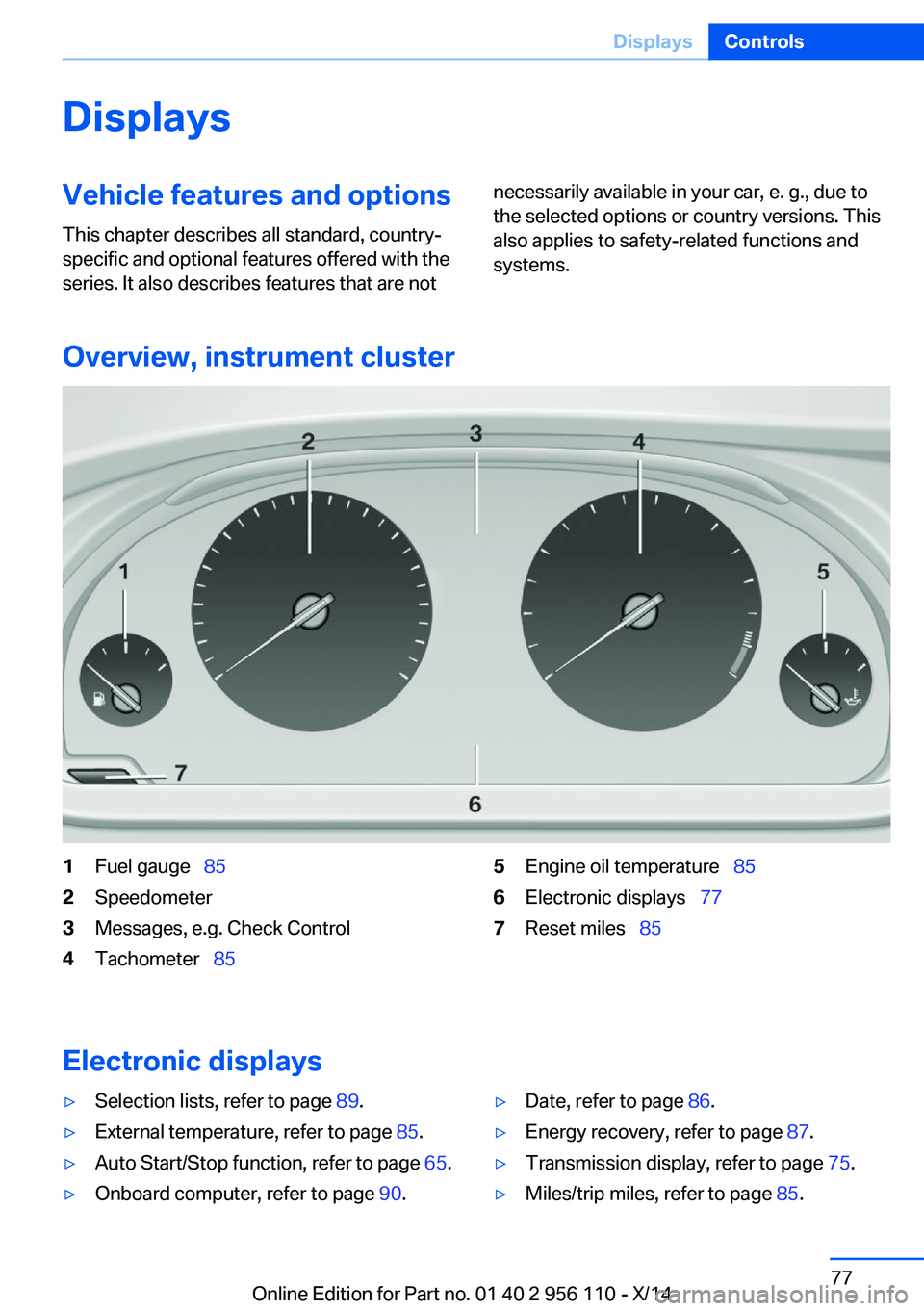
Overview, instrument cluster
1Fuel gauge 852Speedometer3Messages, e.g. Check Control4Tachometer 855Engine oil temperature 856Electronic displays 777Reset miles 85
Electronic displays
▷Selection lists, refer to page 89.▷External temperature, refer to page 85.▷Auto Start/Stop function, refer to page 65.▷Onboard computer, refer to page 90.▷Date, refer to page 86.▷Energy recovery, refer to page 87.▷Transmission display, refer to page 75.▷Miles/trip miles, refer to page 85.Seite 77DisplaysControls77
Online Edition for Part no. 01 40 2 956 110 - X/14
Page 94 of 253
Using the thumbwheel, select the desired set‐
ting and confirm it by pushing the thumbwheel.
Computer
Indication in the info display The information from the com‐
puter is shown in the info display
in the instrument cluster.
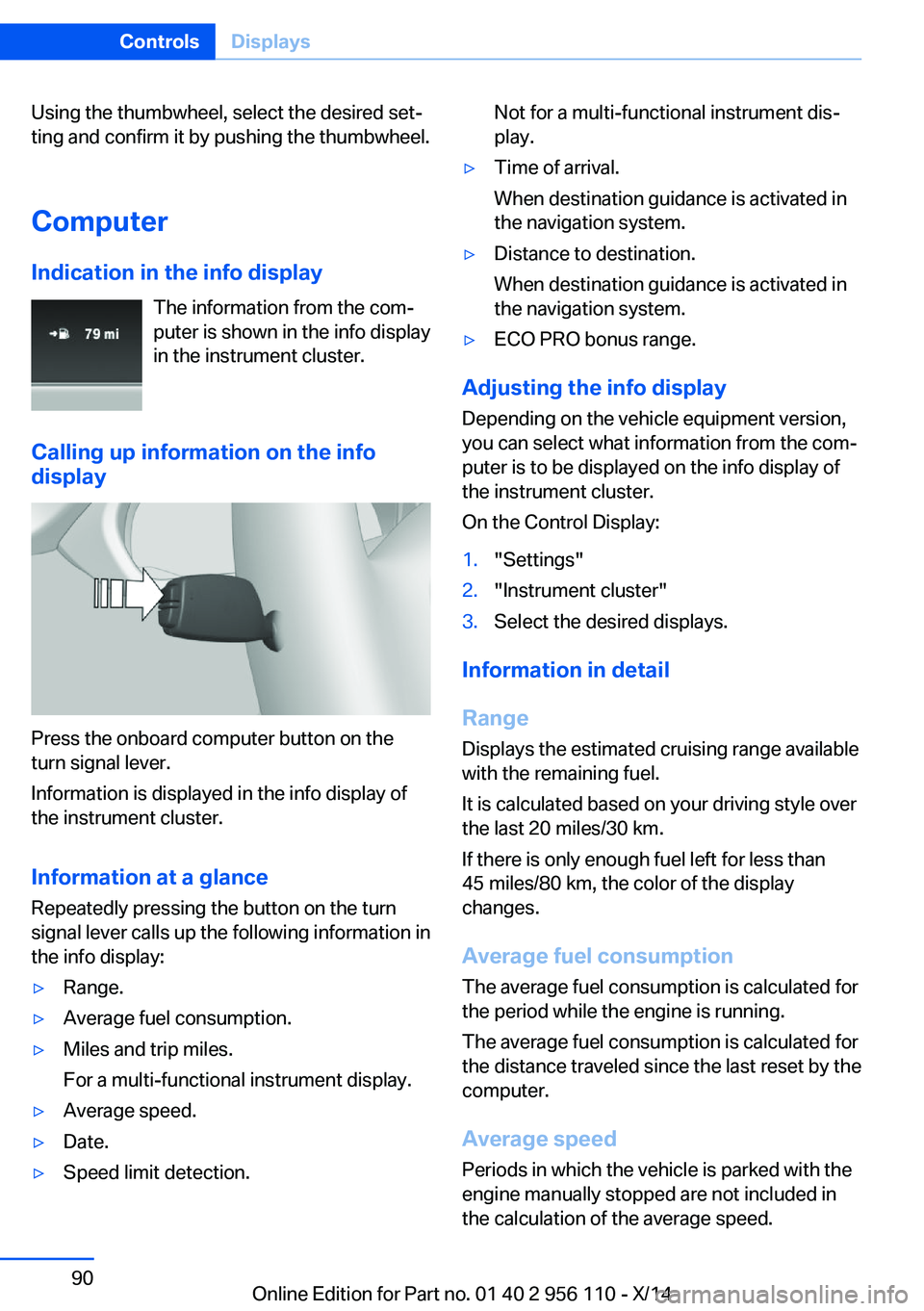
Calling up information on the info display
Press the onboard computer button on the
turn signal lever.
Information is displayed in the info display of
the instrument cluster.
Information at a glance
Repeatedly pressing the button on the turn
signal lever calls up the following information in
the info display:
▷Range.▷Average fuel consumption.▷Miles and trip miles.
For a multi-functional instrument display.▷Average speed.▷Date.▷Speed limit detection.Not for a multi-functional instrument dis‐
play.▷Time of arrival.
When destination guidance is activated in
the navigation system.▷Distance to destination.
When destination guidance is activated in
the navigation system.▷ECO PRO bonus range.
Adjusting the info display
Depending on the vehicle equipment version,
you can select what information from the com‐
puter is to be displayed on the info display of
the instrument cluster.
On the Control Display:
1."Settings"2."Instrument cluster"3.Select the desired displays.
Information in detail
Range
Displays the estimated cruising range available
with the remaining fuel.
It is calculated based on your driving style over
the last 20 miles/30 km.
If there is only enough fuel left for less than
45 miles/80 km, the color of the display
changes.
Average fuel consumption
The average fuel consumption is calculated for
the period while the engine is running.
The average fuel consumption is calculated for
the distance traveled since the last reset by the
computer.
Average speed
Periods in which the vehicle is parked with the
engine manually stopped are not included in
the calculation of the average speed.
Seite 90ControlsDisplays90
Online Edition for Part no. 01 40 2 956 110 - X/14
Page 95 of 253
Resetting average values
Press and hold the onboard computer button
on the turn signal lever.
Distance to destination
The distance remaining to the destination is
displayed if a destination is entered in the navi‐
gation system before the trip is started.
The distance to the destination is adopted au‐
tomatically.
Time of arrival The estimated time of arrival is
displayed if a destination is en‐
tered in the navigation system
before the trip is started.
The time must be correctly set.
Speed limit detection Description of the speed limit detection, refer
to page 88, function.
Trip computer The vehicle features two types of board com‐
puters.▷"Onboard info": the values can be reset as
often as necessary.▷"Trip computer": the values provide an
overview of the current trip.
Resetting the trip computer
On the Control Display:
1."Vehicle info"2."Trip computer"3."Reset": all values are reset.
"Automatically reset": all values are reset
approx. 4 hours after the vehicle came to a
standstill.Display on the Control Display
Display the computer or trip computer on the
Control Display.1."Vehicle info"2."Onboard info" or "Trip computer"
Resetting the fuel consumption or
speed
On the Control Display:
1."Vehicle info"2."Onboard info"3."Consumpt." or "Speed"4."Yes"
Sport displays
The concept
On the Control Display, the current values for
performance and torque can be displayed if
the vehicle is appropriately equipped.
Displaying sport displays on the
Control Display
1."Vehicle info"2."Sport displays"
Speed warning
The concept Displays a speed, when reached, should cause
a warning to be issued.
The warning is repeated if the vehicle speed
drops below the set speed once by at least
3 mph/5 km/h.
Seite 91DisplaysControls91
Online Edition for Part no. 01 40 2 956 110 - X/14
Page 250 of 253
Switch for Dynamic DrivingControl 132
Switch-on times, parked-car heating 163
Switch-on times, parked-car ventilation 163
Switch, refer to Cockpit 14
Symbols 6
Symbols in the status field 22
SYNC program, automatic cli‐ mate control 159
T Tachometer 85
Tail and brake lights 219
Tail lights 219
Tail lights, bulb replace‐ ment 219
Technical changes, refer to Safety 7
Technical data 234
Telephone, see user's manual for Navigation, Entertain‐
ment and Communication
Temperature, automatic cli‐ mate control 157
Temperature display for ex‐ ternal temperature 85
Temperature, engine oil 85
Terminal, starting aid 225
Text message, supplemen‐ tary 84
Theft alarm system, refer to Alarm system 43
Thermal camera, see Night Vision 118
Thigh support 50
Through-loading system 169
Tilt alarm sensor 44
Tilt glass roof 47
Tilt, seats 49
Time of arrival 91
Tire damage 203
Tire identification marks 202
Tire inflation pressure 196 Tire inflation pressure moni‐
tor, refer to FTM 108
Tire Pressure Monitor TPM 104
Tires, changing 204
Tires, everything on wheels and tires 196
Tires, run-flat tires 205
Tire tread 203
Tone, see user's manual for Navigation, Entertainment
and Communication
Tool 217
Top View 151
Total vehicle weight 235
Touchpad 21
Tow fitting 227
Towing 226
Tow lug, see tow fitting 227
Tow-starting 226
TPM Tire Pressure Moni‐ tor 104
Traction control 129
TRACTION, driving dynam‐ ics 129
TRACTION program, Dy‐ namic Driving Control 133
Transmission lock, electronic unlocking 75
Transmission, see Steptronic transmission 72
Transporting children safely 59
Tread, tires 203
Trip computer 91
Triple turn signal activa‐ tion 69
Trip odometer 85
Trunk lid closing 40
Trunk lid, emergency unlock‐ ing 41
Trunk lid, hotel function 41
Trunk lid opening 40
Trunk lid via remote con‐ trol 38
Turning circle 234 Turning circle lines, rearview
camera 149
Turn signals, operation 69
Turn signals, rear, bulb re‐ placement 219
U
Unintentional alarm 45
Units of measure 93
Universal remote control 165
Unlock button, Steptronic transmission 73
Unlocking/locking via door lock 39
Unlocking/locking with re‐ mote control 37
Unlocking, settings 42
Updates made after the edito‐ rial deadline 6
Upholstery care 230
USB interface 172
V
Vanity mirror 167
Variable steering, Integral Ac‐ tive Steering 132
Vehicle battery 221
Vehicle battery, replac‐ ing 221
Vehicle, break-in 178
Vehicle care 229
Vehicle features and op‐ tions 6
Vehicle identification num‐ ber 9
Vehicle jack 220
Vehicle paint 229
Vehicle storage 231
Vehicle wash 228
Ventilation 161
Venting, see ventilation 161
Vent, see ventilation 161
VIN, see vehicle identification number 9 Seite 246ReferenceEverything from A to Z246
Online Edition for Part no. 01 40 2 956 110 - X/14