mirrors BMW 645CI CONVERTIBLE 2005 Owners Manual
[x] Cancel search | Manufacturer: BMW, Model Year: 2005, Model line: 645CI CONVERTIBLE, Model: BMW 645CI CONVERTIBLE 2005Pages: 217, PDF Size: 7.92 MB
Page 11 of 217
Cockpit
10
Cockpit
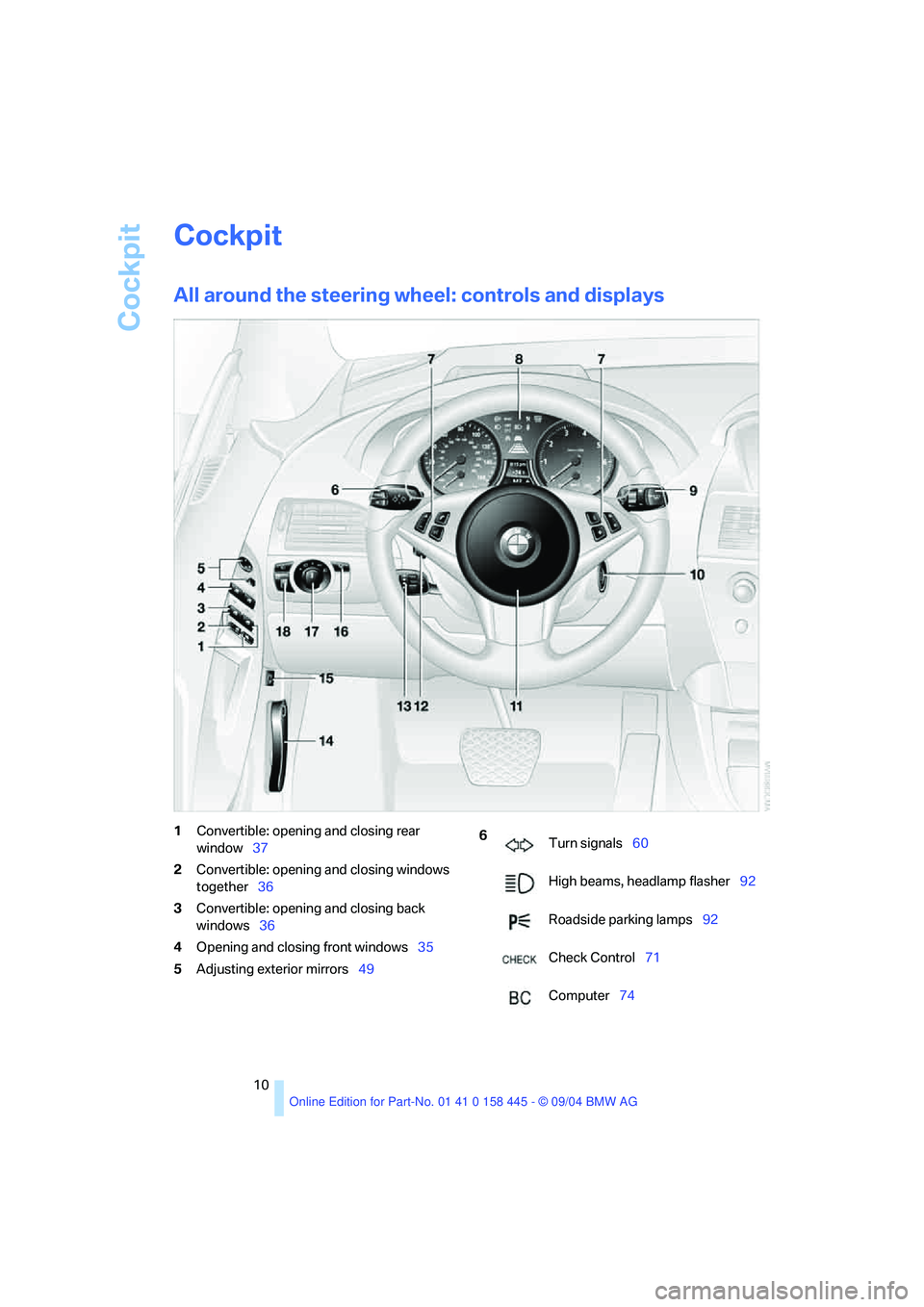
All around the steering wheel: controls and displays
1Convertible: opening and closing rear
window37
2Convertible: opening and closing windows
together36
3Convertible: opening and closing back
windows36
4Opening and closing front windows35
5Adjusting exterior mirrors49 6
Turn signals60
High beams, headlamp flasher92
Roadside parking lamps92
Check Control71
Computer74
Page 47 of 217
Adjustments
46
Seat, mirror and steering
wheel memory
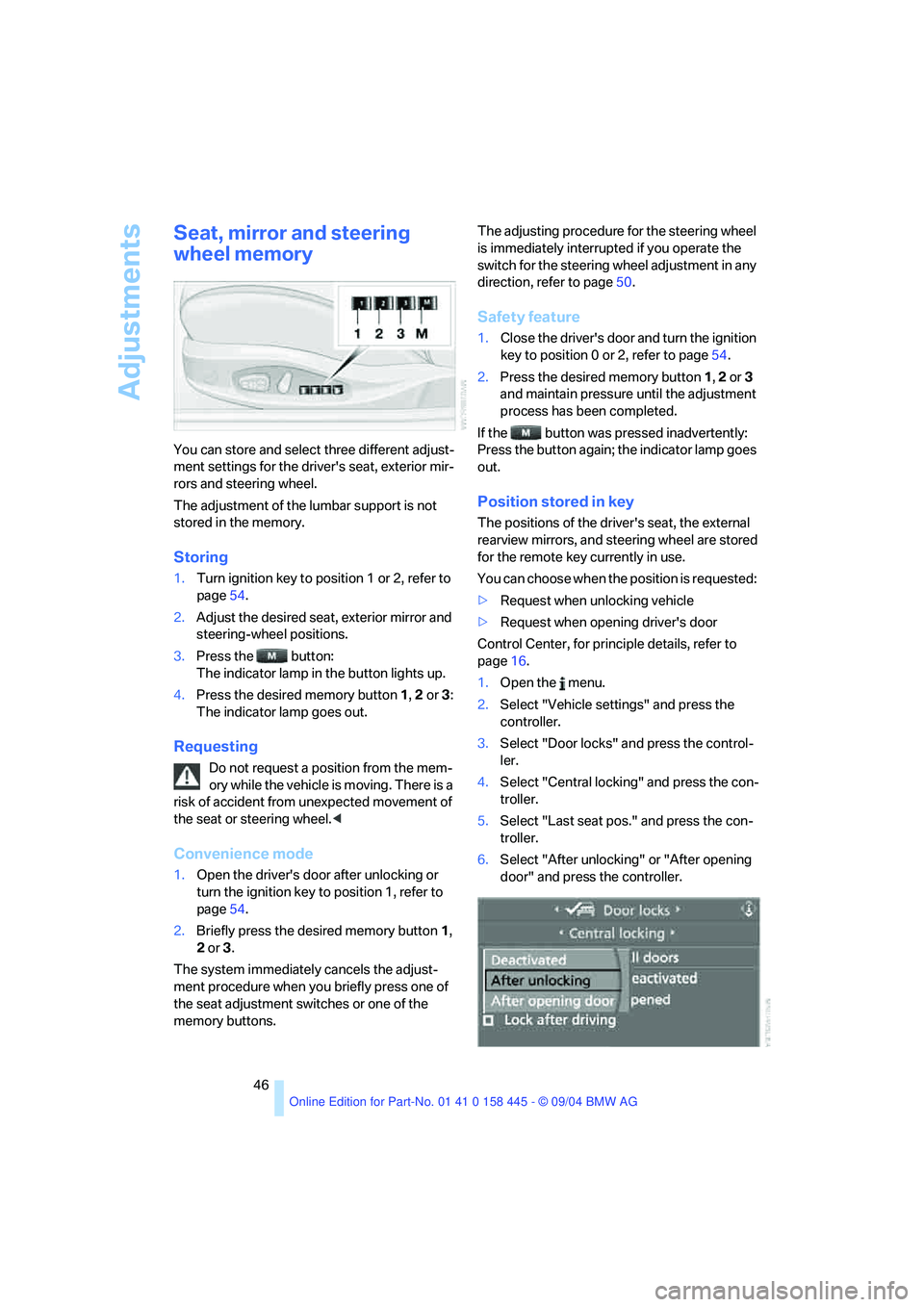
You can store and select three different adjust-
ment settings for the driver's seat, exterior mir-
rors and steering wheel.
The adjustment of the lumbar support is not
stored in the memory.
Storing
1.Turn ignition key to position 1 or 2, refer to
page54.
2.Adjust the desired seat, exterior mirror and
steering-wheel positions.
3.Press the button:
The indicator lamp in the button lights up.
4.Press the desired memory button 1, 2 or3:
The indicator lamp goes out.
Requesting
Do not request a position from the mem-
ory while the vehicle is moving. There is a
risk of accident from unexpected movement of
the seat or steering wheel.<
Convenience mode
1.Open the driver's door after unlocking or
turn the ignition key to position 1, refer to
page54.
2.Briefly press the desired memory button 1,
2 or3.
The system immediately cancels the adjust-
ment procedure when you briefly press one of
the seat adjustment switches or one of the
memory buttons.The adjusting procedure for the steering wheel
is immediately interrupted if you operate the
switch for the steering wheel adjustment in any
direction, refer to page50.
Safety feature
1.Close the driver's door and turn the ignition
key to position 0 or 2, refer to page54.
2.Press the desired memory button 1, 2 or3
and maintain pressure until the adjustment
process has been completed.
If the button was pressed inadvertently:
Press the button again; the indicator lamp goes
out.
Position stored in key
The positions of the driver's seat, the external
rearview mirrors, and steering wheel are stored
for the remote key currently in use.
You can choose when the position is requested:
>Request when unlocking vehicle
>Request when opening driver's door
Control Center, for principle details, refer to
page16.
1.Open the menu.
2.Select "Vehicle settings" and press the
controller.
3.Select "Door locks" and press the control-
ler.
4.Select "Central locking" and press the con-
troller.
5.Select "Last seat pos." and press the con-
troller.
6.Select "After unlocking" or "After opening
door" and press the controller.
Page 50 of 217
Controls
49Reference
At a glance
Driving tips
Communications
Navigation
Entertainment
Mobility
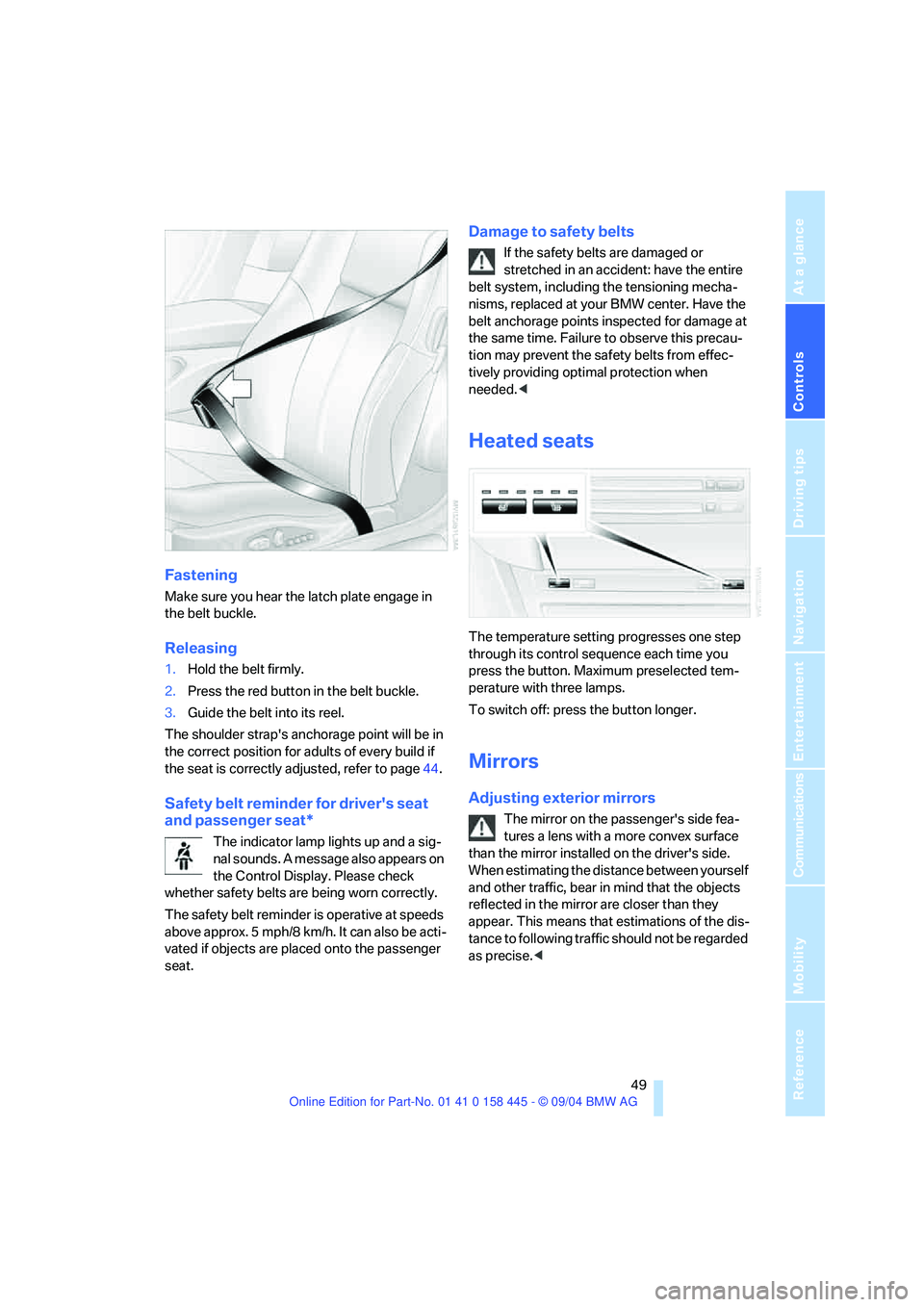
Fastening
Make sure you hear the latch plate engage in
the belt buckle.
Releasing
1.Hold the belt firmly.
2.Press the red button in the belt buckle.
3.Guide the belt into its reel.
The shoulder strap's anchorage point will be in
the correct position for adults of every build if
the seat is correctly adjusted, refer to page44.
Safety belt reminder for driver's seat
and passenger seat*
The indicator lamp lights up and a sig-
nal sounds. A message also appears on
the Control Display. Please check
whether safety belts are being worn correctly.
The safety belt reminder is operative at speeds
above approx. 5 mph/8 km/h. It can also be acti-
vated if objects are placed onto the passenger
seat.
Damage to safety belts
If the safety belts are damaged or
stretched in an accident: have the entire
belt system, including the tensioning mecha-
nisms, replaced at your BMW center. Have the
belt anchorage points inspected for damage at
the same time. Failure to observe this precau-
tion may prevent the safety belts from effec-
tively providing optimal protection when
needed.<
Heated seats
The temperature setting progresses one step
through its control sequence each time you
press the button. Maximum preselected tem-
perature with three lamps.
To switch off: press the button longer.
Mirrors
Adjusting exterior mirrors
The mirror on the passenger's side fea-
tures a lens with a more convex surface
than the mirror installed on the driver's side.
When estimating the distance between yourself
and other traffic, bear in mind that the objects
reflected in the mirror are closer than they
appear. This means that estimations of the dis-
tance to following traffic should not be regarded
as precise.<
Page 51 of 217
Adjustments
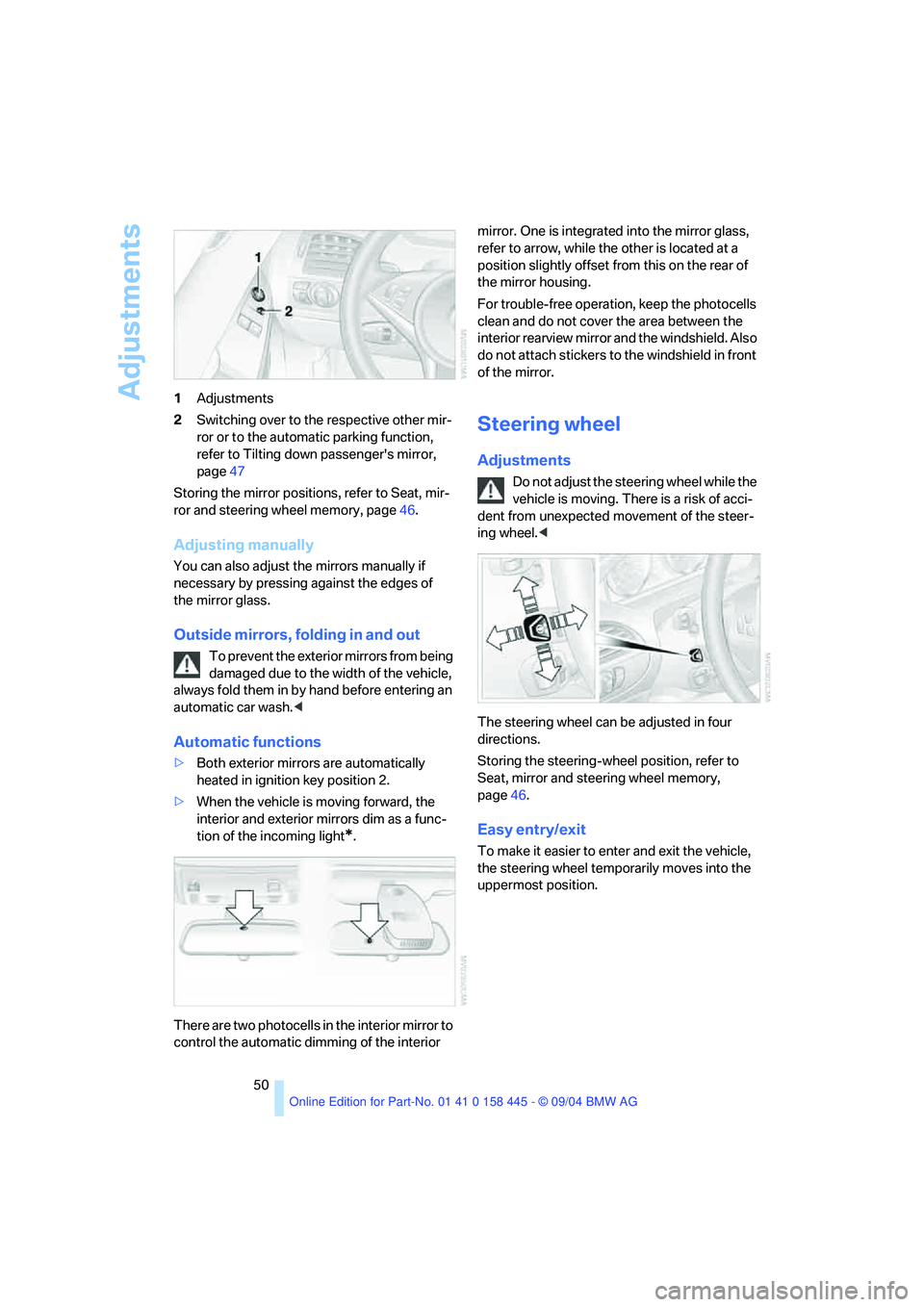
50 1Adjustments
2Switching over to the respective other mir-
ror or to the automatic parking function,
refer to Tilting down passenger's mirror,
page47
Storing the mirror positions, refer to Seat, mir-
ror and steering wheel memory, page46.
Adjusting manually
You can also adjust the mirrors manually if
necessary by pressing against the edges of
the mirror glass.
Outside mirrors, folding in and out
To prevent the exterior mirrors from being
damaged due to the width of the vehicle,
always fold them in by hand before entering an
automatic car wash.<
Automatic functions
>Both exterior mirrors are automatically
heated in ignition key position 2.
>When the vehicle is moving forward, the
interior and exterior mirrors dim as a func-
tion of the incoming light
*.
There are two photocells in the interior mirror to
control the automatic dimming of the interior mirror. One is integrated into the mirror glass,
refer to arrow, while the other is located at a
position slightly offset from this on the rear of
the mirror housing.
For trouble-free operation, keep the photocells
clean and do not cover the area between the
interior rearview mirror and the windshield. Also
do not attach stickers to the windshield in front
of the mirror.
Steering wheel
Adjustments
Do not adjust the steering wheel while the
vehicle is moving. There is a risk of acci-
dent from unexpected movement of the steer-
ing wheel.<
The steering wheel can be adjusted in four
directions.
Storing the steering-wheel position, refer to
Seat, mirror and steering wheel memory,
page46.
Easy entry/exit
To make it easier to enter and exit the vehicle,
the steering wheel temporarily moves into the
uppermost position.
Page 111 of 217
Things to remember when driving
110 Never allow floor mats, carpets or any other
objects to protrude into the area around the
accelerator and brake pedals and obstruct their
movement.<
Corrosion on brake rotors
When the vehicle is driven only occasionally,
during extended periods when the vehicle is not
used at all, and in operating conditions where
brake applications are less frequent, there is an
increased tendency for corrosion to form on
rotors, while contaminants accumulate on the
brake pads. This occurs because the minimum
pressure which must be exerted by the pads
during brake applications to clean the rotors is
not reached.
Should corrosion form on the brake rotors, the
brakes will tend to respond with a pulsating
effect that even extended application will fail to
cure.
When the vehicle is parked
Condensation forms in the automatic air condi-
tioner system during operation, and then exits
under the vehicle. Traces of condensed water
under the vehicle are therefore normal.
Before driving into a car wash
To prevent the exterior mirrors from being
damaged due to the width of the vehicle,
always fold them in by hand before entering an
automatic car wash.<
Cargo loading
To avoid loading the tires beyond their
approved carrying capacity, never over-
load the vehicle. Overloading can lead to over-
heating and increases the rate at which damage
develops inside the tires. The ultimate result
can assume the form of a sudden blow-out.<
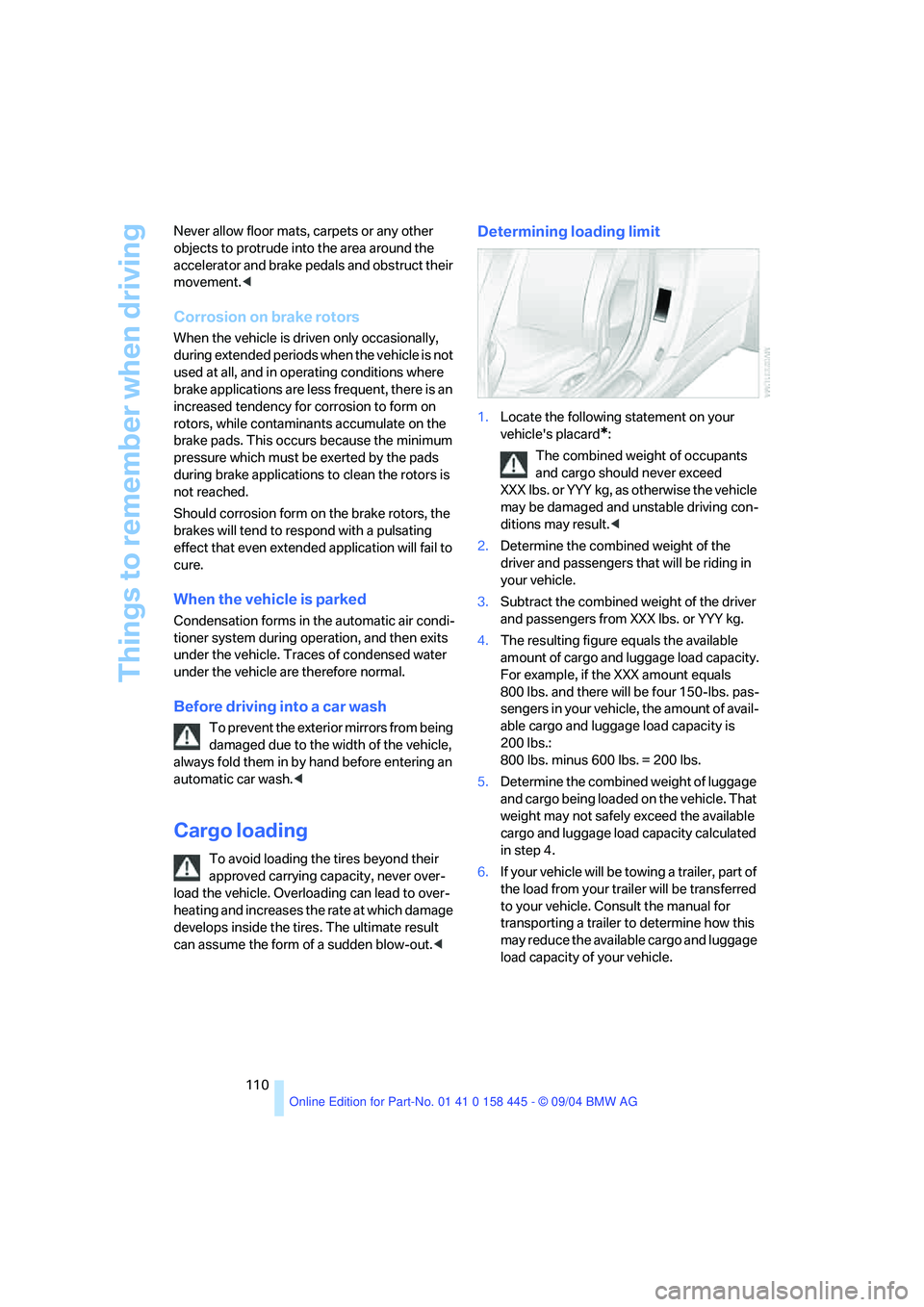
Determining loading limit
1.Locate the following statement on your
vehicle's placard
*:
The combined weight of occupants
and cargo should never exceed
XXX lbs. or YYY kg, as otherwise the vehicle
may be damaged and unstable driving con-
ditions may result.<
2.Determine the combined weight of the
driver and passengers that will be riding in
your vehicle.
3.Subtract the combined weight of the driver
and passengers from XXX lbs. or YYY kg.
4.The resulting figure equals the available
amount of cargo and luggage load capacity.
For example, if the XXX amount equals
800 lbs. and there will be four 150-lbs. pas-
sengers in your vehicle, the amount of avail-
able cargo and luggage load capacity is
200 lbs.:
800 lbs. minus 600 lbs. = 200 lbs.
5.Determine the combined weight of luggage
and cargo being loaded on the vehicle. That
weight may not safely exceed the available
cargo and luggage load capacity calculated
in step 4.
6.If your vehicle will be towing a trailer, part of
the load from your trailer will be transferred
to your vehicle. Consult the manual for
transporting a trailer to determine how this
may reduce the available cargo and luggage
load capacity of your vehicle.
Page 205 of 217
Everything from A to Z
204 Emergency operation, refer to
Manual operation
– convertible top41
– door lock31
– driver's door31
– fuel filler door166
– glass sunroof38
– luggage compartment
lid32,33
Emergency release33
Emergency services, refer to
Roadside Assistance186
"Emission inspect."71
"Enable services"160
"End call"153
Engine
– breaking-in108
– data192
– speed192
– starting54
– starting difficulties54
– switching off55
Engine compartment175
Engine coolant176
Engine oil
– checking the oil level175
– dipstick175
– specified engine oils176
– temperature70
– temperature gage70
– topping off176
Engine output, refer to Engine
data192
Engine speed, refer to Engine
specifications192
Engine starting, refer to
Starting engine54
"Enter address" for
navigation116
Entering destination116
Entering the address115
Entering the intersection117
Entering the town/city for
navigation116
Entering zip code for
navigation116
"Entertainment"133"Entertainment settings"133
Entry map for destination117
Entry to the rear48
"Equalizer", refer to Tone
control135
"ESN"140
ESP Electronic Stability
Program, refer to DSC
Dynamic Stability
Control82
Exhaust system, refer to Hot
exhaust system108
Exterior mirrors49
– automatic dimming
feature50
– automatic heating50
Eye for towing, refer to Tow
fitting188
Eyes for lashing, refer to
Securing load111
F
Fader, refer to Tone
control134
Failure messages, refer to
Check Control71
False alarms, refer to Avoiding
unintentional alarms35
Fastening safety belts, refer to
Safety belts48
Fastest route for
navigation122
Fast forward
– CD changer145
– CD player145
"Fast route" for
navigation122
First aid, refer to First-aid
kit186
First-aid kit186
First-aid pouch, refer to First-
aid kit186
Flashing when locking and
unlocking, refer to Setting
acknowledgement
signals30Flashlight, refer to
Rechargeable flashlight101
Flat tire
– Flat Tire Monitor84
– run-flat tires85,172
Flat Tire Monitor84
– false alarms84
– initializing system84
– malfunction85
– snow chains173
– system limits84
– warning lamp85
"FM", reception
range133,136
FM, waveband136
Fog lamps92
– indicator lamp13,92
Folding up convertible top
compartment floor,
Convertible34
Footbrake, refer to Braking
safely109
Footwell lamps93
For your own safety6
Front airbags86
Front head restraints47
"FTM"84
Fuel
– average consumption74
– display70
– fuel specifications167
– high-quality brands167
– quality167
– tank capacity166
Fuel display, refer to Fuel
gage70
Fuel filler door166
– releasing in the event of
electrical malfunction166
Fuel gage70
Fuel specifications167
Fuses184
Page 206 of 217
Reference 205
At a glance
Controls
Driving tips
Communications
Navigation
Entertainment
Mobility
G
Garage-door opener, refer to
Integrated universal remote
control100
Gasoline
– refer to Fuel
specifications167
– refer to Required fuel167
Gasoline display, refer to Fuel
gage70
Gear changes
– SMG Sequential manual
transmission57
Gear display
– automatic transmission with
Steptronic58
– SMG Sequential manual
transmission57
Gearshift lever
– automatic transmission with
Steptronic58
– manual transmission56
– SMG Sequential manual
transmission56
General driving notes108
Glass sunroof, electric with
raise function37
– convenience operation31
– moving manually38
– remote control30
Glove compartment101
– rechargeable flashlight101
GPS navigation, refer to
Navigation system114
Grills, refer to Ventilation94
Gross vehicle weight, refer to
Weights192
H
Handbrake55
– indicator lamp13,55
Hands-free system14,151
Hazard warning flashers15
Head airbags86
Headlamp control,
automatic91Headlamp flasher60
Headlamps
– care, refer to the Caring for
your vehicle brochure
– cleaning, refer to Wiper
system61
– replacing bulbs180
Head Light, refer to Adaptive
Head Light92
Head-Up Display88
Heated mirrors50
Heated rear window94
Heated seats49
Heated steering wheel51
Heater95
Heating
– exterior mirrors50
– interior94
– rear window94
– residual heat mode96
– seats49
– steering wheel51
Heating with engine switched
off, refer to Residual heat
mode96
Heavy cargo, refer to Securing
load111
Height, refer to
Dimensions193
Height adjustment
– seats45
– steering wheel50
High beams92
– headlamp flasher92
– indicator lamp13
– replacing bulbs180
Hills109
Holder for cups103
"Home address"122
Hood174
Horn10
Hotel function32
Hot exhaust system108
"Hour memo"78
"House number" for desti-
nation entry117Hydraulic Brake Assistant,
refer to DBC Dynamic Brake
Control81
Hydroplaning109
– also refer to Minimum tread
depth171
I
Ice warning69
iDrive, refer to Control
Center16
Ignition key28
Ignition key positions, refer to
Ignition lock54
Ignition lock54
Increasing luggage
compartment capacity,
Convertible34
Independent ventilation
– activating an activation
time98
– setting activation time98
– switching on and off
directly98
Indicator/warning lamps
– ABS Antilock Brake
System83
– active steering85
– airbags87
– brake system13,83
– DSC Dynamic Stability
Control13,83
– DTC Dynamic Traction
Control13,82
– fastening safety belts49
– Flat Tire Monitor85
– fog lamps13,92
– handbrake55
Indicator and warning lamps,
overview13
Individually assignable
buttons on steering wheel,
refer to Programmable
buttons on steering
wheel51
Individual settings, refer to
Key Memory28
Page 208 of 217
Reference 207
At a glance
Controls
Driving tips
Communications
Navigation
Entertainment
Mobility
M
M+S tires, refer to Winter
tires172
Maintenance, refer to the
Service and Warranty Infor-
mation Booklet for US
models or to the Warranty
and Service Guide Booklet
for Canadian models178
Maintenance system178
Malfunction
– convertible top41
– door lock31
– fuel filler door166
– glass sunroof38
– luggage compartment
lid32,33
Malfunction warnings, refer to
Check Control71
Manual air distribution96
Manual mode with automatic
transmission with
Steptronic58
"Manual" on the radio137
Manual operation
– convertible top41
– door lock31
– driver's door31
– fuel filler door166
– glass sunroof38
– luggage compartment
lid32,33
Manual transmission56
Map
– changing scale127
– destination entry117
"Map, direction of travel"127
"Map, facing north"127
Map facing north127
Master key with remote
control28
Maximum cooling95
Maximum speed with winter
tires173Memory
– refer to Key Memory28
– refer to Seat, mirror and
steering wheel memory46
Menus, refer to Control
Center16
Microfilter97
Microphone
– for hands-free system151
– for portable phone14
– for voice command
system14
Mirror dimming feature50
Mirrors49
– automatic curb monitor47
– heating50
– memory, refer to Seat, mirror
and steering wheel
memory46
"Missed calls"154
Missed calls153
Mobile communication
devices in vehicle109
Mobile Service, refer to
Roadside Assistance186
Monitor, refer to Control
Center16
"Monitor display on"81
"Monitor on / off"51
Most recent portable phone
numbers153
Multi-function steering wheel,
refer to Buttons on the
steering wheel11
Multifunction switch
– refer to Turn signals/
headlamp flasher60
– refer to Wiper/washer
system60
Music track, finding145
"Mute on / off"51
MW, waveband136
N
"Navigation"115
Navigation destination
– manual entry115
– selecting via map117
Navigation drive, installation
location114
Navigation DVD114
Navigation system114
– address book120
– bypassing route
sections128
– destination entry115
– destination guidance in
assistance window114
– destination list119
– displaying current
position125
– entering a destination
manually115
– looking for interesting
destination118
– navigation DVD114
– route display127
– route list127
– selecting destination using
information118
– selecting destination via
map117
– selecting route criteria122
– starting115
– starting destination
guidance124
– switching off, refer to Termi-
nating/continuing desti-
nation guidance125
– terminating/continuing
destination guidance125
– voice instructions126
– volume adjustment126
"Navigation voice instructions
on"126
Neck support, refer to Front
head restraints47
"New address" for
navigation120
"New destination"115,117