engine BMW 645CI COUPE 2004 E63 User Guide
[x] Cancel search | Manufacturer: BMW, Model Year: 2004, Model line: 645CI COUPE, Model: BMW 645CI COUPE 2004 E63Pages: 216, PDF Size: 3.46 MB
Page 62 of 216
Driving
60
Activating system
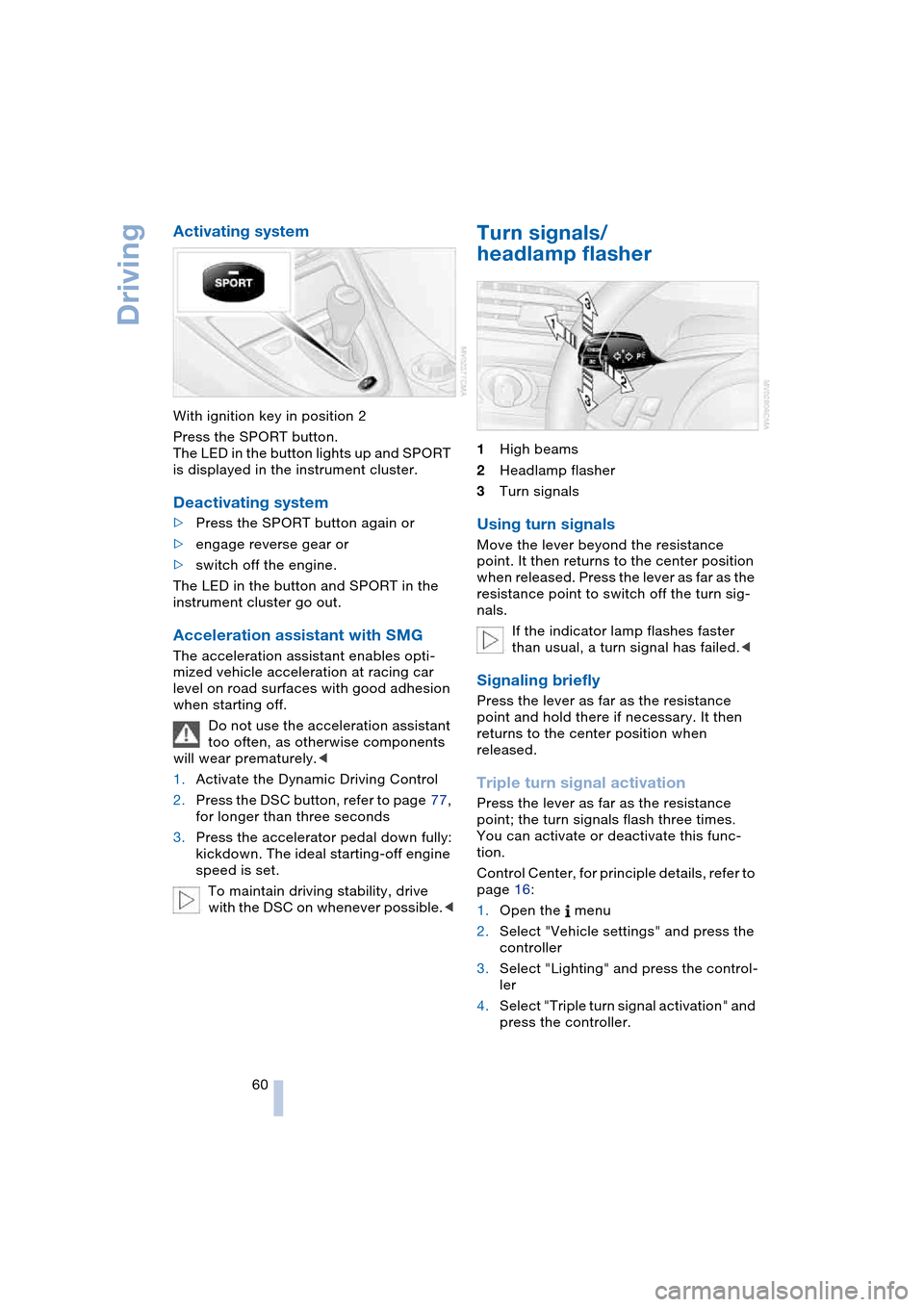
With ignition key in position 2
Press the SPORT button.
The LED in the button lights up and SPORT
is displayed in the instrument cluster.
Deactivating system
>Press the SPORT button again or
>engage reverse gear or
>switch off the engine.
The LED in the button and SPORT in the
instrument cluster go out.
Acceleration assistant with SMG
The acceleration assistant enables opti-
mized vehicle acceleration at racing car
level on road surfaces with good adhesion
when starting off.
Do not use the acceleration assistant
too often, as otherwise components
will wear prematurely.<
1.Activate the Dynamic Driving Control
2.Press the DSC button, refer to page 77,
for longer than three seconds
3.Press the accelerator pedal down fully:
kickdown. The ideal starting-off engine
speed is set.
To maintain driving stability, drive
with the DSC on whenever possible.<
Turn signals/
headlamp flasher
1High beams
2Headlamp flasher
3Turn signals
Using turn signals
Move the lever beyond the resistance
point. It then returns to the center position
when released. Press the lever as far as the
resistance point to switch off the turn sig-
nals.
If the indicator lamp flashes faster
than usual, a turn signal has failed.<
Signaling briefly
Press the lever as far as the resistance
point and hold there if necessary. It then
returns to the center position when
released.
Triple turn signal activation
Press the lever as far as the resistance
point; the turn signals flash three times.
You can activate or deactivate this func-
tion.
Control Center, for principle details, refer to
page 16:
1.Open the menu
2.Select "Vehicle settings" and press the
controller
3.Select "Lighting" and press the control-
ler
4.Select "Triple turn signal activation" and
press the controller.
Page 64 of 216
Driving
62 Deactivate the rain sensor when
passing through an automatic car
wash. Failure to do so could result in dam-
age caused by undesired wiper activa-
tion.<
Washer fluid
Washer fluid antifreeze is flammable.
Always keep it well away from sparks
and open flames, and store it in tightly
closed containers well out of the reach of
children. Always observe the instructions
for use provided on the containers.<
Washer fluid reservoir
Capacity approx. 5.3 US quarts/5 liters
Fill with water and – if required – with a
washer antifreeze, according to manufac-
turer's recommendations.
In order to keep to the mixture ratio,
mix the washer fluid before filling.<
Cruise control
The concept
The cruise control is available for use at
speeds of approx. 20 mph/30 km/h and
higher. The vehicle maintains and stores
the speed that you set using the lever
mounted on the steering column.
Do not use the cruise control when
driving on winding roads, in heavy
traffic or in poor road conditions – e.g.
snow, rain, ice, loose road surface – that do
not permit a constant speed.<
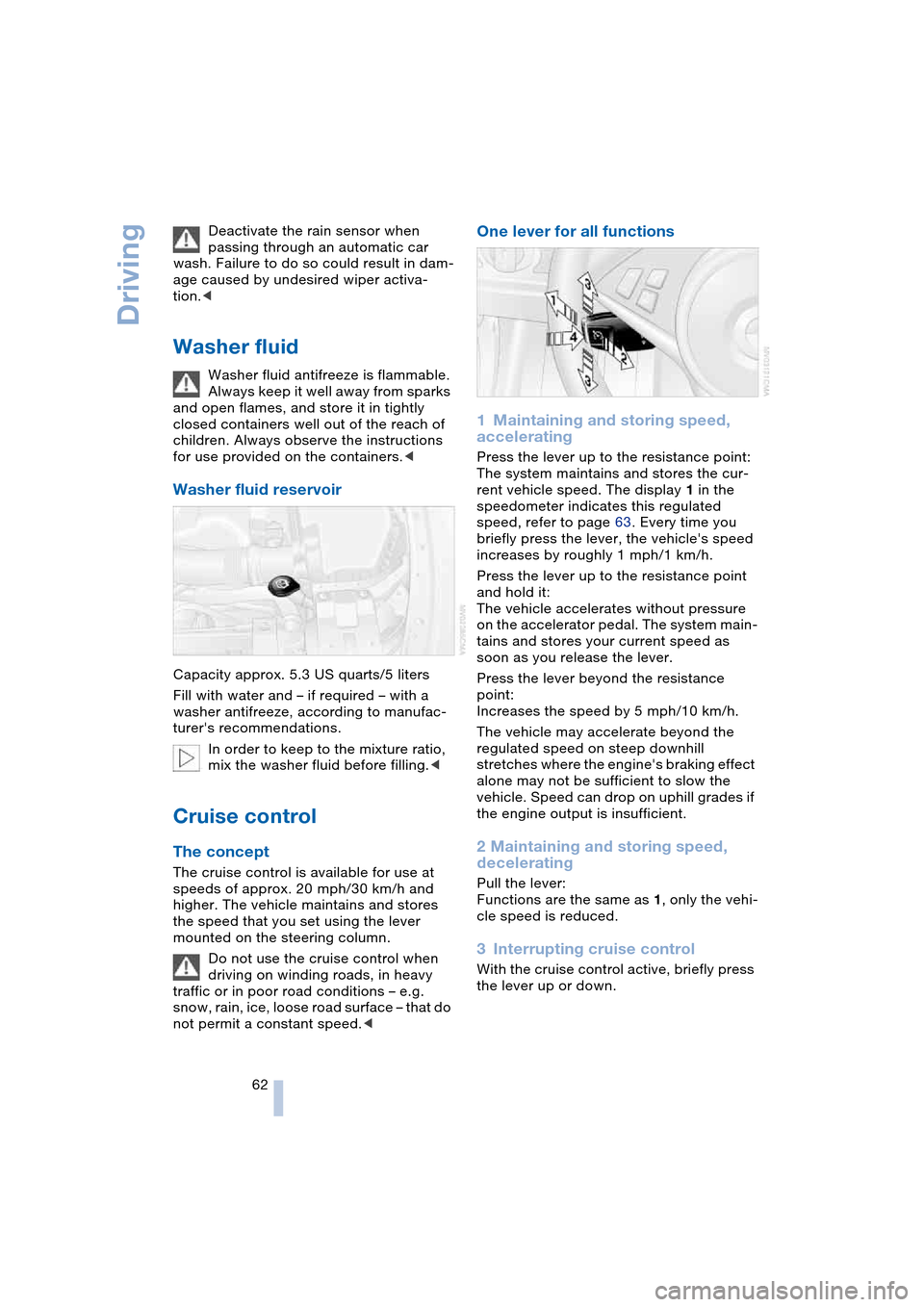
One lever for all functions
1Maintaining and storing speed,
accelerating
Press the lever up to the resistance point:
The system maintains and stores the cur-
rent vehicle speed. The display 1 in the
speedometer indicates this regulated
speed, refer to page 63. Every time you
briefly press the lever, the vehicle's speed
increases by roughly 1 mph/1 km/h.
Press the lever up to the resistance point
and hold it:
The vehicle accelerates without pressure
on the accelerator pedal. The system main-
tains and stores your current speed as
soon as you release the lever.
Press the lever beyond the resistance
point:
Increases the speed by 5 mph/10 km/h.
The vehicle may accelerate beyond the
regulated speed on steep downhill
stretches where the engine's braking effect
alone may not be sufficient to slow the
vehicle. Speed can drop on uphill grades if
the engine output is insufficient.
2 Maintaining and storing speed,
decelerating
Pull the lever:
Functions are the same as 1, only the vehi-
cle speed is reduced.
3Interrupting cruise control
With the cruise control active, briefly press
the lever up or down.
Page 66 of 216
Everything under control
64
Everything under control
Odometer, outside
temperature display, clock
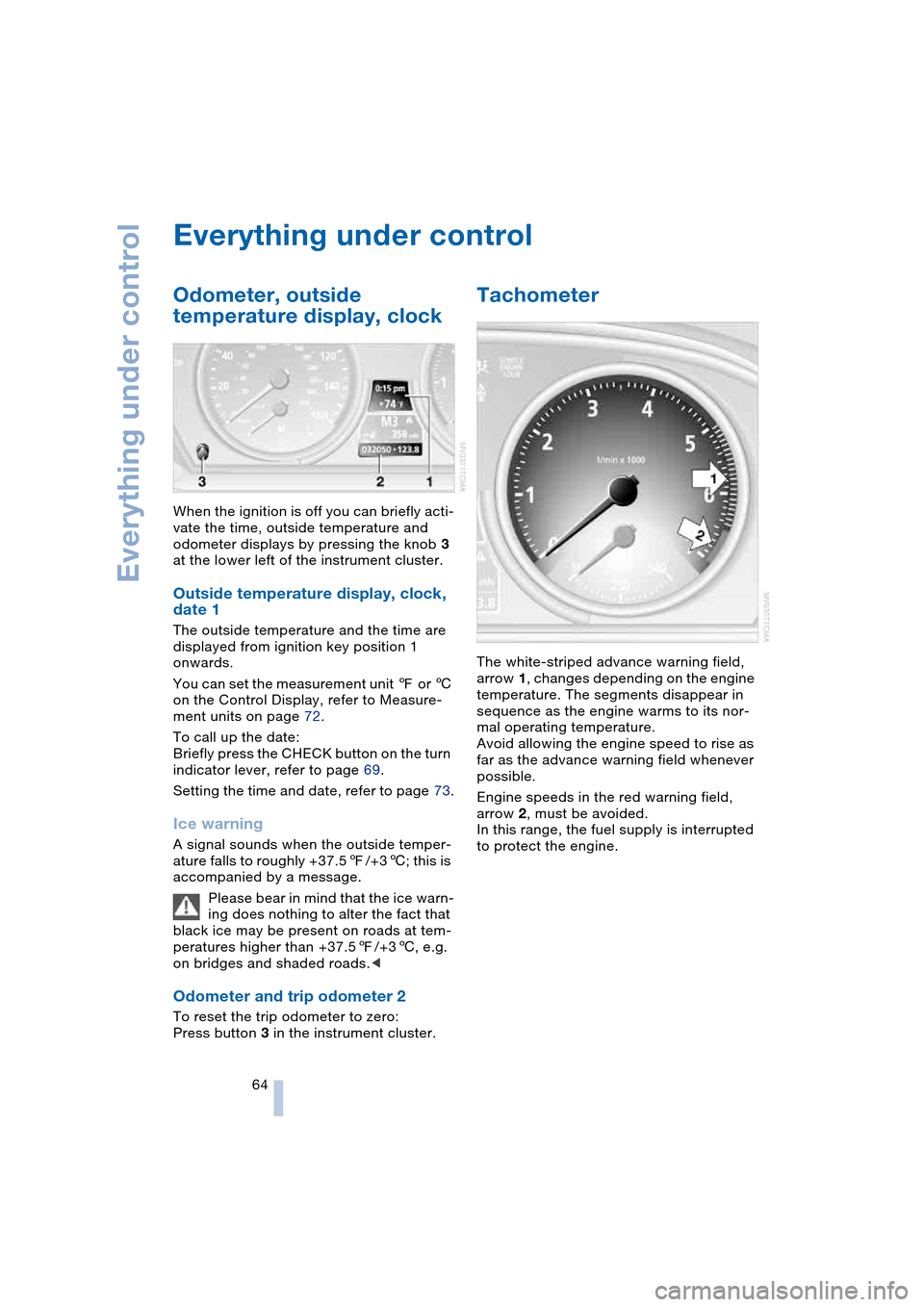
When the ignition is off you can briefly acti-
vate the time, outside temperature and
odometer displays by pressing the knob 3
at the lower left of the instrument cluster.
Outside temperature display, clock,
date 1
The outside temperature and the time are
displayed from ignition key position 1
onwards.
You can set the measurement unit 7 or 6
on the Control Display, refer to Measure-
ment units on page 72.
To call up the date:
Briefly press the CHECK button on the turn
indicator lever, refer to page 69.
Setting the time and date, refer to page 73.
Ice warning
A signal sounds when the outside temper-
ature falls to roughly +37.57/+36; this is
accompanied by a message.
Please bear in mind that the ice warn-
ing does nothing to alter the fact that
black ice may be present on roads at tem-
peratures higher than +37.57/+36, e.g.
on bridges and shaded roads.<
Odometer and trip odometer 2
To reset the trip odometer to zero:
Press button 3 in the instrument cluster.
Tachometer
The white-striped advance warning field,
arrow 1, changes depending on the engine
temperature. The segments disappear in
sequence as the engine warms to its nor-
mal operating temperature.
Avoid allowing the engine speed to rise as
far as the advance warning field whenever
possible.
Engine speeds in the red warning field,
arrow 2, must be avoided.
In this range, the fuel supply is interrupted
to protect the engine.
Page 67 of 216
Controls
65Reference
At a glance
Driving tips
Communications
Navigation
Entertainment
Mobility
Engine oil thermometer
The engine oil temperature is between
approx. 1607/706 and approx. 3407/
1706 during normal operation.
If the engine oil temperature is too high, a
message appears on the Control Display.
Fuel gauge
Fuel tank capacity: approx. 18.5 US gal-
lons/70 liters, including the reserve capac-
ity of approx. 2.1 gallons/8 liters. You can
find information on refueling on page 162.
If the tilt of the vehicle varies for a longer
period, when you are driving in mountain-
ous areas, for example, the indicator may
fluctuate slightly.
After the reserve quantity has been
reached, a message appears for a short
time on the Control Display; the remaining
range is shown in the computer. Below a
range of approx. 30 miles/50 km, the mes-
sage remains on the Control Display.
Refuel as soon as possible once your
cruising range falls below 30 miles/
50 km, as otherwise engine functions are
not ensured and damage can occur.<
Service requirement display
In instrument cluster
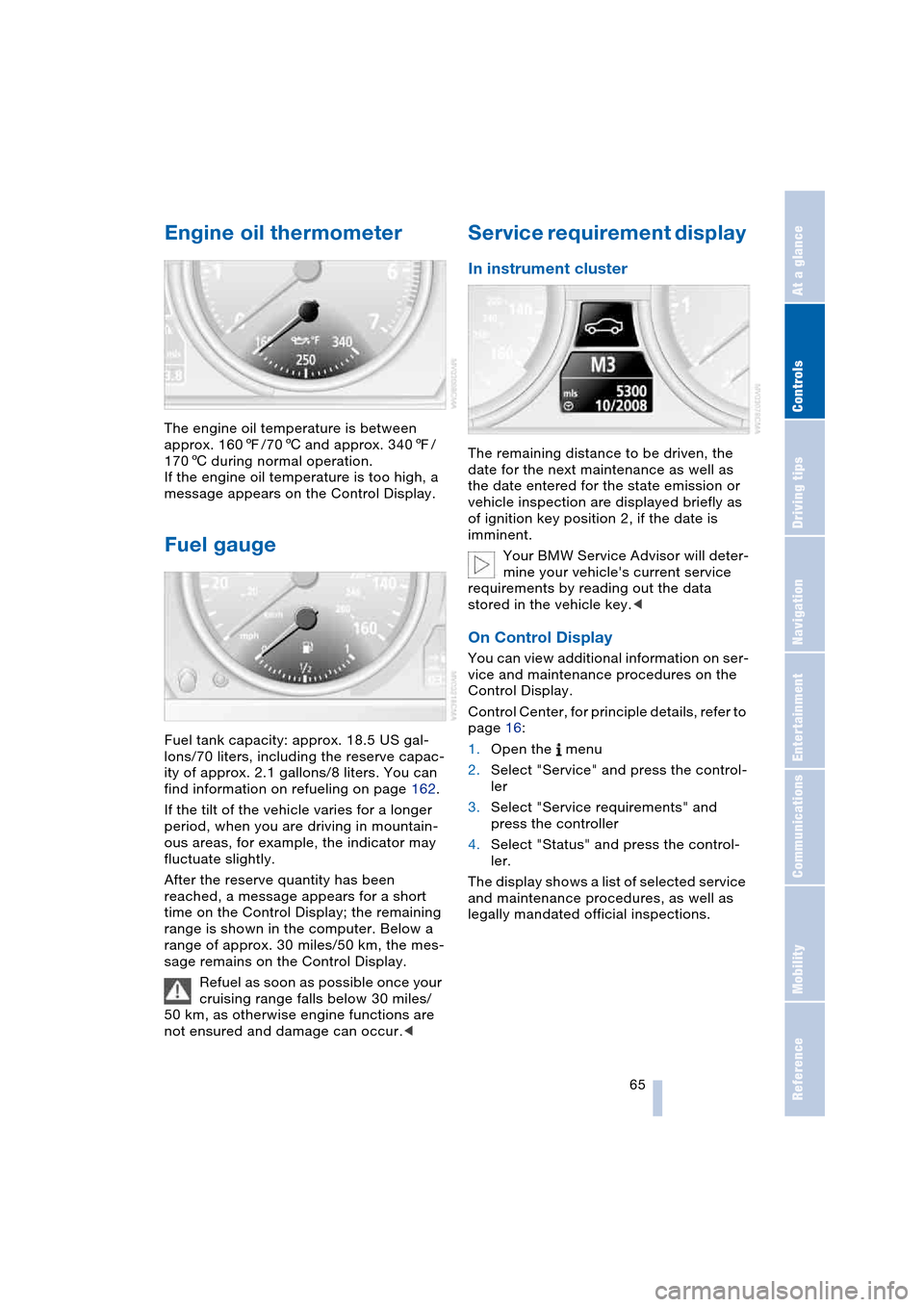
The remaining distance to be driven, the
date for the next maintenance as well as
the date entered for the state emission or
vehicle inspection are displayed briefly as
of ignition key position 2, if the date is
imminent.
Your BMW Service Advisor will deter-
mine your vehicle's current service
requirements by reading out the data
stored in the vehicle key.<
On Control Display
You can view additional information on ser-
vice and maintenance procedures on the
Control Display.
Control Center, for principle details, refer to
page 16:
1.Open the menu
2.Select "Service" and press the control-
ler
3.Select "Service requirements" and
press the controller
4.Select "Status" and press the control-
ler.
The display shows a list of selected service
and maintenance procedures, as well as
legally mandated official inspections.
Page 71 of 216
Controls
69Reference
At a glance
Driving tips
Communications
Navigation
Entertainment
Mobility
Computer
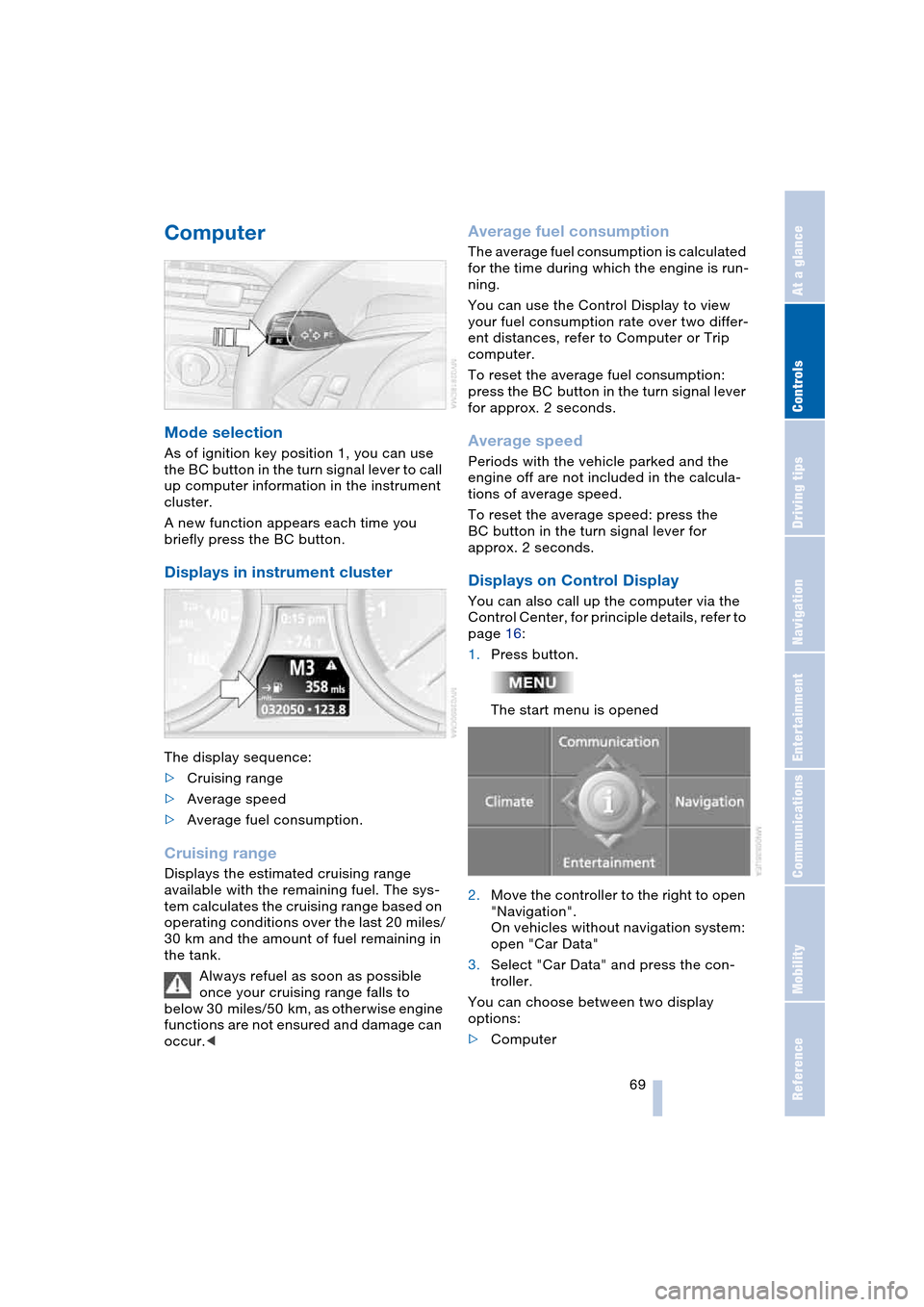
Mode selection
As of ignition key position 1, you can use
the BC button in the turn signal lever to call
up computer information in the instrument
cluster.
A new function appears each time you
briefly press the BC button.
Displays in instrument cluster
The display sequence:
>Cruising range
>Average speed
>Average fuel consumption.
Cruising range
Displays the estimated cruising range
available with the remaining fuel. The sys-
tem calculates the cruising range based on
operating conditions over the last 20 miles/
30 km and the amount of fuel remaining in
the tank.
Always refuel as soon as possible
once your cruising range falls to
below 30 miles/50 km, as otherwise engine
functions are not ensured and damage can
occur.<
Average fuel consumption
The average fuel consumption is calculated
for the time during which the engine is run-
ning.
You can use the Control Display to view
your fuel consumption rate over two differ-
ent distances, refer to Computer or Trip
computer.
To reset the average fuel consumption:
press the BC button in the turn signal lever
for approx. 2 seconds.
Average speed
Periods with the vehicle parked and the
engine off are not included in the calcula-
tions of average speed.
To reset the average speed: press the
BC button in the turn signal lever for
approx. 2 seconds.
Displays on Control Display
You can also call up the computer via the
Control Center, for principle details, refer to
page 16:
1.Press button.
The start menu is opened
2.Move the controller to the right to open
"Navigation".
On vehicles without navigation system:
open "Car Data"
3.Select "Car Data" and press the con-
troller.
You can choose between two display
options:
>Computer
Page 78 of 216
Technology for comfort, convenience and safety
76 indicate the presence of objects in green
before they are close enough to generate a
signal tone.
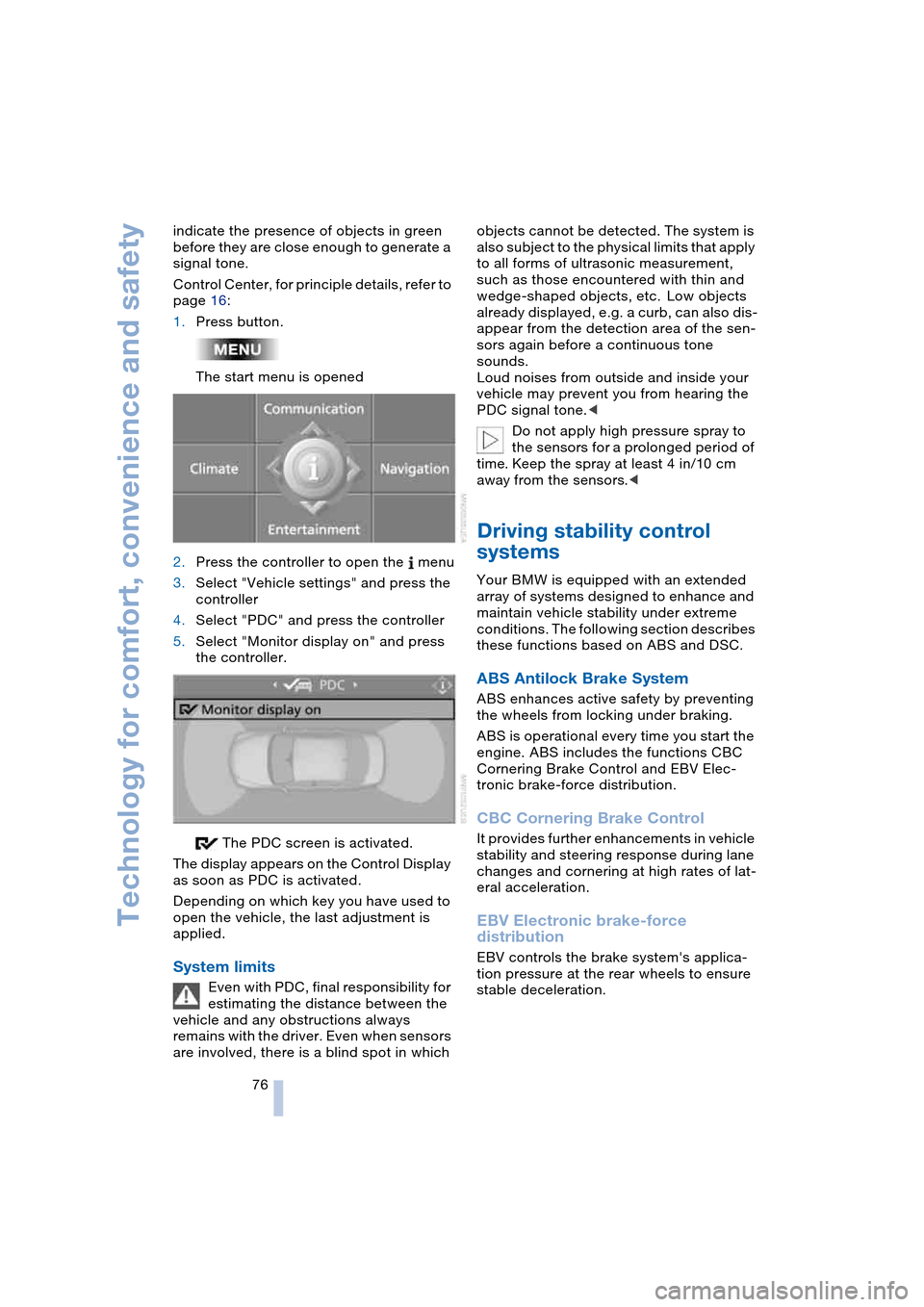
Control Center, for principle details, refer to
page 16:
1.Press button.
The start menu is opened
2.Press the controller to open the menu
3.Select "Vehicle settings" and press the
controller
4.Select "PDC" and press the controller
5.Select "Monitor display on" and press
the controller.
The PDC screen is activated.
The display appears on the Control Display
as soon as PDC is activated.
Depending on which key you have used to
open the vehicle, the last adjustment is
applied.
System limits
Even with PDC, final responsibility for
estimating the distance between the
vehicle and any obstructions always
remains with the driver. Even when sensors
are involved, there is a blind spot in which objects cannot be detected. The system is
also subject to the physical limits that apply
to all forms of ultrasonic measurement,
such as those encountered with thin and
wedge-shaped objects, etc. Low objects
already displayed, e.g. a curb, can also dis-
appear from the detection area of the sen-
sors again before a continuous tone
sounds.
Loud noises from outside and inside your
vehicle may prevent you from hearing the
PDC signal tone.<
Do not apply high pressure spray to
the sensors for a prolonged period of
time. Keep the spray at least 4 in/10 cm
away from the sensors.<
Driving stability control
systems
Your BMW is equipped with an extended
array of systems designed to enhance and
maintain vehicle stability under extreme
conditions. The following section describes
these functions based on ABS and DSC.
ABS Antilock Brake System
ABS enhances active safety by preventing
the wheels from locking under braking.
ABS is operational every time you start the
engine. ABS includes the functions CBC
Cornering Brake Control and EBV Elec-
tronic brake-force distribution.
CBC Cornering Brake Control
It provides further enhancements in vehicle
stability and steering response during lane
changes and cornering at high rates of lat-
eral acceleration.
EBV Electronic brake-force
distribution
EBV controls the brake system's applica-
tion pressure at the rear wheels to ensure
stable deceleration.
Page 79 of 216
Controls
77Reference
At a glance
Driving tips
Communications
Navigation
Entertainment
Mobility
DSC Dynamic Stability Control
DSC optimizes vehicle stability during
acceleration and when starting from a full
stop, as well as optimizing traction. The
system recognizes any tendency for the
vehicle to assume an unstable attitude
such as oversteer or understeer; it then
counteracts this tendency with a combina-
tion of graduated reductions in engine
torque and selective braking intervention at
individual wheels. DSC provides optimal
stability within the limits defined by the
laws of physics.
The DSC is operational every time you start
the engine. DSC includes the functionality
of the DTC Dynamic Traction Control and
DBC Dynamic Brake Control, see below.
Indicator lamp
The indicator lamp goes out soon
after you start the engine.
The indicator lamp flashes:
DSC controls the drive and braking forces.
The indicator lamp stays lit:
DSC has been switched off via the button.
DTC Dynamic Traction Control
In special driving states, e.g. in deep snow,
DTC ensures maximum forward momen-
tum. The gain in forward momentum also
involves a reduction in driving stability.
DTC is active up to approx. 45 mph/
70 km/h, whereas DSC is only effective to
a limited degree.
You may find it useful to briefly activate
DTC under the following special circum-
stances:
>When rocking the vehicle and starting
off in deep snow or on loose road sur-
faces
>When ascending snow-covered hills,
and when driving in deep or on hard-
packed snow
>When driving with snow chains.
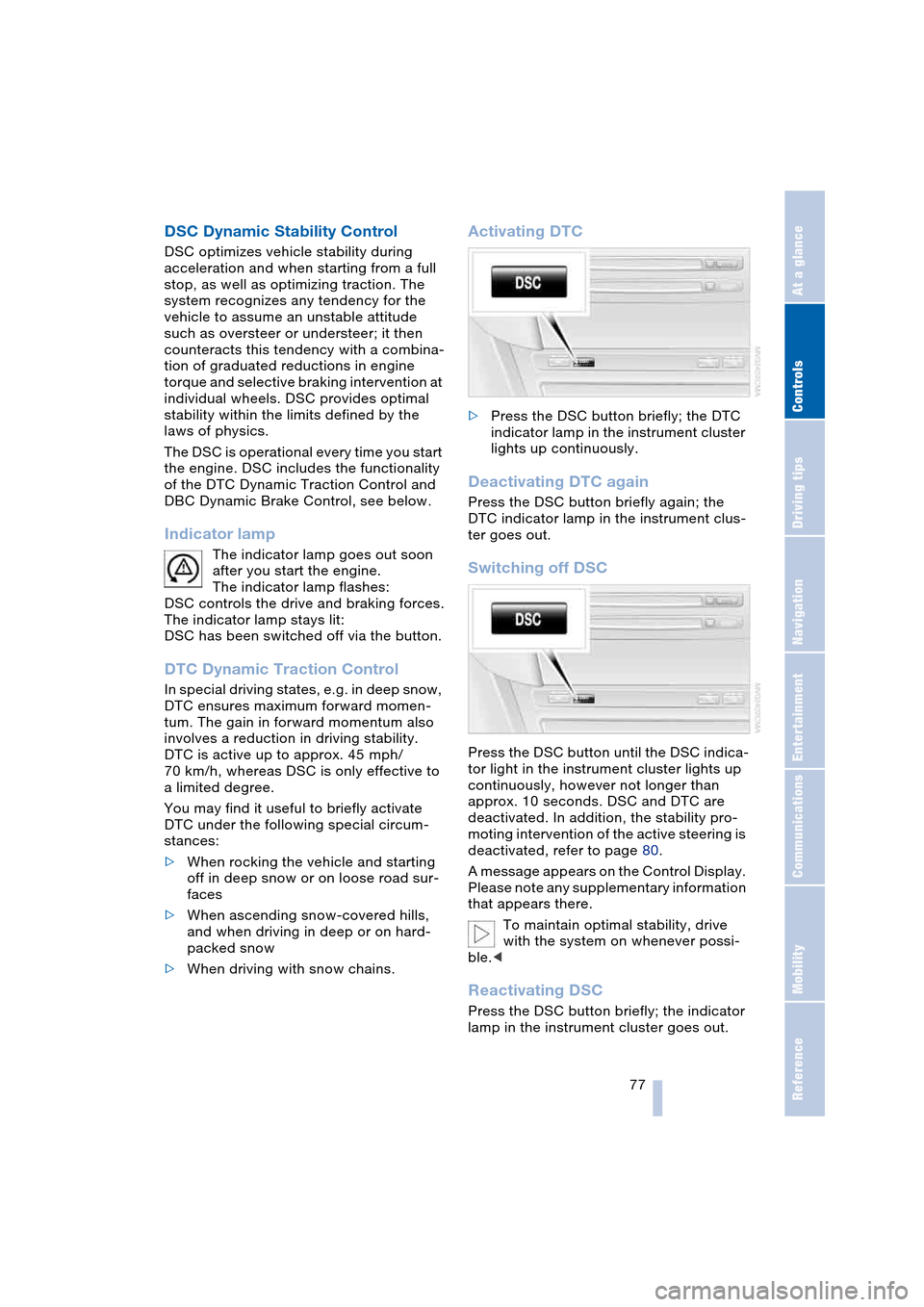
Activating DTC
>Press the DSC button briefly; the DTC
indicator lamp in the instrument cluster
lights up continuously.
Deactivating DTC again
Press the DSC button briefly again; the
DTC indicator lamp in the instrument clus-
ter goes out.
Switching off DSC
Press the DSC button until the DSC indica-
tor light in the instrument cluster lights up
continuously, however not longer than
approx. 10 seconds. DSC and DTC are
deactivated. In addition, the stability pro-
moting intervention of the active steering is
deactivated, refer to page 80.
A message appears on the Control Display.
Please note any supplementary information
that appears there.
To maintain optimal stability, drive
with the system on whenever possi-
ble.<
Reactivating DSC
Press the DSC button briefly; the indicator
lamp in the instrument cluster goes out.
Page 80 of 216
Technology for comfort, convenience and safety
78 The laws of physics cannot be
repealed, even with DSC. An appro-
priate driving style always remains the
responsibility of the driver. Therefore, do
not reduce the additional safety margin
again by taking risks.<
DBC Dynamic Brake Control
When you apply the brakes rapidly, this
system automatically produces the maxi-
mum braking force boost and thus helps to
achieve the shortest braking distance dur-
ing panic stops. This system exploits all of
the benefits provided by ABS.
Do not reduce the pressure on the brake
pedal for the duration of the brake applica-
tion. When the brake pedal is released,
DBC is deactivated.
Malfunctions of driving stability
control systems
The brake system warning lamp
lights up in red, appearing together
with the indicator lamps for ABS
and DSC. A message appears on
the Control Display. Driving stability
control and ABS have failed. Con-
ventional braking efficiency remains
available without limitations.
While you may continue, you should
remember to proceed cautiously and drive
defensively while avoiding full brake appli-
cations.
Have the system checked as soon as pos-
sible.
Display of the previously described
malfunction on Canadian models.
The DSC warning lamp lights up.
DSC and DTC have failed.
The stability maintenance functions
are no longer available. The vehicle will
remain completely operational, however,
without DSC.Have the system checked as soon as pos-
sible.
The warning lamp for the brake sys-
tem lights up yellow and a message
appears on the Control Display.
DBC has failed.
Have the system checked as soon as pos-
sible.
Display of the previously described
malfunction on Canadian models.
Active roll stabilization*
The concept
Active roll stabilization minimizes body roll
and optimizes vehicle stability during cor-
nering and evasive maneuvers.
Dynamic stabilizers at the front and rear
axles form the basis for active roll stabiliza-
tion. Suspension compliance adapts to suit
driving conditions, varying from perfor-
mance-oriented during cornering to
smooth and comfort-oriented when the
vehicle is proceeding in a straight line. Dur-
ing vehicle operation, the system continu-
ously runs through closed-loop control
cycles lasting only fractions of a second.
The system assumes operational status
each time you start the engine.
Malfunction
The warning lamp lights up and a
message appears on the Control
Display. There is a malfunction in
the system. Have the system checked as
soon as possible.
If there is a malfunction in the system,
please remember to adapt your
speed accordingly, especially in curves.
The suspension will be noticeably softer
and the vehicle will display a greater ten-
dency to tilt during cornering and in cross-
winds.
If a message stating that you should stop
appears on the Control Display, stop and
switch off the engine as soon as possible.
In this case the oil level in the reservoir may
Page 81 of 216
Controls
79Reference
At a glance
Driving tips
Communications
Navigation
Entertainment
Mobility
have dropped below the minimum, possi-
bly owing to a leak in the hydraulic system.
Do not continue driving. Contact your BMW
center.<
Flat Tire Monitor
The concept
The Flat Tire Monitor keeps track of the
inflation pressures in the four tires as you
drive. The system provides an alert when-
ever the inflation pressure drops signifi-
cantly in relation to the pressure in another
tire.
The check of the tire inflation pressure is
based on monitoring the relative speeds
of the wheels. A flat tire is detected and
reported on the basis of a deviation in cer-
tain speed ratios.
Functional requirement
To ensure reliable operation, the system
should have been initialized with the cor-
rect tire inflation pressure.
System limits
The Flat Tire Monitor cannot indicate
sudden severe tire damage caused
by outside factors and does not detect a
natural, even pressure drop in all four
tires.<
In the following situations, the system
could be delayed or malfunction:
>When you are driving on snow-covered
or slippery road surfaces
>In the case of performance-oriented
driving: slip on the drive wheels, high
lateral acceleration
>False alarms and undetected loss of
pressure may occur when you are driv-
ing with snow chains fitted
>If the Flat Tire Monitor was not initial-
ized after the last inflation pressure cor-
rection, false alarms indicating a flat tire
that is not present are possible or pres-
sure loss might not be detected.
Initializing system
Perform the initialization immediately
after correcting the inflation pressure,
after changing a tire or changing a wheel or
all wheels. A drive is necessary for this pur-
pose.<
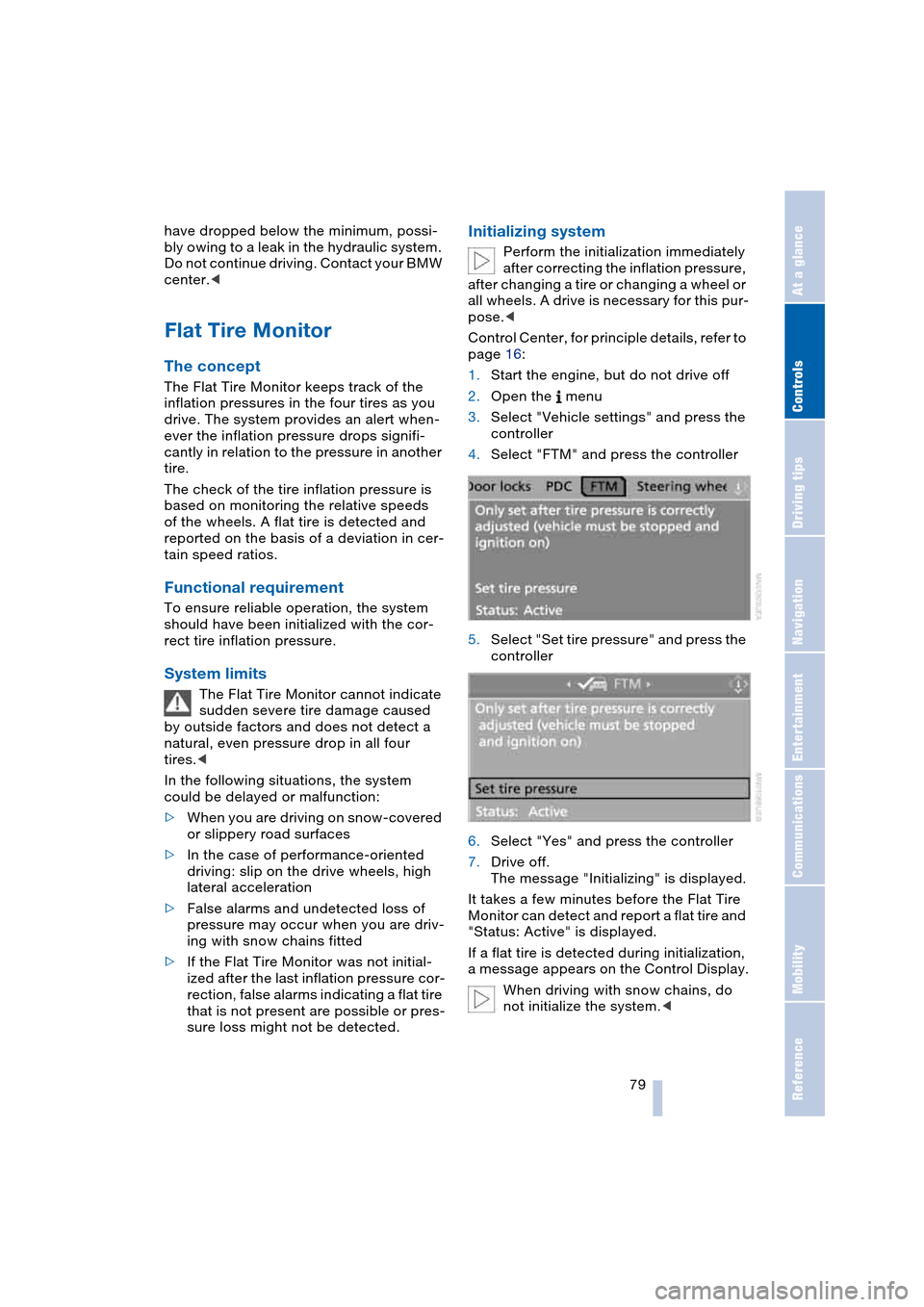
Control Center, for principle details, refer to
page 16:
1.Start the engine, but do not drive off
2.Open the menu
3.Select "Vehicle settings" and press the
controller
4.Select "FTM" and press the controller
5.Select "Set tire pressure" and press the
controller
6.Select "Yes" and press the controller
7.Drive off.
The message "Initializing" is displayed.
It takes a few minutes before the Flat Tire
Monitor can detect and report a flat tire and
"Status: Active" is displayed.
If a flat tire is detected during initialization,
a message appears on the Control Display.
When driving with snow chains, do
not initialize the system.<
Page 82 of 216
Technology for comfort, convenience and safety
80
Report of a flat tire
The warning lamp lights up in red
and a message appears on the
Control Display. In addition, an
acoustic signal sounds. There is a flat tire
or extensive inflation pressure loss.
1.Cautiously reduce the vehicle speed to
below 50 mph/80 km/h. Avoid sudden
braking and steering maneuvers. Do
not exceed a vehicle speed of 50 mph/
80 km/h
Due to the reinforcement on the
side walls of the run-flat tires,
inflation pressure loss can not usually
be recognized from the outside, refer to
Run-flat tires on page 168.<
2.To continue driving, comply with the
instructions for driving with damaged
tires on page 168.
Malfunction
The warning lamp lights up yellow
and a message appears on the
Control Display. The Flat Tire Moni-
tor has a malfunction or has failed. Have
the system checked as soon as possible.
Active steering*
The concept
The active steering is a system that actively
varies the steering angle of the front wheels
in relation to the steering wheel move-
ments.
When you are driving in the low road speed
range, e.g. in a town or when parking, the
steering angle of the wheels is reinforced,
i.e. the steering becomes very direct.
In the higher speed range, on the other
hand, the steering angle of the wheels is
reduced more and more. This improves the
handling capability of your BMW over the
entire speed range.
In critical situations, the system can make
targeted changes to the steering angle pro-
vided by the driver and thus stabilize the
vehicle before the driver intervenes.
Malfunction
The fixed warning lamp lights up.
The active steering is no longer
operational. In the low speed range,
greater steering wheel movement is neces-
sary. Have the system checked.
If the warning lamp lights up during the first
engine starting following a power supply
interruption, the system must be activated
with initialization.
Initializing system
1.Start the engine
2.With the vehicle stationary, turn the
steering wheel from the straight-ahead
position to the left as far as it will go and
then back to the straight-ahead position
3.Switch off the engine.
When you start the engine again, all the
functions of the active steering are avail-
able once again.
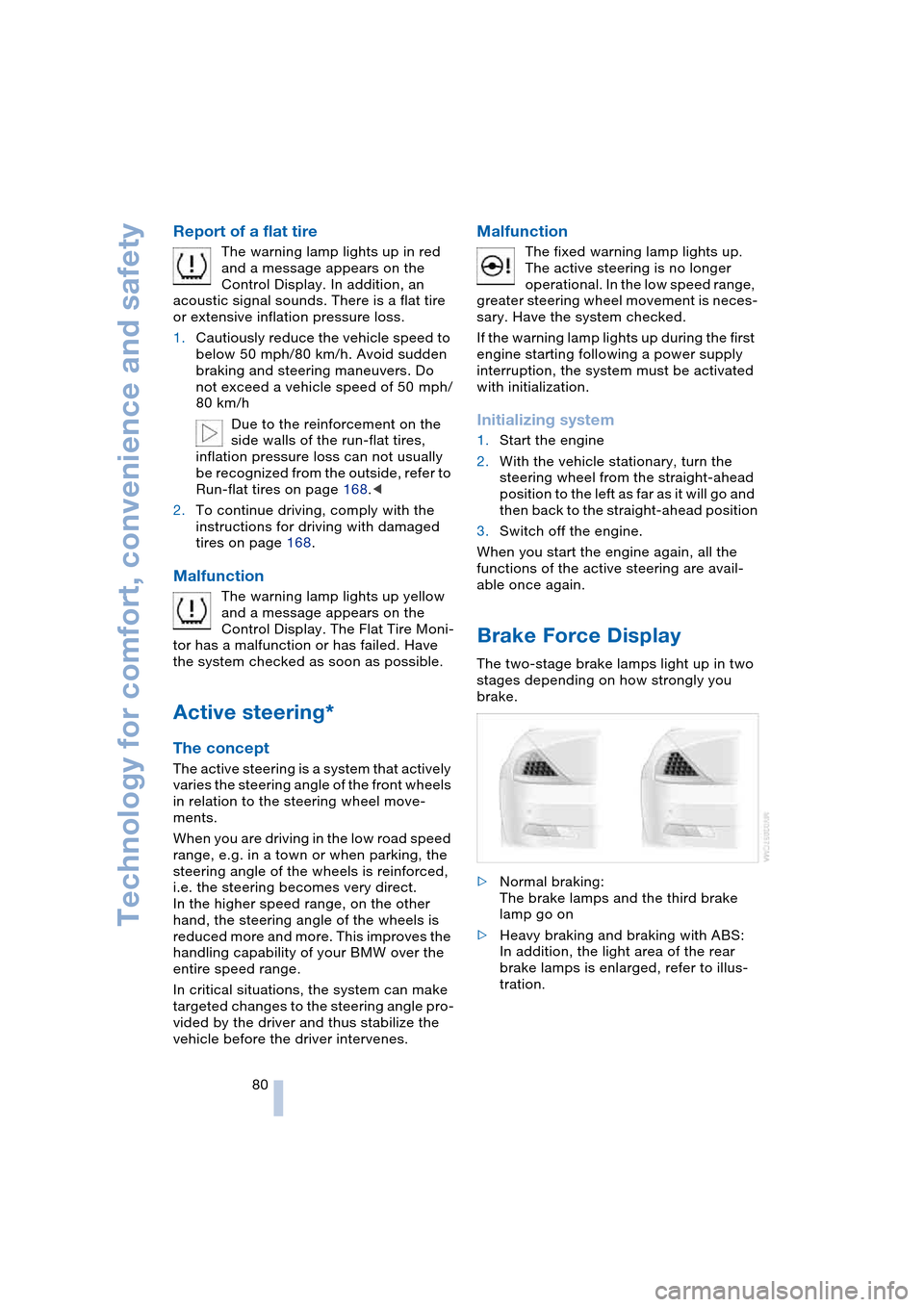
Brake Force Display
The two-stage brake lamps light up in two
stages depending on how strongly you
brake.
>Normal braking:
The brake lamps and the third brake
lamp go on
>Heavy braking and braking with ABS:
In addition, the light area of the rear
brake lamps is enlarged, refer to illus-
tration.