instrument BMW 645CI COUPE 2004 E63 User Guide
[x] Cancel search | Manufacturer: BMW, Model Year: 2004, Model line: 645CI COUPE, Model: BMW 645CI COUPE 2004 E63Pages: 216, PDF Size: 3.46 MB
Page 67 of 216
Controls
65Reference
At a glance
Driving tips
Communications
Navigation
Entertainment
Mobility
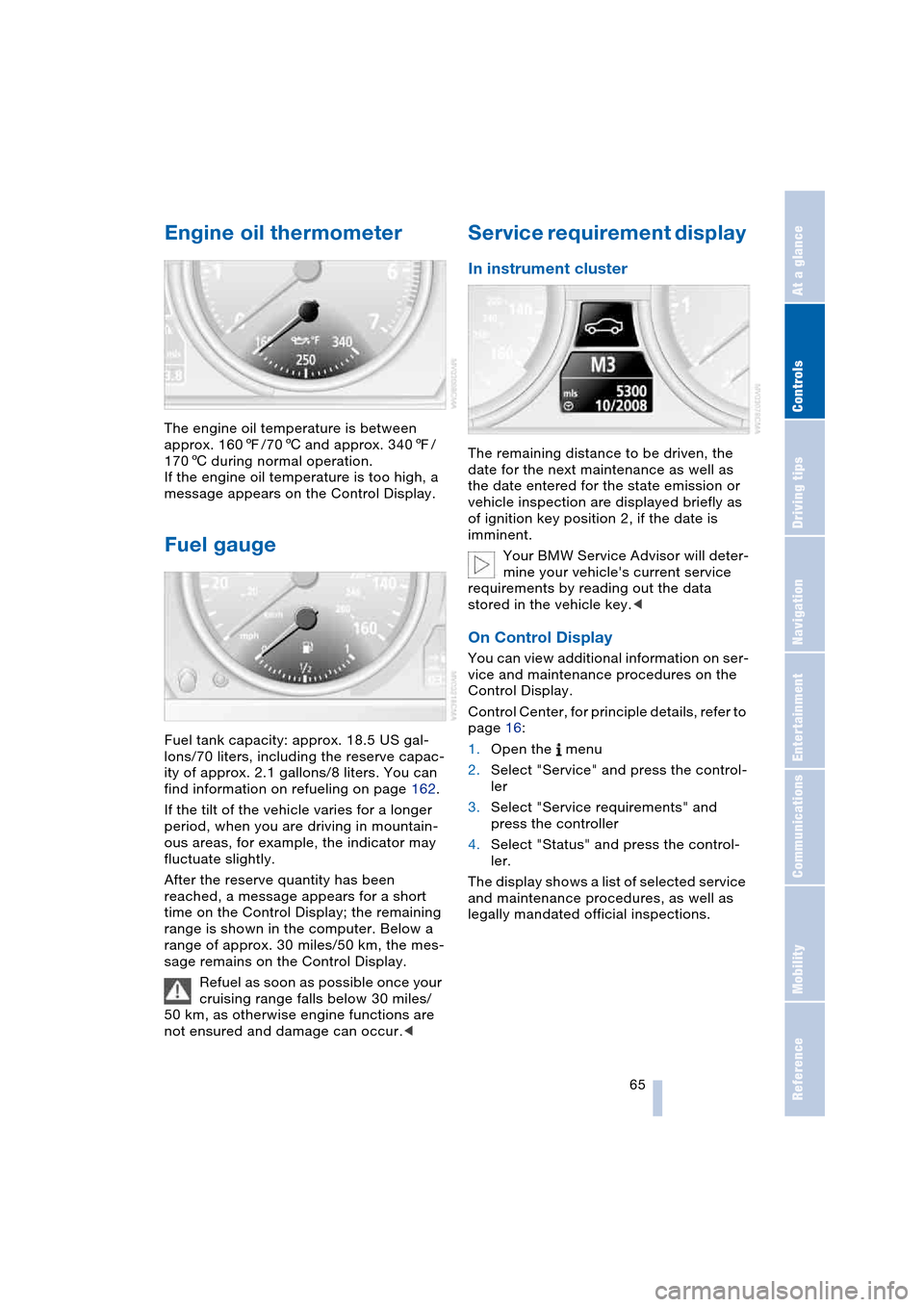
Engine oil thermometer
The engine oil temperature is between
approx. 1607/706 and approx. 3407/
1706 during normal operation.
If the engine oil temperature is too high, a
message appears on the Control Display.
Fuel gauge
Fuel tank capacity: approx. 18.5 US gal-
lons/70 liters, including the reserve capac-
ity of approx. 2.1 gallons/8 liters. You can
find information on refueling on page 162.
If the tilt of the vehicle varies for a longer
period, when you are driving in mountain-
ous areas, for example, the indicator may
fluctuate slightly.
After the reserve quantity has been
reached, a message appears for a short
time on the Control Display; the remaining
range is shown in the computer. Below a
range of approx. 30 miles/50 km, the mes-
sage remains on the Control Display.
Refuel as soon as possible once your
cruising range falls below 30 miles/
50 km, as otherwise engine functions are
not ensured and damage can occur.<
Service requirement display
In instrument cluster
The remaining distance to be driven, the
date for the next maintenance as well as
the date entered for the state emission or
vehicle inspection are displayed briefly as
of ignition key position 2, if the date is
imminent.
Your BMW Service Advisor will deter-
mine your vehicle's current service
requirements by reading out the data
stored in the vehicle key.<
On Control Display
You can view additional information on ser-
vice and maintenance procedures on the
Control Display.
Control Center, for principle details, refer to
page 16:
1.Open the menu
2.Select "Service" and press the control-
ler
3.Select "Service requirements" and
press the controller
4.Select "Status" and press the control-
ler.
The display shows a list of selected service
and maintenance procedures, as well as
legally mandated official inspections.
Page 71 of 216
Controls
69Reference
At a glance
Driving tips
Communications
Navigation
Entertainment
Mobility
Computer
Mode selection
As of ignition key position 1, you can use
the BC button in the turn signal lever to call
up computer information in the instrument
cluster.
A new function appears each time you
briefly press the BC button.
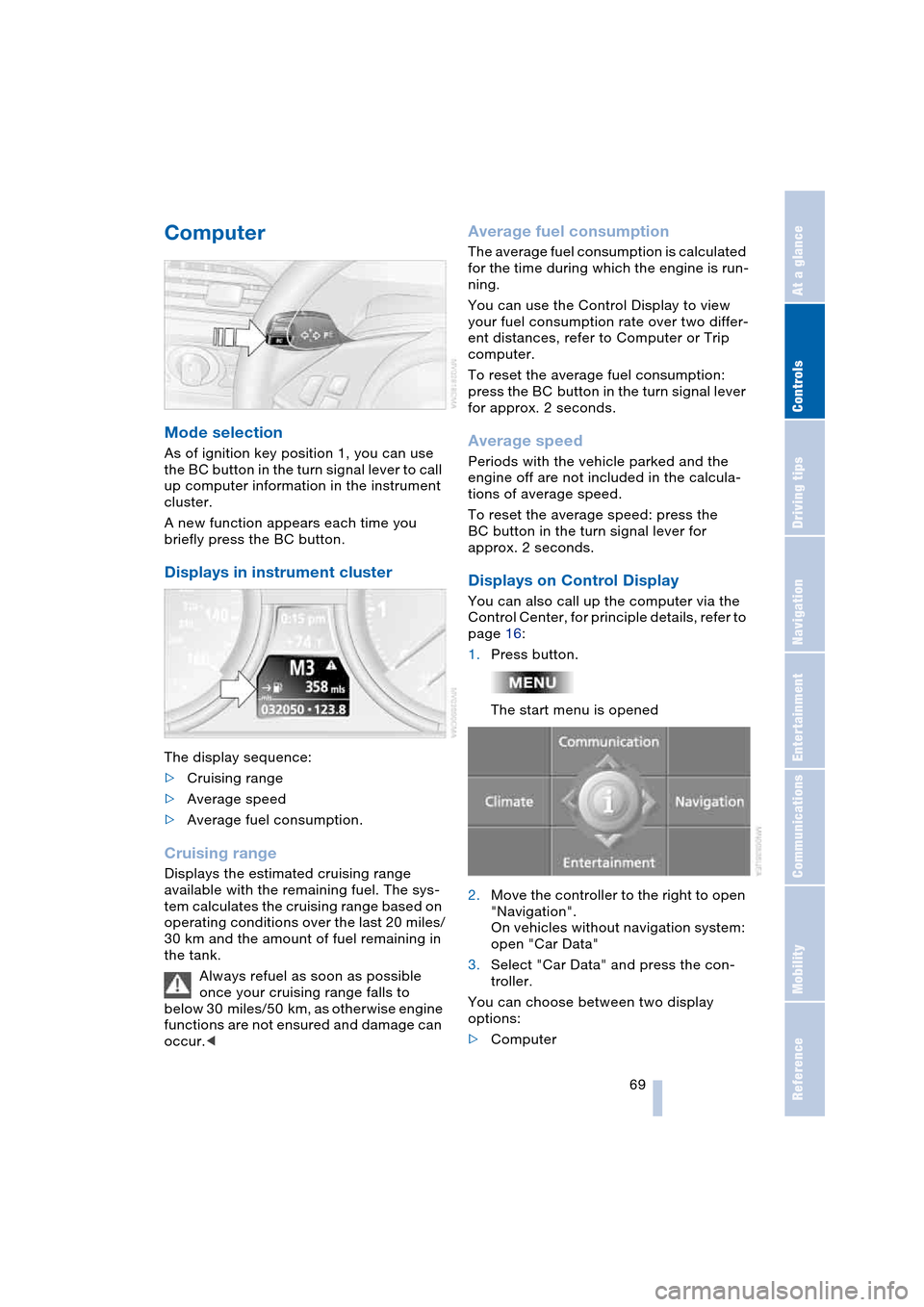
Displays in instrument cluster
The display sequence:
>Cruising range
>Average speed
>Average fuel consumption.
Cruising range
Displays the estimated cruising range
available with the remaining fuel. The sys-
tem calculates the cruising range based on
operating conditions over the last 20 miles/
30 km and the amount of fuel remaining in
the tank.
Always refuel as soon as possible
once your cruising range falls to
below 30 miles/50 km, as otherwise engine
functions are not ensured and damage can
occur.<
Average fuel consumption
The average fuel consumption is calculated
for the time during which the engine is run-
ning.
You can use the Control Display to view
your fuel consumption rate over two differ-
ent distances, refer to Computer or Trip
computer.
To reset the average fuel consumption:
press the BC button in the turn signal lever
for approx. 2 seconds.
Average speed
Periods with the vehicle parked and the
engine off are not included in the calcula-
tions of average speed.
To reset the average speed: press the
BC button in the turn signal lever for
approx. 2 seconds.
Displays on Control Display
You can also call up the computer via the
Control Center, for principle details, refer to
page 16:
1.Press button.
The start menu is opened
2.Move the controller to the right to open
"Navigation".
On vehicles without navigation system:
open "Car Data"
3.Select "Car Data" and press the con-
troller.
You can choose between two display
options:
>Computer
Page 79 of 216
Controls
77Reference
At a glance
Driving tips
Communications
Navigation
Entertainment
Mobility
DSC Dynamic Stability Control
DSC optimizes vehicle stability during
acceleration and when starting from a full
stop, as well as optimizing traction. The
system recognizes any tendency for the
vehicle to assume an unstable attitude
such as oversteer or understeer; it then
counteracts this tendency with a combina-
tion of graduated reductions in engine
torque and selective braking intervention at
individual wheels. DSC provides optimal
stability within the limits defined by the
laws of physics.
The DSC is operational every time you start
the engine. DSC includes the functionality
of the DTC Dynamic Traction Control and
DBC Dynamic Brake Control, see below.
Indicator lamp
The indicator lamp goes out soon
after you start the engine.
The indicator lamp flashes:
DSC controls the drive and braking forces.
The indicator lamp stays lit:
DSC has been switched off via the button.
DTC Dynamic Traction Control
In special driving states, e.g. in deep snow,
DTC ensures maximum forward momen-
tum. The gain in forward momentum also
involves a reduction in driving stability.
DTC is active up to approx. 45 mph/
70 km/h, whereas DSC is only effective to
a limited degree.
You may find it useful to briefly activate
DTC under the following special circum-
stances:
>When rocking the vehicle and starting
off in deep snow or on loose road sur-
faces
>When ascending snow-covered hills,
and when driving in deep or on hard-
packed snow
>When driving with snow chains.
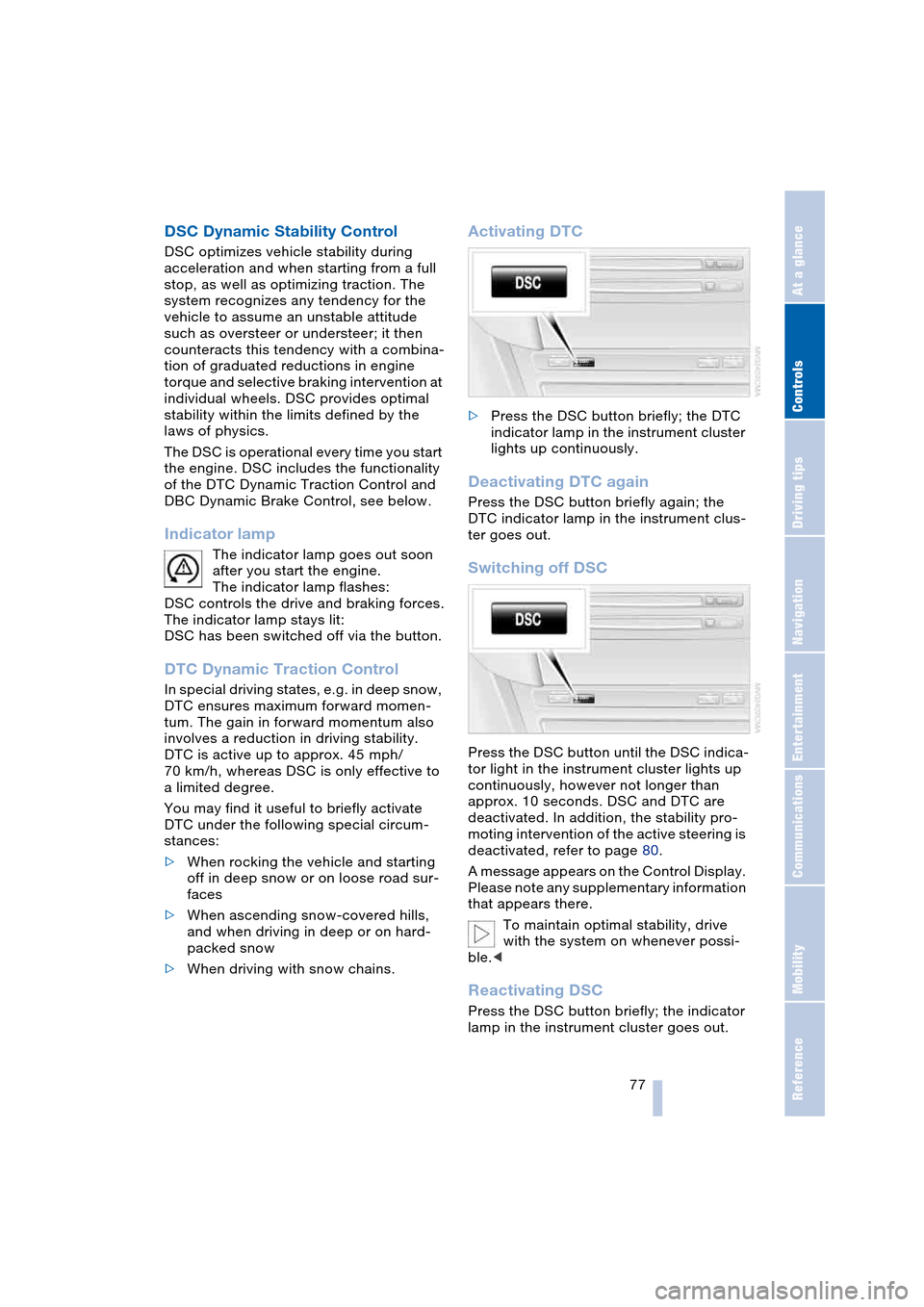
Activating DTC
>Press the DSC button briefly; the DTC
indicator lamp in the instrument cluster
lights up continuously.
Deactivating DTC again
Press the DSC button briefly again; the
DTC indicator lamp in the instrument clus-
ter goes out.
Switching off DSC
Press the DSC button until the DSC indica-
tor light in the instrument cluster lights up
continuously, however not longer than
approx. 10 seconds. DSC and DTC are
deactivated. In addition, the stability pro-
moting intervention of the active steering is
deactivated, refer to page 80.
A message appears on the Control Display.
Please note any supplementary information
that appears there.
To maintain optimal stability, drive
with the system on whenever possi-
ble.<
Reactivating DSC
Press the DSC button briefly; the indicator
lamp in the instrument cluster goes out.
Page 84 of 216
Technology for comfort, convenience and safety
82
Airbag system operational
The airbag warning lamp in the instrument
cluster indicates the operational readiness
of the entire airbag system and the safety
belt tensioners as of ignition key position 1.
The warning lamp goes out after a few sec-
onds.
Airbag system malfunction
Have the airbag system checked
immediately if a malfunction occurs,
as otherwise there is a danger of the sys-
tem not responding in the expected man-
ner to an impact occurring within its normal
response range.<
There is a malfunction in the airbag
system when:
>The warning lamp does not light up as
of ignition key position 1
>The warning lamp remains on continu-
ously
>The warning lamp lights up while the
vehicle is being driven.
Convertible:
Rollover protection system
The rollover protection system is automati-
cally activated in the event of an accident
or a critical driving situation, extreme incli-
nation on the longitudinal or transverse
axis, or loss of ground contact. The rollover
bars located behind the rear head
restraints move out within fractions of a
second.As a supplement to the rollover bar inte-
grated in the windshield frame, the rollover
protection system ensures that all vehicle
occupants have the necessary headroom.
Always keep the path of movement of
the rollover protection system clear.
In less severe accidents, you are protected
by the fastened safety belt and, depending
on the severity of the accident, the belt ten-
sioner and the multistage airbag restraint
system.<
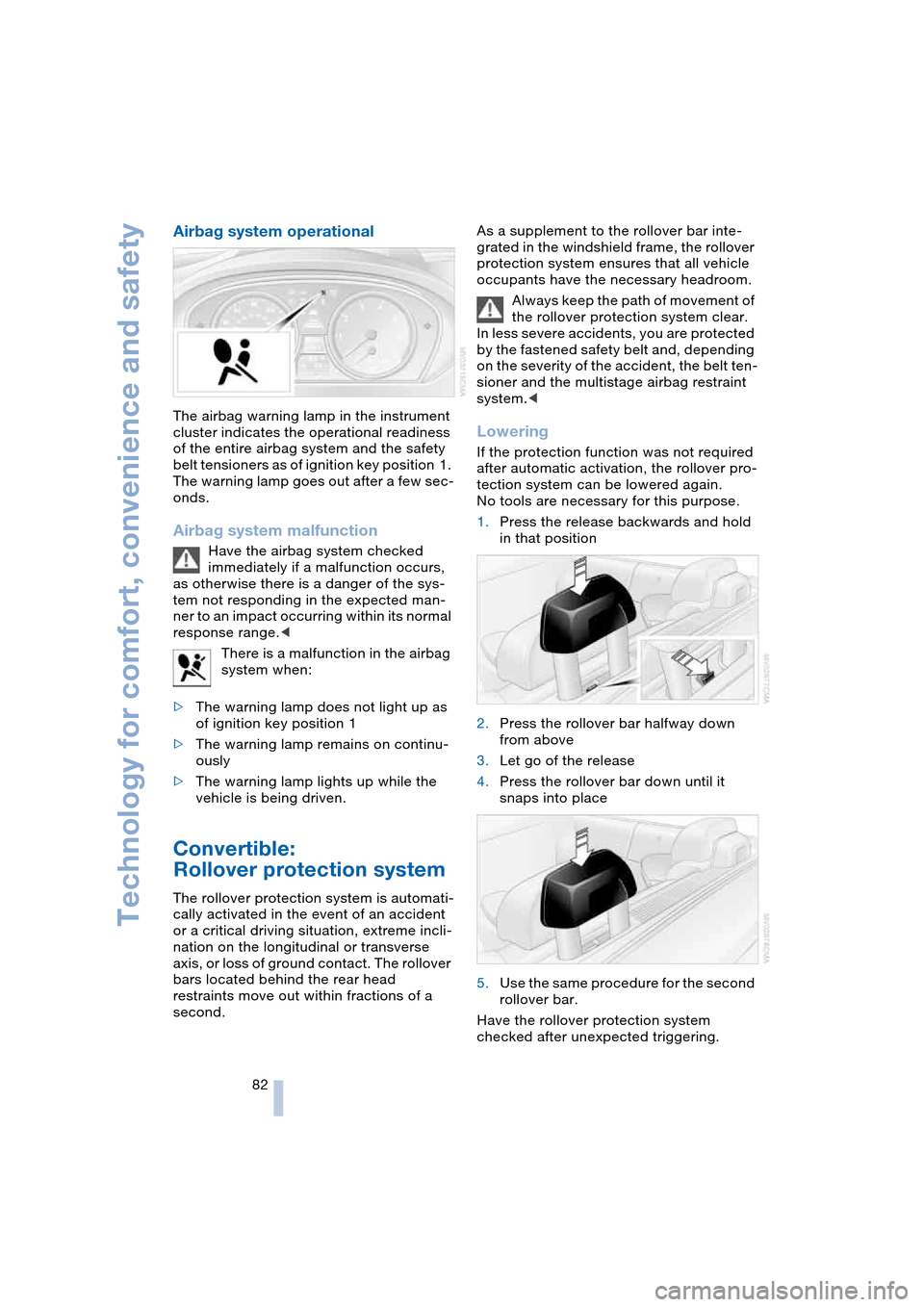
Lowering
If the protection function was not required
after automatic activation, the rollover pro-
tection system can be lowered again.
No tools are necessary for this purpose.
1.Press the release backwards and hold
in that position
2.Press the rollover bar halfway down
from above
3.Let go of the release
4.Press the rollover bar down until it
snaps into place
5.Use the same procedure for the second
rollover bar.
Have the rollover protection system
checked after unexpected triggering.
Page 86 of 216
Technology for comfort, convenience and safety
84 6.Press the controller.
The information appears on the
Head-Up Display.
Depending on which key you have used to
open the vehicle, the last adjustment is
applied.
Adjusting brightness
The brightness of the display is automati-
cally adapted to the ambient lighting condi-
tions. However, you can change the base
setting.
With the low beams switched on, the
brightness can also be adjusted with the
serrated dial of the instrument lighting.
Control Center, for principle details, refer to
page 16:
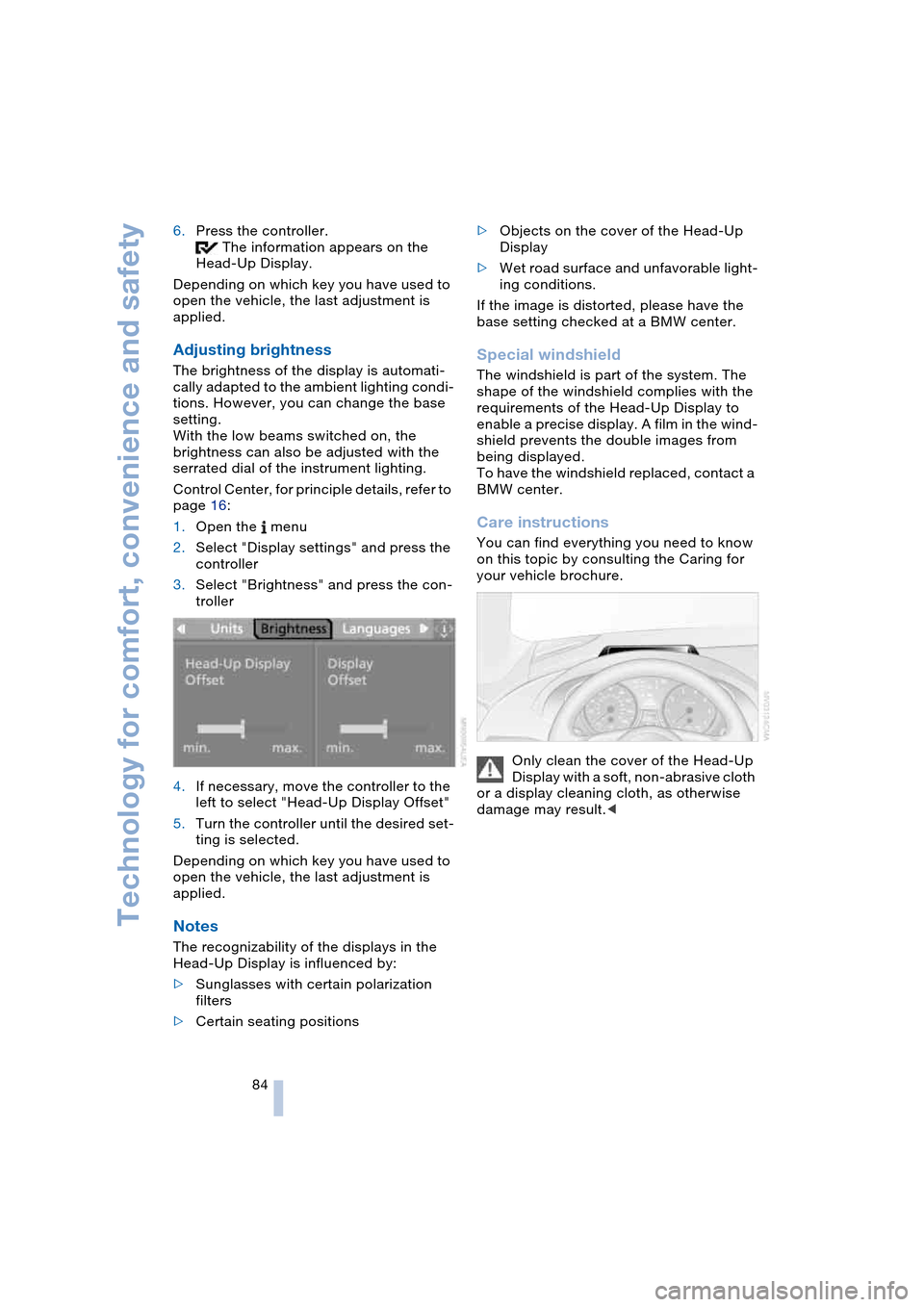
1.Open the menu
2.Select "Display settings" and press the
controller
3.Select "Brightness" and press the con-
troller
4.If necessary, move the controller to the
left to select "Head-Up Display Offset"
5.Turn the controller until the desired set-
ting is selected.
Depending on which key you have used to
open the vehicle, the last adjustment is
applied.
Notes
The recognizability of the displays in the
Head-Up Display is influenced by:
>Sunglasses with certain polarization
filters
>Certain seating positions>Objects on the cover of the Head-Up
Display
>Wet road surface and unfavorable light-
ing conditions.
If the image is distorted, please have the
base setting checked at a BMW center.
Special windshield
The windshield is part of the system. The
shape of the windshield complies with the
requirements of the Head-Up Display to
enable a precise display. A film in the wind-
shield prevents the double images from
being displayed.
To have the windshield replaced, contact a
BMW center.
Care instructions
You can find everything you need to know
on this topic by consulting the Caring for
your vehicle brochure.
Only clean the cover of the Head-Up
Display with a soft, non-abrasive cloth
or a display cleaning cloth, as otherwise
damage may result.<
Page 89 of 216
Controls
87Reference
At a glance
Driving tips
Communications
Navigation
Entertainment
Mobility
If the automatic headlamp control is
activated, the low beams will come on
automatically when you switch on the fog
lamps.<
Instrument lighting
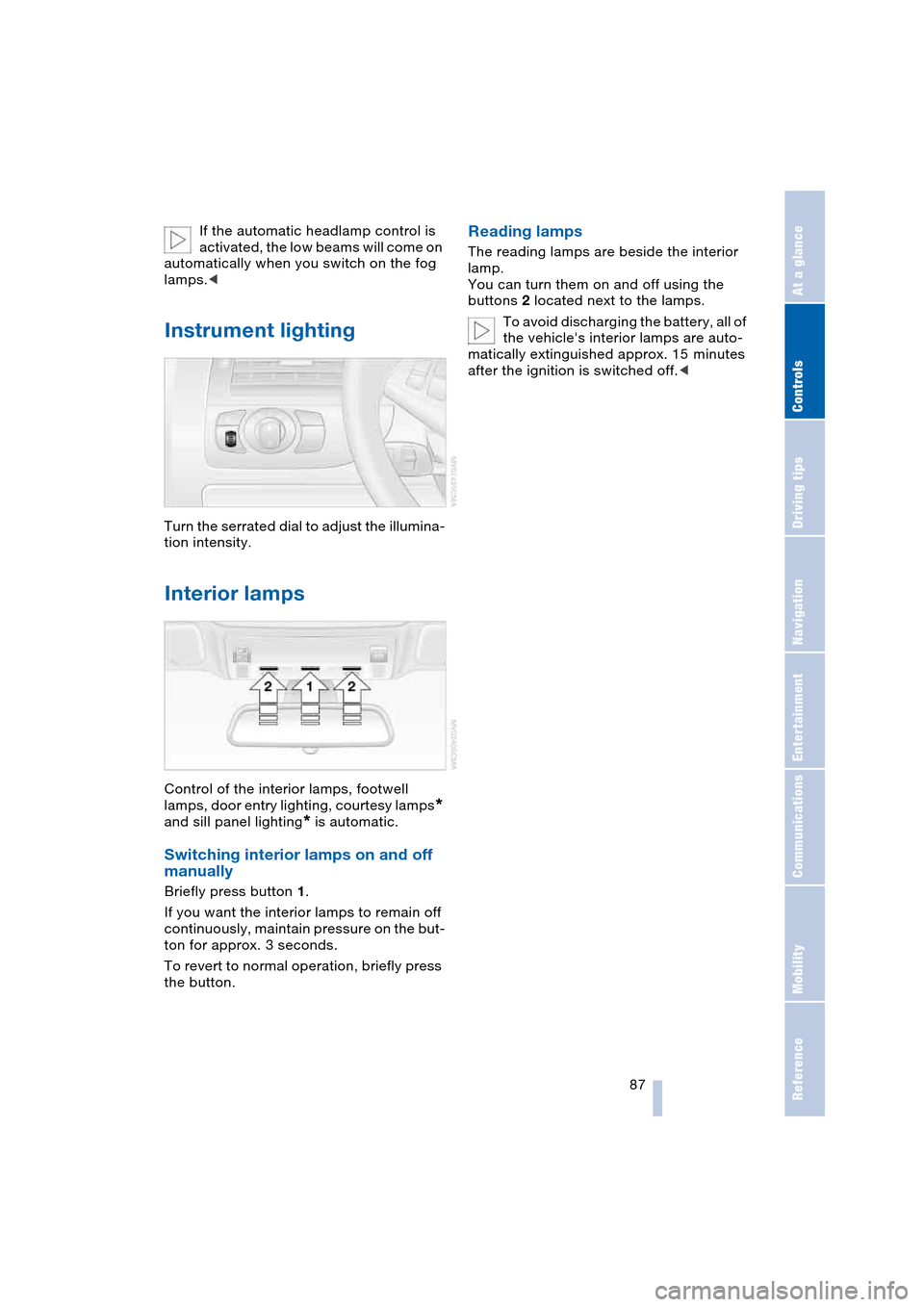
Turn the serrated dial to adjust the illumina-
tion intensity.
Interior lamps
Control of the interior lamps, footwell
lamps, door entry lighting, courtesy lamps
*
and sill panel lighting
* is automatic.
Switching interior lamps on and off
manually
Briefly press button 1.
If you want the interior lamps to remain off
continuously, maintain pressure on the but-
ton for approx. 3 seconds.
To revert to normal operation, briefly press
the button.
Reading lamps
The reading lamps are beside the interior
lamp.
You can turn them on and off using the
buttons 2 located next to the lamps.
To avoid discharging the battery, all of
the vehicle's interior lamps are auto-
matically extinguished approx. 15 minutes
after the ignition is switched off.<
Page 94 of 216
A congenial climate
92 climate control is optimized for driving with
the convertible top open. In addition, the air
supply is increased as the speed increases.
If the convertible program has been
selected, it is automatically active every
time the top is opened.
The effect of the convertible program
can be greatly enhanced if the wind
deflector is fitted.<
Ventilation
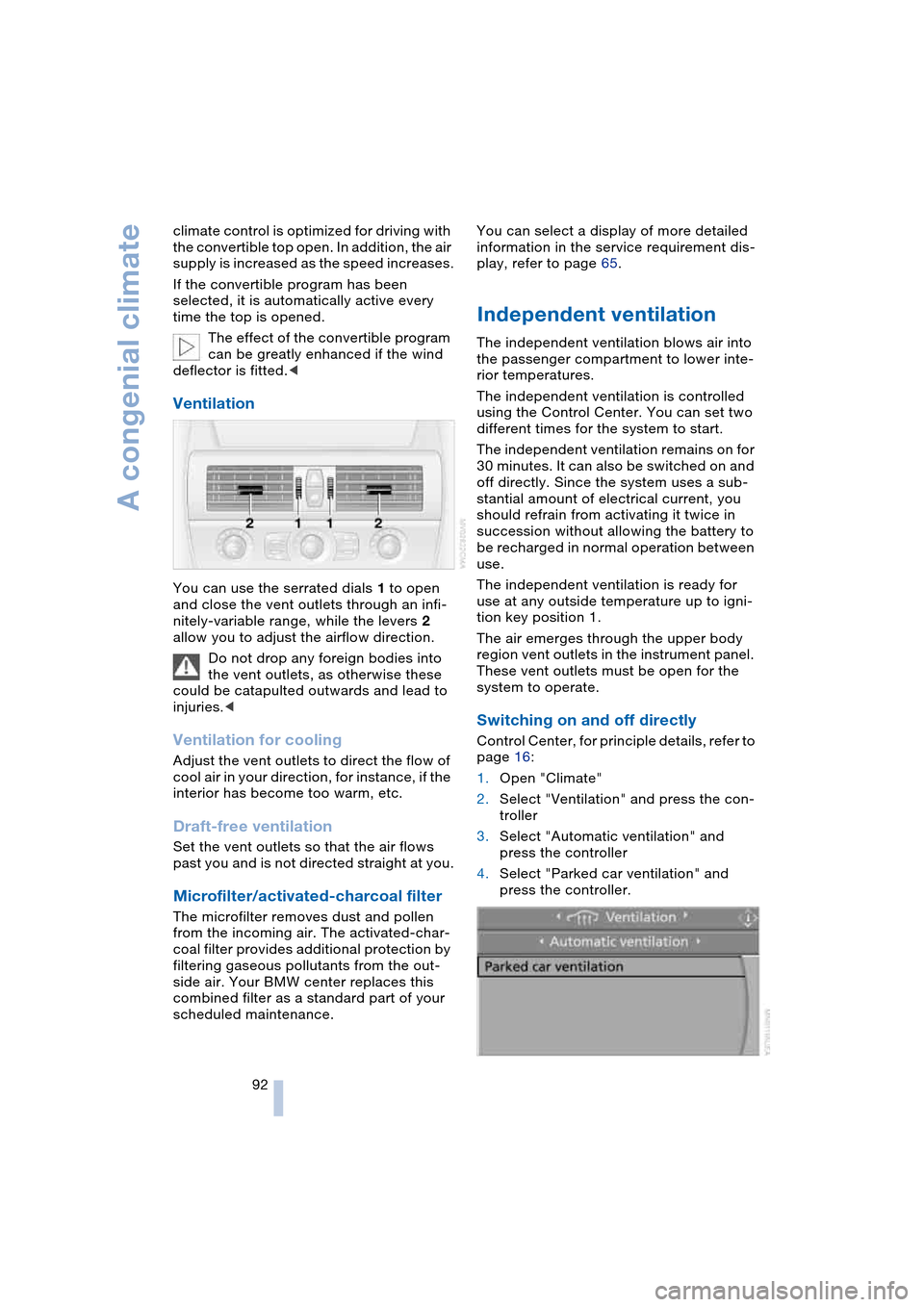
You can use the serrated dials 1 to open
and close the vent outlets through an infi-
nitely-variable range, while the levers 2
allow you to adjust the airflow direction.
Do not drop any foreign bodies into
the vent outlets, as otherwise these
could be catapulted outwards and lead to
injuries.<
Ventilation for cooling
Adjust the vent outlets to direct the flow of
cool air in your direction, for instance, if the
interior has become too warm, etc.
Draft-free ventilation
Set the vent outlets so that the air flows
past you and is not directed straight at you.
Microfilter/activated-charcoal filter
The microfilter removes dust and pollen
from the incoming air. The activated-char-
coal filter provides additional protection by
filtering gaseous pollutants from the out-
side air. Your BMW center replaces this
combined filter as a standard part of your
scheduled maintenance.You can select a display of more detailed
information in the service requirement dis-
play, refer to page 65.
Independent ventilation
The independent ventilation blows air into
the passenger compartment to lower inte-
rior temperatures.
The independent ventilation is controlled
using the Control Center. You can set two
different times for the system to start.
The independent ventilation remains on for
30 minutes. It can also be switched on and
off directly. Since the system uses a sub-
stantial amount of electrical current, you
should refrain from activating it twice in
succession without allowing the battery to
be recharged in normal operation between
use.
The independent ventilation is ready for
use at any outside temperature up to igni-
tion key position 1.
The air emerges through the upper body
region vent outlets in the instrument panel.
These vent outlets must be open for the
system to operate.
Switching on and off directly
Control Center, for principle details, refer to
page 16:
1.Open "Climate"
2.Select "Ventilation" and press the con-
troller
3.Select "Automatic ventilation" and
press the controller
4.Select "Parked car ventilation" and
press the controller.
Page 172 of 216
Under the hood
170
Under the hood
Never attempt to perform any service
or repair operations on your vehicle
without the required, professional technical
training. If you are unfamiliar with the ser-
vice procedures and precautions, always
have any required work on your vehicle
carried out at your BMW center. If this work
is performed inexpertly, there is a danger of
damage and associated safety risks.<
Hood
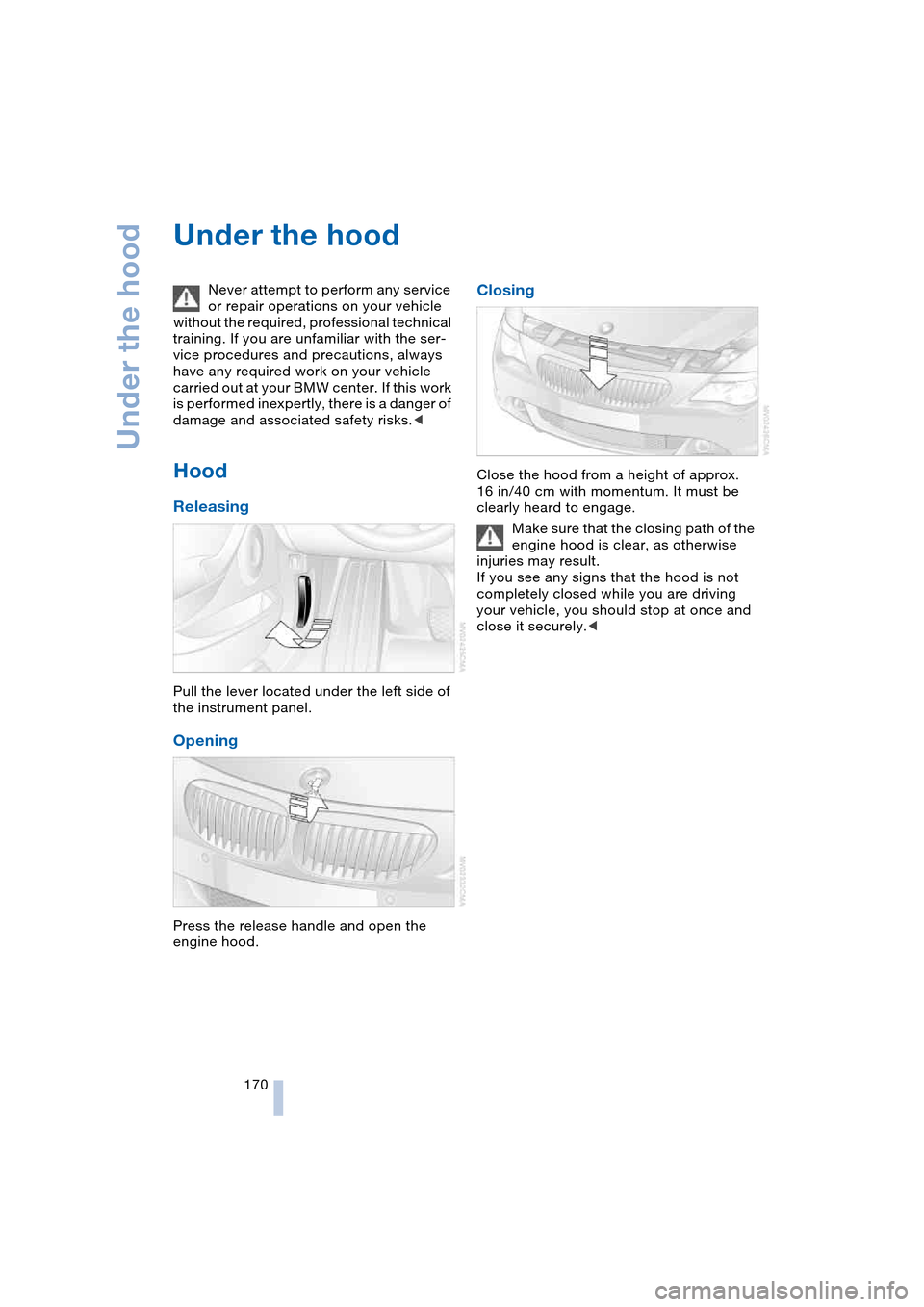
Releasing
Pull the lever located under the left side of
the instrument panel.
Opening
Press the release handle and open the
engine hood.
Closing
Close the hood from a height of approx.
16 in/40 cm with momentum. It must be
clearly heard to engage.
Make sure that the closing path of the
engine hood is clear, as otherwise
injuries may result.
If you see any signs that the hood is not
completely closed while you are driving
your vehicle, you should stop at once and
close it securely.<
Page 178 of 216
Rules and regulations
176
Rules and regulations
California laws
Proposition 65 Warning
California laws require us to issue the fol-
lowing warning:
Engine exhaust and a wide variety of
automobile components and parts,
including components found in the interior
furnishings in a vehicle, contain or emit
chemicals known to the State of California
to cause cancer and birth defects and
reproductive harm. In addition, certain flu-
ids contained in vehicles and certain prod-
ucts of component wear contain or emit
chemicals known to the State of California
to cause cancer and birth defects or other
reproductive harm.
Battery posts, terminals and related acces-
sories contain lead and lead compounds.
Wash your hands after handling.
Used engine oil contains chemicals that
have caused cancer in laboratory animals.
Always protect your skin by washing thor-
oughly with soap and water.<
Event Data Recorders
Your vehicle may be equipped with one or
more sensing and diagnostic modules or a
recording device capable of recording or
transmitting certain vehicle data or infor-
mation. In addition, if you have a Subscrip-
tion Service Agreement for the BMW Assist
system, certain vehicle information may be
transmitted or recorded in order to provide
such services.
OBD connector
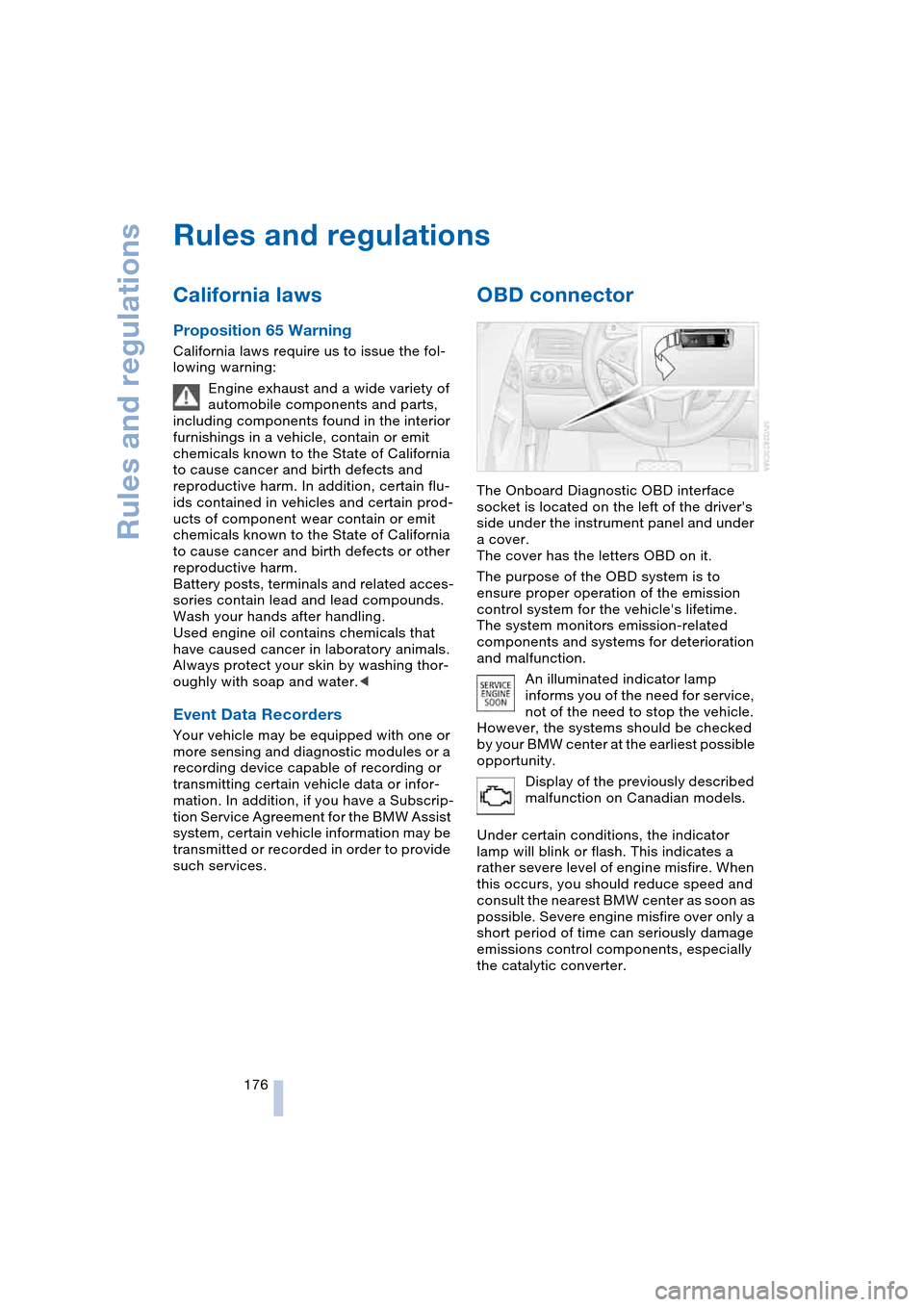
The Onboard Diagnostic OBD interface
socket is located on the left of the driver's
side under the instrument panel and under
a cover.
The cover has the letters OBD on it.
The purpose of the OBD system is to
ensure proper operation of the emission
control system for the vehicle's lifetime.
The system monitors emission-related
components and systems for deterioration
and malfunction.
An illuminated indicator lamp
informs you of the need for service,
not of the need to stop the vehicle.
However, the systems should be checked
by your BMW center at the earliest possible
opportunity.
Display of the previously described
malfunction on Canadian models.
Under certain conditions, the indicator
lamp will blink or flash. This indicates a
rather severe level of engine misfire. When
this occurs, you should reduce speed and
consult the nearest BMW center as soon as
possible. Severe engine misfire over only a
short period of time can seriously damage
emissions control components, especially
the catalytic converter.
Page 203 of 216
Reference 201
At a glance
Controls
Driving tips
Communications
Navigation
Entertainment
Mobility
Destination address
– deleting 115
– entering 110
Destination for navigation
– destination list 113
– entry 110
– selecting from address
book 115
– selecting using
information 113
– storing 114
Destination guidance 118
– bypassing route
sections 120
– canceling voice
instructions 50
– changing specified
route 116
– displaying route 119
– distance and arrival 118
– interrupting 118
– starting 118
– terminating/
continuing 118
– voice instructions 119
– volume of voice
instructions 119
Destination list 113
Destinations recently
driven to 113
"Dial" for portable
phone 147
"Dial number" 147
Digital clock 64
Dimensions
– Convertible 192
– Coupe 191
Dipstick for engine oil 171
Directional indicators, refer
to Turn signals 60
Direction announcements,
refer to Voice
instructions 119
Direction instructions, refer
to Voice instructions 119
Directory, refer to
Phone book 148
Directory for navigation,
refer to Address
book 114
Disc brakes 103Displacement, refer to
Engine data 190
Display, refer to
Control Center 16
"Display off" 19
Displays, refer to
Instrument cluster 12
"Display settings" 72
Displays on the windshield,
refer to Head-Up
Display 83
Disposal, vehicle
battery 181
Distance, refer to
Computer 70
Distance to destination,
refer to Computer 70
Distance warning, refer to
PDC Park Distance
Control 75
"Dist. to destination" 70
Door entry lighting 87
Door keys 26
Door lock 29
"Door locks" 27
Doors
– manual operation 29
– remote control 27
DOT Quality Grades 166
Draft-free ventilation 92
"Driver's door only" 27
Driving lamps, refer to
Parking lamps/
low beams 85
Driving notes 102
Driving route, refer to
Displaying the route 119
Driving stability control
systems 77
Driving through water 103
Driving tips, refer to
Driving notes 102
Drying the air, refer to
Cooling function 89
DSC Dynamic Stability
Control 77
– indicator lamp 13, 77
DTC Dynamic Traction
Control 77
– activating 77
– indicator lamp 13, 77DVD for navigation 108
Dynamic Brake Control,
DBC 78
Dynamic Driving Control 59
"Dynamic route" for
navigation 116
Dynamic Stability Control,
DSC 77
Dynamic Traction Control,
DTC 77
E
Easy Entry, refer to
Entry to the rear 46, 52
EBV Electronic brake-force
distribution 76
"Edit address" for
navigation 115
Eject button, refer to
Buttons on CD player 126
Electrical malfunction
– automatic transmission
with Steptronic 59
– convertible top 39
– door lock 29
– driver's door 29
– fuel filler door 162
– glass roof 36
– luggage compartment
lid 31
– SMG Sequential manual
transmission 58
Electric steering wheel
adjustment 48
Electronic brake-force
distribution, EBV 76
Emergency assistance,
refer to Roadside
Assistance 184
Emergency call 183
Emergency operation, refer
to Manual operation
– convertible top 39
– door lock 29
– driver's door 29
– fuel filler door 162
– glass roof 36
– luggage compartment
lid 30, 31