lock BMW 645CI COUPE 2004 E63 Service Manual
[x] Cancel search | Manufacturer: BMW, Model Year: 2004, Model line: 645CI COUPE, Model: BMW 645CI COUPE 2004 E63Pages: 216, PDF Size: 3.46 MB
Page 180 of 216
Replacing components
178
Replacing components
Onboard tool kit
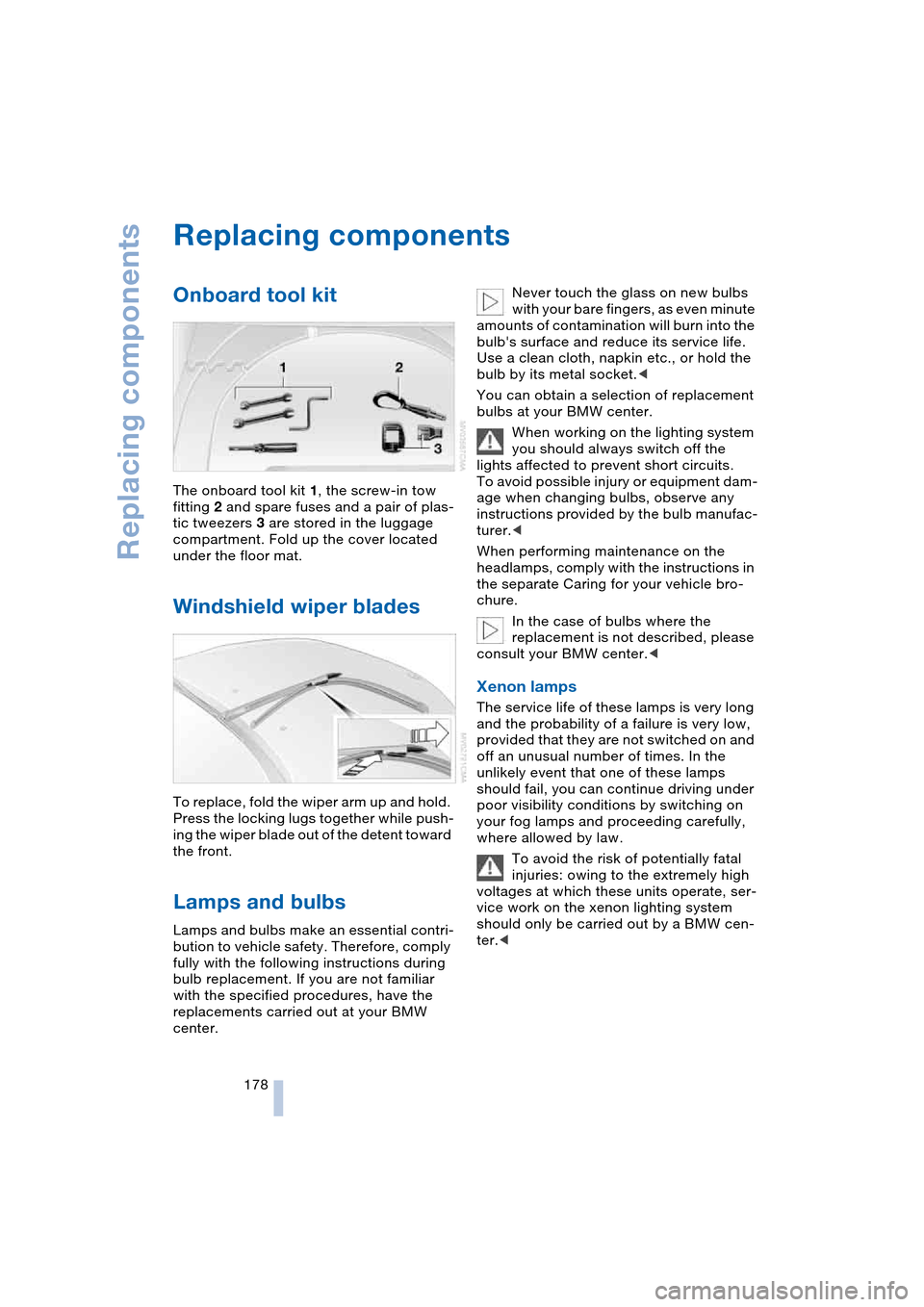
The onboard tool kit 1, the screw-in tow
fitting 2 and spare fuses and a pair of plas-
tic tweezers 3 are stored in the luggage
compartment. Fold up the cover located
under the floor mat.
Windshield wiper blades
To replace, fold the wiper arm up and hold.
Press the locking lugs together while push-
ing the wiper blade out of the detent toward
the front.
Lamps and bulbs
Lamps and bulbs make an essential contri-
bution to vehicle safety. Therefore, comply
fully with the following instructions during
bulb replacement. If you are not familiar
with the specified procedures, have the
replacements carried out at your BMW
center.Never touch the glass on new bulbs
with your bare fingers, as even minute
amounts of contamination will burn into the
bulb's surface and reduce its service life.
Use a clean cloth, napkin etc., or hold the
bulb by its metal socket.<
You can obtain a selection of replacement
bulbs at your BMW center.
When working on the lighting system
you should always switch off the
lights affected to prevent short circuits.
To avoid possible injury or equipment dam-
age when changing bulbs, observe any
instructions provided by the bulb manufac-
turer.<
When performing maintenance on the
headlamps, comply with the instructions in
the separate Caring for your vehicle bro-
chure.
In the case of bulbs where the
replacement is not described, please
consult your BMW center.<
Xenon lamps
The service life of these lamps is very long
and the probability of a failure is very low,
provided that they are not switched on and
off an unusual number of times. In the
unlikely event that one of these lamps
should fail, you can continue driving under
poor visibility conditions by switching on
your fog lamps and proceeding carefully,
where allowed by law.
To avoid the risk of potentially fatal
injuries: owing to the extremely high
voltages at which these units operate, ser-
vice work on the xenon lighting system
should only be carried out by a BMW cen-
ter.<
Page 181 of 216
Mobility
179Reference
At a glance
Controls
Driving tips
Communications
Navigation
Entertainment
High beams, parking lamps
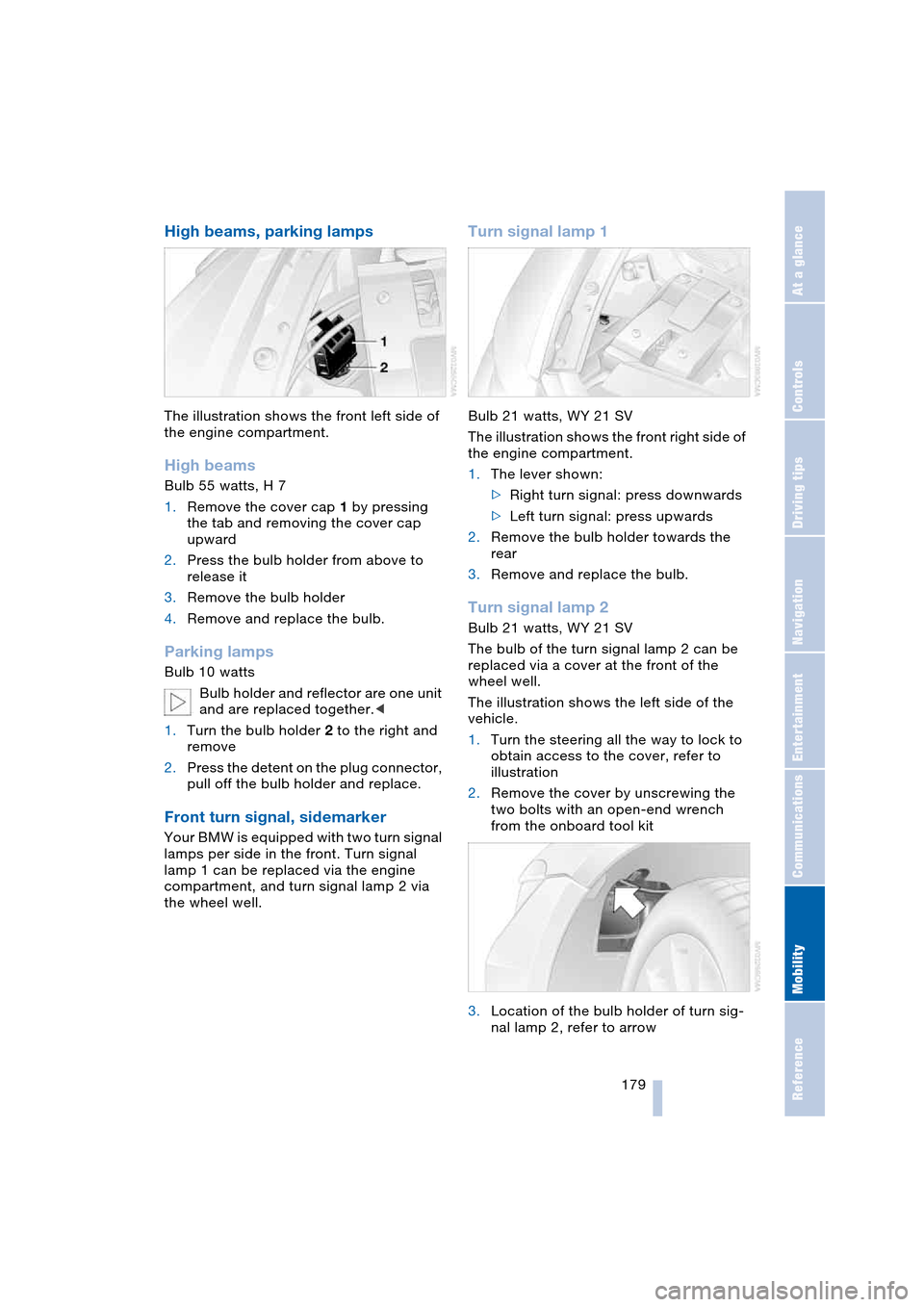
The illustration shows the front left side of
the engine compartment.
High beams
Bulb 55 watts, H 7
1.Remove the cover cap 1 by pressing
the tab and removing the cover cap
upward
2.Press the bulb holder from above to
release it
3.Remove the bulb holder
4.Remove and replace the bulb.
Parking lamps
Bulb 10 watts
Bulb holder and reflector are one unit
and are replaced together.<
1.Turn the bulb holder 2 to the right and
remove
2.Press the detent on the plug connector,
pull off the bulb holder and replace.
Front turn signal, sidemarker
Your BMW is equipped with two turn signal
lamps per side in the front. Turn signal
lamp 1 can be replaced via the engine
compartment, and turn signal lamp 2 via
the wheel well.
Turn signal lamp 1
Bulb 21 watts, WY 21 SV
The illustration shows the front right side of
the engine compartment.
1.The lever shown:
>Right turn signal: press downwards
>Left turn signal: press upwards
2.Remove the bulb holder towards the
rear
3.Remove and replace the bulb.
Turn signal lamp 2
Bulb 21 watts, WY 21 SV
The bulb of the turn signal lamp 2 can be
replaced via a cover at the front of the
wheel well.
The illustration shows the left side of the
vehicle.
1.Turn the steering all the way to lock to
obtain access to the cover, refer to
illustration
2.Remove the cover by unscrewing the
two bolts with an open-end wrench
from the onboard tool kit
3.Location of the bulb holder of turn sig-
nal lamp 2, refer to arrow
Page 186 of 216
Giving and receiving assistance
184
Warning triangle*
The warning triangle can be found in the
luggage compartment on the left side.
Comply with legal requirements
requiring you to carry a hazard warn-
ing triangle in the vehicle.<
First-aid kit*
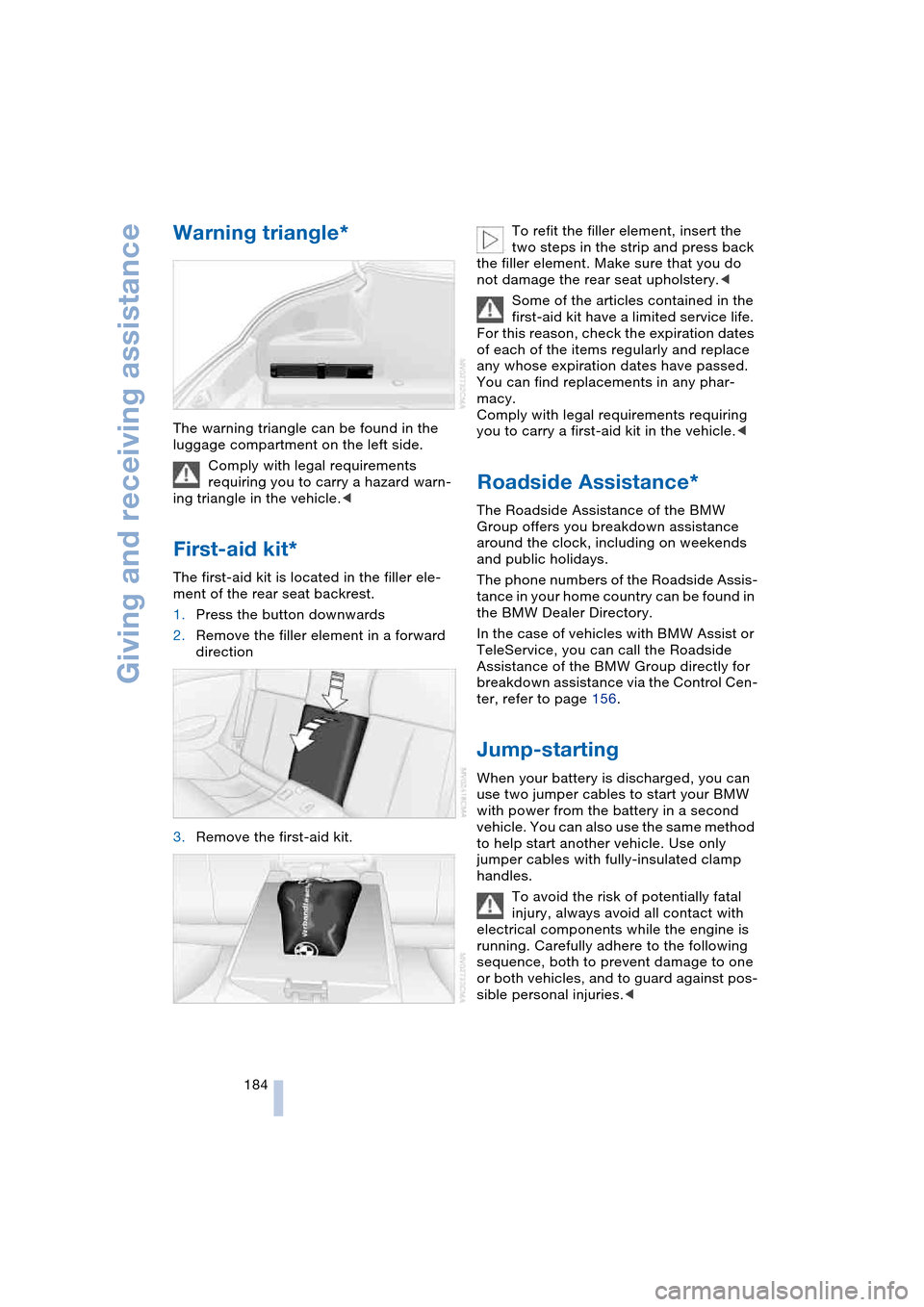
The first-aid kit is located in the filler ele-
ment of the rear seat backrest.
1.Press the button downwards
2.Remove the filler element in a forward
direction
3.Remove the first-aid kit.To refit the filler element, insert the
two steps in the strip and press back
the filler element. Make sure that you do
not damage the rear seat upholstery.<
Some of the articles contained in the
first-aid kit have a limited service life.
For this reason, check the expiration dates
of each of the items regularly and replace
any whose expiration dates have passed.
You can find replacements in any phar-
macy.
Comply with legal requirements requiring
you to carry a first-aid kit in the vehicle.<
Roadside Assistance*
The Roadside Assistance of the BMW
Group offers you breakdown assistance
around the clock, including on weekends
and public holidays.
The phone numbers of the Roadside Assis-
tance in your home country can be found in
the BMW Dealer Directory.
In the case of vehicles with BMW Assist or
TeleService, you can call the Roadside
Assistance of the BMW Group directly for
breakdown assistance via the Control Cen-
ter, refer to page 156.
Jump-starting
When your battery is discharged, you can
use two jumper cables to start your BMW
with power from the battery in a second
vehicle. You can also use the same method
to help start another vehicle. Use only
jumper cables with fully-insulated clamp
handles.
To avoid the risk of potentially fatal
injury, always avoid all contact with
electrical components while the engine is
running. Carefully adhere to the following
sequence, both to prevent damage to one
or both vehicles, and to guard against pos-
sible personal injuries.<
Page 188 of 216
Giving and receiving assistance
186
Using tow fitting
The threaded tow fitting is stored in the tool
kit mounted on the inside of the luggage
compartment under the floor mat, refer to
page 178, and should always remain in the
vehicle. It can be screwed in at the front or
rear of the BMW.
To avoid damage to the tow fitting
and the vehicle, observe the follow-
ing: only use the tow fitting that comes with
the vehicle and screw it in as far as possi-
ble. Only use the tow fitting to tow on the
roadway. Avoid heavy lateral loading of the
tow fitting, e.g. do not lift the vehicle by the
tow fitting.<
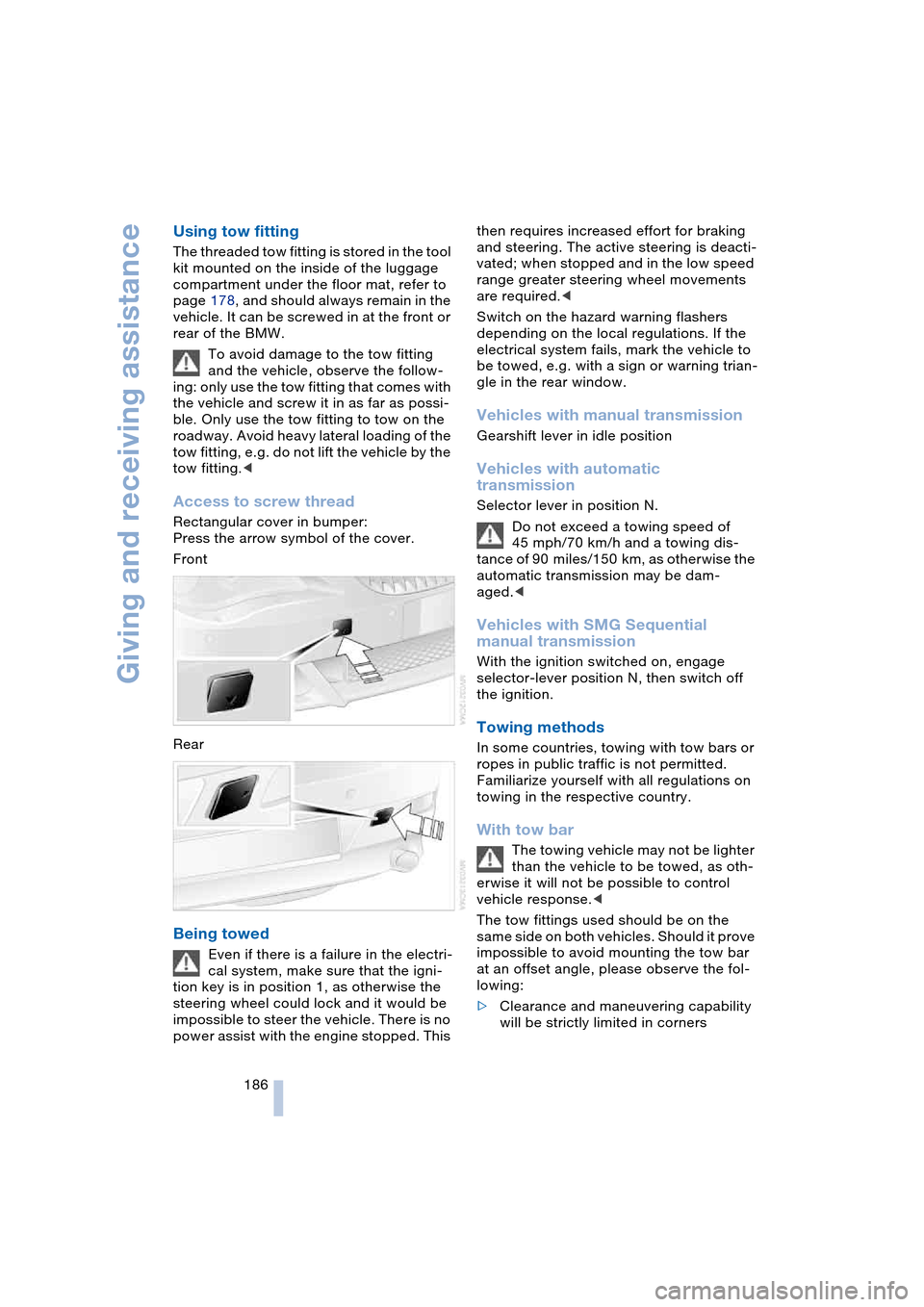
Access to screw thread
Rectangular cover in bumper:
Press the arrow symbol of the cover.
Front
Rear
Being towed
Even if there is a failure in the electri-
cal system, make sure that the igni-
tion key is in position 1, as otherwise the
steering wheel could lock and it would be
impossible to steer the vehicle. There is no
power assist with the engine stopped. This then requires increased effort for braking
and steering. The active steering is deacti-
vated; when stopped and in the low speed
range greater steering wheel movements
are required.<
Switch on the hazard warning flashers
depending on the local regulations. If the
electrical system fails, mark the vehicle to
be towed, e.g. with a sign or warning trian-
gle in the rear window.
Vehicles with manual transmission
Gearshift lever in idle position
Vehicles with automatic
transmission
Selector lever in position N.
Do not exceed a towing speed of
45 mph/70 km/h and a towing dis-
tance of 90 miles/150 km, as otherwise the
automatic transmission may be dam-
aged.<
Vehicles with SMG Sequential
manual transmission
With the ignition switched on, engage
selector-lever position N, then switch off
the ignition.
Towing methods
In some countries, towing with tow bars or
ropes in public traffic is not permitted.
Familiarize yourself with all regulations on
towing in the respective country.
With tow bar
The towing vehicle may not be lighter
than the vehicle to be towed, as oth-
erwise it will not be possible to control
vehicle response.<
The tow fittings used should be on the
same side on both vehicles. Should it prove
impossible to avoid mounting the tow bar
at an offset angle, please observe the fol-
lowing:
>Clearance and maneuvering capability
will be strictly limited in corners
Page 198 of 216
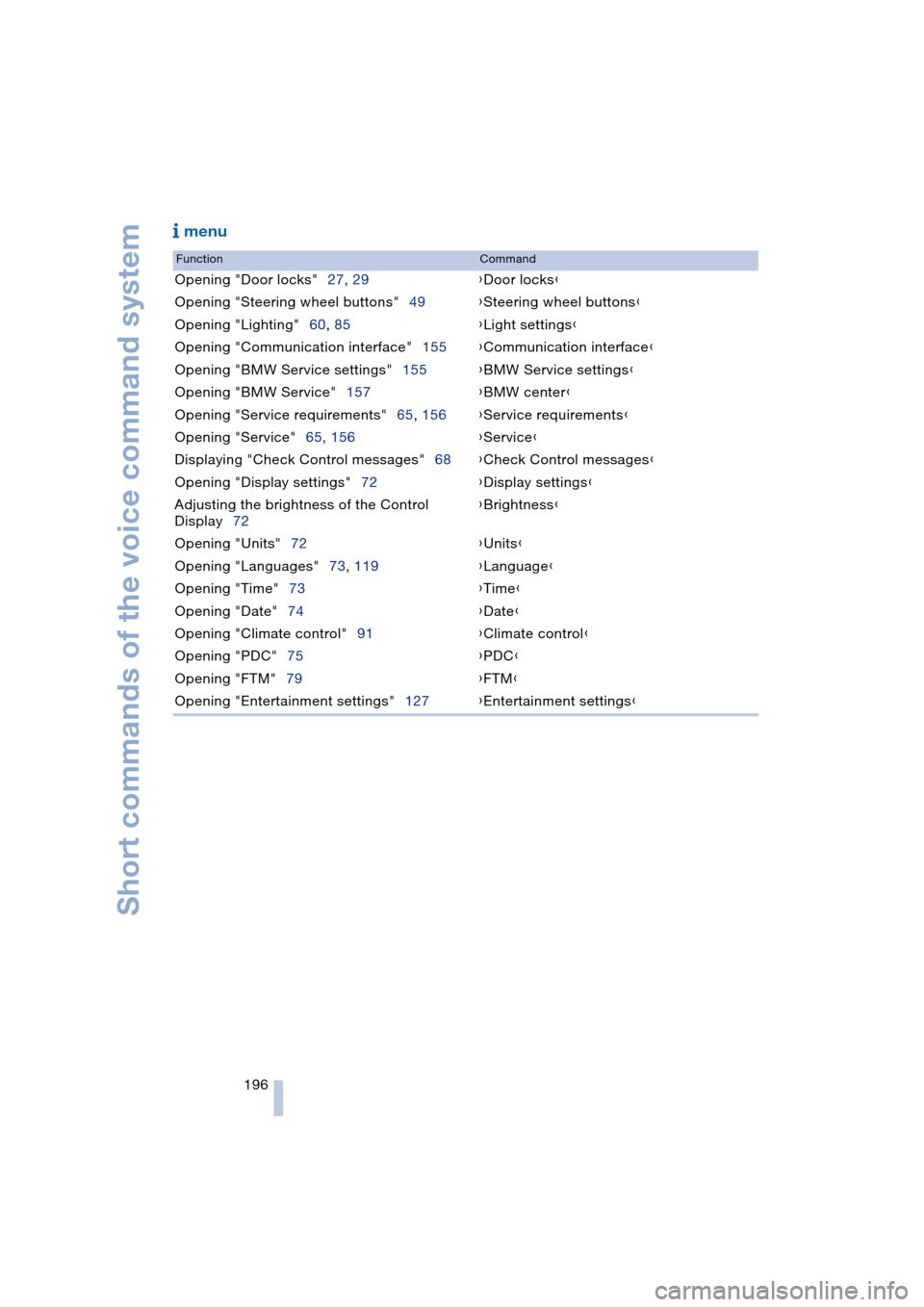
Short commands of the voice command system
196
menu
FunctionCommand
Opening "Door locks"27, 29{Door locks}
Opening "Steering wheel buttons"49{Steering wheel buttons}
Opening "Lighting"60, 85{Light settings}
Opening "Communication interface"155{Communication interface}
Opening "BMW Service settings"155{BMW Service settings}
Opening "BMW Service"157{BMW center}
Opening "Service requirements"65, 156{Service requirements}
Opening "Service"65, 156{Service}
Displaying "Check Control messages"68{Check Control messages}
Opening "Display settings"72{Display settings}
Adjusting the brightness of the Control
Display72{Brightness}
Opening "Units"72{Units}
Opening "Languages"73, 119{Language}
Opening "Time"73{Time}
Opening "Date"74{Date}
Opening "Climate control"91{Climate control}
Opening "PDC"75{PDC}
Opening "FTM"79{FTM}
Opening "Entertainment settings"127{Entertainment settings}
Page 199 of 216
197Reference
At a glance
Controls
Driving tips
Communications
Navigation
Entertainment
Mobility
Everything from A to Z
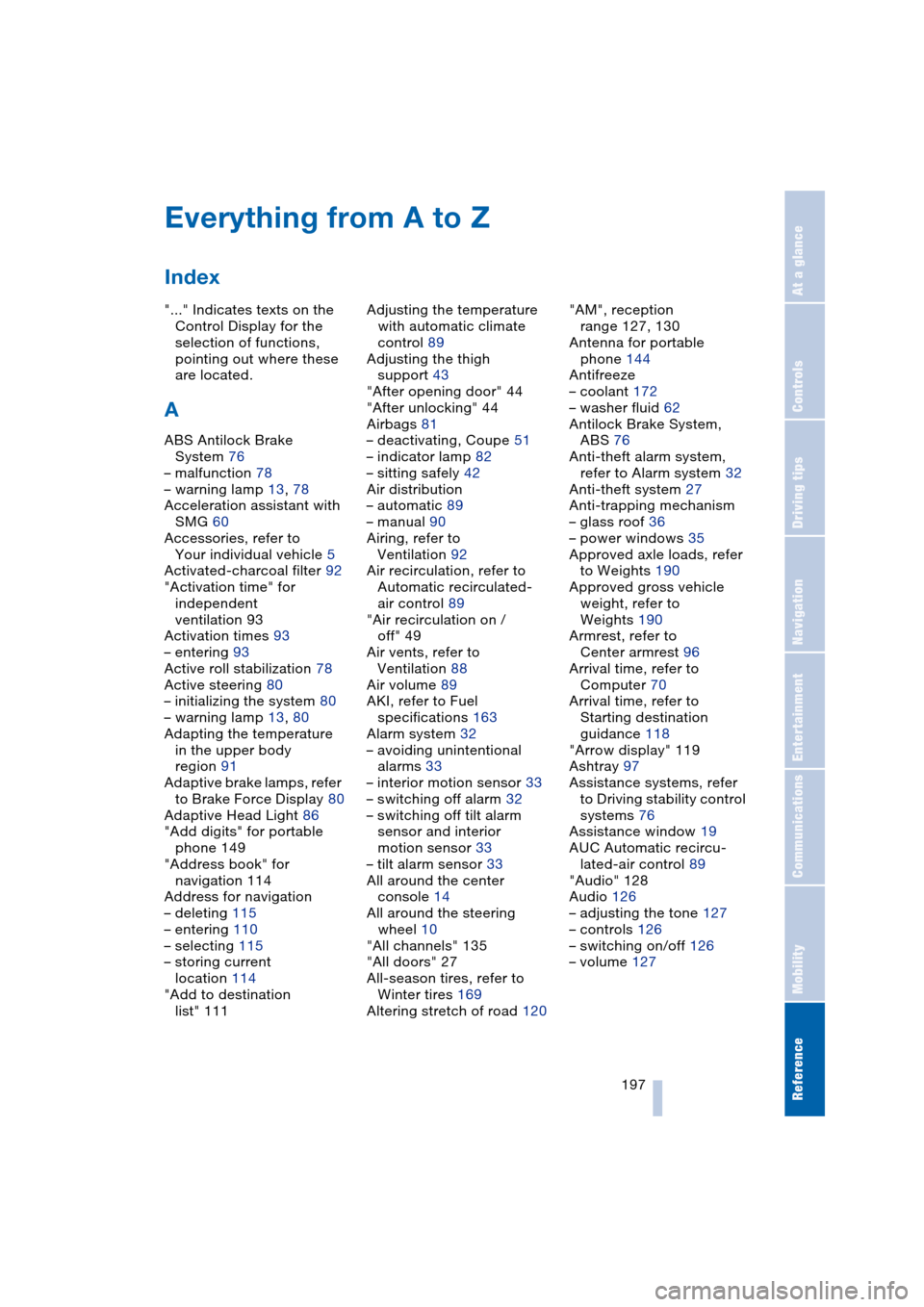
Index
"..." Indicates texts on the
Control Display for the
selection of functions,
pointing out where these
are located.
A
ABS Antilock Brake
System 76
– malfunction 78
– warning lamp 13, 78
Acceleration assistant with
SMG 60
Accessories, refer to
Your individual vehicle 5
Activated-charcoal filter 92
"Activation time" for
independent
ventilation 93
Activation times 93
– entering 93
Active roll stabilization 78
Active steering 80
– initializing the system 80
– warning lamp 13, 80
Adapting the temperature
in the upper body
region 91
Adaptive brake lamps, refer
to Brake Force Display 80
Adaptive Head Light 86
"Add digits" for portable
phone 149
"Address book" for
navigation 114
Address for navigation
– deleting 115
– entering 110
– selecting 115
– storing current
location 114
"Add to destination
list" 111Adjusting the temperature
with automatic climate
control 89
Adjusting the thigh
support 43
"After opening door" 44
"After unlocking" 44
Airbags 81
– deactivating, Coupe 51
– indicator lamp 82
– sitting safely 42
Air distribution
– automatic 89
– manual 90
Airing, refer to
Ventilation 92
Air recirculation, refer to
Automatic recirculated-
air control 89
"Air recirculation on /
off" 49
Air vents, refer to
Ventilation 88
Air volume 89
AKI, refer to Fuel
specifications 163
Alarm system 32
– avoiding unintentional
alarms 33
– interior motion sensor 33
– switching off alarm 32
– switching off tilt alarm
sensor and interior
motion sensor 33
– tilt alarm sensor 33
All around the center
console 14
All around the steering
wheel 10
"All channels" 135
"All doors" 27
All-season tires, refer to
Winter tires 169
Altering stretch of road 120"AM", reception
range 127, 130
Antenna for portable
phone 144
Antifreeze
– coolant 172
– washer fluid 62
Antilock Brake System,
ABS 76
Anti-theft alarm system,
refer to Alarm system 32
Anti-theft system 27
Anti-trapping mechanism
– glass roof 36
– power windows 35
Approved axle loads, refer
to Weights 190
Approved gross vehicle
weight, refer to
Weights 190
Armrest, refer to
Center armrest 96
Arrival time, refer to
Computer 70
Arrival time, refer to
Starting destination
guidance 118
"Arrow display" 119
Ashtray 97
Assistance systems, refer
to Driving stability control
systems 76
Assistance window 19
AUC Automatic recircu-
lated-air control 89
"Audio" 128
Audio 126
– adjusting the tone 127
– controls 126
– switching on/off 126
– volume 127
Page 200 of 216
Everything from A to Z
198 Automatic
– air distribution 89
– air volume 89
– cruise control 62
– curb monitor 45
– headlamp control 85
– service notification 156
– station search 131
– steering wheel
adjustment 49
– storing stations 132
Automatic car wash 102
– also refer to the Caring for
your vehicle brochure
Automatic climate
control 88
– automatic air
distribution 89
– convertible program 91
– settings using Control
Center 90
– switching off 90
"Automatic programs" 91
Automatic recirculated-air
control, AUC 89
Automatic transmission
with Steptronic 58
– convenience start 55
– Dynamic Driving
Control 59
– interlock 54
– kickdown 59
– selector lever interlock 58
– shiftlock 58
– starting engine 55
– towing 186
– tow-starting 187
– warning lamp 59
"Automatic ventilation" 92
AUTO program with
automatic climate
control 89
"Autostore" on the
radio 130, 132
"AUTO" with automatic
climate control 91
Average fuel
consumption 69
– setting units 72
Average speed 69"Avoid ferries" for
navigation 116
Avoid freeways for
navigation 116
"Avoid highways" for
navigation 116
Avoiding unintentional
alarms 33
"Avoid tollroads" for
navigation 116
Axle loads, refer to
Weights 190
"A - Z" 148
B
Backrests, refer to
Seats 43
Backup lamps, refer to
Reverse gear 56
– replacing the bulbs 180
Balance, refer to
Adjusting the tone 128
Balance adjustment in
audio mode
– right/left 128
Bass, refer to
Adjusting the tone 127
"Bass", refer to
Adjusting the tone 128
Battery 181
– in the remote control 26
– jump-starting 184
Being towed 186
Belts, refer to
Safety belts 47
Beverage holder, refer to
Cup holders 97
Black ice, refer to
Ice warning 64
Blower, refer to
Air volume 89
BMW Assist 155
– enabling 155
– services offered 156
BMW maintenance
system 174
"BMW Service" 157
"BMW Service
settings" 155Bore, refer to
Engine data 190
Bottle holder, refer to
Cup holders 97
Brake Assistant, refer to
DBC Dynamic Brake
Control 78
Brake fluid 173
– warning lamp 173
Brake Force Display 80
Brake hydraulic
system 173
Brake lamps
– replacing the bulbs 180
– two-stage brake lamps 80
Brake pads 173
– break-in procedure 102
Brake pedal, refer to
Brakes 103
Brake rotors 103
Brakes 103
– ABS Antilock Brake
System 76
– brake fluid 173
– Brake Force Display 80
– brake pads 102, 173
– break-in procedure 102
– handbrake 55
Brake system 102
– brake fluid level 173
– brake pads 173
– brake rotors 103
– break-in procedure 102
– warning lamp 13, 78, 173
Brake wear warning
– brake pads 173
– warning lamp 173
Breakdown assistance 156
Breakdown services, refer
to Roadside
Assistance 184
Breaking-in the clutch 102
Breaking-in the
differential 102
Break-in procedures 102
"Brightness" 72
Buttons on the steering
wheel 11
Page 201 of 216
Reference 199
At a glance
Controls
Driving tips
Communications
Navigation
Entertainment
Mobility
C
California laws
– Event Data
Recorders 176
– Proposition 65
Warning 176
"Call" 148
Call
– accepting 147
– display accepted 149
– ending 148
– in absence 149
– starting 147
Calling
– from phone book 148
– from the Top 8 list 149
– redialing 149
– refer to telephone
Owner's Manual 96
"Call sender" 151
Can holder, refer to
Cup holders 97
Capacities 193
Car battery, refer to
Battery 181
Car care, refer to the Caring
for your vehicle brochure
Car-care products, refer to
the Caring for your
vehicle brochure
"Car data" 69
Care 175
Cargo, securing 105
Caring for artificial leather,
refer to the Caring for
your vehicle brochure
Caring for leather, refer to
the Caring for your
vehicle brochure
Caring for light-alloy
wheels, refer to the
Caring for your vehicle
brochure'
Caring for plastic, refer to
the Caring for your
vehicle brochure
Caring for the carpet, refer
to the Caring for your
vehicle brochureCaring for the vehicle finish,
refer to the Caring for
your vehicle brochure'
Car jacking points 181
Car keys, refer to
Key set 26
Car phone 145
– location, refer to
Center armrest 96
– refer to
Portable phone 144
– refer to separate
Owner's Manual
Car radio, refer to
Radio 130
Car wash 102
– also refer to the Caring for
your vehicle brochure
Catalytic converter, refer to
Exhaust system 102
"Categories" 135
CBC Cornering Brake
Control 76
CBS Condition Based
Service 174
"CD" 127, 137
CD changer 137
– adjusting the tone 127
– controls 126
– fast forward/reverse 140
– installation location 140
– playing a track 139
– random play
sequence 140
– repeating a track 139
– selecting a CD 137
– selecting a track 138
– switching on/off 126
– volume 127
CD player 137
– adjusting the tone 127
– controls 126
– fast forward/reverse 140
– playing a track 139
– random play
sequence 140
– repeating a track 139
– selecting a track 138
– switching on/off 126
– volume 127Center armrest
– adjusting the height 96
– front 96
Center console 14
"Central locking" 27
Central locking system 26
– from inside vehicle 29
Changes, technical, refer to
For your own safety 6
Changing a wheel 181
Changing the language on
Control Display 73
Changing the
measurement units on the
Control Display 72
Changing wheels 181
CHECK button 68
Check Control 66
"Check Control
messages" 68
Check Gas Cap 162
Checking the air pressure,
refer to Tire inflation
pressure 164
Child's seats, refer to
Child-restraint
systems 52
Child-restraint system 51
Chrome parts, care, refer
to the Caring for your
vehicle brochure
Cigarette lighter 97
Cleaning, refer to the
Caring for your vehicle
brochure
Cleaning windshield, refer
to Wiper system 61
"Climate" 90
"Climate control" 91
Clock 64
– 12/24 hour mode 73
– setting time and date 73
Closing
– from inside 29
– from outside 27
Clothes hooks, Coupe 96
Cockpit 10
Cold start, refer to
Starting the engine 54
"Communication" 146
Page 202 of 216
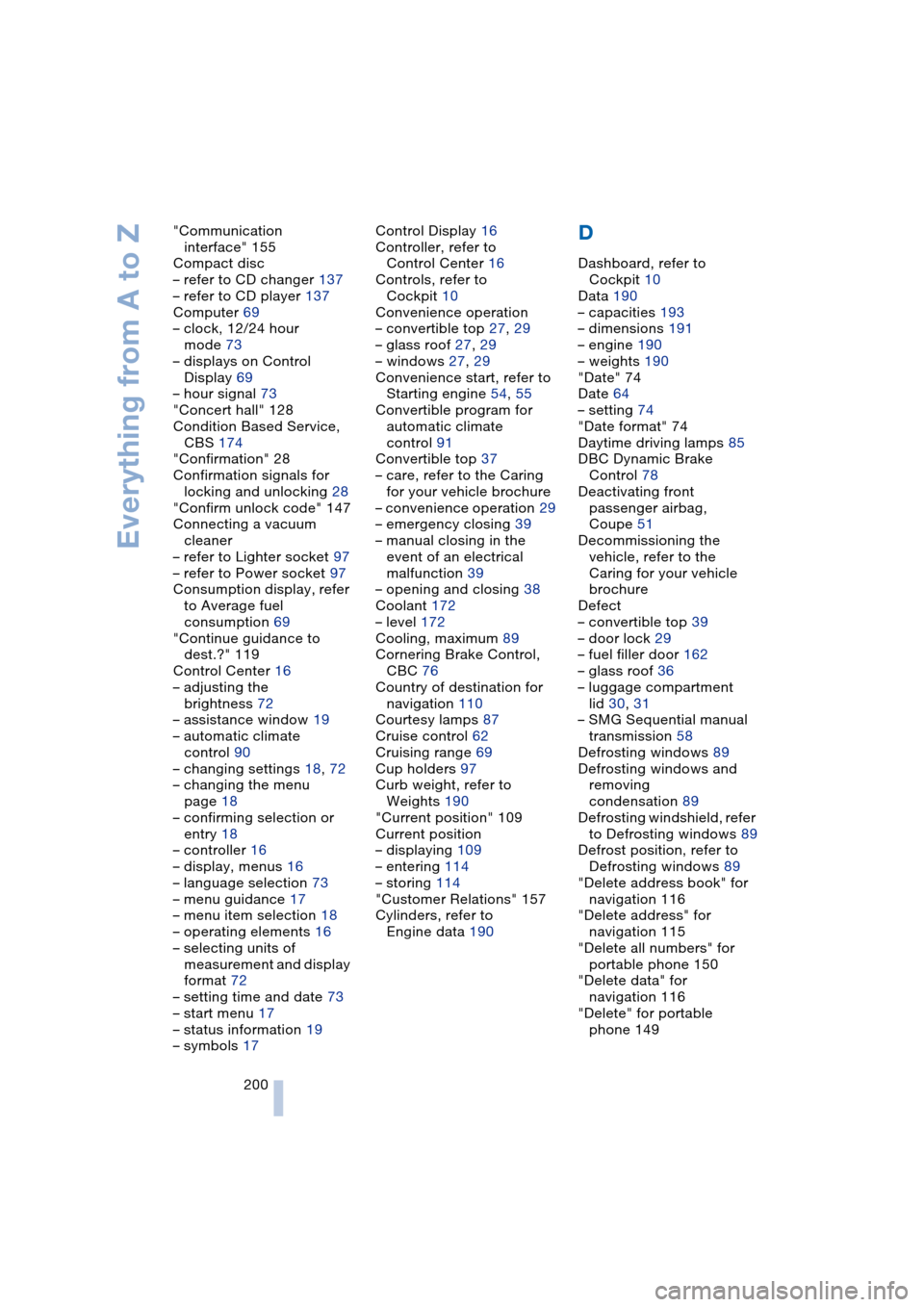
Everything from A to Z
200 "Communication
interface" 155
Compact disc
– refer to CD changer 137
– refer to CD player 137
Computer 69
– clock, 12/24 hour
mode 73
– displays on Control
Display 69
– hour signal 73
"Concert hall" 128
Condition Based Service,
CBS 174
"Confirmation" 28
Confirmation signals for
locking and unlocking 28
"Confirm unlock code" 147
Connecting a vacuum
cleaner
– refer to Lighter socket 97
– refer to Power socket 97
Consumption display, refer
to Average fuel
consumption 69
"Continue guidance to
dest.?" 119
Control Center 16
– adjusting the
brightness 72
– assistance window 19
– automatic climate
control 90
– changing settings 18, 72
– changing the menu
page 18
– confirming selection or
entry 18
– controller 16
– display, menus 16
– language selection 73
– menu guidance 17
– menu item selection 18
– operating elements 16
– selecting units of
measurement and display
format 72
– setting time and date 73
– start menu 17
– status information 19
– symbols 17Control Display 16
Controller, refer to
Control Center 16
Controls, refer to
Cockpit 10
Convenience operation
– convertible top 27, 29
– glass roof 27, 29
– windows 27, 29
Convenience start, refer to
Starting engine 54, 55
Convertible program for
automatic climate
control 91
Convertible top 37
– care, refer to the Caring
for your vehicle brochure
– convenience operation 29
– emergency closing 39
– manual closing in the
event of an electrical
malfunction 39
– opening and closing 38
Coolant 172
– level 172
Cooling, maximum 89
Cornering Brake Control,
CBC 76
Country of destination for
navigation 110
Courtesy lamps 87
Cruise control 62
Cruising range 69
Cup holders 97
Curb weight, refer to
Weights 190
"Current position" 109
Current position
– displaying 109
– entering 114
– storing 114
"Customer Relations" 157
Cylinders, refer to
Engine data 190
D
Dashboard, refer to
Cockpit 10
Data 190
– capacities 193
– dimensions 191
– engine 190
– weights 190
"Date" 74
Date 64
– setting 74
"Date format" 74
Daytime driving lamps 85
DBC Dynamic Brake
Control 78
Deactivating front
passenger airbag,
Coupe 51
Decommissioning the
vehicle, refer to the
Caring for your vehicle
brochure
Defect
– convertible top 39
– door lock 29
– fuel filler door 162
– glass roof 36
– luggage compartment
lid 30, 31
– SMG Sequential manual
transmission 58
Defrosting windows 89
Defrosting windows and
removing
condensation 89
Defrosting windshield, refer
to Defrosting windows 89
Defrost position, refer to
Defrosting windows 89
"Delete address book" for
navigation 116
"Delete address" for
navigation 115
"Delete all numbers" for
portable phone 150
"Delete data" for
navigation 116
"Delete" for portable
phone 149
Page 203 of 216
Reference 201
At a glance
Controls
Driving tips
Communications
Navigation
Entertainment
Mobility
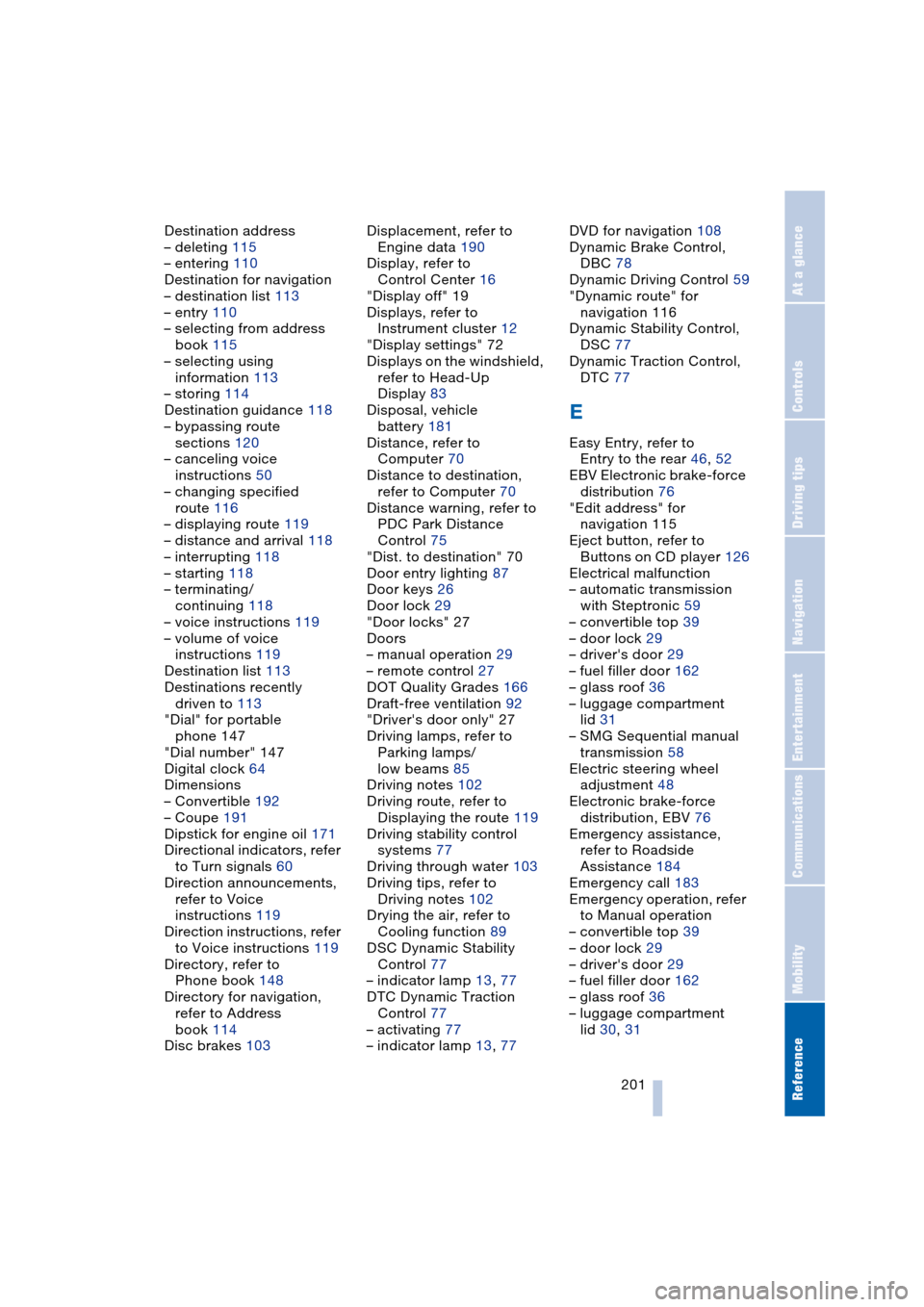
Destination address
– deleting 115
– entering 110
Destination for navigation
– destination list 113
– entry 110
– selecting from address
book 115
– selecting using
information 113
– storing 114
Destination guidance 118
– bypassing route
sections 120
– canceling voice
instructions 50
– changing specified
route 116
– displaying route 119
– distance and arrival 118
– interrupting 118
– starting 118
– terminating/
continuing 118
– voice instructions 119
– volume of voice
instructions 119
Destination list 113
Destinations recently
driven to 113
"Dial" for portable
phone 147
"Dial number" 147
Digital clock 64
Dimensions
– Convertible 192
– Coupe 191
Dipstick for engine oil 171
Directional indicators, refer
to Turn signals 60
Direction announcements,
refer to Voice
instructions 119
Direction instructions, refer
to Voice instructions 119
Directory, refer to
Phone book 148
Directory for navigation,
refer to Address
book 114
Disc brakes 103Displacement, refer to
Engine data 190
Display, refer to
Control Center 16
"Display off" 19
Displays, refer to
Instrument cluster 12
"Display settings" 72
Displays on the windshield,
refer to Head-Up
Display 83
Disposal, vehicle
battery 181
Distance, refer to
Computer 70
Distance to destination,
refer to Computer 70
Distance warning, refer to
PDC Park Distance
Control 75
"Dist. to destination" 70
Door entry lighting 87
Door keys 26
Door lock 29
"Door locks" 27
Doors
– manual operation 29
– remote control 27
DOT Quality Grades 166
Draft-free ventilation 92
"Driver's door only" 27
Driving lamps, refer to
Parking lamps/
low beams 85
Driving notes 102
Driving route, refer to
Displaying the route 119
Driving stability control
systems 77
Driving through water 103
Driving tips, refer to
Driving notes 102
Drying the air, refer to
Cooling function 89
DSC Dynamic Stability
Control 77
– indicator lamp 13, 77
DTC Dynamic Traction
Control 77
– activating 77
– indicator lamp 13, 77DVD for navigation 108
Dynamic Brake Control,
DBC 78
Dynamic Driving Control 59
"Dynamic route" for
navigation 116
Dynamic Stability Control,
DSC 77
Dynamic Traction Control,
DTC 77
E
Easy Entry, refer to
Entry to the rear 46, 52
EBV Electronic brake-force
distribution 76
"Edit address" for
navigation 115
Eject button, refer to
Buttons on CD player 126
Electrical malfunction
– automatic transmission
with Steptronic 59
– convertible top 39
– door lock 29
– driver's door 29
– fuel filler door 162
– glass roof 36
– luggage compartment
lid 31
– SMG Sequential manual
transmission 58
Electric steering wheel
adjustment 48
Electronic brake-force
distribution, EBV 76
Emergency assistance,
refer to Roadside
Assistance 184
Emergency call 183
Emergency operation, refer
to Manual operation
– convertible top 39
– door lock 29
– driver's door 29
– fuel filler door 162
– glass roof 36
– luggage compartment
lid 30, 31