start stop button BMW 650I CONVERTIBLE 2010 E64 User Guide
[x] Cancel search | Manufacturer: BMW, Model Year: 2010, Model line: 650I CONVERTIBLE, Model: BMW 650I CONVERTIBLE 2010 E64Pages: 252, PDF Size: 8.4 MB
Page 108 of 252
Climate
106 ity inside the vehicle deteriorates continu-
ously.<
Residual heat
The heat stored in the engine is
used to heat the passenger com-
partment, e.g. while stopped at a
school to pick up a child.
1.Switch off the engine.
2.Turn to the right, refer to arrow.
The function can be switched on when the fol-
lowing conditions are met:
>up to 15 minutes after switching off the
engine
>with engine at operating temperature
>with sufficient battery voltage
>at an outside temperature below 777/
256
From radio readiness the interior temperature,
the air volume and the air distribution can be
set.
Switching automatic climate control on
and off
1.Turn to the left to minimum air volume.
2.After approx. 1 second, turn to the left
again.
You switch on the system again by pressing any
button of the automatic climate control.
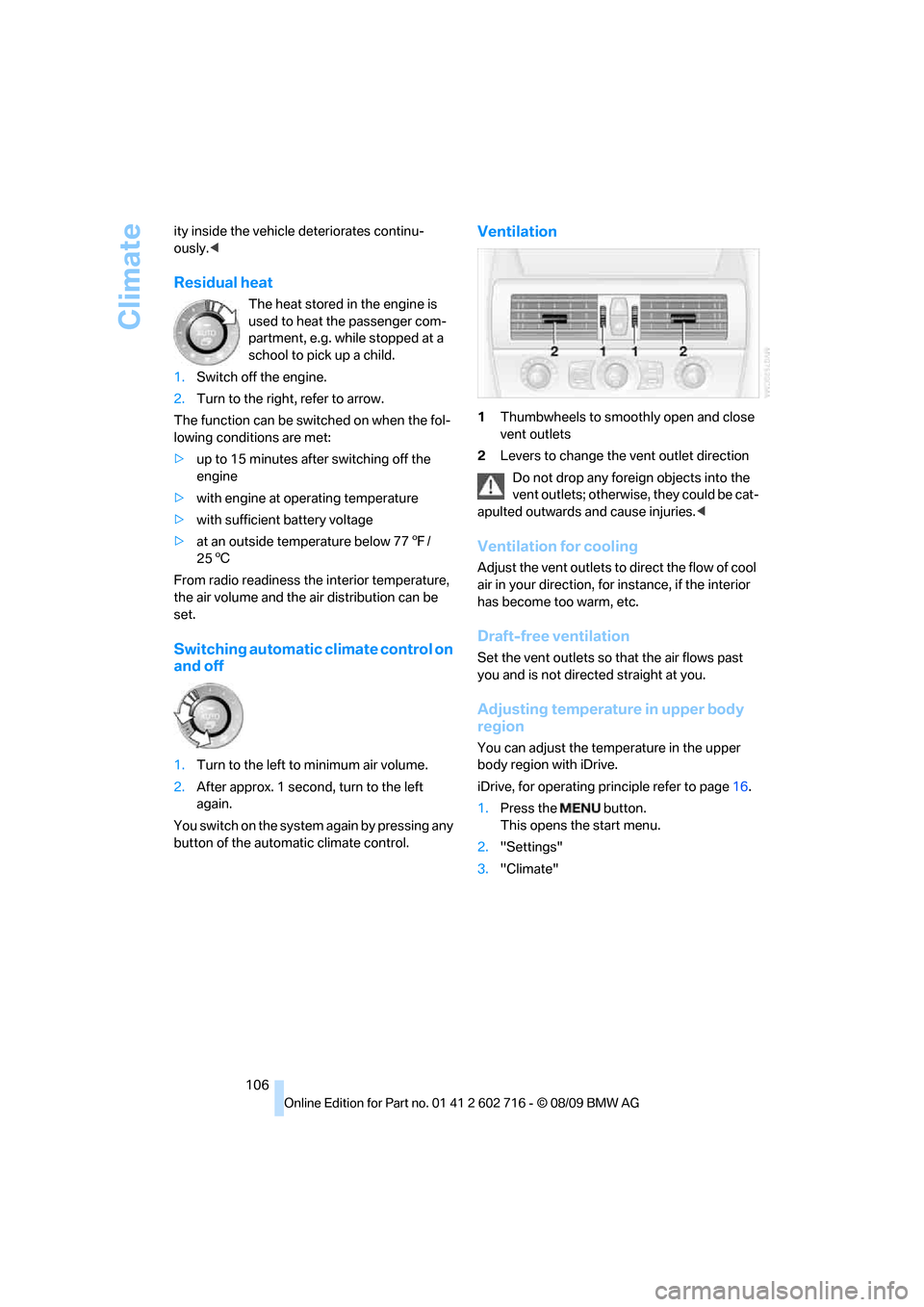
Ventilation
1Thumbwheels to smoothly open and close
vent outlets
2Levers to change the vent outlet direction
Do not drop any foreign objects into the
vent outlets; otherwise, they could be cat-
apulted outwards and cause injuries.<
Ventilation for cooling
Adjust the vent outlets to direct the flow of cool
air in your direction, for instance, if the interior
has become too warm, etc.
Draft-free ventilation
Set the vent outlets so that the air flows past
you and is not directed straight at you.
Adjusting temperature in upper body
region
You can adjust the temperature in the upper
body region with iDrive.
iDrive, for operating principle refer to page16.
1.Press the button.
This opens the start menu.
2."Settings"
3."Climate"
Page 175 of 252
173
Entertainment
Reference
At a glance
Controls
Driving tips Communications
Navigation
Mobility
>Depending on the mobile phone, certain
settings may be necessary on the mobile
phone, e. g. via the following menu items:
>Bluetooth activated
>Connection must be allowed without
requiring further confirmation
>Reconnect
>Depending on the mobile phone model, the
setting energy saving mode can, for exam-
ple, result in vehicle failing to detect the
paired mobile phone.
>For pairing, define a 4- to 16-digit number
of your choice as the Bluetooth Passkey,
e.g. 25081107. A long and complex number
offers better protection against unautho-
rized access. This Bluetooth passkey is no
longer required following successful pair-
ing.
>The ignition is switched on.
Only pair the mobile phone with the vehi-
cle stopped, otherwise the passengers
and other road users can be endangered due to
a lack of attentiveness on the part of the
driver.<
Switching on ignition
1.Insert the remote control as far as possible
into the ignition lock.
2.Switch on the ignition by pressing the Start/
Stop button without depressing the brake
or clutch pedal.
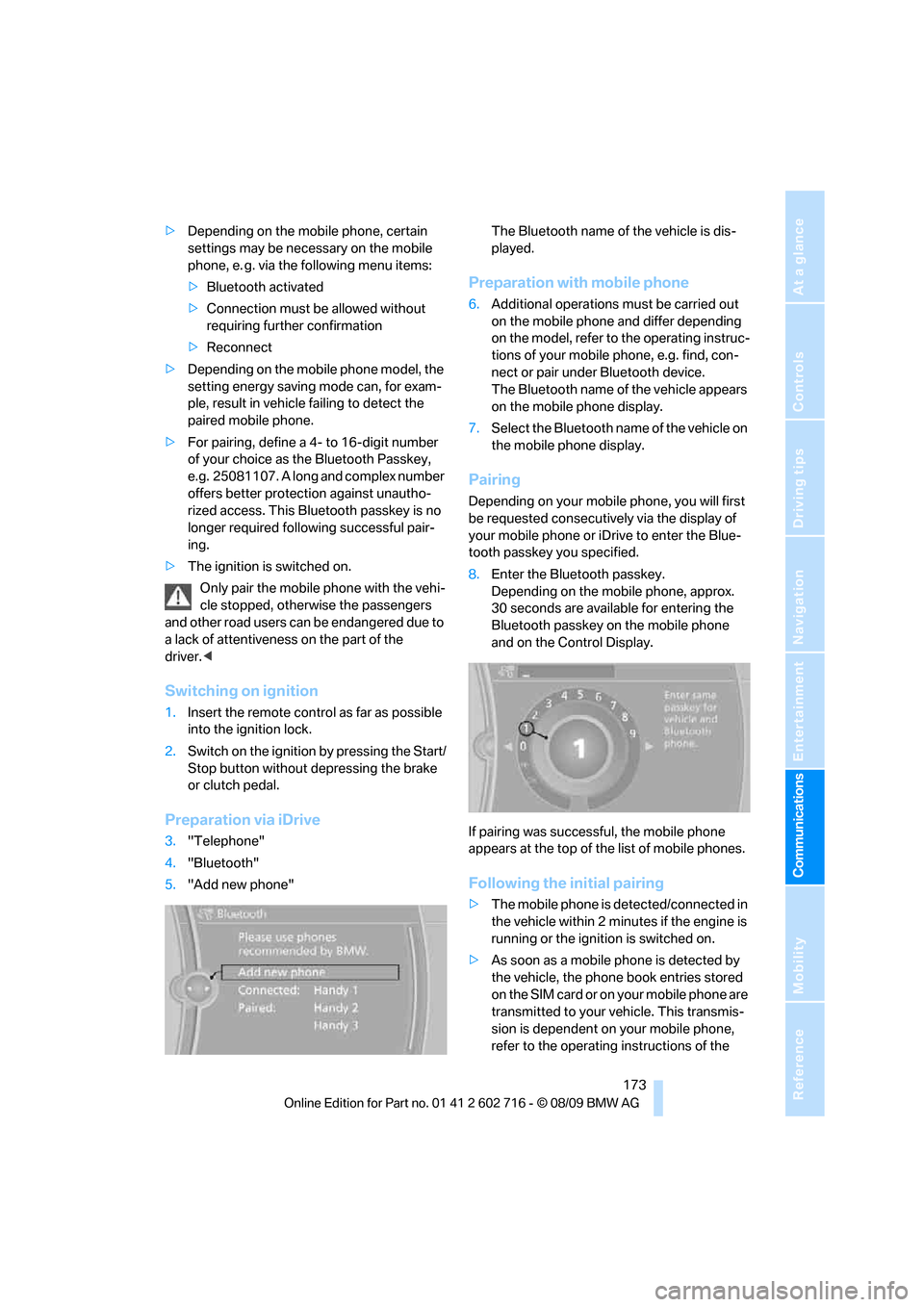
Preparation via iDrive
3."Telephone"
4."Bluetooth"
5."Add new phone"The Bluetooth name of the vehicle is dis-
played.
Preparation with mobile phone
6.Additional operations must be carried out
on the mobile phone and differ depending
on the model, refer to the operating instruc-
tions of your mobile phone, e.g. find, con-
nect or pair under Bluetooth device.
The Bluetooth name of the vehicle appears
on the mobile phone display.
7.Select the Bluetooth name of the vehicle on
the mobile phone display.
Pairing
Depending on your mobile phone, you will first
be requested consecutively via the display of
your mobile phone or iDrive to enter the Blue-
tooth passkey you specified.
8.Enter the Bluetooth passkey.
Depending on the mobile phone, approx.
30 seconds are available for entering the
Bluetooth passkey on the mobile phone
and on the Control Display.
If pairing was successful, the mobile phone
appears at the top of the list of mobile phones.
Following the initial pairing
>The mobile phone is detected/connected in
the vehicle within 2 minutes if the engine is
running or the ignition is switched on.
>As soon as a mobile phone is detected by
the vehicle, the phone book entries stored
on the SIM card or on your mobile phone are
transmitted to your vehicle. This transmis-
sion is dependent on your mobile phone,
refer to the operating instructions of the
Page 237 of 252
Reference 235
At a glance
Controls
Driving tips
Communications
Navigation
Entertainment
Mobility
Automatic climate control103
– automatic air
distribution104
– convertible program104
– parked car ventilation/
heating107
– switching on and off106
Automatic closing of doors,
refer to Automatic soft
closing31
Automatic curb monitor51
Automatic lighting
– refer to Automatic headlamp
control98
– refer to Daytime running
lamps99
– refer to Interior lamps102
– refer to Pathway lighting99
– refer to Welcome lamps98
Automatic lights
– refer to High-beam
Assistant100
Automatic Service
Request190
Automatic soft closing31
AUTO program for automatic
climate control104
AUX-IN connection111
AUX-IN port166
Available services190
Average fuel consumption73
– setting units74
Average speed73
Avoiding highways for
navigation136
Avoiding unintentional
alarms34
Axle loads, refer to
Weights227
B
Backrest contour, refer to
Lumbar support46
Backrests, refer to Seats45
Backup lamps, replacing
bulbs, refer to Tail
lamps213Band-aids, refer to First aid
kit217
Bass, refer to Tone
control146
Battery
– jump starting217
– refer to Vehicle battery214
Battery replacement, remote
control for Comfort
Access36
BC button, refer to
Computer73
Being towed219
Belts, refer to Safety belts50
Beverage holder, refer to
Cupholders112
Blower, refer to Air
volume105
Bluetooth, activating/
deactivating174
BMW
– Car Shampoo211
BMW Assist,
activating188,190
BMW Assist186
BMW homepage4
BMW maintenance
system206
BMW Night Vision94
– activating95
– cleaning camera96
– cleaning camera, refer to
Wiper system62
– deactivating96
– making settings96
BMW Search188
BMW website4
Bottle holder, refer to
Cupholders112
Bracket for telephone or
mobile phone
– refer to Snap-in adapter182
Brake assistant83
– adaptive83
Brake force display90
Brake lamps
– replacing bulbs, refer to Tail
lamps213
– two-stage90Brake rotors
– breaking-in118
– refer to Braking safely120
Brakes
– ABS Antilock Brake
System83
– brake force display90
– breaking-in
118
– CBC Cornering Brake
Control83
– electronic brake-force
distribution83
– parking brake58
– refer to Braking safely120
Brake system118
– brake pads118
– brake rotors120
– breaking-in118
– warning lamp13,84
Braking safely120
Breakdown services, refer to
Roadside Assistance217
Breaking-in brake pads118
Breaking-in the clutch118
Breaking-in the differential,
refer to Engine and
differential118
Break-in period118
Brightness of Control
Display81
Button for starting engine,
refer to Start/Stop button56
Buttons on steering wheel11
C
California Proposition 65
Warning6
Call
– accepting175
– ending176
– rejecting176
Calling, refer to Phone
numbers, dialing176
Can holder, refer to
Cupholders112
Capacities227
Car battery, refer to Vehicle
battery214
Page 248 of 252
Everything from A to Z
246 Sport automatic
transmission58
– Dynamic Driving Control60
– kickdown59
– releasing transmission
lock60
– towing219,220
– with Comfort Access35
Sport program in the Sport
automatic transmission59
Stability control, refer to
Driving stability control
systems83
Start/Stop button56
– starting the engine57
– switching off the engine57
Starting, refer to Starting
engine57
Starting assistance, refer to
Jump starting217
Starting difficulties, refer to
Jump starting217
Starting off on slopes, refer to
Drive-off assistant85
Start menu17
Station, refer to Radio149
Station, selecting
– radio149
Stationary ventilation
– preselecting activation
times107
Status information on Control
Display19
Status of this Owner's Manual
at time of printing5
Steam cleaners208,209
Steering wheel
– adjustment52
– automatic adjustment, refer
to Easy entry/exit52
– automatic adjustment, refer
to Steering wheel
memory47
– buttons on steering
wheel11
– heating52
– lock, refer to Ignition lock56
– memory47Steering with variable ratio,
refer to Active steering89
Steptronic, refer to Sport
automatic transmission58
Storage compartments112
Stored trip, calling up135
Storing211
Storing a destination in the
address book129
Storing music161
Storing sitting position, refer
to Seat, mirror and steering
wheel memory
47
Storing tires201
Storing your vehicle211
Street, entering for
navigation128
Summer tires, refer to Wheels
and tires196
Surround147
SVCD156
SW, waveband149
Switches, refer to Cockpit10
Switching automatically
between high beams and
low beams, refer to High-
beam Assistant100
Switching automatically
between high beams and
low beams, refer to High-
beam assistant100
Switching off
– engine57
Switching on
– audio146
– CD changer146
– CD player146
– radio146
Swiveling headlamps, refer to
Adaptive Light Control99
Symbols4
– indicator/warning lamps13
T
Tachometer72
Tail lamps213
– replacing bulbs213Tank capacity
– also refer to Capacities227
– fuel tank capacity194
Target cursor for
navigation132
Technical alterations, refer to
For your own safety5
Technical data224
– capacities227
– dimensions225
Telephone172
– installation location, refer to
Center armrest111
– refer to separate operating
instructions
– voice commands179
TeleService186
TeleService Diagnosis188
TeleService Help188
Temperature
– adjusting in upper body
region106
– adjusting with automatic
climate control104
– changing unit of measure74
– refer to Coolant
temperature72
Temperature display
– outside temperature72
– outside temperature
warning72
– setting the units74
Temperature gauge
– engine oil73
Tempomat, refer to Cruise
control63
The individual vehicle5
Tilt alarm sensor33
– switching off34
Tilting down passenger-side
exterior mirror51
Timer, refer to Preselecting
activation times107
Tire inflation pressure196
Tire pressure
– loss86,87
Tire Pressure Monitor
TPM87
Tire Quality Grading198