hand BMW 650I COUPE 2008 E63 Service Manual
[x] Cancel search | Manufacturer: BMW, Model Year: 2008, Model line: 650I COUPE, Model: BMW 650I COUPE 2008 E63Pages: 264, PDF Size: 9.07 MB
Page 217 of 264
Mobility
215Reference
At a glance
Controls
Driving tips
Communications
Navigation
Entertainment
Recommended tire brands
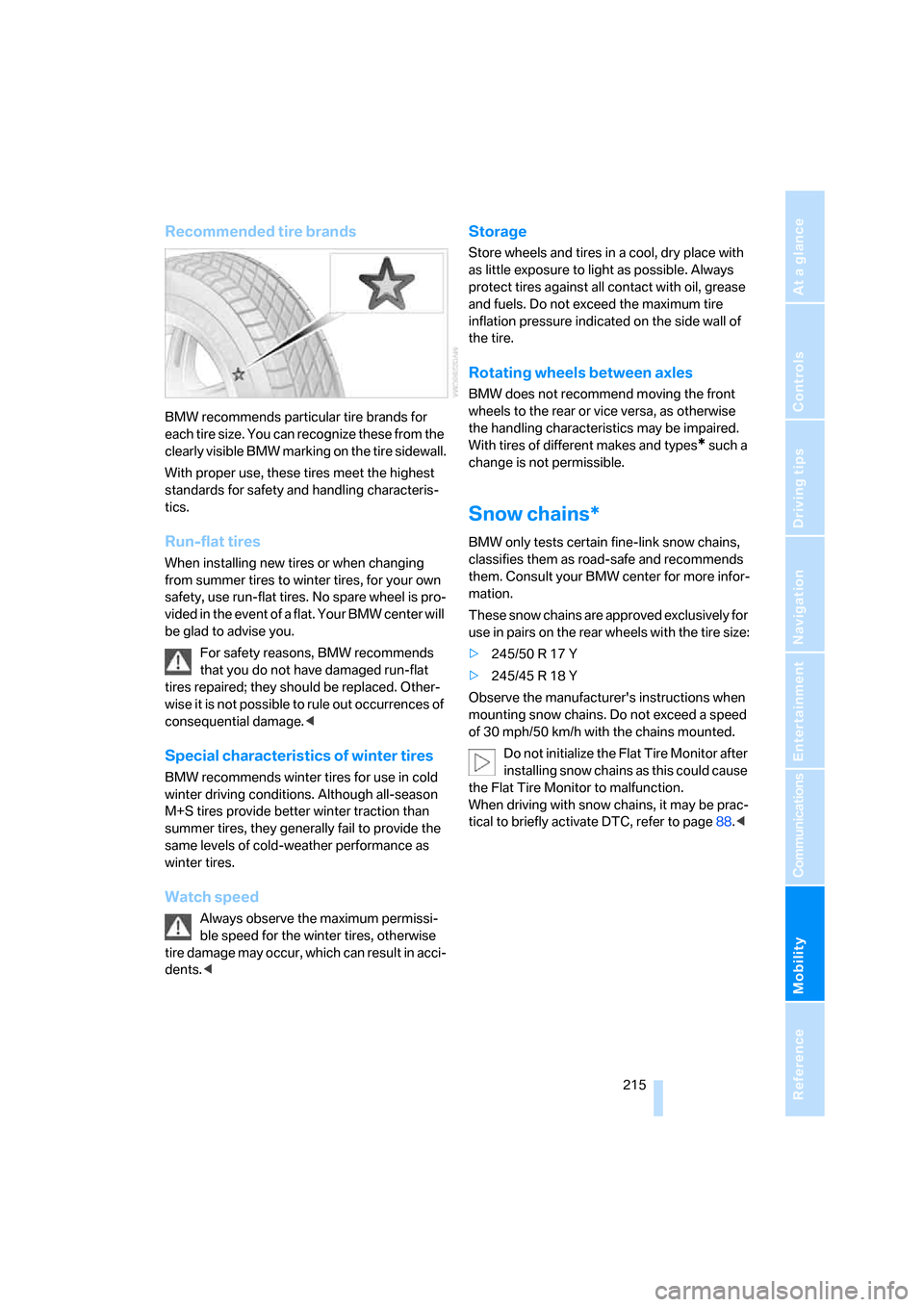
BMW recommends particular tire brands for
each tire size. You can recognize these from the
clearly visible BMW marking on the tire sidewall.
With proper use, these tires meet the highest
standards for safety and handling characteris-
tics.
Run-flat tires
When installing new tires or when changing
from summer tires to winter tires, for your own
safety, use run-flat tires. No spare wheel is pro-
vided in the event of a flat. Your BMW center will
be glad to advise you.
For safety reasons, BMW recommends
that you do not have damaged run-flat
tires repaired; they should be replaced. Other-
wise it is not possible to rule out occurrences of
consequential damage.<
Special characteristics of winter tires
BMW recommends winter tires for use in cold
winter driving conditions. Although all-season
M+S tires provide better winter traction than
summer tires, they generally fail to provide the
same levels of cold-weather performance as
winter tires.
Watch speed
Always observe the maximum permissi-
ble speed for the winter tires, otherwise
tire damage may occur, which can result in acci-
dents.<
Storage
Store wheels and tires in a cool, dry place with
as little exposure to light as possible. Always
protect tires against all contact with oil, grease
and fuels. Do not exceed the maximum tire
inflation pressure indicated on the side wall of
the tire.
Rotating wheels between axles
BMW does not recommend moving the front
wheels to the rear or vice versa, as otherwise
the handling characteristics may be impaired.
With tires of different makes and types
* such a
change is not permissible.
Snow chains*
BMW only tests certain fine-link snow chains,
classifies them as road-safe and recommends
them. Consult your BMW center for more infor-
mation.
These snow chains are approved exclusively for
use in pairs on the rear wheels with the tire size:
>245/50 R 17 Y
>245/45 R 18 Y
Observe the manufacturer's instructions when
mounting snow chains. Do not exceed a speed
of 30 mph/50 km/h with the chains mounted.
Do not initialize the Flat Tire Monitor after
installing snow chains as this could cause
the Flat Tire Monitor to malfunction.
When driving with snow chains, it may be prac-
tical to briefly activate DTC, refer to page88.<
Page 218 of 264
Under the hood
216
Under the hood
Never attempt to perform any service or
repair operations on your vehicle without
the required professional technical training. If
you are unfamiliar with the specifications to be
observed, only have work carried out on your
vehicle by a BMW center or a repair shop that
works in accordance with BMW guidelines and
uses appropriately trained personnel. Other-
wise, there is a danger of damage and associ-
ated safety risks if this work is performed
improperly.<
Hood
Releasing
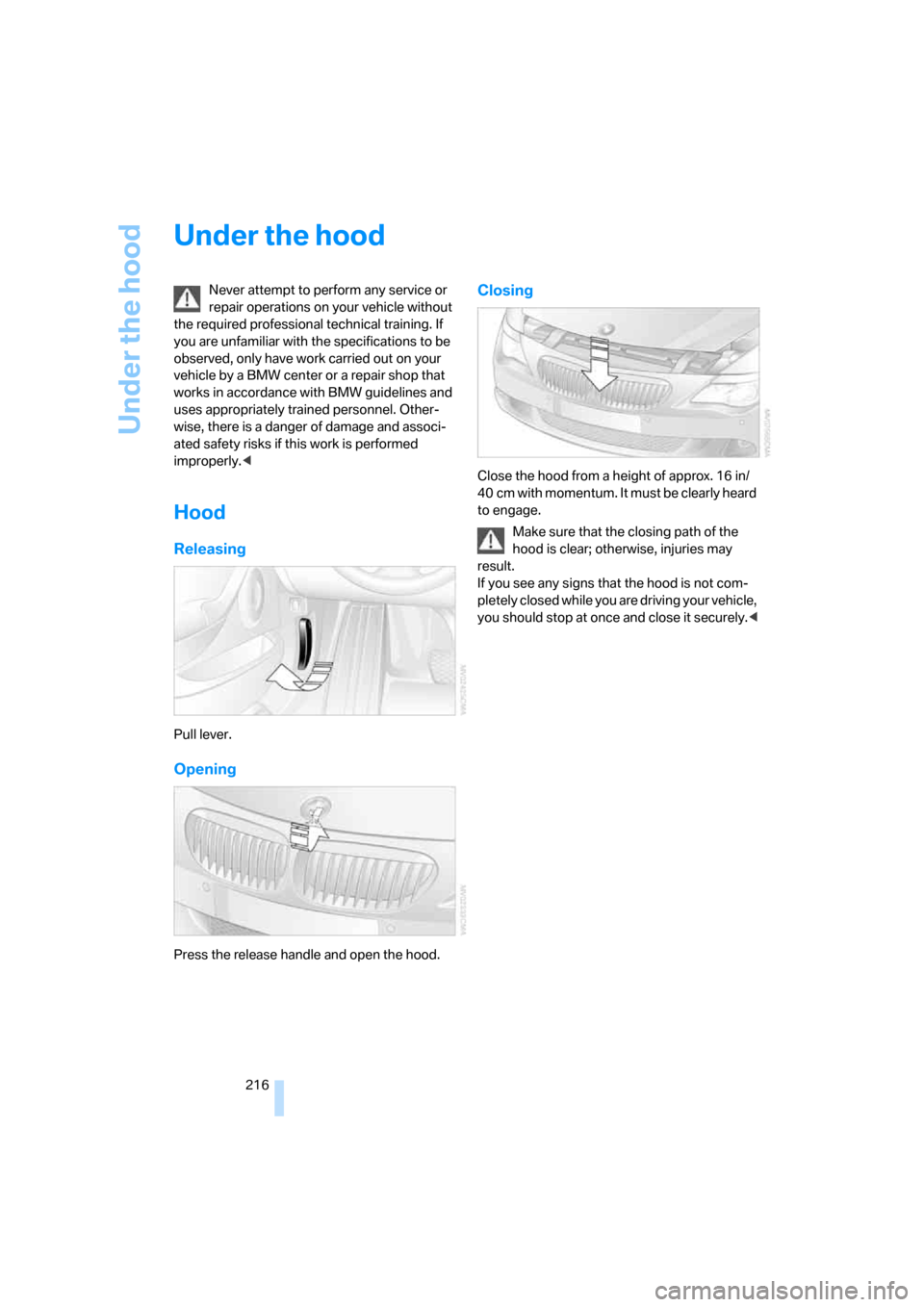
Pull lever.
Opening
Press the release handle and open the hood.
Closing
Close the hood from a height of approx. 16 in/
40 cm with momentum. It must be clearly heard
to engage.
Make sure that the closing path of the
hood is clear; otherwise, injuries may
result.
If you see any signs that the hood is not com-
pletely closed while you are driving your vehicle,
you should stop at once and close it securely.<
Page 229 of 264
Mobility
227Reference
At a glance
Controls
Driving tips
Communications
Navigation
Entertainment
Giving and receiving assistance
Emergency request
Conditions for an emergency request:
>Full preparation package mobile phone.
With this equipment, an emergency request
is still possible when no mobile phone is
paired in the vehicle.
>BMW Assist is activated.
Activating BMW Assist, refer to page204.
>Radio readiness is activated.
>The BMW Assist system is logged on to a
mobile phone network.
>The emergency request system is opera-
ble.
Once your service contract for BMW Assist
expires, the BMW Assist system can be deacti-
vated by a BMW center without you having to
visit a workshop. Following deactivation of the
BMW Assist system, no emergency requests
can be made. The BMW Assist system can be
reactivated after concluding a new agreement
at a BMW center.
Initiating an emergency request
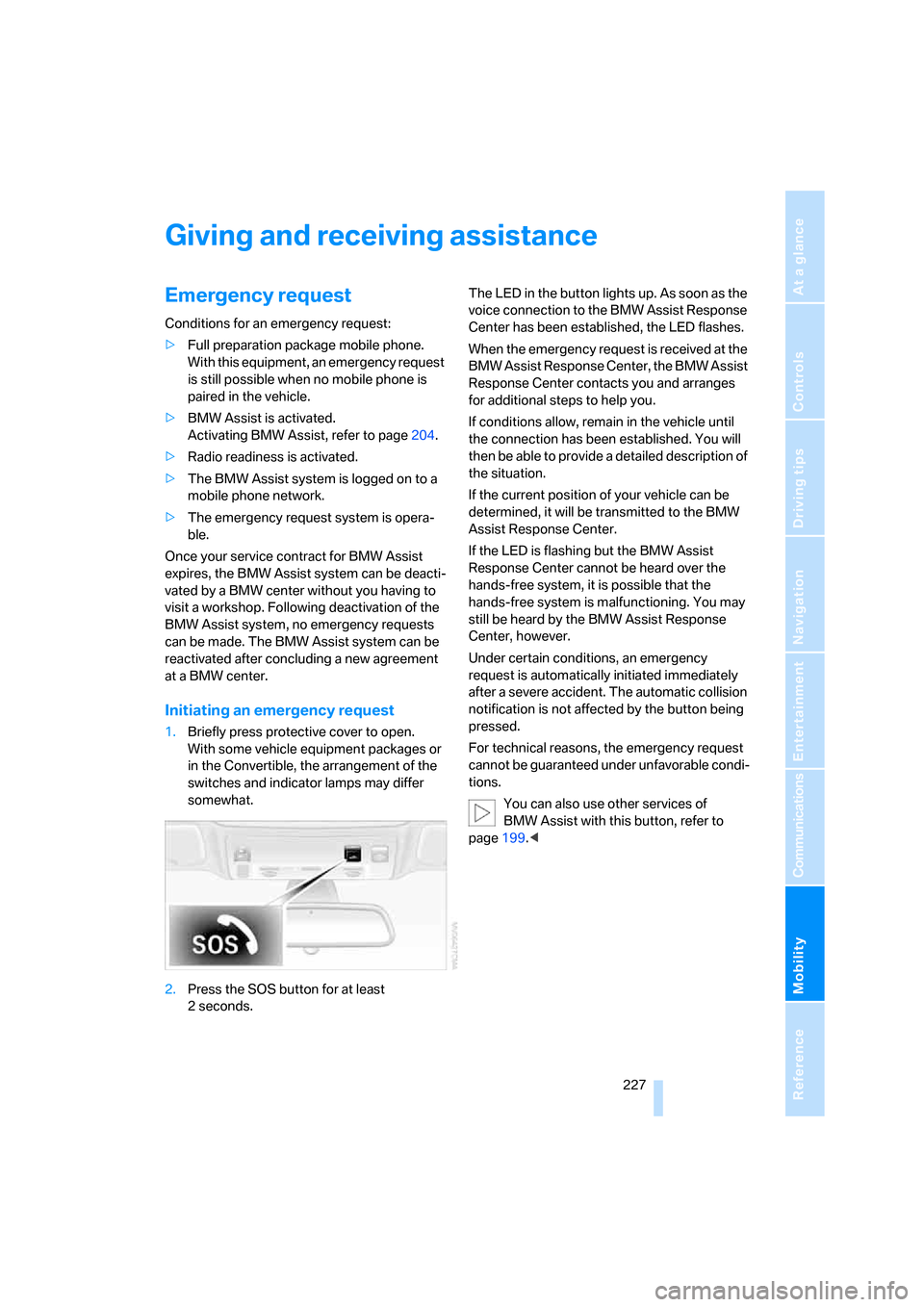
1.Briefly press protective cover to open.
With some vehicle equipment packages or
in the Convertible, the arrangement of the
switches and indicator lamps may differ
somewhat.
2.Press the SOS button for at least
2seconds.The LED in the button lights up. As soon as the
voice connection to the BMW Assist Response
Center has been established, the LED flashes.
When the emergency request is received at the
BMW Assist Response Center, the BMW Assist
Response Center contacts you and arranges
for additional steps to help you.
If conditions allow, remain in the vehicle until
the connection has been established. You will
then be able to provide a detailed description of
the situation.
If the current position of your vehicle can be
determined, it will be transmitted to the BMW
Assist Response Center.
If the LED is flashing but the BMW Assist
Response Center cannot be heard over the
hands-free system, it is possible that the
hands-free system is malfunctioning. You may
still be heard by the BMW Assist Response
Center, however.
Under certain conditions, an emergency
request is automatically initiated immediately
after a severe accident. The automatic collision
notification is not affected by the button being
pressed.
For technical reasons, the emergency request
cannot be guaranteed under unfavorable condi-
tions.
You can also use other services of
BMW Assist with this button, refer to
page199.<
Page 230 of 264
Giving and receiving assistance
228
Warning triangle*
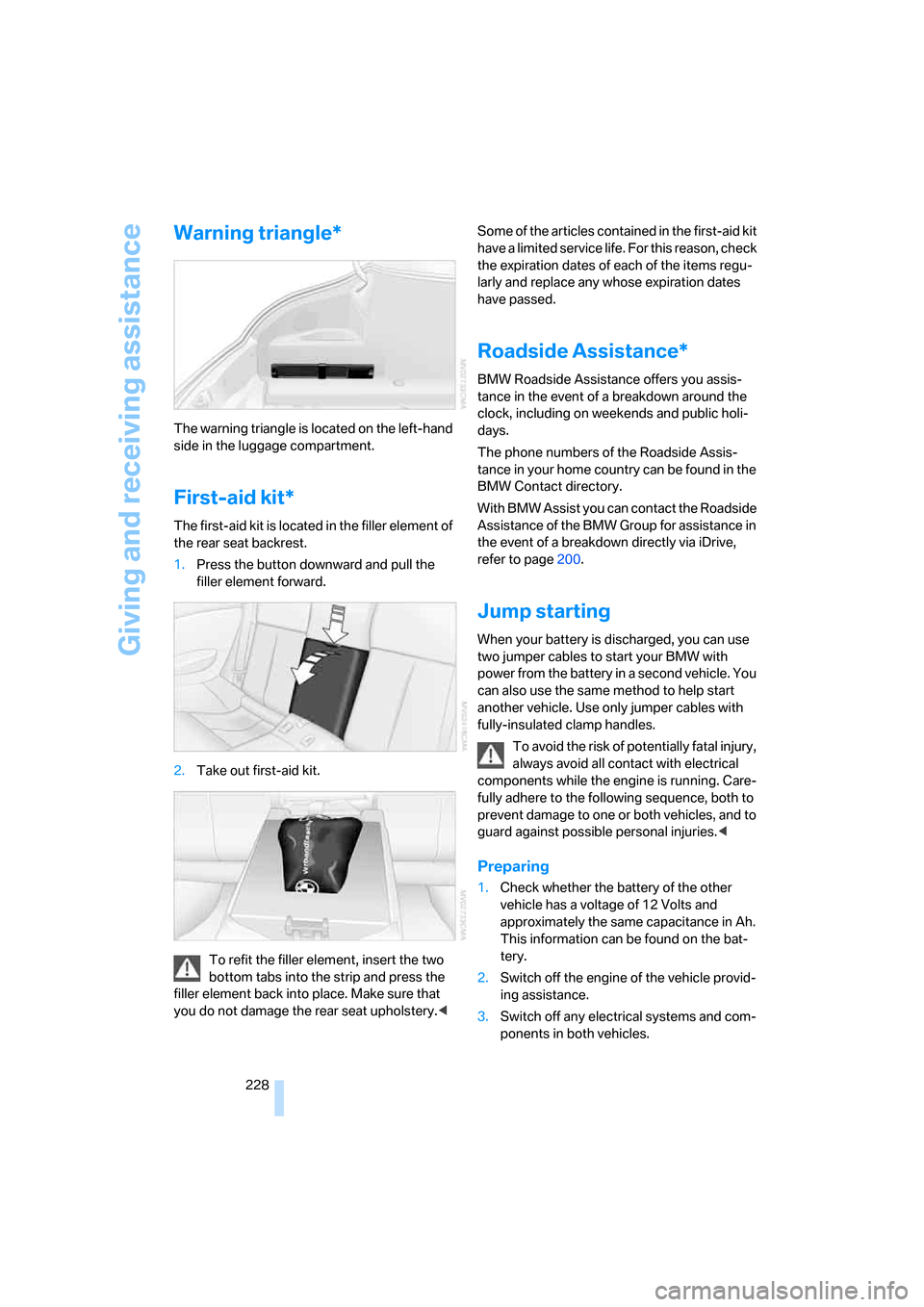
The warning triangle is located on the left-hand
side in the luggage compartment.
First-aid kit*
The first-aid kit is located in the filler element of
the rear seat backrest.
1.Press the button downward and pull the
filler element forward.
2.Take out first-aid kit.
To refit the filler element, insert the two
bottom tabs into the strip and press the
filler element back into place. Make sure that
you do not damage the rear seat upholstery.
the expiration dates of each of the items regu-
larly and replace any whose expiration dates
have passed.
Roadside Assistance*
BMW Roadside Assistance offers you assis-
tance in the event of a breakdown around the
clock, including on weekends and public holi-
days.
The phone numbers of the Roadside Assis-
tance in your home country can be found in the
BMW Contact directory.
With BMW Assist you can contact the Roadside
Assistance of the BMW Group for assistance in
the event of a breakdown directly via iDrive,
refer to page200.
Jump starting
When your battery is discharged, you can use
two jumper cables to start your BMW with
power from the battery in a second vehicle. You
can also use the same method to help start
another vehicle. Use only jumper cables with
fully-insulated clamp handles.
To avoid the risk of potentially fatal injury,
always avoid all contact with electrical
components while the engine is running. Care-
fully adhere to the following sequence, both to
prevent damage to one or both vehicles, and to
guard against possible personal injuries.<
Preparing
1.Check whether the battery of the other
vehicle has a voltage of 12 Volts and
approximately the same capacitance in Ah.
This information can be found on the bat-
tery.
2.Switch off the engine of the vehicle provid-
ing assistance.
3.Switch off any electrical systems and com-
ponents in both vehicles.
Page 246 of 264
Everything from A to Z
244 BMW Night Vision98
– activating99
– cleaning camera100
– cleaning camera, refer to
Wiper system65
– deactivating100
– making settings100
"BMW Service settings"203
BMW website4
Bottle holder, refer to Cup
holders118
Bracket for telephone or
mobile phone, refer to Snap-
in adapter197
Brake assistant87
– adaptive87
Brake force display93
Brake lamps
– replacing bulbs, refer to Tail
lamps224
– two-stage93
Brake rotors
– breaking-in124
– refer to Braking safely126
Brakes
– ABS Antilock Brake
System86
– brake force display93
– breaking-in124
– CBC Cornering Brake
Control86
– electronic brake-force
distribution87
– handbrake60
– refer to Braking safely126
Brake system124
– brake pads124
– brake rotors126
– breaking-in124
– warning lamp13,88
Braking safely126
Breakdown services, refer to
Roadside Assistance228
Breaking-in124
Breaking-in brake pads124
Breaking-in the clutch124Breaking-in the differential,
refer to Engine and
differential124
"Brightness"84,98
– with BMW Night Vision100
Brightness of Control
Display83
Button for starting engine,
refer to Start/Stop button58
Buttons on steering wheel11
Bypassing route sections
150
C
California Proposition 65
Warning6
"Call"192,203
Call
– accepting190
– displaying accepted193
– ending191
– in absence193
– rejecting191
– starting191
Calling
– by entering phone
number191
– from phone book192
– from Top 8 list193
– redialing193
Can holder, refer to Cup
holders118
Capacities237
Car battery, refer to Vehicle
battery225
Car care, refer to Caring for
your vehicle brochure
Car-care products, refer to
Caring for your vehicle
brochure
"Car Data"76
Care222
– refer to Caring for your
vehicle brochure
Cargo loading
– securing cargo128
– stowing cargo128
– vehicle127Caring for artificial leather,
refer to Caring for your
vehicle brochure
Caring for leather, refer to
Caring for your vehicle
brochure
Caring for light-alloy wheels,
refer to Caring for your
vehicle brochure
Caring for plastic, refer to
Caring for your vehicle
brochure
Caring for the carpet, refer to
Caring for your vehicle
brochure
Caring for the vehicle finish,
refer to Caring for your
vehicle brochure
Car key, refer to Keys/remote
control28
Car phone184
– installation location, refer to
Center armrest117
– refer to Mobile phone184
– refer to separate operating
instructions
Car radio, refer to Radio162
Car wash59,127
– refer to Before driving into a
car wash127
– refer to Caring for your
vehicle brochure
– with comfort access38
Catalytic converter, refer to
Hot exhaust system125
"Categories"170
CBC Cornering Brake
Control86
CBS Condition Based
Service221
"CD"158,172
Page 251 of 264
Reference 249
At a glance
Controls
Driving tips
Communications
Navigation
Entertainment
Mobility
Fuel
– average consumption75
– display75
– fuel specifications209
– high-quality brands209
– quality209
– specifications209
– tank contents, refer to
Capacities237
Fuel display, refer to Fuel
gauge75
Fuel-efficient driving124
Fuel filler door208
– releasing in the event of
electrical malfunction208
Fuel gauge75
Full mobile phone preparation
package184
Full screen display, refer to
Switching assistance
window off20
"Full screen" with BMW Night
Vision100
Fuses226
G
Garage-door opener, refer to
Integrated universal remote
control115
Gasoline
– refer to Average fuel
consumption75
– refer to Fuel
specifications209
– refer to Required fuel209
Gasoline display, refer to Fuel
gauge75
Gearshift lever, manual
transmission60
General driving
notes124,125
Glass sunroof, electric with
raise function40
– convenient operation32
– convenient operation with
comfort access37
– moving manually41
– remote control31Glove compartment116
– rechargeable flashlight117
GPS navigation, refer to
Navigation system132
Grills, refer to Ventilation112
Gross vehicle weight, refer to
Weights237
H
Handbrake60
– indicator lamp13,60
Hands-free system, refer to
Microphone14
Hazard warning flashers15
"HD radio"166
HD radio, refer to High
Definition Radio166
Head airbags94
Headlamp control,
automatic102
Headlamp flasher63
Headlamps
– care, refer to Caring for your
vehicle brochure
– cleaning, refer to Wiper
system64
– cleaning tank, refer to
Capacities237
– filler neck for washer
fluid217
– replacing bulbs223
Head Light, refer to Adaptive
Head Light104
Head restraints
– active front head
restraints50
– front50
– sitting safely47
"Head-Up Display"97
Head-Up Display96
Heated
– mirrors53
– rear window110
– seats53
– steering wheel54
Heater109Heating
– exterior mirrors53
– interior108
– rear window110
– residual heat utilization112
– seats53
– steering wheel54
Heating with engine switched
off, refer to Residual
heat112
Heavy cargo, refer to Securing
cargo128
Height, refer to
Dimensions235
Height adjustment
– seats48
– steering wheel54
High-beam assistant104
High beams104
– headlamp flasher104
– indicator lamp13
High Definition Radio166
High water, refer to Driving
through water
126
Hills126
Holder for cups118
"Home address" for
navigation system144
Homepage of BMW4
Hood216
Horn10
Hotel function33
– unlocking manually33
Hot exhaust system125
"Hour memo"83
"House number" for
destination entry137
Hydraulic brake assistant,
refer to Brake assistant87
Hydroplaning125
– also refer to Minimum tread
depth213
Page 252 of 264
Everything from A to Z
250
I
IBOC, refer to High Definition
Radio166
Ice, refer to Outside
temperature warning74
ID3-Tag, refer to Information
about track174
Identification mark
– recommended tire
brands215
– run-flat tires214
– tire coding212
iDrive16
– adjusting brightness83
– assistance window20
– changing date and time82
– changing language84
– changing menu page19
– changing settings82
– changing units of measure
and display form84
– controller16
– controls16
– displays, menus17
– operating principle17
– selecting menu item19
– selecting or confirming
entry19
– start menu17
– status information20
– symbols18
Ignition58
– switched off59
– switched on58
Ignition key, refer to Keys/
remote control28
Ignition key position 1, refer to
Radio readiness58
Ignition key position 2, refer to
Ignition on58
Ignition lock58
– starting engine with comfort
access38
i menu17
Imprint2Indicator/warning lamps
– ABS Antilock Brake
System88
– active steering93
– airbags95
– brake system88
– DSC13,87
– DTC13,88
– Flat Tire Monitor90
– fog lamps13,106
– handbrake13,60
– safety belt warning52
– TPM Tire Pressure
Monitor92
Indicator and warning lamps,
overview13
Inflation pressure, refer to Tire
inflation pressure210
Inflation pressure monitoring
– refer to Flat Tire Monitor89
– refer to Tire Pressure
Monitor90
Info menu17
Information
– on another location140
– on current position140
– on town/city of
destination140
"Information" for navigation
system140
Information menu, refer to
imenu17
"Information on
destination"141
"Info sources"77
Initializing
– Flat Tire Monitor89
– radio, refer to Storing
stations164
– refer to Power failure226
– seat, mirror and steering
wheel memory49
– time and date82
"Input map"139
Installation location
– CD changer176
– drive for navigation DVD132Instructions for navigation
system, refer to Voice
instructions149
Instrument cluster12
Instrument illumination, refer
to Instrument lighting106
Instrument lighting106
Instrument panel, refer to
Cockpit10
Instrument panel, refer to
Instrument cluster12
Integrated key28
Integrated universal remote
control115
Interesting destination for
navigation140
"Interim time"82
Interior lamps106
– switching on with remote
control31
Interior motion sensor36
– switching off36
Interior rearview mirror,
automatic dimming
feature54
Intermittent wiper mode64
J
Jacking points225
Joystick, refer to iDrive16
Jump starting228
K
Keyless-Go, refer to Comfort
access36
Keyless opening and closing,
refer to Comfort access36
Key Memory, refer to Personal
Profile29
"Keypad"194
Keys28
– key-related settings, refer to
Personal Profile29
– spare key28
Kick-down, Sport automatic
transmission61
Page 255 of 264
Reference 253
At a glance
Controls
Driving tips
Communications
Navigation
Entertainment
Mobility
"Night Vision off"100
"Night Vision on / off"55
Nozzles
– refer to Ventilation112
– refer to Windshield washer
nozzles65
Nylon rope, refer to Tow-
starting and towing229
O
OBD socket, refer to Socket
for OBD Onboard
Diagnostics interface222
Octane ratings, refer to Fuel
specifications209
Odometer74
Oil, refer to Engine oil218
Oil change interval
– refer to Service and
Warranty Information
Booklet for US models or
Warranty and Service Guide
Booklet for Canadian
models
– refer to Service
requirements77
"On a new destination" for
navigation system140
"Onboard info"76
Onboard monitor, refer to
iDrive16
Onboard tool kit223
"On destination"140
"On location"140
Opening and closing
– comfort access36
– from inside32
– from outside30
– using door lock32
– using the remote control30
Operating principle, iDrive17Operation by voice for mobile
phone195
– adjusting volume196
– canceling195
– commands195
– correcting phone
number196
– dialing phone number196
– placing a call196
– redialing197
– voice phone book196
"Options"203
Orientation menu, refer to
Start menu17
Output, refer to Engine
data234
Outside air, refer to AUC
Automatic recirculated-air
control111
Outside temperature
display74
– changing unit of measure84
Overview
– operating principle17
– radio control158
– screen display20
P
Panic mode31
Park Distance Control PDC85
"Parked car operation"113
"Parked car ventilation"113
Parked car ventilation
– activating activation
times114
– LED108
– setting activation time113
– switching on and off
directly113
Parking, vehicle59
Parking aid, refer to PDC Park
Distance Control85
Parking assistant, refer to
PDC Park Distance
Control85
Parking brake, refer to
Handbrake60Parking lamps102
– replacing bulbs224
Parts and accessories6
Passenger-side exterior
mirror, tilting down54
"Pathway lighting"103
Pathway lighting103
"PDC"86
"PDC display on"86
PDC Park Distance Control85
Personal Profile29
"Perspective"148
"Phone"186,188,191
Phone book190
– changing entry192
– creating and editing voice
phone book196
– deleting all entries193
– deleting entry193
– dialing phone number192
Phone numbers
– deleting from phone
book193
– dialing191
– most recent numbers193
– selecting in phone book193
– Top 8193
Pinch protection system
– glass sunroof41
– power windows40
Plasters, refer to First-aid
kit228
"Play" on the radio170
Plugging unit for remote
control, refer to Ignition
lock58
Pollen, refer to Microfilter/
activated-charcoal filter112
Position
– refer to Displaying current
position153
– refer to Storing current
position142
Power failure226
Power windows, refer to
Windows38
"Presets" on the
radio162,170