trunk BMW 650I GRAN COUPE 2013 User Guide
[x] Cancel search | Manufacturer: BMW, Model Year: 2013, Model line: 650I GRAN COUPE, Model: BMW 650I GRAN COUPE 2013Pages: 232, PDF Size: 9.31 MB
Page 129 of 232
At a glance
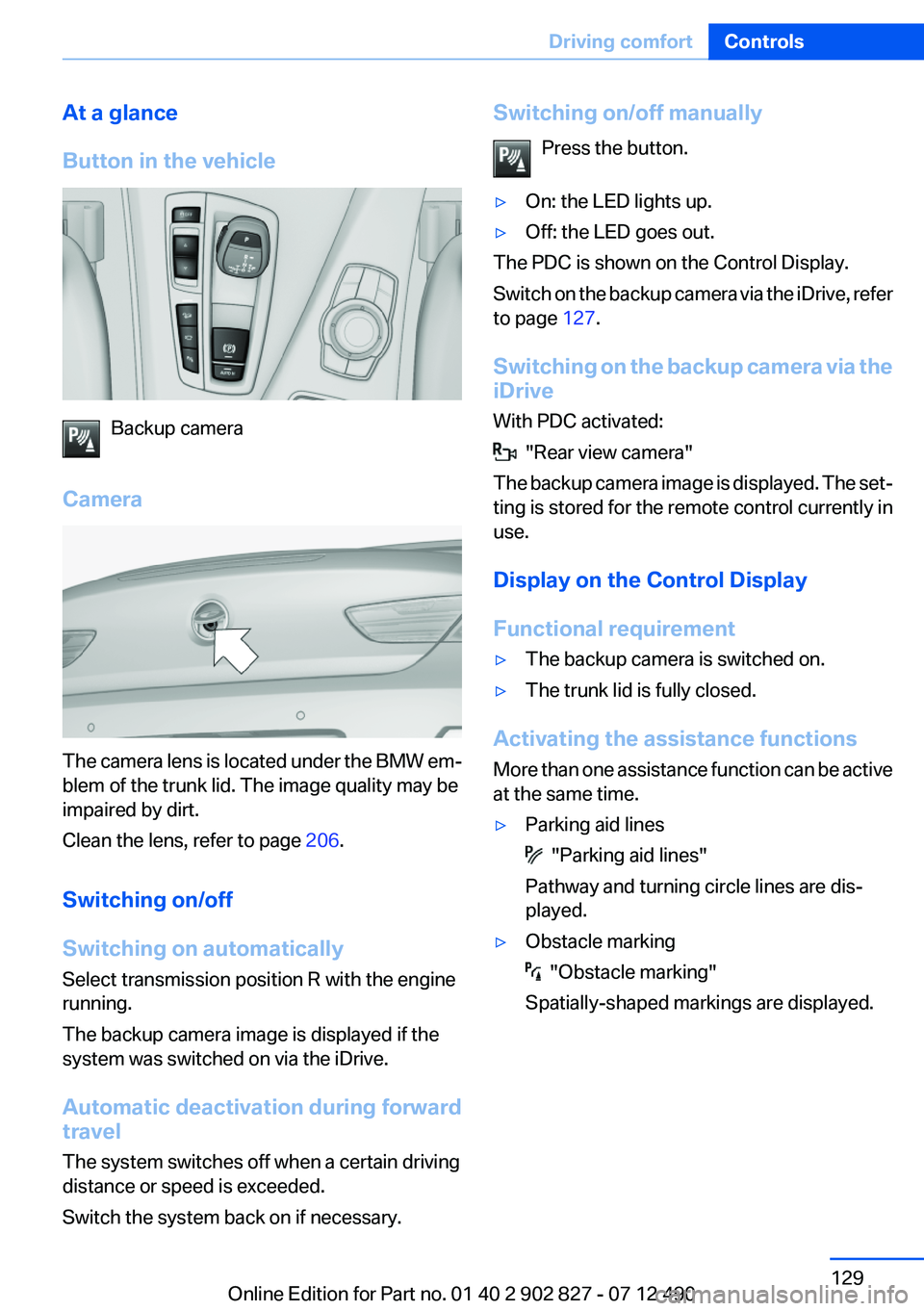
Button in the vehicle
Backup camera
Camera
The camera lens is located under the BMW em‐
blem of the trunk lid. The image quality may be
impaired by dirt.
Clean the lens, refer to page 206.
Switching on/off
Switching on automatically
Select transmission position R with the engine
running.
The backup camera image is displayed if the
system was switched on via the iDrive.
Automatic deactivation during forward
travel
The system switches off when a certain driving
distance or speed is exceeded.
Switch the system back on if necessary.
Switching on/off manually
Press the button.▷On: the LED lights up.▷Off: the LED goes out.
The PDC is shown on the Control Display.
Switch on the backup camera via the iDrive, refer
to page 127.
Switching on the backup camera via the
iDrive
With PDC activated:
"Rear view camera"
The backup camera image is displayed. The set‐
ting is stored for the remote control currently in
use.
Display on the Control Display
Functional requirement
▷The backup camera is switched on.▷The trunk lid is fully closed.
Activating the assistance functions
More than one assistance function can be active
at the same time.
▷Parking aid lines
"Parking aid lines"
Pathway and turning circle lines are dis‐
played.
▷Obstacle marking
"Obstacle marking"
Spatially-shaped markings are displayed.
Seite 129Driving comfortControls129
Online Edition for Part no. 01 40 2 902 827 - 07 12 490
Page 133 of 232
The pathway line is dependent on the cur‐
rent steering angle and is continuously ad‐
justed with the steering wheel movement.
"Parking aid lines"
Turning circle and pathway lines are displayed.
System limits
Top View cannot be used in the following situa‐
tions:
▷With a door open.▷With the trunk lid open.▷With an exterior mirror folded in.▷In poor light.
A Check Control message is displayed in some
of these situations.
Side View
The concept
Side View provides an early look at cross traffic
at blind driveways and intersections. Road users
concealed by obstacles to the left and right of
the vehicle can only be detected relatively late
from the driver's seat. To improve visibility, two
cameras in the front of the vehicle record the
traffic situation on each side.
Notes
The images from both cameras are shown si‐
multaneously on the Control Display.
Check the traffic situation as well
Check the traffic situation around the ve‐
hicle on blind driveways and intersections with
your own eyes. Otherwise, an accident could re‐
sult from road users or objects located outside
the picture area of the Side View cameras.◀
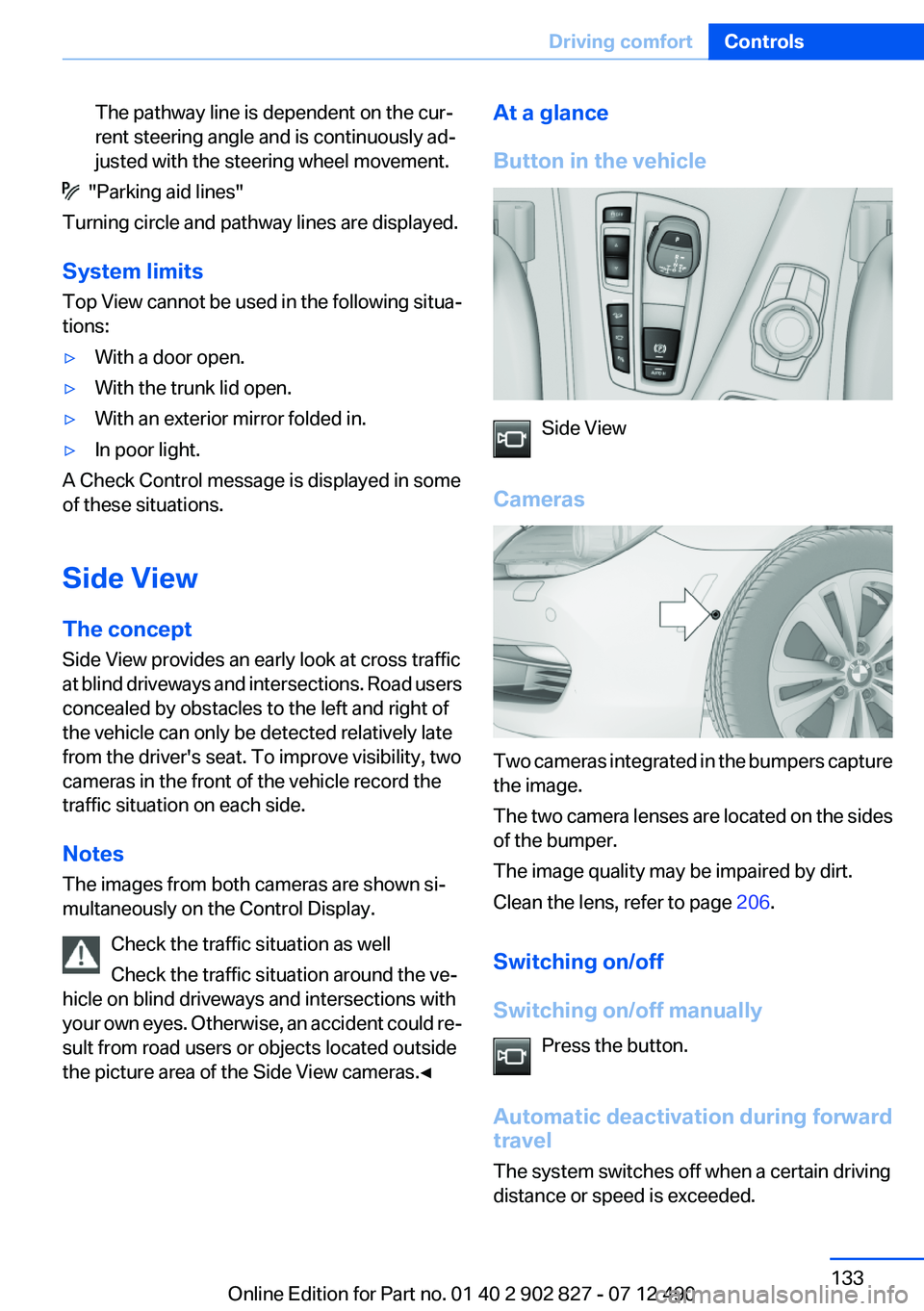
At a glance
Button in the vehicle
Side View
Cameras
Two cameras integrated in the bumpers capture
the image.
The two camera lenses are located on the sides
of the bumper.
The image quality may be impaired by dirt.
Clean the lens, refer to page 206.
Switching on/off
Switching on/off manually Press the button.
Automatic deactivation during forward
travel
The system switches off when a certain driving
distance or speed is exceeded.
Seite 133Driving comfortControls133
Online Edition for Part no. 01 40 2 902 827 - 07 12 490
Page 152 of 232
General information
Connection for importing and exporting data on
USB devices, e.g.:▷Personal Profile settings, refer to page 31.▷Music collection, see user's manual for Nav‐
igation, Entertainment and Communication.
Notes
Observe the following when connecting:
▷Do not use force when plugging the con‐
nector into the USB interface.▷Do not connect devices such as fans or
lamps to the USB interface.▷Do not connect USB hard drives.▷Do not use the USB interface to recharge
external devices.
Front center armrest
Opening
A storage compartment is located in the center
armrest between the front seats.
Press the buttons next to the lock.
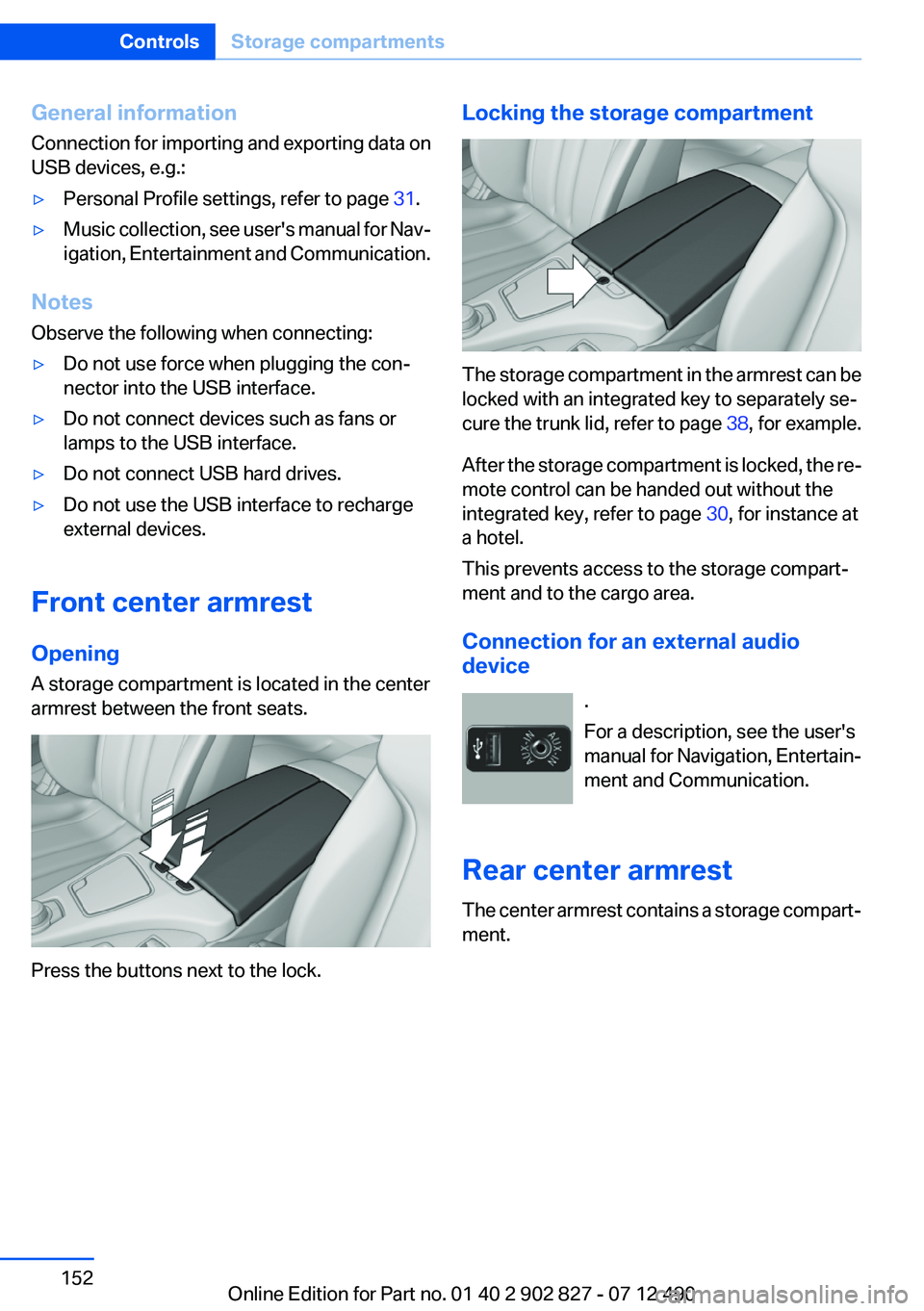
Locking the storage compartment
The storage compartment in the armrest can be
locked with an integrated key to separately se‐
cure the trunk lid, refer to page 38, for example.
After the storage compartment is locked, the re‐
mote control can be handed out without the
integrated key, refer to page 30, for instance at
a hotel.
This prevents access to the storage compart‐
ment and to the cargo area.
Connection for an external audio
device
.
For a description, see the user's
manual for Navigation, Entertain‐
ment and Communication.
Rear center armrest
The center armrest contains a storage compart‐
ment.
Seite 152ControlsStorage compartments152
Online Edition for Part no. 01 40 2 902 827 - 07 12 490
Page 158 of 232
Things to remember when drivingVehicle equipment
All standard, country-specific and optional
equipment that is offered in the model series is
described in this chapter. Therefore, equipment
is also described that is not available in a vehicle,
e. g., because of the selected optional equip‐
ment or country variant. This also applies for
safety-related functions and systems.
Breaking-in period
General information
Moving parts need to be broken in to adjust to
each other.
The following instructions will help achieve a
long vehicle life and good economy.
Engine and differential
Always obey the official speed limit.
Up to 1,200 miles/2,000 km
Do not exceed the maximum engine and road
speed:▷For gasoline engine, 4,500 rpm and
100 mph/160 km/h.
Avoid full-throttle operation and use of the
transmission's kickdown mode for the initial
miles.
From 1,200 miles/2,000 km
The engine and vehicle speed can gradually be
increased.
Tires
Due to technical factors associated with their
manufacture, tires do not achieve their full trac‐
tion potential until after an initial breaking-in pe‐
riod.
Drive conservatively for the first
200 miles/300 km.
Brake system
Brakes require an initial break-in period of ap‐
prox. 300 miles/500 km to achieve optimized
contact and wear patterns between brake pads
and discs. Drive moderately during this break-in
period.
Following part replacement
The same breaking in procedures should be ob‐
served if any of the components mentioned
above have to be renewed in the course of the
vehicle's operating life.
General driving notes
Closing the trunk lid Drive with the trunk lid closed
Only drive with the tailgate closed; other‐
wise, in the event of an accident or braking or
evasive maneuvers, passengers or other road
users may be injured or the vehicle may be dam‐
aged. In addition, exhaust fumes may enter the
passenger compartment.◀
If driving with the tailgate open cannot be
avoided:▷Close all windows and the glass sunroof.▷Greatly increase the blower speed.▷Drive moderately.
Hot exhaust system
Hot exhaust system
High temperatures are generated in the
exhaust system.
Seite 158Driving tipsThings to remember when driving158
Online Edition for Part no. 01 40 2 902 827 - 07 12 490
Page 161 of 232
LoadingVehicle equipment
All standard, country-specific and optional
equipment that is offered in the model series is
described in this chapter. Therefore, equipment
is also described that is not available in a vehicle,
e. g., because of the selected optional equip‐
ment or country variant. This also applies for
safety-related functions and systems.
General information Overloading the vehicle
To avoid exceeding the approved carrying
capacity of the tires, never overload the vehicle.
Overloading can lead to overheating and in‐
creases the rate at which damage develops in‐
side the tires. This could result in a sudden loss
of tire inflation pressure.◀
No fluids in the trunk
Make sure that fluids do not leak into the
trunk; otherwise, the vehicle may be damaged. ◀
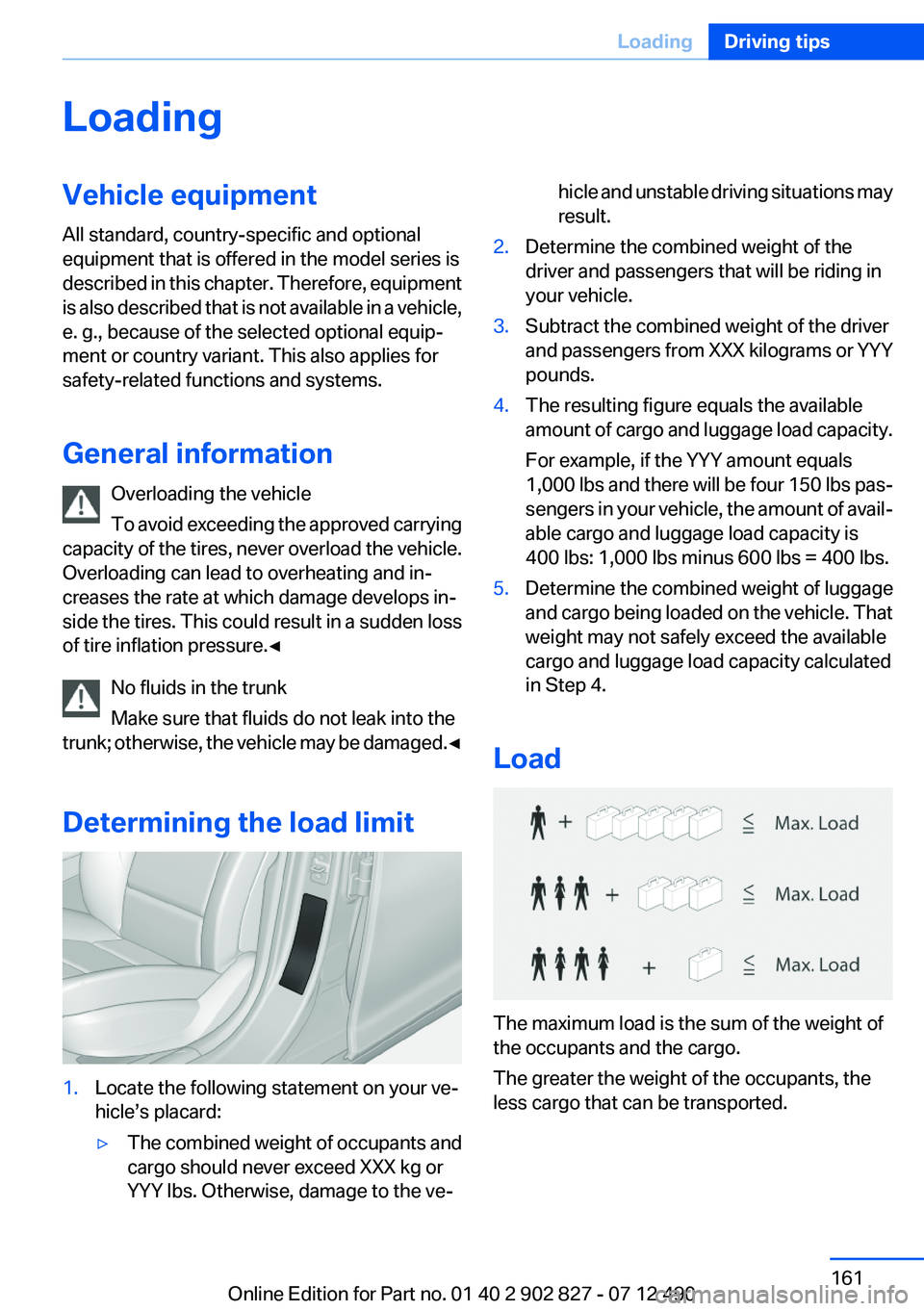
Determining the load limit1.Locate the following statement on your ve‐
hicle’s placard:▷The combined weight of occupants and
cargo should never exceed XXX kg or
YYY lbs. Otherwise, damage to the ve‐hicle and unstable driving situations may
result.2.Determine the combined weight of the
driver and passengers that will be riding in
your vehicle.3.Subtract the combined weight of the driver
and passengers from XXX kilograms or YYY
pounds.4.The resulting figure equals the available
amount of cargo and luggage load capacity.
For example, if the YYY amount equals
1,000 lbs and there will be four 150 lbs pas‐
sengers in your vehicle, the amount of avail‐
able cargo and luggage load capacity is
400 lbs: 1,000 lbs minus 600 lbs = 400 lbs.5.Determine the combined weight of luggage
and cargo being loaded on the vehicle. That
weight may not safely exceed the available
cargo and luggage load capacity calculated
in Step 4.
Load
The maximum load is the sum of the weight of
the occupants and the cargo.
The greater the weight of the occupants, the
less cargo that can be transported.
Seite 161LoadingDriving tips161
Online Edition for Part no. 01 40 2 902 827 - 07 12 490
Page 195 of 232
Lamps in the trunk lid
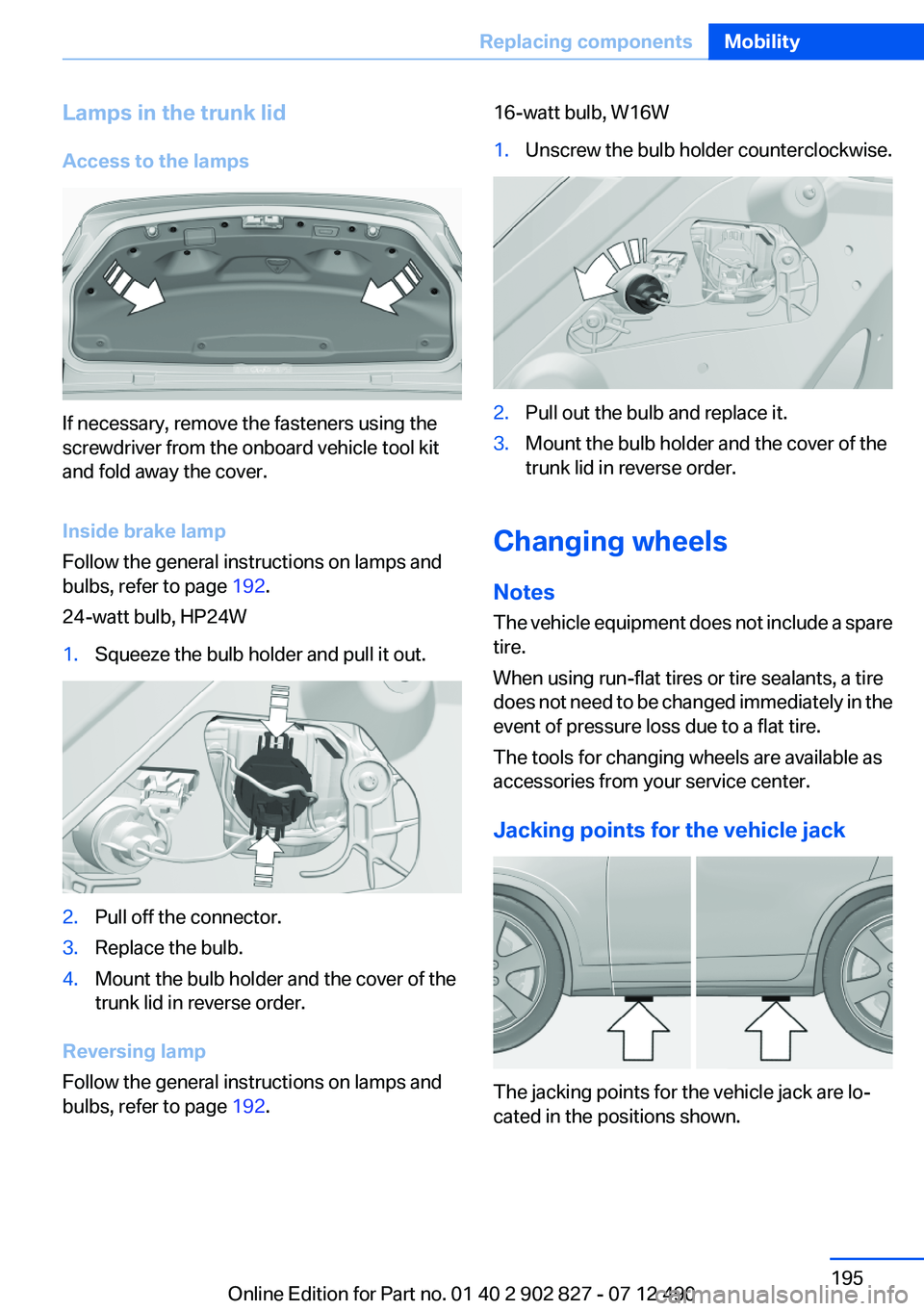
Access to the lamps
If necessary, remove the fasteners using the
screwdriver from the onboard vehicle tool kit
and fold away the cover.
Inside brake lamp
Follow the general instructions on lamps and
bulbs, refer to page 192.
24-watt bulb, HP24W
1.Squeeze the bulb holder and pull it out.2.Pull off the connector.3.Replace the bulb.4.Mount the bulb holder and the cover of the
trunk lid in reverse order.
Reversing lamp
Follow the general instructions on lamps and
bulbs, refer to page 192.
16-watt bulb, W16W1.Unscrew the bulb holder counterclockwise.2.Pull out the bulb and replace it.3.Mount the bulb holder and the cover of the
trunk lid in reverse order.
Changing wheels
Notes
The vehicle equipment does not include a spare
tire.
When using run-flat tires or tire sealants, a tire
does not need to be changed immediately in the
event of pressure loss due to a flat tire.
The tools for changing wheels are available as
accessories from your service center.
Jacking points for the vehicle jack
The jacking points for the vehicle jack are lo‐
cated in the positions shown.
Seite 195Replacing componentsMobility195
Online Edition for Part no. 01 40 2 902 827 - 07 12 490
Page 199 of 232
Assist Response Center contacts you and
takes further steps to help you.
Even if you are unable to respond, the BMW
Assist Response Center can take further
steps to help you under certain circumstan‐
ces.
For this purpose, data that are used to de‐
termine the necessary rescue measures,
such as the current position of the vehicle if
it can be established, are transmitted to the
BMW Assist Response Center.▷If the LED is flashing but the BMW Assist
Response Center cannot be heard on the
hands-free system, the hands-free system
may be malfunctioning. However, the BMW
Assist Response Center may still be able to
hear you.
Initiating an Emergency Request
automatically
Under certain conditions, an Emergency Re‐
quest is automatically initiated immediately after
a severe accident. Automatic Collision Notifica‐
tion is not affected by pressing the SOS button.
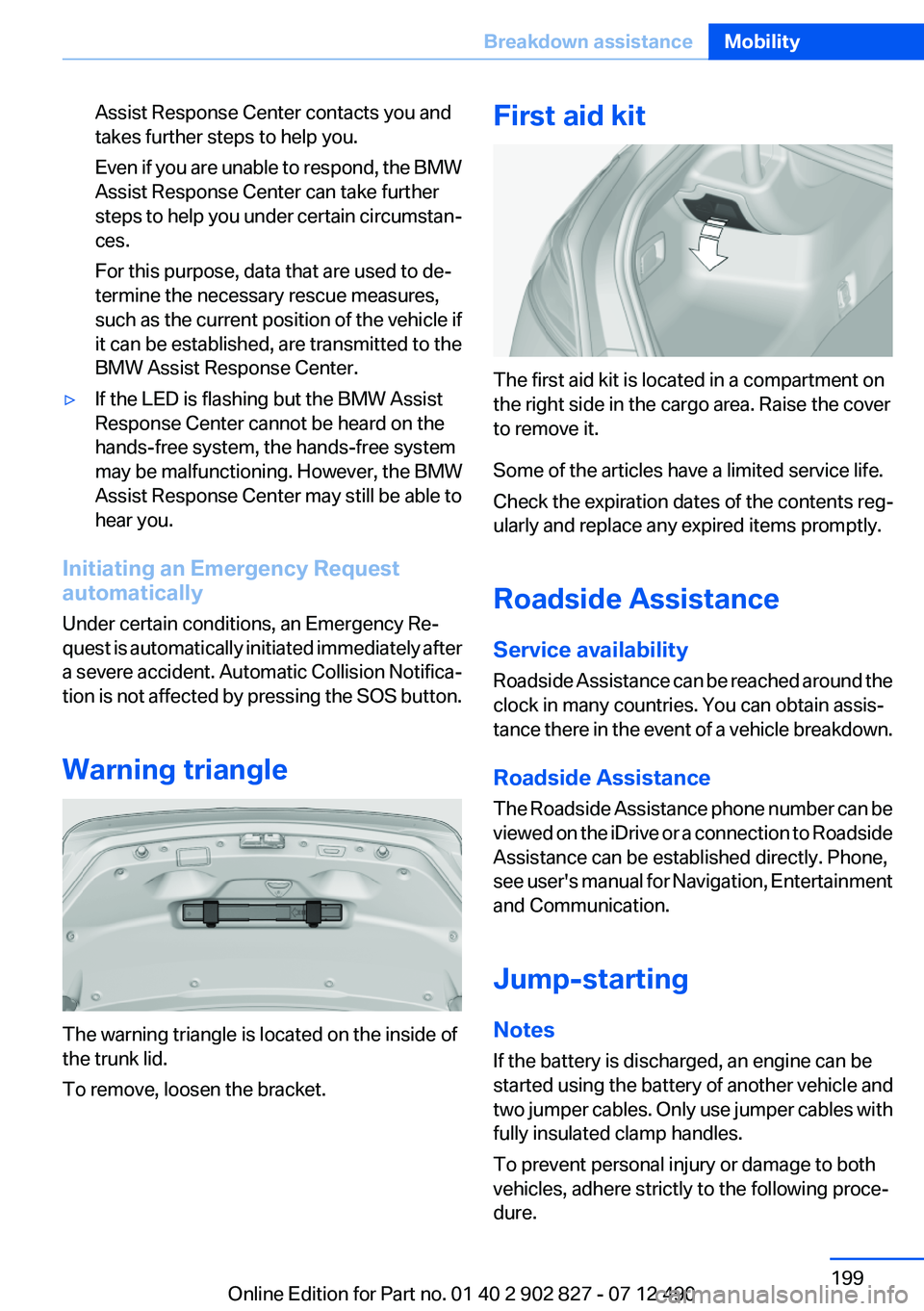
Warning triangle
The warning triangle is located on the inside of
the trunk lid.
To remove, loosen the bracket.
First aid kit
The first aid kit is located in a compartment on
the right side in the cargo area. Raise the cover
to remove it.
Some of the articles have a limited service life.
Check the expiration dates of the contents reg‐
ularly and replace any expired items promptly.
Roadside Assistance
Service availability
Roadside Assistance can be reached around the
clock in many countries. You can obtain assis‐
tance there in the event of a vehicle breakdown.
Roadside Assistance
The Roadside Assistance phone number can be
viewed on the iDrive or a connection to Roadside
Assistance can be established directly. Phone,
see user's manual for Navigation, Entertainment
and Communication.
Jump-starting
Notes
If the battery is discharged, an engine can be
started using the battery of another vehicle and
two jumper cables. Only use jumper cables with
fully insulated clamp handles.
To prevent personal injury or damage to both
vehicles, adhere strictly to the following proce‐
dure.
Seite 199Breakdown assistanceMobility199
Online Edition for Part no. 01 40 2 902 827 - 07 12 490
Page 224 of 232
Cruising range 78
Cupholder 153
Current fuel consumption 78
D
Damage, tires 179
Damping control, dy‐ namic 113
Data, technical 210
Date 77
Daytime running lights 87
Defrosting, refer to Windows, defrosting 141
Dehumidifying, air 142
Destination distance 82
Digital clock 77
Dimensions 210
Dimmable exterior mirrors 52
Dimmable interior rearview mirror 53
Direction indicator, refer to Turn signals 64
Display in windshield 138
Display lighting, refer to Instru‐ ment lighting 89
Displays 70, 71
Displays, cleaning 206
Disposal, vehicle battery 196
Distance control, refer to PDC 126
Distance, selecting for ACC 120
Distance to destination 82
Divided screen view, split screen 20
Door lock, refer to Remote control 30
Doors, Automatic Soft Clos‐ ing 37
Downhill control 112
Drive-off assistant 110
Drive-off assistant, refer to DSC 110
Driving Experience Switch 114 Driving instructions, breaking
in 158
Driving mode 114
Driving notes, general 158
Driving stability control sys‐ tems 110
Driving tips 158
DSC Dynamic Stability Con‐ trol 110
DTC driving dynamics 111
DTC Dynamic Traction Con‐ trol 111
Dynamic Damping Con‐ trol 113
Dynamic Drive 113
Dynamic Stability Control DSC 110
Dynamic Traction Control DTC 111
E
ECO PRO 164
ECO PRO display 164
ECO PRO mode 164
EfficientDynamics 165
Electronic displays, instru‐ ment cluster 71
Electronic Stability Program ESP, refer to DSC 110
Emergency detection, remote control 31
Emergency release, door lock 36
Emergency release, fuel filler flap 170
Emergency Request 198
Emergency service, refer to Roadside Assistance 199
Emergency start function, en‐ gine start 31
Emergency unlocking, trunk lid 38
Energy Control 78
Energy recovery 78 Engine, automatic Start/Stop
function 60
Engine, automatic switch- off 60
Engine compartment 184
Engine compartment, working in 184
Engine coolant 188
Engine oil 186
Engine oil, adding 187
Engine oil additives 187
Engine oil change 187
Engine oil filler neck 187
Engine oil temperature 77
Engine oil types, alterna‐ tive 187
Engine oil types, ap‐ proved 187
Engine start during malfunc‐ tion 31
Engine start, jump-start‐ ing 199
Engine start, refer to Starting the engine 59
Engine stop 59
Engine temperature 77
Entering/exiting vehicle, assis‐ tance, steering wheel 53
Entering a car wash 203
Equipment, interior 145
ESP Electronic Stability Pro‐ gram, refer to DSC 110
Exchanging wheels/tires 180
Exhaust system 158
Exterior mirror, automatic dim‐ ming feature 52
Exterior mirrors 51
External start 199
External temperature dis‐ play 77
External temperature warn‐ ing 77
Eyes for securing cargo 162 Seite 224ReferenceEverything from A to Z224
Online Edition for Part no. 01 40 2 902 827 - 07 12 490
Page 225 of 232
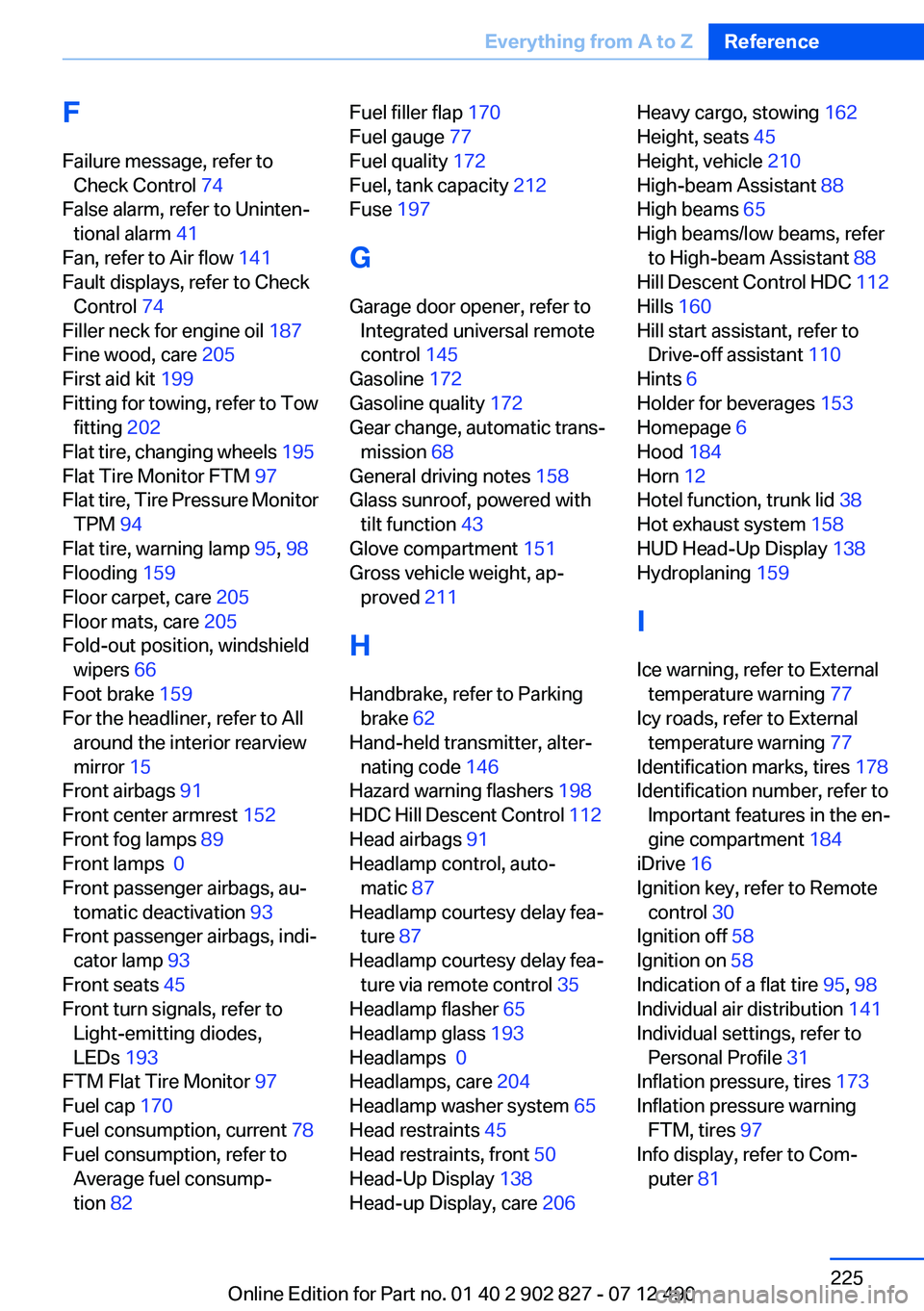
F
Failure message, refer to Check Control 74
False alarm, refer to Uninten‐ tional alarm 41
Fan, refer to Air flow 141
Fault displays, refer to Check Control 74
Filler neck for engine oil 187
Fine wood, care 205
First aid kit 199
Fitting for towing, refer to Tow fitting 202
Flat tire, changing wheels 195
Flat Tire Monitor FTM 97
Flat tire, Tire Pressure Monitor TPM 94
Flat tire, warning lamp 95, 98
Flooding 159
Floor carpet, care 205
Floor mats, care 205
Fold-out position, windshield wipers 66
Foot brake 159
For the headliner, refer to All around the interior rearview
mirror 15
Front airbags 91
Front center armrest 152
Front fog lamps 89
Front lamps 0
Front passenger airbags, au‐ tomatic deactivation 93
Front passenger airbags, indi‐ cator lamp 93
Front seats 45
Front turn signals, refer to Light-emitting diodes,
LEDs 193
FTM Flat Tire Monitor 97
Fuel cap 170
Fuel consumption, current 78
Fuel consumption, refer to Average fuel consump‐
tion 82 Fuel filler flap 170
Fuel gauge 77
Fuel quality 172
Fuel, tank capacity 212
Fuse 197
G
Garage door opener, refer to Integrated universal remote
control 145
Gasoline 172
Gasoline quality 172
Gear change, automatic trans‐ mission 68
General driving notes 158
Glass sunroof, powered with tilt function 43
Glove compartment 151
Gross vehicle weight, ap‐ proved 211
H
Handbrake, refer to Parking brake 62
Hand-held transmitter, alter‐ nating code 146
Hazard warning flashers 198
HDC Hill Descent Control 112
Head airbags 91
Headlamp control, auto‐ matic 87
Headlamp courtesy delay fea‐ ture 87
Headlamp courtesy delay fea‐ ture via remote control 35
Headlamp flasher 65
Headlamp glass 193
Headlamps 0
Headlamps, care 204
Headlamp washer system 65
Head restraints 45
Head restraints, front 50
Head-Up Display 138
Head-up Display, care 206 Heavy cargo, stowing 162
Height, seats 45
Height, vehicle 210
High-beam Assistant 88
High beams 65
High beams/low beams, refer to High-beam Assistant 88
Hill Descent Control HDC 112
Hills 160
Hill start assistant, refer to Drive-off assistant 110
Hints 6
Holder for beverages 153
Homepage 6
Hood 184
Horn 12
Hotel function, trunk lid 38
Hot exhaust system 158
HUD Head-Up Display 138
Hydroplaning 159
I
Ice warning, refer to External temperature warning 77
Icy roads, refer to External temperature warning 77
Identification marks, tires 178
Identification number, refer to Important features in the en‐
gine compartment 184
iDrive 16
Ignition key, refer to Remote control 30
Ignition off 58
Ignition on 58
Indication of a flat tire 95, 98
Individual air distribution 141
Individual settings, refer to Personal Profile 31
Inflation pressure, tires 173
Inflation pressure warning FTM, tires 97
Info display, refer to Com‐ puter 81 Seite 225Everything from A to ZReference225
Online Edition for Part no. 01 40 2 902 827 - 07 12 490
Page 226 of 232
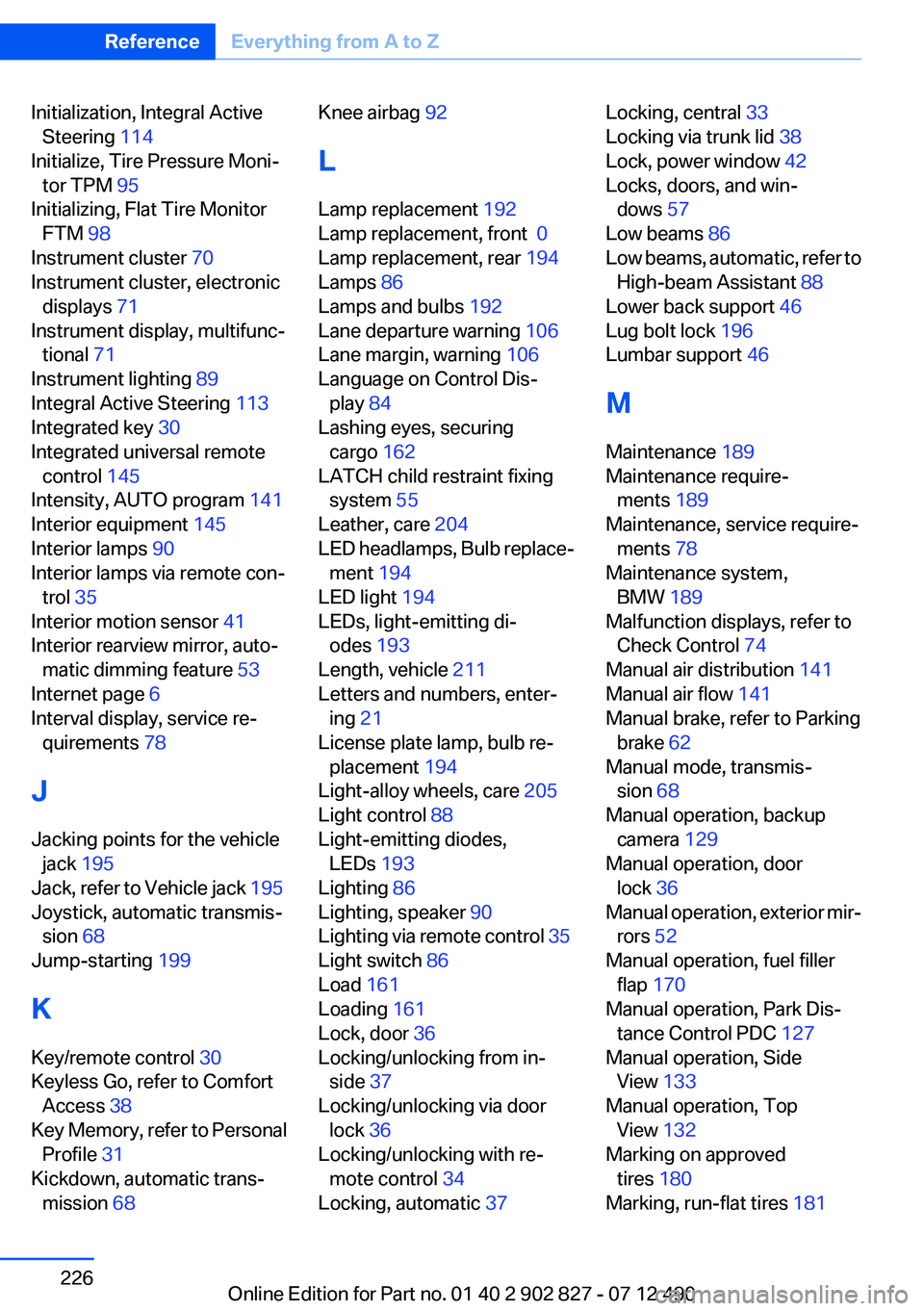
Initialization, Integral ActiveSteering 114
Initialize, Tire Pressure Moni‐ tor TPM 95
Initializing, Flat Tire Monitor FTM 98
Instrument cluster 70
Instrument cluster, electronic displays 71
Instrument display, multifunc‐ tional 71
Instrument lighting 89
Integral Active Steering 113
Integrated key 30
Integrated universal remote control 145
Intensity, AUTO program 141
Interior equipment 145
Interior lamps 90
Interior lamps via remote con‐ trol 35
Interior motion sensor 41
Interior rearview mirror, auto‐ matic dimming feature 53
Internet page 6
Interval display, service re‐ quirements 78
J
Jacking points for the vehicle jack 195
Jack, refer to Vehicle jack 195
Joystick, automatic transmis‐ sion 68
Jump-starting 199
K
Key/remote control 30
Keyless Go, refer to Comfort Access 38
Key Memory, refer to Personal Profile 31
Kickdown, automatic trans‐ mission 68 Knee airbag 92
L
Lamp replacement 192
Lamp replacement, front 0
Lamp replacement, rear 194
Lamps 86
Lamps and bulbs 192
Lane departure warning 106
Lane margin, warning 106
Language on Control Dis‐ play 84
Lashing eyes, securing cargo 162
LATCH child restraint fixing system 55
Leather, care 204
LED headlamps, Bulb replace‐ ment 194
LED light 194
LEDs, light-emitting di‐ odes 193
Length, vehicle 211
Letters and numbers, enter‐ ing 21
License plate lamp, bulb re‐ placement 194
Light-alloy wheels, care 205
Light control 88
Light-emitting diodes, LEDs 193
Lighting 86
Lighting, speaker 90
Lighting via remote control 35
Light switch 86
Load 161
Loading 161
Lock, door 36
Locking/unlocking from in‐ side 37
Locking/unlocking via door lock 36
Locking/unlocking with re‐ mote control 34
Locking, automatic 37 Locking, central 33
Locking via trunk lid 38
Lock, power window 42
Locks, doors, and win‐ dows 57
Low beams 86
Low beams, automatic, refer to High-beam Assistant 88
Lower back support 46
Lug bolt lock 196
Lumbar support 46
M
Maintenance 189
Maintenance require‐ ments 189
Maintenance, service require‐ ments 78
Maintenance system, BMW 189
Malfunction displays, refer to Check Control 74
Manual air distribution 141
Manual air flow 141
Manual brake, refer to Parking brake 62
Manual mode, transmis‐ sion 68
Manual operation, backup camera 129
Manual operation, door lock 36
Manual operation, exterior mir‐ rors 52
Manual operation, fuel filler flap 170
Manual operation, Park Dis‐ tance Control PDC 127
Manual operation, Side View 133
Manual operation, Top View 132
Marking on approved tires 180
Marking, run-flat tires 181 Seite 226ReferenceEverything from A to Z226
Online Edition for Part no. 01 40 2 902 827 - 07 12 490