steering BMW 650I GRAN COUPE 2014 Workshop Manual
[x] Cancel search | Manufacturer: BMW, Model Year: 2014, Model line: 650I GRAN COUPE, Model: BMW 650I GRAN COUPE 2014Pages: 243, PDF Size: 8.02 MB
Page 147 of 243
The parking procedure is active.
Steering control has been
seized.
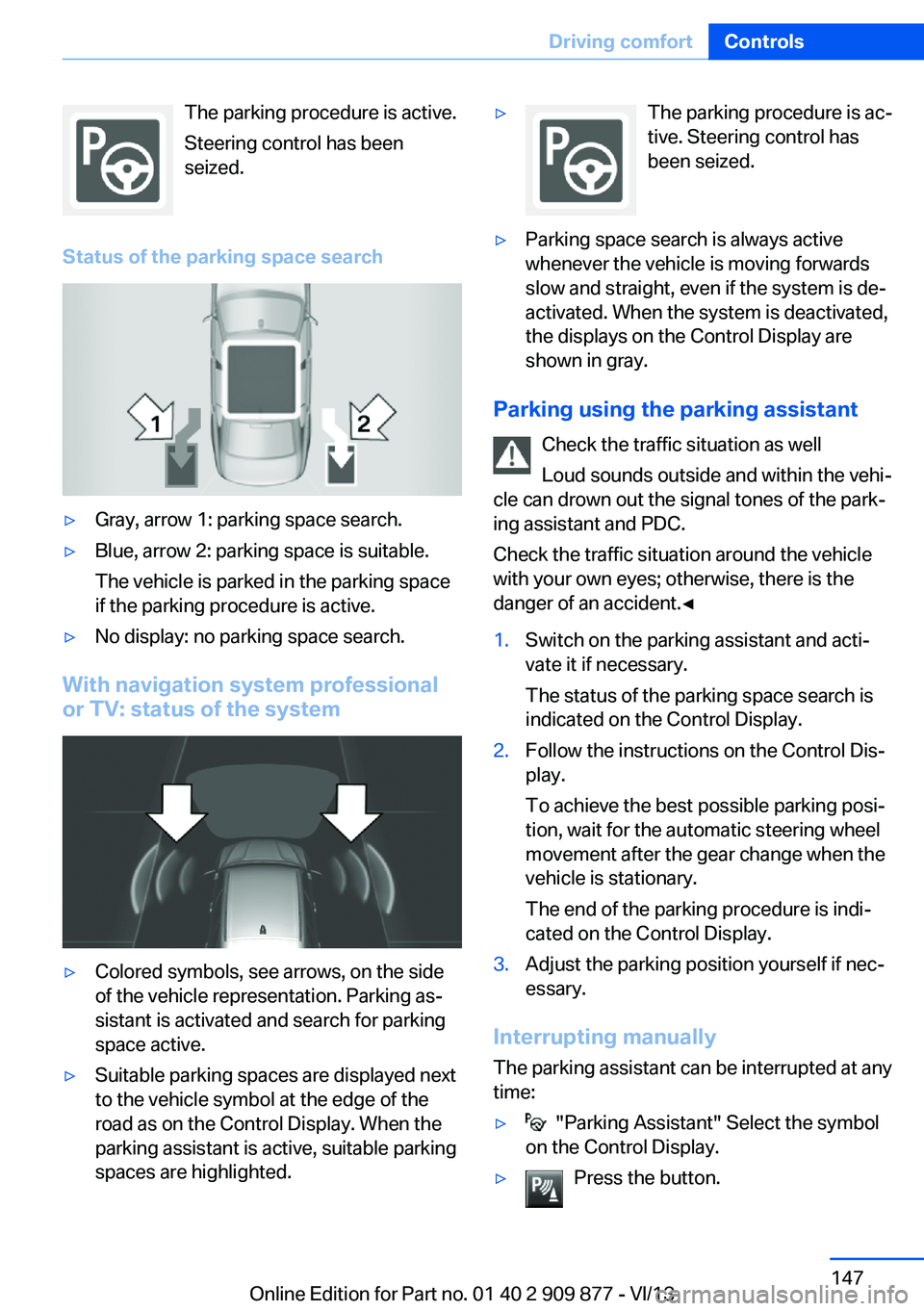
Status of the parking space search▷Gray, arrow 1: parking space search.▷Blue, arrow 2: parking space is suitable.
The vehicle is parked in the parking space
if the parking procedure is active.▷No display: no parking space search.
With navigation system professional
or TV: status of the system
▷Colored symbols, see arrows, on the side
of the vehicle representation. Parking as‐
sistant is activated and search for parking
space active.▷Suitable parking spaces are displayed next
to the vehicle symbol at the edge of the
road as on the Control Display. When the
parking assistant is active, suitable parking
spaces are highlighted.▷The parking procedure is ac‐
tive. Steering control has
been seized.▷Parking space search is always active
whenever the vehicle is moving forwards
slow and straight, even if the system is de‐
activated. When the system is deactivated,
the displays on the Control Display are
shown in gray.
Parking using the parking assistant
Check the traffic situation as well
Loud sounds outside and within the vehi‐
cle can drown out the signal tones of the park‐
ing assistant and PDC.
Check the traffic situation around the vehicle
with your own eyes; otherwise, there is the
danger of an accident.◀
1.Switch on the parking assistant and acti‐
vate it if necessary.
The status of the parking space search is
indicated on the Control Display.2.Follow the instructions on the Control Dis‐
play.
To achieve the best possible parking posi‐
tion, wait for the automatic steering wheel
movement after the gear change when the
vehicle is stationary.
The end of the parking procedure is indi‐
cated on the Control Display.3.Adjust the parking position yourself if nec‐
essary.
Interrupting manually
The parking assistant can be interrupted at any
time:
▷ "Parking Assistant" Select the symbol
on the Control Display.▷Press the button.Seite 147Driving comfortControls147
Online Edition for Part no. 01 40 2 909 877 - VI/13
Page 148 of 243
Interrupting automaticallyThe system is interrupted automatically in the
following situations:▷If the driver grasps the steering wheel or if
he takes over steering.▷If a gear is selected that does not match
the instruction on the Control Display.▷If a turn signal is activated in the opposite
direction to the desired side for parking.▷If the vehicle speed exceeds approx.
6 mph/10 km/h.▷On snow-covered or slippery road surfaces
if necessary.▷If doors are open.▷When there are obstacles that are hard to
overcome, such as curbs.▷When there are obstacles that suddenly
arise.▷If a maximum number of parking attempts
or the time taken for parking is exceeded.
A Check Control message is displayed.
Continuing
An interrupted parking procedure can be con‐
tinued if necessary.
Follow the instructions on the Control Display
to do this.
System limits
No parking assistance The parking assistant does not offer assis‐
tance in the following situations:
▷In tight curves.
Functional limitations
The system may not be fully functional in the
following situations:
▷When sensors are dirty or iced over.▷In heavy fog, rain or snowfall.▷On bumpy road surfaces such as gravel
roads.▷On slippery ground.▷On steep uphill or downhill grades.▷When leaves or snow has collected in the
parking space.
Limits of ultrasonic measurement
The detection of objects can reach the physi‐
cal limits of ultrasonic measurement, e.g., in
the following circumstances:
▷With tow bars and trailer hitches.▷With thin or wedge-shaped objects.▷With elevated, protruding objects such as
ledges or cargo.▷With objects with corners and sharp edges.▷With objects with a fine surface structure,
such as fences.
Low objects already displayed, e.g., curbs, can
move into the blind area of the sensors before
or after a continuous tone sounds.
High, protruding objects such as ledges may
not be detected.
The parking assistant may identify parking
spaces that are not suitable for parking.
Malfunction
A Check Control message is displayed.
The parking assistant failed. Have the system
checked.
Seite 148ControlsDriving comfort148
Online Edition for Part no. 01 40 2 909 877 - VI/13
Page 175 of 243
sition mode, or when parked. Such contact
could lead to a fire, and with it the risk of seri‐
ous personal injury as well as property dam‐
age.
Do not touch hot exhaust pipes; otherwise,
there is the danger of getting burned.◀
Climate control windshield
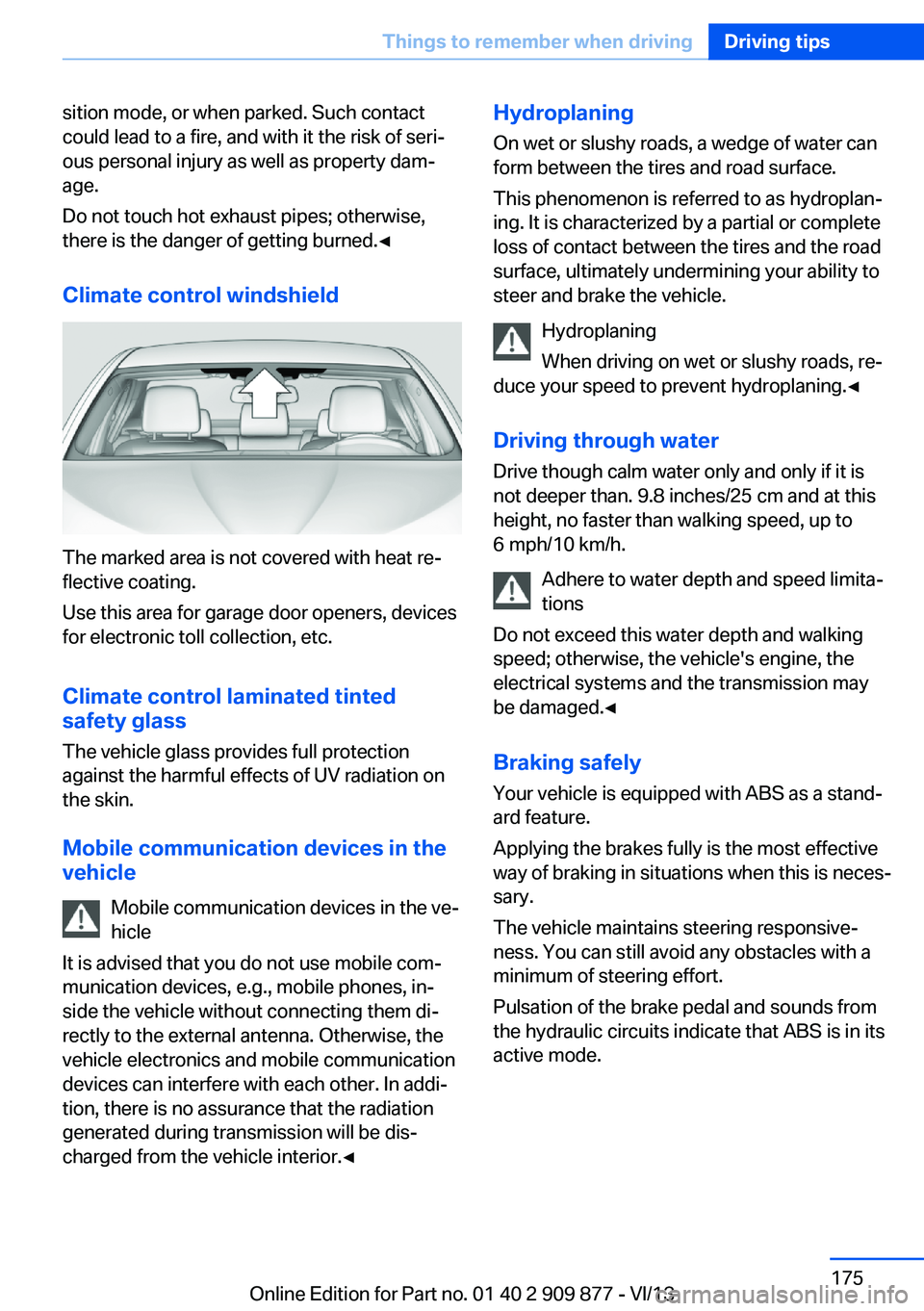
The marked area is not covered with heat re‐
flective coating.
Use this area for garage door openers, devices
for electronic toll collection, etc.
Climate control laminated tinted
safety glass
The vehicle glass provides full protection
against the harmful effects of UV radiation on
the skin.
Mobile communication devices in thevehicle
Mobile communication devices in the ve‐
hicle
It is advised that you do not use mobile com‐
munication devices, e.g., mobile phones, in‐
side the vehicle without connecting them di‐
rectly to the external antenna. Otherwise, the
vehicle electronics and mobile communication
devices can interfere with each other. In addi‐
tion, there is no assurance that the radiation
generated during transmission will be dis‐
charged from the vehicle interior.◀
Hydroplaning
On wet or slushy roads, a wedge of water can
form between the tires and road surface.
This phenomenon is referred to as hydroplan‐
ing. It is characterized by a partial or complete
loss of contact between the tires and the road
surface, ultimately undermining your ability to
steer and brake the vehicle.
Hydroplaning
When driving on wet or slushy roads, re‐
duce your speed to prevent hydroplaning.◀
Driving through water Drive though calm water only and only if it is
not deeper than. 9.8 inches/25 cm and at this
height, no faster than walking speed, up to 6 mph/10 km/h.
Adhere to water depth and speed limita‐
tions
Do not exceed this water depth and walking
speed; otherwise, the vehicle's engine, the
electrical systems and the transmission may
be damaged.◀
Braking safely
Your vehicle is equipped with ABS as a stand‐
ard feature.
Applying the brakes fully is the most effective
way of braking in situations when this is neces‐
sary.
The vehicle maintains steering responsive‐
ness. You can still avoid any obstacles with a
minimum of steering effort.
Pulsation of the brake pedal and sounds from
the hydraulic circuits indicate that ABS is in its
active mode.Seite 175Things to remember when drivingDriving tips175
Online Edition for Part no. 01 40 2 909 877 - VI/13
Page 176 of 243
Objects in the area around the pedalsNo objects in the area around the pedals
Keep floor mats, carpets, and any other
objects out of the area of motion of the pedals;
otherwise, the function of the pedals could be
impeded while driving
Do not place additional floor mats over existing
mats or other objects.
Only use floor mats that have been approved
for the vehicle and can be properly fixed in
place.
Ensure that the floor mats are securely fas‐
tened again after they were removed for clean‐
ing, for example.◀
Driving in wet conditions When roads are wet coated with road salt or
there is heavy rain, briefly exert gentle pres‐
sure on the brake pedal every few miles.
Ensure that this action does not endanger
other road users.
The heat generated in this process helps dry
the brake discs and pads.
In this way braking efficiency will be available
when you need it.
Hills
Drive long or steep downhill gradients in the
gear in which the least braking is required.
Otherwise, the brake system may overheat, re‐
sulting in a reduction in the brake system effi‐ ciency.
You can increase the engine's braking effect
by shifting down, going all the way to first gear,
if necessary.
Avoid load on the brakes
Avoid placing excessive load on the
brake system. Light but consistent brake pres‐
sure can lead to high temperatures, brake wear
and possibly even brake failure.◀Do not drive in neutral
Do not drive in neutral or with the engine
stopped, as doing so disables engine braking.
In addition, steering and brake assist is un‐
available with the engine stopped.◀
Brake disc corrosion The corrosion on the brake discs and the con‐
tamination on the brake pads are furthered by:▷Low mileage.▷Extended periods when the vehicle is not
used at all.▷Infrequent use of the brakes.
Corrosion occurs when the minimum pressure
that must be exerted by the pads during brake
applications to clean the discs is not reached.
Should corrosion form on the brake discs, the
brakes will tend to respond with a pulsating ef‐
fect that generally cannot be corrected.
Condensation under the parked
vehicle
When using the automatic climate control,
condensation water develops that exits under‐
neath the vehicle.
Traces of water under the vehicle like this are
normal.
Seite 176Driving tipsThings to remember when driving176
Online Edition for Part no. 01 40 2 909 877 - VI/13
Page 202 of 243
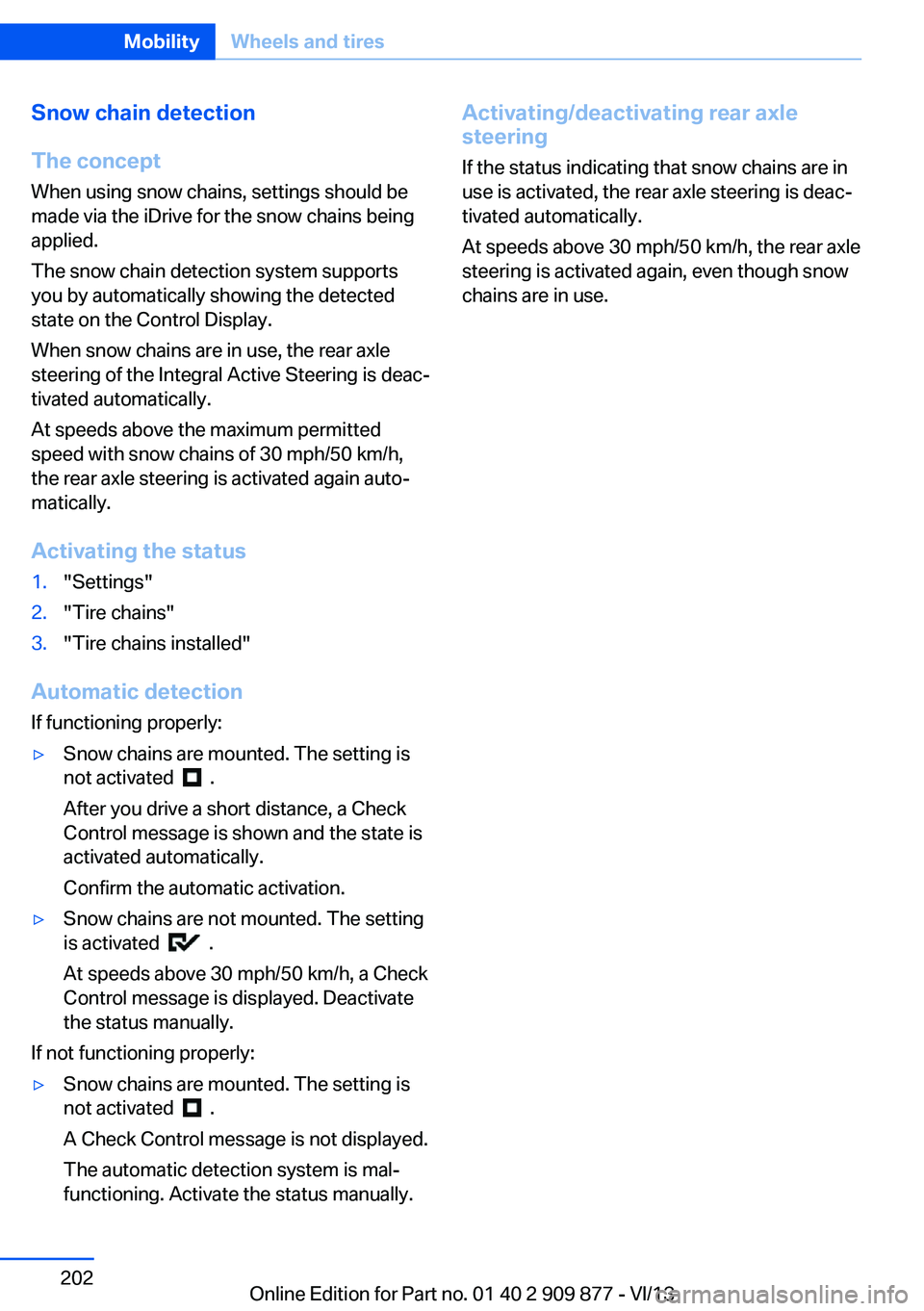
Snow chain detection
The concept When using snow chains, settings should bemade via the iDrive for the snow chains being
applied.
The snow chain detection system supports
you by automatically showing the detected
state on the Control Display.
When snow chains are in use, the rear axle
steering of the Integral Active Steering is deac‐
tivated automatically.
At speeds above the maximum permitted
speed with snow chains of 30 mph/50 km/h,
the rear axle steering is activated again auto‐
matically.
Activating the status1."Settings"2."Tire chains"3."Tire chains installed"
Automatic detection If functioning properly:
▷Snow chains are mounted. The setting is
not activated
.
After you drive a short distance, a Check
Control message is shown and the state is
activated automatically.
Confirm the automatic activation.
▷Snow chains are not mounted. The setting
is activated
.
At speeds above 30 mph/50 km/h, a Check
Control message is displayed. Deactivate
the status manually.
If not functioning properly:
▷Snow chains are mounted. The setting is
not activated
.
A Check Control message is not displayed.
The automatic detection system is mal‐
functioning. Activate the status manually.
Activating/deactivating rear axle
steering
If the status indicating that snow chains are in
use is activated, the rear axle steering is deac‐
tivated automatically.
At speeds above 30 mph/50 km/h, the rear axle
steering is activated again, even though snow
chains are in use.Seite 202MobilityWheels and tires202
Online Edition for Part no. 01 40 2 909 877 - VI/13
Page 214 of 243
Vehicle batteryMaintenance
The battery is maintenance-free, i.e., the elec‐ trolyte will last for the life of the battery.
Your service center will be glad to advise you
on questions regarding the battery.
Battery replacement Use approved vehicle batteries only
Only use vehicle batteries that have been
approved for your vehicle by the manufacturer; otherwise, the vehicle could be damaged and
systems or functions may not be fully availa‐
ble.◀
After a battery replacement, have the battery registered on the vehicle by your service cen‐
ter to ensure that all comfort functions are fully
available and that any Check Control mes‐
sages of these comfort functions are no longer
displayed.
Charging the battery
Note Do not plug chargers into the socket
Do not connect battery chargers to the
factory-installed sockets in the vehicle as this
may damage the battery.◀
General information
Make sure that the battery is always suffi‐
ciently charged to guarantee that the battery
remains usable for its full service life.
The battery may need to be charged in the fol‐
lowing cases:▷When making frequent short-distance
drives.▷If the vehicle is not used for prolonged pe‐
riods, longer than a month.Starting aid terminals
In the vehicle, only charge the battery via the
starting aid terminals, refer to page 218, in the
engine compartment with the engine off.
Power failure After a temporary power loss, some equipment
needs to be reinitialized.
Individual settings need to be reprogrammed:▷Seat, mirror, and steering wheel memory:
store the positions again.▷Time: update.▷Date: update.▷Radio station: saving new, see user's
manual for Navigation, Entertainment and
Communication.▷Navigation system: wait for the operability
of the navigation.
Disposing of old batteries
Have old batteries disposed of by your
service center or bring them to a recy‐
cling center.
Maintain the battery in an upright position for
transport and storage. Secure the battery so
that it does not tip over during transport.
Fuses Notes Replacing fuses
Never attempt to repair a blown fuse and
do not replace a defective fuse with a substi‐
tute of another color or amperage rating; this could lead to a circuit overload, ultimately re‐
sulting in a fire in the vehicle.◀
Plastic tweezers and information on the fuse
types and locations are stored in the fuse box
in the cargo area.
Seite 214MobilityReplacing components214
Online Edition for Part no. 01 40 2 909 877 - VI/13
Page 232 of 243
Everything from A to Z
IndexA ABS, Antilock Brake Sys‐ tem 117
ACC, Active Cruise Control with Stop & Go 125
Activated-charcoal filter 155
Active Blind Spot Detec‐ tion 113
Active Cruise Control with Stop & Go, ACC 125
Active Protection 114
Active roll stabilization, see Dynamic Drive 120
Active seat, front 47
Active seat ventilation, front 48
Active Steering, integral 120
Adaptive brake assistant 117
Adaptive brake lights, refer to Brake force display 114
Adaptive drive 120
Adaptive light control 88
Additives, oil 206
Adjusting, steering wheel 53
Adjustments, seats/head re‐ straints 45
After washing vehicle 222
Airbags 92
Airbags, indicator/warning light 93
Air circulation, refer to Recir‐ culated-air mode 154
Air distribution, manual 153
Air drying, refer to Cooling function 154
Air flow, automatic climate control 153
Air pressure, tires 191
Air vents, refer to Ventila‐ tion 157 Alarm system 40
Alarm, unintentional 41
All around the center con‐ sole 14
All around the interior rear‐ view mirror 15
All around the steering wheel 12
All-season tires, refer to Win‐ ter tires 200
All-wheel-drive 119
Alternating-code hand-held transmitter 161
Alternative oil types 206
Ambient light 90
Antifreeze, washer fluid 67
Antilock Brake System, ABS 117
Anti-slip control, refer to DSC 117
Approved engine oils 206
Armrest, refer to Front center armrest 168
Armrest, refer to Rear center armrest 169
Arrival time 84
Ashtray 162
Ashtray, rear 163
Assistance, Roadside Assis‐ tance 217
Assistance when driving off 117
Attentiveness assistant 115
AUTO H button, refer to Au‐ tomatic Hold 63
AUTO intensity 153
Automatic car wash 221
Automatic Cruise Control with Stop & Go 125
Automatic Curb Monitor 52 Automatic deactivation, front
passenger airbags 94
Automatic headlamp con‐ trol 88
Automatic Hold 63
Automatic locking 39
Automatic recirculated-air control 154
Automatic Soft Closing, doors 36
Automatic transmission with Steptronic 68
AUTO program, automatic cli‐ mate control 153
AUTO program, intensity 153
Auto Start/Stop function 60
Average fuel consumption 84
Average speed 84
Axle loads, weights 229
B Backrest curvature, refer to Lumbar support 46
Backrest, seats 45
Backrest, width 46
Backup camera 139
Band-aids, refer to First aid kit 217
Bar for tow-starting/ towing 219
Battery replacement, remote control for parked-car heat‐
ing/ventilation 159
Battery replacement, vehicle battery 214
Battery replacement, vehicle remote control 30
Battery, vehicle 214
Belts, safety belts 48 Seite 232ReferenceEverything from A to Z232
Online Edition for Part no. 01 40 2 909 877 - VI/13
Page 233 of 243
Beverage holder, cu‐pholder 169
Blinds, sun protection 42
BMW Assist, see user's manual for Navigation, En‐
tertainment and Communi‐
cation
BMW Homepage 6
BMW Internet page 6
BMW maintenance sys‐ tem 208
Bonus range, ECO PRO 181
Bottle holder, refer to Cu‐ pholder 169
Brake assistant 117
Brake assistant, adaptive 117
Brake discs, breaking in 174
Brake force display 114
Brake lamps, brake force dis‐ play 114
Brake lamps, bulb replace‐ ment 212
Brake lights, adaptive 114
Brake pads, breaking in 174
Braking, hints 175
Breakdown assis‐ tance 216, 217
Breaking in 174
Brightness of Control Dis‐ play 86
Bulb replacement, front 210
Bulb replacement, rear 212
Button, RES 128
Button, Start/Stop 58
Bypassing, refer to Jump- starting 217
C
California Proposition 65 Warning 7
Calling up mirror adjust‐ ment 39
Calling up seat adjust‐ ment 39 Calling up steering wheel ad‐
justment 39
Camera, backup camera 139
Camera, care 224
Camera, Side View 144
Camera, Top View 142
Can holder, refer to Cu‐ pholder 169
Car battery 214
Car care products 222
Care, displays 224
Care, vehicle 222
Cargo 177
Cargo area, enlarging 164
Cargo area lid 36
Cargo area, storage compart‐ ments 170
Cargo, securing 178
Cargo straps, securing cargo 178
Car key, refer to Remote con‐ trol 30
Carpet, care 224
Car wash 221
Catalytic converter, refer to Hot exhaust system 174
CBS Condition Based Serv‐ ice 208
CD/Multimedia, see user's manual for Navigation, En‐
tertainment and Communi‐
cation
Center console 14
Center-Lock, see button for central locking 33
Central locking system 33
Central screen, refer to Con‐ trol Display 16
Changes, technical, refer to Safety 7
Changing parts 210
Changing wheels 213
Changing wheels/tires 199
Check Control 76
Checking the oil level elec‐ tronically 205 Children, seating position 54
Children, transporting safely 54
Child restraint fixing sys‐ tem 54
Child restraint fixing system LATCH 55
Child restraint fixing systems, mounting 54
Child safety locks 57
Child seat, mounting 54
Child seats 54
Chrome parts, care 223
Cigarette lighter 162
Cleaning, displays 224
Climate control 152
Climate control laminated tinted safety glass 175
Climate control wind‐ shield 175
Clock 79
Closing/opening from in‐ side 36
Closing/opening via door lock 35
Closing/opening with remote control 34
Clothes hooks 169
Coasting 183
Coasting with engine decou‐ pled, coasting 183
Coasting with idling en‐ gine 183
Collision warning with braking function 101
Collision warning with City Braking function 104
Combination switch, refer to Turn signals 65
Combination switch, refer to Wiper system 65
COMFORT+ program, Driving Dynamics Control 123
Comfort Access 37
COMFORT program, Driving Dynamics Control 123 Seite 233Everything from A to ZReference233
Online Edition for Part no. 01 40 2 909 877 - VI/13
Page 235 of 243
Engine, automatic switch-off 60
Engine compartment 203
Engine compartment, work‐ ing in 203
Engine coolant 207
Engine idling when driving, coasting 183
Engine oil 205
Engine oil, adding 206
Engine oil additives 206
Engine oil change 206
Engine oil filler neck 206
Engine oil temperature 78
Engine oil types, alterna‐ tive 206
Engine oil types, ap‐ proved 206
Engine start during malfunc‐ tion 31
Engine start, jump-start‐ ing 217
Engine start, refer to Starting the engine 59
Engine stop 59
Engine temperature 78
Entering/exiting vehicle, as‐ sistance, steering wheel 53
Entering a car wash 221
Equipment, interior 160
ESP Electronic Stability Pro‐ gram, refer to DSC 117
Exchanging wheels/tires 199
Exhaust system 174
Exterior mirror, automatic dimming feature 52
Exterior mirrors 51
External start 217
External temperature dis‐ play 79
External temperature warn‐ ing 79
Eyes for securing cargo 178 F
Failure message, refer to Check Control 76
False alarm, refer to Uninten‐ tional alarm 41
Fan, refer to Air flow 153
Fault displays, refer to Check Control 76
Filler neck for engine oil 206
Fine wood, care 223
First aid kit 217
Fitting for towing, refer to Tow fitting 220
Flat tire, changing wheels 213
Flat Tire Monitor FTM 98
Flat tire, Tire Pressure Moni‐ tor TPM 95
Flat tire, warning lamp 96, 99
Flooding 175
Floor carpet, care 224
Floor mats, care 224
Fold down the rear seat back‐ rest, see Though-loading
system 164
Fold-out position, windshield wipers 67
Foot brake 175
For the headliner, refer to All around the interior rearview
mirror 15
Front airbags 92
Front center armrest 168
Front fog lamps 90
Front lamps 210
Front passenger airbags, au‐ tomatic deactivation 94
Front passenger airbags, indi‐ cator lamp 94
Front seats 45
FTM Flat Tire Monitor 98
Fuel 190
Fuel cap 188
Fuel consumption, current 80 Fuel consumption, refer to
Average fuel consump‐
tion 84
Fuel filler flap 188
Fuel gauge 78
Fuel quality 190
Fuel recommendation 190
Fuel, tank capacity 230
Fuse 214
G Garage door opener, refer to Integrated universal remote
control 160
Gasoline 190
Gasoline quality 190
Gear change, automatic transmission 68
Gear shift indicator 81
General driving notes 174
Glass sunroof, powered with tilt function 43
Glove compartment 167
Gross vehicle weight, ap‐ proved 229
Gross weight, permissible for trailer towing 229
H
Handbrake, refer to Parking brake 62
Hand-held transmitter, alter‐ nating code 161
Hazard warning flashers 216
HDC Hill Descent Con‐ trol 119
Head airbags 92
Headlamp control, auto‐ matic 88
Headlamp courtesy delay fea‐ ture 87
Headlamp courtesy delay fea‐ ture via remote control 34
Headlamp flasher 65 Seite 235Everything from A to ZReference235
Online Edition for Part no. 01 40 2 909 877 - VI/13
Page 236 of 243
Headlamp glass 211
Headlamps 210
Headlamps, care 222
Headlamp washer system 65
Head restraints 45
Head restraints, front 49
Head-Up Display 149
Head-up Display, care 224
Heating, refer to Parked-car heating 157
Heavy cargo, stowing 178
Height, seats 45
Height, vehicle 228
High-beam Assistant 89
High beams 65
High beams/low beams, refer to High-beam Assistant 89
Hill Descent Control HDC 119
Hills 176
Hill start assistant, refer to Drive-off assistant 117
Hints 6
Holder for beverages 169
Homepage 6
Hood 203
Horn 12
Hotel function, trunk lid 37
Hot exhaust system 174
HUD Head-Up Display 149
Hydroplaning 175
I Ice warning, refer to External temperature warning 79
Icy roads, refer to External temperature warning 79
Identification marks, tires 197
Identification number, refer to Important features in the en‐
gine compartment 203
iDrive 16
Ignition key, refer to Remote control 30
Ignition off 58 Ignition on 58
Indication of a flat tire 96, 99
Indicator and warning lamps 76
Individual air distribution 153
Individual settings, refer to Personal Profile 31
Inflation pressure, tires 191
Inflation pressure warning FTM, tires 98
Info display, refer to Com‐ puter 83
Initialization, Integral Active Steering 121
Initialize, Tire Pressure Moni‐ tor TPM 96
Initializing, Flat Tire Monitor FTM 99
Instrument cluster 72
Instrument cluster, electronic displays 73
Instrument display, multifunc‐ tional 73
Instrument lighting 90
Integral Active Steering 120
Integrated key 30
Integrated universal remote control 160
Intelligent Emergency Re‐ quest 216
Intelligent Safety 100
Intensity, AUTO pro‐ gram 153
Interior equipment 160
Interior lamps 90
Interior lamps via remote con‐ trol 34
Interior motion sensor 41
Interior rearview mirror, auto‐ matic dimming feature 53
Internet page 6
Interval display, service re‐ quirements 80 J
Jacking points for the vehicle jack 213
Joystick, automatic transmis‐ sion 68
Jump-starting 217
K
Key/remote control 30
Keyless Go, refer to Comfort Access 37
Key Memory, refer to Per‐ sonal Profile 31
Kickdown, automatic trans‐ mission 68
Knee airbag 92
L Lamp replacement, front 210
Lamp replacement, rear 212
Lamps 87
Lamps and bulbs 210
Lane departure warning 111
Lane margin, warning 111
Language on Control Dis‐ play 86
Lashing eyes, securing cargo 178
LATCH child restraint fixing system 55
Leather, care 222
LED headlamps, Bulb re‐ placement 212
LED light 212
LEDs, light-emitting di‐ odes 211
Length, vehicle 229
Letters and numbers, enter‐ ing 21
License plate lamp, bulb re‐ placement 212
Light alloy wheels, care 223
Light control 88 Seite 236ReferenceEverything from A to Z236
Online Edition for Part no. 01 40 2 909 877 - VI/13