Seat BMW 7 SERIES 2016 G11 User Guide
[x] Cancel search | Manufacturer: BMW, Model Year: 2016, Model line: 7 SERIES, Model: BMW 7 SERIES 2016 G11Pages: 314, PDF Size: 7.9 MB
Page 79 of 314
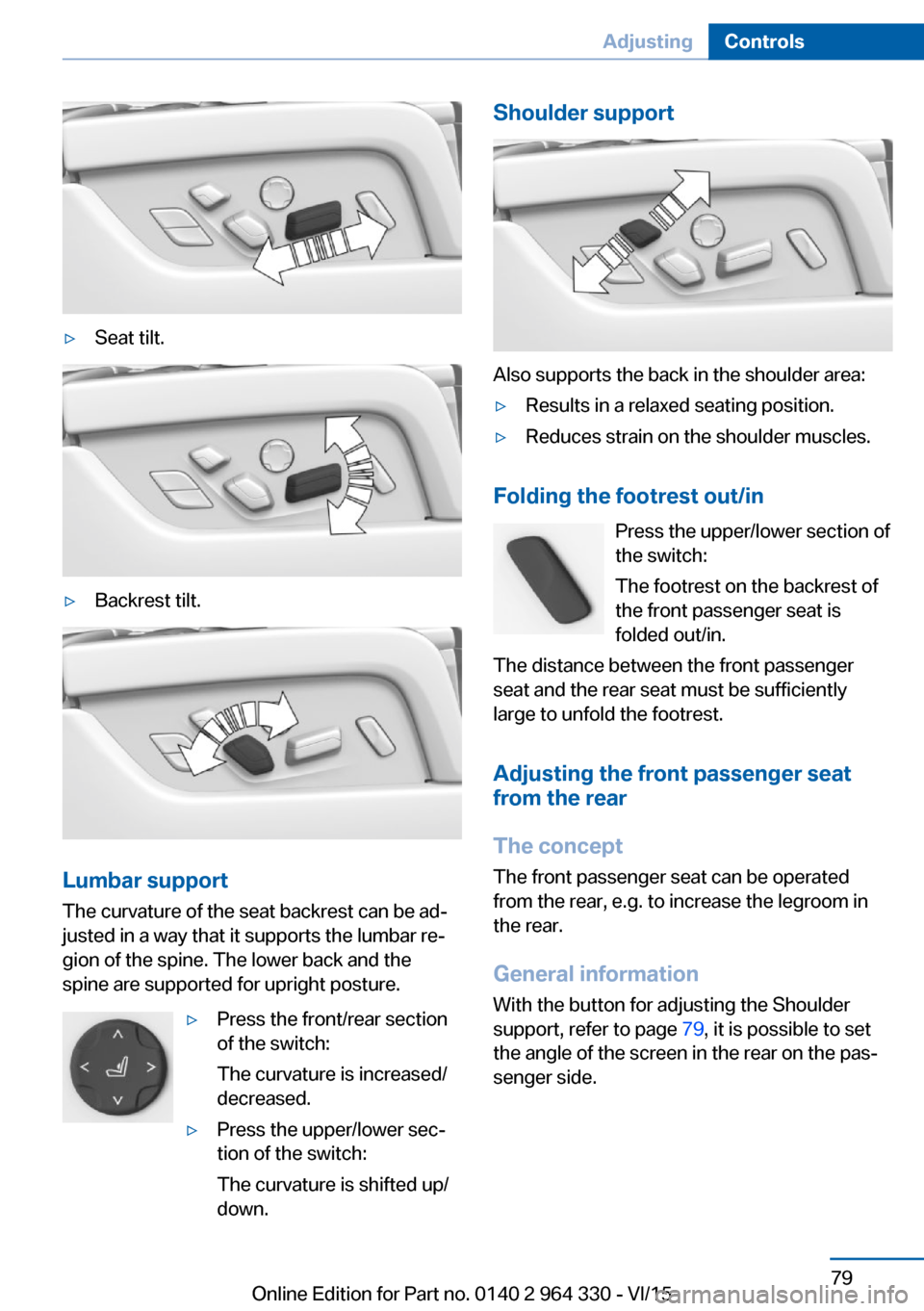
▷Seat tilt.▷Backrest tilt.
Lumbar support
The curvature of the seat backrest can be ad‐
justed in a way that it supports the lumbar re‐
gion of the spine. The lower back and the
spine are supported for upright posture.
▷Press the front/rear section
of the switch:
The curvature is increased/
decreased.▷Press the upper/lower sec‐
tion of the switch:
The curvature is shifted up/
down.Shoulder support
Also supports the back in the shoulder area:
▷Results in a relaxed seating position.▷Reduces strain on the shoulder muscles.
Folding the footrest out/in
Press the upper/lower section of
the switch:
The footrest on the backrest of
the front passenger seat is
folded out/in.
The distance between the front passenger
seat and the rear seat must be sufficiently
large to unfold the footrest.
Adjusting the front passenger seat from the rear
The concept The front passenger seat can be operated
from the rear, e.g. to increase the legroom in
the rear.
General information
With the button for adjusting the Shoulder
support, refer to page 79, it is possible to set
the angle of the screen in the rear on the pas‐
senger side.
Seite 79AdjustingControls79
Online Edition for Part no. 0140 2 964 330 - VI/15
Page 80 of 314
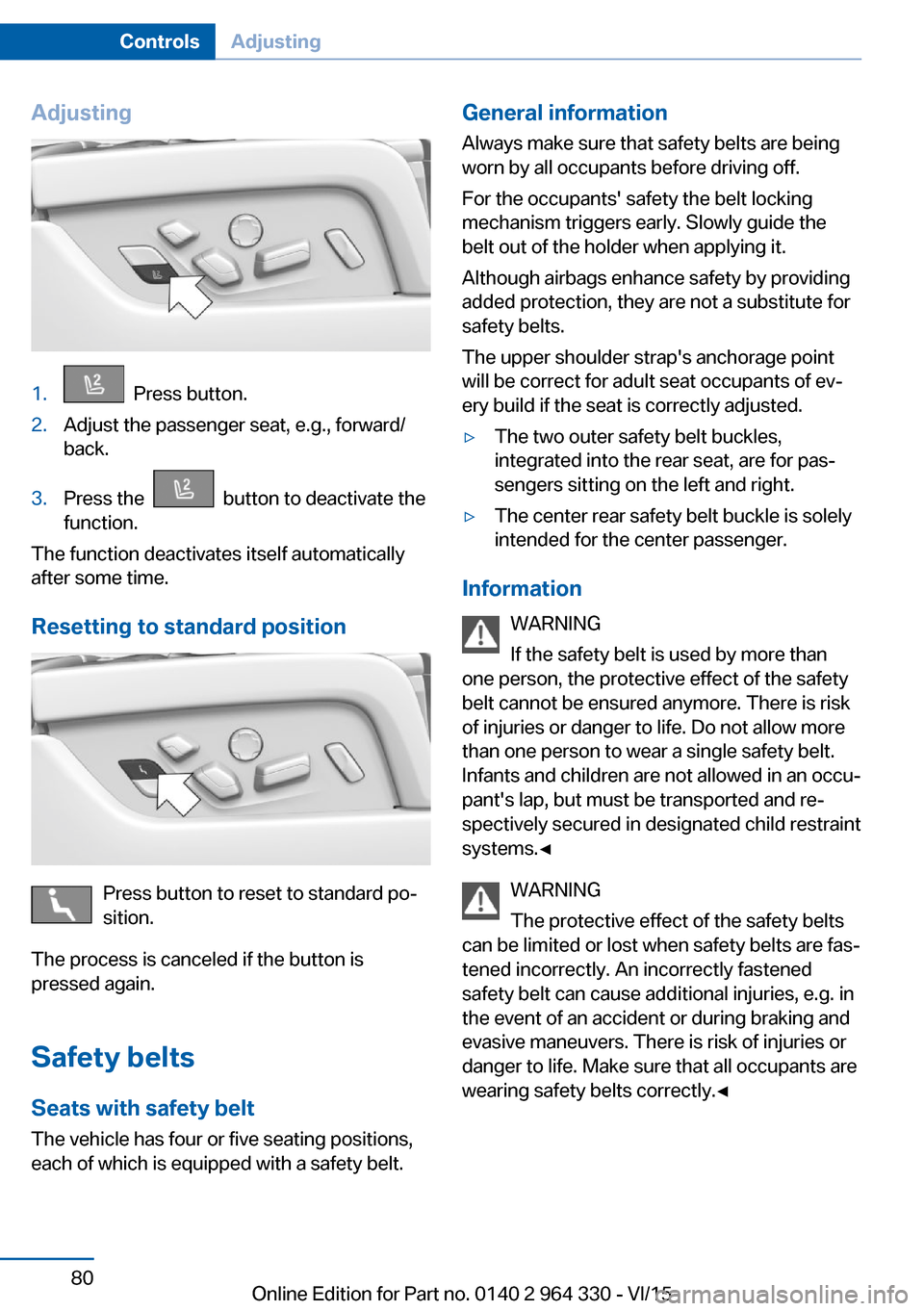
Adjusting1. Press button.2.Adjust the passenger seat, e.g., forward/
back.3.Press the button to deactivate the
function.
The function deactivates itself automatically
after some time.
Resetting to standard position
Press button to reset to standard po‐
sition.
The process is canceled if the button is
pressed again.
Safety belts Seats with safety belt
The vehicle has four or five seating positions,
each of which is equipped with a safety belt.
General information
Always make sure that safety belts are being
worn by all occupants before driving off.
For the occupants' safety the belt locking
mechanism triggers early. Slowly guide the
belt out of the holder when applying it.
Although airbags enhance safety by providing
added protection, they are not a substitute for
safety belts.
The upper shoulder strap's anchorage point
will be correct for adult seat occupants of ev‐
ery build if the seat is correctly adjusted.▷The two outer safety belt buckles,
integrated into the rear seat, are for pas‐
sengers sitting on the left and right.▷The center rear safety belt buckle is solely
intended for the center passenger.
Information
WARNING
If the safety belt is used by more than
one person, the protective effect of the safety
belt cannot be ensured anymore. There is risk
of injuries or danger to life. Do not allow more
than one person to wear a single safety belt.
Infants and children are not allowed in an occu‐
pant's lap, but must be transported and re‐
spectively secured in designated child restraint
systems.◀
WARNING
The protective effect of the safety belts
can be limited or lost when safety belts are fas‐
tened incorrectly. An incorrectly fastened
safety belt can cause additional injuries, e.g. in
the event of an accident or during braking and
evasive maneuvers. There is risk of injuries or
danger to life. Make sure that all occupants are
wearing safety belts correctly.◀
Seite 80ControlsAdjusting80
Online Edition for Part no. 0140 2 964 330 - VI/15
Page 81 of 314
Correct use of safety belts▷Wear the belt twist-free and as tight to
your body as possible over your lap and
shoulders.▷Wear the belt deep on your hips over your
lap. The belt may not press on your stom‐
ach.▷Do not wear the belt on your throat, rub it
on sharp edges, guide it or jam it in across
hard or fragile objects.▷Avoid thick clothing.▷Re-tighten the belt frequently upward
around your upper body.
Buckling the belt
General information
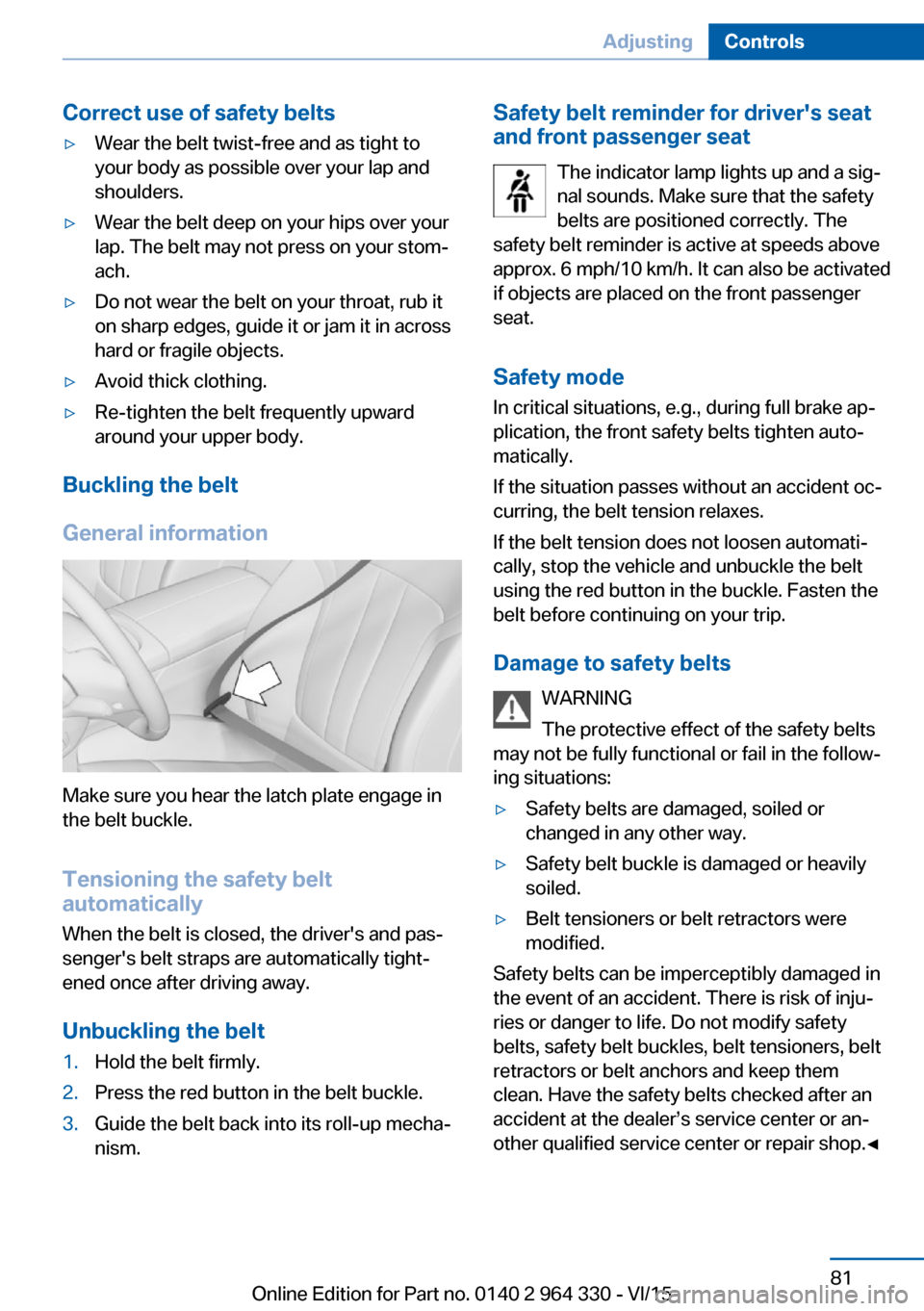
Make sure you hear the latch plate engage in
the belt buckle.
Tensioning the safety belt
automatically
When the belt is closed, the driver's and pas‐
senger's belt straps are automatically tight‐
ened once after driving away.
Unbuckling the belt
1.Hold the belt firmly.2.Press the red button in the belt buckle.3.Guide the belt back into its roll-up mecha‐
nism.Safety belt reminder for driver's seat and front passenger seat
The indicator lamp lights up and a sig‐
nal sounds. Make sure that the safety
belts are positioned correctly. The
safety belt reminder is active at speeds above
approx. 6 mph/10 km/h. It can also be activated
if objects are placed on the front passenger
seat.
Safety mode
In critical situations, e.g., during full brake ap‐
plication, the front safety belts tighten auto‐
matically.
If the situation passes without an accident oc‐
curring, the belt tension relaxes.
If the belt tension does not loosen automati‐
cally, stop the vehicle and unbuckle the belt
using the red button in the buckle. Fasten the
belt before continuing on your trip.
Damage to safety belts WARNING
The protective effect of the safety belts
may not be fully functional or fail in the follow‐
ing situations:▷Safety belts are damaged, soiled or
changed in any other way.▷Safety belt buckle is damaged or heavily
soiled.▷Belt tensioners or belt retractors were
modified.
Safety belts can be imperceptibly damaged in
the event of an accident. There is risk of inju‐
ries or danger to life. Do not modify safety
belts, safety belt buckles, belt tensioners, belt
retractors or belt anchors and keep them
clean. Have the safety belts checked after an
accident at the dealer’s service center or an‐
other qualified service center or repair shop.◀
Seite 81AdjustingControls81
Online Edition for Part no. 0140 2 964 330 - VI/15
Page 82 of 314
Front head restraintsInformation WARNING
A missing protective effect due to re‐
moved or not correctly adjusted head re‐
straints can cause injuries in the head and
neck area. There is risk of injuries. Install head
restraints on occupied seats prior to driving
and make sure that the center of the head re‐
straint supports the back of the head at eye
level.◀
WARNING
Objects on the head restraint reduce the
protective effect in the head and neck area.
There is risk of injuries.▷Do not use seat or head restraint covers.▷Do not hang objects, e.g., clothes hangers,
directly on the head restraint.▷Only use accessories that have been de‐
termined to be safe for attachment to a
head restraint.▷Do not use any accessories, e.g. pillows,
while driving.◀
Correctly adjusted head restraint
General information
A correctly adjusted head restraint reduces the
risk of injury to cervical vertebrae in the event
of an accident.
Height Adjust the head restraint so that its center is
approximately at ear level.
Distance
Adjust the distance so that the head restraint
is as close as possible to the back of the head.
Active head restraint
In the event of a rear-end collision with a cer‐
tain severity, the active head restraint automat‐
ically reduces the distance from the head.
Wear and tear after accidents or when dam‐
aged otherwise:
Have the active head restraint checked and if
needed replaced.
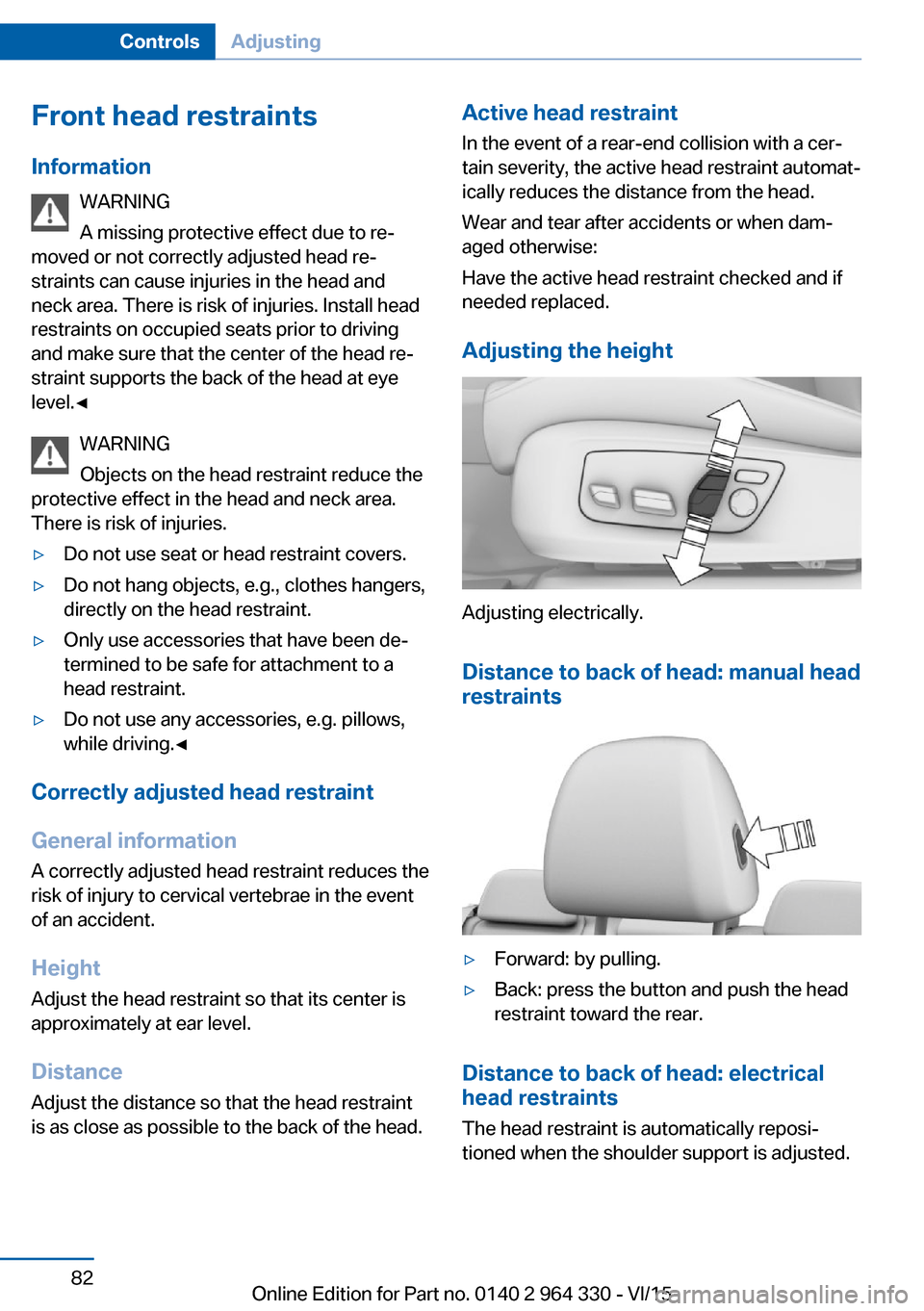
Adjusting the height
Adjusting electrically.
Distance to back of head: manual headrestraints
▷Forward: by pulling.▷Back: press the button and push the head
restraint toward the rear.
Distance to back of head: electrical
head restraints
The head restraint is automatically reposi‐
tioned when the shoulder support is adjusted.
Seite 82ControlsAdjusting82
Online Edition for Part no. 0140 2 964 330 - VI/15
Page 83 of 314
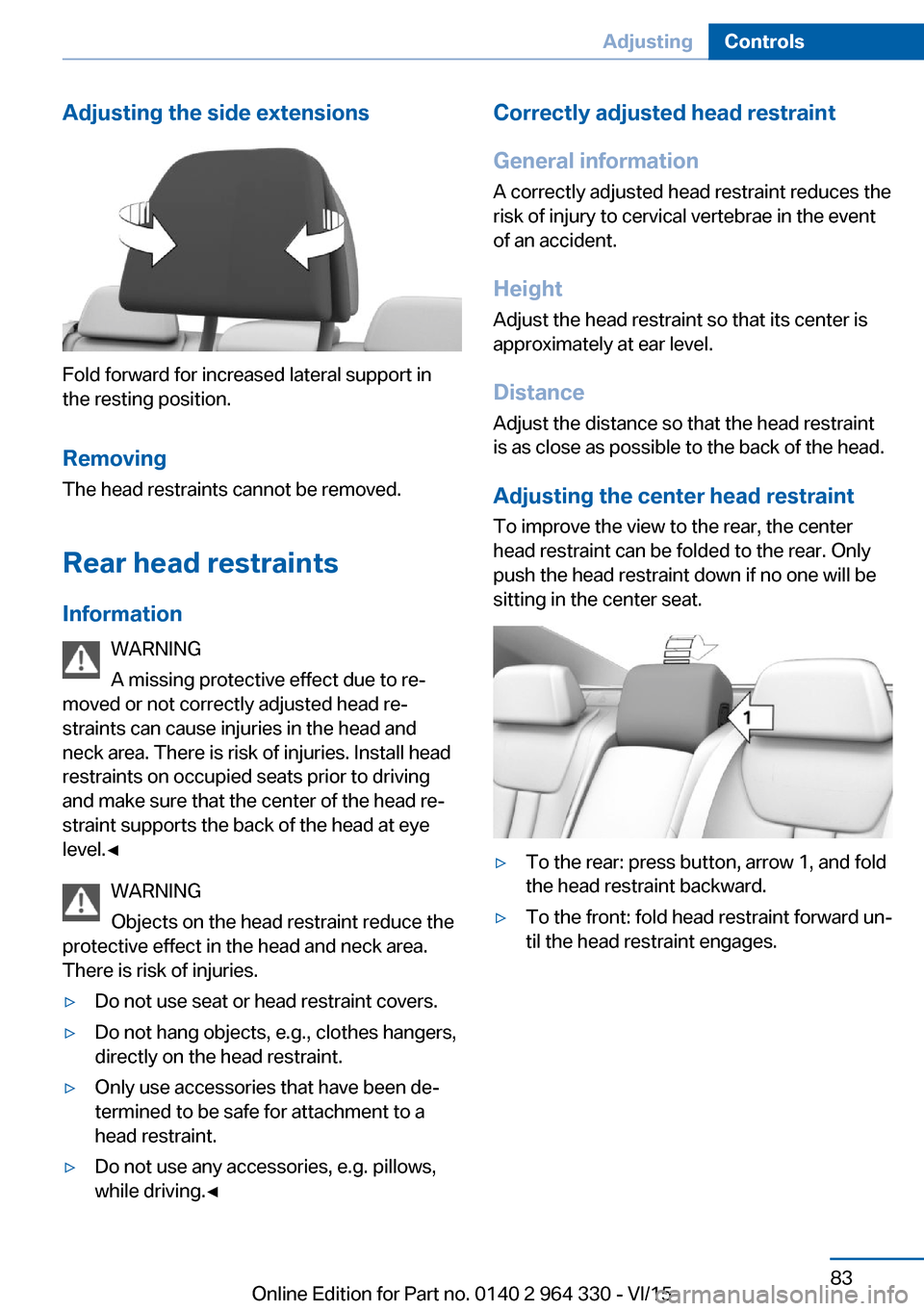
Adjusting the side extensions
Fold forward for increased lateral support in
the resting position.
Removing The head restraints cannot be removed.
Rear head restraints
Information WARNING
A missing protective effect due to re‐
moved or not correctly adjusted head re‐
straints can cause injuries in the head and
neck area. There is risk of injuries. Install head
restraints on occupied seats prior to driving
and make sure that the center of the head re‐
straint supports the back of the head at eye
level.◀
WARNING
Objects on the head restraint reduce the
protective effect in the head and neck area.
There is risk of injuries.
▷Do not use seat or head restraint covers.▷Do not hang objects, e.g., clothes hangers,
directly on the head restraint.▷Only use accessories that have been de‐
termined to be safe for attachment to a
head restraint.▷Do not use any accessories, e.g. pillows,
while driving.◀Correctly adjusted head restraint
General information
A correctly adjusted head restraint reduces the
risk of injury to cervical vertebrae in the event
of an accident.
Height Adjust the head restraint so that its center is
approximately at ear level.
Distance
Adjust the distance so that the head restraint
is as close as possible to the back of the head.
Adjusting the center head restraint To improve the view to the rear, the center
head restraint can be folded to the rear. Only
push the head restraint down if no one will be
sitting in the center seat.▷To the rear: press button, arrow 1, and fold
the head restraint backward.▷To the front: fold head restraint forward un‐
til the head restraint engages.Seite 83AdjustingControls83
Online Edition for Part no. 0140 2 964 330 - VI/15
Page 85 of 314
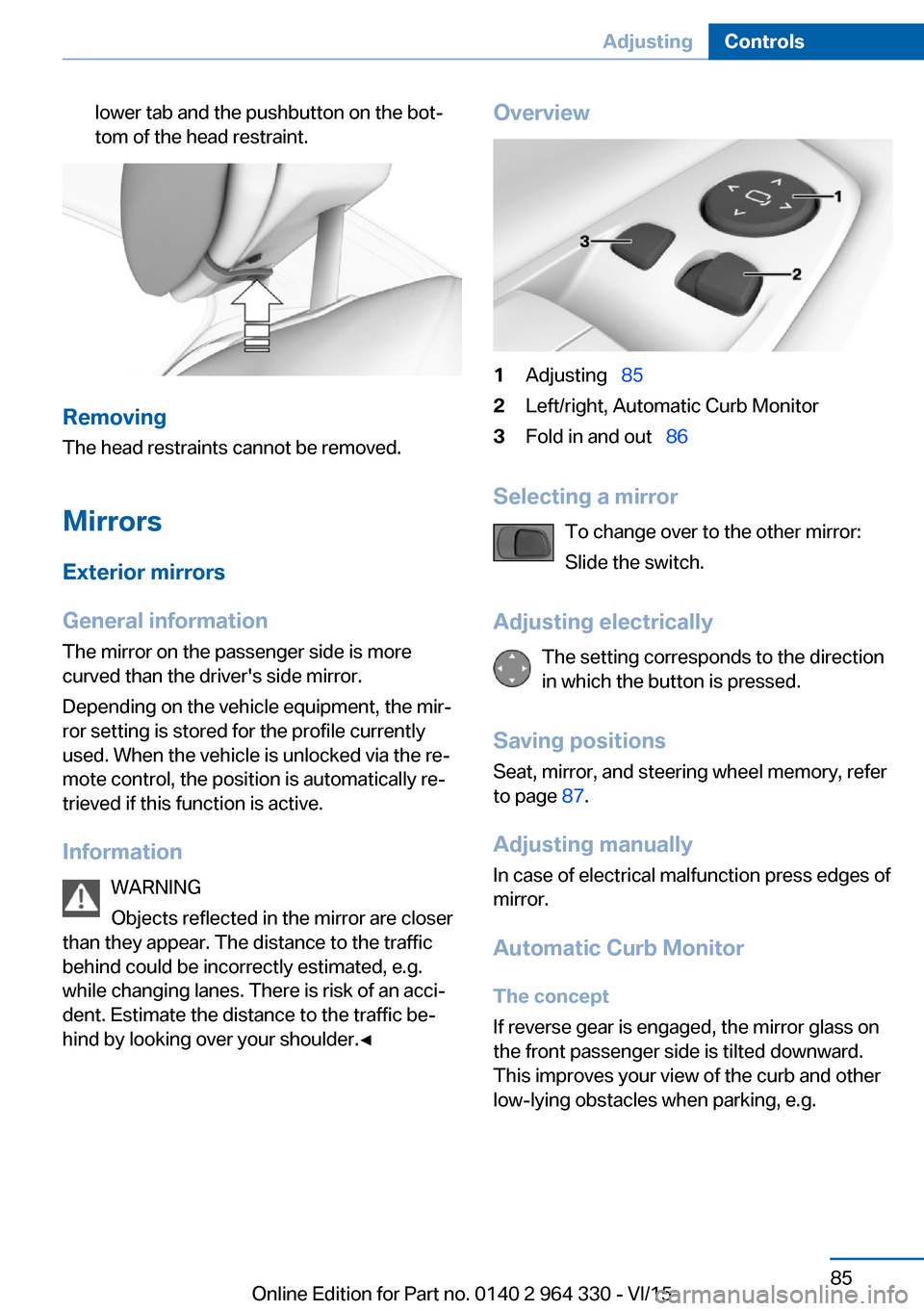
lower tab and the pushbutton on the bot‐
tom of the head restraint.
Removing
The head restraints cannot be removed.
Mirrors
Exterior mirrors
General information The mirror on the passenger side is more
curved than the driver's side mirror.
Depending on the vehicle equipment, the mir‐
ror setting is stored for the profile currently
used. When the vehicle is unlocked via the re‐
mote control, the position is automatically re‐
trieved if this function is active.
Information WARNING
Objects reflected in the mirror are closer
than they appear. The distance to the traffic
behind could be incorrectly estimated, e.g.
while changing lanes. There is risk of an acci‐
dent. Estimate the distance to the traffic be‐
hind by looking over your shoulder.◀
Overview1Adjusting 852Left/right, Automatic Curb Monitor3Fold in and out 86
Selecting a mirror
To change over to the other mirror:
Slide the switch.
Adjusting electrically The setting corresponds to the direction
in which the button is pressed.
Saving positions Seat, mirror, and steering wheel memory, refer
to page 87.
Adjusting manually
In case of electrical malfunction press edges of
mirror.
Automatic Curb Monitor
The concept
If reverse gear is engaged, the mirror glass on
the front passenger side is tilted downward.
This improves your view of the curb and other
low-lying obstacles when parking, e.g.
Seite 85AdjustingControls85
Online Edition for Part no. 0140 2 964 330 - VI/15
Page 87 of 314
Steering wheel
Information WARNING
Steering wheel adjustments while driving
can lead to unexpected steering wheel move‐
ments. Vehicle control could be lost. There is
risk of an accident. Adjust the steering wheel
while the vehicle is stationary only.◀
Power steering wheel adjustment
Adjusting
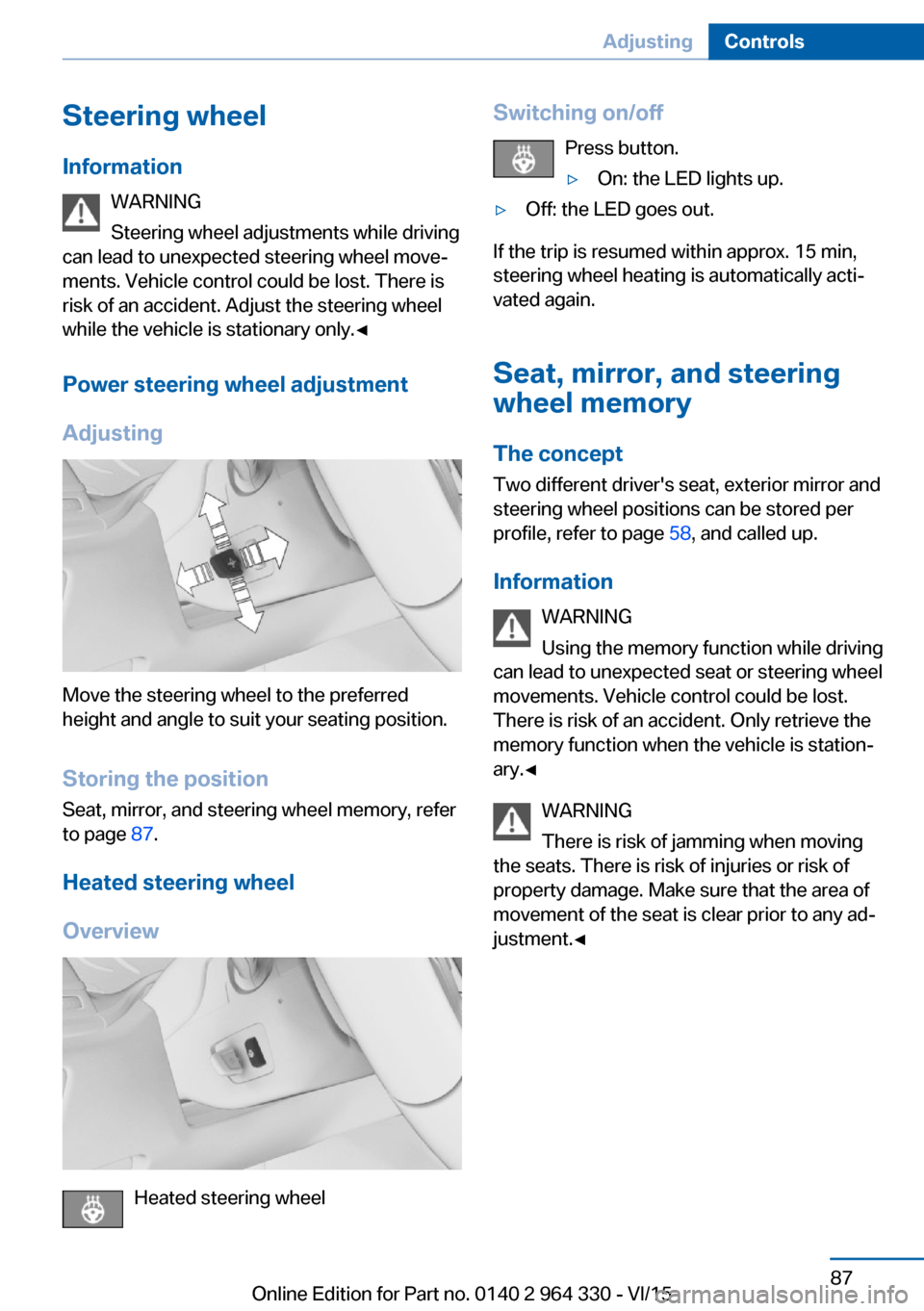
Move the steering wheel to the preferred
height and angle to suit your seating position.
Storing the position Seat, mirror, and steering wheel memory, refer
to page 87.
Heated steering wheel
Overview
Heated steering wheel
Switching on/off Press button.▷On: the LED lights up.▷Off: the LED goes out.
If the trip is resumed within approx. 15 min,
steering wheel heating is automatically acti‐
vated again.
Seat, mirror, and steering
wheel memory
The concept Two different driver's seat, exterior mirror and
steering wheel positions can be stored per
profile, refer to page 58, and called up.
Information WARNING
Using the memory function while driving
can lead to unexpected seat or steering wheel
movements. Vehicle control could be lost.
There is risk of an accident. Only retrieve the
memory function when the vehicle is station‐
ary.◀
WARNING
There is risk of jamming when moving
the seats. There is risk of injuries or risk of
property damage. Make sure that the area of
movement of the seat is clear prior to any ad‐
justment.◀
Seite 87AdjustingControls87
Online Edition for Part no. 0140 2 964 330 - VI/15
Page 88 of 314
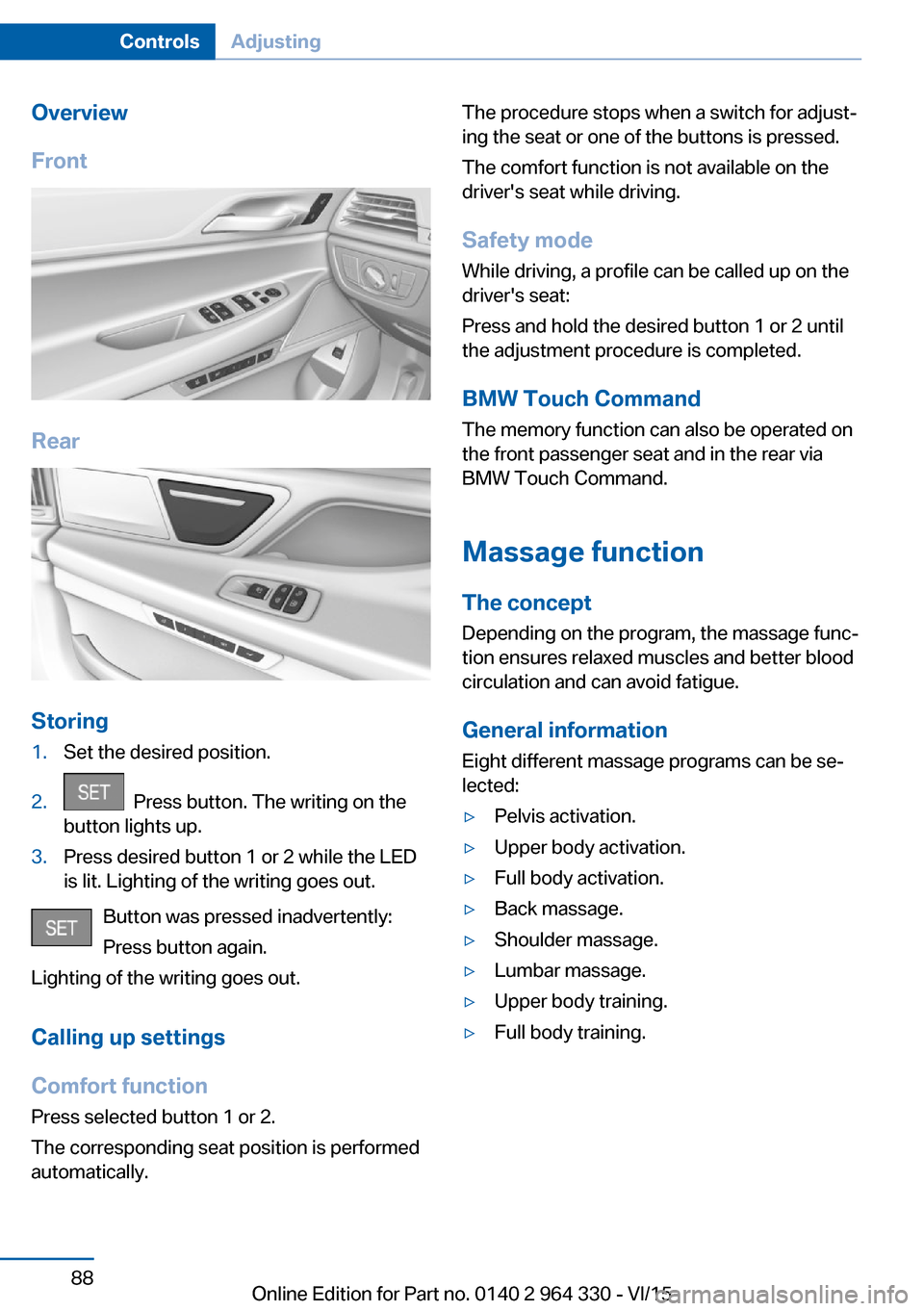
Overview
Front
Rear
Storing
1.Set the desired position.2. Press button. The writing on the
button lights up.3.Press desired button 1 or 2 while the LED
is lit. Lighting of the writing goes out.
Button was pressed inadvertently:
Press button again.
Lighting of the writing goes out.
Calling up settings
Comfort function
Press selected button 1 or 2.
The corresponding seat position is performed
automatically.
The procedure stops when a switch for adjust‐
ing the seat or one of the buttons is pressed.
The comfort function is not available on the
driver's seat while driving.
Safety mode While driving, a profile can be called up on the
driver's seat:
Press and hold the desired button 1 or 2 until
the adjustment procedure is completed.
BMW Touch Command The memory function can also be operated on
the front passenger seat and in the rear via
BMW Touch Command.
Massage function
The concept Depending on the program, the massage func‐
tion ensures relaxed muscles and better blood
circulation and can avoid fatigue.
General information
Eight different massage programs can be se‐
lected:▷Pelvis activation.▷Upper body activation.▷Full body activation.▷Back massage.▷Shoulder massage.▷Lumbar massage.▷Upper body training.▷Full body training.Seite 88ControlsAdjusting88
Online Edition for Part no. 0140 2 964 330 - VI/15
Page 89 of 314
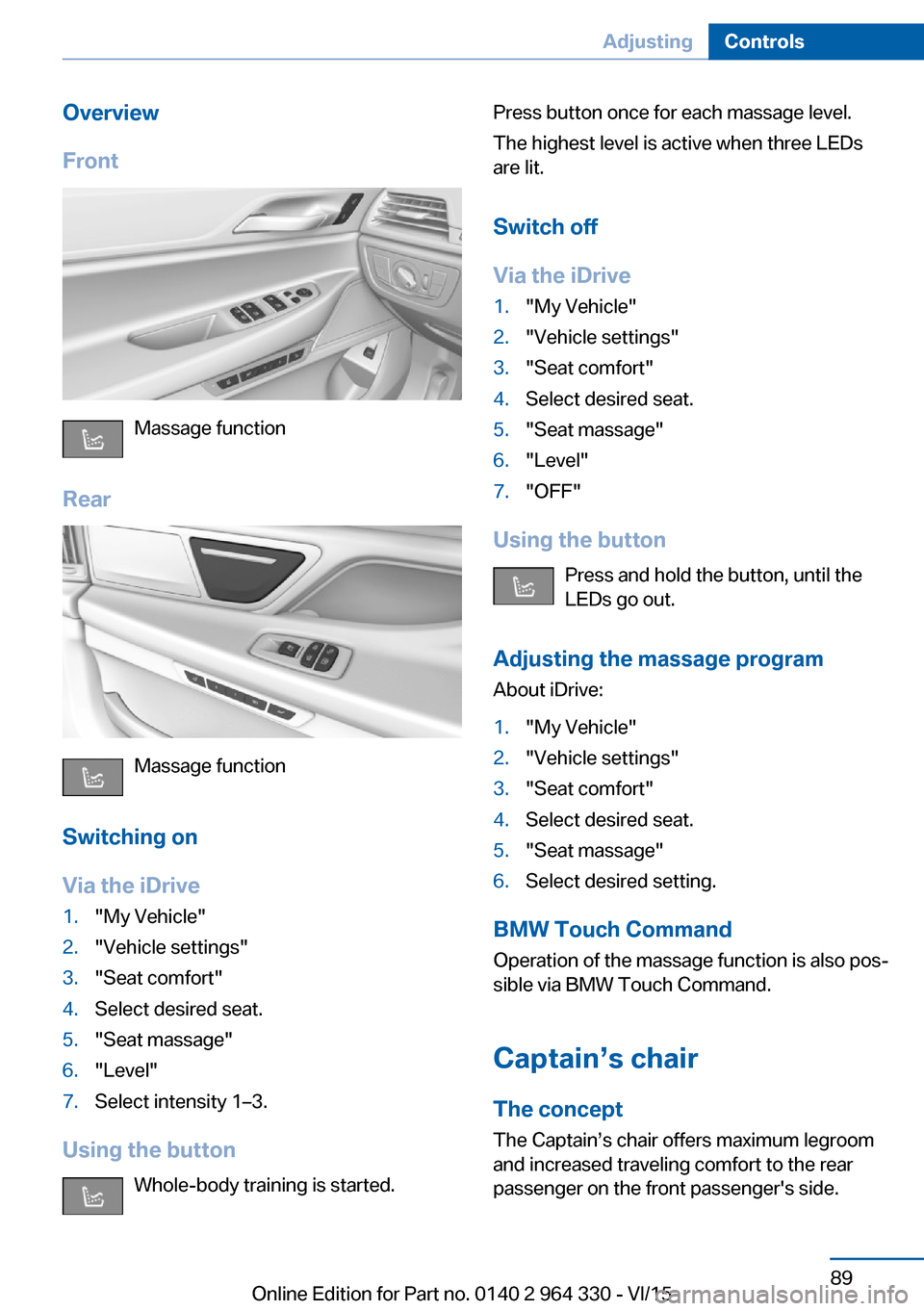
Overview
Front
Massage function
Rear
Massage function
Switching on
Via the iDrive
1."My Vehicle"2."Vehicle settings"3."Seat comfort"4.Select desired seat.5."Seat massage"6."Level"7.Select intensity 1–3.
Using the button Whole-body training is started.
Press button once for each massage level.
The highest level is active when three LEDs
are lit.
Switch off
Via the iDrive1."My Vehicle"2."Vehicle settings"3."Seat comfort"4.Select desired seat.5."Seat massage"6."Level"7."OFF"
Using the button Press and hold the button, until the
LEDs go out.
Adjusting the massage program About iDrive:
1."My Vehicle"2."Vehicle settings"3."Seat comfort"4.Select desired seat.5."Seat massage"6.Select desired setting.
BMW Touch Command
Operation of the massage function is also pos‐
sible via BMW Touch Command.
Captain’s chair
The concept The Captain’s chair offers maximum legroom
and increased traveling comfort to the rear
passenger on the front passenger's side.
Seite 89AdjustingControls89
Online Edition for Part no. 0140 2 964 330 - VI/15
Page 90 of 314
General information
The following settings are applied to the seat
automatically on system activation:▷The front passenger's seat moves forward
and adjusts the height if necessary.▷Backrest and head restraint of the front
passenger seat are inclined forward.▷The tilt of the screen in the rear is adjusted
to the rest incline of the passenger's seat.▷The head restraint on the backrest of the
front passenger seat folds out.▷The backrest of the rear seat inclines to the
rear.
The adjusted end position can be manually ad‐
justed, refer to page 78, and stored using the
Memory function, refer to page 87, if needed.
Information WARNING
If the Captain’s chair is activated, the
view on the right exterior mirror can be ob‐
structed. There is risk of an accident. Adjust
the front passenger seat such that the view on
the exterior mirror is not obstructed.◀
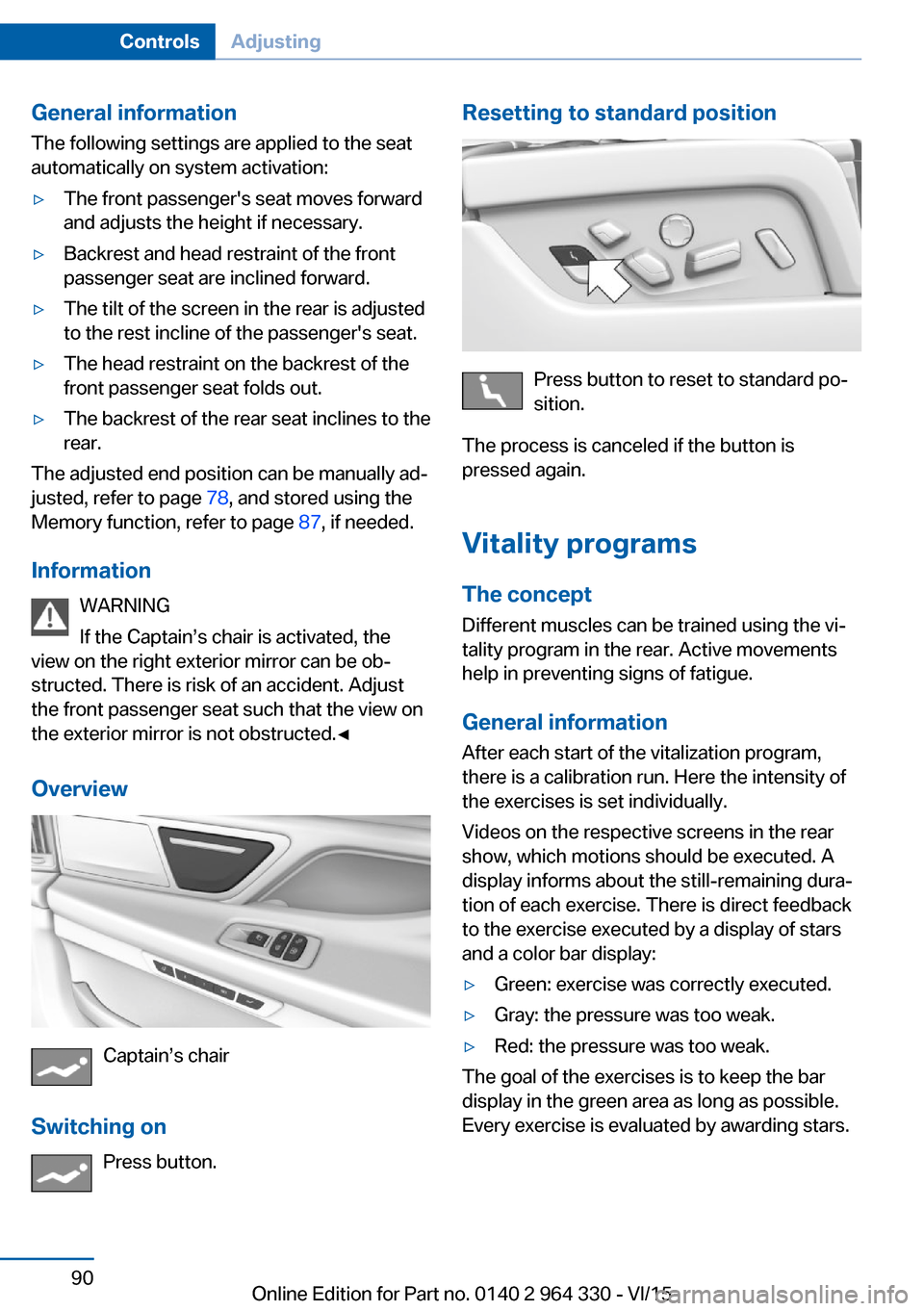
Overview
Captain’s chair
Switching on Press button.
Resetting to standard position
Press button to reset to standard po‐
sition.
The process is canceled if the button is
pressed again.
Vitality programs The concept
Different muscles can be trained using the vi‐
tality program in the rear. Active movements
help in preventing signs of fatigue.
General information After each start of the vitalization program,
there is a calibration run. Here the intensity of
the exercises is set individually.
Videos on the respective screens in the rear
show, which motions should be executed. A
display informs about the still-remaining dura‐
tion of each exercise. There is direct feedback
to the exercise executed by a display of stars
and a color bar display:
▷Green: exercise was correctly executed.▷Gray: the pressure was too weak.▷Red: the pressure was too weak.
The goal of the exercises is to keep the bar
display in the green area as long as possible.
Every exercise is evaluated by awarding stars.
Seite 90ControlsAdjusting90
Online Edition for Part no. 0140 2 964 330 - VI/15