Glass BMW 7 SERIES 2016 G11 Owner's Guide
[x] Cancel search | Manufacturer: BMW, Model Year: 2016, Model line: 7 SERIES, Model: BMW 7 SERIES 2016 G11Pages: 314, PDF Size: 7.9 MB
Page 285 of 314
Check Control messages of these comfort fea‐
tures are no longer displayed.
Charging the battery
General information
Make sure that the battery is always suffi‐
ciently charged to guarantee that the battery
remains usable for its full service life.
The battery may need to be charged in the fol‐
lowing cases:▷When making frequent short-distance
drives.▷If the vehicle is not used for prolonged pe‐
riods, longer than a month.
Information
CAUTION
Battery chargers for the vehicle battery
can work with high voltages and currents,
which means that the 12V on-board network
can be overloaded or damaged. There is risk of
property damage. Only connect battery charg‐
ers for the vehicle battery to the starting aid
terminals in the engine compartment.◀
Starting aid terminals
In the vehicle, only charge the battery via the
starting aid terminals, refer to page 288, in the
engine compartment with the engine off.
Power failure
After a temporary power loss, some equipment
needs to be newly initialized or individual set‐
tings updated, e. g.:
▷Seat, mirror, and steering wheel memory:
store the positions again.▷Time: update.▷Date: update.▷Glass sunroof: initialize the system, refer to
page 75.Disposing of old batteries
Have old batteries disposed of by a
dealer’s service center or another
qualified service center or repair shop
or take them to a collection point.
Maintain the battery in an upright position for
transport and storage. Secure the battery so
that it does not tip over during transport.
Fuses Information WARNING
Incorrect and repaired fuses can overload
electrical lines and components. There is risk
of fire. Never attempt to repair a blown fuse
and do not replace a nonworking fuse with a
substitute of another color or amperage rat‐
ing.◀
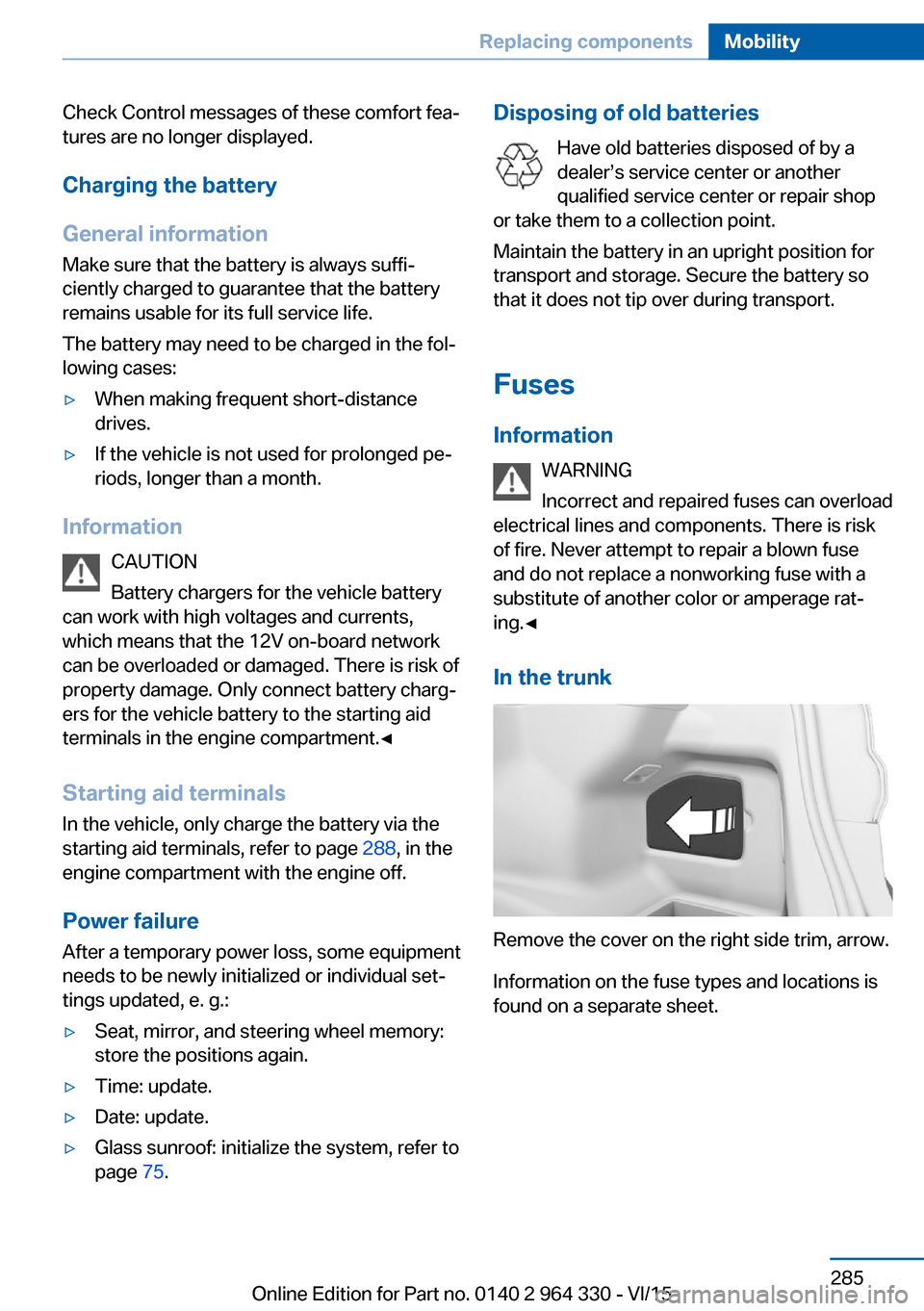
In the trunk
Remove the cover on the right side trim, arrow.
Information on the fuse types and locations is
found on a separate sheet.
Seite 285Replacing componentsMobility285
Online Edition for Part no. 0140 2 964 330 - VI/15
Page 291 of 314
CareVehicle features and optionsThis chapter describes all standard, country-
specific and optional features offered with the
series. It also describes features that are not
necessarily available in your car, e. g., due to
the selected options or country versions. This
also applies to safety-related functions and
systems. The respectively applicable country
provisions must be observed when using the
respective features and systems.
Car washes General information
Regularly remove foreign objects such as
leaves in the area below the windshield when
the hood is raised.
Wash your vehicle frequently, particularly in
winter. Intense soiling and road salt can dam‐
age the vehicle.
Steam blaster and high-pressure
washer
Information CAUTION
When cleaning with high-pressure wash‐
ers, components can be damaged due to the
pressure or temperatures being too high.
There is risk of property damage. Maintain suf‐
ficient distance and do not spray too long con‐
tinuously. Follow the user's manual for the
high-pressure washer.◀
Distances and temperature▷Maximum temperature: 140 ℉/60 ℃.▷Minimum distance from sensors, cameras,
seals: 12 in/30 cm.▷Minimum distance from glass sunroof:
31.5 inches/80 cm.
Automatic car washes
Information Note the following:
▷Give preference to cloth car washes or
those that use soft brushes in order to
avoid paint damage.▷Make sure that the wheels and tires are not
damaged by the transport mechanisms.▷Fold in the exterior mirrors; otherwise, they
may be damaged, depending on the width
of the vehicle.▷Deactivate the rain sensor, refer to
page 104, to avoid unintentional wiper acti‐
vation.▷In some cases, an unintentional alarm can
be triggered by the interior motion sensor
of the alarm system. Follow the instruc‐
tions on avoiding an unintentional alarm,
refer to page 70.
CAUTION
Too high guide rails in car washes can
damage body parts. There is risk of property
damage. Avoid car washes with guide rails
higher than 4 in/10 cm.◀
Before driving into a car wash In order to ensure that the vehicle can roll in a
car wash, take the following steps:
1.Drive into the car wash.2.Engage selector lever position N.3.Deactivating Automatic Hold, refer to
page 102.4.Release the parking brake.5.Switch off drive readiness.Seite 291CareMobility291
Online Edition for Part no. 0140 2 964 330 - VI/15
Page 294 of 314
WARNING
Chemical cleansers can destroy the
safety belt webbing. Missing protective effect
of the safety belts. There is risk of injuries or
danger to life. Use only a mild soapy solution
for cleaning the safety belts.◀
Use only a mild soapy solution, with the safety
belts clipped into their buckles.
Do not allow the switchs to retract the safety
belts until they are dry.
Carpets and floor mats WARNING
Objects in the driver's floor area can limit
the pedal distance or block a depressed pedal.
There is risk of an accident. Stow objects in
the vehicle such that they are secured and
cannot enter into the driver's floor area. Use
floor mats that are suitable for the vehicle and
can be safely attached to the floor. Do not use
loose floor mats and do not layer several floor
mats. Make sure that there is sufficient clear‐
ance for the pedals. Ensure that the floor mats
are securely fastened again after they were re‐
moved, e.g. for cleaning.◀
Floor mats can be removed from the car's inte‐
rior for cleaning.
If the floor carpets are very dirty, clean with a
microfiber cloth and water or a textile cleaner.
To prevent matting of the carpet, rub back and
forth in the direction of travel only.
Sensor/camera lenses
To clean sensors and camera lenses, use a
cloth moistened with a small amount of glass
detergent.Displays/screens/protective glass of
the Head-up Display
CAUTION
Chemical cleansers, moisture or fluids of
any kind can damage the surface of displays
and screens. There is risk of property damage.
Clean with a clean, antistatic microfiber cloth.◀
CAUTION
The surface of displays can be damaged
with improper cleaning. There is risk of prop‐
erty damage. Avoid pressure that is too high
and do not use any scratching materials.◀
Clean with a clean, antistatic microfiber cloth.
Clean the protective glass of the Head-up Dis‐
play, refer to page 126, using a microfiber cloth
and commercially available dish-washing soap.
Long-term
When the vehicle is shut down for longer than
three months, special measures must be
taken. Further information is available from a
dealer’s service center or another qualified
service center or repair shop.Seite 294MobilityCare294
Online Edition for Part no. 0140 2 964 330 - VI/15
Page 306 of 314
Fragrance, see Ambient airpackage 211
Fragrancing, see Ambient air package 211
Front airbags 136
Front center armrest 227
Front cupholder 228
Front fog lights 132
Front passenger seat, adjust‐ ing 78
Front-seat passenger airbags, automatic deactivation 138
Front-seat passenger airbags, indicator lamp 138
Front seats 76
FTM Flat Tire Monitor 268
Fuel 252
Fuel consumption, see Aver‐ age fuel consumption 124
Fuel filler flap 250
Fuel gauge 118
Fuel lid 250
Fuel quality 252
Fuel recommendation 252
Fuel, tank capacity 300
Fuse 285
G
Garage door opener, see Uni‐ versal Integrated Remote
Control 215
Gasoline 252
Gear change, Steptronic transmission 106
Gear shift indicator 120
General driving notes 234
General settings 38
Gentleman function 78
Gesture 30
Gesture control 30
Gesture operation 30
Glare shield 217
Glass sunroof, powered 73
Glove compartment 225 Gross vehicle weight, ap‐
proved 299
H
Handbrake, see Parking brake 100
Hand-held transmitter, alter‐ nating code 216
Hand movement 30
Hazard warning flashers 286
HDC Hill Descent Con‐ trol 165
Head airbags 136
Headlight control, auto‐ matic 130
Headlight courtesy delay fea‐ ture 130
Headlight courtesy delay fea‐ ture via remote control 61
Headlight flasher 103
Headlight glass 282
Headlights, care 292
Head restraint pillows 84
Head restraints 76
Head restraints, front 82
Head restraints, rear 83
Head-up Display 126
Head-up Display, care 294
Heating, see Parked-car heat‐ ing 209
Heavy cargo, stowing 238
High-beam Assistant 132
High beams 103
High beams/low beams, see High-beam Assistant 132
Hill Descent Control HDC 165
Hills 236
Hill start assistant, see Drive- off assistant 163
Holder for beverages 228
Homepage 6
Hood 272
Horn 14
Hotel function, trunk lid 65 Hot exhaust system 235
HUD Head-up Display 126
Hydroplaning 235
I iBrake — Post Crash 161
Ice warning, see External temperature warning 118
Icy roads, see External tem‐ perature warning 118
Identification marks, tires 256
Identification number, see ve‐ hicle identification num‐
ber 10
Idle state, operating and drive readiness 19
iDrive 21
Ignition key, see Remote con‐ trol 54
Indication of a flat tire 266 , 269
Indicator and alarm lamps, see Check Control 114
Indicator lamp, see Check Control 114
Individual air distribution 205
Individual settings, see pro‐ files 58
Inflation pressure, tires 254
Inflation pressure warning FTM, tires 268
Information 6
Initialize, Tire Pressure Moni‐ tor TPM 265
Initializing, Flat Tire Monitor FTM 269
Instrument cluster 113
Instrument lighting 133
Integral Active Steering 166
Integrated key 54
Integrated Owner's Manual in the vehicle 49
Intelligent Emergency Re‐ quest 286
Intelligent Safety 139 Seite 306ReferenceEverything from A to Z306
Online Edition for Part no. 0140 2 964 330 - VI/15
Page 308 of 314
Moisture in headlight 282
Monitor, see Control Dis‐ play 21
Mounting of child restraint systems 94
Moving sun visor 217
Multifunction steering wheel, buttons 14
Multimedia 6
N
Navigation 6
Near-field communication 42
Neck restraints, front, see Head restraints 82
Neck restraints, rear, see Head restraints 83
Neutral cleaner, see wheel cleaner 293
New wheels and tires 258
NFC, see near-field commu‐ nication 42
Night Vision 147
Night Vision device, see Night Vision 147
Nylon rope for tow-starting/ towing 289
O OBD Onboard Diagnosis 280
OBD, see OBD Onboard Di‐ agnosis 280
Object detection, see Night Vision 147
Octane rating, see Recom‐ mended fuel grade 252
Odometer 123
Oil 273
Oil, adding 274
Oil additives 275
Oil change 275
Oil change interval, service requirements 119
Oil filler neck 274 Oil types, alternative 275
Oil types, suitable 275
Old batteries, disposal 285
Onboard computer, Control Display 125
On-board computer, instru‐ ment cluster 122
Onboard monitor, see Control Display 21
Onboard vehicle tool kit 281
Opening and closing 54
Opening the trunk lid with no- touch activation 66
Opening via door lock 62
Opening without remote con‐ trol 62
Opening with remote control, closing with remote control,
unlocking with remote con‐
trol 60
Operating concept, iDrive 21
Operating readiness 19
Operating via iDrive 22
Operating with the control‐ ler 22
Operation via touchscreen 25
Optional equipment, standard equipment 7
Outside air, see AUC 205
Overheating of engine, see Coolant temperature 118
Own Safety 7
P Paint, vehicle 292
Pairing device 41
Pairing mobile phone 41
Pairing smartphone 41
Pairing telephone 41
Panorama View, see Sur‐ round View 187
Panoramic glass sunroof 73
Parallel parking assistant 193
Park Distance Control PDC 180 Parked vehicle, condensa‐
tion 236
Parking aid, see PDC 180
Parking assistant 193
Parking brake 100
Parking lights 129
Parking with Automatic Hold 100
Parts and accessories 7
Passenger side mirror, tilting downward 85
PDC Park Distance Con‐ trol 180
Pedestrian detection, see Night Vision 147
Pedestrian warning with City braking function 144
Personal profile, see pro‐ files 58
Pillows 84
Pinch protection system, glass sunroof 75
Pinch protection system, win‐ dows 71
Plastic, care 293
Post Crash — iBrake 161
Power failure 285
Power sunroof, glass 73
Power windows 70
Prescribed engine oil types 275
Pressure, tire air pres‐ sure 254
Pressure warning FTM, tires 268
Profiles 58
Profiles, see profiles 58
Programmable memory but‐ tons, iDrive 28
Protective function, glass sunroof 75
Protective function, win‐ dows 71
Push-and-turn switch, see Controller 22 Seite 308ReferenceEverything from A to Z308
Online Edition for Part no. 0140 2 964 330 - VI/15
Page 310 of 314
SET button, see ActiveCruise Control, ACC 168
SET button, see Cruise con‐ trol 175
Settings, locking/unlock‐ ing 67
Settings on the Control Dis‐ play 38
Settings, storing for seat, mir‐ rors, steering wheel 87
Shift paddles on the steering wheel 106
Shoulder support front 77
Shoulder support rear 79
Side airbag 136
Side collision warning 156
Signaling, horn 14
Signals when unlocking 68
Sitting safely 76
Size 298
Ski and snowboard bag 224
Slide/tilt glass roof 73
Smoker's package 217
Snow chains 264
Socket, OBD Onboard Diag‐ nostics 280
Sockets, see Connecting electrical devices 220
Software update 46
SOS button 286
Spare fuse 285
Spare tire, see Emergency wheel 282
Speed, average 124
Speed limiter, display 120
Speed Limit Information 120
Speed warning 125
Split screen 27
Sport displays, torque dis‐ play, performance dis‐
play 125
SPORT drive mode, see Driv‐ ing Dynamics Control 110
SPORT INDIVIDUAL drive mode, see Driving Dynamics
Control 110 SPORT INDIVIDUAL, see
Driving Dynamics Con‐
trol 110
Sport program, Steptronic transmission 106
SPORT, see Driving Dynam‐ ics Control 110
Stability control systems 163
Start/stop, automatic func‐ tion 98
Start/Stop button 97
Start function during malfunc‐ tion 55
Starting, see drive readi‐ ness 97
Starting the engine, see drive readiness 97
Status control display, tires 265
Status information, iDrive 27
Status of Owner's Manual 7
Status, vehicle 126
Steering and lane guidance assistant including Traffic
Jam Assist 177
Steering, Integral Active Steering 166
Steering wheel, adjusting 87
Steering wheel heating 87
Steering wheel memory 87
Steptronic Sport transmis‐ sion, see Steptronic trans‐
mission 106
Steptronic transmission 106
Stopping the engine, see drive readiness 97
Storage compartment on the center console 226
Storage compartments 225
Storage compartments, loca‐ tions 225
Storage, tires 260
Storing the vehicle 294
Suitable engine oil types 275
Summer tires, tread 258
Sun visor 217 Supplementary text mes‐
sage 117
Surround View 187
Suspension settings 110
Switch for Dynamic Driving Control 110
Switch, see Cockpit 14
Symbols 6
Symbols in the status field 27
SYNC program, automatic cli‐ mate control 206
T Table 223
Tablet 36
Tachometer 118
Technical changes, see Own Safety 7
Technical data 298
Telephone 6
Temperature, automatic cli‐ mate control 204
Temperature display for ex‐ ternal temperature 118
Temperature, engine oil 118
Tempomat, see Active Cruise Control 168
Terminal, starting aid 288
Text message, supplemen‐ tary 117
Theft alarm system, see Alarm system 69
Thermal camera, see Night Vision 147
Through-loading system 222
Tilt alarm sensor 70
Time of arrival 124
Tire damage 258
Tire identification marks 256
Tire inflation pressure 254
Tire inflation pressure moni‐ tor, see FTM 268
Tire Pressure Monitor TPM 264
Tires, changing 258 Seite 310ReferenceEverything from A to Z310
Online Edition for Part no. 0140 2 964 330 - VI/15