Start BMW 7 SERIES 2016 G11 Service Manual
[x] Cancel search | Manufacturer: BMW, Model Year: 2016, Model line: 7 SERIES, Model: BMW 7 SERIES 2016 G11Pages: 314, PDF Size: 7.9 MB
Page 200 of 314
Driving comfortVehicle features and options
This chapter describes all standard, country-
specific and optional features offered with the
series. It also describes features that are not
necessarily available in your car, e. g., due to
the selected options or country versions. This
also applies to safety-related functions and
systems. The respectively applicable country
provisions must be observed when using the
respective features and systems.
Air suspension The conceptAir suspension ensures best possible driving
comfort under all load conditions. Due to a var‐
iable adjustment of the front and rear axles, the
damping is adjusted to the vehicle condition.
General information In the case of an uneven road surface, the ve‐
hicle level can be elevated to increase ground
clearance.▷Normal level, for normal road surface.▷Raised level, when the road surface is poor.
In the SPORT driving mode, refer to page 110,
or at higher speeds, the vehicle lowers itself.
Information WARNING
With lowering the vehicle, body parts can
be jammed. There is risk of injuries. When low‐
ering the vehicle, make sure that the areas of
movement under the vehicle and under the
wheel housing are free.◀
Overview
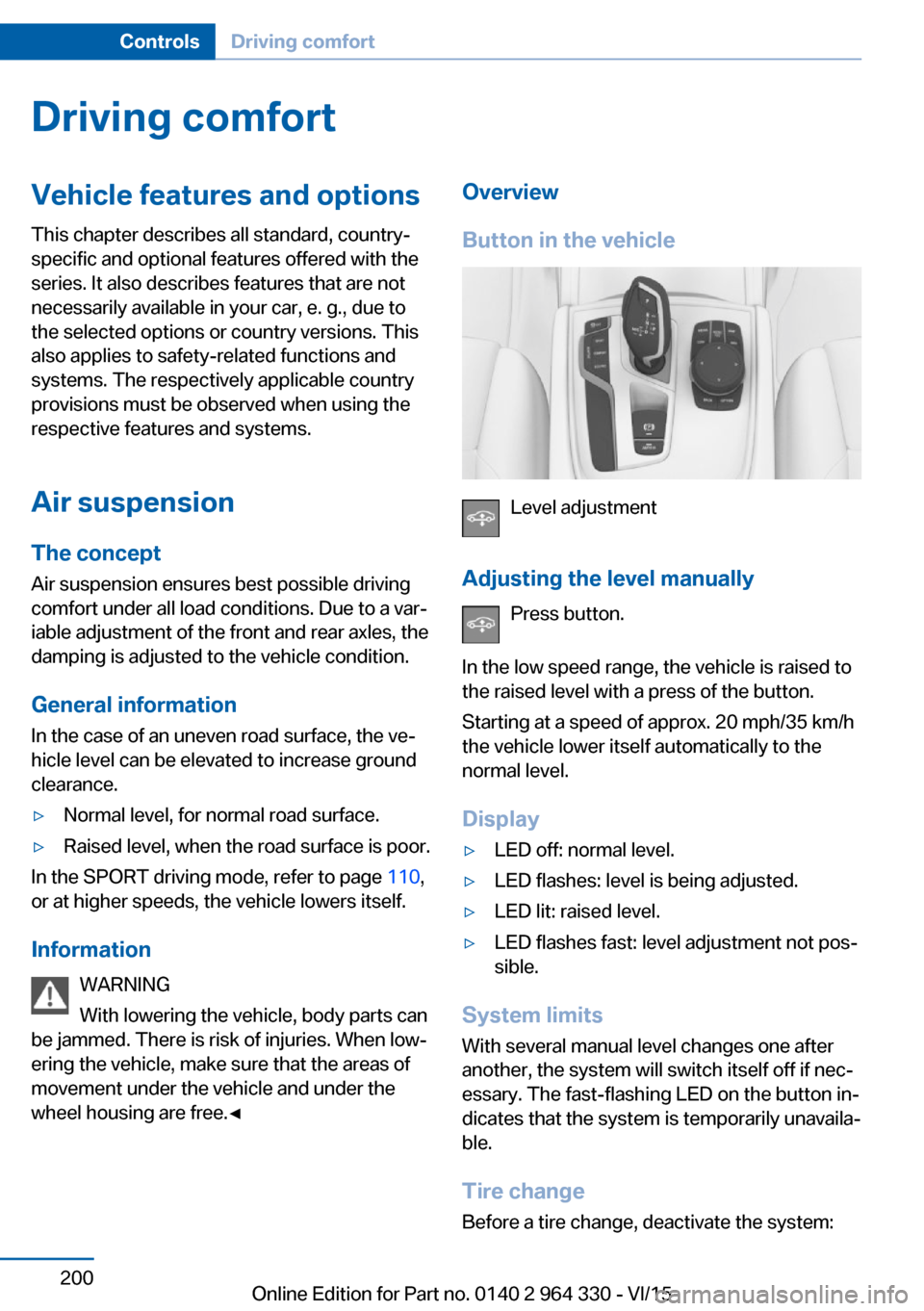
Button in the vehicle
Level adjustment
Adjusting the level manually Press button.
In the low speed range, the vehicle is raised to
the raised level with a press of the button.
Starting at a speed of approx. 20 mph/35 km/h
the vehicle lower itself automatically to the
normal level.
Display
▷LED off: normal level.▷LED flashes: level is being adjusted.▷LED lit: raised level.▷LED flashes fast: level adjustment not pos‐
sible.
System limits
With several manual level changes one after
another, the system will switch itself off if nec‐
essary. The fast-flashing LED on the button in‐
dicates that the system is temporarily unavaila‐
ble.
Tire change Before a tire change, deactivate the system:
Seite 200ControlsDriving comfort200
Online Edition for Part no. 0140 2 964 330 - VI/15
Page 202 of 314
Overview
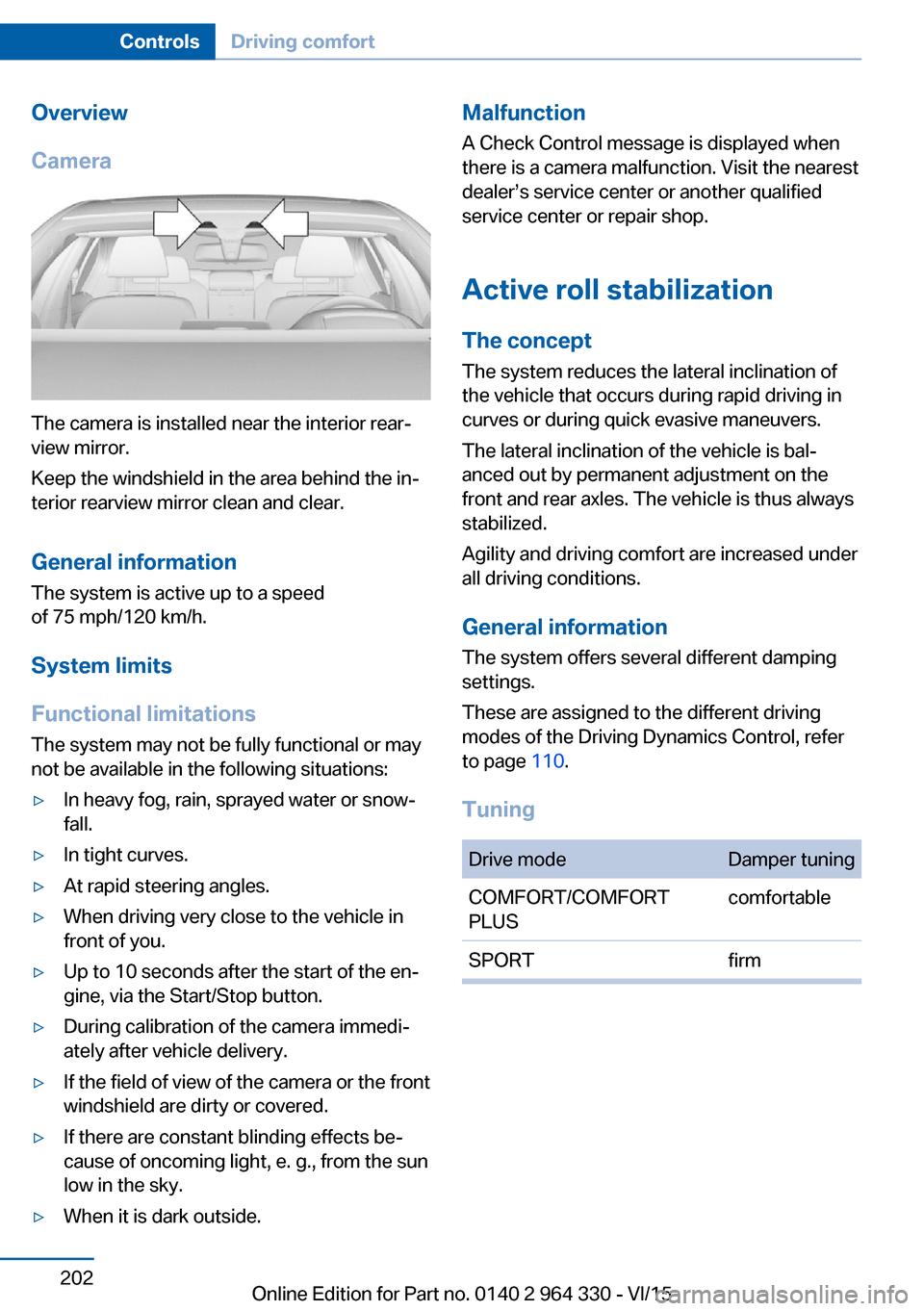
Camera
The camera is installed near the interior rear‐
view mirror.
Keep the windshield in the area behind the in‐
terior rearview mirror clean and clear.
General information
The system is active up to a speed
of 75 mph/120 km/h.
System limits
Functional limitations The system may not be fully functional or may
not be available in the following situations:
▷In heavy fog, rain, sprayed water or snow‐
fall.▷In tight curves.▷At rapid steering angles.▷When driving very close to the vehicle in
front of you.▷Up to 10 seconds after the start of the en‐
gine, via the Start/Stop button.▷During calibration of the camera immedi‐
ately after vehicle delivery.▷If the field of view of the camera or the front
windshield are dirty or covered.▷If there are constant blinding effects be‐
cause of oncoming light, e. g., from the sun
low in the sky.▷When it is dark outside.Malfunction
A Check Control message is displayed when
there is a camera malfunction. Visit the nearest
dealer’s service center or another qualified
service center or repair shop.
Active roll stabilization
The concept The system reduces the lateral inclination of
the vehicle that occurs during rapid driving in
curves or during quick evasive maneuvers.
The lateral inclination of the vehicle is bal‐
anced out by permanent adjustment on the
front and rear axles. The vehicle is thus always
stabilized.
Agility and driving comfort are increased under
all driving conditions.
General information
The system offers several different damping
settings.
These are assigned to the different driving
modes of the Driving Dynamics Control, refer
to page 110.
TuningDrive modeDamper tuningCOMFORT/COMFORT
PLUScomfortableSPORTfirmSeite 202ControlsDriving comfort202
Online Edition for Part no. 0140 2 964 330 - VI/15
Page 204 of 314
Press and hold the left button on
the driver's side until the control
clicks off.▷On the front passenger side:
Press and hold the left button on
the front passenger side.
Temperature
Turn the ring to set the desired
temperature.
The automatic climate control achieves this
temperature as quickly as possible, if needed
by using the maximum cooling or heating ca‐
pacity, and then keeps it constant.
Do not rapidly switch between different tem‐
perature settings. Otherwise, the automatic cli‐
mate control will not have sufficient time to ad‐
just the set temperature.
Information
Symbol is displayed permanently on the
display of the automatic climate control.
Cooling function The car's interior can only be cooled with the
engine running.
Press button. The LED lights up.
The air will be cooled and dehumidi‐
fied and, depending on the temperature set‐
ting, warmed again.
Depending on the weather, the windshield and
side windows may fog up briefly when the en‐
gine is started.
The cooling function is switched on automati‐
cally with the AUTO program.
When using the automatic climate control,
condensation water, refer to page 236, devel‐
ops that exits underneath the vehicle.
Maximum cooling
Press button.
The system is set to the lowest tem‐
perature, optimum air flow and air circulation
mode.
Air flows out of the vents to the upper body re‐
gion. The vents need to be open for this.
The function is available with external temper‐
atures beyond approx. 32 ℉/0 ℃ and with the
engine running.
Adjust air flow on the driver's side with the pro‐
gram active.
AUTO program Press button.
Air flow, air distribution and tempera‐
ture are controlled automatically.
Depending on the selected temperature,
AUTO intensity program and outside influen‐
ces, the air is directed to the windshield, side
windows, upper body, and into the footwell.
The cooling function, refer to page 204, is
switched on automatically with the AUTO pro‐
gram.
At the same time, a condensation sensor con‐
trols the program so as to prevent window
condensation as much as possible.
To switch off the program: press the button
again or manually adjust the air distribution.
Intensity of the AUTO program
With the AUTO program activated, the auto‐
matic intensity control can be changed.
Press the left or right side of the but‐
ton: decrease or increase the inten‐
sity.
The selected intensity is shown on the display
of the automatic climate control.Seite 204ControlsClimate control204
Online Edition for Part no. 0140 2 964 330 - VI/15
Page 210 of 314
tion. Do not switch on parked-car heating in
enclosed areas.◀
WARNING
During parked-car heating operation,
high temperatures can occur underneath the
body, e.g. caused by the exhaust gas system. If
combustible materials, such as leaves or grass,
come in contact with hot parts of the exhaust
gas system, these materials can ignite. There
is risk of fire. Make sure that no combustible
materials can come in contact with hot vehicle
parts during parked-car heating operation.◀
At external temperatures below 32 ℉/0 ℃, wa‐
ter vapor occurs that emerges from below the
vehicle.
Functional requirements▷The vehicle is in the idle or operating readi‐
ness state.▷Battery is sufficiently charged.▷Parked-car heating: the fuel tank is filled to
above the reserve range.
Open the vents to allow air to flow out.
Switching on/off directly
There are different ways to switch the system
on or off.
It switches of automatically after some time.
The system continues to run for some time af‐
ter being switched off.
Via the automatic climate controlbutton
When the vehicle is in standby state, parked-
car ventilation can be switched on or off via the
automatic climate control buttons.
Press any button except:
▷Rear window defroster.▷Left side of Air volume button.▷Seat heating.▷Seat ventilation.▷SYNC program.
Via the iDrive
Parked-car ventilation can be switched on or
off via iDrive.
1."My Vehicle"2."Vehicle settings"3."Climate functions"4."Comfort ventilation" or "Comfort heating/
ventilation"5."Activate now"
symbol on the automatic climate control
signals to switched on system.
Via BMW display key Parked-car ventilation and parked-car heating
can be switched on or off via the BMW display
key.
Switching on directly
1.Switch on the display of the BMW display
key.2."Climate control setting"3. , Tap symbol.4."Activate now"5."Start"
Switching off directly
1.Switch on the display of the BMW display
key.2."Climate control setting"3. , Tap symbol.4."Stop"
Departure time
Different departure times can be adjusted to
ensure a comfortable interior temperature in
the vehicle at the time of departure.
▷One-time departure time: the time can be
set.Seite 210ControlsClimate control210
Online Edition for Part no. 0140 2 964 330 - VI/15
Page 216 of 314
gramming of the buttons on the interior
rearview mirror.3.Press the interior mirror button to be pro‐
grammed. The LED flashes orange.4.Hold the hand-held transmitter for the sys‐
tem to be controlled approx. 1 to 3 in/2.5 to
8 cm away from the buttons of the interior
mirror. The required distance depends on
the manual transmitter.5.Press and hold the button of the desired
function on the hand-held transmitter. The
LED on the interior mirror will begin flash‐
ing slowly orange.6.As soon as the LED flashes green more
rapidly or lights up continuously, release
the button. Green light indicates that the
button on the interior mirror was program‐
med. Faster green flashing indicates that it
is a change-code wireless system.
If the LED does not flash faster after at
least 60 seconds, change the distance be‐
tween the interior rearview mirror and the
hand-held transmitter and repeat the step.
Several more attempts at different distan‐
ces may be necessary. Wait at least
15 seconds between attempts.
Canada: if programming with the hand-
held transmitter was interrupted, hold
down the interior rearview mirror button
and repeatedly press and release the
hand-held transmitter button for 2 sec‐
onds.7.To program other functions on other but‐
tons, repeat steps 3 to 5.
The systems can be controlled using the inte‐
rior rearview mirror buttons.
Special feature of the alternating-
code wireless system
If you are unable to operate the system after
repeated programming, please check if the
system to be controlled features an alternat‐
ing-code system.
Read the system's operating manual, or press
the programmed button on the interior rear‐
view mirror longer. If the LED on the interior
rearview mirror starts flashing rapidly and then
stays lit constantly for 2 seconds, the system
features an alternating-code system. Flashing
and continuous illumination of the LED will re‐
peat for approximately 20 seconds.
For systems with an alternating-code system,
the universal garage door opener and the sys‐
tem also have to be synchronized.
Please read the operating manual to find out how to synchronize the system.
Synchronizing is easier with the aid of a sec‐
ond person.
To synchronize:1.Park the vehicle within range of the re‐
mote-controlled system.2.Program the relevant button on the interior
rearview mirror as described.3.Locate and press the synchronizing button
on the system being programmed. You
have approx. 30 seconds for the next step.4.Hold down the programmed button on the
interior rearview mirror for approximately
3 seconds and then release it. If necessary,
repeat this step up to three times in order
to finish synchronization. Once synchroni‐
zation is complete, the programmed func‐
tion will be carried out.
Reprogramming individual buttons
1.Turn on operations.2.Press the interior mirror button to be pro‐
grammed.3.As soon as the interior mirror LED starts
flashing slowly, hold the hand-held trans‐
mitter for the system to be controlled ap‐
prox. 1 to 3 in/2.5 to 8 cm away from the
buttons of the interior mirror. The required
distance depends on the manual transmit‐
ter.Seite 216ControlsInterior equipment216
Online Edition for Part no. 0140 2 964 330 - VI/15
Page 219 of 314
CAUTION
If metal objects fall into the socket, they
can cause a short circuit. There is risk of prop‐
erty damage. Replace the cigarette lighter or
socket cover again after using the socket.◀
Front center console
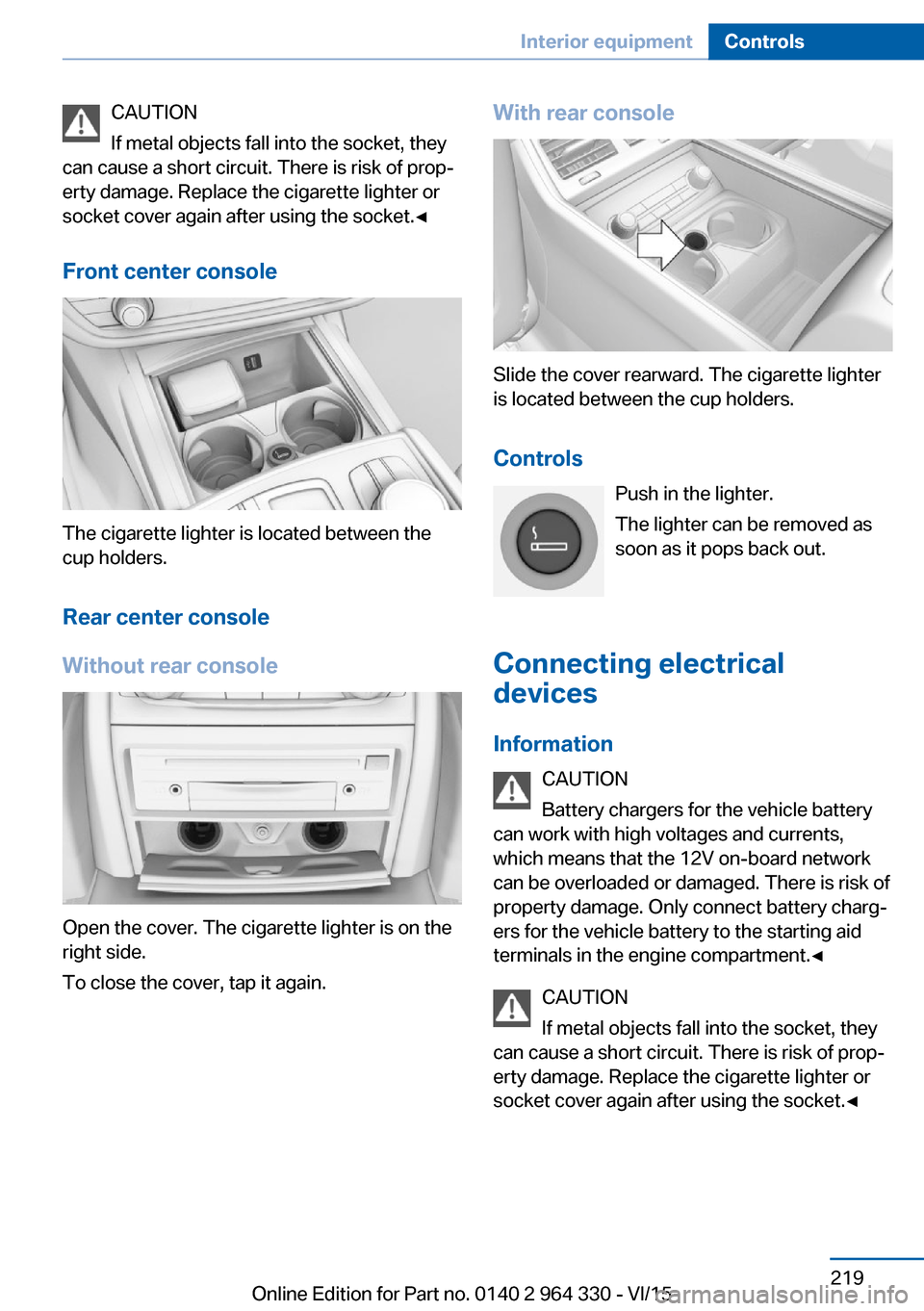
The cigarette lighter is located between the
cup holders.
Rear center console
Without rear console
Open the cover. The cigarette lighter is on the
right side.
To close the cover, tap it again.
With rear console
Slide the cover rearward. The cigarette lighter
is located between the cup holders.
Controls Push in the lighter.
The lighter can be removed as
soon as it pops back out.
Connecting electrical devices
Information CAUTION
Battery chargers for the vehicle battery
can work with high voltages and currents,
which means that the 12V on-board network
can be overloaded or damaged. There is risk of
property damage. Only connect battery charg‐
ers for the vehicle battery to the starting aid
terminals in the engine compartment.◀
CAUTION
If metal objects fall into the socket, they
can cause a short circuit. There is risk of prop‐
erty damage. Replace the cigarette lighter or
socket cover again after using the socket.◀
Seite 219Interior equipmentControls219
Online Edition for Part no. 0140 2 964 330 - VI/15
Page 224 of 314
Switching onThe cooler can be operated at two levels.1.Turn on operations.2. Press button once for each cooling
level.
The highest cooling power is active when
two LEDs are lit.
If the cooler was switched on the last time op‐
erating readiness was switched off, it will like‐
wise be switched on the next time operating
readiness is switched on.
Switch off Press button repeatedly until the LEDs go out.
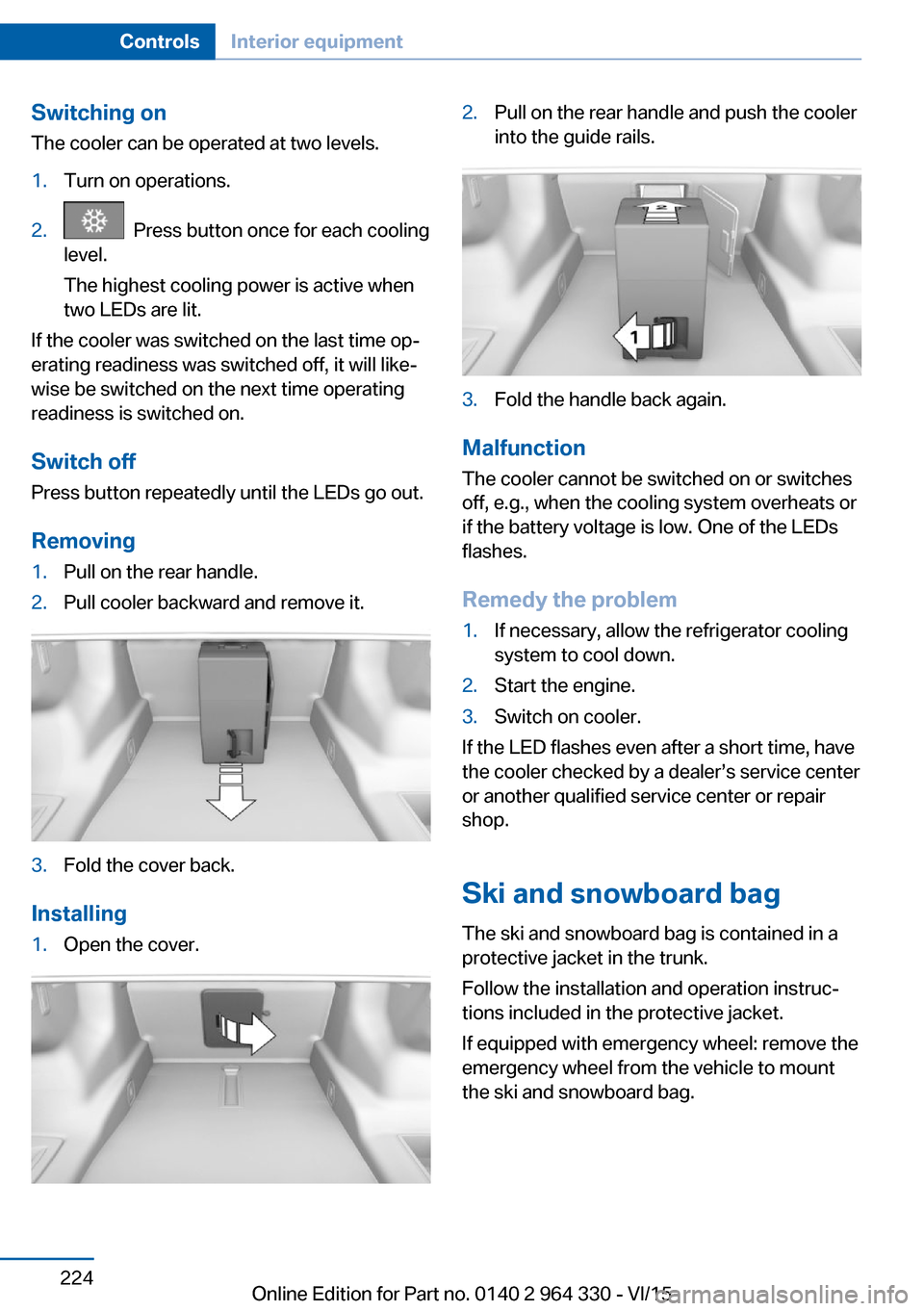
Removing
1.Pull on the rear handle.2.Pull cooler backward and remove it.3.Fold the cover back.
Installing
1.Open the cover.2.Pull on the rear handle and push the cooler
into the guide rails.3.Fold the handle back again.
Malfunction
The cooler cannot be switched on or switches
off, e.g., when the cooling system overheats or
if the battery voltage is low. One of the LEDs
flashes.
Remedy the problem
1.If necessary, allow the refrigerator cooling
system to cool down.2.Start the engine.3.Switch on cooler.
If the LED flashes even after a short time, have
the cooler checked by a dealer’s service center
or another qualified service center or repair
shop.
Ski and snowboard bag The ski and snowboard bag is contained in a
protective jacket in the trunk.
Follow the installation and operation instruc‐
tions included in the protective jacket.
If equipped with emergency wheel: remove the
emergency wheel from the vehicle to mount
the ski and snowboard bag.
Seite 224ControlsInterior equipment224
Online Edition for Part no. 0140 2 964 330 - VI/15
Page 240 of 314
Saving fuelVehicle features and optionsThis chapter describes all standard, country-
specific and optional features offered with the
series. It also describes features that are not
necessarily available in your car, e. g., due to
the selected options or country versions. This
also applies to safety-related functions and
systems. The respectively applicable country
provisions must be observed when using the
respective features and systems.
General information Your vehicle contains advanced technology for
the reduction of fuel consumption and emis‐
sions.
Fuel consumption depends on a number of dif‐
ferent factors.
Carrying out certain measures, such as a mod‐
erate driving style and regular maintenance,
can influence fuel consumption and the envi‐
ronmental impact.
Remove unnecessary cargo
Additional weight increases fuel consumption.
Remove attached parts
following use
Remove auxiliary mirrors, roof or rear luggage
racks which are no longer required following use.
Attached parts on the vehicle impair the aero‐
dynamics and increase the fuel consumption.Close the windows and glass
sunroof
Driving with the glass sunroof and windows
open results in increased air resistance and
raises fuel consumption.
Tires General information
Tires can affect fuel consumption in various
ways, e.g., tire size may influence fuel con‐
sumption.
Check the tire inflation pressure
regularly
Check and, if needed, correct the tire inflation
pressure at least twice a month and before
starting on a long trip.
Low tire inflation pressure increases rolling re‐
sistance and thus raises fuel consumption and
tire wear.
Drive away without delay
Do not wait for the engine to warm-up while
the vehicle remains stationary. Start driving
right away, but at moderate engine speeds.
This is the quickest way of warming the cold
engine up to operating temperature.
Look well ahead when
driving
Avoid unnecessary acceleration and braking.
By maintaining a suitable distance to the vehi‐
cle driving ahead of you.
Driving smoothly and proactively reduces fuel
consumption.Seite 240Driving tipsSaving fuel240
Online Edition for Part no. 0140 2 964 330 - VI/15
Page 241 of 314
Avoid high engine speeds
As a rule: driving at low engine speeds lowers
fuel consumption and reduces wear.
If necessary, observe the gear shift indicator,
refer to page 120, of the vehicle.
Use coasting conditions When approaching a red light, take your foot
off the accelerator and let the vehicle coast to
a halt.
For going downhill take your foot off the accel‐
erator and let the vehicle roll.
The flow of fuel is interrupted while coasting.
Switch off the engine during longer stops
Switch off the engine during longer stops, e.g.,
at traffic lights, railroad crossings or in traffic
congestion.
Auto Start/Stop function The Auto Start/Stop function of your vehicle
automatically switches off the engine during a
stop.
If the engine is switched off and then restarted
rather than leaving the engine running con‐
stantly, fuel consumption and emissions are
reduced. Savings can begin within a few sec‐
onds of switching off the engine.
In addition, fuel consumption is also deter‐
mined by other factors, such as driving style,
road conditions, maintenance or environmental
factors.
Switch off any functions that
are not currently needed
Functions such as seat heating and the rear
window defroster require a lot of energy andreduce the range, especially in city and stop-
and-go traffic.
Switch off these functions if they are not
needed.
The ECO PRO driving program supports the
energy conserving use of comfort features.
These functions are automatically deactivated
partially or completely.
Have maintenance carried
out
Have vehicles maintained regularly to achieve
optimal vehicle efficiency and service life.
BMW recommends that maintenance work be
performed by a BMW dealer’s service center.
For information on the BMW Maintenance
System, refer to page 279.
ECO PRO
The concept
ECO PRO supports a driving style that saves
on fuel consumption. For this purpose, the en‐
gine control and comfort features, e. g. the cli‐
mate control output, are adjusted.
Under certain conditions the engine is auto‐
matically decoupled from the transmission in
the D selector lever position. The vehicle con‐
tinues traveling with the engine idling to re‐
duce fuel consumption. Selector lever position
D remains engaged.
In addition, context-sensitive instructions are
displayed to assist with an optimized fuel con‐
sumption driving style.
The achieved extended range is displayed in
the instrument cluster as bonus range.
Overview
The system includes the following
EfficientDynamics functions and displays:▷ECO PRO bonus range, refer to page 243.Seite 241Saving fuelDriving tips241
Online Edition for Part no. 0140 2 964 330 - VI/15
Page 243 of 314
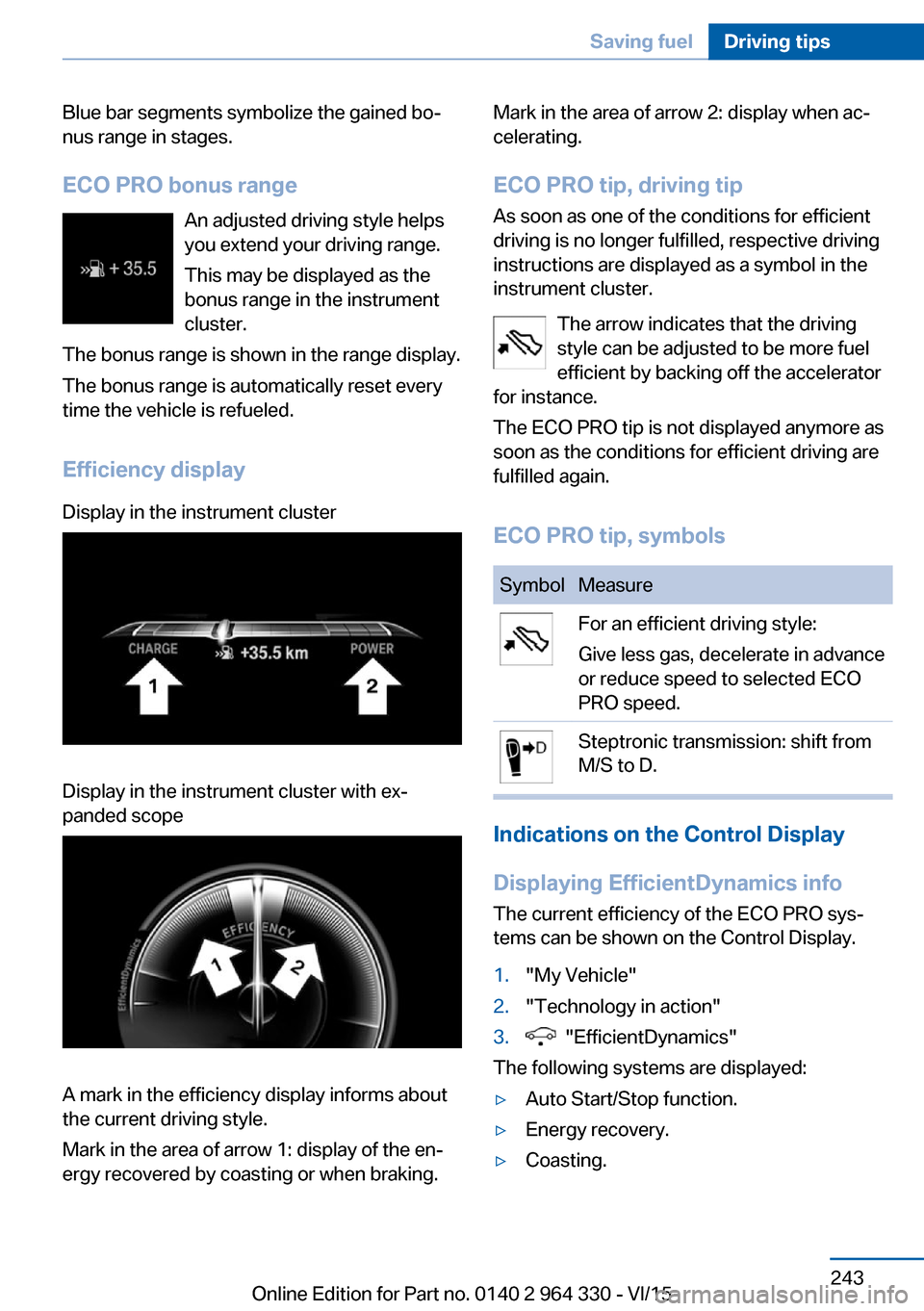
Blue bar segments symbolize the gained bo‐
nus range in stages.
ECO PRO bonus range An adjusted driving style helps
you extend your driving range.
This may be displayed as the
bonus range in the instrument
cluster.
The bonus range is shown in the range display.
The bonus range is automatically reset every
time the vehicle is refueled.
Efficiency displayDisplay in the instrument clusterDisplay in the instrument cluster with ex‐
panded scope
A mark in the efficiency display informs about
the current driving style.
Mark in the area of arrow 1: display of the en‐
ergy recovered by coasting or when braking.
Mark in the area of arrow 2: display when ac‐
celerating.
ECO PRO tip, driving tip
As soon as one of the conditions for efficient
driving is no longer fulfilled, respective driving
instructions are displayed as a symbol in the
instrument cluster.
The arrow indicates that the driving
style can be adjusted to be more fuel
efficient by backing off the accelerator
for instance.
The ECO PRO tip is not displayed anymore as
soon as the conditions for efficient driving are
fulfilled again.
ECO PRO tip, symbolsSymbolMeasureFor an efficient driving style:
Give less gas, decelerate in advance
or reduce speed to selected ECO
PRO speed.Steptronic transmission: shift from
M/S to D.
Indications on the Control Display
Displaying EfficientDynamics info
The current efficiency of the ECO PRO sys‐
tems can be shown on the Control Display.
1."My Vehicle"2."Technology in action"3. "EfficientDynamics"
The following systems are displayed:
▷Auto Start/Stop function.▷Energy recovery.▷Coasting.Seite 243Saving fuelDriving tips243
Online Edition for Part no. 0140 2 964 330 - VI/15