130 BMW 7 SERIES 2016 G11 Owner's Manual
[x] Cancel search | Manufacturer: BMW, Model Year: 2016, Model line: 7 SERIES, Model: BMW 7 SERIES 2016 G11Pages: 314, PDF Size: 7.9 MB
Page 15 of 314
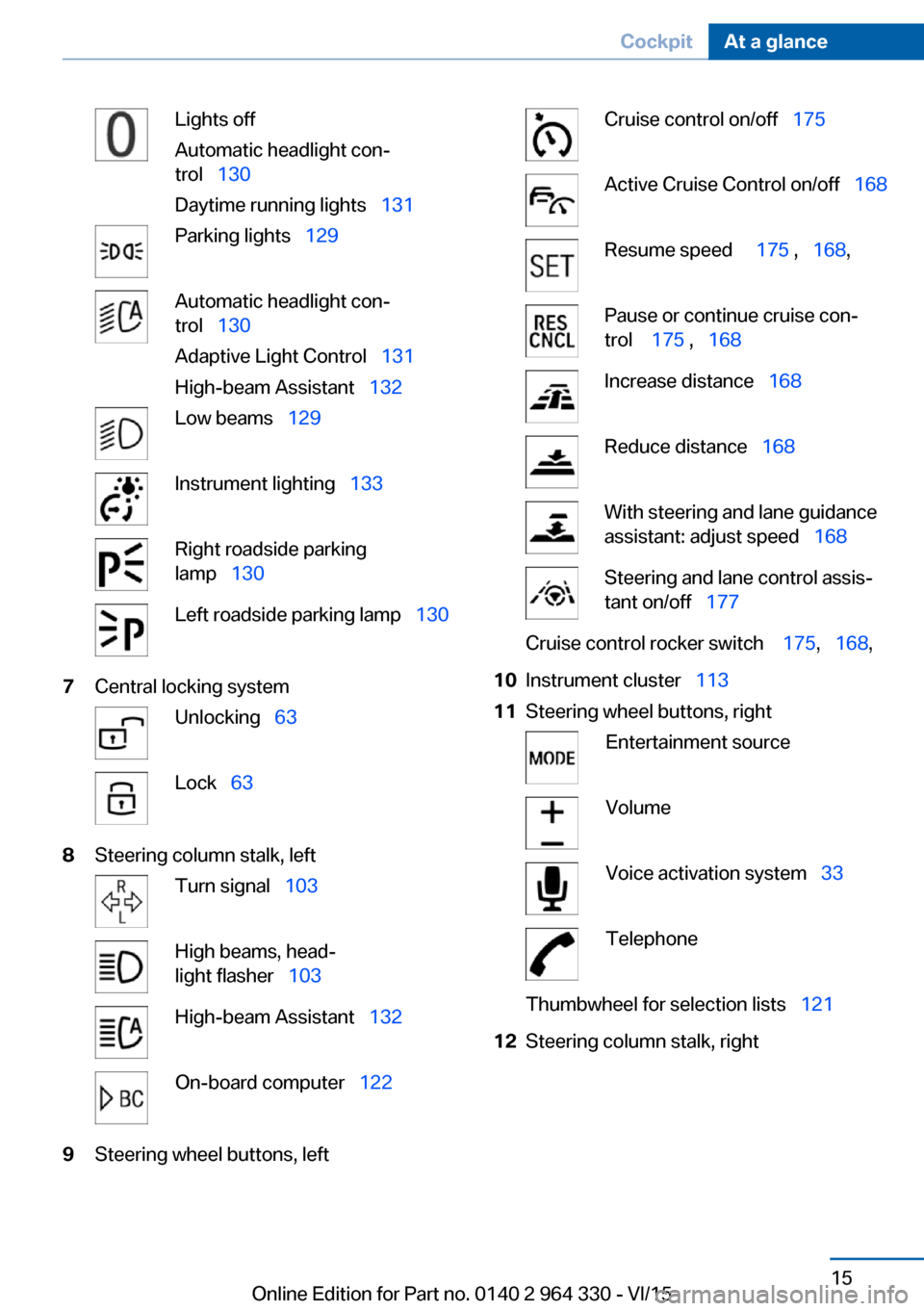
Lights off
Automatic headlight con‐
trol 130
Daytime running lights 131Parking lights 129Automatic headlight con‐
trol 130
Adaptive Light Control 131
High-beam Assistant 132Low beams 129Instrument lighting 133Right roadside parking
lamp 130Left roadside parking lamp 1307Central locking systemUnlocking 63Lock 638Steering column stalk, leftTurn signal 103High beams, head‐
light flasher 103High-beam Assistant 132On-board computer 1229Steering wheel buttons, leftCruise control on/off 175Active Cruise Control on/off 168Resume speed 175 , 168 ,Pause or continue cruise con‐
trol 175 , 168Increase distance 168Reduce distance 168With steering and lane guidance
assistant: adjust speed 168Steering and lane control assis‐
tant on/off 177Cruise control rocker switch 175, 168 ,10Instrument cluster 11311Steering wheel buttons, rightEntertainment sourceVolumeVoice activation system 33TelephoneThumbwheel for selection lists 12112Steering column stalk, rightSeite 15CockpitAt a glance15
Online Edition for Part no. 0140 2 964 330 - VI/15
Page 60 of 314
Exporting profilesMost settings of the active profile can be ex‐
ported.
This can be helpful for securing and retrieving
personal settings, before delivering the vehicle
to a workshop, e.g. The profiles backed up can
be taken into another vehicle.
The following export options are available:▷Via ConnectedDrive.▷Via USB interface, refer to page 221, to a
USB device.
About iDrive:
1."My Vehicle"2."Driver profiles"
The profile marked with this symbol can
be exported.
3.Select profile.4."Export driver profile"5.▷USB device: "USB device"
Select USB device as needed.▷ConnectedDrive.
Importing profiles
The existing settings of the active profile are
overwritten with the settings of the imported
profile.
About iDrive:
1."My Vehicle"2."Driver profiles"
The profile marked with this symbol can
be overwritten.
3.Select profile.4."Import driver profile"5.Select the medium using which the profile
was exported.▷USB device: "USB device"
Select USB device as needed.▷ConnectedDrive.6.Select profile.Using the remote control
Information WARNING
People or animals in the vehicle can lock
the doors from the inside and lock themselves
in. The vehicle can then not be opened from
the outside. There is risk of injuries. Take the
remote control along so that the vehicle can be
opened from the outside.◀
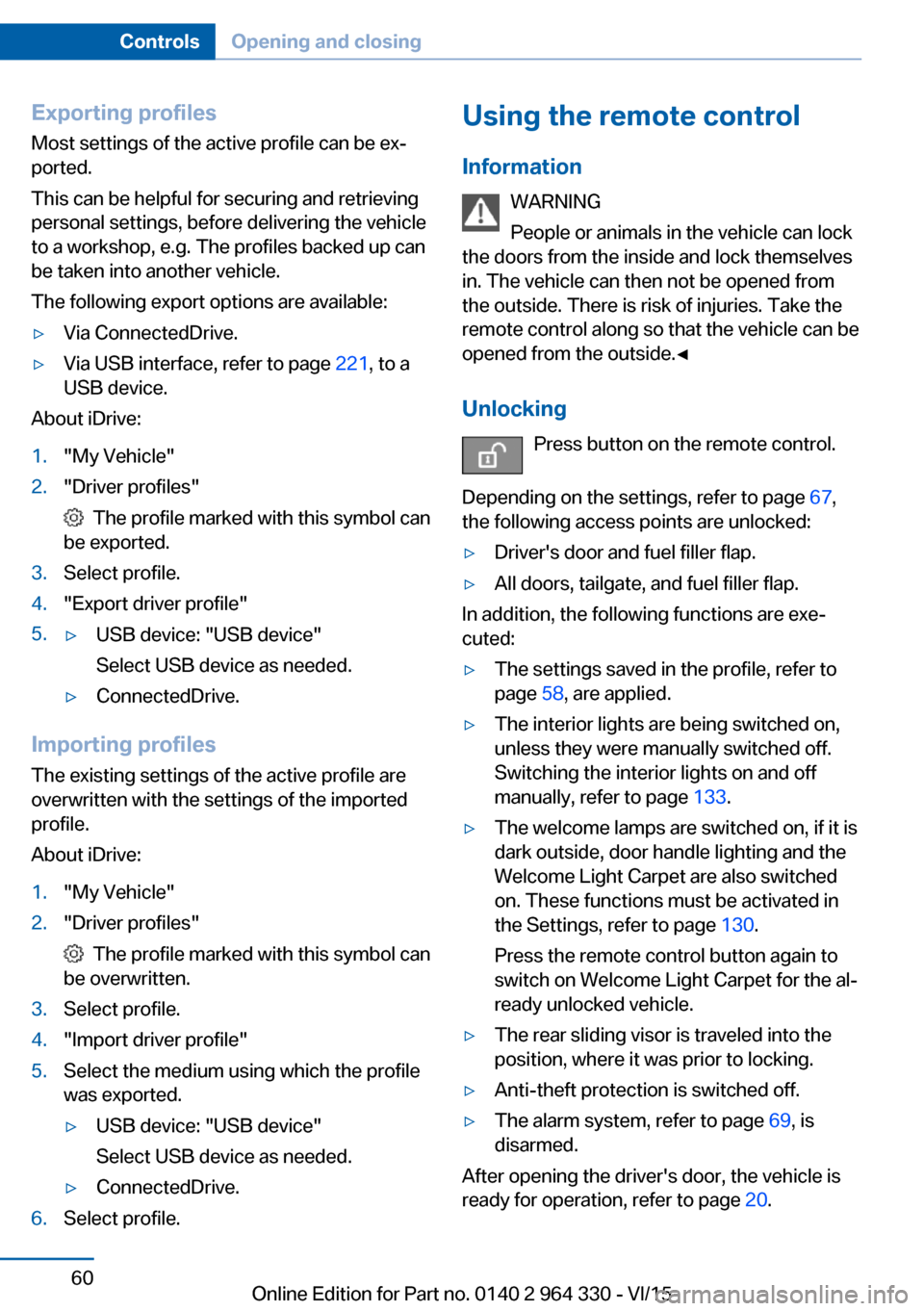
Unlocking Press button on the remote control.
Depending on the settings, refer to page 67,
the following access points are unlocked:▷Driver's door and fuel filler flap.▷All doors, tailgate, and fuel filler flap.
In addition, the following functions are exe‐
cuted:
▷The settings saved in the profile, refer to
page 58, are applied.▷The interior lights are being switched on,
unless they were manually switched off.
Switching the interior lights on and off
manually, refer to page 133.▷The welcome lamps are switched on, if it is
dark outside, door handle lighting and the
Welcome Light Carpet are also switched
on. These functions must be activated in
the Settings, refer to page 130.
Press the remote control button again to
switch on Welcome Light Carpet for the al‐
ready unlocked vehicle.▷The rear sliding visor is traveled into the
position, where it was prior to locking.▷Anti-theft protection is switched off.▷The alarm system, refer to page 69, is
disarmed.
After opening the driver's door, the vehicle is
ready for operation, refer to page 20.
Seite 60ControlsOpening and closing60
Online Edition for Part no. 0140 2 964 330 - VI/15
Page 129 of 314
LightsVehicle features and optionsThis chapter describes all standard, country-
specific and optional features offered with the
series. It also describes features that are not
necessarily available in your car, e. g., due to
the selected options or country versions. This
also applies to safety-related functions and
systems. The respectively applicable country
provisions must be observed when using the
respective features and systems.
Overview Switches in the vehicle
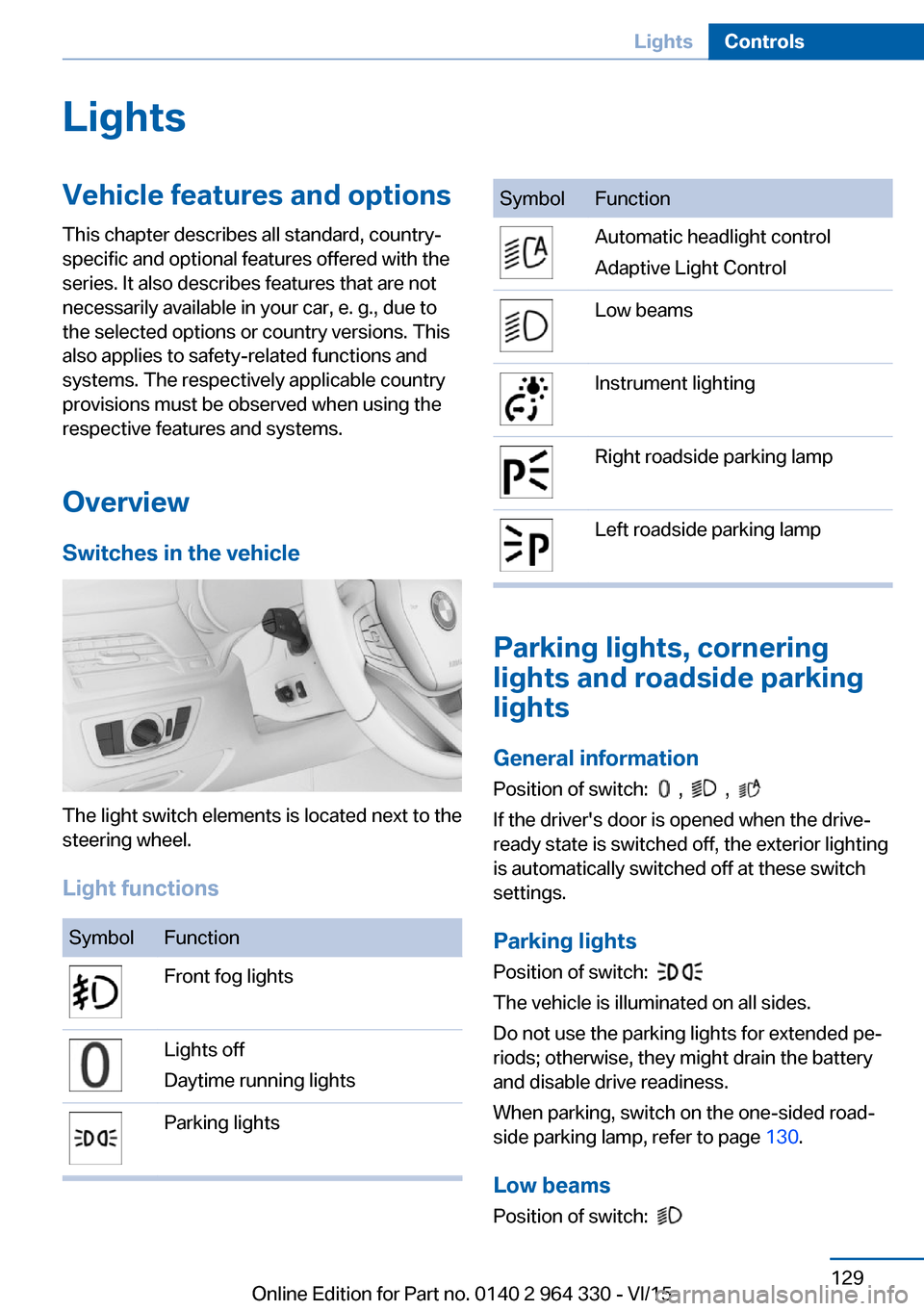
The light switch elements is located next to the
steering wheel.
Light functions
SymbolFunctionFront fog lightsLights off
Daytime running lightsParking lightsSymbolFunctionAutomatic headlight control
Adaptive Light ControlLow beamsInstrument lightingRight roadside parking lampLeft roadside parking lamp
Parking lights, cornering
lights and roadside parking
lights
General information Position of switch:
, ,
If the driver's door is opened when the drive-
ready state is switched off, the exterior lighting
is automatically switched off at these switch
settings.
Parking lights
Position of switch:
The vehicle is illuminated on all sides.
Do not use the parking lights for extended pe‐
riods; otherwise, they might drain the battery
and disable drive readiness.
When parking, switch on the one-sided road‐
side parking lamp, refer to page 130.
Low beams Position of switch:
Seite 129LightsControls129
Online Edition for Part no. 0140 2 964 330 - VI/15
Page 130 of 314
The low beams light up when the drive-ready
state is switched on.
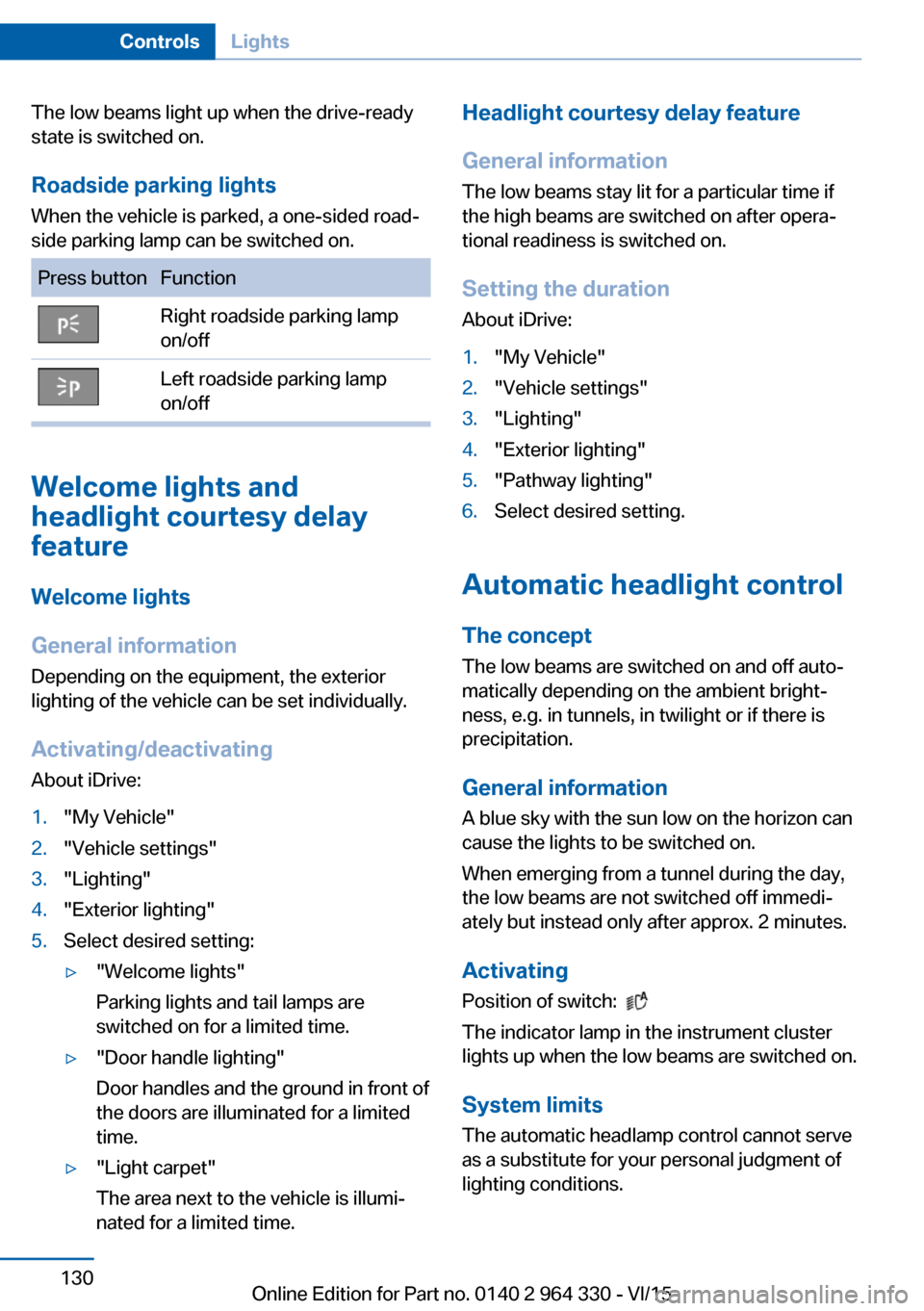
Roadside parking lights When the vehicle is parked, a one-sided road‐
side parking lamp can be switched on.Press buttonFunctionRight roadside parking lamp
on/offLeft roadside parking lamp
on/off
Welcome lights and
headlight courtesy delay
feature
Welcome lights
General information
Depending on the equipment, the exterior
lighting of the vehicle can be set individually.
Activating/deactivating About iDrive:
1."My Vehicle"2."Vehicle settings"3."Lighting"4."Exterior lighting"5.Select desired setting:▷"Welcome lights"
Parking lights and tail lamps are
switched on for a limited time.▷"Door handle lighting"
Door handles and the ground in front of
the doors are illuminated for a limited
time.▷"Light carpet"
The area next to the vehicle is illumi‐
nated for a limited time.Headlight courtesy delay feature
General information
The low beams stay lit for a particular time if
the high beams are switched on after opera‐
tional readiness is switched on.
Setting the duration
About iDrive:1."My Vehicle"2."Vehicle settings"3."Lighting"4."Exterior lighting"5."Pathway lighting"6.Select desired setting.
Automatic headlight control
The concept
The low beams are switched on and off auto‐
matically depending on the ambient bright‐
ness, e.g. in tunnels, in twilight or if there is
precipitation.
General information
A blue sky with the sun low on the horizon can
cause the lights to be switched on.
When emerging from a tunnel during the day,
the low beams are not switched off immedi‐
ately but instead only after approx. 2 minutes.
ActivatingPosition of switch:
The indicator lamp in the instrument cluster
lights up when the low beams are switched on.
System limits
The automatic headlamp control cannot serve
as a substitute for your personal judgment of
lighting conditions.
Seite 130ControlsLights130
Online Edition for Part no. 0140 2 964 330 - VI/15
Page 133 of 314
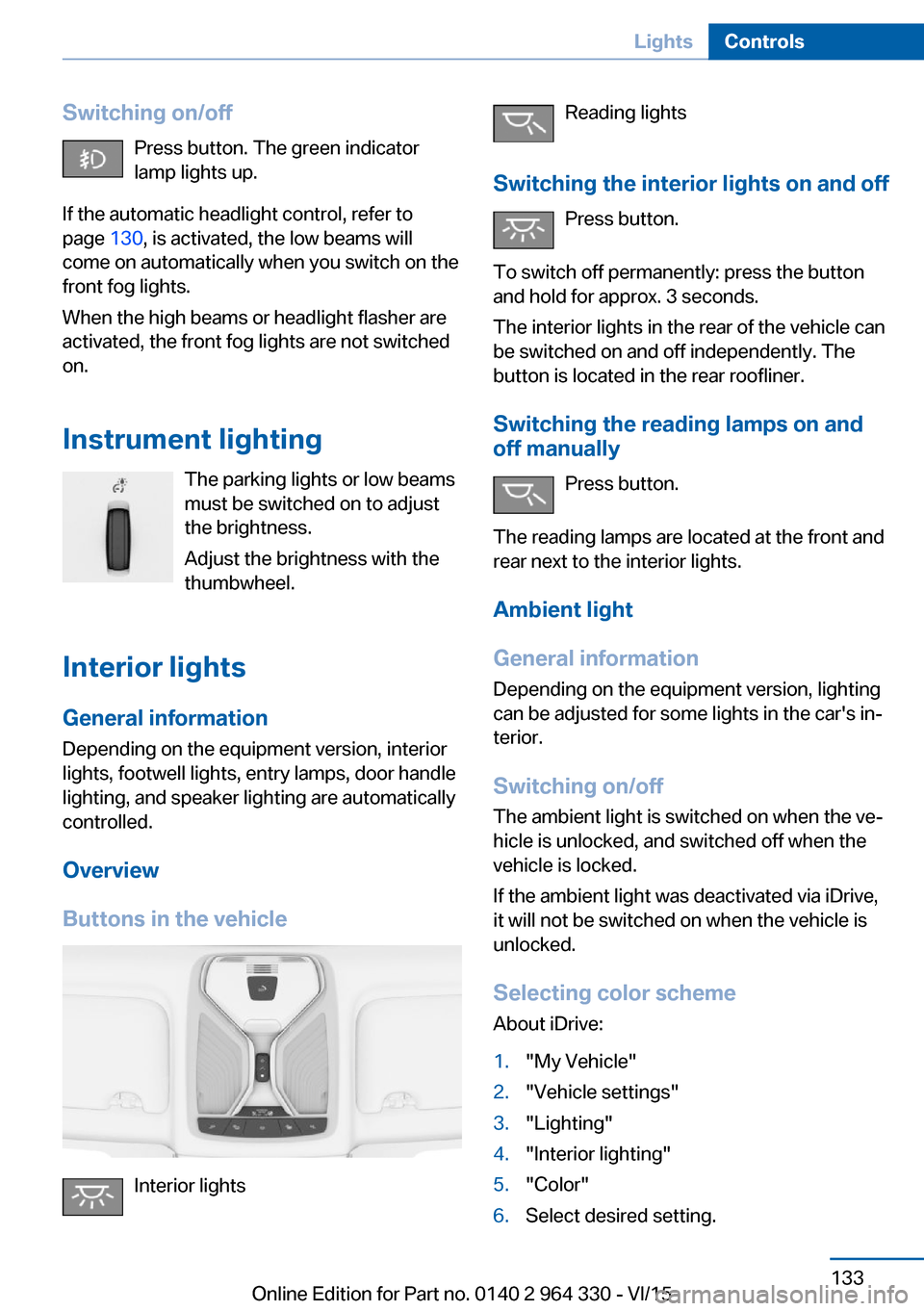
Switching on/offPress button. The green indicator
lamp lights up.
If the automatic headlight control, refer to
page 130, is activated, the low beams will
come on automatically when you switch on the
front fog lights.
When the high beams or headlight flasher are
activated, the front fog lights are not switched
on.
Instrument lighting The parking lights or low beams
must be switched on to adjust
the brightness.
Adjust the brightness with the
thumbwheel.
Interior lights
General information
Depending on the equipment version, interior
lights, footwell lights, entry lamps, door handle
lighting, and speaker lighting are automatically
controlled.
Overview
Buttons in the vehicle
Interior lights
Reading lights
Switching the interior lights on and off Press button.
To switch off permanently: press the button
and hold for approx. 3 seconds.
The interior lights in the rear of the vehicle can
be switched on and off independently. The
button is located in the rear roofliner.
Switching the reading lamps on and off manually
Press button.
The reading lamps are located at the front and
rear next to the interior lights.
Ambient light
General information
Depending on the equipment version, lighting
can be adjusted for some lights in the car's in‐
terior.
Switching on/off The ambient light is switched on when the ve‐
hicle is unlocked, and switched off when the
vehicle is locked.
If the ambient light was deactivated via iDrive,
it will not be switched on when the vehicle is
unlocked.
Selecting color scheme About iDrive:1."My Vehicle"2."Vehicle settings"3."Lighting"4."Interior lighting"5."Color"6.Select desired setting.Seite 133LightsControls133
Online Edition for Part no. 0140 2 964 330 - VI/15
Page 143 of 314
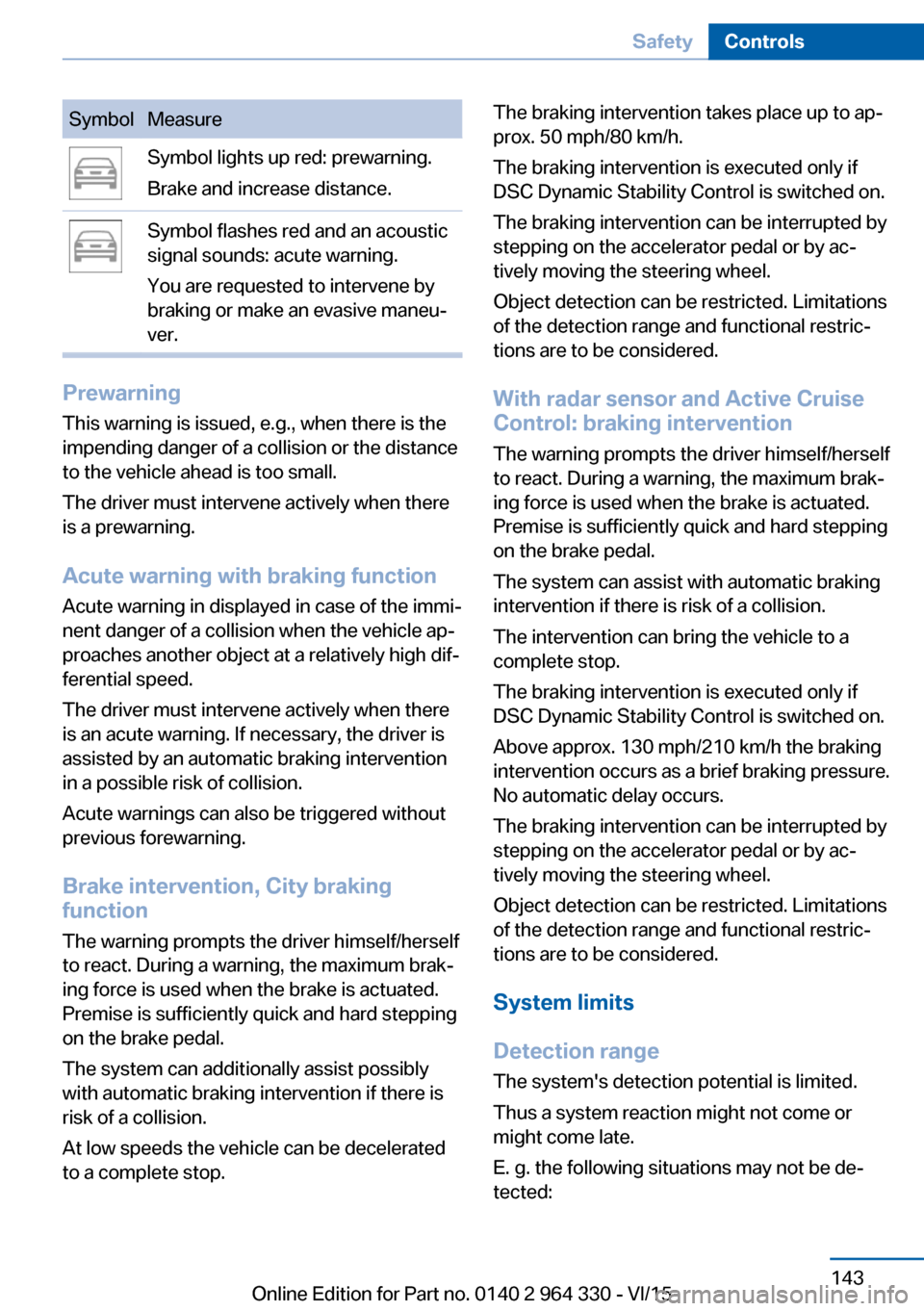
SymbolMeasureSymbol lights up red: prewarning.
Brake and increase distance.Symbol flashes red and an acoustic
signal sounds: acute warning.
You are requested to intervene by
braking or make an evasive maneu‐
ver.
Prewarning
This warning is issued, e.g., when there is the
impending danger of a collision or the distance
to the vehicle ahead is too small.
The driver must intervene actively when there
is a prewarning.
Acute warning with braking function
Acute warning in displayed in case of the immi‐
nent danger of a collision when the vehicle ap‐
proaches another object at a relatively high dif‐
ferential speed.
The driver must intervene actively when there
is an acute warning. If necessary, the driver is
assisted by an automatic braking intervention
in a possible risk of collision.
Acute warnings can also be triggered without
previous forewarning.
Brake intervention, City braking
function
The warning prompts the driver himself/herself
to react. During a warning, the maximum brak‐
ing force is used when the brake is actuated.
Premise is sufficiently quick and hard stepping
on the brake pedal.
The system can additionally assist possibly
with automatic braking intervention if there is
risk of a collision.
At low speeds the vehicle can be decelerated
to a complete stop.
The braking intervention takes place up to ap‐
prox. 50 mph/80 km/h.
The braking intervention is executed only if
DSC Dynamic Stability Control is switched on.
The braking intervention can be interrupted by
stepping on the accelerator pedal or by ac‐
tively moving the steering wheel.
Object detection can be restricted. Limitations
of the detection range and functional restric‐
tions are to be considered.
With radar sensor and Active CruiseControl: braking intervention
The warning prompts the driver himself/herself
to react. During a warning, the maximum brak‐
ing force is used when the brake is actuated.
Premise is sufficiently quick and hard stepping
on the brake pedal.
The system can assist with automatic braking
intervention if there is risk of a collision.
The intervention can bring the vehicle to a
complete stop.
The braking intervention is executed only if
DSC Dynamic Stability Control is switched on.
Above approx. 130 mph/210 km/h the braking
intervention occurs as a brief braking pressure.
No automatic delay occurs.
The braking intervention can be interrupted by
stepping on the accelerator pedal or by ac‐
tively moving the steering wheel.
Object detection can be restricted. Limitations
of the detection range and functional restric‐
tions are to be considered.
System limits
Detection range
The system's detection potential is limited.
Thus a system reaction might not come or
might come late.
E. g. the following situations may not be de‐
tected:Seite 143SafetyControls143
Online Edition for Part no. 0140 2 964 330 - VI/15
Page 150 of 314
Display in the Head-up Display
The warning is displayed simultaneously in the
Head-up Display and on the instrument clus‐
ter.
System limits
Basic limits System operation is limited in situations such
as the following:▷On steep hills, in steep depressions or in
tight curves.▷When the camera is dirty or the protective
glass is damaged.▷In heavy fog, rain or snowfall.▷At very high external temperatures.
Limits of pedestrian and animal
detection
In some situations, it may occur that pedes‐
trians are detected as animals or animals as
pedestrians.
Small animals are not detected by the object
detection function, even if they are clearly visi‐
ble in the image.
Limited detection, e.g. in the following circum‐
stances:
▷People or animals who are fully or partially
covered, especially when their heads are
covered.▷People who are not in an upright position,
e.g., lying down.▷Cyclists on unconventional bicycles (e.g.,
recumbent bicycles).▷After physical damage to the system, e.g.,
after an accident.
No display on the rear screen
The image from Night Vision cannot be dis‐
played on the rear screen.
Lane departure warning
The concept This system alerts at speeds be‐
tween 45 mph/70 km/h and 130 mph/210 km/h
when the vehicle on roads with lane markings
is about to leave the lane.
The steering wheel begins vibrating gently in
the event of warnings. The time of the warning
may vary depending on the current driving sit‐
uation.
The system does not provide a warning if the
turn signal is set before leaving the lane.
Vehicles with side collision warning: if the vi‐
brating steering wheel is ignored and the lane
marking crossed, the system intervenes with a
brief active steering intervention and helps to
maintain the vehicle in the lane.
Information WARNING
The system does not relieve from the
personal responsibility to correctly assess
route and traffic situation. There is risk of an
accident. Adjust the driving style to the traffic
conditions. Watch traffic closely and actively
interfere in the respective situations. In the
event of a warning, do not unnecessarily jerk
the steering wheel.◀
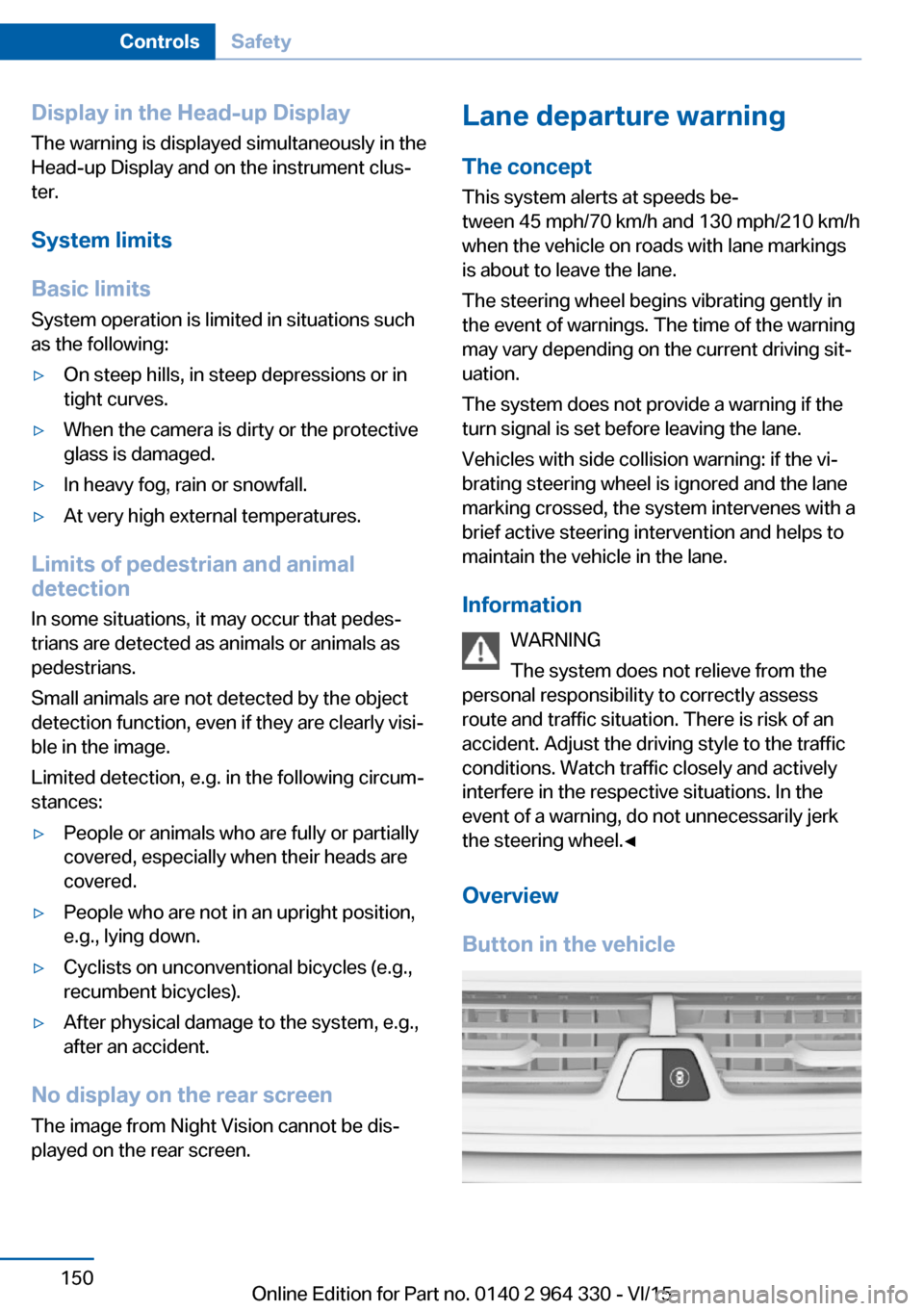
Overview
Button in the vehicleSeite 150ControlsSafety150
Online Edition for Part no. 0140 2 964 330 - VI/15
Page 153 of 314
Warning sensitivity
The more sensitive the warning settings are,
the more warnings are displayed. However,
there may also be an excess of undesired
warnings.
Active Blind Spot Detection The concept
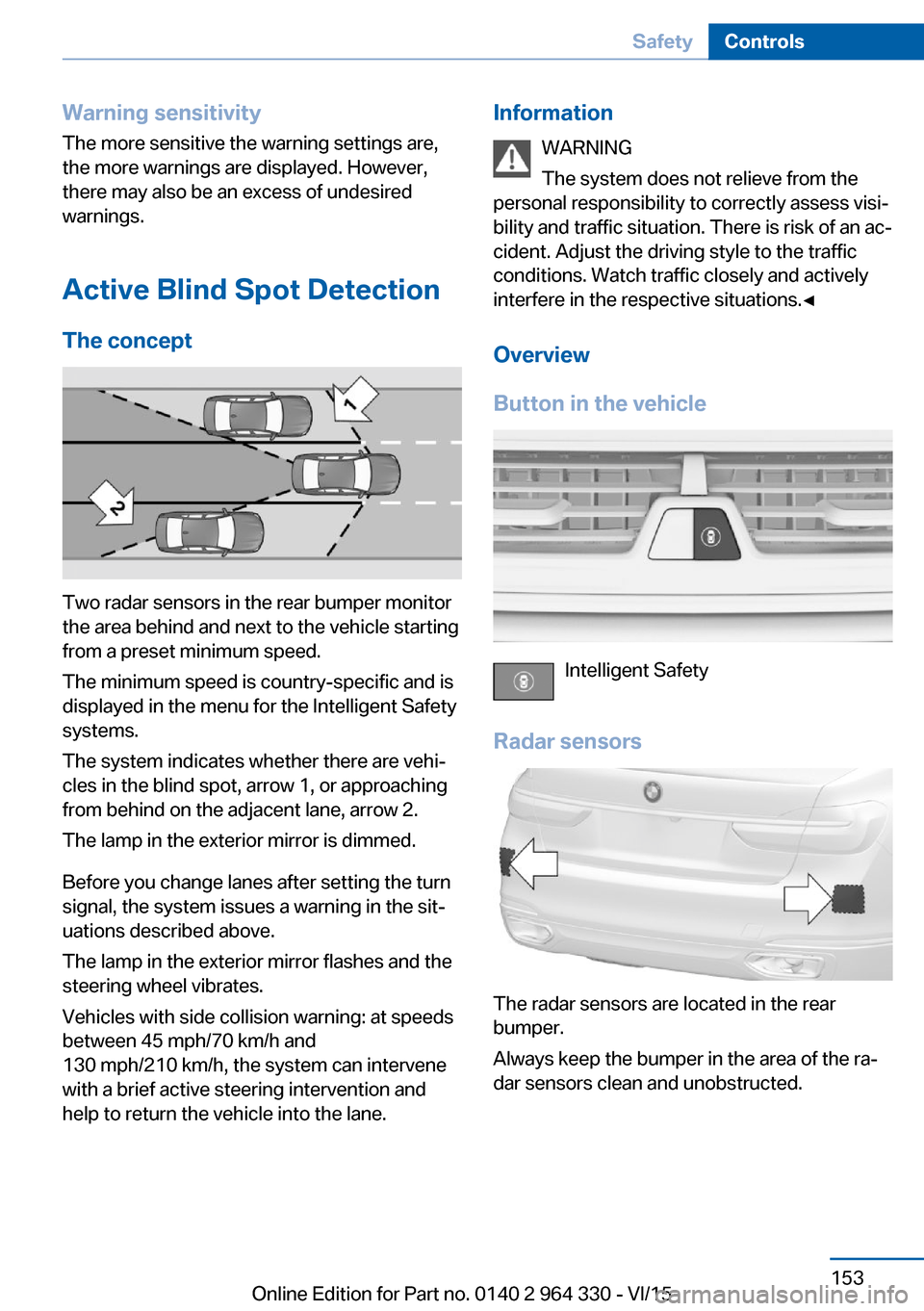
Two radar sensors in the rear bumper monitor
the area behind and next to the vehicle starting
from a preset minimum speed.
The minimum speed is country-specific and is
displayed in the menu for the Intelligent Safety
systems.
The system indicates whether there are vehi‐
cles in the blind spot, arrow 1, or approaching
from behind on the adjacent lane, arrow 2.
The lamp in the exterior mirror is dimmed.
Before you change lanes after setting the turn
signal, the system issues a warning in the sit‐
uations described above.
The lamp in the exterior mirror flashes and the
steering wheel vibrates.
Vehicles with side collision warning: at speeds
between 45 mph/70 km/h and
130 mph/210 km/h, the system can intervene
with a brief active steering intervention and
help to return the vehicle into the lane.
Information
WARNING
The system does not relieve from the
personal responsibility to correctly assess visi‐
bility and traffic situation. There is risk of an ac‐
cident. Adjust the driving style to the traffic
conditions. Watch traffic closely and actively
interfere in the respective situations.◀
Overview
Button in the vehicle
Intelligent Safety
Radar sensors
The radar sensors are located in the rear
bumper.
Always keep the bumper in the area of the ra‐
dar sensors clean and unobstructed.
Seite 153SafetyControls153
Online Edition for Part no. 0140 2 964 330 - VI/15
Page 155 of 314
Vehicles with side collision warning:
switching steering intervention on/off
The steering intervention can be switched on
and off separately for Active Blind Spot Detec‐
tion and lane departure warning.
About iDrive:1."My Vehicle"2."Vehicle settings"3."Intelligent Safety"4."Steering intervention"
The setting is stored for the drive profile cur‐
rently used.
Issued warning
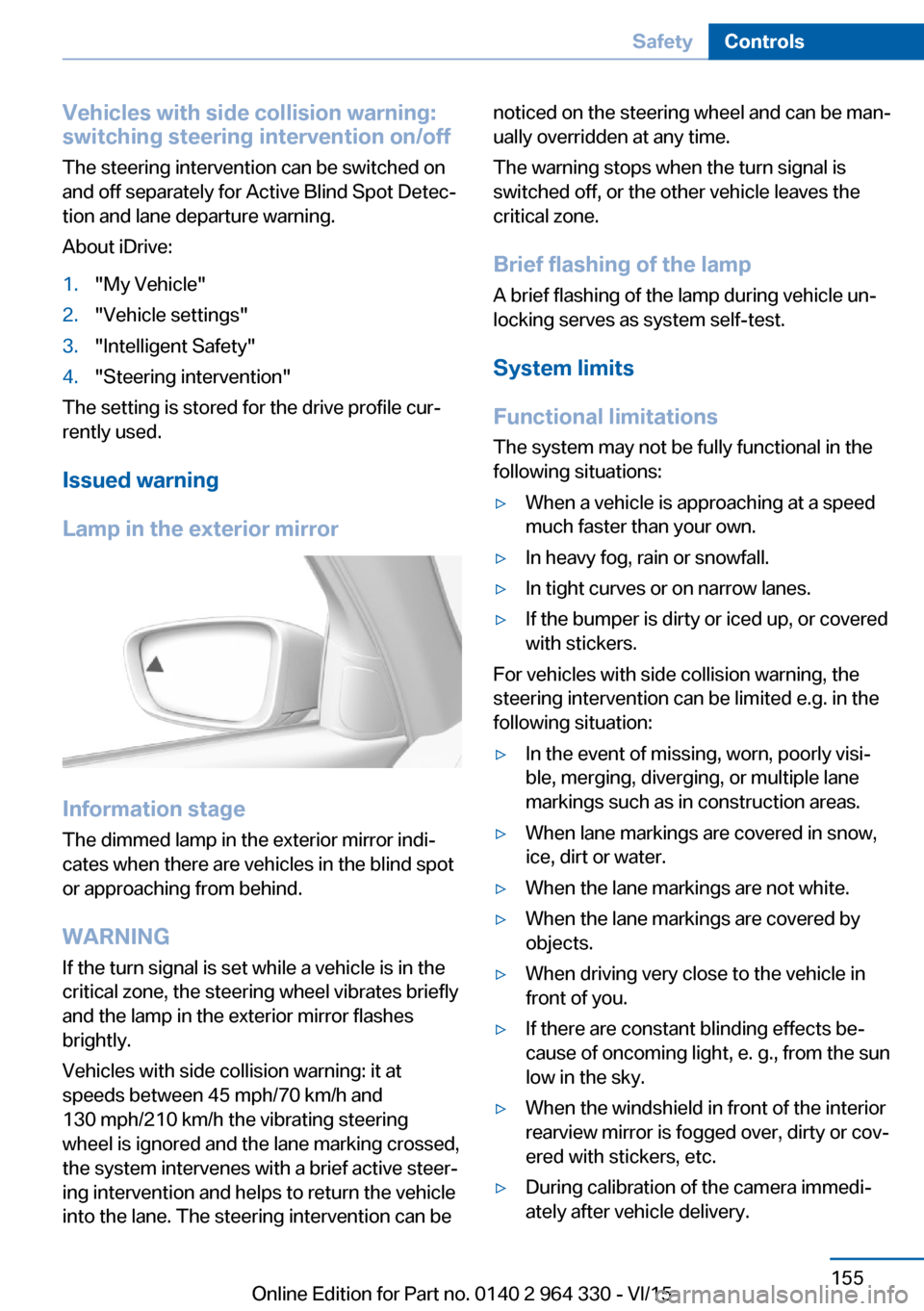
Lamp in the exterior mirror
Information stage
The dimmed lamp in the exterior mirror indi‐
cates when there are vehicles in the blind spot
or approaching from behind.
WARNING If the turn signal is set while a vehicle is in the
critical zone, the steering wheel vibrates briefly
and the lamp in the exterior mirror flashes
brightly.
Vehicles with side collision warning: it at
speeds between 45 mph/70 km/h and
130 mph/210 km/h the vibrating steering
wheel is ignored and the lane marking crossed,
the system intervenes with a brief active steer‐
ing intervention and helps to return the vehicle
into the lane. The steering intervention can be
noticed on the steering wheel and can be man‐
ually overridden at any time.
The warning stops when the turn signal is
switched off, or the other vehicle leaves the
critical zone.
Brief flashing of the lamp A brief flashing of the lamp during vehicle un‐
locking serves as system self-test.
System limits
Functional limitations
The system may not be fully functional in the
following situations:▷When a vehicle is approaching at a speed
much faster than your own.▷In heavy fog, rain or snowfall.▷In tight curves or on narrow lanes.▷If the bumper is dirty or iced up, or covered
with stickers.
For vehicles with side collision warning, the
steering intervention can be limited e.g. in the
following situation:
▷In the event of missing, worn, poorly visi‐
ble, merging, diverging, or multiple lane
markings such as in construction areas.▷When lane markings are covered in snow,
ice, dirt or water.▷When the lane markings are not white.▷When the lane markings are covered by
objects.▷When driving very close to the vehicle in
front of you.▷If there are constant blinding effects be‐
cause of oncoming light, e. g., from the sun
low in the sky.▷When the windshield in front of the interior
rearview mirror is fogged over, dirty or cov‐
ered with stickers, etc.▷During calibration of the camera immedi‐
ately after vehicle delivery.Seite 155SafetyControls155
Online Edition for Part no. 0140 2 964 330 - VI/15
Page 156 of 314
A Check Control message is displayed when
the system is not fully functional.
Displaying warnings Depending on the selected warning settings,
e.g. warning time, more warnings can be dis‐
played. However, there may also be an excess
of premature warnings of critical vehicles.
For US owners only
The transmitter and receiver units comply with
part 15 of the FCC/Federal Communication
Commission regulations. Operation is gov‐
erned by the following:
FCC ID:▷NBG009014A.
Compliance statement:
This device complies with part 15 of the FCC
Rules. Operation is subject to the following
two conditions:
▷This device may not cause harmful inter‐
ference, and▷this device must accept any interference
received, including interference that may
cause undesired operation.
Any unauthorized modifications or changes to
these devices could void the user's authority to
operate this equipment.
Side collision warning
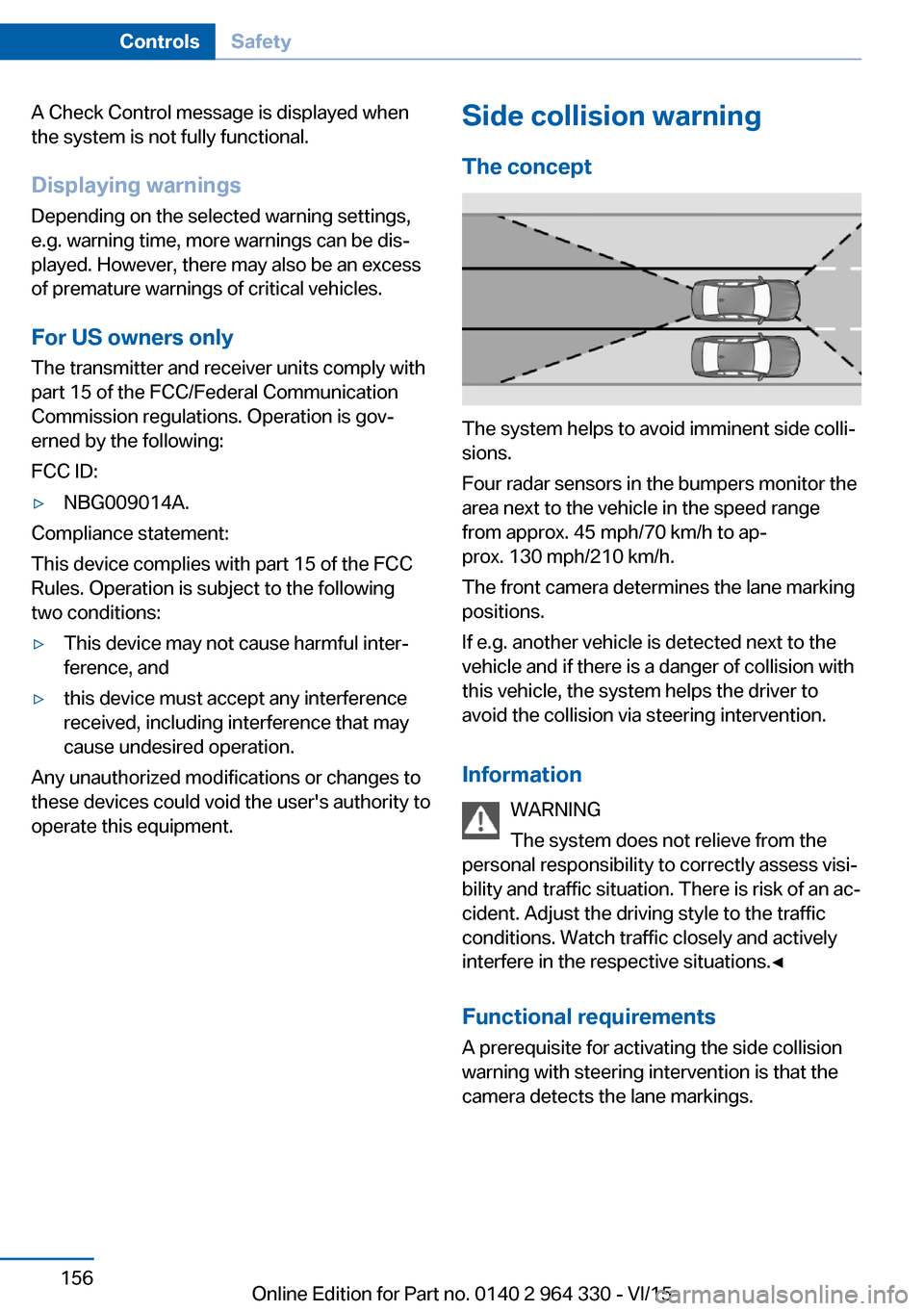
The concept
The system helps to avoid imminent side colli‐
sions.
Four radar sensors in the bumpers monitor the
area next to the vehicle in the speed range
from approx. 45 mph/70 km/h to ap‐
prox. 130 mph/210 km/h.
The front camera determines the lane marking
positions.
If e.g. another vehicle is detected next to the
vehicle and if there is a danger of collision with
this vehicle, the system helps the driver to
avoid the collision via steering intervention.
Information WARNING
The system does not relieve from the
personal responsibility to correctly assess visi‐
bility and traffic situation. There is risk of an ac‐
cident. Adjust the driving style to the traffic
conditions. Watch traffic closely and actively
interfere in the respective situations.◀
Functional requirements
A prerequisite for activating the side collision
warning with steering intervention is that the
camera detects the lane markings.
Seite 156ControlsSafety156
Online Edition for Part no. 0140 2 964 330 - VI/15