Pressure BMW 7 SERIES 2016 G11 Owner's Manual
[x] Cancel search | Manufacturer: BMW, Model Year: 2016, Model line: 7 SERIES, Model: BMW 7 SERIES 2016 G11Pages: 314, PDF Size: 7.9 MB
Page 90 of 314
General information
The following settings are applied to the seat
automatically on system activation:▷The front passenger's seat moves forward
and adjusts the height if necessary.▷Backrest and head restraint of the front
passenger seat are inclined forward.▷The tilt of the screen in the rear is adjusted
to the rest incline of the passenger's seat.▷The head restraint on the backrest of the
front passenger seat folds out.▷The backrest of the rear seat inclines to the
rear.
The adjusted end position can be manually ad‐
justed, refer to page 78, and stored using the
Memory function, refer to page 87, if needed.
Information WARNING
If the Captain’s chair is activated, the
view on the right exterior mirror can be ob‐
structed. There is risk of an accident. Adjust
the front passenger seat such that the view on
the exterior mirror is not obstructed.◀
Overview
Captain’s chair
Switching on Press button.
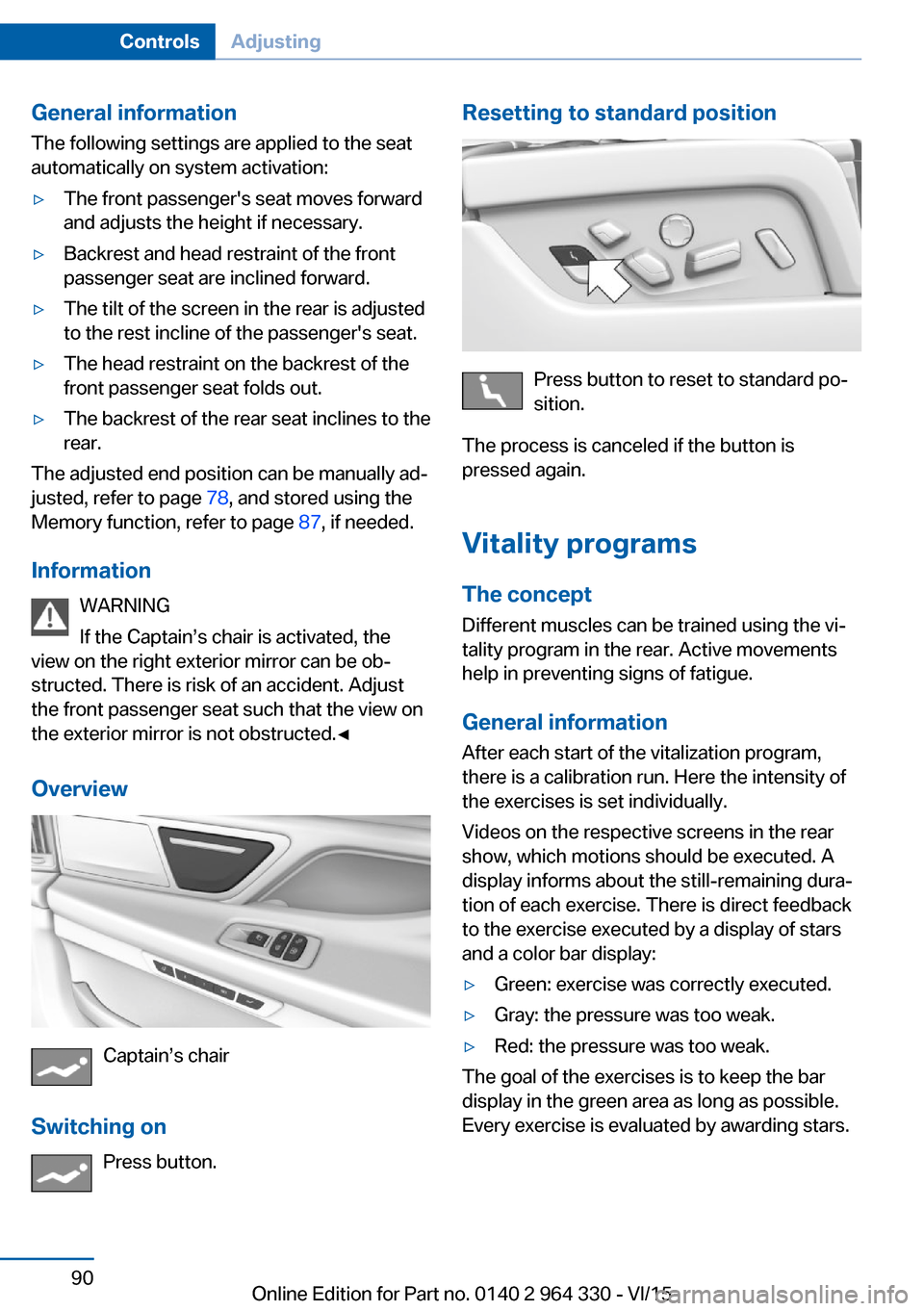
Resetting to standard position
Press button to reset to standard po‐
sition.
The process is canceled if the button is
pressed again.
Vitality programs The concept
Different muscles can be trained using the vi‐
tality program in the rear. Active movements
help in preventing signs of fatigue.
General information After each start of the vitalization program,
there is a calibration run. Here the intensity of
the exercises is set individually.
Videos on the respective screens in the rear
show, which motions should be executed. A
display informs about the still-remaining dura‐
tion of each exercise. There is direct feedback
to the exercise executed by a display of stars
and a color bar display:
▷Green: exercise was correctly executed.▷Gray: the pressure was too weak.▷Red: the pressure was too weak.
The goal of the exercises is to keep the bar
display in the green area as long as possible.
Every exercise is evaluated by awarding stars.
Seite 90ControlsAdjusting90
Online Edition for Part no. 0140 2 964 330 - VI/15
Page 107 of 314
▷On uphill grades or on a slope, also secure
the vehicle, e.g. with a wheel chock.◀
Selector lever positions
D Drive
Selector lever position for normal vehicle oper‐
ation. All gears for forward travel are activated
automatically.
To reduce fuel consumption, the engine is au‐
tomatically decoupled from the transmission
under the conditions described for Coasting,
refer to page 245.
R is Reverse
Select only when the vehicle is stationary.
N Neutral:
The vehicle may roll in selector lever posi‐
tion N.
Engage selector lever position N, e.g. in car
washes, refer to page 291.
With operating readiness switched off, refer to
page 20, selector lever position P is engaged
automatically.
P Park Select only when the vehicle is stationary. The
drive wheels are blocked.
Selector lever position P is engaged automati‐
cally:
▷After drive readiness, refer to page 97, is
switched off and selector lever position R
or D is engaged.▷If operating readiness is switched off and
selector lever position N is engaged.▷If the driver's safety belt is released, the
driver's door is opened, and the brake
pedal is not pressed while the vehicle is
stationary and selector lever position D or
R is set.Kickdown
Kickdown is used to achieve maximum driving
performance. Step on the accelerator pedal
beyond the resistance point at the full throttle
position.
Engaging selector lever positions General information To prevent the vehicle from creeping after you
select a gear, maintain pressure on the brake
pedal until you are ready to start.
It is not possible to shift out of selector lever
position P until the engine is running and the
brake is applied.
With the vehicle is stationary, press on the
brake pedal before shifting out of selector lever
position P or N; otherwise, the shift command
will not be executed: shift lock.
A block prevents the inadvertent switching to
selector lever position R or the inadvertent
change from selector lever position P.
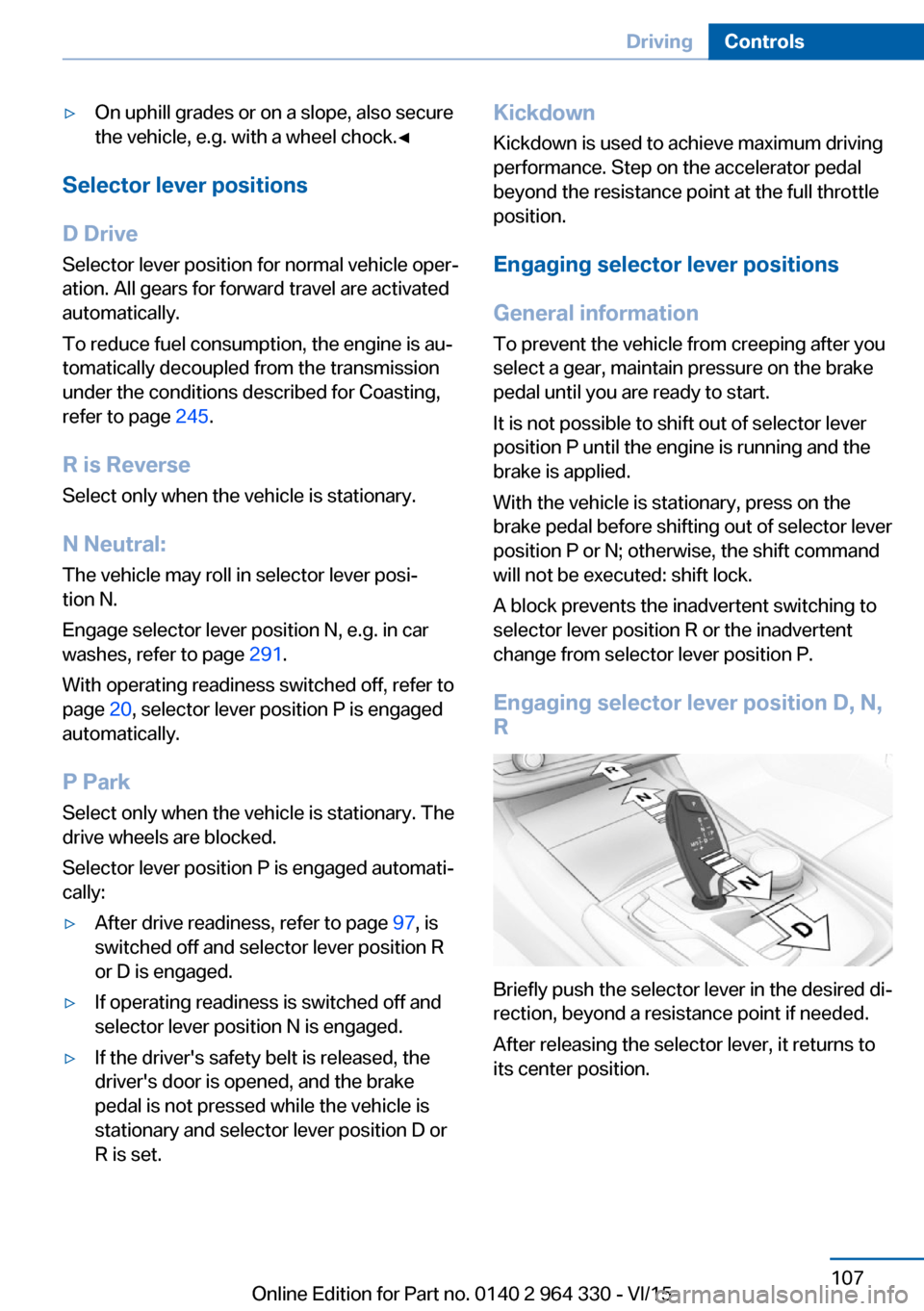
Engaging selector lever position D, N, R
Briefly push the selector lever in the desired di‐
rection, beyond a resistance point if needed.
After releasing the selector lever, it returns to
its center position.
Seite 107DrivingControls107
Online Edition for Part no. 0140 2 964 330 - VI/15
Page 115 of 314
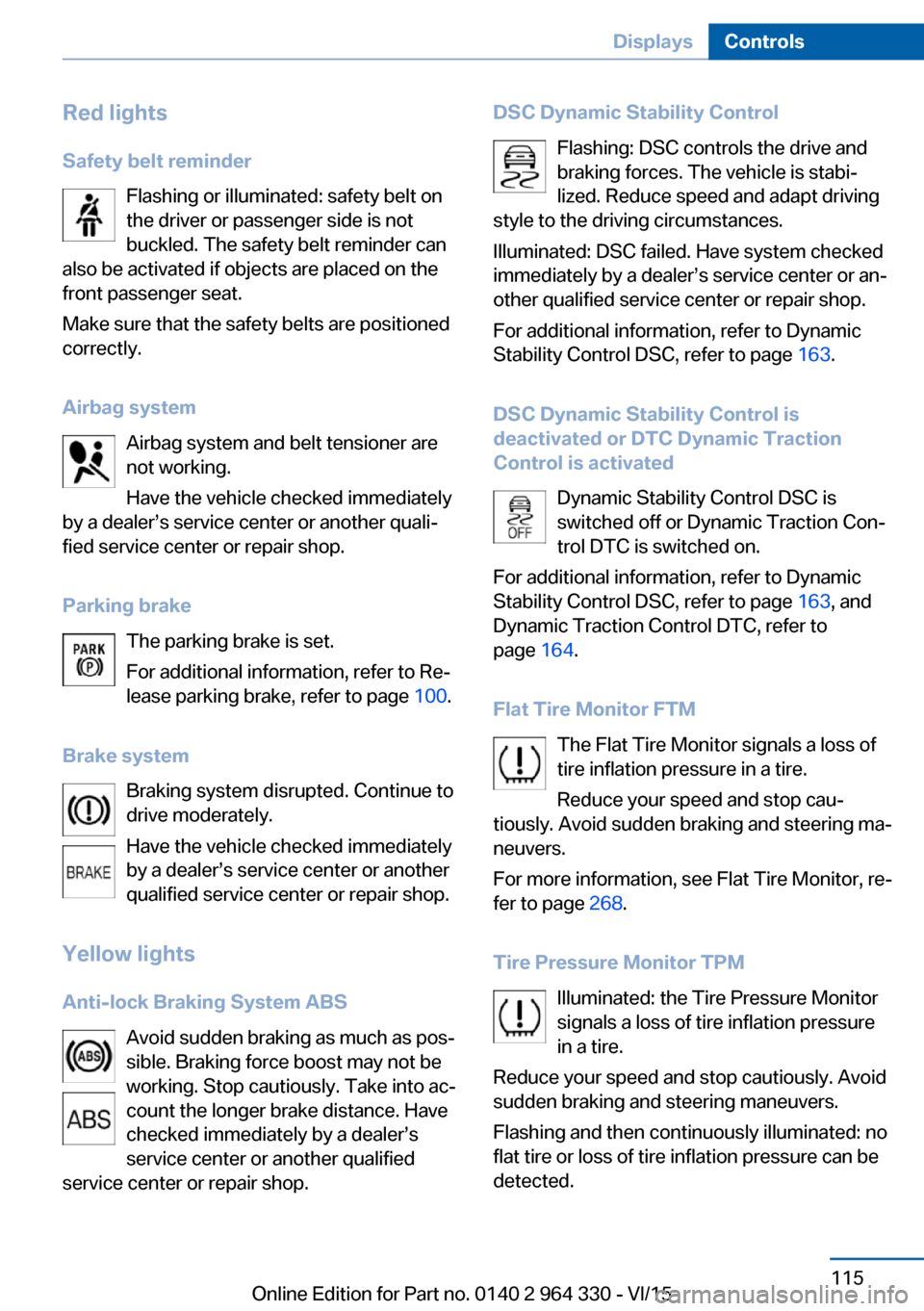
Red lightsSafety belt reminder Flashing or illuminated: safety belt on
the driver or passenger side is not
buckled. The safety belt reminder can
also be activated if objects are placed on the
front passenger seat.
Make sure that the safety belts are positioned
correctly.
Airbag system Airbag system and belt tensioner are
not working.
Have the vehicle checked immediately
by a dealer’s service center or another quali‐
fied service center or repair shop.
Parking brake The parking brake is set.
For additional information, refer to Re‐
lease parking brake, refer to page 100.
Brake system Braking system disrupted. Continue to
drive moderately.
Have the vehicle checked immediately
by a dealer’s service center or another
qualified service center or repair shop.
Yellow lights
Anti-lock Braking System ABS Avoid sudden braking as much as pos‐
sible. Braking force boost may not be
working. Stop cautiously. Take into ac‐
count the longer brake distance. Have
checked immediately by a dealer’s
service center or another qualified
service center or repair shop.DSC Dynamic Stability Control
Flashing: DSC controls the drive and
braking forces. The vehicle is stabi‐
lized. Reduce speed and adapt driving
style to the driving circumstances.
Illuminated: DSC failed. Have system checked
immediately by a dealer’s service center or an‐
other qualified service center or repair shop.
For additional information, refer to Dynamic
Stability Control DSC, refer to page 163.
DSC Dynamic Stability Control is
deactivated or DTC Dynamic Traction
Control is activated
Dynamic Stability Control DSC is
switched off or Dynamic Traction Con‐
trol DTC is switched on.
For additional information, refer to Dynamic
Stability Control DSC, refer to page 163, and
Dynamic Traction Control DTC, refer to
page 164.
Flat Tire Monitor FTM The Flat Tire Monitor signals a loss of
tire inflation pressure in a tire.
Reduce your speed and stop cau‐
tiously. Avoid sudden braking and steering ma‐
neuvers.
For more information, see Flat Tire Monitor, re‐
fer to page 268.
Tire Pressure Monitor TPM Illuminated: the Tire Pressure Monitor
signals a loss of tire inflation pressure
in a tire.
Reduce your speed and stop cautiously. Avoid
sudden braking and steering maneuvers.
Flashing and then continuously illuminated: no
flat tire or loss of tire inflation pressure can be
detected.Seite 115DisplaysControls115
Online Edition for Part no. 0140 2 964 330 - VI/15
Page 116 of 314
▷Interference through systems or devices
with the same radio frequency: After leav‐
ing the area of the interference, the system
automatically becomes active again.▷TPM could not conclude the reset: perform
the reset of the system again.▷A wheel without TPM electronics is
mounted: Have it checked by a dealer’s
service center or another qualified service
center or repair shop as needed.▷Malfunction: Have system checked imme‐
diately by a dealer’s service center or an‐
other qualified service center or repair
shop.
For more information, see Tire Pressure Moni‐
tor, refer to page 264.
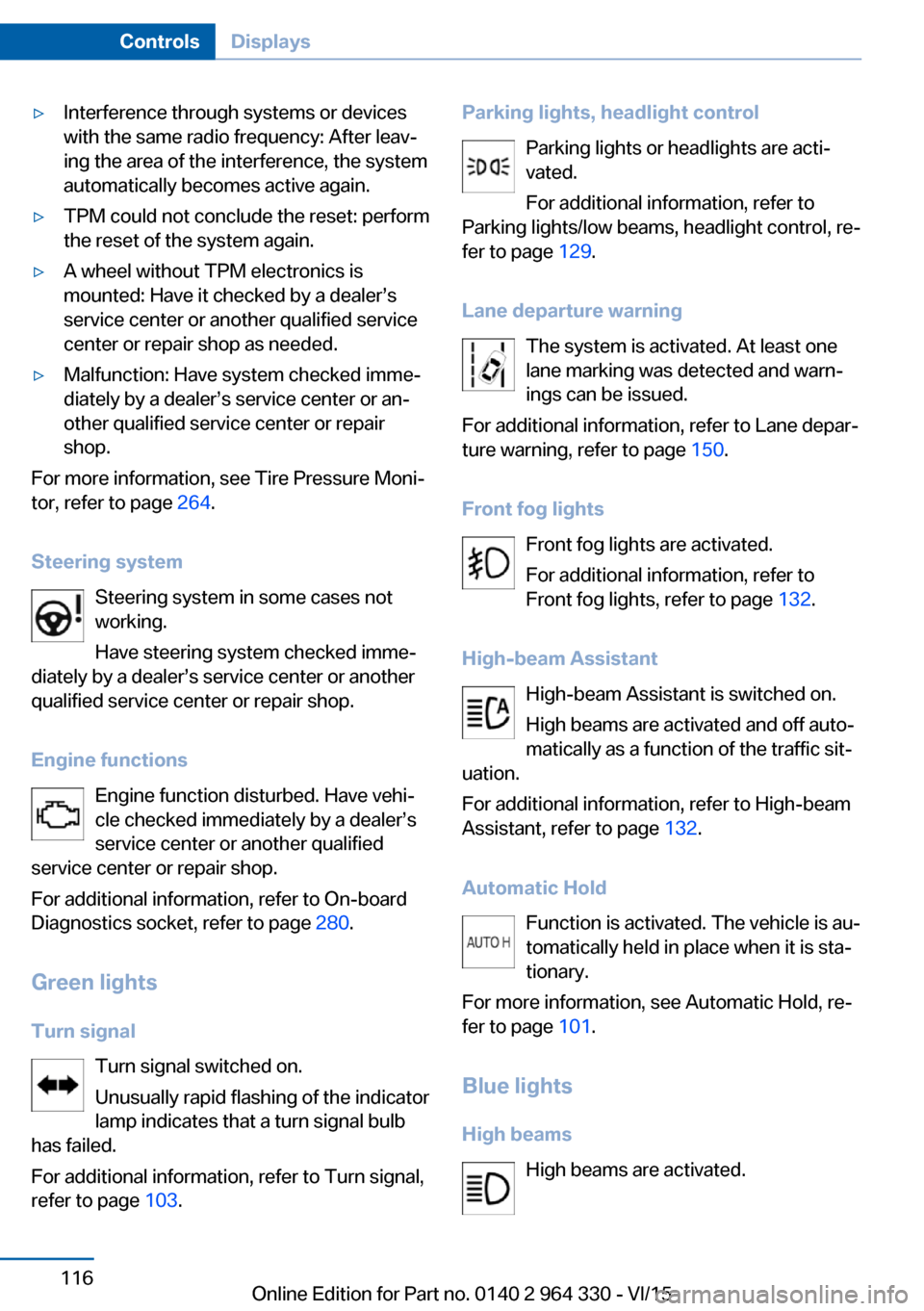
Steering system Steering system in some cases not
working.
Have steering system checked imme‐
diately by a dealer’s service center or another
qualified service center or repair shop.
Engine functions Engine function disturbed. Have vehi‐
cle checked immediately by a dealer’s
service center or another qualified
service center or repair shop.
For additional information, refer to On-board
Diagnostics socket, refer to page 280.
Green lights Turn signal Turn signal switched on.
Unusually rapid flashing of the indicator
lamp indicates that a turn signal bulb
has failed.
For additional information, refer to Turn signal,
refer to page 103.
Parking lights, headlight control
Parking lights or headlights are acti‐
vated.
For additional information, refer to
Parking lights/low beams, headlight control, re‐
fer to page 129.
Lane departure warning The system is activated. At least one
lane marking was detected and warn‐
ings can be issued.
For additional information, refer to Lane depar‐
ture warning, refer to page 150.
Front fog lights Front fog lights are activated.
For additional information, refer to
Front fog lights, refer to page 132.
High-beam Assistant High-beam Assistant is switched on.
High beams are activated and off auto‐
matically as a function of the traffic sit‐
uation.
For additional information, refer to High-beam
Assistant, refer to page 132.
Automatic Hold Function is activated. The vehicle is au‐
tomatically held in place when it is sta‐
tionary.
For more information, see Automatic Hold, re‐
fer to page 101.
Blue lights
High beams High beams are activated.Seite 116ControlsDisplays116
Online Edition for Part no. 0140 2 964 330 - VI/15
Page 126 of 314
Activating/deactivating the speed
warning
About iDrive:1."My Vehicle"2."Vehicle settings"3."Speed warning"4."Speed warning"5.Press the controller.
Setting your current speed as the
speed warning
About iDrive:
1."My Vehicle"2."Vehicle settings"3."Speed warning"4."Select current speed"5.Press the controller.
The current vehicle speed is stored as the
speed warning.
Vehicle status
The concept The status can be displayed and actions per‐
formed for several systems.
Opening the vehicle status
About iDrive:
1."My Vehicle"2."Vehicle status"
Information at a glance
▷ "Flat Tire Monitor": Status of the Flat
Tire Monitor, refer to page 269.▷ "Tire Pressure Monitor": Status of the
Tire Pressure Monitor, refer to page 265.▷Reset the Tire Pressure Monitor, refer to
page 265.▷ "Engine oil level"Electronic engine
oil level check, refer to page 273.▷ "Check Control": Display of stored
Check Control messages, refer to
page 117.▷ "Service required"Display of service
requirements, refer to page 119.▷ "Service Request": Service request.
Head-up Display
Overview
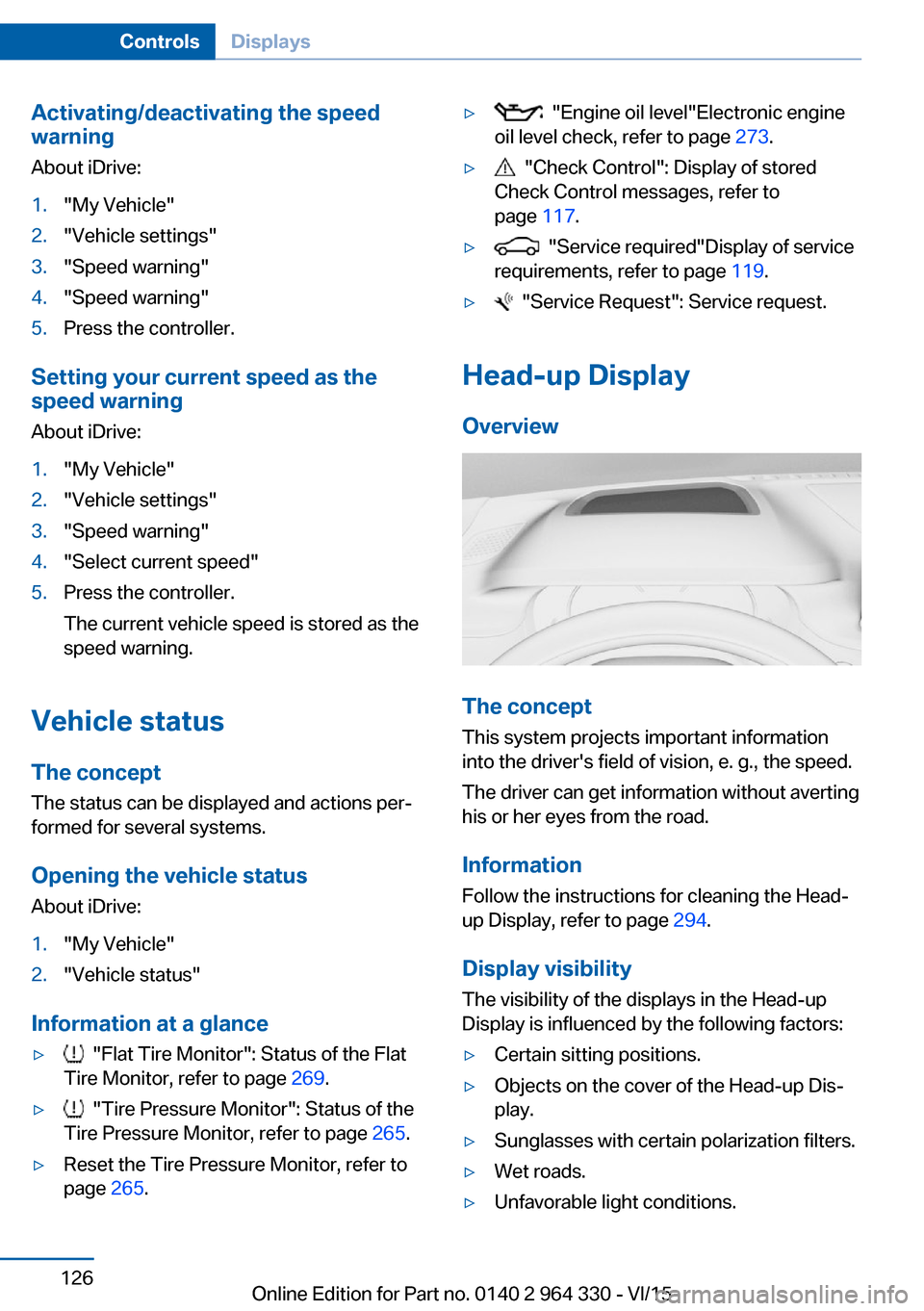
The concept
This system projects important information
into the driver's field of vision, e. g., the speed.
The driver can get information without averting
his or her eyes from the road.
Information Follow the instructions for cleaning the Head-
up Display, refer to page 294.
Display visibility The visibility of the displays in the Head-up
Display is influenced by the following factors:
▷Certain sitting positions.▷Objects on the cover of the Head-up Dis‐
play.▷Sunglasses with certain polarization filters.▷Wet roads.▷Unfavorable light conditions.Seite 126ControlsDisplays126
Online Edition for Part no. 0140 2 964 330 - VI/15
Page 143 of 314
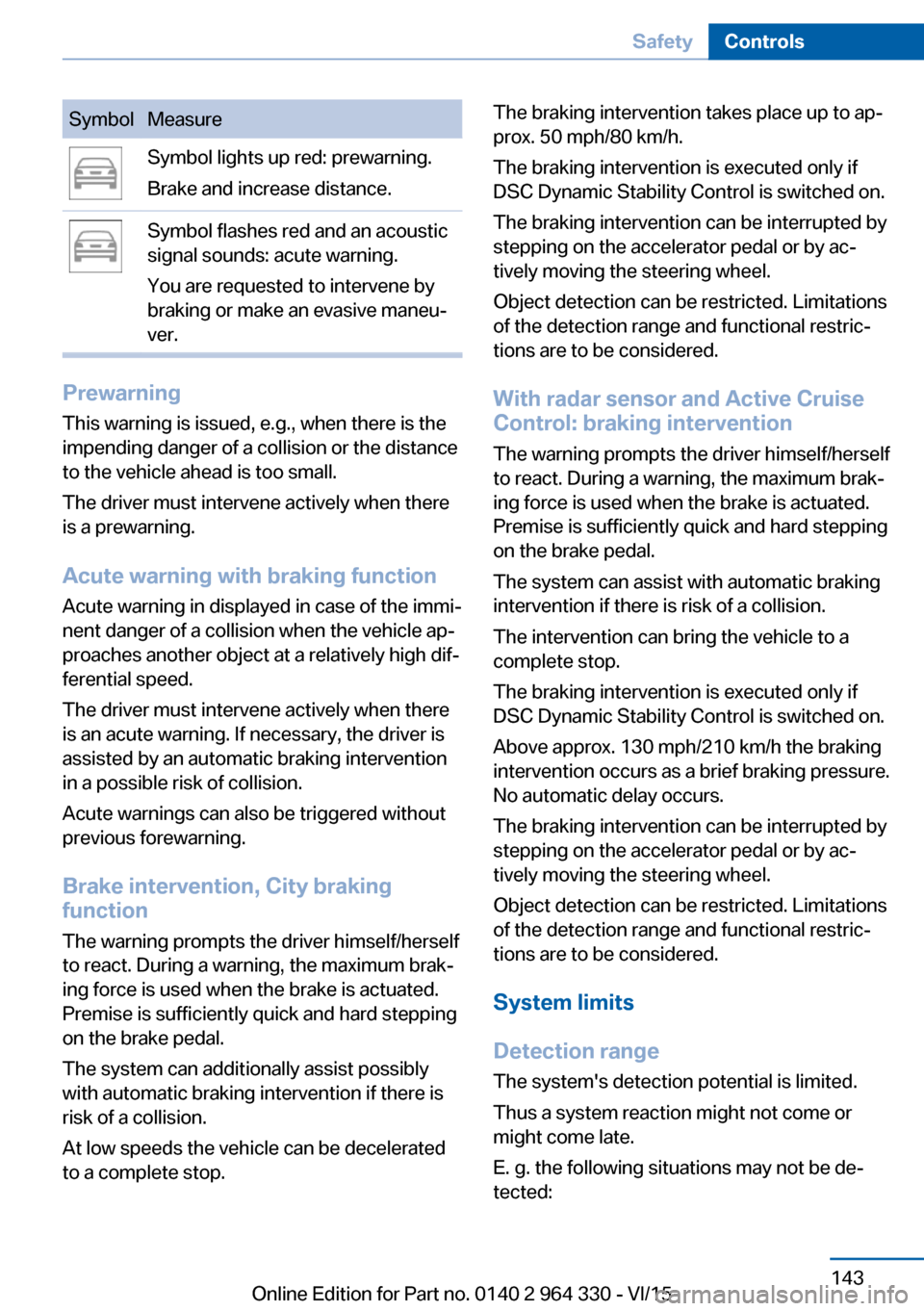
SymbolMeasureSymbol lights up red: prewarning.
Brake and increase distance.Symbol flashes red and an acoustic
signal sounds: acute warning.
You are requested to intervene by
braking or make an evasive maneu‐
ver.
Prewarning
This warning is issued, e.g., when there is the
impending danger of a collision or the distance
to the vehicle ahead is too small.
The driver must intervene actively when there
is a prewarning.
Acute warning with braking function
Acute warning in displayed in case of the immi‐
nent danger of a collision when the vehicle ap‐
proaches another object at a relatively high dif‐
ferential speed.
The driver must intervene actively when there
is an acute warning. If necessary, the driver is
assisted by an automatic braking intervention
in a possible risk of collision.
Acute warnings can also be triggered without
previous forewarning.
Brake intervention, City braking
function
The warning prompts the driver himself/herself
to react. During a warning, the maximum brak‐
ing force is used when the brake is actuated.
Premise is sufficiently quick and hard stepping
on the brake pedal.
The system can additionally assist possibly
with automatic braking intervention if there is
risk of a collision.
At low speeds the vehicle can be decelerated
to a complete stop.
The braking intervention takes place up to ap‐
prox. 50 mph/80 km/h.
The braking intervention is executed only if
DSC Dynamic Stability Control is switched on.
The braking intervention can be interrupted by
stepping on the accelerator pedal or by ac‐
tively moving the steering wheel.
Object detection can be restricted. Limitations
of the detection range and functional restric‐
tions are to be considered.
With radar sensor and Active CruiseControl: braking intervention
The warning prompts the driver himself/herself
to react. During a warning, the maximum brak‐
ing force is used when the brake is actuated.
Premise is sufficiently quick and hard stepping
on the brake pedal.
The system can assist with automatic braking
intervention if there is risk of a collision.
The intervention can bring the vehicle to a
complete stop.
The braking intervention is executed only if
DSC Dynamic Stability Control is switched on.
Above approx. 130 mph/210 km/h the braking
intervention occurs as a brief braking pressure.
No automatic delay occurs.
The braking intervention can be interrupted by
stepping on the accelerator pedal or by ac‐
tively moving the steering wheel.
Object detection can be restricted. Limitations
of the detection range and functional restric‐
tions are to be considered.
System limits
Detection range
The system's detection potential is limited.
Thus a system reaction might not come or
might come late.
E. g. the following situations may not be de‐
tected:Seite 143SafetyControls143
Online Edition for Part no. 0140 2 964 330 - VI/15
Page 161 of 314
▷Automatic closing of the glass sunroof, in‐
cluding sliding visor.▷For vehicles equipped with Comfort seats
in the front: automatic positioning of the
backrest for the front passenger seat.▷For vehicles equipped with Comfort seats
in the rear: automatic positioning of the
backrests for the rear passenger seats.
After a critical driving situation without an acci‐
dent, the front belts are loosened again. All
other systems can be restored to the desired
setting.
If the belt tension does not loosen automati‐
cally, stop the vehicle and unbuckle the belt
using the red button in the buckle. Fasten the
belt before continuing on your trip.
Post Crash — iBrake The conceptIn certain accident situations, e.g. collision, the
system can bring the vehicle to a halt automat‐
ically without driver intervention. This can re‐
duce the risk of a further collision and the con‐
sequences thereof.
At standstill After coming to a halt, the brake is released
automatically.
Harder vehicle braking
It can be necessary to bring the vehicle in cer‐
tain situations to a halt quicker.
Here, a higher braking pressure must be gen‐
erated for a short period when pressing the brake pedal than during automatic braking.
This interrupts automatic braking.
Interrupting automatic braking It can be necessary to interrupt automatic
braking in certain situations,e.g. for an evasive
maneuver.
Interrupt automatic braking:
▷By pressing the brake pedal.▷By pressing the accelerator pedal.
Attentiveness assistant
The concept The system can detect increasing lack of alert‐
ness or fatigue of the driver during long, mo‐
notonous journeys, e.g., on highways. In this
situation, it is recommended that the driver
takes a break.
Information WARNING
The system does not relieve from the
personal responsibility to correctly assess
one's physical state. An increasing lack of
alertness or fatigue may not be detected or not
be detected in time. There is risk of an acci‐
dent. Make sure that the driver is rested and
alert. Adjust the driving style to the traffic con‐
ditions.◀
Function
The system is switched on each time drive
readiness is switched on.
After travel has begun, the system is trained
about the driver, so that increasing lack of alertness or fatigue can be detected.
This procedure takes the following criteria into
account:
▷Personal driving style, e.g., steering behav‐
ior.▷Driving conditions, e.g., length of trip.
Starting at approximately 43 mph/70 km/h, the
system is active and can display a recommen‐
dation to take a break.
Seite 161SafetyControls161
Online Edition for Part no. 0140 2 964 330 - VI/15
Page 163 of 314
Driving stability control systemsVehicle features and optionsThis chapter describes all standard, country-
specific and optional features offered with the
series. It also describes features that are not
necessarily available in your car, e. g., due to
the selected options or country versions. This
also applies to safety-related functions and
systems. The respectively applicable country
provisions must be observed when using the
respective features and systems.
Anti-lock Braking System
ABS
ABS prevents locking of the wheels during
braking.
The vehicle contains its steering power even
during full brake applications, thus increasing
active safety.
ABS is operational every time you start the en‐
gine.
Brake assistant When you apply the brakes rapidly, this system
automatically produces the greatest possible
braking force boost. It reduces the braking dis‐
tance to a minimum during emergency stop.
This system utilizes all of the benefits provided
by ABS.
Do not reduce the pressure on the brake pedal
for the duration of the emergency stop.
Adaptive brake assistant In combination with the Active Cruise Control,
this system ensures that the brakes respond
even more rapidly when braking in critical sit‐
uations.Drive-off assistant
This system supports driving off on inclines.
The parking brake is not required.1.Hold the vehicle in place with the foot
brake.2.Release the foot brake and drive off with‐
out delay.
After the foot brake is released, the vehicle is
held in place for approx. 2 seconds.
The possible holding duration amounts to
2 minutes.
Depending on the vehicle load or when a trailer
is used, the vehicle may roll back slightly.
DSC Dynamic Stability
Control
The concept DSC prevents traction loss in the power
wheels when driving off and accelerating.
DSC also recognizes unstable vehicle condi‐
tions such as fishtailing or nose-diving. Within
the physical limits DSC helps to keep the vehi‐
cle on a steady course by reducing engine
speed and by applying brakes to the individual
wheels.
Information
Adapt your driving style to the situation, for an
appropriate driving style is always the respon‐
sibility of the driver.
The laws of physics cannot be repealed, not
even with DSC.
Therefore, do not reduce the additional safety
margin by driving in a risky manner.
Seite 163Driving stability control systemsControls163
Online Edition for Part no. 0140 2 964 330 - VI/15
Page 177 of 314
When the system is switched on, the current
speed is maintained and stored as the desired
speed.
This is displayed, refer to page 177, in the
speedometer and briefly in the instrument
cluster.
DSC Dynamic Stability Control will be
switched on if needed.
Changing the speed
Press the rocker switch up or down repeatedly
until the desired speed is set.
If active, the displayed speed is stored and the
vehicle reaches the stored speed when the
road is clear.▷Each time the rocker switch is pressed to
the resistance point, the desired speed in‐
creases or decreases by 1 mph/1 km/h.▷Each time the rocker switch is pressed
past the point of resistance, the desired
speed increases or decreases by a maxi‐
mum of 5 mph/10 km/h.
The maximum speed that can be set de‐
pends on the vehicle.▷Pressing the rocker switch to the resist‐
ance point and holding it accelerates or de‐
celerates the vehicle without requiring
pressure on the accelerator pedal.
After the rocker switch is released, the ve‐
hicle maintains its final speed. Pressing the
switch beyond the resistance point causes
the vehicle to accelerate more rapidly.
Continuing cruise control
Press button while the system is inter‐
rupted.
The stored speed is reached and maintained.
Displays in the instrument cluster
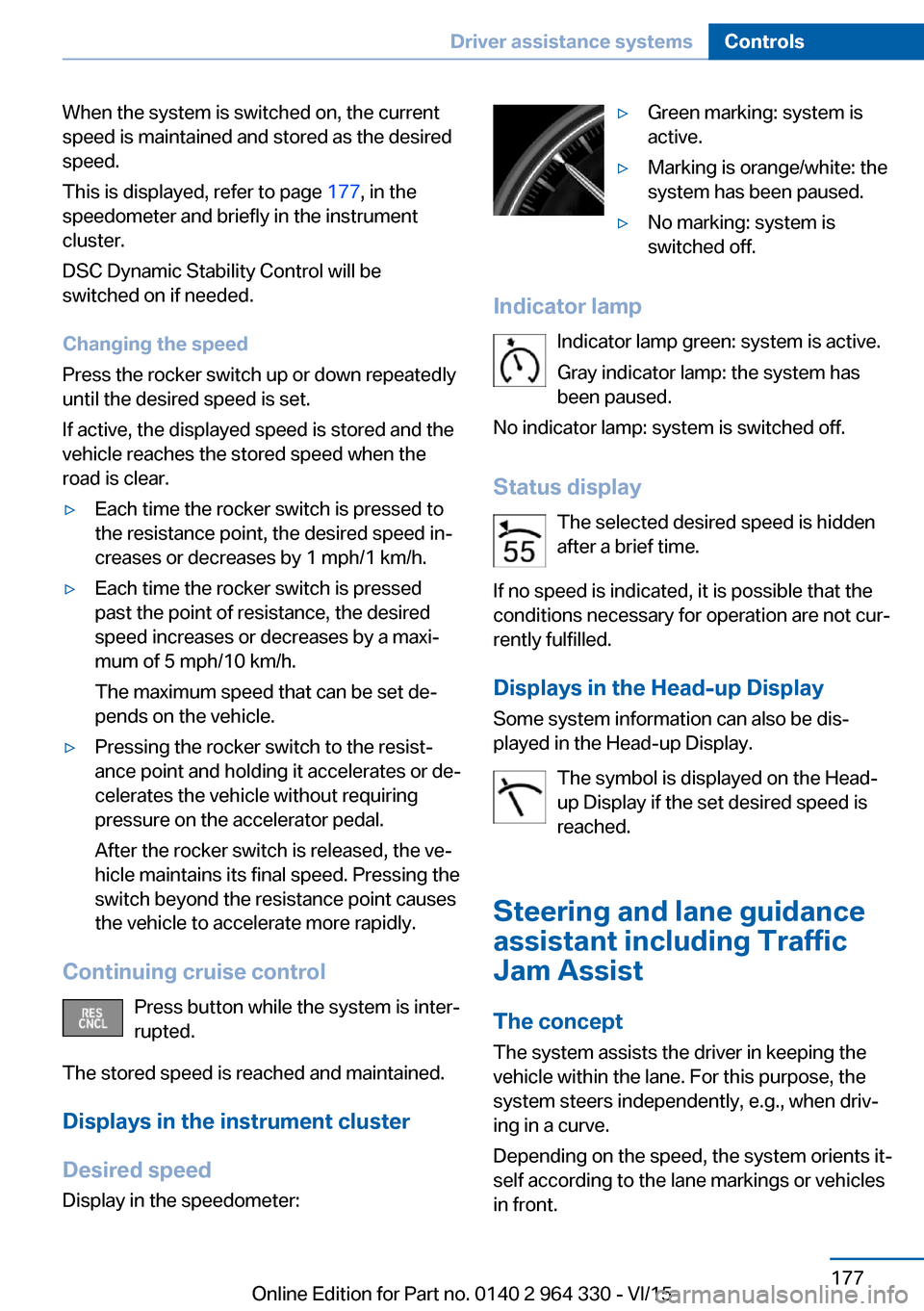
Desired speed Display in the speedometer:
▷Green marking: system is
active.▷Marking is orange/white: the
system has been paused.▷No marking: system is
switched off.
Indicator lamp
Indicator lamp green: system is active.
Gray indicator lamp: the system has
been paused.
No indicator lamp: system is switched off.
Status display The selected desired speed is hidden
after a brief time.
If no speed is indicated, it is possible that the
conditions necessary for operation are not cur‐
rently fulfilled.
Displays in the Head-up Display Some system information can also be dis‐
played in the Head-up Display.
The symbol is displayed on the Head-
up Display if the set desired speed is
reached.
Steering and lane guidance
assistant including Traffic
Jam Assist
The concept
The system assists the driver in keeping the vehicle within the lane. For this purpose, the
system steers independently, e.g., when driv‐
ing in a curve.
Depending on the speed, the system orients it‐
self according to the lane markings or vehicles
in front.
Seite 177Driver assistance systemsControls177
Online Edition for Part no. 0140 2 964 330 - VI/15
Page 181 of 314
▷With parking assistant: by the side sensors
at approx. 24 in/60 cm.▷When a collision is imminent.
Information
WARNING
The system does not relieve from the
personal responsibility to correctly assess the
traffic situation. Based on the limits of the sys‐
tem, it cannot independently react to all traffic
situations. There is risk of an accident. Adjust
the driving style to the traffic conditions. Watch
traffic closely and actively interfere in the re‐
spective situations.◀
WARNING
Due to high speeds when PDC is acti‐
vated, the warning can be delayed due to
physical circumstances. There is risk of injuries
or risk of property damage. Avoid approaching
an object too fast. Avoid driving off fast while
PDC is not yet active.◀
Overview
Button in the vehicle
PDC Park Distance Control
Ultrasound sensors Ultrasound sensors of the PDC,e.g. in the bumpers.
Functional requirements
To ensure full functionality:▷Do not cover sensors, e.g., with stickers,
bicycle racks.▷Keep the sensors clean and free of ice.
To clean: when using high-pressure washers,
do not spray the sensors for long periods and
maintain a distance of at least 12 in/30 cm.
Switching on/off
Switching on automatically PDC switches on automatically in the following
situations:
▷If selector lever position R is engaged
when the engine is running.▷While approaching detected obstacles if
the speed is slower than approx.
2.5 mph/4 km/h. The activation distance
depends on the situation in question.
You may switch on and off automatic activation
when obstacles are detected.
About iDrive:
1."My Vehicle"2."Vehicle settings"3."Parking"4."Automatic PDC activation": only with re‐
spective equipment.5."Automatic PDC activation"
The setting is stored for the drive profile cur‐
rently used.
Depending on equipment, an appropriate cam‐
era view is also switched on.
Automatic deactivation during forward
travel
The system switches off when a certain driving
distance or speed is exceeded.
Switch the system back on if needed.
Seite 181Driver assistance systemsControls181
Online Edition for Part no. 0140 2 964 330 - VI/15