light BMW 7 SERIES 2016 G12 Owners Manual
[x] Cancel search | Manufacturer: BMW, Model Year: 2016, Model line: 7 SERIES, Model: BMW 7 SERIES 2016 G12Pages: 314, PDF Size: 7.9 MB
Page 204 of 314
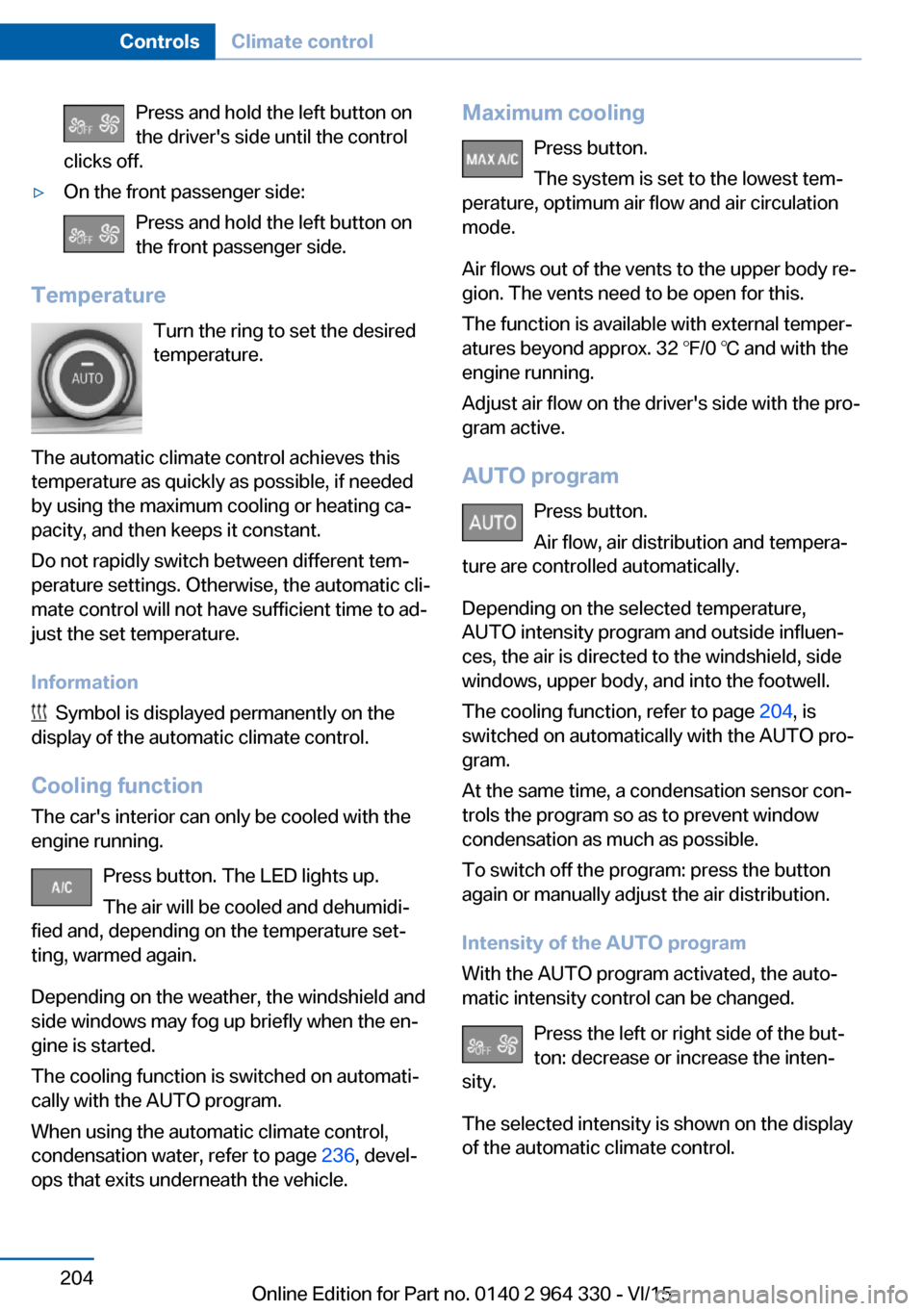
Press and hold the left button on
the driver's side until the control
clicks off.▷On the front passenger side:
Press and hold the left button on
the front passenger side.
Temperature
Turn the ring to set the desired
temperature.
The automatic climate control achieves this
temperature as quickly as possible, if needed
by using the maximum cooling or heating ca‐
pacity, and then keeps it constant.
Do not rapidly switch between different tem‐
perature settings. Otherwise, the automatic cli‐
mate control will not have sufficient time to ad‐
just the set temperature.
Information
Symbol is displayed permanently on the
display of the automatic climate control.
Cooling function The car's interior can only be cooled with the
engine running.
Press button. The LED lights up.
The air will be cooled and dehumidi‐
fied and, depending on the temperature set‐
ting, warmed again.
Depending on the weather, the windshield and
side windows may fog up briefly when the en‐
gine is started.
The cooling function is switched on automati‐
cally with the AUTO program.
When using the automatic climate control,
condensation water, refer to page 236, devel‐
ops that exits underneath the vehicle.
Maximum cooling
Press button.
The system is set to the lowest tem‐
perature, optimum air flow and air circulation
mode.
Air flows out of the vents to the upper body re‐
gion. The vents need to be open for this.
The function is available with external temper‐
atures beyond approx. 32 ℉/0 ℃ and with the
engine running.
Adjust air flow on the driver's side with the pro‐
gram active.
AUTO program Press button.
Air flow, air distribution and tempera‐
ture are controlled automatically.
Depending on the selected temperature,
AUTO intensity program and outside influen‐
ces, the air is directed to the windshield, side
windows, upper body, and into the footwell.
The cooling function, refer to page 204, is
switched on automatically with the AUTO pro‐
gram.
At the same time, a condensation sensor con‐
trols the program so as to prevent window
condensation as much as possible.
To switch off the program: press the button
again or manually adjust the air distribution.
Intensity of the AUTO program
With the AUTO program activated, the auto‐
matic intensity control can be changed.
Press the left or right side of the but‐
ton: decrease or increase the inten‐
sity.
The selected intensity is shown on the display
of the automatic climate control.Seite 204ControlsClimate control204
Online Edition for Part no. 0140 2 964 330 - VI/15
Page 215 of 314
Interior equipmentVehicle features and optionsThis chapter describes all standard, country-
specific and optional features offered with the
series. It also describes features that are not
necessarily available in your car, e. g., due to
the selected options or country versions. This
also applies to safety-related functions and
systems. The respectively applicable country
provisions must be observed when using the
respective features and systems.
Universal Integrated Remote Control
The concept The universal garage door opener can operate
up to 3 functions of remote-controlled sys‐
tems such as garage door drives or lighting
systems. The universal garage door opener re‐
places up to 3 different hand-held transmitters.
To operate the remote control, the buttons on
the interior rearview mirror must be program‐
med with the desired functions. The hand-held
transmitter for the particular system is required
in order to program the remote control.
Before selling the vehicle, delete the stored
functions for the sake of security.
Information WARNING
Body parts can be jammed when operat‐
ing remote-controlled systems, e.g. the garage
door, using the universal garage door opener.
There is risk of injuries or risk of property dam‐
age. Make sure that the area of movement of
the respective system is clear during program‐
ming and operation. Also follow the safety in‐
structions of the hand-held transmitter.◀Compatibility
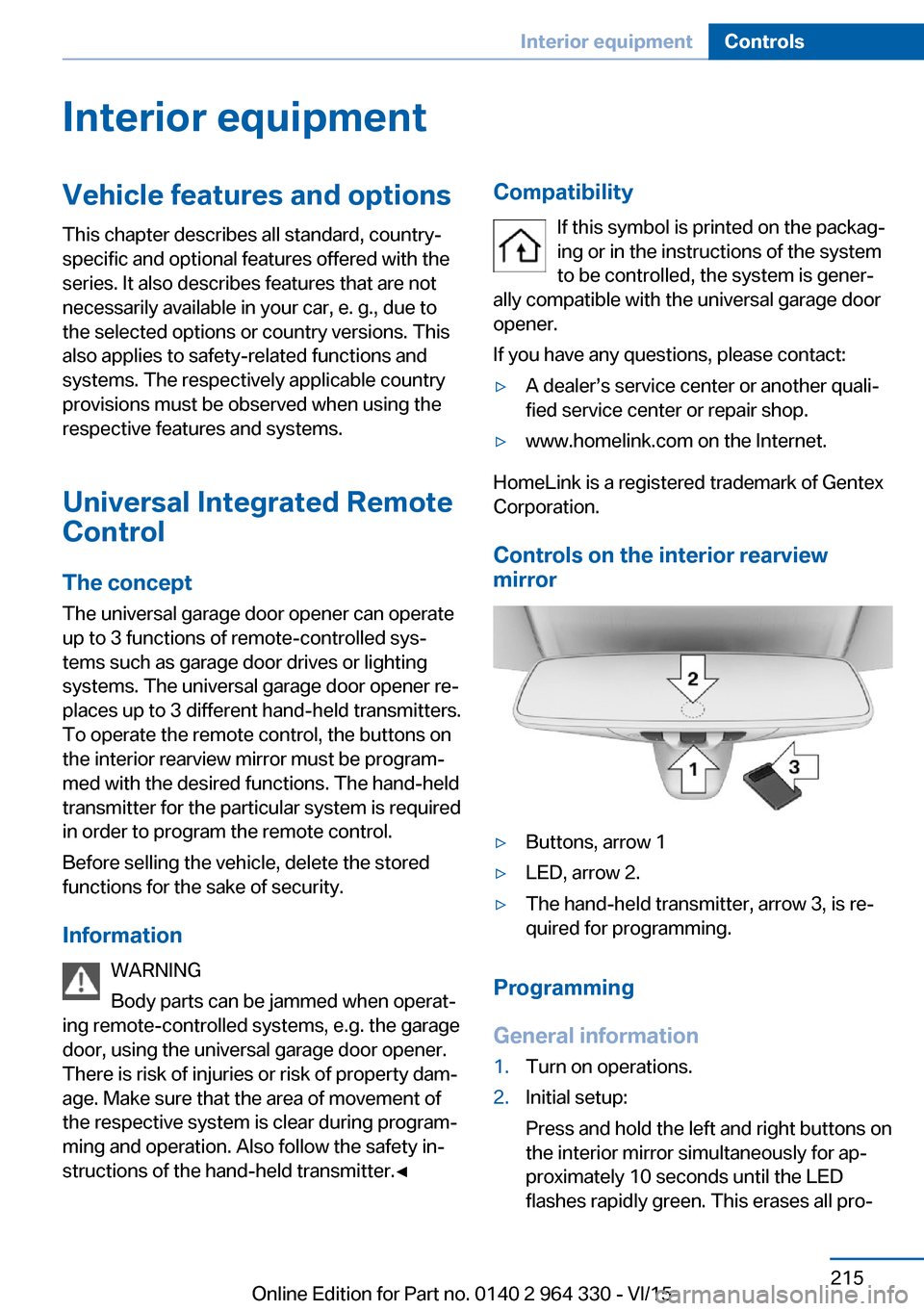
If this symbol is printed on the packag‐
ing or in the instructions of the system
to be controlled, the system is gener‐
ally compatible with the universal garage door opener.
If you have any questions, please contact:▷A dealer’s service center or another quali‐
fied service center or repair shop.▷www.homelink.com on the Internet.
HomeLink is a registered trademark of Gentex
Corporation.
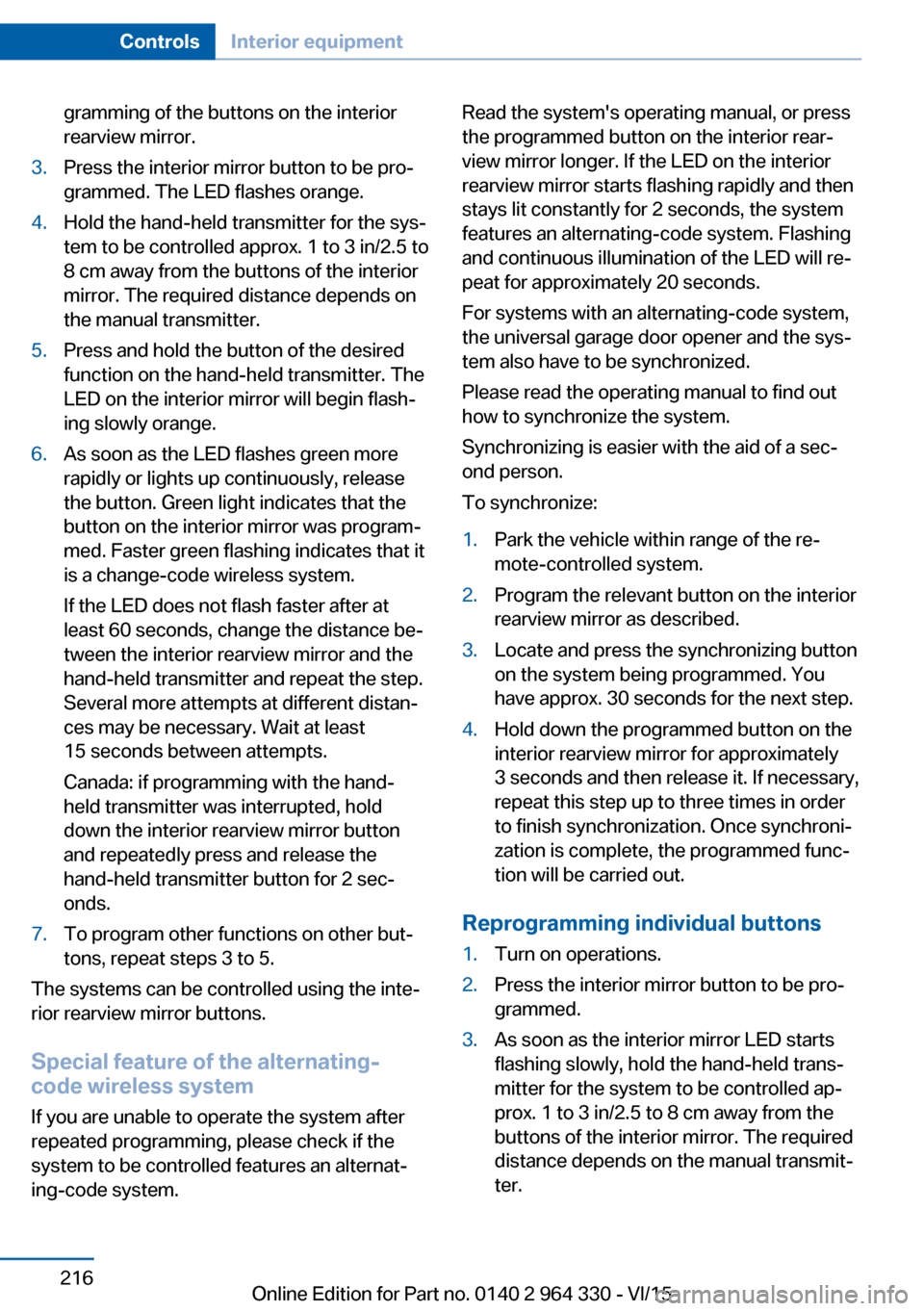
Controls on the interior rearview
mirror
▷Buttons, arrow 1▷LED, arrow 2.▷The hand-held transmitter, arrow 3, is re‐
quired for programming.
Programming
General information
1.Turn on operations.2.Initial setup:
Press and hold the left and right buttons on
the interior mirror simultaneously for ap‐
proximately 10 seconds until the LED
flashes rapidly green. This erases all pro‐Seite 215Interior equipmentControls215
Online Edition for Part no. 0140 2 964 330 - VI/15
Page 216 of 314
gramming of the buttons on the interior
rearview mirror.3.Press the interior mirror button to be pro‐
grammed. The LED flashes orange.4.Hold the hand-held transmitter for the sys‐
tem to be controlled approx. 1 to 3 in/2.5 to
8 cm away from the buttons of the interior
mirror. The required distance depends on
the manual transmitter.5.Press and hold the button of the desired
function on the hand-held transmitter. The
LED on the interior mirror will begin flash‐
ing slowly orange.6.As soon as the LED flashes green more
rapidly or lights up continuously, release
the button. Green light indicates that the
button on the interior mirror was program‐
med. Faster green flashing indicates that it
is a change-code wireless system.
If the LED does not flash faster after at
least 60 seconds, change the distance be‐
tween the interior rearview mirror and the
hand-held transmitter and repeat the step.
Several more attempts at different distan‐
ces may be necessary. Wait at least
15 seconds between attempts.
Canada: if programming with the hand-
held transmitter was interrupted, hold
down the interior rearview mirror button
and repeatedly press and release the
hand-held transmitter button for 2 sec‐
onds.7.To program other functions on other but‐
tons, repeat steps 3 to 5.
The systems can be controlled using the inte‐
rior rearview mirror buttons.
Special feature of the alternating-
code wireless system
If you are unable to operate the system after
repeated programming, please check if the
system to be controlled features an alternat‐
ing-code system.
Read the system's operating manual, or press
the programmed button on the interior rear‐
view mirror longer. If the LED on the interior
rearview mirror starts flashing rapidly and then
stays lit constantly for 2 seconds, the system
features an alternating-code system. Flashing
and continuous illumination of the LED will re‐
peat for approximately 20 seconds.
For systems with an alternating-code system,
the universal garage door opener and the sys‐
tem also have to be synchronized.
Please read the operating manual to find out how to synchronize the system.
Synchronizing is easier with the aid of a sec‐
ond person.
To synchronize:1.Park the vehicle within range of the re‐
mote-controlled system.2.Program the relevant button on the interior
rearview mirror as described.3.Locate and press the synchronizing button
on the system being programmed. You
have approx. 30 seconds for the next step.4.Hold down the programmed button on the
interior rearview mirror for approximately
3 seconds and then release it. If necessary,
repeat this step up to three times in order
to finish synchronization. Once synchroni‐
zation is complete, the programmed func‐
tion will be carried out.
Reprogramming individual buttons
1.Turn on operations.2.Press the interior mirror button to be pro‐
grammed.3.As soon as the interior mirror LED starts
flashing slowly, hold the hand-held trans‐
mitter for the system to be controlled ap‐
prox. 1 to 3 in/2.5 to 8 cm away from the
buttons of the interior mirror. The required
distance depends on the manual transmit‐
ter.Seite 216ControlsInterior equipment216
Online Edition for Part no. 0140 2 964 330 - VI/15
Page 217 of 314
4.Likewise, press and hold the button of the
desired function on the hand-held trans‐
mitter.5.Release both buttons as soon as the inte‐
rior mirror LED flashes more rapidly or
lights up continuously. The LED flashing
more rapidly or being continuously light up
indicates that the button on the interior
mirror has been programmed. The system
can then be controlled by the button on the
interior rearview mirror.
If the LED does not flash faster after at
least 60 seconds, change the distance and
repeat the step. Several more attempts at
different distances may be necessary. Wait
at least 15 seconds between attempts.
Canada: if programming with the hand-
held transmitter was interrupted, hold
down the interior rearview mirror button
and repeatedly press and release the
hand-held transmitter button for 2 sec‐
onds.
Controls
WARNING
Body parts can be jammed when operat‐
ing remote-controlled systems, e.g. the garage
door, using the universal garage door opener. There is risk of injuries or risk of property dam‐
age. Make sure that the area of movement of
the respective system is clear during program‐
ming and operation. Also follow the safety in‐
structions of the hand-held transmitter.◀
The system, such as the garage door, can be
operated using the button on the interior mirror
while the drive or operating readiness is
switched on. To do this, hold down the button
within receiving range of the system until the
function is activated. The interior rearview mir‐
ror LED stays lit while the wireless signal is be‐
ing transmitted.
Deleting stored functions
Press and hold the left and right button on the
interior mirror simultaneously for approxi‐ mately 10 seconds until the LED flashes rap‐
idly green. All stored functions are deleted.
The functions cannot be deleted individually.
Sun visor Glare shield
Fold the sun visor down or up.
Glare shield from the side
Folding out1.Fold the sun visor down.2.Unhook it from the holder and swing it to
the side.3.Move it back to the desired position.
Folding up
Proceed in the reverse order to close the sun
visor.
Vanity mirror A vanity mirror is located in the sun visor be‐
hind a cover. When the cover is opened, the
mirror lighting switches on.
Ashtray
Front
Opening
1.Push the cover forward until it engages be‐
hind the cup holders. Push the cover for‐Seite 217Interior equipmentControls217
Online Edition for Part no. 0140 2 964 330 - VI/15
Page 218 of 314
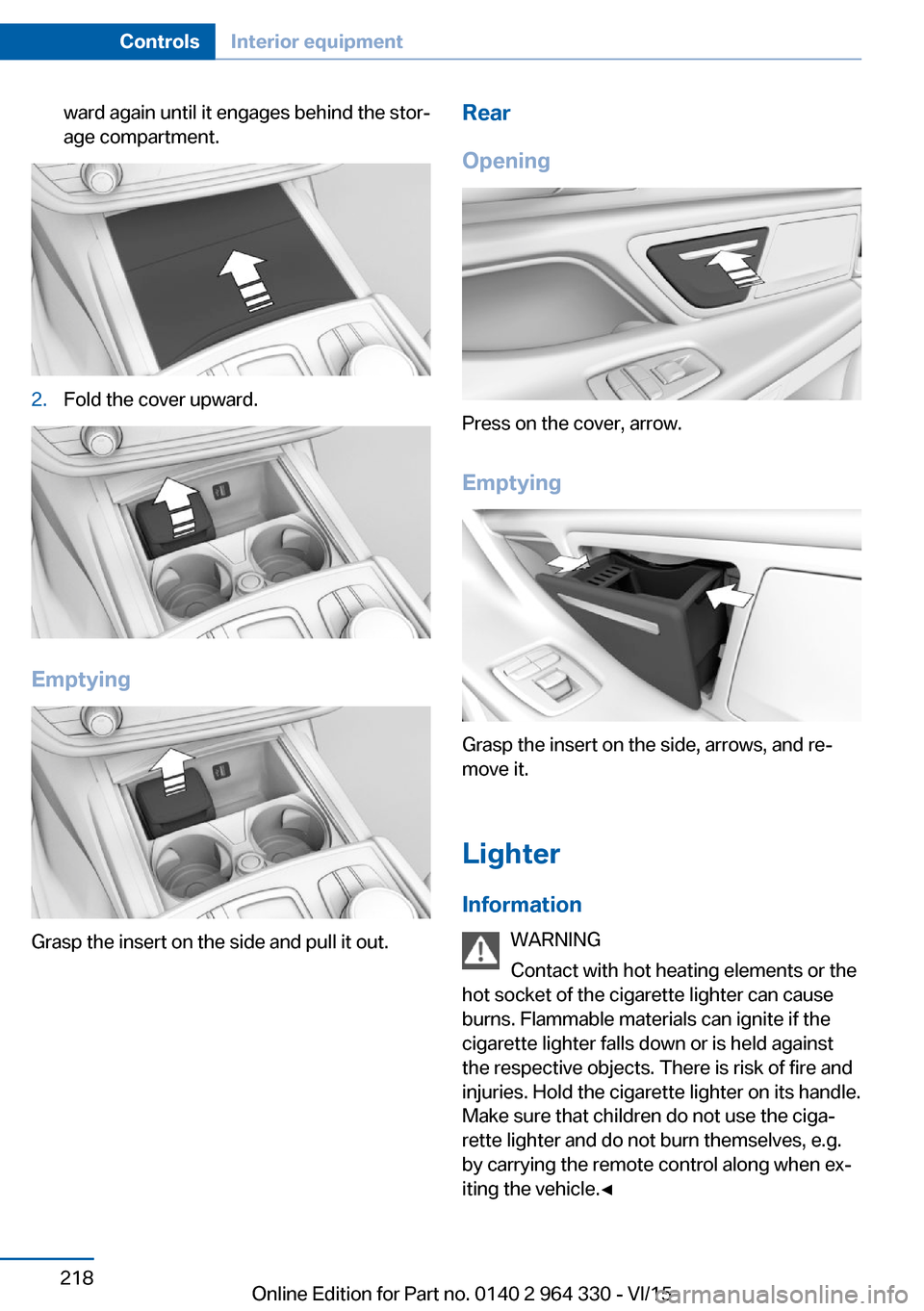
ward again until it engages behind the stor‐
age compartment.2.Fold the cover upward.
Emptying
Grasp the insert on the side and pull it out.
Rear
Opening
Press on the cover, arrow.
Emptying
Grasp the insert on the side, arrows, and re‐
move it.
Lighter Information WARNING
Contact with hot heating elements or the
hot socket of the cigarette lighter can cause
burns. Flammable materials can ignite if the
cigarette lighter falls down or is held against
the respective objects. There is risk of fire and
injuries. Hold the cigarette lighter on its handle.
Make sure that children do not use the ciga‐
rette lighter and do not burn themselves, e.g.
by carrying the remote control along when ex‐
iting the vehicle.◀
Seite 218ControlsInterior equipment218
Online Edition for Part no. 0140 2 964 330 - VI/15
Page 219 of 314
CAUTION
If metal objects fall into the socket, they
can cause a short circuit. There is risk of prop‐
erty damage. Replace the cigarette lighter or
socket cover again after using the socket.◀
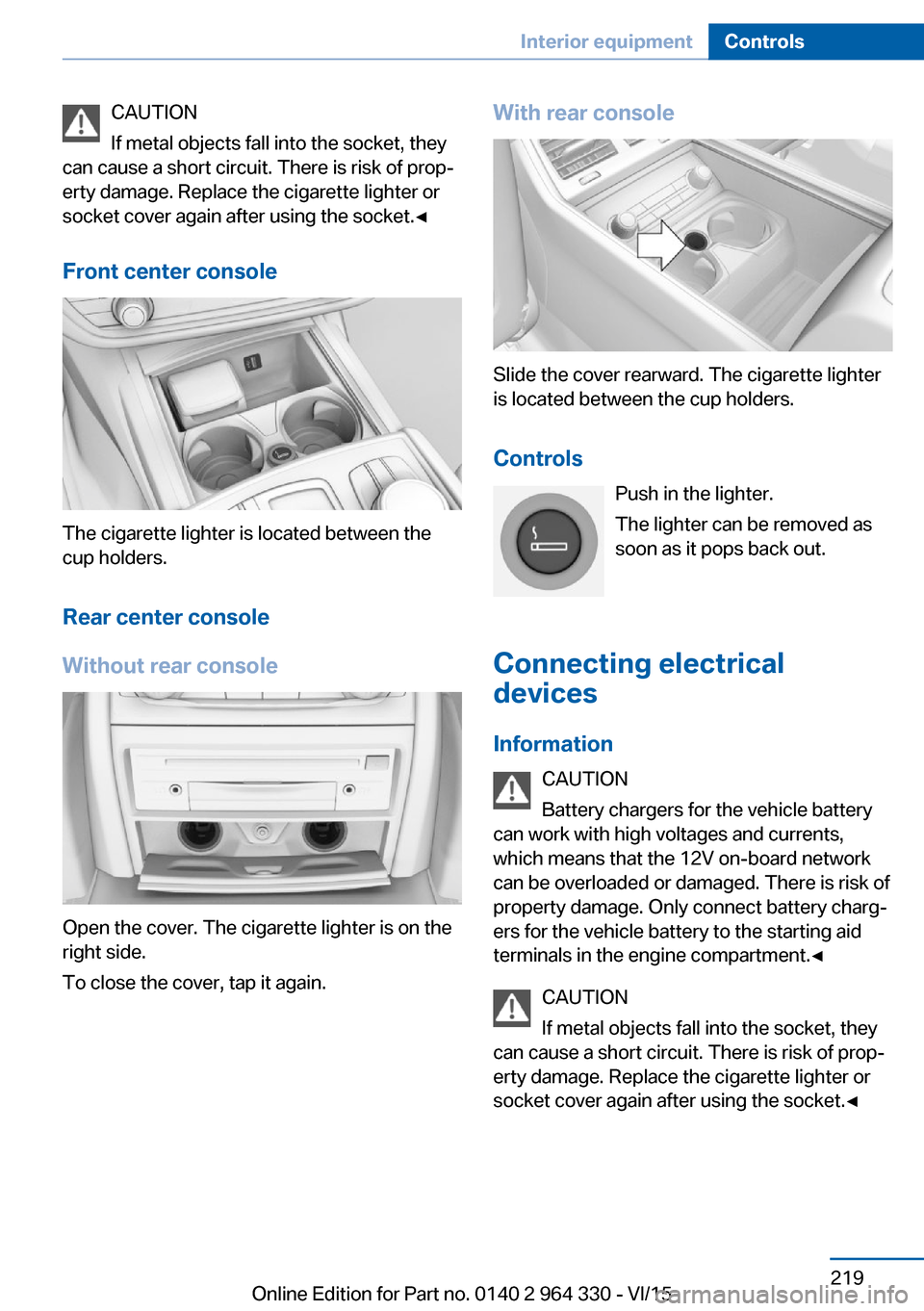
Front center console
The cigarette lighter is located between the
cup holders.
Rear center console
Without rear console
Open the cover. The cigarette lighter is on the
right side.
To close the cover, tap it again.
With rear console
Slide the cover rearward. The cigarette lighter
is located between the cup holders.
Controls Push in the lighter.
The lighter can be removed as
soon as it pops back out.
Connecting electrical devices
Information CAUTION
Battery chargers for the vehicle battery
can work with high voltages and currents,
which means that the 12V on-board network
can be overloaded or damaged. There is risk of
property damage. Only connect battery charg‐
ers for the vehicle battery to the starting aid
terminals in the engine compartment.◀
CAUTION
If metal objects fall into the socket, they
can cause a short circuit. There is risk of prop‐
erty damage. Replace the cigarette lighter or
socket cover again after using the socket.◀
Seite 219Interior equipmentControls219
Online Edition for Part no. 0140 2 964 330 - VI/15
Page 220 of 314
Sockets
General information
The lighter socket can be used as a socket for
electrical equipment when operation and the
drive-ready state are switched on.
Information
The total load of all sockets must not exceed
140 watts at 12 volts.
Do not damage the socket by using non-com‐
patible connectors.
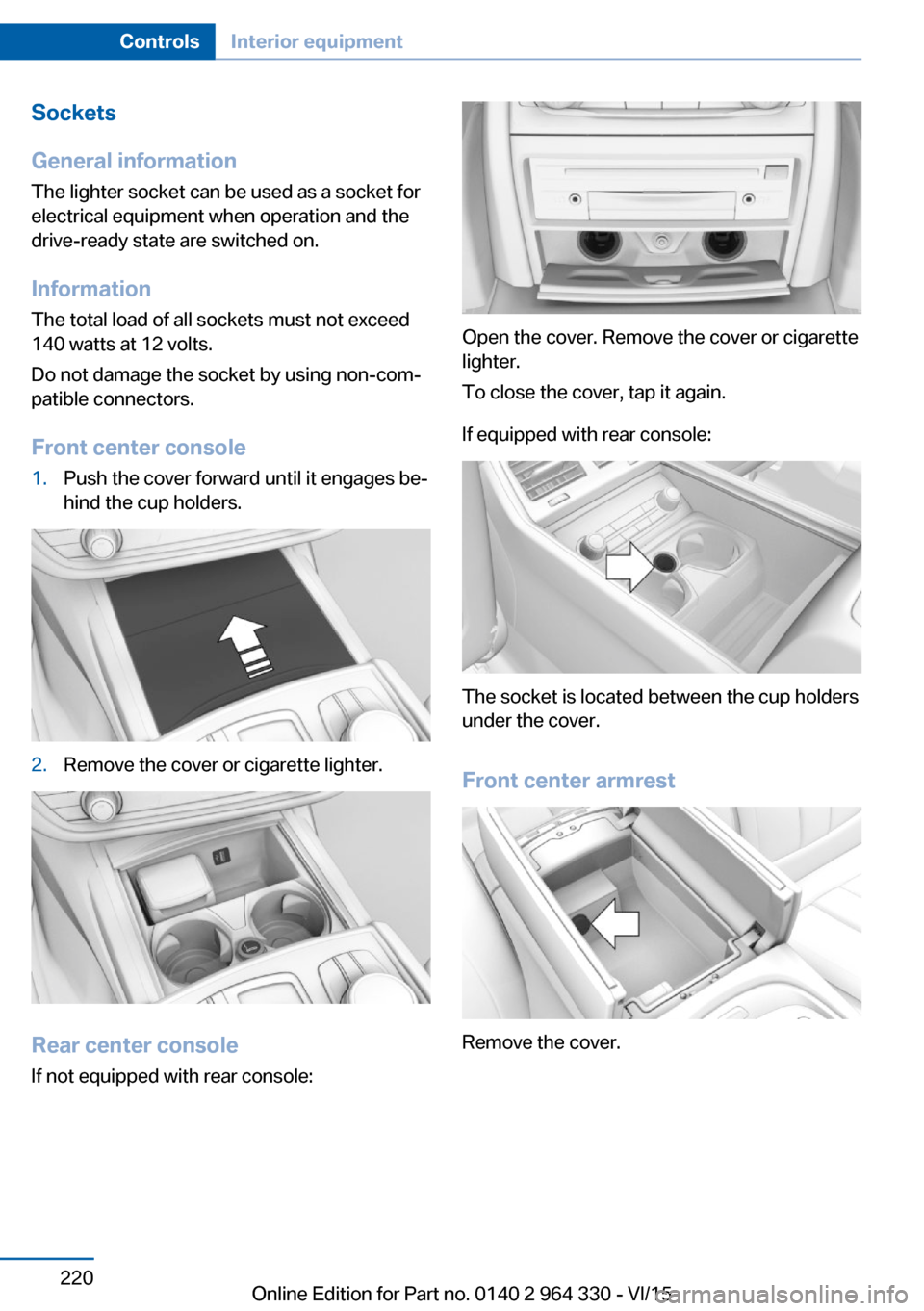
Front center console1.Push the cover forward until it engages be‐
hind the cup holders.2.Remove the cover or cigarette lighter.
Rear center console
If not equipped with rear console:
Open the cover. Remove the cover or cigarette
lighter.
To close the cover, tap it again.
If equipped with rear console:
The socket is located between the cup holders
under the cover.
Front center armrest
Remove the cover.
Seite 220ControlsInterior equipment220
Online Edition for Part no. 0140 2 964 330 - VI/15
Page 222 of 314
▷USB hard drives.▷USB hubs.▷USB memory card readers with multiple in‐
serts.▷HFS-formatted USB devices.▷MTP devices.▷Devices such as fans or lights.
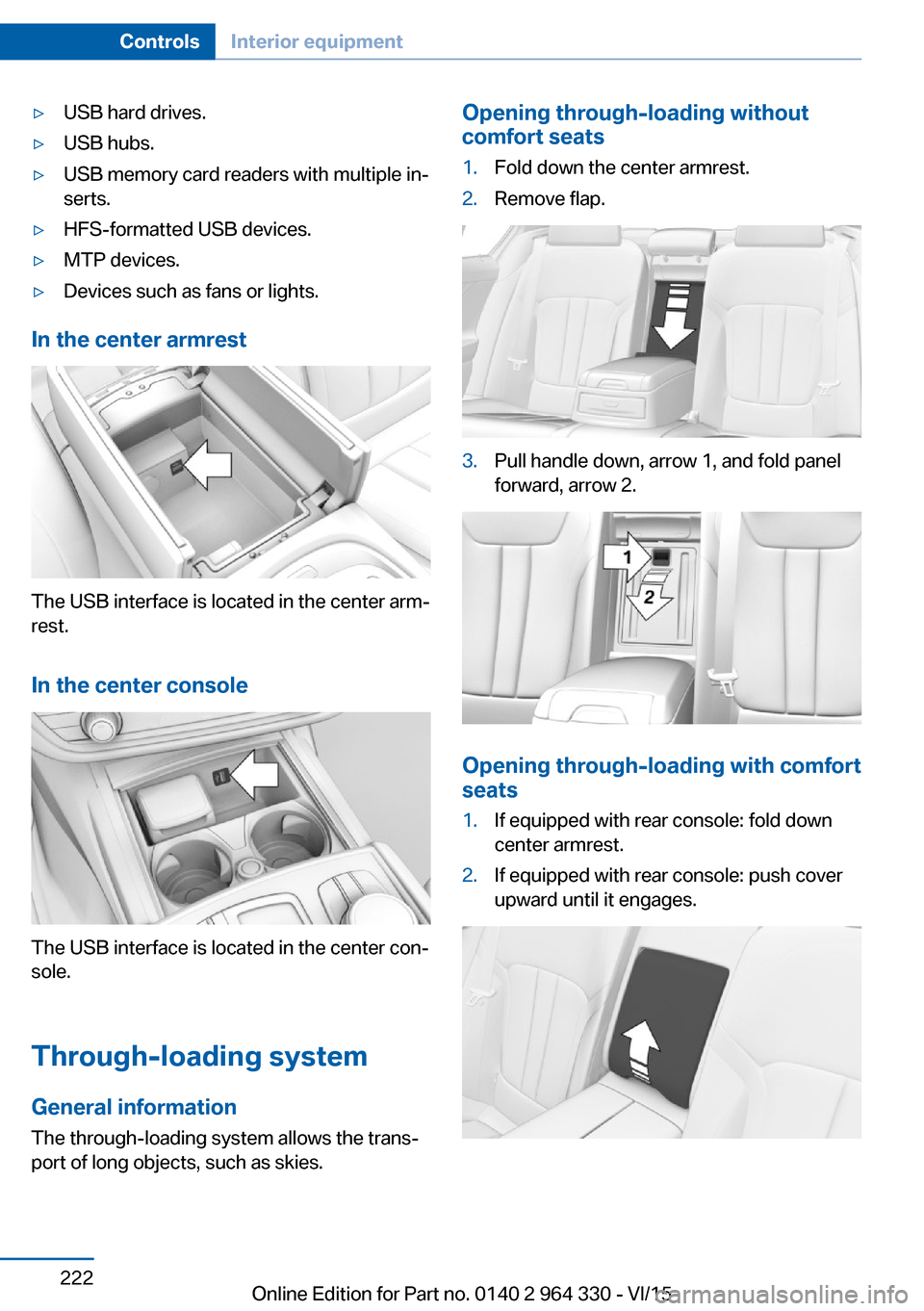
In the center armrest
The USB interface is located in the center arm‐
rest.
In the center console
The USB interface is located in the center con‐
sole.
Through-loading system General information The through-loading system allows the trans‐port of long objects, such as skies.
Opening through-loading without
comfort seats1.Fold down the center armrest.2.Remove flap.3.Pull handle down, arrow 1, and fold panel
forward, arrow 2.
Opening through-loading with comfort
seats
1.If equipped with rear console: fold down
center armrest.2.If equipped with rear console: push cover
upward until it engages.Seite 222ControlsInterior equipment222
Online Edition for Part no. 0140 2 964 330 - VI/15
Page 225 of 314
Storage compartmentsVehicle features and optionsThis chapter describes all standard, country-
specific and optional features offered with the
series. It also describes features that are not
necessarily available in your car, e. g., due to
the selected options or country versions. This
also applies to safety-related functions and
systems. The respectively applicable country
provisions must be observed when using the
respective features and systems.
Information WARNING
Loose objects in the car's interior can be
thrown into the car's interior while driving, e.g.
in the event of an accident or during braking
and evasive maneuvers. There is risk of inju‐
ries. Secure loose objects in the car's inte‐
rior.◀
CAUTION
Anti-slip pads such as anti-slip mats can
damage the dashboard. There is risk of prop‐
erty damage. Do not use anti-slip pads.◀
Storage compartments The following storage compartments are avail‐
able in the vehicle interior:▷Glove compartment on the front passenger
side, refer to page 225.▷Glove compartment on the driver's side,
refer to page 226.▷Compartments in the doors, refer to
page 226.▷Storage compartment on the center con‐
sole, refer to page 226.▷Center armrest, refer to page 227.▷Storage compartment in the rear, refer to
page 227.▷Storage compartment in the rear center
console, refer to page 226.▷Pockets on the backrests of the front
seats.
Glove compartment
Front passenger side
Information WARNING
Folded open, the glove compartment
protrudes in the car's interior. Objects in the glove compartment can be thrown into the
car's interior while driving, e.g. in the event of
an accident or during braking and evasive ma‐
neuvers. There is risk of injuries. Always close
the glove compartment immediately after us‐ ing it.◀
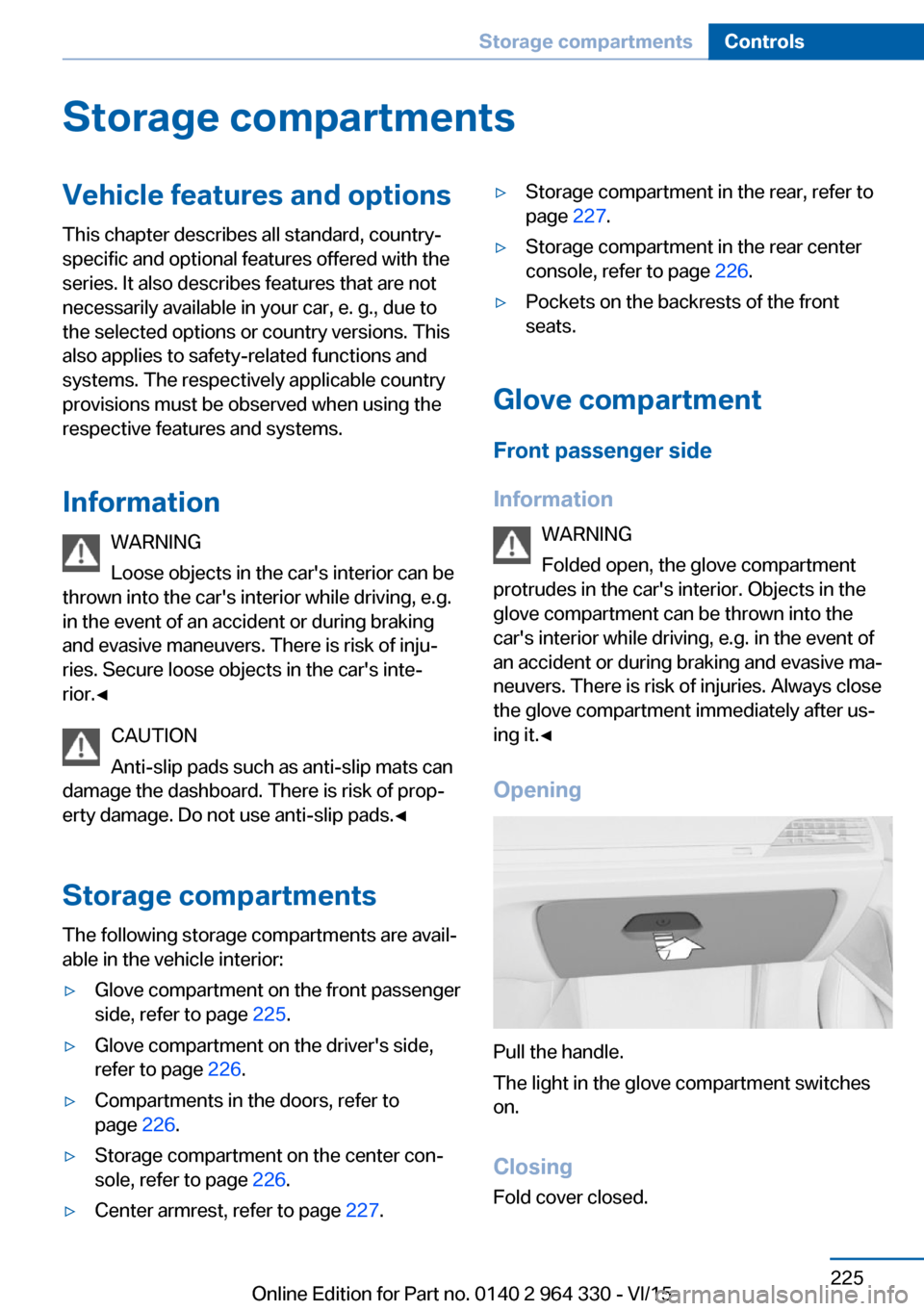
Opening
Pull the handle.
The light in the glove compartment switches
on.
ClosingFold cover closed.
Seite 225Storage compartmentsControls225
Online Edition for Part no. 0140 2 964 330 - VI/15
Page 228 of 314
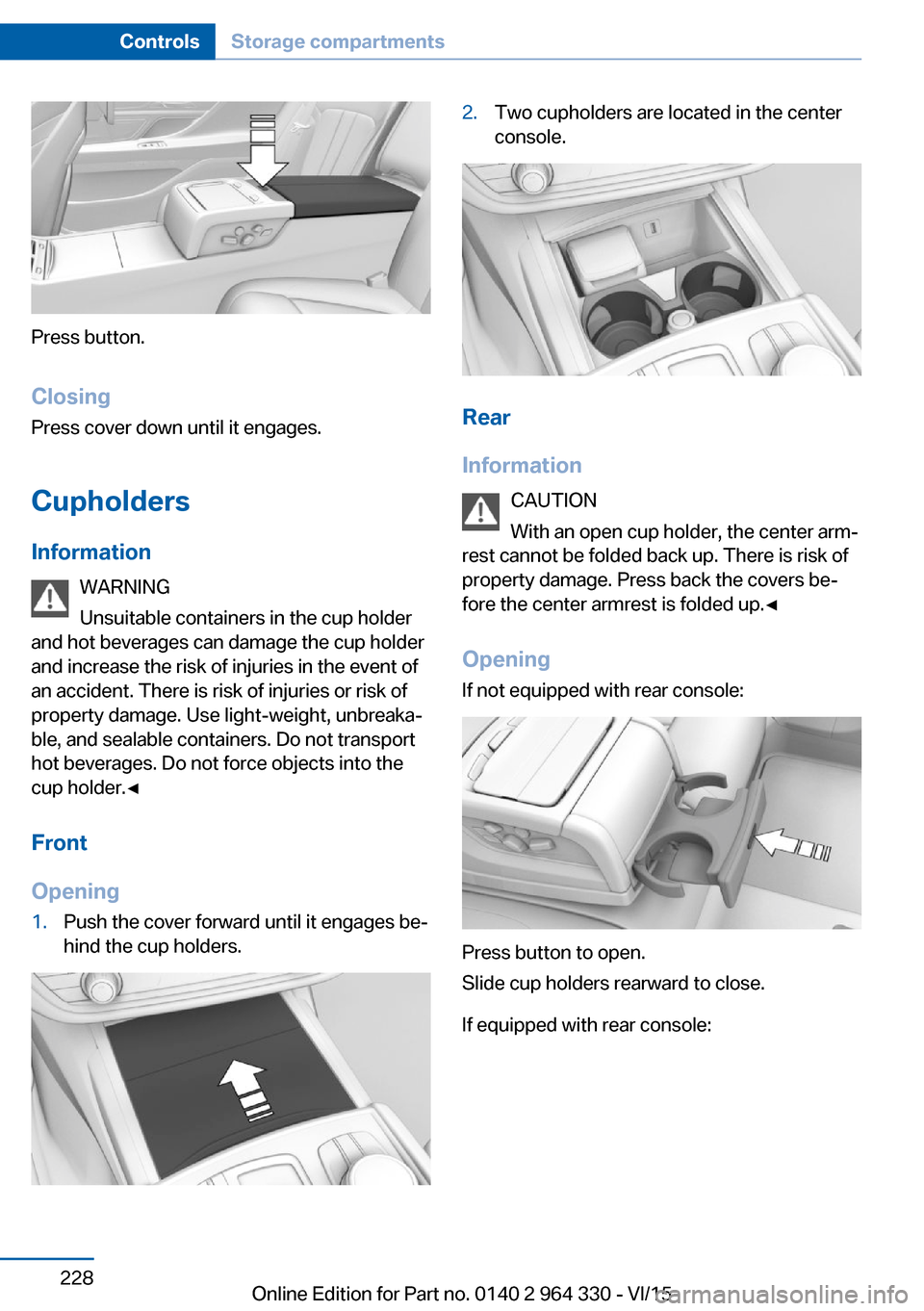
Press button.
Closing Press cover down until it engages.
Cupholders
Information WARNING
Unsuitable containers in the cup holder
and hot beverages can damage the cup holder
and increase the risk of injuries in the event of
an accident. There is risk of injuries or risk of
property damage. Use light-weight, unbreaka‐
ble, and sealable containers. Do not transport
hot beverages. Do not force objects into the
cup holder.◀
Front
Opening
1.Push the cover forward until it engages be‐
hind the cup holders.2.Two cupholders are located in the center
console.
Rear
Information CAUTION
With an open cup holder, the center arm‐
rest cannot be folded back up. There is risk of
property damage. Press back the covers be‐
fore the center armrest is folded up.◀
Opening If not equipped with rear console:
Press button to open.
Slide cup holders rearward to close.
If equipped with rear console:
Seite 228ControlsStorage compartments228
Online Edition for Part no. 0140 2 964 330 - VI/15