brake BMW 7 SERIES 2016 G12 Owner's Guide
[x] Cancel search | Manufacturer: BMW, Model Year: 2016, Model line: 7 SERIES, Model: BMW 7 SERIES 2016 G12Pages: 314, PDF Size: 7.9 MB
Page 171 of 314
Changing the speed
Press the rocker switch up or down repeatedly
until the desired speed is set.
If active, the displayed speed is stored and the
vehicle reaches the stored speed when the
road is clear.▷Each time the rocker switch is pressed to
the resistance point, the desired speed in‐
creases or decreases by 1 mph/1 km/h.▷Each time the rocker switch is pressed
past the point of resistance, the desired
speed increases or decreases by a maxi‐
mum of 5 mph/10 km/h.
Hold the rocker switch in position to repeat the
action.
Distance WARNING
The system does not relieve from the
personal responsibility. Due to the system lim‐
its, braking can be late. There is risk of acci‐
dents or risk of property damage. Be aware to
the traffic situation at all times. Adjust the dis‐
tance to the traffic and weather conditions and
maintain the prescribed safety distance, possi‐
bly by braking.◀
Without steering and lane guidance
assistant: reducing distance
Press button repeatedly until the de‐
sired distance is set.
Instrument cluster will display selected dis‐
tance, refer to page 172.
Without steering and lane guidance
assistant: increasing distance
Press button repeatedly until the de‐
sired distance is set.
Instrument cluster will display selected dis‐
tance, refer to page 172.
With steering and lane guidance
assistant: adjusting distance
Press button repeatedly until the de‐
sired distance is set.
Continuing cruise control
General information Press button with the system inter‐
rupted.
The stored speed is reached and maintained.
In the following cases, the stored speed value
is deleted and cannot be called up again:▷When the system is switched off.▷When drive readiness is switched off.
While standing
The system brought the vehicle to a complete
standstill:
▷Green marking in the speedometer:
Your vehicle accelerates automatically as
soon as the vehicle in the range of the ra‐
dar sensor moves off.▷Speedometer markings turn orange/white
after a short time: no automatic driving off.
By pressing the button, the time in
which there is automatic driving off is
extended.
Vehicle symbol in the distance indicator is
moving away: detected vehicle drove off.
The system was paused or your vehicle was
brought to a halt actively through stepping on
the brake pedal and it is standing behind an‐
other vehicle:
1. Press button to call up a stored
desired speed.2.Release the brake pedal.3.When the vehicle in front drives off:▷briefly press the gas pedal.Seite 171Driver assistance systemsControls171
Online Edition for Part no. 0140 2 964 330 - VI/15
Page 173 of 314
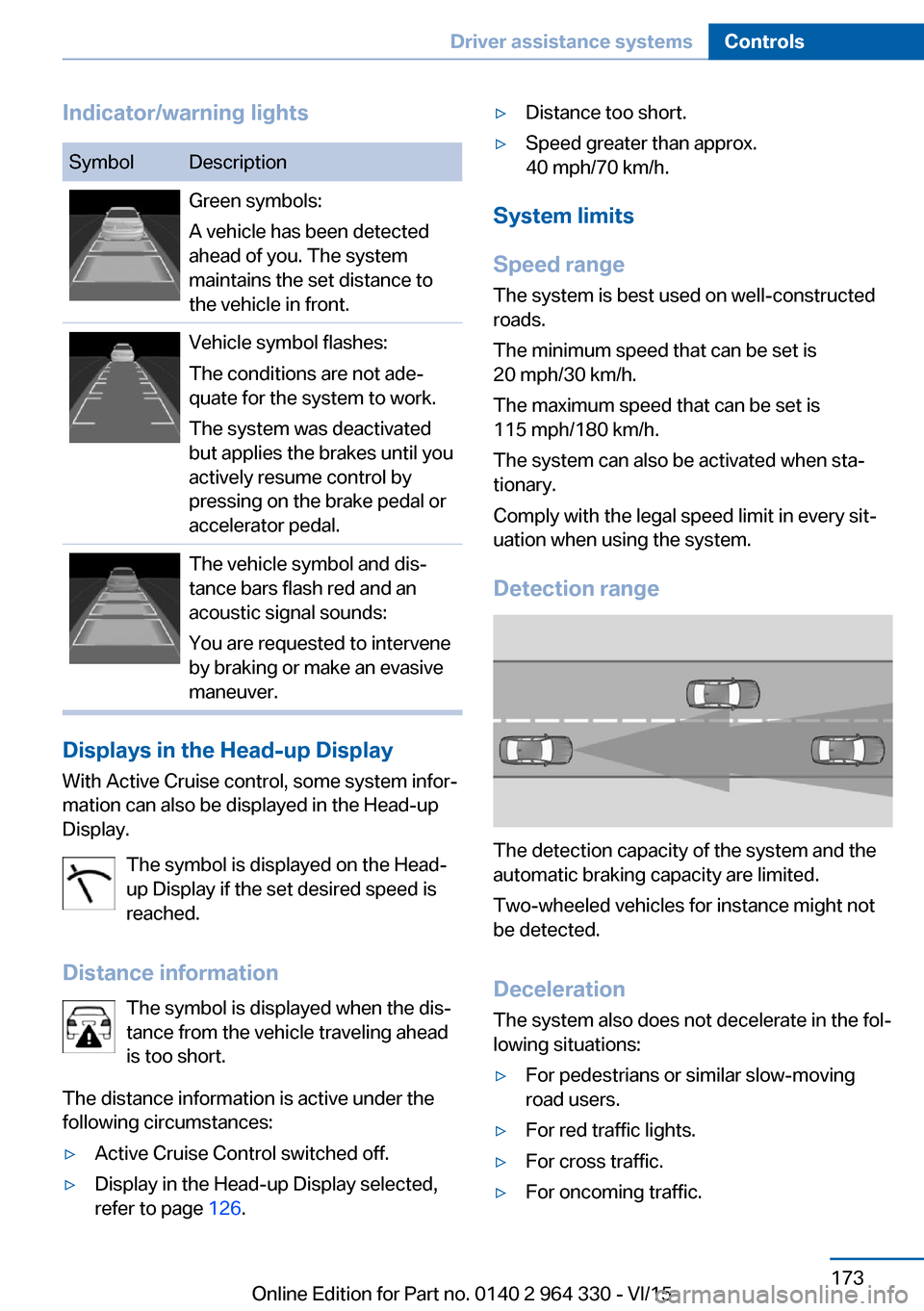
Indicator/warning lightsSymbolDescriptionGreen symbols:
A vehicle has been detected
ahead of you. The system
maintains the set distance to
the vehicle in front.Vehicle symbol flashes:
The conditions are not ade‐
quate for the system to work.
The system was deactivated
but applies the brakes until you
actively resume control by
pressing on the brake pedal or
accelerator pedal.The vehicle symbol and dis‐
tance bars flash red and an
acoustic signal sounds:
You are requested to intervene
by braking or make an evasive
maneuver.
Displays in the Head-up Display
With Active Cruise control, some system infor‐
mation can also be displayed in the Head-up
Display.
The symbol is displayed on the Head-
up Display if the set desired speed is
reached.
Distance information The symbol is displayed when the dis‐
tance from the vehicle traveling ahead
is too short.
The distance information is active under the
following circumstances:
▷Active Cruise Control switched off.▷Display in the Head-up Display selected,
refer to page 126.▷Distance too short.▷Speed greater than approx.
40 mph/70 km/h.
System limits
Speed range The system is best used on well-constructedroads.
The minimum speed that can be set is
20 mph/30 km/h.
The maximum speed that can be set is
115 mph/180 km/h.
The system can also be activated when sta‐
tionary.
Comply with the legal speed limit in every sit‐
uation when using the system.
Detection range
The detection capacity of the system and the
automatic braking capacity are limited.
Two-wheeled vehicles for instance might not
be detected.
Deceleration
The system also does not decelerate in the fol‐
lowing situations:
▷For pedestrians or similar slow-moving
road users.▷For red traffic lights.▷For cross traffic.▷For oncoming traffic.Seite 173Driver assistance systemsControls173
Online Edition for Part no. 0140 2 964 330 - VI/15
Page 175 of 314
Weather
In the event of unfavorable weather and light conditions, e. g. if there is rain, snowfall, slush,
fog or glare, this may result in poorer recogni‐
tion of vehicles as well as short-term interrup‐
tions for vehicles that are already detected. Drive attentively, and react to the current trafficsituation. If necessary, intervene actively, e.g.
by braking, steering or evading.
Radar sensor
For US owners only
The transmitter and receiver units comply with
part 15 of the FCC/Federal Communication
Commission regulations. Operation is gov‐
erned by the following:
FCC ID:▷OAYARS3-A
Compliance statement:
This device complies with part 15 of the FCC
Rules. Operation is subject to the following
two conditions:
▷This device may not cause harmful inter‐
ference, and▷this device must accept any interference
received, including interference that may
cause undesired operation.
Any unauthorized modifications or changes to
these devices could void the user's authority to
operate this equipment.
Malfunction
The system cannot be activated if the radar sensor is not aligned correctly. This may be
caused by damage incurred during parking,
e.g.
A Check Control message is displayed if the
system fails.
The function for detecting and responding
when approaching stationary vehicles may be limited in the following situations:
▷During calibration of the camera immedi‐
ately after vehicle delivery.▷If the camera is malfunctioning or dirty. A
Check Control message is displayed.
Cruise control
The concept The system maintains a preset speed via the
buttons on the steering wheel. The system
brakes on downhill gradients if engine braking
is insufficient.
General information
Depending on the driving settings, the features
of the cruise control can change in certain
areas.
The desired speed is also maintained downhill,
but may not be maintained on uphill grades if
engine power is insufficient.
Due to the driving style that minimizes fuel
consumption in ECO PRO drive mode, the ve‐
hicle may drop below the set desired speed in
some situations, e.g. on uphill grades.
Information WARNING
The use of the system can lead to an in‐
creased risk of accidents in the following situa‐
tions:
▷On winding roads.▷In heavy traffic.▷On slippery roads, in fog, snow or rain, or
on a loose road surface.
There is risk of accidents or risk of property
damage. Only use the system if driving at con‐
stant speed is possible.◀
Seite 175Driver assistance systemsControls175
Online Edition for Part no. 0140 2 964 330 - VI/15
Page 176 of 314
Overview
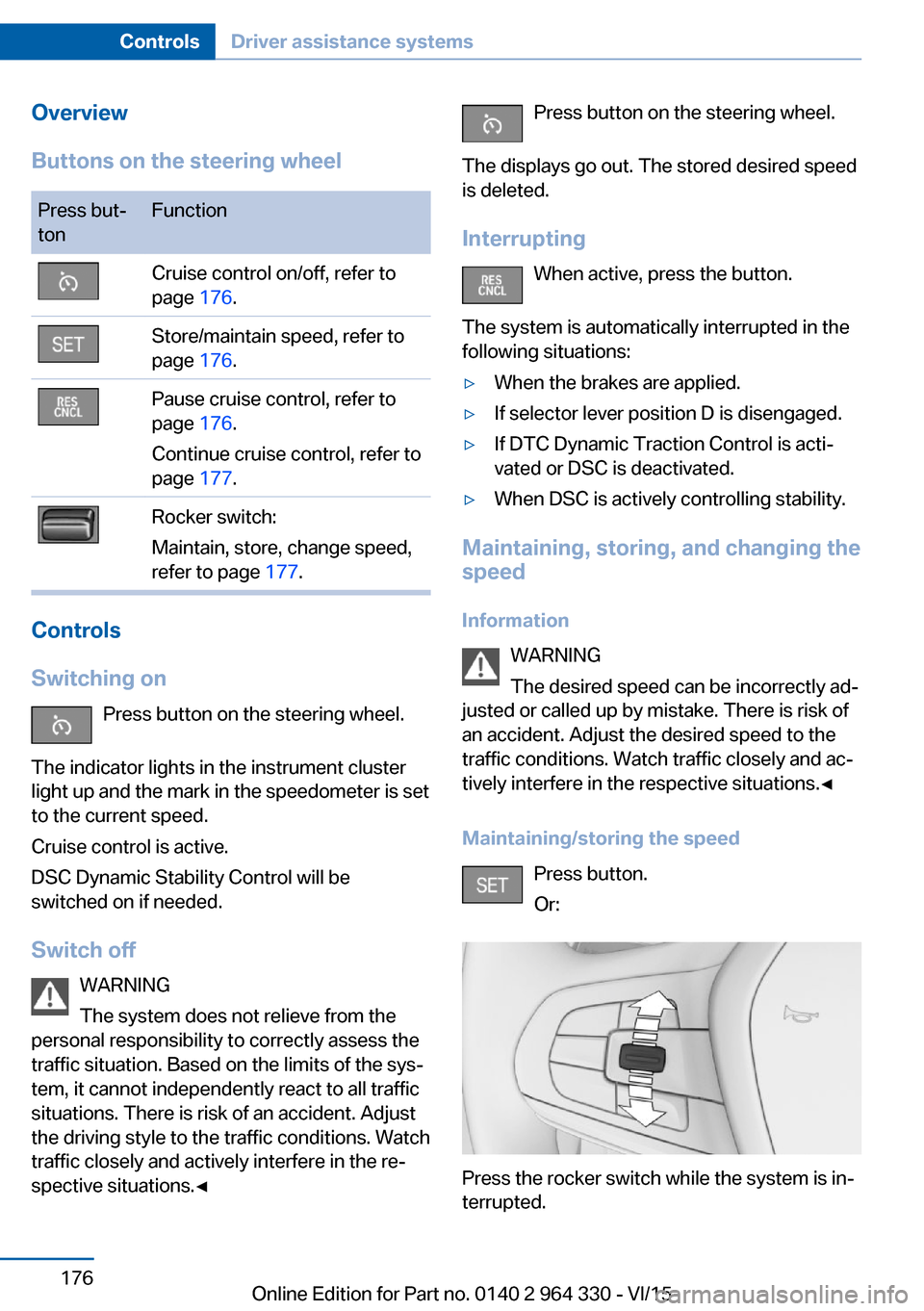
Buttons on the steering wheelPress but‐
tonFunctionCruise control on/off, refer to
page 176.Store/maintain speed, refer to
page 176.Pause cruise control, refer to
page 176.
Continue cruise control, refer to
page 177.Rocker switch:
Maintain, store, change speed,
refer to page 177.
Controls
Switching on Press button on the steering wheel.
The indicator lights in the instrument cluster
light up and the mark in the speedometer is set
to the current speed.
Cruise control is active.
DSC Dynamic Stability Control will be
switched on if needed.
Switch off WARNING
The system does not relieve from the
personal responsibility to correctly assess the
traffic situation. Based on the limits of the sys‐
tem, it cannot independently react to all traffic
situations. There is risk of an accident. Adjust
the driving style to the traffic conditions. Watch
traffic closely and actively interfere in the re‐
spective situations.◀
Press button on the steering wheel.
The displays go out. The stored desired speed
is deleted.
Interrupting When active, press the button.
The system is automatically interrupted in the
following situations:▷When the brakes are applied.▷If selector lever position D is disengaged.▷If DTC Dynamic Traction Control is acti‐
vated or DSC is deactivated.▷When DSC is actively controlling stability.
Maintaining, storing, and changing the
speed
Information WARNING
The desired speed can be incorrectly ad‐
justed or called up by mistake. There is risk of
an accident. Adjust the desired speed to the
traffic conditions. Watch traffic closely and ac‐
tively interfere in the respective situations.◀
Maintaining/storing the speed Press button.
Or:
Press the rocker switch while the system is in‐
terrupted.
Seite 176ControlsDriver assistance systems176
Online Edition for Part no. 0140 2 964 330 - VI/15
Page 183 of 314
sion cannot be prevented under all circum‐
stances.
The function is available from walking speed
while backing up or rolling backward.
A press of the gas pedal interrupts the braking
intervention.
After emergency braking to a stop, further
creeping toward an obstacle is possible. To
creep toward the obstacle, lightly press the ac‐
celerator pedal and release it again.
If the accelerator pedal is heavily depressed,
the vehicle drives off as usual. Manual braking
is possible at any time.
General information The system uses the ultrasound sensors of
PDC and parking assistant.
Information WARNING
The system does not relieve from the
personal responsibility to correctly assess the
traffic situation. There is risk of an accident.
Adjust the driving style to the traffic condi‐
tions. Watch traffic and vehicle surroundings
closely and actively interfere in the respective
situations.◀
Activating/deactivating the system About iDrive:1."My Vehicle"2."Vehicle settings"3."Parking"4."Active PDC emergency brake function"5."Active PDC emergency brake function"
The setting is stored for the drive profile cur‐
rently used.
With parking assistant: side
protection
The concept Obstacles on the side of the vehicle are de‐
tected by the sensors of the system. The sys‐
tem warns against these obstacles.
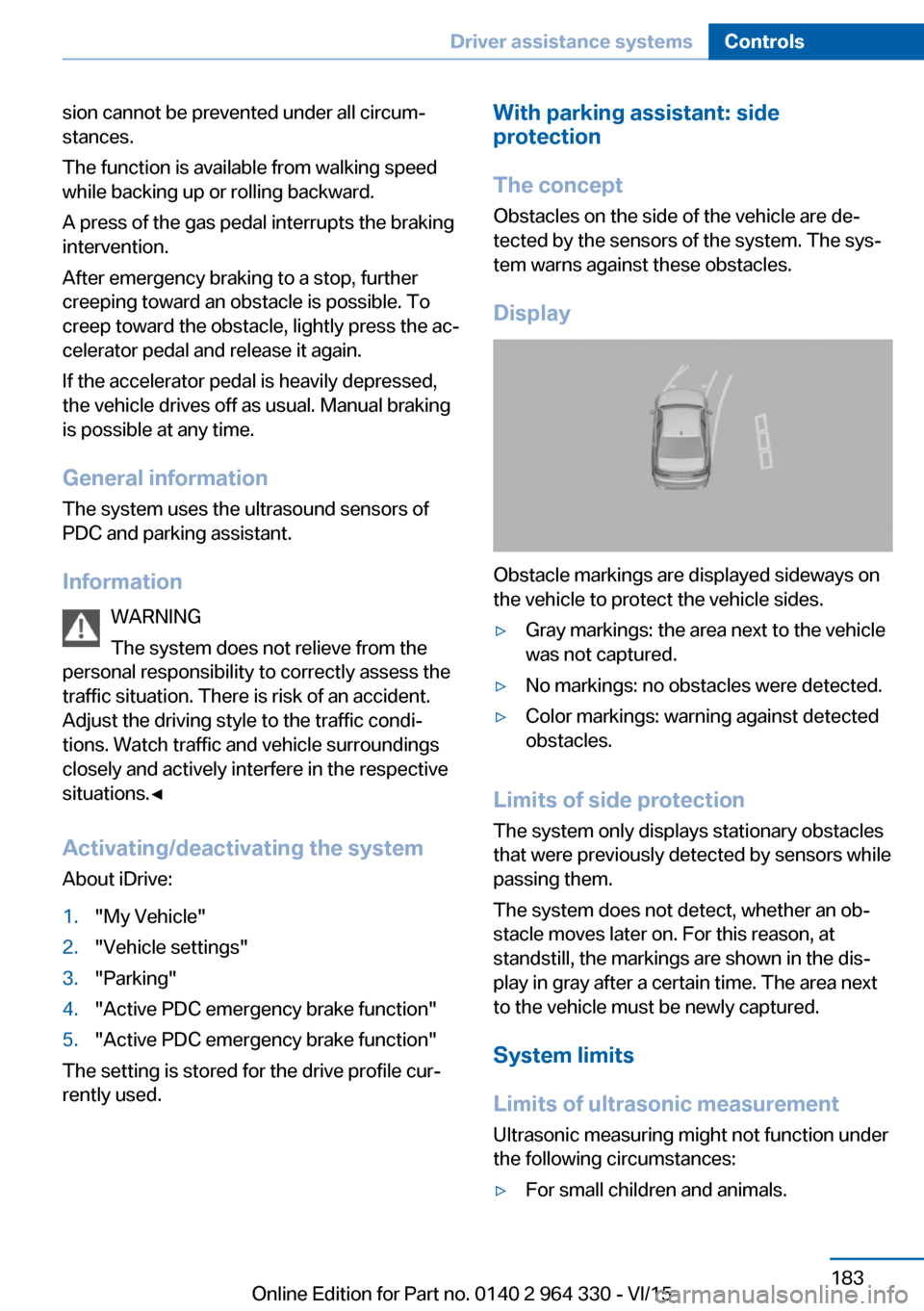
Display
Obstacle markings are displayed sideways on
the vehicle to protect the vehicle sides.
▷Gray markings: the area next to the vehicle
was not captured.▷No markings: no obstacles were detected.▷Color markings: warning against detected
obstacles.
Limits of side protection
The system only displays stationary obstacles
that were previously detected by sensors while passing them.
The system does not detect, whether an ob‐
stacle moves later on. For this reason, at standstill, the markings are shown in the dis‐
play in gray after a certain time. The area next
to the vehicle must be newly captured.
System limits
Limits of ultrasonic measurement Ultrasonic measuring might not function under
the following circumstances:
▷For small children and animals.Seite 183Driver assistance systemsControls183
Online Edition for Part no. 0140 2 964 330 - VI/15
Page 195 of 314
▷Width of gap between two objects: your
vehicle's width plus approx. 2.3 ft/0.7 m up
to maximum 16 ft/5 m.▷Minimum depth: your vehicle's length.
The depth of diagonal parking spaces must
be estimated by the driver. Dur to technical
limitations, the system can approximate
the depth of diagonal parking spaces only.
Regarding the parking procedure
▷Doors and trunk lid closed.▷Parking brake released.▷Driver's safety belt fastened.
Switching on/off
Switching on with the button Press button.
The LED lights up.
The current status of the parking space search
is indicated on the Control Display.
Parking assistant is activated automatically.
Switching on with reverse gear
Shift into reverse.
The current status of the parking space search
is indicated on the Control Display.
To activate:
"Parking Assistant"
Switch off
The system can be deactivated as follows:
▷Press button.
Signal tone for switching suitable
parking spaces on/off
About iDrive:
1."My Vehicle"2."Vehicle settings"3."Parking"4."Parking Assistant"5."Sound if parking space detected"
Settings are stored.
Display on the Control Display
System activated/deactivated
SymbolMeaning Gray: the system is not available.
White: the system is available but
not activated. The system is activated.
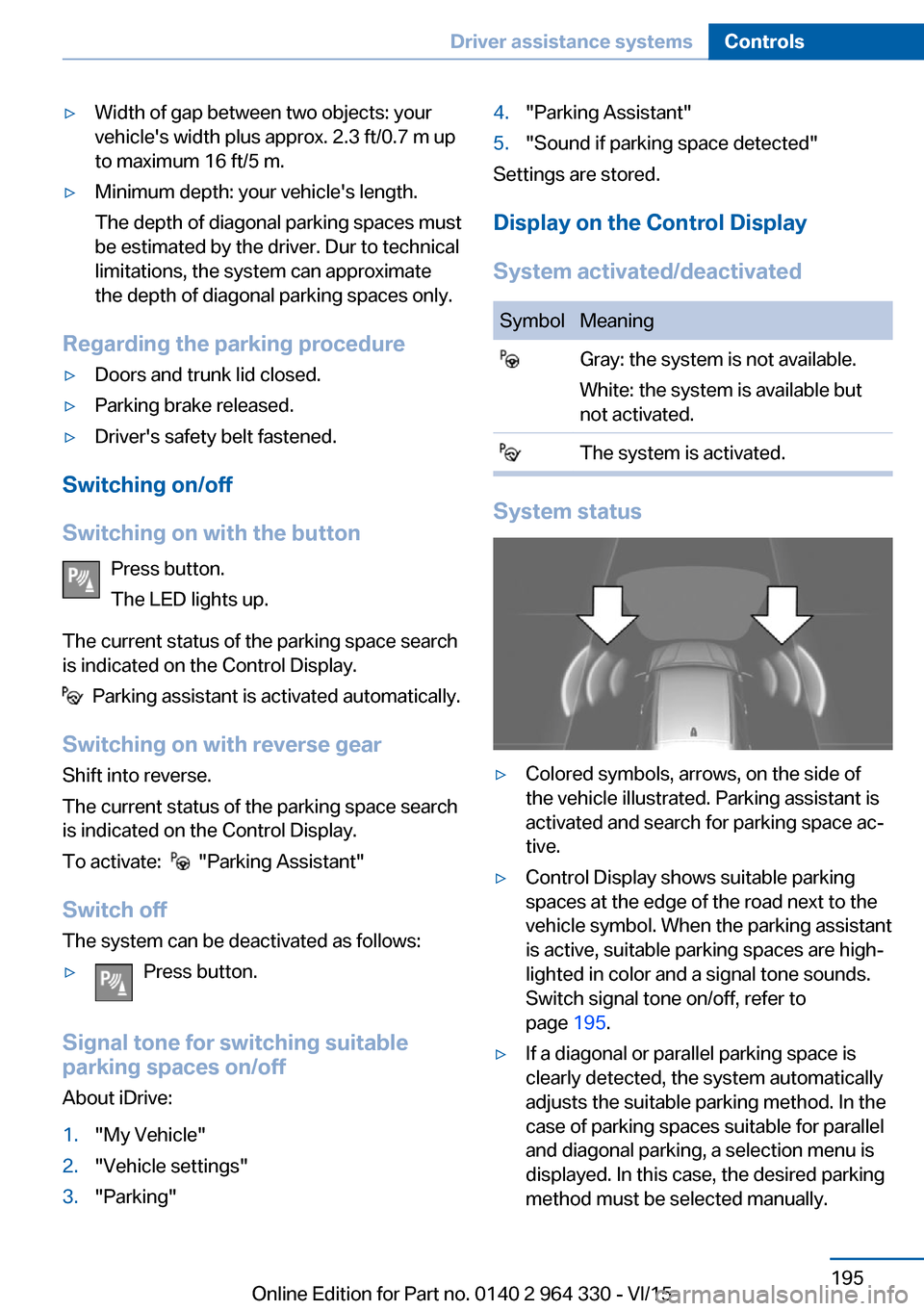
System status
▷Colored symbols, arrows, on the side of
the vehicle illustrated. Parking assistant is
activated and search for parking space ac‐
tive.▷Control Display shows suitable parking
spaces at the edge of the road next to the
vehicle symbol. When the parking assistant
is active, suitable parking spaces are high‐
lighted in color and a signal tone sounds.
Switch signal tone on/off, refer to
page 195.▷If a diagonal or parallel parking space is
clearly detected, the system automatically
adjusts the suitable parking method. In the
case of parking spaces suitable for parallel
and diagonal parking, a selection menu is
displayed. In this case, the desired parking
method must be selected manually.Seite 195Driver assistance systemsControls195
Online Edition for Part no. 0140 2 964 330 - VI/15
Page 196 of 314
▷The parking procedure is ac‐
tive. Steering control has
been taken over by system.▷Parking space search is always active
whenever the vehicle is moving forward
slow and straight, even if the system is de‐
activated. When the system is deactivated,
the displays on the Control Display are
shown in gray.
Parking using the parking assistant
1. Press the button or shift into reverse
to switch on the parking assistant. Activate
parking assistant if necessary.
The parking assistant is activated.
2.Drive by the row of parked vehicles at a
speed of up to approx. 22 mph/35 km/h
and at a distance of maximum 5 ft/1.5 m.
The status of the parking space search and
possible parking spaces are displayed on
the Control Display.3.Follow the instructions on the Control Dis‐
play.
Hold down the parking assistant button for
the duration of the parking procedure. At
the end of the parking procedure, the P se‐
lector lever position is set.
The end of the parking procedure is indi‐
cated on the Control Display.4.Adjust the parking position yourself if
needed.
Interrupting manually
The parking assistant can be interrupted at any
time:
▷ "Parking Assistant" Select the symbol
on the Control Display.▷Release button during the parking
procedure.Interrupting automatically
The system is interrupted automatically in the
following situations:▷If the driver grasps the steering wheel or if
he takes over steering.▷Possible on snow-covered or slippery road
surfaces.▷When there are obstacles that are hard to
overcome, such as curbs.▷When there are obstacles that suddenly
arise.▷If the Park Distance Control PDC displays
clearances that are too small.▷If a maximum number of parking attempts
or the time taken for parking is exceeded.▷When switching to another function on the
Control Display.▷When the button is released.▷If the tailgate is open.▷If doors are open.▷When setting the parking brake.▷During acceleration.▷When the brake pedal remains pressed for
an extended period while the vehicle is sta‐
tionary.▷When unfastening the driver's safety belt.
A Check Control message is displayed.
Resume An interrupted parking procedure can be con‐
tinued if needed.
Follow the instructions on the Control Display.
System limits
No parking assistance
The parking assistant does not offer assis‐
tance in the following situations:
▷In tight curves.Seite 196ControlsDriver assistance systems196
Online Edition for Part no. 0140 2 964 330 - VI/15
Page 234 of 314
Things to remember when drivingVehicle features and options
This chapter describes all standard, country-
specific and optional features offered with the
series. It also describes features that are not
necessarily available in your car, e. g., due to
the selected options or country versions. This
also applies to safety-related functions and
systems. The respectively applicable country
provisions must be observed when using the
respective features and systems.
Breaking-in period General information
Moving parts need time to adjust to one an‐
other (break-in time).
The following instructions will help accomplish
a long vehicle life and good efficiency.
During break-in, do not use the Launch Con‐
trol, refer to page 109.
Engine, transmission, and axle drive
Up to 1,200 miles/2,000 km
Do not exceed the maximum engine and road
speed:▷For gasoline engine 4,500 rpm and
100 mph/160 km/h.
Avoid full load or kickdown under all circum‐
stances.
From 1,200 miles/2,000 km The engine and vehicle speed can gradually be
increased.
Tires
Tire traction is not optimal due to manufactur‐
ing circumstances when tires are brand-new;
they achieve their full traction potential after a
break-in time.
Drive conservatively for the first
200 miles/300 km.
Brake system
Brakes require an initial break-in period of ap‐
prox. 300 miles/500 km to achieve optimal per‐
formance between brake discs and brake
pads. Drive moderately during this break-in pe‐
riod.
Following part replacement
The same break-in procedures should be ob‐
served if any of the components above-men‐
tioned have to be renewed in the course of the
vehicle's operating life.
General driving notes
Closing the trunk lid WARNING
An open trunk lid protrudes from the ve‐
hicle and can endanger occupants and other
traffic participants or damage the vehicle in the
event of an accident, braking or evasive ma‐
neuvers. In addition, exhaust fumes may enter
the vehicle interior. There is risk of injuries or
risk of property damage. Do not drive with the
trunk lid open.◀
If driving with the tailgate open cannot be
avoided:▷Close all windows and the glass sunroof.▷Greatly increase the air flow from the vents.▷Drive moderately.Seite 234Driving tipsThings to remember when driving234
Online Edition for Part no. 0140 2 964 330 - VI/15
Page 235 of 314
Hot exhaust systemWARNING
During driving operation, high tempera‐
tures can occur underneath the body, e.g.
caused by the exhaust gas system. If combus‐
tible materials, such as leaves or grass, come
in contact with hot parts of the exhaust gas
system, these materials can ignite. There is
risk of injuries or risk of property damage.
Do not remove the heat shields installed and
never apply undercoating to them. Make sure
that no combustible materials can come in
contact with hot vehicle parts in driving opera‐
tion, idle or during parking. Do not touch the
hot exhaust system.◀
Mobile communication devices in the
vehicle
WARNING
Vehicle electronics and mobile phones
can influence one another. There is radiation
due to the send operations of mobile phones.
There is risk of injuries or risk of property dam‐
age. If possible, in the car's interior use only
mobile phones with direct connections to an
exterior antenna in order to exclude mutual
disturbance and deflect the radiation from the
car's interior.◀
Hydroplaning
On wet or slushy roads, a wedge of water can
form between the tires and road surface.
This phenomenon is referred to as hydroplan‐
ing. It is characterized by a partial or complete
loss of contact between the tires and the road
surface, ultimately undermining your ability to
steer and brake the vehicle.
Driving through water CAUTION
When driving too quickly through too
deep water, water can enter into the engine
compartment, the electrical system or thetransmission. There is risk of property damage.
When driving through water, do not exceed the
maximum indicated water level and the maxi‐
mum speed for driving through water.◀
Drive through calm water only and only if it is
not deeper than 9.8 inches/25 cm and at this
height, no faster than walking speed, up to
3 mph/5 km/h.
Braking safely Your vehicle is equipped with ABS as a stand‐
ard feature.
Applying the brakes fully is the most effective
way of braking in situations needed.
Steering is still responsive. You can still avoid
any obstacles with a minimum of steering ef‐
fort.
Pulsation of the brake pedal and sounds from
the hydraulic circuits indicate that ABS is in its
active mode.
In certain braking situations, the perforated
brake discs can cause functional problems.
However, this has no effect on the perform‐
ance and operational reliability of the brake.
Objects in the movement area around
pedals and floor area
WARNING
Objects in the driver's floor area can limit
the pedal distance or block a depressed pedal.
There is risk of an accident. Stow objects in
the vehicle such that they are secured and
cannot enter into the driver's floor area. Use
floor mats that are suitable for the vehicle and
can be safely attached to the floor. Do not use
loose floor mats and do not layer several floor
mats. Make sure that there is sufficient clear‐
ance for the pedals. Ensure that the floor mats
are securely fastened again after they were re‐
moved, e.g. for cleaning.◀Seite 235Things to remember when drivingDriving tips235
Online Edition for Part no. 0140 2 964 330 - VI/15
Page 236 of 314
Driving in wet conditionsWhen roads are wet, salted, or in heavy rain,
press brake pedal ever so gently every few
miles.
Ensure that this action does not endanger
other traffic.
The heat generated in this process helps dry
the brake discs and pads.
In this way braking efficiency will be available
when you need it.
Hills WARNING
Light but consistent brake pressure can
lead to high temperatures, brakes wearing out
and possibly even brake failure. There is risk of
an accident. Avoid placing excessive stress on
the brake system.◀
WARNING
In idle or with the engine switched off,
safety-relevant functions are restricted or not
available anymore, e.g. braking effect of the
engine or braking force and steering support.
There is risk of an accident. Do not drive in idle
or with the engine switched off.◀
Drive long or steep downhill gradients in the
gear that requires least braking efforts. Other‐
wise the brakes may overheat and reduce
brake efficiency.
You can increase the engine's braking effect
by shifting down, going all the way to first gear,
if needed.
Brake disc corrosion
Corrosion on the brake discs and contamina‐
tion on the brake pads are furthered by the fol‐
lowing circumstances:▷Low mileage.▷Extended periods when the vehicle is not
used at all.▷Infrequent use of the brakes.Corrosion will built up when the maximum
pressure applied to the brake pads during
braking is not reached - thus discs don't get
cleaned.
Corrosion buildup on the brake discs will cause
a pulsating effect on the brakes in their re‐
sponse - generally that cannot be corrected.
Condensation under the parked
vehicle
When using the automatic climate control,
condensation water develops collecting under‐
neath the vehicle.
These traces of water under the vehicle are
normal.Seite 236Driving tipsThings to remember when driving236
Online Edition for Part no. 0140 2 964 330 - VI/15