camera BMW 7 SERIES 2016 G12 Owner's Guide
[x] Cancel search | Manufacturer: BMW, Model Year: 2016, Model line: 7 SERIES, Model: BMW 7 SERIES 2016 G12Pages: 314, PDF Size: 7.9 MB
Page 187 of 314
Detection of objects
Very low obstacles as well as high, protruding
objects such as ledges may not be detected by
the system.
Assistance functions also take into account
data of the PDC.
Follow instructions in the PDC chapter, refer to
page 180.
The objects displayed on the Control Display
under certain circumstances are closer than
they appear. Do not estimate the distance from
the objects on the display.
Malfunction
A camera malfunction is displayed on the Con‐
trol Display.
A red symbol is displayed and the re‐
cording range of the malfunctioning
camera is displayed in black on the
Control Display.
Surround View
The concept The system provides assistance in parking and
maneuvering. The area around the vehicle is
shown on the Control Display.
Several cameras display the area from different
selectable perspectives. In addition, assistance
functions, e.g. guidelines, can be faded into the
camera image.
General information
The following camera perspectives can be dis‐
played:▷Automatic camera perspective: the system
shows the camera perspective suitable for
the respective driving situation, refer to
page 188.▷Rearview camera: to represent the areas
behind the vehicle, refer to page 188.▷Top view onto the vehicle, Top View, refer
to page 188.▷Right-hand and left-hand side view for rep‐
resenting the areas on the sides of the ve‐
hicle, refer to page 191.▷Camera perspective movable via iDrive, re‐
fer to page 188.▷Panorama View: to present cross traffic,
e.g. at junctions and driveways, depending
on the currently engaged gear, refer to
page 191.
Depending on the view, the environment
around the vehicle or a part of it is depicted.
Information WARNING
The system does not relieve from the
personal responsibility to correctly assess the
traffic situation. There is risk of an accident.
Adjust the driving style to the traffic condi‐
tions. Watch traffic and vehicle surroundings
closely and actively interfere in the respective
situations.◀
Overview
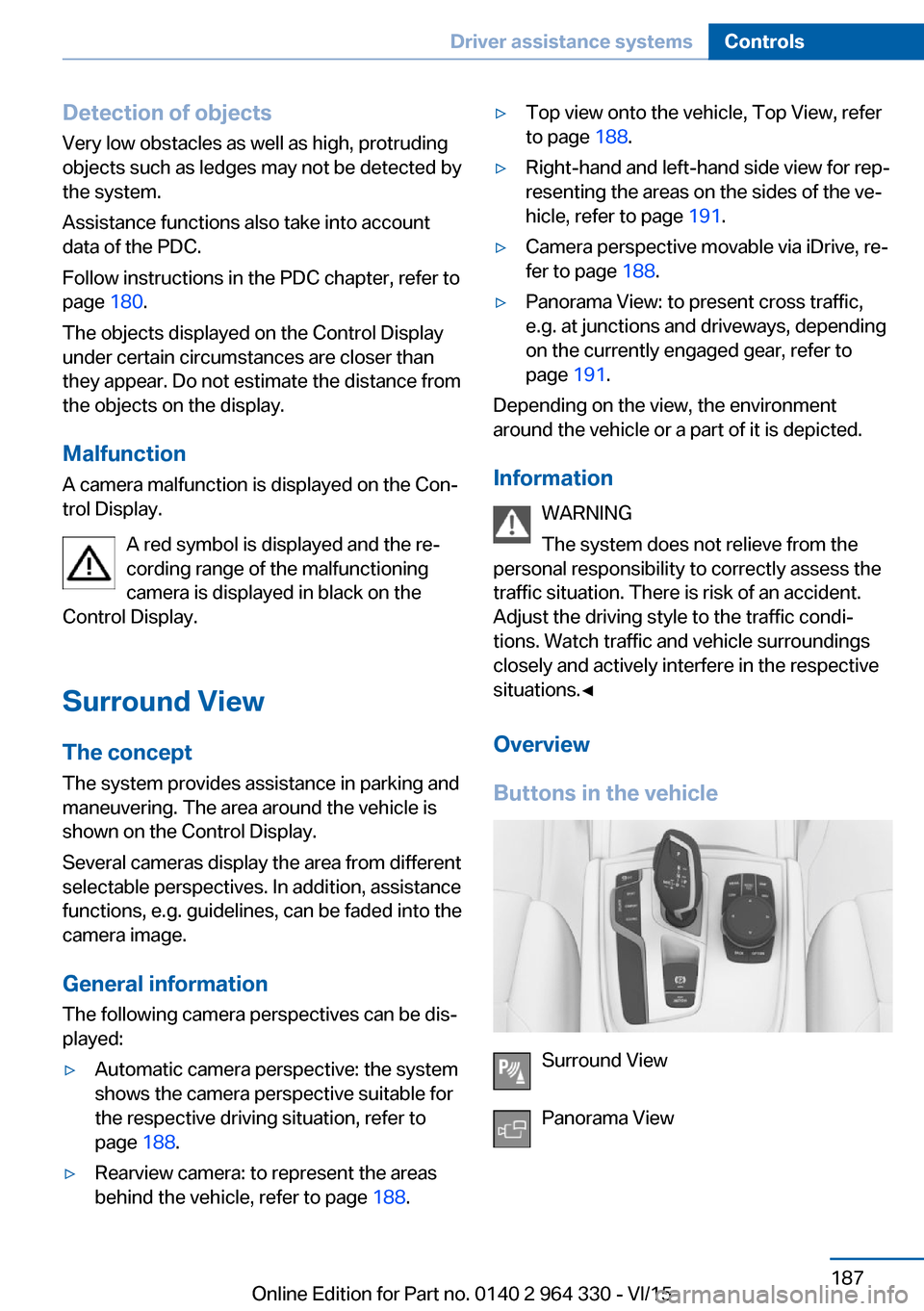
Buttons in the vehicle
Surround View
Panorama View
Seite 187Driver assistance systemsControls187
Online Edition for Part no. 0140 2 964 330 - VI/15
Page 188 of 314
Cameras
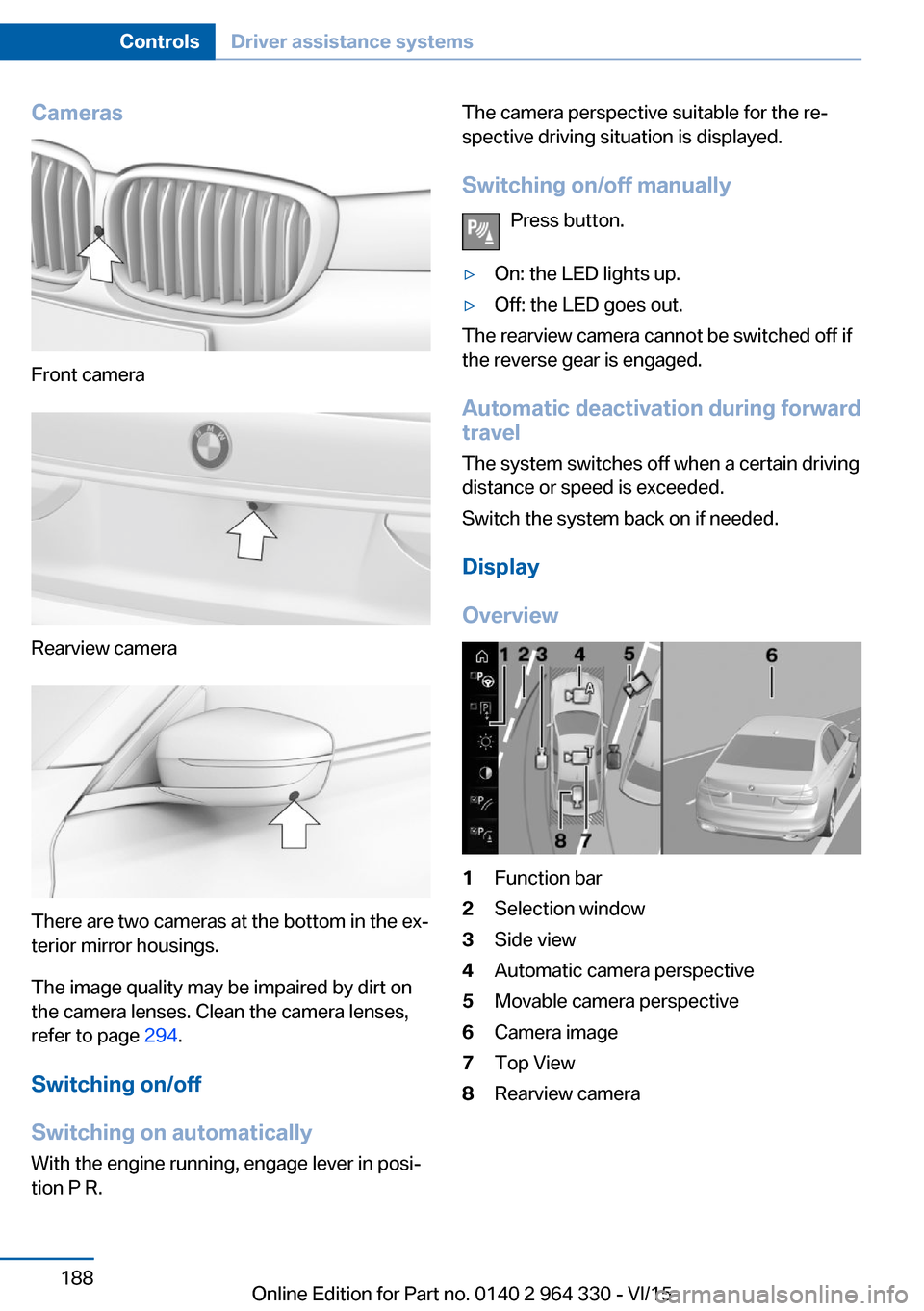
Front camera
Rearview camera
There are two cameras at the bottom in the ex‐
terior mirror housings.
The image quality may be impaired by dirt on
the camera lenses. Clean the camera lenses,
refer to page 294.
Switching on/off
Switching on automatically With the engine running, engage lever in posi‐
tion P R.
The camera perspective suitable for the re‐
spective driving situation is displayed.
Switching on/off manually Press button.▷On: the LED lights up.▷Off: the LED goes out.
The rearview camera cannot be switched off if
the reverse gear is engaged.
Automatic deactivation during forward
travel
The system switches off when a certain driving
distance or speed is exceeded.
Switch the system back on if needed.
Display
Overview
1Function bar2Selection window3Side view4Automatic camera perspective5Movable camera perspective6Camera image7Top View8Rearview cameraSeite 188ControlsDriver assistance systems188
Online Edition for Part no. 0140 2 964 330 - VI/15
Page 189 of 314
Selecting the camera perspectiveGeneral information
The individual camera perspectives can be se‐
lected in the selection window via iDrive.
Side view
The side view can be selected for the right or
left vehicle side.
This view helps when positioning the vehicle at
the curb or with other obstacles on the side by
displaying the side surroundings.
The side view looks from rear to front and in
case of danger, focuses automatically on pos‐
sible obstacles.
Automatic camera perspective
The automatic camera perspective shows a
steering-dependent view in the respective
driving direction.
This perspective adapts to the respective driv‐ ing situation.
As soon as obstacles are detected, the view
changes to a fixed display of the area in front or
at the rear behind the bumper or if necessary,
changes to a side view.
Movable camera perspective
With selection of the movable camera per‐
spective, a circle appears on the Control Dis‐
play.
By turning the controller or via touch function,
specified perspectives on the circle can be se‐
lected.
The current perspective is marked with a cam‐
era symbol.
With BMW Gesture Control: an additional cam‐
era symbols appears on the circuit. This cam‐
era symbol is freely movable via BMW Gesture
Control, refer to page 30.
Exit the circle by pressing the controller or via
touch function on the active camera symbol.Top view
The top view shows the vehicle and surround‐
ings from above.
Rearview camera
This view shows the picture of the rearview
camera.
Function bar
Assistance functions can be activated, refer to
page 189, via the function bar and settings ap‐
plied.▷ "Parking Assistant", refer to page 193.▷ "Brightness", refer to page 192.▷ "Contrast", refer to page 192.▷ "Parking aid lines", refer to page 190.▷ "Obstacle marking", refer to page 190.▷ "Car wash", refer to page 190.▷ "Settings": apply settings, e.g. to use
the activation points for Panorama View.
Assistance functions
Activate/deactivate assistance
functions
More than one assistance function can be ac‐
tive at the same time.
The following assistance functions can be
manually activated:
▷ "Parking aid lines"▷ "Obstacle marking"▷ "Car wash"
The following assistance functions are auto‐
matically displayed:
▷Side protection, refer to page 191.▷Rim protection, refer to page 191.▷Door opening angle, refer to page 191.Seite 189Driver assistance systemsControls189
Online Edition for Part no. 0140 2 964 330 - VI/15
Page 190 of 314
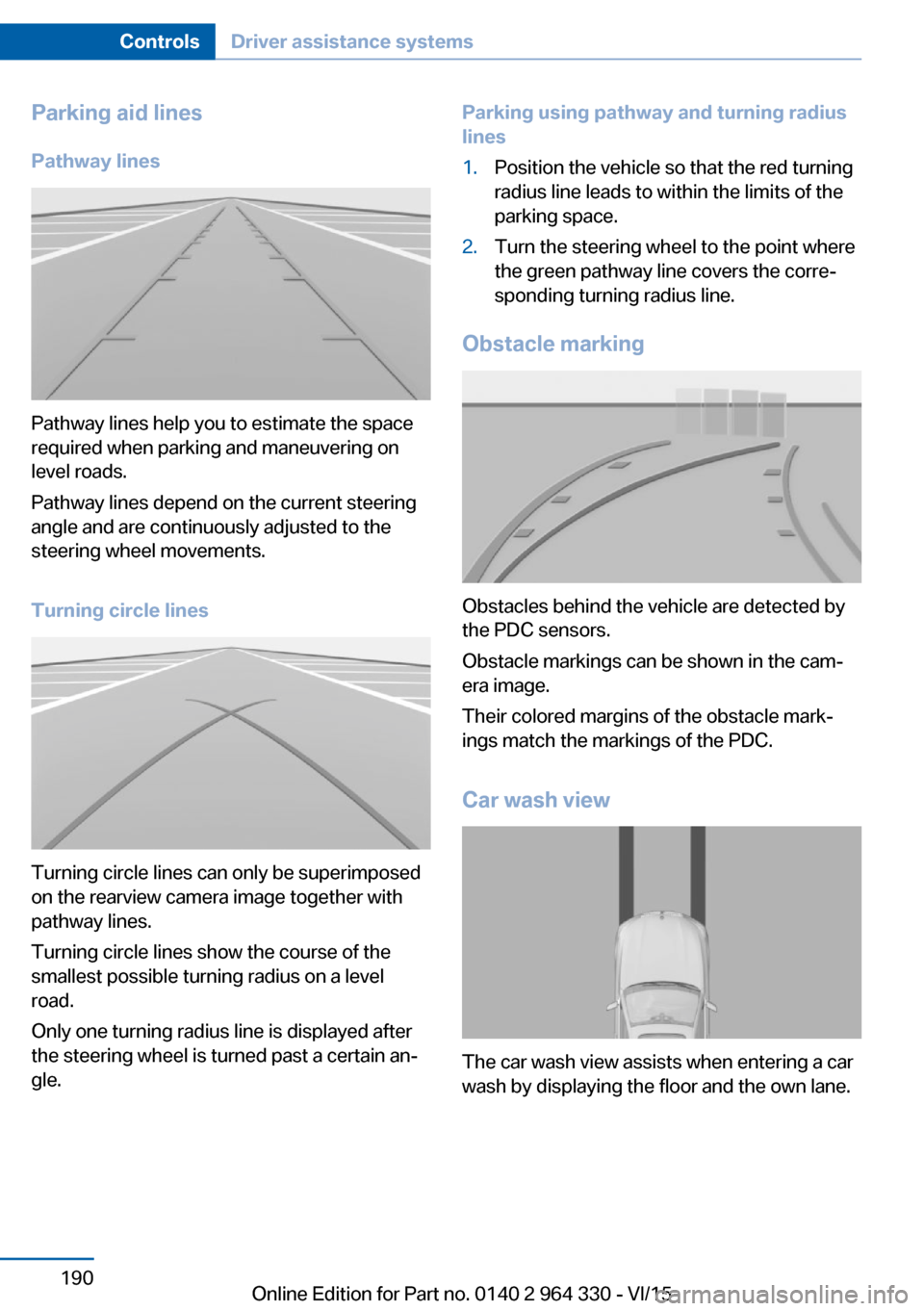
Parking aid linesPathway lines
Pathway lines help you to estimate the space
required when parking and maneuvering on
level roads.
Pathway lines depend on the current steering
angle and are continuously adjusted to the
steering wheel movements.
Turning circle lines
Turning circle lines can only be superimposed
on the rearview camera image together with
pathway lines.
Turning circle lines show the course of the
smallest possible turning radius on a level
road.
Only one turning radius line is displayed after
the steering wheel is turned past a certain an‐
gle.
Parking using pathway and turning radius
lines1.Position the vehicle so that the red turning
radius line leads to within the limits of the
parking space.2.Turn the steering wheel to the point where
the green pathway line covers the corre‐
sponding turning radius line.
Obstacle marking
Obstacles behind the vehicle are detected by
the PDC sensors.
Obstacle markings can be shown in the cam‐
era image.
Their colored margins of the obstacle mark‐
ings match the markings of the PDC.
Car wash view
The car wash view assists when entering a car
wash by displaying the floor and the own lane.
Seite 190ControlsDriver assistance systems190
Online Edition for Part no. 0140 2 964 330 - VI/15
Page 192 of 314
relatively late from the driver's seat. The cam‐
eras in the front and rear capture the sideways
traffic area to improve the view.
Yellow lines in the screen display mark the
front and rear end of the vehicle.
The camera image shows different levels of
distortion in some areas and is thus not suita‐
ble for distance estimations.
Display on the Control Display Press the button when the engine is run‐
ning.
Depending on the driving direction, the image
of the respective camera is displayed:▷"front": front camera image.▷"rear": rear camera image.
The cross traffic warning, refer to page 197,
can additionally warn against oncoming vehi‐
cles using radar sensors.
With navigation system: activation
points
The concept
Positions at which Panorama View is to switch
on automatically can be stored as activation
points as soon as a GPS signal is received.
Up to ten activation points can be stored.
Activation points can be used when driving for‐
ward for the front camera.
Storing activation points
1.Drive to the position at which the system is
to be switched on, and stop.2. Press button.3.Move the controller to the left.4. "Add activation point"
The current position is displayed.5."Add activation point"Activation points are, if possible, stored with
town/city and street address or with the GPS
coordinates.
Using activation points
The use of activation points can be switched
on and off.1. Press button.2.Move the controller to the left.3. "Settings"4."Panorama view, GPS-based"5."Panorama view, GPS-based"
Displaying or deleting activation points
1. Press button.2.Move the controller to the left.3. "Show activation points"
A list of all activation points is displayed.4."Delete this activation point" or "Delete all activation points"
Setting brightness and contrast viaiDrive
With Surround View or Panorama View
switched on:
1.Move the controller to the left.2.▷ "Brightness"▷ "Contrast"3.Set the desired value.
Functional limitations
The system can be used only to a limited ex‐
tent in the following situations:
▷In poor light.▷In case of soiled cameras.▷With a door open.▷With the tailgate open.▷With exterior mirrors folded in.Seite 192ControlsDriver assistance systems192
Online Edition for Part no. 0140 2 964 330 - VI/15
Page 193 of 314
Gray hatched areas with symbol, e.g. open
door, in the camera image mark areas that are
currently not displayed.
Gray hatched areas without symbol, e.g. in
front of the vehicle, mark areas that are not
visible to the cameras.
System limits
Non-visible areas
Areas around the vehicle that are not visible
because of the viewing angle of the cameras,
are presented hatched in gray.
Detection of objects Very low obstacles as well as high, protruding
objects such as ledges may not be detected by
the system.
Assistance functions also take into account
data of the PDC.
Follow instructions in the PDC chapter, refer to
page 180.
The objects displayed on the Control Display
under certain circumstances are closer than
they appear. Do not estimate the distance from
the objects on the display.
Malfunction
A camera malfunction is displayed on the Con‐
trol Display.
A yellow symbol is displayed and the
recording range of the malfunctioning
camera is displayed in black on the
Control Display.Parking assistant
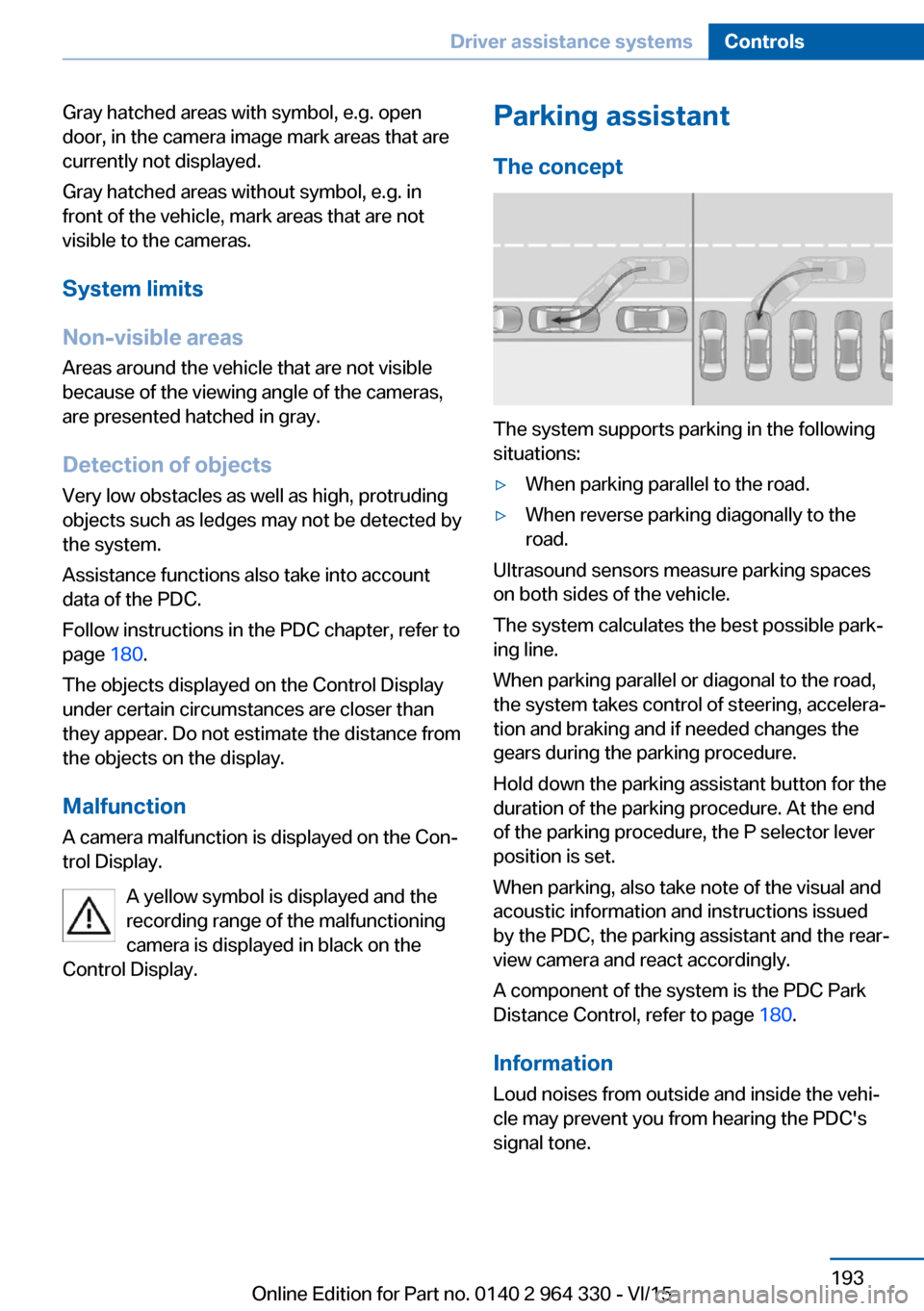
The concept
The system supports parking in the following
situations:
▷When parking parallel to the road.▷When reverse parking diagonally to the
road.
Ultrasound sensors measure parking spaces
on both sides of the vehicle.
The system calculates the best possible park‐
ing line.
When parking parallel or diagonal to the road,
the system takes control of steering, accelera‐
tion and braking and if needed changes the
gears during the parking procedure.
Hold down the parking assistant button for the
duration of the parking procedure. At the end
of the parking procedure, the P selector lever
position is set.
When parking, also take note of the visual and
acoustic information and instructions issued
by the PDC, the parking assistant and the rear‐
view camera and react accordingly.
A component of the system is the PDC Park
Distance Control, refer to page 180.
Information Loud noises from outside and inside the vehi‐
cle may prevent you from hearing the PDC's
signal tone.
Seite 193Driver assistance systemsControls193
Online Edition for Part no. 0140 2 964 330 - VI/15
Page 199 of 314
Display
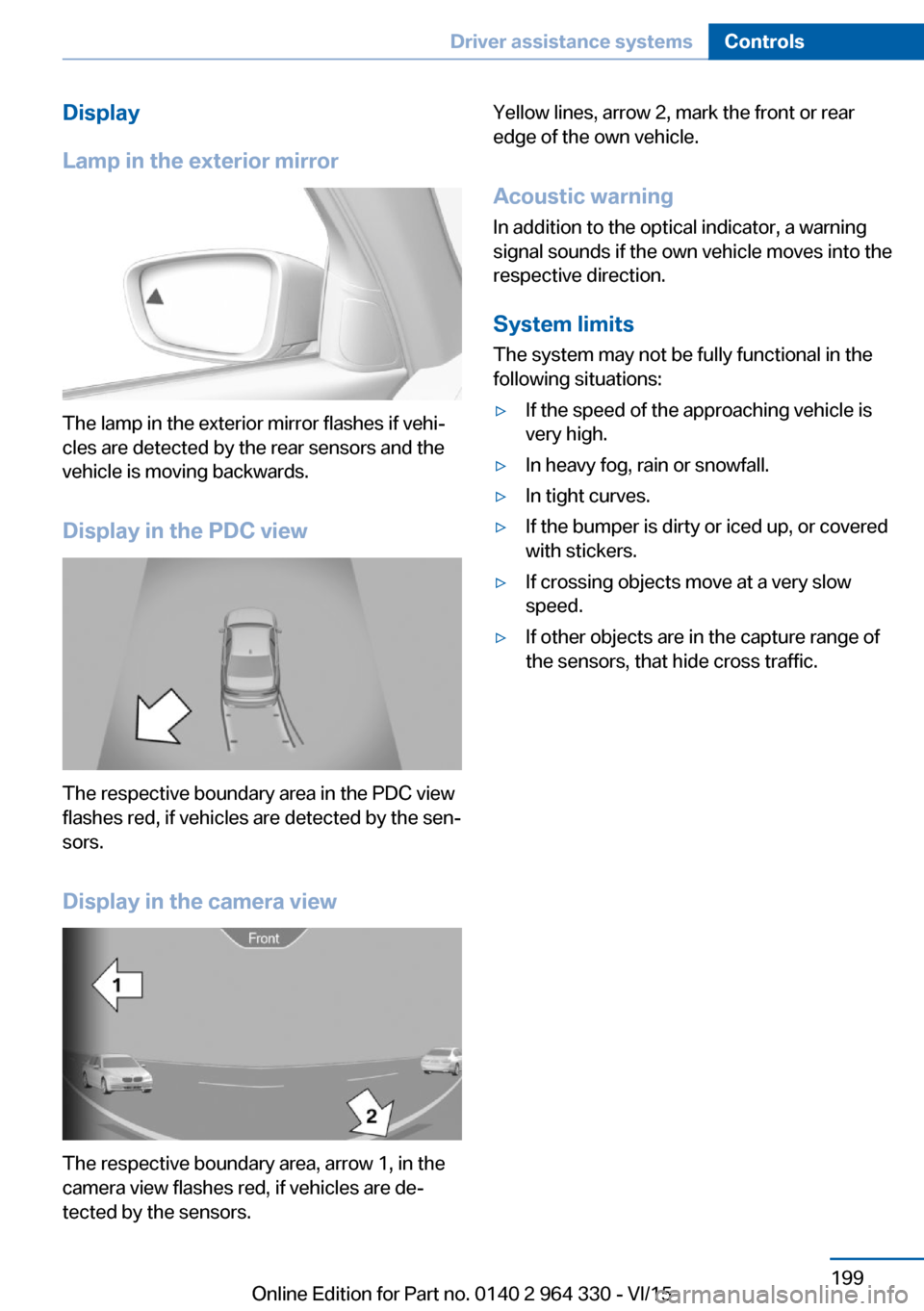
Lamp in the exterior mirror
The lamp in the exterior mirror flashes if vehi‐
cles are detected by the rear sensors and the
vehicle is moving backwards.
Display in the PDC view
The respective boundary area in the PDC view
flashes red, if vehicles are detected by the sen‐
sors.
Display in the camera view
The respective boundary area, arrow 1, in the
camera view flashes red, if vehicles are de‐
tected by the sensors.
Yellow lines, arrow 2, mark the front or rear
edge of the own vehicle.
Acoustic warning
In addition to the optical indicator, a warning
signal sounds if the own vehicle moves into the
respective direction.
System limits
The system may not be fully functional in the
following situations:▷If the speed of the approaching vehicle is
very high.▷In heavy fog, rain or snowfall.▷In tight curves.▷If the bumper is dirty or iced up, or covered
with stickers.▷If crossing objects move at a very slow
speed.▷If other objects are in the capture range of
the sensors, that hide cross traffic.Seite 199Driver assistance systemsControls199
Online Edition for Part no. 0140 2 964 330 - VI/15
Page 201 of 314
Press button and hold for approx. 7 sec‐
onds, then release. The LED flashes fast.
Activate system:
The system is activated again automatically
when you drive away.
Malfunction
A Check Control message is displayed. The
system is disrupted. Vehicle handling may be
altered and driving comfort may be noticeably
reduced. Have checked by a dealer’s service
center or another qualified service center or re‐
pair shop.
Long periods when vehicle is parked During long periods when the vehicle is
parked, it can lower itself. This is not a mal‐
function.
Dynamic Damping Control The conceptThis system reduces undesirable vehicle mo‐tion when using a dynamic driving style or trav‐
eling on uneven road surfaces.
The system enhances driving dynamics and
comfort fitting road surface and driving style.
General information
The system offers several different damping
settings.
These are assigned to the different driving
modes of the Driving Dynamics Control, refer
to page 110.TuningDrive modeDamper tuningCOMFORT PLUScomfortableSPORTfirmCOMFORT/ECO PRObalanced out
Executive Drive Pro
The concept Executive Drive Pro is an actively controlled
chassis. It increases driving comfort and mini‐
mizes the lateral tilt when driving around
curves. This increases both the agility of the
vehicle as well as the vehicle comfort.
Executive Drive Pro includes the following sys‐
tems:
▷Active damping adjustment, refer to
page 201.▷Active roll stabilization, refer to page 202.
Active damping adjustment
The concept The system increases driving comfort. Using a
camera in the area of the interior mirror, the
road surface is detected and damping auto‐
matically adjusted to the road surface.
Seite 201Driving comfortControls201
Online Edition for Part no. 0140 2 964 330 - VI/15
Page 202 of 314
Overview
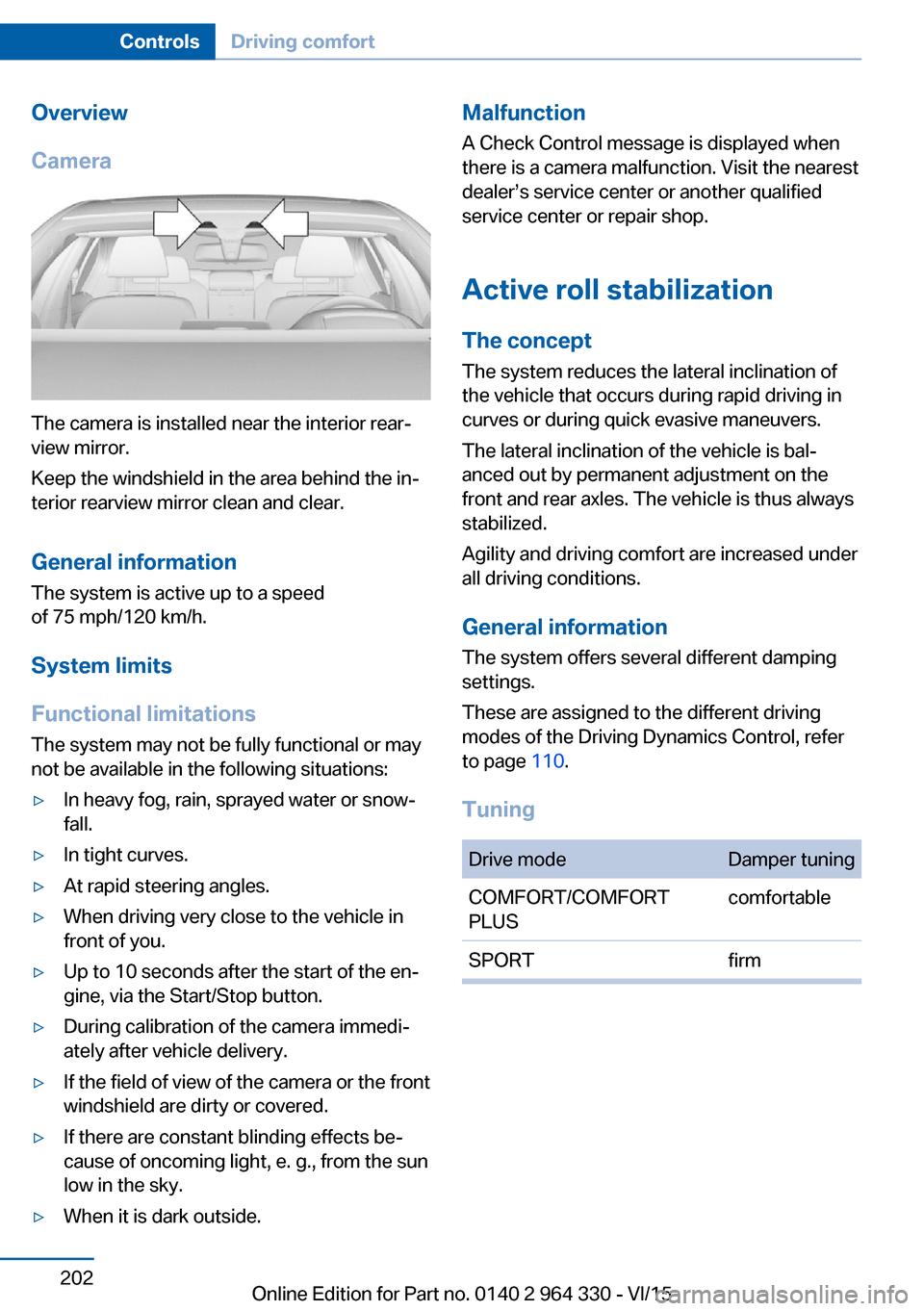
Camera
The camera is installed near the interior rear‐
view mirror.
Keep the windshield in the area behind the in‐
terior rearview mirror clean and clear.
General information
The system is active up to a speed
of 75 mph/120 km/h.
System limits
Functional limitations The system may not be fully functional or may
not be available in the following situations:
▷In heavy fog, rain, sprayed water or snow‐
fall.▷In tight curves.▷At rapid steering angles.▷When driving very close to the vehicle in
front of you.▷Up to 10 seconds after the start of the en‐
gine, via the Start/Stop button.▷During calibration of the camera immedi‐
ately after vehicle delivery.▷If the field of view of the camera or the front
windshield are dirty or covered.▷If there are constant blinding effects be‐
cause of oncoming light, e. g., from the sun
low in the sky.▷When it is dark outside.Malfunction
A Check Control message is displayed when
there is a camera malfunction. Visit the nearest
dealer’s service center or another qualified
service center or repair shop.
Active roll stabilization
The concept The system reduces the lateral inclination of
the vehicle that occurs during rapid driving in
curves or during quick evasive maneuvers.
The lateral inclination of the vehicle is bal‐
anced out by permanent adjustment on the
front and rear axles. The vehicle is thus always
stabilized.
Agility and driving comfort are increased under
all driving conditions.
General information
The system offers several different damping
settings.
These are assigned to the different driving
modes of the Driving Dynamics Control, refer
to page 110.
TuningDrive modeDamper tuningCOMFORT/COMFORT
PLUScomfortableSPORTfirmSeite 202ControlsDriving comfort202
Online Edition for Part no. 0140 2 964 330 - VI/15
Page 291 of 314
CareVehicle features and optionsThis chapter describes all standard, country-
specific and optional features offered with the
series. It also describes features that are not
necessarily available in your car, e. g., due to
the selected options or country versions. This
also applies to safety-related functions and
systems. The respectively applicable country
provisions must be observed when using the
respective features and systems.
Car washes General information
Regularly remove foreign objects such as
leaves in the area below the windshield when
the hood is raised.
Wash your vehicle frequently, particularly in
winter. Intense soiling and road salt can dam‐
age the vehicle.
Steam blaster and high-pressure
washer
Information CAUTION
When cleaning with high-pressure wash‐
ers, components can be damaged due to the
pressure or temperatures being too high.
There is risk of property damage. Maintain suf‐
ficient distance and do not spray too long con‐
tinuously. Follow the user's manual for the
high-pressure washer.◀
Distances and temperature▷Maximum temperature: 140 ℉/60 ℃.▷Minimum distance from sensors, cameras,
seals: 12 in/30 cm.▷Minimum distance from glass sunroof:
31.5 inches/80 cm.
Automatic car washes
Information Note the following:
▷Give preference to cloth car washes or
those that use soft brushes in order to
avoid paint damage.▷Make sure that the wheels and tires are not
damaged by the transport mechanisms.▷Fold in the exterior mirrors; otherwise, they
may be damaged, depending on the width
of the vehicle.▷Deactivate the rain sensor, refer to
page 104, to avoid unintentional wiper acti‐
vation.▷In some cases, an unintentional alarm can
be triggered by the interior motion sensor
of the alarm system. Follow the instruc‐
tions on avoiding an unintentional alarm,
refer to page 70.
CAUTION
Too high guide rails in car washes can
damage body parts. There is risk of property
damage. Avoid car washes with guide rails
higher than 4 in/10 cm.◀
Before driving into a car wash In order to ensure that the vehicle can roll in a
car wash, take the following steps:
1.Drive into the car wash.2.Engage selector lever position N.3.Deactivating Automatic Hold, refer to
page 102.4.Release the parking brake.5.Switch off drive readiness.Seite 291CareMobility291
Online Edition for Part no. 0140 2 964 330 - VI/15