radio BMW 740I 1998 User Guide
[x] Cancel search | Manufacturer: BMW, Model Year: 1998, Model line: 740I, Model: BMW 740I 1998Pages: 211, PDF Size: 1.68 MB
Page 36 of 211

35n
RepairsIndexOverview Controls Car care Technology Data
Radio remote controlSame-frequency interferenceOperation of the remote control system
may be affected by other units or equip-
ment employing the same transmission
frequency in the immediate vicinity of
your car.
For US owners onlyThe transmitter and receiver units com-
ply with part 15 of the FCC (Federal
Communications Commission) regula-
tions. Operation is governed by the fol-
lowing:
FCC ID: LX8EWS
LX8FZVS
LX8FZVE
Compliance statement:
This device complies with part 15 of the
FCC Rules. Operation is subject to the
following two conditions:
>This device may not cause harmful in-
terference, and
>this device must accept any interfer-
ence received, including interference
that may cause undesired operation.
Any unauthorized modifications to
these devices could void the
user's authority to operate the equip-
ment.<
Page 45 of 211
44n
Sliding/Tilt sunroof
To prevent injuries, exercise care
when closing the sliding/tilt sun-
roof and keep it in your field of vision
until it is shut.
Before leaving the car, switch off the
electric sunroof mechanism by taking
out the ignition key. Do not leave
children unattended in the vehicle with
access to vehicle keys. Use of the key
can result in starting of the engine and
operation of vehicle systems such as
power sunroof, etc. Unsupervised use
of these systems can result in serious
personal injury.<
To avoid pressure or drafts in the pas-
senger compartment when the sunroof
is open or lifted, keep the air vents in
the dashboard open and increase
the air supply if necessary. Refer to
pages 100, 104.
For the convenience operating mode
via the door lock or the radio remote
control, refer to page 32 or page 33.
Safety featureIf the sliding/tilt sunroof encounters re-
sistance at a point roughly past the
middle of its travel when it is closing,
the closing cycle is interrupted and the
sunroof will open again slightly.
Despite this safety feature, be ex-
tremely careful that the closing
path of the sunroof is not obstructed
whenever it is closed. Otherwise, trig-
gering the closing-force limitation may
not be ensured in some situations (with
very thin objects, for instance). You can
override this safety feature by pressing
the switch beyond the resistance point
and holding it.<
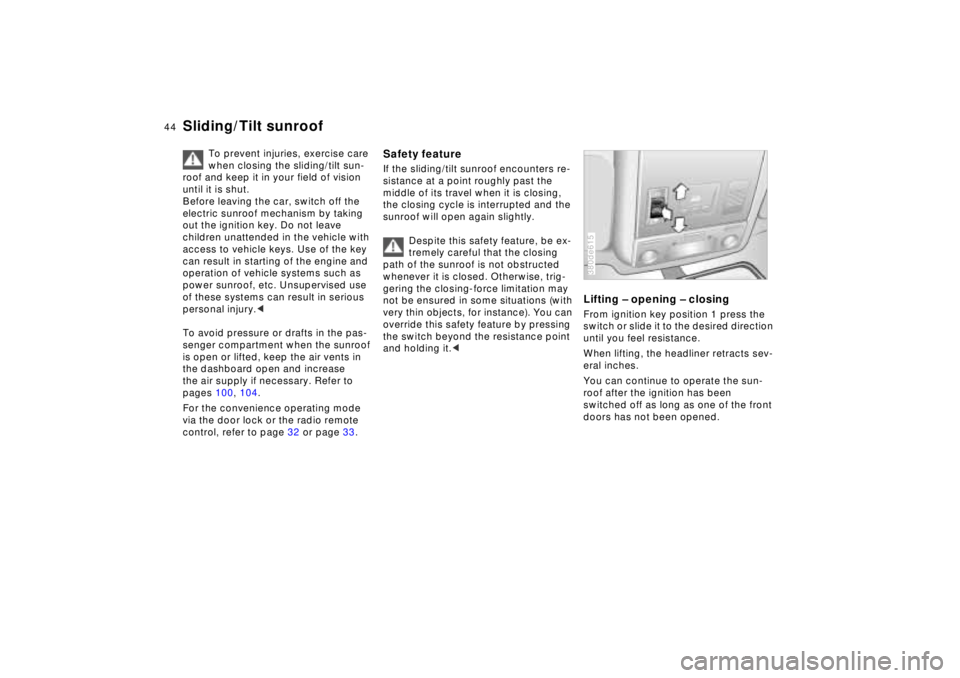
Lifting – opening – closingFrom ignition key position 1 press the
switch or slide it to the desired direction
until you feel resistance.
When lifting, the headliner retracts sev-
eral inches.
You can continue to operate the sun-
roof after the ignition has been
switched off as long as one of the front
doors has not been opened.380de615
Page 79 of 211
78n
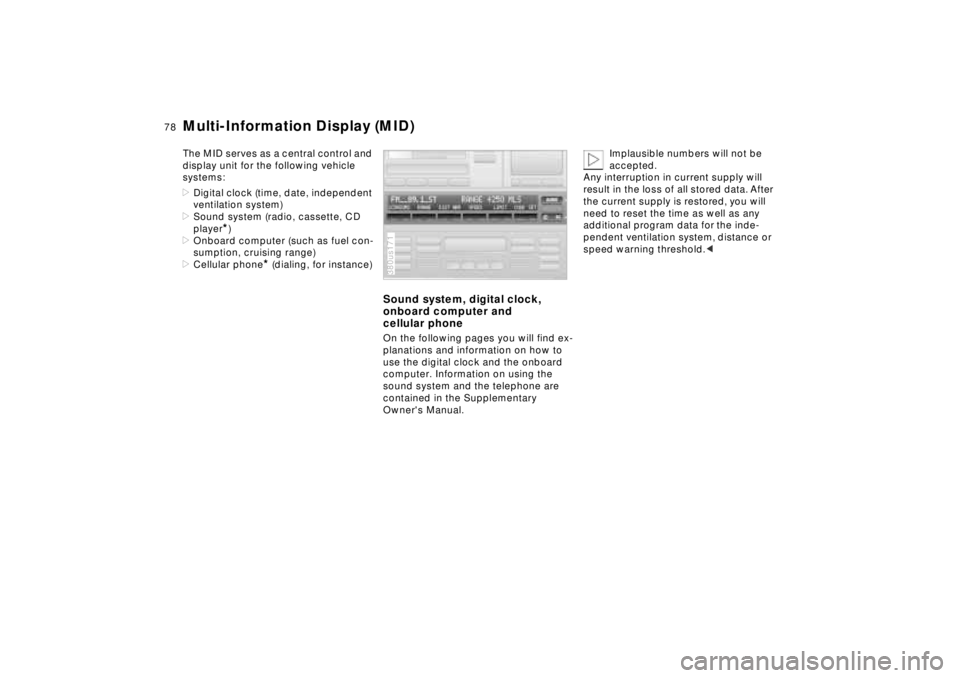
Multi-Information Display (MID)The MID serves as a central control and
display unit for the following vehicle
systems:
>Digital clock (time, date, independent
ventilation system)
>Sound system (radio, cassette, CD
player
*)
>Onboard computer (such as fuel con-
sumption, cruising range)
>Cellular phone
* (dialing, for instance)
Sound system, digital clock,
onboard computer and
cellular phoneOn the following pages you will find ex-
planations and information on how to
use the digital clock and the onboard
computer. Information on using the
sound system and the telephone are
contained in the Supplementary
Owner's Manual.380us171
Implausible numbers will not be
accepted.
Any interruption in current supply will
result in the loss of all stored data. After
the current supply is restored, you will
need to reset the time as well as any
additional program data for the inde-
pendent ventilation system, distance or
speed warning threshold.<
Page 92 of 211
91n
RepairsIndexOverview Controls Car care Technology Data
Park Distance Control (PDC)
*
The PDC does not remove the
driver's personal responsibility for
evaluating the distance between the ve-
hicle and any obstacles. Even when
sensors are involved, there is a blind
spot in which objects cannot be de-
tected. This applies especially in those
cases where the system approaches
the physical limits of ultrasonic mea-
surement, as occurs with tow bars and
trailer couplings, and in the vicinity of
thin and painted objects.
Certain sources of sound, such as a
loud radio, could drown the PDC signal
tone.<
Keep the sensors clean and free
of ice or snow in order to ensure
that they continue to operate effectively.
Do not apply high-pressure spray to the
sensors for a prolonged period of time.
Maintain an adequate distance of more
than approx. 4 inches (10 cm).<
Page 96 of 211
95n
RepairsIndexOverview Controls Car care Technology Data
Tire Pressure Control (RDC)
*
Flat tireIf there is a tire failure with a loss of air
pressure, the message "TIRE DEFECT"
appears in the Check Control. In addi-
tion, a gong sounds.
If this occurs, reduce vehicle speed im-
mediately and stop the vehicle. Avoid
hard brake applications. Do not over-
steer. Replace the wheel and flat tire.
The spare tire which is available in
your vehicle as standard equip-
ment is equipped with the electronics
required for RDC and, following activa-
tion of the system, is also monitored af-
ter it is mounted.<
The RDC cannot alert you to se-
vere and sudden tire damage
caused by external factors.<
Have the tires changed by your
authorized BMW center.
Your authorized BMW center has been
trained to work with the RDC system
and is equipped with the necessary
special tools to do so.<
System interferenceUnder certain local conditions, the RDC
may malfunction for brief periods be-
cause of interference from outside sys-
tems or electronic devices which have
the same radio frequency.
During the period of the malfunction,
the message "TIRE CONTROL INAC-
TIVE" appears in the Check Control.
You will also see the same message
>in the event of a system fault
>if a wheel is mounted without the
RDC electronics
>if, in addition to the spare tire, addi-
tional wheels with RDC electronics
are on board.
Please contact your authorized BMW
center for additional information.
Page 113 of 211
112n
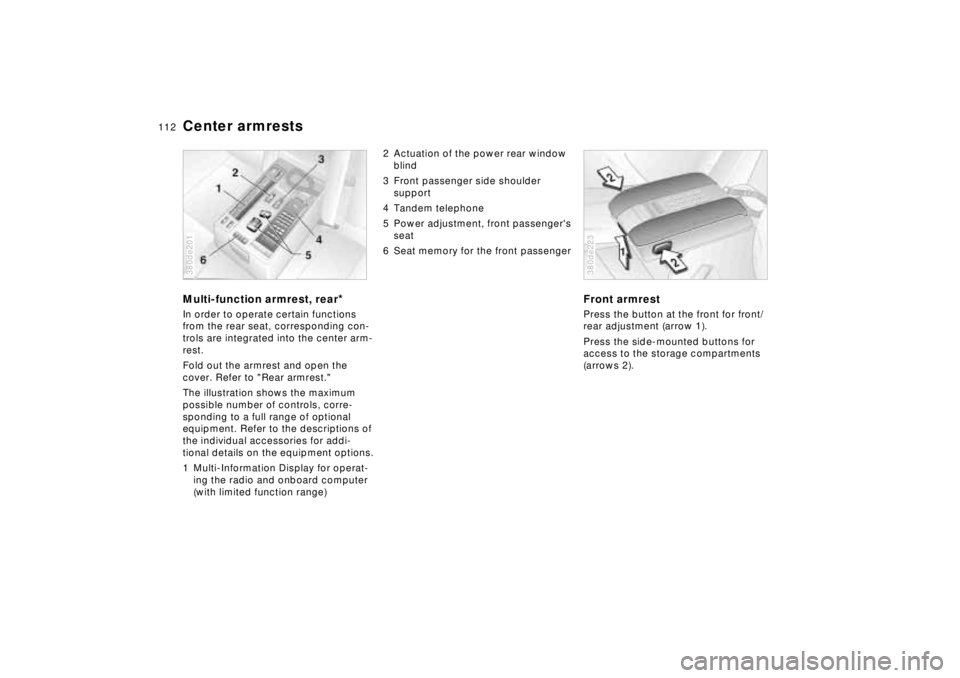
Center armrestsMulti-function armrest, rear
*
In order to operate certain functions
from the rear seat, corresponding con-
trols are integrated into the center arm-
rest.
Fold out the armrest and open the
cover. Refer to "Rear armrest."
The illustration shows the maximum
possible number of controls, corre-
sponding to a full range of optional
equipment. Refer to the descriptions of
the individual accessories for addi-
tional details on the equipment options.
1 Multi-Information Display for operat-
ing the radio and onboard computer
(with limited function range)380de201
2 Actuation of the power rear window
blind
3 Front passenger side shoulder
support
4 Tandem telephone
5 Power adjustment, front passenger's
seat
6 Seat memory for the front passenger
Front armrestPress the button at the front for front/
rear adjustment (arrow 1).
Press the side-mounted buttons for
access to the storage compartments
(arrows 2).380de223
Page 114 of 211
113n
RepairsIndexOverview Controls Car care Technology Data
Additional storage areas Cup holder Cellular phones
*
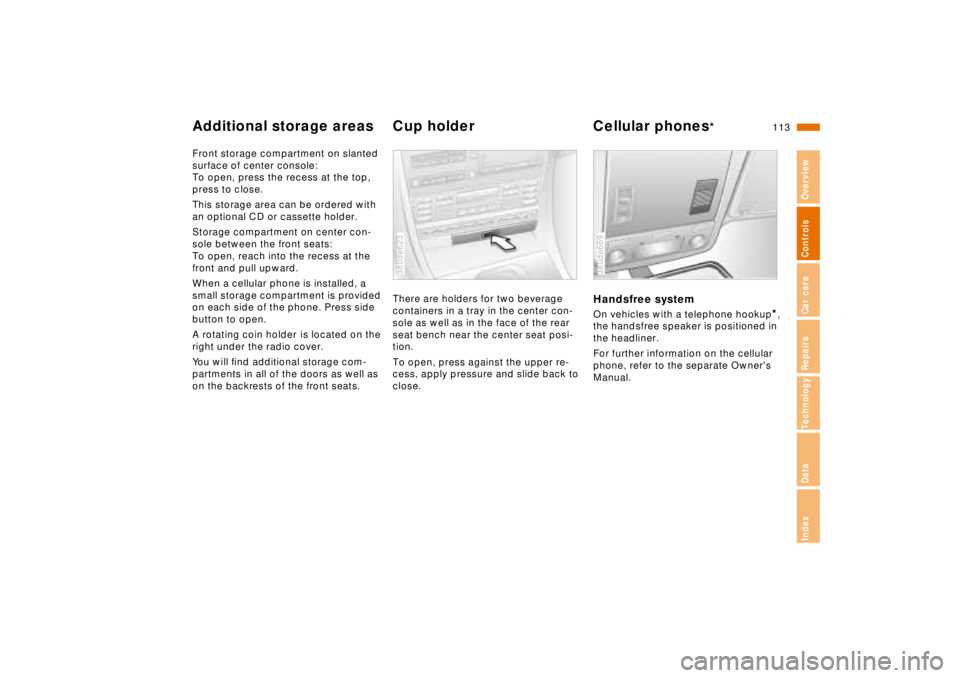
Front storage compartment on slanted
surface of center console:
To open, press the recess at the top,
press to close.
This storage area can be ordered with
an optional CD or cassette holder.
Storage compartment on center con-
sole between the front seats:
To open, reach into the recess at the
front and pull upward.
When a cellular phone is installed, a
small storage compartment is provided
on each side of the phone. Press side
button to open.
A rotating coin holder
is located on the
right under the radio cover.
You will find additional storage com-
partments in all of the doors as well as
on the backrests of the front seats.There are holders for two beverage
containers in a tray in the center con-
sole as well as in the face of the rear
seat bench near the center seat posi-
tion.
To open, press against the upper re-
cess, apply pressure and slide back to
close.
380de623
Handsfree systemOn vehicles with a telephone hookup
*,
the handsfree speaker is positioned in
the headliner.
For further information on the cellular
phone, refer to the separate Owner's
Manual.
380de669
Page 122 of 211
Overview
Controls and features
Operation, care
and maintenance
Owner service procedures
Technical data
Index Advanced technology
121n
RepairsIndexOverview Controls Car care Technology Data
Special operating instructions:
Break-in procedure122
Driving notes123
Catalytic converter124
Antilock Brake System
(ABS)125
Disc brakes126
Brake system128
Winter operation128
Power steering130
Level control system130
Cellular phone131
Radio reception131
Wheels and tires:
Tire inflation pressure132
Tire condition132
Tire replacement133
Tire rotation133
Wheel and tire
combinations134
Winter tires135
Snow chains135
Approved wheel and tire
specifications136Under the hood:
Hood137
Engine compartment138
Washer fluids142
Washer nozzles142
Engine oil143
Coolant146
Brake fluid147
Oil for power steering/
Level control system148
Vehicle Identification
Number148
Care and maintenance:
The BMW Maintenance
System149
Caring for your car150
Airbags156
Vehicle storage156
Laws and regulations:
Technical modifications to the
vehicle157
OBD connector158
Page 132 of 211

131n
RepairsIndexOverview Controls Car care Technology Data
Cellular phone Radio receptionMobile communications systems (cellu-
lar phone, radio, etc.) are permitted with
an output up to 10 watts only. Even
these systems may trigger malfunctions
in the operation of your vehicle if they
are not specifically designed for use
with the vehicle. BMW can neither test
nor assume responsibility for every indi-
vidual product being offered on the
market. We recommend that you con-
sult your BMW center before purchas-
ing any device of this kind.
To ensure that your BMW continues to
provide reliable and trouble-free opera-
tion, refrain from using a cellular phone
or other radio device with an antenna
located inside the passenger compart-
ment. The antenna should always be
mounted on the outside of the vehicle.
Before loading the vehicle on a
car-carrier train or driving it
through a car-wash, remove the an-
tenna.<
The reception and sound quality ob-
tained from mobile radios varies ac-
cording to a variety of factors, including
the broadcast range of the transmitter
and the directional orientation of the
antenna. Interference factors such as
high-tension power lines, buildings and
natural obstructions can all lead to un-
avoidable reception interference, re-
gardless of how well the vehicle sound
system is operating.
Climatic factors such as intense solar
radiation, fog, rain and snow can also
interfere with reception.
Cellular phones without official BMW
approval can also generate interfer-
ence. This phenomenon assumes the
form of a low-pitched hum emanating
from the speaker system.
Please refer to the supplementary oper-
ating instructions provided with your
sound system for detailed information
on its use.
Page 184 of 211
Overview
Controls and features
Operation, care
and maintenance
Owner service procedures
Technical data
Index Advanced technology
183n
RepairsIndexOverview Controls Car care Technology Data
Airbags184
Adaptive Transmission Control
(ATC ) 184
Automatic Stability Control plus
Traction (ASC+T)/Dynamic Sta-
bility Control (DSC) 185
Radio reception186
BMW Active Seat 186
Safety belt tensioner187
DSP sound system 187
Rearview mirror with automatic
dimmer188
Tire Pressure Control (RDC ) 189
Xenon lamps 190
Water and dirt repelling
windshield 191