service BMW 740I 1998 Owner's Manual
[x] Cancel search | Manufacturer: BMW, Model Year: 1998, Model line: 740I, Model: BMW 740I 1998Pages: 211, PDF Size: 1.68 MB
Page 159 of 211
158n
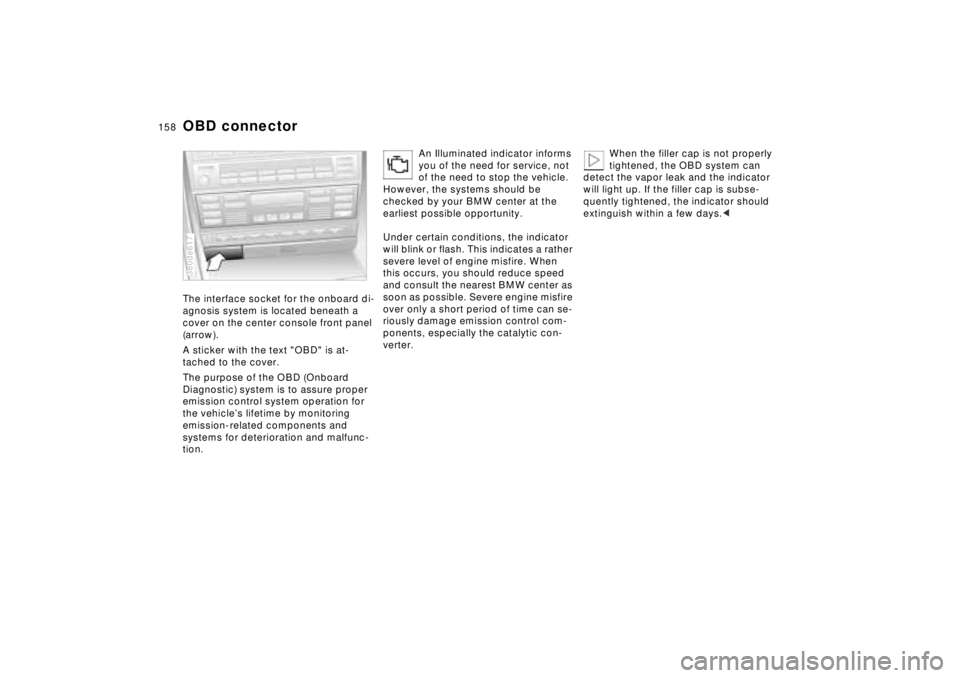
OBD connectorThe interface socket for the onboard di-
agnosis system is located beneath a
cover on the center console front panel
(arrow).
A sticker with the text "OBD" is at-
tached to the cover.
The purpose of the OBD (Onboard
Diagnostic) system is to assure proper
emission control system operation for
the vehicle’s lifetime by monitoring
emission-related components and
systems for deterioration and malfunc-
tion.380de617
An Illuminated indicator informs
you of the need for service, not
of the need to stop the vehicle.
However, the systems should be
checked by your BMW center at the
earliest possible opportunity.
Under certain conditions, the indicator
will blink or flash. This indicates a rather
severe level of engine misfire. When
this occurs, you should reduce speed
and consult the nearest BMW center as
soon as possible. Severe engine misfire
over only a short period of time can se-
riously damage emission control com-
ponents, especially the catalytic con-
verter.
When the filler cap is not properly
tightened, the OBD system can
detect the vapor leak and the indicator
will light up. If the filler cap is subse-
quently tightened, the indicator should
extinguish within a few days.<
Page 162 of 211
Overview
Controls and features
Operation, care
and maintenance
Owner service procedures
Technical data
Index Advanced technology
161n
RepairsIndexOverview Controls Car care Technology Data
Replacement procedures:
Onboard tool kit162
Windshield wiper blades162
Lamps and bulbs163
Remote control168
Changing tires170
Battery173
Fuses176
In case of electrical
malfunction:
Fuel filler door178
Sliding/Tilt sunroof178
Assistance, giving and
receiving:
Jump-starting179
Towing the vehicle180
Page 164 of 211
163n
RepairsIndexOverview Controls Car care Technology Data
Lamps and bulbsThe lamps and bulbs make essential
contributions to the safety of your vehi-
cle. Observe the following instructions
during bulb replacement carefully. If
you are not familiar with any of the pro-
cedures, consult your authorized BMW
center.
Do not touch the glass portion of a
new bulb with your bare hands
since even small amounts of impurities
burn in to the surface, thus reducing the
service life of the bulb. Use a clean
cloth, paper napkin, or a similar mate-
rial, or hold the bulb by its metallic
base.<
A replacement bulb set is available from
your BMW center.
Whenever working on the electri-
cal system, switch off the electri-
cal accessory you are working on or
disconnect the cable from the negative
terminal of the battery. Failure to do this
could result in short circuits.
To prevent injuries and damage, comply
with any instructions provided by the
bulb manufacturer.<
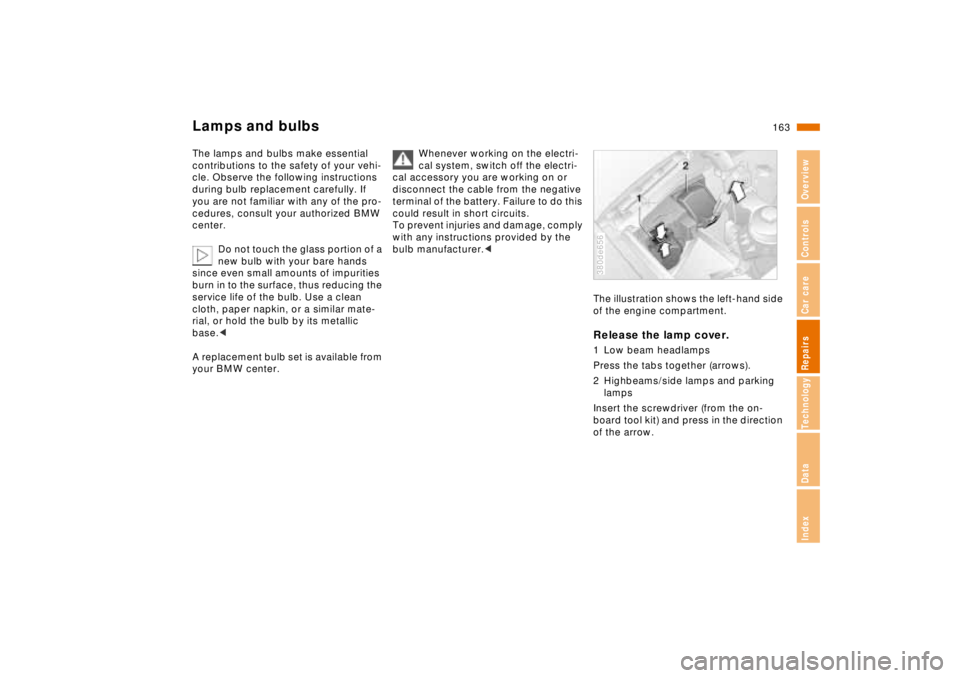
The illustration shows the left-hand side
of the engine compartment.Release the lamp cover.1 Low beam headlamps
Press the tabs together (arrows).
2 Highbeams/side lamps and parking
lamps
Insert the screwdriver (from the on-
board tool kit) and press in the direction
of the arrow.380de656
Page 165 of 211
164n
Lamps and bulbs
For checking and adjusting head-
lamp aim, please contact your
BMW center.<
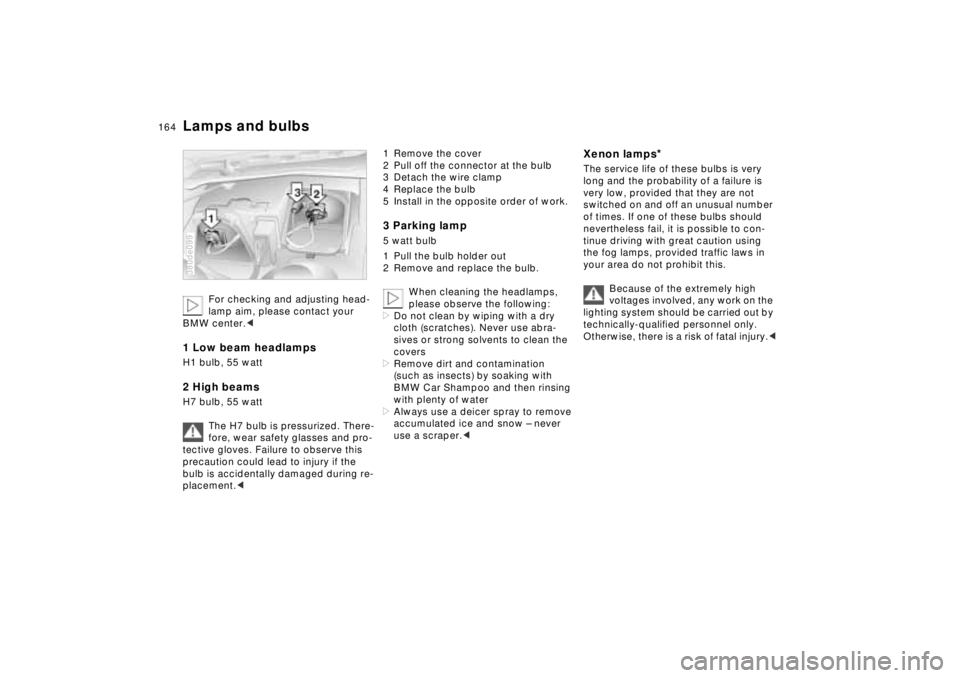
1 Low beam headlampsH1 bulb, 55 watt 2 High beamsH7 bulb, 55 watt
The H7 bulb is pressurized. There-
fore, wear safety glasses and pro-
tective gloves. Failure to observe this
precaution could lead to injury if the
bulb is accidentally damaged during re-
placement.< 380de099
1 Remove the cover
2 Pull off the connector at the bulb
3 Detach the wire clamp
4 Replace the bulb
5 Install in the opposite order of work.3 Parking lamp5 watt bulb
1 Pull the bulb holder out
2 Remove and replace the bulb.
When cleaning the headlamps,
please observe the following:
>Do not clean by wiping with a dry
cloth (scratches). Never use abra-
sives or strong solvents to clean the
covers
>Remove dirt and contamination
(such as insects) by soaking with
BMW Car Shampoo and then rinsing
with plenty of water
>Always use a deicer spray to remove
accumulated ice and snow – never
use a scraper.<
Xenon lamps
*
The service life of these bulbs is very
long and the probability of a failure is
very low, provided that they are not
switched on and off an unusual number
of times. If one of these bulbs should
nevertheless fail, it is possible to con-
tinue driving with great caution using
the fog lamps, provided traffic laws in
your area do not prohibit this.
Because of the extremely high
voltages involved, any work on the
lighting system should be carried out by
technically-qualified personnel only.
Otherwise, there is a risk of fatal injury.<
Page 175 of 211
174n
BatteryDo not short circuit the battery termi-
nals. This creates a risk of personal in-
jury from high-voltage sparks.
A highly-explosive gas is
generated when the battery is
charged.
If you happen to get acid in
your eyes, rinse thoroughly for
15 minutes with clear water.
Consult a physician immediately. If you
get acid spray on your skin or clothing,
rinse with plenty of water. If electrolyte
is accidentally ingested, consult a phy-
sician immediately.
In order to protect the battery
case from ultraviolet radiation,
do not place it in direct sunlight.
A discharged battery can freeze. Store
the battery in areas where temperature
remains above freezing.Car careThe battery is completely maintenance-
free, that is, the original electrolyte will
normally last for the service life of the
battery.
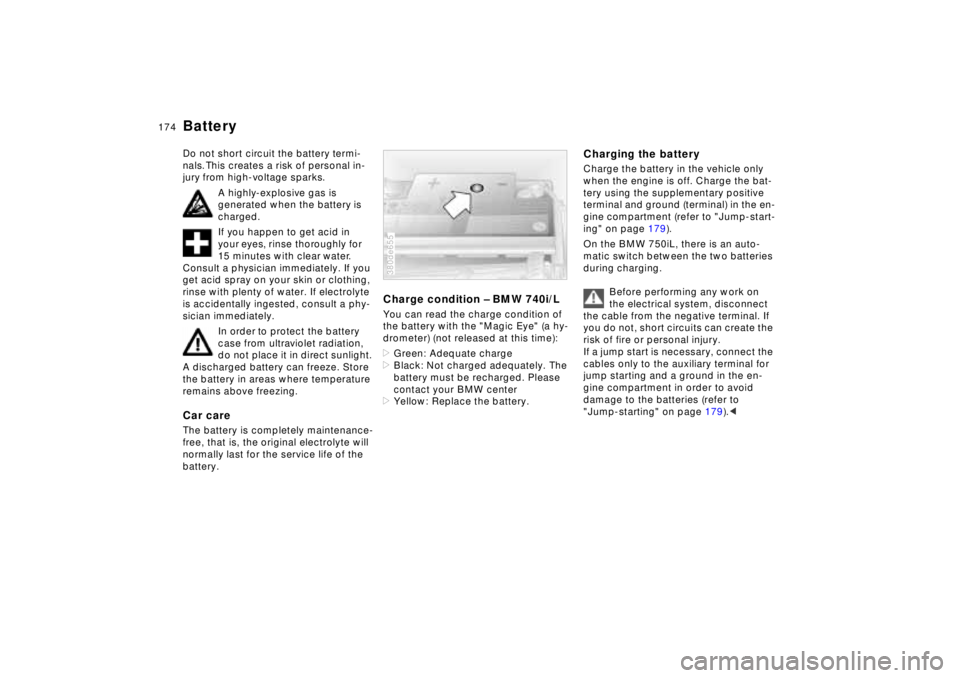
Charge condition – BMW 740i/LYou can read the charge condition of
the battery with the "Magic Eye" (a hy-
drometer) (not released at this time):
>Green: Adequate charge
>Black: Not charged adequately. The
battery must be recharged. Please
contact your BMW center
>Yellow: Replace the battery.380de655
Charging the batteryCharge the battery in the vehicle only
when the engine is off. Charge the bat-
tery using the supplementary positive
terminal and ground (terminal) in the en-
gine compartment (refer to "Jump-start-
ing" on page 179).
On the BMW 750iL, there is an auto-
matic switch between the two batteries
during charging.
Before performing any work on
the electrical system, disconnect
the cable from the negative terminal. If
you do not, short circuits can create the
risk of fire or personal injury.
If a jump start is necessary, connect the
cables only to the auxiliary terminal for
jump starting and a ground in the en-
gine compartment in order to avoid
damage to the batteries (refer to
"Jump-starting" on page 179).<
Page 176 of 211
175n
RepairsIndexOverview Controls Car care Technology Data
BatteryIf you plan to store the vehicle for
longer than 4 weeks, disconnect the
battery from the vehicle electrical sys-
tem by disconnecting the cable at the
negative terminal.
If you intend to store your car for longer
than six weeks: Remove the battery,
charge it and store it in a cool (but frost-
free) room. After a period not exceeding
6 months and before reinstalling the
battery, have it recharged. If it is not re-
charged, it will not be serviceable. Ev-
ery time the battery is discharged, es-
pecially over extended periods, its
service life is reduced.
Avoid environmental pollution
when disposing of old batteries.<
Return used batteries to a recy-
cling point or to your authorized
BMW center. Maintain the battery in an
upright position for transport and stor-
age. Secure the battery against tilting in
transit.<
Removal and installation
Do not disconnect the battery
when the engine is running. Dis-
connecting the battery cable when the
engine is running will cause a voltage
surge that will damage the vehicle's on-
board electronics.
Do not make any modifications in the
wires to the positive terminal. If you do
so, the protective function of the safety
battery terminal is no longer ensured.
Repairs and disposal may only be per-
formed by specially-trained personnel.<
BMW 750iL: Please contact your autho-
rized BMW center for additional infor-
mation.
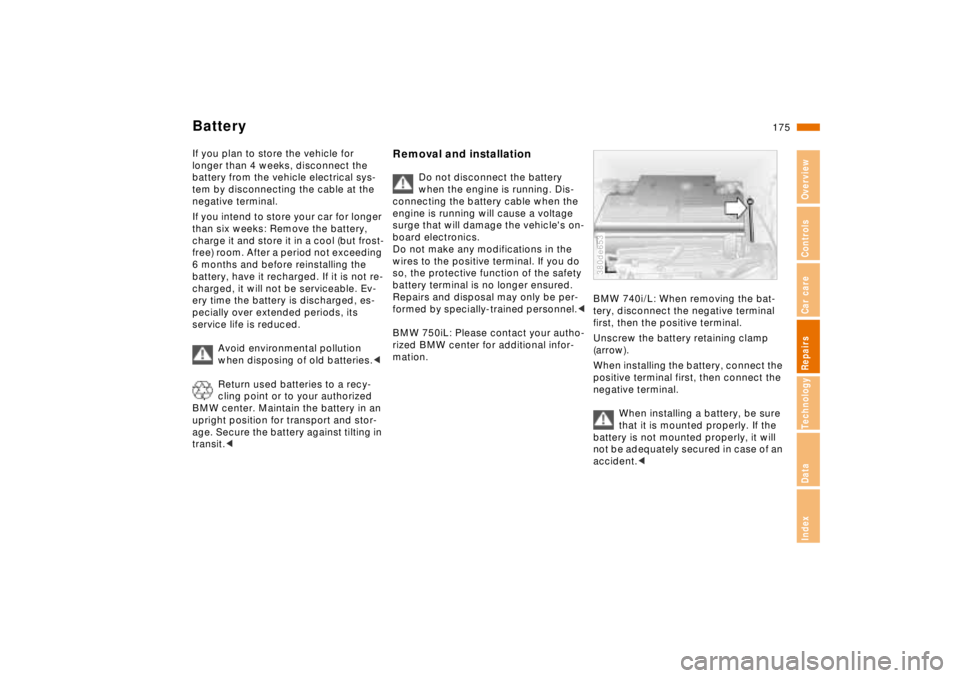
BMW 740i/L: When removing the bat-
tery, disconnect the negative terminal
first, then the positive terminal.
Unscrew the battery retaining clamp
(arrow).
When installing the battery, connect the
positive terminal first, then connect the
negative terminal.
When installing a battery, be sure
that it is mounted properly. If the
battery is not mounted properly, it will
not be adequately secured in case of an
accident.< 380de653
Page 184 of 211
Overview
Controls and features
Operation, care
and maintenance
Owner service procedures
Technical data
Index Advanced technology
183n
RepairsIndexOverview Controls Car care Technology Data
Airbags184
Adaptive Transmission Control
(ATC ) 184
Automatic Stability Control plus
Traction (ASC+T)/Dynamic Sta-
bility Control (DSC) 185
Radio reception186
BMW Active Seat 186
Safety belt tensioner187
DSP sound system 187
Rearview mirror with automatic
dimmer188
Tire Pressure Control (RDC ) 189
Xenon lamps 190
Water and dirt repelling
windshield 191
Page 190 of 211
189n
RepairsIndexOverview Controls Car care Technology Data
Tire Pressure Control (RDC)
*
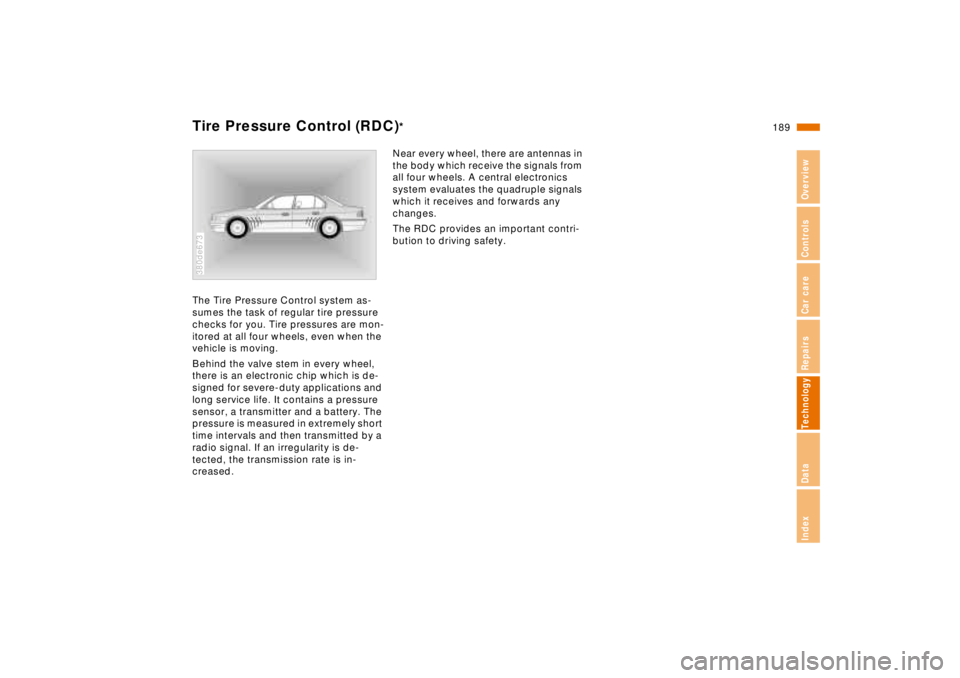
The Tire Pressure Control system as-
sumes the task of regular tire pressure
checks for you. Tire pressures are mon-
itored at all four wheels, even when the
vehicle is moving.
Behind the valve stem in every wheel,
there is an electronic chip which is de-
signed for severe-duty applications and
long service life. It contains a pressure
sensor, a transmitter and a battery. The
pressure is measured in extremely short
time intervals and then transmitted by a
radio signal. If an irregularity is de-
tected, the transmission rate is in-
creased.380de673
Near every wheel, there are antennas in
the body which receive the signals from
all four wheels. A central electronics
system evaluates the quadruple signals
which it receives and forwards any
changes.
The RDC provides an important contri-
bution to driving safety.
Page 194 of 211
Overview
Controls and features
Operation, care
and maintenance
Technical data
Index Advanced technology
193n
RepairsIndexOverview Controls Car care Technology Data
Owner service procedures
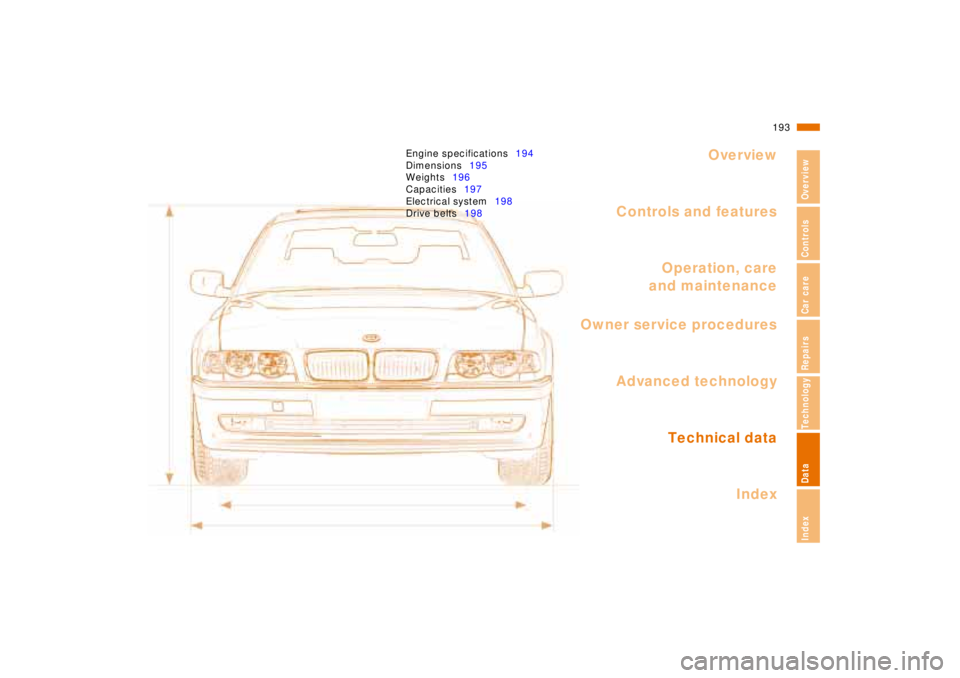
Engine specifications194
Dimensions195
Weights196
Capacities197
Electrical system198
Drive belts198
Page 202 of 211
Initial overview
Controls and features Operation, care
and maintenance
Owner service procedures
Technical dataIndex
Advanced technology
201
n
Repairs
Index
Overview
Controls
Car care
Technology
Data
Everything from A to Z 202
Owner service procedures from A to Z 207