steering BMW 740I SEDAN 2016 Repair Manual
[x] Cancel search | Manufacturer: BMW, Model Year: 2016, Model line: 740I SEDAN, Model: BMW 740I SEDAN 2016Pages: 314, PDF Size: 7.9 MB
Page 264 of 314
Snow chains
Fine-link snow chains The manufacturer of your vehicle recommends
use of fine-link snow chains. Certain types of
fine-link snow chains have been tested by the
manufacturer of the vehicle and recommended
as road-safe and suitable.
Information regarding suitable snow chains is
available from a dealer’s service center or an‐
other qualified service center or repair shop.
Use
Use only in pairs on the rear wheels, equipped
with the tires of the following size:▷245/50 R 18.▷245/45 R 19.
Follow the snow chain manufacturer's instruc‐
tions.
Make sure that the snow chains are always
sufficiently tight. Retighten as needed accord‐
ing to the chain manufacturer's instructions.
Do not initialize the Flat Tire Monitor after
mounting snow chains, as doing so may result
in incorrect readings.
Do not initialize the Tire Pressure Monitor after
mounting snow chains, as doing so may result
in incorrect readings.
When driving with snow chains, briefly activate
Dynamic Traction Control if needed.
Maximum speed with snow chains Do not exceed a speed of 30 mph/50 km/hwhen using snow chains.
Rear wheel steering during operation with snow chains
General information
In order to guarantee free running of the
wheels when operating with snow chains, the
rear wheel steering of the integral active steer‐
ing must be switched off when snow chains
are mounted. For this, it is possible to confirm
via iDrive that snow chains are mounted.
Information WARNING
When rear wheel steering is switched on
and snow chains are mounted, there can be
contact between snow chains and the chassis.
There is risk of accidents or risk of property
damage. With mounted snow chains, switch
off the rear wheel steering.◀
Switching off rear wheel steering With the setting that snow chains are
mounted, the rear wheel steering is switched
off.
About iDrive:1."My Vehicle"2."Vehicle settings"3."Tire chains"4."Tire chains installed"
Starting with the permissible maximum speed
with snow chains of 30 mph/50 km/h the rear
wheel steering will be switched on automati‐
cally.
Tire Pressure Monitor TPM
The concept
The system monitors tire inflation pressure in
the four mounted tires. The system warns you
if there is a loss of pressure in one or more
tires. For this purpose, sensors in the tire
valves measure the tire inflation pressure and
tire temperature.
Information
With use of the system observe further infor‐
mation found under Tire inflation pressure, re‐
fer to page 254.
Seite 264MobilityWheels and tires264
Online Edition for Part no. 0140 2 964 330 - VI/15
Page 266 of 314
▷The system has detected a wheel change,
but no reset was done.▷No reset was performed for the system.
The system therefore issues a warning
based on the tire inflation pressures before
the last reset.▷Inflation was not carried out according to
specifications.▷The tire inflation pressure has fallen below
the level of the last reset.
In these cases:
1.Check the tire pressure and correct as
needed.2.Reset the system.
Message in case of low tire pressure
The yellow warning lamp lights up.
A Check Control message is displayed.
▷There is a tire inflation pressure loss.▷No reset was performed for the system.
The system therefore issues a warning
based on the tire inflation pressures before
the last reset.
In these cases:
1.Reduce your speed and drive moderately.
Do not exceed a speed of
80 mph/130 km/h.2.At the next opportunity, e.g. gas station,
check and if necessary correct the tire in‐
flation pressure in all four tires.3.Reset the system.
Message in case of sharp tire inflation pressure loss
The yellow warning lamp lights up.
A symbol with the affected tires will be dis‐
played in the Check Control message.▷There is a flat tire or a major loss in tire in‐
flation pressure.▷No reset was performed for the system.
The system therefore issues a warning
based on the tire inflation pressures before
the last reset.
In these cases:
1.Reduce your speed and stop cautiously.
Avoid sudden braking and steering maneu‐
vers.2.Check whether the vehicle is fitted with
normal tires or run-flat tires.
Run-flat tires, refer to page 260, are la‐
beled with a circular symbol containing the
letters RSC marked on the tire's sidewall.
WARNING
A damaged regular tire with low or miss‐
ing tire inflation pressure impacts handling,
such as steering and braking response. Run-
flat tires can maintain limited stability. There is
risk of an accident. Do not continue driving if
the vehicle is not equipped with run-flat tires.
Observe the information on run-flat tires and
continued driving with these tires.◀
A low tire inflation pressure might turn on DSC
Dynamic Stability Control.
Actions in the event of a flat tire
Normal tires
1.Identify the damaged tire.
Do this by checking the air pressure in all
four tires.
The tire pressure gauge of the Mobility
System, refer to page 260, can be used for
this purpose.
If the tire inflation pressure in all four tires
is shown to be correct, it is possible that
the Tire Pressure Monitor did not perform
a reset. Then perform the reset.Seite 266MobilityWheels and tires266
Online Edition for Part no. 0140 2 964 330 - VI/15
Page 267 of 314
If identification of flat tire damage is not
possible, please contact a dealer’s service
center or another qualified service center
or repair shop.2.Fixing a flat tire, where applicable with the
Mobility System.3.Replacing a damaged tire, where applica‐
ble with the emergency wheel.
Use of sealant, e.g., the Mobility System, may
damage the TPM wheel electronics. In this
case, have the electronics checked at the next
opportunity and have them replaced if needed.
Run-flat tires Maximum speed
You may continue driving with a damaged tire
at speeds up to 50 mph/80 km/h.
Continued driving with a flat tire
If continuing to drive with a damaged tire:
1.Avoid sudden braking and steering maneu‐
vers.2.Do not exceed a speed of 50 mph/80 km/h.3.Check the air pressure in all four tires at
the next opportunity.
If the tire inflation pressure in all four tires
is shown to be correct, it is possible that
the Tire Pressure Monitor did not perform
a reset. In that case, carry out a reset.
Possible driving distance with complete loss of
tire inflation pressure:
The possible driving distance after a loss of tire
inflation pressure depends on cargo load, driv‐
ing style and road conditions.
A vehicle with an average load has a possible
driving range of approx. 50 miles/80 km.
A vehicle with a damaged tire reacts differ‐
ently, e.g., it has reduced lane stability during
braking, a longer braking distance and different
self-steering properties. Adjust your driving
style accordingly. Avoid abrupt steering ma‐
neuvers or driving over obstacles, e.g., curbs,
potholes, etc.
Because the possible driving distance de‐
pends on how the vehicle is used during the
trip, the actual distance may be shorter or lon‐
ger depending on the driving speed, road con‐
ditions, external temperature, cargo load, etc.
WARNING
Your vehicle handles differently when a
run-flat tire is damaged and has low or missing
tire inflation pressure, e.g., your lane stability is
reduced when braking, braking distances are
longer and the self-steering properties will
change. There is risk of an accident.
Drive moderately and do not exceed a speed of
50 mph/80 km/h.◀
System limits
The system does not function properly if a re‐
set has not been carried out, e.g., a flat tire is
reported though tire inflation pressures are
correct.
The tire inflation pressure depends on the
tire's temperature. Driving or exposure to the
sun will increase the tire's temperature, thus
increasing the tire inflation pressure. The tire
inflation pressure is reduced when the tire
temperature falls again. These circumstances
may cause a warning when temperatures fall
very sharply.
The system cannot indicate sudden serious
tire damage caused by external circumstances.
Malfunction The yellow warning lamp flashes andthen lights up continuously. A Check
Control message is displayed. No flat
tire or loss of tire inflation pressure can be de‐
tected.
Examples and recommendations in the follow‐
ing situations:▷A wheel without TPM electronics is
mounted, e.g. emergency wheel: Have itSeite 267Wheels and tiresMobility267
Online Edition for Part no. 0140 2 964 330 - VI/15
Page 269 of 314
Status displayThe current status of the flat tire monitor can
be displayed, e.g., whether the RPA is active.
About iDrive:1."My Vehicle"2."Vehicle status"3. "Flat Tire Monitor"
The status is displayed.
Initialization
When initializing the once set inflation tire
pressures serve as reference values in order to
detect a flat tire. Initialization is started by con‐
firming the tire inflation pressures.
Do not initialize the system when driving with
snow chains.
About iDrive:
1."My Vehicle"2."Vehicle status"3.Flat Tire Monitor reset4.Start the engine - do not drive off.5.Start the initialization: "Perform reset"6.Drive away.
The initialization is completed while driving,
which can be interrupted at any time.
The initialization automatically continues when
driving resumes.
Indication of a flat tire The yellow warning lamp lights up. A
Check Control message is displayed.
There is a flat tire or a major loss in tire
inflation pressure.
1.Reduce your speed and stop cautiously.
Avoid sudden braking and steering maneu‐
vers.2.Check whether the vehicle is fitted with
normal tires or run-flat tires.Run-flat tires, refer to page 260, are la‐
beled with a circular symbol containing the
letters RSC marked on the tire's sidewall.
WARNING
A damaged regular tire with low or miss‐
ing tire inflation pressure impacts handling,
such as steering and braking response. Run-
flat tires can maintain limited stability. There is
risk of an accident. Do not continue driving if
the vehicle is not equipped with run-flat tires.
Observe the information on run-flat tires and
continued driving with these tires.◀
When a flat tire is indicated, DSC Dynamic Sta‐
bility Control is switched on if needed.
System limits
A natural, even tire inflation pressure loss in all four tires will not be recognized. Therefore,
check the tire inflation pressure regularly.
Sudden serious tire damage caused by exter‐
nal circumstances cannot be recognized in ad‐
vance.
The system could be delayed or malfunction in
the following situations:
▷When the system has not been initialized.▷When driving on a snowy or slippery road
surface.▷Sporty driving style: spinning traction
wheels, high lateral acceleration (drifting).▷When driving with snow chains.
Actions in the event of a flat tire
Normal tires
1.Identify the damaged tire.
Do this by checking the air pressure in all
four tires.
The tire pressure gauge of the Mobility
System, refer to page 260, can be used for
this purpose.
If the tire inflation pressure in all four tires
is correct, the Flat Tire Monitor may notSeite 269Wheels and tiresMobility269
Online Edition for Part no. 0140 2 964 330 - VI/15
Page 270 of 314
have been initialized. In this case, initialize
the system.
If identification of flat tire damage is not
possible, please contact a dealer’s service
center or another qualified service center
or repair shop.2.Fix the flat tire using the Mobility System,
refer to page 260.
Run-flat tires
Maximum speed
You may continue driving with a damaged tire
at speeds up to 50 mph/80 km/h.
Continued driving with a flat tire
If continuing to drive with a damaged tire:
1.Avoid sudden braking and steering maneu‐
vers.2.Do not exceed a speed of 50 mph/80 km/h.3.Check the air pressure in all four tires at
the next opportunity.
If the tire inflation pressure in all four tires
is correct, the Flat Tire Monitor may not
have been initialized. In this case, initialize
the system.
Possible driving distance with complete loss of
tire inflation pressure:
The possible driving distance after a loss of tire
inflation pressure depends on cargo load, driv‐
ing style and road conditions.
A vehicle with an average load has a possible
driving range of approx. 50 miles/80 km.
A vehicle with a damaged tire reacts differ‐
ently, e.g., it has reduced lane stability during
braking, a longer braking distance and different
self-steering properties. Adjust your driving
style accordingly. Avoid abrupt steering ma‐
neuvers or driving over obstacles, e.g., curbs,
potholes, etc.
Because the possible driving distance de‐
pends on how the vehicle is used during the
trip, the actual distance may be shorter or lon‐
ger depending on the driving speed, road con‐
ditions, external temperature, cargo load, etc.
WARNING
Your vehicle handles differently when a
run-flat tire is damaged and has low or missing
tire inflation pressure, e.g., your lane stability is
reduced when braking, braking distances are
longer and the self-steering properties will
change. There is risk of an accident.
Drive moderately and do not exceed a speed of
50 mph/80 km/h.◀
Final tire failure
Vibrations or loud noises while driving can indi‐
cate the final failure of a tire.
Reduce speed and stop; otherwise, pieces of
the tire could come loose and cause an acci‐
dent.
Do not continue driving. Contact a dealer’s
service center or another qualified service cen‐
ter or repair shop.Seite 270MobilityWheels and tires270
Online Edition for Part no. 0140 2 964 330 - VI/15
Page 284 of 314
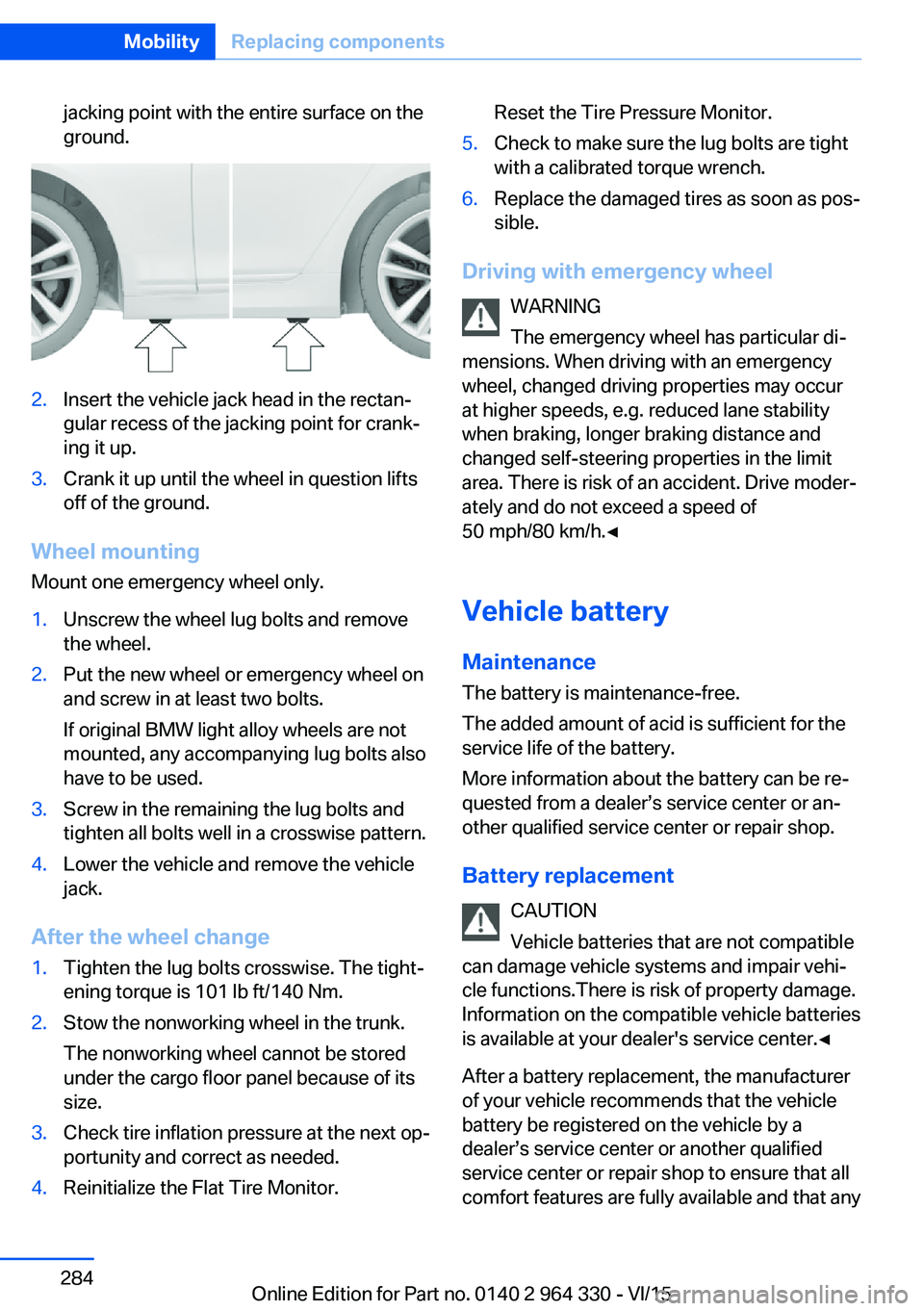
jacking point with the entire surface on the
ground.2.Insert the vehicle jack head in the rectan‐
gular recess of the jacking point for crank‐
ing it up.3.Crank it up until the wheel in question lifts
off of the ground.
Wheel mounting
Mount one emergency wheel only.
1.Unscrew the wheel lug bolts and remove
the wheel.2.Put the new wheel or emergency wheel on
and screw in at least two bolts.
If original BMW light alloy wheels are not
mounted, any accompanying lug bolts also
have to be used.3.Screw in the remaining the lug bolts and
tighten all bolts well in a crosswise pattern.4.Lower the vehicle and remove the vehicle
jack.
After the wheel change
1.Tighten the lug bolts crosswise. The tight‐
ening torque is 101 lb ft/140 Nm.2.Stow the nonworking wheel in the trunk.
The nonworking wheel cannot be stored
under the cargo floor panel because of its
size.3.Check tire inflation pressure at the next op‐
portunity and correct as needed.4.Reinitialize the Flat Tire Monitor.Reset the Tire Pressure Monitor.5.Check to make sure the lug bolts are tight
with a calibrated torque wrench.6.Replace the damaged tires as soon as pos‐
sible.
Driving with emergency wheel
WARNING
The emergency wheel has particular di‐
mensions. When driving with an emergency
wheel, changed driving properties may occur
at higher speeds, e.g. reduced lane stability
when braking, longer braking distance and
changed self-steering properties in the limit
area. There is risk of an accident. Drive moder‐
ately and do not exceed a speed of
50 mph/80 km/h.◀
Vehicle battery Maintenance
The battery is maintenance-free.
The added amount of acid is sufficient for the
service life of the battery.
More information about the battery can be re‐
quested from a dealer’s service center or an‐
other qualified service center or repair shop.
Battery replacement CAUTION
Vehicle batteries that are not compatible
can damage vehicle systems and impair vehi‐
cle functions.There is risk of property damage.
Information on the compatible vehicle batteries
is available at your dealer's service center.◀
After a battery replacement, the manufacturer
of your vehicle recommends that the vehicle
battery be registered on the vehicle by a
dealer’s service center or another qualified
service center or repair shop to ensure that all
comfort features are fully available and that any
Seite 284MobilityReplacing components284
Online Edition for Part no. 0140 2 964 330 - VI/15
Page 285 of 314
Check Control messages of these comfort fea‐
tures are no longer displayed.
Charging the battery
General information
Make sure that the battery is always suffi‐
ciently charged to guarantee that the battery
remains usable for its full service life.
The battery may need to be charged in the fol‐
lowing cases:▷When making frequent short-distance
drives.▷If the vehicle is not used for prolonged pe‐
riods, longer than a month.
Information
CAUTION
Battery chargers for the vehicle battery
can work with high voltages and currents,
which means that the 12V on-board network
can be overloaded or damaged. There is risk of
property damage. Only connect battery charg‐
ers for the vehicle battery to the starting aid
terminals in the engine compartment.◀
Starting aid terminals
In the vehicle, only charge the battery via the
starting aid terminals, refer to page 288, in the
engine compartment with the engine off.
Power failure
After a temporary power loss, some equipment
needs to be newly initialized or individual set‐
tings updated, e. g.:
▷Seat, mirror, and steering wheel memory:
store the positions again.▷Time: update.▷Date: update.▷Glass sunroof: initialize the system, refer to
page 75.Disposing of old batteries
Have old batteries disposed of by a
dealer’s service center or another
qualified service center or repair shop
or take them to a collection point.
Maintain the battery in an upright position for
transport and storage. Secure the battery so
that it does not tip over during transport.
Fuses Information WARNING
Incorrect and repaired fuses can overload
electrical lines and components. There is risk
of fire. Never attempt to repair a blown fuse
and do not replace a nonworking fuse with a
substitute of another color or amperage rat‐
ing.◀
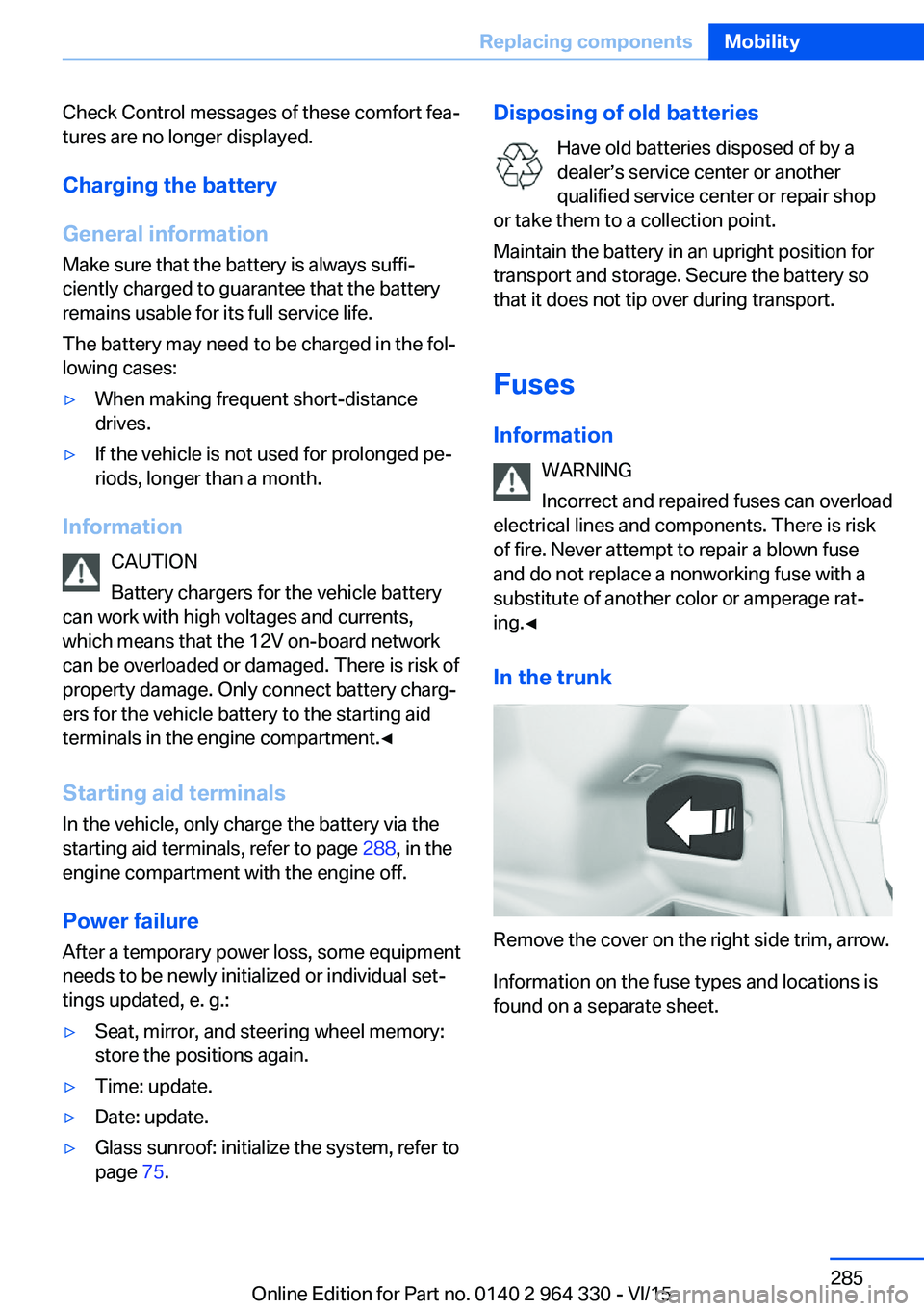
In the trunk
Remove the cover on the right side trim, arrow.
Information on the fuse types and locations is
found on a separate sheet.
Seite 285Replacing componentsMobility285
Online Edition for Part no. 0140 2 964 330 - VI/15
Page 302 of 314
Everything from A to Z
IndexA ABS, Antilock Brake Sys‐ tem 163
ACC, Active Cruise Control with Stop & Go 168
Acceleration Assistant, see Launch Control 106
Accessories and parts 7
Accident prevention, see Ac‐ tive Protection 160
Activated-charcoal filter 206
Activating gesture control 30
Active Blind Spot Detec‐ tion 153
Active comfort chassis 201
Active Cruise Control with Stop & Go, ACC 168
Active damping adjust‐ ment 201
Active Protection 160
Active roll stabilization 202
Active seat ventilation 92
Active Steering, integral 166
Adaptive brake assistant 163
Adaptive brake lights, see Brake force display 160
ADAPTIVE drive mode, see Driving Dynamics Con‐
trol 110
Adaptive Light Control 131
ADAPTIVE, see Driving Dy‐ namics Control 110
Additives, oil 275
Adjustments, seats/head re‐ straints 76
After washing vehicle 292
Airbags 136
Airbags, indicator/warning light 137 Air circulation, see Recircu‐
lated-air mode 205
Air, dehumidifying, see Cool‐ ing function 204
Air distribution, manual 205
Air flow, automatic climate control 205
Air outlets, see ventila‐ tion 206
Air pressure, tires 254
Air suspension 200
Alarm system 69
Alarm, unintentional 70
All around the center con‐ sole 16
All around the roofliner 18
All around the steering wheel 14
All-season tires, see Winter tires 259
All-wheel-drive, see xDrive 165
Alternating-code hand-held transmitter 216
Alternative oil types 275
Ambient air package 211
Ambient light 133, 134
Animal detection, see Night Vision 147
Antifreeze, washer fluid 106
Antilock Brake System, ABS 163
Anti-slip control, see DSC 163
Approved axle load 299
Arrival time 124
Ashtray 217
Ashtray, front 217
Ashtray, rear 218
Assistance when driving off 163 Attentiveness assistant 161
AUC Automatic Recirculating Air Control 205
Audio 6
AUTO H button 100
AUTO H button, see Auto‐ matic Hold 100
AUTO intensity 204
Automatic car wash 291
Automatic climate con‐ trol 203
Automatic Cruise Control with Stop & Go 168
Automatic Curb Monitor 85
Automatic deactivation, Front-seat passenger air‐
bags 138
Automatic headlight con‐ trol 130
Automatic Hold 100
Automatic locking 68
Automatic Recirculating Air Control AUC 205
Automatic Soft Closing, doors 63
Automatic transmission, see Steptronic transmis‐
sion 106
Automatic unlocking 68
AUTO program, automatic cli‐ mate control 204
AUTO program, intensity 204
Auto Start/Stop function 98
Average fuel consump‐ tion 124
Average speed 124
Axle loads, weights 299 Seite 302ReferenceEverything from A to Z302
Online Edition for Part no. 0140 2 964 330 - VI/15
Page 303 of 314
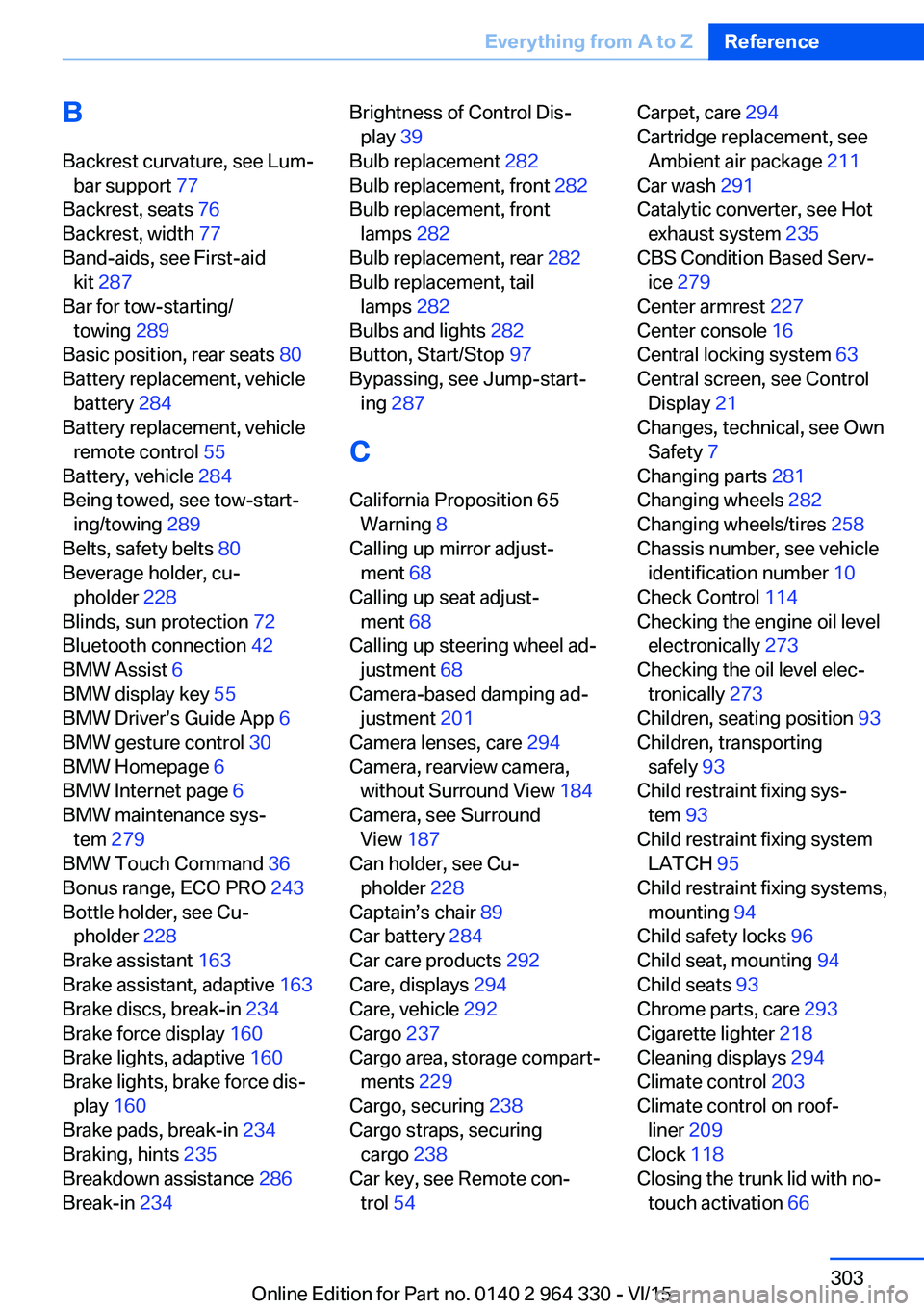
BBackrest curvature, see Lum‐ bar support 77
Backrest, seats 76
Backrest, width 77
Band-aids, see First-aid kit 287
Bar for tow-starting/ towing 289
Basic position, rear seats 80
Battery replacement, vehicle battery 284
Battery replacement, vehicle remote control 55
Battery, vehicle 284
Being towed, see tow-start‐ ing/towing 289
Belts, safety belts 80
Beverage holder, cu‐ pholder 228
Blinds, sun protection 72
Bluetooth connection 42
BMW Assist 6
BMW display key 55
BMW Driver’s Guide App 6
BMW gesture control 30
BMW Homepage 6
BMW Internet page 6
BMW maintenance sys‐ tem 279
BMW Touch Command 36
Bonus range, ECO PRO 243
Bottle holder, see Cu‐ pholder 228
Brake assistant 163
Brake assistant, adaptive 163
Brake discs, break-in 234
Brake force display 160
Brake lights, adaptive 160
Brake lights, brake force dis‐ play 160
Brake pads, break-in 234
Braking, hints 235
Breakdown assistance 286
Break-in 234 Brightness of Control Dis‐
play 39
Bulb replacement 282
Bulb replacement, front 282
Bulb replacement, front lamps 282
Bulb replacement, rear 282
Bulb replacement, tail lamps 282
Bulbs and lights 282
Button, Start/Stop 97
Bypassing, see Jump-start‐ ing 287
C
California Proposition 65 Warning 8
Calling up mirror adjust‐ ment 68
Calling up seat adjust‐ ment 68
Calling up steering wheel ad‐ justment 68
Camera-based damping ad‐ justment 201
Camera lenses, care 294
Camera, rearview camera, without Surround View 184
Camera, see Surround View 187
Can holder, see Cu‐ pholder 228
Captain’s chair 89
Car battery 284
Car care products 292
Care, displays 294
Care, vehicle 292
Cargo 237
Cargo area, storage compart‐ ments 229
Cargo, securing 238
Cargo straps, securing cargo 238
Car key, see Remote con‐ trol 54 Carpet, care 294
Cartridge replacement, see Ambient air package 211
Car wash 291
Catalytic converter, see Hot exhaust system 235
CBS Condition Based Serv‐ ice 279
Center armrest 227
Center console 16
Central locking system 63
Central screen, see Control Display 21
Changes, technical, see Own Safety 7
Changing parts 281
Changing wheels 282
Changing wheels/tires 258
Chassis number, see vehicle identification number 10
Check Control 114
Checking the engine oil level electronically 273
Checking the oil level elec‐ tronically 273
Children, seating position 93
Children, transporting safely 93
Child restraint fixing sys‐ tem 93
Child restraint fixing system LATCH 95
Child restraint fixing systems, mounting 94
Child safety locks 96
Child seat, mounting 94
Child seats 93
Chrome parts, care 293
Cigarette lighter 218
Cleaning displays 294
Climate control 203
Climate control on roof‐ liner 209
Clock 118
Closing the trunk lid with no- touch activation 66 Seite 303Everything from A to ZReference303
Online Edition for Part no. 0140 2 964 330 - VI/15
Page 306 of 314
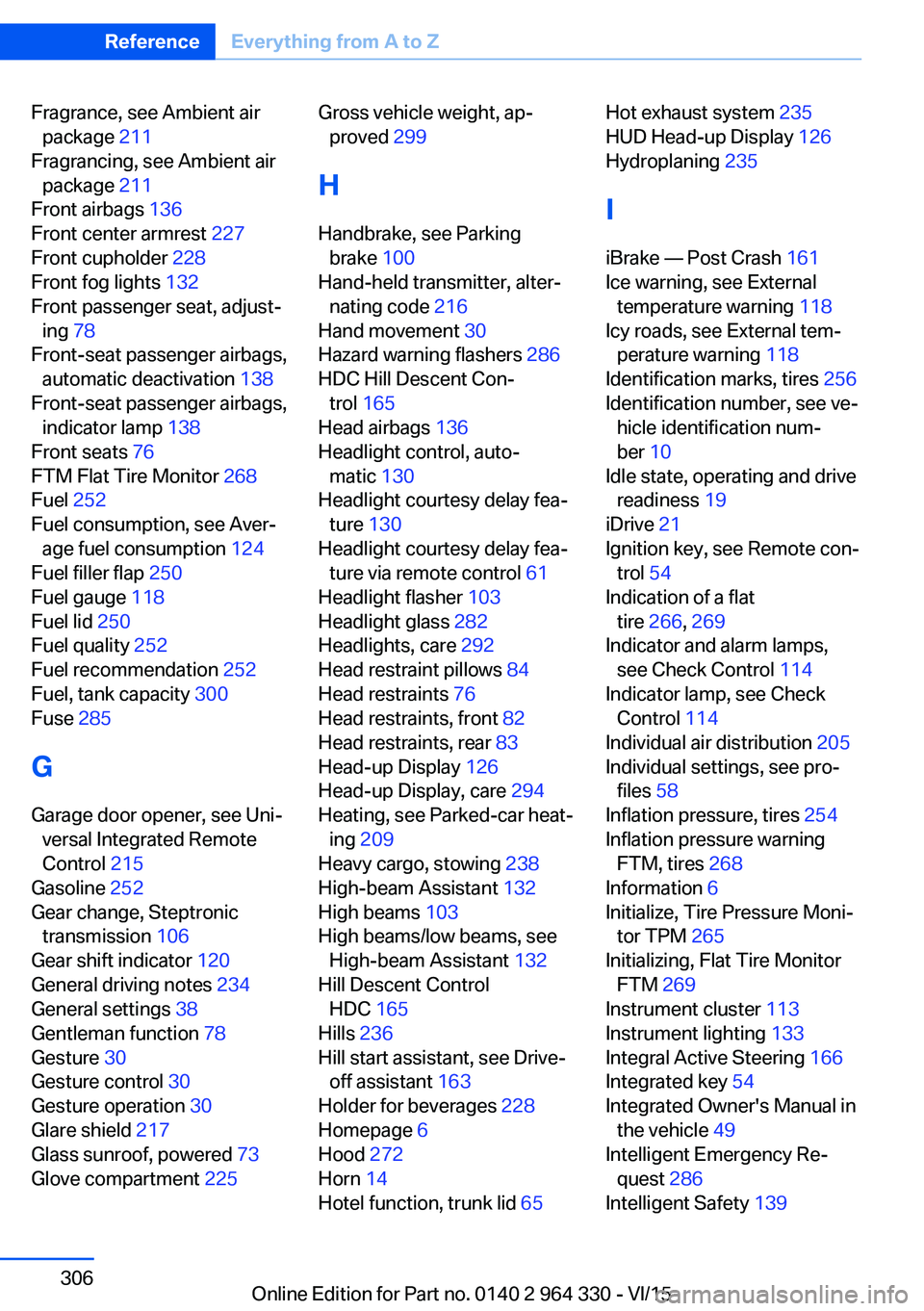
Fragrance, see Ambient airpackage 211
Fragrancing, see Ambient air package 211
Front airbags 136
Front center armrest 227
Front cupholder 228
Front fog lights 132
Front passenger seat, adjust‐ ing 78
Front-seat passenger airbags, automatic deactivation 138
Front-seat passenger airbags, indicator lamp 138
Front seats 76
FTM Flat Tire Monitor 268
Fuel 252
Fuel consumption, see Aver‐ age fuel consumption 124
Fuel filler flap 250
Fuel gauge 118
Fuel lid 250
Fuel quality 252
Fuel recommendation 252
Fuel, tank capacity 300
Fuse 285
G
Garage door opener, see Uni‐ versal Integrated Remote
Control 215
Gasoline 252
Gear change, Steptronic transmission 106
Gear shift indicator 120
General driving notes 234
General settings 38
Gentleman function 78
Gesture 30
Gesture control 30
Gesture operation 30
Glare shield 217
Glass sunroof, powered 73
Glove compartment 225 Gross vehicle weight, ap‐
proved 299
H
Handbrake, see Parking brake 100
Hand-held transmitter, alter‐ nating code 216
Hand movement 30
Hazard warning flashers 286
HDC Hill Descent Con‐ trol 165
Head airbags 136
Headlight control, auto‐ matic 130
Headlight courtesy delay fea‐ ture 130
Headlight courtesy delay fea‐ ture via remote control 61
Headlight flasher 103
Headlight glass 282
Headlights, care 292
Head restraint pillows 84
Head restraints 76
Head restraints, front 82
Head restraints, rear 83
Head-up Display 126
Head-up Display, care 294
Heating, see Parked-car heat‐ ing 209
Heavy cargo, stowing 238
High-beam Assistant 132
High beams 103
High beams/low beams, see High-beam Assistant 132
Hill Descent Control HDC 165
Hills 236
Hill start assistant, see Drive- off assistant 163
Holder for beverages 228
Homepage 6
Hood 272
Horn 14
Hotel function, trunk lid 65 Hot exhaust system 235
HUD Head-up Display 126
Hydroplaning 235
I iBrake — Post Crash 161
Ice warning, see External temperature warning 118
Icy roads, see External tem‐ perature warning 118
Identification marks, tires 256
Identification number, see ve‐ hicle identification num‐
ber 10
Idle state, operating and drive readiness 19
iDrive 21
Ignition key, see Remote con‐ trol 54
Indication of a flat tire 266 , 269
Indicator and alarm lamps, see Check Control 114
Indicator lamp, see Check Control 114
Individual air distribution 205
Individual settings, see pro‐ files 58
Inflation pressure, tires 254
Inflation pressure warning FTM, tires 268
Information 6
Initialize, Tire Pressure Moni‐ tor TPM 265
Initializing, Flat Tire Monitor FTM 269
Instrument cluster 113
Instrument lighting 133
Integral Active Steering 166
Integrated key 54
Integrated Owner's Manual in the vehicle 49
Intelligent Emergency Re‐ quest 286
Intelligent Safety 139 Seite 306ReferenceEverything from A to Z306
Online Edition for Part no. 0140 2 964 330 - VI/15