air condition BMW 745i 2004 E65 Owner's Guide
[x] Cancel search | Manufacturer: BMW, Model Year: 2004, Model line: 745i, Model: BMW 745i 2004 E65Pages: 232, PDF Size: 5.27 MB
Page 200 of 232
Maintenance
198
Maintenance
The BMW Maintenance
System
The BMW Maintenance System is
designed to ensure that your vehicle will
continue to furnish consistent reliability
combined with optimized safety. The ser-
vice schedule also includes operations
related to the vehicle's comfort and conve-
nience features, such as replacement of
the filters for the inside air. The aim is to
optimize maintenance with regard to
reducing the cost of running the vehicle.
Should the day come when you decide to
sell your BMW, you will find that a complete
dealer service history is an asset of inesti-
mable value.
CBS Condition Based Service
CBS is a more advanced version of the
Service Interval Display. Sensors combine
with highly-specialized algorithms to sup-
ply service information that reflects your
vehicle's actual operating conditions more
precisely than ever before.
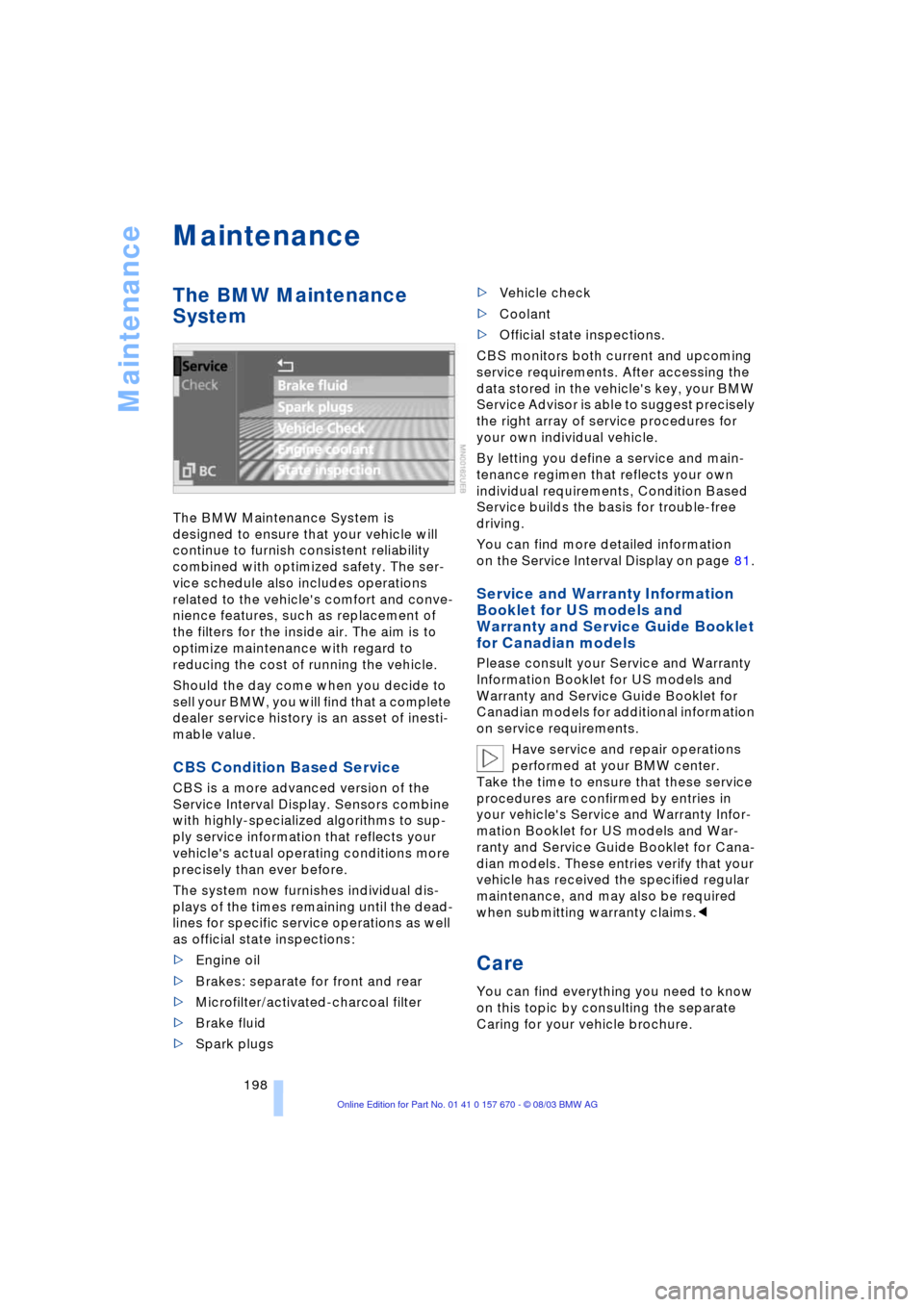
The system now furnishes individual dis-
plays of the times remaining until the dead-
lines for specific service operations as well
as official state inspections:
>Engine oil
>Brakes: separate for front and rear
>Microfilter/activated-charcoal filter
>Brake fluid
>Spark plugs >Vehicle check
>Coolant
>Official state inspections.
CBS monitors both current and upcoming
service requirements. After accessing the
data stored in the vehicle's key, your BMW
Service Advisor is able to suggest precisely
the right array of service procedures for
your own individual vehicle.
By letting you define a service and main-
tenance regimen that reflects your own
individual requirements, Condition Based
Service builds the basis for trouble-free
driving.
You can find more detailed information
on the Service Interval Display on page 81.
Service and Warranty Information
Booklet for US models and
Warranty and Service Guide Booklet
for Canadian models
Please consult your Service and Warranty
Information Booklet for US models and
Warranty and Service Guide Booklet for
Canadian models for additional information
on service requirements.
Have service and repair operations
performed at your BMW center.
Take the time to ensure that these service
procedures are confirmed by entries in
your vehicle's Service and Warranty Infor-
mation Booklet for US models and War-
ranty and Service Guide Booklet for Cana-
dian models. These entries verify that your
vehicle has received the specified regular
maintenance, and may also be required
when submitting warranty claims.<
Care
You can find everything you need to know
on this topic by consulting the separate
Caring for your vehicle brochure.
Page 206 of 232
Replacing components
204 surface of the front tire on the side
opposite the side being raised. If the
vehicle is parked on a downward slope,
place the wheel chock securely in front
of the tire. If the wheel must be changed
on a surface with a more severe slope,
take additional precautions to secure
the vehicle from rolling
3.Loosen the lug bolts 1/2 a turn
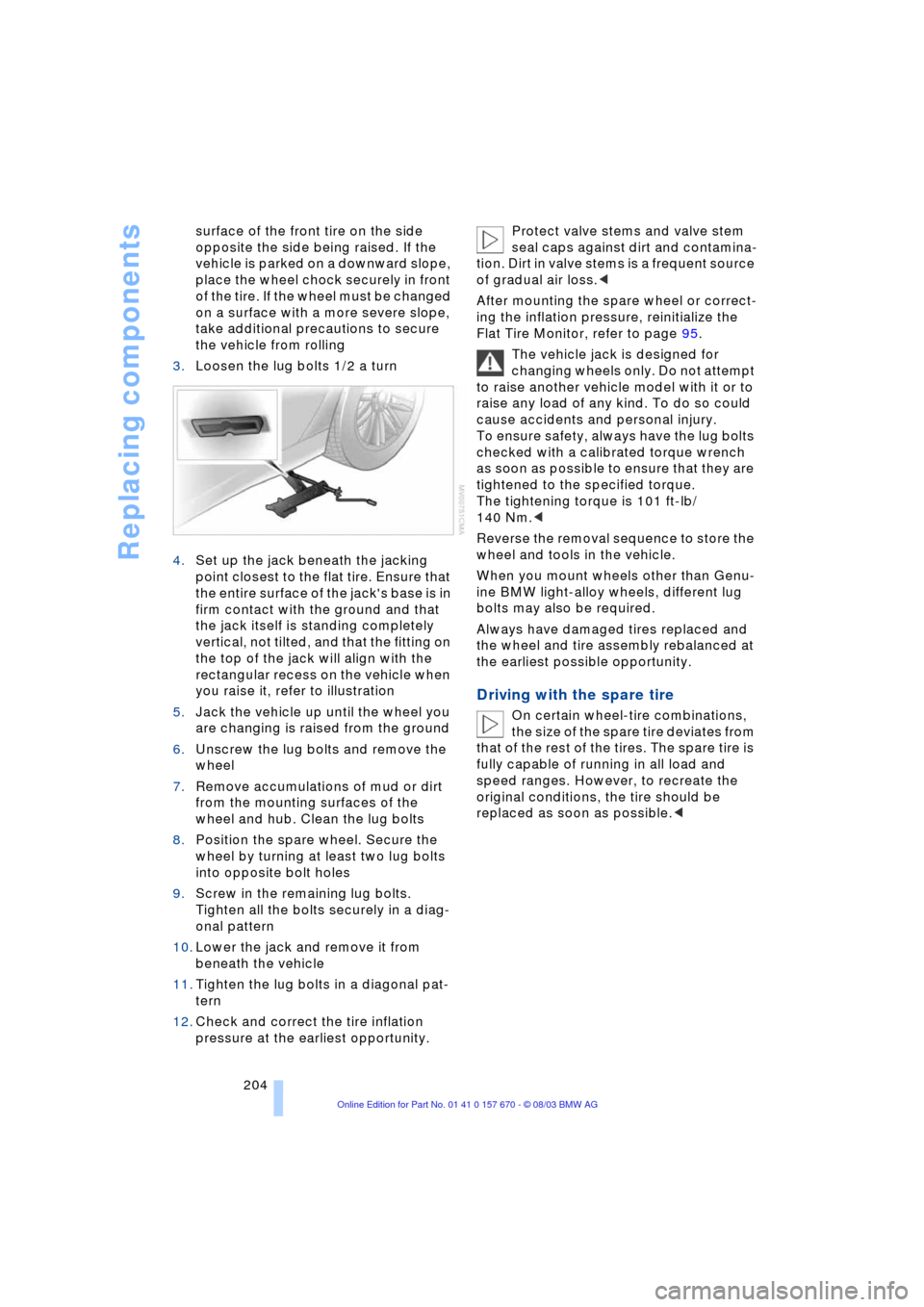
4.Set up the jack beneath the jacking
point closest to the flat tire. Ensure that
the entire surface of the jack's base is in
firm contact with the ground and that
the jack itself is standing completely
vertical, not tilted, and that the fitting on
the top of the jack will align with the
rectangular recess on the vehicle when
you raise it, refer to illustration
5.Jack the vehicle up until the wheel you
are changing is raised from the ground
6.Unscrew the lug bolts and remove the
wheel
7.Remove accumulations of mud or dirt
from the mounting surfaces of the
wheel and hub. Clean the lug bolts
8.Position the spare wheel. Secure the
wheel by turning at least two lug bolts
into opposite bolt holes
9.Screw in the remaining lug bolts.
Tighten all the bolts securely in a diag-
onal pattern
10.Lower the jack and remove it from
beneath the vehicle
11.Tighten the lug bolts in a diagonal pat-
tern
12.Check and correct the tire inflation
pressure at the earliest opportunity. Protect valve stems and valve stem
seal caps against dirt and contamina-
tion. Dirt in valve stems is a frequent source
of gradual air loss.<
After mounting the spare wheel or correct-
ing the inflation pressure, reinitialize the
Flat Tire Monitor, refer to page 95.
The vehicle jack is designed for
changing wheels only. Do not attempt
to raise another vehicle model with it or to
raise any load of any kind. To do so could
cause accidents and personal injury.
To ensure safety, always have the lug bolts
checked with a calibrated torque wrench
as soon as possible to ensure that they are
tightened to the specified torque.
The tightening torque is 101 ft-lb/
140 Nm.<
Reverse the removal sequence to store the
wheel and tools in the vehicle.
When you mount wheels other than Genu-
ine BMW light-alloy wheels, different lug
bolts may also be required.
Always have damaged tires replaced and
the wheel and tire assembly rebalanced at
the earliest possible opportunity.
Driving with the spare tire
On certain wheel-tire combinations,
the size of the spare tire deviates from
that of the rest of the tires. The spare tire is
fully capable of running in all load and
speed ranges. However, to recreate the
original conditions, the tire should be
replaced as soon as possible.<
Page 218 of 232
Everything from A to Z
216
A
"ABC..." for
navigation 132, 133
ABS Antilock Braking
System 91
ACC, refer to Active cruise
control 73
"ACCEPT" for
navigation 136, 143
Accessories 6
Activated-charcoal
filter 108
"Activation time" 109
Active cruise control 73
Ð malfunctions 79
Ð selecting distance 76
Active head restraints,
front 47
Active seat 51
Active seat ventilation 50
Adapter for spare key 32
Adaptive Head Light 99
Adding engine oil 195
"Address book" 142
Adjusting cooling capacity
of rear air conditioner 108
Airbags 97
Air conditioner in the
rear 108
Air distribution 103, 106
Airing, refer to
Ventilation 105
Air pressure, refer to Tire
inflation pressure 188
Air supply 104
Ð rear air conditioner 108
Air vent outlets 102
AKI, refer to Fuel
specifications 187
Alarm system 39
Ð avoiding unintentional
alarms 40All-season tires 192
"AM..." 148, 152, 154
AM waveband 152
Anchorages 125
"ANGLE" for DVD
mode 168
Antifreeze 196
Ð washer fluid 71
Antifreeze protection
Ð coolant 196
Ð radiator 196
Antilock Braking System
ABS 91
Anti-theft alarm
system 33, 39
Approved gross vehicle
weight 214
Aquaplaning, refer to
Hydroplaning 122
"Arrow display" for
navigation 140
"AS ADDRESS"
Ð creating a directory 142
Ð current position 143
Ð destination
entry 132, 134, 135
Ð destination list 136
Ð home address 142
Ð last destinations 136
"AS DEST."
Ð creating a directory 142
Ð destination
entry 134, 135
Ð home address 142
Ð last destinations 136
"AS DESTINATION"
Ð creating a directory 142
Ashtray 115
Assistance window, refer to
Control Center 22
Ð help texts 22
Ð status lines 23AUC Automatic
recirculated-air
control 104
"Audio" 148, 152
Audio 148
Ð adjusting the tone 149
Ð controls 148
Ð switching on/off 149
Ð volume 149
"AUDIO" for DVD
mode 168
"AUTO", automatic climate
control 106
Automatic
Ð air distribution 103
Ð cruise control 71
Ð curb monitor 54
Ð headlamp control 99
Ð luggage compartment lid
control 34, 38
Ð steering wheel
adjustment 52
Automatic car wash, refer
to the Caring for your
vehicle brochure
Automatic climate
control 102
Ð automatic air
distribution 103
Ð rear air conditioner 108
Ð rear cooler 113
Ð settings in Control
Center 106
Automatic Hold
Ð parking 63
Ð parking brake 63
Automatic recirculated-air
control AUC 104
Automatic transmission
with Steptronic 66
Ð manual operation 67
Ð sport program 67
"AUTO P" 53, 63
Everything from A to Z
Index
Page 222 of 232
Everything from A to Z
220 Environmentally friendly
driving, refer to Energy
Control 85
Equalizer 149, 150
ESP, refer to DSC 92
Extended vehicle storage,
refer to the Caring for
your vehicle brochure
Exterior mirrors 51
Ð automatic dimming
feature 51
"Extra"
Ð in "Climate" menu 106
Ð rear air conditioning 109
Ð rear cooler 113
F
Factory preparations for
phone installation 177
Fader 149
"Fader" for audio mode 150
Failure messages, refer to
Check Control 82
Failure of a current
consumer 206
Fan, refer to Air supply 104
"Fastest route" 137
Fastest route 137
Filling the washer
reservoir 71
Filling the windshield
washer reservoir 71
First-aid kit 207
Fittings, towing 209
Flashlight 114
Flat Tire Monitor 95
Flat tires 188, 191
"FM..." 148, 152, 154
FM waveband 152
Fog lamps 100
"Footwell" 107
Footwell lamps 101
Front armrest, refer to Front
center armrest 114
Front center armrest 114
Front seat adjustment 44
Front-to-rear adjustment in
audio mode 149"FTM" 95
Fuel 187
Fuel capacity 186
Fuel economy 86
Fuel filler door 186
Ð releasing in the event of
electrical defect 186
Fuel gauge 85
Fuel-saving driving, refer to
Energy Control 85
Fuel specifications 187
Fuel tank capacity 186
"FULL MENU" 167, 168
"Full Release" 24
Fuses 206
G
Garage door opener, refer
to Integrated universal
remote control 111
Gasoline 187
Gear changes, refer to
Automatic transmission
with Steptronic 66
Gearshifts, refer to
Automatic transmission
with Steptronic 66
General driving notes 122
Glasses compartment 115
Glass roof, electrical 42
Ð closing in the event of an
electrical malfunction 43
Ð convenience operation 36
Ð remote control 34
Glove compartment 114
GPS, refer to Navigation
system 130
H
Hand lamp 114
Hands-free
microphone 177
Hands-free system 177
Having vehicle towed 208
Hazard warning flashers 14
Headlamp control,
automatic 99
Headlamp flasher 69
Headlamp washers 70Headlamp washer
system 71
Head Light, refer to
Adaptive Head Light 99
Head restraints 47
Ð front head restraints,
active 47
Heated seats 49
Heated steering wheel 52
Heating and ventilation 102
Heating while stopped 105
Height 213
Height adjustment
Ð seats 45
Ð steering wheel 52
"Help" 18, 21
Help texts in Control
Display 22
High beams 100
Ð replacing bulbs 201
Home address 142, 143
Horn 11
"Hotline" 182
Hydraulic brake assistant,
refer to DBC 93
Hydroplaning 122, 191
I
Ice warning 80
iDrive, refer to Control
Center 17
Ignition key 32
Ignition lock 60
Ð with Comfort Access 60
Independent
ventilation 109
"Indep. ventil." 109
Indicator lamps 12
"Individual" 107
Individual button
assignment 17
Ð on steering wheel 52
Inflation pressure 188
Info Display 12
"Information" for
navigation 135, 136
Information on the
navigation system, refer
to Voice guidance for
navigation 141
Page 225 of 232
Reference 223
At a glance
Controls
Driving tips
Communications
Navigation
Entertainment
Mobility
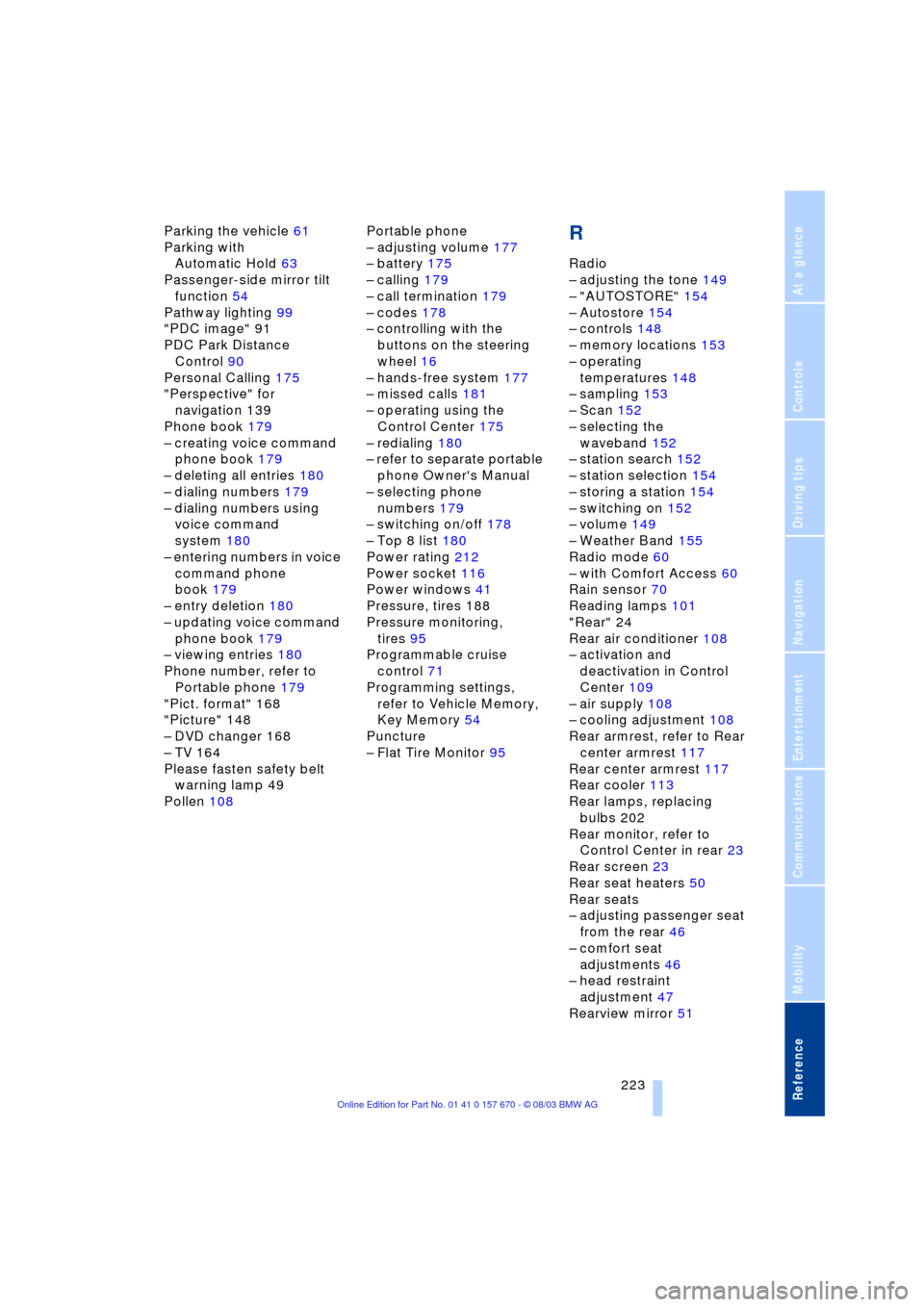
Parking the vehicle 61
Parking with
Automatic Hold 63
Passenger-side mirror tilt
function 54
Pathway lighting 99
"PDC image" 91
PDC Park Distance
Control 90
Personal Calling 175
"Perspective" for
navigation 139
Phone book 179
Ð creating voice command
phone book 179
Ð deleting all entries 180
Ð dialing numbers 179
Ð dialing numbers using
voice command
system 180
Ð entering numbers in voice
command phone
book 179
Ð entry deletion 180
Ð updating voice command
phone book 179
Ð viewing entries 180
Phone number, refer to
Portable phone 179
"Pict. format" 168
"Picture" 148
Ð DVD changer 168
Ð TV 164
Please fasten safety belt
warning lamp 49
Pollen 108Portable phone
Ð adjusting volume 177
Ð battery 175
Ð calling 179
Ð call termination 179
Ð codes 178
Ð controlling with the
buttons on the steering
wheel 16
Ð hands-free system 177
Ð missed calls 181
Ð operating using the
Control Center 175
Ð redialing 180
Ð refer to separate portable
phone Owner's Manual
Ð selecting phone
numbers 179
Ð switching on/off 178
Ð Top 8 list 180
Power rating 212
Power socket 116
Power windows 41
Pressure, tires 188
Pressure monitoring,
tires 95
Programmable cruise
control 71
Programming settings,
refer to Vehicle Memory,
Key Memory 54
Puncture
Ð Flat Tire Monitor 95R
Radio
Ð adjusting the tone 149
Ð "AUTOSTORE" 154
Ð Autostore 154
Ð controls 148
Ð memory locations 153
Ð operating
temperatures 148
Ð sampling 153
Ð Scan 152
Ð selecting the
waveband 152
Ð station search 152
Ð station selection 154
Ð storing a station 154
Ð switching on 152
Ð volume 149
Ð Weather Band 155
Radio mode 60
Ð with Comfort Access 60
Rain sensor 70
Reading lamps 101
"Rear" 24
Rear air conditioner 108
Ð activation and
deactivation in Control
Center 109
Ð air supply 108
Ð cooling adjustment 108
Rear armrest, refer to Rear
center armrest 117
Rear center armrest 117
Rear cooler 113
Rear lamps, replacing
bulbs 202
Rear monitor, refer to
Control Center in rear 23
Rear screen 23
Rear seat heaters 50
Rear seats
Ð adjusting passenger seat
from the rear 46
Ð comfort seat
adjustments 46
Ð head restraint
adjustment 47
Rearview mirror 51
Page 227 of 232
Reference 225
At a glance
Controls
Driving tips
Communications
Navigation
Entertainment
Mobility
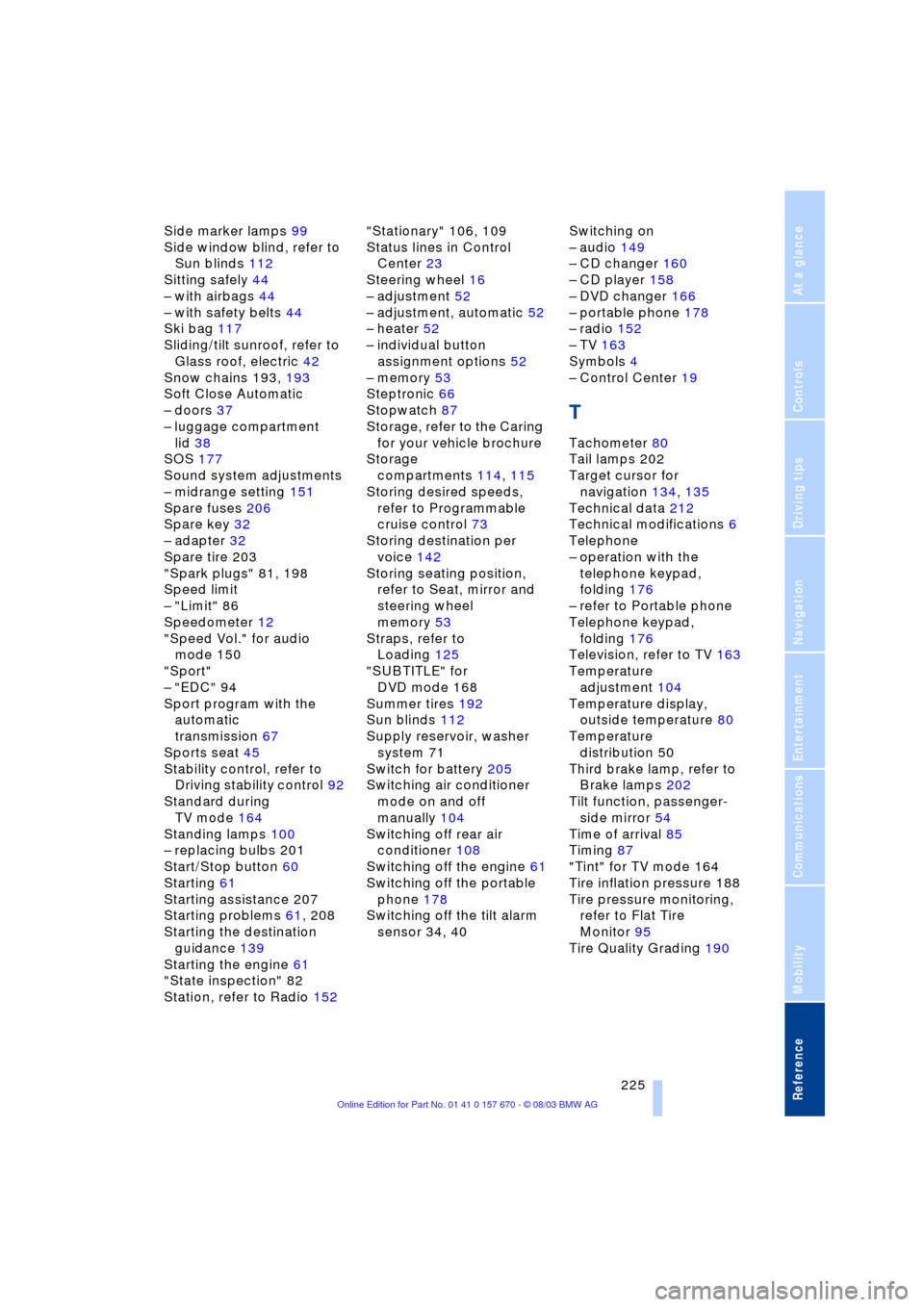
Side marker lamps 99
Side window blind, refer to
Sun blinds 112
Sitting safely 44
Ð with airbags 44
Ð with safety belts 44
Ski bag 117
Sliding/tilt sunroof, refer to
Glass roof, electric 42
Snow chains 193, 193
Soft Close Automatic
Ð doors 37
Ð luggage compartment
lid 38
SOS 177
Sound system adjustments
Ð midrange setting 151
Spare fuses 206
Spare key 32
Ð adapter 32
Spare tire 203
"Spark plugs" 81, 198
Speed limit
Ð "Limit" 86
Speedometer 12
"Speed Vol." for audio
mode 150
"Sport"
Ð "EDC" 94
Sport program with the
automatic
transmission 67
Sports seat 45
Stability control, refer to
Driving stability control 92
Standard during
TV mode 164
Standing lamps 100
Ð replacing bulbs 201
Start/Stop button 60
Starting 61
Starting assistance 207
Starting problems 61, 208
Starting the destination
guidance 139
Starting the engine 61
"State inspection" 82
Station, refer to Radio 152"Stationary" 106, 109
Status lines in Control
Center 23
Steering wheel 16
Ð adjustment 52
Ð adjustment, automatic 52
Ð heater 52
Ð individual button
assignment options 52
Ð memory 53
Steptronic 66
Stopwatch 87
Storage, refer to the Caring
for your vehicle brochure
Storage
compartments 114, 115
Storing desired speeds,
refer to Programmable
cruise control 73
Storing destination per
voice 142
Storing seating position,
refer to Seat, mirror and
steering wheel
memory 53
Straps, refer to
Loading 125
"SUBTITLE" for
DVD mode 168
Summer tires 192
Sun blinds 112
Supply reservoir, washer
system 71
Switch for battery 205
Switching air conditioner
mode on and off
manually 104
Switching off rear air
conditioner 108
Switching off the engine 61
Switching off the portable
phone 178
Switching off the tilt alarm
sensor 34, 40Switching on
Ð audio 149
Ð CD changer 160
Ð CD player 158
Ð DVD changer 166
Ð portable phone 178
Ð radio 152
Ð TV 163
Symbols 4
Ð Control Center 19
T
Tachometer 80
Tail lamps 202
Target cursor for
navigation 134, 135
Technical data 212
Technical modifications 6
Telephone
Ð operation with the
telephone keypad,
folding 176
Ð refer to Portable phone
Telephone keypad,
folding 176
Television, refer to TV 163
Temperature
adjustment 104
Temperature display,
outside temperature 80
Temperature
distribution 50
Third brake lamp, refer to
Brake lamps 202
Tilt function, passenger-
side mirror 54
Time of arrival 85
Timing 87
"Tint" for TV mode 164
Tire inflation pressure 188
Tire pressure monitoring,
refer to Flat Tire
Monitor 95
Tire Quality Grading 190