lock BMW 745i 2004 E65 Workshop Manual
[x] Cancel search | Manufacturer: BMW, Model Year: 2004, Model line: 745i, Model: BMW 745i 2004 E65Pages: 232, PDF Size: 5.27 MB
Page 128 of 232
Things to remember when driving
126 the opening path of the luggage compart-
ment lid.
Secure roof-mounted cargo correctly and
securely to prevent it from shifting or being
lost during the trip.
Drive smoothly. Avoid sudden acceleration
and braking maneuvers. Take corners gen-
tly.
Entry/pass tags
Infrared windshield technology has been
used on your vehicle to minimize solar
heating of the vehicle interior. This technol-
ogy also reduces the ability of electronic
devices to transmit and receive through
the windshield, which will impair their per-
formance and operating range.
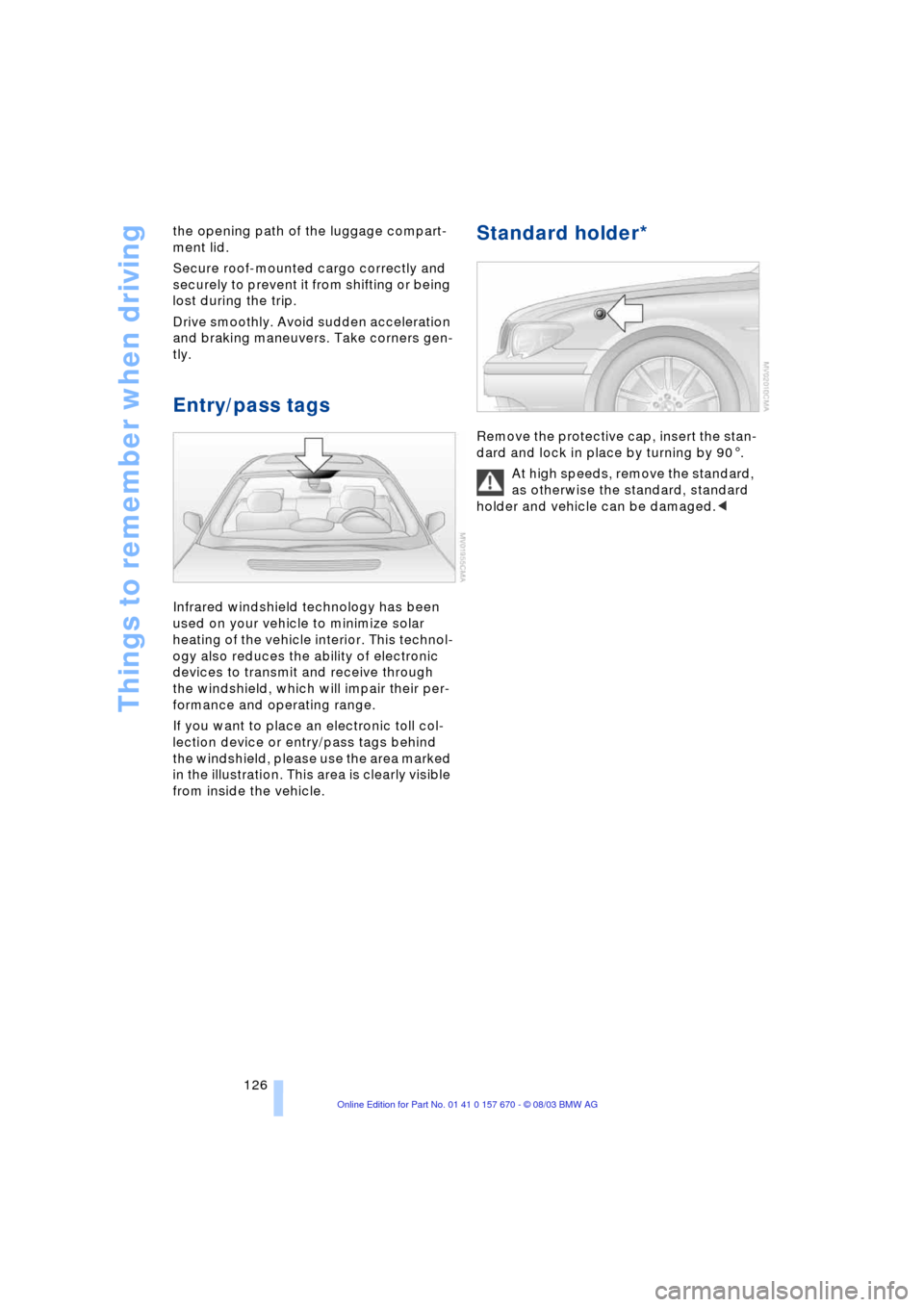
If you want to place an electronic toll col-
lection device or entry/pass tags behind
the windshield, please use the area marked
in the illustration. This area is clearly visible
from inside the vehicle.
Standard holder*
Remove the protective cap, insert the stan-
dard and lock in place by turning by 901.
At high speeds, remove the standard,
as otherwise the standard, standard
holder and vehicle can be damaged.<
Page 143 of 232
Navigation
Driving tips
141Reference
At a glance
Controls
Communications
Entertainment
Mobility
>"Avoid route":
You can also make a detour of up to
20 miles/30 km around selected sec-
tions of the calculated route. Proceed
by turning the controller to enter the
desired detour mileage, then confirm.
To exit the "Avoid route" mode without
modifying your route, enter 0 miles/
0 km and confirm your entry.
Bypassing traffic congestion
If traffic congestion is present on your pro-
jected travel route, the navigation system
will issue a "Last exit" warning just before
you reach the back-up.
To obtain an alternative route leading
around the traffic congestion:
Select and confirm
or
1.Select "New route" and confirm
2.Select "Detour" and confirm.
The GPS navigation system determines a
new route and then returns to the destina-
tion guidance.
The traffic information service might
not be available in some regions,
which means that a traffic congestion can-
not be displayed.<
Selecting the destination
At "Information", you can select the corre-
sponding destinations. For details, refer
to Selecting destination in Information,
page 135 and Looking for interesting desti-
nations, page 135.
Voice guidance
To prevent the navigation system from
interrupting other audio sources, such as a
news program or traffic bulletin, you can
deactivate the voice guidance system.
Press the controller and select the desired
symbol during destination guidance: To activate and deactivate voice guid-
ance.
To repeat most recent instructions with
information on route or travel direction,
when the voice guidance is activated.
Volume adjustment
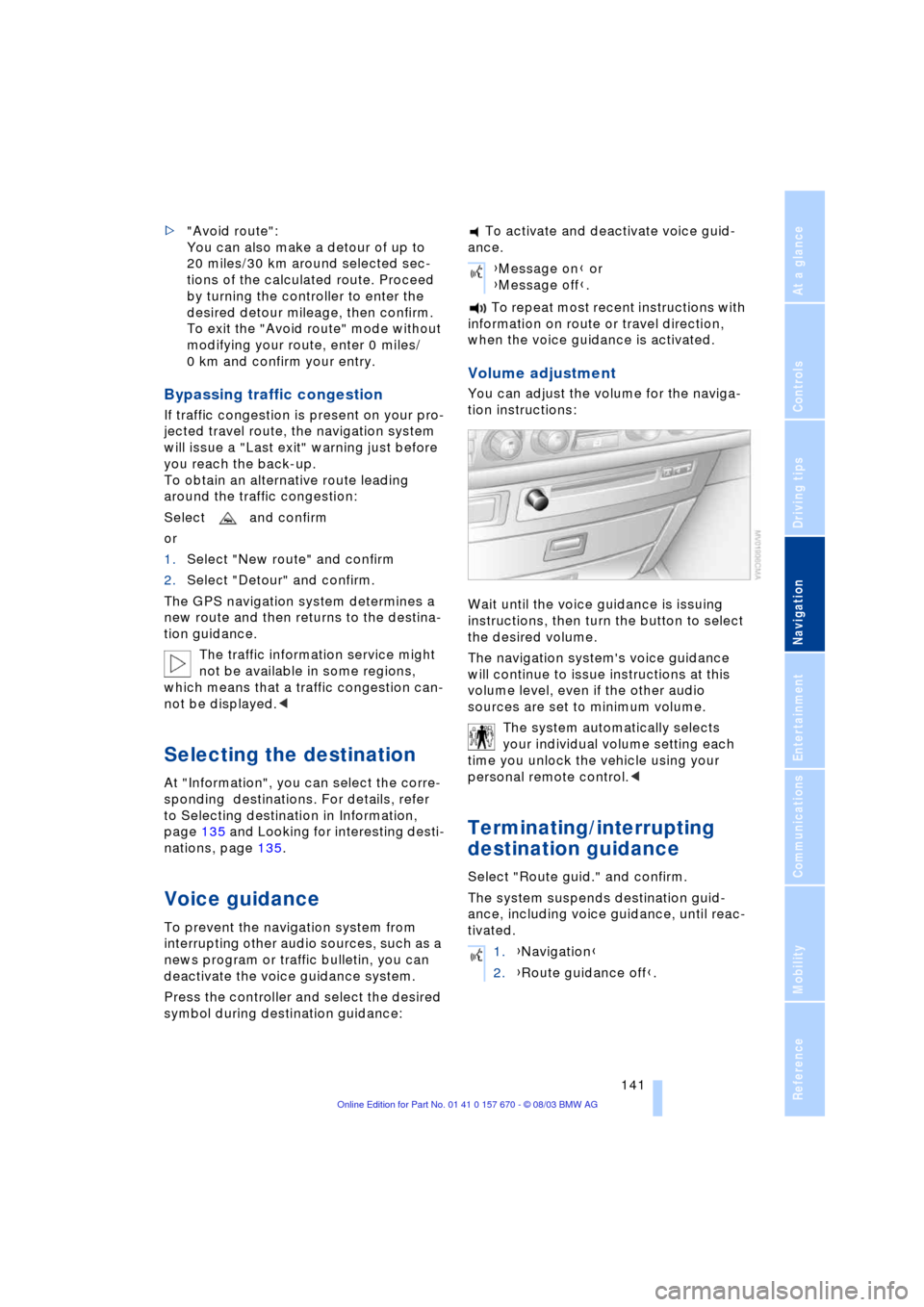
You can adjust the volume for the naviga-
tion instructions:
Wait until the voice guidance is issuing
instructions, then turn the button to select
the desired volume.
The navigation system's voice guidance
will continue to issue instructions at this
volume level, even if the other audio
sources are set to minimum volume.
The system automatically selects
your individual volume setting each
time you unlock the vehicle using your
personal remote control.<
Terminating/interrupting
destination guidance
Select "Route guid." and confirm.
The system suspends destination guid-
ance, including voice guidance, until reac-
tivated.
{Message on} or
{Message off}.
1.{Navigation}
2.{Route guidance off}.
Page 151 of 232
Navigation
Entertainment
Driving tips
149Reference
At a glance
Controls
Communications
Mobility
Care instructions
You can find everything you need to know
on this topic by consulting the separate
Caring for your vehicle brochure.
Switching on/off
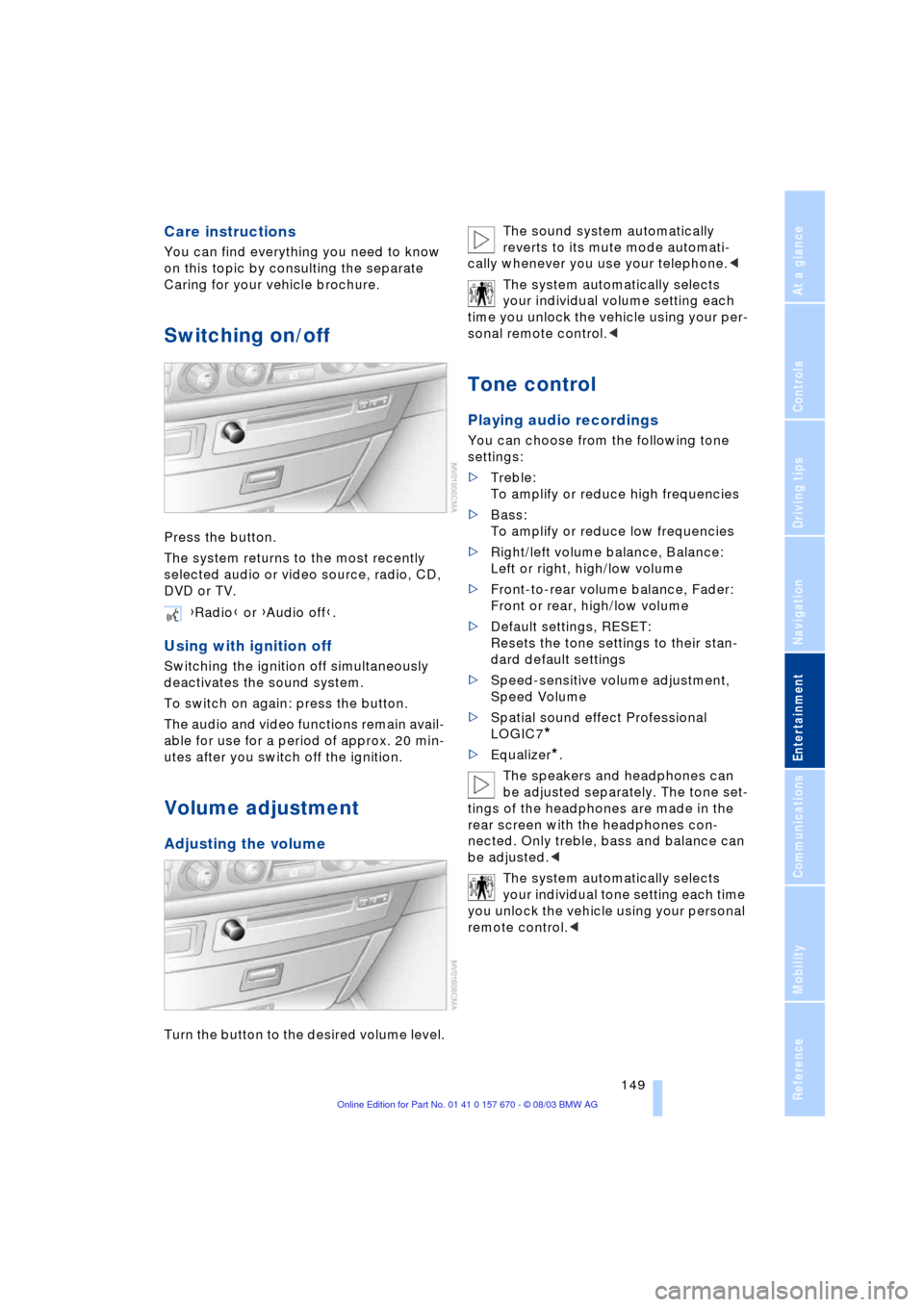
Press the button.
The system returns to the most recently
selected audio or video source, radio, CD,
DVD or TV.
Using with ignition off
Switching the ignition off simultaneously
deactivates the sound system.
To switch on again: press the button.
The audio and video functions remain avail-
able for use for a period of approx. 20 min-
utes after you switch off the ignition.
Volume adjustment
Adjusting the volume
Turn the button to the desired volume level.The sound system automatically
reverts to its mute mode automati-
cally whenever you use your telephone.<
The system automatically selects
your individual volume setting each
time you unlock the vehicle using your per-
sonal remote control.<
Tone control
Playing audio recordings
You can choose from the following tone
settings:
>Treble:
To amplify or reduce high frequencies
>Bass:
To amplify or reduce low frequencies
>Right/left volume balance, Balance:
Left or right, high/low volume
>Front-to-rear volume balance, Fader:
Front or rear, high/low volume
>Default settings, RESET:
Resets the tone settings to their stan-
dard default settings
>Speed-sensitive volume adjustment,
Speed Volume
>Spatial sound effect Professional
LOGIC7
*
>Equalizer*.
The speakers and headphones can
be adjusted separately. The tone set-
tings of the headphones are made in the
rear screen with the headphones con-
nected. Only treble, bass and balance can
be adjusted.<
The system automatically selects
your individual tone setting each time
you unlock the vehicle using your personal
remote control.< {Radio} or {Audio off}.
Page 158 of 232
Radio
156
Enabling channels
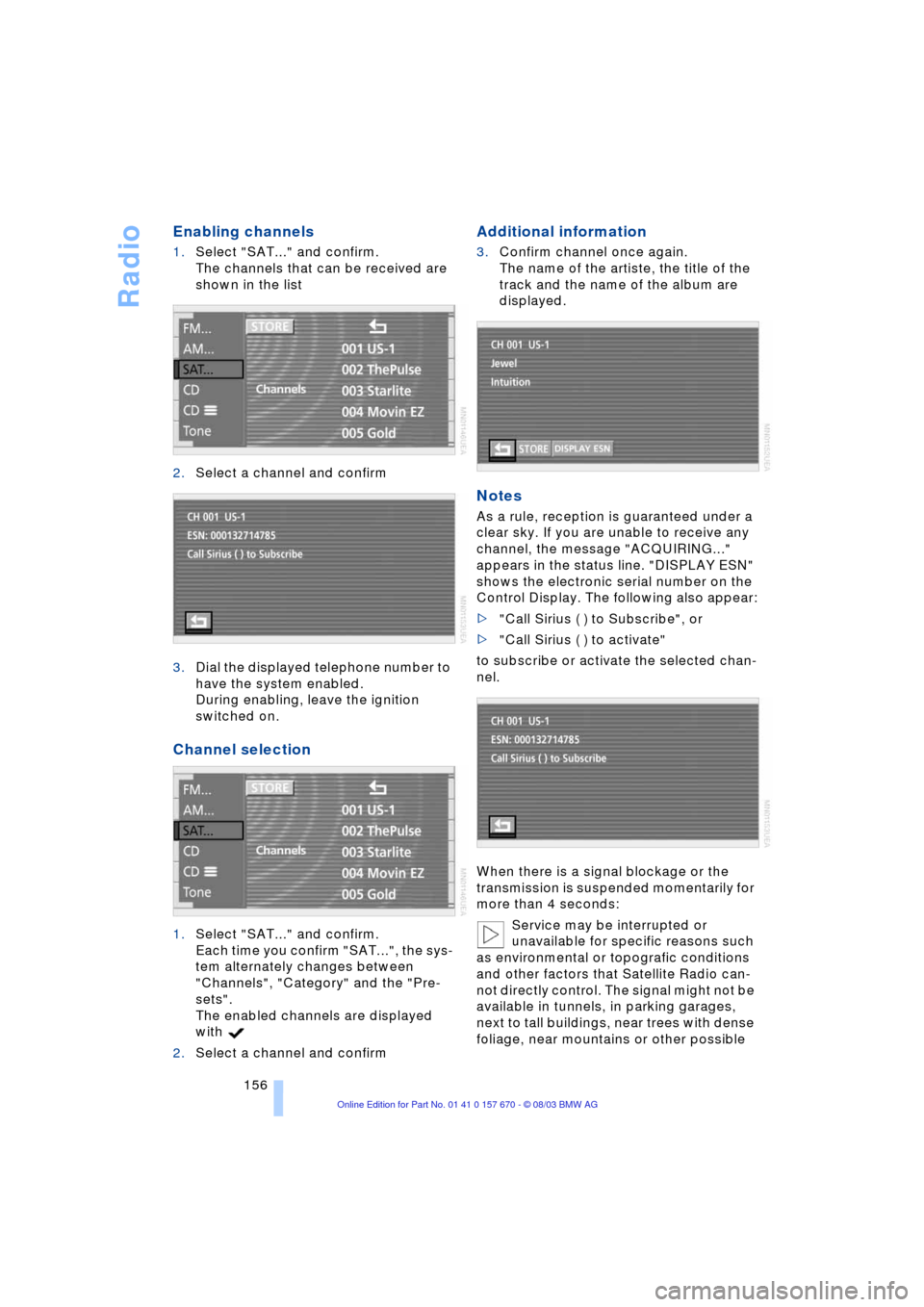
1.Select "SAT..." and confirm.
The channels that can be received are
shown in the list
2.Select a channel and confirm
3.Dial the displayed telephone number to
have the system enabled.
During enabling, leave the ignition
switched on.
Channel selection
1.Select "SAT..." and confirm.
Each time you confirm "SAT...", the sys-
tem alternately changes between
"Channels", "Category" and the "Pre-
sets".
The enabled channels are displayed
with
2.Select a channel and confirm
Additional information
3.Confirm channel once again.
The name of the artiste, the title of the
track and the name of the album are
displayed.
Notes
As a rule, reception is guaranteed under a
clear sky. If you are unable to receive any
channel, the message "ACQUIRING..."
appears in the status line. "DISPLAY ESN"
shows the electronic serial number on the
Control Display. The following also appear:
>"Call Sirius ( ) to Subscribe", or
>"Call Sirius ( ) to activate"
to subscribe or activate the selected chan-
nel.
When there is a signal blockage or the
transmission is suspended momentarily for
more than 4 seconds:
Service may be interrupted or
unavailable for specific reasons such
as environmental or topografic conditions
and other factors that Satellite Radio can-
not directly control. The signal might not be
available in tunnels, in parking garages,
next to tall buildings, near trees with dense
foliage, near mountains or other possible
Page 178 of 232
Using the phone in your vehicle
176
Telephone keypad, folding
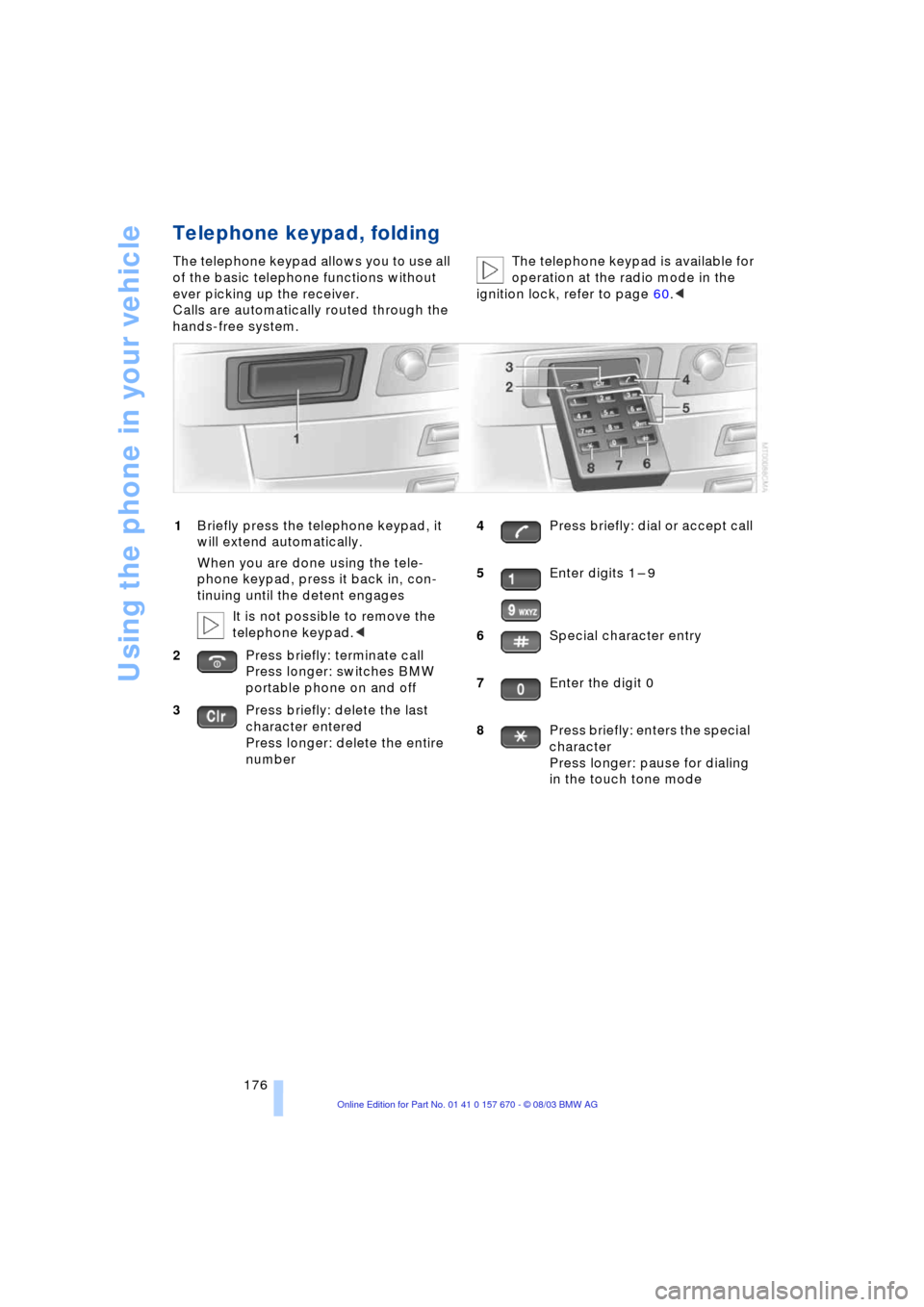
The telephone keypad allows you to use all
of the basic telephone functions without
ever picking up the receiver.
Calls are automatically routed through the
hands-free system.The telephone keypad is available for
operation at the radio mode in the
ignition lock, refer to page 60.<
1Briefly press the telephone keypad, it
will extend automatically.
When you are done using the tele-
phone keypad, press it back in, con-
tinuing until the detent engages
It is not possible to remove the
telephone keypad.<
2Press briefly: terminate call
Press longer: switches BMW
portable phone on and off
3Press briefly: delete the last
character entered
Press longer: delete the entire
number4Press briefly: dial or accept call
5Enter digits 1 Ð 9
6Special character entry
7Enter the digit 0
8Press briefly: enters the special
character
Press longer: pause for dialing
in the touch tone mode
Page 179 of 232
177
Entertainment
Reference
At a glance
Controls
Driving tips Communications
Navigation
Mobility
Hands-free system
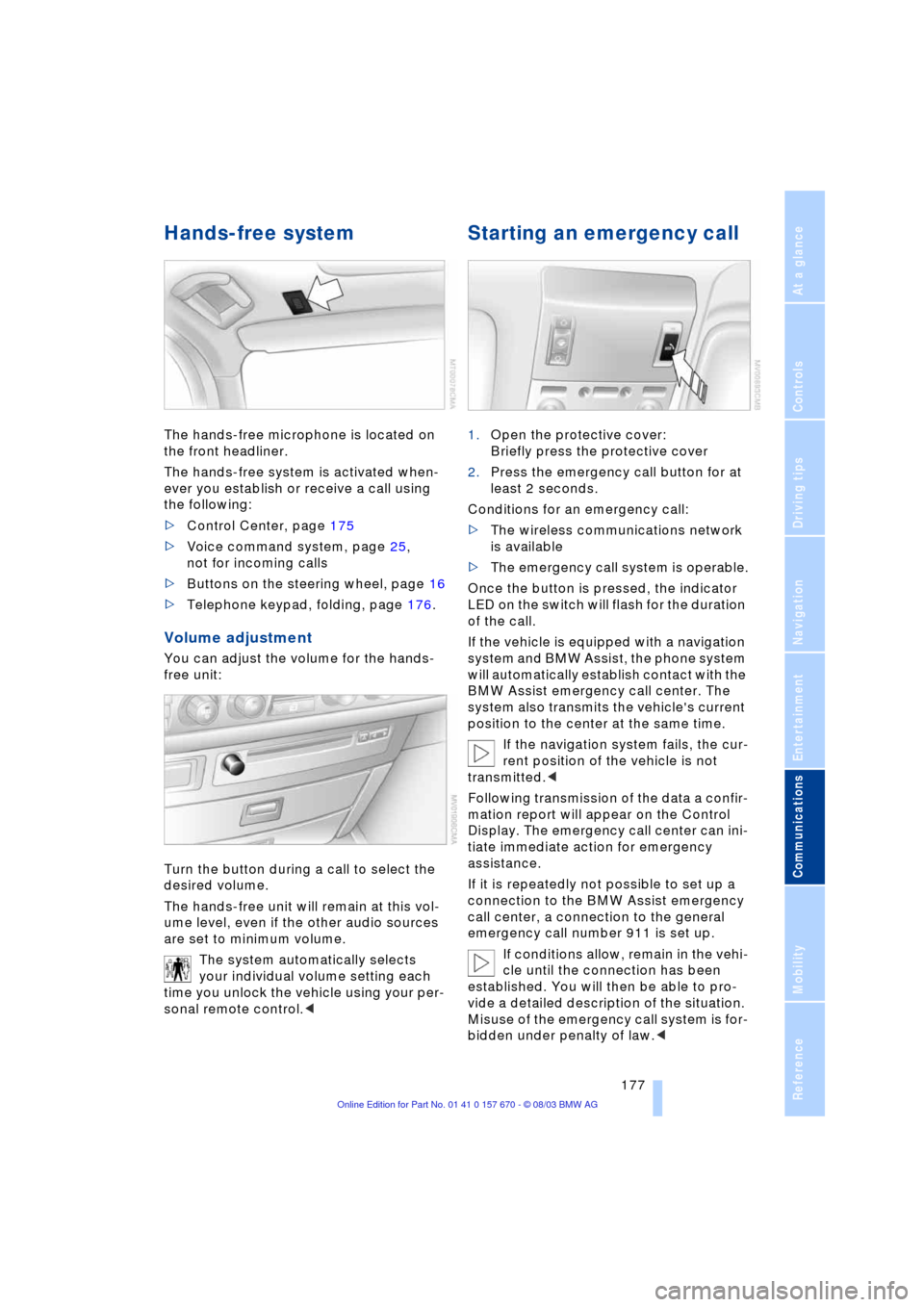
The hands-free microphone is located on
the front headliner.
The hands-free system is activated when-
ever you establish or receive a call using
the following:
>Control Center, page 175
>Voice command system, page 25,
not for incoming calls
>Buttons on the steering wheel, page 16
>Telephone keypad, folding, page 176.
Volume adjustment
You can adjust the volume for the hands-
free unit:
Turn the button during a call to select the
desired volume.
The hands-free unit will remain at this vol-
ume level, even if the other audio sources
are set to minimum volume.
The system automatically selects
your individual volume setting each
time you unlock the vehicle using your per-
sonal remote control.<
Starting an emergency call
1.Open the protective cover:
Briefly press the protective cover
2.Press the emergency call button for at
least 2 seconds.
Conditions for an emergency call:
>The wireless communications network
is available
>The emergency call system is operable.
Once the button is pressed, the indicator
LED on the switch will flash for the duration
of the call.
If the vehicle is equipped with a navigation
system and BMW Assist, the phone system
will automatically establish contact with the
BMW Assist emergency call center. The
system also transmits the vehicle's current
position to the center at the same time.
If the navigation system fails, the cur-
rent position of the vehicle is not
transmitted.<
Following transmission of the data a confir-
mation report will appear on the Control
Display. The emergency call center can ini-
tiate immediate action for emergency
assistance.
If it is repeatedly not possible to set up a
connection to the BMW Assist emergency
call center, a connection to the general
emergency call number 911 is set up.
If conditions allow, remain in the vehi-
cle until the connection has been
established. You will then be able to pro-
vide a detailed description of the situation.
Misuse of the emergency call system is for-
bidden under penalty of law.<
Page 180 of 232
Using the phone in your vehicle
178 Under certain conditions, an emergency
call is started automatically immediately
after a severe accident. The automatic
emergency call is not affected by the emer-
gency call button being pressed.
Telephoning with the car
phone*
Currently not available
If the BMW portable phone is not in the
cradle, you can telephone using the car
phone via the hands-free unit.
The telephone that can be used to set up
a connection is shown in the upper status
line on the Control Display.
The car phone must be enabled prior
to initial use. In this case, please con-
sult your BMW center.<
Calls can be set up or accepted using the
following equipment:
>Control Center, page 175
>Voice command system, page 25,
not for incoming calls
>Buttons on the steering wheel, page 16
>Telephone keypad, folding, page 176.
Commissioning the
BMW portable phone
Precondition for portable phones with SIM
card:
>You might have to enter a Personal
Identification Number, PIN
>Release all keypad guards, refer to
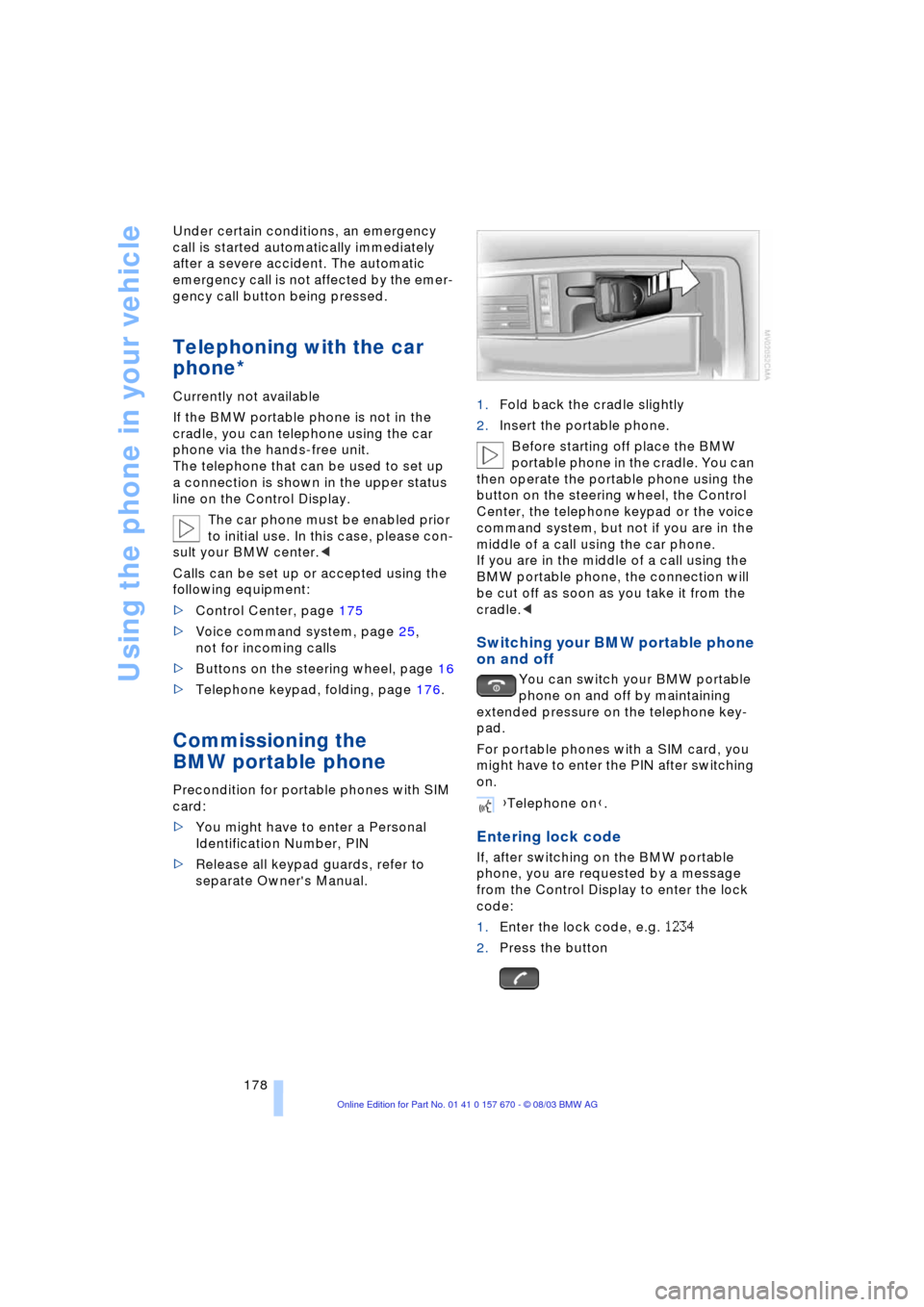
separate Owner's Manual.1.Fold back the cradle slightly
2.Insert the portable phone.
Before starting off place the BMW
portable phone in the cradle. You can
then operate the portable phone using the
button on the steering wheel, the Control
Center, the telephone keypad or the voice
command system, but not if you are in the
middle of a call using the car phone.
If you are in the middle of a call using the
BMW portable phone, the connection will
be cut off as soon as you take it from the
cradle.<
Switching your BMW portable phone
on and off
You can switch your BMW portable
phone on and off by maintaining
extended pressure on the telephone key-
pad.
For portable phones with a SIM card, you
might have to enter the PIN after switching
on.
Entering lock code
If, after switching on the BMW portable
phone, you are requested by a message
from the Control Display to enter the lock
code:
1.Enter the lock code, e.g. 1234
2.Press the button
{Telephone on}.
Page 184 of 232
BMW Assist
182
BMW Assist
To avoid posing an unnecessary haz-
ard, both to your own vehicle's occu-
pants and to other road users, only make
entries with the vehicle stationary.<
Requirements
If the following requirements are met, you
can call up BMW Assist:
>Telephone is connected and switched
on
>The lock code has been entered
>The mobile communications network is
available
>GPS reception for transmission of the
data is ensured.
The position of the vehicle can influ-
ence the mobile communications/
GPS reception. As a rule, mobile communi-
cations/GPS reception is only possible
under a clear sky.
When vehicle data is exchanged with the
BMW center, a corresponding message
appears on the Control Display.<
Roadside Assistance of
the BMW Group
Here, you automatically dial the number
of the Roadside Assistance of the BMW
Group, your BMW center or BMW Cus-
tomer Relations.
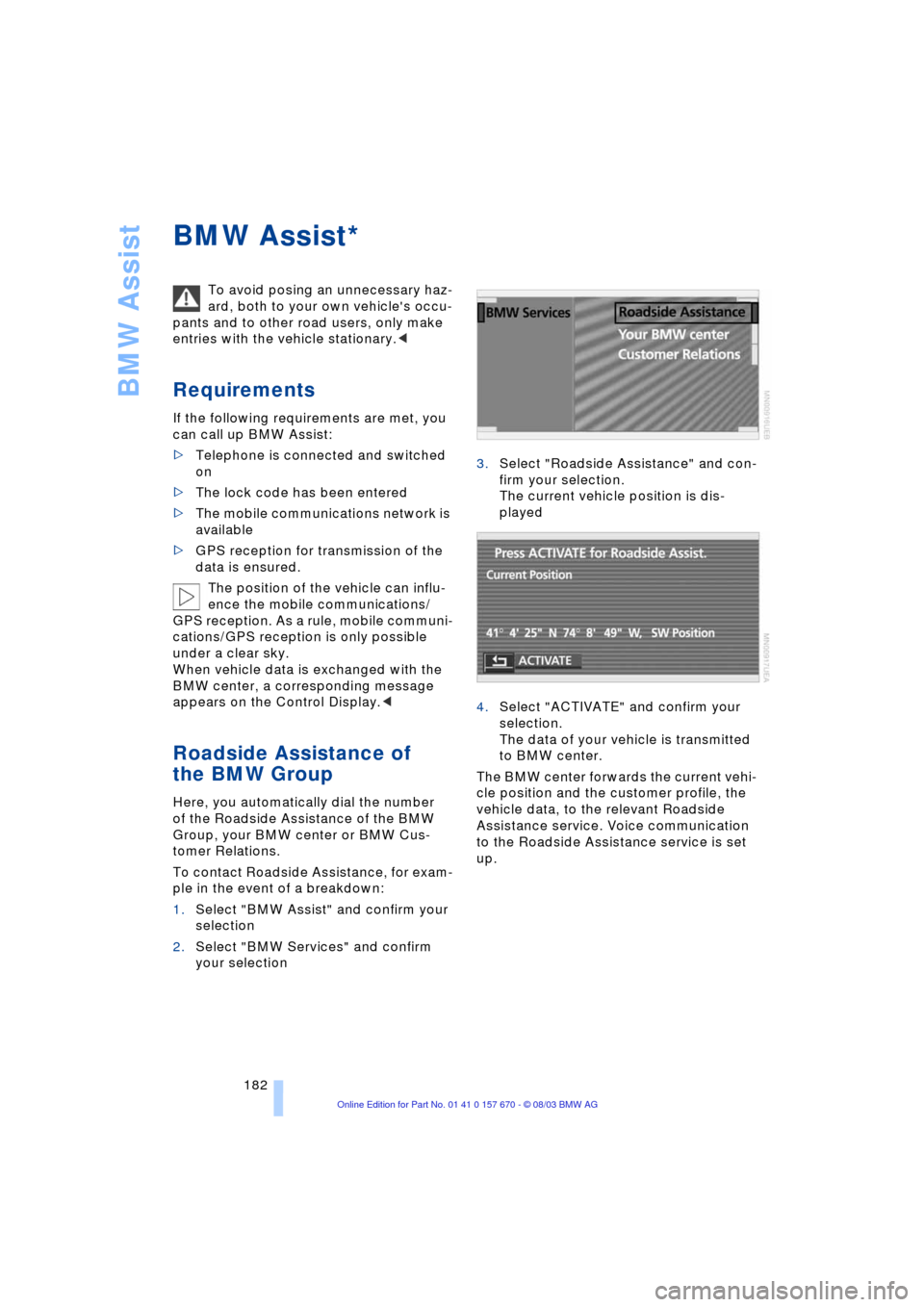
To contact Roadside Assistance, for exam-
ple in the event of a breakdown:
1.Select "BMW Assist" and confirm your
selection
2.Select "BMW Services" and confirm
your selection3.Select "Roadside Assistance" and con-
firm your selection.
The current vehicle position is dis-
played
4.Select "ACTIVATE" and confirm your
selection.
The data of your vehicle is transmitted
to BMW center.
The BMW center forwards the current vehi-
cle position and the customer profile, the
vehicle data, to the relevant Roadside
Assistance service. Voice communication
to the Roadside Assistance service is set
up.
*
Page 188 of 232
Refueling
186
Refueling
Fuel filler door
Always switch off the engine before
refueling. If you do not, fuel cannot be
filled into the tank and a message will
appear in the Check Control.<
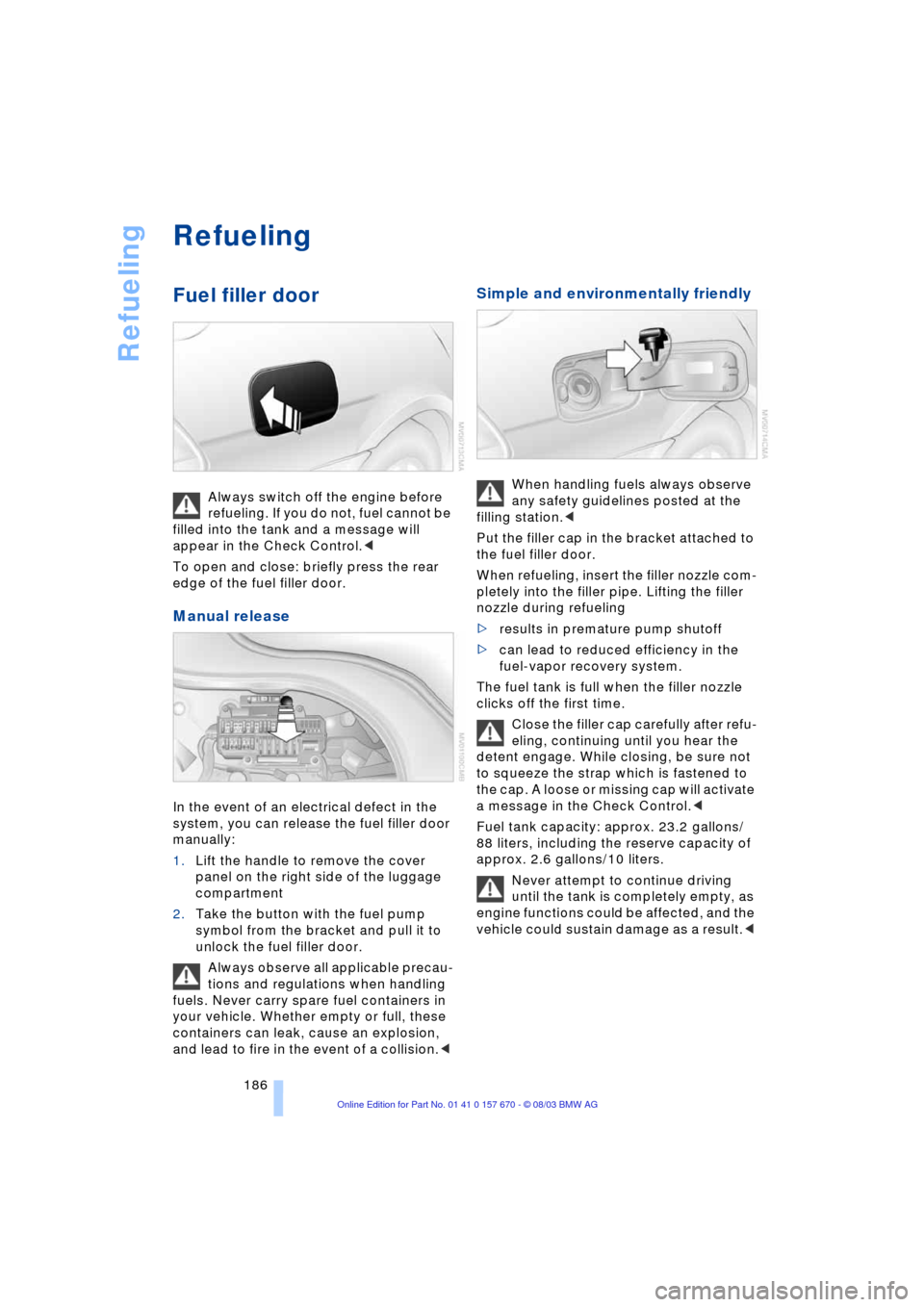
To open and close: briefly press the rear
edge of the fuel filler door.
Manual release
In the event of an electrical defect in the
system, you can release the fuel filler door
manually:
1.Lift the handle to remove the cover
panel on the right side of the luggage
compartment
2.Take the button with the fuel pump
symbol from the bracket and pull it to
unlock the fuel filler door.
Always observe all applicable precau-
tions and regulations when handling
fuels. Never carry spare fuel containers in
your vehicle. Whether empty or full, these
containers can leak, cause an explosion,
and lead to fire in the event of a collision.<
Simple and environmentally friendly
When handling fuels always observe
any safety guidelines posted at the
filling station.<
Put the filler cap in the bracket attached to
the fuel filler door.
When refueling, insert the filler nozzle com-
pletely into the filler pipe. Lifting the filler
nozzle during refueling
>results in premature pump shutoff
>can lead to reduced efficiency in the
fuel-vapor recovery system.
The fuel tank is full when the filler nozzle
clicks off the first time.
Close the filler cap carefully after refu-
eling, continuing until you hear the
detent engage. While closing, be sure not
to squeeze the strap which is fastened to
the cap. A loose or missing cap will activate
a message in the Check Control.<
Fuel tank capacity: approx. 23.2 gallons/
88 liters, including the reserve capacity of
approx. 2.6 gallons/10 liters.
Never attempt to continue driving
until the tank is completely empty, as
engine functions could be affected, and the
vehicle could sustain damage as a result.<
Page 199 of 232
Mobility
197Reference
At a glance
Controls
Driving tips
Communications
Navigation
Entertainment
Antifreeze and anticorrosion agents are
flammable. Therefore, do not pour over hot
engine parts, as otherwise they could catch
fire and cause burns.
Always observe the instructions for use
provided on the containers.<
Always observe all applicable rules
and regulations for environmental
protection when disposing of used anti-
freeze and anticorrosion agents.<
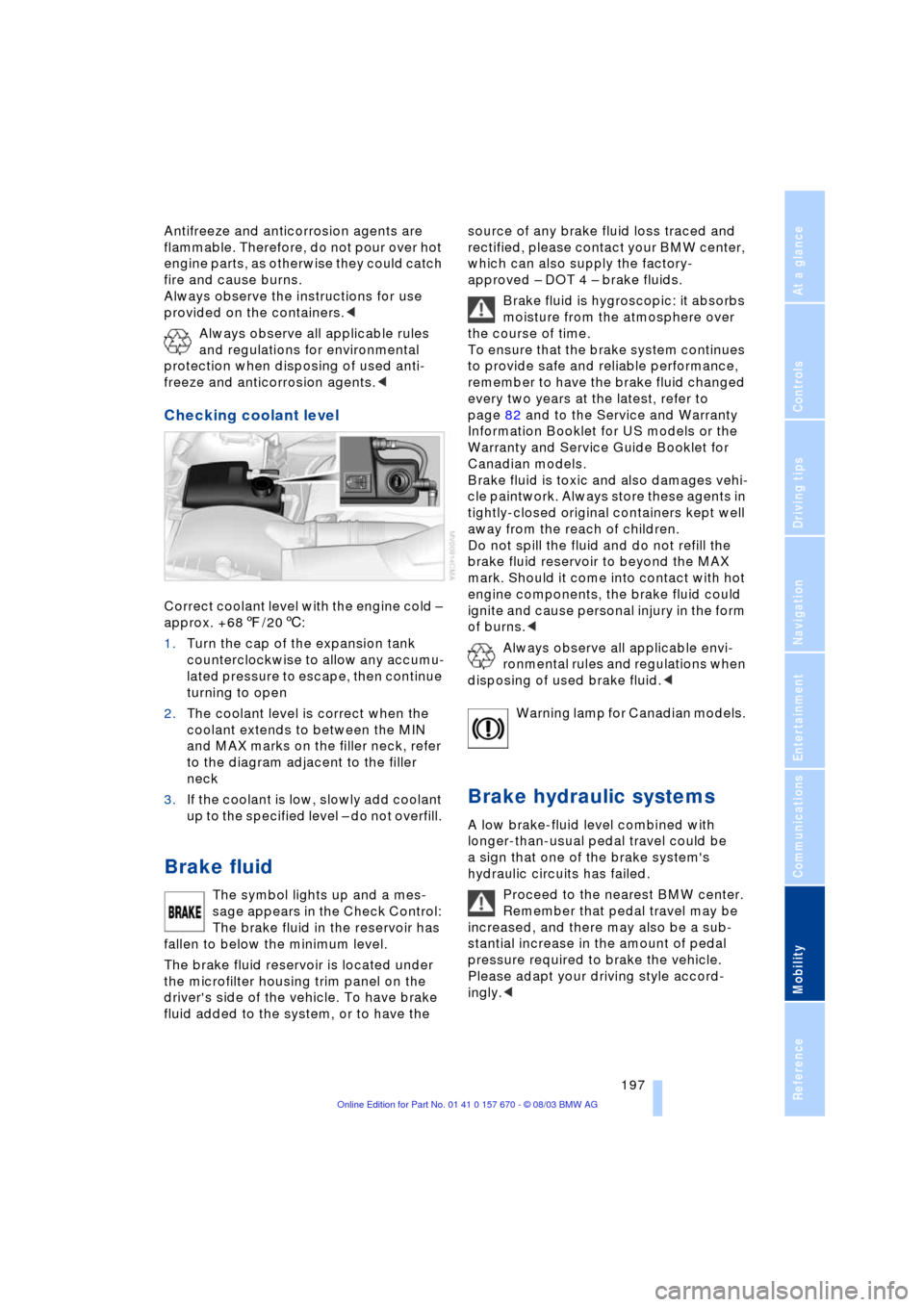
Checking coolant level
Correct coolant level with the engine cold Ð
approx. +687/206:
1.Turn the cap of the expansion tank
counterclockwise to allow any accumu-
lated pressure to escape, then continue
turning to open
2.The coolant level is correct when the
coolant extends to between the MIN
and MAX marks on the filler neck, refer
to the diagram adjacent to the filler
neck
3.If the coolant is low, slowly add coolant
up to the specified level Ð do not overfill.
Brake fluid
The symbol lights up and a mes-
sage appears in the Check Control:
The brake fluid in the reservoir has
fallen to below the minimum level.
The brake fluid reservoir is located under
the microfilter housing trim panel on the
driver's side of the vehicle. To have brake
fluid added to the system, or to have the source of any brake fluid loss traced and
rectified, please contact your BMW center,
which can also supply the factory-
approved Ð DOT 4 Ð brake fluids.
Brake fluid is hygroscopic: it absorbs
moisture from the atmosphere over
the course of time.
To ensure that the brake system continues
to provide safe and reliable performance,
remember to have the brake fluid changed
every two years at the latest, refer to
page 82 and to the Service and Warranty
Information Booklet for US models or the
Warranty and Service Guide Booklet for
Canadian models.
Brake fluid is toxic and also damages vehi-
cle paintwork. Always store these agents in
tightly-closed original containers kept well
away from the reach of children.
Do not spill the fluid and do not refill the
brake fluid reservoir to beyond the MAX
mark. Should it come into contact with hot
engine components, the brake fluid could
ignite and cause personal injury in the form
of burns.<
Always observe all applicable envi-
ronmental rules and regulations when
disposing of used brake fluid.<
Warning lamp for Canadian models.
Brake hydraulic systems
A low brake-fluid level combined with
longer-than-usual pedal travel could be
a sign that one of the brake system's
hydraulic circuits has failed.
Proceed to the nearest BMW center.
Remember that pedal travel may be
increased, and there may also be a sub-
stantial increase in the amount of pedal
pressure required to brake the vehicle.
Please adapt your driving style accord-
ingly.<