display BMW 745LI SEDAN 2002 Manual Online
[x] Cancel search | Manufacturer: BMW, Model Year: 2002, Model line: 745LI SEDAN, Model: BMW 745LI SEDAN 2002Pages: 208, PDF Size: 6.33 MB
Page 160 of 208
At a glanceControlsDriving tipsCommunicationsNavigationEntertainmentMobilityReference
159
Batteries
Never attempt to open your BMW
mobile phone or its battery. Use only
approved battery types Ð the wrong battery
can destroy your cell phone.
To avoid possible short circuits, after
removing a battery you should never allow
it to come into contact with metallic
surfaces of any kind.<
Disposing of used batteries
Return used batteries to a recycling
collection point or to your BMW
center.<
Care instructionsYou can find everything you need to know
about caring for your mobile phone in the
separate "Mobile Phone" manual and in our
supplementary publication on "Car care." Operation
For information on operating your
mobile phone please consult the
separate manual.<
You can also operate your BMW mobile
phone using the
>controls on the steering wheel, refer to
page 18
>Control Display
>Key Pad
>voice command system.
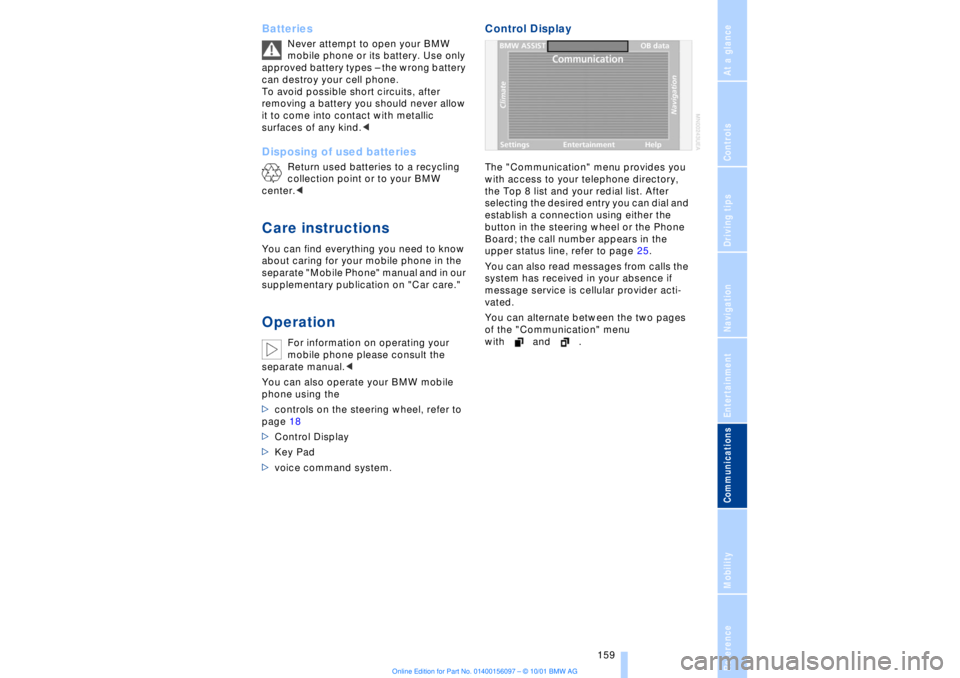
Control DisplayThe "Communication" menu provides you
with access to your telephone directory,
the Top 8 list and your redial list. After
selecting the desired entry you can dial and
establish a connection using either the
button in the steering wheel or the Phone
Board; the call number appears in the
upper status line, refer to page 25.
You can also read messages from calls the
system has received in your absence if
message service is cellular provider acti-
vated.
You can alternate between the two pages
of the "Communication" menu
with and .
Page 162 of 208
At a glanceControlsDriving tipsCommunicationsNavigationEntertainmentMobilityReference
161
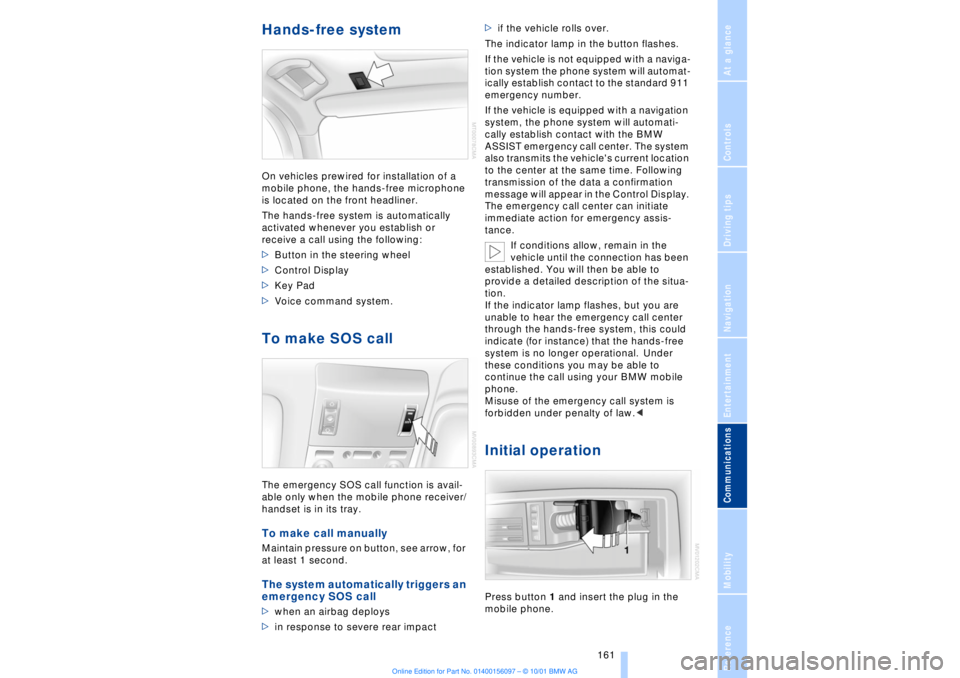
Hands-free system On vehicles prewired for installation of a
mobile phone, the hands-free microphone
is located on the front headliner.
The hands-free system is automatically
activated whenever you establish or
receive a call using the following:
>Button in the steering wheel
>Control Display
>Key Pad
>Voice command system.To make SOS call The emergency SOS call function is avail-
able only when the mobile phone receiver/
handset is in its tray.To make call manually Maintain pressure on button, see arrow, for
at least 1 second. The system automatically triggers an
emergency SOS call >when an airbag deploys
>in response to severe rear impact >if the vehicle rolls over.
The indicator lamp in the button flashes.
If the vehicle is not equipped with a naviga-
tion system the phone system will automat-
ically establish contact to the standard 911
emergency number.
If the vehicle is equipped with a navigation
system, the phone system will automati-
cally establish contact with the BMW
ASSIST emergency call center. The system
also transmits the vehicle's current location
to the center at the same time. Following
transmission of the data a confirmation
message will appear in the Control Display.
The emergency call center can initiate
immediate action for emergency assis-
tance.
If conditions allow, remain in the
vehicle until the connection has been
established. You will then be able to
provide a detailed description of the situa-
tion.
If the indicator lamp flashes, but you are
unable to hear the emergency call center
through the hands-free system, this could
indicate (for instance) that the hands-free
system is no longer operational. Under
these conditions you may be able to
continue the call using your BMW mobile
phone.
Misuse of the emergency call system is
forbidden under penalty of law.<
Initial operationPress button 1 and insert the plug in the
mobile phone.
Page 163 of 208
Using your mobile phone
162 Before starting off place the BMW
mobile phone in the tray, see arrow.
You can then operate it with the in-car
controls. Terminate calls using the same
control feature with which the call was initi-
ated.<
Getting startedSwitching your BMW mobile phone
on and off
You can switch your BMW mobile
phone on and off by maintaining
extended pressure on the Key Pad.
Using the Voice Command system:
>>Telephone on<<.<
Enter lock codeIf, after switching on the telephone, you are
requested by a message from the Control
Display to enter the lock code:
Enter lock code, for instance 1234 .
Confirm your entry with the
key.To place a callEnter the desired phone number
Press.
The phone number appears in the Control
Display's status line. If a number that you
dialed earlier appears maintain pressure on
the
button.
The new phone number can now be dialed.
Using the voice command system:1.>>Dial (telephone) number<<
2.Enter the phone number
>To delete the entire number:
>>Delete (number)<< (>>Wrong<<,
>>Correction<<)
3.>>Done<< (>>Save<<, >>Dial<<).<
Always remember to enter the
complete telephone number,
including the area code, even if you are
currently in the same area as the number
that you wish to contact.<
End callPress
After conducting a call using the button in
the steering wheel or the voice command
system, you can terminate the call using
the button.Telephone directoryYou must enter your mobile phone's tele-
phone directory in the voice command
system before it will be available for access
using voice commands. This creates a
special voice command telephone direc-
tory. If changes are then made to the direc-
tory using the voice command system,
these modifications will apply exclusively
to the voice directory, and not to the direc-
tory in the mobile phone.Creating and updating voice
command telephone directory
1.>>Telephone (menu)<<
2.>>Load telephone book<<
(>>Update telephone book<<)<
The entries in the mobile phone's tele-
phone directory appear sequentially in the
Info Display.
You must assign a specific name to each
number that you wish to transfer to the
voice command telephone directory. These
numbers will no longer be requested during
updates.
Page 164 of 208
At a glanceControlsDriving tipsCommunicationsNavigationEntertainmentMobilityReference
163
To make a new entry in the voice
command telephone directory Using the voice command system:
1.>>Save name<<
2.Enter name and repeat entry upon
request
3.Enter phone numbers
4.>>Save<<.
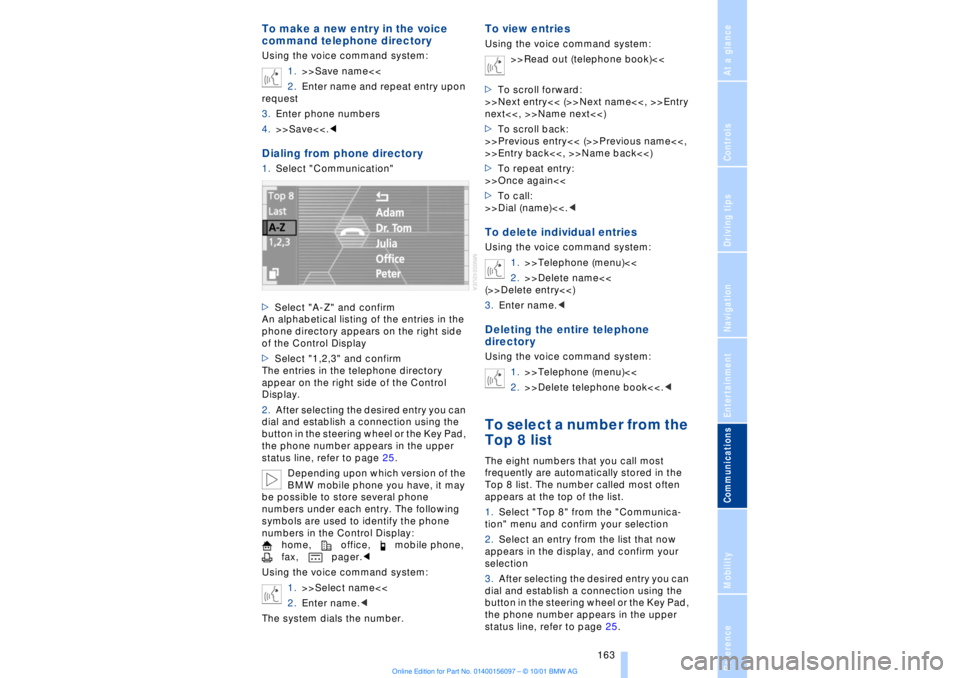
An alphabetical listing of the entries in the
phone directory appears on the right side
of the Control Display
>Select "1,2,3" and confirm
The entries in the telephone directory
appear on the right side of the Control
Display.
2.After selecting the desired entry you can
dial and establish a connection using the
button in the steering wheel or the Key Pad,
the phone number appears in the upper
status line, refer to page 25.
Depending upon which version of the
BMW mobile phone you have, it may
be possible to store several phone
numbers under each entry. The following
symbols are used to identify the phone
numbers in the Control Display:
home, office, mobile phone,
fax, pager.<
Using the voice command system:
1.>>Select name<<
2.Enter name.<
The system dials the number.
To view entriesUsing the voice command system:
>>Read out (telephone book)<<
>To scroll forward:
>>Next entry<< (>>Next name<<, >>Entry
next<<, >>Name next<<)
>To scroll back:
>>Previous entry<< (>>Previous name<<,
>>Entry back<<, >>Name back<<)
>To repeat entry:
>>Once again<<
>To call:
>>Dial (name)<<.
2.>>Delete name<<
(>>Delete entry<<)
3.Enter name.
1.>>Telephone (menu)<<
2.>>Delete telephone book<<.
frequently are automatically stored in the
Top 8 list. The number called most often
appears at the top of the list.
1.Select "Top 8" from the "Communica-
tion" menu and confirm your selection
2.Select an entry from the list that now
appears in the display, and confirm your
selection
3.After selecting the desired entry you can
dial and establish a connection using the
button in the steering wheel or the Key Pad,
the phone number appears in the upper
status line, refer to page 25.
Page 165 of 208
Using your mobile phone
164
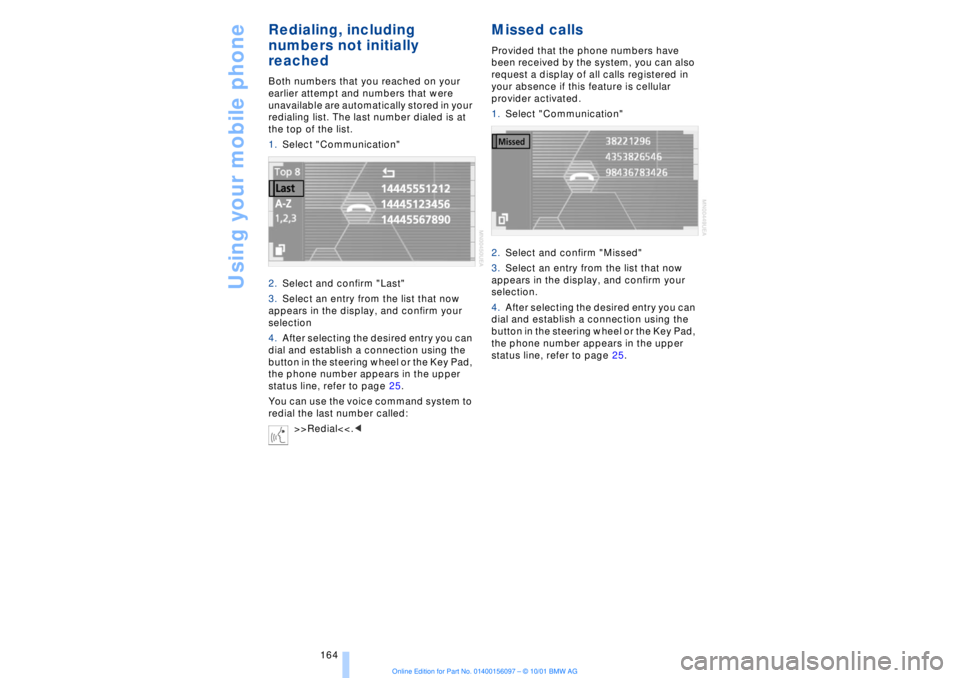
Redialing, including
numbers not initially
reachedBoth numbers that you reached on your
earlier attempt and numbers that were
unavailable are automatically stored in your
redialing list. The last number dialed is at
the top of the list.
1.Select "Communication"
2.Select and confirm "Last"
3.Select an entry from the list that now
appears in the display, and confirm your
selection
4.After selecting the desired entry you can
dial and establish a connection using the
button in the steering wheel or the Key Pad,
the phone number appears in the upper
status line, refer to page 25.
You can use the voice command system to
redial the last number called:
>>Redial<<.<
Missed calls Provided that the phone numbers have
been received by the system, you can also
request a display of all calls registered in
your absence if this feature is cellular
provider activated.
1.Select "Communication"
2.Select and confirm "Missed"
3.Select an entry from the list that now
appears in the display, and confirm your
selection.
4.After selecting the desired entry you can
dial and establish a connection using the
button in the steering wheel or the Key Pad,
the phone number appears in the upper
status line, refer to page 25.
Page 174 of 208
At a glanceControlsDriving tipsCommunicationsNavigationEntertainmentMobilityReference
173
Wheel and tire
combinationsThe right choice
Use only wheel and tire combinations
that BMW has approved for your
particular vehicle. Variations in factors such
as manufacturing tolerances mean that
even wheels and tires with identical official
size ratings could actually have different
dimensions than the approved units. These
differences could lead to body contact, and
with it the risk of severe accidents . If non-
approved wheels and tires are used, BMW
cannot evaluate their suitability, and there-
fore cannot be held liable for driving
safety.<
BMW tests certain tire brands for each tire
size, classifies them as road-safe and
approves them. Consult your BMW center
for more information. Observe any country-
specific regulations, e.g. on making a
corresponding entry in the vehicle
documents.
The correct combination of wheels
and tires is a vital factor in ensuring
reliable operation of various vehicle
systems such as ABS and DSC.
It is therefore important to ensure that tires
from a single manufacturer with a single
tread configuration are always mounted on
all vehicle wheels. After a flat tire, always
remember to have the specified wheel and
tire combination remounted on the vehicle
as soon as possible.<
Storage Always store wheels and tires in a cool, dry
place with as little exposure to light as
possible. Always protect tires against all
contact with oil, grease and fuels.
Special characteristics of
winter tires Choosing the right tire BMW recommends winter tires Ð M+S
radial tires for use in cold winter driving
conditions. Although all-season M+S tires
provide better winter traction than standard
summer tires with H, V, W and ZR speed
ratings, they generally fail to provide the
same levels of cold-weather performance
as winter tires.
When mounting, always install winter tires
of a single tread configuration and from a
single manufacturer on all four wheels to
ensure safe tracking and secure steering
response. Observe speed ratings
Never exceed the maximum speed for
which the tires are rated.
Unprofessional attempts by laymen to
service tires can lead to damage and acci-
dents.
Have this work performed by skilled
professionals only. The technicians at your
BMW center will be glad to assist you with
the required professional knowledge and
specialized equipment.<
Tire condition, tire pressure Because winter tires display a noticeable
loss in their ability to cope with cold-
weather driving conditions once the tread
wears to below 0.16 in (4 mm), to ensure
continued safety you should always have
such tires replaced.
Always maintain the specified inflation
pressures in all tires, and remember to
have the wheel and tire assemblies
balanced every time either a wheel or a tire
is replaced. Snow chains*
BMW narrow-link snow chains
are
approved exclusively for use in pairs on
the rear wheels, and should only be
Page 180 of 208
At a glanceControlsDriving tipsCommunicationsNavigationEntertainmentMobilityReference
179
Maintenance The BMW Maintenance
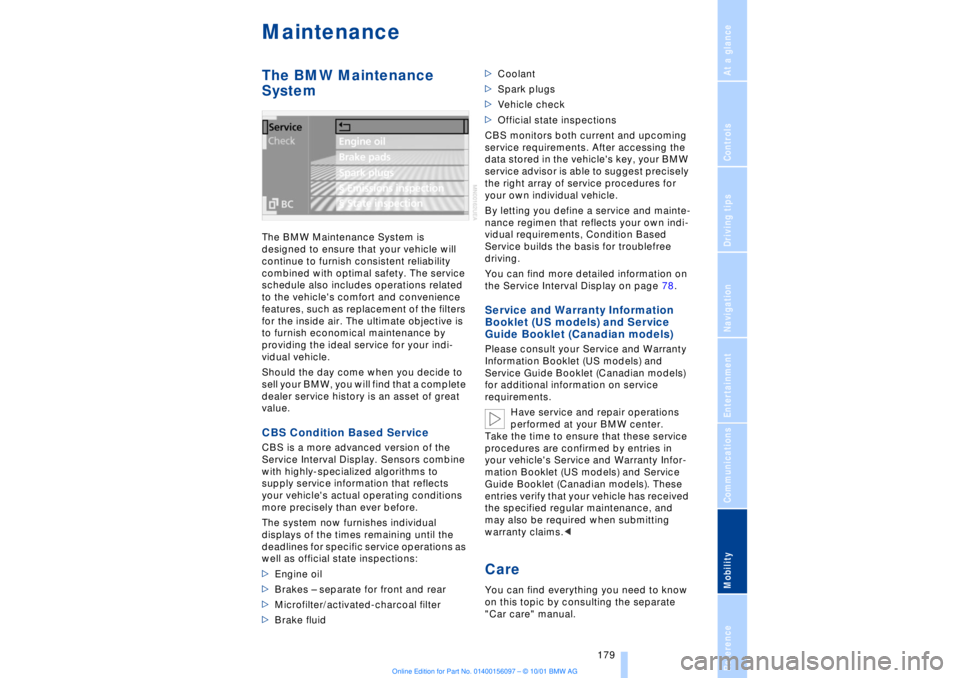
System The BMW Maintenance System is
designed to ensure that your vehicle will
continue to furnish consistent reliability
combined with optimal safety. The service
schedule also includes operations related
to the vehicle's comfort and convenience
features, such as replacement of the filters
for the inside air. The ultimate objective is
to furnish economical maintenance by
providing the ideal service for your indi-
vidual vehicle.
Should the day come when you decide to
sell your BMW, you will find that a complete
dealer service history is an asset of great
value. CBS Condition Based Service CBS is a more advanced version of the
Service Interval Display. Sensors combine
with highly-specialized algorithms to
supply service information that reflects
your vehicle's actual operating conditions
more precisely than ever before.
The system now furnishes individual
displays of the times remaining until the
deadlines for specific service operations as
well as official state inspections:
>Engine oil
>Brakes Ð separate for front and rear
>Microfilter/activated-charcoal filter
>Brake fluid >Coolant
>Spark plugs
>Vehicle check
>Official state inspections
CBS monitors both current and upcoming
service requirements. After accessing the
data stored in the vehicle's key, your BMW
service advisor is able to suggest precisely
the right array of service procedures for
your own individual vehicle.
By letting you define a service and mainte-
nance regimen that reflects your own indi-
vidual requirements, Condition Based
Service builds the basis for troublefree
driving.
You can find more detailed information on
the Service Interval Display on page 78.
Service and Warranty Information
Booklet (US models) and Service
Guide Booklet (Canadian models) Please consult your Service and Warranty
Information Booklet (US models) and
Service Guide Booklet (Canadian models)
for additional information on service
requirements.
Have service and repair operations
performed at your BMW center.
Take the time to ensure that these service
procedures are confirmed by entries in
your vehicle's Service and Warranty Infor-
mation Booklet (US models) and Service
Guide Booklet (Canadian models). These
entries verify that your vehicle has received
the specified regular maintenance, and
may also be required when submitting
warranty claims.< Care You can find everything you need to know
on this topic by consulting the separate
"Car care" manual.
Page 187 of 208
Replacing components
186
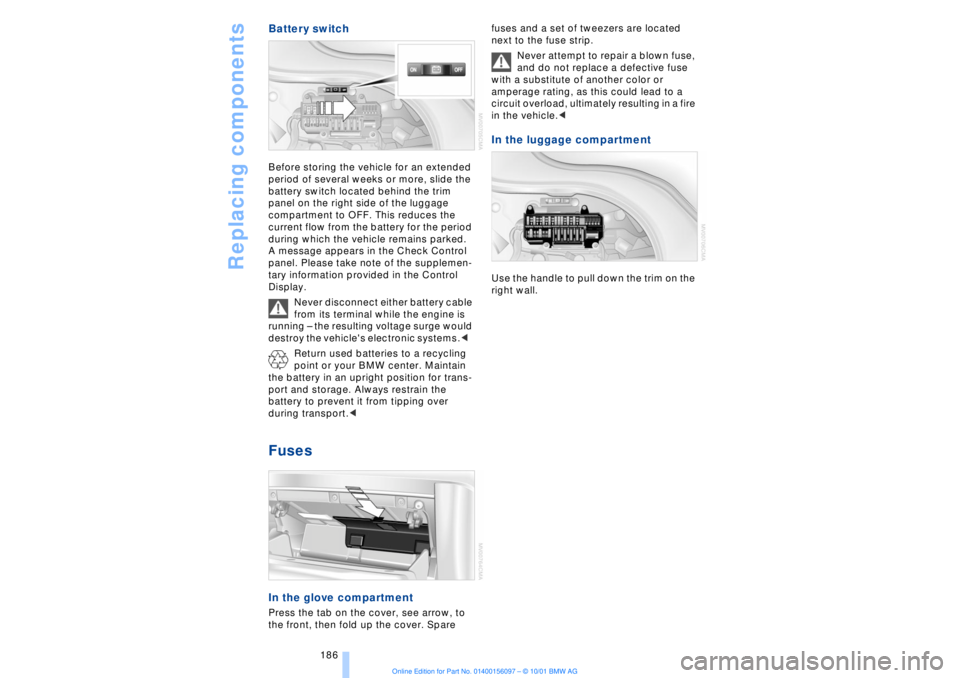
Battery switch Before storing the vehicle for an extended
period of several weeks or more, slide the
battery switch located behind the trim
panel on the right side of the luggage
compartment to OFF. This reduces the
current flow from the battery for the period
during which the vehicle remains parked.
A message appears in the Check Control
panel. Please take note of the supplemen-
tary information provided in the Control
Display.
Never disconnect either battery cable
from its terminal while the engine is
running Ð the resulting voltage surge would
destroy the vehicle's electronic systems.<
Return used batteries to a recycling
point or your BMW center. Maintain
the battery in an upright position for trans-
port and storage. Always restrain the
battery to prevent it from tipping over
during transport.< Fuses In the glove compartment Press the tab on the cover, see arrow, to
the front, then fold up the cover. Spare fuses and a set of tweezers are located
next to the fuse strip.
Never attempt to repair a blown fuse,
and do not replace a defective fuse
with a substitute of another color or
amperage rating, as this could lead to a
circuit overload, ultimately resulting in a fire
in the vehicle.<
In the luggage compartment Use the handle to pull down the trim on the
right wall.
Page 196 of 208
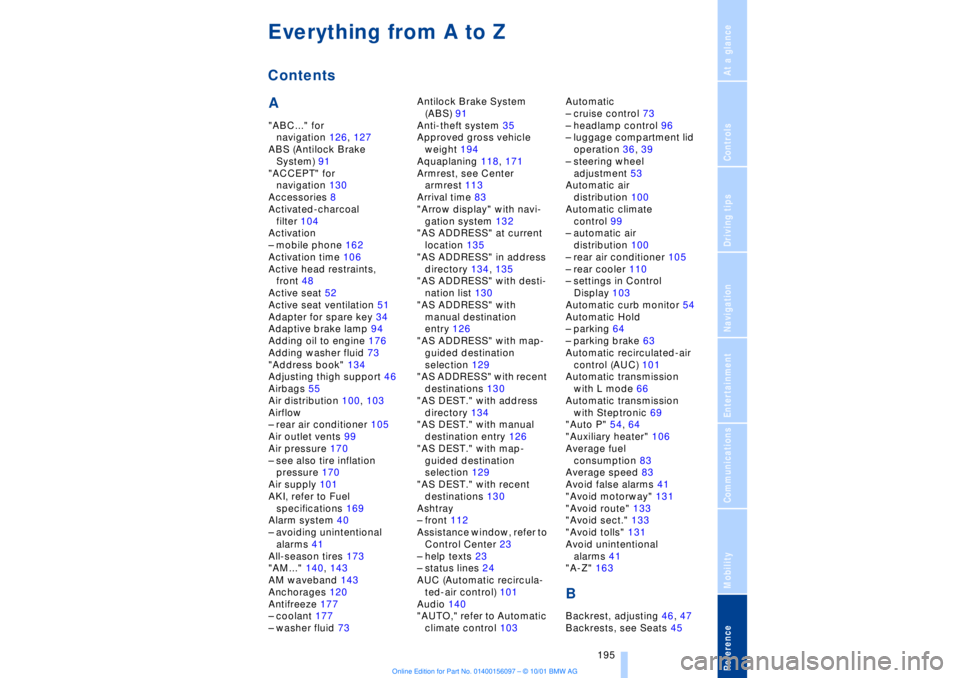
195
At a glanceControlsDriving tipsCommunicationsNavigationEntertainmentMobilityReference
A"ABC..." for
navigation 126, 127
ABS (Antilock Brake
System) 91
"ACCEPT" for
navigation 130
Accessories 8
Activated-charcoal
filter 104
Activation
Ð mobile phone 162
Activation time 106
Active head restraints,
front 48
Active seat 52
Active seat ventilation 51
Adapter for spare key 34
Adaptive brake lamp 94
Adding oil to engine 176
Adding washer fluid 73
"Address book" 134
Adjusting thigh support 46
Airbags 55
Air distribution 100, 103
Airflow
Ð rear air conditioner 105
Air outlet vents 99
Air pressure 170
Ð see also tire inflation
pressure 170
Air supply 101
AKI, refer to Fuel
specifications 169
Alarm system 40
Ð avoiding unintentional
alarms 41
All-season tires 173
"AM..." 140, 143
AM waveband 143
Anchorages 120
Antifreeze 177
Ð coolant 177
Ð washer fluid 73Antilock Brake System
(ABS) 91
Anti-theft system 35
Approved gross vehicle
weight 194
Aquaplaning 118, 171
Armrest, see Center
armrest 113
Arrival time 83
"Arrow display" with navi-
gation system 132
"AS ADDRESS" at current
location 135
"AS ADDRESS" in address
directory 134, 135
"AS ADDRESS" with desti-
nation list 130
"AS ADDRESS" with
manual destination
entry 126
"AS ADDRESS" with map-
guided destination
selection 129
"AS ADDRESS" with recent
destinations 130
"AS DEST." with address
directory 134
"AS DEST." with manual
destination entry 126
"AS DEST." with map-
guided destination
selection 129
"AS DEST." with recent
destinations 130
Ashtray
Ð front 112
Assistance window, refer to
Control Center 23
Ð help texts 23
Ð status lines 24
AUC (Automatic recircula-
ted-air control) 101
Audio 140
"AUTO," refer to Automatic
climate control 103Automatic
Ð cruise control 73
Ð headlamp control 96
Ð luggage compartment lid
operation 36, 39
Ð steering wheel
adjustment 53
Automatic air
distribution 100
Automatic climate
control 99
Ð automatic air
distribution 100
Ð rear air conditioner 105
Ð rear cooler 110
Ð settings in Control
Display 103
Automatic curb monitor 54
Automatic Hold
Ð parking 64
Ð parking brake 63
Automatic recirculated-air
control (AUC) 101
Automatic transmission
with L mode 66
Automatic transmission
with Steptronic 69
"Auto P" 54, 64
"Auxiliary heater" 106
Average fuel
consumption 83
Average speed 83
Avoid false alarms 41
"Avoid motorway" 131
"Avoid route" 133
"Avoid sect." 133
"Avoid tolls" 131
Avoid unintentional
alarms 41
"A-Z" 163
BBackrest, adjusting 46, 47
Backrests, see Seats 45
Everything from A to ZContents
Page 197 of 208

Everything from A to Z
196 Backup lamp, bulb
replacement 183
Bass 141
Battery 185
Ð discharged 187
Battery switch 185, 186
"BC," refer to Computer 83
Belts 50
Beverage holders 112
Blinds 109
Blower 101
BMW active seat 52
"BMW ASSIST" 19, 22
BMW comfort seat 46
"Booktape" 153
Brake, malfunctions 178
Brake lamp, adaptive 94
Brake lamps, bulb
replacement 183
"Brake pads" 179
Brake pads 119
Brakes 119
Brake system
Ð brake fluid 178
Break-in procedures 118
Brief commands for voice
command system 29
"Brief info" 23
Bulb changes 181
Buttons in steering
wheel 18
CCalifornia Proposition
65 Warning 180
Call
Ð terminating 162
Calling 162
Ð from telephone
directory 163
Ð from the redial list 164
Ð from the Top 8 list 163
Ð redialing 164
Can holders, refer to Bever-
age holders 112
Capacities 194
Car care, refer to Car care
manual
Cargo, securing 120Cargo area
Ð capacity 194
Ð opening from the
inside 39
Car Memory 59
"Car parked" 103, 106
Car radio, see Radio 140
Car wash, refer to separate
Car care manual
Cassette 153
Cassette deck 153
Ð booktape 153
Ð fast-forward mode 154
Ð music search 154
Ð reverse 154
Ð selecting tape side 153
Ð skipping pauses 154
Ð switching on 153
CBC (Cornering Brake
Control) 91
CBS (Condition Based
Service) 179
"CD" 140, 146
CD changer 148
Ð fast forward 150
Ð humidity 148
Ð operating
temperatures 148
Ð random play 150
Ð reverse 150
Ð safety 148
Ð scan function 149
Ð skipping tracks 150
Ð switching on 149
Ð temperature range 148
CD player 146
Ð activation 146
Ð fast forward 146
Ð random selection 147
Ð reverse 146
Ð sampling 147
Ð scan 147
Ð skip track 146
Cell phone, refer to sepa-
rate Mobile phone
manual 158
Center (high-mount) brake
lamp 183
Center armrest 113
Center console, refer to
Comfort features 16Central locking
system 35, 38
"CHANGE" for
navigation 130
Changing bulbs 181
Changing bulbs, refer to
Lamps and bulbs 181
Changing language 86
Changing settings in Con-
trol Display 86
Changing units of measure
in Control Display 86
Check Control 80
Ð "Check" 81
Checking engine oil
level 176, 176
Checking tire
pressures 170
Child-restraint systems 57
Ð refer also to LATCH child-
restraint system 58
Child-safety locks 59
Child seats 57
Cigarette lighter 113
Cleaning, refer to Car care
manual
"Climate" 19, 22
"Clock" 86
Clock 77
Ð setting time and date 86
Closing
Ð from the inside 37
Closing assist
Ð doors 38
Ð luggage compartment
lid 39
Cockpit 12, 16
Coin box, see
Compartments 111
Cold start 62
Combination switch 71
"Comfort"
Ð "EDC" 92
Comfort features 16
Comfort seat 46
Ð in rear 47
"Communication" 19, 22
Compact Disc, see CD 146
Compartments 111