warning BMW 750IL SEDAN 1998 User Guide
[x] Cancel search | Manufacturer: BMW, Model Year: 1998, Model line: 750IL SEDAN, Model: BMW 750IL SEDAN 1998Pages: 211, PDF Size: 1.68 MB
Page 41 of 211
40n
Alarm systemThe vehicle alarm system responds:
>When a door, the hood or the lug-
gage compartment lid is opened
>To movement inside the vehicle (inte-
rior motion sensor)
>To variations in the vehicle tilt sensor
such as occur during attempts to
steal the wheels or tow the vehicle
>To interruption of battery voltage.
The system responds to unauthorized
vehicle entry and attempted theft by si-
multaneously activating the following:
>Sounding an acoustical alarm for
30 seconds
>The hazard warning flashers are acti-
vated for approx. five minutes
>The high beams flash on and off in
the same rhythm.
To arm and disarm the alarm
systemWhen the vehicle is locked or unlocked
by using a key or with the remote con-
trol, the alarm system is also simulta-
neously armed or disarmed.
The interior motion sensor is activated
approx. 30 seconds after you have fin-
ished locking the car.
The system indicates that it has been
correctly armed by switching on the
hazard flashers for a single cycle and by
emitting an acoustical signal.
When the system is active, you can still
gain access to the luggage compart-
ment by pressing button 3 on the re-
mote control transmitter. When the lid is
closed, it is armed once again.
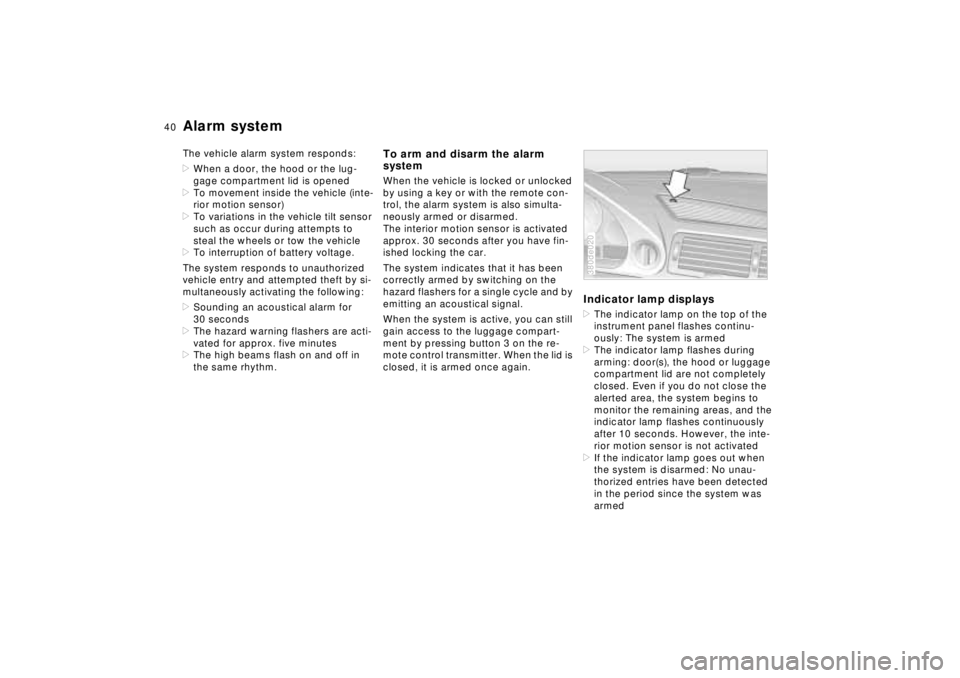
Indicator lamp displays>The indicator lamp on the top of the
instrument panel flashes continu-
ously: The system is armed
>The indicator lamp flashes during
arming: door(s), the hood or luggage
compartment lid are not completely
closed. Even if you do not close the
alerted area, the system begins to
monitor the remaining areas, and the
indicator lamp flashes continuously
after 10 seconds. However, the inte-
rior motion sensor is not activated
>If the indicator lamp goes out when
the system is disarmed: No unau-
thorized entries have been detected
in the period since the system was
armed380de020
Page 57 of 211
56n
Airbags
For your safety, comply with the
following instructions for the air-
bags. If you do not, the airbags may not
be able to provide their maximum pro-
tection. All passengers in the vehicle
should be aware of and comply with
this information:
The airbags are supplemental restraint
devices designed to provide extra pro-
tection; they are not a substitute for
safety belts. Wear your safety belt at all
times. The airbags will not be triggered
in the event of a minor accident, a vehi-
cle roll-over, or collisions from the rear.
In these situations, the safety belts pro-
vide optimal protection.
Adjust your seat to a position that pro-
vides maximum distance between you
and the steering wheel, the instrument
panel and the door while still allowing
comfortable and safe access to all vehi-
cle controls.
Hold the steering wheel at the rim
(hands at the "9 o'clock and 3 o'clock"
positions) in order to avoid injuries to
the hands or arms if the airbag is trig-
gered.
Never allow any objects to obstruct the
area between the airbag and the driver/
passenger.
Do not use the cover panel above the
passenger-side airbag as a storage
area.
Do not apply tape or stickers or other
material over the padded steering
wheel hub, the instrument panel, the
side trim panels of the front or rear
doors and the roof pillars or the sides of
the headliner, or modify them in any
other way.
Do not install a rear-facing child-re-
straint device on the front passenger
seat.
If your vehicle is equipped with side air-
bags in the rear, be sure that child seats
are installed correctly and with the
greatest possible distance from the
door. Do not allow children to lean out
of the child's seat in the direction of the
door. Otherwise, serious injuries could
occur if the airbag is triggered.<
Even when all these guidelines are fol-
lowed, there is still a small residual risk
of injuries to the face, hands and arms
occurring in isolated instances. The ig-
nition and inflation noise may provoke a
mild temporary hearing loss in extremely
sensitive individuals.
Airbag warning information is also pro-
vided on the sun visors.
For additional information concerning the
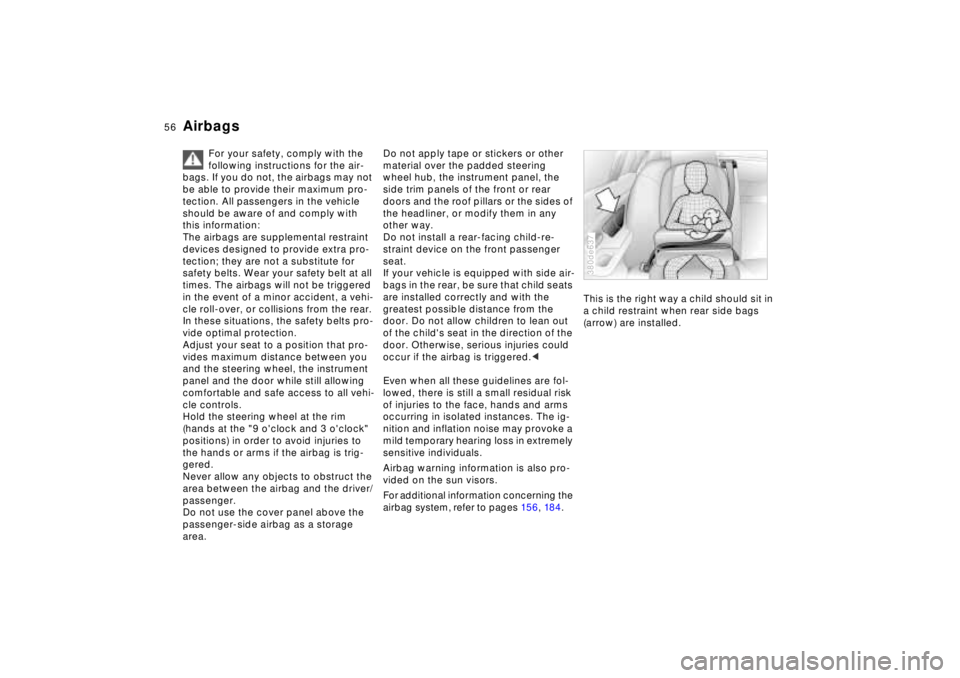
airbag system, refer to pages 15 6, 18 4.This is the right way a child should sit in
a child restraint when rear side bags
(arrow) are installed.
380de637
Page 60 of 211
59n
RepairsIndexOverview Controls Car care Technology Data
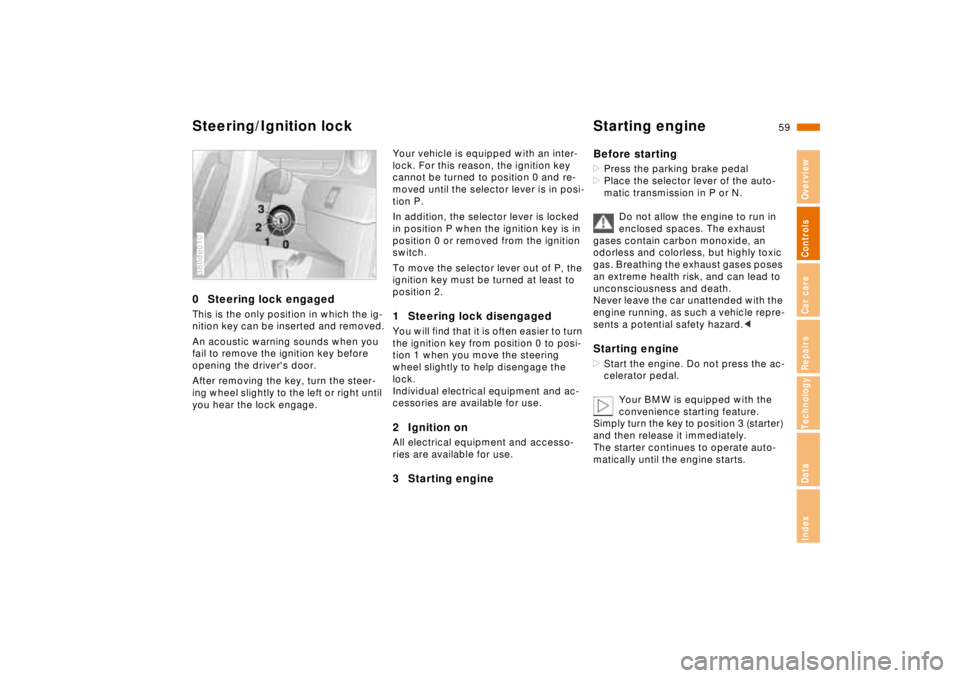
Steering/Ignition lock Starting engine0 Steering lock engagedThis is the only position in which the ig-
nition key can be inserted and removed.
An acoustic warning sounds when you
fail to remove the ignition key before
opening the driver's door.
After removing the key, turn the steer-
ing wheel slightly to the left or right until
you hear the lock engage.380de010
Your vehicle is equipped with an inter-
lock. For this reason, the ignition key
cannot be turned to position 0 and re-
moved until the selector lever is in posi-
tion P.
In addition, the selector lever is locked
in position P when the ignition key is in
position 0 or removed from the ignition
switch.
To move the selector lever out of P, the
ignition key must be turned at least to
position 2.1 Steering lock disengagedYou will find that it is often easier to turn
the ignition key from position 0 to posi-
tion 1 when you move the steering
wheel slightly to help disengage the
lock.
Individual electrical equipment and ac-
cessories are available for use.2 Ignition onAll electrical equipment and accesso-
ries are available for use.3 Starting engineBefore starting
>Press the parking brake pedal
>Place the selector lever of the auto-
matic transmission in P or N.
Do not allow the engine to run in
enclosed spaces. The exhaust
gases contain carbon monoxide, an
odorless and colorless, but highly toxic
gas. Breathing the exhaust gases poses
an extreme health risk, and can lead to
unconsciousness and death.
Never leave the car unattended with the
engine running, as such a vehicle repre-
sents a potential safety hazard.< Starting engine>Start the engine. Do not press the ac-
celerator pedal.
Your BMW is equipped with the
convenience starting feature.
Simply turn the key to position 3 (starter)
and then release it immediately.
The starter continues to operate auto-
matically until the engine starts.
Page 73 of 211
72n
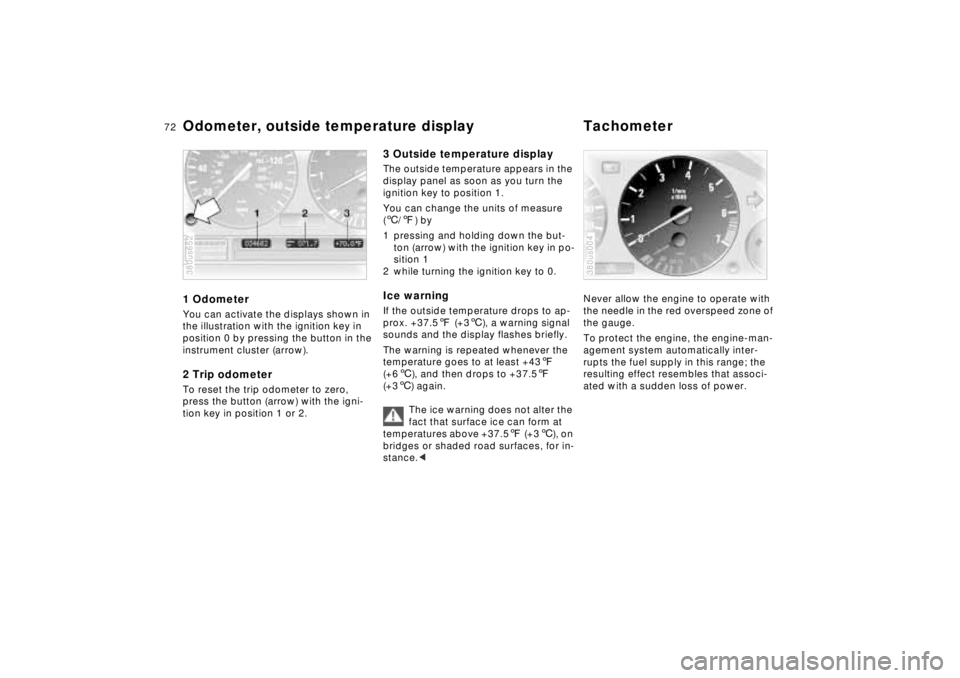
Odometer, outside temperature display Tachometer1 OdometerYou can activate the displays shown in
the illustration with the ignition key in
position 0 by pressing the button in the
instrument cluster (arrow).2 Trip odometerTo reset the trip odometer to zero,
press the button (arrow) with the igni-
tion key in position 1 or 2.380us652
3 Outside temperature displayThe outside temperature appears in the
display panel as soon as you turn the
ignition key to position 1.
You can change the units of measure
(6/7) by
1 pressing and holding down the but-
ton (arrow) with the ignition key in po-
sition 1
2 while turning the ignition key to 0.Ice warningIf the outside temperature drops to ap-
prox. +37.57 (+36), a warning signal
sounds and the display flashes briefly.
The warning is repeated whenever the
temperature goes to at least +437
(+66), and then drops to +37.57
(+36) again.
The ice warning does not alter the
fact that surface ice can form at
temperatures above +37.57 (+36), on
bridges or shaded road surfaces, for in-
stance.<
Never allow the engine to operate with
the needle in the red overspeed zone of
the gauge.
To protect the engine, the engine-man-
agement system automatically inter-
rupts the fuel supply in this range; the
resulting effect resembles that associ-
ated with a sudden loss of power.380us004
Page 75 of 211
74n
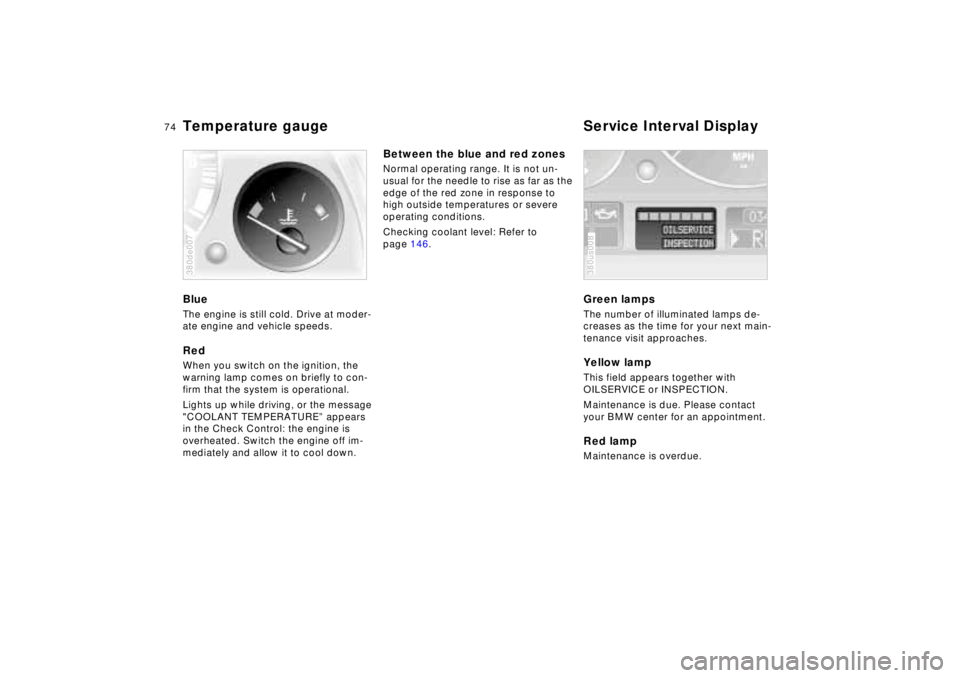
Temperature gauge Service Interval DisplayBlueThe engine is still cold. Drive at moder-
ate engine and vehicle speeds.RedWhen you switch on the ignition, the
warning lamp comes on briefly to con-
firm that the system is operational.
Lights up while driving, or the message
"COOLANT TEMPERATURE” appears
in the Check Control: the engine is
overheated. Switch the engine off im-
mediately and allow it to cool down.380de007
Between the blue and red zonesNormal operating range. It is not un-
usual for the needle to rise as far as the
edge of the red zone in response to
high outside temperatures or severe
operating conditions.
Checking coolant level: Refer to
page 146.
Green lampsThe number of illuminated lamps de-
creases as the time for your next main-
tenance visit approaches.Yellow lampThis field appears together with
OILSERVICE or INSPECTION.
Maintenance is due. Please contact
your BMW center for an appointment.Red lampMaintenance is overdue.380us008
Page 76 of 211
75n
RepairsIndexOverview Controls Car care Technology Data
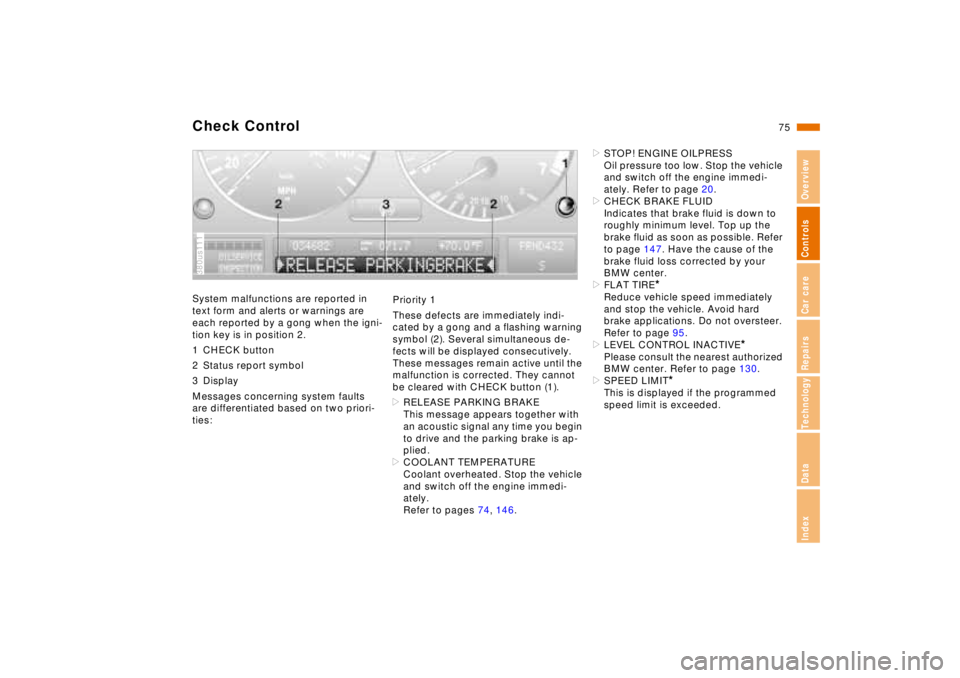
Check ControlSystem malfunctions are reported in
text form and alerts or warnings are
each reported by a gong when the igni-
tion key is in position 2.
1 CHECK button
2 Status report symbol
3 Display
Messages concerning system faults
are differentiated based on two priori-
ties:380us111
Priority 1
These defects are immediately indi-
cated by a gong and a flashing warning
symbol (2). Several simultaneous de-
fects will be displayed consecutively.
These messages remain active until the
malfunction is corrected. They cannot
be cleared with CHECK button (1).
>RELEASE PARKING BRAKE
This message appears together with
an acoustic signal any time you begin
to drive and the parking brake is ap-
plied.
>COOLANT TEMPERATURE
Coolant overheated. Stop the vehicle
and switch off the engine immedi-
ately.
Refer to pages 74, 146.>STOP! ENGINE OILPRESS
Oil pressure too low. Stop the vehicle
and switch off the engine immedi-
ately. Refer to page 20.
>CHECK BRAKE FLUID
Indicates that brake fluid is down to
roughly minimum level. Top up the
brake fluid as soon as possible. Refer
to page 147. Have the cause of the
brake fluid loss corrected by your
BMW center.
>FLAT TIRE
*
Reduce vehicle speed immediately
and stop the vehicle. Avoid hard
brake applications. Do not oversteer.
Refer to page 95.
>LEVEL CONTROL INACTIVE
*
Please consult the nearest authorized
BMW center. Refer to page 130.
>SPEED LIMIT
*
This is displayed if the programmed
speed limit is exceeded.
Page 79 of 211
78n
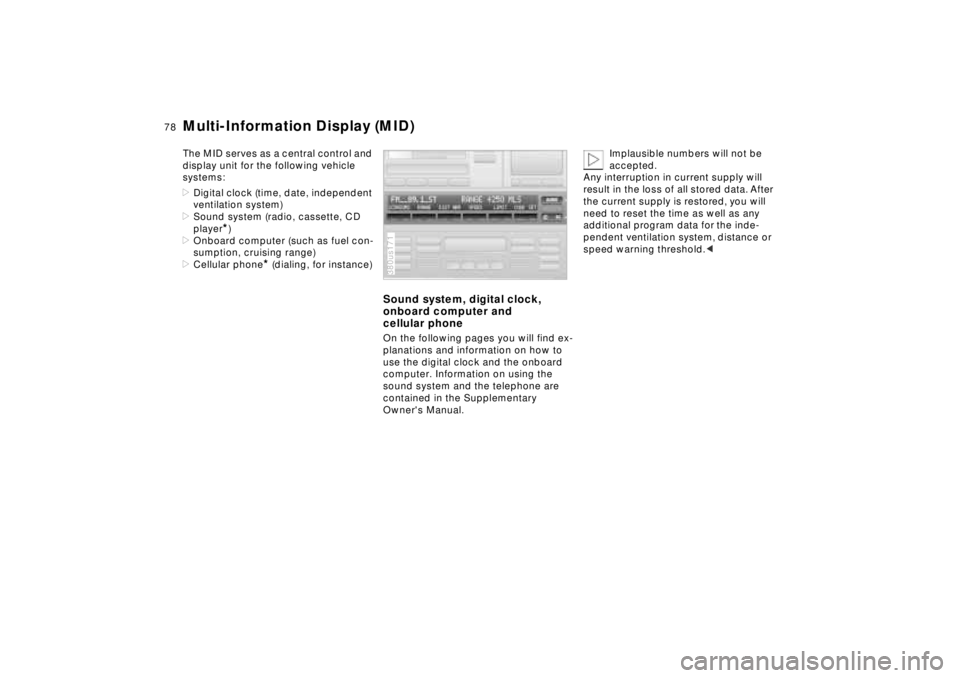
Multi-Information Display (MID)The MID serves as a central control and
display unit for the following vehicle
systems:
>Digital clock (time, date, independent
ventilation system)
>Sound system (radio, cassette, CD
player
*)
>Onboard computer (such as fuel con-
sumption, cruising range)
>Cellular phone
* (dialing, for instance)
Sound system, digital clock,
onboard computer and
cellular phoneOn the following pages you will find ex-
planations and information on how to
use the digital clock and the onboard
computer. Information on using the
sound system and the telephone are
contained in the Supplementary
Owner's Manual.380us171
Implausible numbers will not be
accepted.
Any interruption in current supply will
result in the loss of all stored data. After
the current supply is restored, you will
need to reset the time as well as any
additional program data for the inde-
pendent ventilation system, distance or
speed warning threshold.<
Page 85 of 211
84n
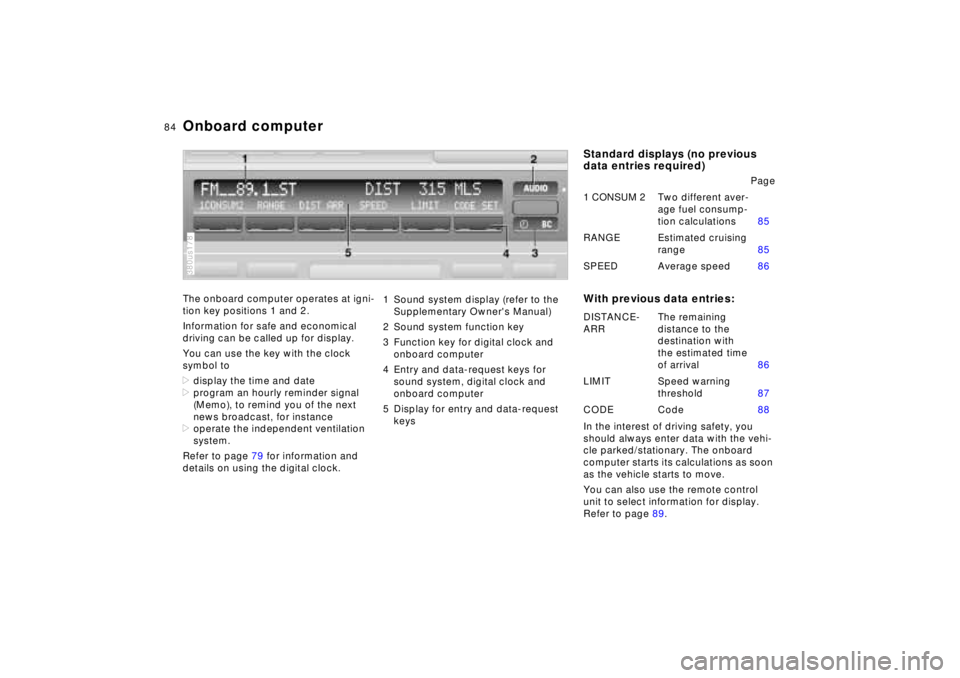
Onboard computerThe onboard computer operates at igni-
tion key positions 1 and 2.
Information for safe and economical
driving can be called up for display.
You can use the key with the clock
symbol to
>display the time and date
>program an hourly reminder signal
(Memo), to remind you of the next
news broadcast, for instance
>operate the independent ventilation
system.
Refer to page 79 for information and
details on using the digital clock.380us178
1 Sound system display (refer to the
Supplementary Owner's Manual)
2 Sound system function key
3 Function key for digital clock and
onboard computer
4 Entry and data-request keys for
sound system, digital clock and
onboard computer
5 Display for entry and data-request
keys
Standard displays (no previous
data entries required)
With previous data entries:In the interest of driving safety, you
should always enter data with the vehi-
cle parked/stationary. The onboard
computer starts its calculations as soon
as the vehicle starts to move.
You can also use the remote control
unit to select information for display.
Refer to page 89.Page
1 CONSUM 2Two different aver-
age fuel consump-
tion calculations85
RANGE Estimated cruising
range85
SPEED Average speed86
DISTANCE-
ARRThe remaining
distance to the
destination with
the estimated time
of arrival86
LIMIT Speed warning
threshold87
CODE Code88
Page 86 of 211
85n
RepairsIndexOverview Controls Car care Technology Data
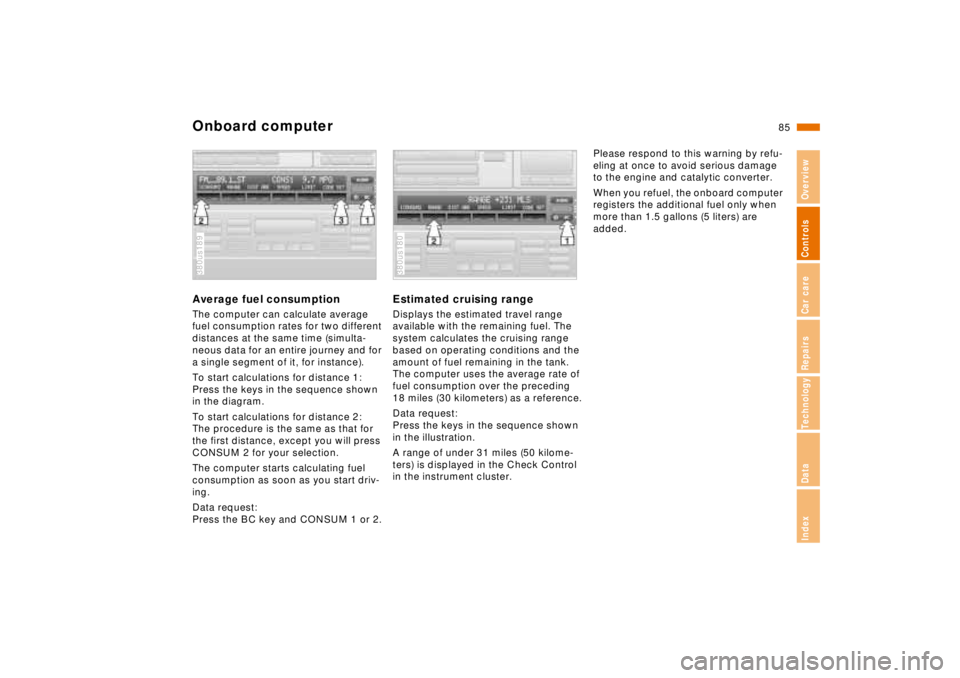
Onboard computerAverage fuel consumptionThe computer can calculate average
fuel consumption rates for two different
distances at the same time (simulta-
neous data for an entire journey and for
a single segment of it, for instance).
To start calculations for distance 1:
Press the keys in the sequence shown
in the diagram.
To start calculations for distance 2:
The procedure is the same as that for
the first distance, except you will press
CONSUM 2 for your selection.
The computer starts calculating fuel
consumption as soon as you start driv-
ing.
Data request:
Press the BC key and CONSUM 1 or 2.380us189
Estimated cruising rangeDisplays the estimated travel range
available with the remaining fuel. The
system calculates the cruising range
based on operating conditions and the
amount of fuel remaining in the tank.
The computer uses the average rate of
fuel consumption over the preceding
18 miles (30 kilometers) as a reference.
Data request:
Press the keys in the sequence shown
in the illustration.
A range of under 31 miles (50 kilome-
ters) is displayed in the Check Control
in the instrument cluster.380us180
Please respond to this warning by refu-
eling at once to avoid serious damage
to the engine and catalytic converter.
When you refuel, the onboard computer
registers the additional fuel only when
more than 1.5 gallons (5 liters) are
added.
Page 88 of 211
87n
RepairsIndexOverview Controls Car care Technology Data
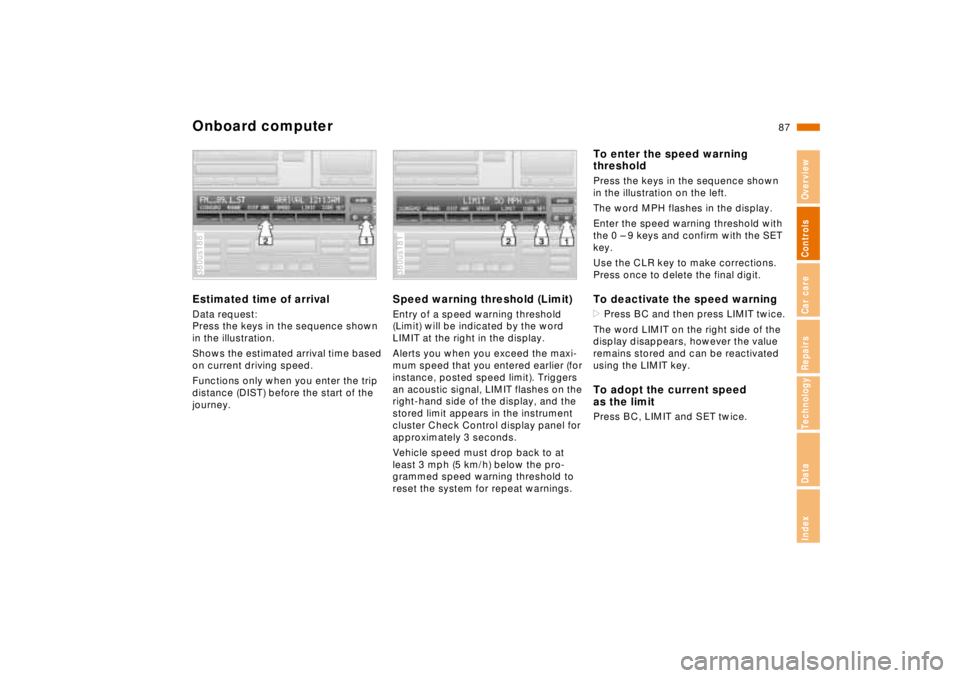
Onboard computerEstimated time of arrivalData request:
Press the keys in the sequence shown
in the illustration.
Shows the estimated arrival time based
on current driving speed.
Functions only when you enter the trip
distance (DIST) before the start of the
journey.380us188
Speed warning threshold (Limit)Entry of a speed warning threshold
(Limit) will be indicated by the word
LIMIT at the right in the display.
Alerts you when you exceed the maxi-
mum speed that you entered earlier (for
instance, posted speed limit). Triggers
an acoustic signal, LIMIT flashes on the
right-hand side of the display, and the
stored limit appears in the instrument
cluster Check Control display panel for
approximately 3 seconds.
Vehicle speed must drop back to at
least 3 mph (5 km/h) below the pro-
grammed speed warning threshold to
reset the system for repeat warnings.380us181
To enter the speed warning
thresholdPress the keys in the sequence shown
in the illustration on the left.
The word MPH flashes in the display.
Enter the speed warning threshold with
the 0 – 9 keys and confirm with the SET
key.
Use the CLR key to make corrections.
Press once to delete the final digit.To deactivate the speed warning>Press BC and then press LIMIT twice.
The word LIMIT on the right side of the
display disappears, however the value
remains stored and can be reactivated
using the LIMIT key.To adopt the current speed
as the limitPress BC, LIMIT and SET twice.