CD changer BMW 760i 2004 E65 User Guide
[x] Cancel search | Manufacturer: BMW, Model Year: 2004, Model line: 760i, Model: BMW 760i 2004 E65Pages: 232, PDF Size: 5.27 MB
Page 170 of 232
DVD changer
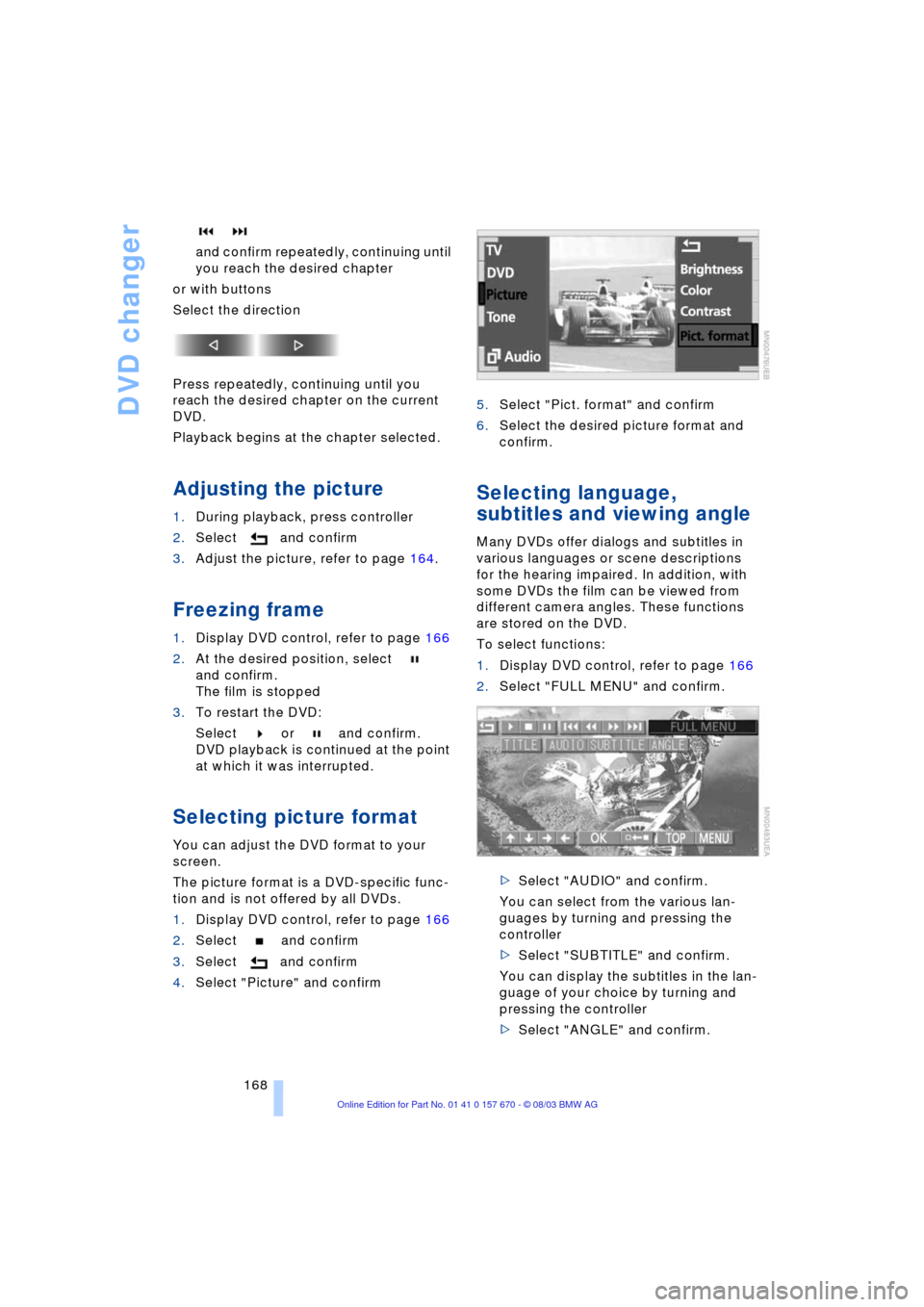
168 and confirm repeatedly, continuing until
you reach the desired chapter
or with buttons
Select the direction
Press repeatedly, continuing until you
reach the desired chapter on the current
DVD.
Playback begins at the chapter selected.
Adjusting the picture
1.During playback, press controller
2.Select and confirm
3.Adjust the picture, refer to page 164.
Freezing frame
1.Display DVD control, refer to page 166
2.At the desired position, select
and confirm.
The film is stopped
3.To restart the DVD:
Select or and confirm.
DVD playback is continued at the point
at which it was interrupted.
Selecting picture format
You can adjust the DVD format to your
screen.
The picture format is a DVD-specific func-
tion and is not offered by all DVDs.
1.Display DVD control, refer to page 166
2.Select and confirm
3.Select and confirm
4.Select "Picture" and confirm5.Select "Pict. format" and confirm
6.Select the desired picture format and
confirm.
Selecting language,
subtitles and viewing angle
Many DVDs offer dialogs and subtitles in
various languages or scene descriptions
for the hearing impaired. In addition, with
some DVDs the film can be viewed from
different camera angles. These functions
are stored on the DVD.
To select functions:
1.Display DVD control, refer to page 166
2.Select "FULL MENU" and confirm.
>Select "AUDIO" and confirm.
You can select from the various lan-
guages by turning and pressing the
controller
>Select "SUBTITLE" and confirm.
You can display the subtitles in the lan-
guage of your choice by turning and
pressing the controller
>Select "ANGLE" and confirm.
Page 171 of 232
Navigation
Entertainment
Driving tips
169Reference
At a glance
Controls
Communications
Mobility
You can change the camera angle by
turning and pressing the controller.
Notes or symbols that appear during
the playback of a film generally point
out different camera angles. These are
usually only briefly available.
With some DVDs the language, subti-
tles or camera angle is only possible
with the DVD-specific menu.
Refer to the information on your DVD for
possible selections.<
Opening DVD-specific
menu
Additional functions may be available on
DVDs. For example, the viewer can select
from several possible plots or display infor-
mation on the film.
1.Display DVD control, refer to page 166
2.Select "MENU" or "TOP" and confirm.
With "MENU" you can generally
open the DVD-specific main
menu. On some DVDs you will find an
additional menu called "TOP" in which,
for example, you can select music
scenes.<
To make a selection:
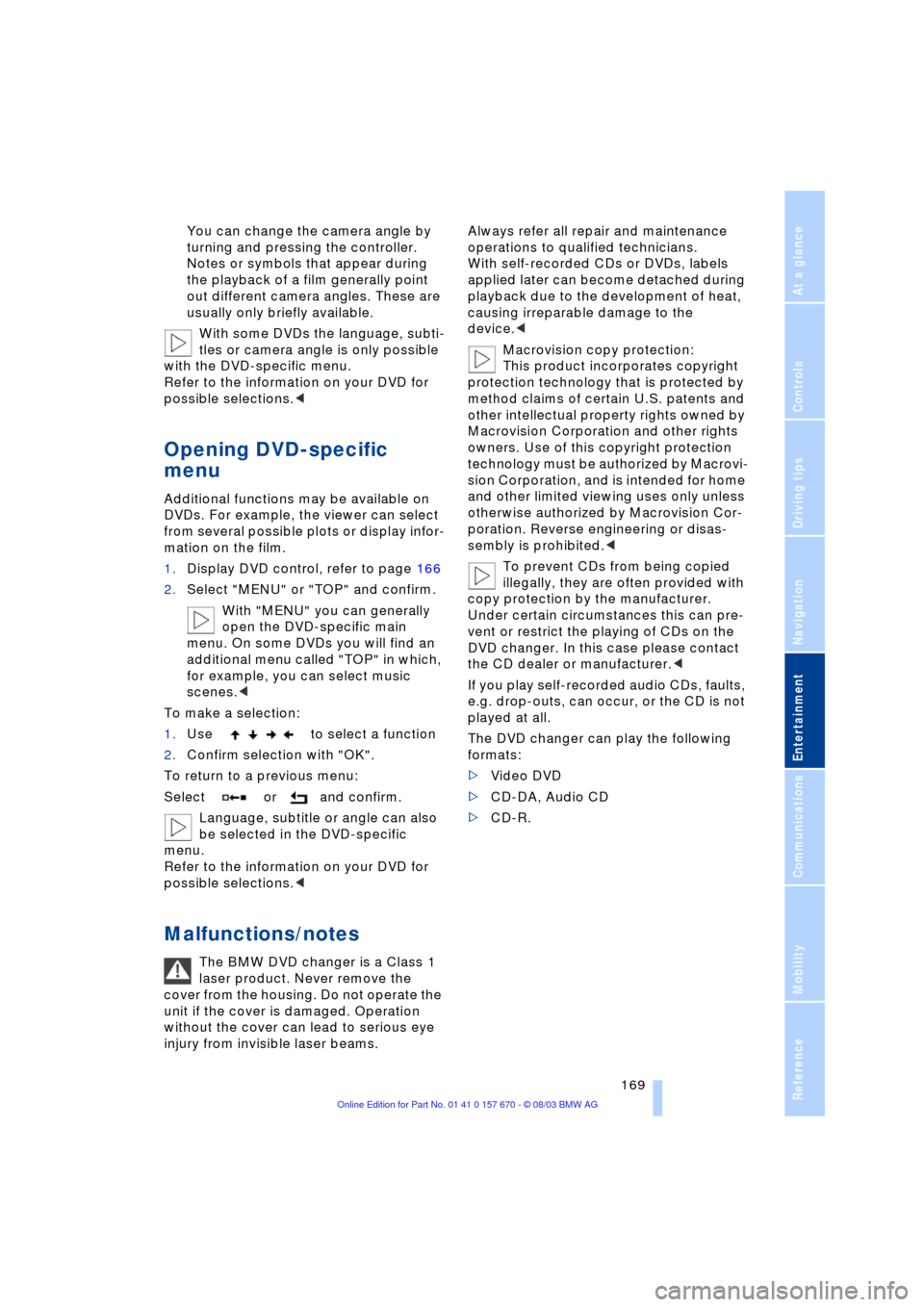
1.Use to select a function
2.Confirm selection with "OK".
To return to a previous menu:
Select or and confirm.
Language, subtitle or angle can also
be selected in the DVD-specific
menu.
Refer to the information on your DVD for
possible selections.<
Malfunctions/notes
The BMW DVD changer is a Class 1
laser product. Never remove the
cover from the housing. Do not operate the
unit if the cover is damaged. Operation
without the cover can lead to serious eye
injury from invisible laser beams.Always refer all repair and maintenance
operations to qualified technicians.
With self-recorded CDs or DVDs, labels
applied later can become detached during
playback due to the development of heat,
causing irreparable damage to the
device.<
Macrovision copy protection:
This product incorporates copyright
protection technology that is protected by
method claims of certain U.S. patents and
other intellectual property rights owned by
Macrovision Corporation and other rights
owners. Use of this copyright protection
technology must be authorized by Macrovi-
sion Corporation, and is intended for home
and other limited viewing uses only unless
otherwise authorized by Macrovision Cor-
poration. Reverse engineering or disas-
sembly is prohibited.<
To prevent CDs from being copied
illegally, they are often provided with
copy protection by the manufacturer.
Under certain circumstances this can pre-
vent or restrict the playing of CDs on the
DVD changer. In this case please contact
the CD dealer or manufacturer.<
If you play self-recorded audio CDs, faults,
e.g. drop-outs, can occur, or the CD is not
played at all.
The DVD changer can play the following
formats:
>Video DVD
>CD-DA, Audio CD
>CD-R.
Page 172 of 232
DVD changer
170 The DVD Audio format is not sup-
ported by the DVD changer. However,
many audio DVDs available in stores also
contain a video track in the DVD Video for-
mat in addition to the audio track. These
DVDs can be played back by the DVD
changer. Please refer to the information on
your DVD to determine whether your audio
DVD contains an additional video track.
DVDs are usually divided into tracks and
chapters and can contain different subti-
tles, camera angles or sound tracks, lan-
guages and sound formats. Depending on
the version of the DVD, these functions can
be selected either directly with the DVD
control system or only via the DVD-specific
menu. Refer to the information on your DVD
for possible selections.
High levels of humidity inside the player
can condense on the laser's scan lens and
prevent it from reading the DVD.<
Page 219 of 232
Reference 217
At a glance
Controls
Driving tips
Communications
Navigation
Entertainment
Mobility
"AUTOSTOR" 163
"Autostore" for radio
mode 154
Average fuel
consumption 85
Average speed 85
"Avoid highway" 137
Avoiding unintentional
alarms 40
"Avoid route" 141
"Avoid sect." 140
"Avoid tolls" 137
"A-Z", telephone 179
B
Backrest adjustment 45, 46
Backrests, refer to
Seats 44
Backup lamps, replacing
bulbs 202
Balance 149
"Balance" for audio
mode 150
Bass 149
"Bass" for audio mode 150
Battery 205
Ð flat 207
Battery switch 205, 206
"BC", refer to Computer 86
Belts 49
Beverage holders 115
Blinds 112
"BMW Assist" 21, 182
BMW Assist 182
"BMW Services" 182
Brake Assistant, refer to
DBC Dynamic Brake
Control 93
Brake fluid 197
Brake force display 96
Brake hydraulic
systems 197
Brake lamps, replacing
bulbs 202
Brake pads 123
Brakes 123
Ð malfunctions 197
Breaking in the vehicle 122Break-in procedures 122
"Brief info" 22
"Brightness"
Ð for TV mode 164
Ð in the Control Center 89
Buttons on the steering
wheel 16
Ð automatic transmission
with Steptronic 66
C
California Proposition 65
Warning 199
Call
Ð ending 179
Calling 179
Ð from phone book 179
Ð from the redial list 180
Ð from the Top 8 list 180
Ð redialing 180
Can holder, refer to
Beverage holders 115
Capacities 215
"Car data" 18, 21
Care, refer to the Caring for
your vehicle brochure
Cargo, securing 125
Cargo area
Ð locking separately 37
Cargo loading 125
Caring for the vehicle finish,
refer to the Caring for
your vehicle brochure
Car phone 175, 178
Ð refer to separate Owner's
Manual
Car radio, refer to
Radio 148
Car wash 122
Ð refer to the Caring for your
vehicle brochure
CBC Cornering Brake
Control 91
CBS Condition Based
Service 198
"CD" 148, 158CD changer 160
Ð adjusting the tone 149
Ð controls 148
Ð fast forward 161
Ð random play 161
Ð reverse 161
Ð sampling 161
Ð Scan 161
Ð selecting CD 161
Ð selecting track 162
Ð skipping tracks 161
Ð switching on 160
Ð volume 149
CD player 158
Ð adjusting the tone 149
Ð controls 148
Ð fast forward 159
Ð random play 158
Ð reverse 159
Ð sampling 158
Ð Scan 158
Ð selecting tracks 158
Ð skipping tracks 158
Ð switching on 158
Ð volume 149
"Center" 107
Center armrest
Ð individual button
assignment 17
Center brake lamp, refer to
Brake lamps 202
Center console, refer to
Comfort features 14
Central locking system 33
Ð button 37
Ð Comfort Access 34
Ð keys 36
Ð remote control 33
"CHANGE" for
navigation 136
Changing a tire 203
Changing language 88
Changing settings on the
Control Display 88
Changing the display
format on the Control
Display 88
Changing units of measure
on the Control Display 88
Page 221 of 232
Reference 219
At a glance
Controls
Driving tips
Communications
Navigation
Entertainment
Mobility
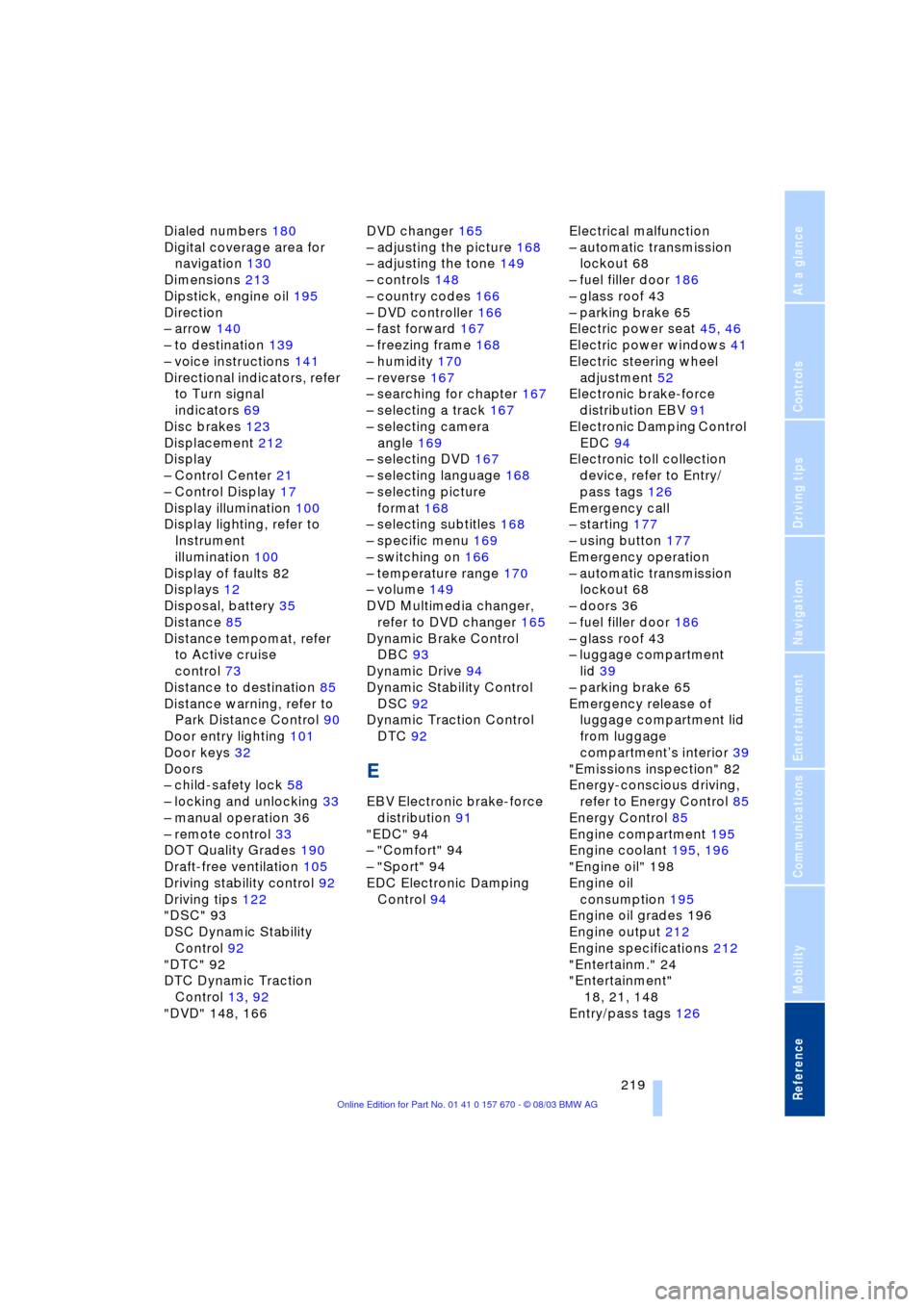
Dialed numbers 180
Digital coverage area for
navigation 130
Dimensions 213
Dipstick, engine oil 195
Direction
Ð arrow 140
Ð to destination 139
Ð voice instructions 141
Directional indicators, refer
to Turn signal
indicators 69
Disc brakes 123
Displacement 212
Display
Ð Control Center 21
Ð Control Display 17
Display illumination 100
Display lighting, refer to
Instrument
illumination 100
Display of faults 82
Displays 12
Disposal, battery 35
Distance 85
Distance tempomat, refer
to Active cruise
control 73
Distance to destination 85
Distance warning, refer to
Park Distance Control 90
Door entry lighting 101
Door keys 32
Doors
Ð child-safety lock 58
Ð locking and unlocking 33
Ð manual operation 36
Ð remote control 33
DOT Quality Grades 190
Draft-free ventilation 105
Driving stability control 92
Driving tips 122
"DSC" 93
DSC Dynamic Stability
Control 92
"DTC" 92
DTC Dynamic Traction
Control 13, 92
"DVD" 148, 166DVD changer 165
Ð adjusting the picture 168
Ð adjusting the tone 149
Ð controls 148
Ð country codes 166
Ð DVD controller 166
Ð fast forward 167
Ð freezing frame 168
Ð humidity 170
Ð reverse 167
Ð searching for chapter 167
Ð selecting a track 167
Ð selecting camera
angle 169
Ð selecting DVD 167
Ð selecting language 168
Ð selecting picture
format 168
Ð selecting subtitles 168
Ð specific menu 169
Ð switching on 166
Ð temperature range 170
Ð volume 149
DVD Multimedia changer,
refer to DVD changer 165
Dynamic Brake Control
DBC 93
Dynamic Drive 94
Dynamic Stability Control
DSC 92
Dynamic Traction Control
DTC 92
E
EBV Electronic brake-force
distribution 91
"EDC" 94
Ð "Comfort" 94
Ð "Sport" 94
EDC Electronic Damping
Control 94Electrical malfunction
Ð automatic transmission
lockout 68
Ð fuel filler door 186
Ð glass roof 43
Ð parking brake 65
Electric power seat 45, 46
Electric power windows 41
Electric steering wheel
adjustment 52
Electronic brake-force
distribution EBV 91
Electronic Damping Control
EDC 94
Electronic toll collection
device, refer to Entry/
pass tags 126
Emergency call
Ð starting 177
Ð using button 177
Emergency operation
Ð automatic transmission
lockout 68
Ð doors 36
Ð fuel filler door 186
Ð glass roof 43
Ð luggage compartment
lid 39
Ð parking brake 65
Emergency release of
luggage compartment lid
from luggage
compartmentÕs interior 39
"Emissions inspection" 82
Energy-conscious driving,
refer to Energy Control 85
Energy Control 85
Engine compartment 195
Engine coolant 195, 196
"Engine oil" 198
Engine oil
consumption 195
Engine oil grades 196
Engine output 212
Engine specifications 212
"Entertainm." 24
"Entertainment"
18, 21, 148
Entry/pass tags 126
Page 225 of 232
Reference 223
At a glance
Controls
Driving tips
Communications
Navigation
Entertainment
Mobility
Parking the vehicle 61
Parking with
Automatic Hold 63
Passenger-side mirror tilt
function 54
Pathway lighting 99
"PDC image" 91
PDC Park Distance
Control 90
Personal Calling 175
"Perspective" for
navigation 139
Phone book 179
Ð creating voice command
phone book 179
Ð deleting all entries 180
Ð dialing numbers 179
Ð dialing numbers using
voice command
system 180
Ð entering numbers in voice
command phone
book 179
Ð entry deletion 180
Ð updating voice command
phone book 179
Ð viewing entries 180
Phone number, refer to
Portable phone 179
"Pict. format" 168
"Picture" 148
Ð DVD changer 168
Ð TV 164
Please fasten safety belt
warning lamp 49
Pollen 108Portable phone
Ð adjusting volume 177
Ð battery 175
Ð calling 179
Ð call termination 179
Ð codes 178
Ð controlling with the
buttons on the steering
wheel 16
Ð hands-free system 177
Ð missed calls 181
Ð operating using the
Control Center 175
Ð redialing 180
Ð refer to separate portable
phone Owner's Manual
Ð selecting phone
numbers 179
Ð switching on/off 178
Ð Top 8 list 180
Power rating 212
Power socket 116
Power windows 41
Pressure, tires 188
Pressure monitoring,
tires 95
Programmable cruise
control 71
Programming settings,
refer to Vehicle Memory,
Key Memory 54
Puncture
Ð Flat Tire Monitor 95R
Radio
Ð adjusting the tone 149
Ð "AUTOSTORE" 154
Ð Autostore 154
Ð controls 148
Ð memory locations 153
Ð operating
temperatures 148
Ð sampling 153
Ð Scan 152
Ð selecting the
waveband 152
Ð station search 152
Ð station selection 154
Ð storing a station 154
Ð switching on 152
Ð volume 149
Ð Weather Band 155
Radio mode 60
Ð with Comfort Access 60
Rain sensor 70
Reading lamps 101
"Rear" 24
Rear air conditioner 108
Ð activation and
deactivation in Control
Center 109
Ð air supply 108
Ð cooling adjustment 108
Rear armrest, refer to Rear
center armrest 117
Rear center armrest 117
Rear cooler 113
Rear lamps, replacing
bulbs 202
Rear monitor, refer to
Control Center in rear 23
Rear screen 23
Rear seat heaters 50
Rear seats
Ð adjusting passenger seat
from the rear 46
Ð comfort seat
adjustments 46
Ð head restraint
adjustment 47
Rearview mirror 51
Page 226 of 232
Everything from A to Z
224 Rear window blind, refer to
Sun blinds 112
Rear window defroster 14
Rear window safety
switch 10, 42
"Recirc." 52
Reclining seat 44
Redialing with portable
phone 180
Redial list 180
Refueling 186
"Release" 24
Releasing the engine
hood 194
Remote control 32, 33
Ð Comfort Access 34
Ð malfunctions 35
Removing condensation
from windows 104
Replacement fuses 206
Replacement keys 33
Replacement tire 203
Replacing light bulbs 200
Replacing tires 192
Reserve warning 85
Reset 149
"RESET" for audio
mode 151
Residual heat 105
"Right"
Ð for automatic climate
control 106
Ð for seat heating 50
Right/left balance
adjustment in audio
mode 149
"RND"
Ð CD changer 161
Ð CD player 158
"Roadside Assistance" 182
Roller sun blinds for rear
side windows 112
Roof-mounted luggage
rack 125
"Route" 140Route
Ð display 139
Ð list 140
Ð map cancellation 140
Ð new 140
Ð selecting 137
"Route guid." 139, 141
Route map 140
"Route selec." 137
Route selection 137
Run-flat tires 192, 205
S
Safety belts 49
Safety belt tensioners, refer
to Safety belts 49
Safety lock buttons 37
Sampling scan
Ð CD 158
Ð radio 153
"Save"
Ð "Individual" 107
"Save dest." 135
"SCAN"
Ð CD changer 161
Ð CD player 158
Ð radio 153
Scan
Ð CD changer 161
Ð CD player 158
Ð radio 152
Scan sampling
Ð CD changer 161
Ð CD player 158
Ð radio 153
Screen, refer to Control
Display 15
Seat heating 49
Seat memory 53
Seats
Ð adjusting the seats 44
Ð sitting safely 44
"Seat temp." 50, 106
Seat ventilation, refer to
Active seat ventilation 50
SECAM during
TV mode 164Securing cargo, refer to
Cargo 125
Securing the load 118
Selecting a new route for
the navigation
system 140
Selecting distance with
active cruise control 76
Selecting new scale for
navigation system
display 140
Selecting stored radio
stations 154
Selecting the waveband on
the radio 152
Selection options with
navigation system 132
Selector lever, automatic
transmission 66
"Service" 81, 198
Ð "Emissions inspection" 82
Ð "Spark plugs" 81
Ð "State inspection" 82
Service and Warranty
Information Booklet for
US models 198
Service brakes 123
Service Interval
Display 81, 198
Service Requirement
Display, refer to Service
Interval Display 198
"SET", refer to Setting the
speed limit 86
"Set time" 109
Setting brightness of
Control Center 89
"Settings" 18, 21, 24
Setting the brightness 89
Setting the speed limit 86
Setting time and date 88
Shiftlock 67
Short commands for voice
command system 28
Shortest distance 137
"Shortest route" 137
"Short info" 18
Shoulder support 46
Page 227 of 232
Reference 225
At a glance
Controls
Driving tips
Communications
Navigation
Entertainment
Mobility
Side marker lamps 99
Side window blind, refer to
Sun blinds 112
Sitting safely 44
Ð with airbags 44
Ð with safety belts 44
Ski bag 117
Sliding/tilt sunroof, refer to
Glass roof, electric 42
Snow chains 193, 193
Soft Close Automatic
Ð doors 37
Ð luggage compartment
lid 38
SOS 177
Sound system adjustments
Ð midrange setting 151
Spare fuses 206
Spare key 32
Ð adapter 32
Spare tire 203
"Spark plugs" 81, 198
Speed limit
Ð "Limit" 86
Speedometer 12
"Speed Vol." for audio
mode 150
"Sport"
Ð "EDC" 94
Sport program with the
automatic
transmission 67
Sports seat 45
Stability control, refer to
Driving stability control 92
Standard during
TV mode 164
Standing lamps 100
Ð replacing bulbs 201
Start/Stop button 60
Starting 61
Starting assistance 207
Starting problems 61, 208
Starting the destination
guidance 139
Starting the engine 61
"State inspection" 82
Station, refer to Radio 152"Stationary" 106, 109
Status lines in Control
Center 23
Steering wheel 16
Ð adjustment 52
Ð adjustment, automatic 52
Ð heater 52
Ð individual button
assignment options 52
Ð memory 53
Steptronic 66
Stopwatch 87
Storage, refer to the Caring
for your vehicle brochure
Storage
compartments 114, 115
Storing desired speeds,
refer to Programmable
cruise control 73
Storing destination per
voice 142
Storing seating position,
refer to Seat, mirror and
steering wheel
memory 53
Straps, refer to
Loading 125
"SUBTITLE" for
DVD mode 168
Summer tires 192
Sun blinds 112
Supply reservoir, washer
system 71
Switch for battery 205
Switching air conditioner
mode on and off
manually 104
Switching off rear air
conditioner 108
Switching off the engine 61
Switching off the portable
phone 178
Switching off the tilt alarm
sensor 34, 40Switching on
Ð audio 149
Ð CD changer 160
Ð CD player 158
Ð DVD changer 166
Ð portable phone 178
Ð radio 152
Ð TV 163
Symbols 4
Ð Control Center 19
T
Tachometer 80
Tail lamps 202
Target cursor for
navigation 134, 135
Technical data 212
Technical modifications 6
Telephone
Ð operation with the
telephone keypad,
folding 176
Ð refer to Portable phone
Telephone keypad,
folding 176
Television, refer to TV 163
Temperature
adjustment 104
Temperature display,
outside temperature 80
Temperature
distribution 50
Third brake lamp, refer to
Brake lamps 202
Tilt function, passenger-
side mirror 54
Time of arrival 85
Timing 87
"Tint" for TV mode 164
Tire inflation pressure 188
Tire pressure monitoring,
refer to Flat Tire
Monitor 95
Tire Quality Grading 190
Page 228 of 232
Everything from A to Z
226 Tires
Ð flat tire 203
Ð tire changes 203
Ð tire damage 191
Ð tire inflation pressure 188
Ð tire replacement 192
Ð tire size, refer to Wheel
and tire
combinations 192
Ð tire tread 191
Ð tread wear indicators 191
"TITLE" 167
Tone, adjusting 149
"Tone" for audio
mode 148, 150
Tools 200
"TOP 8" 180
"TOP" for DVD mode 169
Topping up washer fluid 71
Torque 212
Tow fittings 208, 209
Towing
Ð with raised front axle 208
Track 213
Traction Control System,
refer to DSC 92
Traffic congestion, refer to
Selecting a new
route 140
Transmission, refer to
Automatic transmission
with Steptronic 66
Transmission lockout, refer
to Park detent 67
Transporting children
safely 56
Travel route, refer to
Route 140
Tread depth, tires 191
Treble 149
"Treble" for audio
mode 150
Trip computer 86
Trip odometer 80
Trunk lid, refer to Luggage
compartment lid 37
Turning circle 213
Turn signal indicators 69
Ð replacing bulbs 201, 202"TV" 163, 164
TV 163
Ð adjusting the picture 164
Ð adjusting the tone 149
Ð controls 148
Ð NTSC 164
Ð PAL 164
Ð programs 163
Ð SECAM 164
Ð selecting standard 164
Ð switching on 163
Ð volume 149
"TV format" 164
U
Undercoating, refer to the
Caring for your vehicle
brochure
Uniform Tire Quality
Grading 190
Universal garage door
opener, refer to
Integrated universal
remote control 111
Unlatching the engine
hood 194
Unlocking without key,
refer to Comfort
Access 34
Upholstery care, refer to
the Caring for your
vehicle brochure
Used batteries 206
V
Vacuum cleaner
connection 116
Valve caps 204
Vanity mirror 51
Vehicle battery 205
Vehicle dimensions 213
Vehicle jack 203
Vehicle keys 32
Vehicle Memory 54
Ventilation 105
Ð draft-free 105
Ð while parked 109
Vents, refer to
Ventilation 102"Video" 148
"View" for
navigation 139, 140
Viscosity 196
Voice command
system 16, 25
Voice guidance for
navigation 141
Volume
Ð audio 149
Ð CD changer 149
Ð CD player 149
Ð DVD changer 149
Ð navigation 141
Ð portable phone 177
Ð radio 149
Ð TV 149
Ð voice command
system 26
W
Warm feet, cool headroom,
refer to Front
ventilation 105
Warning lamps 12
Warning messages 82
Warning triangle 207
Warranty and Service
Guide Booklet for
Canadian models 198
"WB" 148, 155
Wear indicators in the
tires 191
Weather Band 155
Weights 214
Wheel and tire
combinations 192
Wheelbase 213
Wheel bolts
Ð wrench 203
Wheels and tires 192
Width 213
"Window" 107
Windows 41
Ð convenience operation 36
Ð remote control 34
Ð safety switch 42