ECO mode BMW 760i 2004 E65 User Guide
[x] Cancel search | Manufacturer: BMW, Model Year: 2004, Model line: 760i, Model: BMW 760i 2004 E65Pages: 232, PDF Size: 5.27 MB
Page 73 of 232
Controls
71Reference
At a glance
Driving tips
Communications
Navigation
Entertainment
Mobility
Deactivating the rain sensor
Briefly press the button again. The indica-
tor lamp goes out.
The rain sensor is automatically deac-
tivated when you switch off the igni-
tion.<
Deactivate the rain sensor when
passing through an automatic car
wash. Failure to do so could result in dam-
age caused by undesired wiper activa-
tion.<
Selecting wiper fold-out position
Important for changing wiper blades, when
folding away from windshield to prevent
blades from sticking when ice forms, etc.
1.Switch off the engine and remove the
remote control from the ignition lock
2.Press the wiper lever up and maintain
pressure for about 3 seconds until the
wipers are roughly vertical: fold-out
position.
After folding the wipers back against the
windshield you will need to reactivate the
wiper system:
1.Switch on the radio mode
2.Apply brief upward pressure to the
wiper lever. The wipers return to their
retracted position and are ready for nor-
mal operation.
To prevent damage to the wipers,
always fold them back against the
windshield before switching on either the
radio mode or the ignition.<
Washer fluid
Washer fluid antifreeze is flammable.
Always keep it well away from sparks
and open flames, and store it in tightly
closed containers well out of the reach of
children. Always observe the instructions
for use provided on the containers.< We recommend that you mix the
washer fluid before adding it to the
reservoir.<
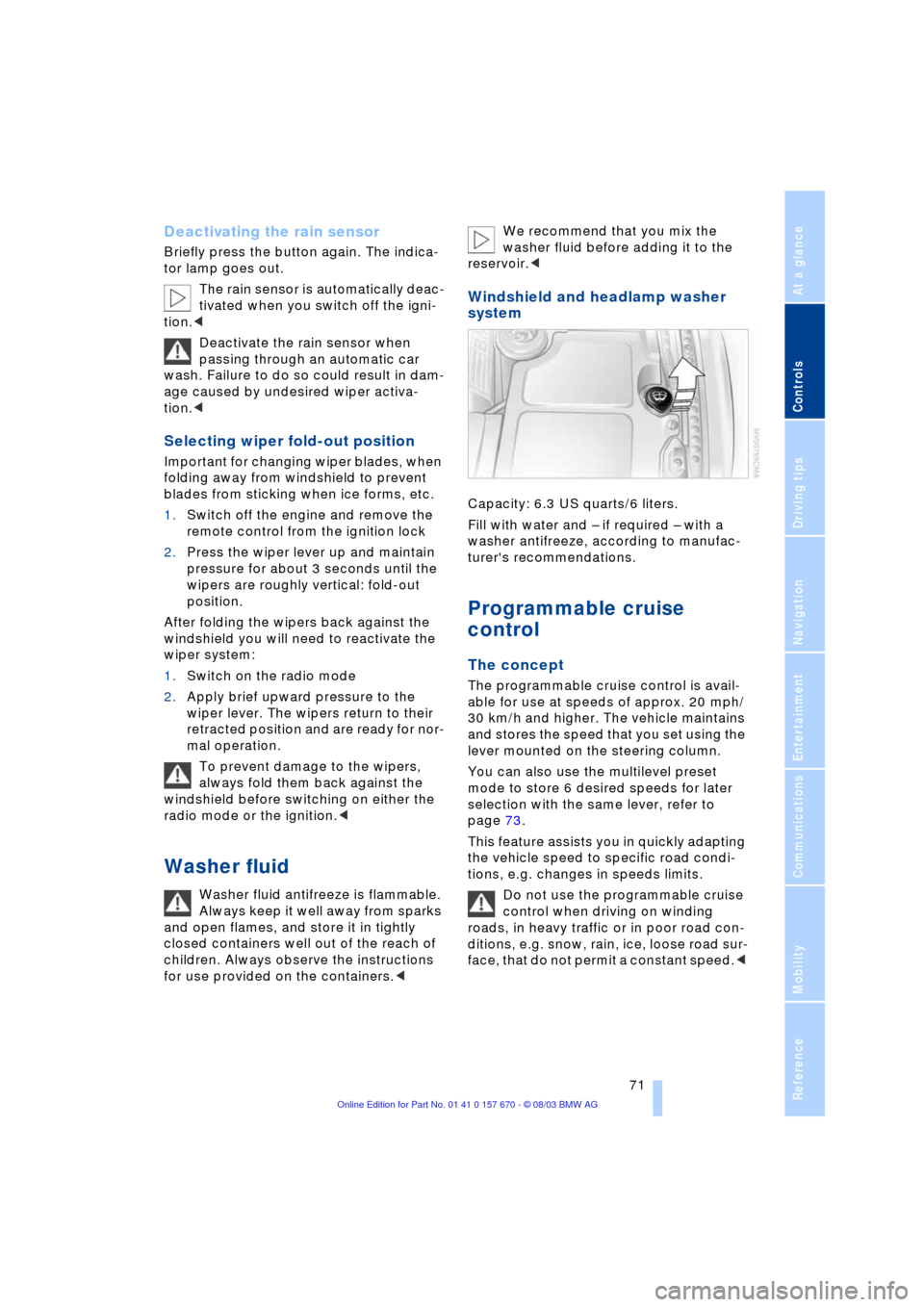
Windshield and headlamp washer
system
Capacity: 6.3 US quarts/6 liters.
Fill with water and Ð if required Ð with a
washer antifreeze, according to manufac-
turer's recommendations.
Programmable cruise
control
The concept
The programmable cruise control is avail-
able for use at speeds of approx. 20 mph/
30 km/h and higher. The vehicle maintains
and stores the speed that you set using the
lever mounted on the steering column.
You can also use the multilevel preset
mode to store 6 desired speeds for later
selection with the same lever, refer to
page 73.
This feature assists you in quickly adapting
the vehicle speed to specific road condi-
tions, e.g. changes in speeds limits.
Do not use the programmable cruise
control when driving on winding
roads, in heavy traffic or in poor road con-
ditions, e.g. snow, rain, ice, loose road sur-
face, that do not permit a constant speed.<
Page 75 of 232
Controls
73Reference
At a glance
Driving tips
Communications
Navigation
Entertainment
Mobility
mode activated each time you press or pull
the lever beyond the resistance point.<
Changing preset level
Push 1 or pull 2 the lever beyond the resis-
tance point. The preset speed progresses
to the next desired speed.
The available speed changes to the
minimum speed of approx. 20 mph/
30 km/h when you pull 2 the lever beyond
the resistance point at the lowest desired
speed.<
Interrupting the cruise control
With the cruise control active, briefly press
the lever up or down.
Hiding display for multilevel preset
mode
When activated, press the lever upward or
downward for approx. 3 seconds.
Showing display for multilevel preset
mode again
Press 1 or pull 2 the lever beyond the resis-
tance point.
Deactivating the multilevel preset
mode
The multilevel preset mode is also deacti-
vated when you switch off the ignition.
Storing desired speeds
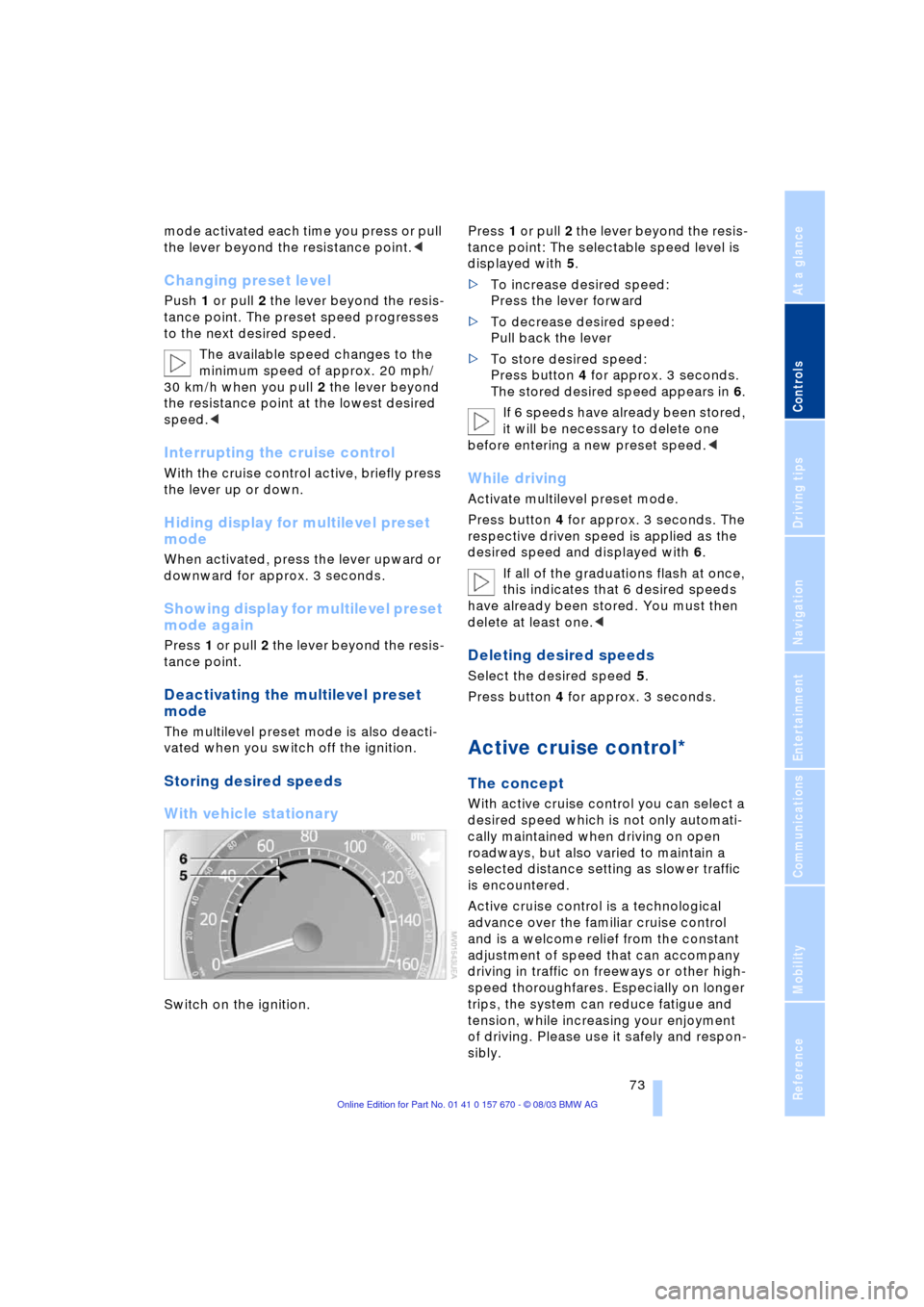
With vehicle stationary
Switch on the ignition. Press 1 or pull 2 the lever beyond the resis-
tance point: The selectable speed level is
displayed with 5.
>To increase desired speed:
Press the lever forward
>To decrease desired speed:
Pull back the lever
>To store desired speed:
Press button 4 for approx. 3 seconds.
The stored desired speed appears in 6.
If 6 speeds have already been stored,
it will be necessary to delete one
before entering a new preset speed.<
While driving
Activate multilevel preset mode.
Press button 4 for approx. 3 seconds. The
respective driven speed is applied as the
desired speed and displayed with 6.
If all of the graduations flash at once,
this indicates that 6 desired speeds
have already been stored. You must then
delete at least one.<
Deleting desired speeds
Select the desired speed 5.
Press button 4 for approx. 3 seconds.
Active cruise control*
The concept
With active cruise control you can select a
desired speed which is not only automati-
cally maintained when driving on open
roadways, but also varied to maintain a
selected distance setting as slower traffic
is encountered.
Active cruise control is a technological
advance over the familiar cruise control
and is a welcome relief from the constant
adjustment of speed that can accompany
driving in traffic on freeways or other high-
speed thoroughfares. Especially on longer
trips, the system can reduce fatigue and
tension, while increasing your enjoyment
of driving. Please use it safely and respon-
sibly.
Page 86 of 232
Everything under control
84 The display disappears when the sym-
bol is confirmed.
Displays after completion of trip
Selected fault reports generated during the
trip are shown consecutively when you
switch off the ignition.
If indicated, the following message may
also appear:
"Parking lamps on!"
This message appears when you open the
driver's door after parking. A supplemen-
tary gong is also heard.
Even with the ignition and Info Display off,
you can reactivate the screen and display
the messages.
Press the CHECK button for approx.
8 seconds, refer to page 83. The stored
status reports appear again in the display.
If several messages are present, you can
continue to briefly press the CHECK button
to view them in succession.
The Check Control function
>cancels itself automatically after a brief
period
>can be canceled by again pressing the
CHECK button for approx. 8 seconds.
You can select the language in which
Check Control status reports and
messages from the computer will appear,
refer to page 88.<
Computer
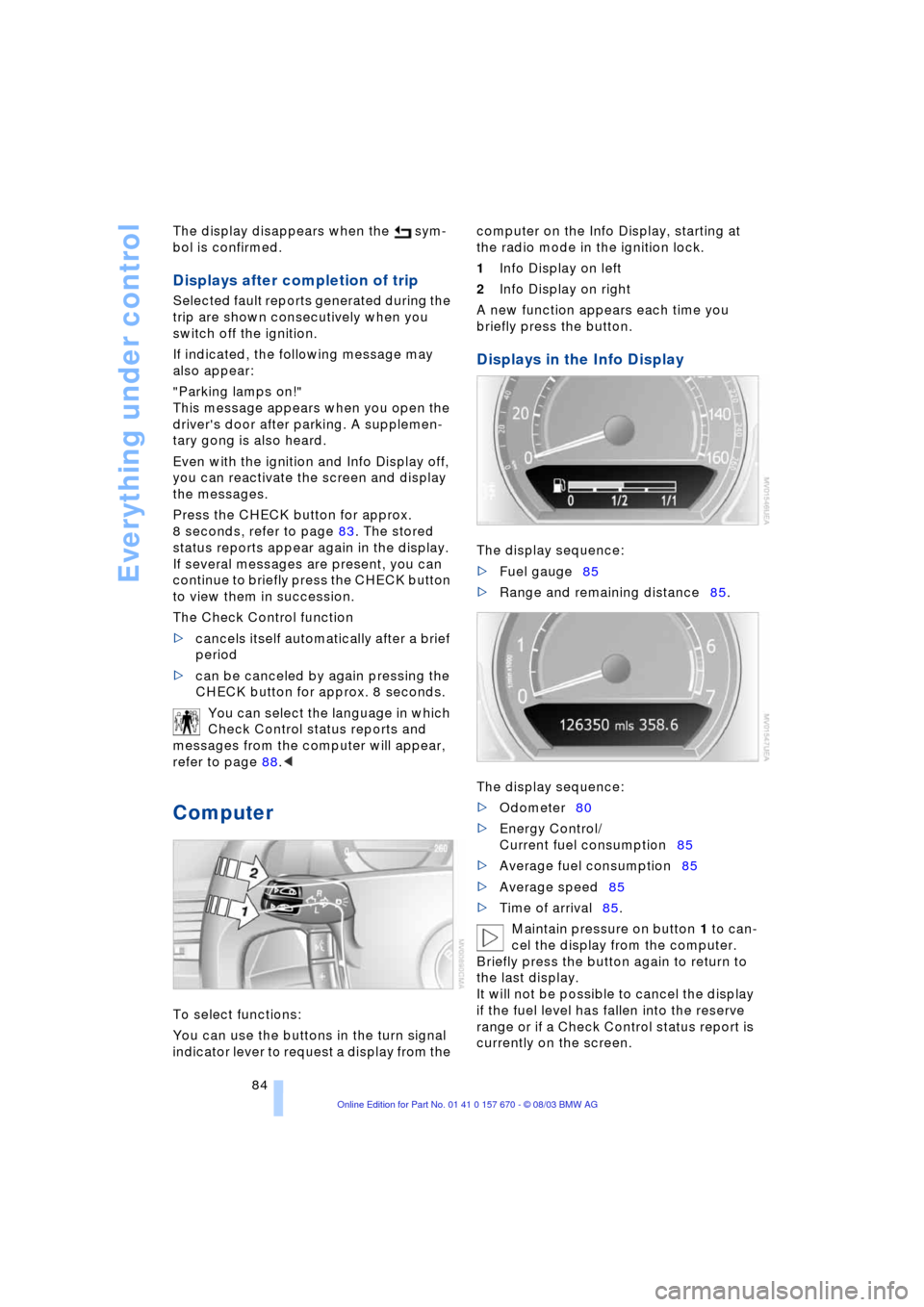
To select functions:
You can use the buttons in the turn signal
indicator lever to request a display from the computer on the Info Display, starting at
the radio mode in the ignition lock.
1Info Display on left
2Info Display on right
A new function appears each time you
briefly press the button.
Displays in the Info Display
The display sequence:
>Fuel gauge85
>Range and remaining distance85.
The display sequence:
>Odometer80
>Energy Control/
Current fuel consumption85
>Average fuel consumption85
>Average speed85
>Time of arrival85.
Maintain pressure on button 1 to can-
cel the display from the computer.
Briefly press the button again to return to
the last display.
It will not be possible to cancel the display
if the fuel level has fallen into the reserve
range or if a Check Control status report is
currently on the screen.
Page 94 of 232
Technology for comfort, convenience and safety
92
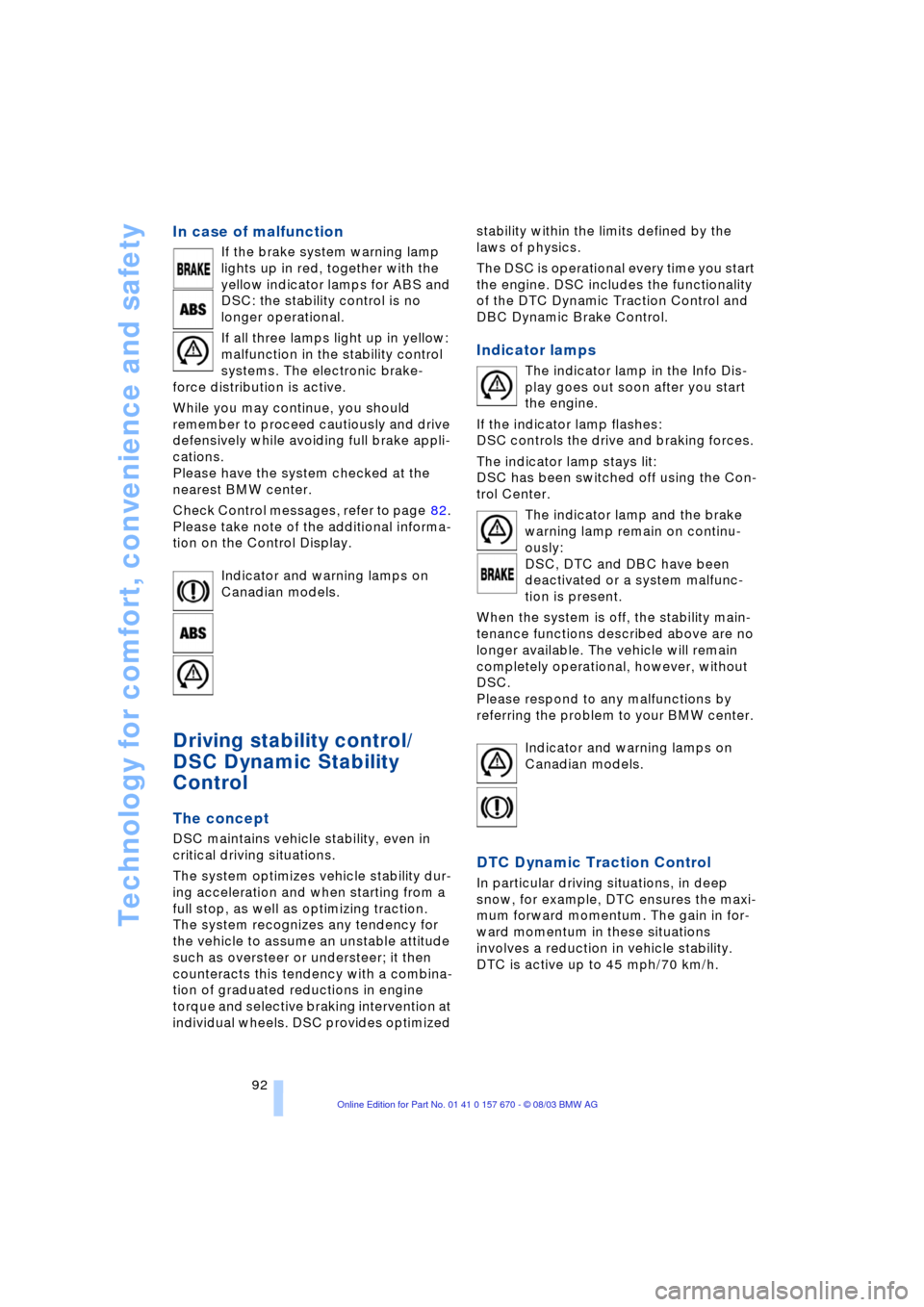
In case of malfunction
If the brake system warning lamp
lights up in red, together with the
yellow indicator lamps for ABS and
DSC: the stability control is no
longer operational.
If all three lamps light up in yellow:
malfunction in the stability control
systems. The electronic brake-
force distribution is active.
While you may continue, you should
remember to proceed cautiously and drive
defensively while avoiding full brake appli-
cations.
Please have the system checked at the
nearest BMW center.
Check Control messages, refer to page 82.
Please take note of the additional informa-
tion on the Control Display.
Indicator and warning lamps on
Canadian models.
Driving stability control/
DSC Dynamic Stability
Control
The concept
DSC maintains vehicle stability, even in
critical driving situations.
The system optimizes vehicle stability dur-
ing acceleration and when starting from a
full stop, as well as optimizing traction.
The system recognizes any tendency for
the vehicle to assume an unstable attitude
such as oversteer or understeer; it then
counteracts this tendency with a combina-
tion of graduated reductions in engine
torque and selective braking intervention at
individual wheels. DSC provides optimized stability within the limits defined by the
laws of physics.
The DSC is operational every time you start
the engine. DSC includes the functionality
of the DTC Dynamic Traction Control and
DBC Dynamic Brake Control.
Indicator lamps
The indicator lamp in the Info Dis-
play goes out soon after you start
the engine.
If the indicator lamp flashes:
DSC controls the drive and braking forces.
The indicator lamp stays lit:
DSC has been switched off using the Con-
trol Center.
The indicator lamp and the brake
warning lamp remain on continu-
ously:
DSC, DTC and DBC have been
deactivated or a system malfunc-
tion is present.
When the system is off, the stability main-
tenance functions described above are no
longer available. The vehicle will remain
completely operational, however, without
DSC.
Please respond to any malfunctions by
referring the problem to your BMW center.
Indicator and warning lamps on
Canadian models.
DTC Dynamic Traction Control
In particular driving situations, in deep
snow, for example, DTC ensures the maxi-
mum forward momentum. The gain in for-
ward momentum in these situations
involves a reduction in vehicle stability.
DTC is active up to 45 mph/70 km/h.
Page 96 of 232
Technology for comfort, convenience and safety
94 In the event of a malfunction, the
warning lamp lights up yellow.
Have the system checked and
repaired at your BMW center as soon as
possible.
Check Control messages, refer to page 82.
Please take note of the additional informa-
tion on the Control Display.
Warning lamp on Canadian models.
Dynamic Drive
The concept
Dynamic Drive minimizes body roll and
optimizes vehicle stability during cornering
and evasive maneuvers.
Active stabilizers at the front and rear axles
form the basis for Dynamic Drive. Suspen-
sion compliance adapts to suit driving con-
ditions, varying from performance-oriented
during cornering to smooth and comfort-
oriented when the vehicle is proceeding in
a straight line.
The system assumes operational status
each time you start the engine.
Driving with Dynamic Drive
During vehicle operation, the system con-
tinuously runs through closed-loop control
cycles lasting only fractions of a second.
In case of malfunction
The symbol will light up, accompa-
nied by a status message in the
Check Control. Please take note of
the additional information on the Control
Display.
You can find more information on the
Check Control starting on page 82.
If the Dynamic Drive system switches
off in response to malfunction, please
remember to adapt your speed accord-
ingly, especially in curves.
The suspension will be noticeably softer
and the vehicle will display a greater ten-dency to tilt during cornering and in cross-
winds.
If a Check Control message stating that
you should stop appears in addition to the
red symbol, stop immediately and switch
off the engine. In this case the oil level in
the reservoir may have dropped below the
minimum, possibly owing to a leak in the
hydraulic system.
Please observe the additional instructions
provided on the Control Display.<
EDC Electronic Damping
Control*
The suspension responds to changes in
factors such as road surface, or operating
conditions such as steering and braking, by
adapting to the new conditions within frac-
tions of a second.
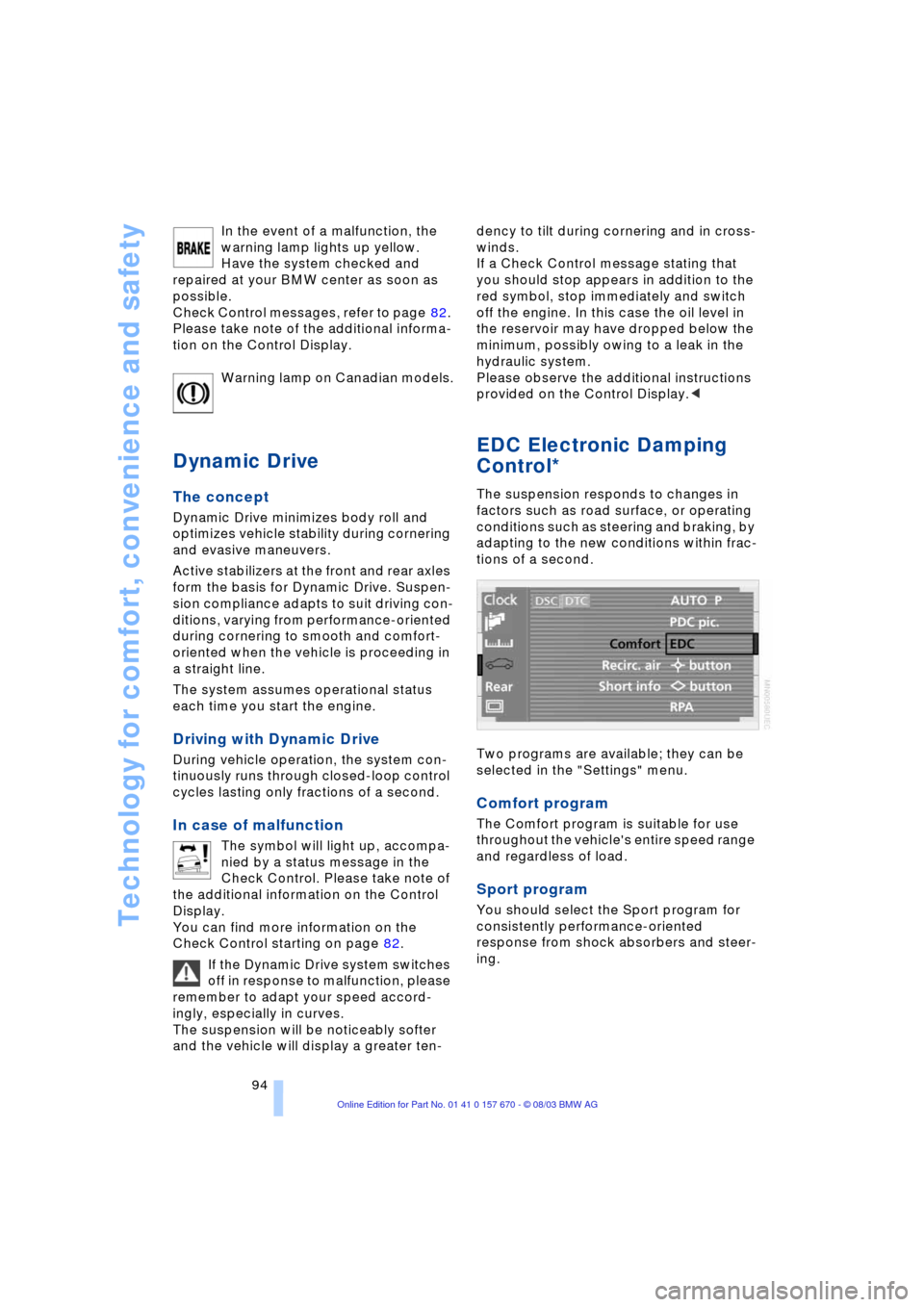
Two programs are available; they can be
selected in the "Settings" menu.
Comfort program
The Comfort program is suitable for use
throughout the vehicle's entire speed range
and regardless of load.
Sport program
You should select the Sport program for
consistently performance-oriented
response from shock absorbers and steer-
ing.
Page 107 of 232
Controls
105Reference
At a glance
Driving tips
Communications
Navigation
Entertainment
Mobility
Residual heat mode
The system uses the warmth
stored in the engine to heat the
interior when the ignition is off,
for instance, while the vehicle
is stopped at a school to pick
up a child.
You can adjust the automatic climate con-
trol's settings when the ignition lock is in
the radio mode. The system blows heated
air into the interior in accordance with the
selected distribution pattern while the igni-
tion is off.
Provided that the engine has warmed
to its normal operating temperature
and the battery is charged, you can use this
function for up to 15 minutes after switch-
ing off the ignition. The LED within the but-
ton lights up to confirm compliance with
both of these conditions.<
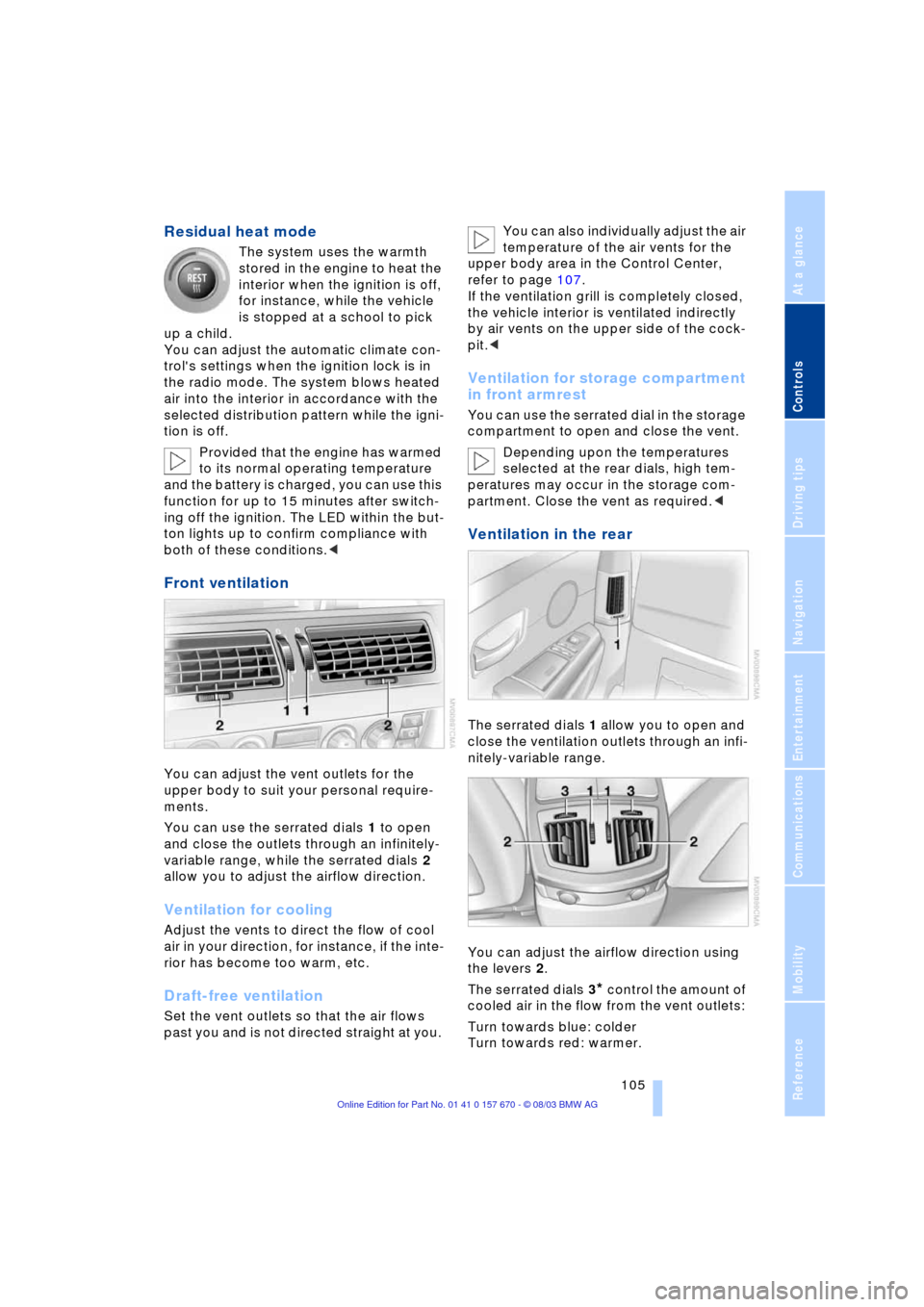
Front ventilation
You can adjust the vent outlets for the
upper body to suit your personal require-
ments.
You can use the serrated dials 1 to open
and close the outlets through an infinitely-
variable range, while the serrated dials 2
allow you to adjust the airflow direction.
Ventilation for cooling
Adjust the vents to direct the flow of cool
air in your direction, for instance, if the inte-
rior has become too warm, etc.
Draft-free ventilation
Set the vent outlets so that the air flows
past you and is not directed straight at you. You can also individually adjust the air
temperature of the air vents for the
upper body area in the Control Center,
refer to page 107.
If the ventilation grill is completely closed,
the vehicle interior is ventilated indirectly
by air vents on the upper side of the cock-
pit.<
Ventilation for storage compartment
in front armrest
You can use the serrated dial in the storage
compartment to open and close the vent.
Depending upon the temperatures
selected at the rear dials, high tem-
peratures may occur in the storage com-
partment. Close the vent as required.<
Ventilation in the rear
The serrated dials 1 allow you to open and
close the ventilation outlets through an infi-
nitely-variable range.
You can adjust the airflow direction using
the levers 2.
The serrated dials 3
* control the amount of
cooled air in the flow from the vent outlets:
Turn towards blue: colder
Turn towards red: warmer.
Page 109 of 232
Controls
107Reference
At a glance
Driving tips
Communications
Navigation
Entertainment
Mobility
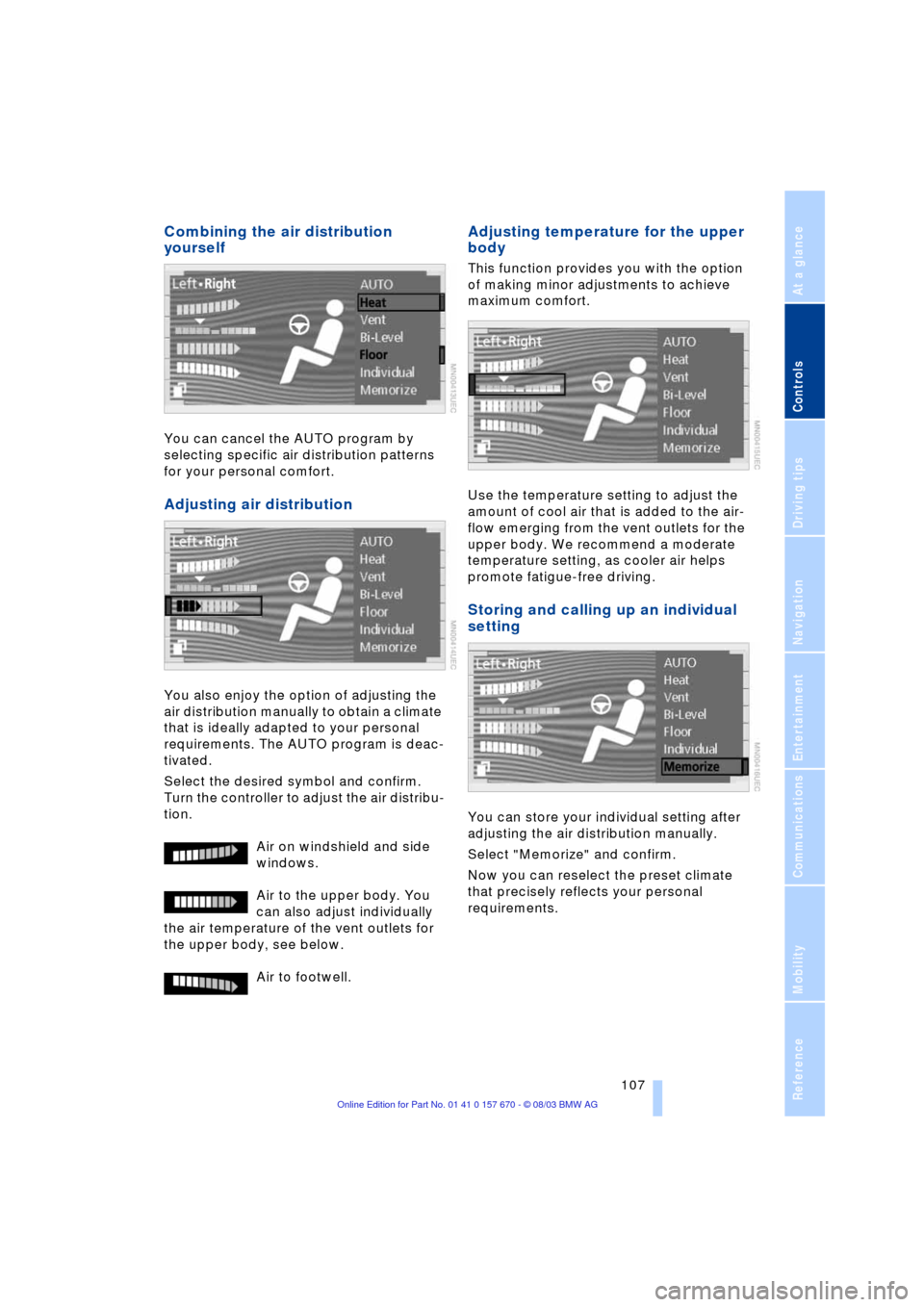
Combining the air distribution
yourself
You can cancel the AUTO program by
selecting specific air distribution patterns
for your personal comfort.
Adjusting air distribution
You also enjoy the option of adjusting the
air distribution manually to obtain a climate
that is ideally adapted to your personal
requirements. The AUTO program is deac-
tivated.
Select the desired symbol and confirm.
Turn the controller to adjust the air distribu-
tion.
Air on windshield and side
windows.
Air to the upper body. You
can also adjust individually
the air temperature of the vent outlets for
the upper body, see below.
Air to footwell.
Adjusting temperature for the upper
body
This function provides you with the option
of making minor adjustments to achieve
maximum comfort.
Use the temperature setting to adjust the
amount of cool air that is added to the air-
flow emerging from the vent outlets for the
upper body. We recommend a moderate
temperature setting, as cooler air helps
promote fatigue-free driving.
Storing and calling up an individual
setting
You can store your individual setting after
adjusting the air distribution manually.
Select "Memorize" and confirm.
Now you can reselect the preset climate
that precisely reflects your personal
requirements.
Page 110 of 232
A congenial climate
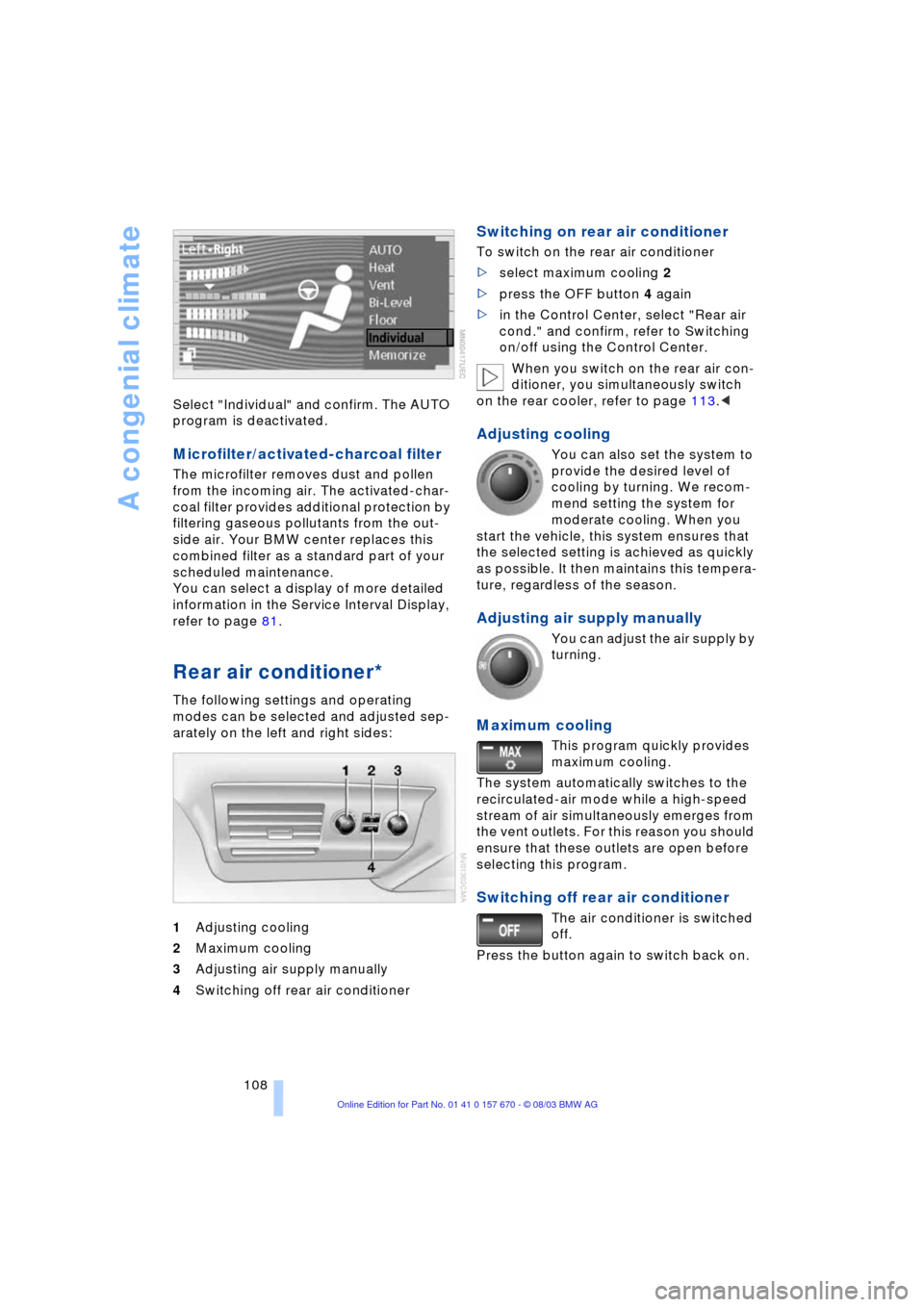
108 Select "Individual" and confirm. The AUTO
program is deactivated.
Microfilter/activated-charcoal filter
The microfilter removes dust and pollen
from the incoming air. The activated-char-
coal filter provides additional protection by
filtering gaseous pollutants from the out-
side air. Your BMW center replaces this
combined filter as a standard part of your
scheduled maintenance.
You can select a display of more detailed
information in the Service Interval Display,
refer to page 81.
Rear air conditioner*
The following settings and operating
modes can be selected and adjusted sep-
arately on the left and right sides:
1Adjusting cooling
2Maximum cooling
3Adjusting air supply manually
4Switching off rear air conditioner
Switching on rear air conditioner
To switch on the rear air conditioner
>select maximum cooling 2
>press the OFF button 4 again
>in the Control Center, select "Rear air
cond." and confirm, refer to Switching
on/off using the Control Center.
When you switch on the rear air con-
ditioner, you simultaneously switch
on the rear cooler, refer to page 113.<
Adjusting cooling
You can also set the system to
provide the desired level of
cooling by turning. We recom-
mend setting the system for
moderate cooling. When you
start the vehicle, this system ensures that
the selected setting is achieved as quickly
as possible. It then maintains this tempera-
ture, regardless of the season.
Adjusting air supply manually
You can adjust the air supply by
turning.
Maximum cooling
This program quickly provides
maximum cooling.
The system automatically switches to the
recirculated-air mode while a high-speed
stream of air simultaneously emerges from
the vent outlets. For this reason you should
ensure that these outlets are open before
selecting this program.
Switching off rear air conditioner
The air conditioner is switched
off.
Press the button again to switch back on.
Page 111 of 232
Controls
109Reference
At a glance
Driving tips
Communications
Navigation
Entertainment
Mobility
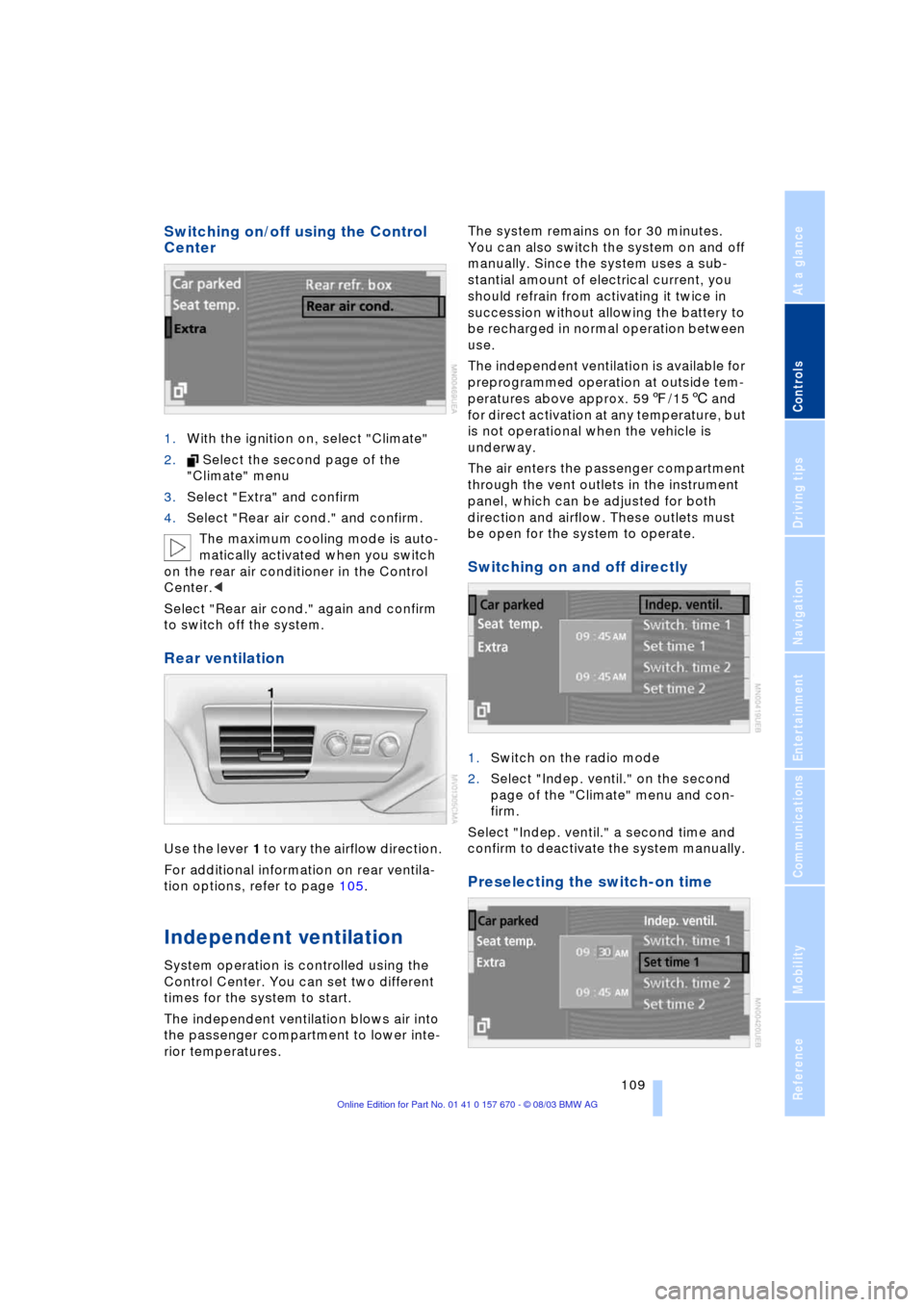
Switching on/off using the Control
Center
1.With the ignition on, select "Climate"
2. Select the second page of the
"Climate" menu
3.Select "Extra" and confirm
4.Select "Rear air cond." and confirm.
The maximum cooling mode is auto-
matically activated when you switch
on the rear air conditioner in the Control
Center.<
Select "Rear air cond." again and confirm
to switch off the system.
Rear ventilation
Use the lever 1 to vary the airflow direction.
For additional information on rear ventila-
tion options, refer to page 105.
Independent ventilation
System operation is controlled using the
Control Center. You can set two different
times for the system to start.
The independent ventilation blows air into
the passenger compartment to lower inte-
rior temperatures.The system remains on for 30 minutes.
You can also switch the system on and off
manually. Since the system uses a sub-
stantial amount of electrical current, you
should refrain from activating it twice in
succession without allowing the battery to
be recharged in normal operation between
use.
The independent ventilation is available for
preprogrammed operation at outside tem-
peratures above approx. 597/156 and
for direct activation at any temperature, but
is not operational when the vehicle is
underway.
The air enters the passenger compartment
through the vent outlets in the instrument
panel, which can be adjusted for both
direction and airflow. These outlets must
be open for the system to operate.
Switching on and off directly
1.Switch on the radio mode
2.Select "Indep. ventil." on the second
page of the "Climate" menu and con-
firm.
Select "Indep. ventil." a second time and
confirm to deactivate the system manually.
Preselecting the switch-on time
Page 112 of 232
A congenial climate
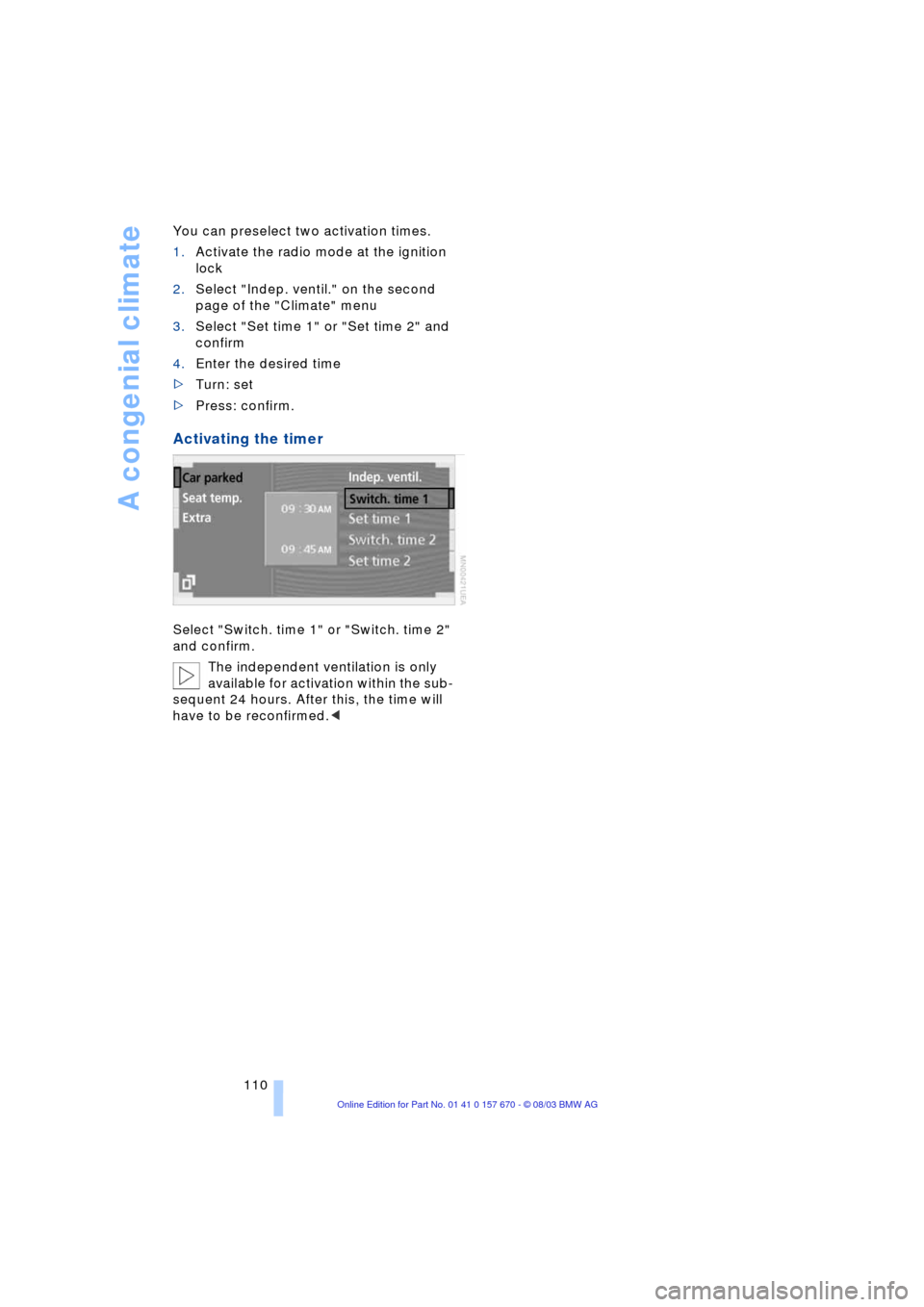
110 You can preselect two activation times.
1.Activate the radio mode at the ignition
lock
2.Select "Indep. ventil." on the second
page of the "Climate" menu
3.Select "Set time 1" or "Set time 2" and
confirm
4.Enter the desired time
>Turn: set
>Press: confirm.
Activating the timer
Select "Switch. time 1" or "Switch. time 2"
and confirm.
The independent ventilation is only
available for activation within the sub-
sequent 24 hours. After this, the time will
have to be reconfirmed.<