wheel BMW 760i 2004 E65 Owner's Guide
[x] Cancel search | Manufacturer: BMW, Model Year: 2004, Model line: 760i, Model: BMW 760i 2004 E65Pages: 232, PDF Size: 5.27 MB
Page 94 of 232
Technology for comfort, convenience and safety
92
In case of malfunction
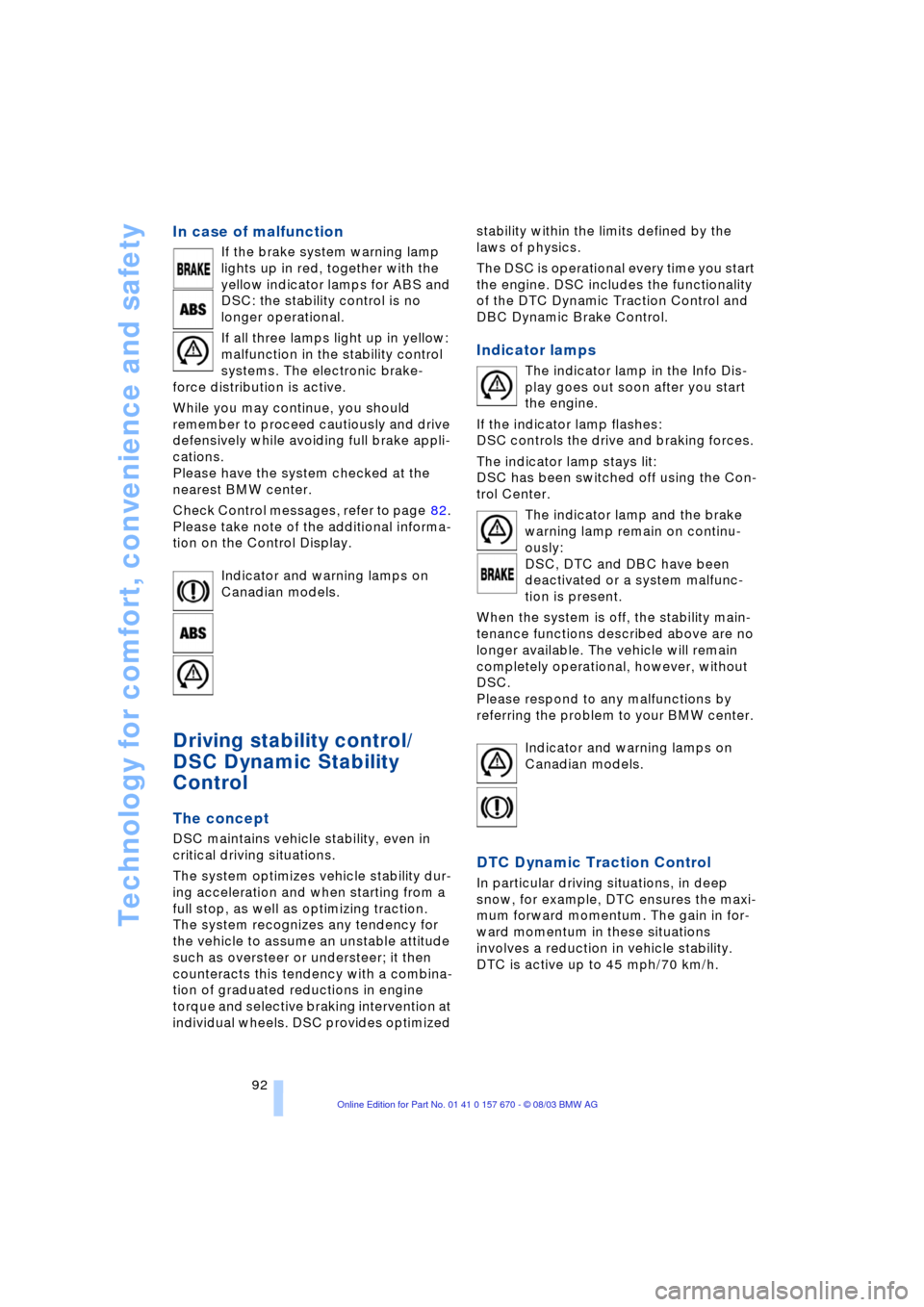
If the brake system warning lamp
lights up in red, together with the
yellow indicator lamps for ABS and
DSC: the stability control is no
longer operational.
If all three lamps light up in yellow:
malfunction in the stability control
systems. The electronic brake-
force distribution is active.
While you may continue, you should
remember to proceed cautiously and drive
defensively while avoiding full brake appli-
cations.
Please have the system checked at the
nearest BMW center.
Check Control messages, refer to page 82.
Please take note of the additional informa-
tion on the Control Display.
Indicator and warning lamps on
Canadian models.
Driving stability control/
DSC Dynamic Stability
Control
The concept
DSC maintains vehicle stability, even in
critical driving situations.
The system optimizes vehicle stability dur-
ing acceleration and when starting from a
full stop, as well as optimizing traction.
The system recognizes any tendency for
the vehicle to assume an unstable attitude
such as oversteer or understeer; it then
counteracts this tendency with a combina-
tion of graduated reductions in engine
torque and selective braking intervention at
individual wheels. DSC provides optimized stability within the limits defined by the
laws of physics.
The DSC is operational every time you start
the engine. DSC includes the functionality
of the DTC Dynamic Traction Control and
DBC Dynamic Brake Control.
Indicator lamps
The indicator lamp in the Info Dis-
play goes out soon after you start
the engine.
If the indicator lamp flashes:
DSC controls the drive and braking forces.
The indicator lamp stays lit:
DSC has been switched off using the Con-
trol Center.
The indicator lamp and the brake
warning lamp remain on continu-
ously:
DSC, DTC and DBC have been
deactivated or a system malfunc-
tion is present.
When the system is off, the stability main-
tenance functions described above are no
longer available. The vehicle will remain
completely operational, however, without
DSC.
Please respond to any malfunctions by
referring the problem to your BMW center.
Indicator and warning lamps on
Canadian models.
DTC Dynamic Traction Control
In particular driving situations, in deep
snow, for example, DTC ensures the maxi-
mum forward momentum. The gain in for-
ward momentum in these situations
involves a reduction in vehicle stability.
DTC is active up to 45 mph/70 km/h.
Page 97 of 232
Controls
95Reference
At a glance
Driving tips
Communications
Navigation
Entertainment
Mobility
Flat Tire Monitor
The concept
The Flat Tire Monitor keeps track of the
inflation pressures in the four fitted tires as
you drive. The system provides an alert
whenever the inflation pressure of one tire
drops significantly in relation to the pres-
sure of another tire.
The check of the tire inflation pressure is
based on monitoring the relative speeds of
the wheels. A flat tire is detected and
reported on the basis of a deviation in cer-
tain speed ratios.
Functional requirements
So that the Flat Tire Monitor can learn the
correct inflation pressure, please perform
the following:
1.Check the inflation pressures in all tires
2.Compare with the inflation pressure
table on page 189 and correct if neces-
sary
3.Initialize the system.
Limits of the system
The Flat Tire Monitor cannot indicate
sudden severe tire damage caused
by outside factors and does not detect a
natural, even pressure drop in all four
tires.<
In the following situations, on the other
hand, there can be delays in detecting tire
pressure losses, and even system failure:
>When you are driving on snow-covered
or slippery road surfaces
>In the case of performance-oriented
driving: slip on the drive wheels, high
lateral acceleration
>False alarms and undetected loss of
pressure may occur when you are driv-
ing with snow chains fitted.
Initializing the system
Perform the initialization immediately
after correcting the inflation pressure,
changing a tire or changing a wheel or all
wheels. A drive is necessary for this pur-
pose.<
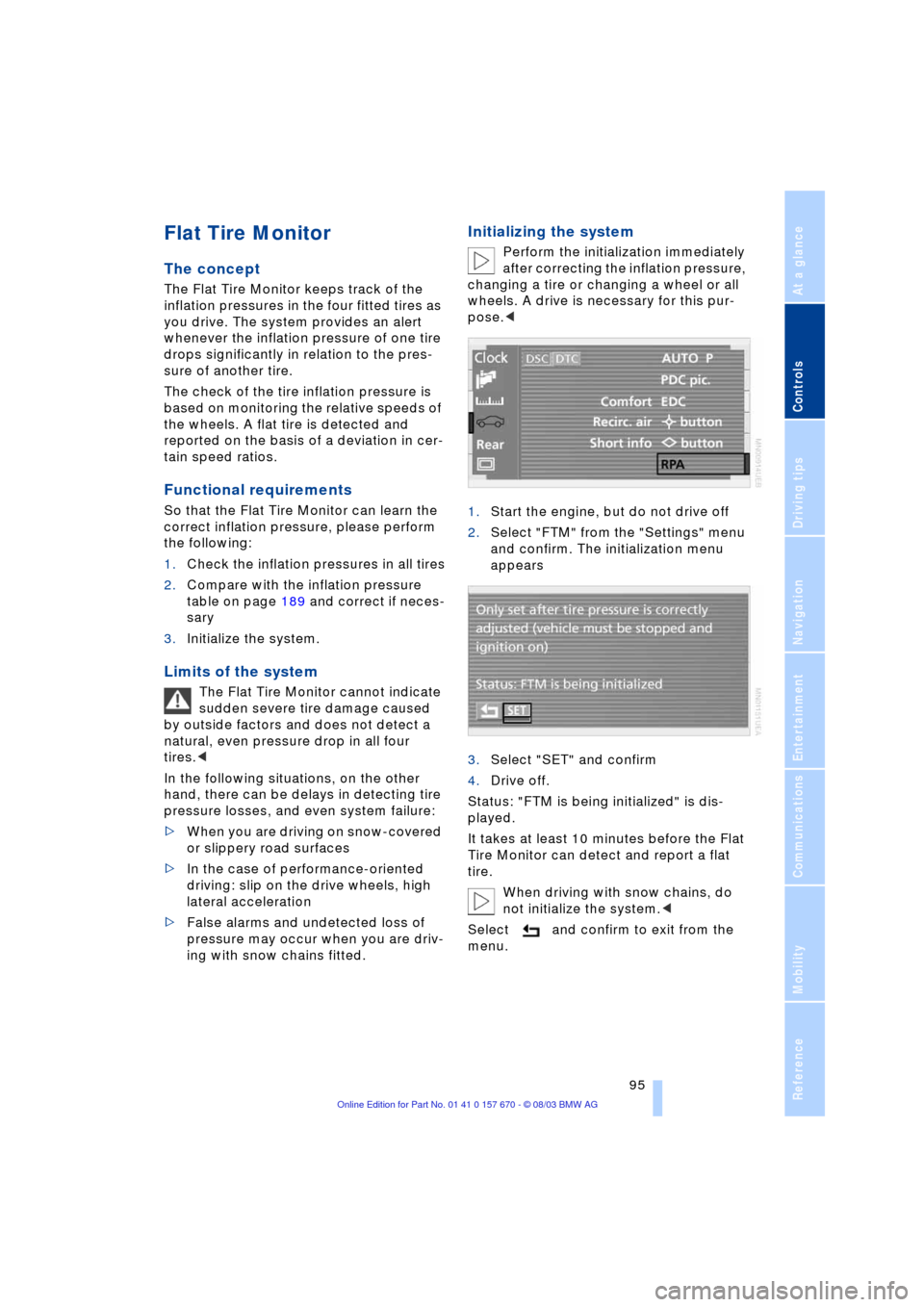
1.Start the engine, but do not drive off
2.Select "FTM" from the "Settings" menu
and confirm. The initialization menu
appears
3.Select "SET" and confirm
4.Drive off.
Status: "FTM is being initialized" is dis-
played.
It takes at least 10 minutes before the Flat
Tire Monitor can detect and report a flat
tire.
When driving with snow chains, do
not initialize the system.<
Select and confirm to exit from the
menu.
Page 98 of 232
Technology for comfort, convenience and safety
96
Flat tire
Indicator lamp
The symbol in the Info Display lights
up red and a message appears
simultaneously. In addition, an
acoustic signal sounds.
Please note any supplementary information
that appears on the Control Display. You
can find more information on the Check
Control starting at page 82.
1.Reduce speed and stop the vehicle
carefully. Avoid sudden braking and
steering maneuvers
2.Identify damaged tire
If identification is not possible,
contact your BMW center.<
3.Replace the damaged tire, refer to
Changing wheels on page 202.
Vehicles with run-flat tires:
1.Cautiously reduce the vehicle speed to
below 50 mph/80 km/h. Avoid sudden
braking and steering maneuvers. Do
not exceed a vehicle speed of 50 mph/
80 km/h
Due to the reinforcement on the
side walls of the run-flat tires,
inflation pressure loss can not usually
be recognized from the outside, refer to
Run-flat tires on page 205.<
2.To continue driving, comply with the
instructions for driving with damaged
tires on page 205.
System malfunctions
Indicator lamp
The symbol in the Info Display lights
up yellow and a message appears
simultaneously. Please contact
your BMW center for assistance.
Please note any supplementary information
that appears on the Control Display.
Self-leveling suspension*
In the event of malfunction
A Check Control message appear-
ing together with this symbol indi-
cates a malfunction in the self-lev-
eling suspension. Please take note of the
additional information on the Control Dis-
play.
Stop and inspect the vehicle. If the rear of
the vehicle is visibly lower than the front,
possibly accompanied by a tilt noticeable
when you compare the left rear with the
right rear, please respond by immediately
proceeding to the nearest BMW center.
Drive with appropriate caution in the mean-
time. The vehicle has reduced ground
clearance and driving comfort may be
noticeably reduced. Even if the attitude of
the vehicle is normal, you should consult
the nearest BMW center if the warning
lamp indicates a system fault.
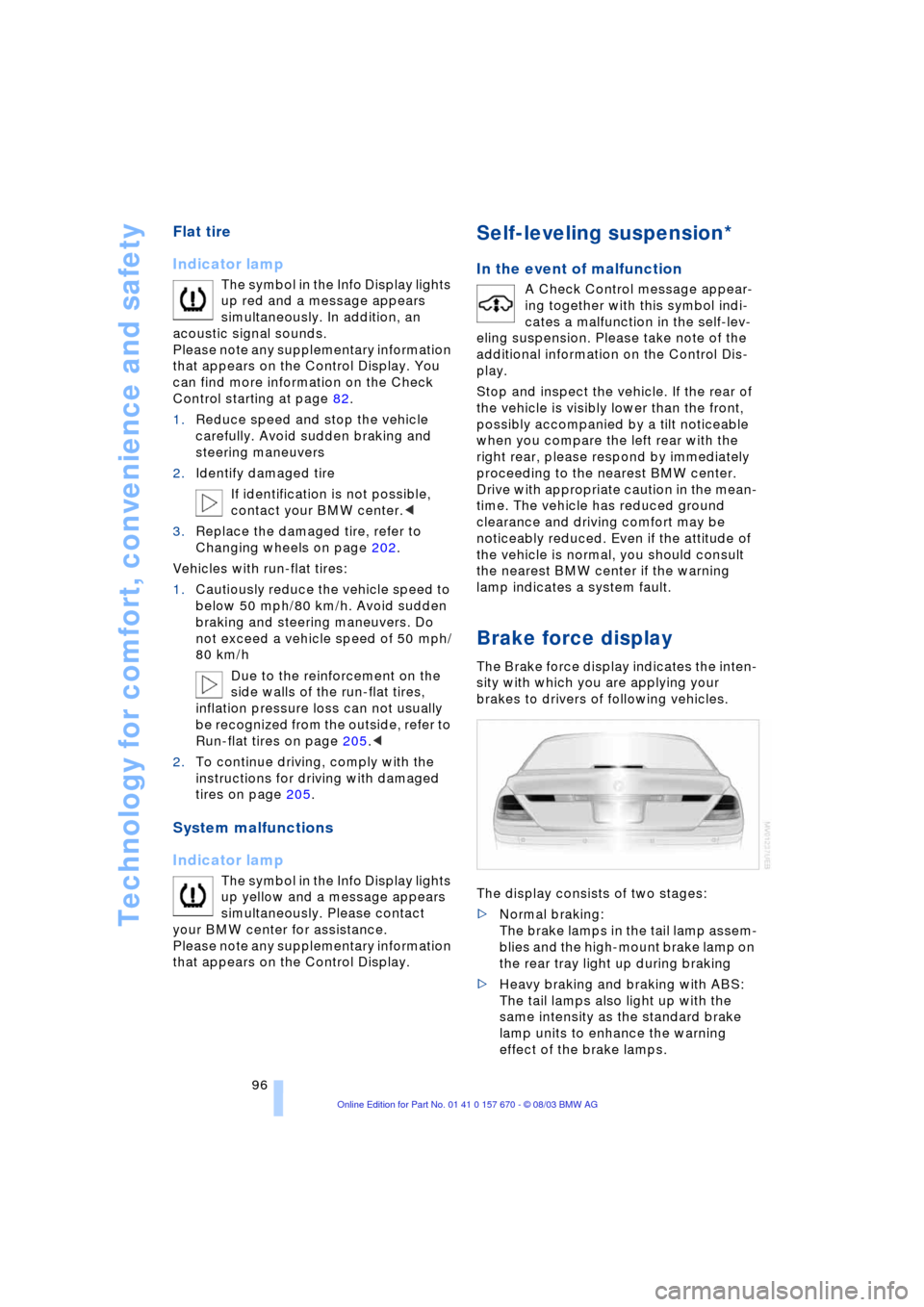
Brake force display
The Brake force display indicates the inten-
sity with which you are applying your
brakes to drivers of following vehicles.
The display consists of two stages:
>Normal braking:
The brake lamps in the tail lamp assem-
blies and the high-mount brake lamp on
the rear tray light up during braking
>Heavy braking and braking with ABS:
The tail lamps also light up with the
same intensity as the standard brake
lamp units to enhance the warning
effect of the brake lamps.
Page 99 of 232
Controls
97Reference
At a glance
Driving tips
Communications
Navigation
Entertainment
Mobility
Airbags
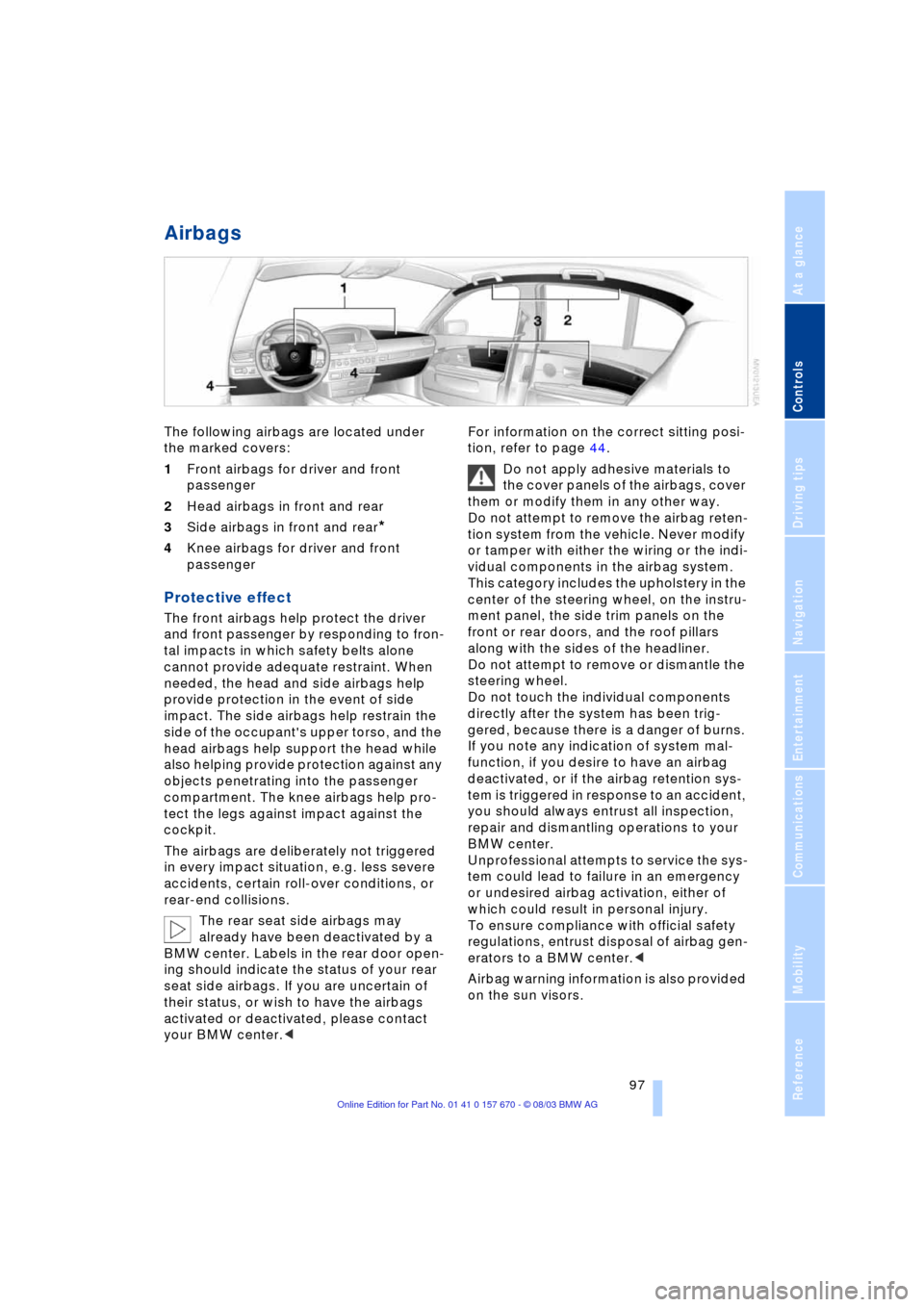
The following airbags are located under
the marked covers:
1Front airbags for driver and front
passenger
2Head airbags in front and rear
3Side airbags in front and rear
*
4Knee airbags for driver and front
passenger
Protective effect
The front airbags help protect the driver
and front passenger by responding to fron-
tal impacts in which safety belts alone
cannot provide adequate restraint. When
needed, the head and side airbags help
provide protection in the event of side
impact. The side airbags help restrain the
side of the occupant's upper torso, and the
head airbags help support the head while
also helping provide protection against any
objects penetrating into the passenger
compartment. The knee airbags help pro-
tect the legs against impact against the
cockpit.
The airbags are deliberately not triggered
in every impact situation, e.g. less severe
accidents, certain roll-over conditions, or
rear-end collisions.
The rear seat side airbags may
already have been deactivated by a
BMW center. Labels in the rear door open-
ing should indicate the status of your rear
seat side airbags. If you are uncertain of
their status, or wish to have the airbags
activated or deactivated, please contact
your BMW center.
Do not apply adhesive materials to
the cover panels of the airbags, cover
them or modify them in any other way.
Do not attempt to remove the airbag reten-
tion system from the vehicle. Never modify
or tamper with either the wiring or the indi-
vidual components in the airbag system.
This category includes the upholstery in the
center of the steering wheel, on the instru-
ment panel, the side trim panels on the
front or rear doors, and the roof pillars
along with the sides of the headliner.
Do not attempt to remove or dismantle the
steering wheel.
Do not touch the individual components
directly after the system has been trig-
gered, because there is a danger of burns.
If you note any indication of system mal-
function, if you desire to have an airbag
deactivated, or if the airbag retention sys-
tem is triggered in response to an accident,
you should always entrust all inspection,
repair and dismantling operations to your
BMW center.
Unprofessional attempts to service the sys-
tem could lead to failure in an emergency
or undesired airbag activation, either of
which could result in personal injury.
To ensure compliance with official safety
regulations, entrust disposal of airbag gen-
erators to a BMW center.<
Airbag warning information is also provided
on the sun visors.
Page 150 of 232
On/off, tone
148
On/off, tone
Controls
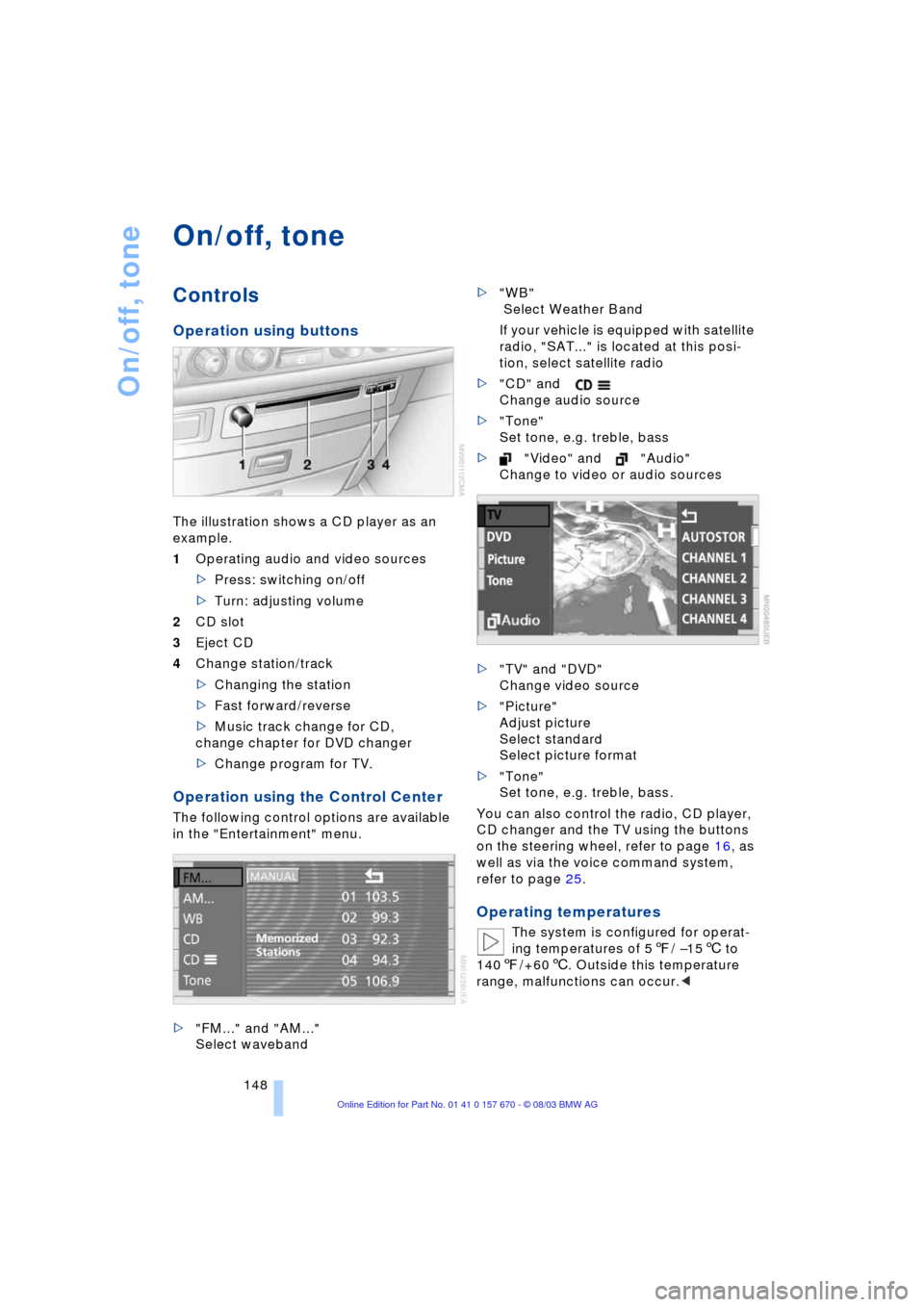
Operation using buttons
The illustration shows a CD player as an
example.
1Operating audio and video sources
>Press: switching on/off
>Turn: adjusting volume
2CD slot
3Eject CD
4Change station/track
>Changing the station
>Fast forward/reverse
>Music track change for CD,
change chapter for DVD changer
>Change program for TV.
Operation using the Control Center
The following control options are available
in the "Entertainment" menu.
>"FM..." and "AM..."
Select waveband>"WB"
Select Weather Band
If your vehicle is equipped with satellite
radio, "SAT..." is located at this posi-
tion, select satellite radio
>"CD" and
Change audio source
>"Tone"
Set tone, e.g. treble, bass
>"Video" and "Audio"
Change to video or audio sources
>"TV" and "DVD"
Change video source
>"Picture"
Adjust picture
Select standard
Select picture format
>"Tone"
Set tone, e.g. treble, bass.
You can also control the radio, CD player,
CD changer and the TV using the buttons
on the steering wheel, refer to page 16, as
well as via the voice command system,
refer to page 25.
Operating temperatures
The system is configured for operat-
ing temperatures of 57/ Ð156 to
1407/+606. Outside this temperature
range, malfunctions can occur.<
Page 177 of 232
175
Entertainment
Reference
At a glance
Controls
Driving tips Communications
Navigation
Mobility
influencing the cardiac pacemaker.
With the slightest sign of a cardiac pace-
maker malfunction, switch the BMW porta-
ble phone off immediately.<
Batteries
To avoid possible short circuits, after
removing a battery you should never
allow it to come into contact with metallic
surfaces of any kind. This is why you should
handle charged batteries with care, in par-
ticular if you place batteries, e.g. in jacket
or shirt pockets that contain metal objects.
If you are in an environment where there is
a risk of explosion, do not remove the bat-
tery from the device, as otherwise sparks
from your battery could cause explosions
or fire.<
Disposing of used batteries
Return used batteries to a recycling
collection point or to your BMW cen-
ter.<
Care instructions
You can find useful information on caring
for your portable phone in the separate
Caring for your vehicle brochure and in the
separate portable phone Owner's Manual.
Controls
You have the option of making phone calls
with the car phone
* or the BMW portable
phone.
If there is no BMW portable phone in the
cradle, the Personal Calling connection is
set up with the car phone.
The car phone must be enabled prior
to initial use. In this connection,
please consult your BMW center.<
The telephone used to set up a connection
appears in the upper status line.
For information on operating your
portable phone, please consult the
separate Owner's Manual.
>The Control Center
>The folding telephone keypad
>The voice command system Ð not for
incoming calls.
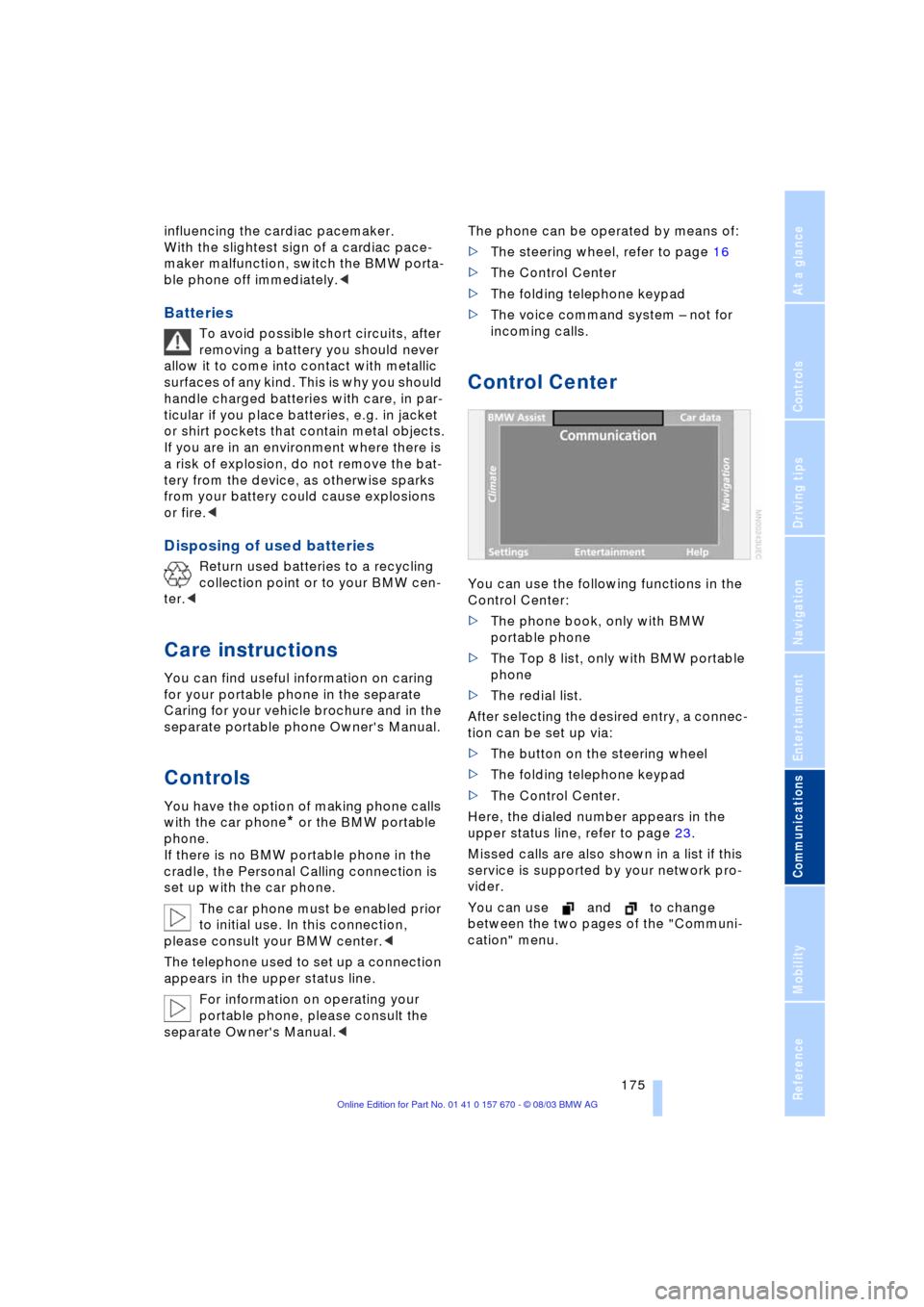
Control Center
You can use the following functions in the
Control Center:
>The phone book, only with BMW
portable phone
>The Top 8 list, only with BMW portable
phone
>The redial list.
After selecting the desired entry, a connec-
tion can be set up via:
>The button on the steering wheel
>The folding telephone keypad
>The Control Center.
Here, the dialed number appears in the
upper status line, refer to page 23.
Missed calls are also shown in a list if this
service is supported by your network pro-
vider.
You can use and to change
between the two pages of the "Communi-
cation" menu.
Page 179 of 232
177
Entertainment
Reference
At a glance
Controls
Driving tips Communications
Navigation
Mobility
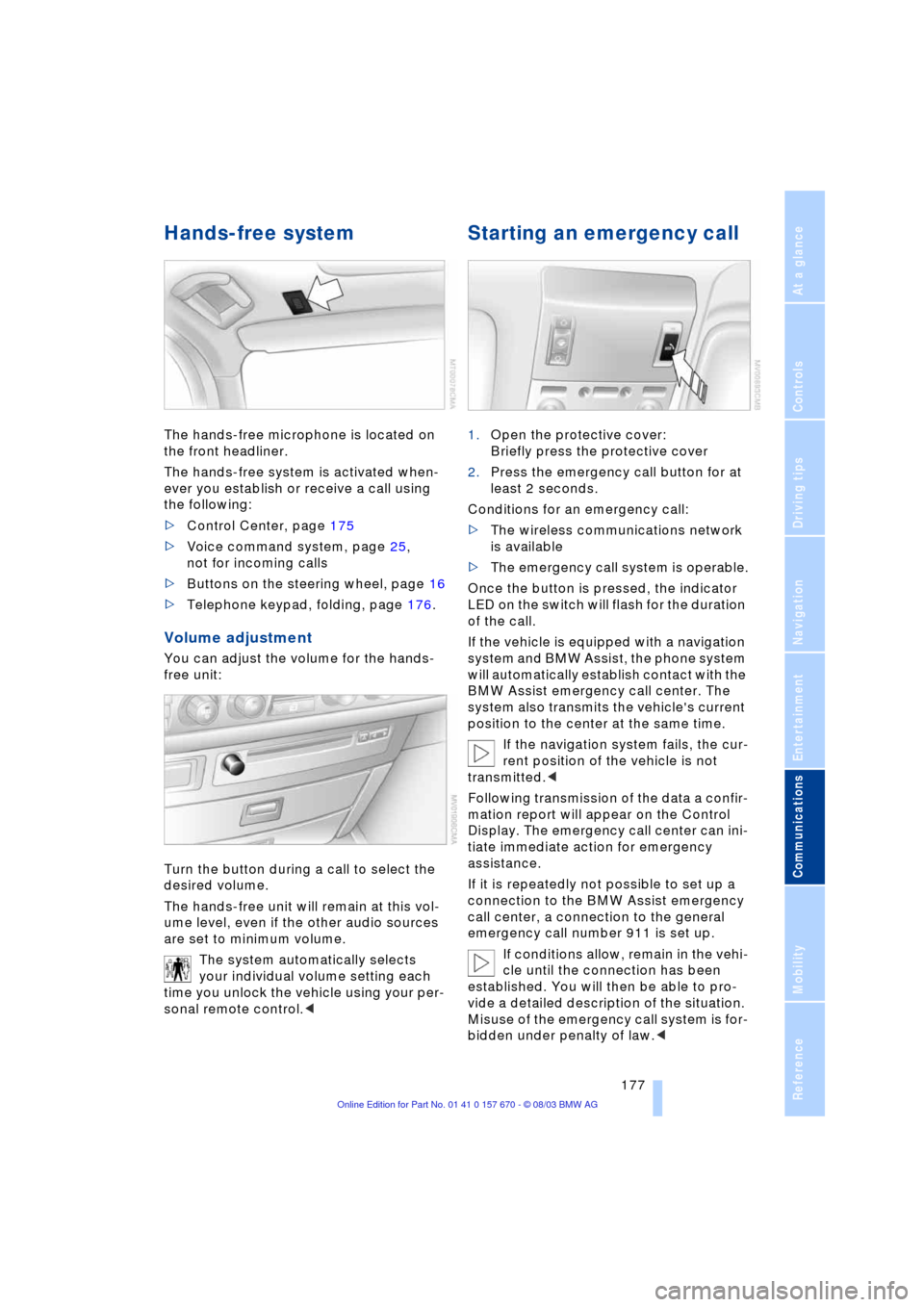
Hands-free system
The hands-free microphone is located on
the front headliner.
The hands-free system is activated when-
ever you establish or receive a call using
the following:
>Control Center, page 175
>Voice command system, page 25,
not for incoming calls
>Buttons on the steering wheel, page 16
>Telephone keypad, folding, page 176.
Volume adjustment
You can adjust the volume for the hands-
free unit:
Turn the button during a call to select the
desired volume.
The hands-free unit will remain at this vol-
ume level, even if the other audio sources
are set to minimum volume.
The system automatically selects
your individual volume setting each
time you unlock the vehicle using your per-
sonal remote control.<
Starting an emergency call
1.Open the protective cover:
Briefly press the protective cover
2.Press the emergency call button for at
least 2 seconds.
Conditions for an emergency call:
>The wireless communications network
is available
>The emergency call system is operable.
Once the button is pressed, the indicator
LED on the switch will flash for the duration
of the call.
If the vehicle is equipped with a navigation
system and BMW Assist, the phone system
will automatically establish contact with the
BMW Assist emergency call center. The
system also transmits the vehicle's current
position to the center at the same time.
If the navigation system fails, the cur-
rent position of the vehicle is not
transmitted.<
Following transmission of the data a confir-
mation report will appear on the Control
Display. The emergency call center can ini-
tiate immediate action for emergency
assistance.
If it is repeatedly not possible to set up a
connection to the BMW Assist emergency
call center, a connection to the general
emergency call number 911 is set up.
If conditions allow, remain in the vehi-
cle until the connection has been
established. You will then be able to pro-
vide a detailed description of the situation.
Misuse of the emergency call system is for-
bidden under penalty of law.<
Page 180 of 232
Using the phone in your vehicle
178 Under certain conditions, an emergency
call is started automatically immediately
after a severe accident. The automatic
emergency call is not affected by the emer-
gency call button being pressed.
Telephoning with the car
phone*
Currently not available
If the BMW portable phone is not in the
cradle, you can telephone using the car
phone via the hands-free unit.
The telephone that can be used to set up
a connection is shown in the upper status
line on the Control Display.
The car phone must be enabled prior
to initial use. In this case, please con-
sult your BMW center.<
Calls can be set up or accepted using the
following equipment:
>Control Center, page 175
>Voice command system, page 25,
not for incoming calls
>Buttons on the steering wheel, page 16
>Telephone keypad, folding, page 176.
Commissioning the
BMW portable phone
Precondition for portable phones with SIM
card:
>You might have to enter a Personal
Identification Number, PIN
>Release all keypad guards, refer to
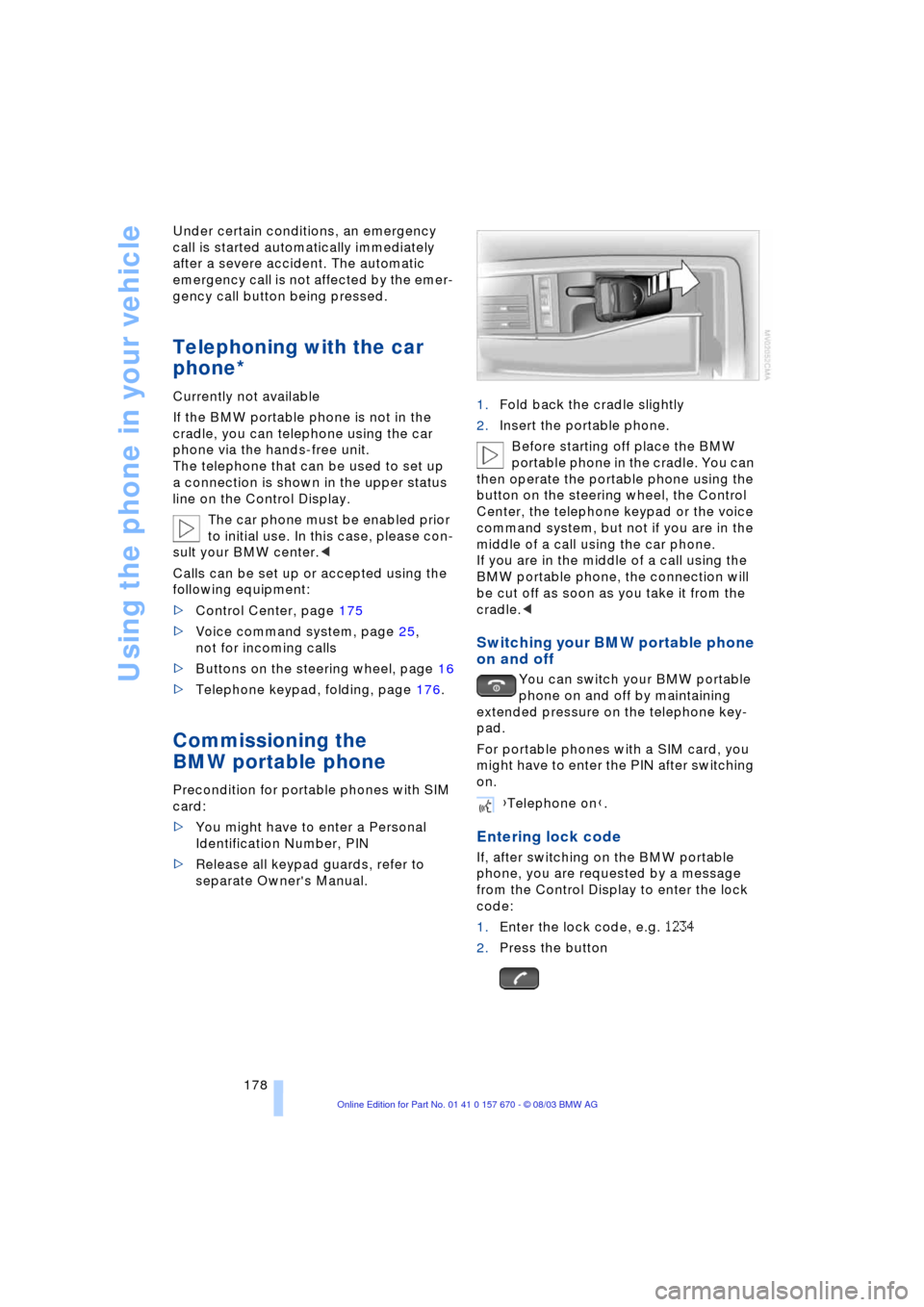
separate Owner's Manual.1.Fold back the cradle slightly
2.Insert the portable phone.
Before starting off place the BMW
portable phone in the cradle. You can
then operate the portable phone using the
button on the steering wheel, the Control
Center, the telephone keypad or the voice
command system, but not if you are in the
middle of a call using the car phone.
If you are in the middle of a call using the
BMW portable phone, the connection will
be cut off as soon as you take it from the
cradle.<
Switching your BMW portable phone
on and off
You can switch your BMW portable
phone on and off by maintaining
extended pressure on the telephone key-
pad.
For portable phones with a SIM card, you
might have to enter the PIN after switching
on.
Entering lock code
If, after switching on the BMW portable
phone, you are requested by a message
from the Control Display to enter the lock
code:
1.Enter the lock code, e.g. 1234
2.Press the button
{Telephone on}.
Page 182 of 232
Using the phone in your vehicle
180 The system dials the number.
The connection can also be set up
using the button on the steering
wheel or the telephone keypad.<
Ends a call
Viewing entries
Deleting individual entries
Deleting the entire phone book
Selecting a number from
the Top 8 list
The eight numbers that you call most fre-
quently on the BMW portable phone are
automatically stored in the Top 8 list. The
number called most often appears at the
top of the list.
1.In the "Communication" menu, select
"TOP 8" and confirm
2.Select an entry from the list that now
appears in the display and confirm
3.Establishing a connection. Here,
the dialed number appears in the upper
status line, refer to page 23.The connection can also be set up
using the button on the steering
wheel or the telephone keypad.<
Ends a call.
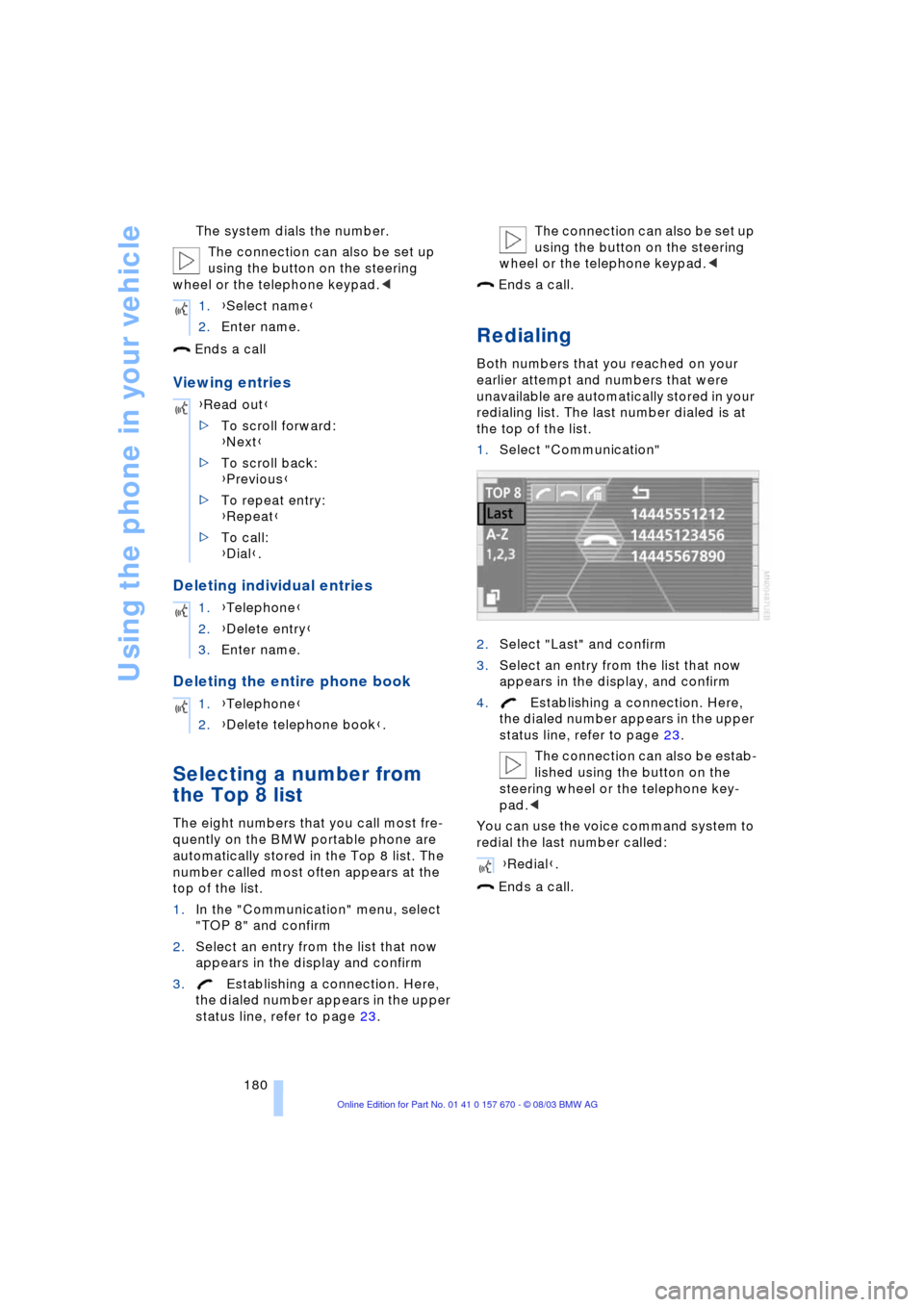
Redialing
Both numbers that you reached on your
earlier attempt and numbers that were
unavailable are automatically stored in your
redialing list. The last number dialed is at
the top of the list.
1.Select "Communication"
2.Select "Last" and confirm
3.Select an entry from the list that now
appears in the display, and confirm
4.Establishing a connection. Here,
the dialed number appears in the upper
status line, refer to page 23.
The connection can also be estab-
lished using the button on the
steering wheel or the telephone key-
pad.<
You can use the voice command system to
redial the last number called:
Ends a call. 1.{Select name}
2.Enter name.
{Read out}
>To scroll forward:
{Next}
>To scroll back:
{Previous}
>To repeat entry:
{Repeat}
>To call:
{Dial}.
1.{Telephone}
2.{Delete entry}
3.Enter name.
1.{Telephone}
2.{Delete telephone book}.
{Redial}.
Page 183 of 232
181
Entertainment
Reference
At a glance
Controls
Driving tips Communications
Navigation
Mobility
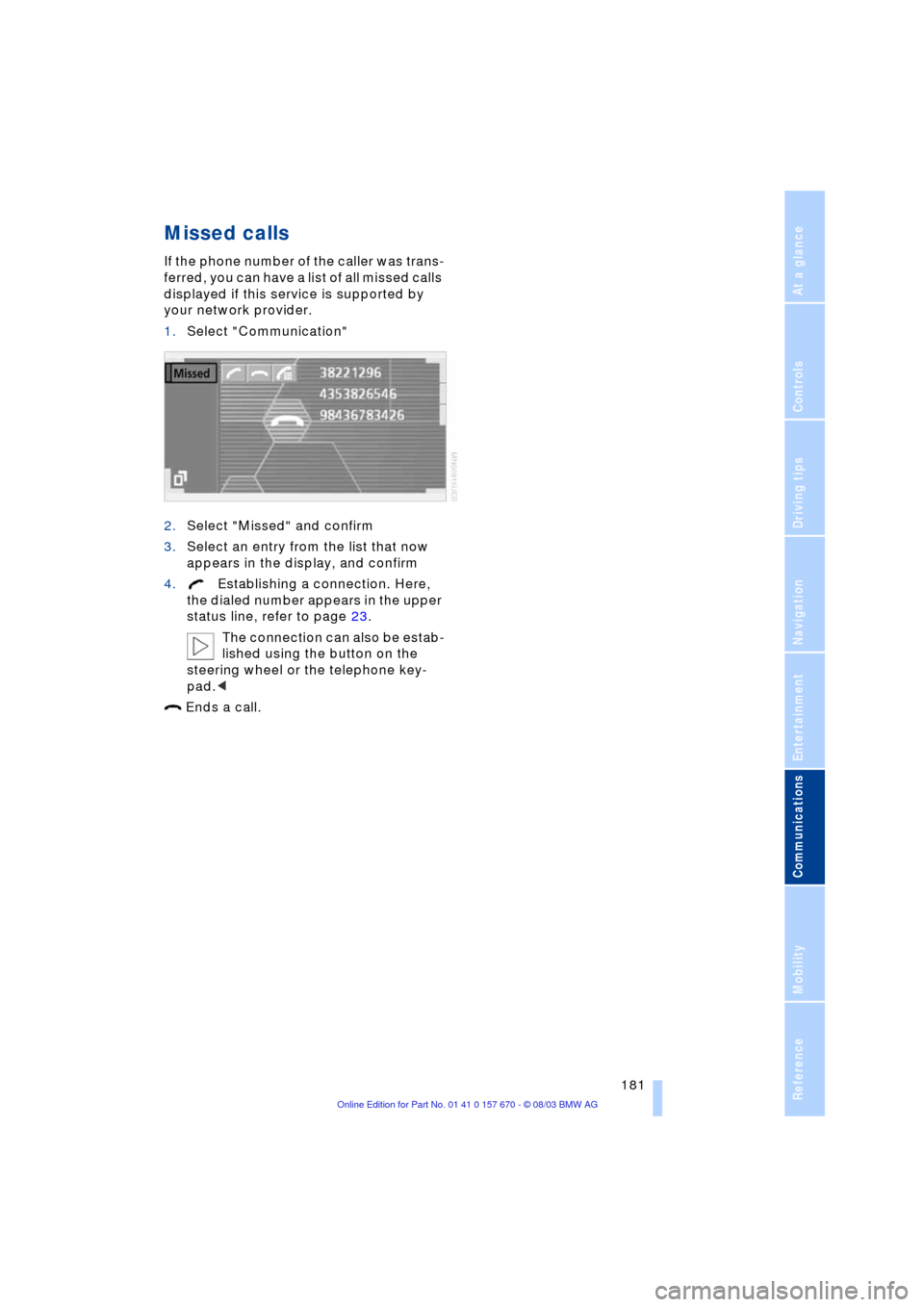
Missed calls
If the phone number of the caller was trans-
ferred, you can have a list of all missed calls
displayed if this service is supported by
your network provider.
1.Select "Communication"
2.Select "Missed" and confirm
3.Select an entry from the list that now
appears in the display, and confirm
4.Establishing a connection. Here,
the dialed number appears in the upper
status line, refer to page 23.
The connection can also be estab-
lished using the button on the
steering wheel or the telephone key-
pad.<
Ends a call.