phone BMW 760i 2005 E65 User Guide
[x] Cancel search | Manufacturer: BMW, Model Year: 2005, Model line: 760i, Model: BMW 760i 2005 E65Pages: 239, PDF Size: 8.03 MB
Page 29 of 239
At a glance
27Reference
Controls
Driving tips
Communications
Navigation
Entertainment
Mobility
More detailed commands such as
{Change scale} instead of {Scale} are also
often possible.
Short commands
With the {Main menu} level, you can run
certain functions directly with brief com-
mands, refer to page29, without having to
open an equipment level.
For example, if you want to dial a phone
number, you do not have to say
rather you can say directly
Special commands
Special commands are available for spe-
cific systems. In this Owner's Manual you will find these commands in the sections
describing the individual systems.
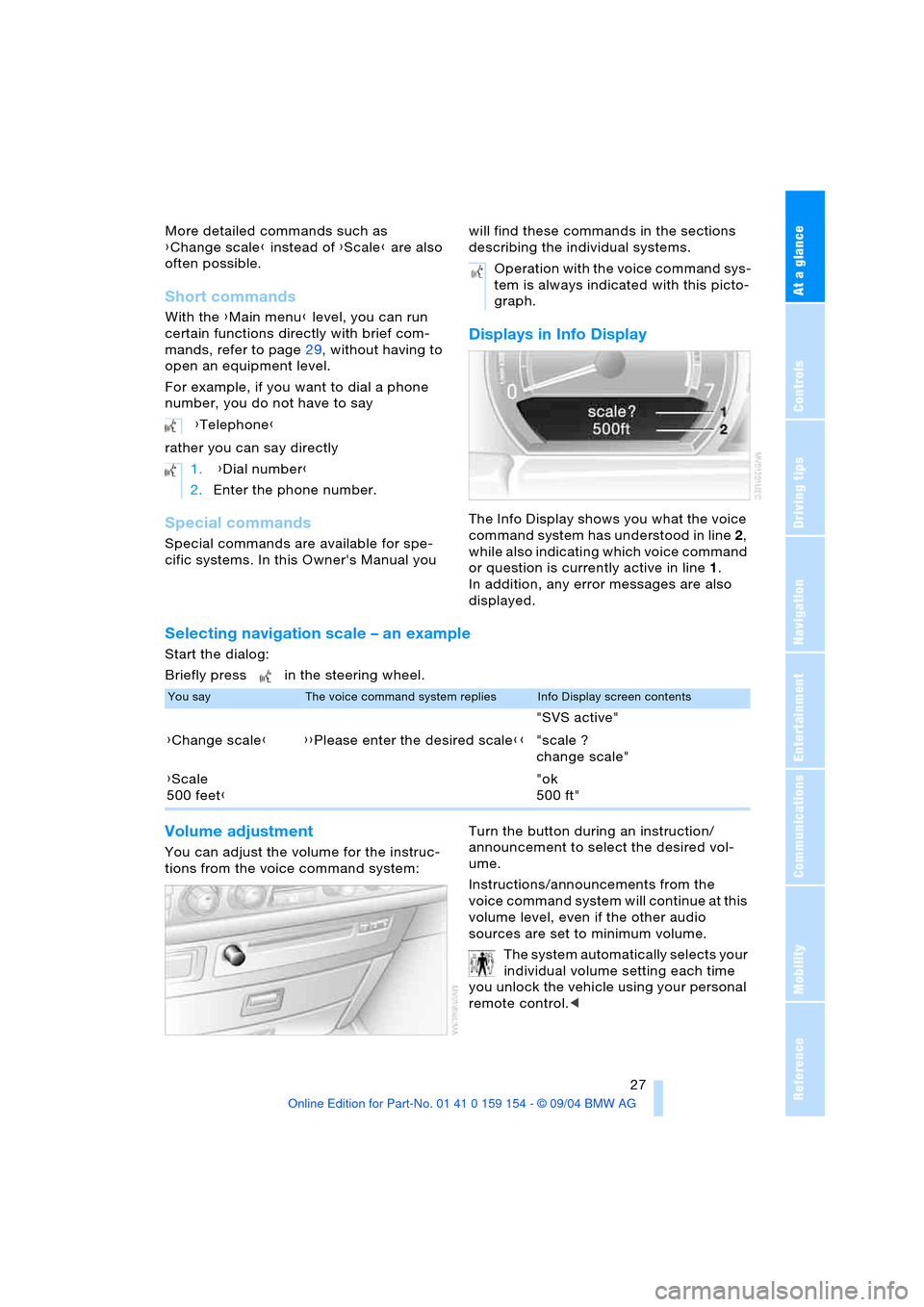
Displays in Info Display
The Info Display shows you what the voice
command system has understood in line 2,
while also indicating which voice command
or question is currently active in line1.
In addition, any error messages are also
displayed.
Selecting navigation scale – an example
Start the dialog:
Briefly press in the steering wheel.
Volume adjustment
You can adjust the volume for the instruc-
tions from the voice command system:Turn the button during an instruction/
announcement to select the desired vol-
ume.
Instructions/announcements from the
voice command system will continue at this
volume level, even if the other audio
sources are set to minimum volume.
The system automatically selects your
individual volume setting each time
you unlock the vehicle using your personal
remote control.< {Telephone}
1. {Dial number}
2.Enter the phone number.
Operation with the voice command sys-
tem is always indicated with this picto-
graph.
You sayThe voice command system repliesInfo Display screen contents
"SVS active"
{Change scale}{{Please enter the desired scale}}"scale ?
change scale"
{Scale
500 feet}"ok
500 ft"
Page 30 of 239
Voice command
28
Notes
Do not use the voice command sys-
tem to make emergency calls. Your
voice and habitual tone could be affected
by stressful situations, as a result of which
the process of establishing the telephone
connection could be unnecessarily
delayed. Instead, use the emergency call
button near the interior rearview mirror,
refer to page177.<
Environmental conditions
The voice command system uses a special
hands-free microphone located in the front
of your vehicle's headliner. Although the
system is designed to filter out ambient
noise, you can help ensure that your com-
mands will be understood by observing the
following instructions:
>Speak smoothly and clearly, at a normal
volume. Do not place any unusual
stress on individual syllables, and avoid
pauses
>Do not speak while the voice command
system is talking
>Keep the doors, windows and glass
roof closed to prevent interference from
ambient noise
>Avoid other sources of noise in the vehi-
cle while speaking, and ask other vehi-
cle occupants to refrain from talking
while you are using the system
>The hands-free microphone is aimed
toward the driver. This means that the
system might not be able to register the
voices of other vehicle occupants prop-
erly.
The notepad
Recording a note
You can store approx. ten minutes of spo-
ken text, either as a single entry or as mul-
tiple entries of any desired length.
To terminate recording:
Press button for a long period.
When recording notes, the voice
command system does not respond
to the {Cancel} command. The text check-
ing function for command words is deacti-
v a t e d i n t h i s c a s e s o t h a t y o u c a n s p e a k a n y
desired text for your notes. This feature
saves you from having to concentrate on
avoiding any command words.<
Listening to a notebook entry
To listen to recorded notebook entries:
Deleting notes
Clearing notebook
To delete all contents from the notebook:
{Record note}.
1.{Read out}.
Approximately the first 3 seconds
of the first note are read aloud
2.Following the inquiry {{Note and
next?}} select the desired function
>To listen to the entire note:
{Read out}
>To hear the next notebook entry:
{Next}
>To hear the entry again:
{Back} or
{Repeat}.
1.{Edit}
2.{Delete}.
1.{Notepad}
2.{Delete}.
Page 32 of 239
Voice command
30
Entertainment
Telephone
FunctionCommand
To switch on radio{Radio on}
To switch off audio sources and TV{Audio off}
To select FM waveband{FM}
To select AM waveband{AM}
To select radio stations{Frequency selection}
To select a stored radio station{Station}
To start CD{CD on}
To select a CD{CD 1 ..6}
To start TV{TV on}
To start DVD{DVD on}
To select a DVD{DVD 1 ..6}
FunctionCommand
To dial telephone number{Dial number}
To redial{Redial}
To select from the phone book{Dial name}
To make a new entry in the phone book{Save name}
To have the entries of the phone book read
out{Read out telephone book}
Page 46 of 239
Opening and closing
44 For information on using the convenience
operation at the door lock or with the
remote control, refer to page36 or38.
Anti-trapping mechanism
If the force rises beyond a predefined
threshold during closing, the system will
stop moving the window prior to lowering it
slightly.
Despite the anti-trapping mechanism
you should inspect the window's
travel path prior to closing it, as the safety
system might fail to detect certain kinds of
obstructions, such as very thin objects, and
the window would continue closing.
The protection provided by the anti-trap-
ping mechanism is limited when the switch
is pulled beyond the resistance point and
held. Under these conditions the window
will respond to forces beyond a defined
threshold by only opening several millime-
ters.
If you again pull the switch beyond the
resistance point and hold it in position
within a period of roughly 4 seconds, this
anti-trapping mechanism will be deacti-
vated.<
When you close the windows they will
slow down as they approach the end
of their travel; this is to allow the anti-trap-
ping mechanism to respond more precisely
to any obstructions encountered in this crit-
ical range.<
Safety switch
With the safety switch, you can prevent the
rear windows from being opened or closed
via the switches in the rear passenger area,
by children, for example. The same applies
to adjusting the electric rear seats, refer to page48 and the electric rear head
restraints, refer to page50, as well as to
the operation of the roller sun blinds from
the rear, refer to page113. The indicator
lamp lights up when this safety feature is
activated.
Press the safety switch when children
ride in the rear, as otherwise
unchecked closing of the windows could
lead to injuries.<
So that you can deactivate the func-
tion again, the remote control must be
i n s e r t e d i n t h e i g n i t i o n l o c k o r , w i t h C o m f o r t
Access, the radio mode must be switched
on.<
After installing accessories
After installing any accessory – such as a
clamp-on antenna for a portable phone –
within the window's travel range, you will
need to have the system reinitialized for
use under the new conditions. BMW rec-
ommends having this work carried out by
your BMW center.
Glass roof, electric*
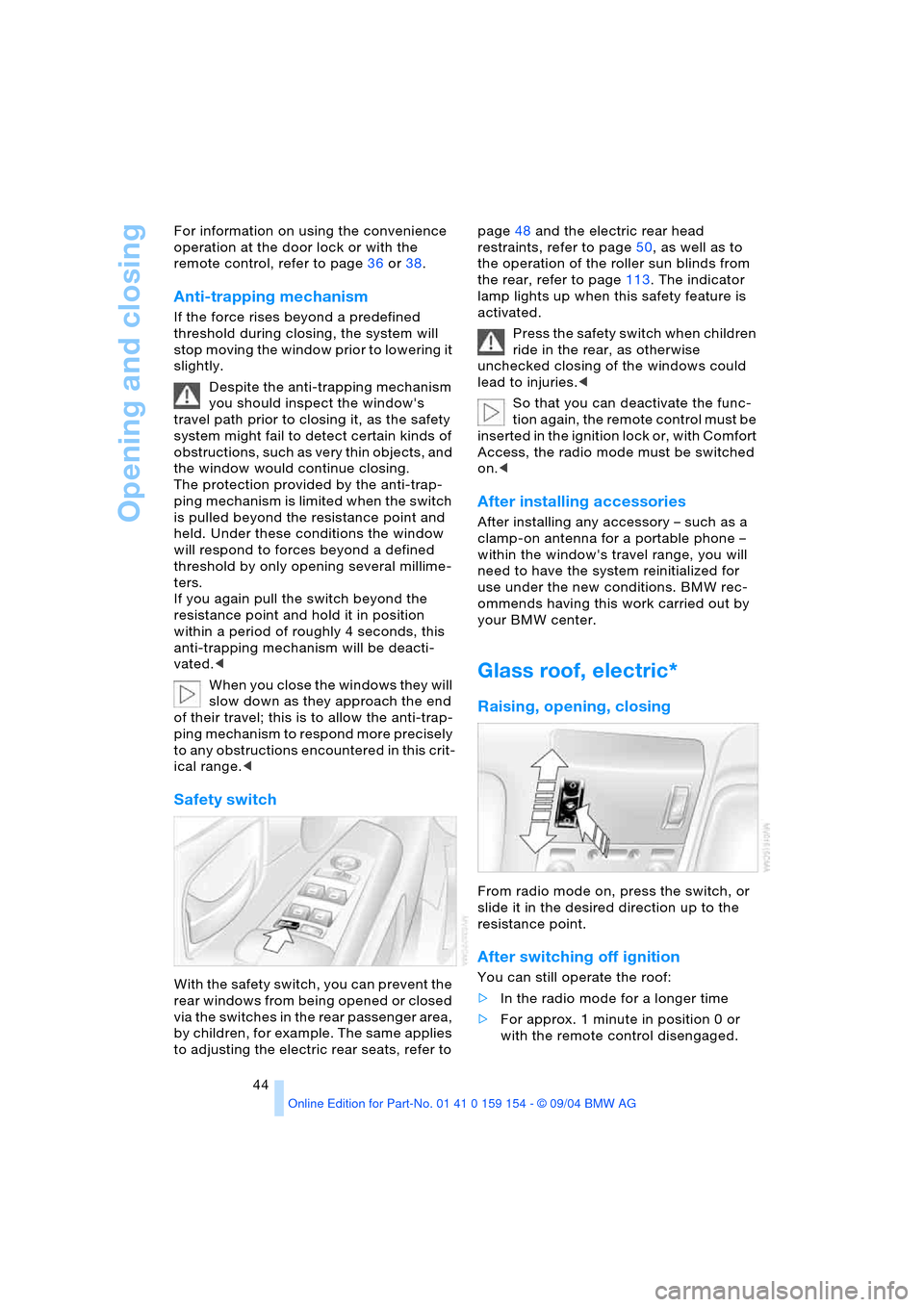
Raising, opening, closing
From radio mode on, press the switch, or
slide it in the desired direction up to the
resistance point.
After switching off ignition
You can still operate the roof:
>In the radio mode for a longer time
>For approx. 1 minute in position 0 or
with the remote control disengaged.
Page 117 of 239
Controls
115Reference
At a glance
Driving tips
Communications
Navigation
Entertainment
Mobility
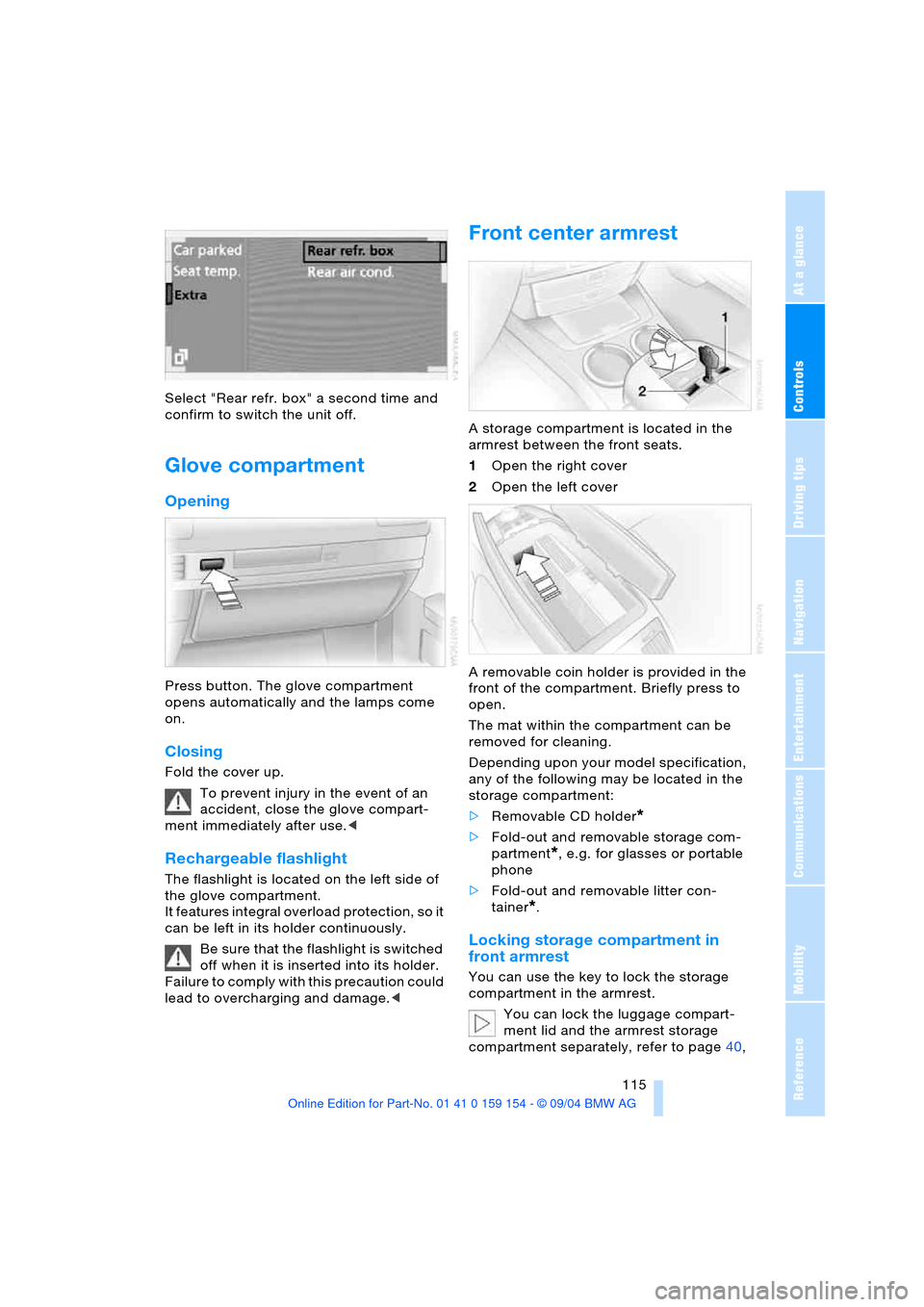
Select "Rear refr. box" a second time and
confirm to switch the unit off.
Glove compartment
Opening
Press button. The glove compartment
opens automatically and the lamps come
on.
Closing
Fold the cover up.
To prevent injury in the event of an
accident, close the glove compart-
ment immediately after use.<
Rechargeable flashlight
The flashlight is located on the left side of
the glove compartment.
It features integral overload protection, so it
can be left in its holder continuously.
Be sure that the flashlight is switched
off when it is inserted into its holder.
Failure to comply with this precaution could
lead to overcharging and damage.<
Front center armrest
A storage compartment is located in the
armrest between the front seats.
1Open the right cover
2Open the left cover
A removable coin holder is provided in the
front of the compartment. Briefly press to
open.
The mat within the compartment can be
removed for cleaning.
Depending upon your model specification,
any of the following may be located in the
storage compartment:
>Removable CD holder
*
>Fold-out and removable storage com-
partment
*, e.g. for glasses or portable
phone
>Fold-out and removable litter con-
tainer
*.
Locking storage compartment in
front armrest
You can use the key to lock the storage
compartment in the armrest.
You can lock the luggage compart-
ment lid and the armrest storage
compartment separately, refer to page40,
Page 125 of 239
Driving tips
123Reference
At a glance
Controls
Communications
Navigation
Entertainment
Mobility
Hydroplaning
When driving on wet or slushy roads,
reduce road speed. If you do not, a
wedge of water can form between tires and
road surface. This phenomenon is referred
to as hydroplaning, and is characterized by
a partial or complete loss of contact
between tires and road surface, ultimately
undermining your ability to steer and brake
the vehicle.<
Driving through water
Only drive through water with a maxi-
mum depth of 1 ft/30 cm, and then
only at walking speed at the most. Other-
wise, the vehicle's engine, the electrical
systems and the transmission may be dam-
aged.<
Safe braking
Your BMW is equipped with ABS as stan-
dard equipment. The best way to brake is
to apply maximum pressure to the brake
pedal during emergency: full brake applica-
tion. Since the vehicle maintains steering
responsiveness, you can nevertheless
avoid possible obstacles with a minimum
of steering effort.
Pulsation at the brake pedal combines with
sounds from the hydraulic circuits to indi-
cate to the driver that ABS is in its active
mode.
Driving in wet conditions
While driving in wet conditions and in heavy
rain, it is a good idea to apply light pressure
to the brake pedal every few miles. Monitor
traffic conditions to ensure that this maneu-
ver does not endanger other road users.
The heat generated in this process helps
dry the pads and rotors to ensure that full
braking efficiency will then be available
when you need it.
Hills
To prevent overheating and reduced
efficiency of the brake system, drive
long or steep downhill gradients in the gear
in which the least braking is required. Otherwise, even light but consistent pedal
pressure can lead to high temperatures,
brake wear and possibly even brake fail-
ure.<
You can further enhance the engine's brak-
ing effect by selecting a lower gear in the
automatic transmission's manual mode,
downshifting as far as first gear on
extremely steep stretches, refer to
page70. This strategy helps you avoid
placing excessive loads on the brake sys-
tem.
Never allow the vehicle to coast with
the transmission in Neutral – or with
the engine switched off – as there is no
engine braking when the transmission is in
Neutral, and no power-assist for brakes
and steering when the engine is not run-
ning.
Never allow floor mats, carpets or any other
objects to protrude into the area around the
accelerator and brake pedals and obstruct
their movement.<
Corrosion on brake rotors
When the vehicle is driven only occasion-
ally, during extended periods when the
vehicle is not used at all, and in operating
conditions where brake applications are
less frequent, there is an increased ten-
dency for corrosion to form on rotors, while
contaminants accumulate on the brake
pads. This occurs because the minimal
pressure which must be exerted by the
pads during brake applications to clean the
rotors is not reached.
Should corrosion form on the brake rotors,
the brakes will tend to respond with a pul-
sating effect that even extended applica-
tion will fail to cure.
Mobile communications devices in
vehicle
BMW does not recommend using
mobile communications devices, e.g.
portable phones, in the interior of the vehi-
cle without a direct connection to an out-
side antenna. Otherwise the vehicle elec-
tronics and mobile communications device
can affect each other. In addition, it is not
Page 151 of 239
Navigation
Entertainment
Driving tips
149Reference
At a glance
Controls
Communications
Mobility
Care instructions
You can find everything you need to know
on this topic by consulting the separate
Caring for your vehicle brochure.
Switching on/off
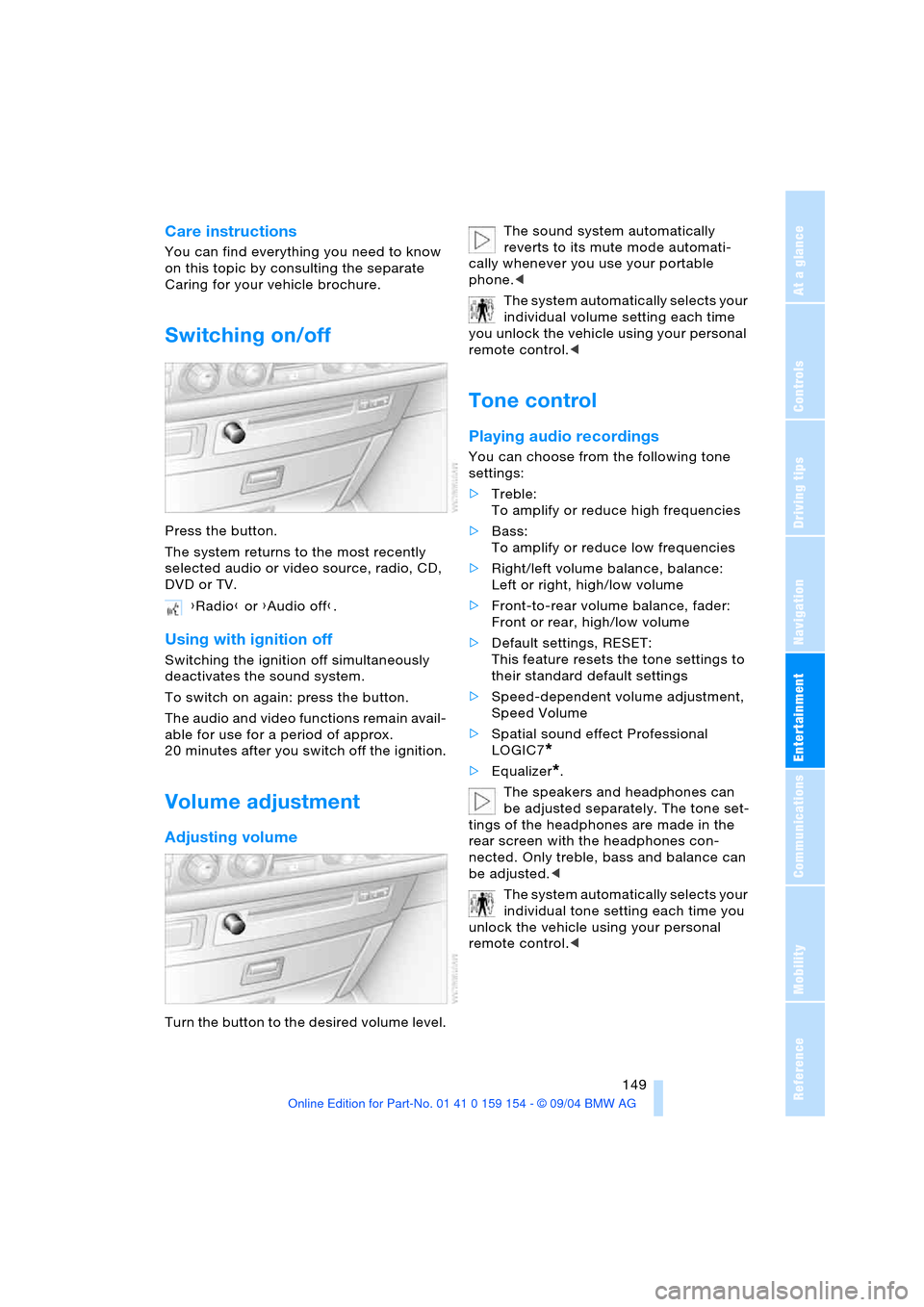
Press the button.
The system returns to the most recently
selected audio or video source, radio, CD,
DVD or TV.
Using with ignition off
Switching the ignition off simultaneously
deactivates the sound system.
To switch on again: press the button.
The audio and video functions remain avail-
able for use for a period of approx.
20 minutes after you switch off the ignition.
Volume adjustment
Adjusting volume
Turn the button to the desired volume level.The sound system automatically
reverts to its mute mode automati-
cally whenever you use your portable
phone.<
The system automatically selects your
individual volume setting each time
you unlock the vehicle using your personal
remote control.<
Tone control
Playing audio recordings
You can choose from the following tone
settings:
>Treble:
To amplify or reduce high frequencies
>Bass:
To amplify or reduce low frequencies
>Right/left volume balance, balance:
Left or right, high/low volume
>Front-to-rear volume balance, fader:
Front or rear, high/low volume
>Default settings, RESET:
This feature resets the tone settings to
their standard default settings
>Speed-dependent volume adjustment,
Speed Volume
>Spatial sound effect Professional
LOGIC7
*
>Equalizer*.
The speakers and headphones can
be adjusted separately. The tone set-
tings of the headphones are made in the
rear screen with the headphones con-
nected. Only treble, bass and balance can
be adjusted.<
The system automatically selects your
individual tone setting each time you
unlock the vehicle using your personal
remote control.< {Radio} or {Audio off}.
Page 157 of 239
Navigation
Entertainment
Driving tips
155Reference
At a glance
Controls
Communications
Mobility
Weather Band
Weather Radio is a service of the National
Oceanic and Atmospheric Administration,
NOAA, of the U.S. Department of Com-
merce. Weather messages are repeated
every four to six minutes and are routinely
revised every one to three hours, or more
frequently if needed. Most of the stations
operate 24 hours daily. During severe
weather, National Weather Service fore-
casters can interrupt the routine weather
broadcasts and substitute special warning
messages. If you have a question concern-
ing NOAA Weather Radio, please contact
your nearest National Weather Service
Office, or write to National Weather Ser-
vice, Attn: W/OM11, National Oceanic and
Atmospheric Administration, 1325 East-
West Highway Silver Spring, MD. 20910.
Selecting Weather Band
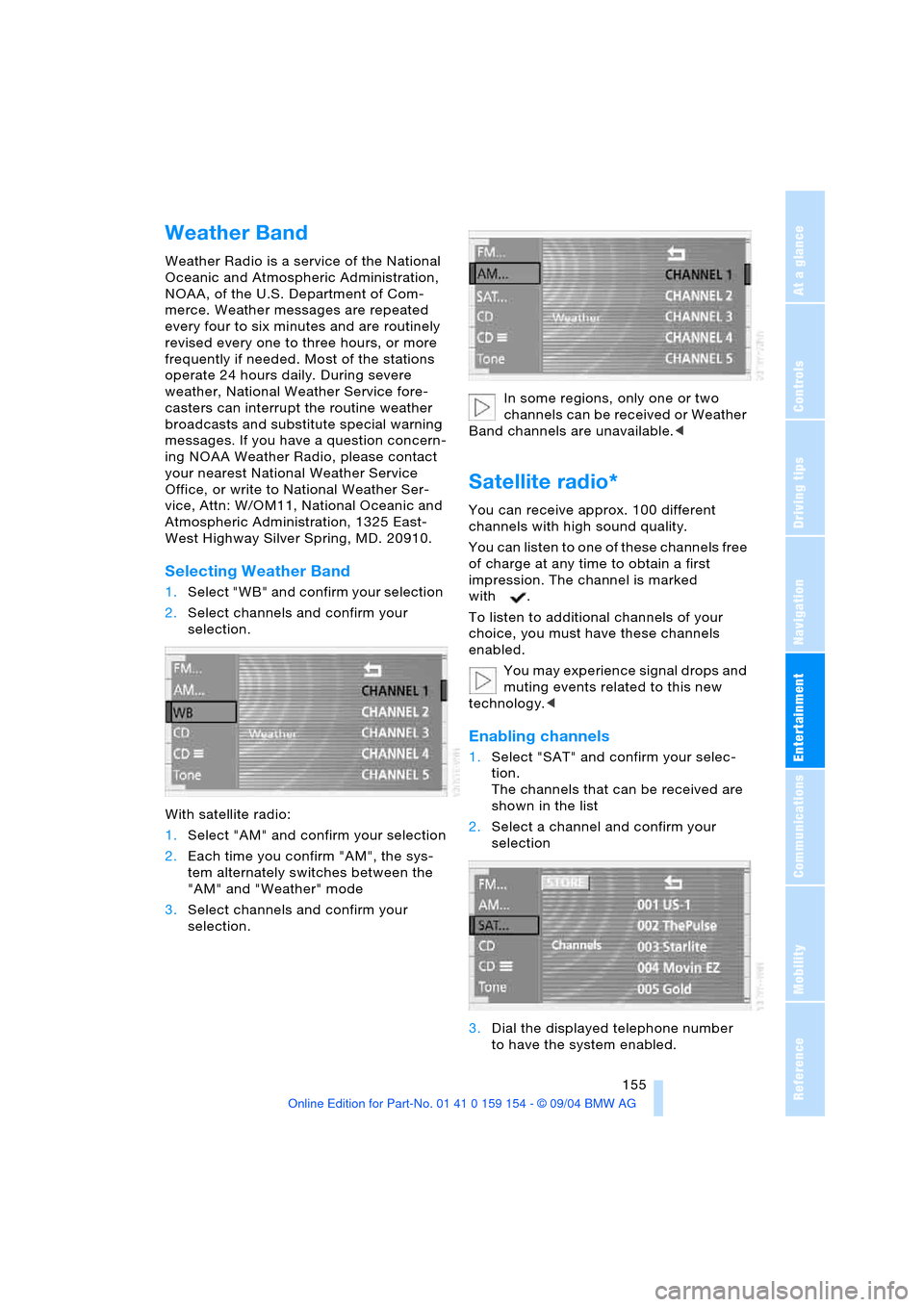
1.Select "WB" and confirm your selection
2.Select channels and confirm your
selection.
With satellite radio:
1.Select "AM" and confirm your selection
2.Each time you confirm "AM", the sys-
tem alternately switches between the
"AM" and "Weather" mode
3.Select channels and confirm your
selection.In some regions, only one or two
channels can be received or Weather
Band channels are unavailable.<
Satellite radio*
You can receive approx. 100 different
channels with high sound quality.
You can listen to one of these channels free
of charge at any time to obtain a first
impression. The channel is marked
with .
To listen to additional channels of your
choice, you must have these channels
enabled.
You may experience signal drops and
muting events related to this new
technology.<
Enabling channels
1.Select "SAT" and confirm your selec-
tion.
The channels that can be received are
shown in the list
2.Select a channel and confirm your
selection
3.Dial the displayed telephone number
to have the system enabled.
Page 176 of 239
Using the phone in your vehicle
174
Using the phone in your vehicle
Safety notice
A car phone can provide many services, in
an emergency even initiating a lifesaving
rescue. However, bear the following in
mind:
Adjustments
To avoid posing an unnecessary haz-
ard due to inattention, both to your
own vehicle's occupants and to other road
users: never attempt to use the controls or
make entries unless traffic and road condi-
tions allow.<
Using the phone in your vehicle
Using a portable phone to make and
receive calls while driving is now ille-
gal in virtually every country in the world.
Always use your hands-free system, or
stop your vehicle in an area where you will
not pose a safety hazard to other road
users and switch the engine off.<
Antenna
When using the phone, ensure that all
persons in the area are at least 20 in/
50 cm from the antenna. Never use your
BMW portable phone if the antenna is dam-
aged. Contact between your skin and a
damaged antenna can result in minor
burns.
I f t h e a n t e n n a i s d a m a g e d , h a v e i t r e p l a c e d
immediately.<
Special environmental conditions
Do not use your phone within a
garage, or near an open hood. The air
in these areas could contain fuel vapors,
and the portable phone might generate
sparks that could result in burns.
This same precaution applies to opening
luggage compartment lids on vehicles
equipped for operation using natural gas or
hydrogen, and to all vehicles with luggage
compartment-mounted batteries.Always switch off your BMW portable
phone in areas where blasting work is
being conducted with explosives. The
phone signals could potentially act as a
high-frequency transmitter and set off
explosions.
Always switch off your BMW portable
phone in areas where an increased explo-
sion danger is present. This category
includes filling stations along with fuel and
chemical storage depots, etc., and all areas
in which the air can contain fuel, chemicals
or metal particles. Under these conditions,
your BMW portable phone could conceiv-
ably generate sparks that could lead to a
fire or explosion. Always observe all legal
regulations governing the use of portable
phones in the vicinity of filling stations,
chemical factories and other areas where
an explosion potential exists.
Never use the BMW portable phone in hos-
pitals, care centers or at other locations
where medical equipment may be in oper-
ation, such as accident sites, etc.
Your wireless service provider can furnish
you with more detailed information on legal
regulations governing the use of your
phone.<
Medical equipment
Portable phones can generate inter-
ference capable of preventing hearing
aids and cardiac pacemakers from operat-
ing correctly. If you or any occupant of the
vehicle use such equipment, consult a phy-
sician or the manufacturer of the equip-
ment to determine whether it is adequately
shielded against high-frequency energy.
Persons with cardiac pacemakers should
bear the following in mind:
Always hold the switched-on BMW porta-
ble phone more than 6 in/15 cm away from
the cardiac pacemaker.
Do not carry the BMW portable phone in
your breast pocket.
Use the ear on the opposite side of the car-
diac pacemaker to reduce the likelihood of
Page 177 of 239
175
Entertainment
Reference
At a glance
Controls
Driving tips Communications
Navigation
Mobility
influencing the cardiac pacemaker.
With the slightest sign of a cardiac pace-
maker malfunction, switch the BMW porta-
ble phone off immediately.<
Batteries
To avoid possible short circuits, after
removing a battery you should never
allow it to come into contact with metallic
surfaces of any kind. This is why you should
handle charged batteries with care, in par-
ticular if you place batteries, e.g. in jacket
or shirt pockets that contain metal objects.
If you are in an environment where there is
a risk of explosion, do not remove the bat-
tery from the device, as otherwise sparks
from your battery could cause explosions
or fire.<
Disposing of used batteries
Return used batteries to a recycling
collection point or to your BMW cen-
ter.<
Care instructions
You can find useful information on caring
for your portable phone in the Caring for
your vehicle brochure and in the separate
portable phone Owner's Manual.
Controls
To be able to use the BMW portable phone
via the vehicle equipment, it must be
located in the cradle, refer to page178.
For information on operating your
portable phone, please consult the
separate Owner's Manual.<
The BMW portable phone can be operated
by means of:
>The steering wheel, refer to page16
>The Control Center.
>The folding telephone keypad
>The voice command system, except for
incoming calls.
Control Center
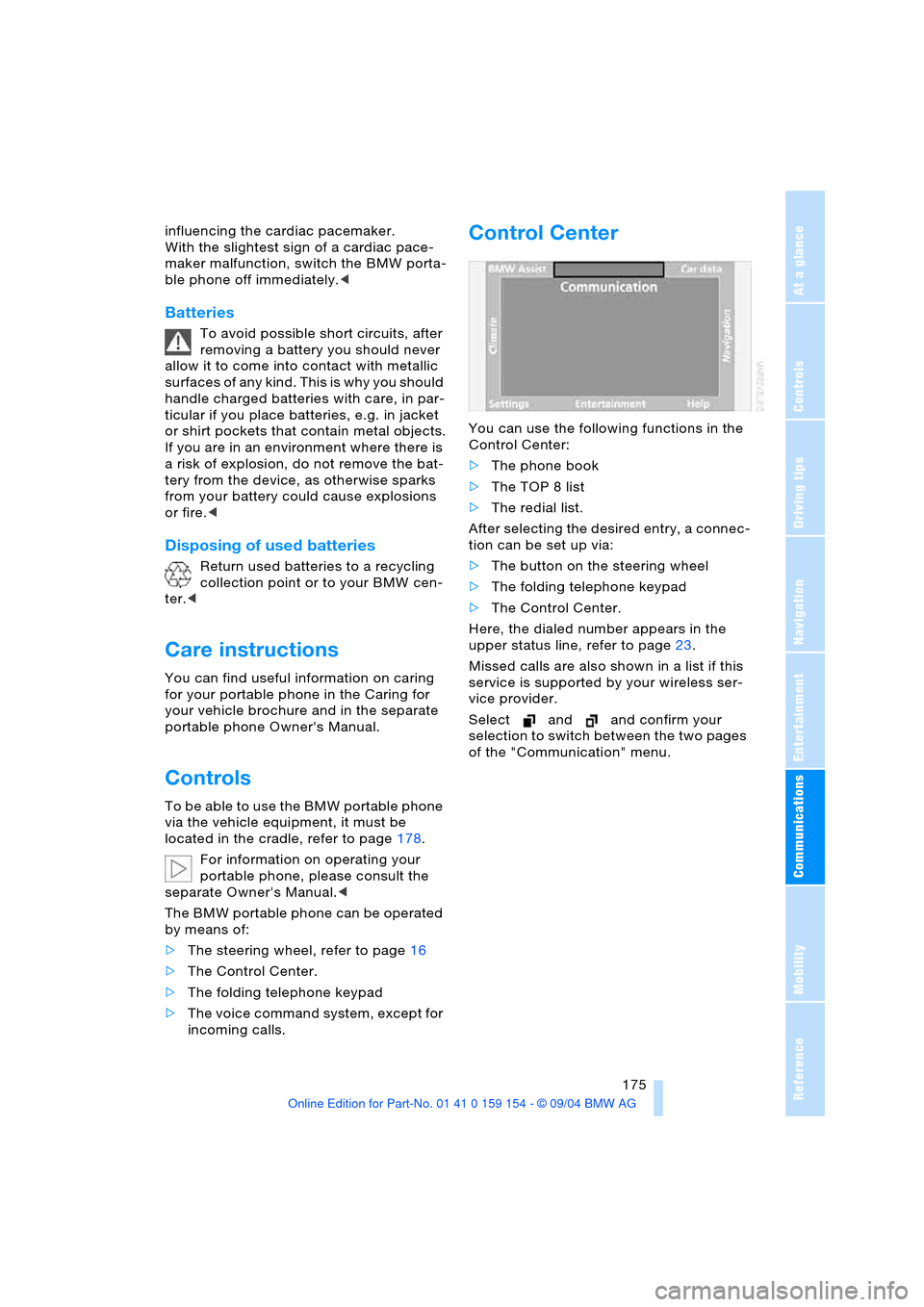
You can use the following functions in the
Control Center:
>The phone book
>The TOP 8 list
>The redial list.
After selecting the desired entry, a connec-
tion can be set up via:
>The button on the steering wheel
>The folding telephone keypad
>The Control Center.
Here, the dialed number appears in the
upper status line, refer to page23.
Missed calls are also shown in a list if this
service is supported by your wireless ser-
vice provider.
Select and and confirm your
selection to switch between the two pages
of the "Communication" menu.