steering wheel BMW 760i 2005 E65 User Guide
[x] Cancel search | Manufacturer: BMW, Model Year: 2005, Model line: 760i, Model: BMW 760i 2005 E65Pages: 239, PDF Size: 8.03 MB
Page 67 of 239
Controls
65Reference
At a glance
Driving tips
Communications
Navigation
Entertainment
Mobility
time.
The brake lamps come on.
The vehicle continues to brake automati-
cally for as long as you maintain pressure
on the button.<
When you brake the vehicle to a vir-
tual stop, i.e., down to a speed of
approximately 2 mph/3 km/h or below, the
parking brake remains engaged.
The indicator lamp in the Info Display
lights up red. Briefly press the button to
disengage the parking brake manually.<
Automatic Hold
You can activate this feature after starting
the engine; it then remains operational until
the next time the engine is switched off.
This feature provides supplementary sup-
port during vehicle operation by automati-
cally engaging and releasing the parking
brake during stops at traffic lights, in stop-
and-go traffic, etc. As the vehicle then no
longer tends to creep when the transmis-
sion is engaged, it is no longer necessary to
hold the vehicle by pressing the brake
pedal.
It prevents the vehicle from rolling back-
ward during uphill starts.
The parking brake engages automatically
when you stop the vehicle and switch off
the engine.
You can activate or cancel the Automatic
Hold feature by selecting the "Settings"
menu in the Control Center. A description
of the Control Center is provided on
page17.
Automatic Hold activation/
deactivation
1.Select "Settings"
2.Select and confirm
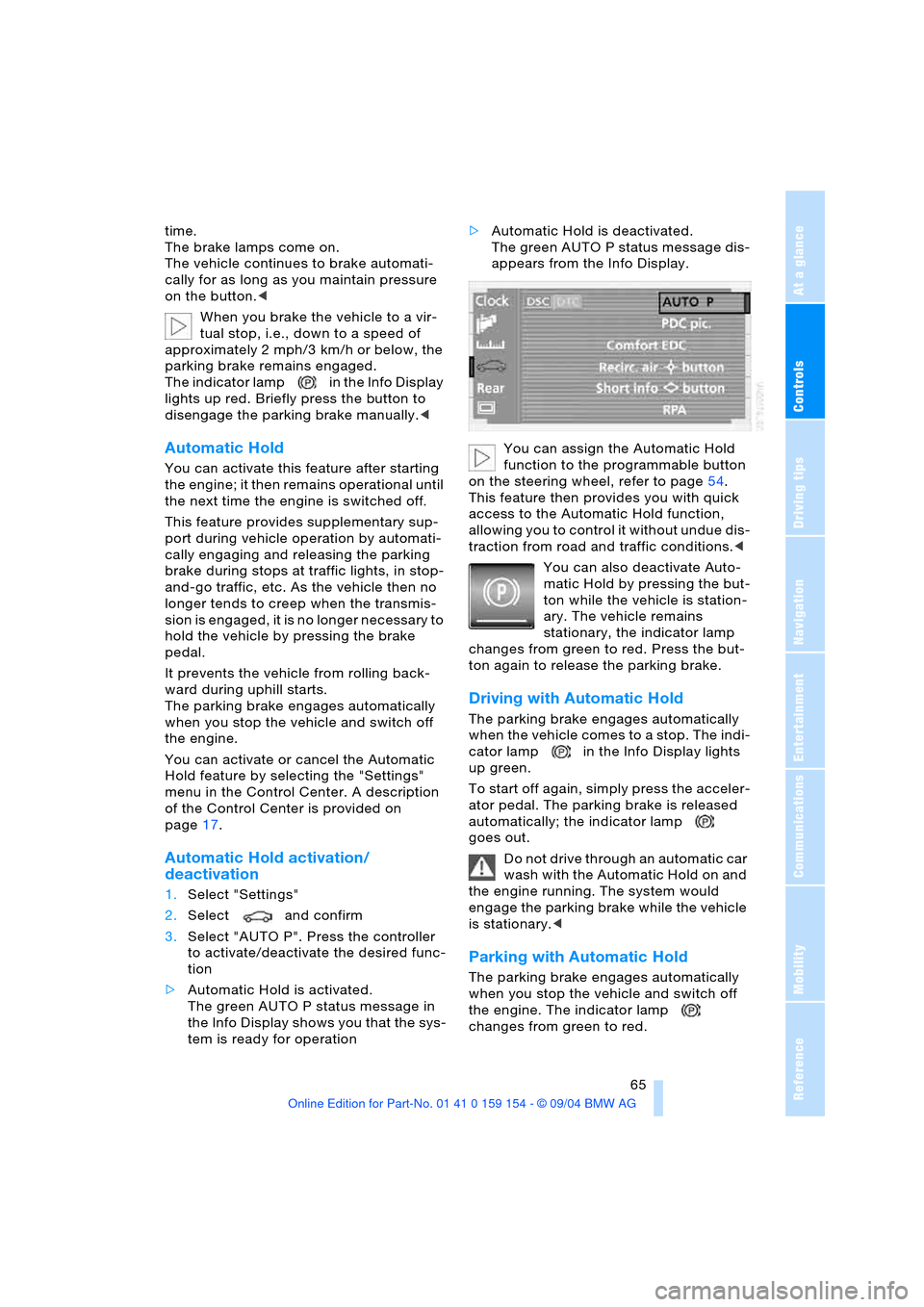
3.Select "AUTO P". Press the controller
to activate/deactivate the desired func-
tion
>Automatic Hold is activated.
The green AUTO P status message in
the Info Display shows you that the sys-
tem is ready for operation >Automatic Hold is deactivated.
The green AUTO P status message dis-
appears from the Info Display.
You can assign the Automatic Hold
function to the programmable button
on the steering wheel, refer to page54.
This feature then provides you with quick
access to the Automatic Hold function,
allowing you to control it without undue dis-
traction from road and traffic conditions.<
You can also deactivate Auto-
matic Hold by pressing the but-
ton while the vehicle is station-
ary. The vehicle remains
stationary, the indicator lamp
changes from green to red. Press the but-
ton again to release the parking brake.
Driving with Automatic Hold
The parking brake engages automatically
when the vehicle comes to a stop. The indi-
cator lamp in the Info Display lights
up green.
To start off again, simply press the acceler-
ator pedal. The parking brake is released
automatically; the indicator lamp
goes out.
Do not drive through an automatic car
wash with the Automatic Hold on and
the engine running. The system would
engage the parking brake while the vehicle
is stationary.<
Parking with Automatic Hold
The parking brake engages automatically
when you stop the vehicle and switch off
the engine. The indicator lamp
changes from green to red.
Page 70 of 239
Driving
68 >Engaging: the system registers the new
status and the brake setting is initial-
ized. The indicator lamp in the
Info Display lights up red.
>Releasing: the parking brake is ready
for operation. The indicator lamp
in the Info Display goes out.
Automatic transmission
with Steptronic
In addition to fully automatic operation, you
can also manually shift with the button on
the steering wheel, refer to page70.
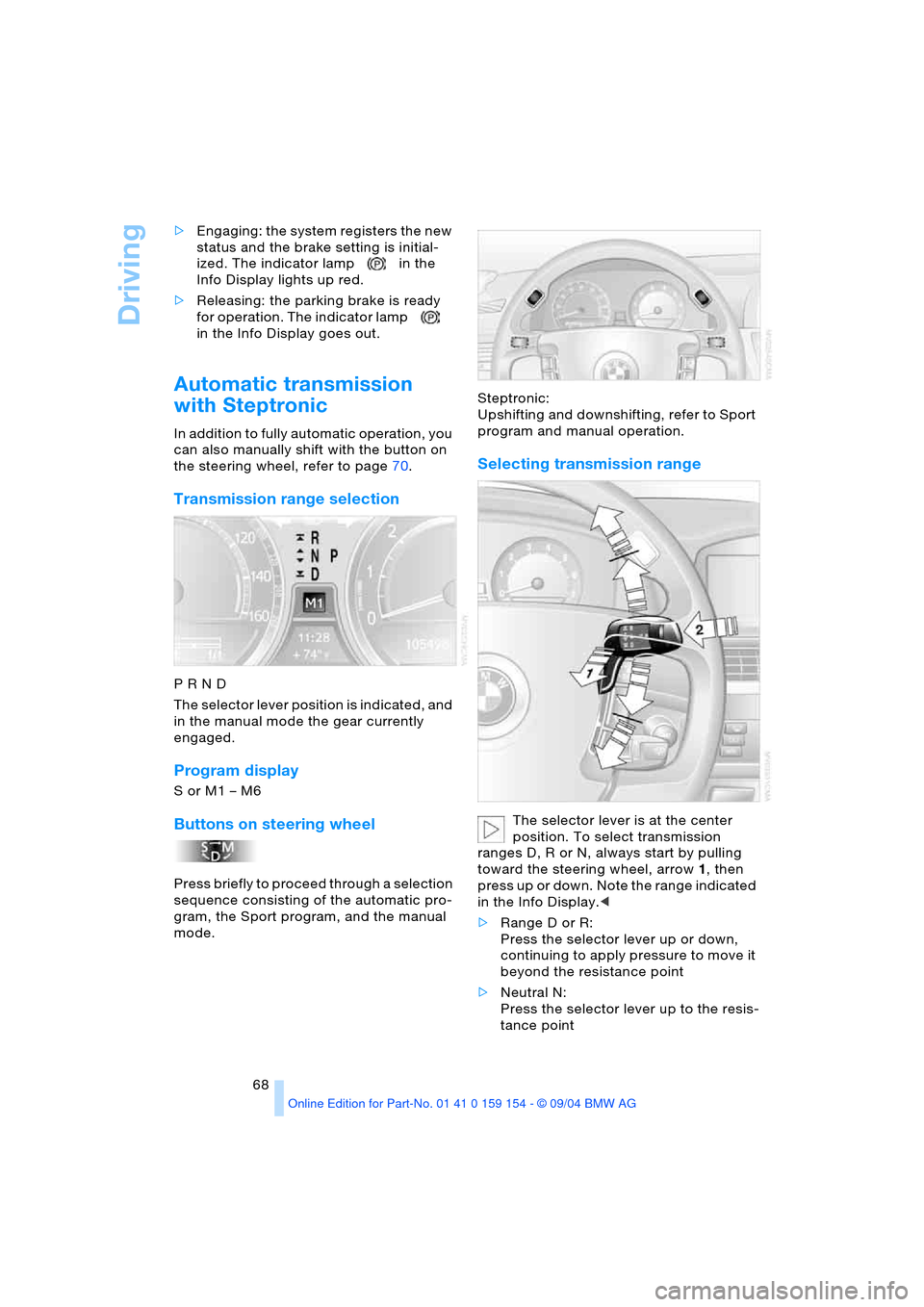
Transmission range selection
P R N D
The selector lever position is indicated, and
in the manual mode the gear currently
engaged.
Program display
S or M1 – M6
Buttons on steering wheel
Press briefly to proceed through a selection
sequence consisting of the automatic pro-
gram, the Sport program, and the manual
mode.Steptronic:
Upshifting and downshifting, refer to Sport
program and manual operation.
Selecting transmission range
The selector lever is at the center
position. To select transmission
ranges D, R or N, always start by pulling
toward the steering wheel, arrow1, then
press up or down. Note the range indicated
in the Info Display.<
>Range D or R:
Press the selector lever up or down,
continuing to apply pressure to move it
beyond the resistance point
>Neutral N:
Press the selector lever up to the resis-
tance point
Page 72 of 239
Driving
70
Sport program and manual operation
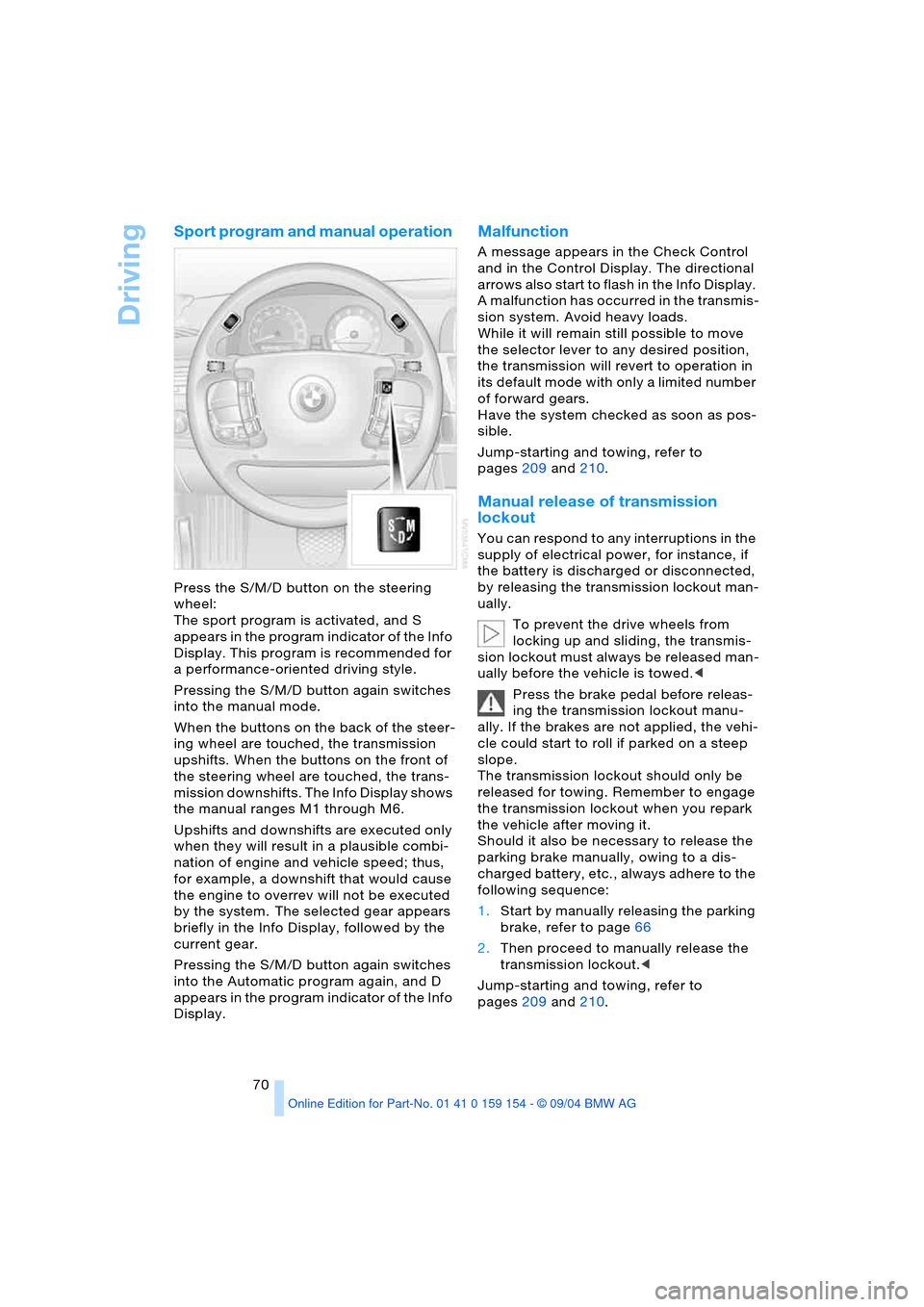
Press the S/M/D button on the steering
wheel:
The sport program is activated, and S
appears in the program indicator of the Info
Display. This program is recommended for
a performance-oriented driving style.
Pressing the S/M/D button again switches
into the manual mode.
When the buttons on the back of the steer-
ing wheel are touched, the transmission
upshifts. When the buttons on the front of
the steering wheel are touched, the trans-
mission downshifts. The Info Display shows
the manual ranges M1 through M6.
Upshifts and downshifts are executed only
when they will result in a plausible combi-
nation of engine and vehicle speed; thus,
for example, a downshift that would cause
the engine to overrev will not be executed
by the system. The selected gear appears
briefly in the Info Display, followed by the
current gear.
Pressing the S/M/D button again switches
into the Automatic program again, and D
appears in the program indicator of the Info
Display.
Malfunction
A message appears in the Check Control
and in the Control Display. The directional
arrows also start to flash in the Info Display.
A malfunction has occurred in the transmis-
sion system. Avoid heavy loads.
While it will remain still possible to move
the selector lever to any desired position,
the transmission will revert to operation in
its default mode with only a limited number
of forward gears.
Have the system checked as soon as pos-
sible.
Jump-starting and towing, refer to
pages209 and210.
Manual release of transmission
lockout
You can respond to any interruptions in the
supply of electrical power, for instance, if
the battery is discharged or disconnected,
by releasing the transmission lockout man-
ually.
To prevent the drive wheels from
locking up and sliding, the transmis-
sion lockout must always be released man-
ually before the vehicle is towed.<
Press the brake pedal before releas-
ing the transmission lockout manu-
ally. If the brakes are not applied, the vehi-
cle could start to roll if parked on a steep
slope.
The transmission lockout should only be
released for towing. Remember to engage
the transmission lockout when you repark
the vehicle after moving it.
Should it also be necessary to release the
parking brake manually, owing to a dis-
charged battery, etc., always adhere to the
following sequence:
1.Start by manually releasing the parking
brake, refer to page66
2.Then proceed to manually release the
transmission lockout.<
Jump-starting and towing, refer to
pages209 and210.
Page 94 of 239
Technology for comfort, convenience and safety
92
PDC with visual warning
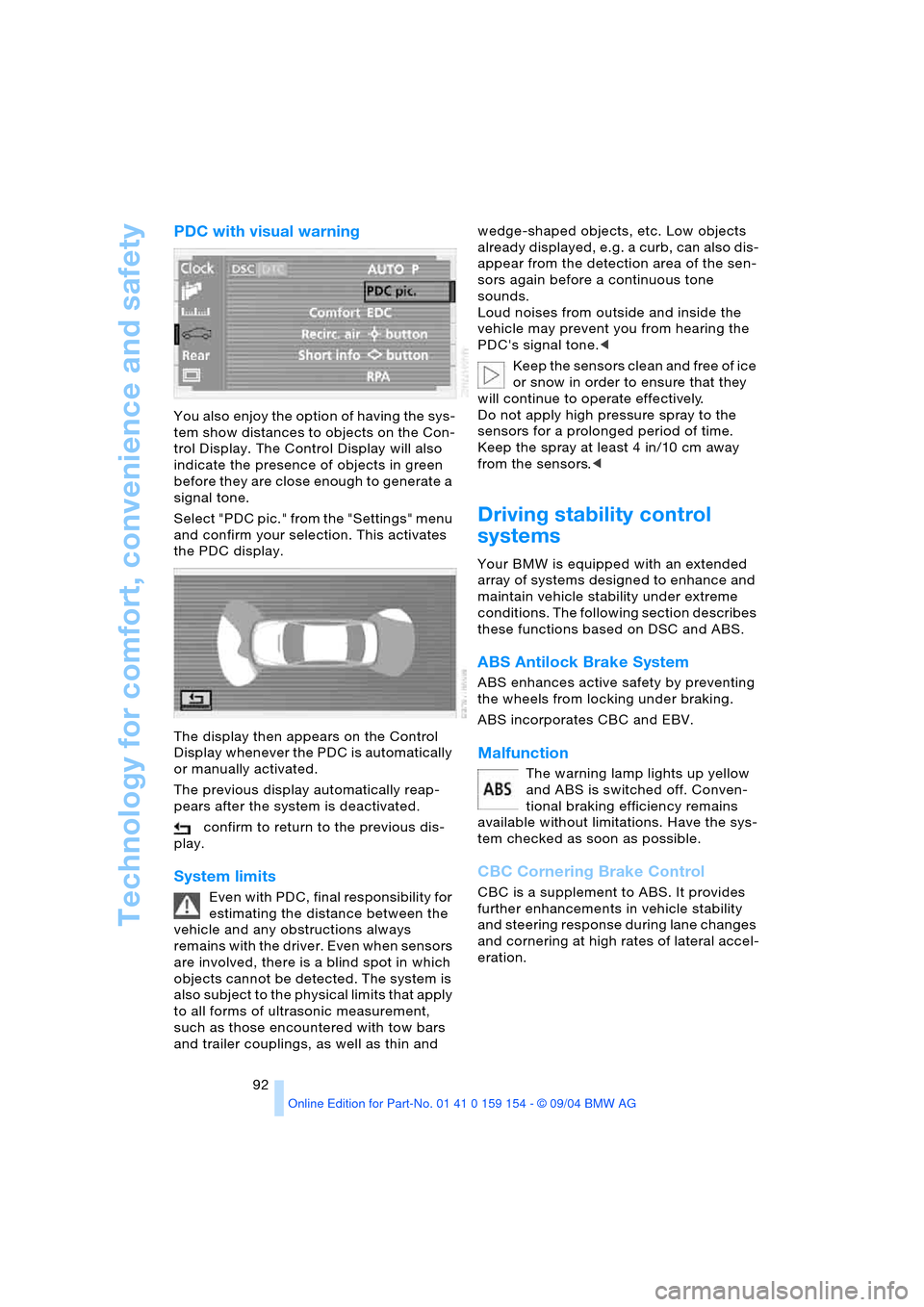
You also enjoy the option of having the sys-
tem show distances to objects on the Con-
trol Display. The Control Display will also
indicate the presence of objects in green
before they are close enough to generate a
signal tone.
Select "PDC pic." from the "Settings" menu
and confirm your selection. This activates
the PDC display.
The display then appears on the Control
Display whenever the PDC is automatically
or manually activated.
The previous display automatically reap-
pears after the system is deactivated.
confirm to return to the previous dis-
play.
System limits
Even with PDC, final responsibility for
estimating the distance between the
vehicle and any obstructions always
remains with the driver. Even when sensors
are involved, there is a blind spot in which
objects cannot be detected. The system is
also subject to the physical limits that apply
to all forms of ultrasonic measurement,
such as those encountered with tow bars
and trailer couplings, as well as thin and wedge-shaped objects, etc. Low objects
already displayed, e.g. a curb, can also dis-
appear from the detection area of the sen-
sors again before a continuous tone
sounds.
Loud noises from outside and inside the
vehicle may prevent you from hearing the
PDC's signal tone.<
Keep the sensors clean and free of ice
or snow in order to ensure that they
will continue to operate effectively.
Do not apply high pressure spray to the
sensors for a prolonged period of time.
Keep the spray at least 4 in/10 cm away
from the sensors.<
Driving stability control
systems
Your BMW is equipped with an extended
array of systems designed to enhance and
maintain vehicle stability under extreme
conditions. The following section describes
these functions based on DSC and ABS.
ABS Antilock Brake System
ABS enhances active safety by preventing
the wheels from locking under braking.
ABS incorporates CBC and EBV.
Malfunction
The warning lamp lights up yellow
and ABS is switched off. Conven-
tional braking efficiency remains
available without limitations. Have the sys-
tem checked as soon as possible.
CBC Cornering Brake Control
CBC is a supplement to ABS. It provides
further enhancements in vehicle stability
and steering response during lane changes
and cornering at high rates of lateral accel-
eration.
Page 98 of 239
Technology for comfort, convenience and safety
96 The check of the tire inflation pressure is
based on monitoring the relative speeds of
the wheels. A flat tire is detected and
reported on the basis of a deviation in cer-
tain speed ratios.
Functional requirements
So that the Flat Tire Monitor can learn the
correct inflation pressure, please perform
the following:
1.Check the inflation pressures in all tires
2.Compare with the inflation pressure
table on page189 and correct if neces-
sary
3.Initialize the system.
System limits
The Flat Tire Monitor cannot indicate
sudden severe tire damage caused by
outside factors and does not detect a natu-
ral, even pressure drop in all four tires.<
In the following situations, on the other
hand, there can be delays in detecting tire
pressure losses, and even system failure:
>When you are driving on snow-covered
or slippery road surfaces
>In the case of performance-oriented
driving: slip on the drive wheels, high
lateral acceleration
>False alarms and undetected loss of
pressure may occur when you are driv-
ing with snow chains fitted.
Initializing system
Perform the initialization immediately
after correcting the inflation pressure,
changing a tire or changing a wheel or all
wheels. A drive is necessary for this pur-
pose.<
1.Start the engine, but do not drive off
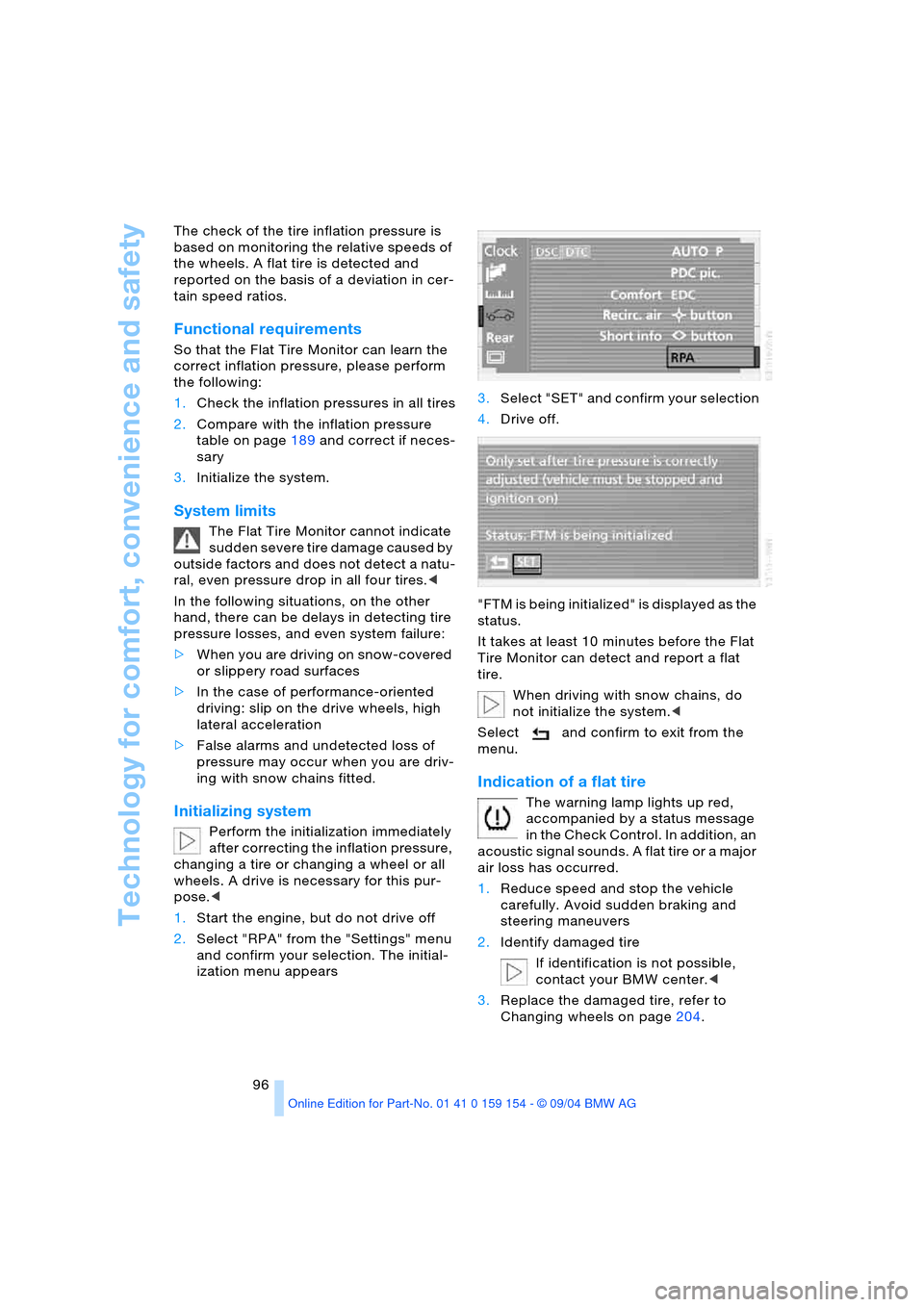
2.Select "RPA" from the "Settings" menu
and confirm your selection. The initial-
ization menu appears 3.Select "SET" and confirm your selection
4.Drive off.
"FTM is being initialized" is displayed as the
status.
It takes at least 10 minutes before the Flat
Tire Monitor can detect and report a flat
tire.
When driving with snow chains, do
not initialize the system.<
Select and confirm to exit from the
menu.
Indication of a flat tire
The warning lamp lights up red,
accompanied by a status message
in the Check Control. In addition, an
acoustic signal sounds. A flat tire or a major
air loss has occurred.
1.Reduce speed and stop the vehicle
carefully. Avoid sudden braking and
steering maneuvers
2.Identify damaged tire
If identification is not possible,
contact your BMW center.<
3.Replace the damaged tire, refer to
Changing wheels on page204.
Page 100 of 239
Technology for comfort, convenience and safety
98
Airbags
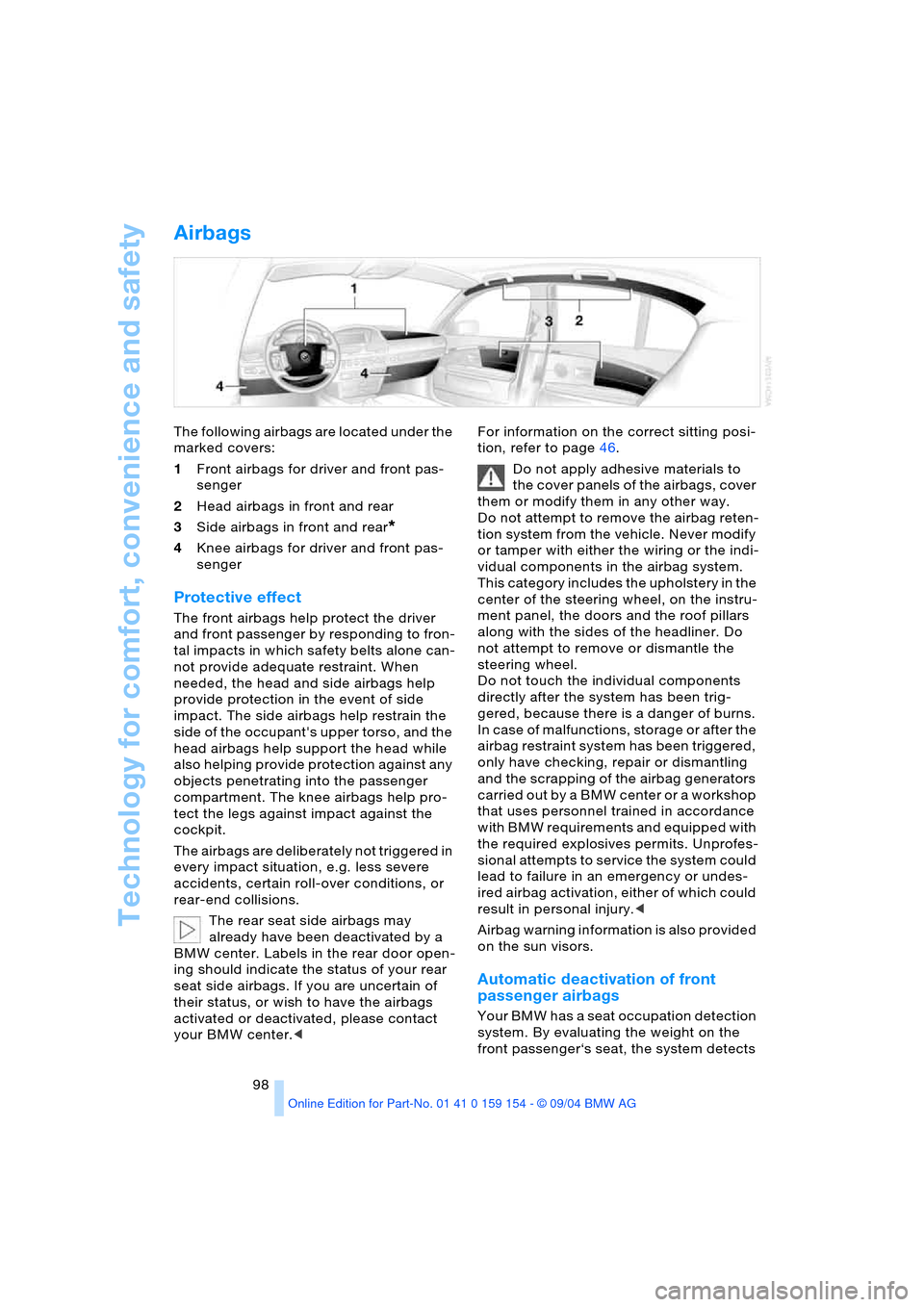
The following airbags are located under the
marked covers:
1Front airbags for driver and front pas-
senger
2Head airbags in front and rear
3Side airbags in front and rear
*
4Knee airbags for driver and front pas-
senger
Protective effect
The front airbags help protect the driver
and front passenger by responding to fron-
tal impacts in which safety belts alone can-
not provide adequate restraint. When
needed, the head and side airbags help
provide protection in the event of side
impact. The side airbags help restrain the
side of the occupant's upper torso, and the
head airbags help support the head while
also helping provide protection against any
objects penetrating into the passenger
compartment. The knee airbags help pro-
tect the legs against impact against the
cockpit.
The airbags are deliberately not triggered in
every impact situation, e.g. less severe
accidents, certain roll-over conditions, or
rear-end collisions.
The rear seat side airbags may
already have been deactivated by a
BMW center. Labels in the rear door open-
ing should indicate the status of your rear
seat side airbags. If you are uncertain of
their status, or wish to have the airbags
activated or deactivated, please contact
your BMW center.
Do not apply adhesive materials to
the cover panels of the airbags, cover
them or modify them in any other way.
Do not attempt to remove the airbag reten-
tion system from the vehicle. Never modify
or tamper with either the wiring or the indi-
vidual components in the airbag system.
This category includes the upholstery in the
center of the steering wheel, on the instru-
ment panel, the doors and the roof pillars
along with the sides of the headliner. Do
not attempt to remove or dismantle the
steering wheel.
Do not touch the individual components
directly after the system has been trig-
gered, because there is a danger of burns.
In case of malfunctions, storage or after the
airbag restraint system has been triggered,
only have checking, repair or dismantling
and the scrapping of the airbag generators
carried out by a BMW center or a workshop
that uses personnel trained in accordance
with BMW requirements and equipped with
the required explosives permits. Unprofes-
sional attempts to service the system could
lead to failure in an emergency or undes-
ired airbag activation, either of which could
result in personal injury.<
Airbag warning information is also provided
on the sun visors.
Automatic deactivation of front
passenger airbags
Your BMW has a seat occupation detection
system. By evaluating the weight on the
front passenger‘s seat, the system detects
Page 150 of 239
On/off, tone
148
On/off, tone
Controls
Operation using buttons
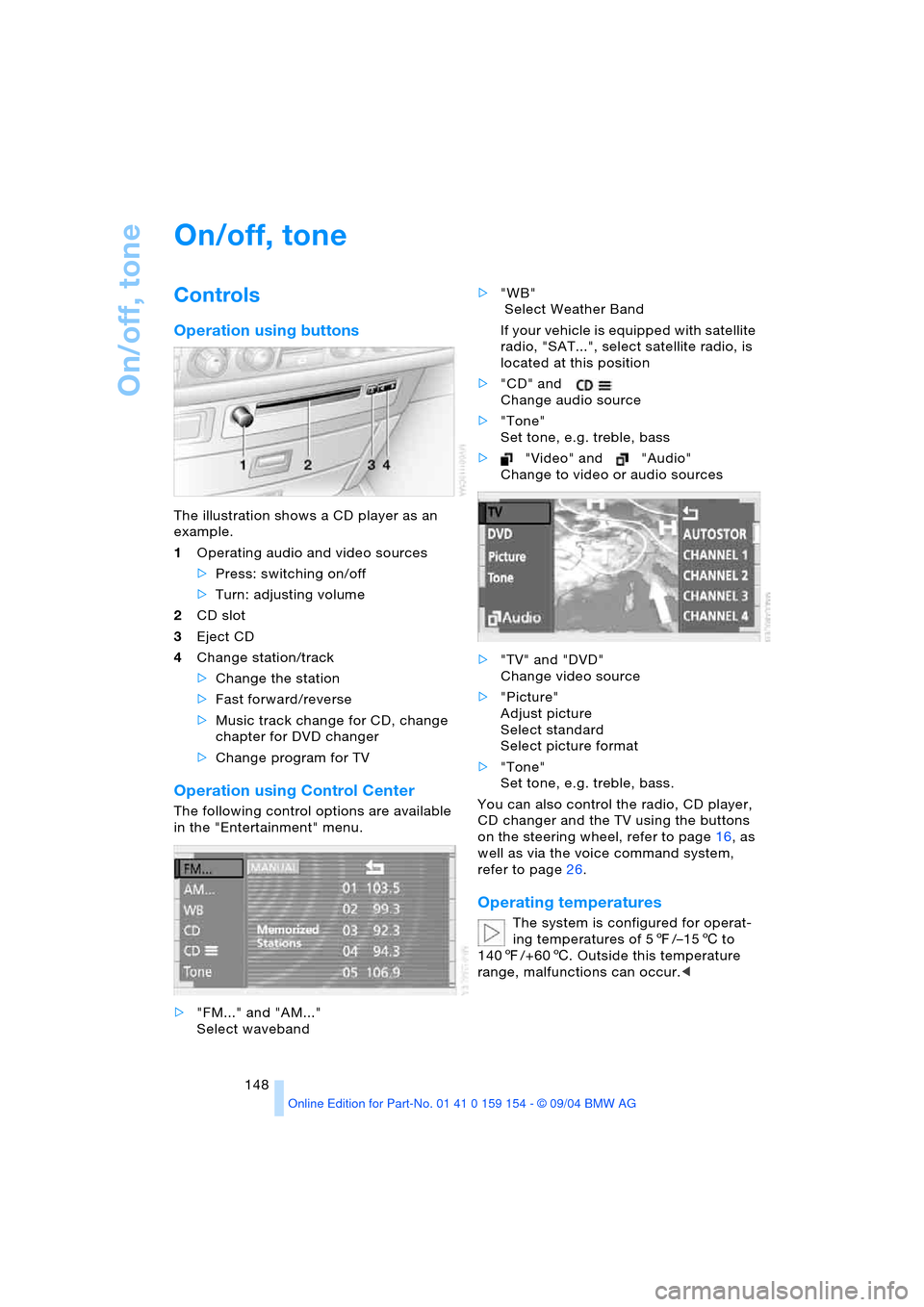
The illustration shows a CD player as an
example.
1Operating audio and video sources
>Press: switching on/off
>Turn: adjusting volume
2CD slot
3Eject CD
4Change station/track
>Change the station
>Fast forward/reverse
>Music track change for CD, change
chapter for DVD changer
>Change program for TV
Operation using Control Center
The following control options are available
in the "Entertainment" menu.
>"FM..." and "AM..."
Select waveband>"WB"
Select Weather Band
If your vehicle is equipped with satellite
radio, "SAT...", select satellite radio, is
located at this position
>"CD" and
Change audio source
>"Tone"
Set tone, e.g. treble, bass
>"Video" and "Audio"
Change to video or audio sources
>"TV" and "DVD"
Change video source
>"Picture"
Adjust picture
Select standard
Select picture format
>"Tone"
Set tone, e.g. treble, bass.
You can also control the radio, CD player,
CD changer and the TV using the buttons
on the steering wheel, refer to page16, as
well as via the voice command system,
refer to page26.
Operating temperatures
The system is configured for operat-
ing temperatures of 57/–156 to
1407/+606. Outside this temperature
range, malfunctions can occur.<
Page 177 of 239
175
Entertainment
Reference
At a glance
Controls
Driving tips Communications
Navigation
Mobility
influencing the cardiac pacemaker.
With the slightest sign of a cardiac pace-
maker malfunction, switch the BMW porta-
ble phone off immediately.<
Batteries
To avoid possible short circuits, after
removing a battery you should never
allow it to come into contact with metallic
surfaces of any kind. This is why you should
handle charged batteries with care, in par-
ticular if you place batteries, e.g. in jacket
or shirt pockets that contain metal objects.
If you are in an environment where there is
a risk of explosion, do not remove the bat-
tery from the device, as otherwise sparks
from your battery could cause explosions
or fire.<
Disposing of used batteries
Return used batteries to a recycling
collection point or to your BMW cen-
ter.<
Care instructions
You can find useful information on caring
for your portable phone in the Caring for
your vehicle brochure and in the separate
portable phone Owner's Manual.
Controls
To be able to use the BMW portable phone
via the vehicle equipment, it must be
located in the cradle, refer to page178.
For information on operating your
portable phone, please consult the
separate Owner's Manual.<
The BMW portable phone can be operated
by means of:
>The steering wheel, refer to page16
>The Control Center.
>The folding telephone keypad
>The voice command system, except for
incoming calls.
Control Center
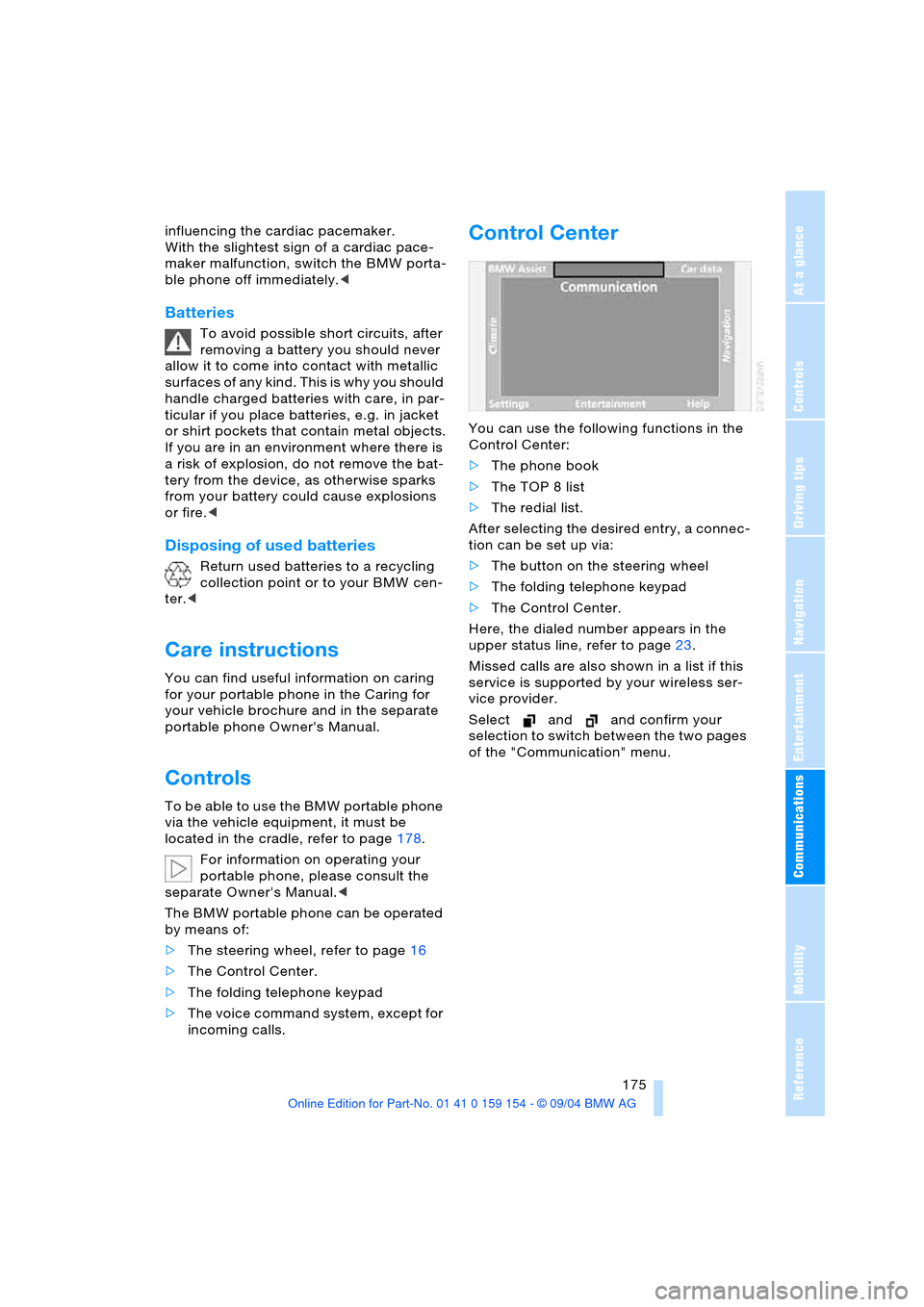
You can use the following functions in the
Control Center:
>The phone book
>The TOP 8 list
>The redial list.
After selecting the desired entry, a connec-
tion can be set up via:
>The button on the steering wheel
>The folding telephone keypad
>The Control Center.
Here, the dialed number appears in the
upper status line, refer to page23.
Missed calls are also shown in a list if this
service is supported by your wireless ser-
vice provider.
Select and and confirm your
selection to switch between the two pages
of the "Communication" menu.
Page 179 of 239
177
Entertainment
Reference
At a glance
Controls
Driving tips Communications
Navigation
Mobility
Hands-free system
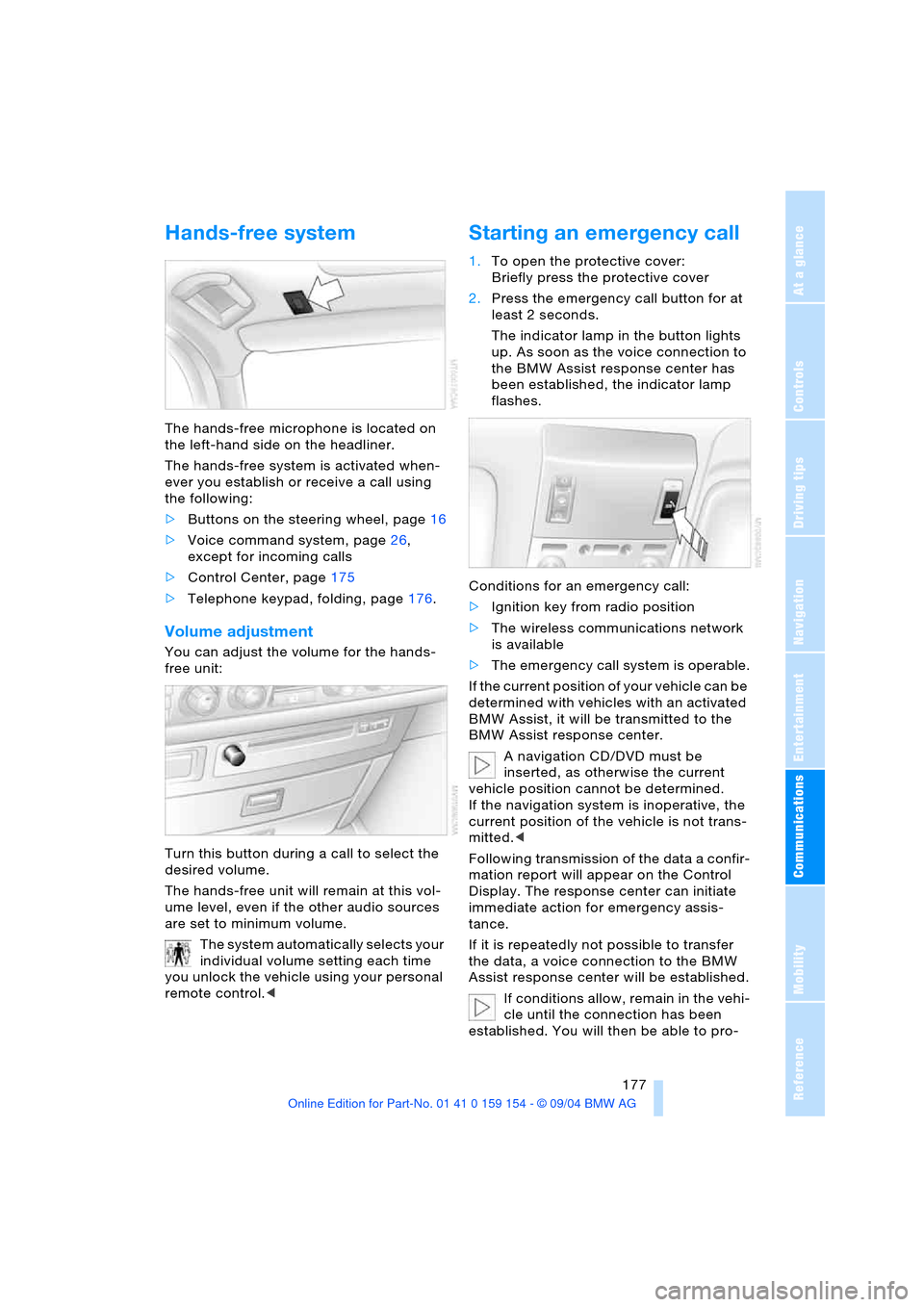
The hands-free microphone is located on
the left-hand side on the headliner.
The hands-free system is activated when-
ever you establish or receive a call using
the following:
>Buttons on the steering wheel, page16
>Voice command system, page26,
except for incoming calls
>Control Center, page175
>Telephone keypad, folding, page176.
Volume adjustment
You can adjust the volume for the hands-
free unit:
Turn this button during a call to select the
desired volume.
The hands-free unit will remain at this vol-
ume level, even if the other audio sources
are set to minimum volume.
The system automatically selects your
individual volume setting each time
you unlock the vehicle using your personal
remote control.<
Starting an emergency call
1.To open the protective cover:
Briefly press the protective cover
2.Press the emergency call button for at
least 2 seconds.
The indicator lamp in the button lights
up. As soon as the voice connection to
the BMW Assist response center has
been established, the indicator lamp
flashes.
Conditions for an emergency call:
>Ignition key from radio position
>The wireless communications network
is available
>The emergency call system is operable.
If the current position of your vehicle can be
determined with vehicles with an activated
BMW Assist, it will be transmitted to the
BMW Assist response center.
A navigation CD/DVD must be
inserted, as otherwise the current
vehicle position cannot be determined.
If the navigation system is inoperative, the
current position of the vehicle is not trans-
mitted.<
Following transmission of the data a confir-
mation report will appear on the Control
Display. The response center can initiate
immediate action for emergency assis-
tance.
If it is repeatedly not possible to transfer
the data, a voice connection to the BMW
Assist response center will be established.
If conditions allow, remain in the vehi-
cle until the connection has been
established. You will then be able to pro-
Page 180 of 239
Using the phone in your vehicle
178 vide a detailed description of the situa-
tion.<
For technical reasons, the emergency
call cannot be guaranteed under
unfavorable conditions.<
Under certain conditions, an emergency
call is started automatically immediately
after a severe accident. The automatic
emergency call is not affected by the emer-
gency call button being pressed.
Commissioning
BMW portable phone
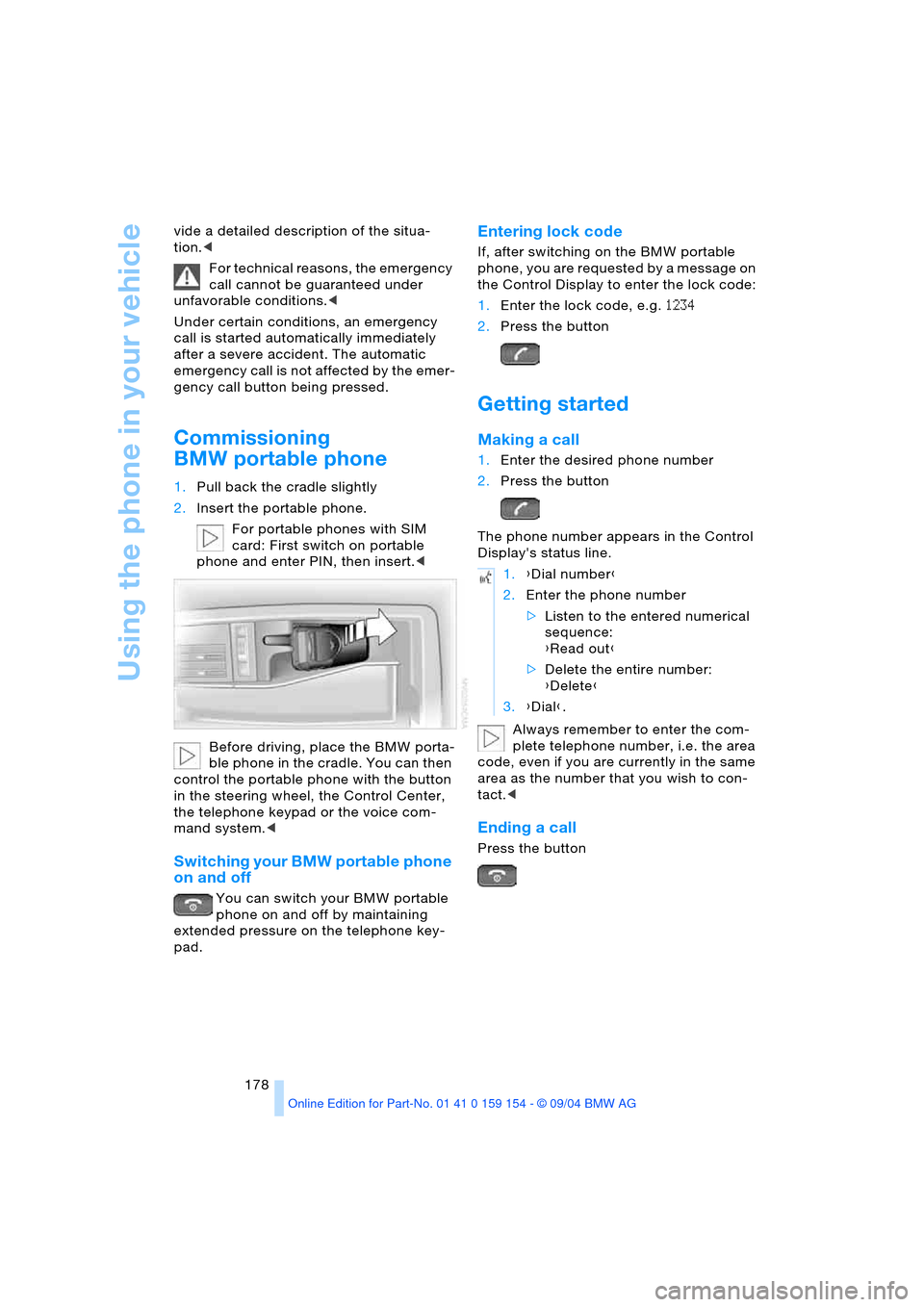
1.Pull back the cradle slightly
2.Insert the portable phone.
For portable phones with SIM
card: First switch on portable
phone and enter PIN, then insert.<
Before driving, place the BMW porta-
ble phone in the cradle. You can then
control the portable phone with the button
in the steering wheel, the Control Center,
the telephone keypad or the voice com-
mand system.<
Switching your BMW portable phone
on and off
You can switch your BMW portable
phone on and off by maintaining
extended pressure on the telephone key-
pad.
Entering lock code
If, after switching on the BMW portable
phone, you are requested by a message on
the Control Display to enter the lock code:
1.Enter the lock code, e.g. 1234
2.Press the button
Getting started
Making a call
1.Enter the desired phone number
2.Press the button
The phone number appears in the Control
Display's status line.
Always remember to enter the com-
plete telephone number, i.e. the area
code, even if you are currently in the same
area as the number that you wish to con-
tact.<
Ending a call
Press the button
1.{Dial number}
2.Enter the phone number
>Listen to the entered numerical
sequence:
{Read out}
>Delete the entire number:
{Delete}
3.{Dial}.