steering wheel BMW 760i 2005 E65 Owner's Guide
[x] Cancel search | Manufacturer: BMW, Model Year: 2005, Model line: 760i, Model: BMW 760i 2005 E65Pages: 239, PDF Size: 8.03 MB
Page 182 of 239
Using the phone in your vehicle
180 The connection is established.
Here, the dialed number appears in the
upper status line, refer to page23.
The system dials the number.
The connection can also be estab-
lished using the button on the steer-
ing wheel or the telephone keypad.<
Select and confirm to end the call.
Viewing entries
Deleting individual entries
Deleting entire phone book
Selecting a number from
Top 8 list
The eight numbers that you call most fre-
quently on the BMW portable phone are
automatically stored in the Top 8 list.
The phone numbers are only stored in
the Top 8 list when these phone num-
bers are stored as an entry in the portable
phone.<
The number called most often appears at
the top of the list.1.In the "Communication" menu, select
"TOP 8" and confirm your selection
2.Select an entry from the list that now
appears on the display, and confirm
your selection
3.Select and confirm your selec-
tion.
The connection is established. Here,
the dialed number appears in the upper
status line, refer to page23.
The connection can also be set up
using the button on the steering
wheel or the telephone keypad.<
Select and confirm to end the call.
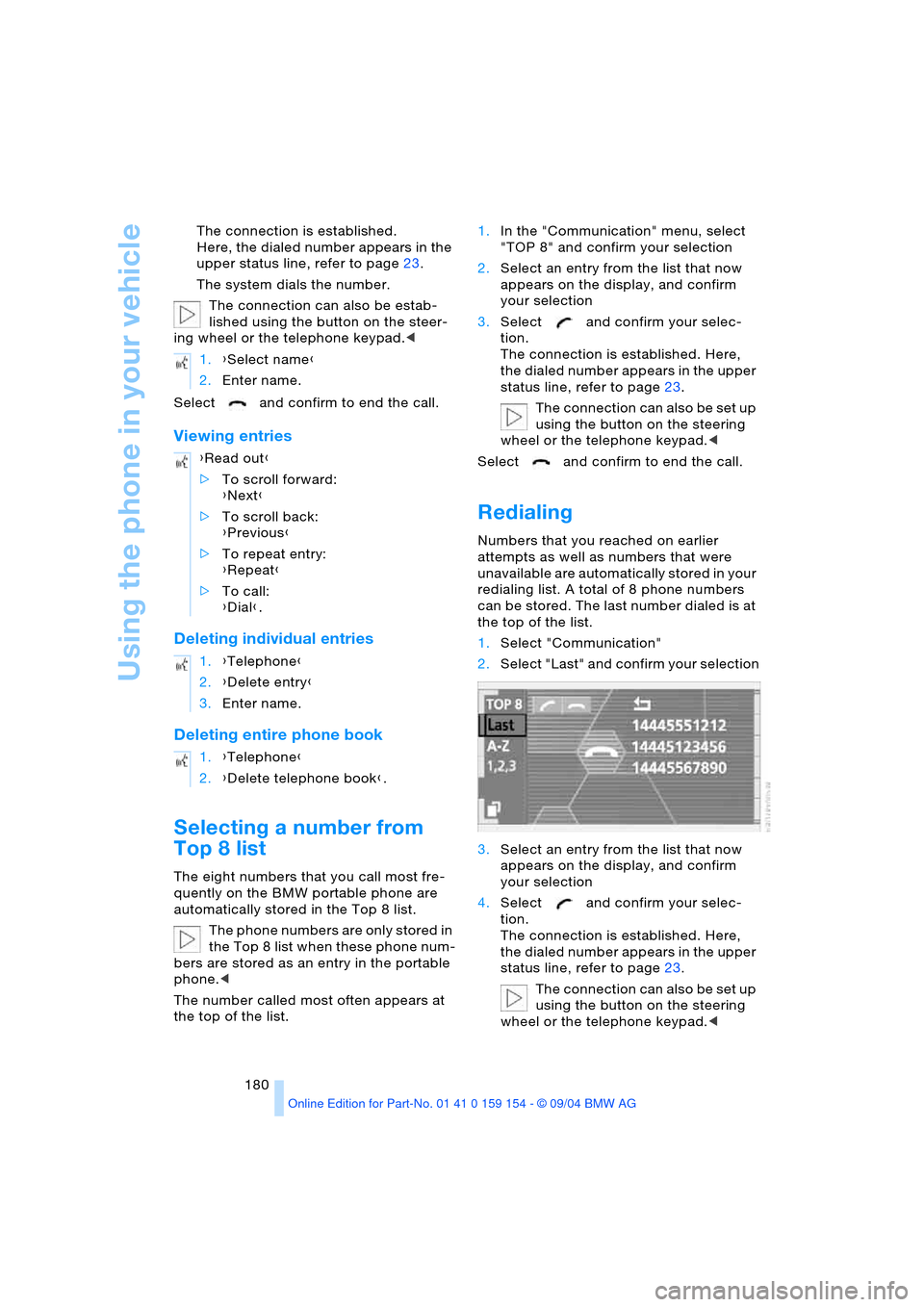
Redialing
Numbers that you reached on earlier
attempts as well as numbers that were
unavailable are automatically stored in your
redialing list. A total of 8 phone numbers
can be stored. The last number dialed is at
the top of the list.
1.Select "Communication"
2.Select "Last" and confirm your selection
3.Select an entry from the list that now
appears on the display, and confirm
your selection
4.Select and confirm your selec-
tion.
The connection is established. Here,
the dialed number appears in the upper
status line, refer to page23.
The connection can also be set up
using the button on the steering
wheel or the telephone keypad.< 1.{Select name}
2.Enter name.
{Read out}
>To scroll forward:
{Next}
>To scroll back:
{Previous}
>To repeat entry:
{Repeat}
>To call:
{Dial}.
1.{Telephone}
2.{Delete entry}
3.Enter name.
1.{Telephone}
2.{Delete telephone book}.
Page 183 of 239
181
Entertainment
Reference
At a glance
Controls
Driving tips Communications
Navigation
Mobility
You can use the voice command system to
redial the last number called:
Select and confirm to end the call.
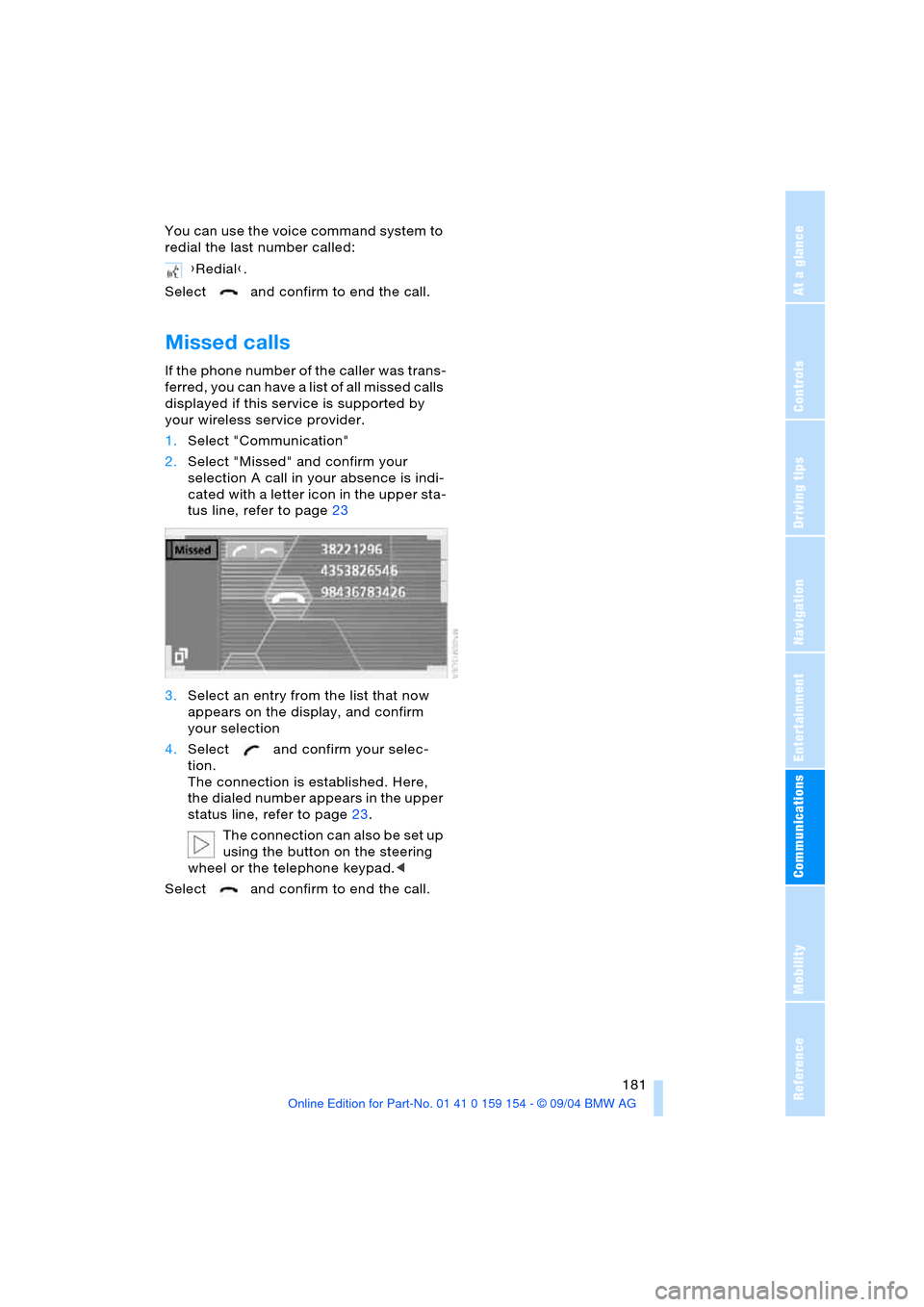
Missed calls
If the phone number of the caller was trans-
ferred, you can have a list of all missed calls
displayed if this service is supported by
your wireless service provider.
1.Select "Communication"
2.Select "Missed" and confirm your
selection A call in your absence is indi-
cated with a letter icon in the upper sta-
tus line, refer to page23
3.Select an entry from the list that now
appears on the display, and confirm
your selection
4.Select and confirm your selec-
tion.
The connection is established. Here,
the dialed number appears in the upper
status line, refer to page23.
The connection can also be set up
using the button on the steering
wheel or the telephone keypad.<
Select and confirm to end the call.{Redial}.
Page 194 of 239
Wheels and tires
192
Run-flat tires*
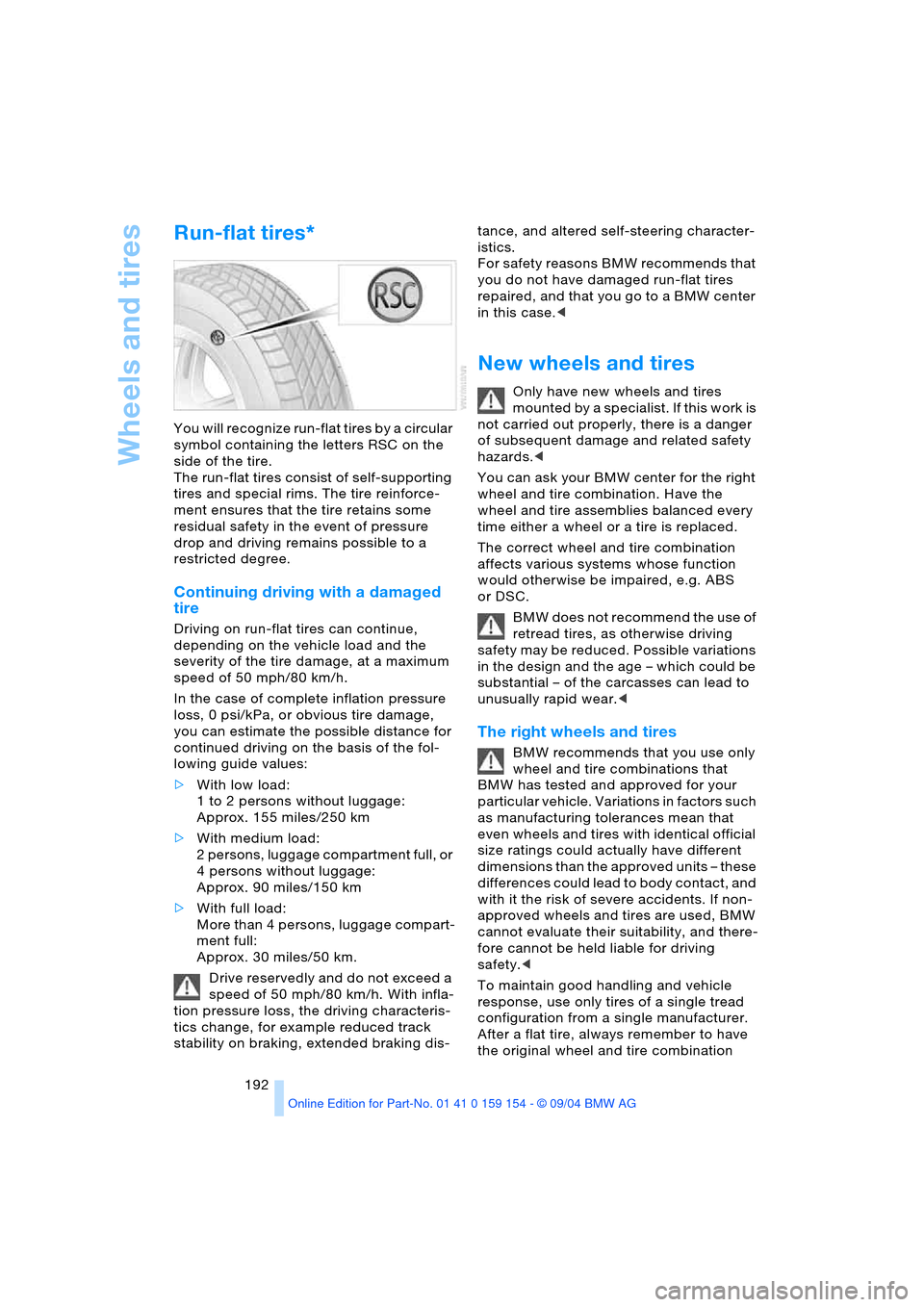
You will recognize run-flat tires by a circular
symbol containing the letters RSC on the
side of the tire.
The run-flat tires consist of self-supporting
tires and special rims. The tire reinforce-
ment ensures that the tire retains some
residual safety in the event of pressure
drop and driving remains possible to a
restricted degree.
Continuing driving with a damaged
tire
Driving on run-flat tires can continue,
depending on the vehicle load and the
severity of the tire damage, at a maximum
speed of 50 mph/80 km/h.
In the case of complete inflation pressure
loss, 0 psi/kPa, or obvious tire damage,
you can estimate the possible distance for
continued driving on the basis of the fol-
lowing guide values:
>With low load:
1 to 2 persons without luggage:
Approx. 155 miles/250 km
>With medium load:
2 persons, luggage compartment full, or
4 persons without luggage:
Approx. 90 miles/150 km
>With full load:
More than 4 persons, luggage compart-
ment full:
Approx. 30 miles/50 km.
Drive reservedly and do not exceed a
speed of 50 mph/80 km/h. With infla-
tion pressure loss, the driving characteris-
tics change, for example reduced track
stability on braking, extended braking dis-tance, and altered self-steering character-
istics.
For safety reasons BMW recommends that
you do not have damaged run-flat tires
repaired, and that you go to a BMW center
in this case.<
New wheels and tires
Only have new wheels and tires
mounted by a specialist. If this work is
not carried out properly, there is a danger
of subsequent damage and related safety
hazards.<
You can ask your BMW center for the right
wheel and tire combination. Have the
wheel and tire assemblies balanced every
time either a wheel or a tire is replaced.
The correct wheel and tire combination
affects various systems whose function
would otherwise be impaired, e.g. ABS
or DSC.
BMW does not recommend the use of
retread tires, as otherwise driving
safety may be reduced. Possible variations
in the design and the age – which could be
substantial – of the carcasses can lead to
unusually rapid wear.<
The right wheels and tires
BMW recommends that you use only
wheel and tire combinations that
BMW has tested and approved for your
particular vehicle. Variations in factors such
as manufacturing tolerances mean that
even wheels and tires with identical official
size ratings could actually have different
dimensions than the approved units – these
differences could lead to body contact, and
with it the risk of severe accidents. If non-
approved wheels and tires are used, BMW
cannot evaluate their suitability, and there-
fore cannot be held liable for driving
safety.<
To maintain good handling and vehicle
response, use only tires of a single tread
configuration from a single manufacturer.
After a flat tire, always remember to have
the original wheel and tire combination
Page 208 of 239
Replacing components
206 3.Check and correct the tire inflation
pressure at the earliest opportunity
Protect valve stems and valve
stem seal caps against dirt and
contamination. Dirt in valve stems is a
frequent source of gradual air loss.<
4.Reinitialize the Flat Tire Monitor, refer
to page 96
5.Replace the damaged tire with a new
one as soon as possible and have the
new wheel balanced.
Driving with spare tire
On certain wheel-tire combinations,
the size of the spare tire deviates from
that of the rest of the tires. The spare tire is
fully capable of running in all load and
speed ranges. However, to recreate the
original conditions, the tire should be
replaced as soon as possible.<
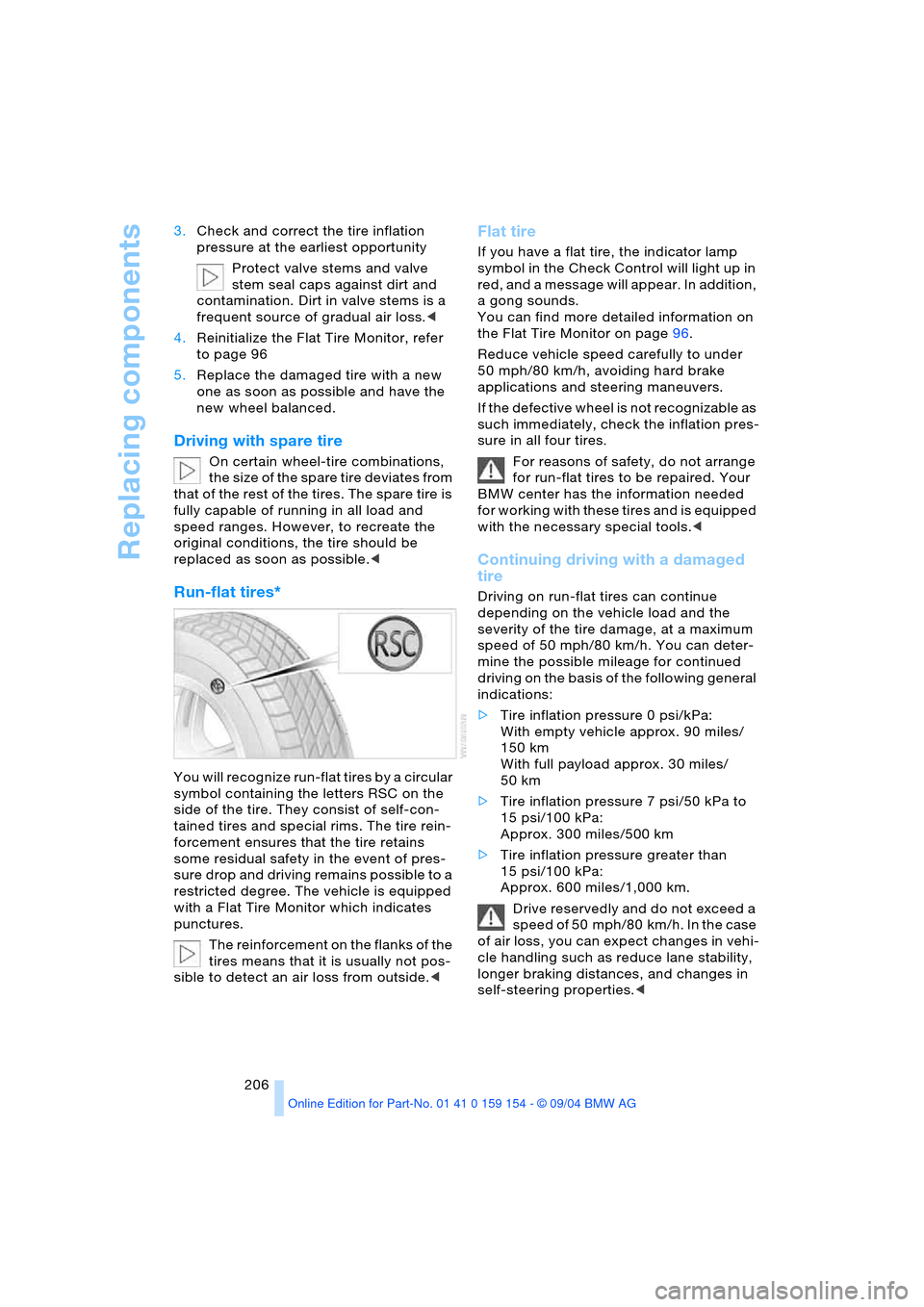
Run-flat tires*
You will recognize run-flat tires by a circular
symbol containing the letters RSC on the
side of the tire. They consist of self-con-
tained tires and special rims. The tire rein-
forcement ensures that the tire retains
some residual safety in the event of pres-
sure drop and driving remains possible to a
restricted degree. The vehicle is equipped
with a Flat Tire Monitor which indicates
punctures.
The reinforcement on the flanks of the
tires means that it is usually not pos-
sible to detect an air loss from outside.<
Flat tire
If you have a flat tire, the indicator lamp
symbol in the Check Control will light up in
red, and a message will appear. In addition,
a gong sounds.
You can find more detailed information on
the Flat Tire Monitor on page96.
Reduce vehicle speed carefully to under
50 mph/80 km/h, avoiding hard brake
applications and steering maneuvers.
If the defective wheel is not recognizable as
such immediately, check the inflation pres-
sure in all four tires.
For reasons of safety, do not arrange
for run-flat tires to be repaired. Your
BMW center has the information needed
for working with these tires and is equipped
with the necessary special tools.<
Continuing driving with a damaged
tire
Driving on run-flat tires can continue
depending on the vehicle load and the
severity of the tire damage, at a maximum
speed of 50 mph/80 km/h. You can deter-
mine the possible mileage for continued
driving on the basis of the following general
indications:
>Tire inflation pressure 0 psi/kPa:
With empty vehicle approx. 90 miles/
150 km
With full payload approx. 30 miles/
50 km
>Tire inflation pressure 7 psi/50 kPa to
15 psi/100 kPa:
Approx. 300 miles/500 km
>Tire inflation pressure greater than
15 psi/100 kPa:
Approx. 600 miles/1,000 km.
Drive reservedly and do not exceed a
speed of 50 mph/80 km/h. In the case
of air loss, you can expect changes in vehi-
cle handling such as reduce lane stability,
longer braking distances, and changes in
self-steering properties.<
Page 209 of 239
Mobility
207Reference
At a glance
Controls
Driving tips
Communications
Navigation
Entertainment
Battery
Battery care
The battery is 100 % maintenance-free, i.e.,
the electrolyte will last for the life of the bat-
tery when the vehicle is operated in a tem-
perate climate. Your BMW center will be
happy to advise you on all questions con-
cerning the battery.
Charging battery
Only charge the battery in the vehicle via
the terminals in the engine compartment
with the engine off. Connections, refer to
Jump-starting on page210.
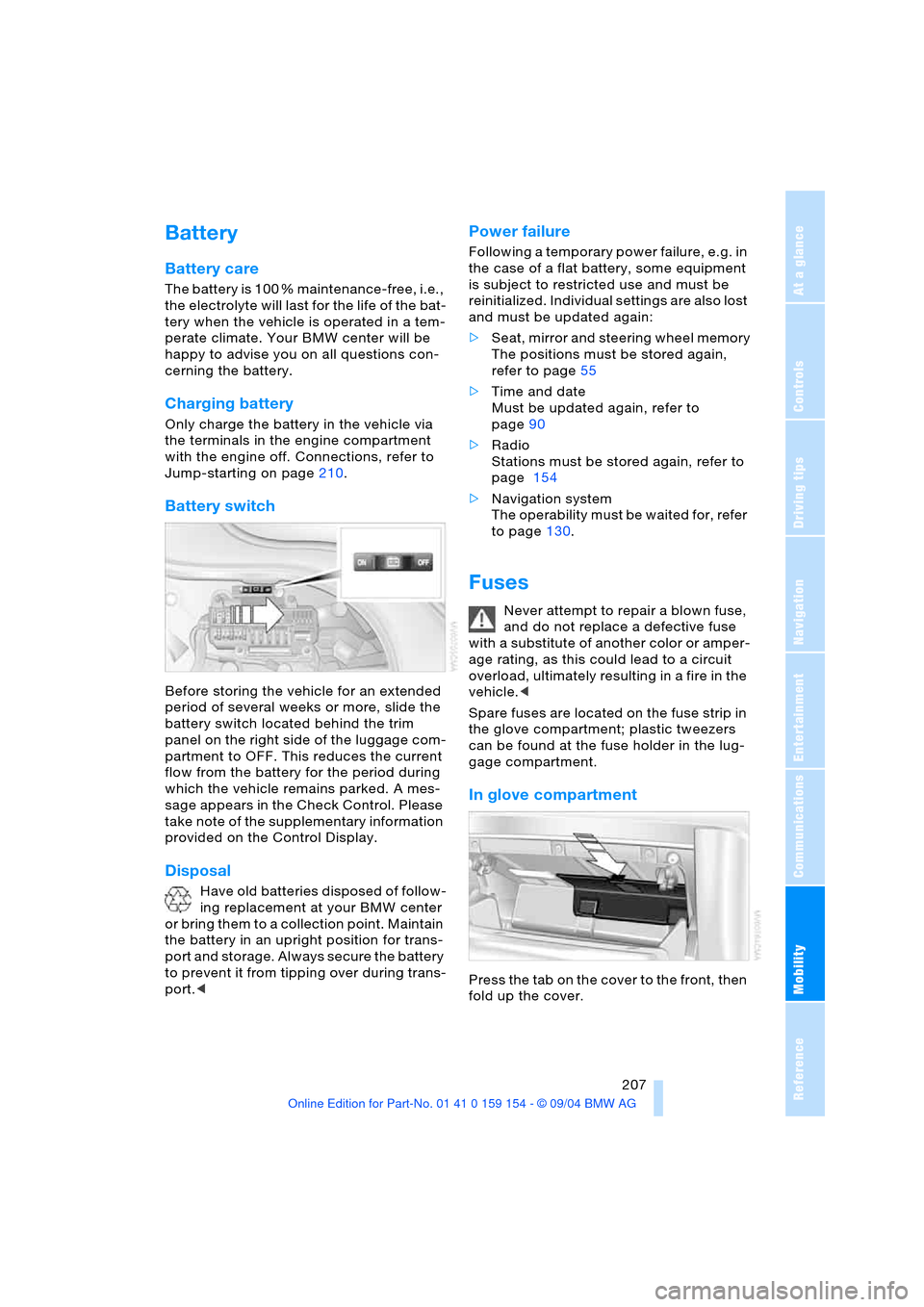
Battery switch
Before storing the vehicle for an extended
period of several weeks or more, slide the
battery switch located behind the trim
panel on the right side of the luggage com-
partment to OFF. This reduces the current
flow from the battery for the period during
which the vehicle remains parked. A mes-
sage appears in the Check Control. Please
take note of the supplementary information
provided on the Control Display.
Disposal
Have old batteries disposed of follow-
ing replacement at your BMW center
or bring them to a collection point. Maintain
the battery in an upright position for trans-
port and storage. Always secure the battery
to prevent it from tipping over during trans-
port.<
Power failure
Following a temporary power failure, e.g. in
the case of a flat battery, some equipment
is subject to restricted use and must be
reinitialized. Individual settings are also lost
and must be updated again:
>Seat, mirror and steering wheel memory
The positions must be stored again,
refer to page55
>Time and date
Must be updated again, refer to
page90
>Radio
Stations must be stored again, refer to
page 154
>Navigation system
The operability must be waited for, refer
to page130.
Fuses
Never attempt to repair a blown fuse,
and do not replace a defective fuse
with a substitute of another color or amper-
age rating, as this could lead to a circuit
overload, ultimately resulting in a fire in the
vehicle.<
Spare fuses are located on the fuse strip in
the glove compartment; plastic tweezers
can be found at the fuse holder in the lug-
gage compartment.
In glove compartment
Press the tab on the cover to the front, then
fold up the cover.
Page 212 of 239
Giving and receiving assistance
210 nal for jump-starting of the vehicle
providing starting assistance
3.Connect the second terminal clamp of
the positive/+ jumper cable to the posi-
tive terminal of the battery or to an aux-
iliary terminal for jump-starting of the
vehicle to be started
On your BMW, there is a special nut as
body ground on the suspension strut
dome, refer to arrow2 in the illustration.
4.Attach one end of the jumper cable
minus/– to the negative terminal of the
battery or to an engine or body ground
of the vehicle providing assistance
5.Connect the second terminal clamp of
the negative/– jumper cable to the neg-
ative terminal of the battery or to the
engine or body ground of the vehicle to
be started.
Starting engine
1.Start the engine on the support vehicle
and allow it to run for several minutes at
a fast idle
2.Start the engine on the other vehicle in
the usual way.
If the first start attempt is not success-
ful, wait a few minutes before another
attempt in order to allow the discharged
battery to recharge
3.Allow the engines to run for several
minutes
4.Disconnect the jumper cables by
reversing the connection sequence.
If required, have the battery inspected and
recharged at your BMW center.
Never use spray fluids to start the
engine.<
Towing
Using tow fitting
The threaded tow fitting is stored in the
onboard tool kit and must always remain in
the vehicle. It can be screwed in at the front
or rear of the BMW.
To avoid damage to the tow fitting
and the vehicle, observe the follow-
ing: only use the tow fitting that comes with
the vehicle and screw it in as far as it will
go. Only use the tow fitting to tow on roads.
Avoid lateral loading of the tow fitting, e.g.
do not lift the vehicle by the tow fitting.<
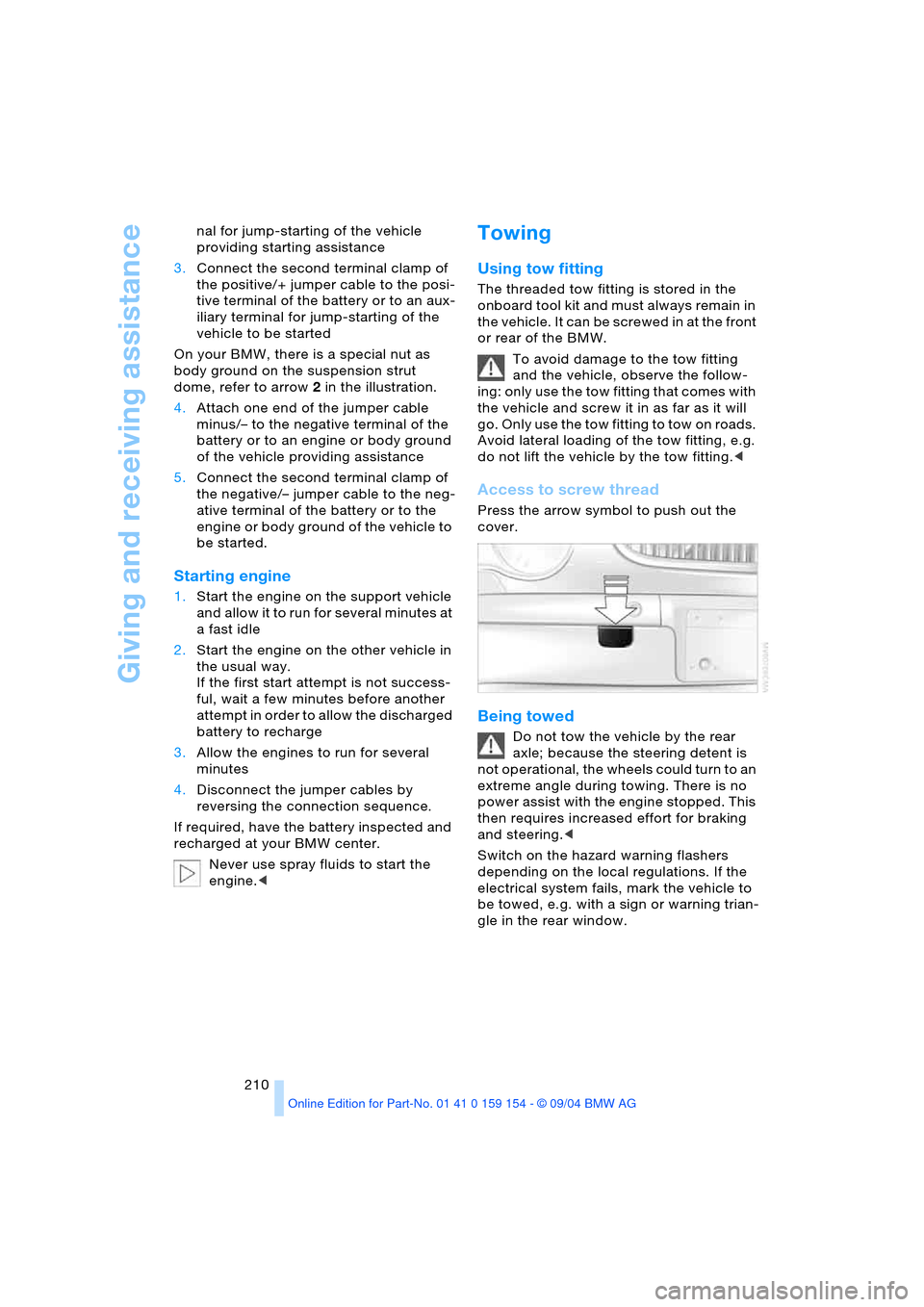
Access to screw thread
Press the arrow symbol to push out the
cover.
Being towed
Do not tow the vehicle by the rear
axle; because the steering detent is
not operational, the wheels could turn to an
extreme angle during towing. There is no
power assist with the engine stopped. This
then requires increased effort for braking
and steering.<
Switch on the hazard warning flashers
depending on the local regulations. If the
electrical system fails, mark the vehicle to
be towed, e.g. with a sign or warning trian-
gle in the rear window.
Page 221 of 239
Reference 219
At a glance
Controls
Driving tips
Communications
Navigation
Entertainment
Mobility
"Audio"
– audio mode148
– radio152
Audio148
– adjusting tone149
– controls148
– switching on/off149
– volume149
"AUDIO" for
DVD mode169
Audio mode148
"AUTO", automatic climate
control107
Automatic
– air distribution104
– air supply104
– headlamp control100
– luggage compartment lid
operation36,41
– steering wheel
adjustment54
– windshield washer72
Automatic car wash, refer
to the Caring for your
vehicle brochure
Automatic climate
control103
– rear air conditioner109
– rear cooler114
– settings in Control
Display107
Automatic curb monitor56
Automatic Hold
– parking65
– parking brake65
Automatic recirculated-air
control AUC105
Automatic soft closing
– doors39
– luggage compartment
lid40
Automatic station
search152
Automatic station
storage153Automatic transmission
with Steptronic68
– ignition62
– interlock62
– selector lever interlock68
– shiftlock69
– towing210
"AUTO P"
– function button54
– vehicle65
AUTO program, refer to
Automatic air
distribution104
"AUTOSTOR" for radio154
Average fuel
consumption86
– setting units89
Average speed86
– setting units89
"Avoid highway"137
Avoiding tolls137
"Avoid route"141
"Avoid sect."140
"Avoid tolls"137
Axle loads, refer to
Weights216
"A-Z", telephone179
B
Backrests, refer to Seat
adjustment47,48
Backrest width
adjustment47
Backup lamps, bulb
replacement203
"Balance" in audio
mode150
Bandages, refer to
First-aid kit209
Bar, towing211
"Bass" in audio mode150
Battery207
– indicator lamp207
– jump-starting209
– remote control34
– switch207
"BC", refer to Computer87
Belts, refer to Safety
belts51
Beverage holders116Blower, automatic climate
control103
BMW active seat53
"BMW Assist"182
BMW Assist182
BMW Maintenance
System198
"BMW Services",
BMW Assist182
Bottle holder, refer to
Beverage holders116
Brake fluid197
– indicator lamp13
– level197
Brake Force Display97
Brake hydraulic
systems197
Brake lamps
– adaptive, refer to Brake
force display97
– bulb replacement203
– indicator lamp, defective
lamp83
Brake pad wear indicator,
indicator lamp13
Brake rotors
– brake system123
– break-in122
Brakes123
– ABS92
– brake fluid197
– break-in122
– indicator/warning
lamps13,92,94
– parking brake64
Brake system197
– brake fluid level197
– brake pads82
– break-in122
– disc brakes123
– indicator lamp13
Breakdown recovery, refer
to Roadside
Assistance182
Breakdown service, refer to
Roadside Assistance182
Break-in procedures122
"Brief info", Control
Center22
Page 222 of 239
Everything from A to Z
220 "Brightness"
– in the Control Center90
– in TV mode164
Brightness90
– in TV mode164
– on Control Display90
Bulb replacement, refer to
Lamps and bulbs201
Buttons on multi-function
steering wheel16
– automatic transmission
with Steptronic70
Bypassing traffic
congestion140
C
Calculating distance86
California laws
– Event Data Recorders200
– Proposition 65
Warning200
Call
– beginning178
– during a call179
– ending178
– replacing179
– when absent181
Calling
– from phone book179
– from the Top 8 list180
– redialing180
– with telephone keypad,
folding176
Calls, switching between
two calls179
Can holder, refer to
Beverage holders116
Capacities217
Car care, refer to the Caring
for your vehicle brochure
Car-care products, refer to
the Caring for your vehicle
brochure
"Car data", vehicle84
Care, refer to the Caring for
your vehicle brochure
Caring for the vehicle finish,
refer to the Caring for
your vehicle brochure
Car jack points205Car key, refer to
Key/remote control34
Carpet care, refer to the
Caring for your vehicle
brochure
Car phone, refer to
separate portable phone
Owner's Manual174
Car radio, refer to
Radio152
Car wash122
– refer to the Caring for your
vehicle brochure
– with Comfort Access122
Catalytic converter, refer to
High temperatures122
CBC Cornering Brake
Control92
– warning lamp13
CBS Condition Based
Service198
"CD"
– in audio mode148
– in CD player mode158
CD changer160
– adjusting tone149
– controls148
– fast forward, reverse162
– location160
– random sequence161
– sampling161
– selecting a CD161
– selecting track162
– starting160
– volume149
CD player158
– adjusting tone149
– controls148
– fast forward, reverse159
– random sequence158
– sampling158
– selecting tracks158
– starting158
– volume149
Center armrest115,118
Center brake lamp, bulb
replacement203
Center console, refer to
Comfort features14Central locking system35
– Comfort Access37
– interior38
"CHANGE" for
navigation137
Changes, technical, refer to
For your own safety5
Changing language89
Changing navigation CDs/
DVDs130
Changing scale140
Changing settings on the
Control Display89
Changing time display89
Changing units of measure
in Control Display89
Changing wheels204
Charge current indicator
lamp83
CHECK button84
Check Control83
– "Check"84
Child's seats, refer to Child-
restraint systems58
Child-restraint systems58
Child-safety lock60
Chrome parts, refer to the
Caring for your vehicle
brochure
Chrome-plated parts, care,
refer to the Caring for
your vehicle brochure
Cigarette lighter117,118
Cleaning, vehicle, refer to
the Caring for your vehicle
brochure
Cleaning windshield72
Climate comfort
windshield126
"Climate" for seat
heating52
"Clock"90
Clock81
– 12/24-hour mode89
– setting90
– setting time and date90
Closing
– from inside38
– from outside35
Clothes hooks116
Cockpit10,14
Page 223 of 239
Reference 221
At a glance
Controls
Driving tips
Communications
Navigation
Entertainment
Mobility
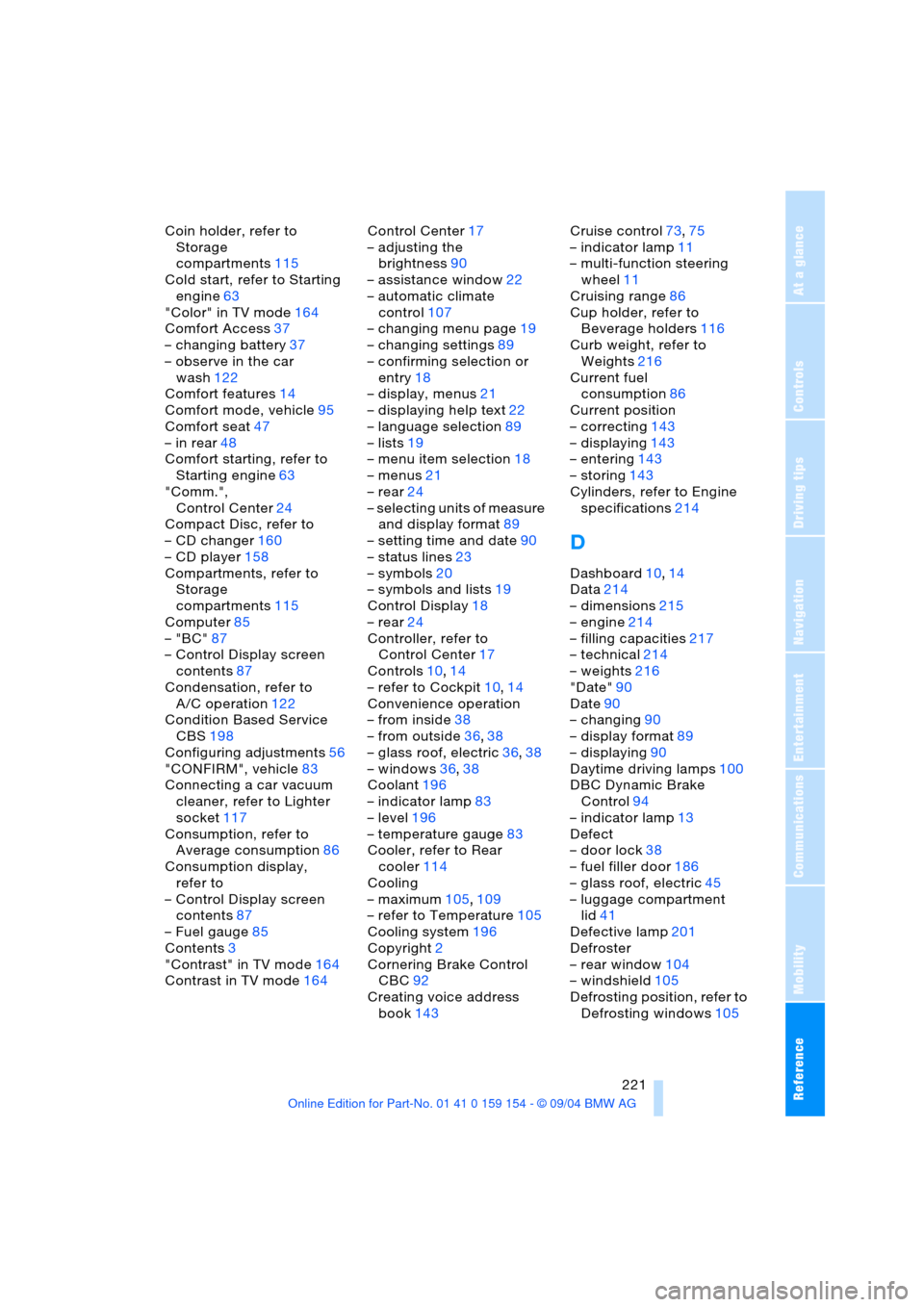
Coin holder, refer to
Storage
compartments115
Cold start, refer to Starting
engine63
"Color" in TV mode164
Comfort Access37
– changing battery37
– observe in the car
wash122
Comfort features14
Comfort mode, vehicle95
Comfort seat47
– in rear48
Comfort starting, refer to
Starting engine63
"Comm.",
Control Center24
Compact Disc, refer to
– CD changer160
– CD player158
Compartments, refer to
Storage
compartments115
Computer85
– "BC"87
– Control Display screen
contents87
Condensation, refer to
A/C operation122
Condition Based Service
CBS198
Configuring adjustments56
"CONFIRM", vehicle83
Connecting a car vacuum
cleaner, refer to Lighter
socket117
Consumption, refer to
Average consumption86
Consumption display,
refer to
– Control Display screen
contents87
– Fuel gauge85
Contents3
"Contrast" in TV mode164
Contrast in TV mode164Control Center17
– adjusting the
brightness90
– assistance window22
– automatic climate
control107
– changing menu page19
– changing settings89
– confirming selection or
entry18
– display, menus21
– displaying help text22
– language selection89
– lists19
– menu item selection18
– menus21
– rear24
– selecting units of measure
and display format89
– setting time and date90
– status lines23
– symbols20
– symbols and lists19
Control Display18
– rear24
Controller, refer to
Control Center17
Controls10,14
– refer to Cockpit10,14
Convenience operation
– from inside38
– from outside36,38
– glass roof, electric36,38
– windows36,38
Coolant196
– indicator lamp83
– level196
– temperature gauge83
Cooler, refer to Rear
cooler114
Cooling
– maximum105,109
– refer to Temperature105
Cooling system196
Copyright2
Cornering Brake Control
CBC92
Creating voice address
book143Cruise control73,75
– indicator lamp11
– multi-function steering
wheel11
Cruising range86
Cup holder, refer to
Beverage holders116
Curb weight, refer to
Weights216
Current fuel
consumption86
Current position
– correcting143
– displaying143
– entering143
– storing143
Cylinders, refer to Engine
specifications214
D
Dashboard10,14
Data214
– dimensions215
– engine214
– filling capacities217
– technical214
– weights216
"Date"90
Date90
– changing90
– display format89
– displaying90
Daytime driving lamps100
DBC Dynamic Brake
Control94
– indicator lamp13
Defect
– door lock38
– fuel filler door186
– glass roof, electric45
– luggage compartment
lid41
Defective lamp201
Defroster
– rear window104
– windshield105
Defrosting position, refer to
Defrosting windows105
Page 225 of 239
Reference 223
At a glance
Controls
Driving tips
Communications
Navigation
Entertainment
Mobility
Electrical defect
– door lock38
– driver's door38
– fuel filler door186
– glass roof, electric45
– luggage compartment
lid40
– parking brake66
– transmission interlock for
automatic transmission
with Steptronic70
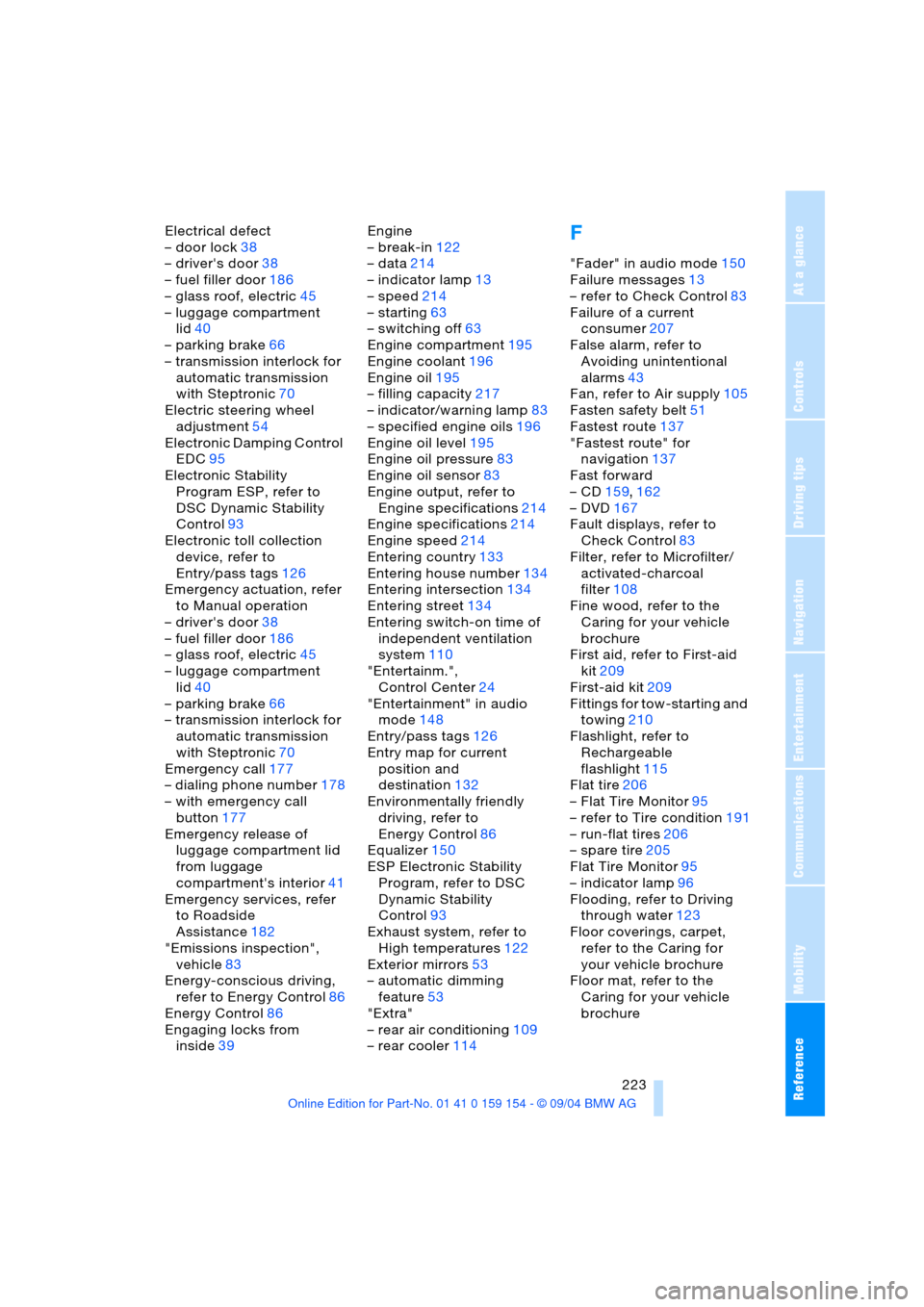
Electric steering wheel
adjustment54
Electronic Damping Control
EDC95
Electronic Stability
Program ESP, refer to
DSC Dynamic Stability
Control93
Electronic toll collection
device, refer to
Entry/pass tags126
Emergency actuation, refer
to Manual operation
– driver's door38
– fuel filler door186
– glass roof, electric45
– luggage compartment
lid40
– parking brake66
– transmission interlock for
automatic transmission
with Steptronic70
Emergency call177
– dialing phone number178
– with emergency call
button177
Emergency release of
luggage compartment lid
from luggage
compartment's interior41
Emergency services, refer
to Roadside
Assistance182
"Emissions inspection",
vehicle83
Energy-conscious driving,
refer to Energy Control86
Energy Control86
Engaging locks from
inside39Engine
– break-in122
– data214
– indicator lamp13
– speed214
– starting63
– switching off63
Engine compartment195
Engine coolant196
Engine oil195
– filling capacity217
– indicator/warning lamp83
– specified engine oils196
Engine oil level195
Engine oil pressure83
Engine oil sensor83
Engine output, refer to
Engine specifications214
Engine specifications214
Engine speed214
Entering country133
Entering house number134
Entering intersection134
Entering street134
Entering switch-on time of
independent ventilation
system110
"Entertainm.",
Control Center24
"Entertainment" in audio
mode148
Entry/pass tags126
Entry map for current
position and
destination132
Environmentally friendly
driving, refer to
Energy Control86
Equalizer150
ESP Electronic Stability
Program, refer to DSC
Dynamic Stability
Control93
Exhaust system, refer to
High temperatures122
Exterior mirrors53
– automatic dimming
feature53
"Extra"
– rear air conditioning109
– rear cooler114F
"Fader" in audio mode150
Failure messages13
– refer to Check Control83
Failure of a current
consumer207
False alarm, refer to
Avoiding unintentional
alarms43
Fan, refer to Air supply105
Fasten safety belt51
Fastest route137
"Fastest route" for
navigation137
Fast forward
– CD159,162
– DVD167
Fault displays, refer to
Check Control83
Filter, refer to Microfilter/
activated-charcoal
filter108
Fine wood, refer to the
Caring for your vehicle
brochure
First aid, refer to First-aid
kit209
First-aid kit209
Fittings for tow-starting and
towing210
Flashlight, refer to
Rechargeable
flashlight115
Flat tire206
– Flat Tire Monitor95
– refer to Tire condition191
– run-flat tires206
– spare tire205
Flat Tire Monitor95
– indicator lamp96
Flooding, refer to Driving
through water123
Floor coverings, carpet,
refer to the Caring for
your vehicle brochure
Floor mat, refer to the
Caring for your vehicle
brochure