ECO mode BMW 760i 2005 E65 Owner's Guide
[x] Cancel search | Manufacturer: BMW, Model Year: 2005, Model line: 760i, Model: BMW 760i 2005 E65Pages: 239, PDF Size: 8.03 MB
Page 116 of 239
Practical interior accessories
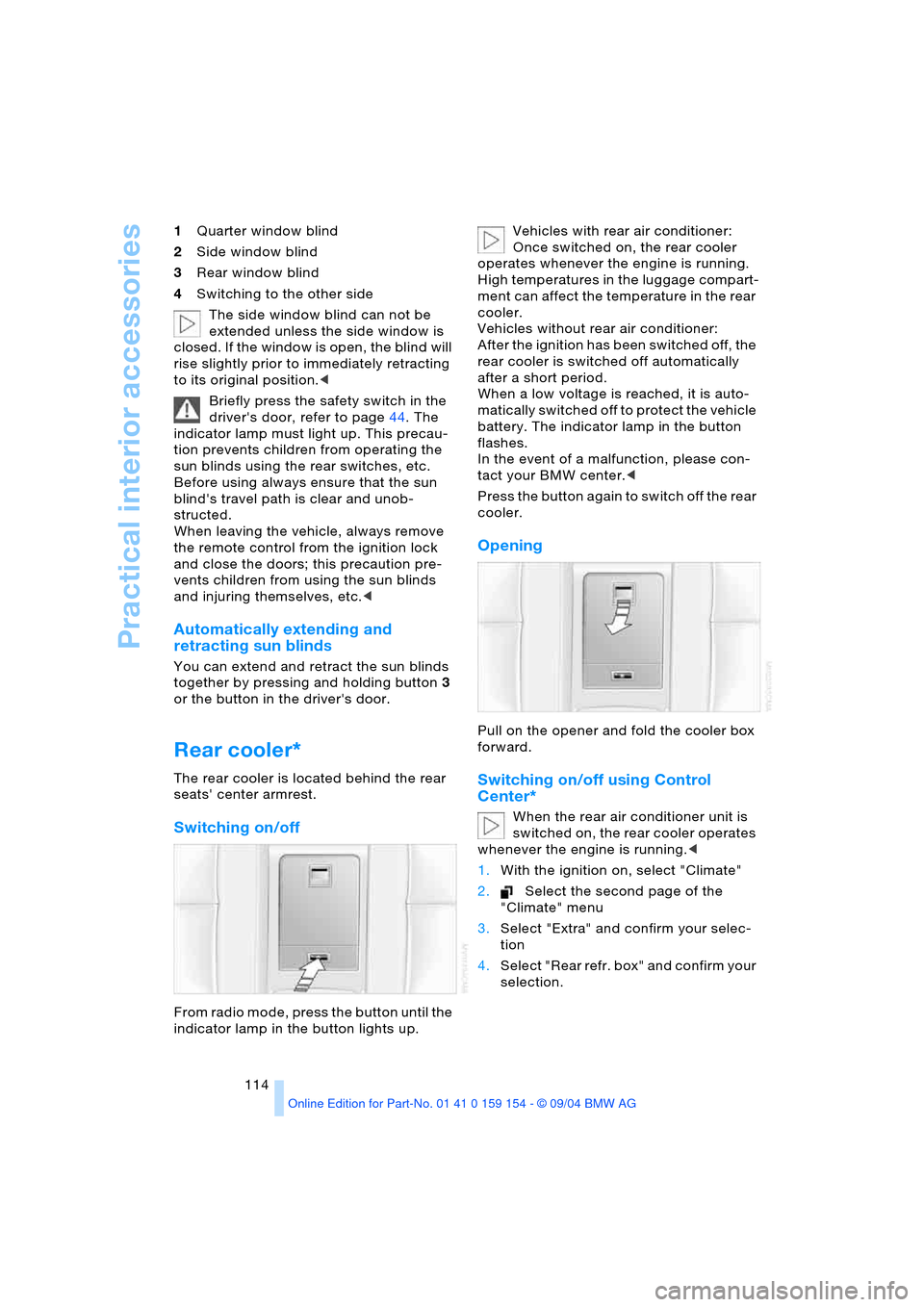
114 1Quarter window blind
2Side window blind
3Rear window blind
4Switching to the other side
The side window blind can not be
extended unless the side window is
closed. If the window is open, the blind will
rise slightly prior to immediately retracting
to its original position.<
Briefly press the safety switch in the
driver's door, refer to page44. The
indicator lamp must light up. This precau-
tion prevents children from operating the
sun blinds using the rear switches, etc.
Before using always ensure that the sun
blind's travel path is clear and unob-
structed.
When leaving the vehicle, always remove
the remote control from the ignition lock
and close the doors; this precaution pre-
vents children from using the sun blinds
and injuring themselves, etc.<
Automatically extending and
retracting sun blinds
You can extend and retract the sun blinds
together by pressing and holding button3
or the button in the driver's door.
Rear cooler*
The rear cooler is located behind the rear
seats' center armrest.
Switching on/off
From radio mode, press the button until the
indicator lamp in the button lights up. Vehicles with rear air conditioner:
Once switched on, the rear cooler
operates whenever the engine is running.
High temperatures in the luggage compart-
ment can affect the temperature in the rear
cooler.
Vehicles without rear air conditioner:
After the ignition has been switched off, the
rear cooler is switched off automatically
after a short period.
When a low voltage is reached, it is auto-
matically switched off to protect the vehicle
battery. The indicator lamp in the button
flashes.
In the event of a malfunction, please con-
tact your BMW center.<
Press the button again to switch off the rear
cooler.
Opening
Pull on the opener and fold the cooler box
forward.
Switching on/off using Control
Center*
When the rear air conditioner unit is
switched on, the rear cooler operates
whenever the engine is running.<
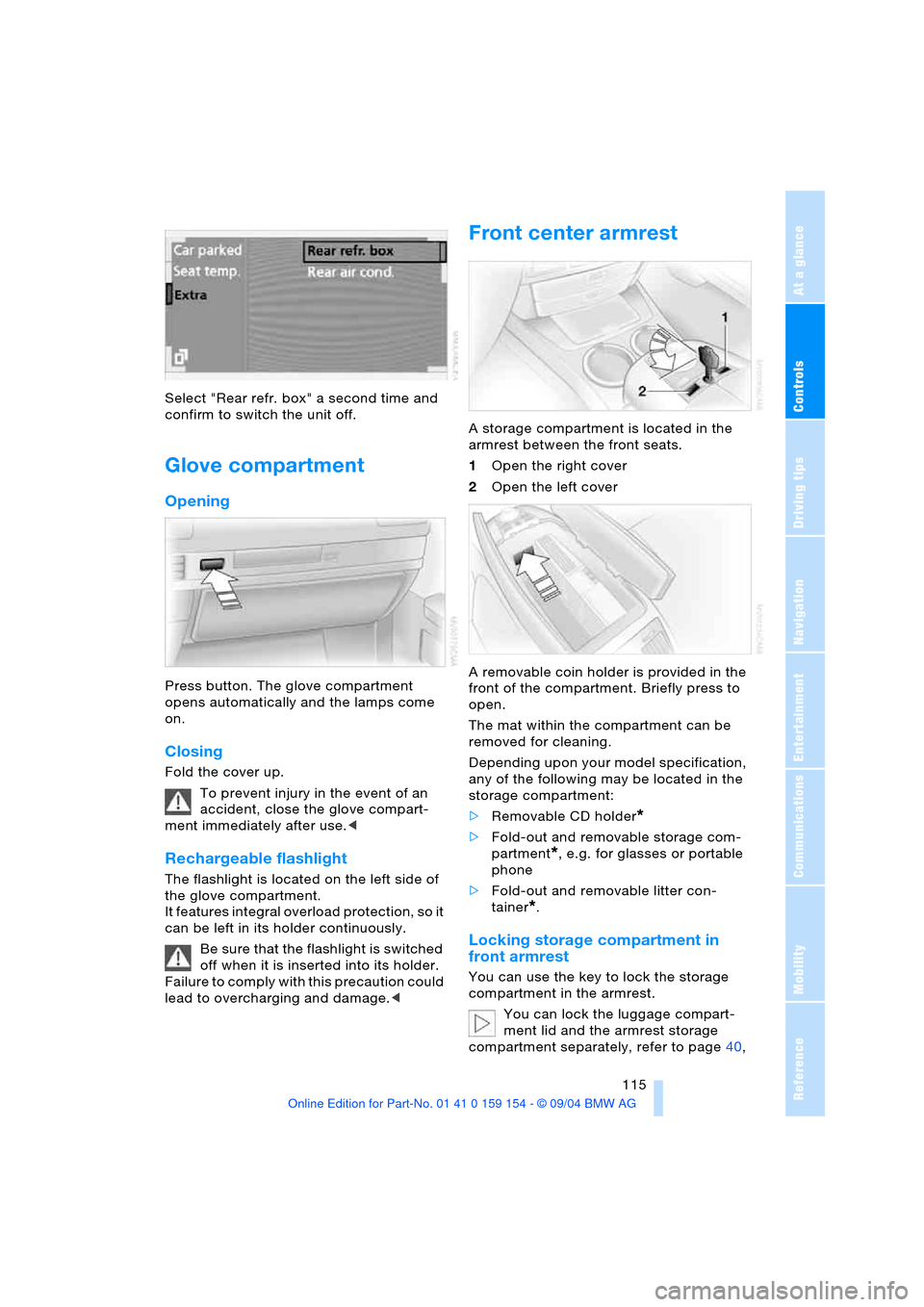
1.With the ignition on, select "Climate"
2.Select the second page of the
"Climate" menu
3.Select "Extra" and confirm your selec-
tion
4.Select "Rear refr. box" and confirm your
selection.
Page 117 of 239
Controls
115Reference
At a glance
Driving tips
Communications
Navigation
Entertainment
Mobility
Select "Rear refr. box" a second time and
confirm to switch the unit off.
Glove compartment
Opening
Press button. The glove compartment
opens automatically and the lamps come
on.
Closing
Fold the cover up.
To prevent injury in the event of an
accident, close the glove compart-
ment immediately after use.<
Rechargeable flashlight
The flashlight is located on the left side of
the glove compartment.
It features integral overload protection, so it
can be left in its holder continuously.
Be sure that the flashlight is switched
off when it is inserted into its holder.
Failure to comply with this precaution could
lead to overcharging and damage.<
Front center armrest
A storage compartment is located in the
armrest between the front seats.
1Open the right cover
2Open the left cover
A removable coin holder is provided in the
front of the compartment. Briefly press to
open.
The mat within the compartment can be
removed for cleaning.
Depending upon your model specification,
any of the following may be located in the
storage compartment:
>Removable CD holder
*
>Fold-out and removable storage com-
partment
*, e.g. for glasses or portable
phone
>Fold-out and removable litter con-
tainer
*.
Locking storage compartment in
front armrest
You can use the key to lock the storage
compartment in the armrest.
You can lock the luggage compart-
ment lid and the armrest storage
compartment separately, refer to page40,
Page 124 of 239
Things to remember when driving
122
Things to remember when driving
Break-in procedures
To ensure that your vehicle continues to
furnish optimized economy of operation
throughout an extended service life, we
request that you devote careful attention
to the following information.
Engine and differential
Up to 1,200 miles/2,000 km:
During this initial period you should attempt
to avoid constant, steady-state operation
and vary both vehicle and engine speeds
as often as possible. Until the break-in
period has been completed you should
also refrain from exceeding the following:
>4,500 rpm or 105 mph/170 km/h
Always obey all official speed limits.
Avoid full-throttle operation and use of the
transmission's kick-down mode during
these initial miles.
Once you have driven 1,200 miles/
2,000 km, the engine or vehicle speeds can
be gradually increased.
Tires
Due to technical factors associated with
their manufacture, tires do not achieve their
full traction potential until after an initial
break-in period. Therefore, drive reservedly
during the first 200 miles/300 km.
Brake system
Brakes require an initial break-in period of
approx. 300 miles/500 km to achieve opti-
mized contact and wear patterns between
brake pads and rotors.
Following component replacements
Observe the break-in instructions again if
previously addressed components must be
replaced again during driving later.
General driving notes
Hot exhaust system
Extreme temperatures occur at the
catalytic converter on this and every
catalyst-equipped vehicle. Do not remove
the heat shields installed adjacent to vari-
ous sections of the exhaust system, and
never apply undercoating to them. When
driving, standing at idle and while parking
take care to avoid possible contact
between the hot exhaust system and any
highly flammable materials such as hay,
leaves, grass, etc. Such contact could lead
to a fire, accompanied by the risk of serious
property damage as well as personal
injury.<
Air conditioning
Condensation forms in the air conditioner
system during operation, and then exits
under the vehicle. Traces of condensed
water under the vehicle are thus normal.
Before driving into a car wash
1.Fold in the exterior mirrors, refer to
page53, as otherwise they could be
damaged due to the width of the vehicle
2.Leave the remote control in the ignition
lock, as otherwise the P position of the
automatic transmission will automati-
cally be selected when the remote con-
trol is removed. Refer to page63
and69.
With Comfort Access, be sure to
observe the instructions on page63
3.Release the parking brake, especially
when you have activated Automatic
Hold. Refer to page64 and65.
Page 125 of 239
Driving tips
123Reference
At a glance
Controls
Communications
Navigation
Entertainment
Mobility
Hydroplaning
When driving on wet or slushy roads,
reduce road speed. If you do not, a
wedge of water can form between tires and
road surface. This phenomenon is referred
to as hydroplaning, and is characterized by
a partial or complete loss of contact
between tires and road surface, ultimately
undermining your ability to steer and brake
the vehicle.<
Driving through water
Only drive through water with a maxi-
mum depth of 1 ft/30 cm, and then
only at walking speed at the most. Other-
wise, the vehicle's engine, the electrical
systems and the transmission may be dam-
aged.<
Safe braking
Your BMW is equipped with ABS as stan-
dard equipment. The best way to brake is
to apply maximum pressure to the brake
pedal during emergency: full brake applica-
tion. Since the vehicle maintains steering
responsiveness, you can nevertheless
avoid possible obstacles with a minimum
of steering effort.
Pulsation at the brake pedal combines with
sounds from the hydraulic circuits to indi-
cate to the driver that ABS is in its active
mode.
Driving in wet conditions
While driving in wet conditions and in heavy
rain, it is a good idea to apply light pressure
to the brake pedal every few miles. Monitor
traffic conditions to ensure that this maneu-
ver does not endanger other road users.
The heat generated in this process helps
dry the pads and rotors to ensure that full
braking efficiency will then be available
when you need it.
Hills
To prevent overheating and reduced
efficiency of the brake system, drive
long or steep downhill gradients in the gear
in which the least braking is required. Otherwise, even light but consistent pedal
pressure can lead to high temperatures,
brake wear and possibly even brake fail-
ure.<
You can further enhance the engine's brak-
ing effect by selecting a lower gear in the
automatic transmission's manual mode,
downshifting as far as first gear on
extremely steep stretches, refer to
page70. This strategy helps you avoid
placing excessive loads on the brake sys-
tem.
Never allow the vehicle to coast with
the transmission in Neutral – or with
the engine switched off – as there is no
engine braking when the transmission is in
Neutral, and no power-assist for brakes
and steering when the engine is not run-
ning.
Never allow floor mats, carpets or any other
objects to protrude into the area around the
accelerator and brake pedals and obstruct
their movement.<
Corrosion on brake rotors
When the vehicle is driven only occasion-
ally, during extended periods when the
vehicle is not used at all, and in operating
conditions where brake applications are
less frequent, there is an increased ten-
dency for corrosion to form on rotors, while
contaminants accumulate on the brake
pads. This occurs because the minimal
pressure which must be exerted by the
pads during brake applications to clean the
rotors is not reached.
Should corrosion form on the brake rotors,
the brakes will tend to respond with a pul-
sating effect that even extended applica-
tion will fail to cure.
Mobile communications devices in
vehicle
BMW does not recommend using
mobile communications devices, e.g.
portable phones, in the interior of the vehi-
cle without a direct connection to an out-
side antenna. Otherwise the vehicle elec-
tronics and mobile communications device
can affect each other. In addition, it is not
Page 133 of 239
Navigation
Driving tips
131Reference
At a glance
Controls
Communications
Entertainment
Mobility
To change the navigation CD/DVD:
1.Press button.
The CD/DVD is ejected from the naviga-
tion computer
2.Remove the CD/DVD
3.Insert the new CD/DVD with the labeled
side up.
Allow approx. eight seconds for the
system to scan the data from the new
CD/DVD.
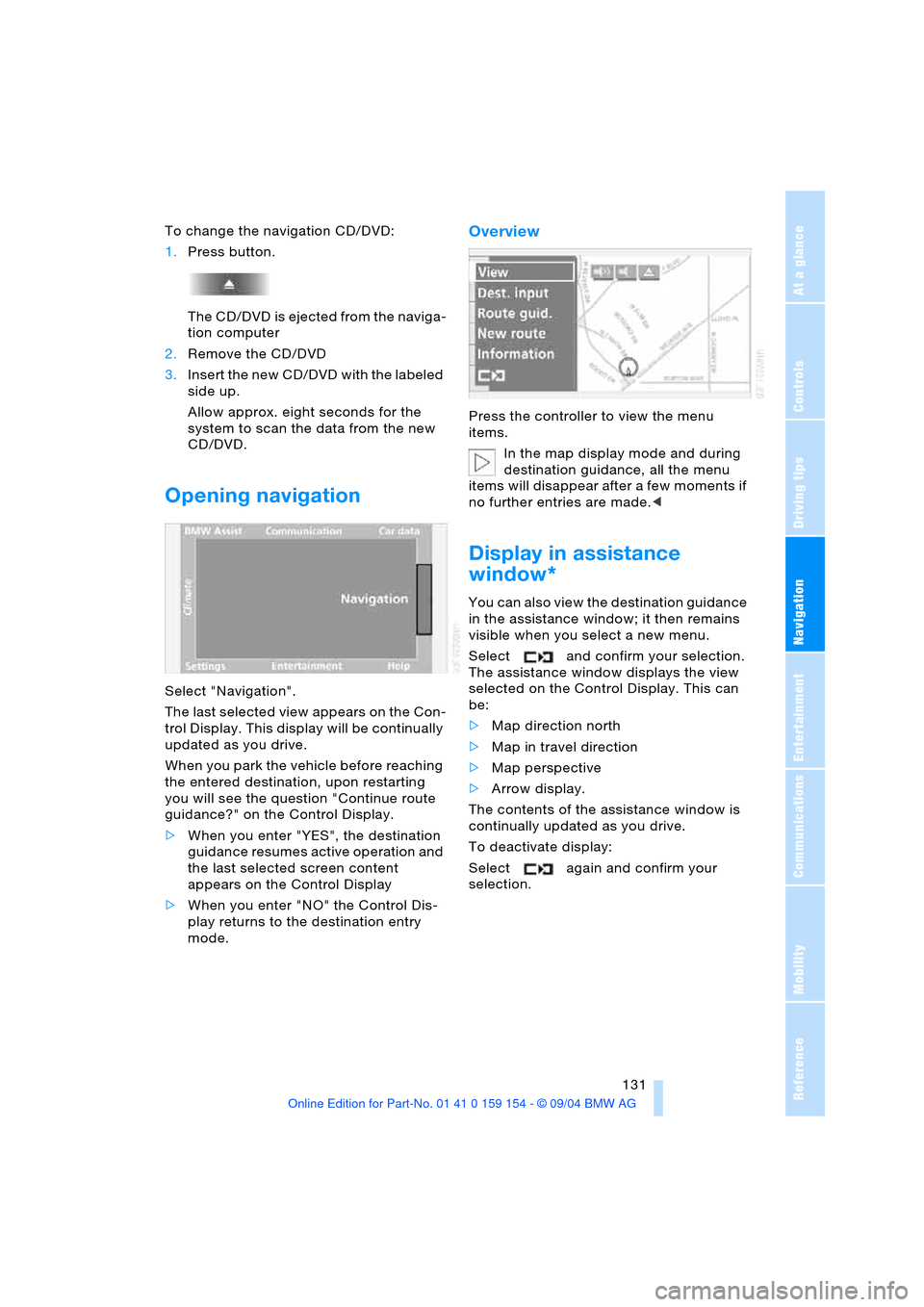
Opening navigation
Select "Navigation".
The last selected view appears on the Con-
trol Display. This display will be continually
updated as you drive.
When you park the vehicle before reaching
the entered destination, upon restarting
you will see the question "Continue route
guidance?" on the Control Display.
>When you enter "YES", the destination
guidance resumes active operation and
the last selected screen content
appears on the Control Display
>When you enter "NO" the Control Dis-
play returns to the destination entry
mode.
Overview
Press the controller to view the menu
items.
In the map display mode and during
destination guidance, all the menu
items will disappear after a few moments if
no further entries are made.<
Display in assistance
window*
You can also view the destination guidance
in the assistance window; it then remains
visible when you select a new menu.
Select and confirm your selection.
The assistance window displays the view
selected on the Control Display. This can
be:
>Map direction north
>Map in travel direction
>Map perspective
>Arrow display.
The contents of the assistance window is
continually updated as you drive.
To deactivate display:
Select again and confirm your
selection.
Page 142 of 239
Destination guidance
140
Changing scale
Turn the controller to adjust the scale.
The map scale is provided at the lower right
of the Control Display.
Altering display direction
1.Select "View" and confirm your selec-
tion. All the menu items will disappear
after a few moments if no further entries
are made
2.Select "Map dir. travel" or "Map facing
N." and confirm your selection.
Canceling route map
To change to directional arrow mode:
1.Select "View" and confirm your selec-
tion. All the menu items will disappear
after a few moments if no further entries
are made
2."Arrow display"
The destination guidance is by means
of arrows on the Control Display and on
the Info Display, refer to page12.
The arrow will follow the general
course when you travel through an
area for which your navigation CD/DVD
does not provide comprehensive coverage.
This feature is intended to assist you at
crossroads and intersections.<
Displaying route list
You can access a listing of streets and
towns on your route whenever the destina-
tion guidance is active. This list is based on
the navigation system's suggested travel
route.The distances remaining to be traveled on
each individual road are also displayed.
1.Select "View" and confirm your selec-
tion. All the menu items will disappear
after a few moments if no further entries
are made
2.Select "Route" and confirm your selec-
tion.
If the system has not yet completely
defined the travel route, "..." will appear
in the list.
Select and confirm to switch off the
route list.
The route list is displayed again after
a short time if no other menu item has
been selected.<
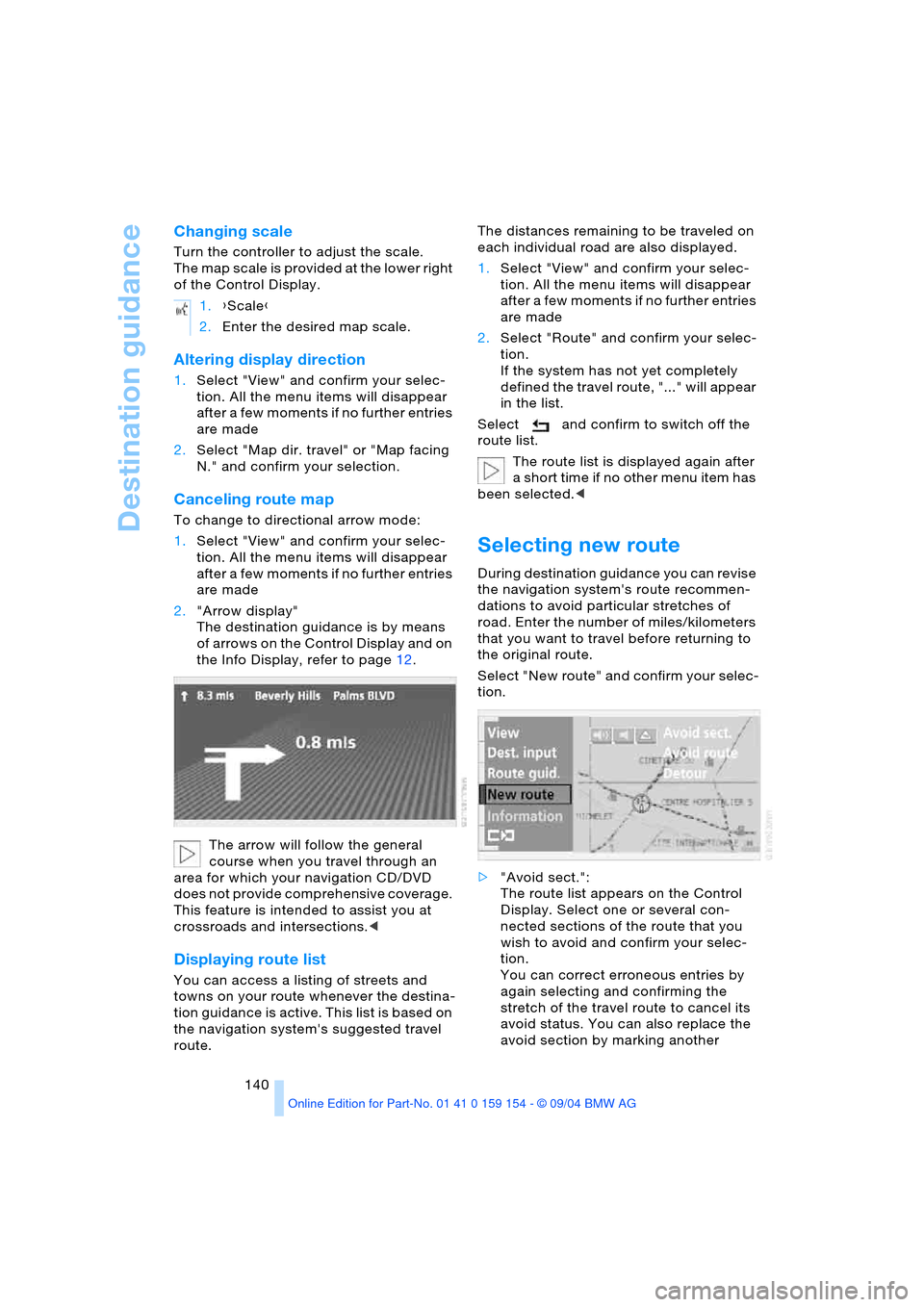
Selecting new route
During destination guidance you can revise
the navigation system's route recommen-
dations to avoid particular stretches of
road. Enter the number of miles/kilometers
that you want to travel before returning to
the original route.
Select "New route" and confirm your selec-
tion.
>"Avoid sect.":
The route list appears on the Control
Display. Select one or several con-
nected sections of the route that you
wish to avoid and confirm your selec-
tion.
You can correct erroneous entries by
again selecting and confirming the
stretch of the travel route to cancel its
avoid status. You can also replace the
avoid section by marking another 1.{Scale}
2.Enter the desired map scale.
Page 151 of 239
Navigation
Entertainment
Driving tips
149Reference
At a glance
Controls
Communications
Mobility
Care instructions
You can find everything you need to know
on this topic by consulting the separate
Caring for your vehicle brochure.
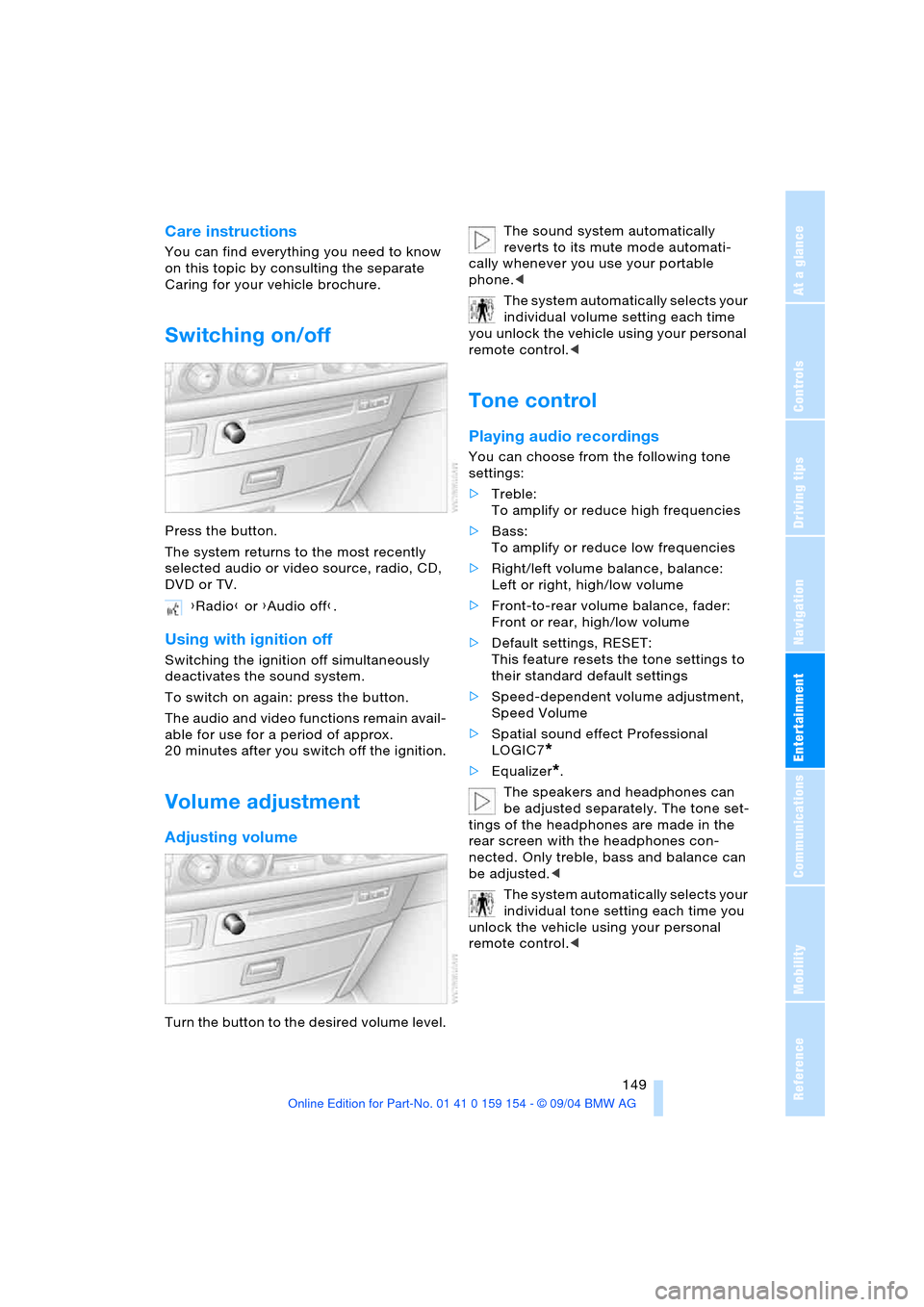
Switching on/off
Press the button.
The system returns to the most recently
selected audio or video source, radio, CD,
DVD or TV.
Using with ignition off
Switching the ignition off simultaneously
deactivates the sound system.
To switch on again: press the button.
The audio and video functions remain avail-
able for use for a period of approx.
20 minutes after you switch off the ignition.
Volume adjustment
Adjusting volume
Turn the button to the desired volume level.The sound system automatically
reverts to its mute mode automati-
cally whenever you use your portable
phone.<
The system automatically selects your
individual volume setting each time
you unlock the vehicle using your personal
remote control.<
Tone control
Playing audio recordings
You can choose from the following tone
settings:
>Treble:
To amplify or reduce high frequencies
>Bass:
To amplify or reduce low frequencies
>Right/left volume balance, balance:
Left or right, high/low volume
>Front-to-rear volume balance, fader:
Front or rear, high/low volume
>Default settings, RESET:
This feature resets the tone settings to
their standard default settings
>Speed-dependent volume adjustment,
Speed Volume
>Spatial sound effect Professional
LOGIC7
*
>Equalizer*.
The speakers and headphones can
be adjusted separately. The tone set-
tings of the headphones are made in the
rear screen with the headphones con-
nected. Only treble, bass and balance can
be adjusted.<
The system automatically selects your
individual tone setting each time you
unlock the vehicle using your personal
remote control.< {Radio} or {Audio off}.
Page 155 of 239
Navigation
Entertainment
Driving tips
153Reference
At a glance
Controls
Communications
Mobility
2.Select "MANUAL" and confirm your
selection.
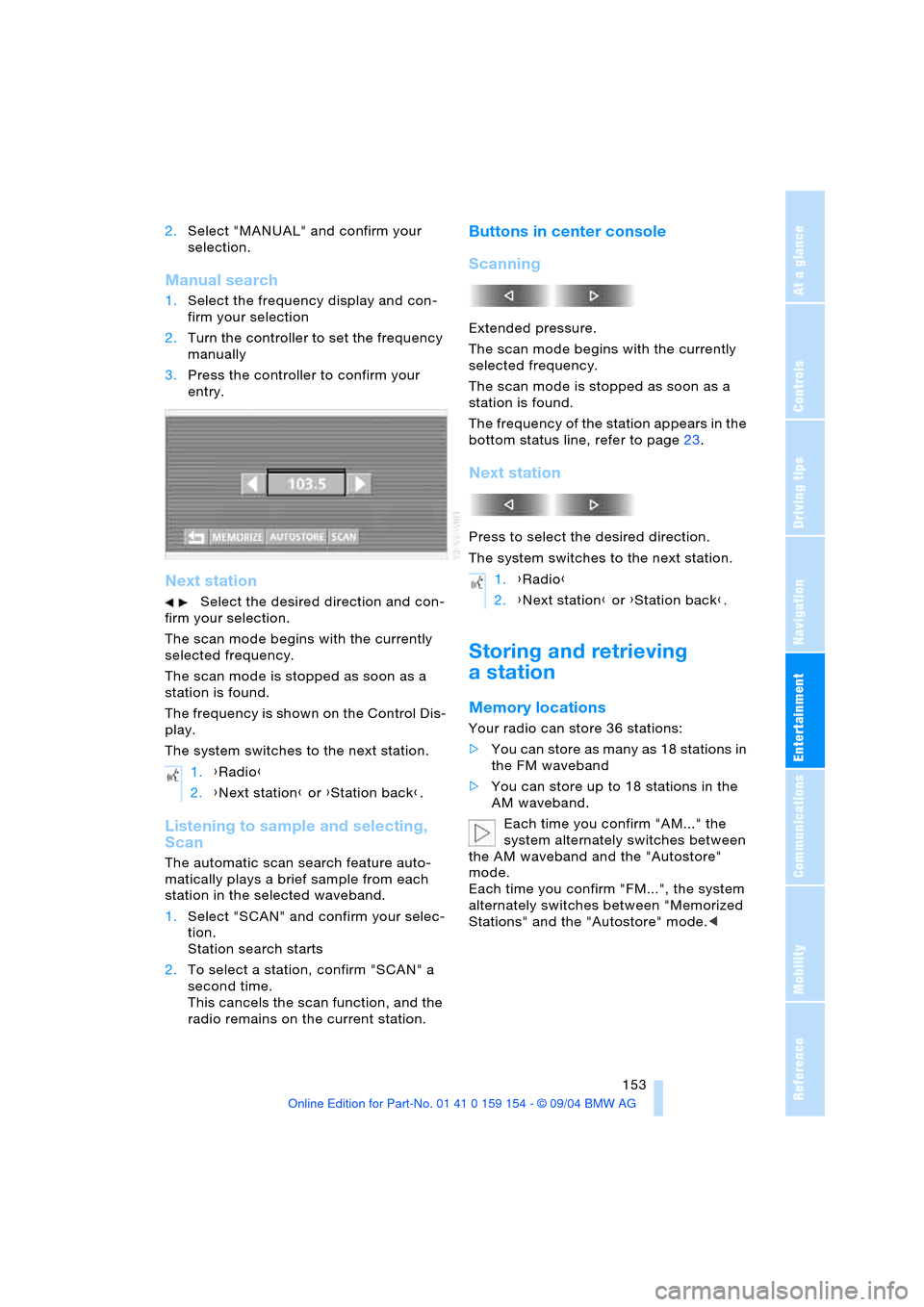
Manual search
1.Select the frequency display and con-
firm your selection
2.Turn the controller to set the frequency
manually
3.Press the controller to confirm your
entry.
Next station
Select the desired direction and con-
firm your selection.
The scan mode begins with the currently
selected frequency.
The scan mode is stopped as soon as a
station is found.
The frequency is shown on the Control Dis-
play.
The system switches to the next station.
Listening to sample and selecting,
Scan
The automatic scan search feature auto-
matically plays a brief sample from each
station in the selected waveband.
1.Select "SCAN" and confirm your selec-
tion.
Station search starts
2.To select a station, confirm "SCAN" a
second time.
This cancels the scan function, and the
radio remains on the current station.
Buttons in center console
Scanning
Extended pressure.
The scan mode begins with the currently
selected frequency.
The scan mode is stopped as soon as a
station is found.
The frequency of the station appears in the
bottom status line, refer to page23.
Next station
Press to select the desired direction.
The system switches to the next station.
Storing and retrieving
a station
Memory locations
Your radio can store 36 stations:
>You can store as many as 18 stations in
the FM waveband
>You can store up to 18 stations in the
AM waveband.
Each time you confirm "AM..." the
system alternately switches between
the AM waveband and the "Autostore"
mode.
Each time you confirm "FM...", the system
alternately switches between "Memorized
Stations" and the "Autostore" mode.< 1.{Radio}
2.{Next station} or {Station back}.
1.{Radio}
2.{Next station} or {Station back}.
Page 156 of 239
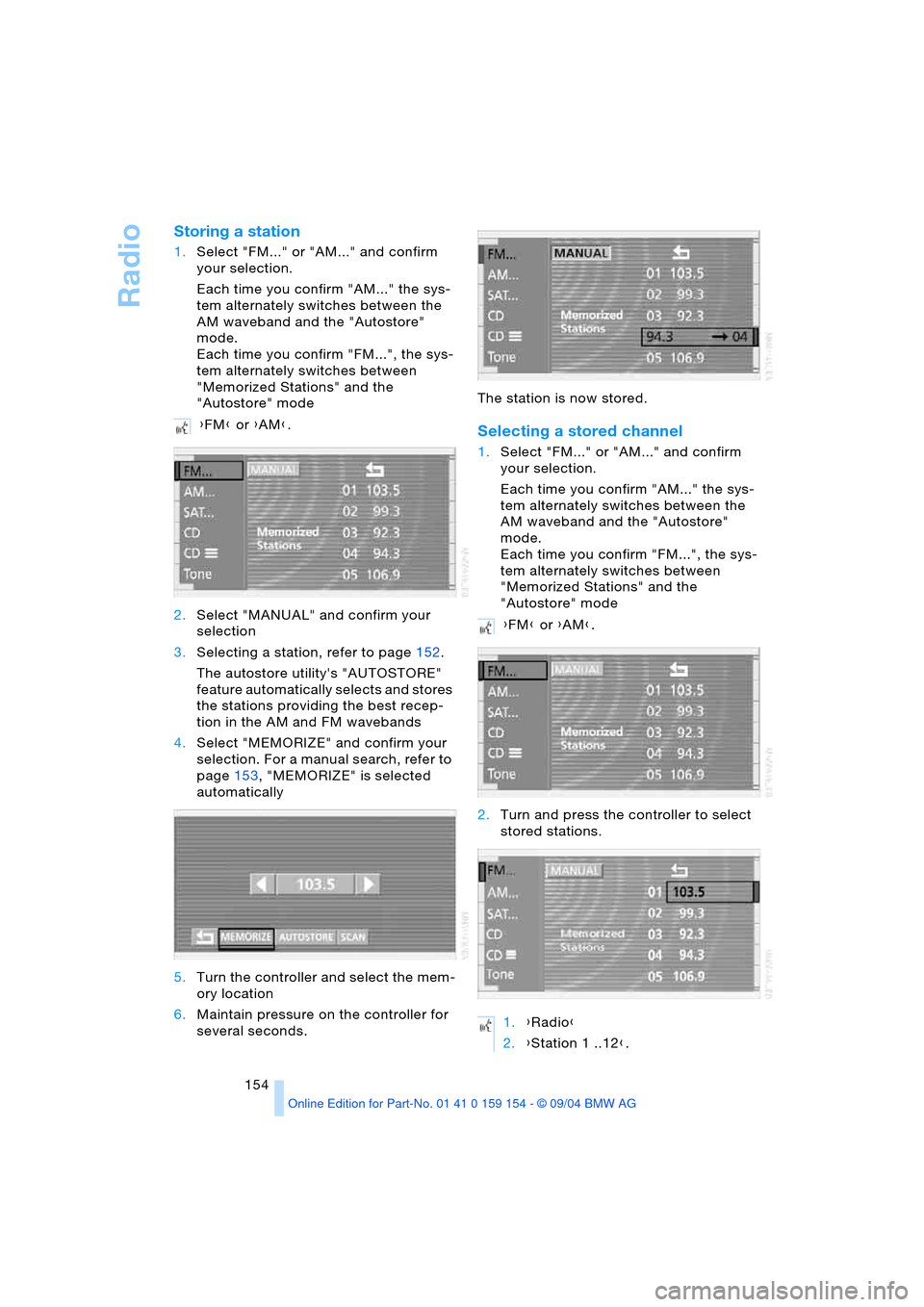
Radio
154
Storing a station
1.Select "FM..." or "AM..." and confirm
your selection.
Each time you confirm "AM..." the sys-
tem alternately switches between the
AM waveband and the "Autostore"
mode.
Each time you confirm "FM...", the sys-
tem alternately switches between
"Memorized Stations" and the
"Autostore" mode
2.Select "MANUAL" and confirm your
selection
3.Selecting a station, refer to page152.
The autostore utility's "AUTOSTORE"
feature automatically selects and stores
the stations providing the best recep-
tion in the AM and FM wavebands
4.Select "MEMORIZE" and confirm your
selection. For a manual search, refer to
page153, "MEMORIZE" is selected
automatically
5.Turn the controller and select the mem-
ory location
6.Maintain pressure on the controller for
several seconds.The station is now stored.
Selecting a stored channel
1.Select "FM..." or "AM..." and confirm
your selection.
Each time you confirm "AM..." the sys-
tem alternately switches between the
AM waveband and the "Autostore"
mode.
Each time you confirm "FM...", the sys-
tem alternately switches between
"Memorized Stations" and the
"Autostore" mode
2.Turn and press the controller to select
stored stations. {FM} or {AM}.
{FM} or {AM}.
1.{Radio}
2.{Station 1 ..12}.
Page 163 of 239
Navigation
Entertainment
Driving tips
161Reference
At a glance
Controls
Communications
Mobility
If the CD magazine has been newly filled,
playback begins with the lowest CD, e.g.
CD 1, track 1.
Volume adjustment, refer to page149.
Tone control, refer to page149.
If you play self-recorded audio CDs,
faults, e.g. drop-outs, can occur, or
the CD is not played at all.<
Status displays
The CD magazine's load status is indicated
on the Control Display.
If the display fails to detect a CD that
you have loaded in the magazine,
check to ensure that the CD has been
inserted correctly and inspect it for signs of
defects.<
Selecting a track using
Control Center
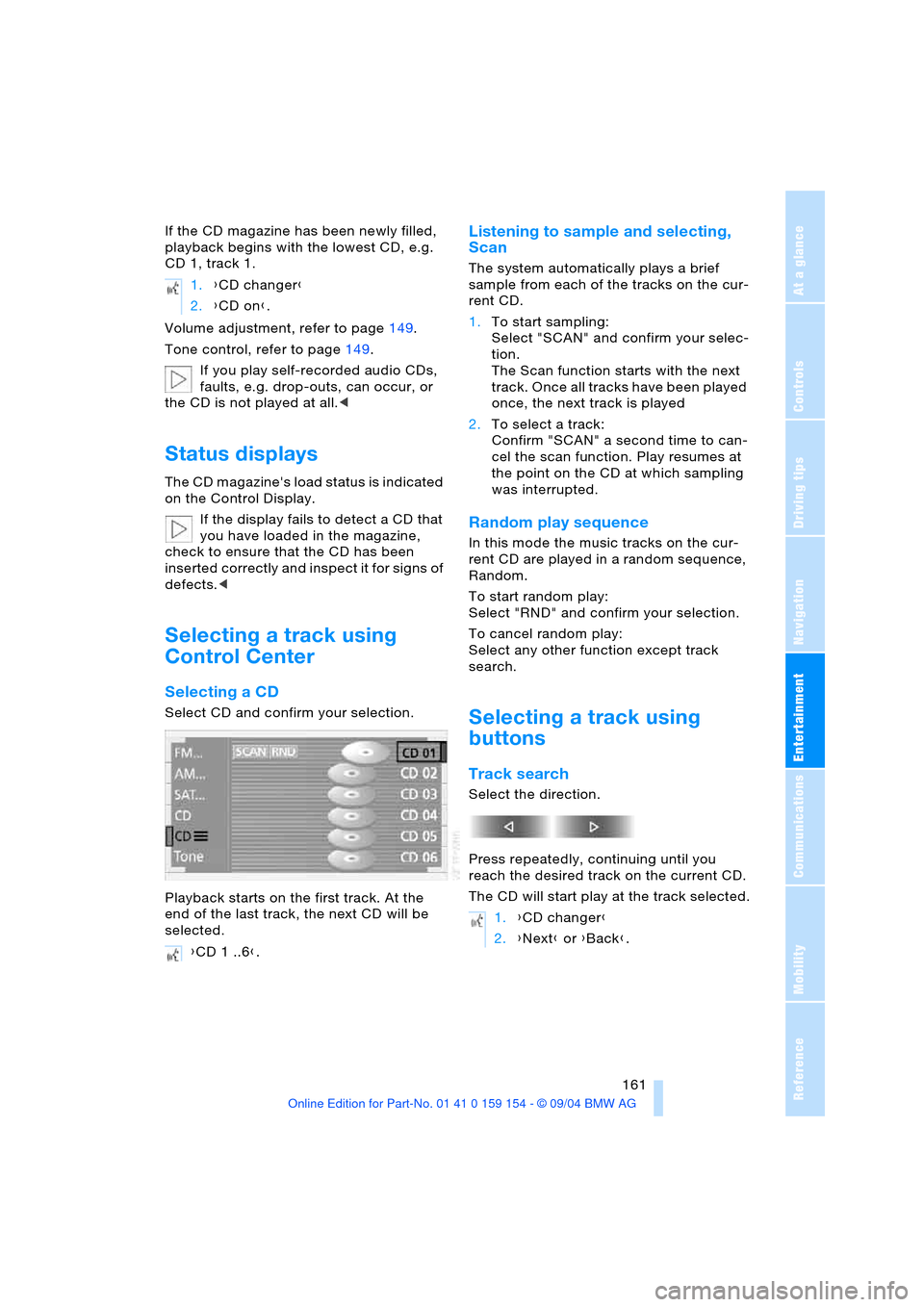
Selecting a CD
Select CD and confirm your selection.
Playback starts on the first track. At the
end of the last track, the next CD will be
selected.
Listening to sample and selecting,
Scan
The system automatically plays a brief
sample from each of the tracks on the cur-
rent CD.
1.To start sampling:
Select "SCAN" and confirm your selec-
tion.
The Scan function starts with the next
track. Once all tracks have been played
once, the next track is played
2.To select a track:
Confirm "SCAN" a second time to can-
cel the scan function. Play resumes at
the point on the CD at which sampling
was interrupted.
Random play sequence
In this mode the music tracks on the cur-
rent CD are played in a random sequence,
Random.
To start random play:
Select "RND" and confirm your selection.
To cancel random play:
Select any other function except track
search.
Selecting a track using
buttons
Track search
Select the direction.
Press repeatedly, continuing until you
reach the desired track on the current CD.
The CD will start play at the track selected. 1.{CD changer}
2.{CD on}.
{CD 1 ..6}.
1.{CD changer}
2.{Next} or {Back}.