service BMW 760Li 2005 E66 User Guide
[x] Cancel search | Manufacturer: BMW, Model Year: 2005, Model line: 760Li, Model: BMW 760Li 2005 E66Pages: 239, PDF Size: 8.03 MB
Page 96 of 239
Technology for comfort, convenience and safety
94
Switching off DSC
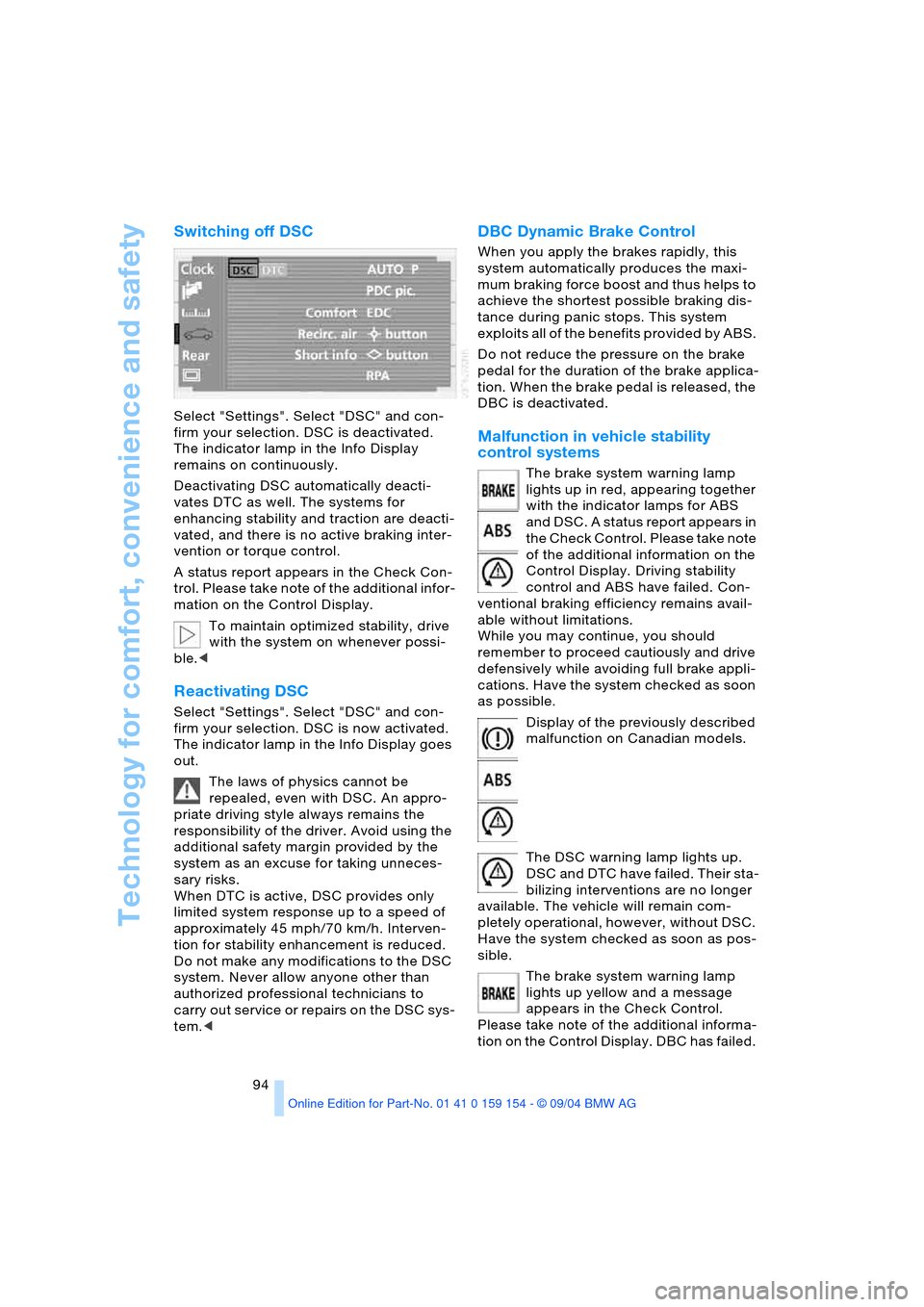
Select "Settings". Select "DSC" and con-
firm your selection. DSC is deactivated.
The indicator lamp in the Info Display
remains on continuously.
Deactivating DSC automatically deacti-
vates DTC as well. The systems for
enhancing stability and traction are deacti-
vated, and there is no active braking inter-
vention or torque control.
A status report appears in the Check Con-
trol. Please take note of the additional infor-
mation on the Control Display.
To maintain optimized stability, drive
with the system on whenever possi-
ble.<
Reactivating DSC
Select "Settings". Select "DSC" and con-
firm your selection. DSC is now activated.
The indicator lamp in the Info Display goes
out.
The laws of physics cannot be
repealed, even with DSC. An appro-
priate driving style always remains the
responsibility of the driver. Avoid using the
additional safety margin provided by the
system as an excuse for taking unneces-
sary risks.
When DTC is active, DSC provides only
limited system response up to a speed of
approximately 45 mph/70 km/h. Interven-
tion for stability enhancement is reduced.
Do not make any modifications to the DSC
system. Never allow anyone other than
authorized professional technicians to
carry out service or repairs on the DSC sys-
tem.<
DBC Dynamic Brake Control
When you apply the brakes rapidly, this
system automatically produces the maxi-
mum braking force boost and thus helps to
achieve the shortest possible braking dis-
tance during panic stops. This system
exploits all of the benefits provided by ABS.
Do not reduce the pressure on the brake
pedal for the duration of the brake applica-
tion. When the brake pedal is released, the
DBC is deactivated.
Malfunction in vehicle stability
control systems
The brake system warning lamp
lights up in red, appearing together
with the indicator lamps for ABS
and DSC. A status report appears in
the Check Control. Please take note
of the additional information on the
Control Display. Driving stability
control and ABS have failed. Con-
ventional braking efficiency remains avail-
able without limitations.
While you may continue, you should
remember to proceed cautiously and drive
defensively while avoiding full brake appli-
cations. Have the system checked as soon
as possible.
Display of the previously described
malfunction on Canadian models.
The DSC warning lamp lights up.
DSC and DTC have failed. Their sta-
bilizing interventions are no longer
available. The vehicle will remain com-
pletely operational, however, without DSC.
Have the system checked as soon as pos-
sible.
The brake system warning lamp
lights up yellow and a message
appears in the Check Control.
Please take note of the additional informa-
tion on the Control Display. DBC has failed.
Page 100 of 239
Technology for comfort, convenience and safety
98
Airbags
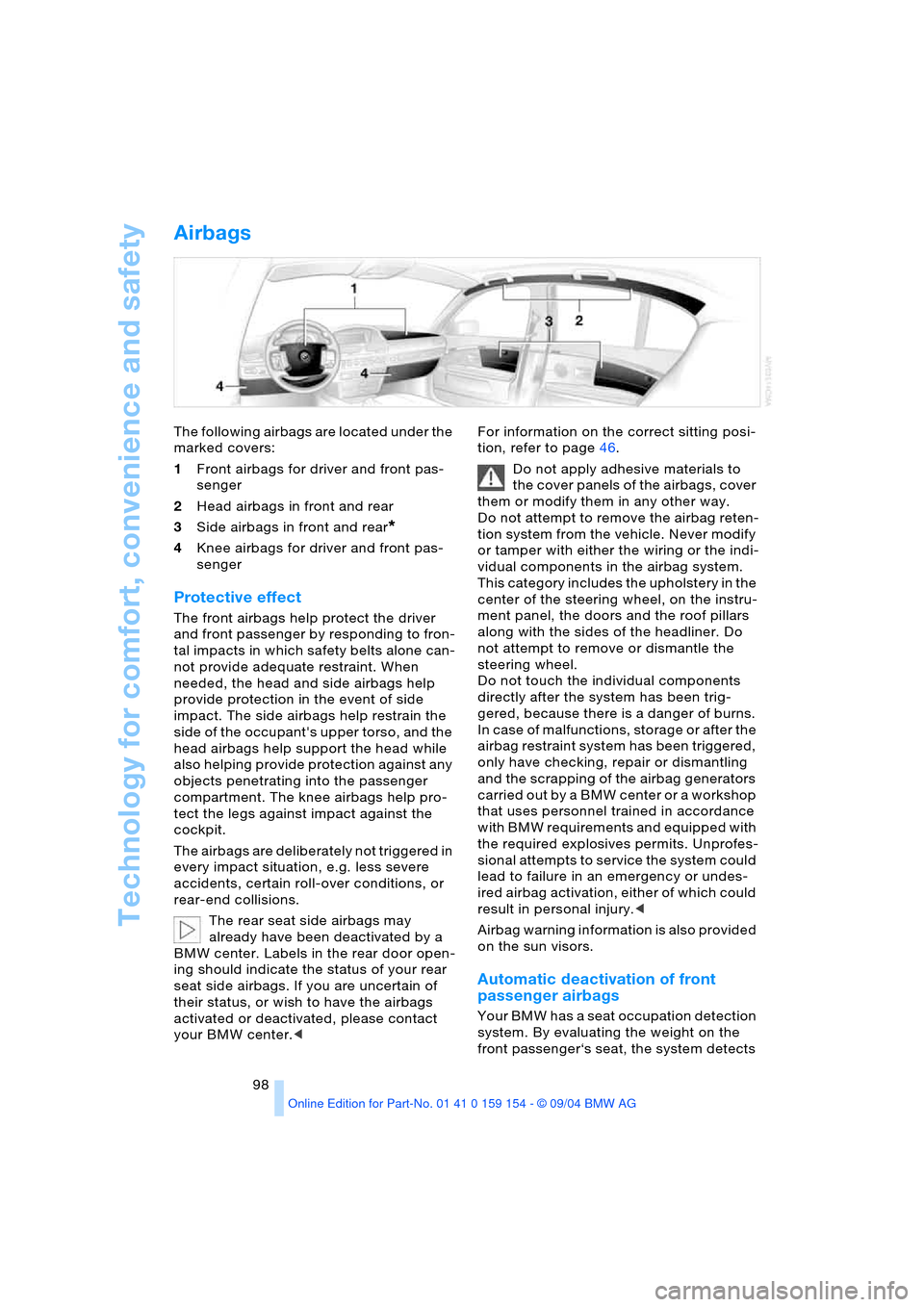
The following airbags are located under the
marked covers:
1Front airbags for driver and front pas-
senger
2Head airbags in front and rear
3Side airbags in front and rear
*
4Knee airbags for driver and front pas-
senger
Protective effect
The front airbags help protect the driver
and front passenger by responding to fron-
tal impacts in which safety belts alone can-
not provide adequate restraint. When
needed, the head and side airbags help
provide protection in the event of side
impact. The side airbags help restrain the
side of the occupant's upper torso, and the
head airbags help support the head while
also helping provide protection against any
objects penetrating into the passenger
compartment. The knee airbags help pro-
tect the legs against impact against the
cockpit.
The airbags are deliberately not triggered in
every impact situation, e.g. less severe
accidents, certain roll-over conditions, or
rear-end collisions.
The rear seat side airbags may
already have been deactivated by a
BMW center. Labels in the rear door open-
ing should indicate the status of your rear
seat side airbags. If you are uncertain of
their status, or wish to have the airbags
activated or deactivated, please contact
your BMW center.
Do not apply adhesive materials to
the cover panels of the airbags, cover
them or modify them in any other way.
Do not attempt to remove the airbag reten-
tion system from the vehicle. Never modify
or tamper with either the wiring or the indi-
vidual components in the airbag system.
This category includes the upholstery in the
center of the steering wheel, on the instru-
ment panel, the doors and the roof pillars
along with the sides of the headliner. Do
not attempt to remove or dismantle the
steering wheel.
Do not touch the individual components
directly after the system has been trig-
gered, because there is a danger of burns.
In case of malfunctions, storage or after the
airbag restraint system has been triggered,
only have checking, repair or dismantling
and the scrapping of the airbag generators
carried out by a BMW center or a workshop
that uses personnel trained in accordance
with BMW requirements and equipped with
the required explosives permits. Unprofes-
sional attempts to service the system could
lead to failure in an emergency or undes-
ired airbag activation, either of which could
result in personal injury.<
Airbag warning information is also provided
on the sun visors.
Automatic deactivation of front
passenger airbags
Your BMW has a seat occupation detection
system. By evaluating the weight on the
front passenger‘s seat, the system detects
Page 110 of 239
A congenial climate
108
Adjusting air distribution
You also enjoy the option of adjusting the
air distribution manually to obtain a climate
that is ideally adapted to your personal
requirements. The AUTO program is deac-
tivated.
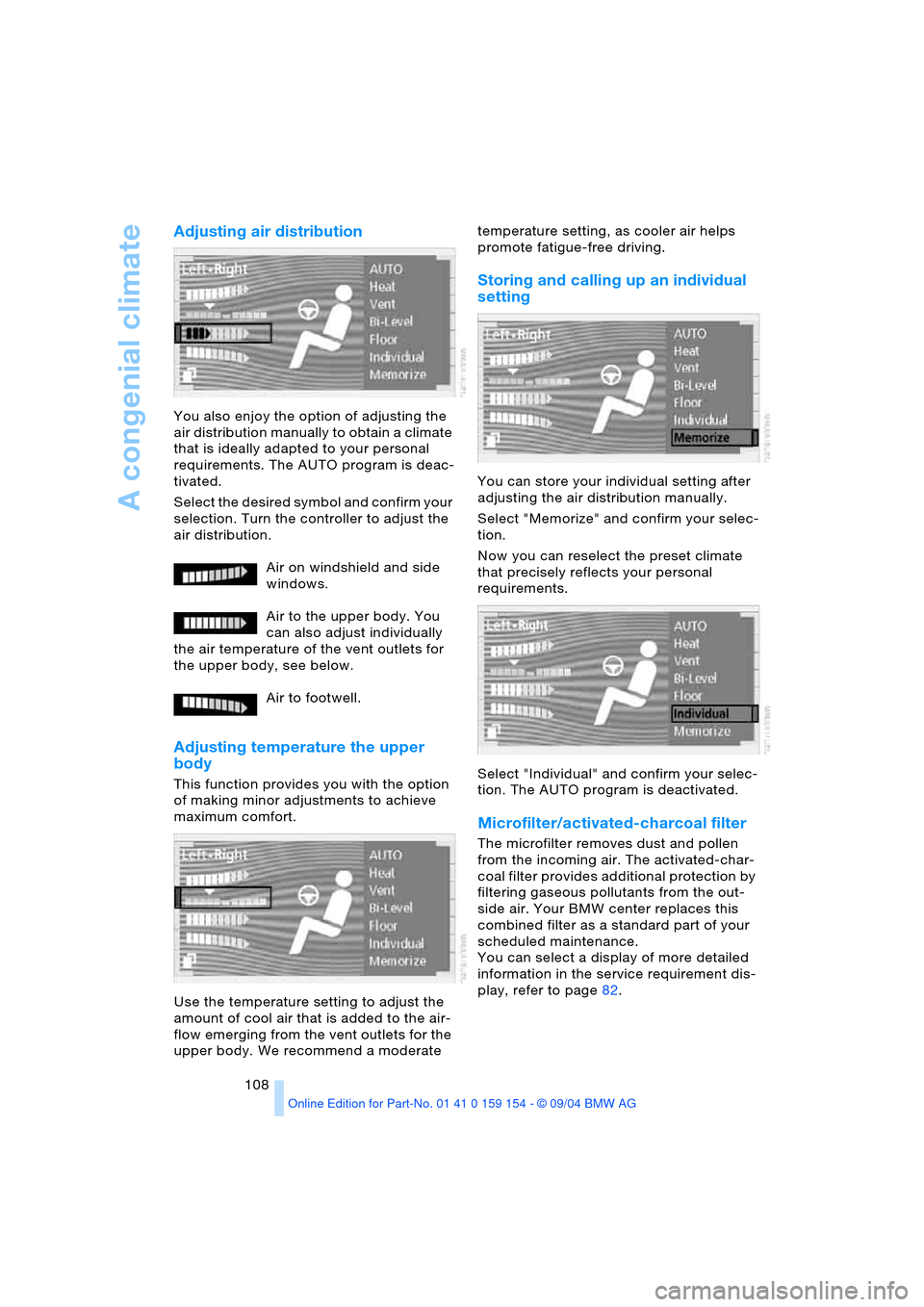
Select the desired symbol and confirm your
selection. Turn the controller to adjust the
air distribution.
Air on windshield and side
windows.
Air to the upper body. You
can also adjust individually
the air temperature of the vent outlets for
the upper body, see below.
Air to footwell.
Adjusting temperature the upper
body
This function provides you with the option
of making minor adjustments to achieve
maximum comfort.
Use the temperature setting to adjust the
amount of cool air that is added to the air-
flow emerging from the vent outlets for the
upper body. We recommend a moderate temperature setting, as cooler air helps
promote fatigue-free driving.
Storing and calling up an individual
setting
You can store your individual setting after
adjusting the air distribution manually.
Select "Memorize" and confirm your selec-
tion.
Now you can reselect the preset climate
that precisely reflects your personal
requirements.
Select "Individual" and confirm your selec-
tion. The AUTO program is deactivated.
Microfilter/activated-charcoal filter
The microfilter removes dust and pollen
from the incoming air. The activated-char-
coal filter provides additional protection by
filtering gaseous pollutants from the out-
side air. Your BMW center replaces this
combined filter as a standard part of your
scheduled maintenance.
You can select a display of more detailed
information in the service requirement dis-
play, refer to page82.
Page 124 of 239
Things to remember when driving
122
Things to remember when driving
Break-in procedures
To ensure that your vehicle continues to
furnish optimized economy of operation
throughout an extended service life, we
request that you devote careful attention
to the following information.
Engine and differential
Up to 1,200 miles/2,000 km:
During this initial period you should attempt
to avoid constant, steady-state operation
and vary both vehicle and engine speeds
as often as possible. Until the break-in
period has been completed you should
also refrain from exceeding the following:
>4,500 rpm or 105 mph/170 km/h
Always obey all official speed limits.
Avoid full-throttle operation and use of the
transmission's kick-down mode during
these initial miles.
Once you have driven 1,200 miles/
2,000 km, the engine or vehicle speeds can
be gradually increased.
Tires
Due to technical factors associated with
their manufacture, tires do not achieve their
full traction potential until after an initial
break-in period. Therefore, drive reservedly
during the first 200 miles/300 km.
Brake system
Brakes require an initial break-in period of
approx. 300 miles/500 km to achieve opti-
mized contact and wear patterns between
brake pads and rotors.
Following component replacements
Observe the break-in instructions again if
previously addressed components must be
replaced again during driving later.
General driving notes
Hot exhaust system
Extreme temperatures occur at the
catalytic converter on this and every
catalyst-equipped vehicle. Do not remove
the heat shields installed adjacent to vari-
ous sections of the exhaust system, and
never apply undercoating to them. When
driving, standing at idle and while parking
take care to avoid possible contact
between the hot exhaust system and any
highly flammable materials such as hay,
leaves, grass, etc. Such contact could lead
to a fire, accompanied by the risk of serious
property damage as well as personal
injury.<
Air conditioning
Condensation forms in the air conditioner
system during operation, and then exits
under the vehicle. Traces of condensed
water under the vehicle are thus normal.
Before driving into a car wash
1.Fold in the exterior mirrors, refer to
page53, as otherwise they could be
damaged due to the width of the vehicle
2.Leave the remote control in the ignition
lock, as otherwise the P position of the
automatic transmission will automati-
cally be selected when the remote con-
trol is removed. Refer to page63
and69.
With Comfort Access, be sure to
observe the instructions on page63
3.Release the parking brake, especially
when you have activated Automatic
Hold. Refer to page64 and65.
Page 143 of 239
Navigation
Driving tips
141Reference
At a glance
Controls
Communications
Entertainment
Mobility
stretch.
Select and confirm; the route list
is closed and a new route is calculated
>"Avoid route":
You can also make a detour of up to
20 miles/30 km around selected sec-
tions of the calculated route. Proceed
by turning the controller to enter the
desired detour mileage, then confirm
your selection. To exit the "Avoid route"
mode without modifying your route,
enter 0 miles/0 km and confirm your
entry.
Bypassing traffic congestion
If traffic congestion is present on your pro-
jected travel route, the navigation system
will issue a "Last exit" warning just before
you reach the back-up.
To obtain an alternative route leading
around the traffic congestion:
Select and confirm your selection
or
1.Select "New route" and confirm your
selection
2.Select "Detour" and confirm your selec-
tion.
The GPS navigation system determines a
new route and then returns to the destina-
tion guidance.
The traffic information service might
not be available in some regions,
which means that a traffic congestion can-
not be displayed.<
Selecting destination
At "Information", you can select the corre-
sponding destinations. For details, refer to
'Selecting destination via Information',
page135 and 'Looking for interesting des-
tinations', page136.
Voice instructions
To prevent the navigation system from
interrupting other audio sources, such as a
news program or traffic bulletin, you can
deactivate the voice instructions.
Press the controller and select the desired
symbol during destination guidance:
Select and confirm your selection to
switch the voice output on or off.
Select and confirm your selection to
repeat the last direction announcement or
the last route instruction when the voice
output is switched on.
Volume adjustment
You can adjust the volume for the naviga-
tion voice instructions:
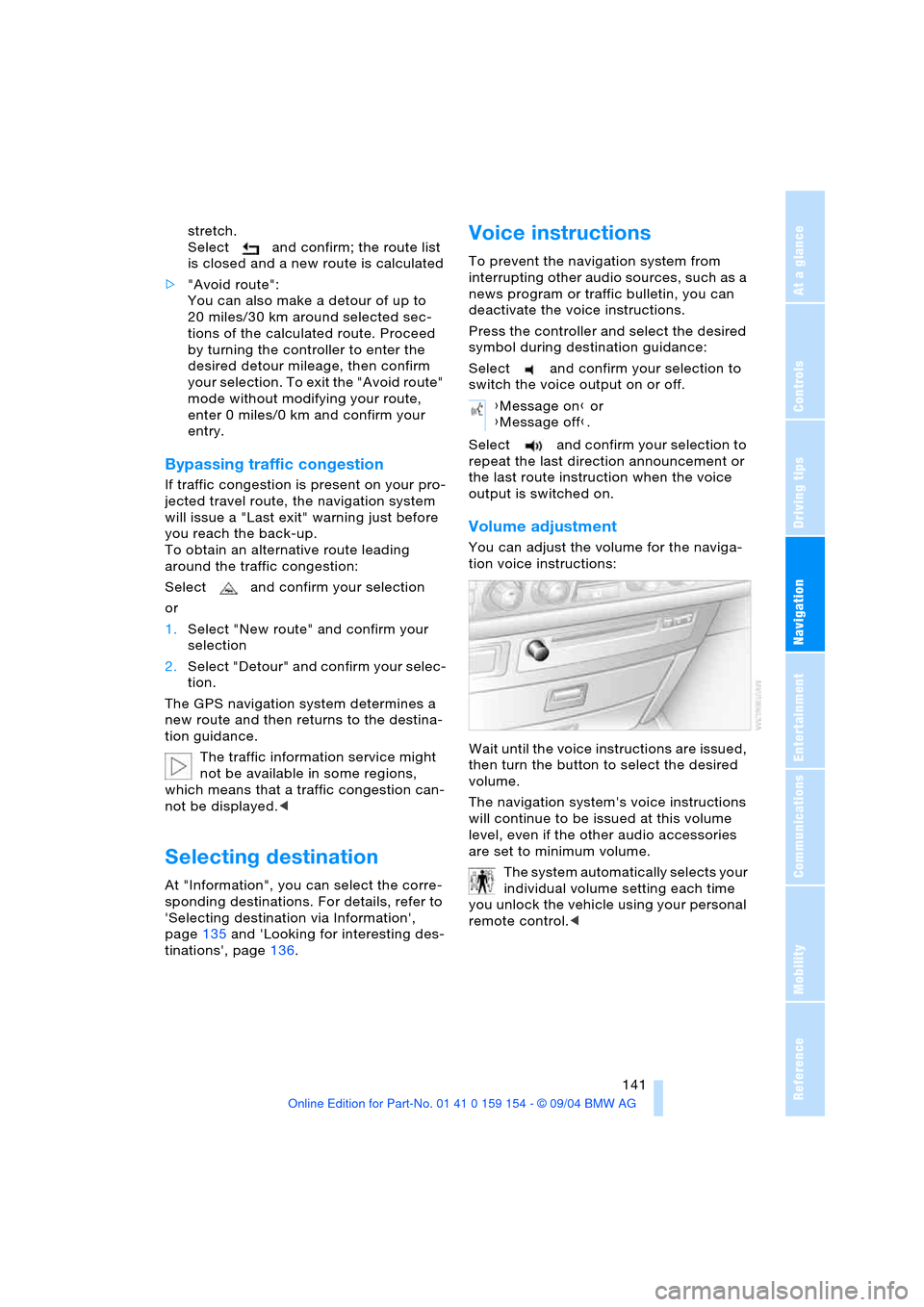
Wait until the voice instructions are issued,
then turn the button to select the desired
volume.
The navigation system's voice instructions
will continue to be issued at this volume
level, even if the other audio accessories
are set to minimum volume.
The system automatically selects your
individual volume setting each time
you unlock the vehicle using your personal
remote control.<
{Message on} or
{Message off}.
Page 157 of 239
Navigation
Entertainment
Driving tips
155Reference
At a glance
Controls
Communications
Mobility
Weather Band
Weather Radio is a service of the National
Oceanic and Atmospheric Administration,
NOAA, of the U.S. Department of Com-
merce. Weather messages are repeated
every four to six minutes and are routinely
revised every one to three hours, or more
frequently if needed. Most of the stations
operate 24 hours daily. During severe
weather, National Weather Service fore-
casters can interrupt the routine weather
broadcasts and substitute special warning
messages. If you have a question concern-
ing NOAA Weather Radio, please contact
your nearest National Weather Service
Office, or write to National Weather Ser-
vice, Attn: W/OM11, National Oceanic and
Atmospheric Administration, 1325 East-
West Highway Silver Spring, MD. 20910.
Selecting Weather Band
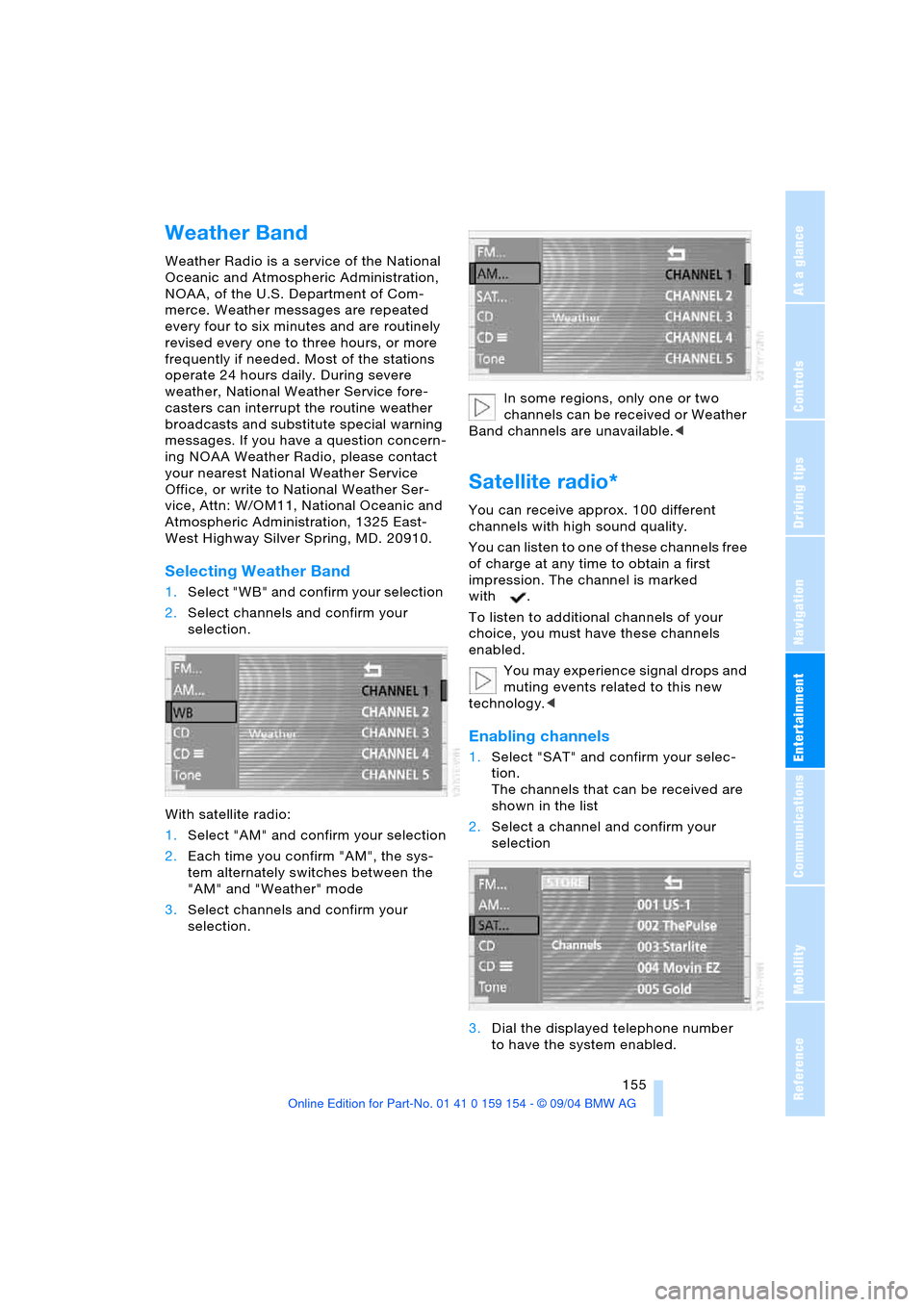
1.Select "WB" and confirm your selection
2.Select channels and confirm your
selection.
With satellite radio:
1.Select "AM" and confirm your selection
2.Each time you confirm "AM", the sys-
tem alternately switches between the
"AM" and "Weather" mode
3.Select channels and confirm your
selection.In some regions, only one or two
channels can be received or Weather
Band channels are unavailable.<
Satellite radio*
You can receive approx. 100 different
channels with high sound quality.
You can listen to one of these channels free
of charge at any time to obtain a first
impression. The channel is marked
with .
To listen to additional channels of your
choice, you must have these channels
enabled.
You may experience signal drops and
muting events related to this new
technology.<
Enabling channels
1.Select "SAT" and confirm your selec-
tion.
The channels that can be received are
shown in the list
2.Select a channel and confirm your
selection
3.Dial the displayed telephone number
to have the system enabled.
Page 158 of 239
Radio
156 During enabling, leave the ignition
switched on.
Channel selection
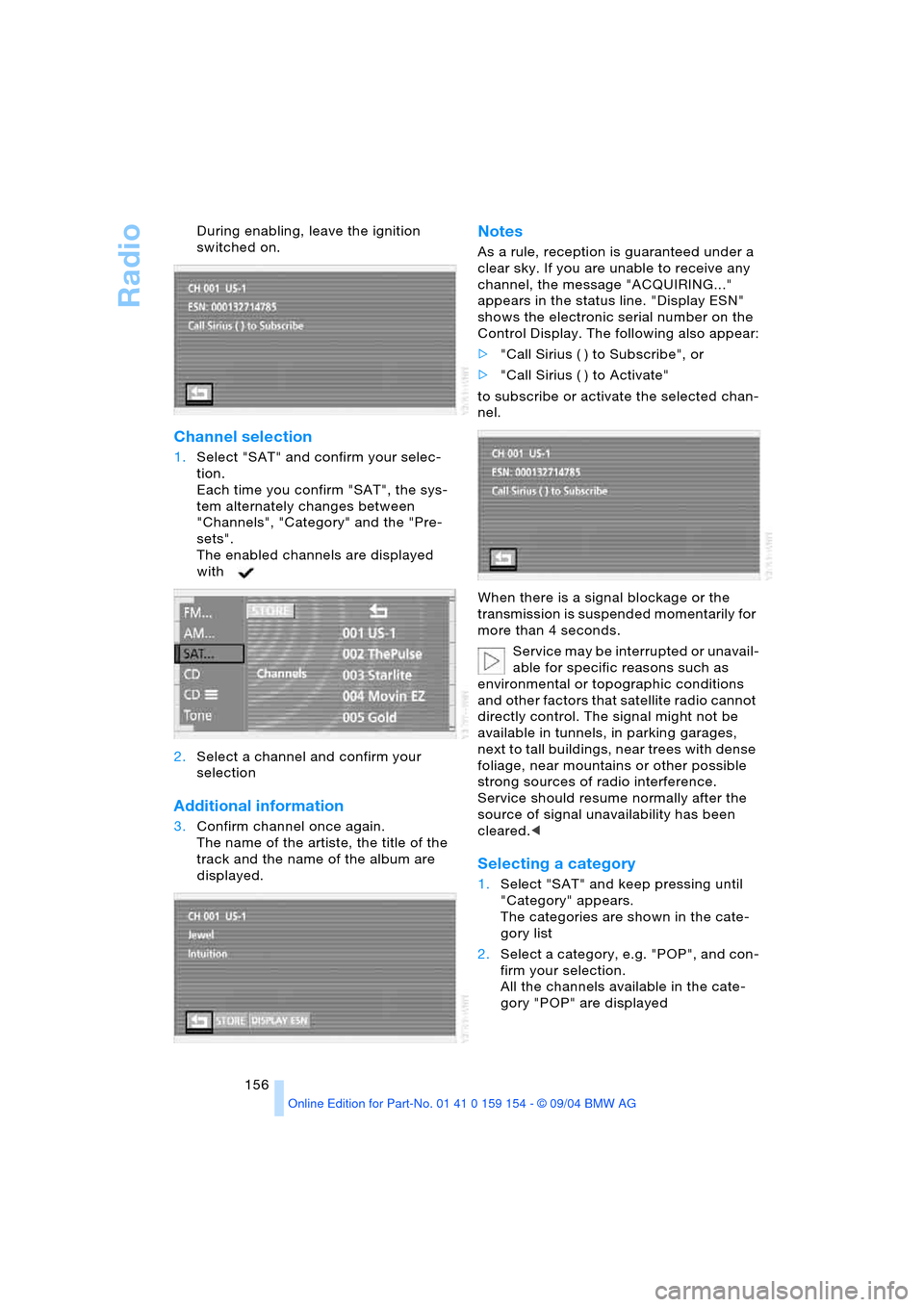
1.Select "SAT" and confirm your selec-
tion.
Each time you confirm "SAT", the sys-
tem alternately changes between
"Channels", "Category" and the "Pre-
sets".
The enabled channels are displayed
with
2.Select a channel and confirm your
selection
Additional information
3.Confirm channel once again.
The name of the artiste, the title of the
track and the name of the album are
displayed.
Notes
As a rule, reception is guaranteed under a
clear sky. If you are unable to receive any
channel, the message "ACQUIRING..."
appears in the status line. "Display ESN"
shows the electronic serial number on the
Control Display. The following also appear:
>"Call Sirius ( ) to Subscribe", or
>"Call Sirius ( ) to Activate"
to subscribe or activate the selected chan-
nel.
When there is a signal blockage or the
transmission is suspended momentarily for
more than 4 seconds.
Service may be interrupted or unavail-
able for specific reasons such as
environmental or topographic conditions
and other factors that satellite radio cannot
directly control. The signal might not be
available in tunnels, in parking garages,
next to tall buildings, near trees with dense
foliage, near mountains or other possible
strong sources of radio interference.
Service should resume normally after the
source of signal unavailability has been
cleared.<
Selecting a category
1.Select "SAT" and keep pressing until
"Category" appears.
The categories are shown in the cate-
gory list
2.Select a category, e.g. "POP", and con-
firm your selection.
All the channels available in the cate-
gory "POP" are displayed
Page 175 of 239
Communications
This chapter describes the extensive
array of options available for mobile
communications with family, friends,
business associates and
service providers.
Page 176 of 239
Using the phone in your vehicle
174
Using the phone in your vehicle
Safety notice
A car phone can provide many services, in
an emergency even initiating a lifesaving
rescue. However, bear the following in
mind:
Adjustments
To avoid posing an unnecessary haz-
ard due to inattention, both to your
own vehicle's occupants and to other road
users: never attempt to use the controls or
make entries unless traffic and road condi-
tions allow.<
Using the phone in your vehicle
Using a portable phone to make and
receive calls while driving is now ille-
gal in virtually every country in the world.
Always use your hands-free system, or
stop your vehicle in an area where you will
not pose a safety hazard to other road
users and switch the engine off.<
Antenna
When using the phone, ensure that all
persons in the area are at least 20 in/
50 cm from the antenna. Never use your
BMW portable phone if the antenna is dam-
aged. Contact between your skin and a
damaged antenna can result in minor
burns.
I f t h e a n t e n n a i s d a m a g e d , h a v e i t r e p l a c e d
immediately.<
Special environmental conditions
Do not use your phone within a
garage, or near an open hood. The air
in these areas could contain fuel vapors,
and the portable phone might generate
sparks that could result in burns.
This same precaution applies to opening
luggage compartment lids on vehicles
equipped for operation using natural gas or
hydrogen, and to all vehicles with luggage
compartment-mounted batteries.Always switch off your BMW portable
phone in areas where blasting work is
being conducted with explosives. The
phone signals could potentially act as a
high-frequency transmitter and set off
explosions.
Always switch off your BMW portable
phone in areas where an increased explo-
sion danger is present. This category
includes filling stations along with fuel and
chemical storage depots, etc., and all areas
in which the air can contain fuel, chemicals
or metal particles. Under these conditions,
your BMW portable phone could conceiv-
ably generate sparks that could lead to a
fire or explosion. Always observe all legal
regulations governing the use of portable
phones in the vicinity of filling stations,
chemical factories and other areas where
an explosion potential exists.
Never use the BMW portable phone in hos-
pitals, care centers or at other locations
where medical equipment may be in oper-
ation, such as accident sites, etc.
Your wireless service provider can furnish
you with more detailed information on legal
regulations governing the use of your
phone.<
Medical equipment
Portable phones can generate inter-
ference capable of preventing hearing
aids and cardiac pacemakers from operat-
ing correctly. If you or any occupant of the
vehicle use such equipment, consult a phy-
sician or the manufacturer of the equip-
ment to determine whether it is adequately
shielded against high-frequency energy.
Persons with cardiac pacemakers should
bear the following in mind:
Always hold the switched-on BMW porta-
ble phone more than 6 in/15 cm away from
the cardiac pacemaker.
Do not carry the BMW portable phone in
your breast pocket.
Use the ear on the opposite side of the car-
diac pacemaker to reduce the likelihood of
Page 177 of 239
175
Entertainment
Reference
At a glance
Controls
Driving tips Communications
Navigation
Mobility
influencing the cardiac pacemaker.
With the slightest sign of a cardiac pace-
maker malfunction, switch the BMW porta-
ble phone off immediately.<
Batteries
To avoid possible short circuits, after
removing a battery you should never
allow it to come into contact with metallic
surfaces of any kind. This is why you should
handle charged batteries with care, in par-
ticular if you place batteries, e.g. in jacket
or shirt pockets that contain metal objects.
If you are in an environment where there is
a risk of explosion, do not remove the bat-
tery from the device, as otherwise sparks
from your battery could cause explosions
or fire.<
Disposing of used batteries
Return used batteries to a recycling
collection point or to your BMW cen-
ter.<
Care instructions
You can find useful information on caring
for your portable phone in the Caring for
your vehicle brochure and in the separate
portable phone Owner's Manual.
Controls
To be able to use the BMW portable phone
via the vehicle equipment, it must be
located in the cradle, refer to page178.
For information on operating your
portable phone, please consult the
separate Owner's Manual.<
The BMW portable phone can be operated
by means of:
>The steering wheel, refer to page16
>The Control Center.
>The folding telephone keypad
>The voice command system, except for
incoming calls.
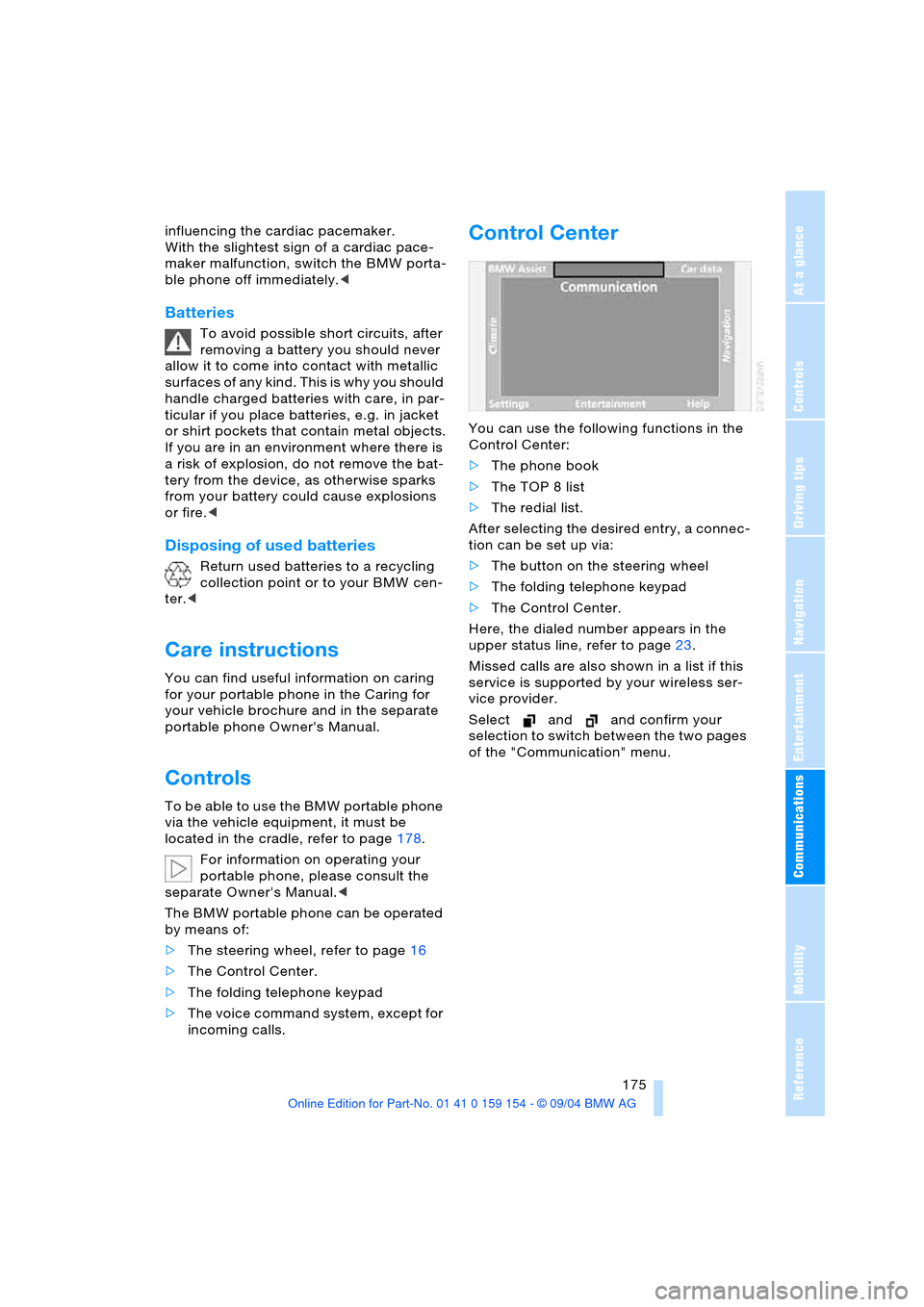
Control Center
You can use the following functions in the
Control Center:
>The phone book
>The TOP 8 list
>The redial list.
After selecting the desired entry, a connec-
tion can be set up via:
>The button on the steering wheel
>The folding telephone keypad
>The Control Center.
Here, the dialed number appears in the
upper status line, refer to page23.
Missed calls are also shown in a list if this
service is supported by your wireless ser-
vice provider.
Select and and confirm your
selection to switch between the two pages
of the "Communication" menu.