change time BMW 760Li 2005 E66 Owner's Guide
[x] Cancel search | Manufacturer: BMW, Model Year: 2005, Model line: 760Li, Model: BMW 760Li 2005 E66Pages: 239, PDF Size: 8.03 MB
Page 165 of 239
Navigation
Entertainment
Driving tips
163Reference
At a glance
Controls
Communications
Mobility
TV
For your own safety, the TV picture is only
shown on the rear screen.
The system is designed for reception
of analog television. Due to the quality
of mobile reception, reduced picture qual-
ity can result depending on the current
position and network coverage in spite of
the highly advanced reception technology
used. A change in vehicle locations can
result in improved reception quality in many
cases.<
Television
1.Switch on audio or video sources, refer
to page 149.
Select " Video" and confirm your
selection if an audio source is switched
on
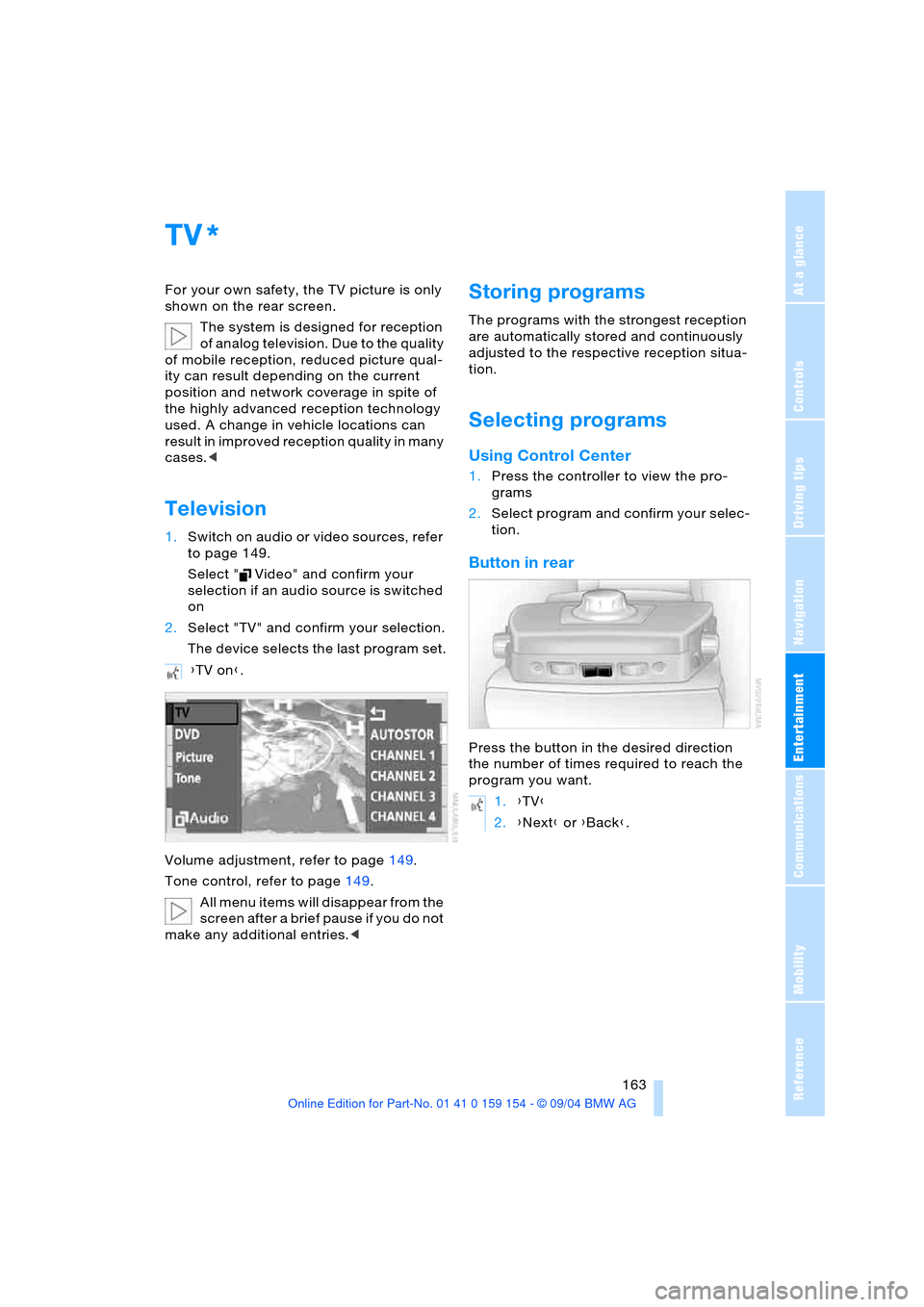
2.Select "TV" and confirm your selection.
The device selects the last program set.
Volume adjustment, refer to page149.
Tone control, refer to page149.
All menu items will disappear from the
screen after a brief pause if you do not
make any additional entries.<
Storing programs
The programs with the strongest reception
are automatically stored and continuously
adjusted to the respective reception situa-
tion.
Selecting programs
Using Control Center
1.Press the controller to view the pro-
grams
2.Select program and confirm your selec-
tion.
Button in rear
Press the button in the desired direction
the number of times required to reach the
program you want.
*
{TV on}.
1.{TV}
2.{Next} or {Back}.
Page 194 of 239
Wheels and tires
192
Run-flat tires*
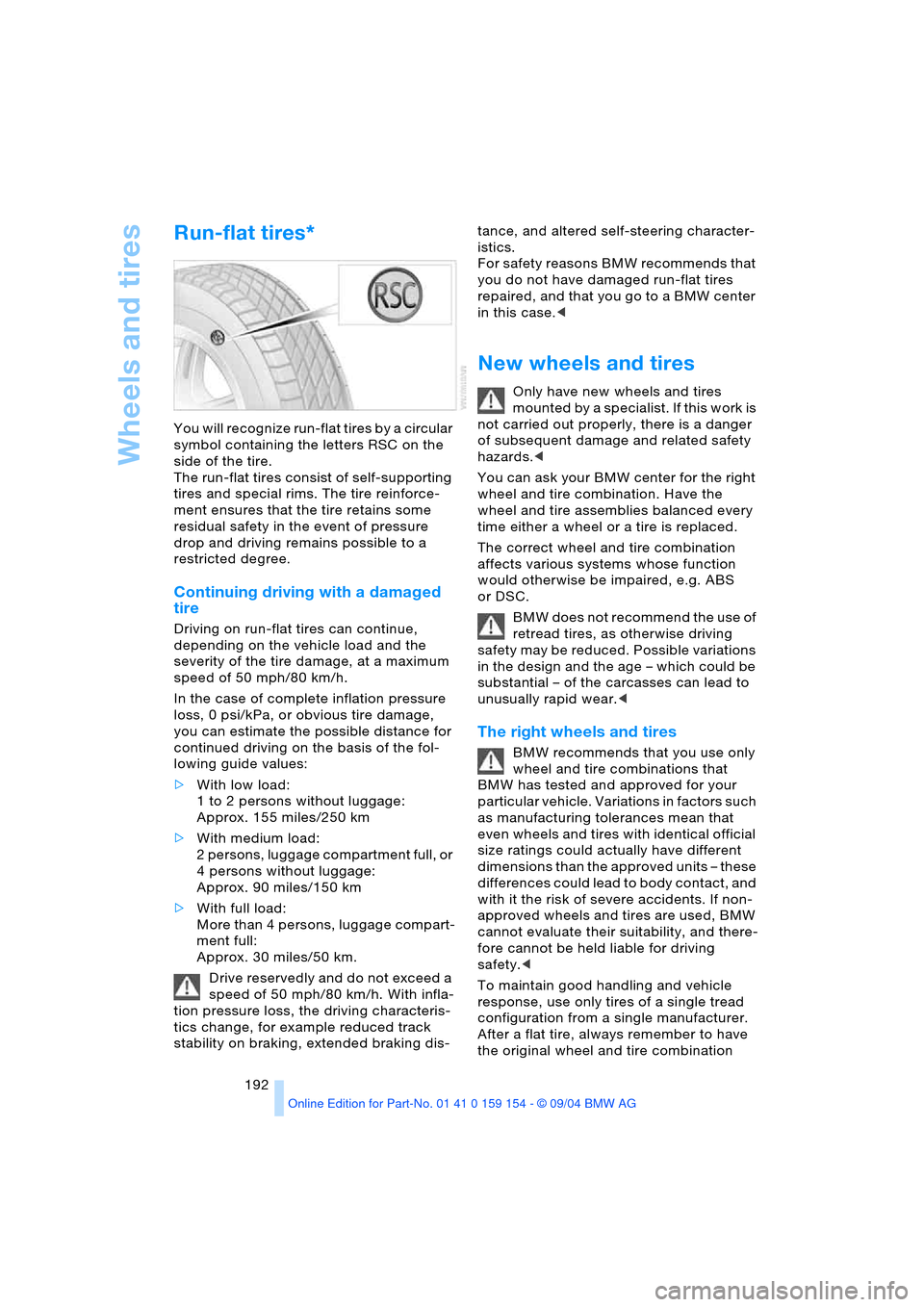
You will recognize run-flat tires by a circular
symbol containing the letters RSC on the
side of the tire.
The run-flat tires consist of self-supporting
tires and special rims. The tire reinforce-
ment ensures that the tire retains some
residual safety in the event of pressure
drop and driving remains possible to a
restricted degree.
Continuing driving with a damaged
tire
Driving on run-flat tires can continue,
depending on the vehicle load and the
severity of the tire damage, at a maximum
speed of 50 mph/80 km/h.
In the case of complete inflation pressure
loss, 0 psi/kPa, or obvious tire damage,
you can estimate the possible distance for
continued driving on the basis of the fol-
lowing guide values:
>With low load:
1 to 2 persons without luggage:
Approx. 155 miles/250 km
>With medium load:
2 persons, luggage compartment full, or
4 persons without luggage:
Approx. 90 miles/150 km
>With full load:
More than 4 persons, luggage compart-
ment full:
Approx. 30 miles/50 km.
Drive reservedly and do not exceed a
speed of 50 mph/80 km/h. With infla-
tion pressure loss, the driving characteris-
tics change, for example reduced track
stability on braking, extended braking dis-tance, and altered self-steering character-
istics.
For safety reasons BMW recommends that
you do not have damaged run-flat tires
repaired, and that you go to a BMW center
in this case.<
New wheels and tires
Only have new wheels and tires
mounted by a specialist. If this work is
not carried out properly, there is a danger
of subsequent damage and related safety
hazards.<
You can ask your BMW center for the right
wheel and tire combination. Have the
wheel and tire assemblies balanced every
time either a wheel or a tire is replaced.
The correct wheel and tire combination
affects various systems whose function
would otherwise be impaired, e.g. ABS
or DSC.
BMW does not recommend the use of
retread tires, as otherwise driving
safety may be reduced. Possible variations
in the design and the age – which could be
substantial – of the carcasses can lead to
unusually rapid wear.<
The right wheels and tires
BMW recommends that you use only
wheel and tire combinations that
BMW has tested and approved for your
particular vehicle. Variations in factors such
as manufacturing tolerances mean that
even wheels and tires with identical official
size ratings could actually have different
dimensions than the approved units – these
differences could lead to body contact, and
with it the risk of severe accidents. If non-
approved wheels and tires are used, BMW
cannot evaluate their suitability, and there-
fore cannot be held liable for driving
safety.<
To maintain good handling and vehicle
response, use only tires of a single tread
configuration from a single manufacturer.
After a flat tire, always remember to have
the original wheel and tire combination
Page 204 of 239
Replacing components
202
Releasing lamp cover
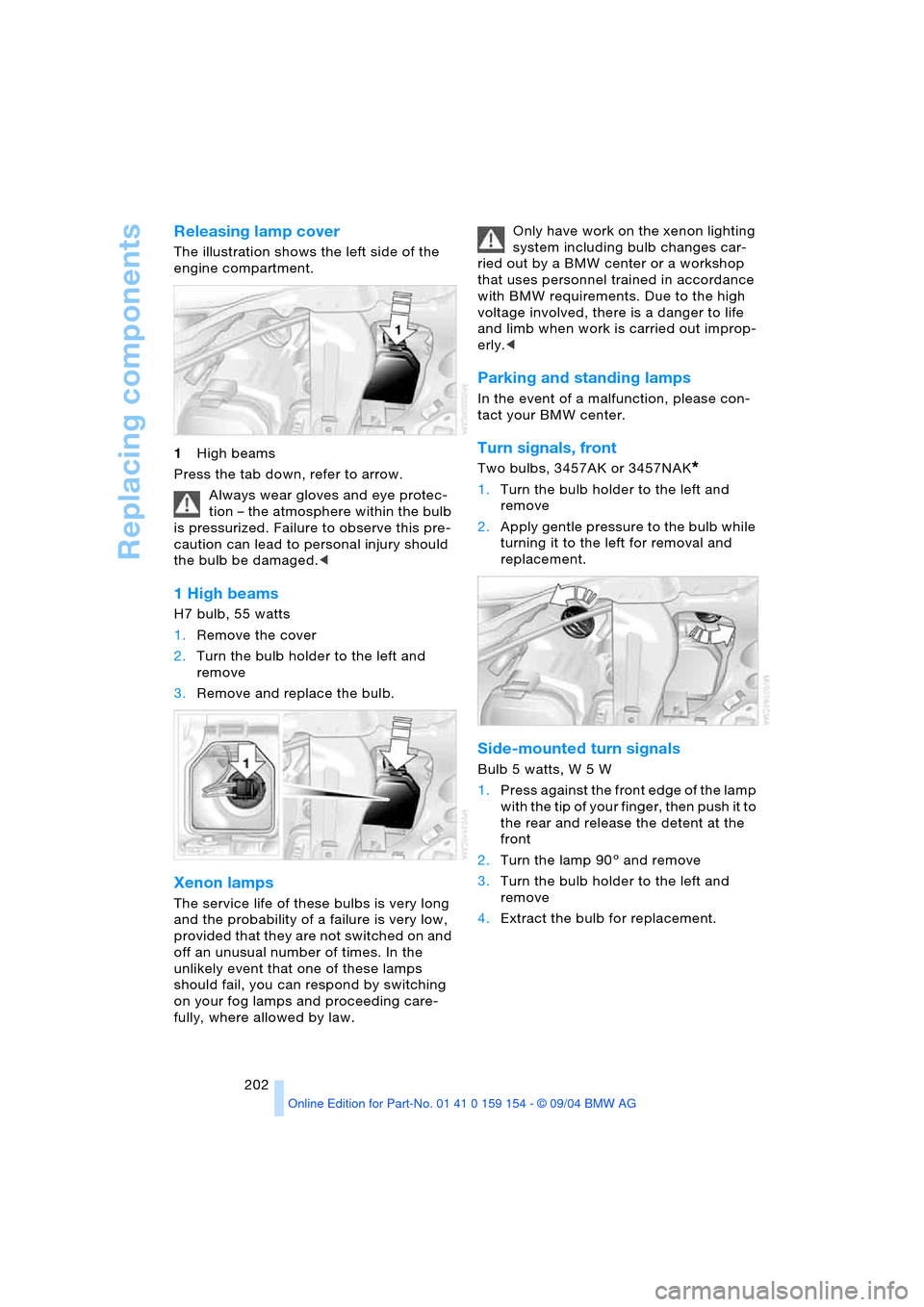
The illustration shows the left side of the
engine compartment.
1High beams
Press the tab down, refer to arrow.
Always wear gloves and eye protec-
tion – the atmosphere within the bulb
is pressurized. Failure to observe this pre-
caution can lead to personal injury should
the bulb be damaged.<
1 High beams
H7 bulb, 55 watts
1.Remove the cover
2.Turn the bulb holder to the left and
remove
3.Remove and replace the bulb.
Xenon lamps
The service life of these bulbs is very long
and the probability of a failure is very low,
provided that they are not switched on and
off an unusual number of times. In the
unlikely event that one of these lamps
should fail, you can respond by switching
on your fog lamps and proceeding care-
fully, where allowed by law. Only have work on the xenon lighting
system including bulb changes car-
ried out by a BMW center or a workshop
that uses personnel trained in accordance
with BMW requirements. Due to the high
voltage involved, there is a danger to life
and limb when work is carried out improp-
erly.<
Parking and standing lamps
In the event of a malfunction, please con-
tact your BMW center.
Turn signals, front
Two bulbs, 3457AK or 3457NAK*
1.Turn the bulb holder to the left and
remove
2.Apply gentle pressure to the bulb while
turning it to the left for removal and
replacement.
Side-mounted turn signals
Bulb 5 watts, W 5 W
1.Press against the front edge of the lamp
with the tip of your finger, then push it to
the rear and release the detent at the
front
2.Turn the lamp 903 and remove
3.Turn the bulb holder to the left and
remove
4.Extract the bulb for replacement.
Page 222 of 239
Everything from A to Z
220 "Brightness"
– in the Control Center90
– in TV mode164
Brightness90
– in TV mode164
– on Control Display90
Bulb replacement, refer to
Lamps and bulbs201
Buttons on multi-function
steering wheel16
– automatic transmission
with Steptronic70
Bypassing traffic
congestion140
C
Calculating distance86
California laws
– Event Data Recorders200
– Proposition 65
Warning200
Call
– beginning178
– during a call179
– ending178
– replacing179
– when absent181
Calling
– from phone book179
– from the Top 8 list180
– redialing180
– with telephone keypad,
folding176
Calls, switching between
two calls179
Can holder, refer to
Beverage holders116
Capacities217
Car care, refer to the Caring
for your vehicle brochure
Car-care products, refer to
the Caring for your vehicle
brochure
"Car data", vehicle84
Care, refer to the Caring for
your vehicle brochure
Caring for the vehicle finish,
refer to the Caring for
your vehicle brochure
Car jack points205Car key, refer to
Key/remote control34
Carpet care, refer to the
Caring for your vehicle
brochure
Car phone, refer to
separate portable phone
Owner's Manual174
Car radio, refer to
Radio152
Car wash122
– refer to the Caring for your
vehicle brochure
– with Comfort Access122
Catalytic converter, refer to
High temperatures122
CBC Cornering Brake
Control92
– warning lamp13
CBS Condition Based
Service198
"CD"
– in audio mode148
– in CD player mode158
CD changer160
– adjusting tone149
– controls148
– fast forward, reverse162
– location160
– random sequence161
– sampling161
– selecting a CD161
– selecting track162
– starting160
– volume149
CD player158
– adjusting tone149
– controls148
– fast forward, reverse159
– random sequence158
– sampling158
– selecting tracks158
– starting158
– volume149
Center armrest115,118
Center brake lamp, bulb
replacement203
Center console, refer to
Comfort features14Central locking system35
– Comfort Access37
– interior38
"CHANGE" for
navigation137
Changes, technical, refer to
For your own safety5
Changing language89
Changing navigation CDs/
DVDs130
Changing scale140
Changing settings on the
Control Display89
Changing time display89
Changing units of measure
in Control Display89
Changing wheels204
Charge current indicator
lamp83
CHECK button84
Check Control83
– "Check"84
Child's seats, refer to Child-
restraint systems58
Child-restraint systems58
Child-safety lock60
Chrome parts, refer to the
Caring for your vehicle
brochure
Chrome-plated parts, care,
refer to the Caring for
your vehicle brochure
Cigarette lighter117,118
Cleaning, vehicle, refer to
the Caring for your vehicle
brochure
Cleaning windshield72
Climate comfort
windshield126
"Climate" for seat
heating52
"Clock"90
Clock81
– 12/24-hour mode89
– setting90
– setting time and date90
Closing
– from inside38
– from outside35
Clothes hooks116
Cockpit10,14
Page 223 of 239
Reference 221
At a glance
Controls
Driving tips
Communications
Navigation
Entertainment
Mobility
Coin holder, refer to
Storage
compartments115
Cold start, refer to Starting
engine63
"Color" in TV mode164
Comfort Access37
– changing battery37
– observe in the car
wash122
Comfort features14
Comfort mode, vehicle95
Comfort seat47
– in rear48
Comfort starting, refer to
Starting engine63
"Comm.",
Control Center24
Compact Disc, refer to
– CD changer160
– CD player158
Compartments, refer to
Storage
compartments115
Computer85
– "BC"87
– Control Display screen
contents87
Condensation, refer to
A/C operation122
Condition Based Service
CBS198
Configuring adjustments56
"CONFIRM", vehicle83
Connecting a car vacuum
cleaner, refer to Lighter
socket117
Consumption, refer to
Average consumption86
Consumption display,
refer to
– Control Display screen
contents87
– Fuel gauge85
Contents3
"Contrast" in TV mode164
Contrast in TV mode164Control Center17
– adjusting the
brightness90
– assistance window22
– automatic climate
control107
– changing menu page19
– changing settings89
– confirming selection or
entry18
– display, menus21
– displaying help text22
– language selection89
– lists19
– menu item selection18
– menus21
– rear24
– selecting units of measure
and display format89
– setting time and date90
– status lines23
– symbols20
– symbols and lists19
Control Display18
– rear24
Controller, refer to
Control Center17
Controls10,14
– refer to Cockpit10,14
Convenience operation
– from inside38
– from outside36,38
– glass roof, electric36,38
– windows36,38
Coolant196
– indicator lamp83
– level196
– temperature gauge83
Cooler, refer to Rear
cooler114
Cooling
– maximum105,109
– refer to Temperature105
Cooling system196
Copyright2
Cornering Brake Control
CBC92
Creating voice address
book143Cruise control73,75
– indicator lamp11
– multi-function steering
wheel11
Cruising range86
Cup holder, refer to
Beverage holders116
Curb weight, refer to
Weights216
Current fuel
consumption86
Current position
– correcting143
– displaying143
– entering143
– storing143
Cylinders, refer to Engine
specifications214
D
Dashboard10,14
Data214
– dimensions215
– engine214
– filling capacities217
– technical214
– weights216
"Date"90
Date90
– changing90
– display format89
– displaying90
Daytime driving lamps100
DBC Dynamic Brake
Control94
– indicator lamp13
Defect
– door lock38
– fuel filler door186
– glass roof, electric45
– luggage compartment
lid41
Defective lamp201
Defroster
– rear window104
– windshield105
Defrosting position, refer to
Defrosting windows105
Page 224 of 239
Everything from A to Z
222 Defrosting windows105
– automatic climate
control105
Defrosting windows and
removing condensation,
automatic climate
control105
Defrosting windshield,
refer to Defrosting
windows105
"DELETE" for
navigation136,137
Destination address
– deleting137
– entering134
Destination for
navigation132
– selecting using voice142
– selecting via
information135
Destination guidance139
– changing route
specifications137
– continuing142
– displaying driving
route131
– distance and arrival86
– interrupting142
– interrupting voice
instructions141
– selecting new route140
– starting139
– terminating142
– volume of voice
instructions141
Destinations recently
driven to137
"Dest. input" for
navigation132
"Detour" for navigation141
Dialed numbers for
telephone180
Differential, break-in122
Digital clock81
Dimensions215
Dimmed interior mirror53
Dipstick, engine oil195
Directional indicators,
refer to Turn signals71Direction instruction, refer
to Voice instructions141
Directory, refer to
– Address book142
– Phone book179
Disc brakes123
Displacement, refer to
Engine specifications214
Display, refer to Control
Display18
Display direction,
altering140
Display elements12
Display illumination101
Display lighting, refer to
Instrument lighting101
Display of faults83
Displays, refer to Info
Display12
Disposal
– battery of remote
control37
– vehicle battery207
Distance86
– unit of measure89
Distance control, refer to
Active cruise control75
Distance to destination86
Distance warning91
Door entry lighting102
Door keys34
Door lock38
DOT Quality Grades190
Draft-free ventilation106
Driving lamps, refer to
Parking lamps/
low beams100
Driving notes122
Driving stability control92
Driving through water,
flooding123
Driving time87
Dry air, refer to
A/C operation105
"DSC", vehicle94
DSC Dynamic Stability
Control93
– indicator lamp13
"DTC", vehicle93DTC Dynamic Traction
Control93
– indicator lamp13
"DVD"
– in audio mode148
– in DVD mode166
DVD changer165
– adjusting picture168
– adjusting tone149
– controls148
– country codes166
– DVD controller166
– fast forward167
– fast reverse167
– freezing frame168
– searching for chapter168
– selecting a track167
– selecting DVD167
– selecting language168
– selecting picture
format168
– selecting subtitles168
– specific menu169
– starting166
– volume149
DVD multimedia changer,
refer to DVD changer165
Dynamic Brake Control
DBC94
– indicator lamp13
Dynamic destination
guidance, traffic
information during
destination guidance140
Dynamic Drive95
Dynamic Stability Control
DSC93
– indicator lamp13
Dynamic Traction Control
DTC93
– indicator lamp13
E
EBV Electronic brake-force
distribution93
EDC Electronic Damping
Control95
Editorial notice5
Page 227 of 239
Reference 225
At a glance
Controls
Driving tips
Communications
Navigation
Entertainment
Mobility
Imitation leather, refer to
the Caring for your vehicle
brochure
Independent ventilation
– entering switch-on
times110
– switching on and off110
"Indep. ventil",
independent
ventilation110
Index218
Indicator/warning lamp
– airbags99
– alarm system42
– brakes13
– coolant temperature83
– DSC93
– engine temperature83
– fasten safety belt51
– Flat Tire Monitor96
– fog lamps101
– reserve86
Indicator and warning
lamps, overview13
"Individual", automatic
climate control108
Individual adjustments,
refer to Vehicle Memory,
Key Memory56
Individual air
distribution108
Individual button
assignment17
– on steering wheel54
Inflation pressure, tires188
Inflation pressure
monitoring, refer to Flat
Tire Monitor95
Info Display12
Info menu22
Information
– on country135
– on current position135
– on destination
location135
"Information" for
navigation135,136
Information on travel
direction, refer to Voice
instructions141Infrared windshield, refer to
Entry/pass tags126
Instrument cluster, refer to
Info Display12
Instrument illumination,
refer to Instrument
lighting101
Instrument lighting101
Instrument panel, refer to
Cockpit10,14
Integrated universal remote
control112
Interesting destination136
Interior lamps102
– remote control36
Interior mirror, automatic
dimming feature53
Interior motion sensor43
– switching off43
Interior rearview mirror53
Interlock, refer to Steering
locked62
Intermittent operation,
wiper72
J
Jacking points for vehicle
jack205
Joystick, refer to Control
Center17
Jumpering, refer to Jump-
starting209
Jump-starting209
K
Keyless Go, refer to
Comfort Access37
Keyless opening and
closing, refer to
Comfort Access37
Key Memory56
Keys34
– adapter for spare key34
Kick-down69
Knock control187
L
Lamps, refer to Parking
lamps/low beams100
Lamps and bulbs201
Lashing eyes, refer to
Securing cargo125
"Last dest." for
navigation136
"Last" for telephone180
LATCH child-restraint
fixing60
Leather care, refer to the
Caring for your vehicle
brochure
LEDs light-emitting
diodes204
"Left"
– for seat heating52
– with the automatic climate
control107
Length, refer to
Dimensions215
Level control system97
License plate lamp, bulb
replacement203
Light alloy wheels, care,
refer to the Caring for
your vehicle brochure
Light-emitting diodes204
Lighter117,118
Lighter socket117
Lighting
– of instruments101
– of vehicle100
Lights on warning100
Light switch100
Limit87
"Limit", refer to Setting
speed limit88
"Limited Release",
Control Center24
Lists in Control Display19
Litter container115
Load, refer to Loading124
Loading, vehicle124
Location
– CD changer160
– DVD changer165
– navigation drive130
– telephone176,178
Page 232 of 239
Everything from A to Z
230 Sampling, Scan
– CD158,161
– radio153
SAT, waveband155
"SCAN"
– CD changer161
– CD player158
– radio153
Scan
– CD changer161
– CD player158
– radio153
Scan, sampling
– CD changer161
– CD player158
– radio153
Screen, refer to Control
Display18
Screwdriver, refer to
Onboard tool kit201
Searching for music track,
CD158,161
Seat adjustment
– electric47,48
– electric, BMW sports
seat48
Seats47
– heating52
– memory, refer to Seat,
mirror and steering wheel
memory55
"Seat temp." for seat
heating52
Seat ventilation, refer to
Active seat ventilation52
Securing cargo, refer to
Loading125
Securing luggage125
Select functions17
Selecting audio source152
Selecting menu21
Selecting roaming23
Selector lever, automatic
transmission with
Steptronic68
Selector lever interlock,
refer to Shiftlock69
Selector-lever positions,
automatic transmission
with Steptronic68Service, refer to Roadside
Assistance182
"Service", vehicle82
Service and Warranty
Information Booklet for
US models198
Service Interval Display,
refer to Service
requirement
display82,198
Service Mobile, refer to
Roadside Assistance182
Service requirement
display82,198
"SET", refer to Setting
speed limit88
"Set time 1", independent
ventilation110
"Set time 2", independent
ventilation110
Setting button, refer to
Controller17
"Settings"
– comfort mode95
– Control Center24
– function button54
– Sport program95
Settings
– data and time90
– language89
– screen display22
– units of measure89
Setting time, refer to
Preselecting switch-on
time110
Setting time and date90
Shifting, automatic
transmission with
Steptronic68
Shiftlock, refer to Engaging
selector lever position68
Short commands for voice
command system29
Shortest route137
"Shortest route" for
navigation137
Shoulder support48
Side airbags98Side-mounted turn signals,
bulb replacement202
Side window blind, refer to
Sun blinds113
Sitting safely46
– with airbags46
– with safety belts46
Ski bag118
Sliding/tilt sunroof, refer to
Glass roof, electric44
Smokers' package, refer to
Ashtray117
Snow chains193
Socket, refer to Lighter
socket117
Socket for onboard
diagnosis200
Soft closure aid, refer to
Automatic soft
closing39,40
Spare fuses207
Spare key34
– adapter34
Spare tire205
Special oils, refer to
Specified engine oils196
Special washing program,
refer to Caring for your
vehicle brochure
Specified engine oils196
Speed
– average86
– limit87
Speed-dependent
volume150
Speed limit87
– "Limit"88
Speed limit "ON/OFF"88
Speedometer12
"Speed Vol." in audio
mode150
Sport program
– automatic transmission
with Steptronic70
– vehicle95
Sports characteristic95
Sports seat48
Stability control, refer to
– Driving stability control93
– DSC Dynamic Stability
Control93
Page 233 of 239
Reference 231
At a glance
Controls
Driving tips
Communications
Navigation
Entertainment
Mobility
Standing lamps101
– bulb replacement202
Start/Stop button62
Starting, refer to Starting
engine63
Starting assistance, refer to
Jump-starting209
Starting engine63
Starting problems
– jump-starting209
– temperature63
Start menu18
Station, refer to Radio152
Status lines in Control
Center23
Steering wheel16
– adjustment54
– adjustment, automatic54
– heater54
– individual button
assignment54
– memory55
– with multi-function
buttons16
Steptronic, refer to Manual
mode70
Stopwatch
– intermediate time88
– starting and stopping88
Storage, tires193
Storage
compartments115,116
Storage space, refer to
Luggage compartment42
Storing current
position143
Storing desired speeds,
refer to Programmable
cruise control74
Storing destination per
voice142
Storing numbers, refer to
Phone book179
Storing programs, TV163
Storing seat adjustment55Storing sitting position,
refer to Seat, mirror and
steering wheel
memory55
Storing stations, radio153
Storing vehicle, refer to the
Caring for your vehicle
brochure
Straps, refer to
Loading124
"SUBTITLE" for DVD
mode169
Summer tires, refer to
Wheels and tires188
Sun blinds113
Sun visors113
Surface ice, refer to
Ice warning81
Switches, refer to
Cockpit10,14
Switch for battery207
Switching air conditioner
mode on and off
manually105
Switching between
calls179
Switching navigation voice
instructions on/off141
Switching off engine63
Switching off portable
phone178
Switching on
– audio149
– CD changer160
– CD player158
– DVD changer166
– portable phone178
– radio152
– TV163
"Switch. time 1",
independent
ventilation111
"Switch. time 2",
independent
ventilation111
Symbols,
Control Center19T
Tachometer81
Tail lamps, bulb
replacement203
Taking time, refer to
Stopwatch88
Tank contents, refer to
Fuel tank capacity217
Target cursor for
navigation135
Technical data214
Technical modifications5
Telephone174
– accepting calls16,176
– dialing phone number178
– entering lock code178
– hands-free mode177
– phone book179
– redialing180
– switching off176,178
– Top 8180
Television, refer to TV163
Temperature122
– automatic climate
control105
– changing unit of
measure89
Temperature display
– ice warning81
– interior temperature105
– outside temperature81
– setting units89
Tempomat, refer to
– Cruise control75
– Programmable cruise
control73
The right tires192
Thigh support
adjustment47
Third brake lamp
– bulb replacement203
– refer to Brake lamps203
Three-point belt51
Through loading
system118
Tightening torque, refer to
Tightening lug bolts205
Tilt alarm sensor
– remote control43
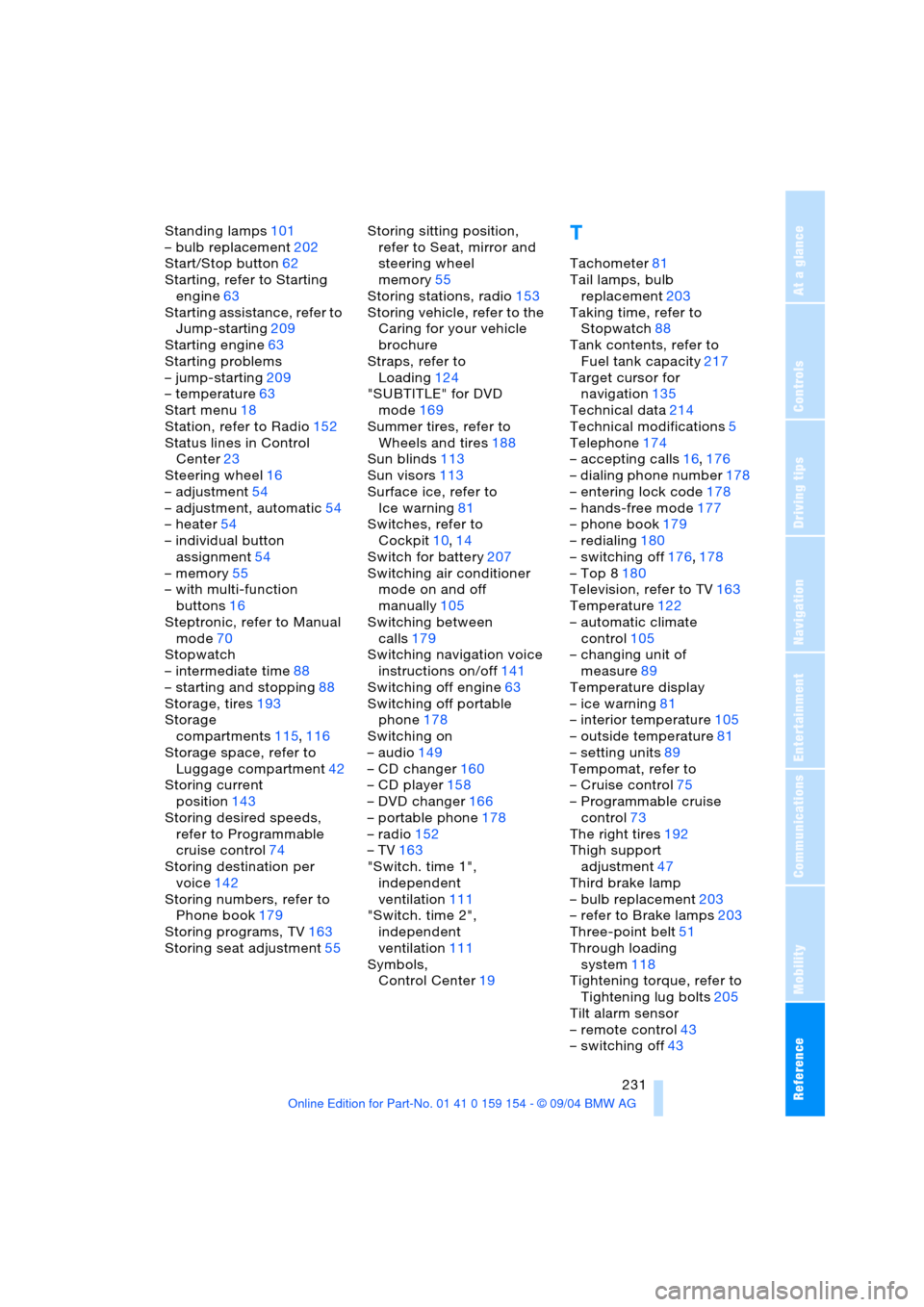
– switching off43