radio controls BMW 760Li 2006 E66 Owner's Guide
[x] Cancel search | Manufacturer: BMW, Model Year: 2006, Model line: 760Li, Model: BMW 760Li 2006 E66Pages: 247, PDF Size: 8.66 MB
Page 163 of 247
Navigation
Entertainment
Driving tips
161Reference
At a glance
Controls
Communications
Mobility
near trees, mountains or other sources of radio
interference.
Reception is usually possible again as soon as
the signal is available again.<
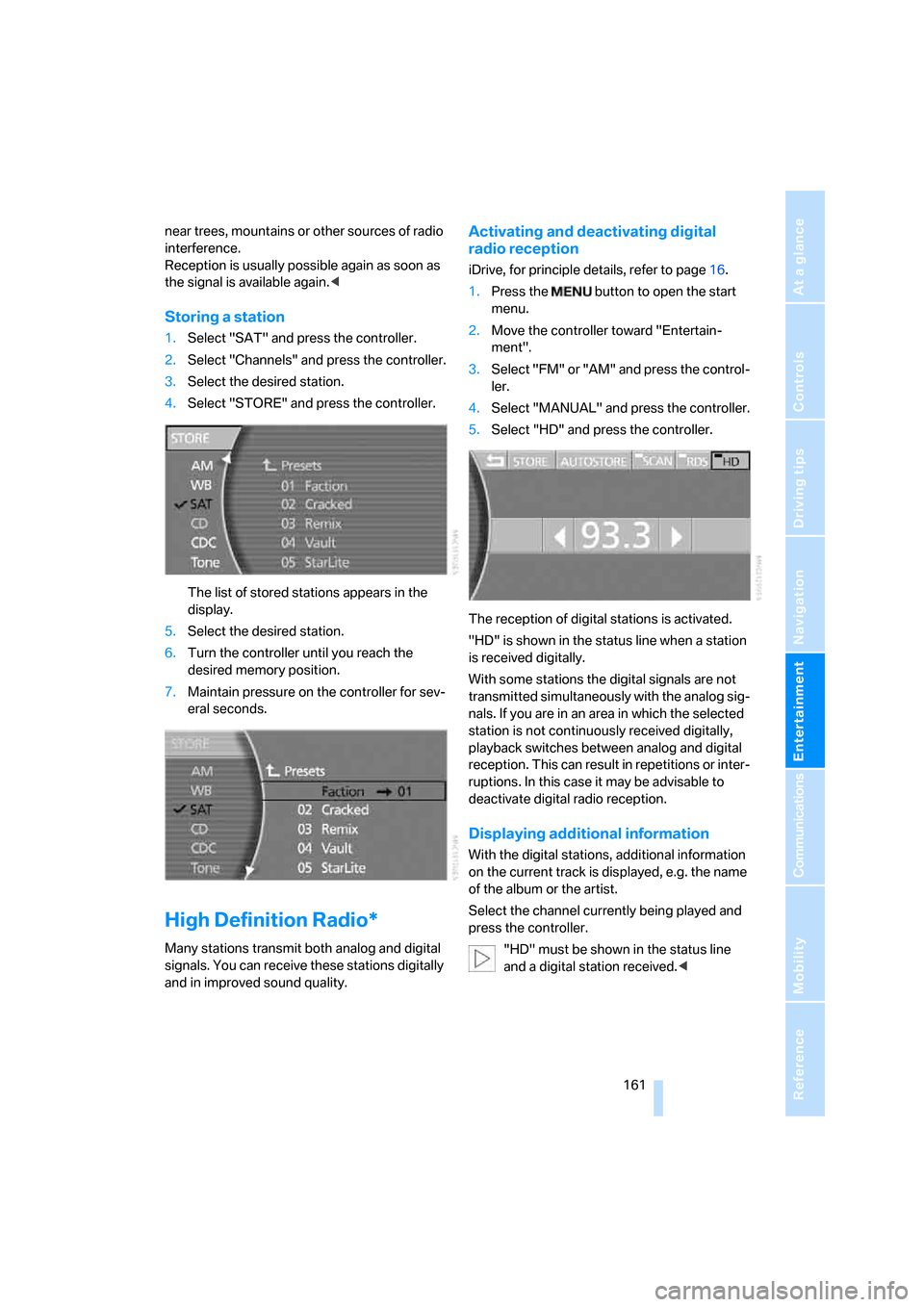
Storing a station
1.Select "SAT" and press the controller.
2.Select "Channels" and press the controller.
3.Select the desired station.
4.Select "STORE" and press the controller.
The list of stored stations appears in the
display.
5.Select the desired station.
6.Turn the controller until you reach the
desired memory position.
7.Maintain pressure on the controller for sev-
eral seconds.
High Definition Radio*
Many stations transmit both analog and digital
signals. You can receive these stations digitally
and in improved sound quality.
Activating and deactivating digital
radio reception
iDrive, for principle details, refer to page16.
1.Press the button to open the start
menu.
2.Move the controller toward "Entertain-
ment".
3.Select "FM" or "AM" and press the control-
ler.
4.Select "MANUAL" and press the controller.
5.Select "HD" and press the controller.
The reception of digital stations is activated.
"HD" is shown in the status line when a station
is received digitally.
With some stations the digital signals are not
transmitted simultaneously with the analog sig-
nals. If you are in an area in which the selected
station is not continuously received digitally,
playback switches between analog and digital
reception. This can result in repetitions or inter-
ruptions. In this case it may be advisable to
deactivate digital radio reception.
Displaying additional information
With the digital stations, additional information
on the current track is displayed, e.g. the name
of the album or the artist.
Select the channel currently being played and
press the controller.
"HD" must be shown in the status line
and a digital station received.<
Page 181 of 247
179
Entertainment
Reference
At a glance
Controls
Driving tips Communications
Navigation
Mobility
Getting started
Inserting mobile phone
If you insert or remove the mobile phone during
a call, the call may be interrupted depending on
the mobile phone model.
1.Remove the protective cap from the mobile
phone's antenna connector if necessary, so
that the mobile phone can engage in the
snap-in adapter.
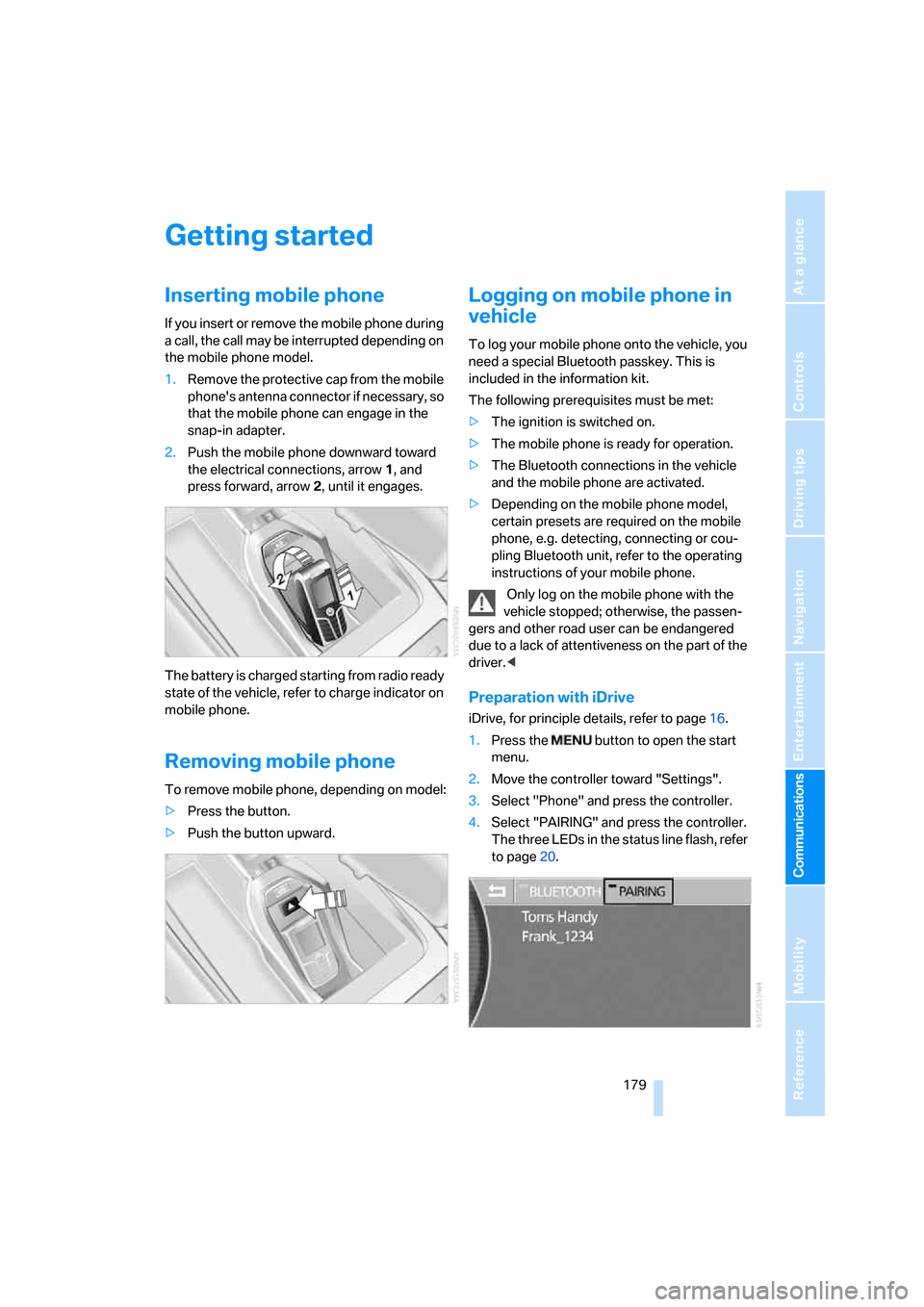
2.Push the mobile phone downward toward
the electrical connections, arrow1, and
press forward, arrow2, until it engages.
The battery is charged starting from radio ready
state of the vehicle, refer to charge indicator on
mobile phone.
Removing mobile phone
To remove mobile phone, depending on model:
>Press the button.
>Push the button upward.
Logging on mobile phone in
vehicle
To log your mobile phone onto the vehicle, you
need a special Bluetooth passkey. This is
included in the information kit.
The following prerequisites must be met:
>The ignition is switched on.
>The mobile phone is ready for operation.
>The Bluetooth connections in the vehicle
and the mobile phone are activated.
>Depending on the mobile phone model,
certain presets are required on the mobile
phone, e.g. detecting, connecting or cou-
pling Bluetooth unit, refer to the operating
instructions of your mobile phone.
Only log on the mobile phone with the
vehicle stopped; otherwise, the passen-
gers and other road user can be endangered
due to a lack of attentiveness on the part of the
driver.<
Preparation with iDrive
iDrive, for principle details, refer to page16.
1.Press the button to open the start
menu.
2.Move the controller toward "Settings".
3.Select "Phone" and press the controller.
4.Select "PAIRING" and press the controller.
The three LEDs in the status line flash, refer
to page20.
Page 213 of 247
Mobility
211Reference
At a glance
Controls
Driving tips
Communications
Navigation
Entertainment
After mounting
1.Tighten the lug bolts in a diagonal pattern.
To ensure safety, always have the
lug bolts checked with a calibrated
torque wrench as soon as possible to
ensure that they are tightened to the speci-
fied torque. The tightening torque is
100lbft/140Nm.<
2.Reverse the removal sequence when stor-
ing the wheel and tools in the vehicle.
3.Check and correct the tire inflation pressure
at the earliest opportunity.
Protect valve stems and valve stem
seal caps from dirt and contamina-
tion. Dirt in valve stems is a frequent source
of gradual air loss.<
4.Reinitialize the Flat Tire Monitor, refer to
page90, or reset the Tire Pressure Monitor,
refer to page92.
5.Replace the damaged tire as soon as possi-
ble and have the new wheel/tire balanced.
Driving with spare tire
On certain wheel-tire combinations, the
size of the spare tire differs from that of
the rest of the tires. The spare tire is fully capa-
ble of running in all load and speed ranges.
However, to recreate the original conditions,
the tire should be replaced as soon as possi-
ble.<
Vehicle battery
Maintenance
The battery is 100 % maintenance-free, i.e., the
electrolyte will last for the life of the battery
when the vehicle is operated in a temperate cli-
mate. Your BMW center will be happy to advise
you on all questions concerning the battery.
Charging battery
Charge the battery in the vehicle only via the
terminals in the engine compartment and with
the engine off. Connections, refer to Jump
starting on page213.
Battery switch
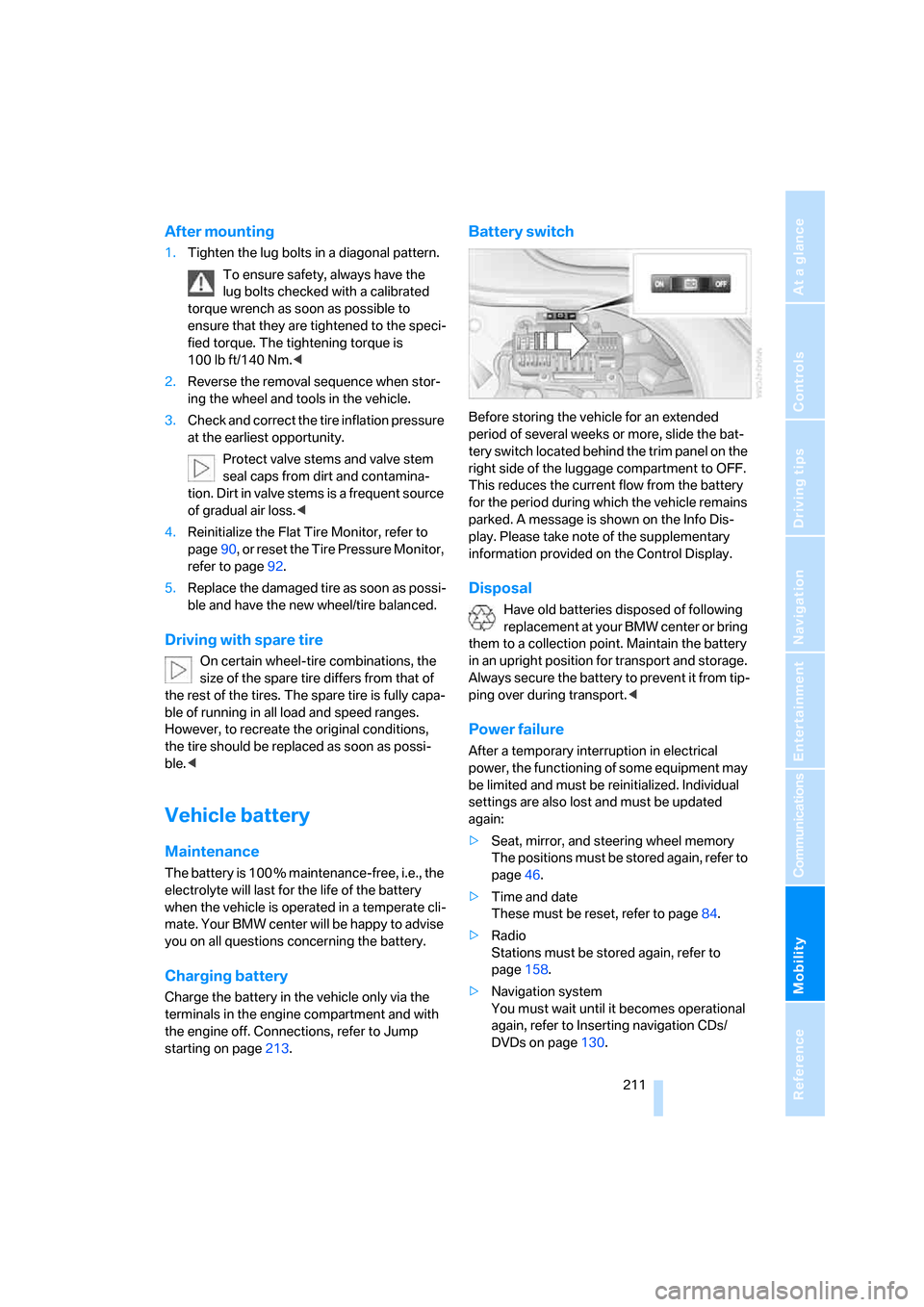
Before storing the vehicle for an extended
period of several weeks or more, slide the bat-
tery switch located behind the trim panel on the
right side of the luggage compartment to OFF.
This reduces the current flow from the battery
for the period during which the vehicle remains
parked. A message is shown on the Info Dis-
play. Please take note of the supplementary
information provided on the Control Display.
Disposal
Have old batteries disposed of following
replacement at your BMW center or bring
them to a collection point. Maintain the battery
in an upright position for transport and storage.
Always secure the battery to prevent it from tip-
ping over during transport.<
Power failure
After a temporary interruption in electrical
power, the functioning of some equipment may
be limited and must be reinitialized. Individual
settings are also lost and must be updated
again:
>Seat, mirror, and steering wheel memory
The positions must be stored again, refer to
page46.
>Time and date
These must be reset, refer to page84.
>Radio
Stations must be stored again, refer to
page158.
>Navigation system
You must wait until it becomes operational
again, refer to Inserting navigation CDs/
DVDs on page130.
Page 227 of 247
Reference 225
At a glance
Controls
Driving tips
Communications
Navigation
Entertainment
Mobility
Audio152
– controls152
– switching on/off153
– tone control153
– volume153
"AUDIO", DVD changer171
Audio mode152
Automatic
– air distribution104
– air volume104
– cruise control67,69
– headlamp control99
– service notification187
– station storage157
– steering wheel adjustment,
refer to Assistance getting in
and out52
– tailgate operation33,36
Automatically switching
between high beams and
low beams, refer to High-
beam assistant100
Automatic car wash, refer to
Caring for your vehicle
brochure
Automatic climate control
– adjusting temperature105
– AUTO program104
– defrosting windows and
removing condensation106
– maximum cooling106
– rear air conditioner108
– rear refrigerator117
– residual heat106
– settings on Control
Display104
– switching cooling function
on and off manually107
– switching off105
Automatic closing of doors
and trunk lid, refer to
Automatic Soft Close35,36
Automatic curb monitor51
Automatic garage door
opener111
Automatic Hold59
– activation/deactivation59
– parking60Automatic lighting
– refer to Automatic headlamp
control99
– refer to Daytime running
lamps99
– refer to High-beam
assistant100
– refer to Interior lamps102
– refer to Pathway lighting99
Automatic recirculated-air
control AUC105
Automatic soft closing
– doors
35
– luggage compartment lid36
Automatic station search156
Automatic transmission with
Steptronic62
– buttons on steering
wheel63
– interlock62
– manually releasing trans-
mission lock64
– shiftlock62
– towing214
– tow-starting215
Automatic windshield washer
system65
"AUTO P"
– Automatic Hold activation/
deactivation59
– programmable buttons52
AUTO program, automatic
climate control104
– adjusting intensity104
"Autostore list", radio155
Average fuel consumption77
– setting units84
Average speed77
– setting units84
"Avoid ferries",
navigation142
"Avoid highway",
navigation142
Avoiding tolls142
Avoiding unintentional
alarms38
"Avoid route", navigation146
"Avoid sect.", navigation146
"Avoid tolls", navigation142Axle loads, refer to
Weights220
"A-Z", telephone183
B
Backrest contour, refer to
Lumbar support
adjustment45
Backrests, refer to Seats,
adjusting44
Backrest width adjustment,
refer to Front comfort seat
adjustment44
Backup lamps, replacing
bulbs209
"Balance", balance and
fader154
Bar, refer to Tow bar215
"Bass", Treble and bass153
Battery211
– jump starting213
– switch211
Battery change, remote
control in Comfort
Access39
"BC", computer77
Belts, refer to Safety belts48
Beverage holder, refer to Cup
holders115
Blower
– refer to Air volume106
– refer to Manually adjusting
air volume108
"BLUETOOTH"181
Bluetooth link, activating/
deactivating180
BMW Assist186
– "BMW Assist"186
– "BMW center"187
– "Customer Relations"188
– "Roadside Assistance"187
BMW Maintenance
System205
BMW Night Vision96
– cleaning camera98
– deactivating97
– making settings97
Page 228 of 247
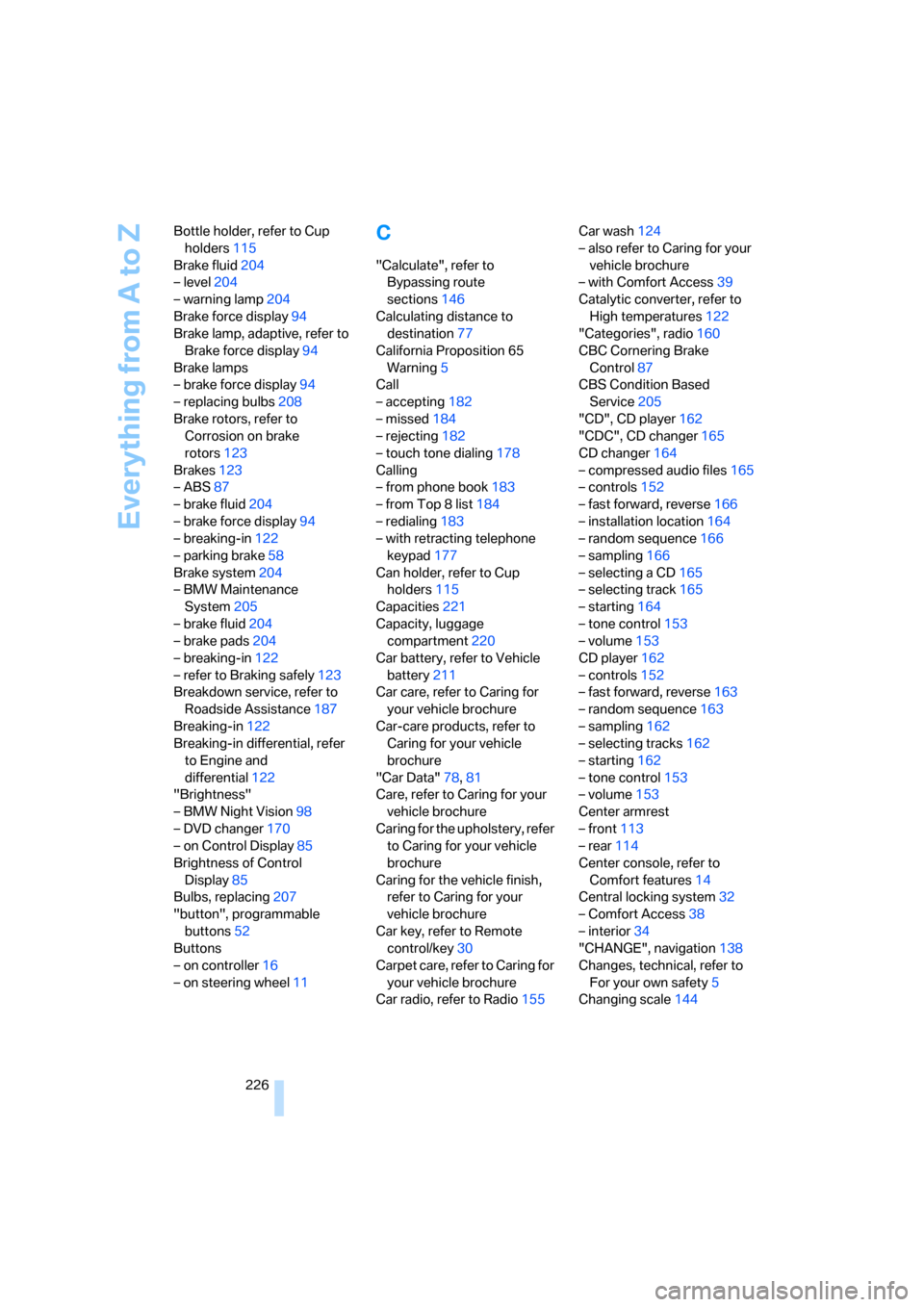
Everything from A to Z
226 Bottle holder, refer to Cup
holders115
Brake fluid204
– level204
– warning lamp204
Brake force display94
Brake lamp, adaptive, refer to
Brake force display94
Brake lamps
– brake force display94
– replacing bulbs208
Brake rotors, refer to
Corrosion on brake
rotors123
Brakes123
– ABS87
– brake fluid204
– brake force display94
– breaking-in122
– parking brake58
Brake system204
– BMW Maintenance
System205
– brake fluid204
– brake pads204
– breaking-in122
– refer to Braking safely123
Breakdown service, refer to
Roadside Assistance187
Breaking-in122
Breaking-in differential, refer
to Engine and
differential122
"Brightness"
– BMW Night Vision98
– DVD changer170
– on Control Display85
Brightness of Control
Display85
Bulbs, replacing207
"button", programmable
buttons52
Buttons
– on controller16
– on steering wheel11
C
"Calculate", refer to
Bypassing route
sections146
Calculating distance to
destination77
California Proposition 65
Warning5
Call
– accepting182
– missed184
– rejecting182
– touch tone dialing178
Calling
– from phone book183
– from Top 8 list184
– redialing183
– with retracting telephone
keypad177
Can holder, refer to Cup
holders115
Capacities221
Capacity, luggage
compartment220
Car battery, refer to Vehicle
battery211
Car care, refer to Caring for
your vehicle brochure
Car-care products, refer to
Caring for your vehicle
brochure
"Car Data"78,81
Care, refer to Caring for your
vehicle brochure
Caring for the upholstery, refer
to Caring for your vehicle
brochure
Caring for the vehicle finish,
refer to Caring for your
vehicle brochure
Car key, refer to Remote
control/key30
Carpet care, refer to Caring for
your vehicle brochure
Car radio, refer to Radio155Car wash124
– also refer to Caring for your
vehicle brochure
– with Comfort Access39
Catalytic converter, refer to
High temperatures122
"Categories", radio160
CBC Cornering Brake
Control87
CBS Condition Based
Service205
"CD", CD player162
"CDC", CD changer165
CD changer164
– compressed audio files165
– controls152
– fast forward, reverse166
– installation location164
– random sequence166
– sampling166
– selecting a CD165
– selecting track165
– starting164
– tone control153
– volume153
CD player162
– controls152
– fast forward, reverse163
– random sequence163
– sampling162
– selecting tracks162
– starting162
– tone control153
– volume153
Center armrest
– front113
– rear114
Center console, refer to
Comfort features14
Central locking system32
– Comfort Access38
– interior34
"CHANGE", navigation138
Changes, technical, refer to
For your own safety5
Changing scale144
Page 229 of 247
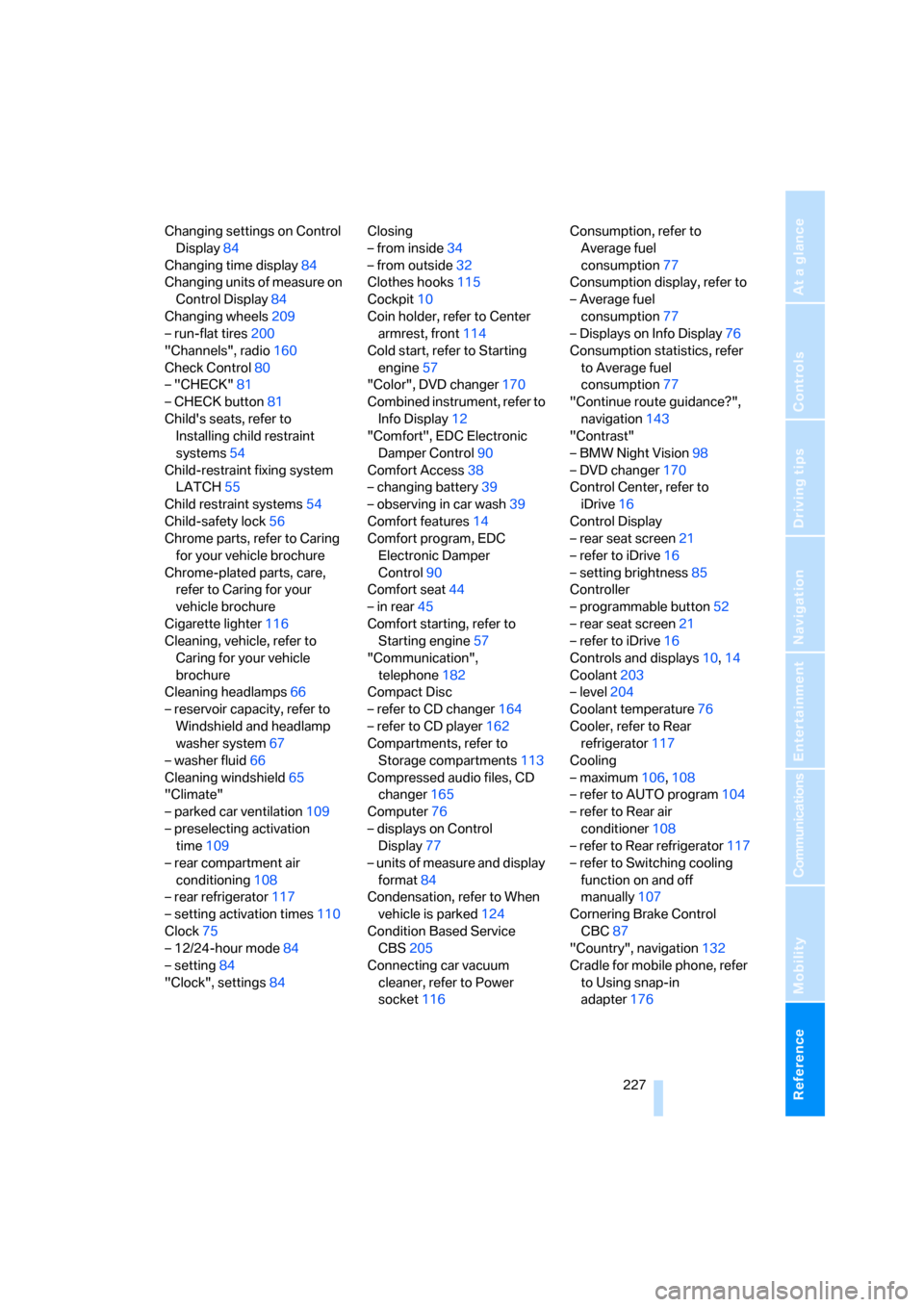
Reference 227
At a glance
Controls
Driving tips
Communications
Navigation
Entertainment
Mobility
Changing settings on Control
Display84
Changing time display84
Changing units of measure on
Control Display84
Changing wheels209
– run-flat tires200
"Channels", radio160
Check Control80
– "CHECK"81
– CHECK button81
Child's seats, refer to
Installing child restraint
systems54
Child-restraint fixing system
LATCH55
Child restraint systems54
Child-safety lock56
Chrome parts, refer to Caring
for your vehicle brochure
Chrome-plated parts, care,
refer to Caring for your
vehicle brochure
Cigarette lighter116
Cleaning, vehicle, refer to
Caring for your vehicle
brochure
Cleaning headlamps66
– reservoir capacity, refer to
Windshield and headlamp
washer system67
– washer fluid66
Cleaning windshield65
"Climate"
– parked car ventilation109
– preselecting activation
time109
– rear compartment air
conditioning108
– rear refrigerator117
– setting activation times110
Clock75
– 12/24-hour mode84
– setting84
"Clock", settings84Closing
– from inside34
– from outside32
Clothes hooks115
Cockpit10
Coin holder, refer to Center
armrest, front114
Cold start, refer to Starting
engine57
"Color", DVD changer170
Combined instrument, refer to
Info Display12
"Comfort", EDC Electronic
Damper Control90
Comfort Access38
– changing battery39
– observing in car wash39
Comfort features
14
Comfort program, EDC
Electronic Damper
Control90
Comfort seat44
– in rear45
Comfort starting, refer to
Starting engine57
"Communication",
telephone182
Compact Disc
– refer to CD changer164
– refer to CD player162
Compartments, refer to
Storage compartments113
Compressed audio files, CD
changer165
Computer76
– displays on Control
Display77
– units of measure and display
format84
Condensation, refer to When
vehicle is parked124
Condition Based Service
CBS205
Connecting car vacuum
cleaner, refer to Power
socket116Consumption, refer to
Average fuel
consumption77
Consumption display, refer to
– Average fuel
consumption77
– Displays on Info Display76
Consumption statistics, refer
to Average fuel
consumption77
"Continue route guidance?",
navigation143
"Contrast"
– BMW Night Vision98
– DVD changer170
Control Center, refer to
iDrive16
Control Display
– rear seat screen21
– refer to iDrive16
– setting brightness85
Controller
– programmable button52
– rear seat screen21
– refer to iDrive16
Controls and displays10,14
Coolant203
– level204
Coolant temperature76
Cooler, refer to Rear
refrigerator117
Cooling
– maximum106,108
– refer to AUTO program104
– refer to Rear air
conditioner108
– refer to Rear refrigerator117
– refer to Switching cooling
function on and off
manually107
Cornering Brake Control
CBC87
"Country", navigation132
Cradle for mobile phone, refer
to Using snap-in
adapter176
Page 233 of 247
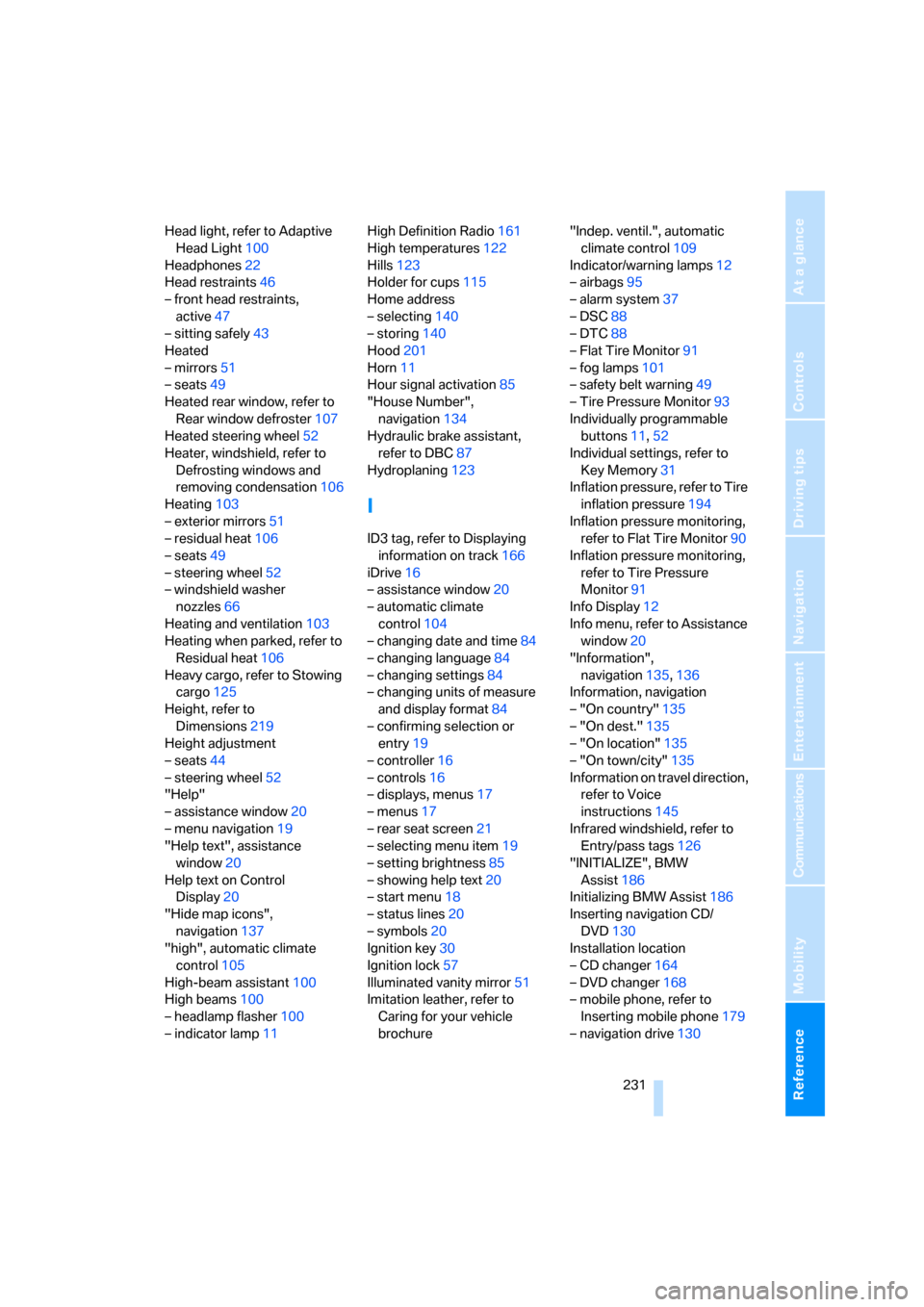
Reference 231
At a glance
Controls
Driving tips
Communications
Navigation
Entertainment
Mobility
Head light, refer to Adaptive
Head Light100
Headphones22
Head restraints46
– front head restraints,
active47
– sitting safely43
Heated
– mirrors51
– seats49
Heated rear window, refer to
Rear window defroster107
Heated steering wheel52
Heater, windshield, refer to
Defrosting windows and
removing condensation106
Heating103
– exterior mirrors51
– residual heat106
– seats49
– steering wheel52
– windshield washer
nozzles66
Heating and ventilation103
Heating when parked, refer to
Residual heat106
Heavy cargo, refer to Stowing
cargo125
Height, refer to
Dimensions219
Height adjustment
– seats44
– steering wheel52
"Help"
– assistance window20
– menu navigation19
"Help text", assistance
window20
Help text on Control
Display20
"Hide map icons",
navigation137
"high", automatic climate
control105
High-beam assistant100
High beams100
– headlamp flasher100
– indicator lamp11High Definition Radio161
High temperatures122
Hills123
Holder for cups115
Home address
– selecting140
– storing140
Hood201
Horn11
Hour signal activation85
"House Number",
navigation134
Hydraulic brake assistant,
refer to DBC87
Hydroplaning123
I
ID3 tag, refer to Displaying
information on track166
iDrive16
– assistance window20
– automatic climate
control104
– changing date and time84
– changing language84
– changing settings84
– changing units of measure
and display format84
– confirming selection or
entry19
– controller16
– controls16
– displays, menus17
– menus17
– rear seat screen21
– selecting menu item19
– setting brightness85
– showing help text20
– start menu18
– status lines20
– symbols20
Ignition key30
Ignition lock57
Illuminated vanity mirror51
Imitation leather, refer to
Caring for your vehicle
brochure"Indep. ventil.", automatic
climate control109
Indicator/warning lamps12
– airbags95
– alarm system37
– DSC88
– DTC88
– Flat Tire Monitor91
– fog lamps101
– safety belt warning49
– Tire Pressure Monitor93
Individually programmable
buttons11,52
Individual settings, refer to
Key Memory31
Inflation pressure, refer to Tire
inflation pressure194
Inflation pressure monitoring,
refer to Flat Tire Monitor90
Inflation pressure monitoring,
refer to Tire Pressure
Monitor91
Info Display12
Info menu, refer to Assistance
window20
"Information",
navigation135,136
Information, navigation
– "On country"135
– "On dest."135
– "On location"135
– "On town/city"135
Information on travel direction,
refer to Voice
instructions145
Infrared windshield, refer to
Entry/pass tags126
"INITIALIZE", BMW
Assist186
Initializing BMW Assist186
Inserting navigation CD/
DVD130
Installation location
– CD changer164
– DVD changer168
– mobile phone, refer to
Inserting mobile phone179
– navigation drive130
Page 235 of 247
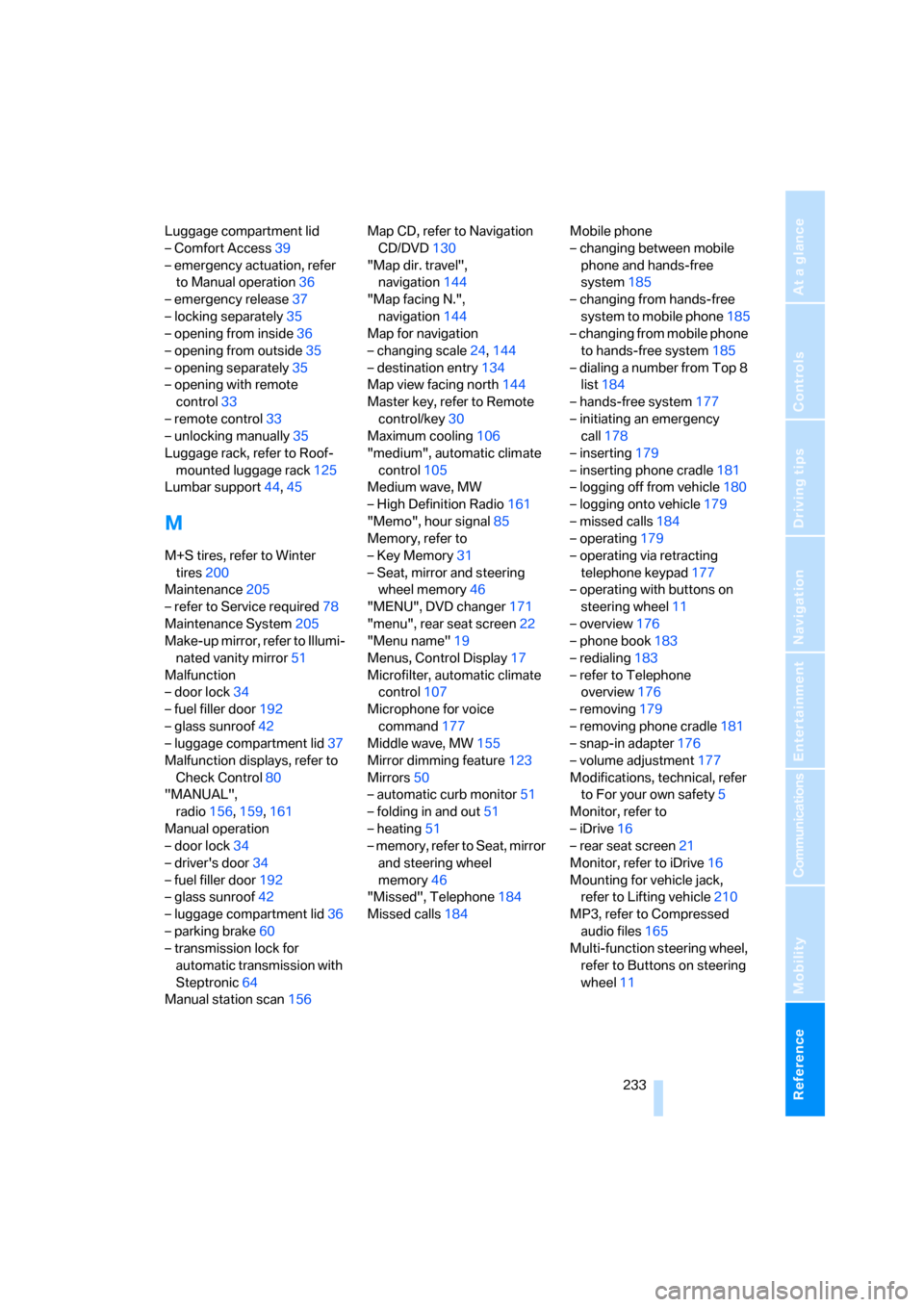
Reference 233
At a glance
Controls
Driving tips
Communications
Navigation
Entertainment
Mobility
Luggage compartment lid
– Comfort Access39
– emergency actuation, refer
to Manual operation36
– emergency release37
– locking separately35
– opening from inside36
– opening from outside35
– opening separately35
– opening with remote
control33
– remote control33
– unlocking manually35
Luggage rack, refer to Roof-
mounted luggage rack125
Lumbar support44,45
M
M+S tires, refer to Winter
tires200
Maintenance205
– refer to Service required78
Maintenance System205
Make-up mirror, refer to Illumi-
nated vanity mirror51
Malfunction
– door lock34
– fuel filler door192
– glass sunroof42
– luggage compartment lid37
Malfunction displays, refer to
Check Control80
"MANUAL",
radio156,159,161
Manual operation
– door lock34
– driver's door34
– fuel filler door192
– glass sunroof42
– luggage compartment lid36
– parking brake60
– transmission lock for
automatic transmission with
Steptronic64
Manual station scan156Map CD, refer to Navigation
CD/DVD130
"Map dir. travel",
navigation144
"Map facing N.",
navigation144
Map for navigation
– changing scale24,144
– destination entry134
Map view facing north144
Master key, refer to Remote
control/key30
Maximum cooling106
"medium", automatic climate
control105
Medium wave, MW
– High Definition Radio161
"Memo", hour signal85
Memory, refer to
– Key Memory31
– Seat, mirror and steering
wheel memory46
"MENU", DVD changer171
"menu", rear seat screen22
"Menu name"19
Menus, Control Display17
Microfilter, automatic climate
control107
Microphone for voice
command177
Middle wave, MW
155
Mirror dimming feature123
Mirrors50
– automatic curb monitor51
– folding in and out51
– heating51
– memory, refer to Seat, mirror
and steering wheel
memory46
"Missed", Telephone184
Missed calls184Mobile phone
– changing between mobile
phone and hands-free
system185
– changing from hands-free
system to mobile phone185
– changing from mobile phone
to hands-free system185
– dialing a number from Top 8
list184
– hands-free system177
– initiating an emergency
call178
– inserting179
– inserting phone cradle181
– logging off from vehicle180
– logging onto vehicle179
– missed calls184
– operating179
– operating via retracting
telephone keypad177
– operating with buttons on
steering wheel11
– overview176
– phone book183
– redialing183
– refer to Telephone
overview176
– removing179
– removing phone cradle181
– snap-in adapter176
– volume adjustment177
Modifications, technical, refer
to For your own safety5
Monitor, refer to
– iDrive16
– rear seat screen21
Monitor, refer to iDrive16
Mounting for vehicle jack,
refer to Lifting vehicle210
MP3, refer to Compressed
audio files165
Multi-function steering wheel,
refer to Buttons on steering
wheel11
Page 236 of 247
Everything from A to Z
234 Multifunction switch
– refer to Turn signals/
headlamp flasher65
– refer to Wiper/washer
system65
MW waveband155
N
"Name", navigation132
"Navigation"130,143
Navigation destination
– manual entry131
– selecting via map134
Navigation drive, installation
location130
Navigation system130
– address book138
– adjusting volume25,145
– changing route145
– current position146
– destination input131
– destination list137
– displaying route143
– manually entering desti-
nation address131
– navigation CD/DVD130
– recent destinations137
– route guidance in assistance
window130
– route list144
– selecting destination via
information135
– selecting destination via
map134
– selecting route criteria141
– starting route guidance143
– switching off, refer to Termi-
nating/continuing route
guidance143
– terminating/continuing route
guidance143
– voice instructions145
"Navi info", programmable
buttons52
Neck supports, refer to Head
restraints46Nets, refer to Securing
cargo125
"New dest.",
navigation131,134
New remote controls30
"New route",
navigation141,145
"Next", navigation135
Night vision device, refer to
BMW Night Vision96
"No measurement possible at
this time", checking engine
oil level203
"None", rear seat screen22
Non-smokers' equipment
package, refer to Power
socket116
Notepad function
25
Notepad of voice command
system25
Nozzles, refer to
Ventilation107
Number of cylinders, refer to
Engine specifications218
Nylon rope, refer to Towing
and tow starting214
O
OBD socket206
Octane numbers, refer to Fuel
specifications193
Odometer75
– refer to Trip odometer75
Oil
– additives, refer to Approved
engine oils203
– approved engine oils203
– consumption, refer to
Engine oil, checking202
– filling capacity221
– level202
– topping up, refer to Adding
engine oil203
– viscosity ratings203
Oil change interval, refer to
Service requirements78Oil consumption, refer to
Checking engine oil202
"Oil level at minimum! Add
1 quart engine oil", checking
engine oil level203
"Oil level under min.! Add
1 quart engine oil", checking
engine oil level203
"OK", DVD changer171
"ON / OFF", speed limit82
Onboard monitor, refer to
iDrive16
Onboard tool kit207
"On country", navigation136
"On dest.", navigation136
"On location", navigation136
"On town/city",
navigation136
Opening and closing
– from inside34
– from outside32
– via door lock34
– with remote control32
Oral note25
Orientation menu, refer to
Opening start menu18
Outlet slits, refer to
Ventilation107
Outside air, refer to Automatic
recirculated-air control
AUC/recirculated-air
mode105
Outside air mode, automatic
climate control105
Outside temperature
display75
– changing units of
measure84
Overview
– operating principle10
– radio control152
Page 237 of 247
Reference 235
At a glance
Controls
Driving tips
Communications
Navigation
Entertainment
Mobility
P
"PAIRING", phone179
Panic mode33
Park Distance Control PDC86
"Parked car", parked car
ventilation109
Parked car ventilation
– activating activation
time110
– preselecting activation
time109
– switching on and off
directly109
Parking, vehicle58
Parking aid, refer to PDC Park
Distance Control86
Parking assistant, refer to
PDC Park Distance
Control86
Parking brake58
– Automatic Hold59
Parking lamps99
Parking lamps/low beams99
Parking with Automatic
Hold60
Park lock, refer to Parking62
Parts and accessories, refer to
Your individual vehicle5
Passenger airbag status
lamp95
Passenger-side exterior
mirror, tilting down51
Pathway lighting99
PDC Park Distance Control86
"PDC pic."87
Pen tray, refer to Storage
compartment in center
console115
Perimeter lighting, refer to
Interior lamps102
Permissible axle load, refer to
Weights220
Permissible gross weight,
refer to Weights220
"Perspective",
navigation144,145"Phone"179,180,181
Phone book184
– creating entry in voice
command phone book184
– deleting all entries185
– deleting entry185
– displaying entry185
– having entries read185
– selecting name185
– via iDrive183
Phone number
– deleting individual entry185
– dialing from phone book183
– dialing via retracting
telephone keypad
177
– redialing183
– Top 8 list184
"Pict.format", DVD
changer171
"Picture", DVD changer170
Pinch protection system
– glass sunroof, electric41
– power windows40
Plasters, refer to First-aid
kit213
Plastic, refer to Caring for your
vehicle brochure
Playing music tracks in
random sequence
– CD changer166
– CD player163
Pollen, refer to Microfilter/
activated-charcoal filter107
Position
– displaying146
– storing139
Power failure211
Power output, refer to Engine
specifications218
Power rear backrests45
Power seat, rear45
Power socket116
Power windows39
– convenience operation32
– safety switch40
Precious wood, refer to Caring
for your vehicle brochurePreparation package for
phone, refer to Hands-free
system177
"Presets", radio155,160
Pressure, tires194
Pressure monitoring, tires,
refer to Flat Tire Monitor90
Pressure monitoring, tires,
refer to Tire Pressure
Monitor91
"Profile", BMW Assist189
Programmable
– buttons52
– cruise control67
Protective function
– glass sunroof, electric41
– power windows40
"Public places, business and
shopping", navigation136
Puncture, Flat Tire Monitor90
R
Radiator, refer to Coolant203
Radiator fluid, refer to
Coolant203
Radio155
– Autostore157
– controls152
– High Definition Radio161
– sampling stations156
– satellite radio159
– selecting the waveband155
– storing stations158
– switching on/off153
– tone control153
– updating selection of
stations in receiving
range157
– volume153
– weather reports159
Radio Data System RDS158
Radio key, refer to Remote
control/key30
Radio ready state57
– with Comfort Access39
Rain sensor65