maintenance BMW 760LI SEDAN 2003 Owners Manual
[x] Cancel search | Manufacturer: BMW, Model Year: 2003, Model line: 760LI SEDAN, Model: BMW 760LI SEDAN 2003Pages: 229, PDF Size: 4.35 MB
Page 3 of 229

745i
745Li
760Li
Congratulations, and thank you for choosing a BMW.
Thorough familiarity with your vehicle will provide you with
enhanced control and security when you drive it. We there-
fore have this request:
Please take the time to read this Owner's Manual and
familiarize yourself with the information that we have com-
piled for you before starting off in your new vehicle. It con-
tains important data and instructions intended to assist you
in gaining maximum use and satisfaction from your BMW's
unique range of technical features. The manual also con-
tains information on maintenance designed to enhance
operating safety and contribute to maintaining the value of
your BMW throughout an extended service life.
This Owner's Manual should be considered a permanent
part of this vehicle. It should stay with the vehicle when
sold to provide the next owner with important operating,
safety and maintenance information.
This manual is supplemented by a Service and Warranty
Information Booklet for US models or a Warranty and
Service Guide Booklet for Canadian models.
We wish you an enjoyable driving experience.
BMW AG
Page 7 of 229
At a glance
Operation
Driving tips
Communications
Navigation
Entertainment
Mobility
Reference
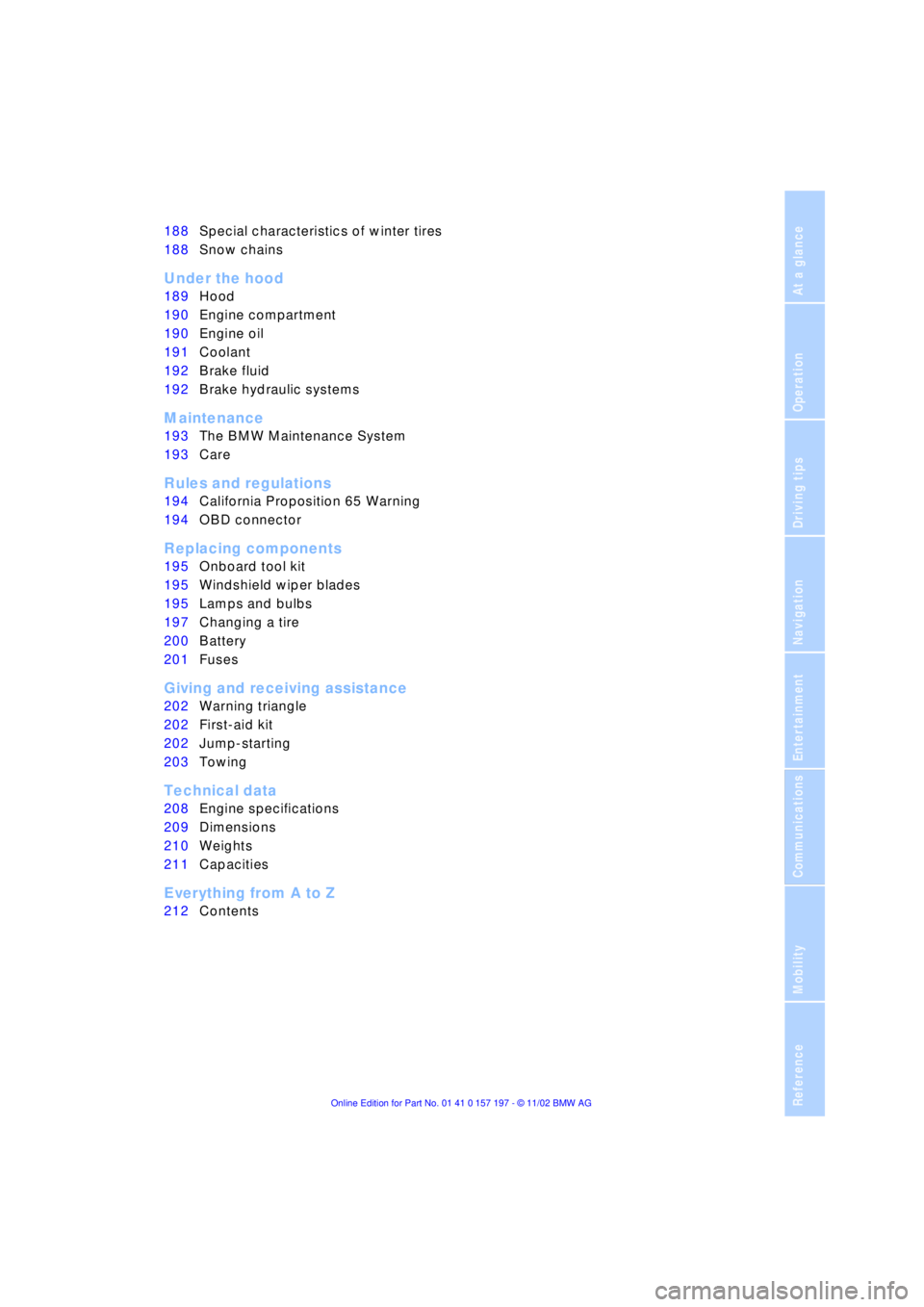
188Special characteristics of winter tires
188Snow chains
*
Under the hood
189Hood
190Engine compartment
190Engine oil
191Coolant
192Brake fluid
192Brake hydraulic systems
Maintenance
193The BMW Maintenance System
193Care
Rules and regulations
194California Proposition 65 Warning
194OBD connector
Replacing components
195Onboard tool kit
195Windshield wiper blades
195Lamps and bulbs
197Changing a tire
200Battery
201Fuses
Giving and receiving assistance
202Warning triangle
*
202First-aid kit
*
202Jump-starting
203Towing
Technical data
208Engine specifications
209Dimensions
210Weights
211Capacities
Everything from A to Z
212Contents
Page 10 of 229

Notes
8
For your own safety
Use unleaded gasoline only. Fuels
containing up to and including
10 % ethanol or other oxygenates with up
to 2.8 % oxygen by weight Ð that is,
15 % MTBE or 3 % methanol plus an equiv-
alent amount of co-solvent Ð will not void
the applicable warranties with respect to
defects in materials or workmanship. Field
experience has indicated significant differ-
ences in fuel quality Ð volatility, composi-
tion, additives, etc. Ð among gasolines
offered for sale in the United States and
Canada. The use of poor-quality fuels may
result in driveability, starting and stalling
problems especially under certain environ-
mental conditions such as high ambient
temperature and high altitude.
Should you encounter driveability prob-
lems which you suspect could be related to
the fuel you are using, we recommend that
you respond by switching to a recognized
high-quality brand.
Failure to comply with these recommenda-
tions may result in unscheduled mainte-
nance.
Follow the relevant safety rules when you
are handling gasoline.
<
Important safety information
For your own safety, use genuine
parts and accessories approved by
BMW.
When you purchase accessories tested
and approved by BMW and Original BMW
Parts, you simultaneously acquire the
assurance that they have been thoroughly
tested by BMW to ensure optimum perfor-
mance when installed on your vehicle.
BMW warrants these parts to be free from
defects in material and workmanship.
BMW will not accept any liability for
damage resulting from installation of parts
and accessories not approved by BMW.
BMW cannot test every product made by
other manufacturers to verify if it can be
used on a BMW safely and without risk to
either the vehicle, its operation, or its occu-
pants.
Original BMW Parts, BMW Accessories
and other products approved by BMW,
together with professional advice on using
these items, are available from all BMW
centers.
Installation and operation of non-BMW
approved accessories such as alarms,
radios, amplifiers, radar detectors, wheels,
suspension components, brake dust
shields, telephones Ð including operation of
any mobile phone from within the vehicle
without using an externally mounted
antenna Ð or transceiver equipment, for
instance, CBs, walkie-talkie, ham radio or
similar accessories, may cause extensive
damage to the vehicle, compromise its
safety, interfere with the vehicle's electrical
system or affect the validity of the BMW
Limited Warranty. See your BMW center for
additional information.
<
Maintenance, replacement, or repair
of the emission control devices and
systems may be performed by any automo-
tive repair establishment or individual using
any certified automotive part.
<
Page 85 of 229
At a glance
Controls
Driving tips
Communications
Navigation
Entertainment
Mobility
Reference
83
normal operating temperature. The seg-
ments disappear in sequence as the engine
warms to its normal operating temperature.
Avoid allowing the engine speed to rise as
far as the orange warning sector whenever
possible.
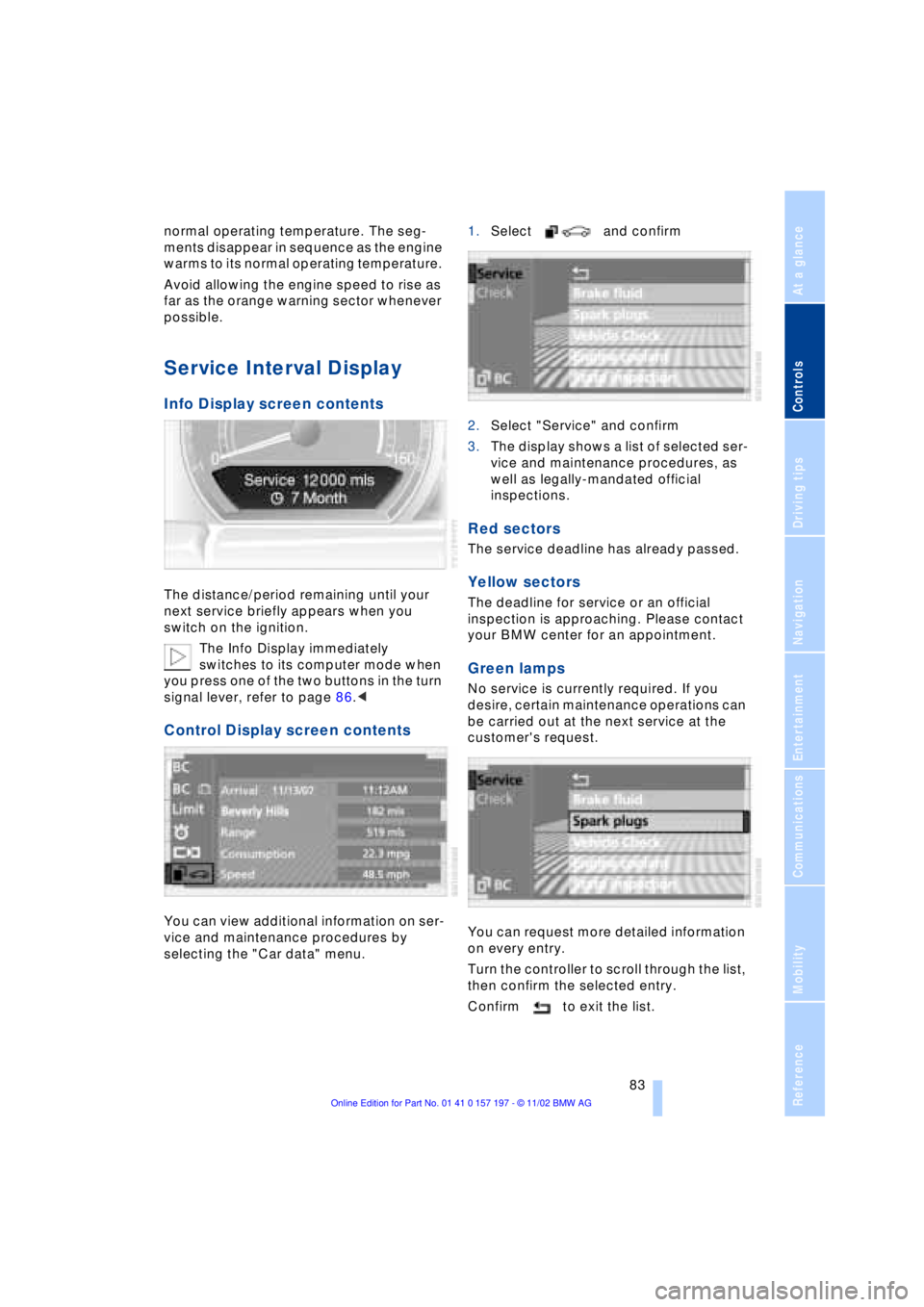
Service Interval Display
Info Display screen contents
The distance/period remaining until your
next service briefly appears when you
switch on the ignition.
The Info Display immediately
switches to its computer mode when
you press one of the two buttons in the turn
signal lever, refer to page 86.<
Control Display screen contents
You can view additional information on ser-
vice and maintenance procedures by
selecting the "Car data" menu. 1.Select and confirm
2.Select "Service" and confirm
3.The display shows a list of selected ser-
vice and maintenance procedures, as
well as legally-mandated official
inspections.
Red sectors
The service deadline has already passed.
Yellow sectors
The deadline for service or an official
inspection is approaching. Please contact
your BMW center for an appointment.
Green lamps
No service is currently required. If you
desire, certain maintenance operations can
be carried out at the next service at the
customer's request.
You can request more detailed information
on every entry.
Turn the controller to scroll through the list,
then confirm the selected entry.
Confirm to exit the list.
Page 86 of 229
Everything under control
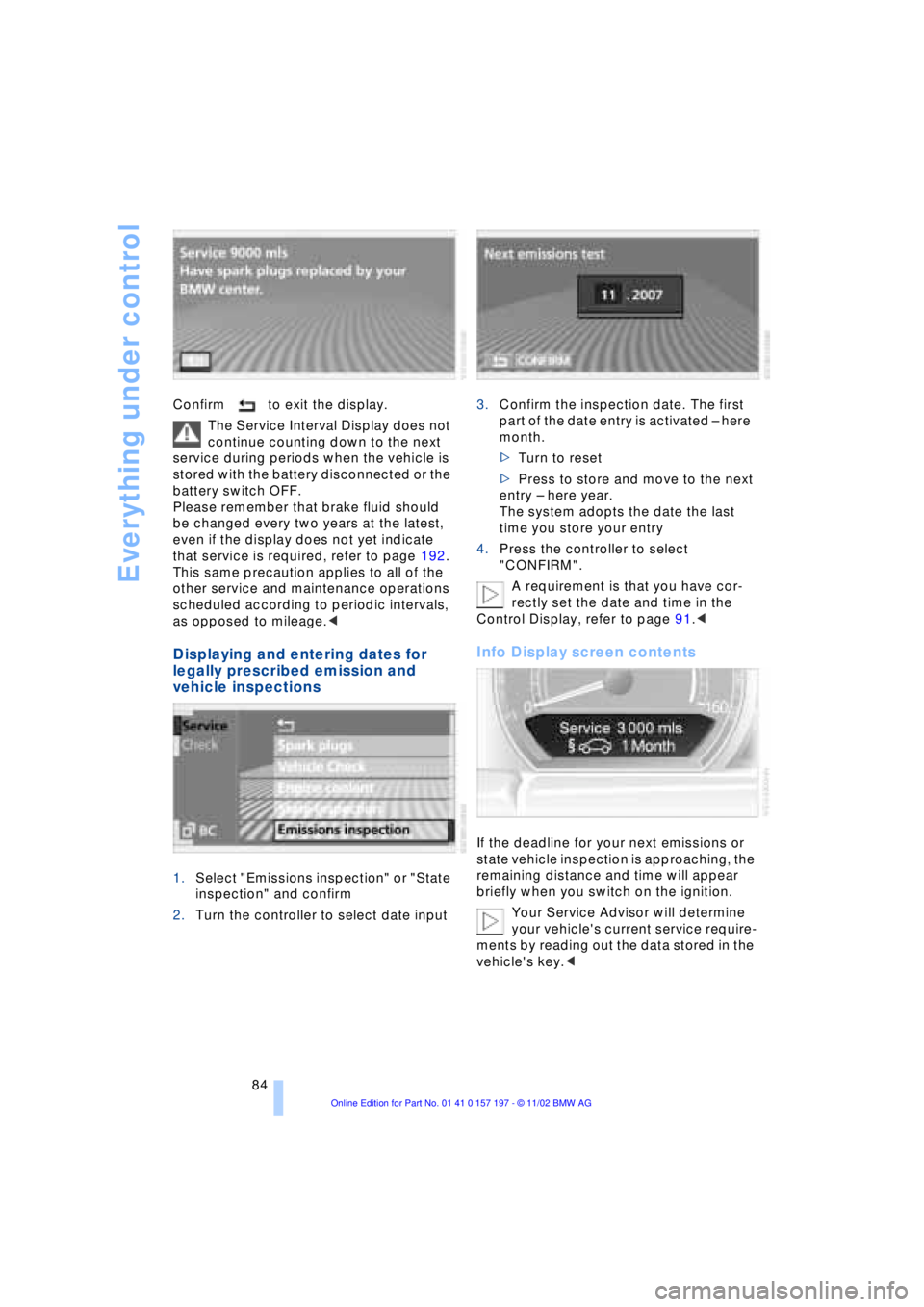
84 Confirm to exit the display.
The Service Interval Display does not
continue counting down to the next
service during periods when the vehicle is
stored with the battery disconnected or the
battery switch OFF.
Please remember that brake fluid should
be changed every two years at the latest,
even if the display does not yet indicate
that service is required, refer to page 192.
This same precaution applies to all of the
other service and maintenance operations
scheduled according to periodic intervals,
as opposed to mileage.<
Displaying and entering dates for
legally prescribed emission and
vehicle inspections
1.Select "Emissions inspection" or "State
inspection" and confirm
2.Turn the controller to select date input3.Confirm the inspection date. The first
part of the date entry is activated Ð here
month.
>Turn to reset
>Press to store and move to the next
entry Ð here year.
The system adopts the date the last
time you store your entry
4.Press the controller to select
"CONFIRM".
A requirement is that you have cor-
rectly set the date and time in the
Control Display, refer to page 91.<
Info Display screen contents
If the deadline for your next emissions or
state vehicle inspection is approaching, the
remaining distance and time will appear
briefly when you switch on the ignition.
Your Service Advisor will determine
your vehicle's current service require-
ments by reading out the data stored in the
vehicle's key.<
Page 113 of 229
At a glance
Controls
Driving tips
Communications
Navigation
Entertainment
Mobility
Reference
111
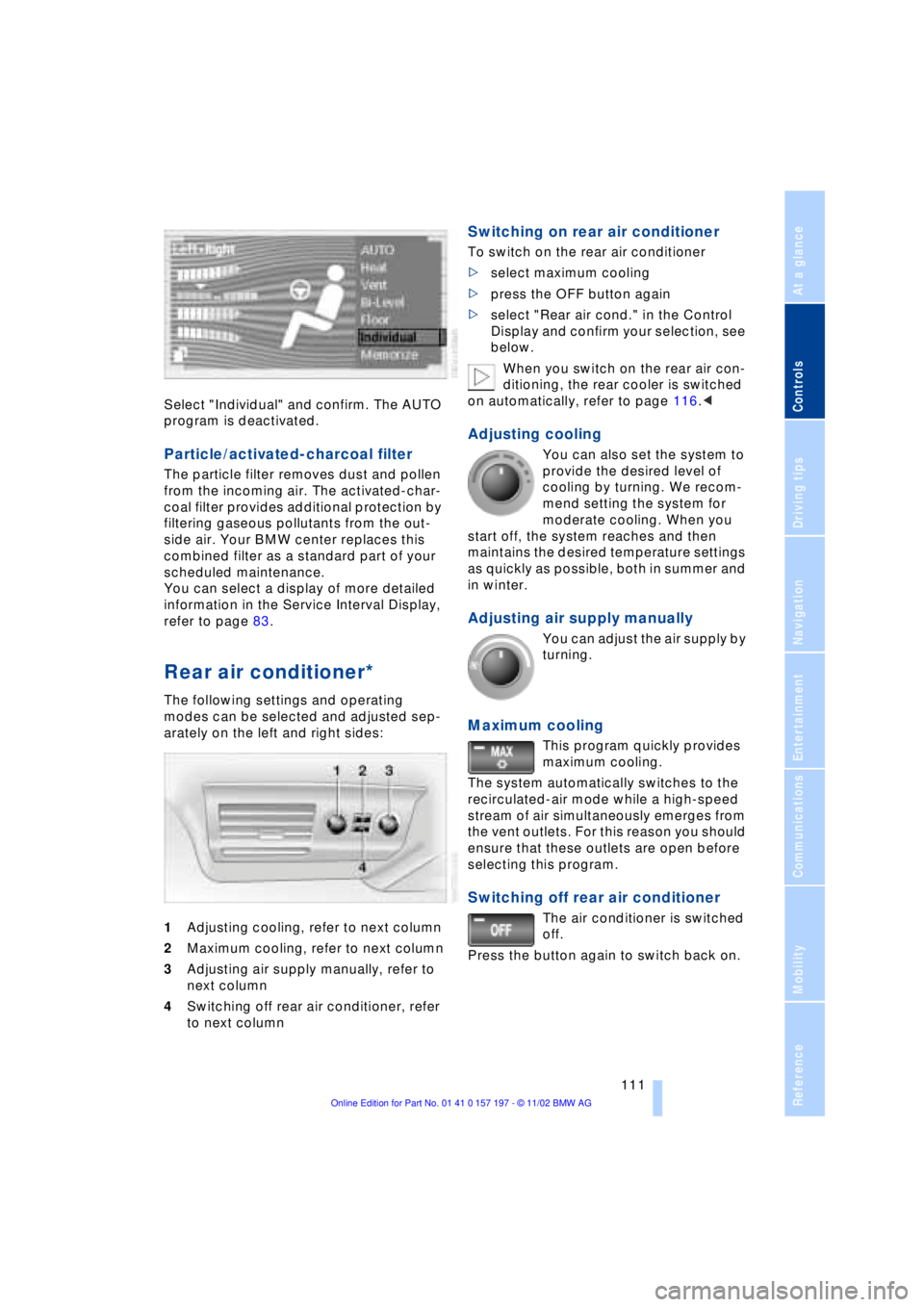
Select "Individual" and confirm. The AUTO
program is deactivated.
Particle/activated-charcoal filter
The particle filter removes dust and pollen
from the incoming air. The activated-char-
coal filter provides additional protection by
filtering gaseous pollutants from the out-
side air. Your BMW center replaces this
combined filter as a standard part of your
scheduled maintenance.
You can select a display of more detailed
information in the Service Interval Display,
refer to page 83.
Rear air conditioner*
The following settings and operating
modes can be selected and adjusted sep-
arately on the left and right sides:
1Adjusting cooling, refer to next column
2Maximum cooling, refer to next column
3Adjusting air supply manually, refer to
next column
4Switching off rear air conditioner, refer
to next column
Switching on rear air conditioner
To switch on the rear air conditioner
>select maximum cooling
>press the OFF button again
>select "Rear air cond." in the Control
Display and confirm your selection, see
below.
When you switch on the rear air con-
ditioning, the rear cooler is switched
on automatically, refer to page 116.<
Adjusting cooling
You can also set the system to
provide the desired level of
cooling by turning. We recom-
mend setting the system for
moderate cooling. When you
start off, the system reaches and then
maintains the desired temperature settings
as quickly as possible, both in summer and
in winter.
Adjusting air supply manually
You can adjust the air supply by
turning.
Maximum cooling
This program quickly provides
maximum cooling.
The system automatically switches to the
recirculated-air mode while a high-speed
stream of air simultaneously emerges from
the vent outlets. For this reason you should
ensure that these outlets are open before
selecting this program.
Switching off rear air conditioner
The air conditioner is switched
off.
Press the button again to switch back on.
Page 157 of 229
At a glance
Controls
Driving tips
Communications
Navigation
Entertainment
Mobility
Reference
155
CD changer
Precautions when using laser
equipment
The BMW CD changer is a Class 1 laser
product.
Never remove the cover from the
housing. Do not operate the unit if the
cover is damaged. Operation without the
cover can lead to serious eye injury from
invisible laser beams.
Always refer all repair and maintenance
operations to qualified technicians.<
Copy protection
To prevent CDs from being copied
illegally, they are often provided with
copy protection by the manufacturer.
Please observe the information on your CD.
These CDs differ from the CD Audio Stan-
dard Red Book, on the basis of which all
CD players and changers are designed.
Under certain circumstances, this can pre-
vent or restrict the playing of CDs on your
CD changer. In this case, please contact
the CD dealer or manufacturer.<
Location
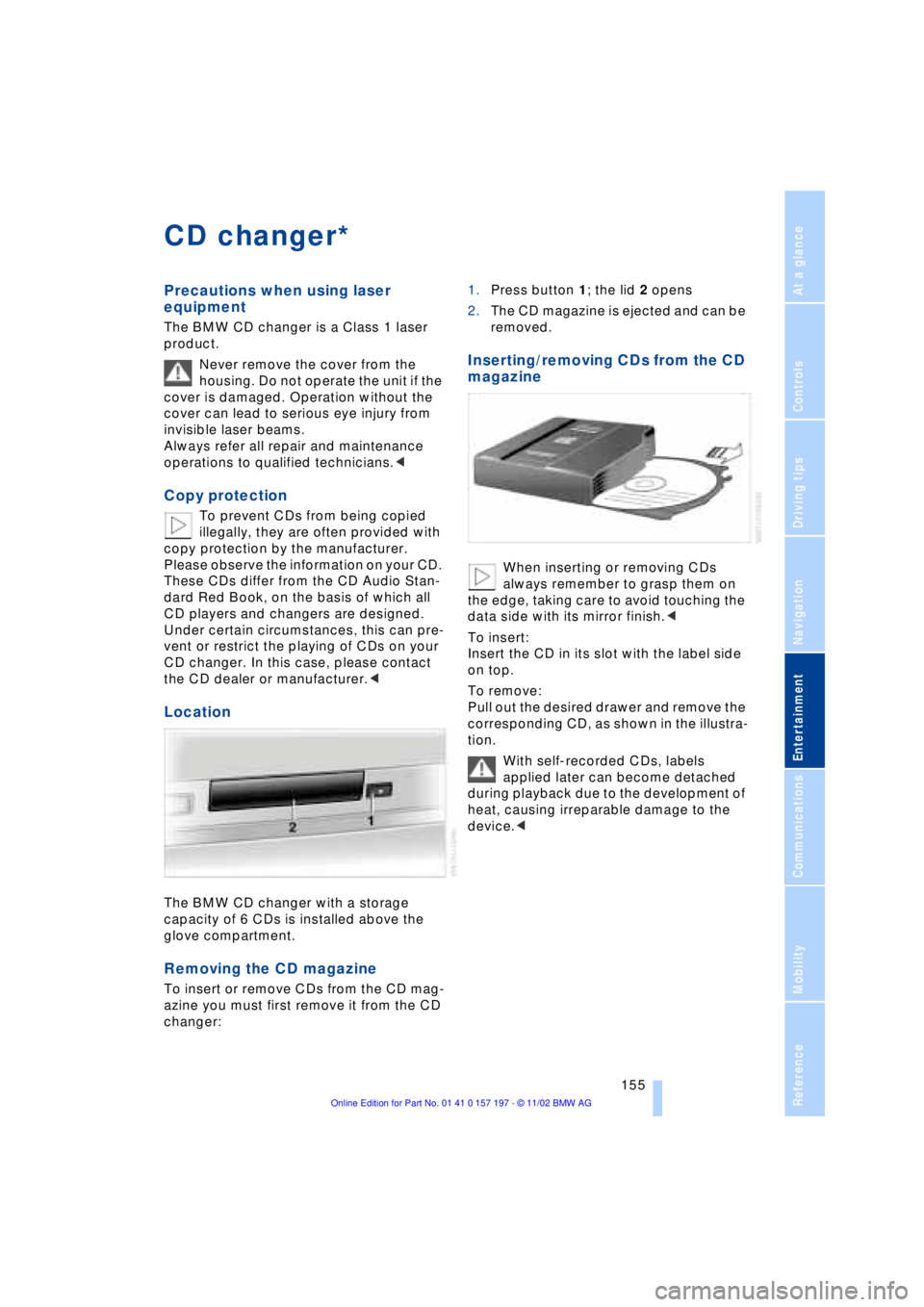
The BMW CD changer with a storage
capacity of 6 CDs is installed above the
glove compartment.
Removing the CD magazine
To insert or remove CDs from the CD mag-
azine you must first remove it from the CD
changer:1.Press button 1; the lid 2 opens
2.The CD magazine is ejected and can be
removed.
Inserting/removing CDs from the CD
magazine
When inserting or removing CDs
always remember to grasp them on
the edge, taking care to avoid touching the
data side with its mirror finish.<
To insert:
Insert the CD in its slot with the label side
on top.
To remove:
Pull out the desired drawer and remove the
corresponding CD, as shown in the illustra-
tion.
With self-recorded CDs, labels
applied later can become detached
during playback due to the development of
heat, causing irreparable damage to the
device.<
*
Page 164 of 229
DVD changer
162
DVD changer
Precautions when using laser
equipment
The BMW DVD changer is a Class 1 laser
product.
Never remove the cover from the
housing. Do not operate the unit if the
cover is damaged. Operation without the
cover can lead to serious eye injury from
invisible laser beams.
Always refer all repair and maintenance
operations to qualified technicians.<
Copy protection
Macrovision copy protection:
This product incorporates copyright
protection technology that is protected by
method claims of certain U.S. patents and
other intellectual property rights owned by
Macrovision Corporation and other rights
owners. Use of this copyright protection
technology must be authorized by Macrovi-
sion Corporation, and is intended for home
and other limited viewing uses only unless
otherwise authorized by Macrovision Cor-
poration. Reverse engineering or disas-
sembly is prohibited.<
To prevent CDs from being copied
illegally, they are often provided with
copy protection by the manufacturer.
Please observe the information on your CD.
These CDs differ from the CD Audio Stan-
dard Red Book, on the basis of which all
CD players, changers and your BMW DVD
changer are designed. Under certain cir-
cumstances this can prevent or restrict the
playing of CDs on the DVD changer. In this
case please contact the CD dealer or man-
ufacturer.<
Supported media formats
The DVD changer can play the following
formats:
>Video DVD
>CD-DA Ð Audio CD
>CD-R.
The DVD Audio format is not sup-
ported by the DVD changer. However,
many audio DVDs available in stores also
contain a video track in the DVD Video
format in addition to the audio track. These
DVDs can be played back by the DVD
changer. Please see the information on
your DVD to determine whether your audio
DVD contains an additional video track.<
DVDs are usually divided into tracks
and chapters and can contain dif-
ferent subtitles, camera angles or sound
tracks, languages and sound formats.
Depending on the version of the DVD,
these functions can be selected either
directly with the DVD control system or only
via the DVD-specific menu. See the infor-
mation on your DVD for possible selec-
tions.<
Location
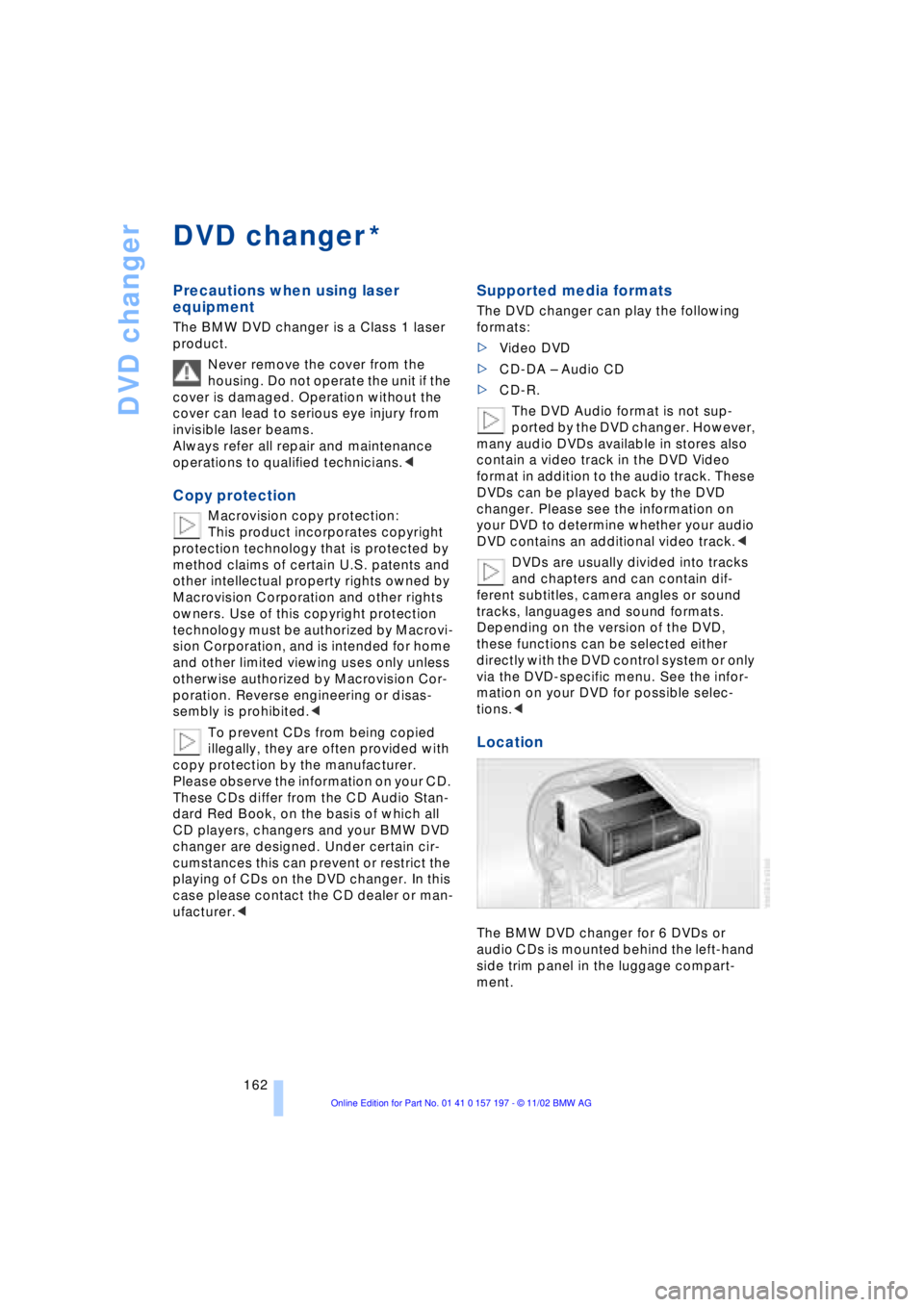
The BMW DVD changer for 6 DVDs or
audio CDs is mounted behind the left-hand
side trim panel in the luggage compart-
ment.
*
Page 183 of 229
Mobility
This section helps you maintain your
mobility by supplying important information
on vital topics including fuels and
lubricants, wheels and tires, maintenance
and emergency roadside service.
Page 186 of 229
Wheels and tires
184
Wheels and tires
Tire inflation pressure
Information for your safety
The factory-mounted tires have been spe-
cially selected to provide optimal perfor-
mance when installed on your vehicle; if
properly cared for they will furnish a combi-
nation of tremendous safety and excellent
ride comfort.
It is not merely the tire's service life, but
also driving comfort and Ð above all else Ð
driving safety that depend on the condition
of the tires and the maintenance of the spe-
cified tire pressure.
Incorrect inflation pressure is a frequent
cause of tire damage. Tire inflation pres-
sures also have a substantial effect on your
BMW's handling response.
Check tire inflation pressures regu-
larly Ð at least every two weeks and
before beginning a longer trip. If you fail to
observe this precaution you may be driving
on tires with incorrect tire pressures, a con-
dition that can not only compromise your
vehicle's stability, but also lead to tire
damage and the risk of an accident.
Remember to check the inflation pressure
in your spare tire. Inflate the spare to the
highest pressure specified for any tire on
the vehicle.<
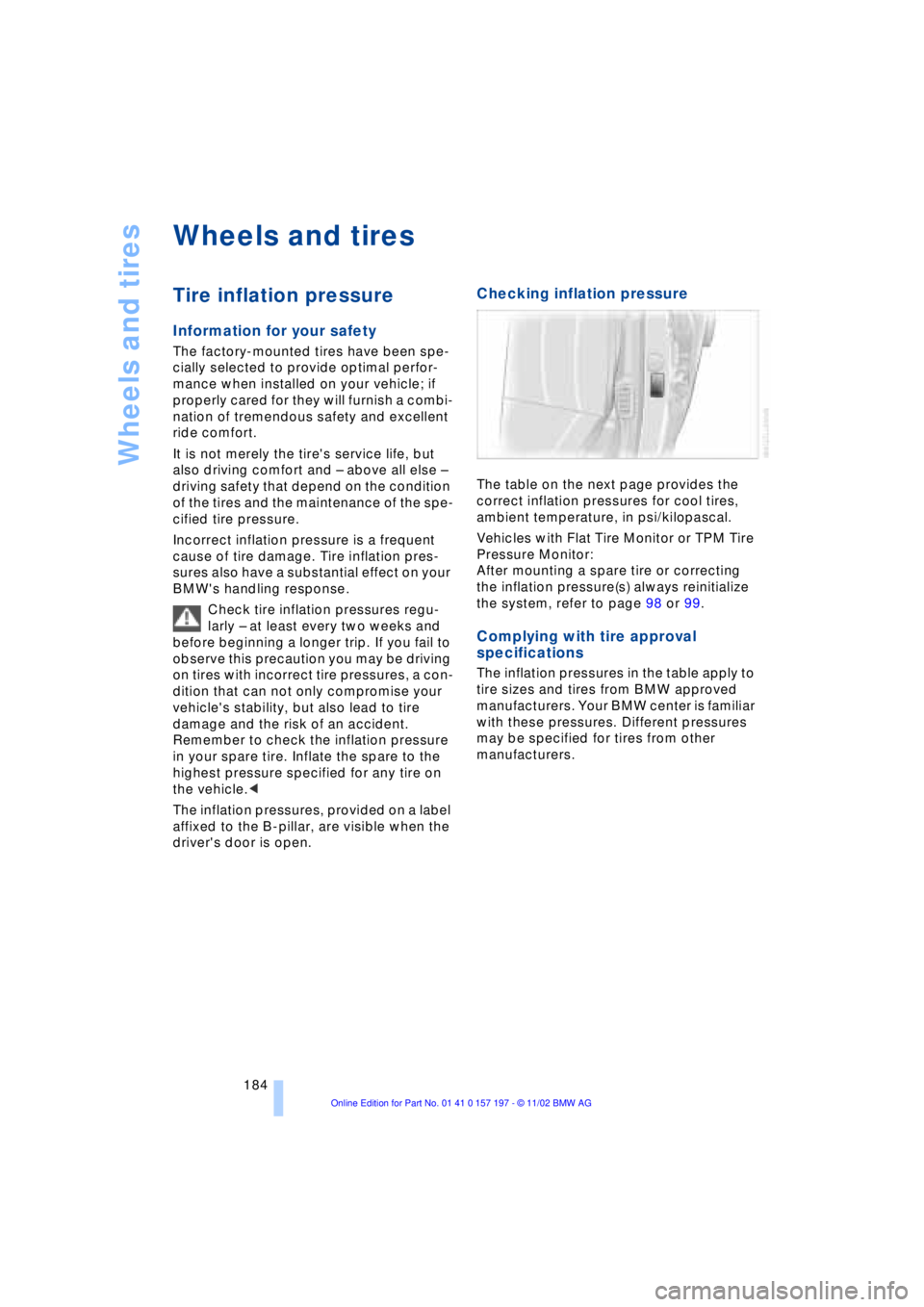
The inflation pressures, provided on a label
affixed to the B-pillar, are visible when the
driver's door is open.
Checking inflation pressure
The table on the next page provides the
correct inflation pressures for cool tires,
ambient temperature, in psi/kilopascal.
Vehicles with Flat Tire Monitor or TPM Tire
Pressure Monitor:
After mounting a spare tire or correcting
the inflation pressure(s) always reinitialize
the system, refer to page 98 or 99.
Complying with tire approval
specifications
The inflation pressures in the table apply to
tire sizes and tires from BMW approved
manufacturers. Your BMW center is familiar
with these pressures. Different pressures
may be specified for tires from other
manufacturers.