ECO mode BMW ACTIVEHYBRID3 2013 Owner's Manual
[x] Cancel search | Manufacturer: BMW, Model Year: 2013, Model line: ACTIVEHYBRID3, Model: BMW ACTIVEHYBRID3 2013Pages: 220, PDF Size: 5.09 MB
Page 162 of 220
▷Blue display: efficient driving style as long as
the mark moves within the blue range.▷Gray display: adjust driving style, e. g. by
backing off the accelerator pedal.
The display switches to blue as soon as all con‐
ditions for fuel-economy-optimized driving are
met.
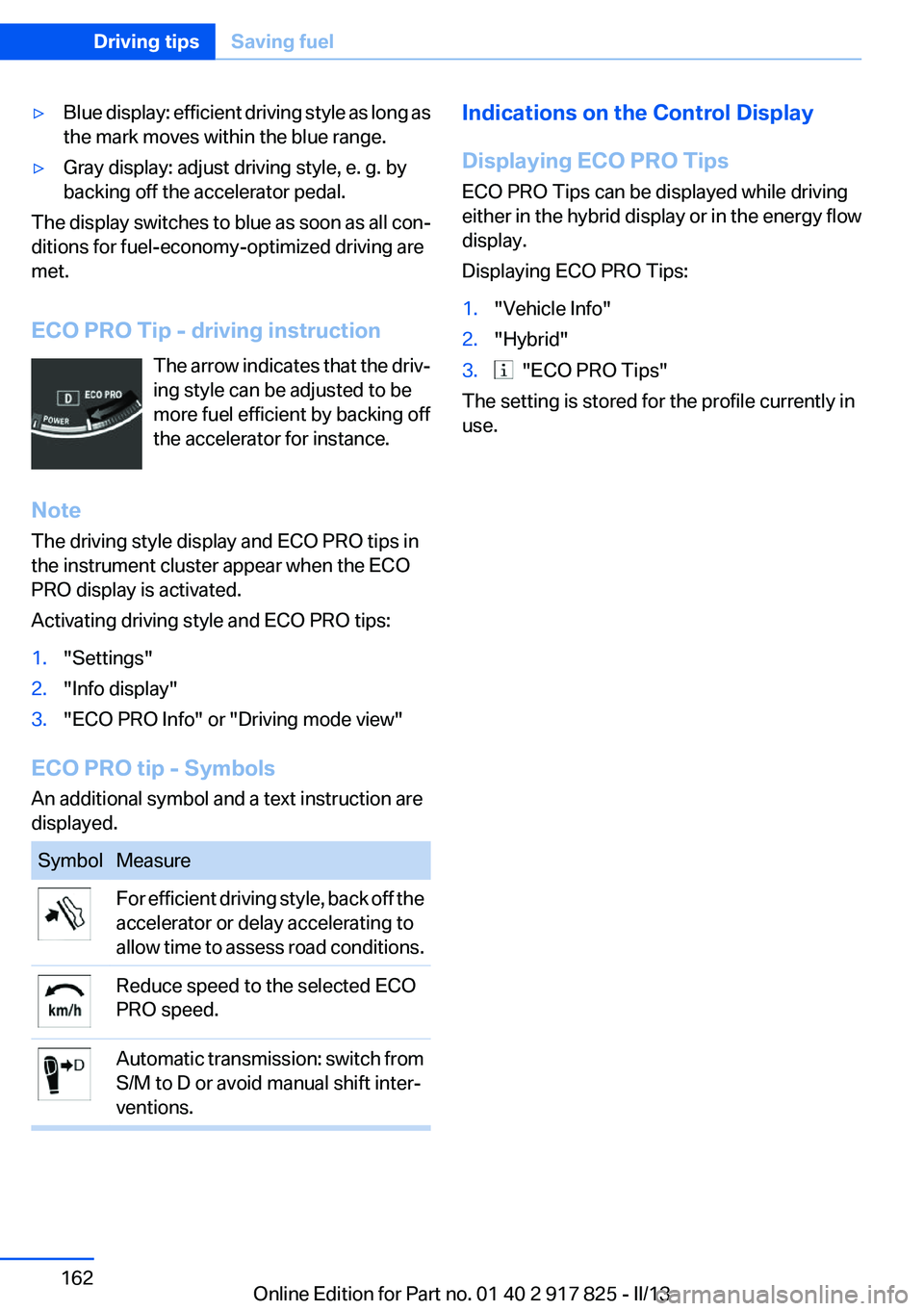
ECO PRO Tip - driving instruction The arrow indicates that the driv‐
ing style can be adjusted to be
more fuel efficient by backing off
the accelerator for instance.
Note
The driving style display and ECO PRO tips in
the instrument cluster appear when the ECO
PRO display is activated.
Activating driving style and ECO PRO tips:
1."Settings"2."Info display"3."ECO PRO Info" or "Driving mode view"
ECO PRO tip - Symbols
An additional symbol and a text instruction are
displayed.
SymbolMeasureFor efficient driving style, back off the
accelerator or delay accelerating to
allow time to assess road conditions.Reduce speed to the selected ECO
PRO speed.Automatic transmission: switch from
S/M to D or avoid manual shift inter‐
ventions.Indications on the Control Display
Displaying ECO PRO Tips
ECO PRO Tips can be displayed while driving
either in the hybrid display or in the energy flow
display.
Displaying ECO PRO Tips:1."Vehicle Info"2."Hybrid"3. "ECO PRO Tips"
The setting is stored for the profile currently in
use.
Seite 162Driving tipsSaving fuel162
Online Edition for Part no. 01 40 2 917 825 - II/13
Page 168 of 220
FuelVehicle equipment
All standard, country-specific and optional
equipment that is offered in the model series is
described in this chapter. Therefore, equipment
is also described that is not available in a vehicle,
e. g., because of the selected optional equip‐
ment or country variant. This also applies for
safety-related functions and systems.
Fuel quality
Gasoline
For the best fuel economy, the gasoline should
be sulfur-free or very low in sulfur content.
Fuels that are marked on the gas pump as con‐
taining metal must not be used.
Refuel only with unleaded gasoline with‐
out metallic additives.
Do not refuel with any leaded gasoline or gaso‐
line with metallic additives, e. g. manganese or
iron, or permanent damage to the catalytic con‐
verter and other components.◀
Fuels with a maximum ethanol content of 10 %,
i. e., E10, may be used for refueling.
Ethanol should satisfy the following quality stan‐
dards:
US: ASTM 4806–xx
CAN: CGSB-3.511–xx
xx: comply with the current standard in each
case.
Do not refuel with ethanol E85
Do not refuel with E85, i.e., fuel with an
ethanol content of 85 %, or with Flex Fuel, as this
would damage the engine and fuel supply sys‐
tem.◀Recommended fuel quality
BMW recommends AKI 91.
Minimum fuel grade
BMW recommends AKI 89.
Minimum fuel grade
Do not use any gasoline below the mini‐
mum fuel grade as this may impair engine per‐
formance.◀
If you use gasoline with this minimum AKI Rat‐
ing, the engine may produce knocking sounds
when starting at high outside temperatures.
This has no effect on the engine life.
Fuel quality
The use of poor-quality fuels may result in
harmful engine deposits or damage. Addition‐
ally, problems relating to drivability, starting and
stalling, especially under certain environmental
conditions such as high ambient temperature
and high altitude, may occur.
If drivability problems are encountered, we rec‐
ommend switching to a high quality gasoline
brand and a higher octane grade — AKI number
— for a few tank fills. To avoid harmful engine
deposits, it is highly recommended to purchase
gasoline from BP or Top Tier retailers.
Failure to comply with these recommendations
may result in the need for unscheduled mainte‐
nance.◀Seite 168MobilityFuel168
Online Edition for Part no. 01 40 2 917 825 - II/13
Page 169 of 220
Wheels and tiresVehicle equipment
All standard, country-specific and optional
equipment that is offered in the model series is
described in this chapter. Therefore, equipment
is also described that is not available in a vehicle,
e. g., because of the selected optional equip‐
ment or country variant. This also applies for
safety-related functions and systems.
Tire inflation pressure
Safety information
The tire characteristics and tire inflation pres‐
sure influence the following:▷The service life of the tires.▷Road safety.▷Driving comfort.
Checking the pressure
Only check the tire inflation pressure when the
tires are cold. This means after driving no more
than 1.25 miles/2 km or when the vehicle has
been parked for at least 2 hours. When the tires
are warm, the tire inflation pressure is higher.
Check the tire inflation pressure regularly
Regularly check the tire inflation pressure
and correct it as needed: at least twice a month
and before a long trip. If you fail to observe this
precaution, you may be driving on tires with in‐
correct tire pressures, a condition that may not
only compromise your vehicle's driving stability,
but also lead to tire damage and the risk of an
accident.◀
After correcting the tire inflation pressure:
▷Reinitialize the Flat Tire Monitor.▷Reinitialize the Tire Pressure Monitor.Pressure specifications
The tire inflation pressure table, refer to
page 170, contains all pressure specifications
for the specified tire sizes at the ambient tem‐
perature. Pressure specifications apply to ap‐
proved tire sizes and recommended tire brands.
This information can be obtained from your
service center.
To identify the correct tire inflation pressure,
please note the following:▷Tire sizes of your vehicle.▷Maximum permitted driving speed.
Tire inflation pressures up to 100 mph/
160 km/h
For speeds of up to 100 mph/160 km/h and for
optimum driving comfort, note the pressure val‐
ues in the tire inflation pressure table, refer to
page 170, and adjust as necessary.
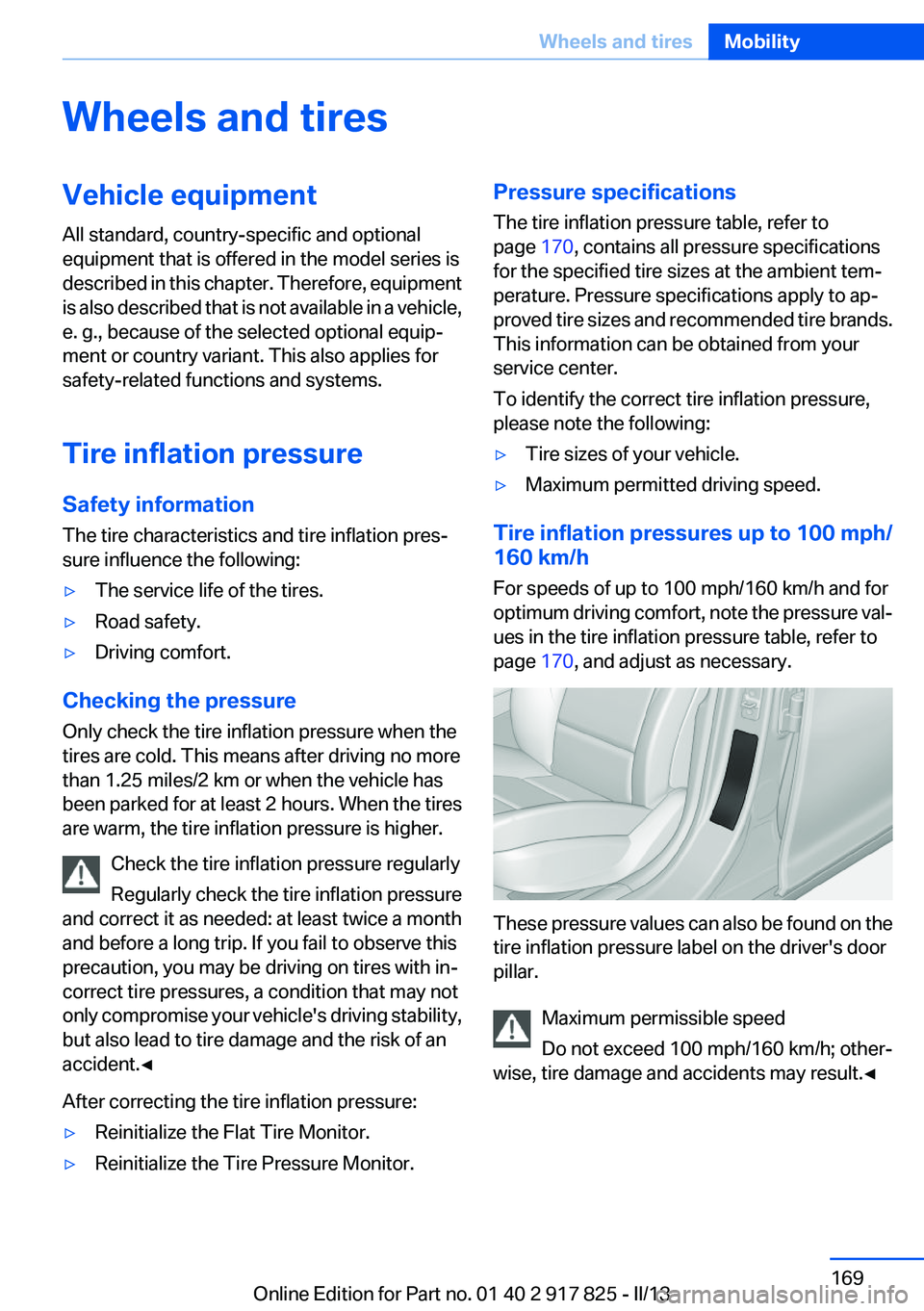
These pressure values can also be found on the
tire inflation pressure label on the driver's door
pillar.
Maximum permissible speed
Do not exceed 100 mph/160 km/h; other‐
wise, tire damage and accidents may result.◀
Seite 169Wheels and tiresMobility169
Online Edition for Part no. 01 40 2 917 825 - II/13
Page 174 of 220
Wheel and tire combination
Information on the correct wheel-tire combina‐
tion and rim versions for your vehicle can be ob‐
tained from your service center.
Incorrect wheel and tire combinations impair the
function of a variety of systems such as ABS or
DSC.
To maintain good handling and vehicle re‐
sponse, use only tires with a single tread con‐
figuration from a single manufacturer.
Following tire damage, have the original wheel
and tire combination remounted on the vehicle
as soon as possible.
Approved wheels and tires
The manufacturer of your vehicle recom‐
mends that you use only wheels and tires that
have been approved for your particular vehicle
model.
For example, despite having the same official
size ratings, variations can lead to body contact
and with it, the risk of severe accidents.
The manufacturer of your vehicle cannot evalu‐
ate non-approved wheels and tires to determine
if they are suited for use, and therefore cannot
ensure the operating safety of the vehicle if they
are mounted.◀
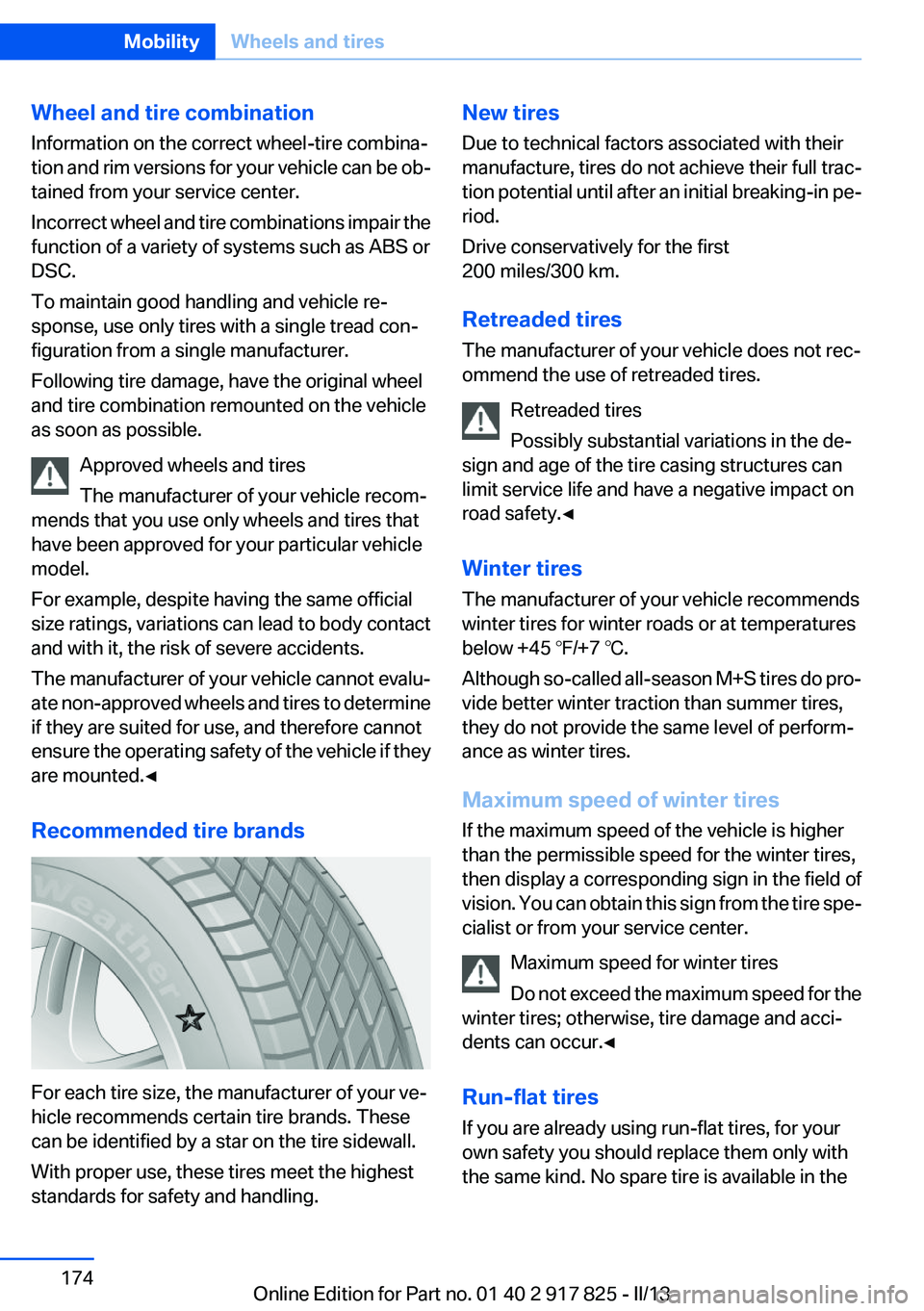
Recommended tire brands
For each tire size, the manufacturer of your ve‐
hicle recommends certain tire brands. These
can be identified by a star on the tire sidewall.
With proper use, these tires meet the highest
standards for safety and handling.
New tires
Due to technical factors associated with their
manufacture, tires do not achieve their full trac‐
tion potential until after an initial breaking-in pe‐
riod.
Drive conservatively for the first
200 miles/300 km.
Retreaded tires
The manufacturer of your vehicle does not rec‐
ommend the use of retreaded tires.
Retreaded tires
Possibly substantial variations in the de‐
sign and age of the tire casing structures can
limit service life and have a negative impact on
road safety.◀
Winter tires
The manufacturer of your vehicle recommends
winter tires for winter roads or at temperatures
below +45 ℉/+7 ℃.
Although so-called all-season M+S tires do pro‐
vide better winter traction than summer tires,
they do not provide the same level of perform‐
ance as winter tires.
Maximum speed of winter tires
If the maximum speed of the vehicle is higher
than the permissible speed for the winter tires,
then display a corresponding sign in the field of
vision. You can obtain this sign from the tire spe‐
cialist or from your service center.
Maximum speed for winter tires
Do not exceed the maximum speed for the
winter tires; otherwise, tire damage and acci‐
dents can occur.◀
Run-flat tires
If you are already using run-flat tires, for your
own safety you should replace them only with
the same kind. No spare tire is available in theSeite 174MobilityWheels and tires174
Online Edition for Part no. 01 40 2 917 825 - II/13
Page 181 of 220
MaintenanceVehicle equipment
All standard, country-specific and optional
equipment that is offered in the model series is
described in this chapter. Therefore, equipment
is also described that is not available in a vehicle,
e. g., because of the selected optional equip‐
ment or country variant. This also applies for
safety-related functions and systems.
BMW Maintenance System
The maintenance system directs you to re‐
quired maintenance measures and thereby sup‐
ports you in maintaining road safety and the op‐
erational reliability of the vehicle.
Condition Based Service CBS
Sensors and special algorithms take into ac‐
count the driving conditions of your vehicle.
Based on this, Condition Based Service deter‐
mines the maintenance requirements.
The system makes it possible to adapt the
amount of maintenance you need to your user
profile.
Detailed information on service requirements,
refer to page 81, can be displayed on the Control
Display.
Service data in the remote control
Information on the required maintenance is con‐
tinuously stored in the remote control. Your
service center will read out this data and suggest
the right array of service procedures for your ve‐
hicle.
Therefore, hand your service specialist the re‐
mote control that you used most recently.Storage periods
Storage periods during which the vehicle bat‐
tery was disconnected are not taken into ac‐
count.
If this occurs, have a service center update the
time-dependent maintenance procedures,
such as checking brake fluid and, if necessary,
changing the engine oil and the microfilter/acti‐
vated-charcoal filter.
Service history
Perform maintenance work at the service center
and have them recorded in the vehicle data. The
entries are like a service booklet of the docu‐
mentation of regular maintenance.
Displaying entered maintenance work on the
Control Display, refer to page 82.
Service and Warranty
Information Booklet for US
models and Warranty and
Service Guide Booklet for
Canadian models
Please consult your Service and Warranty Infor‐
mation Booklet for US models and Warranty and
Service Guide Booklet for Canadian models for
additional information on service requirements.
Maintenance and repair should be performed by
your service center. Make sure to have regular
maintenance procedures recorded in the vehi‐
cle's Service and Warranty Information Booklet
for US models, and in the Warranty and Service
Guide Booklet for Canadian models. These en‐
tries are proof of regular maintenance.Seite 181MaintenanceMobility181
Online Edition for Part no. 01 40 2 917 825 - II/13
Page 183 of 220
Replacing componentsVehicle equipment
All standard, country-specific and optional
equipment that is offered in the model series is
described in this chapter. Therefore, equipment
is also described that is not available in a vehicle,
e. g., because of the selected optional equip‐
ment or country variant. This also applies for
safety-related functions and systems.
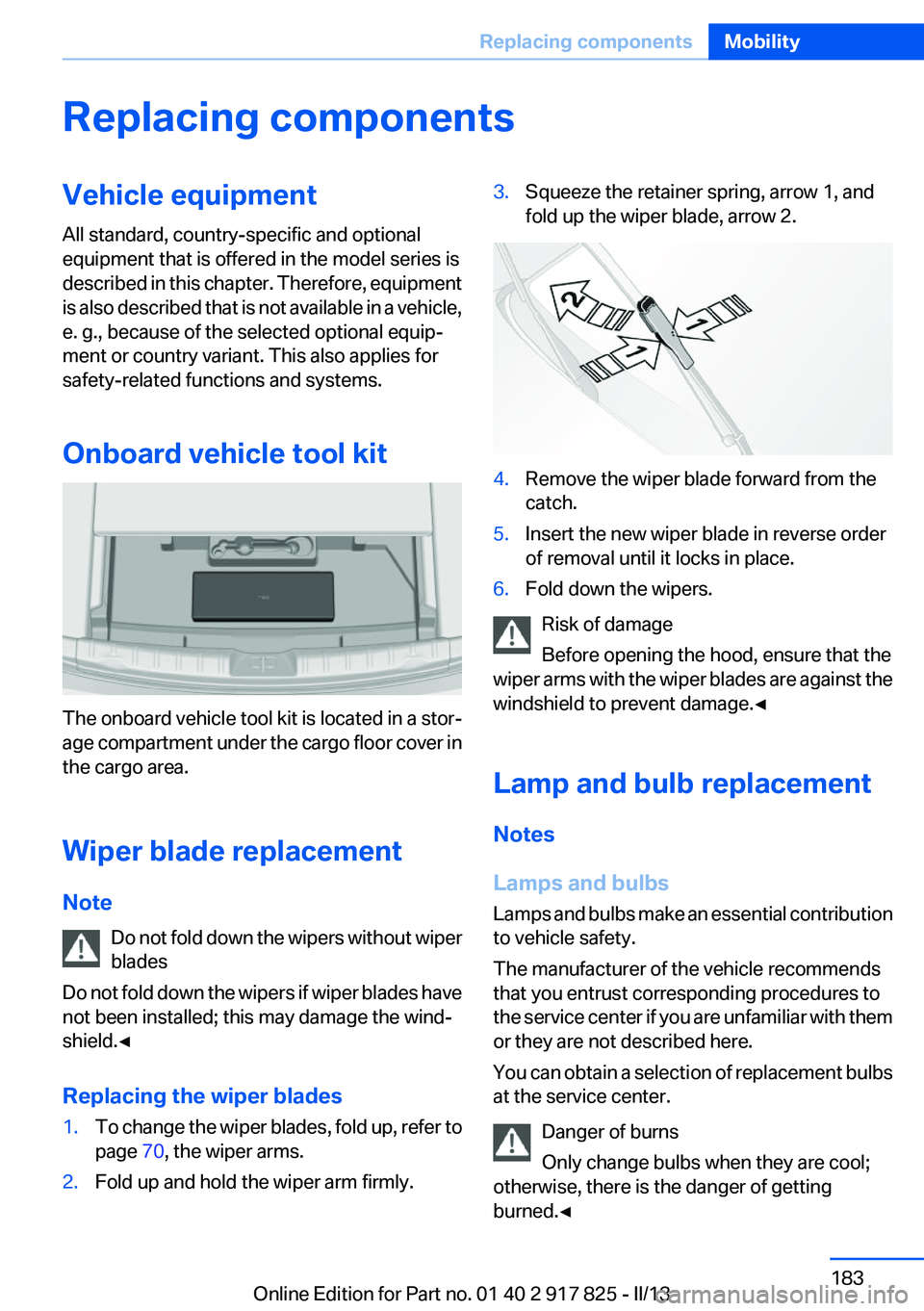
Onboard vehicle tool kit
The onboard vehicle tool kit is located in a stor‐
age compartment under the cargo floor cover in
the cargo area.
Wiper blade replacement
Note Do not fold down the wipers without wiper
blades
Do not fold down the wipers if wiper blades have
not been installed; this may damage the wind‐
shield.◀
Replacing the wiper blades
1.To change the wiper blades, fold up, refer to
page 70, the wiper arms.2.Fold up and hold the wiper arm firmly.3.Squeeze the retainer spring, arrow 1, and
fold up the wiper blade, arrow 2.4.Remove the wiper blade forward from the
catch.5.Insert the new wiper blade in reverse order
of removal until it locks in place.6.Fold down the wipers.
Risk of damage
Before opening the hood, ensure that the
wiper arms with the wiper blades are against the
windshield to prevent damage.◀
Lamp and bulb replacement
Notes
Lamps and bulbs
Lamps and bulbs make an essential contribution
to vehicle safety.
The manufacturer of the vehicle recommends
that you entrust corresponding procedures to
the service center if you are unfamiliar with them
or they are not described here.
You can obtain a selection of replacement bulbs
at the service center.
Danger of burns
Only change bulbs when they are cool;
otherwise, there is the danger of getting
burned.◀
Seite 183Replacing componentsMobility183
Online Edition for Part no. 01 40 2 917 825 - II/13
Page 210 of 220
Everything from A to Z
IndexA
ABS, Antilock Brake Sys‐ tem 111
Activated-charcoal filter 134
Activate drive readiness 64
Active Blind Spot Detec‐ tion 106
ActiveHybrid, system 30
Active Protection 108
Adaptive brake lights, refer to Brake force display 108
Adaptive light control 92
Additives, oil 179
Adjustments, seats/head re‐ straints 49
After washing vehicle 201
Airbags 95
Airbags, indicator/warning light 96
Air circulation, refer to Recir‐ culated-air mode 133
Air, dehumidifying, refer to Cooling function 133
Air distribution, manual 134
Air flow, automatic climate control 134
Air pressure, tires 169
Air vents, refer to Ventila‐ tion 135
Alarm system 44
Alarm, unintentional 45
All around the center con‐ sole 16
All around the headliner 17
All around the steering wheel 14
All-season tires, refer to Win‐ ter tires 174
Alternating-code hand-held transmitter 139 Alternative oil types 179
Antifreeze, washer fluid 70
Antilock Brake System, ABS 111
Anti-slip control, refer to DSC 111
Approved axle load 207
Approved engine oils 179
Arrival time 85
Ash tray 142
Assistance for the combustion engine 67
Assistance, Roadside Assis‐ tance 195
Assistance when driving off 115
ASSIST, Hybrid system 67
Assist system information, on Control Display 88
Attentiveness assistant 108
AUTO intensity 133
Automatic car wash 200
Automatic climate control with enhanced features 132
Automatic Curb Monitor 57
Automatic deactivation, front passenger airbags 97
Automatic deactivation of the hybrid system 199
Automatic engine start-stop function 65
Automatic headlamp con‐ trol 91
Automatic locking 41
Automatic recirculated-air control 133
Automatic transmission with Steptronic 71
AUTO program, automatic cli‐ mate control 133
AUTO program, intensity 133 Auxiliary air conditioning 136
Average fuel consumption 85
Average speed 85
Axle loads, weights 207
B
Backrest curvature, refer to Lumbar support 51
Backrest, width 51
Backup camera 120
Band-aids, refer to First aid kit 195
Bar for tow-starting/tow‐ ing 197
Battery replacement, vehicle battery 192
Battery replacement, vehicle remote control 34
Battery, vehicle 191
Belts, safety belts 52
Beverage holder, cu‐ pholder 148
Blinds, sun protection 47
BMW ActiveHybrid 30
BMW Assist, see user's manual for Navigation, Enter‐
tainment and Communica‐
tion
BMW Homepage 6
BMW Internet page 6
BMW maintenance sys‐ tem 181
Bonus range, ECO PRO 161
Bottle holder, refer to Cu‐ pholder 148
Brake assistant 111
Brake discs, breaking in 152
Brake force display 108
Brake lamps, brake force dis‐ play 108 Seite 210ReferenceEverything from A to Z210
Online Edition for Part no. 01 40 2 917 825 - II/13
Page 212 of 220
D
Damage, tires 173
Damping control, dy‐ namic 112
Data, technical 206
Date 78
Daytime running lights 91
Deactivating drive readi‐ ness 65
Defrosting, refer to Windows, defrosting 134
Dehumidifying, air 133
Destination distance 85
Digital clock 78
Digital compass 140
Dimensions 206
Dimmable exterior mirrors 57
Dimmable interior rearview mirror 57
Direction indicator, refer to Turn signals 68
Display, electronic, instrument cluster 75
Display in windshield 126
Display lighting, refer to Instru‐ ment lighting 93
Displays 74
Displays, cleaning 203
Displays, hybrid system 79
Disposal, coolant 180
Disposal, vehicle battery 192
Distance control, refer to PDC 118
Distance to destination 85
Divided screen view, split screen 23
Door lock, refer to Remote control 34
DRIVE 66
Drive-off assistant 115
Drive-off assistant, refer to DSC 111
Drive readiness in detail 64
Drive readiness states 63 Driving experience
switch 113
Driving instructions, breaking in 152
Driving mode 113
Driving notes, general 154
Driving stability control sys‐ tems 111
Driving tips 154
Driving tips, hybrid sys‐ tem 152
Driving with the combustion engine 66
DSC Dynamic Stability Con‐ trol 111
DTC Dynamic Traction Con‐ trol 112
Dynamic Damping Con‐ trol 112
Dynamic Stability Control DSC 111
Dynamic Traction Control DTC 112
E
eBOOST 67
ECO PRO 160
ECO PRO, bonus range 161
ECO PRO display 160
ECO PRO driving mode 160
ECO PRO mode 160
ECO PRO Tip - driving instruc‐ tion 162
eDRIVE, electric driving 30
Electric drive readiness, Silent Start 64
Electric driving, eDRIVE 30
Electronic displays, instru‐ ment cluster 75
Electronic Stability Program ESP, refer to DSC 111
Emergency detection, remote control 35
Emergency release, door lock 41 Emergency release, fuel filler
flap 166
Emergency Request 194
Emergency service, refer to Roadside Assistance 195
Emergency start function, en‐ gine start 35
Emergency unlocking, trunk lid 42
Energy recovery, CHARGE 67
Engine, automatic off 65
Engine compartment 176
Engine compartment, working in 177
Engine coolant 180
Engine oil 178
Engine oil, adding 179
Engine oil additives 179
Engine oil change 179
Engine oil filler neck 179
Engine oil temperature 78
Engine oil types, alterna‐ tive 179
Engine oil types, ap‐ proved 179
Engine start during malfunc‐ tion 35
Engine start, jump-start‐ ing 195
Engine temperature 78
Entering a car wash 200
Equipment, interior 138
ESP Electronic Stability Pro‐ gram, refer to DSC 111
Exchanging wheels/tires 173
Exhaust system 154
Exterior mirror, automatic dim‐ ming feature 57
Exterior mirrors 56
External start 195
External temperature dis‐ play 78
External temperature warn‐ ing 78
Eyes for securing cargo 157 Seite 212ReferenceEverything from A to Z212
Online Edition for Part no. 01 40 2 917 825 - II/13
Page 216 of 220
Rain sensor 69
Rear lamps 189
Rear socket 143
Rearview mirror 56
Rear window defroster 134
Recirculated-air filter 134
Recirculated-air mode 133
Recommended tire brands 174
Refueling 166
Remaining range 78
Remote control/key 34
Remote control, auxiliary air conditioning, key 136
Remote control, malfunc‐ tion 40
Remote control, universal 138
Replacement fuse 192
Replacing parts 183
Replacing wheels/tires 173
Reporting safety defects 9
Reserve warning, refer to Range 78
Reset, Tire Pressure Monitor TPM 99
Residual cooling 136
Retaining straps, securing cargo 157
Retreaded tires 174
Roadside parking lamps 91
Roller sunblinds 47
RON gasoline quality 168
Roof load capacity 207
Roof-mounted luggage rack 157
Rope for tow-starting/tow‐ ing 198
RSC Run Flat System Compo‐ nent, refer to Run-flat
tires 175
Rubber components, care 202
Run-flat tires 175 S
Safe braking 154
Safety 7
Safety belt reminder for driv‐ er's seat and front passenger
seat 53
Safety belts 52
Safety belts, care 202
Safety of the hybrid sys‐ tem 198
Safety Package, refer to Active Protection 108
Safety switch, windows 46
Safety systems, airbags 95
Saving fuel 159
Screen, refer to Control Dis‐ play 18
Screwdriver 183
Screw thread for tow fit‐ ting 198
Seat and mirror memory 55
Seat belts, refer to Safety belts 52
Seat heating, front 52
Seat heating, rear 52
Seating position for chil‐ dren 59
Seats 49
Selection list in instrument cluster 84
Selector lever, automatic transmission 72
Sensors, care 203
Service and warranty 8
Service history 82
Service requirements, Condi‐ tion Based Service CBS 181
Service requirements, dis‐ play 81
Service, Roadside Assis‐ tance 195
Settings on Control Dis‐ play 87
Settings, storing for seat, mir‐ ror 55 Shifting, automatic transmis‐
sion 71
Shift paddles on steering wheel 73
Side airbags 95
Side View 125
Signaling, horn 14
Signals when unlocking 39
Silent Start, electric drive read‐ iness 64
Sitting safely 49
Size 206
Slide/tilt glass roof 47
Smallest turning circle 207
Snow chains 175
Socket 142
Socket, OBD Onboard Diag‐ nostics 182
SOS button 194
Spare fuse 192
Specified engine oil types 179
Speed, average 85
Speed limit detection, on‐ board computer 85
Speed limiter, display 82
Speed Limit Information 82
Speed limit in the com‐ puter 85
Split screen 23
SPORT+ - program, Dynamic Driving Control 113
Sport automatic transmis‐ sion 73
Sport displays, torque display, performance display 87
SPORT program, Dynamic Driving Control 113
Sport program, transmis‐ sion 72
Sport steering, variable 112
Stability control systems 111
Start/Stop button 63
Start function during malfunc‐ tion 35 Seite 216ReferenceEverything from A to Z216
Online Edition for Part no. 01 40 2 917 825 - II/13